 Files are named locations on disk to store related
information. They are used to permanently store
data in a non-volatile memory.
 The following is the order operation on files:
1. Open
2. Read or Write
3. Close
 open() function is used to open a file, which
returns a file object – used to call other support
methods associated with it.
fileObject = open(file_name [, access_mode][, buffering])
 close() method is used to close the file.
fileObject.close()
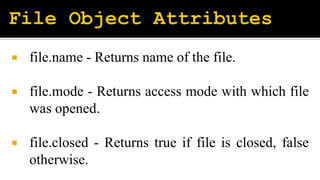
 file.name - Returns name of the file.
 file.mode - Returns access mode with which file
was opened.
 file.closed - Returns true if file is closed, false
otherwise.
 fileObject.read([count])
 fileObject.readline()
 fileObject.readlines()
 fileObject.write()
 fileObject.tell()
 fiileObject.seek(offset)
 readlines() method appends each line to the list and then
returns the entire list it will be time-consuming if the file size
is extremely large say in GB.
 The input() method of fileinput module can be used to read
large files.
fileinput.input(“filename”)
 Open the file in a ‘with’ block as it automatically closes the
file as soon as the entire block executes.
with open(“filename”) as file
 JavaScript Object Notation(JSON) is a script file
which is made of text in a programming language is
used to store and transfer the data.
 The text in JSON is done through quoted-string which
contains the value in key-value mapping within { }.
 Python has a built-in package called json, which can be
used to work with JSON data.
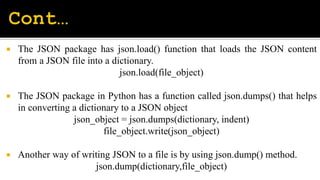
 The JSON package has json.load() function that loads the JSON content
from a JSON file into a dictionary.
json.load(file_object)
 The JSON package in Python has a function called json.dumps() that helps
in converting a dictionary to a JSON object
json_object = json.dumps(dictionary, indent)
file_object.write(json_object)
 Another way of writing JSON to a file is by using json.dump() method.
json.dump(dictionary,file_object)
 XML stands for eXtensible Markup Language. XML is
a text-based markup language designed to store and
transport data.
 Python comes with the ElementTree library that
provides several functions to read and manipulate the
XMLs.
 To use the ElementTree module, we need to import
xml.etree.ElementTree
 To load XML file use parse method.
ET.parse(source,parser)
 To know the root element use getroot().
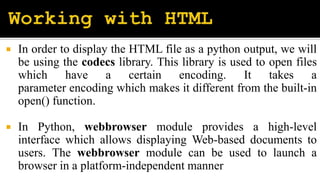
 In order to display the HTML file as a python output, we will
be using the codecs library. This library is used to open files
which have a certain encoding. It takes a
parameter encoding which makes it different from the built-in
open() function.
 In Python, webbrowser module provides a high-level
interface which allows displaying Web-based documents to
users. The webbrowser module can be used to launch a
browser in a platform-independent manner
 Excel is a spreadsheet application which is developed
by Microsoft. It is an easily accessible tool to organize,
analyze, and store the data in tables.
 Python provides xlrd and openpyxl modules for excel
spreadsheet.
pip install xlrd
pip install openpyxl
Files.pptx

Files.pptx

  • 2.
     Files arenamed locations on disk to store related information. They are used to permanently store data in a non-volatile memory.  The following is the order operation on files: 1. Open 2. Read or Write 3. Close
  • 3.
     open() functionis used to open a file, which returns a file object – used to call other support methods associated with it. fileObject = open(file_name [, access_mode][, buffering])  close() method is used to close the file. fileObject.close()
  • 4.
     file.name -Returns name of the file.  file.mode - Returns access mode with which file was opened.  file.closed - Returns true if file is closed, false otherwise.
  • 5.
     fileObject.read([count])  fileObject.readline() fileObject.readlines()  fileObject.write()
  • 6.
  • 7.
     readlines() methodappends each line to the list and then returns the entire list it will be time-consuming if the file size is extremely large say in GB.  The input() method of fileinput module can be used to read large files. fileinput.input(“filename”)  Open the file in a ‘with’ block as it automatically closes the file as soon as the entire block executes. with open(“filename”) as file
  • 8.
     JavaScript ObjectNotation(JSON) is a script file which is made of text in a programming language is used to store and transfer the data.  The text in JSON is done through quoted-string which contains the value in key-value mapping within { }.  Python has a built-in package called json, which can be used to work with JSON data.
  • 9.
     The JSONpackage has json.load() function that loads the JSON content from a JSON file into a dictionary. json.load(file_object)  The JSON package in Python has a function called json.dumps() that helps in converting a dictionary to a JSON object json_object = json.dumps(dictionary, indent) file_object.write(json_object)  Another way of writing JSON to a file is by using json.dump() method. json.dump(dictionary,file_object)
  • 10.
     XML standsfor eXtensible Markup Language. XML is a text-based markup language designed to store and transport data.  Python comes with the ElementTree library that provides several functions to read and manipulate the XMLs.  To use the ElementTree module, we need to import xml.etree.ElementTree
  • 11.
     To loadXML file use parse method. ET.parse(source,parser)  To know the root element use getroot().
  • 13.
     In orderto display the HTML file as a python output, we will be using the codecs library. This library is used to open files which have a certain encoding. It takes a parameter encoding which makes it different from the built-in open() function.  In Python, webbrowser module provides a high-level interface which allows displaying Web-based documents to users. The webbrowser module can be used to launch a browser in a platform-independent manner
  • 14.
     Excel isa spreadsheet application which is developed by Microsoft. It is an easily accessible tool to organize, analyze, and store the data in tables.  Python provides xlrd and openpyxl modules for excel spreadsheet. pip install xlrd pip install openpyxl