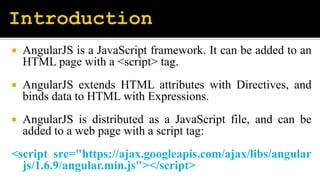
 AngularJS is a JavaScript framework. It can be added to an
HTML page with a <script> tag.
 AngularJS extends HTML attributes with Directives, and
binds data to HTML with Expressions.
 AngularJS is distributed as a JavaScript file, and can be
added to a web page with a script tag:
<script src="https://ajax.googleapis.com/ajax/libs/angular
js/1.6.9/angular.min.js"></script>
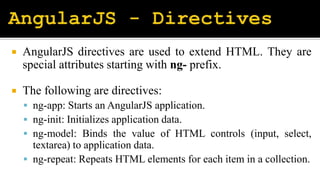
 AngularJS directives are used to extend HTML. They are
special attributes starting with ng- prefix.
 The following are directives:
 ng-app: Starts an AngularJS application.
 ng-init: Initializes application data.
 ng-model: Binds the value of HTML controls (input, select,
textarea) to application data.
 ng-repeat: Repeats HTML elements for each item in a collection.
 AngularJS will resolve the expression, and return
the result exactly where the expression is written.
 AngularJS expressions can be written inside
double braces: {{ expression }} or inside a
directive: ng-bind="expression".
 An AngularJS module defines an application.
 The module is a container for the different parts of
an application.
 The module is a container for the application
controllers.
 A module is created by using the AngularJS
function angular.module
<div ng-app="myApp">...</div>
<script>
var app = angular.module("myApp", []);
</script>
 The scope is the binding part between the HTML
(view) and the JavaScript (controller).
 The scope is an object with the available properties
and methods.
 All applications have a $rootScope which is the scope
created on the HTML element that contains the ng-
app directive. The rootScope is available in the entire
application.
 AngularJS application mainly relies on controllers to
control the flow of data in the application. A
controller is defined using ng-controller directive.
 A controller is a JavaScript object that contains
attributes/properties, and functions.
 Each controller accepts $scope as a parameter, which
refers to the application/module that the controller
needs to handle.
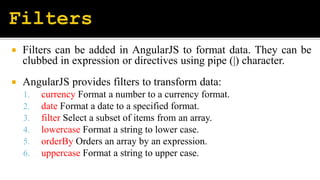
 Filters can be added in AngularJS to format data. They can be
clubbed in expression or directives using pipe (|) character.
 AngularJS provides filters to transform data:
1. currency Format a number to a currency format.
2. date Format a date to a specified format.
3. filter Select a subset of items from an array.
4. lowercase Format a string to lower case.
5. orderBy Orders an array by an expression.
6. uppercase Format a string to upper case.
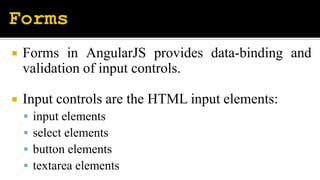
 Forms in AngularJS provides data-binding and
validation of input controls.
 Input controls are the HTML input elements:
 input elements
 select elements
 button elements
 textarea elements
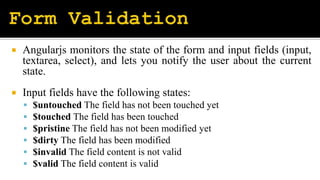
 Angularjs monitors the state of the form and input fields (input,
textarea, select), and lets you notify the user about the current
state.
 Input fields have the following states:
 $untouched The field has not been touched yet
 $touched The field has been touched
 $pristine The field has not been modified yet
 $dirty The field has been modified
 $invalid The field content is not valid
 $valid The field content is valid
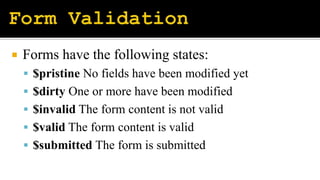
 Forms have the following states:
 $pristine No fields have been modified yet
 $dirty One or more have been modified
 $invalid The form content is not valid
 $valid The form content is valid
 $submitted The form is submitted
Angular.pptx

Angular.pptx

  • 2.
     AngularJS isa JavaScript framework. It can be added to an HTML page with a <script> tag.  AngularJS extends HTML attributes with Directives, and binds data to HTML with Expressions.  AngularJS is distributed as a JavaScript file, and can be added to a web page with a script tag: <script src="https://ajax.googleapis.com/ajax/libs/angular js/1.6.9/angular.min.js"></script>
  • 3.
     AngularJS directivesare used to extend HTML. They are special attributes starting with ng- prefix.  The following are directives:  ng-app: Starts an AngularJS application.  ng-init: Initializes application data.  ng-model: Binds the value of HTML controls (input, select, textarea) to application data.  ng-repeat: Repeats HTML elements for each item in a collection.
  • 4.
     AngularJS willresolve the expression, and return the result exactly where the expression is written.  AngularJS expressions can be written inside double braces: {{ expression }} or inside a directive: ng-bind="expression".
  • 5.
     An AngularJSmodule defines an application.  The module is a container for the different parts of an application.  The module is a container for the application controllers.  A module is created by using the AngularJS function angular.module
  • 6.
    <div ng-app="myApp">...</div> <script> var app= angular.module("myApp", []); </script>
  • 7.
     The scopeis the binding part between the HTML (view) and the JavaScript (controller).  The scope is an object with the available properties and methods.  All applications have a $rootScope which is the scope created on the HTML element that contains the ng- app directive. The rootScope is available in the entire application.
  • 8.
     AngularJS applicationmainly relies on controllers to control the flow of data in the application. A controller is defined using ng-controller directive.  A controller is a JavaScript object that contains attributes/properties, and functions.  Each controller accepts $scope as a parameter, which refers to the application/module that the controller needs to handle.
  • 9.
     Filters canbe added in AngularJS to format data. They can be clubbed in expression or directives using pipe (|) character.  AngularJS provides filters to transform data: 1. currency Format a number to a currency format. 2. date Format a date to a specified format. 3. filter Select a subset of items from an array. 4. lowercase Format a string to lower case. 5. orderBy Orders an array by an expression. 6. uppercase Format a string to upper case.
  • 11.
     Forms inAngularJS provides data-binding and validation of input controls.  Input controls are the HTML input elements:  input elements  select elements  button elements  textarea elements
  • 12.
     Angularjs monitorsthe state of the form and input fields (input, textarea, select), and lets you notify the user about the current state.  Input fields have the following states:  $untouched The field has not been touched yet  $touched The field has been touched  $pristine The field has not been modified yet  $dirty The field has been modified  $invalid The field content is not valid  $valid The field content is valid
  • 13.
     Forms havethe following states:  $pristine No fields have been modified yet  $dirty One or more have been modified  $invalid The form content is not valid  $valid The form content is valid  $submitted The form is submitted