Primary Memory (MainMemory)
Primary memory holds only those data and
instructions on which the computer is currently
working. It has a limited capacity and data is lost
when power is switched off.
It is generally made up of semiconductor device.
It is divided into two subcategories RAM and ROM.
3.
Characteristics of MainMemory
These are semiconductor memories.
It is known as the main memory.
Usually volatile memory.
Data is lost in case power is switched off.
It is the working memory of the computer.
Faster than secondary memories.
A computer cannot run without the primary memory.
4.
RAM
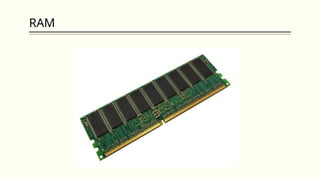
Random AccessMemory (RAM) is a type of computer
memory that is used to temporarily store data that the
computer is currently using or processing.
RAM is volatile memory, which means that the data stored
in it is lost when the power is turned off.
• It is also called read-write memory or the main memory or
the primary memory.
• The programs and data that the CPU requires during the
execution of a program are stored in this memory.
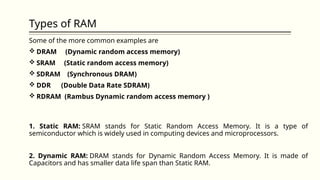
Types of RAM
Someof the more common examples are
DRAM (Dynamic random access memory)
SRAM (Static random access memory)
SDRAM (Synchronous DRAM)
DDR (Double Data Rate SDRAM)
RDRAM (Rambus Dynamic random access memory )
1. Static RAM: SRAM stands for Static Random Access Memory. It is a type of
semiconductor which is widely used in computing devices and microprocessors.
2. Dynamic RAM: DRAM stands for Dynamic Random Access Memory. It is made of
Capacitors and has smaller data life span than Static RAM.
7.
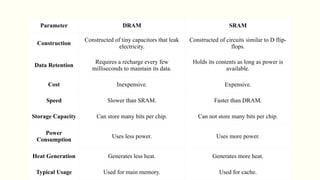
Parameter DRAM SRAM
Construction
Constructedof tiny capacitors that leak
electricity.
Constructed of circuits similar to D flip-
flops.
Data Retention
Requires a recharge every few
milliseconds to maintain its data.
Holds its contents as long as power is
available.
Cost Inexpensive. Expensive.
Speed Slower than SRAM. Faster than DRAM.
Storage Capacity Can store many bits per chip. Can not store many bits per chip.
Power
Consumption
Uses less power. Uses more power.
Heat Generation Generates less heat. Generates more heat.
Typical Usage Used for main memory. Used for cache.
8.
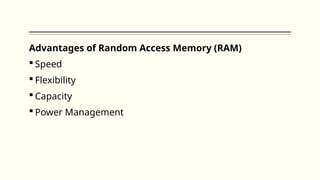
Advantages of RandomAccess Memory (RAM)
Speed
Flexibility
Capacity
Power Management
9.
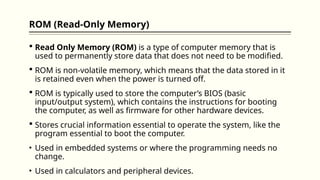
ROM (Read-Only Memory)
Read Only Memory (ROM) is a type of computer memory that is
used to permanently store data that does not need to be modified.
ROM is non-volatile memory, which means that the data stored in it
is retained even when the power is turned off.
ROM is typically used to store the computer’s BIOS (basic
input/output system), which contains the instructions for booting
the computer, as well as firmware for other hardware devices.
Stores crucial information essential to operate the system, like the
program essential to boot the computer.
• Used in embedded systems or where the programming needs no
change.
• Used in calculators and peripheral devices.
10.
Kinds of ROM
Thereare five basic ROM types
Mask ROM
PROM
EPROM
EEPROM
FLASH ROM
11.
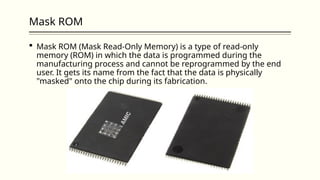
Mask ROM
MaskROM (Mask Read-Only Memory) is a type of read-only
memory (ROM) in which the data is programmed during the
manufacturing process and cannot be reprogrammed by the end
user. It gets its name from the fact that the data is physically
"masked" onto the chip during its fabrication.
12.
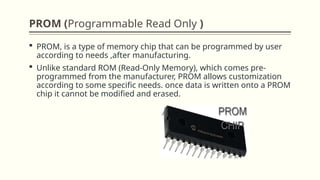
PROM (Programmable ReadOnly )
PROM, is a type of memory chip that can be programmed by user
according to needs ,after manufacturing.
Unlike standard ROM (Read-Only Memory), which comes pre-
programmed from the manufacturer, PROM allows customization
according to some specific needs. once data is written onto a PROM
chip it cannot be modified and erased.
13.
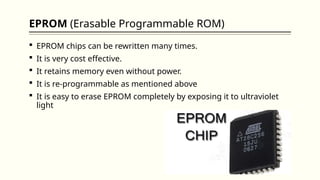
EPROM (Erasable ProgrammableROM)
EPROM chips can be rewritten many times.
It is very cost effective.
It retains memory even without power.
It is re-programmable as mentioned above
It is easy to erase EPROM completely by exposing it to ultraviolet
light
14.
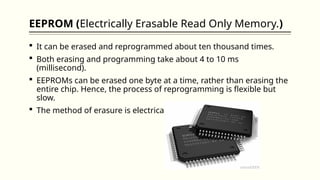
EEPROM (Electrically ErasableRead Only Memory.)
It can be erased and reprogrammed about ten thousand times.
Both erasing and programming take about 4 to 10 ms
(millisecond).
EEPROMs can be erased one byte at a time, rather than erasing the
entire chip. Hence, the process of reprogramming is flexible but
slow.
The method of erasure is electrical and immediate.
15.
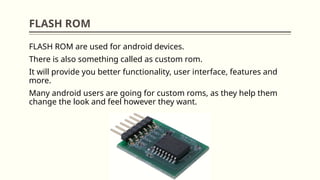
FLASH ROM
FLASH ROMare used for android devices.
There is also something called as custom rom.
It will provide you better functionality, user interface, features and
more.
Many android users are going for custom roms, as they help them
change the look and feel however they want.
16.
Cache Memory
Cachememory is a small, high-speed memory located close to the
CPU (Central Processing Unit) that temporarily stores frequently
used data and instructions to improve system performance.
When the CPU needs data, it first checks the cache. If the data is
present (cache hit), it's retrieved quickly. If not (cache miss), the data
is fetched from the main memory and stored in the cache for future
use.
Cache memory is faster than main memory and consumes less
access time
There are two different types of cache memory: primary and
secondary. Primary cache memory is found on the CPU itself
whereas secondary cache memory is found on a separate chip close
to the CPU.
Cache memory is typically divided into three levels: L1, L2, and
Editor's Notes
#1 NOTE:
To change the image on this slide, select the picture and delete it. Then click the Pictures icon in the placeholder to insert your own image.