 Storage Devices are the data storage devices that
are used in the computers to store the data. The
computer has many types of data storage devices.
Some of them can be classified as the removable
data Storage Devices and the others as the non
removable data Storage Devices.
 The memory is of two types; one is the primary
memory and the other one is the secondary
memory.
The primary memory is the volatile memory and the
secondary memory is the non volatile memory. The
volatile memory is the kind of the memory that is
erasable and the non volatile memory is the one
where in the contents cannot be erased.
 Floppy discs
 Fixed hard discs
 Portable hard discs
 Magnetic tapes
 CDs and DVDs
 Memory sticks/Pen drives
 Flash memory cards
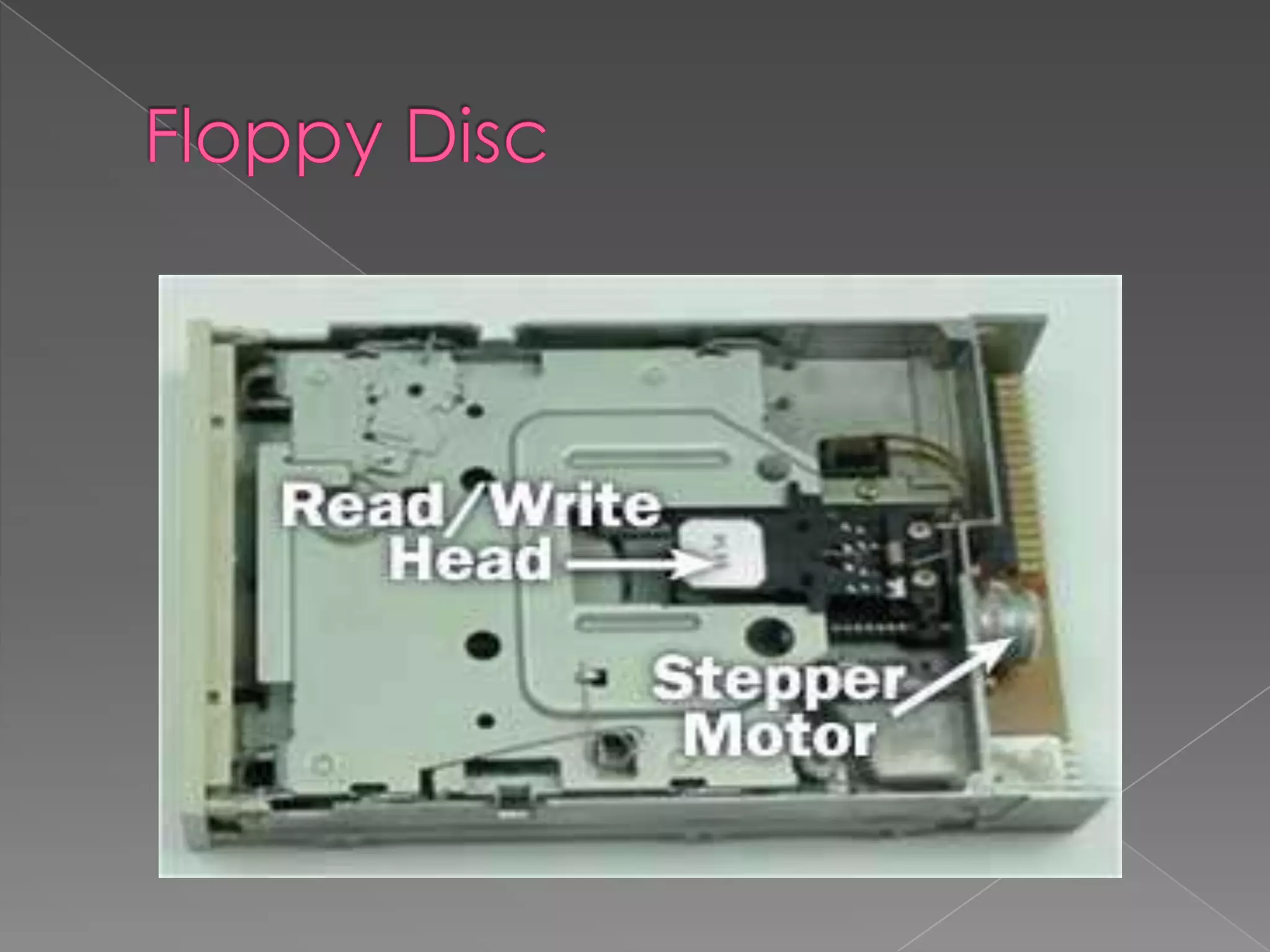
 A floppy disk is a data storage medium that is
composed of a disk of thin, flexible floppy )magnetic
storage medium encased in a square or rectangular
plastics hell. Floppy disks are read and written by a
floppy disk drive. A Floppy Disk Drive, or FDD or FD for
short, is a computer disk drive that enables a user to
save data to removable diskettes. Although 8" disk
drives were first made available in 1971, the first real
disk drives used were the 5 1/4" floppy disk drives,
which were later replaced with 3 1/2" floppy disk
drives. Today, because of the limited capacity and
reliability of floppy diskettes many computers no
longer come equipped with floppy disk drives and
are being replaced with CD-R, other writable discs,
and flash drives.
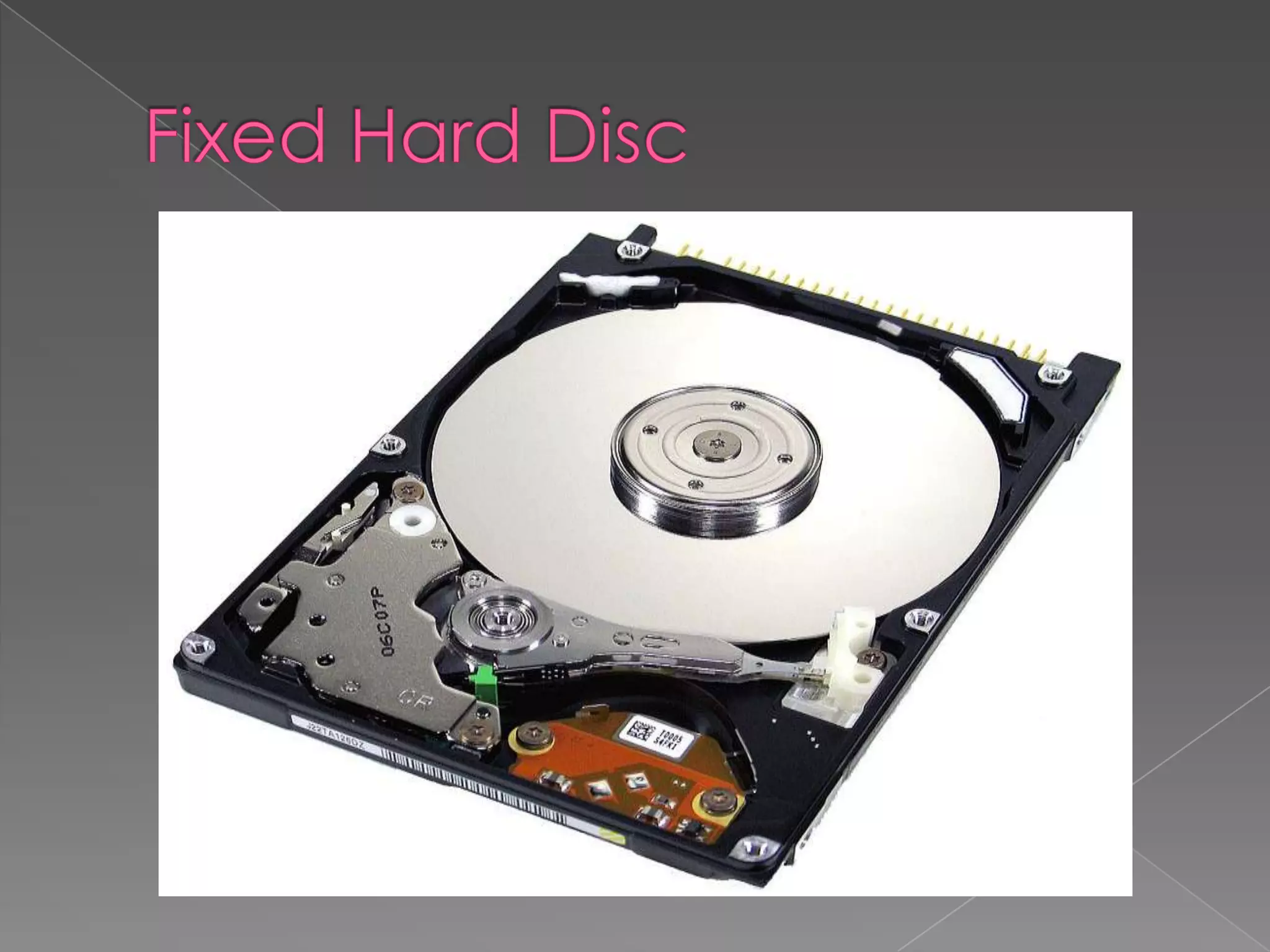
 A hard disk drive is the device used to store large
amounts of digital information in computers and
related equipment like iPods and games consoles
such as the Xbox 360 and PS3.
Hard disk drives are used to store operating systems,
software and working data.
These are suitable for any application which requires
very fast access to data for both reading and writing
to. However, Hard disk drives may not be suitable for
applications which need portability.
Almost all computers used a fixed hard disc. Used for
on-line and real time processes requiring direct
access. Used in file servers for computer networks to
store large amount of data
 Portable hard discs are good fun because you can carry
data about all over the place and transfer information,
programs, pictures, etc between computers.

 A portable hard drive does not require an external power
source
 A portable hard drive is great for on-the-go; it is small
enough to carry with you and often designed to be
rugged for transporting
 Portable hard drives can be easily used by multiple PC’s
for file sharing
 A portable hard drive allows for scheduled automatic
backups of files
 A portable drive allows for quick and easy archiving of
data
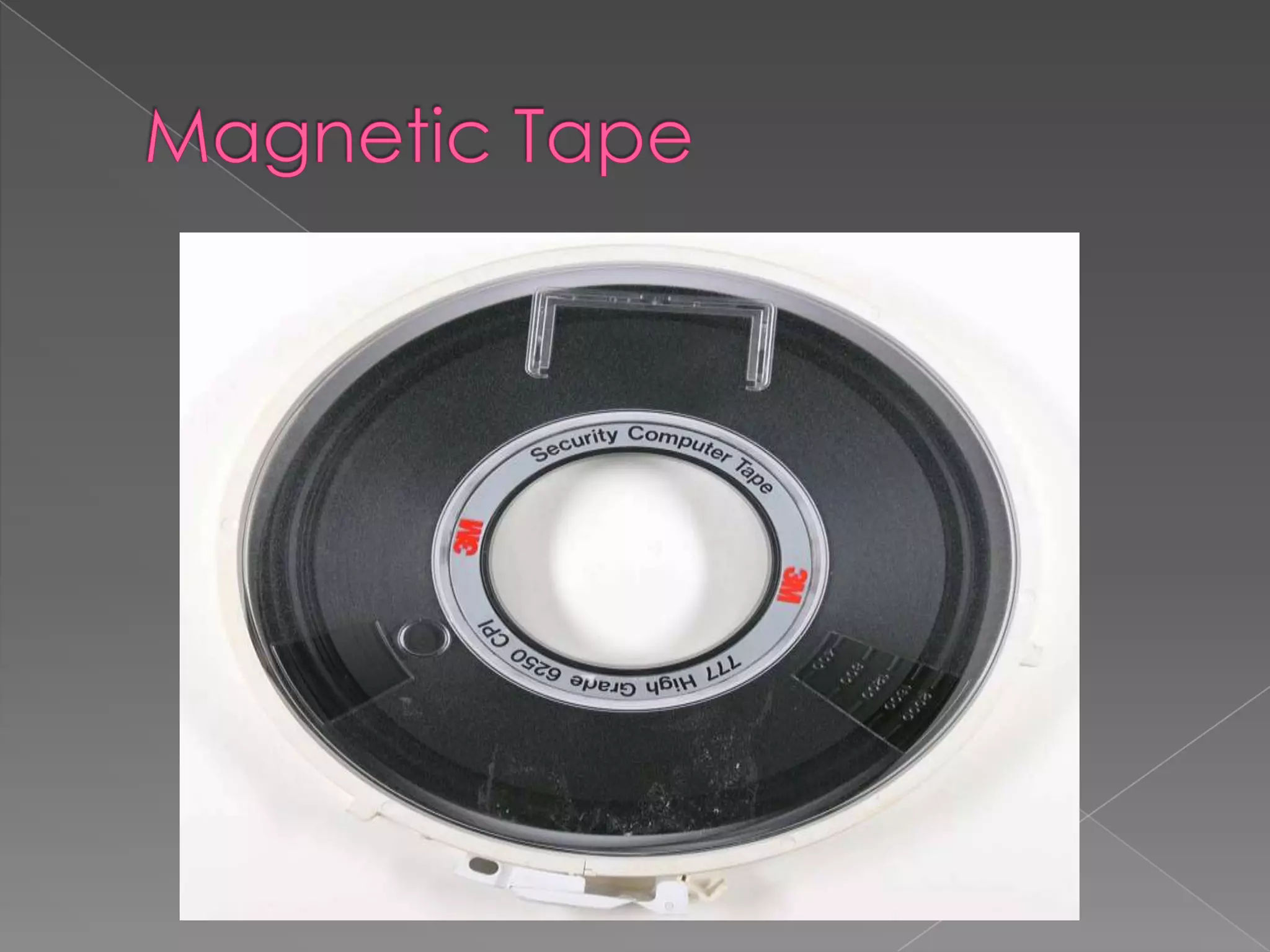
 Magnetic tape has been used for data storage for
over 50 years. When storing large amounts of data,
tape can be substantially less expensive than disk or
other data storage options. Tape storage has always
been used with large computer systems. Modern
usage is primarily as a high capacity medium
for backups and archives.
 When storing large amounts of data, tape can be
substantially less expensive than disk or other data
storage options. Tape storage has always been used
with large computer systems. Modern usage is
primarily as a high capacity medium
for backups and archives. As of 2011, the highest
capacity tape cartridges (T10000C) can store 5 TB of
uncompressed data
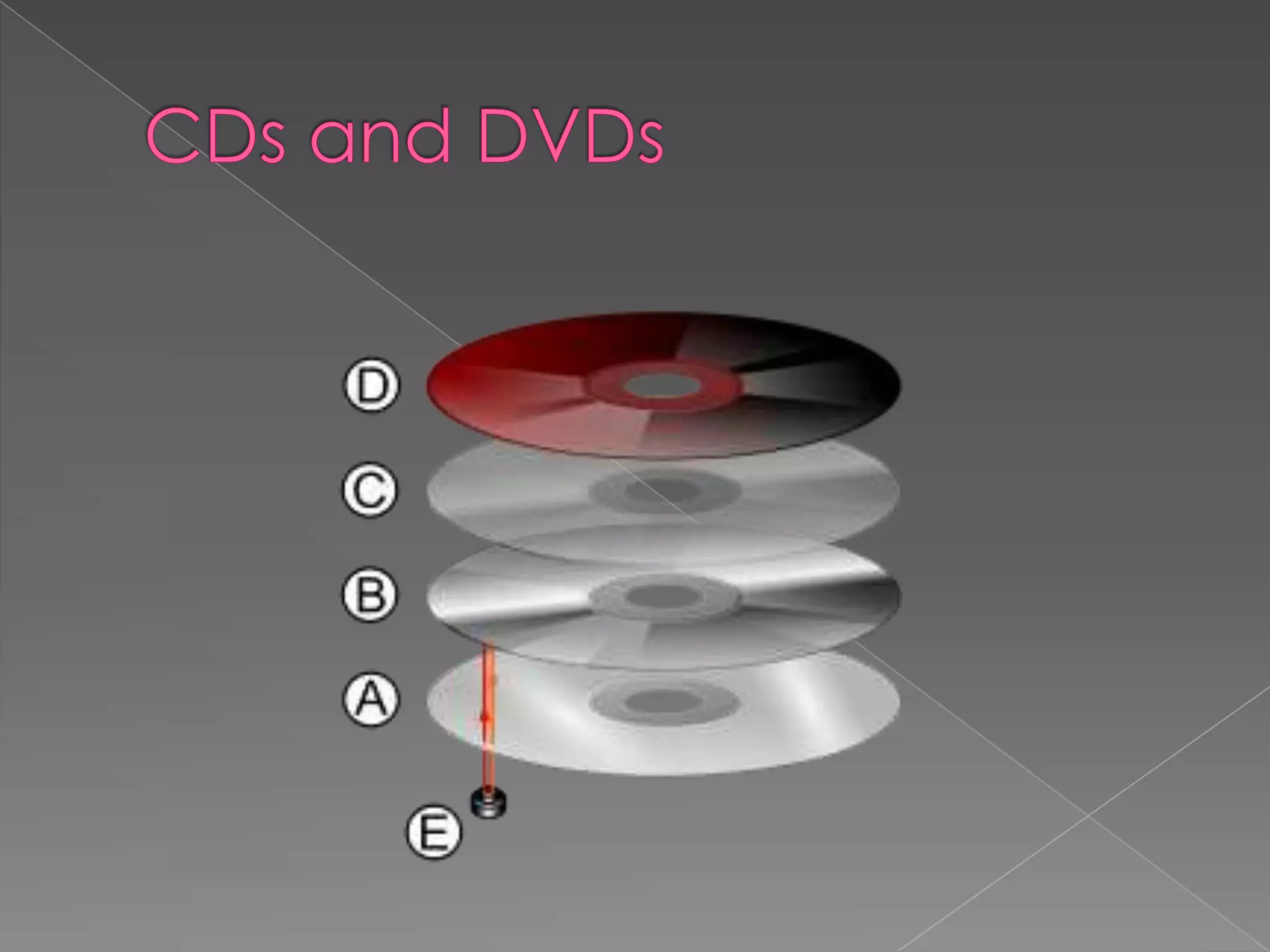
 CDs tend to be used for large files (but smaller than 1Gb) which are too
big for a floppy disc to hold such as music and general animation.
 DVDs are used to hold very large files (several Gb) such as movie films.
Both CDs and DVDs are portable i.e. they can be transported from one
computer to another. Both can be used to store computer data.
 CD ROM/DVD ROM Applications which require the prevention of
deletion of data, accidental or otherwise. CDs used by software
companies for distributing software programs and data; by Music
companies for distributing music albums and by book publishers for
distributing encyclopedias, reference books etc. DVDs used by film
distributors.
 CD R/DVD R Applications which require a single ‘burning’ of data, e.g.
CDs - recording of music downloads from the Internet, recording of
music from MP3 format, recording of data for archiving or backup
purposes. DVDs – recording of film movies and television programs.
 CD RW/DVD RW Applications which require the updating of information
and ability to record over old data. Not suitable for music recording but
is very useful for keeping generations of files. DVDs have between five
and ten times the capacity of CDs.
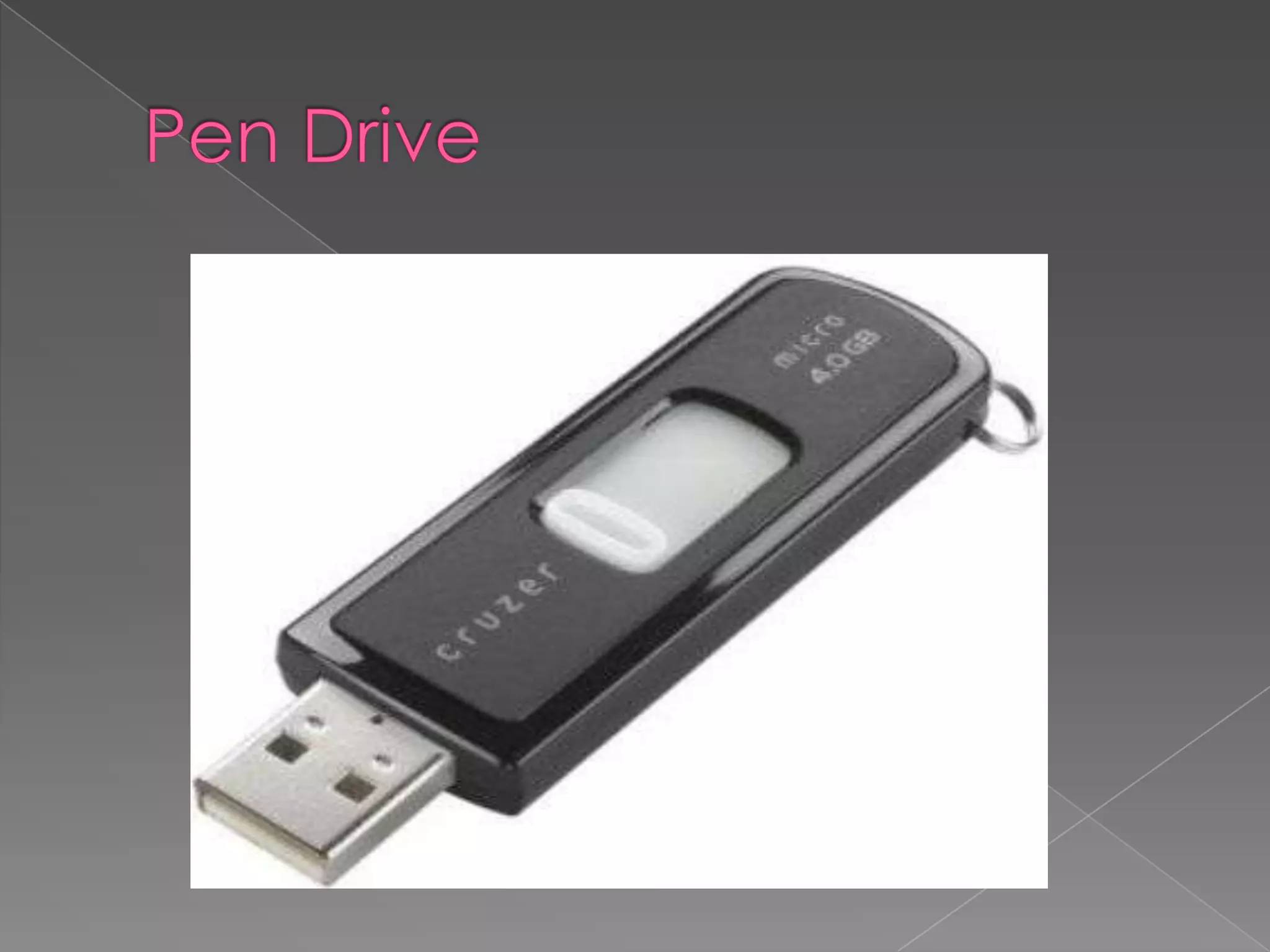
 USB flash drives are typically removable and
rewritable, much smaller than a floppy disk.
Storage capacities typically range from 64
MB to 64 GB. USB flash drives offer potential
advantages over other portable storage
devices, particularly the floppy disk.
They have a more compact shape,
operate faster, hold much more data, have
a more durable design, and operate more
reliably due to their lack of moving parts.
Flash drives are widely used to transport files
and backup data from computer to
computer.
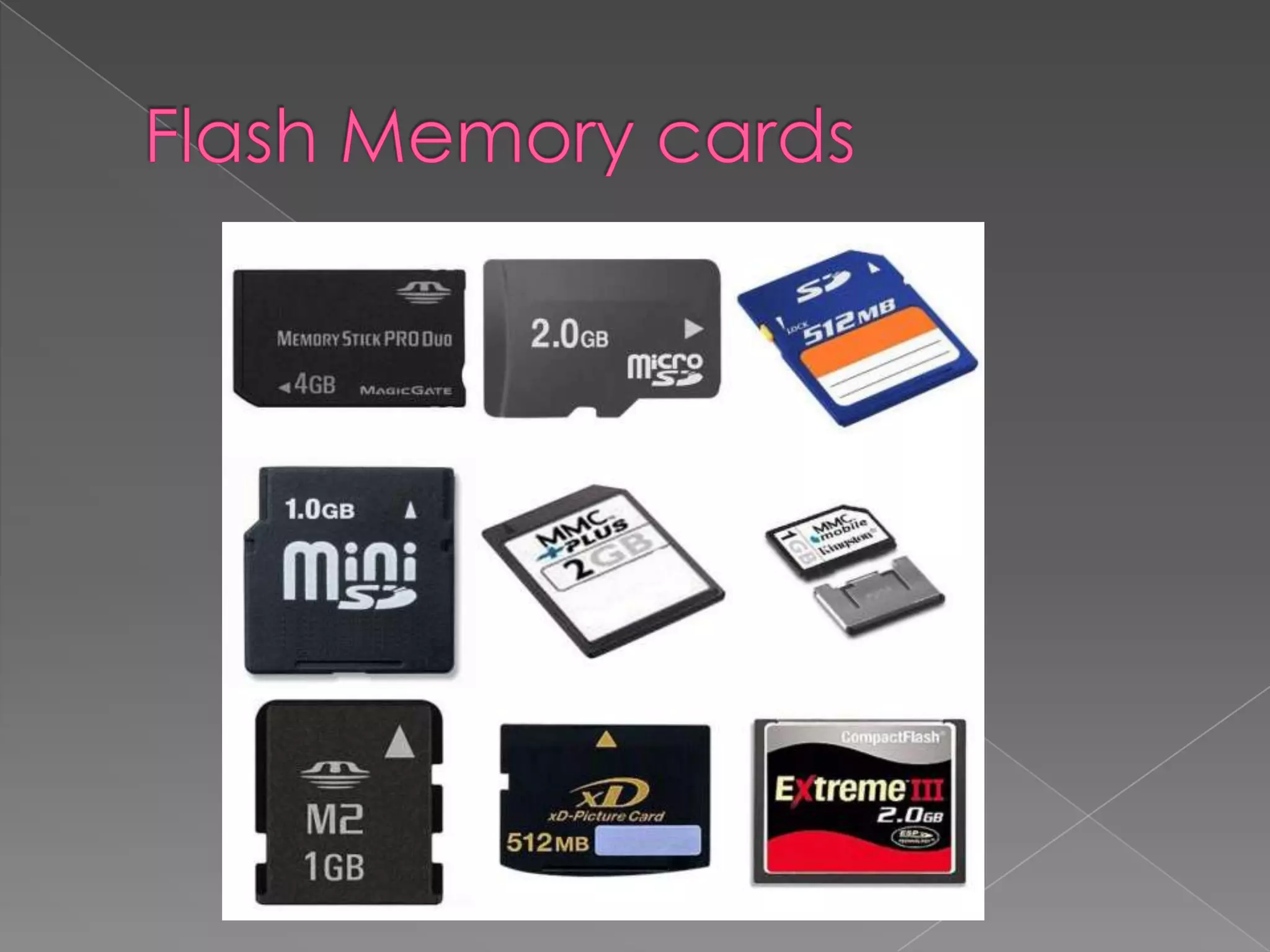
 A memory card or flash memory card is a
solid-state electronic flash memory data
storage device used with digital cameras,
handheld and Mobile computers,
telephones, music players, video game
consoles, and other electronics.
Nowadays, most new PCs have built-in slots
for a variety of memory cards; Memory
Stick, Compact Flash, SD, etc. Some digital
gadgets support more than one memory
card to ensure compatibility.
Storage devices
Storage devices

Storage devices

  • 2.
     Storage Devicesare the data storage devices that are used in the computers to store the data. The computer has many types of data storage devices. Some of them can be classified as the removable data Storage Devices and the others as the non removable data Storage Devices.  The memory is of two types; one is the primary memory and the other one is the secondary memory. The primary memory is the volatile memory and the secondary memory is the non volatile memory. The volatile memory is the kind of the memory that is erasable and the non volatile memory is the one where in the contents cannot be erased.
  • 3.
     Floppy discs Fixed hard discs  Portable hard discs  Magnetic tapes  CDs and DVDs  Memory sticks/Pen drives  Flash memory cards
  • 4.
     A floppydisk is a data storage medium that is composed of a disk of thin, flexible floppy )magnetic storage medium encased in a square or rectangular plastics hell. Floppy disks are read and written by a floppy disk drive. A Floppy Disk Drive, or FDD or FD for short, is a computer disk drive that enables a user to save data to removable diskettes. Although 8" disk drives were first made available in 1971, the first real disk drives used were the 5 1/4" floppy disk drives, which were later replaced with 3 1/2" floppy disk drives. Today, because of the limited capacity and reliability of floppy diskettes many computers no longer come equipped with floppy disk drives and are being replaced with CD-R, other writable discs, and flash drives.
  • 6.
     A harddisk drive is the device used to store large amounts of digital information in computers and related equipment like iPods and games consoles such as the Xbox 360 and PS3. Hard disk drives are used to store operating systems, software and working data. These are suitable for any application which requires very fast access to data for both reading and writing to. However, Hard disk drives may not be suitable for applications which need portability. Almost all computers used a fixed hard disc. Used for on-line and real time processes requiring direct access. Used in file servers for computer networks to store large amount of data
  • 8.
     Portable harddiscs are good fun because you can carry data about all over the place and transfer information, programs, pictures, etc between computers.   A portable hard drive does not require an external power source  A portable hard drive is great for on-the-go; it is small enough to carry with you and often designed to be rugged for transporting  Portable hard drives can be easily used by multiple PC’s for file sharing  A portable hard drive allows for scheduled automatic backups of files  A portable drive allows for quick and easy archiving of data
  • 9.
     Magnetic tapehas been used for data storage for over 50 years. When storing large amounts of data, tape can be substantially less expensive than disk or other data storage options. Tape storage has always been used with large computer systems. Modern usage is primarily as a high capacity medium for backups and archives.  When storing large amounts of data, tape can be substantially less expensive than disk or other data storage options. Tape storage has always been used with large computer systems. Modern usage is primarily as a high capacity medium for backups and archives. As of 2011, the highest capacity tape cartridges (T10000C) can store 5 TB of uncompressed data
  • 11.
     CDs tendto be used for large files (but smaller than 1Gb) which are too big for a floppy disc to hold such as music and general animation.  DVDs are used to hold very large files (several Gb) such as movie films. Both CDs and DVDs are portable i.e. they can be transported from one computer to another. Both can be used to store computer data.  CD ROM/DVD ROM Applications which require the prevention of deletion of data, accidental or otherwise. CDs used by software companies for distributing software programs and data; by Music companies for distributing music albums and by book publishers for distributing encyclopedias, reference books etc. DVDs used by film distributors.  CD R/DVD R Applications which require a single ‘burning’ of data, e.g. CDs - recording of music downloads from the Internet, recording of music from MP3 format, recording of data for archiving or backup purposes. DVDs – recording of film movies and television programs.  CD RW/DVD RW Applications which require the updating of information and ability to record over old data. Not suitable for music recording but is very useful for keeping generations of files. DVDs have between five and ten times the capacity of CDs.
  • 13.
     USB flashdrives are typically removable and rewritable, much smaller than a floppy disk. Storage capacities typically range from 64 MB to 64 GB. USB flash drives offer potential advantages over other portable storage devices, particularly the floppy disk. They have a more compact shape, operate faster, hold much more data, have a more durable design, and operate more reliably due to their lack of moving parts. Flash drives are widely used to transport files and backup data from computer to computer.
  • 15.
     A memorycard or flash memory card is a solid-state electronic flash memory data storage device used with digital cameras, handheld and Mobile computers, telephones, music players, video game consoles, and other electronics. Nowadays, most new PCs have built-in slots for a variety of memory cards; Memory Stick, Compact Flash, SD, etc. Some digital gadgets support more than one memory card to ensure compatibility.