COMPUTER
HARDWARE
(Input and Output devices)
Refers to the TANGIBLE
components of a computer
system.
COMPUTER HARDWARE
 CPU is considered as the brain of
the computer. CPU performs all
types of data processing
operations.
CPU
(Central Processing
Unit )
Motherboard
 The motherboard is at the center of what
makes a PC work.
 It houses the CPU and is a hub that all other
hardware runs through.
 The motherboard serves as a single platform
to connect all of the parts of a computer
together.
Hardware
Components
01
The System Unit
Input Devices
Output Devices
Computer Memory
Secondary Stoarge
Devices
02
03
04
05
INPUT
DEVICES
01
 Input Devices perform the two most basic
computing tasks:
a. Issuing commands
b. Entering data
 Data entry is defined as the process of
entering data into the computer memory and
issuing commands that tell the processor to
work with the data.
INPUT
DEVICES
Types of Input Devices
Keyboard
 The keyboard is the
standard input device of
most computers. It was
patterned after the
typewriter and keypad of
an elctronic calculator.
Numeric
keyboard
Control Keys
Navigation
Keys
Function Keys
Escape
Key
QWERTY
KEYBOARD
Types of Input Devices
Mouse
The mouse is hand-clicked
device used for pointing. The
modern mouse uses a ball for
movement and has two to three
buttons.
Types of Input Devices
Joystick
 The joystick is an
input device which
commonly used for
computer games. It
allowss sudden,
rapid movements in
all direction- a must
in most computer
games.
Trackball
 Trackball is another
commonly used pointing
device. It is like a
stationary, upside down
mouse. Trackball does not
require as much hand eye
coordination nor does not
require the extra desk
space necessary to move
as the mouse.
Types of Input Devices
Light Pen
The Light pen is a used to draw, write or
issue commands when it touches a
specially designed screen. It was originally
developed for computer aided drafting at
the Massachusetts Institute of Technology
in 1964.
Types of Input Devices
Video Input Devices
 The most common
video input device is
called the DIGITAL
CAMERA, which takes
still photograph and
transfers them directly
into the computer.
Types of Input Devices
Text Input Devices
 Copying the text contents of
another printed material such as
an old book is error prone.
 One such device is the scanner. It
is a light sensitive device to enter
text or even graphics.
 The flatbed scanner is ideal for
material in flat surface.
 Hand-held scanner is used to
capture images in materials
which are not flat.
02
OUTPUT
DEVICES
OUTPUT
DEVICES
 An output device is any piece of
computer hardware equipment
used to communicate the results
of data processing carried out by
an information processing
system (such as a computer)
which converts the electronically
generated information into
human-readable form.
COMPUTER GENERATED
OUT PUT
TEXT OUTPUT - is simply the alphanumeric characters that make up
our language.
GRAPHIC OUTPUT - includes line drawings, maps business
presentation graphics, computer aided design, computer graphics and
photographic reproduction.
SOUND OUTPUT - ranges from message beeps produced by the
computer system to the voice to music.
VIDEO OUTPUT - refer to photographs or moving images.
MONITOR
PRINTER
SPEAKERS
PROJECTOR
HEADSET
Types of Output Devices
MONITOR
 It is the most computer
devices.
 It creates a visual display by
the use of which users can
view data
 Monitors come in various in
sizes and resolution.
Types of Output Devices
PROJECTOR
 A device that
projects computer output onto a white
or silver fabric screen that is wall,
ceiling or tripod mounted.
 It is widely used in classrooms and
auditoriums for instruction and slide
presentations.
 For projectors designed primarily to
display movies, see front-
projection TV.
Types of Output Devices
SPEAKERS
 attached to the
computer to facilitate
the output sound.
 it requires sound cards
the computer to the
speakers be functional.
Types of Output Devices
HEADSET
 A combination of
microphone and
speaker.
 It is mostly use by
gamers and also a great
tool for communication
Types of Output Devices
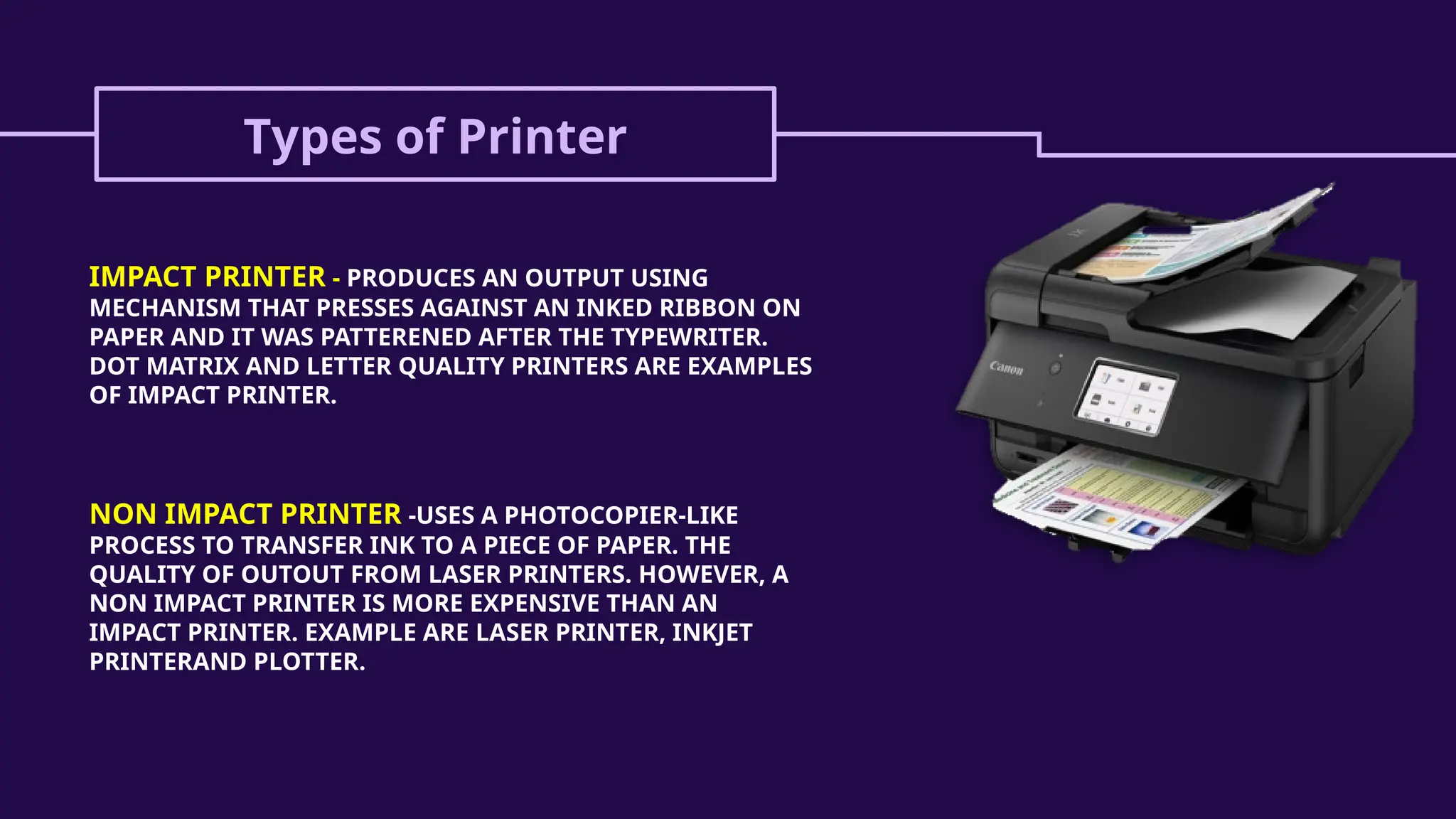
PRINTER
 A printer is an output
device that prints paper
documents.
 This includes text
documents, images, or
a combination of both.
Types of Printer
IMPACT PRINTER - PRODUCES AN OUTPUT USING
MECHANISM THAT PRESSES AGAINST AN INKED RIBBON ON
PAPER AND IT WAS PATTERENED AFTER THE TYPEWRITER.
DOT MATRIX AND LETTER QUALITY PRINTERS ARE EXAMPLES
OF IMPACT PRINTER.
NON IMPACT PRINTER -USES A PHOTOCOPIER-LIKE
PROCESS TO TRANSFER INK TO A PIECE OF PAPER. THE
QUALITY OF OUTOUT FROM LASER PRINTERS. HOWEVER, A
NON IMPACT PRINTER IS MORE EXPENSIVE THAN AN
IMPACT PRINTER. EXAMPLE ARE LASER PRINTER, INKJET
PRINTERAND PLOTTER.
MODEM
A DEVICE THAT CAN BE USED FOR BOTH INPUT AND OUTPUT. THE
MODEM IS USED TO CONNECT ONE COMPUTER TO ANOTHER VIA
CONVENTIONAL TELEPHONE LINES. AS AN INPUT DEVICE, IT
TRANSLATES SIGNAL IT RECEIVES THROUGH THE PHONE INTO
SOMETHING THE COMPUTER CAN UNDERSTAND.
AS AN OUTPUT DEVICE, IT TRANSLATE COMPUTER SIGNALS INTO
SOMETHING WHICH CAN BE UNDERSTOOD BY THE TELEPHONE
LINES. THE TWO PROCESSES ARE CALLED MODULATION AND
DEMODULATION.
THANK YOU!
God bless you!
Stay safe, everyone!

3. HARDWAREHARDWAREHARDWAREHARDWAREHARDWAREHARDWARE.pptx

  • 1.
  • 2.
    Refers to theTANGIBLE components of a computer system. COMPUTER HARDWARE
  • 3.
     CPU isconsidered as the brain of the computer. CPU performs all types of data processing operations. CPU (Central Processing Unit )
  • 4.
    Motherboard  The motherboardis at the center of what makes a PC work.  It houses the CPU and is a hub that all other hardware runs through.  The motherboard serves as a single platform to connect all of the parts of a computer together.
  • 5.
    Hardware Components 01 The System Unit InputDevices Output Devices Computer Memory Secondary Stoarge Devices 02 03 04 05
  • 6.
  • 7.
     Input Devicesperform the two most basic computing tasks: a. Issuing commands b. Entering data  Data entry is defined as the process of entering data into the computer memory and issuing commands that tell the processor to work with the data. INPUT DEVICES
  • 8.
    Types of InputDevices Keyboard  The keyboard is the standard input device of most computers. It was patterned after the typewriter and keypad of an elctronic calculator. Numeric keyboard Control Keys Navigation Keys Function Keys Escape Key QWERTY KEYBOARD
  • 9.
    Types of InputDevices Mouse The mouse is hand-clicked device used for pointing. The modern mouse uses a ball for movement and has two to three buttons.
  • 10.
    Types of InputDevices Joystick  The joystick is an input device which commonly used for computer games. It allowss sudden, rapid movements in all direction- a must in most computer games. Trackball  Trackball is another commonly used pointing device. It is like a stationary, upside down mouse. Trackball does not require as much hand eye coordination nor does not require the extra desk space necessary to move as the mouse.
  • 11.
    Types of InputDevices Light Pen The Light pen is a used to draw, write or issue commands when it touches a specially designed screen. It was originally developed for computer aided drafting at the Massachusetts Institute of Technology in 1964.
  • 12.
    Types of InputDevices Video Input Devices  The most common video input device is called the DIGITAL CAMERA, which takes still photograph and transfers them directly into the computer.
  • 13.
    Types of InputDevices Text Input Devices  Copying the text contents of another printed material such as an old book is error prone.  One such device is the scanner. It is a light sensitive device to enter text or even graphics.  The flatbed scanner is ideal for material in flat surface.  Hand-held scanner is used to capture images in materials which are not flat.
  • 14.
  • 15.
    OUTPUT DEVICES  An outputdevice is any piece of computer hardware equipment used to communicate the results of data processing carried out by an information processing system (such as a computer) which converts the electronically generated information into human-readable form.
  • 16.
    COMPUTER GENERATED OUT PUT TEXTOUTPUT - is simply the alphanumeric characters that make up our language. GRAPHIC OUTPUT - includes line drawings, maps business presentation graphics, computer aided design, computer graphics and photographic reproduction. SOUND OUTPUT - ranges from message beeps produced by the computer system to the voice to music. VIDEO OUTPUT - refer to photographs or moving images.
  • 17.
  • 18.
    Types of OutputDevices MONITOR  It is the most computer devices.  It creates a visual display by the use of which users can view data  Monitors come in various in sizes and resolution.
  • 19.
    Types of OutputDevices PROJECTOR  A device that projects computer output onto a white or silver fabric screen that is wall, ceiling or tripod mounted.  It is widely used in classrooms and auditoriums for instruction and slide presentations.  For projectors designed primarily to display movies, see front- projection TV.
  • 20.
    Types of OutputDevices SPEAKERS  attached to the computer to facilitate the output sound.  it requires sound cards the computer to the speakers be functional.
  • 21.
    Types of OutputDevices HEADSET  A combination of microphone and speaker.  It is mostly use by gamers and also a great tool for communication
  • 22.
    Types of OutputDevices PRINTER  A printer is an output device that prints paper documents.  This includes text documents, images, or a combination of both.
  • 23.
    Types of Printer IMPACTPRINTER - PRODUCES AN OUTPUT USING MECHANISM THAT PRESSES AGAINST AN INKED RIBBON ON PAPER AND IT WAS PATTERENED AFTER THE TYPEWRITER. DOT MATRIX AND LETTER QUALITY PRINTERS ARE EXAMPLES OF IMPACT PRINTER. NON IMPACT PRINTER -USES A PHOTOCOPIER-LIKE PROCESS TO TRANSFER INK TO A PIECE OF PAPER. THE QUALITY OF OUTOUT FROM LASER PRINTERS. HOWEVER, A NON IMPACT PRINTER IS MORE EXPENSIVE THAN AN IMPACT PRINTER. EXAMPLE ARE LASER PRINTER, INKJET PRINTERAND PLOTTER.
  • 24.
    MODEM A DEVICE THATCAN BE USED FOR BOTH INPUT AND OUTPUT. THE MODEM IS USED TO CONNECT ONE COMPUTER TO ANOTHER VIA CONVENTIONAL TELEPHONE LINES. AS AN INPUT DEVICE, IT TRANSLATES SIGNAL IT RECEIVES THROUGH THE PHONE INTO SOMETHING THE COMPUTER CAN UNDERSTAND. AS AN OUTPUT DEVICE, IT TRANSLATE COMPUTER SIGNALS INTO SOMETHING WHICH CAN BE UNDERSTOOD BY THE TELEPHONE LINES. THE TWO PROCESSES ARE CALLED MODULATION AND DEMODULATION.
  • 25.
    THANK YOU! God blessyou! Stay safe, everyone!