

What is Cloud Computing?
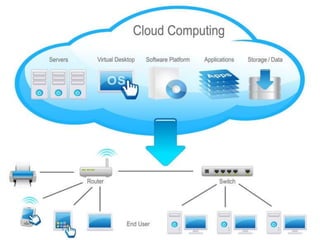
ď‚— Cloud computing is a technology that uses
  the internet and central remote servers to
  maintain data and applications.
ď‚— Cloud computing allows consumers and
  businesses to use applications without
  installation and access their personal files at
  any computer with internet access.
Example
ď‚— A simple example of cloud computing is
  Yahoo mail, Gmail, or Hotmail etc.
 You don’t need a software or a server to use
  them. All a consumer would need is just an
  internet connection and you can start
  sending emails.
What it provides
ď‚— computation,
ď‚— software,
ď‚— data access, and
ď‚— storage resources

    without requiring cloud users to know the location and
    other details of the computing infrastructure.
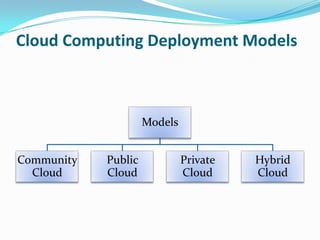
Cloud Computing Deployment Models


                     Models


Community   Public            Private   Hybrid
  Cloud     Cloud             Cloud     Cloud
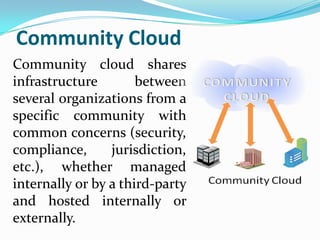
Community Cloud
Community cloud shares
infrastructure        between
several organizations from a
specific community with
common concerns (security,
compliance,      jurisdiction,
etc.), whether managed
internally or by a third-party
and hosted internally or
externally.
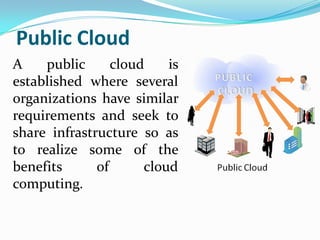
Public Cloud
A    public      cloud    is
established where several
organizations have similar
requirements and seek to
share infrastructure so as
to realize some of the
benefits      of      cloud
computing.
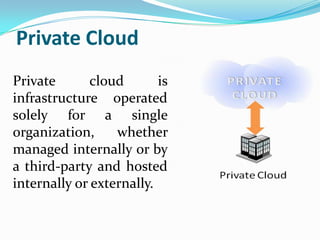
Private Cloud
Private       cloud       is
infrastructure operated
solely for a single
organization,     whether
managed internally or by
a third-party and hosted
internally or externally.
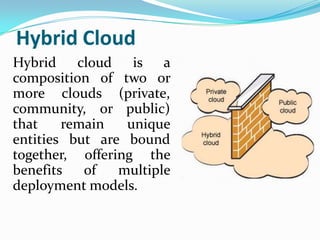
Hybrid Cloud
Hybrid cloud is a
composition of two or
more clouds (private,
community, or public)
that    remain   unique
entities but are bound
together, offering the
benefits   of   multiple
deployment models.
Cloud Computing Architecture
ď‚— The architecture has two sections: the front end and
  the back end.
ď‚— They connect to each other through a network, usually
  the Internet.
ď‚— The front end is the side the computer user, or client,
  sees.
ď‚— The back end is the "cloud" section of the system.
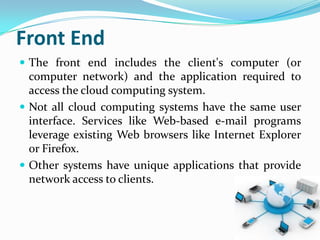
Front End
ď‚— The front end includes the client's computer (or
  computer network) and the application required to
  access the cloud computing system.
ď‚— Not all cloud computing systems have the same user
  interface. Services like Web-based e-mail programs
  leverage existing Web browsers like Internet Explorer
  or Firefox.
ď‚— Other systems have unique applications that provide
  network access to clients.
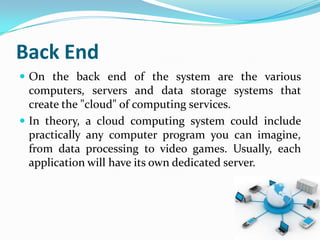
Back End
ď‚— On the back end of the system are the various
  computers, servers and data storage systems that
  create the "cloud" of computing services.
ď‚— In theory, a cloud computing system could include
  practically any computer program you can imagine,
  from data processing to video games. Usually, each
  application will have its own dedicated server.
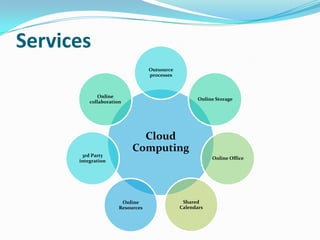
Services
                                  Outsource
                                  processes


             Online
                                                     Online Storage
          collaboration


                             Cloud
                           Computing
       3rd Party
                                                          Online Office
      integration


                       Online                  Shared
                      Resources               Calendars
Cloud Computing Concerns
ď‚— Perhaps the biggest concerns about cloud computing
 are security and privacy. The idea of handing over
 important data to another company worries some
 people. Corporate executives might hesitate to take
 advantage of a cloud computing system because they
 can't keep their company's information under lock and
 key.
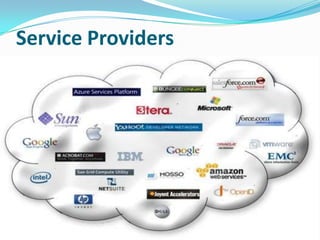
Service Providers
Cloud computing
Cloud computing

Cloud computing

  • 2.
    What is CloudComputing? ď‚— Cloud computing is a technology that uses the internet and central remote servers to maintain data and applications. ď‚— Cloud computing allows consumers and businesses to use applications without installation and access their personal files at any computer with internet access.
  • 3.
    Example  A simpleexample of cloud computing is Yahoo mail, Gmail, or Hotmail etc.  You don’t need a software or a server to use them. All a consumer would need is just an internet connection and you can start sending emails.
  • 5.
    What it provides ď‚—computation, ď‚— software, ď‚— data access, and ď‚— storage resources without requiring cloud users to know the location and other details of the computing infrastructure.
  • 6.
    Cloud Computing DeploymentModels Models Community Public Private Hybrid Cloud Cloud Cloud Cloud
  • 7.
    Community Cloud Community cloudshares infrastructure between several organizations from a specific community with common concerns (security, compliance, jurisdiction, etc.), whether managed internally or by a third-party and hosted internally or externally.
  • 8.
    Public Cloud A public cloud is established where several organizations have similar requirements and seek to share infrastructure so as to realize some of the benefits of cloud computing.
  • 9.
    Private Cloud Private cloud is infrastructure operated solely for a single organization, whether managed internally or by a third-party and hosted internally or externally.
  • 10.
    Hybrid Cloud Hybrid cloudis a composition of two or more clouds (private, community, or public) that remain unique entities but are bound together, offering the benefits of multiple deployment models.
  • 11.
    Cloud Computing Architecture ď‚—The architecture has two sections: the front end and the back end. ď‚— They connect to each other through a network, usually the Internet. ď‚— The front end is the side the computer user, or client, sees. ď‚— The back end is the "cloud" section of the system.
  • 12.
    Front End ď‚— Thefront end includes the client's computer (or computer network) and the application required to access the cloud computing system. ď‚— Not all cloud computing systems have the same user interface. Services like Web-based e-mail programs leverage existing Web browsers like Internet Explorer or Firefox. ď‚— Other systems have unique applications that provide network access to clients.
  • 13.
    Back End ď‚— Onthe back end of the system are the various computers, servers and data storage systems that create the "cloud" of computing services. ď‚— In theory, a cloud computing system could include practically any computer program you can imagine, from data processing to video games. Usually, each application will have its own dedicated server.
  • 14.
    Services Outsource processes Online Online Storage collaboration Cloud Computing 3rd Party Online Office integration Online Shared Resources Calendars
  • 15.
    Cloud Computing Concerns ď‚—Perhaps the biggest concerns about cloud computing are security and privacy. The idea of handing over important data to another company worries some people. Corporate executives might hesitate to take advantage of a cloud computing system because they can't keep their company's information under lock and key.
  • 16.