Lecture 1
Whatis the Cloud
What is Cloud Computing
Architecture of Cloud Computing
Nature of Cloud Computing
Advantages and Disadvantages of Cloud Computing
What is theCloud?
"The Cloud" refers to servers that are accessed over the Internet,
and the software and databases that run on those servers.
Cloud servers are in data centres all over the world. By using cloud
computing, users and companies do not have to manage physical
servers themselves or run software applications on their own
machines.
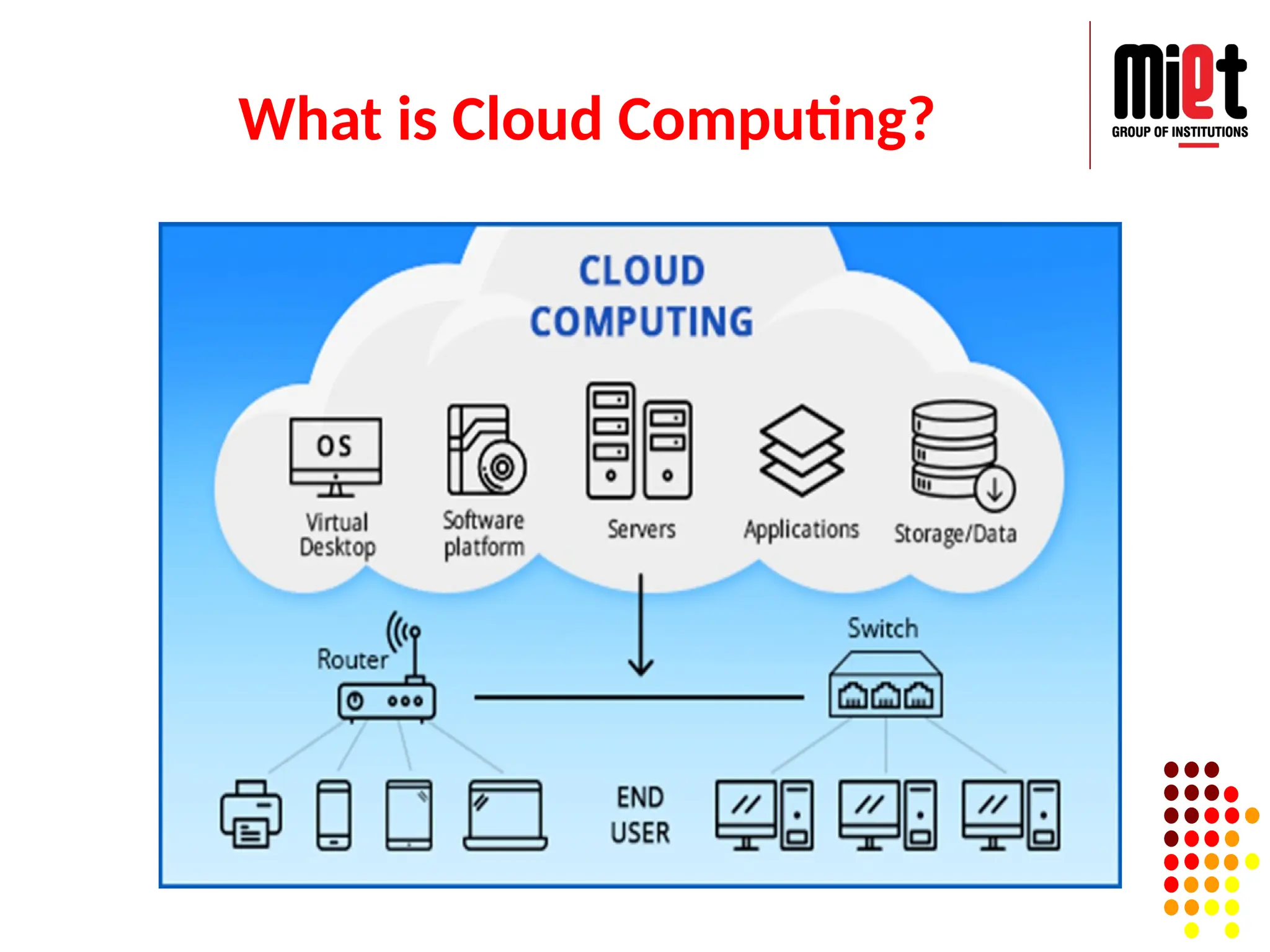
Cloud computing means storing and accessing the data and
programs on remote servers that are hosted on internet instead of
computer’s hard drive or local server.
Cloud computing is also referred as Internet based computing.
5.
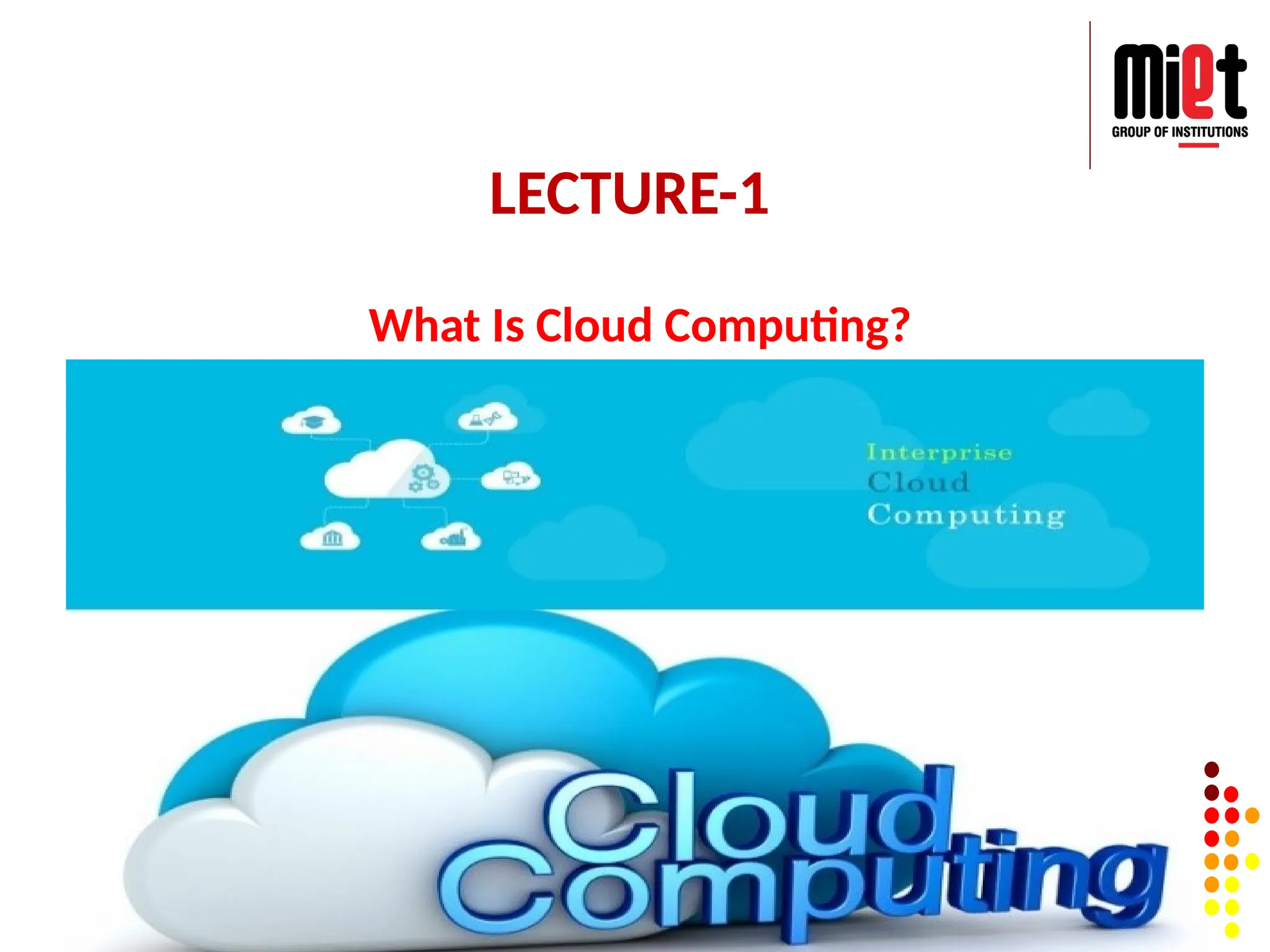
What is CloudComputing?
Cloud computing is the on-demand delivery of IT resources
over the Internet with pay-as-you-go pricing.
Instead of buying, owning, and maintaining physical data
centers and servers, you can access technology services,
such as computing power, storage, and databases, on an as-
needed basis from a cloud provider like Amazon Web
Services (AWS), Microsoft Azure, Google Cloud etc.
Cloud computing is an application-based software
infrastructure that stores data on remote servers, which can
be accessed through the internet.
The front end enables a user to access data stored in the
cloud using an internet browser or a Cloud computing
software.
Traditional Computing vsCloud
Computing
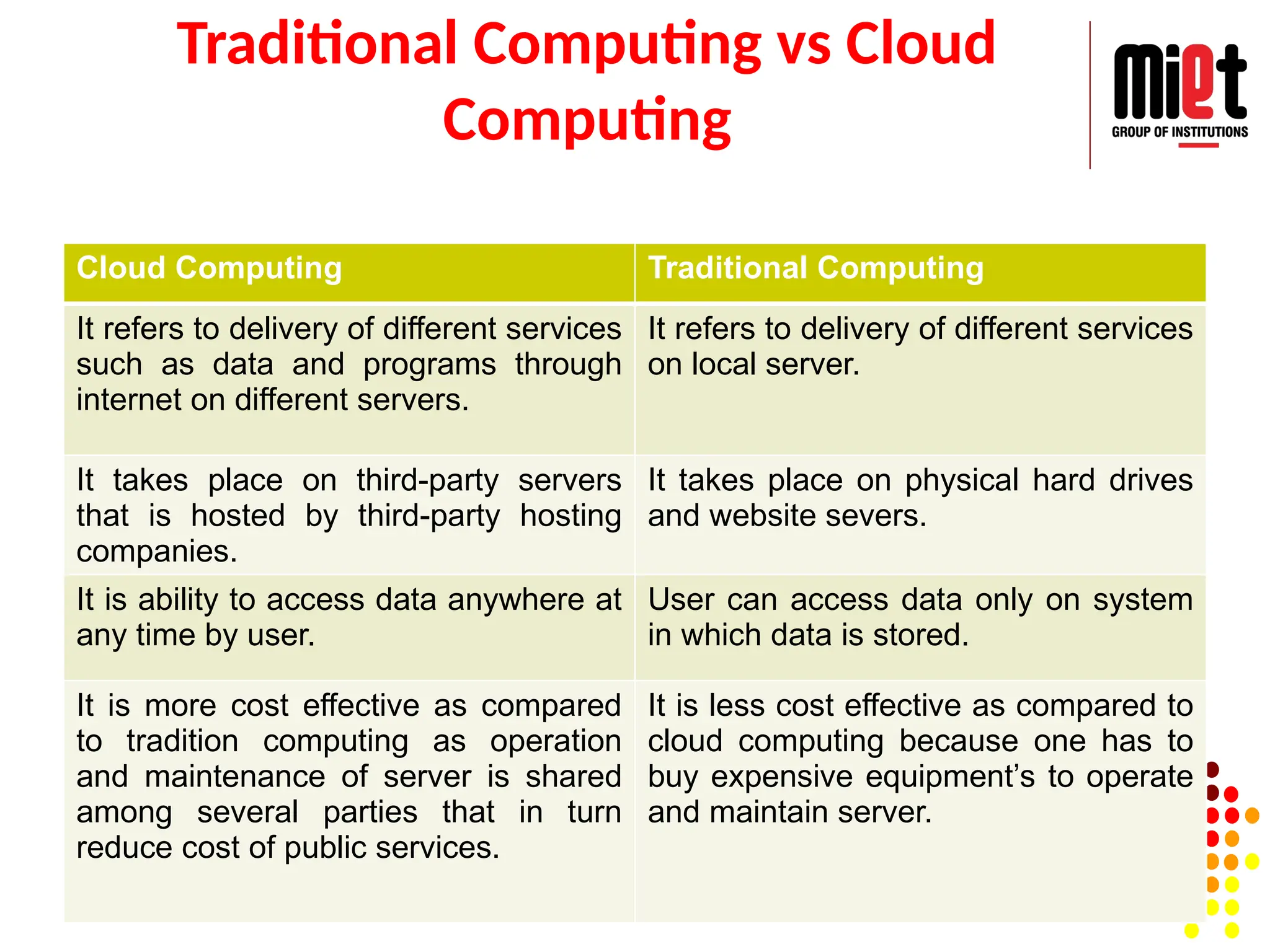
Cloud Computing Traditional Computing
It refers to delivery of different services
such as data and programs through
internet on different servers.
It refers to delivery of different services
on local server.
It takes place on third-party servers
that is hosted by third-party hosting
companies.
It takes place on physical hard drives
and website severs.
It is ability to access data anywhere at
any time by user.
User can access data only on system
in which data is stored.
It is more cost effective as compared
to tradition computing as operation
and maintenance of server is shared
among several parties that in turn
reduce cost of public services.
It is less cost effective as compared to
cloud computing because one has to
buy expensive equipment’s to operate
and maintain server.
8.
Distributed Computing vsCloud Computing
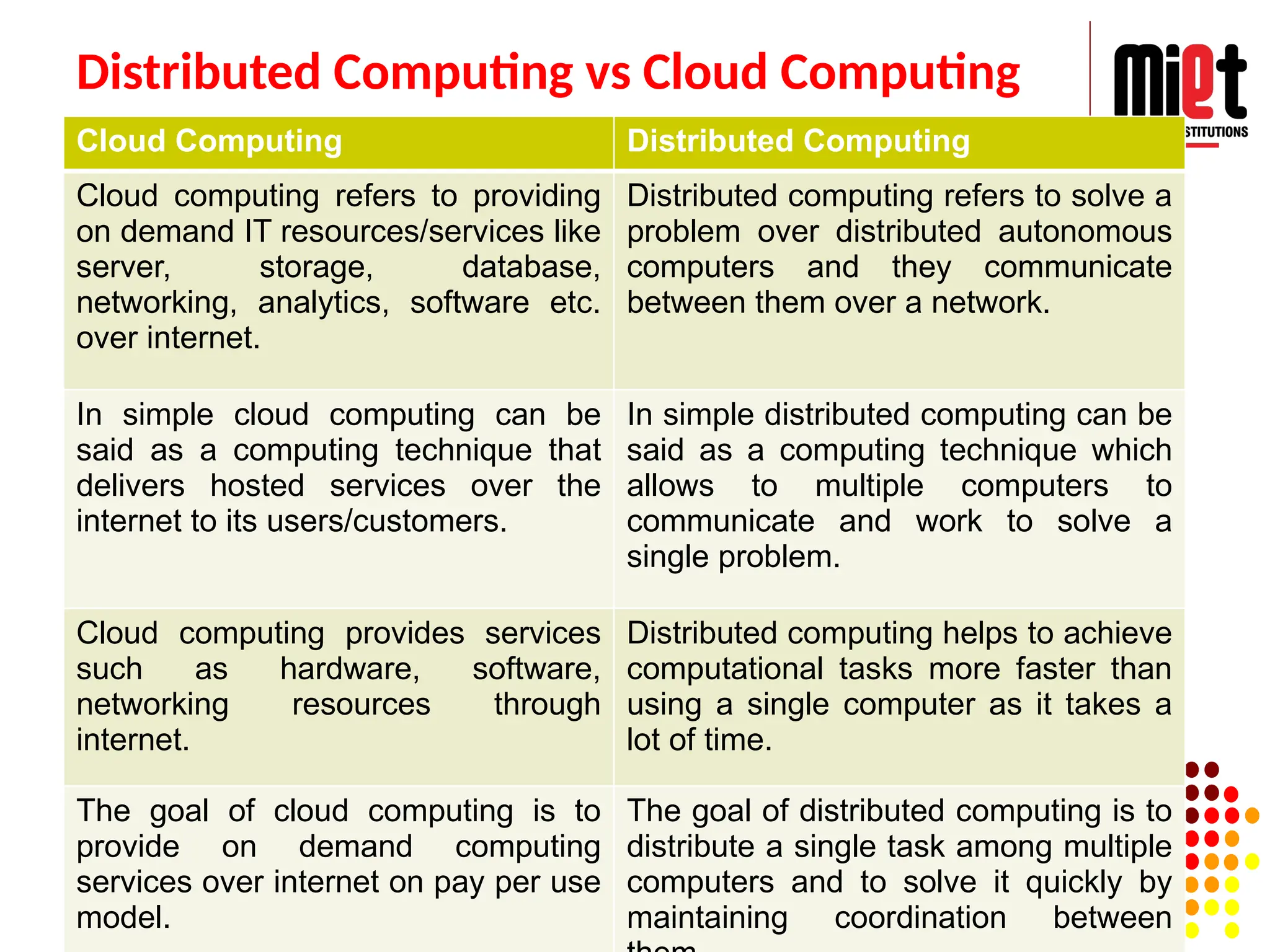
Cloud Computing Distributed Computing
Cloud computing refers to providing
on demand IT resources/services like
server, storage, database,
networking, analytics, software etc.
over internet.
Distributed computing refers to solve a
problem over distributed autonomous
computers and they communicate
between them over a network.
In simple cloud computing can be
said as a computing technique that
delivers hosted services over the
internet to its users/customers.
In simple distributed computing can be
said as a computing technique which
allows to multiple computers to
communicate and work to solve a
single problem.
Cloud computing provides services
such as hardware, software,
networking resources through
internet.
Distributed computing helps to achieve
computational tasks more faster than
using a single computer as it takes a
lot of time.
The goal of cloud computing is to
provide on demand computing
services over internet on pay per use
model.
The goal of distributed computing is to
distribute a single task among multiple
computers and to solve it quickly by
maintaining coordination between
Cloud Computing Architecture
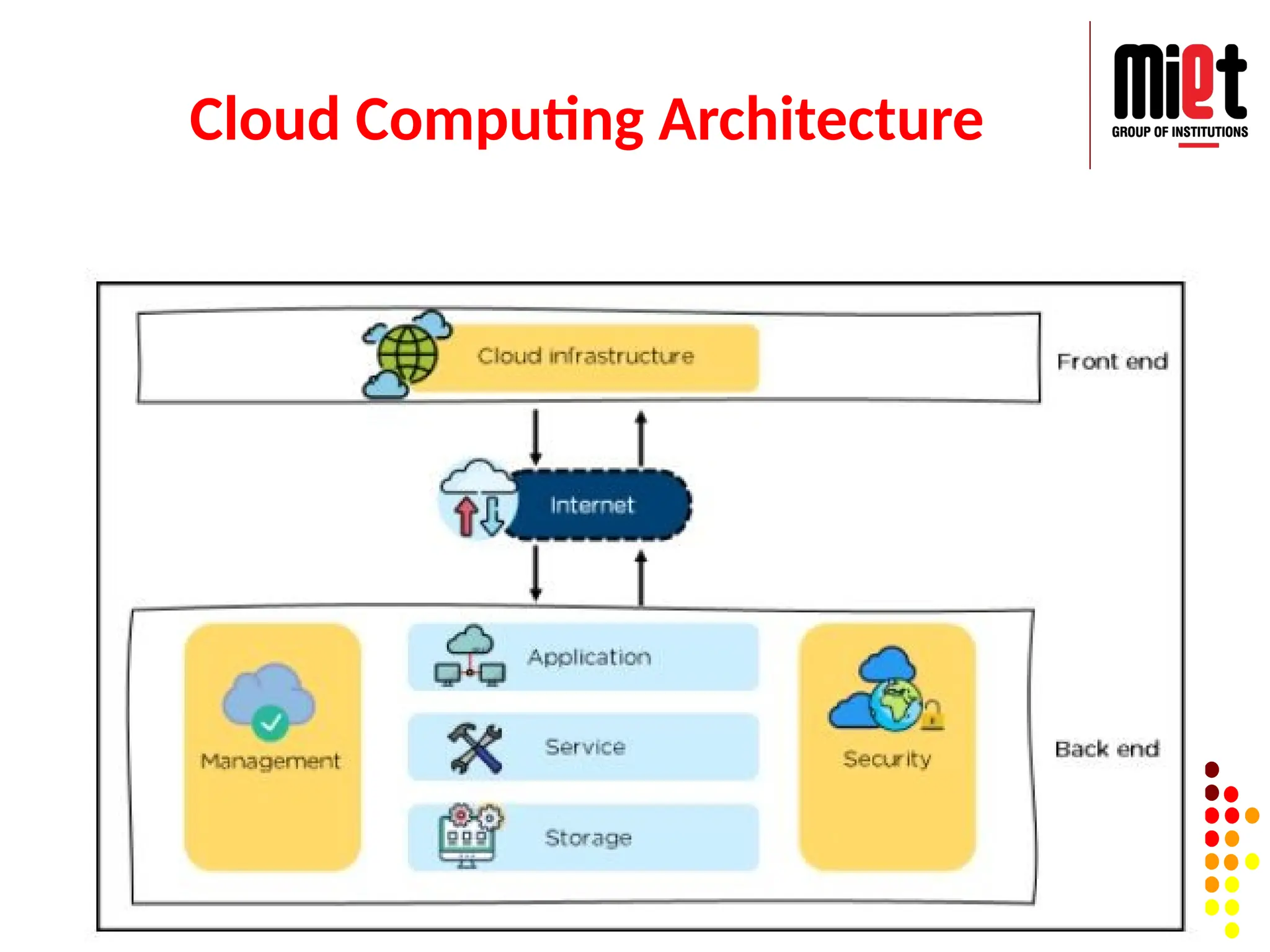
CloudComputing architecture comprises of many cloud
components, which are loosely coupled. We can broadly
divide the cloud architecture into two parts:
Front End
Back End
Each of the ends is connected through network, usually
Internet.
The front end refers to the client part of cloud computing
system. It consists of interfaces and applications that are
required to access the cloud computing platforms, Example –
Web Browser.
The back End refers to the cloud itself. It consists of all the
resources required to provide cloud computing services.
11.
Nature of cloudcomputing:
The cloud enables users to access the same files and
applications from almost any device, because the computing
and storage takes place on servers in a data centre, instead
of locally on the user device.
Therefore, a user can log into their Instagram account on a
new phone after their old phone breaks and still find their
old account in place, with all their photos, videos, and
conversation history. It works the same way with cloud
email providers like Gmail or Microsoft Office 365, and with
cloud storage providers like Dropbox or Google Drive.
12.
Nature of cloudcomputing:
For businesses, switching to cloud computing removes some
IT costs and overhead: for instance, they no longer need to
update and maintain their own servers, as the cloud vendor
they are using will do that.
This especially makes an impact for small businesses that
may not have been able to afford their own internal
infrastructure but can outsource their infrastructure needs
affordably via the cloud.
The cloud can also make it easier for companies to operate
internationally, because employees and customers can
access the same files and applications from any location.
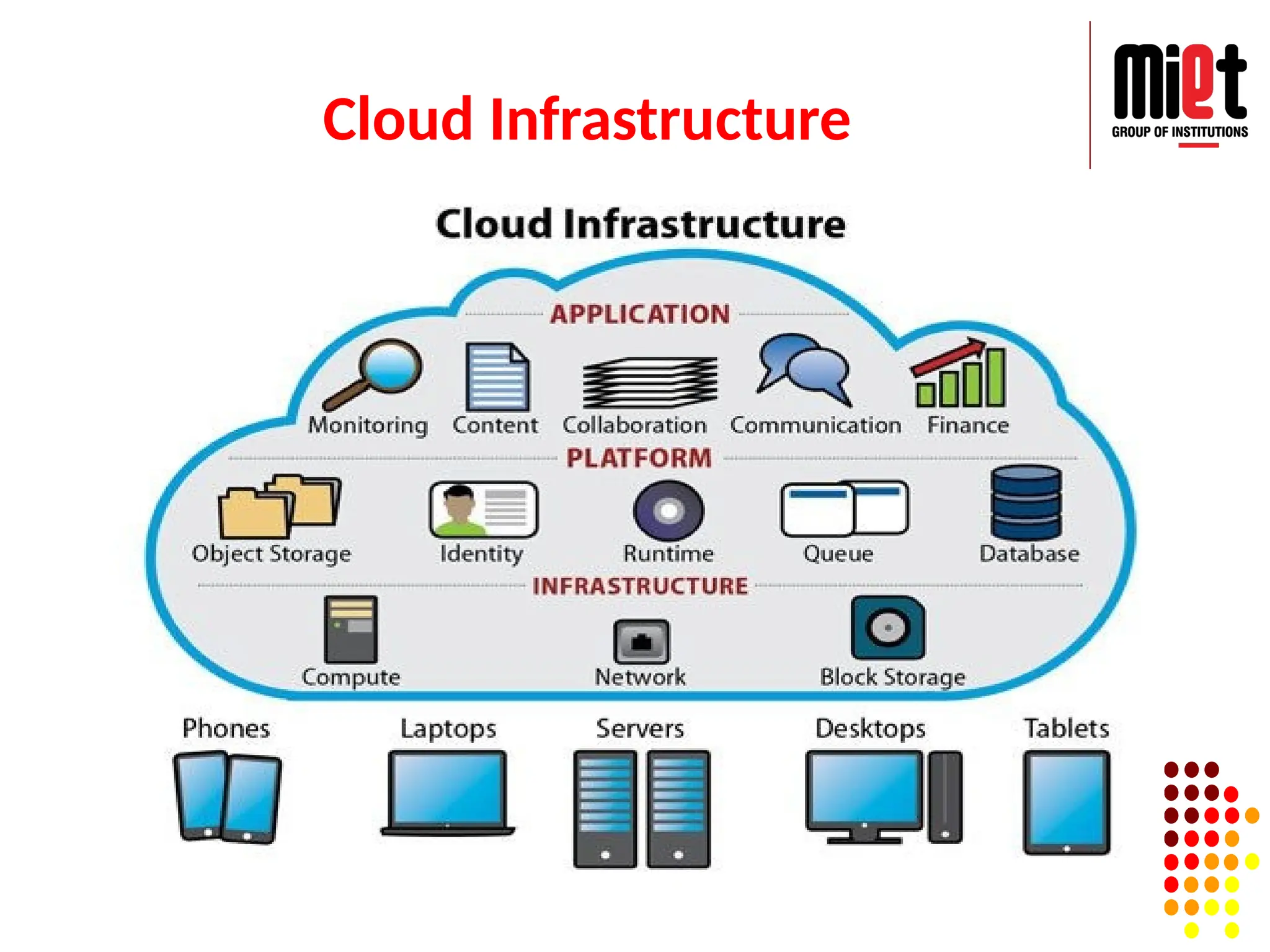
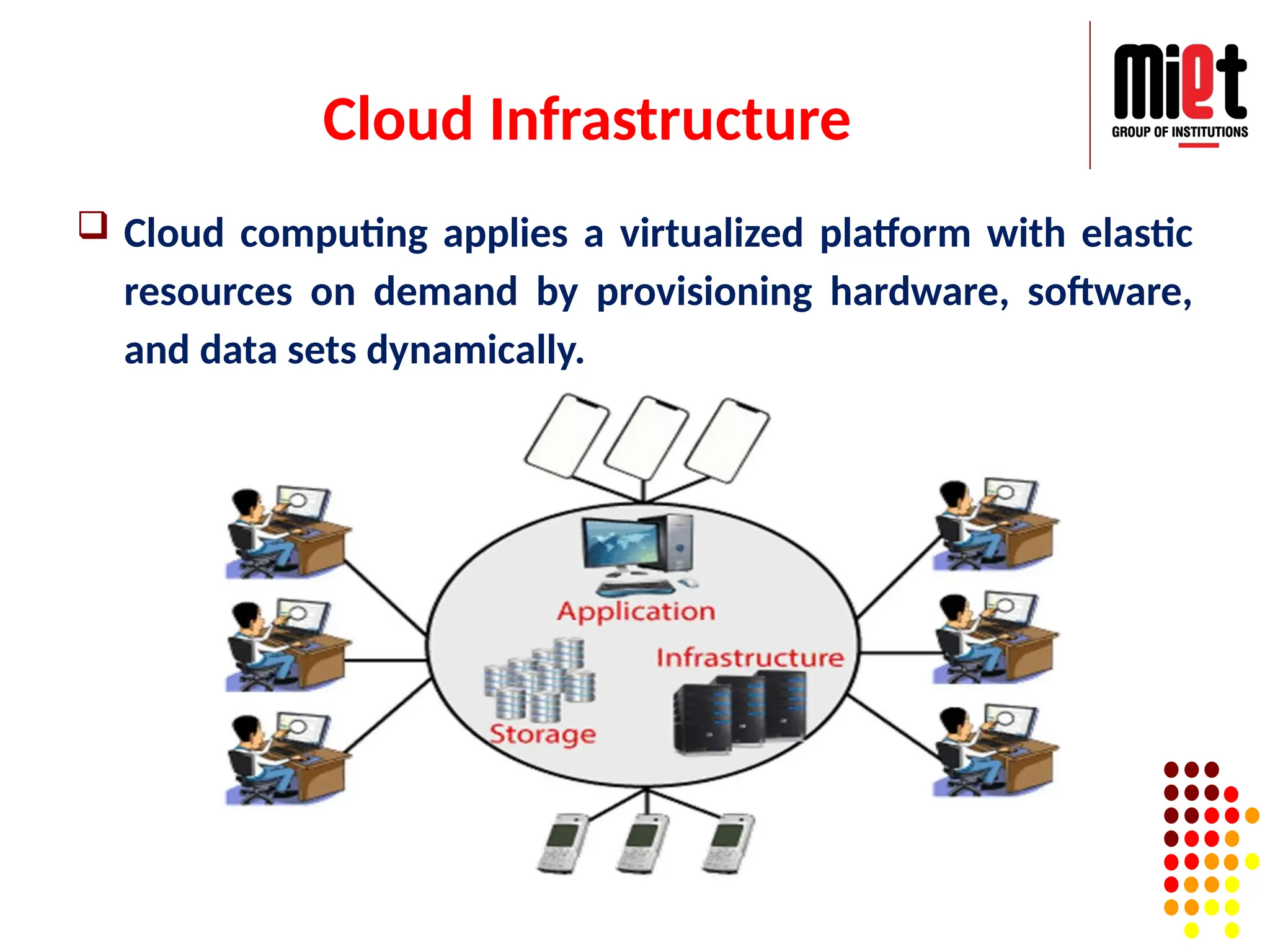
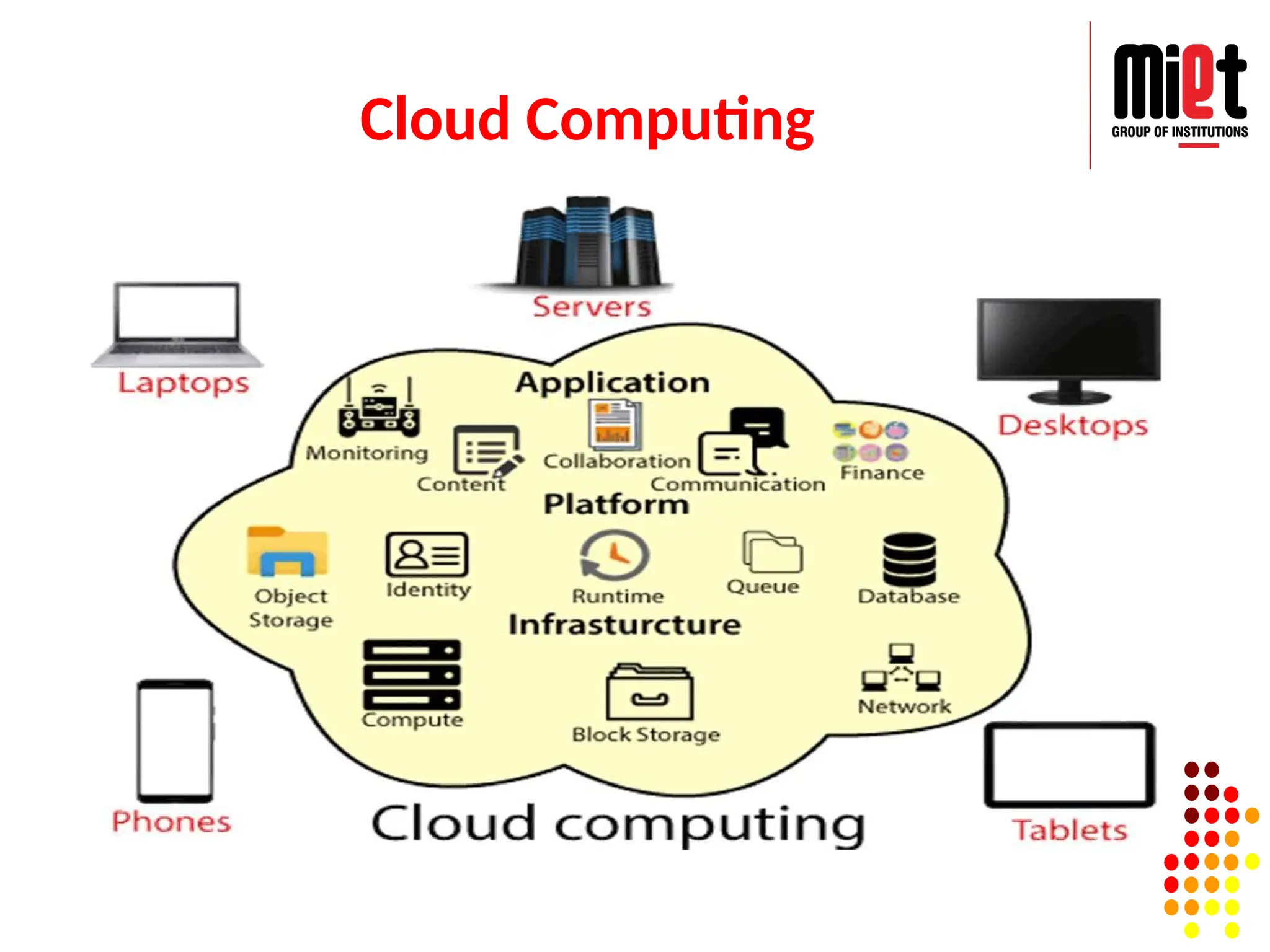
Cloud Infrastructure
Cloudcomputing applies a virtualized platform with elastic
resources on demand by provisioning hardware, software,
and data sets dynamically.
Advantages of CloudComputing
Back-up and restore data
No Hardware Required
Improved collaboration
Excellent accessibility
Low maintenance cost
Mobility
Services in the pay-per-use model
Unlimited storage capacity
Data security
17.
Disadvantages of CloudComputing
Internet Connectivity
Vendor lock-in
Limited Control
Security
Bandwidth issues
18.
Lecture 2
Characteristicsof Cloud computing
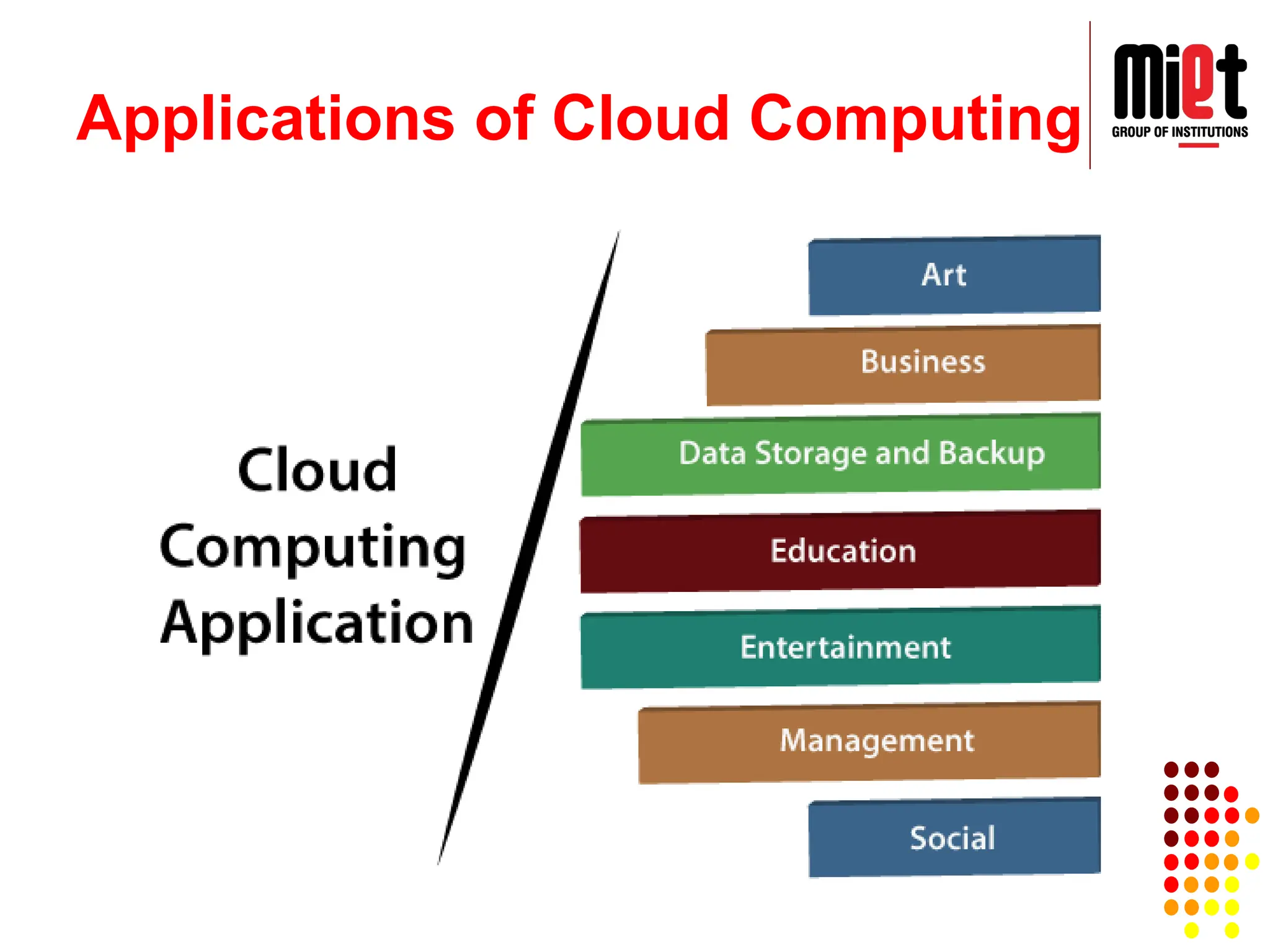
Applications of Cloud computing
Economics of Cloud computing
Security risks of Cloud computing
Cloud deployment model
Characteristics of CloudComputing:
1. Agility for organizations.
2. Cost reductions, Centralization of infrastructure in locations with lower costs.
3. Device and location independence, which means no maintenance, required.
4. Pay-per-use means utilization and efficiency improvements for systems that are
often only 10–20% utilized.
5. Performances are being monitored by IT experts i.e., from the service provider
end.
6. Productivity increases which results in multiple users who can work on the same
data simultaneously.
7. Time may be saved as information does not need to be re-entered when fields
are matched.
8. Availability improves with the use of multiple redundant sites.
9. Scalability and elasticity via dynamic ("on-demand") provisioning of resources on
a fine-grained, self-service basis in near real-time without users having to
engineer for peak loads.
10. Self-service interface.
21.
Characteristics of CloudComputing:
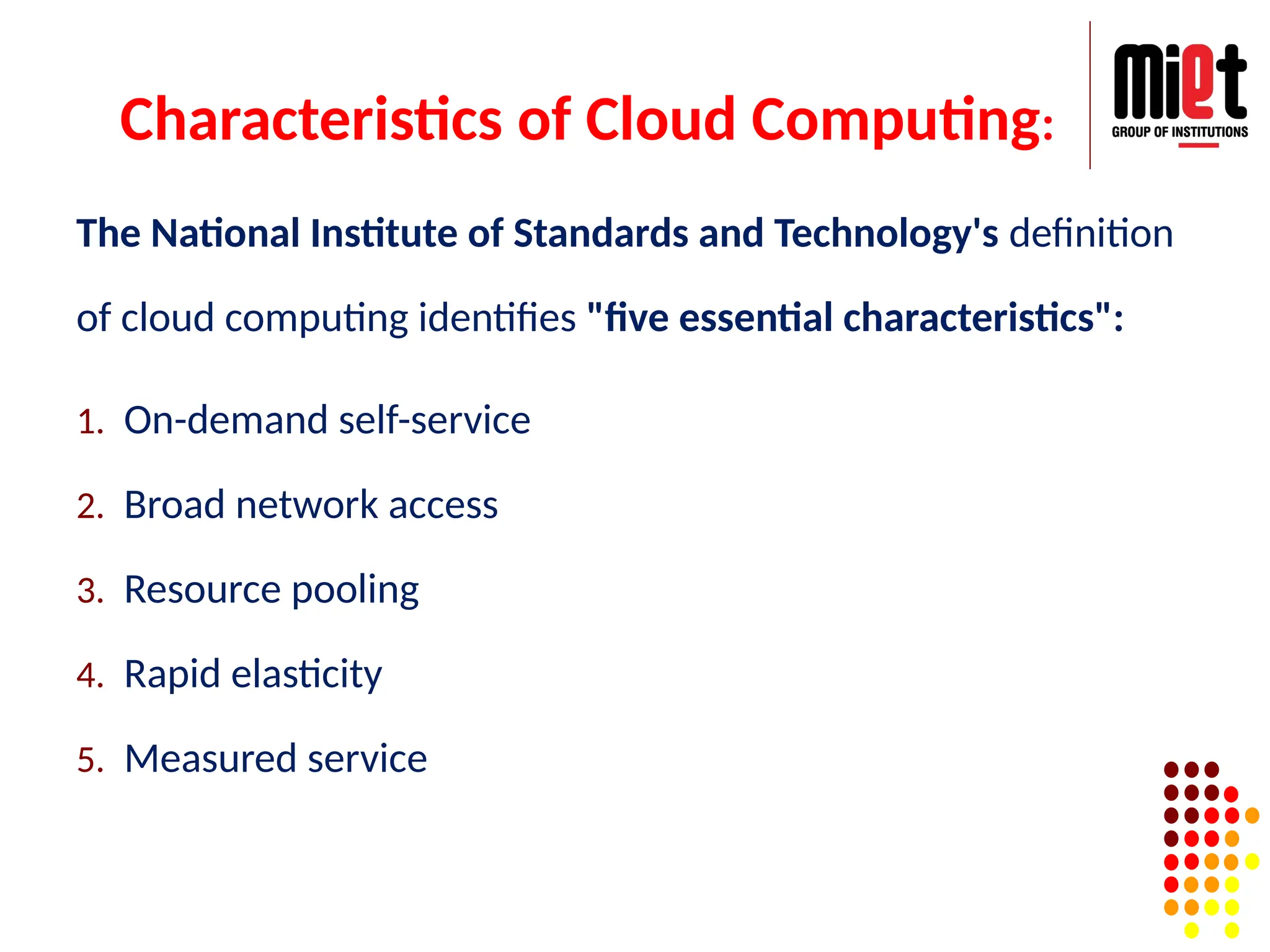
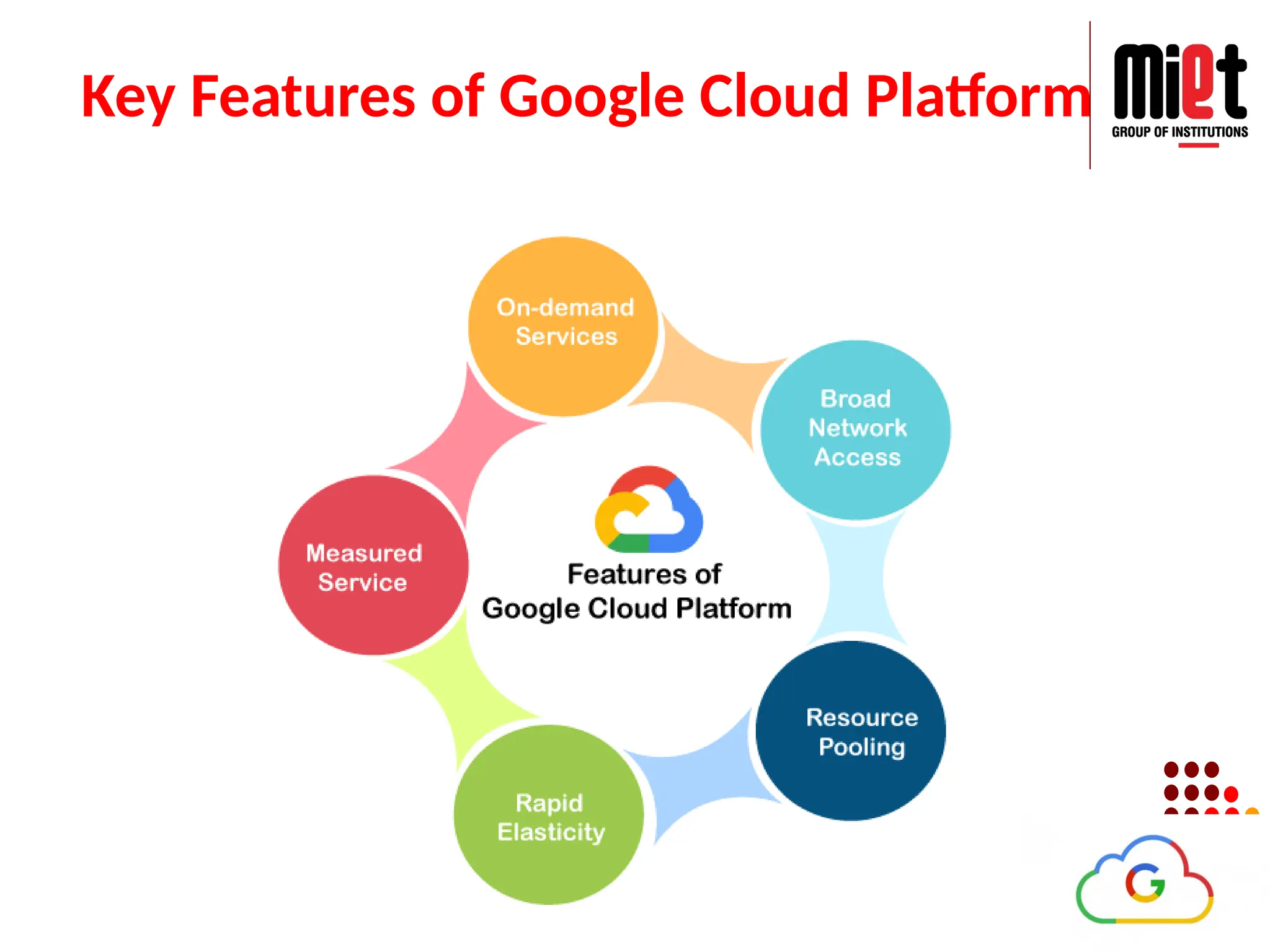
The National Institute of Standards and Technology's definition
of cloud computing identifies "five essential characteristics":
1. On-demand self-service
2. Broad network access
3. Resource pooling
4. Rapid elasticity
5. Measured service
Economics of CloudComputing
Economics of Cloud Computing is based on the PAY AS YOU
GO method.
Users/Customers must have to pay only for their way of
usage of the cloud services.
It definitely beneficial for the users. So that Cloud is
economically very convenient for all.
Another side is to eliminate some indirect cost which is
generated by assets such as license of software and their
support.
In cloud, users can use software application on subscription
basis without any cost because the property of the software
providing service remains to the cloud provider.
24.
Economics of CloudComputing
Economical background of cloud is more useful for developers
in the following ways:
● Pay as you go model offered by cloud providers.
● Scalable and Simple.
Cloud Computing Allows:
● Reduces the capital costs of infrastructure.
● Removes the maintenance cost.
● Removes the administrative cost.
What is Capital Cost ?
It is cost occurred in the purchasing infrastructure or the assets
that is important in the production of goods. It takes long time
to generate profit.
25.
Security Risks ofCloud Computing
Data Loss
Hacked Interfaces and Insecure APIs
Data Breach
Vendor lock-in
Increased complexity strains IT staff
Denial of Service (DoS) attacks
Account hijacking
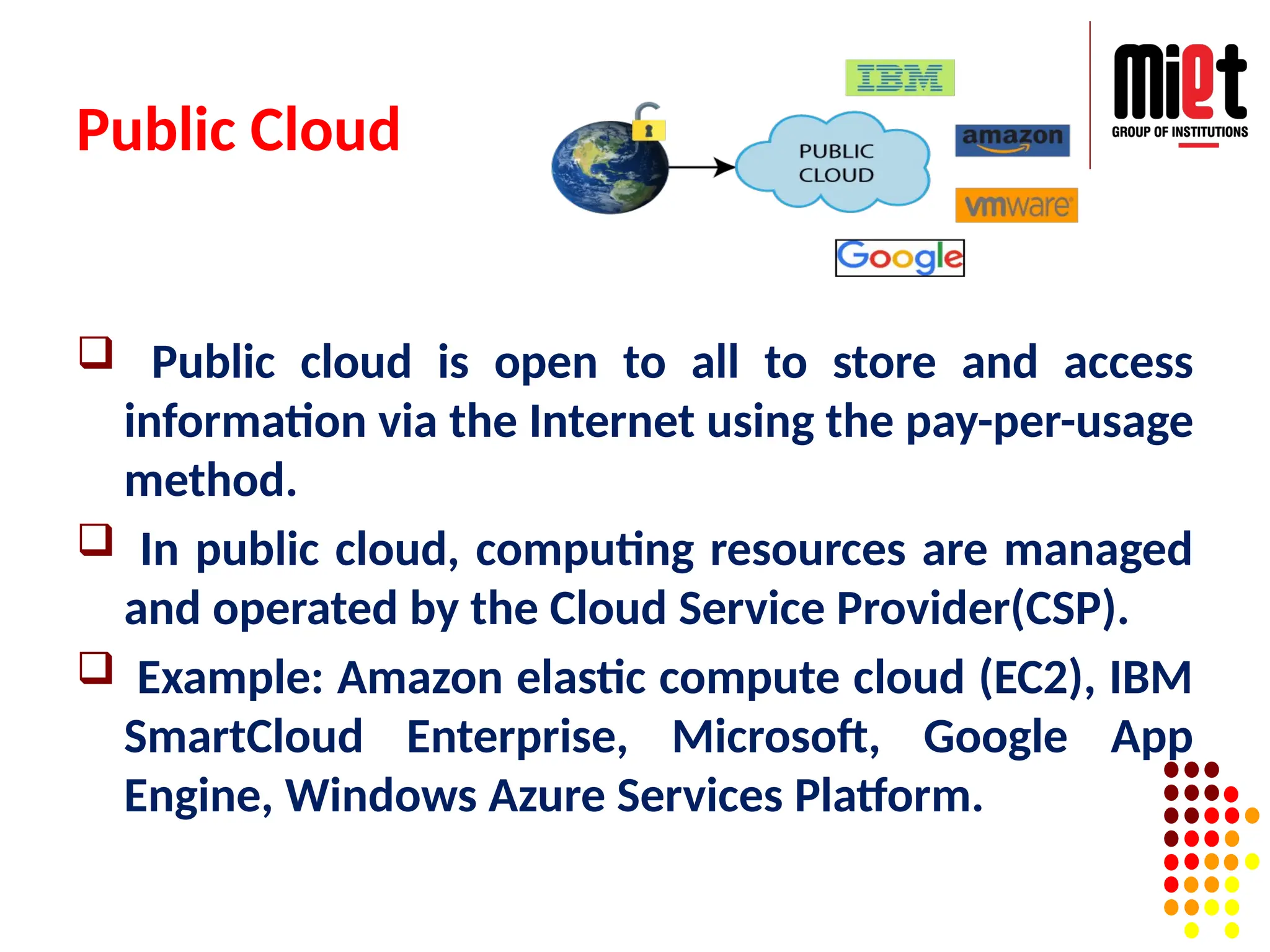
Public Cloud
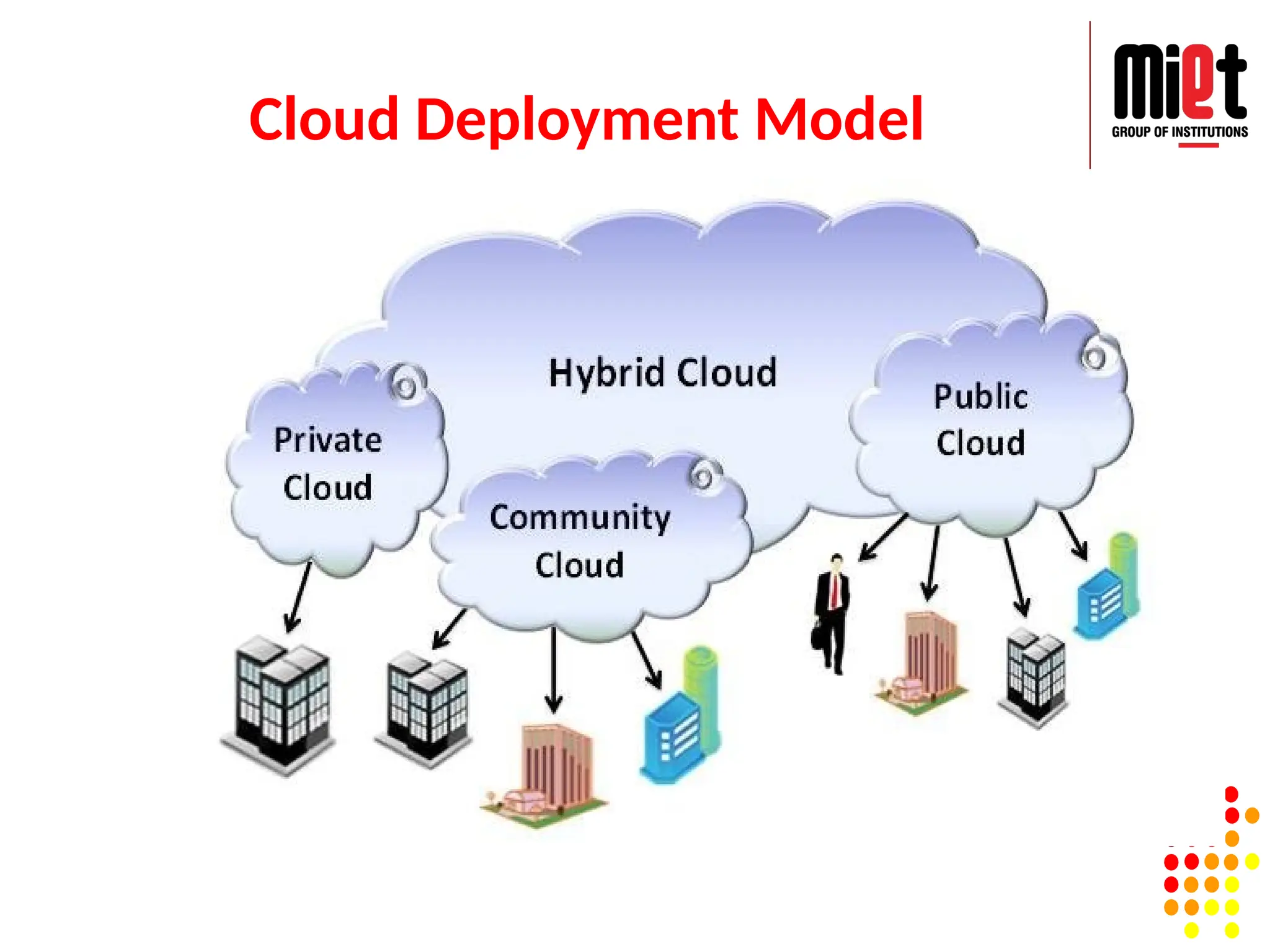
Publiccloud is open to all to store and access
information via the Internet using the pay-per-usage
method.
In public cloud, computing resources are managed
and operated by the Cloud Service Provider(CSP).
Example: Amazon elastic compute cloud (EC2), IBM
SmartCloud Enterprise, Microsoft, Google App
Engine, Windows Azure Services Platform.
28.
Advantages of PublicCloud
Public cloud is owned at a lower cost than the private and hybrid cloud.
Public cloud is maintained by the cloud service provider, so do not
need to worry about the maintenance.
Public cloud is easier to integrate. Hence it offers a better flexibility
approach to consumers.
Public cloud is location independent because its services are delivered
through the internet.
Public cloud is highly scalable as per the requirement of computing
resources.
It is accessible by the general public, so there is no limit to the number
of users.
29.
Disadvantages of PublicCloud
Public Cloud is less secure because resources are
shared publicly.
Performance depends upon the high-speed
internet network link to the cloud provider.
The Client has no control of data.
30.
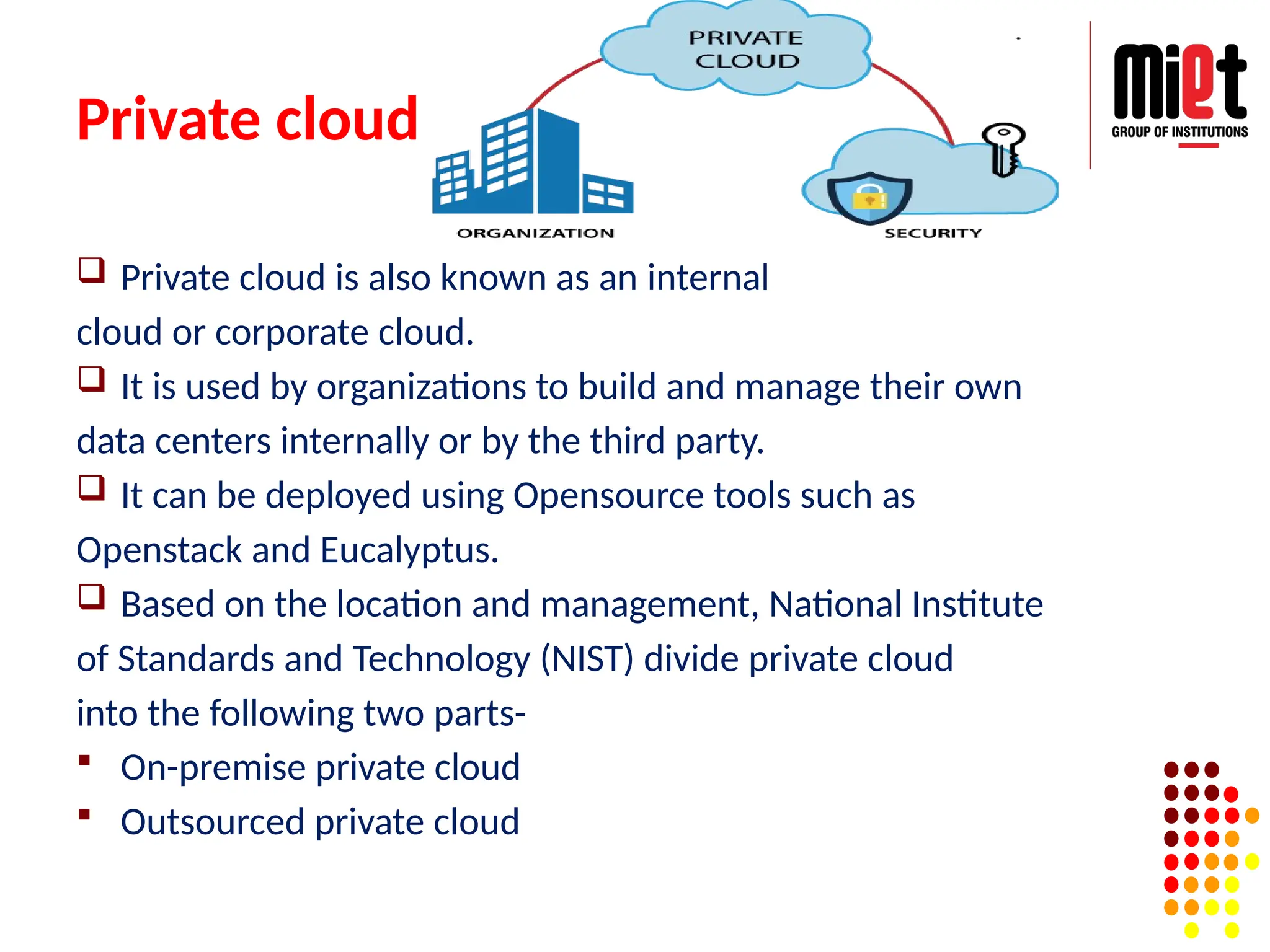
Private cloud
Privatecloud is also known as an internal
cloud or corporate cloud.
It is used by organizations to build and manage their own
data centers internally or by the third party.
It can be deployed using Opensource tools such as
Openstack and Eucalyptus.
Based on the location and management, National Institute
of Standards and Technology (NIST) divide private cloud
into the following two parts-
On-premise private cloud
Outsourced private cloud
31.
Advantages of PrivateCloud
Private cloud provides a high level of security and privacy to
the users.
Private cloud offers better performance with improved speed
and space capacity.
It allows the IT team to quickly allocate and deliver on-
demand IT resources.
The organization has full control over the cloud because it is
managed by the organization itself. So, there is no need for
the organization to depends on anybody.
It is suitable for organizations that require a separate cloud for
their personal use and data security is the first priority.
32.
Disadvantages of PrivateCloud
Skilled people are required to manage and
operate cloud services.
Private cloud is accessible within the
organization, so the area of operations is limited.
Private cloud is not suitable for organizations that
have a high user base, and organizations that do
not have the prebuilt infrastructure, sufficient
manpower to maintain and manage the cloud.
33.
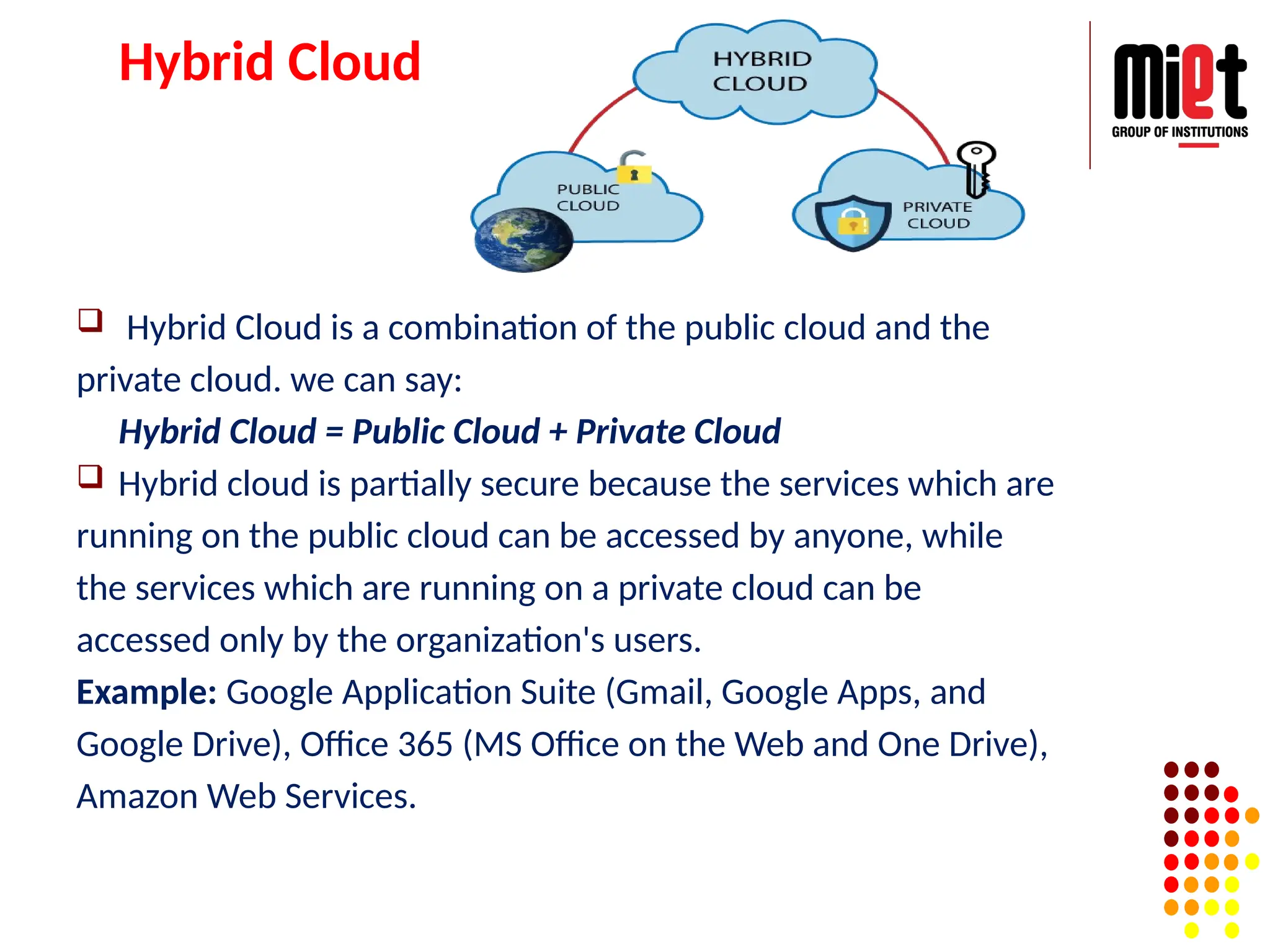
Hybrid Cloud
HybridCloud is a combination of the public cloud and the
private cloud. we can say:
Hybrid Cloud = Public Cloud + Private Cloud
Hybrid cloud is partially secure because the services which are
running on the public cloud can be accessed by anyone, while
the services which are running on a private cloud can be
accessed only by the organization's users.
Example: Google Application Suite (Gmail, Google Apps, and
Google Drive), Office 365 (MS Office on the Web and One Drive),
Amazon Web Services.
34.
Advantages of HybridCloud
Hybrid cloud is suitable for organizations that
require more security than the public cloud.
Hybrid cloud helps you to deliver new
products and services more quickly.
Hybrid cloud provides an excellent way to
reduce the risk.
Hybrid cloud offers flexible resources
because of the public cloud and secure
resources because of the private cloud.
35.
Disadvantages of HybridCloud
In Hybrid Cloud, security feature is not as
good as the private cloud.
Managing a hybrid cloud is complex because
it is difficult to manage more than one type of
deployment model.
In the hybrid cloud, the reliability of the
services depends on cloud service providers.
36.
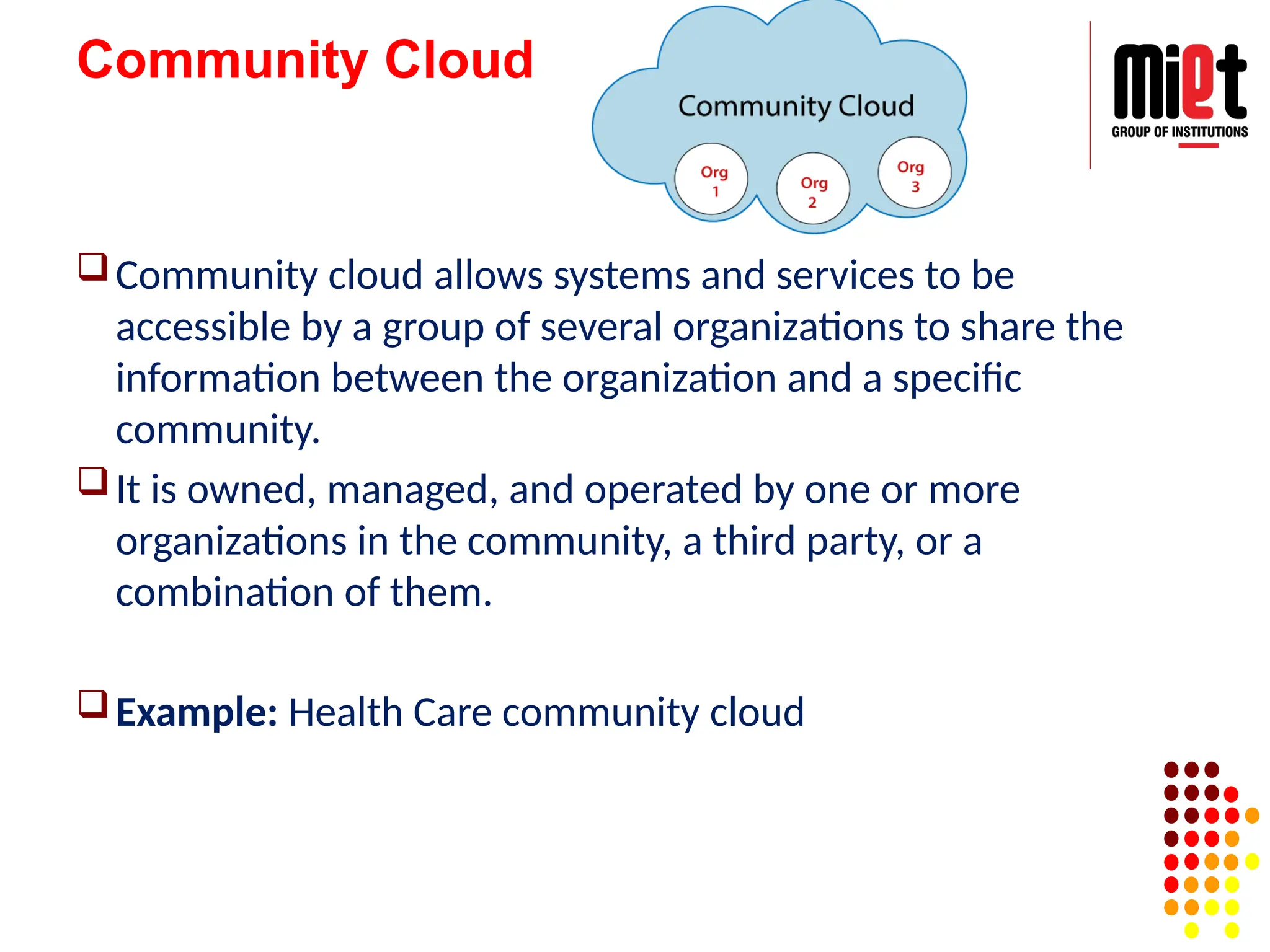
Community Cloud
Community cloudallows systems and services to be
accessible by a group of several organizations to share the
information between the organization and a specific
community.
It is owned, managed, and operated by one or more
organizations in the community, a third party, or a
combination of them.
Example: Health Care community cloud
37.
Advantages of CommunityCloud
Community cloud is cost-effective because the whole cloud
is being shared by several organizations or communities.
Community cloud is suitable for organizations that want to
have a collaborative cloud with more security features than
the public cloud.
It provides better security than the public cloud.
It provides collaborative and distributive environment.
Community cloud allows us to share cloud resources,
infrastructure, and other capabilities among various
organizations.
38.
Disadvantages of CommunityCloud
Community cloud is not a good choice for every
organization.
Security features are not as good as the private
cloud.
It is not suitable if there is no collaboration.
The fixed amount of data storage and bandwidth
is shared among all community members.
Virtualization in CloudComputing
Virtualization is the "creation of a virtual (rather than
actual) version of something, such as a server, a
desktop, a storage device, an operating system or
network resources".
In other words, Virtualization is a technique, which
allows to share a single physical instance of a resource
or an application among multiple customers and
organizations. It does by assigning a logical name to a
physical storage and providing a pointer to that
physical resource when demanded.
42.
What is theconcept behind the
Virtualization?
Creation of a virtual machine over existing operating
system and hardware is known as Hardware
Virtualization.
A Virtual machine provides an environment that is
logically separated from the underlying hardware.
The machine on which the virtual machine is going to
create is known as Host Machine and that virtual
machine is referred as a Guest Machine.
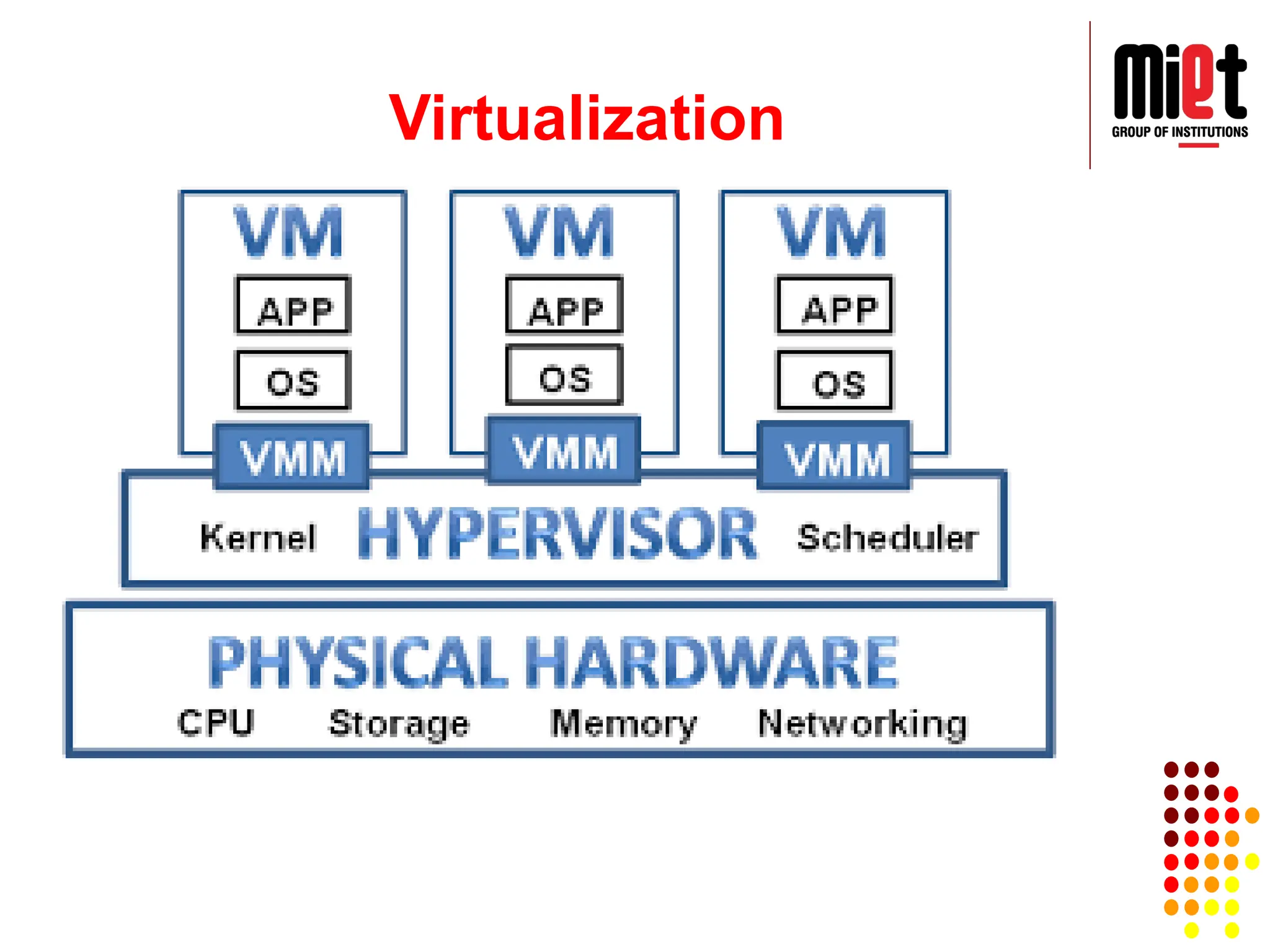
Hardware Virtualization
Whenthe virtual machine software or virtual machine
manager (VMM) is directly installed on the hardware
system is known as hardware virtualization.
The main job of hypervisor is to control and monitoring
the processor, memory and other hardware resources.
After virtualization of hardware system, we can install
different operating system on it and run different
applications on those OS.
Hardware virtualization is mainly done for the server
platforms, because controlling virtual machines is
much easier than controlling a physical server.
46.
Operating System Virtualization
Whenthe virtual machine software or virtual
machine manager (VMM) is installed on the Host
operating system instead of directly on the
hardware system is known as operating system
virtualization.
Operating System Virtualization is mainly used for
testing the applications on different platforms of
OS.
47.
Server Virtualization
When thevirtual machine software or virtual
machine manager (VMM) is directly installed on
the Server system is known as server
virtualization.
Server virtualization is done because a single
physical server can be divided into multiple
servers on the demand basis and for balancing
the load.
48.
Storage Virtualization
Storage virtualizationis the process of grouping
the physical storage from multiple network
storage devices so that it looks like a single
storage device.
Storage virtualization is also implemented by
using software applications.
Storage virtualization is mainly done for back-up
and recovery purposes.
49.
Serverless Computing (NoServers?)
Serverless computing is an architecture where code
execution is fully managed by a cloud provider,
instead of the traditional method of developing
applications and deploying them on servers.
It means developers don't have to worry about
managing, provisioning and maintaining servers
when deploying code. Previously a developer
would have to define how much storage and
database capacity would be needed pre-
deployment, slowing the whole process down.
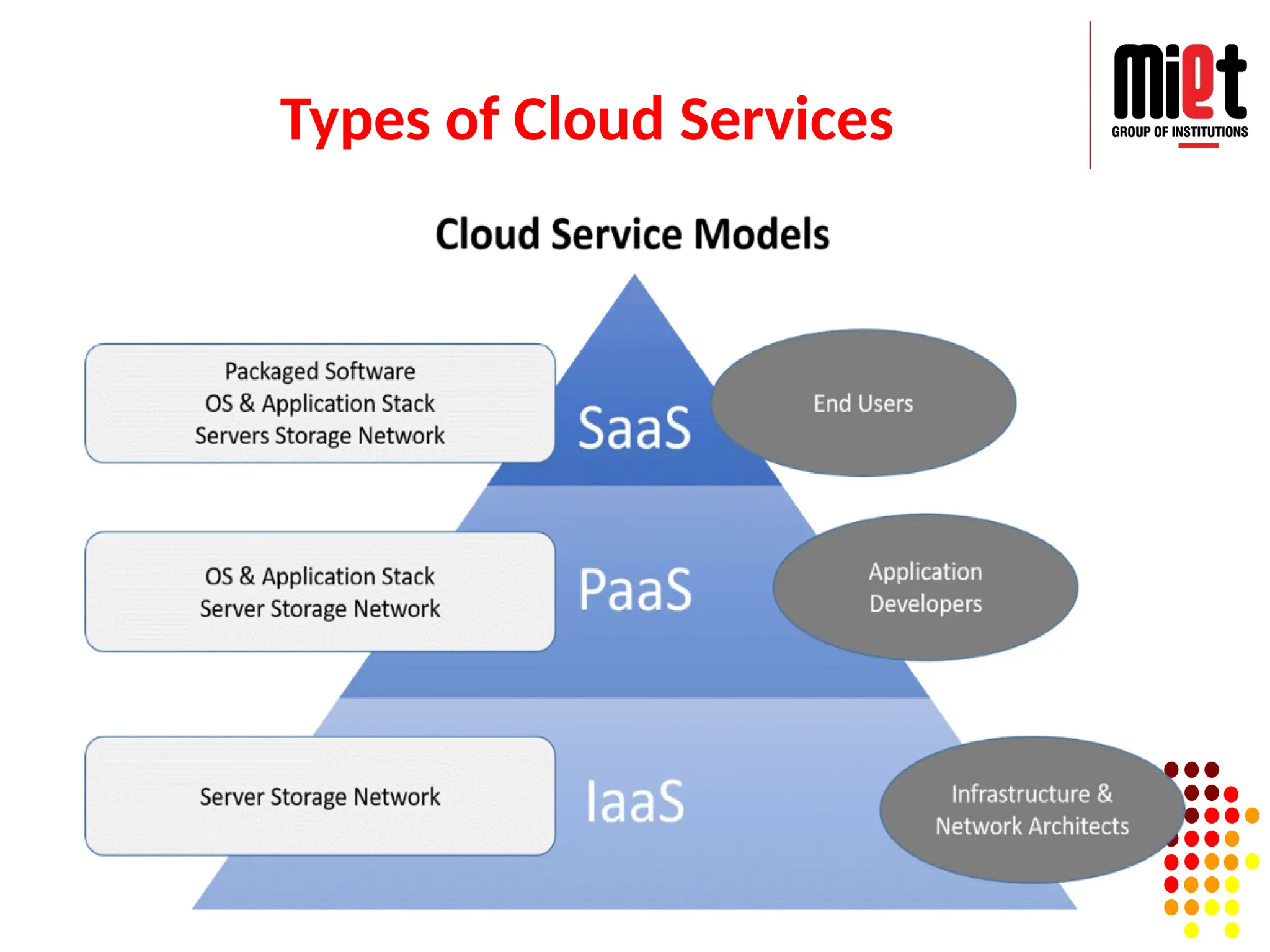
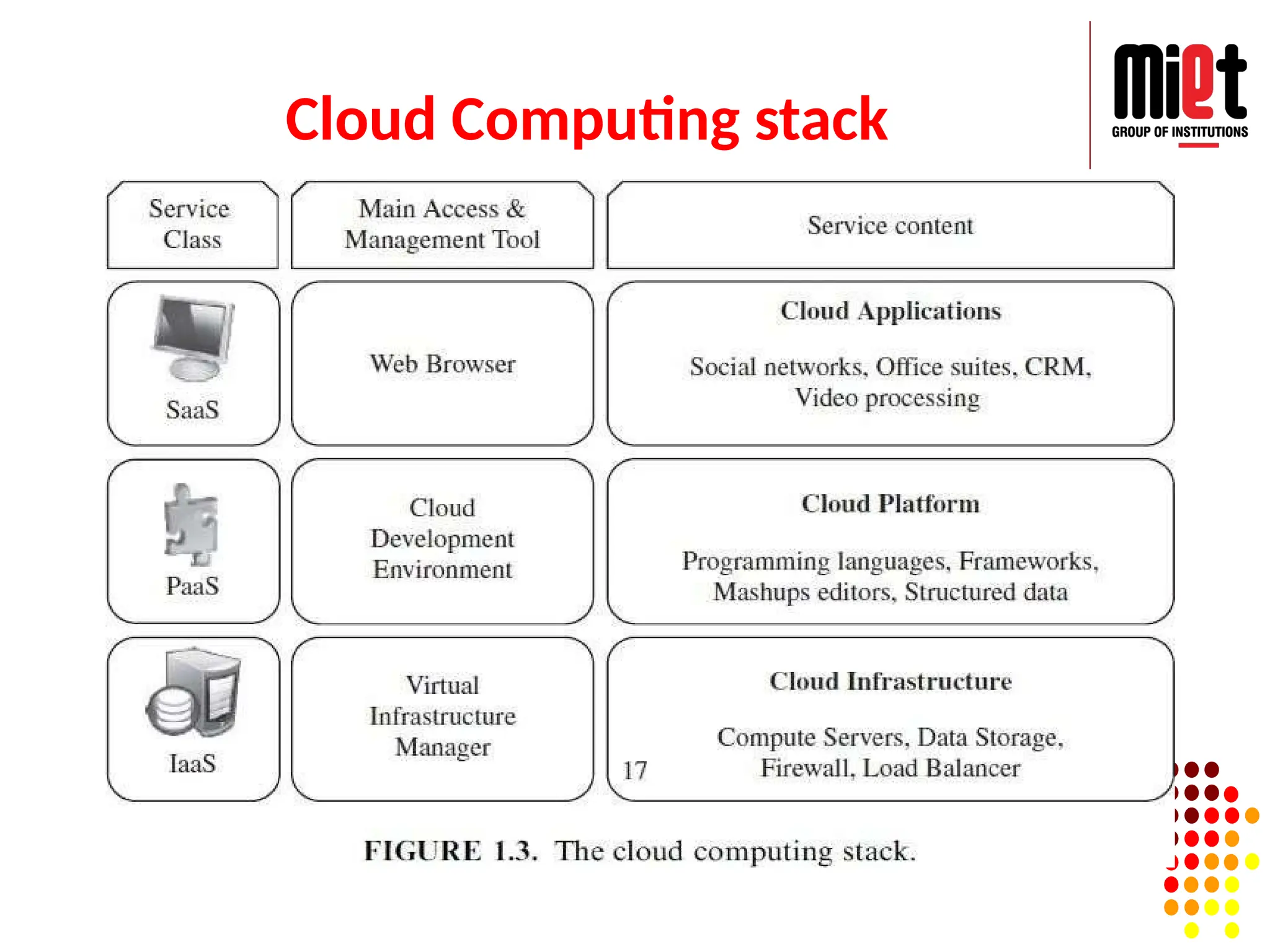
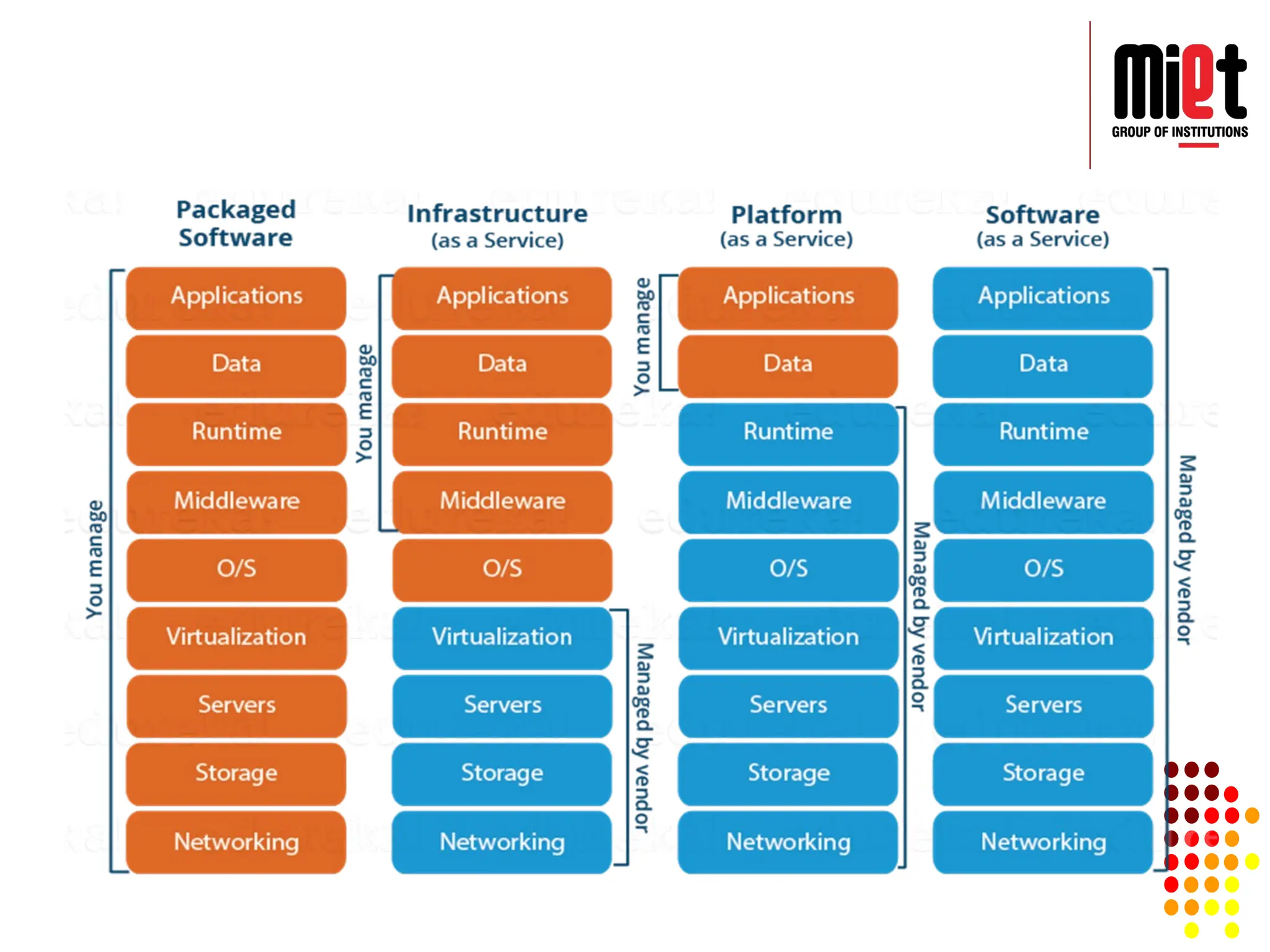
Infrastructure-as-a-service (IaaS)
A cloudinfrastructure enables on-demand
provisioning of servers running several choices of
operating systems and a customized software
stack.
Infrastructure services are considered as the
bottom layer of cloud computing systems.
Offering virtualized resources (computation,
storage, and communication) on demand is
known as Infrastructure as a Service (IaaS).
52.
Infrastructure-as-a-service (IaaS)
Oneof the best examples is Amazon Web Services mainly
offers IaaS, which in the case of its EC2 service means offering
VMs with a software stack that can be customized similar to
how an ordinary physical server would be customized.
IaaS is the most basic category of cloud computing services
that allows you rent IT infrastructure (servers, network,
operating systems, data storage drives or VM’s) from a cloud
provider on a pay-as-you-go basis.
Examples:- Microsoft Azure, Amazon Web Services (AWS),
Google Cloud Platform, Dropbox, etc.
Platform as aservice (PaaS)
A Cloud platform offers an environment on which developers
create and deploy applications and do not necessarily need to
know how many processors or how much memory that
applications will be using.
In addition, multiple programming models and specialized
services (e.g., data access, authentication, and payments) are
offered as building blocks to new applications.
Google App Engine, an example of Platform as a Service,
offers a scalable environment for developing and hosting Web
applications, which should be written in specific programming
languages such as Python or Java, and use the services’ own
proprietary structured object data store.
55.
Platform as aservice (PaaS)
Platform-as-a-service (PaaS) refers to the supply an on-
demand environment for developing, testing, delivering and
managing software applications.
It is designed to quickly create web or mobile apps, without
worrying about setting up or managing the underlying
infrastructure of servers, storage, network and data bases
needed for development.
Examples:- AWS Elastic Beanstalk, Google App Engine,
Microsoft Azure.
56.
Lecture 4
Softwareas a service (SaaS)
Function as a service (FaaS)
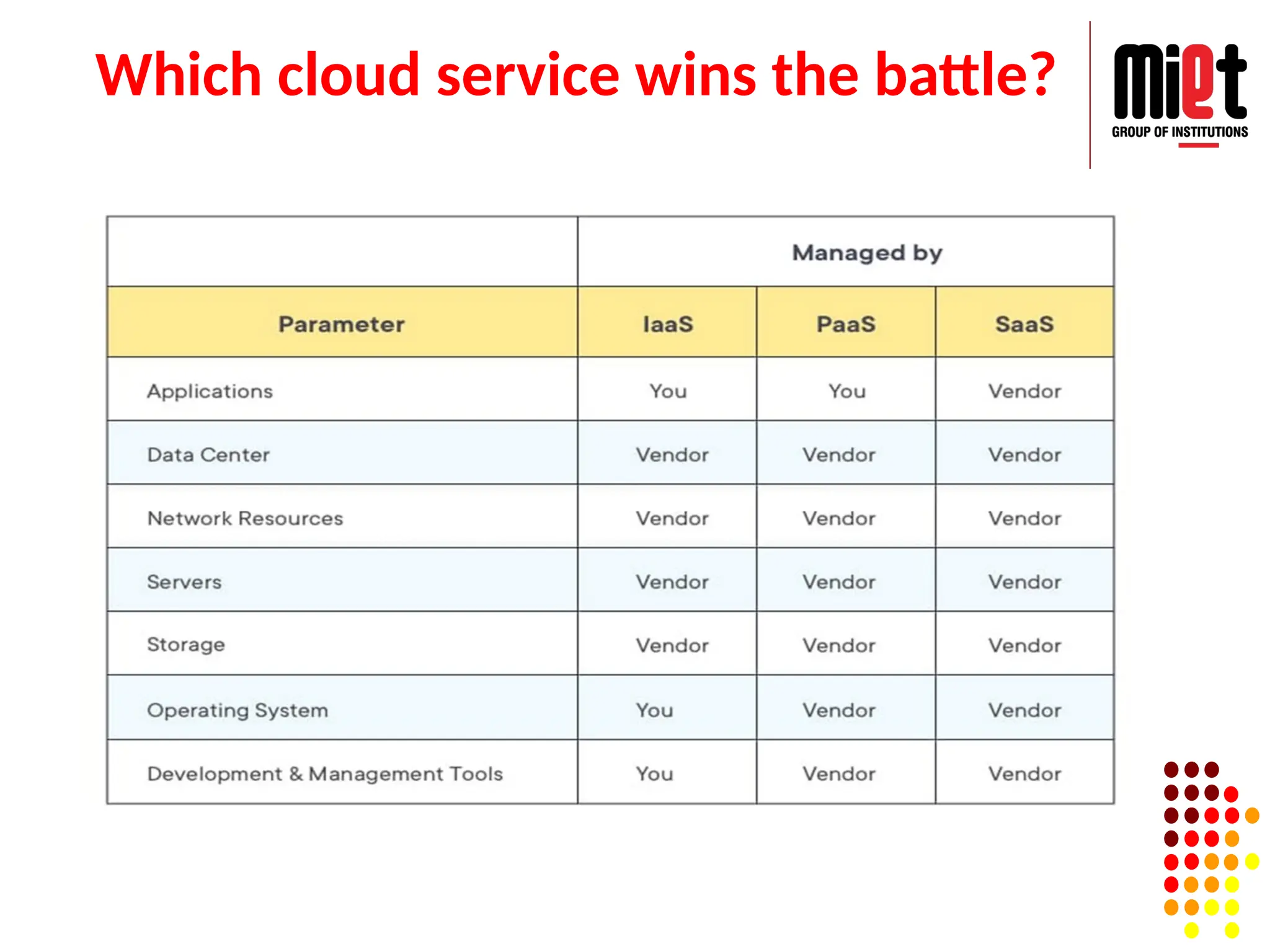
Which cloud service wins the battle?
Desired features of a Cloud
Uses of Cloud Computing
Vendors of Cloud Computing
57.
Software as aservice (SaaS)
Traditional desktop applications such as word processing and
spreadsheet can now be accessed as a service in the Web.
This model of delivering applications, known as Software as a
Service (SaaS), alleviates the burden of software maintenance
for customers and simplifies development and testing for
providers.
Salesforce.com, which relies on the SaaS model, offers
business productivity applications (CRM) that reside
completely on their servers, allowing customers to customize
and access applications on demand.
58.
Software as aservice (SaaS)
Software-as-a-service (SaaS) is a method for
delivering software applications over the Internet as
per the demand and on a subscription basis.
SaaS helps us host and manage the software
application and underlying infrastructure and handle
any maintenance (software upgrades and security
patching).
Examples:- Microsoft Office 365, Google Drive,
Adobe Creative Cloud, Gmail, Google Apps. etc.
59.
Functions as aservice (FaaS)
FaaS adds another layer of abstraction to PaaS, so that
developers are completely insulated from everything in the
stack below their code.
Instead of handling the hassles of virtual servers, containers,
and application runtimes, they upload narrowly functional
blocks of code, and set them to be triggered by a certain
event.
FaaS applications consume no IaaS resources until an event
occurs, reducing pay-per-use fees.
Examples:- AWS Lambdas, Azure Functions.
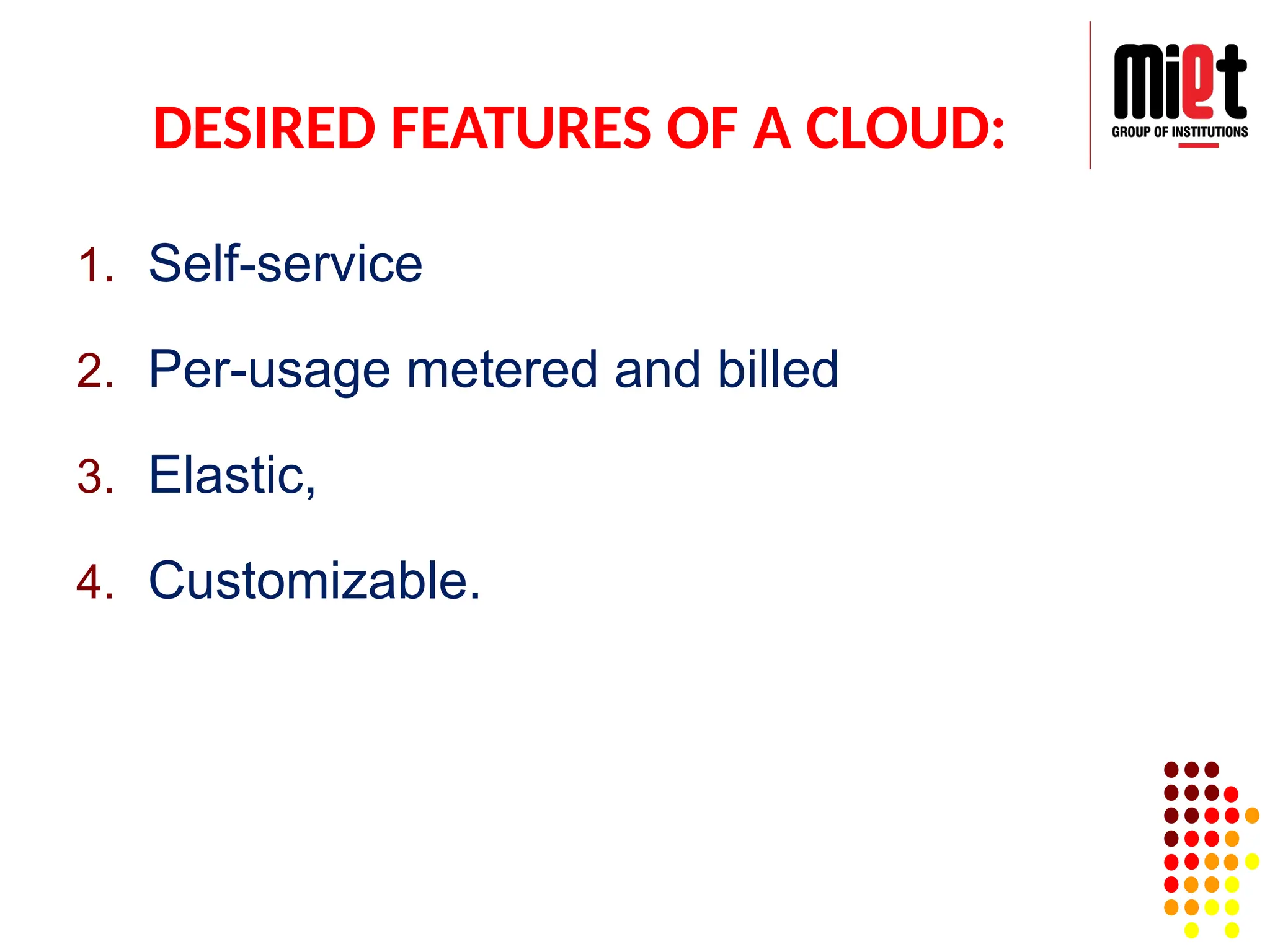
DESIRED FEATURES OFA CLOUD:
1. Self-service
2. Per-usage metered and billed
3. Elastic,
4. Customizable.
63.
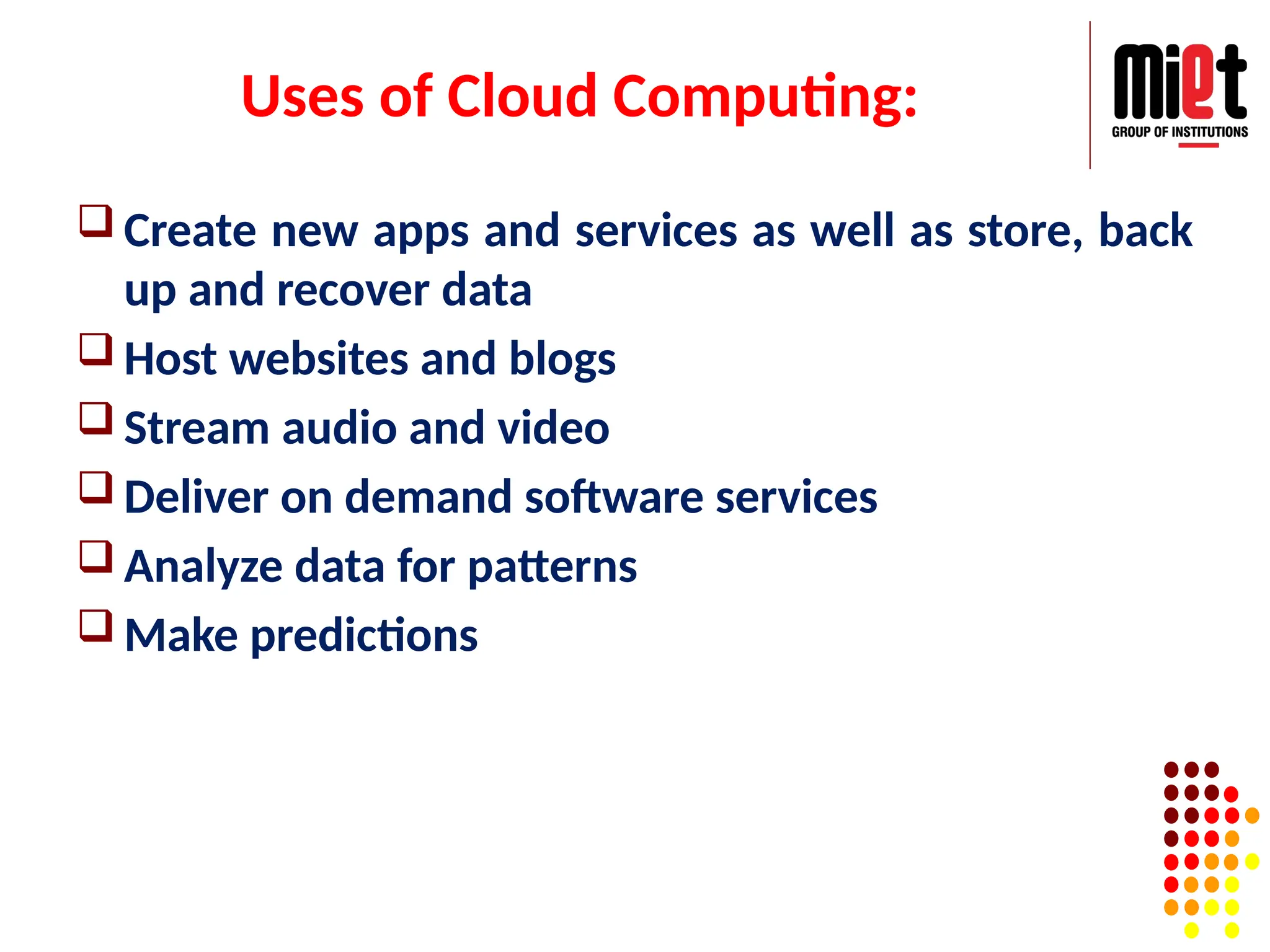
Uses of CloudComputing:
Create new apps and services as well as store, back
up and recover data
Host websites and blogs
Stream audio and video
Deliver on demand software services
Analyze data for patterns
Make predictions
64.
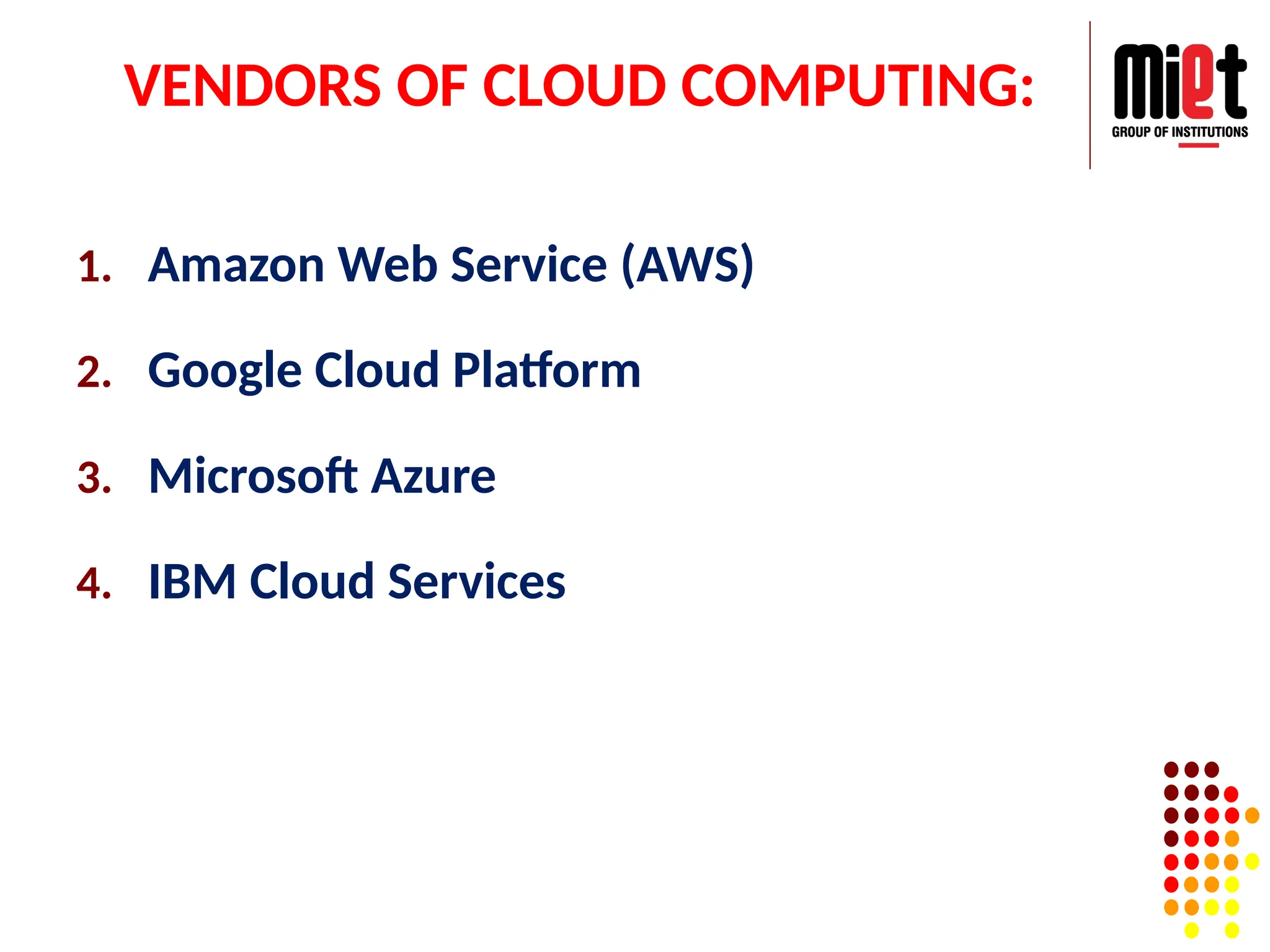
VENDORS OF CLOUDCOMPUTING:
1. Amazon Web Service (AWS)
2. Google Cloud Platform
3. Microsoft Azure
4. IBM Cloud Services
65.
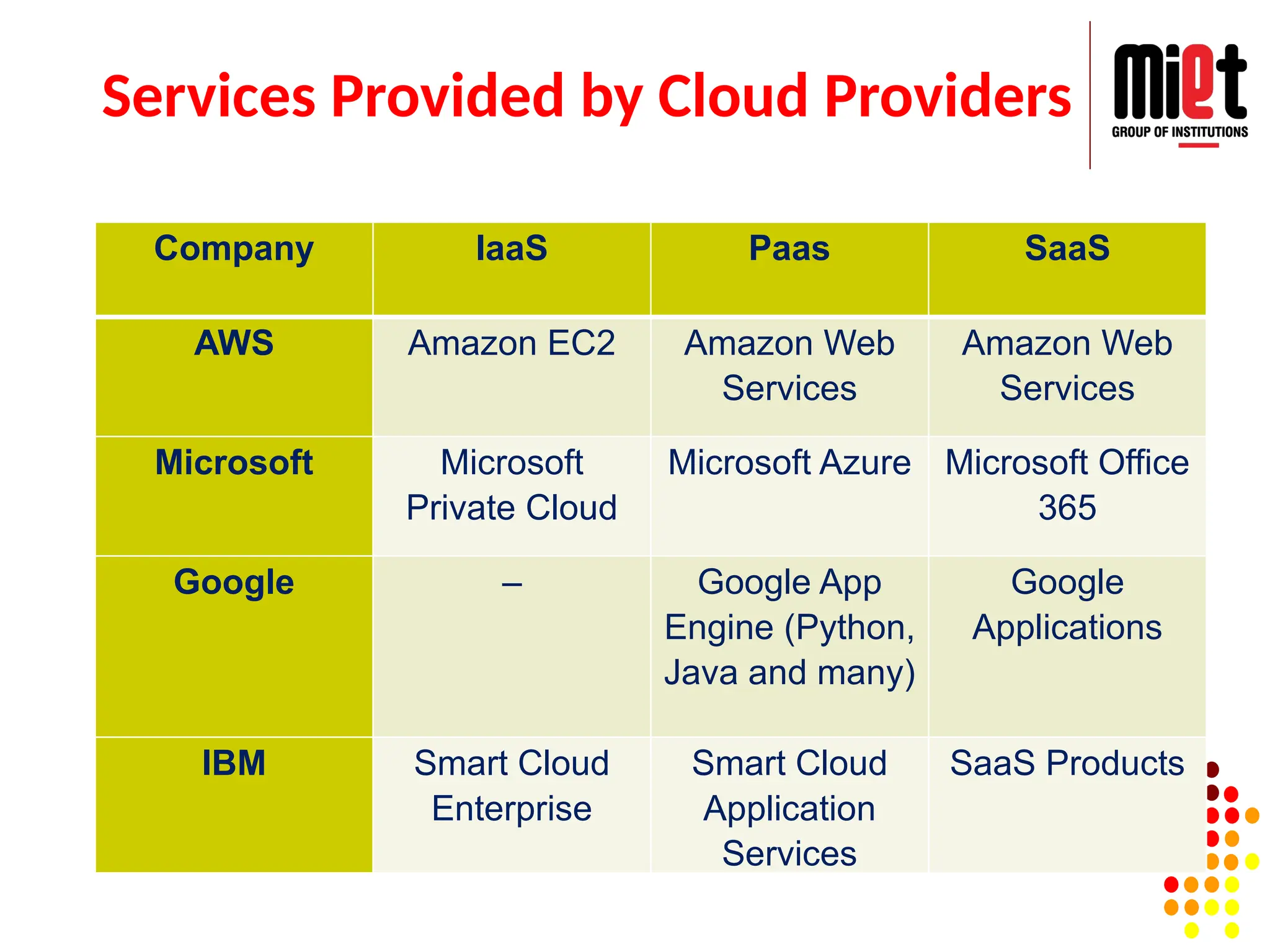
Services Provided byCloud Providers
Company IaaS Paas SaaS
AWS Amazon EC2 Amazon Web
Services
Amazon Web
Services
Microsoft Microsoft
Private Cloud
Microsoft Azure Microsoft Office
365
Google – Google App
Engine (Python,
Java and many)
Google
Applications
IBM Smart Cloud
Enterprise
Smart Cloud
Application
Services
SaaS Products
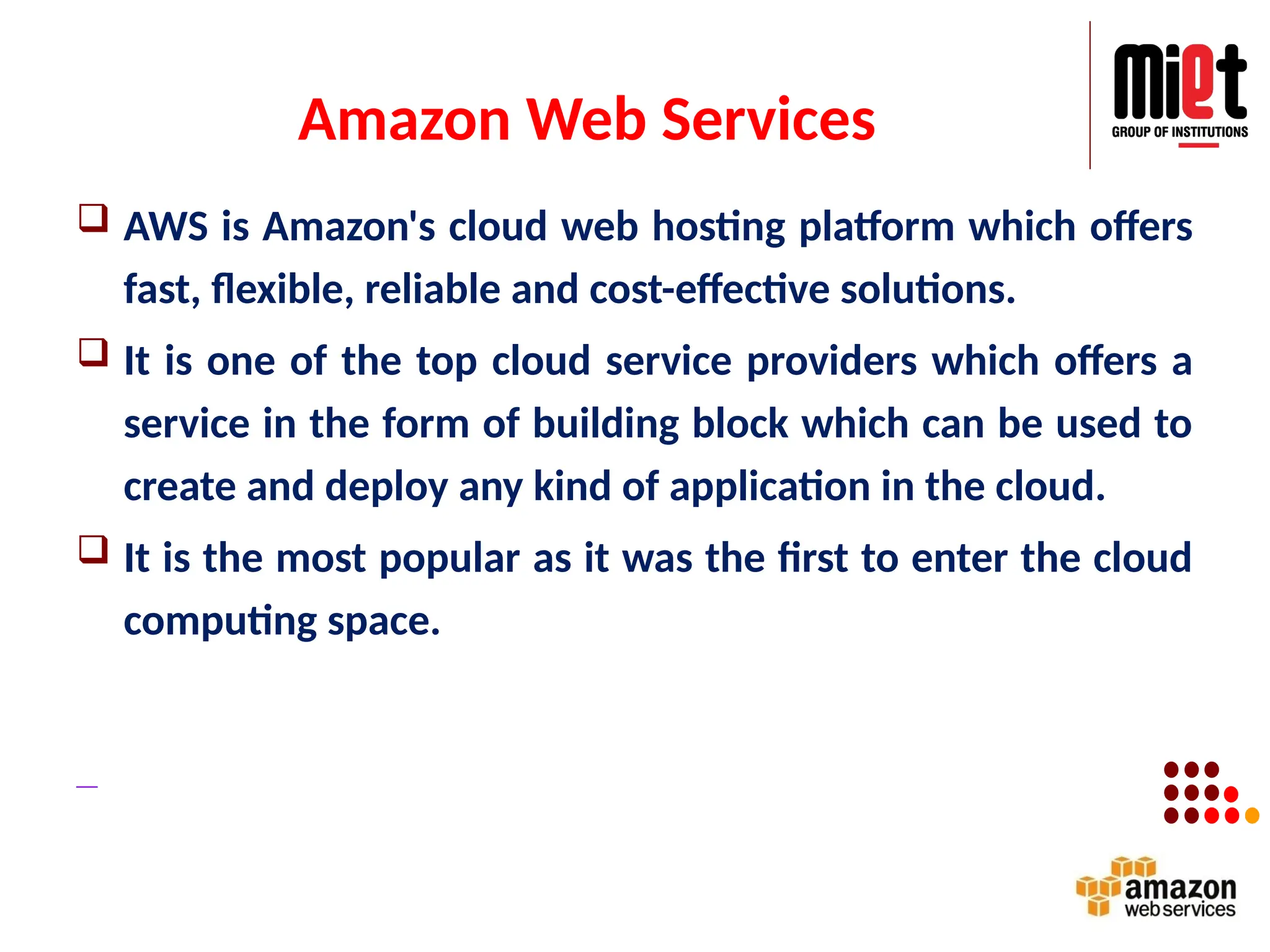
Amazon Web Services
AWS is Amazon's cloud web hosting platform which offers
fast, flexible, reliable and cost-effective solutions.
It is one of the top cloud service providers which offers a
service in the form of building block which can be used to
create and deploy any kind of application in the cloud.
It is the most popular as it was the first to enter the cloud
computing space.
Features
Easy sign-up process
FastDeployments
Allows easy management of add or remove
capacity
Access to effectively limitless capacity
Centralized Billing and management
71.
Uses of AmazonWeb Services (AWS)
A small manufacturing organization uses their expertise to
expand their business by leaving their IT management to
the AWS.
A large enterprise spread across the globe can utilize the
AWS to deliver the training to the distributed workforce.
An architecture consulting company can use AWS to get
the high-compute rendering of construction prototype.
A media company can use the AWS to provide different
types of content such as ebox or audio files to the
worldwide files.
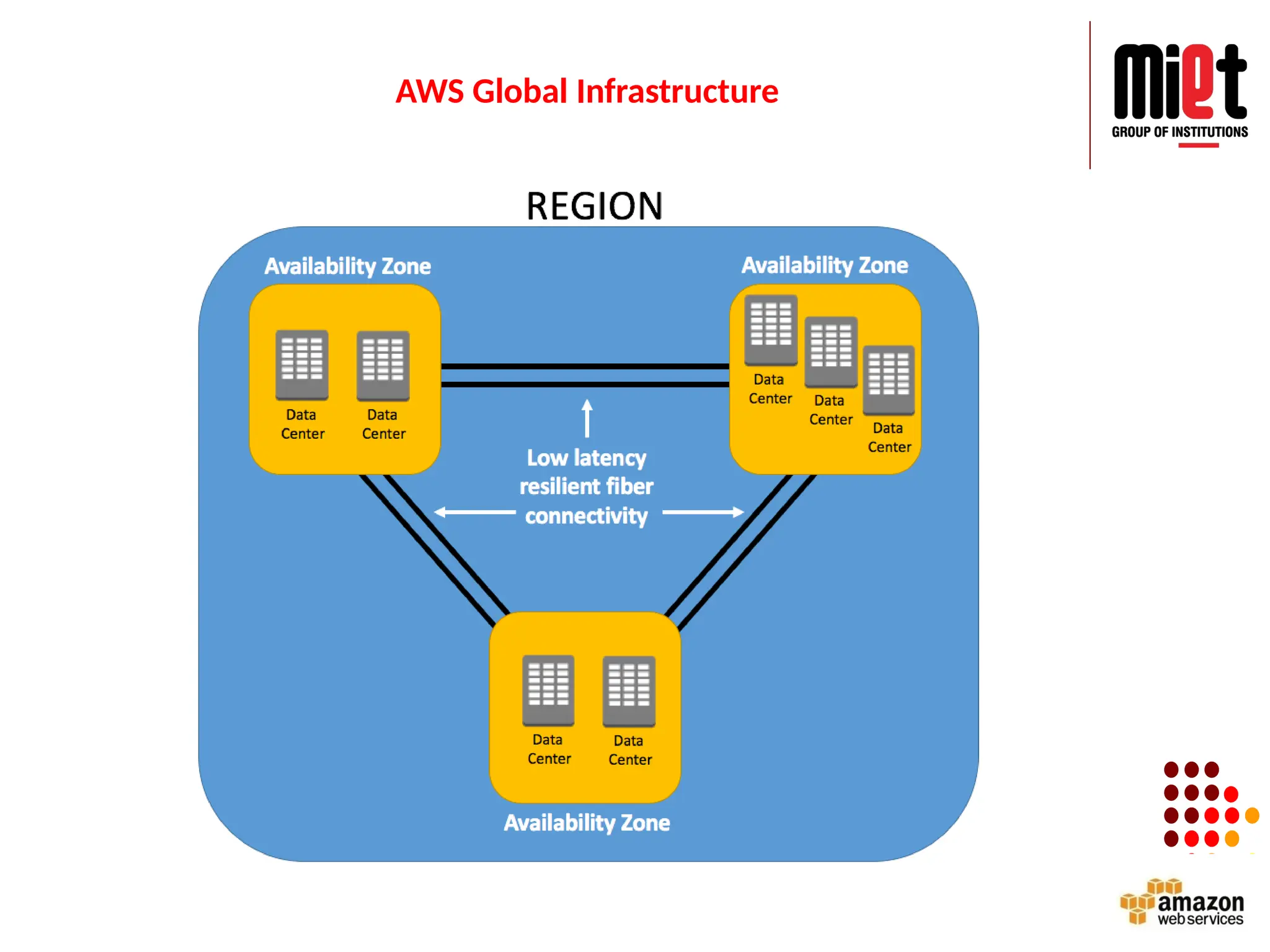
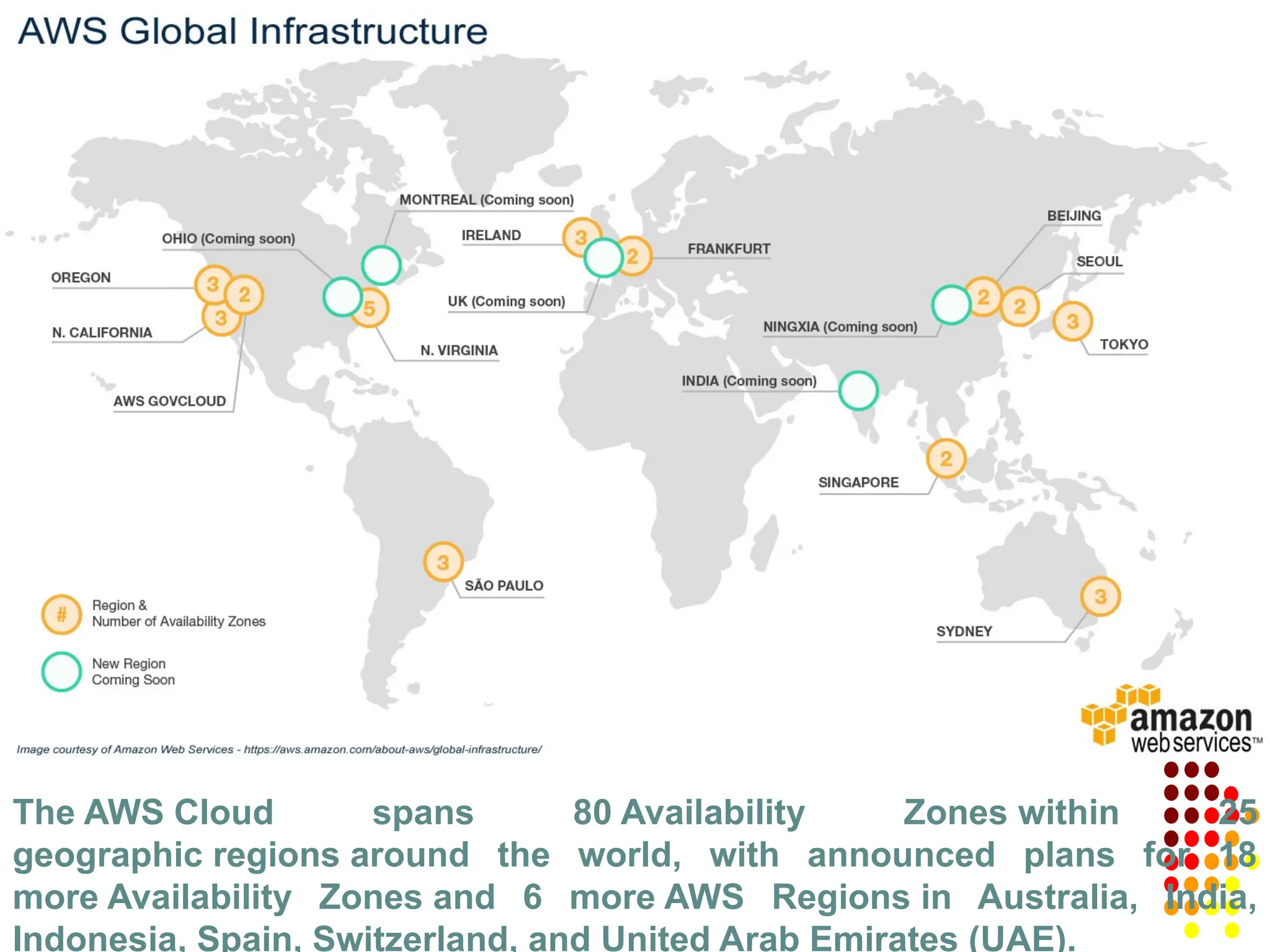
The AWS Cloudspans 80 Availability Zones within 25
geographic regions around the world, with announced plans for 18
more Availability Zones and 6 more AWS Regions in Australia, India,
Indonesia, Spain, Switzerland, and United Arab Emirates (UAE).
74.
Applications of AWSservices:
Amazon Web services are widely used for various computing
purposes like:
Website hosting
Application hosting/ SaaS hosting
Media Sharing (Image/ Video)
Mobile and Social Applications
Content delivery and Media Distribution
Storage, backup, and disaster recovery
Development and test environments
Academic Computing
Search Engines
Social Networking
Advantages of AWS
AWS allows organizations to use the already familiar programming
models, operating systems, databases, and architectures.
It is a cost-effective service that allows us to pay only for what we use,
without any up-front or long-term commitments.
We will not require to spend money on running and maintaining data
centers.
Offers fast deployments
We can easily add or remove capacity.
We are allowed cloud access quickly with limitless capacity.
Total Cost of Ownership is very low compared to any private/dedicated
servers.
Offers Centralized Billing and management
Offers Hybrid Capabilities
Allows us to deploy our application in multiple regions around the world
with just a few clicks
77.
Disadvantages of AWS
If we need more immediate or intensive assistance, we'll
have to opt for paid support packages.
Amazon Web Services may have some common cloud
computing issues when we move to a cloud. For example,
downtime, limited control, and backup protection.
AWS sets default limits on resources which differ from region
to region. These resources consist of images, volumes, and
snapshots.
Hardware-level changes happen to our application which may
not offer the best performance and usage of our applications.
78.
AWS Elastic ComputeCloud (EC2)
Provide secure and resizable compute capacity in Cloud
(developer ease)
BENEFITS:
Scaling (instances scaled up and down)
Integrated with other services (S3, RDS)
Pay for what you use
Instances can be launched in one or more regions and AZs.
Support for different OS.
Works with Amazon VPC (Virtual private cloud) to provide
secure network.
79.
AWS: Simple StorageService (S3)
Provides object storage which is built for storing and
recovering any amount of data from anywhere over the
INTERNET.
BENEFITS:
Durability: 99.999999%
Availability: 99.99%
Cost effective
Scalability
Security
Object consist of DATA + METADATA
Bucket stores objects.
Data Encryption: To protect data when it is being transmitted and when at rest.
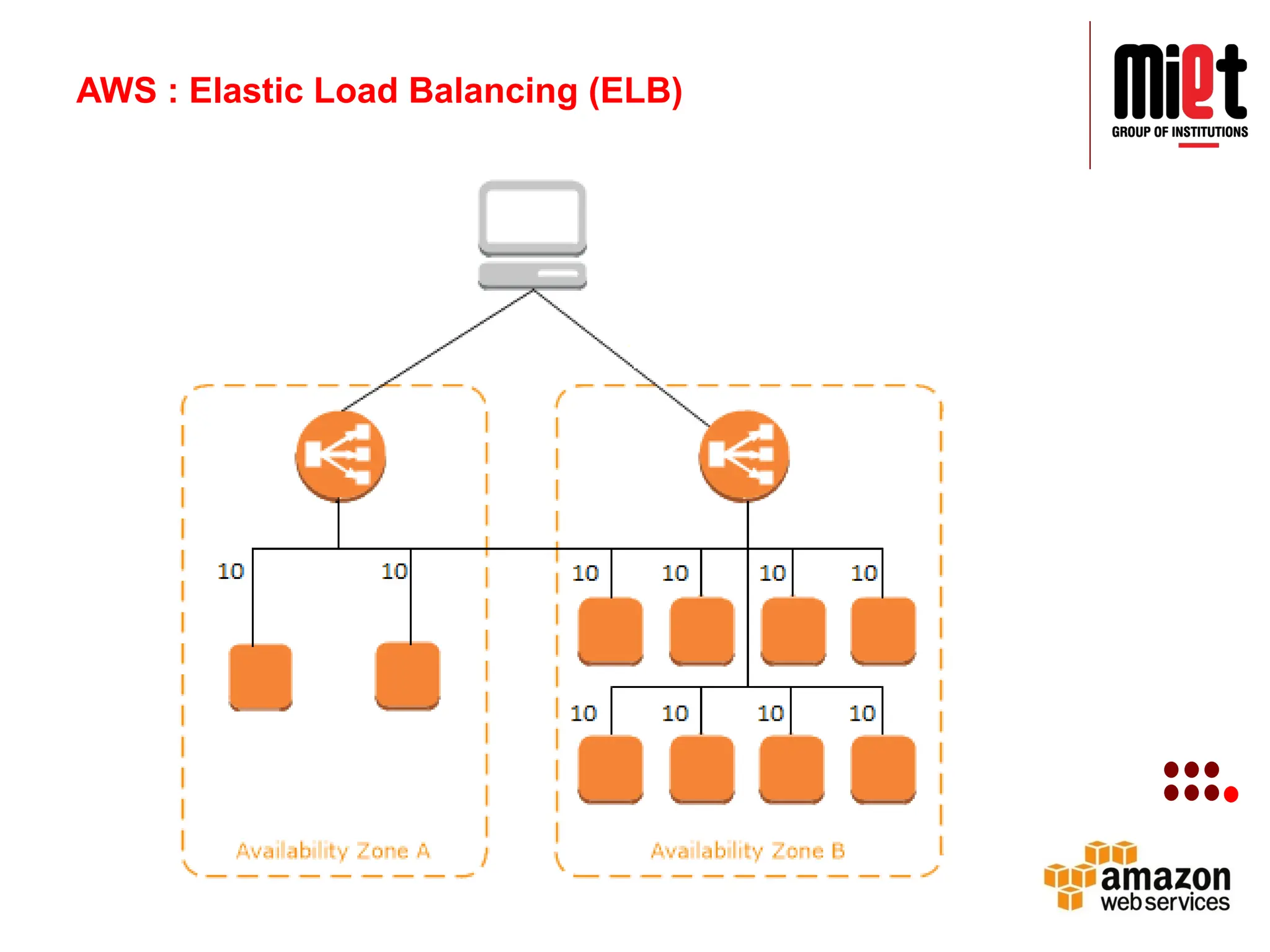
AWS : ElasticLoad Balancing
(ELB)
Distribute incoming traffic across multiple
targets.
Single or multiple availability zones
Application LB: HTTP and HTTPs traffic
Network LB: TCP and TLS traffic
Classic LB: for application that were built with EC2
classic network (Basic load balancing)
High Availability: 99.99%
Elastic: change in traffic pattern
Secure: works with VPC
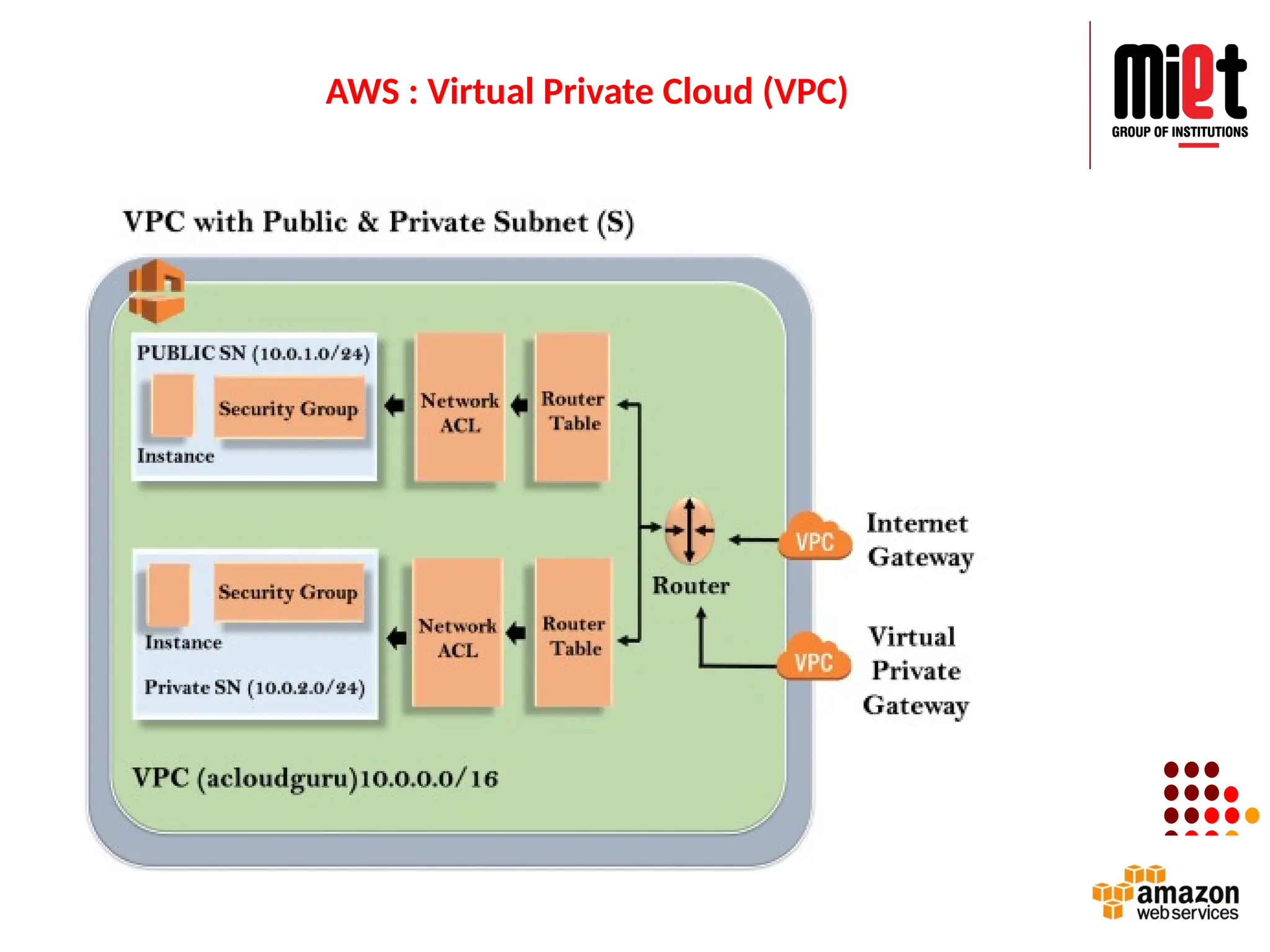
AWS : VirtualPrivate Cloud (VPC)
It is a virtual network dedicated to your AWS
account.
One can launch EC2 instances into their VPC
Subnets:
Public
Private
VPN only
Google Cloud
GoogleCloud Platform (GCP) is a suite of cloud computing
services provided by Google.
It is a public cloud computing platform consisting of a variety
of services like compute, storage, networking, application
development, Big Data, and more, which run on the same
cloud infrastructure that Google uses internally for its end-
user products, such as Google Search, Photos, Gmail and
YouTube, etc.
The services of GCP can be accessed by software developers,
cloud administrators and IT professionals over the Internet or
through a dedicated network connection.
88.
Google Cloud
• GoogleCloud is a set of solution and products which includes
GCP & G suite.
• It is one of the top cloud service providers which helps us to
solve all kind of business challenges with ease.
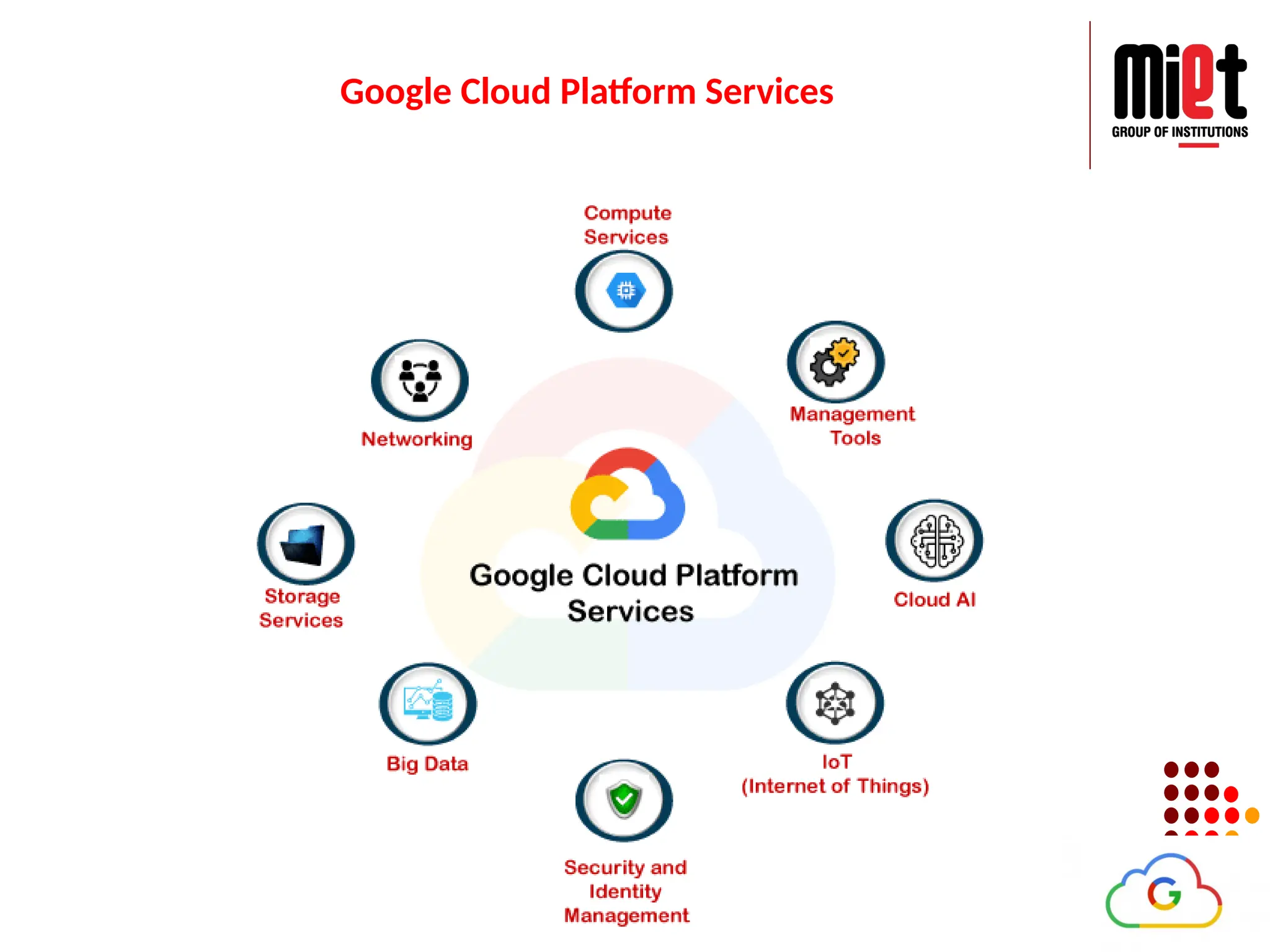
Google Cloud Services
ComputeServices
StorageServices
Networking
Big Data Services
Security and Identity Management
Management Tools
Cloud AI
IoT
89.
Features:
It is oneof the cloud companies that allows us to
scale with open, flexible technology.
Solve issues with accessible AI & data analytics
Eliminate the need for installing costly servers
Allows us to transform your business with a full
suite of cloud-based services.
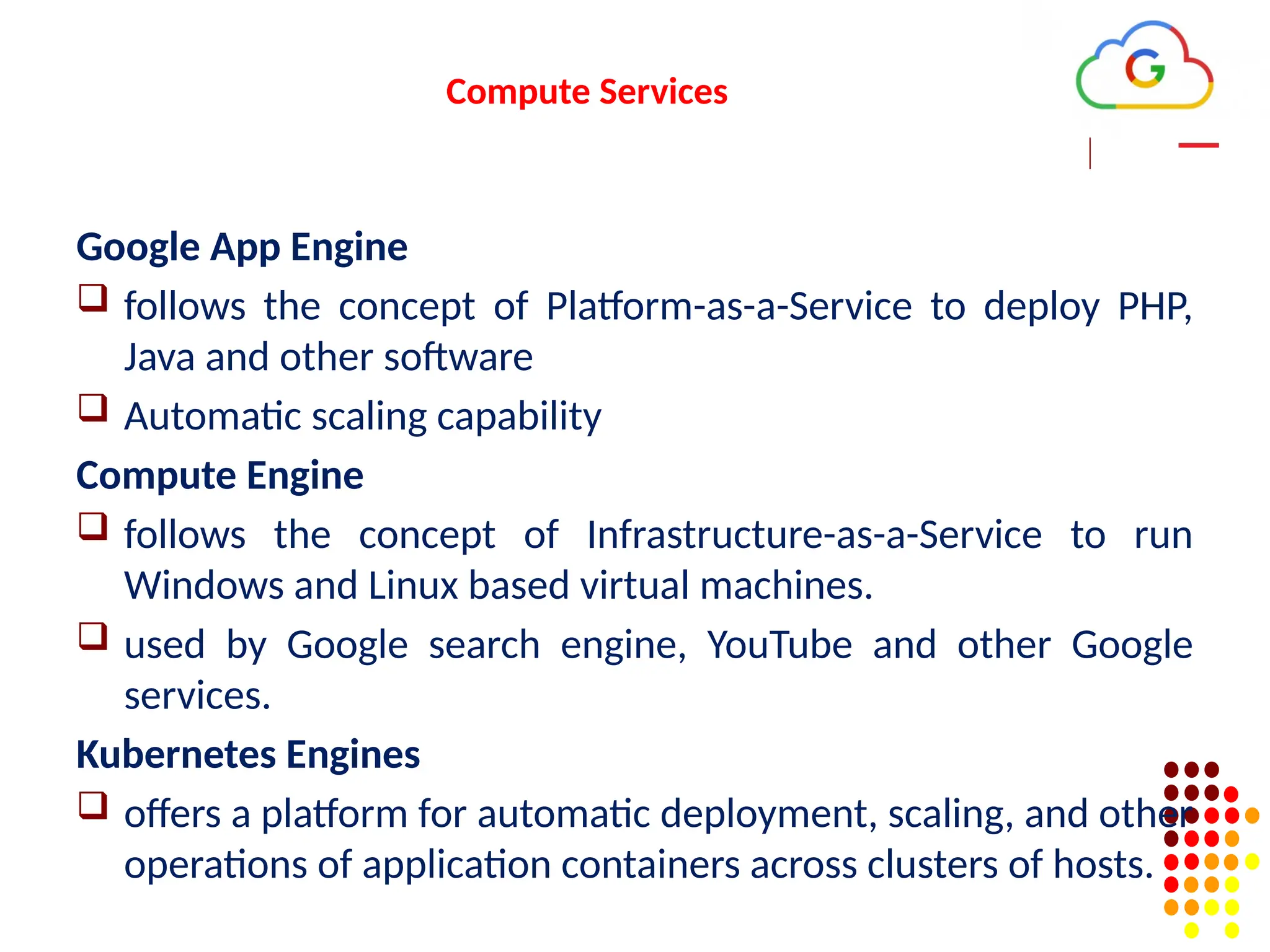
Compute Services
Google AppEngine
follows the concept of Platform-as-a-Service to deploy PHP,
Java and other software
Automatic scaling capability
Compute Engine
follows the concept of Infrastructure-as-a-Service to run
Windows and Linux based virtual machines.
used by Google search engine, YouTube and other Google
services.
Kubernetes Engines
offers a platform for automatic deployment, scaling, and other
operations of application containers across clusters of hosts.
98.
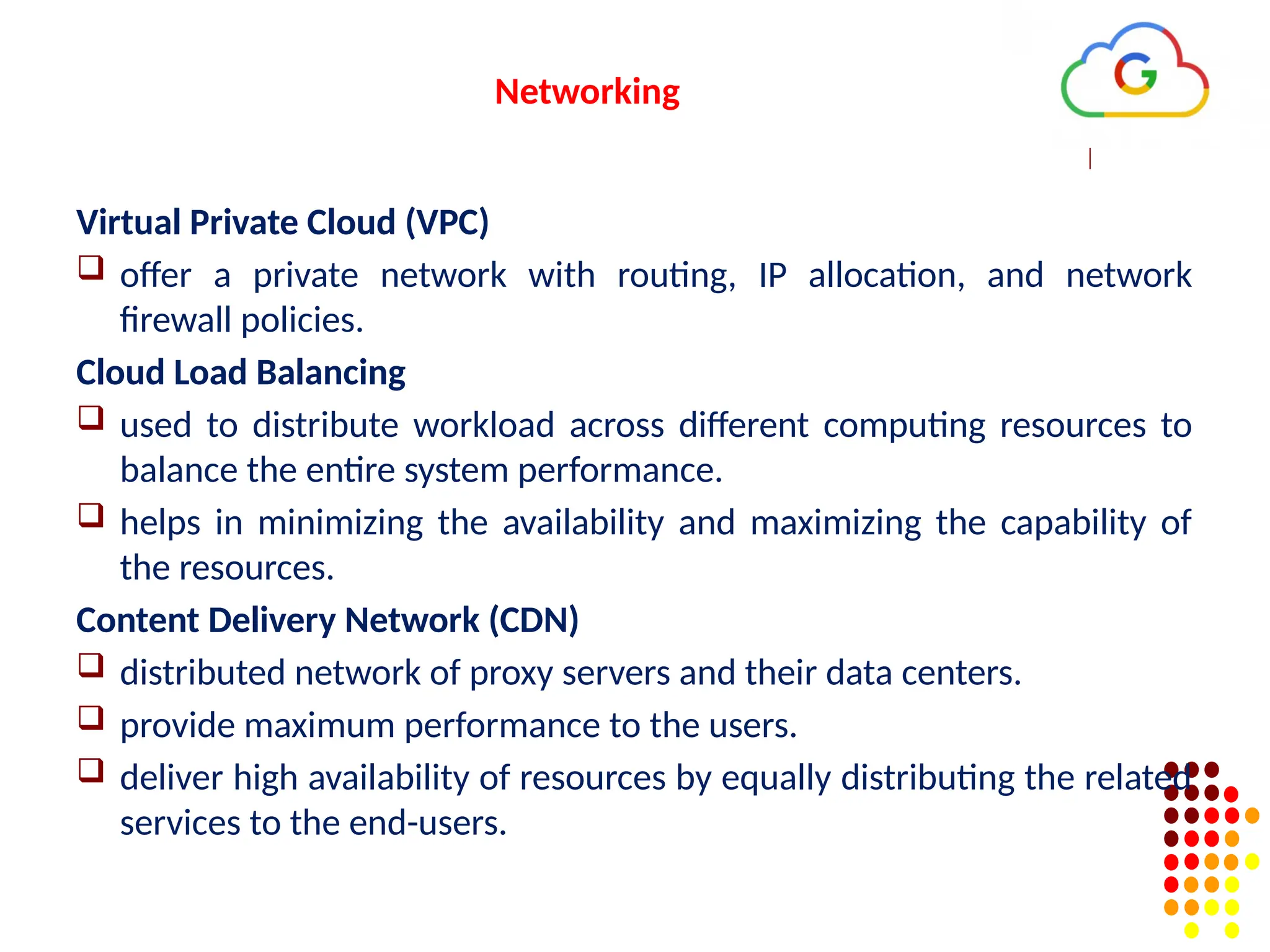
Networking
Virtual Private Cloud(VPC)
offer a private network with routing, IP allocation, and network
firewall policies.
Cloud Load Balancing
used to distribute workload across different computing resources to
balance the entire system performance.
helps in minimizing the availability and maximizing the capability of
the resources.
Content Delivery Network (CDN)
distributed network of proxy servers and their data centers.
provide maximum performance to the users.
deliver high availability of resources by equally distributing the related
services to the end-users.
99.
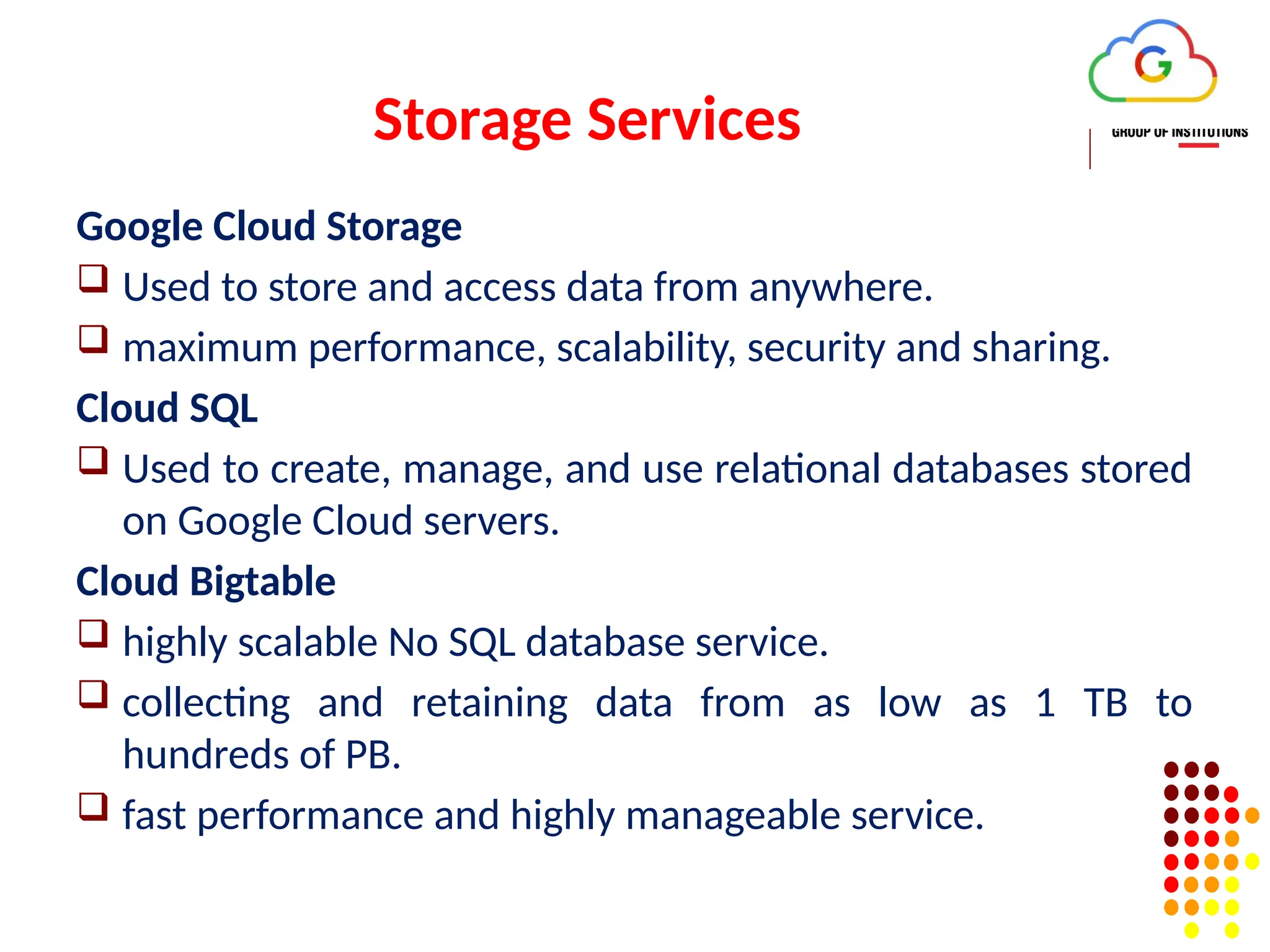
Storage Services
Google CloudStorage
Used to store and access data from anywhere.
maximum performance, scalability, security and sharing.
Cloud SQL
Used to create, manage, and use relational databases stored
on Google Cloud servers.
Cloud Bigtable
highly scalable No SQL database service.
collecting and retaining data from as low as 1 TB to
hundreds of PB.
fast performance and highly manageable service.
100.
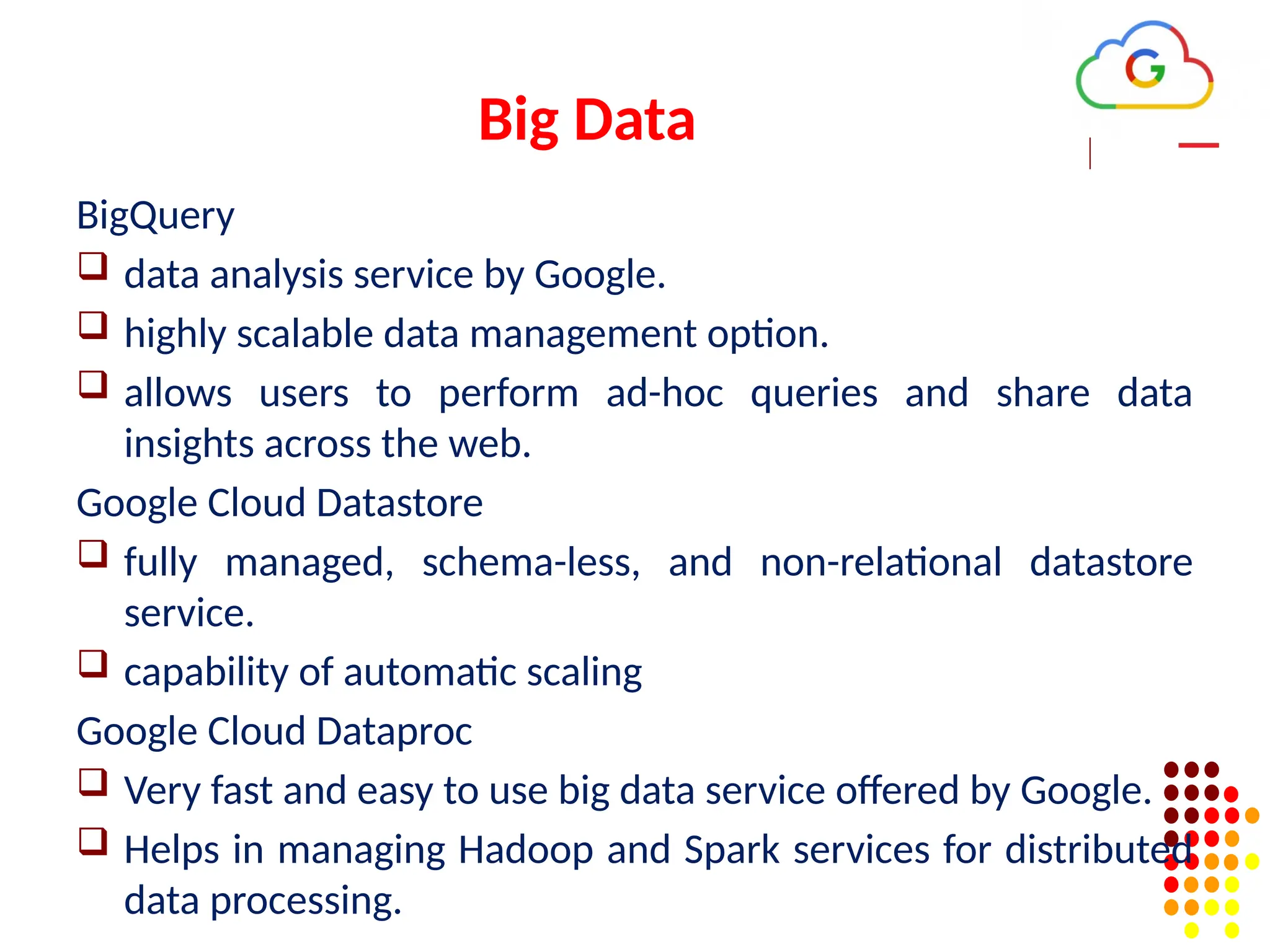
Big Data
BigQuery
dataanalysis service by Google.
highly scalable data management option.
allows users to perform ad-hoc queries and share data
insights across the web.
Google Cloud Datastore
fully managed, schema-less, and non-relational datastore
service.
capability of automatic scaling
Google Cloud Dataproc
Very fast and easy to use big data service offered by Google.
Helps in managing Hadoop and Spark services for distributed
data processing.
101.
Security and IdentityManagement
Cloud Data Loss Prevention API
designed to manage sensitive data.
offers fast and scalable classification for sensitive
data.
Cloud IAM
it stands for Cloud Identity and Access Management.
framework that contains rules and policies and
validates the authentication of the users for
accessing the technology resources.
102.
Management Tools
Google Stackdriver
responsible for displaying the overall performance and
diagnostics information.
include insights of data monitoring, tracing, logging, error
reporting, etc.
Google Cloud Console App
native mobile application powered by Google.
enable users to manage the core features of Google Cloud
services directly from their mobile devices anytime, anywhere.
alerting, monitoring, and performing critical actions on
resources.
103.
Cloud AI
Cloud MachineLearning Engine
allows users to create Machine Learning models.
Cloud AutoML
service that is based on Machine Learning.
helps users to enter their data sets and gain
access to quality trained pre-designed ML
models.
104.
IoT (Internet ofThings)
Cloud IoT Core
allows users to connect, control, and ingest data
from various devices that are securely connected to
the Internet.
allows other Google cloud services to analyze,
process, collect and visualize IoT data in real-time.
Cloud IoT Edge
edge computing service brings memory and other
computing-power resources near to the location
where it is required.
105.
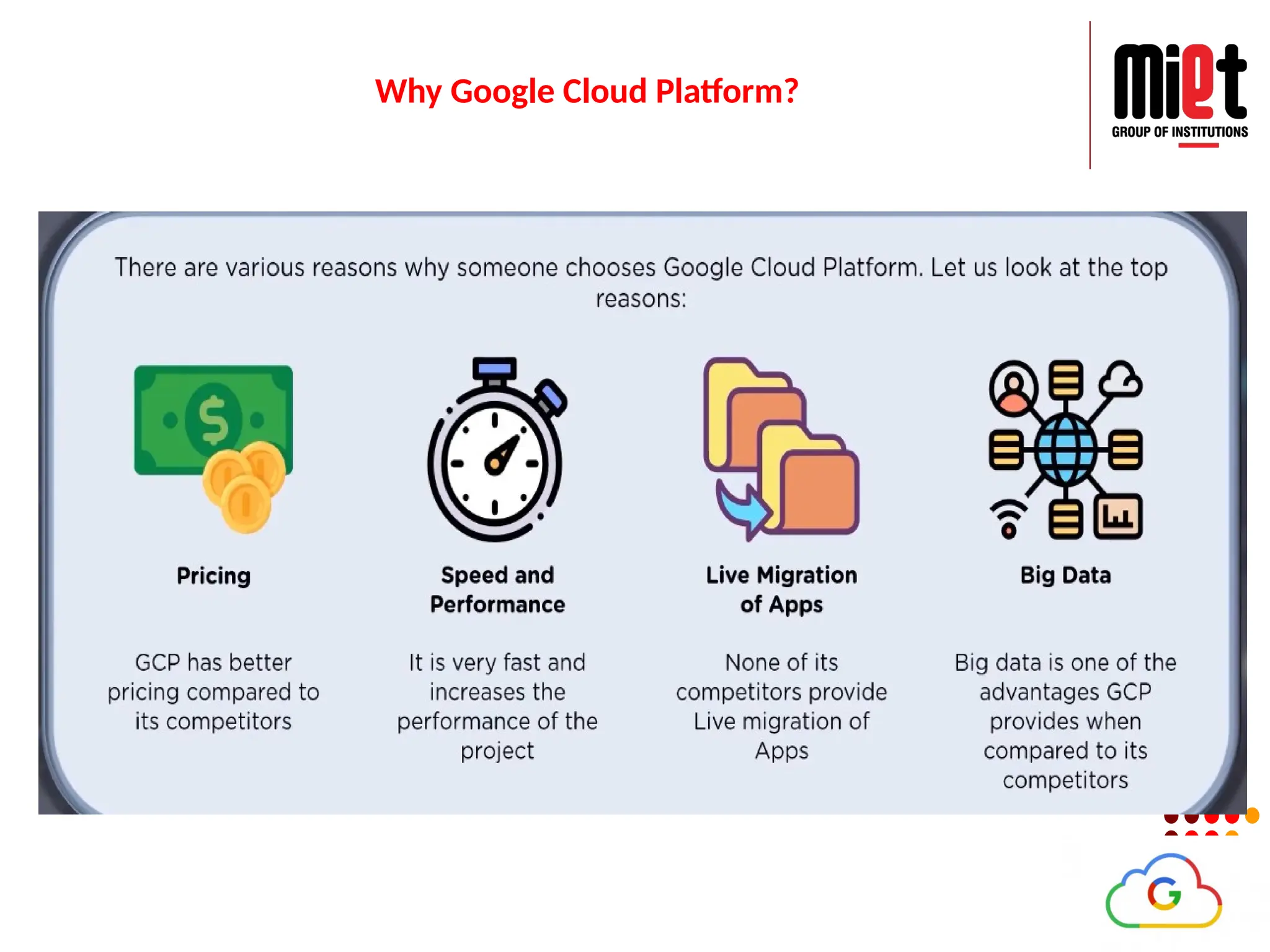
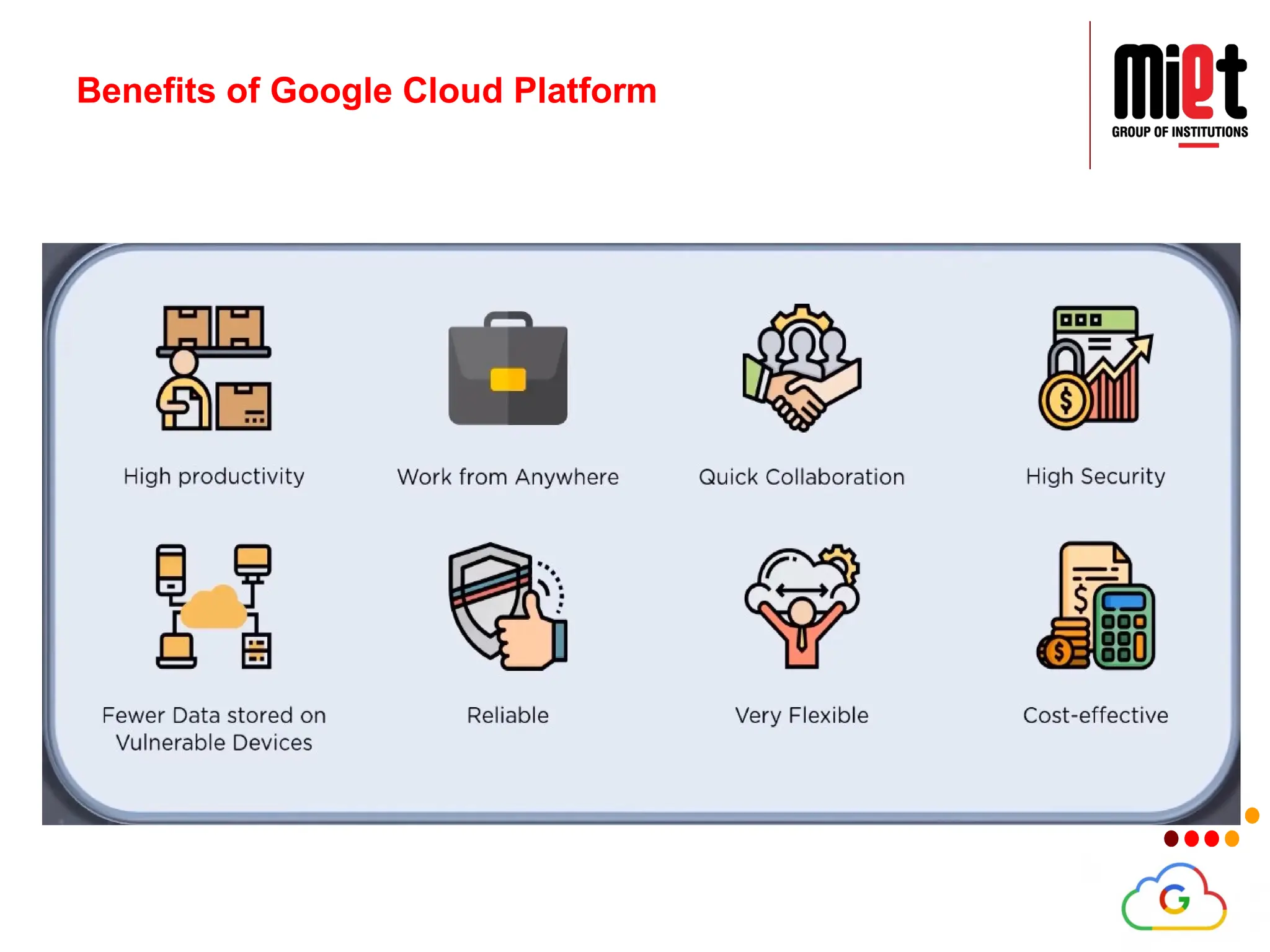
Advantages of GoogleCloud Platform
Google Cloud Offers Quick and Easy Collaboration
Higher Productivity with Continuous Development
Less Disruption with Adopting New Features
Least or Minimal Data is stored on Vulnerable Devices
Users can access Google Cloud from Anywhere
Google provides Maximum Security with its Robust
Structure
Users have Full Control over their Data
Google provides Higher Uptime and Reliability
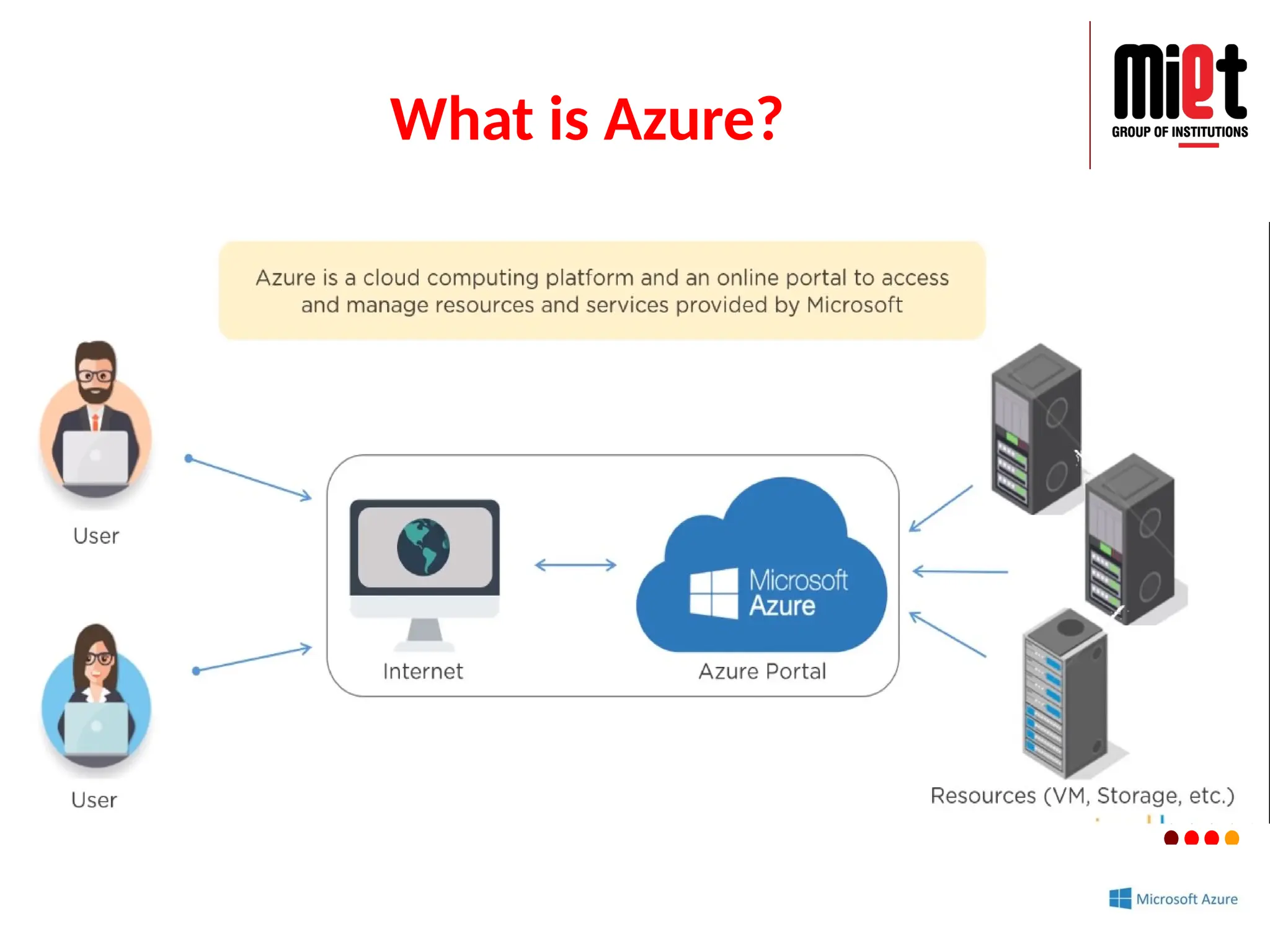
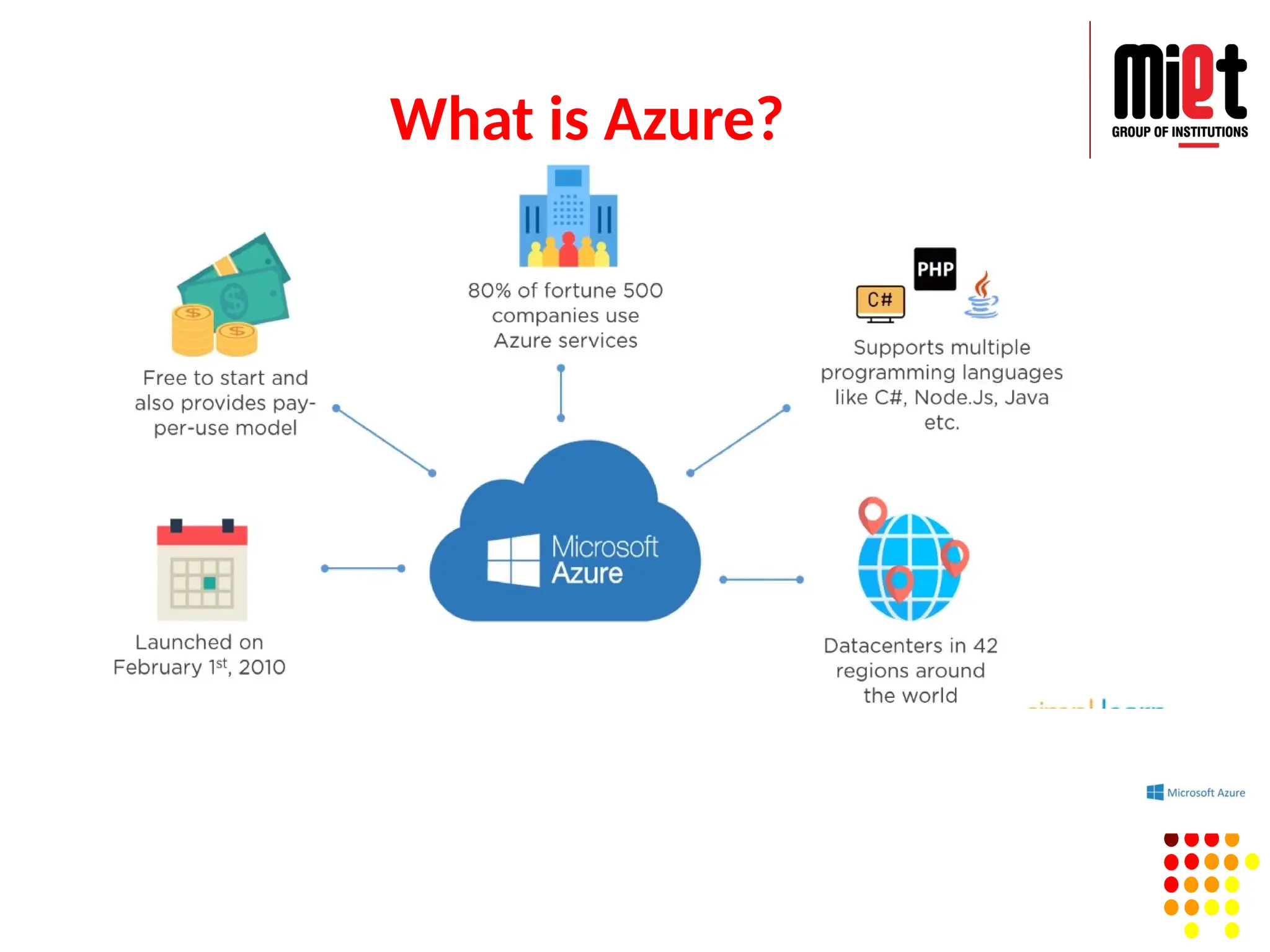
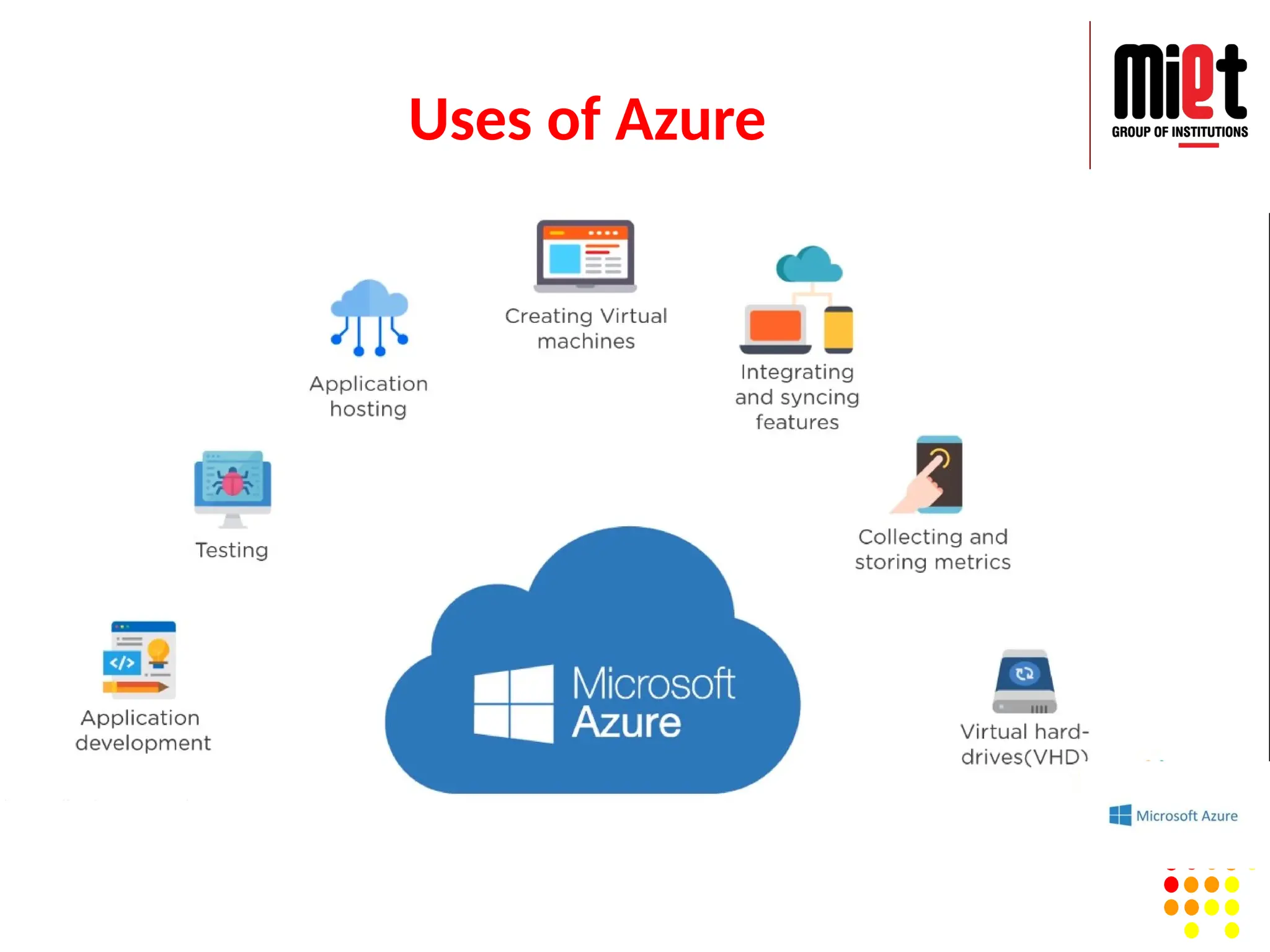
What is Azure?
Azureis a cloud platform which is launched by Microsoft in
February 2010. This is an open source and flexible cloud platform
which helps in development, data storage, service management &
hosting solutions.
Features:
Windows Azure offers the most effective solution for our data
needs.
Provides scalability, flexibility, and cost-effectiveness.
Offers consistency across clouds with familiar tools and
resources.
Allow us to scale our IT resources up and down according to
our business needs.
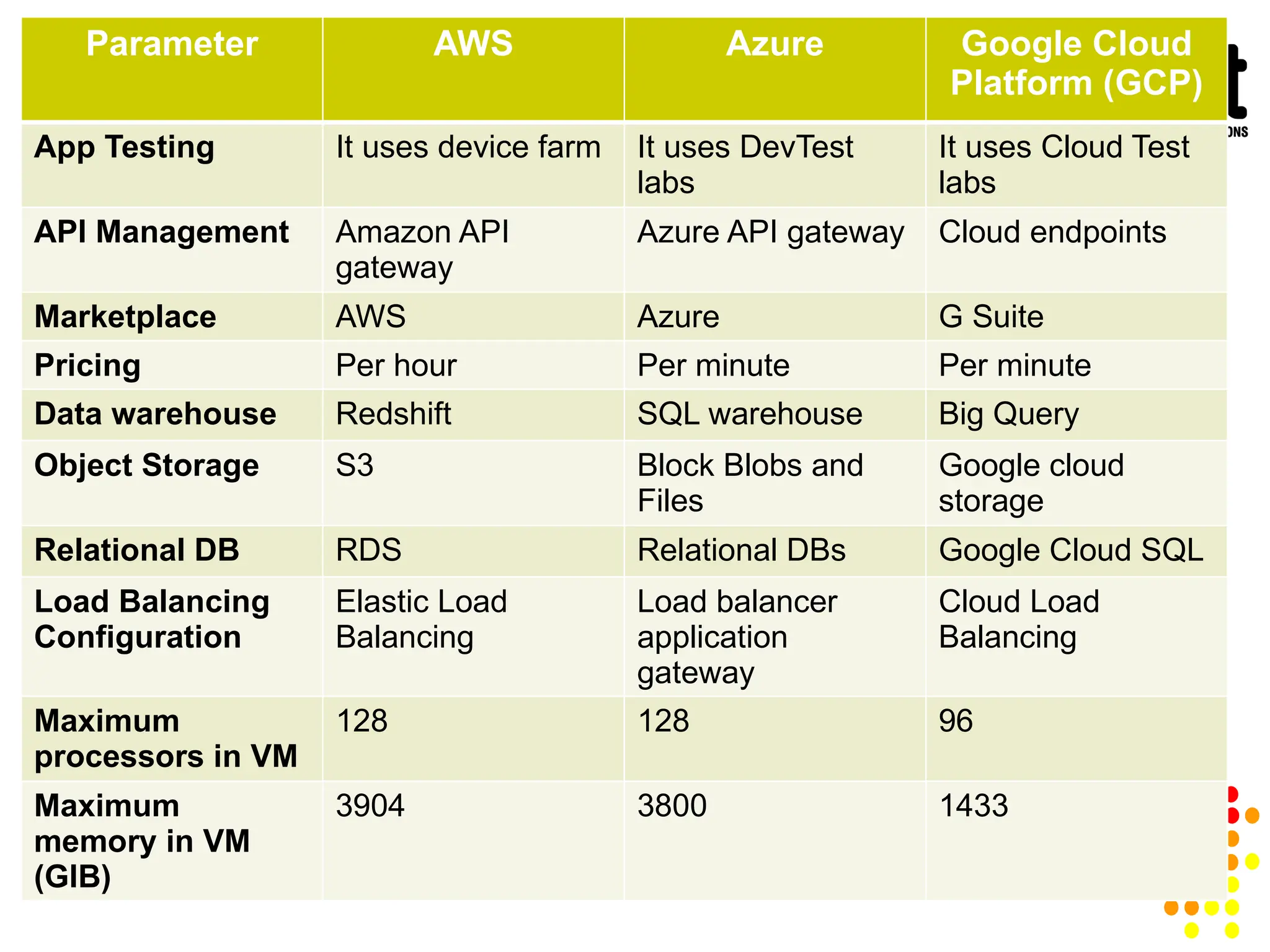
Parameter AWS AzureGoogle Cloud
Platform (GCP)
App Testing It uses device farm It uses DevTest
labs
It uses Cloud Test
labs
API Management Amazon API
gateway
Azure API gateway Cloud endpoints
Marketplace AWS Azure G Suite
Pricing Per hour Per minute Per minute
Data warehouse Redshift SQL warehouse Big Query
Object Storage S3 Block Blobs and
Files
Google cloud
storage
Relational DB RDS Relational DBs Google Cloud SQL
Load Balancing
Configuration
Elastic Load
Balancing
Load balancer
application
gateway
Cloud Load
Balancing
Maximum
processors in VM
128 128 96
Maximum
memory in VM
(GIB)
3904 3800 1433
129.
IBM Cloud Service
IBMCloud is a full-stack cloud platform that spans public,
private and hybrid environments. It is one of the best cloud
providers which is built with a robust suite of advanced and AI
tools.
Features:
IBM cloud offers Infrastructure as a Service (IaaS), Software
as a Service (SaaS) and Platform as a Service (PaaS).
IBM Cloud is used to build pioneering which helps us to gain
value for our businesses.
It offers high-performing cloud communications and services
into our IT environment.
130.
IBM Cloud Service
An open, standards-based cloud computing platform
Includes a catalog of diverse platform and infrastructure
services
Used to rapidly build, deploy, and run business applications,
infrastructure, or both.
IBM cloud improves operational efficiency.
Its speed and agility improve the customer's satisfaction.
It offers various cloud communications services to our IT
environment.
131.
Feature of IBMCloud
IBM cloud improves operational efficiency.
Its speed and agility improve the customer's
satisfaction.
It offers Infrastructure as a Service (IaaS), Platform
as a Service (PaaS), as well as Software as a Service
(SaaS).
It offers various cloud communications services to
our IT environment.
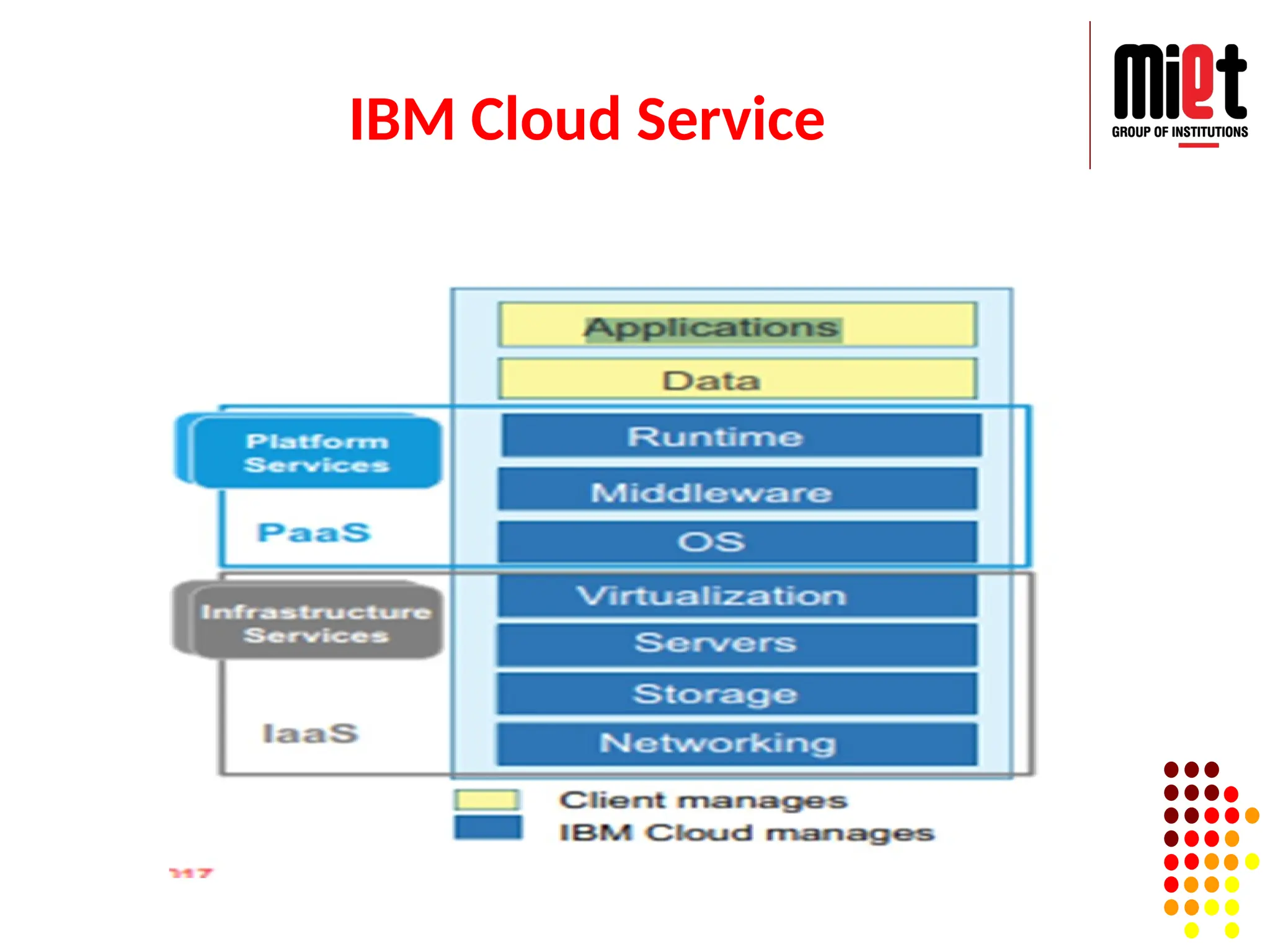
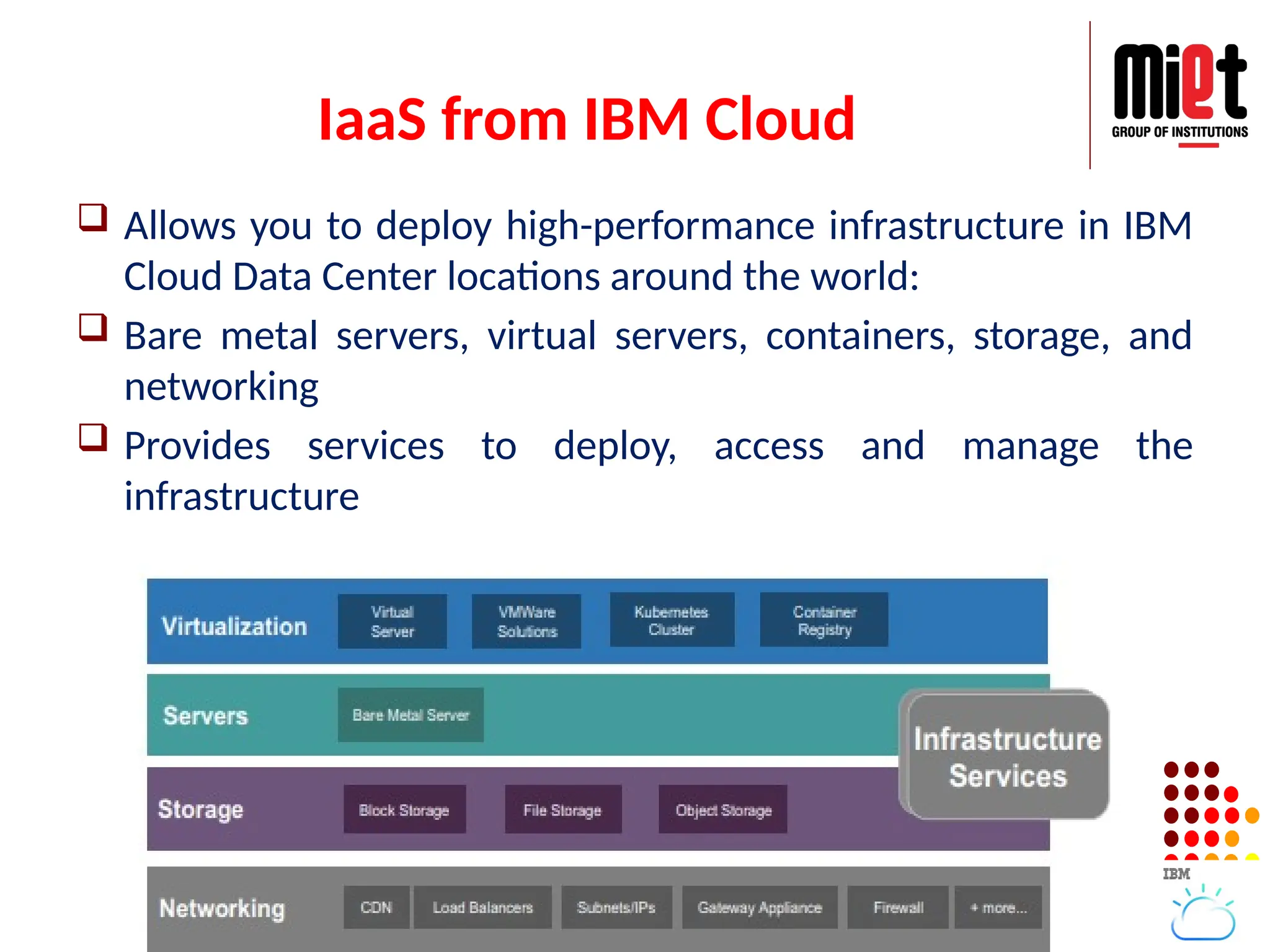
IaaS from IBMCloud
Allows you to deploy high-performance infrastructure in IBM
Cloud Data Center locations around the world:
Bare metal servers, virtual servers, containers, storage, and
networking
Provides services to deploy, access and manage the
infrastructure
134.
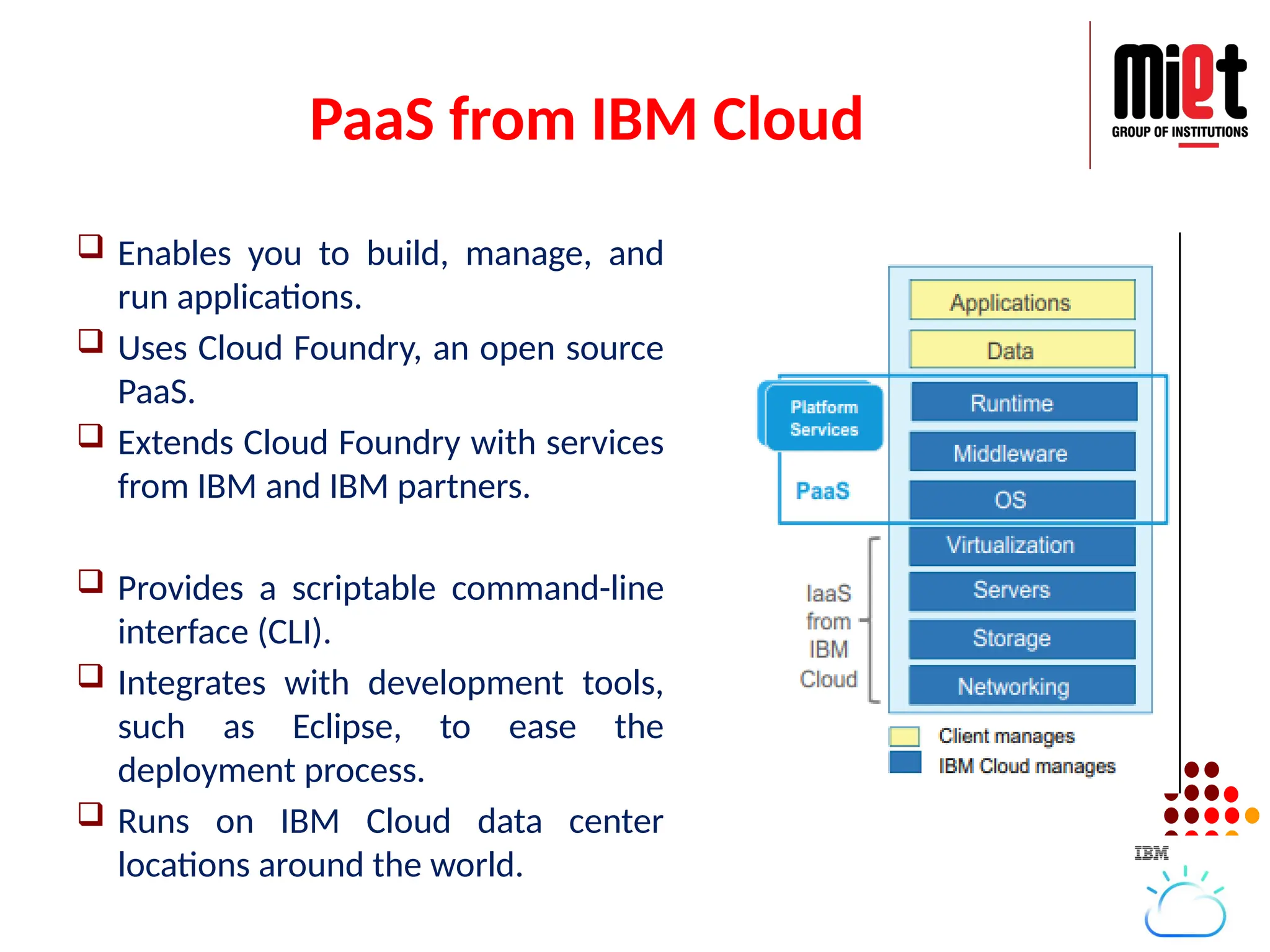
PaaS from IBMCloud
Enables you to build, manage, and
run applications.
Uses Cloud Foundry, an open source
PaaS.
Extends Cloud Foundry with services
from IBM and IBM partners.
Provides a scriptable command-line
interface (CLI).
Integrates with development tools,
such as Eclipse, to ease the
deployment process.
Runs on IBM Cloud data center
locations around the world.
135.
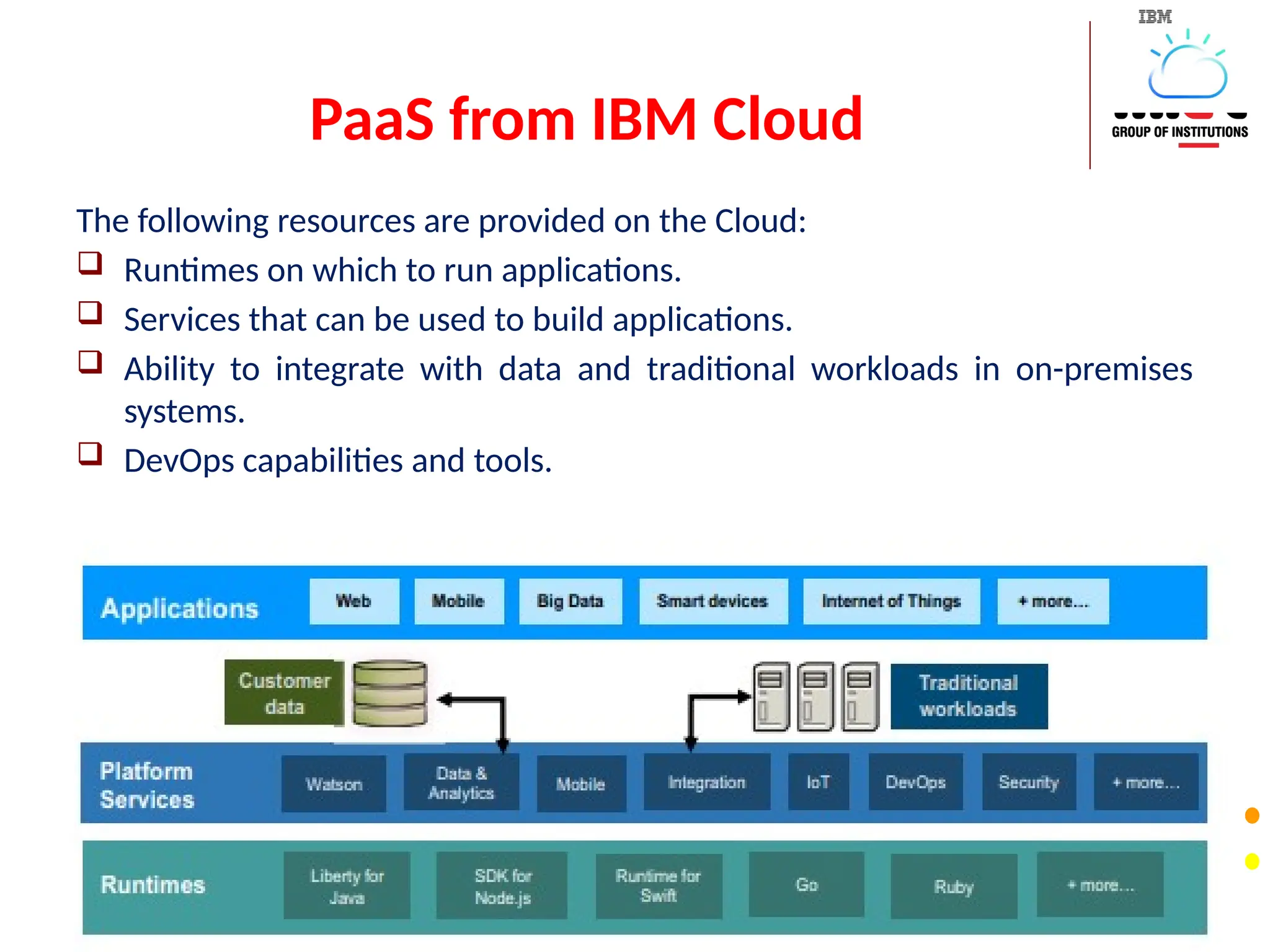
PaaS from IBMCloud
The following resources are provided on the Cloud:
Runtimes on which to run applications.
Services that can be used to build applications.
Ability to integrate with data and traditional workloads in on-premises
systems.
DevOps capabilities and tools.
136.
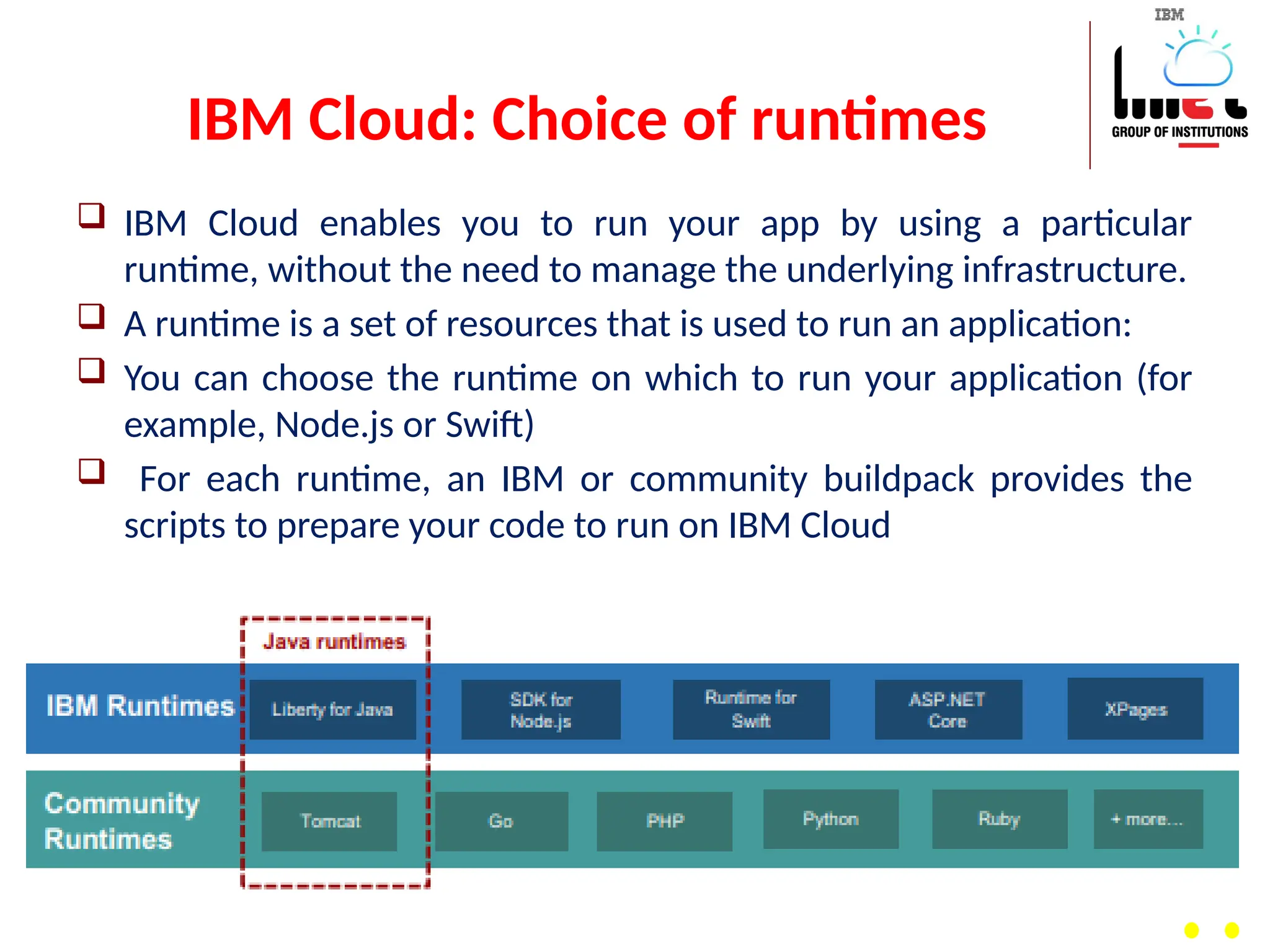
IBM Cloud: Choiceof runtimes
IBM Cloud enables you to run your app by using a particular
runtime, without the need to manage the underlying infrastructure.
A runtime is a set of resources that is used to run an application:
You can choose the runtime on which to run your application (for
example, Node.js or Swift)
For each runtime, an IBM or community buildpack provides the
scripts to prepare your code to run on IBM Cloud
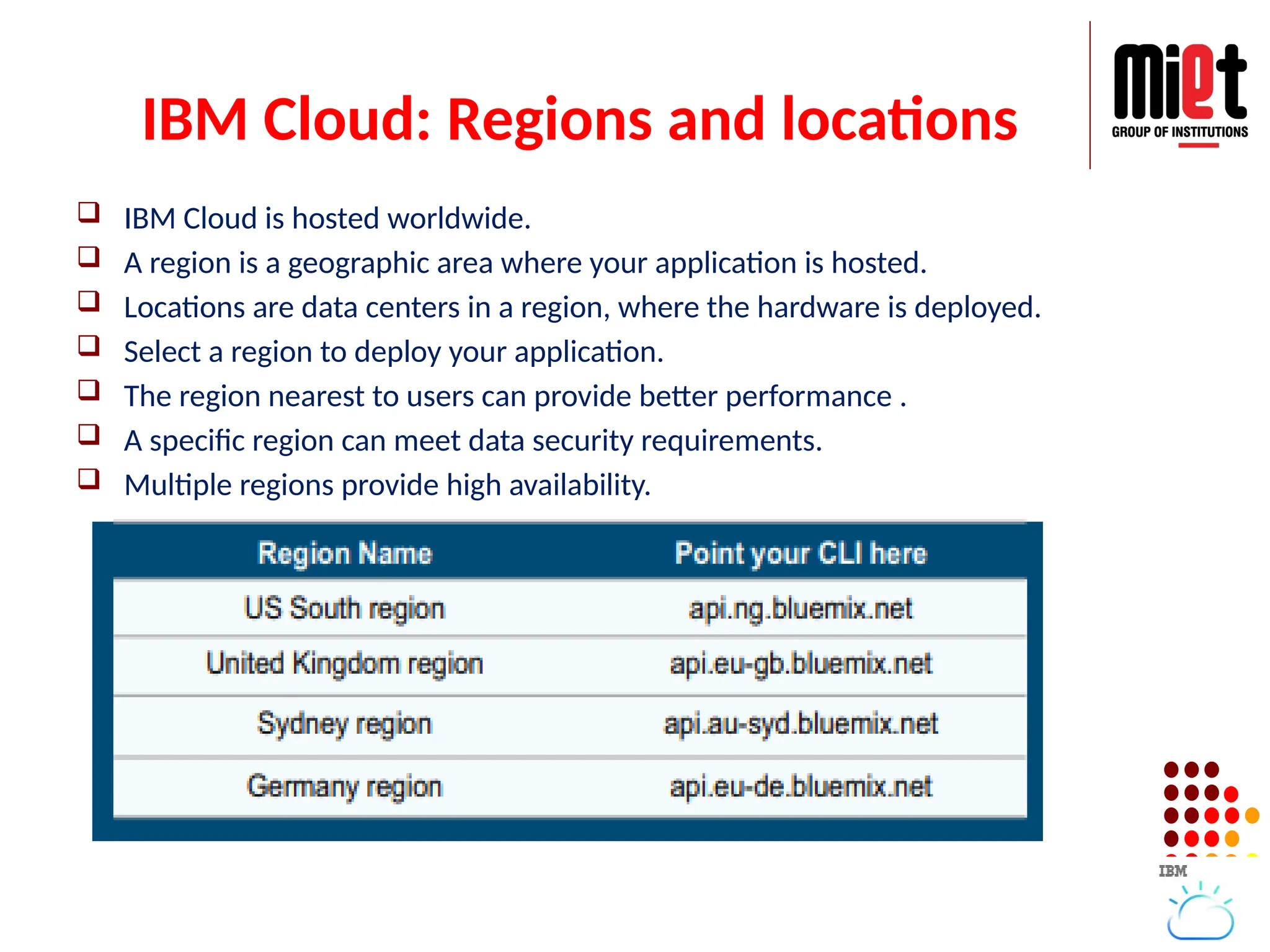
IBM Cloud: Regionsand locations
IBM Cloud is hosted worldwide.
A region is a geographic area where your application is hosted.
Locations are data centers in a region, where the hardware is deployed.
Select a region to deploy your application.
The region nearest to users can provide better performance .
A specific region can meet data security requirements.
Multiple regions provide high availability.
139.
Services
Compute Infrastructure— includes its bare metal servers
(single-tenant servers that are highly customizable), virtual
servers, GPU computing, POWER servers (based on IBM's
power architecture) and server software.
Compute Services — includes Open Whisk serverless
computing, containers and Cloud Foundry runtimes.
Storage — includes object, block and file storage, as well as
server-backup capabilities.
Network — includes load balancing, Direct Link private
secure connections, network appliances, content delivery
network and domain services.
140.
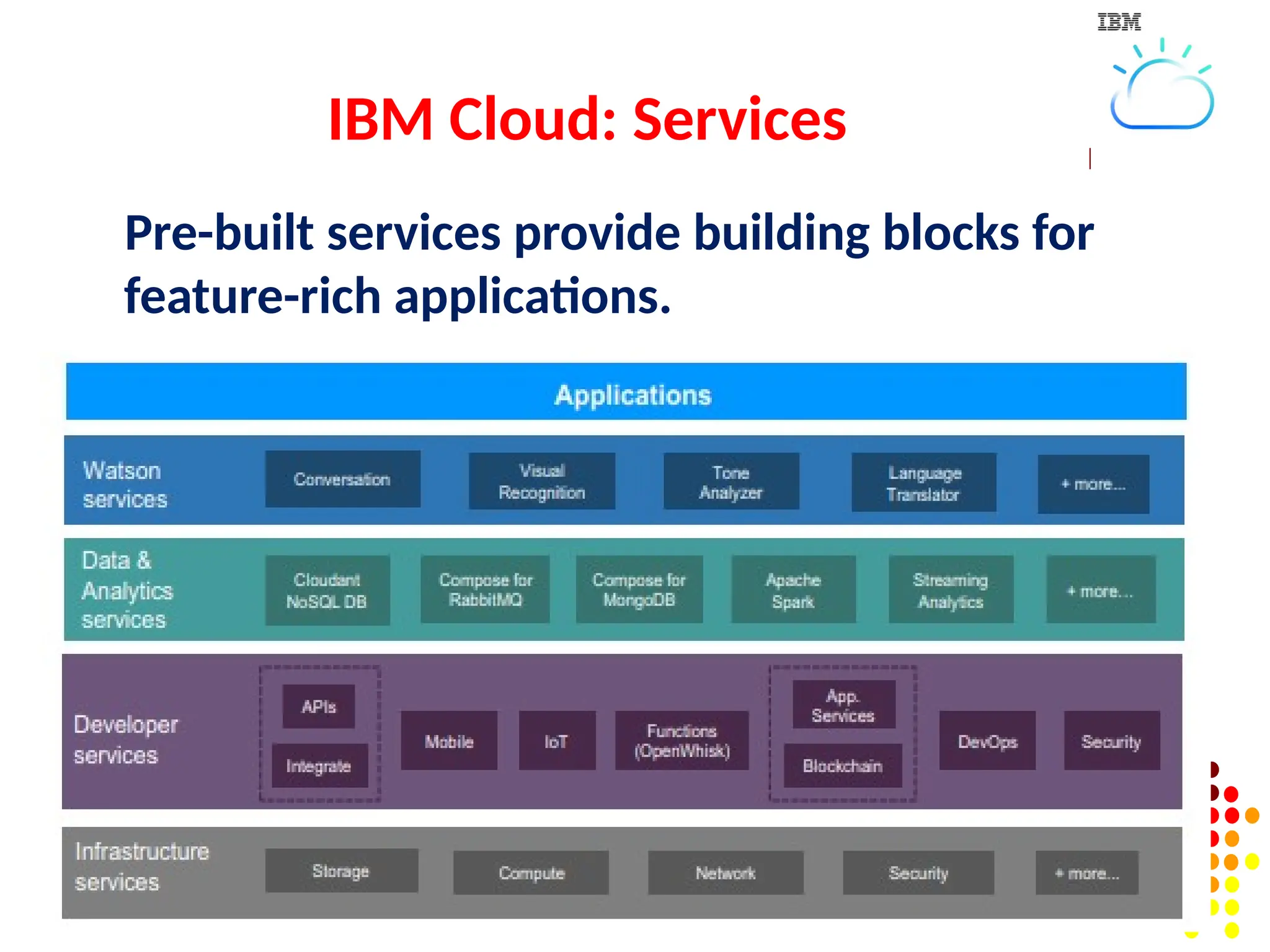
Mobile —includes IBM's Swift tools for creating iOS apps, its
Mobile First Starter package for getting a mobile app up and
running, and its Mobile Foundation app back-end services.
Data and analytics — includes data services, analytics
services, bigdata hosting, Cloudera hosting, MongoDB hosting
and Riak hosting.
Internet of Things — includes IBM's IoT platform and its IoT
starter packages.
Security — includes tools for securing cloud environments,
such as a firewall, hardware security modules (physical
devices with key management capabilities), Intel Trusted
Execution Technology, security software and SSL certificates.
141.
Application services— includes Blockchain, Message hub and
business rules among others.
Integration — includes tools for building virtual bridges for
hybrid cloud and multi-cloud environments, such as API
Connect and Secure Gateway.
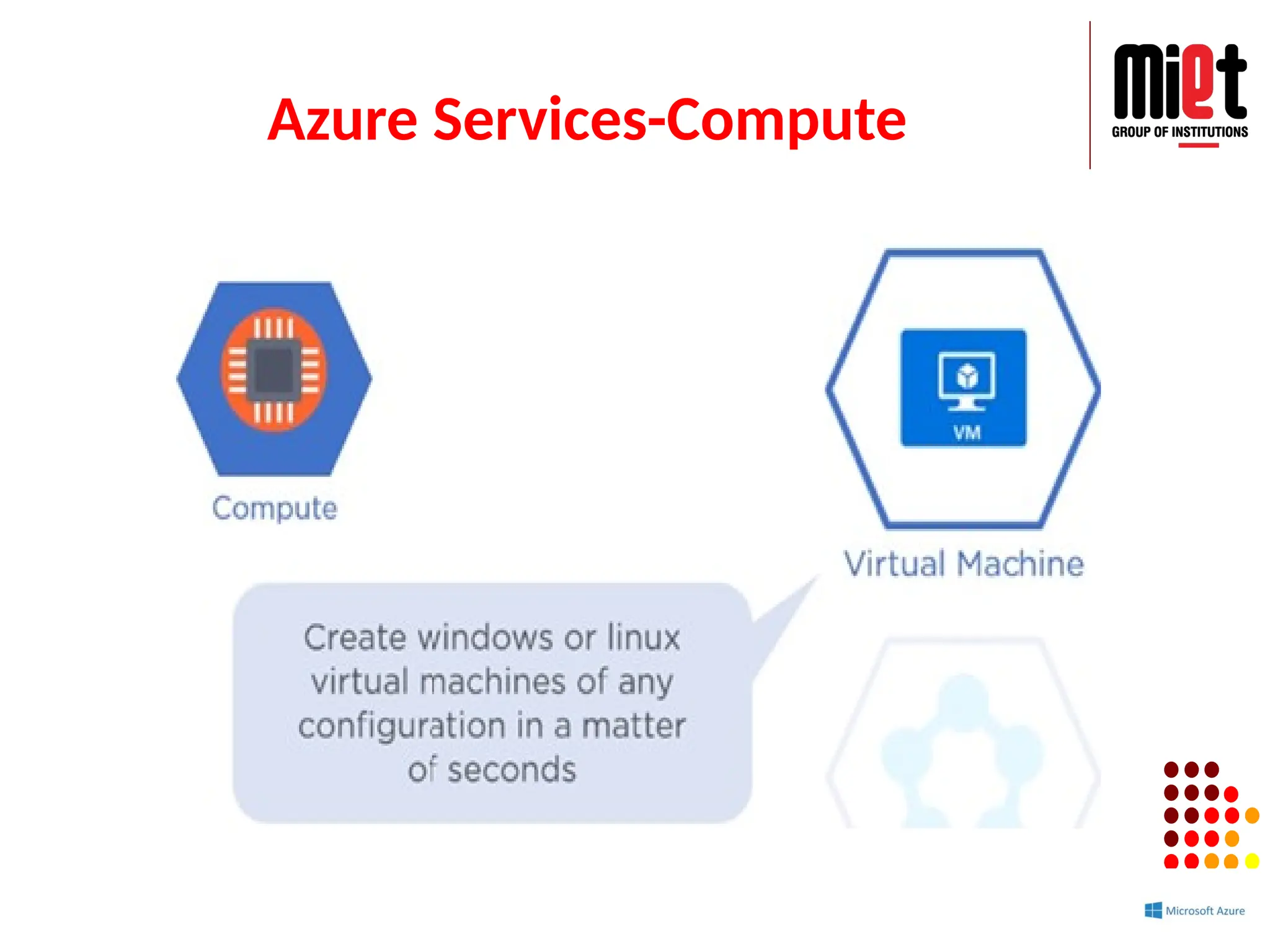
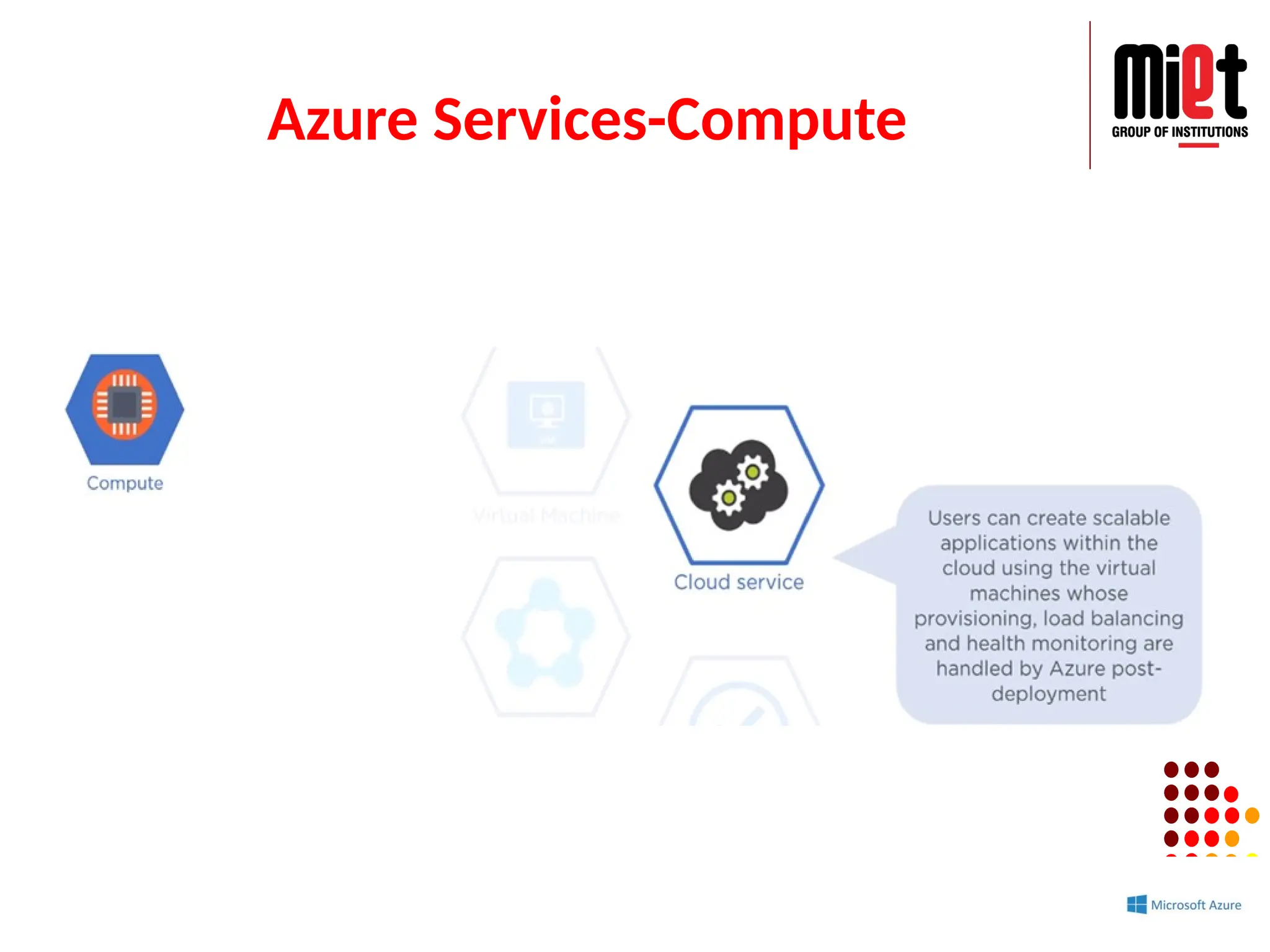
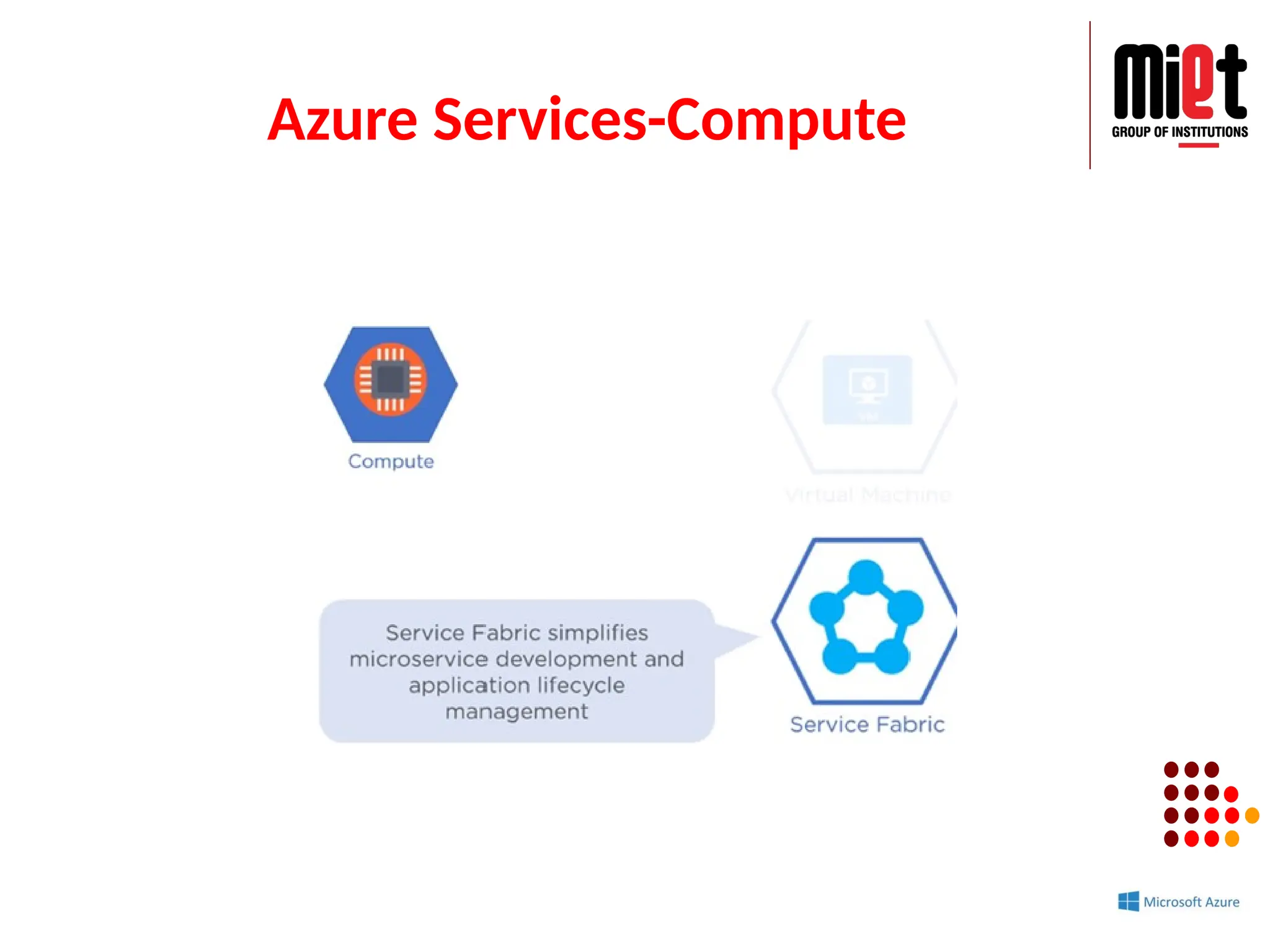
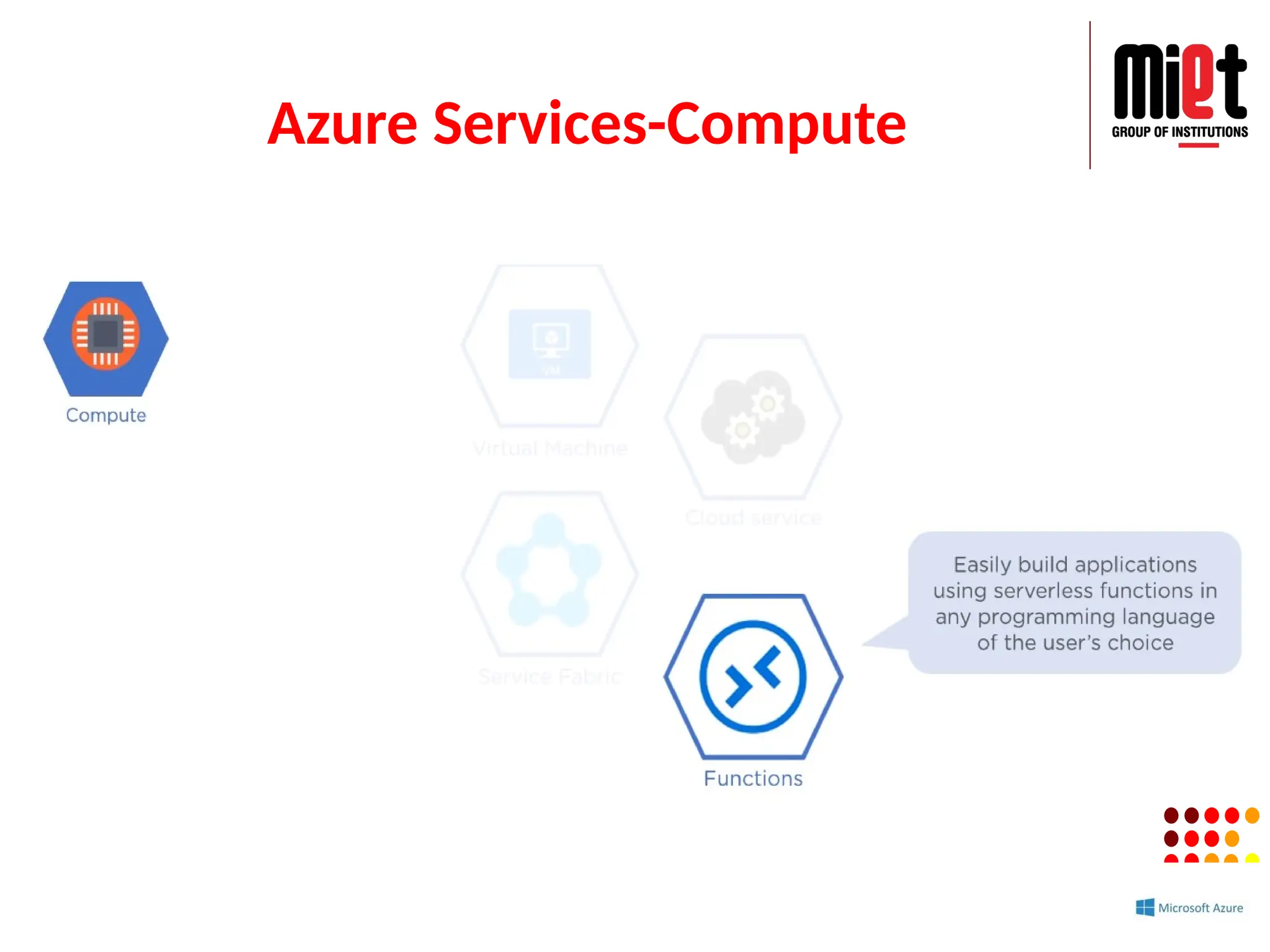
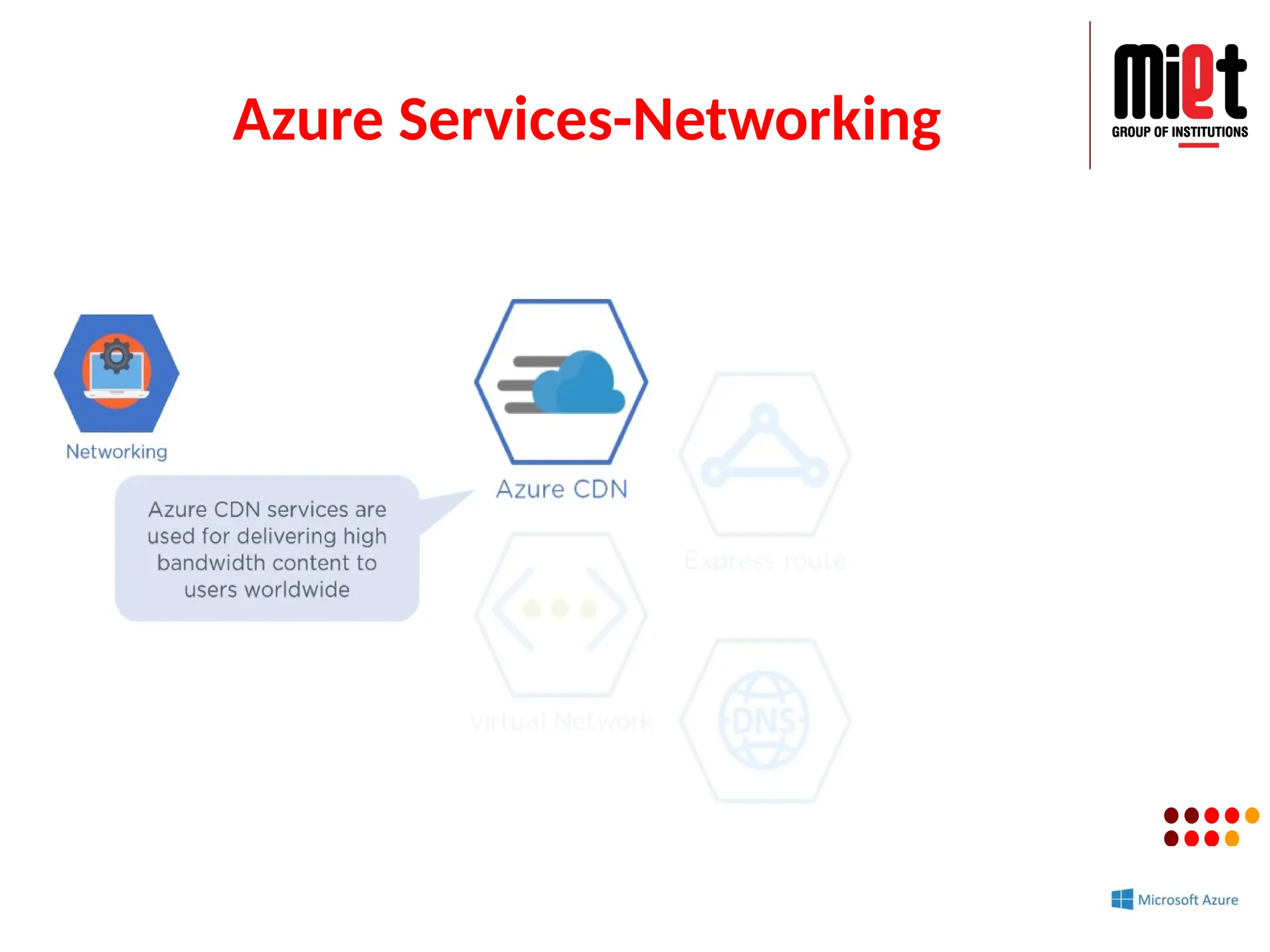
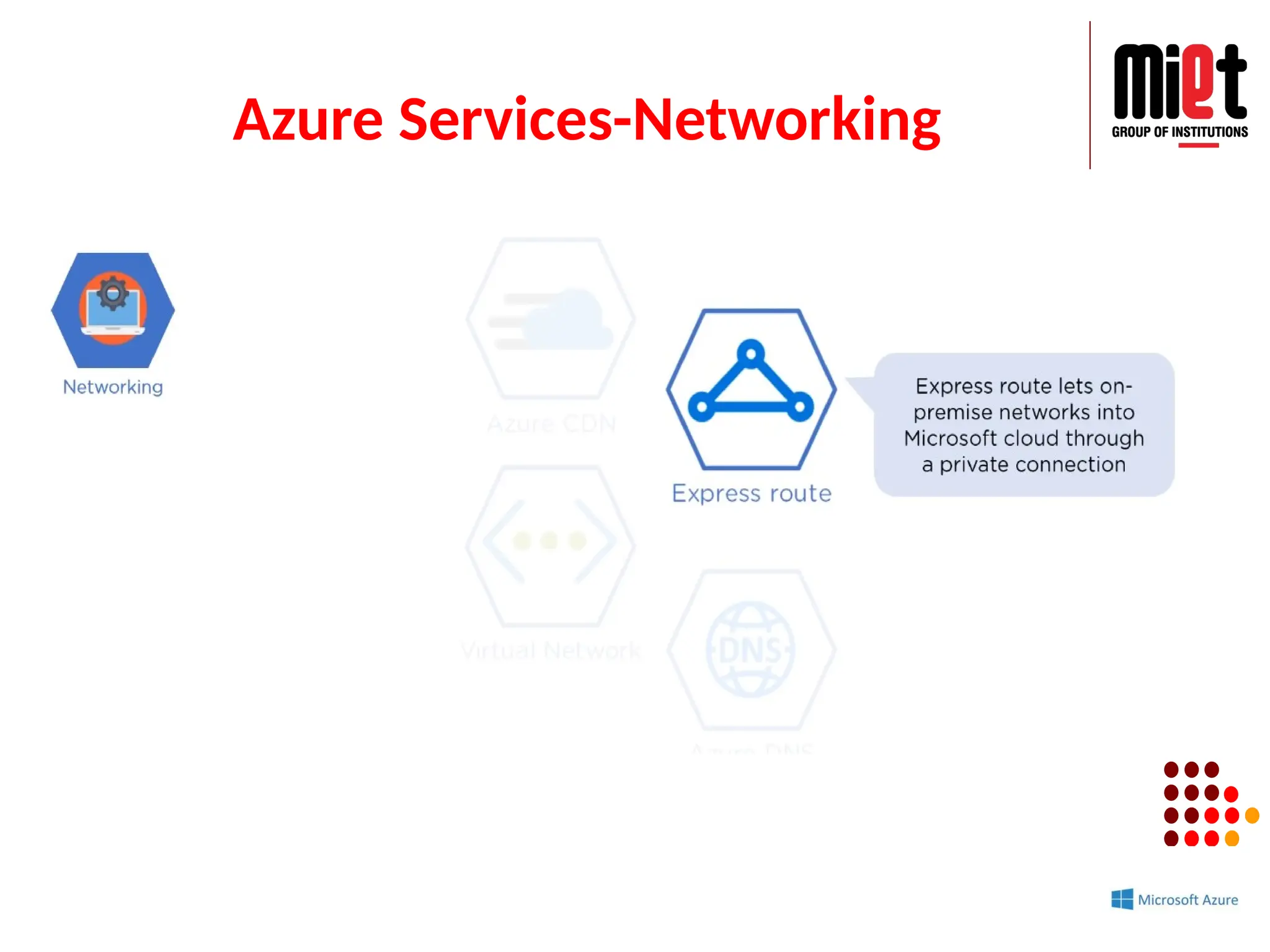
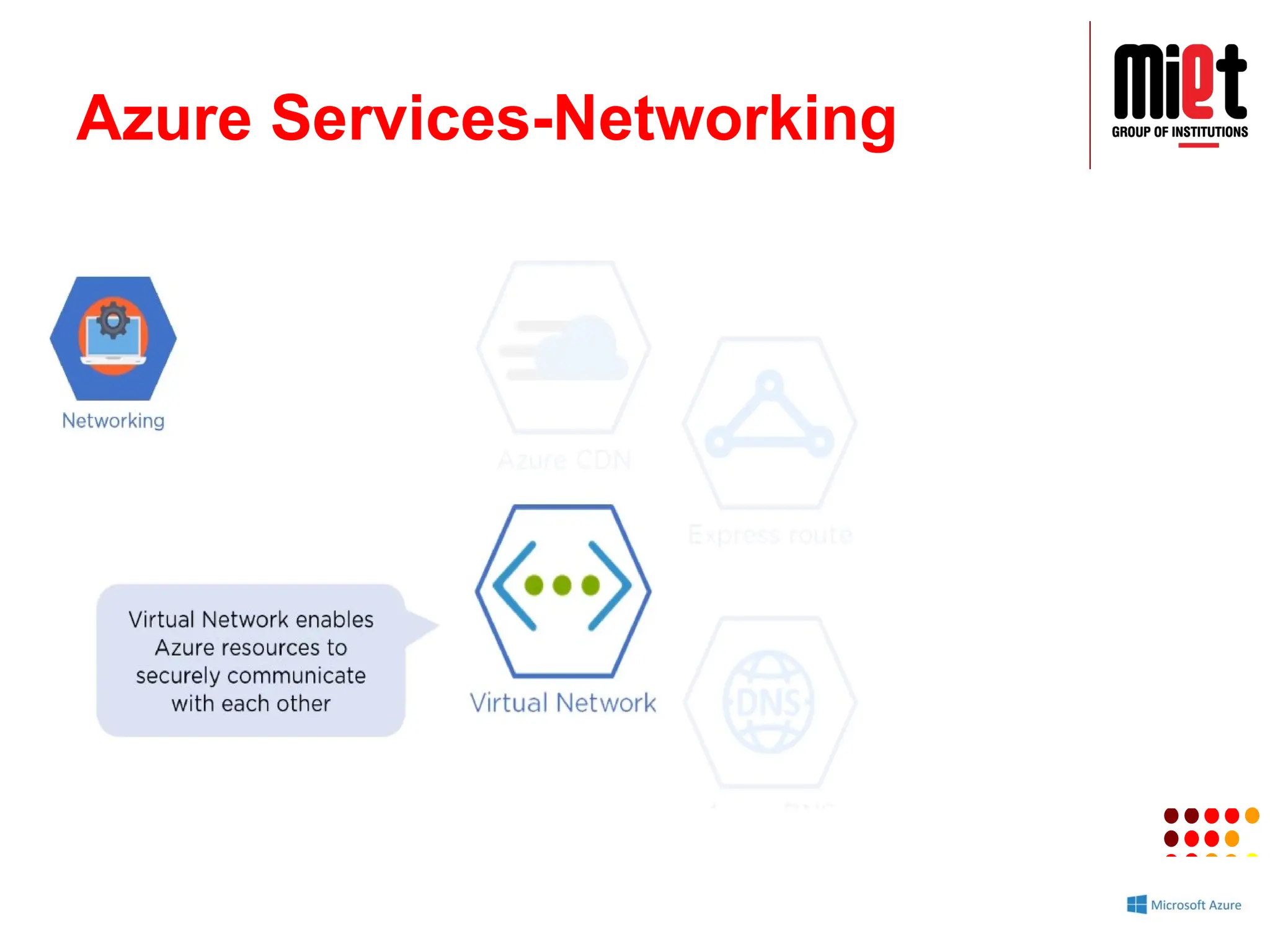
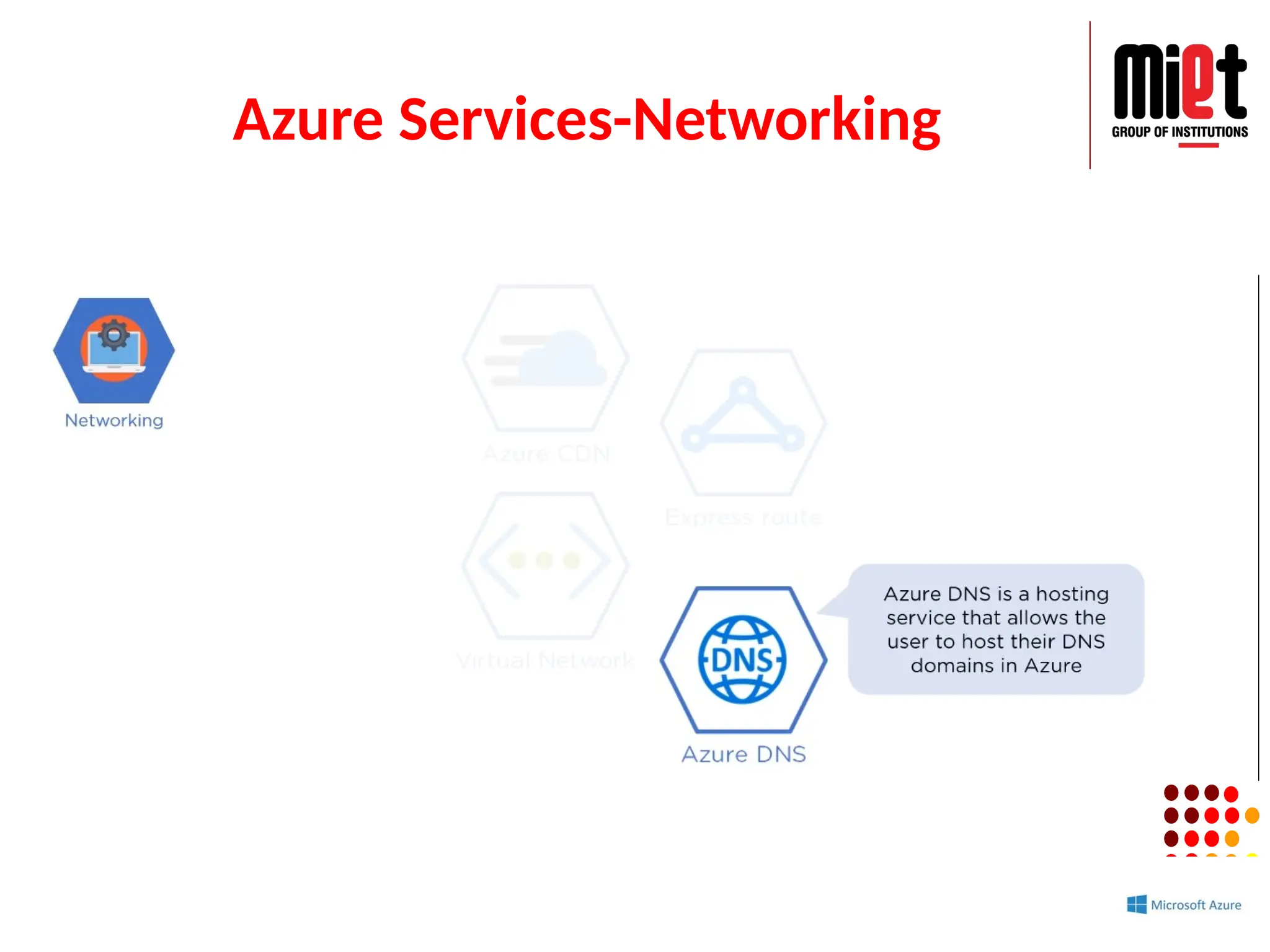
#111 Azure is a cloud platform which is launched by Microsoft in February 2010. This is an open source and flexible cloud platform which helps in development, data storage, service management & hosting solutions.
Features:
Windows Azure offers the most effective solution for our data needs.
Provides scalability, flexibility, and cost-effectiveness.
Offers consistency across clouds with familiar tools and resources.
Allow us to scale our IT resources up and down according to our business needs.


![NSUT_Lecture1_cloud computing[1].pptx](https://cdn.slidesharecdn.com/ss_thumbnails/nsutlecture1cloudcomputing1-230411154037-271a377d-thumbnail.jpg?width=640&height=640&fit=bounds)


