Presented by
ABDALLA S. A. SAID
MSc.ITS
ICT 6205 - INFORMATION SYSTEM TRENDS
MZUMBE UNIVERSITY
• Cloud computing is the use of hardware and software to
deliver a service over a network(typically the Internet).
• In simple, Cloud computing is using the internet to access
someone else's software running on someone else's
hardware in someone else's data center.
• In the simplest terms, cloud computing means storing and
accessing data and programs over the Internet instead of
your computer’s hard drive.
• Cloud Computing is a type of internet-based computing that
provides shared computer processing resources and data to
computers and other devices on demand .
 There are certain services and models
working behind the scene making the cloud
computing feasible and accessible to end
users. Following are the working models for
cloud computing:
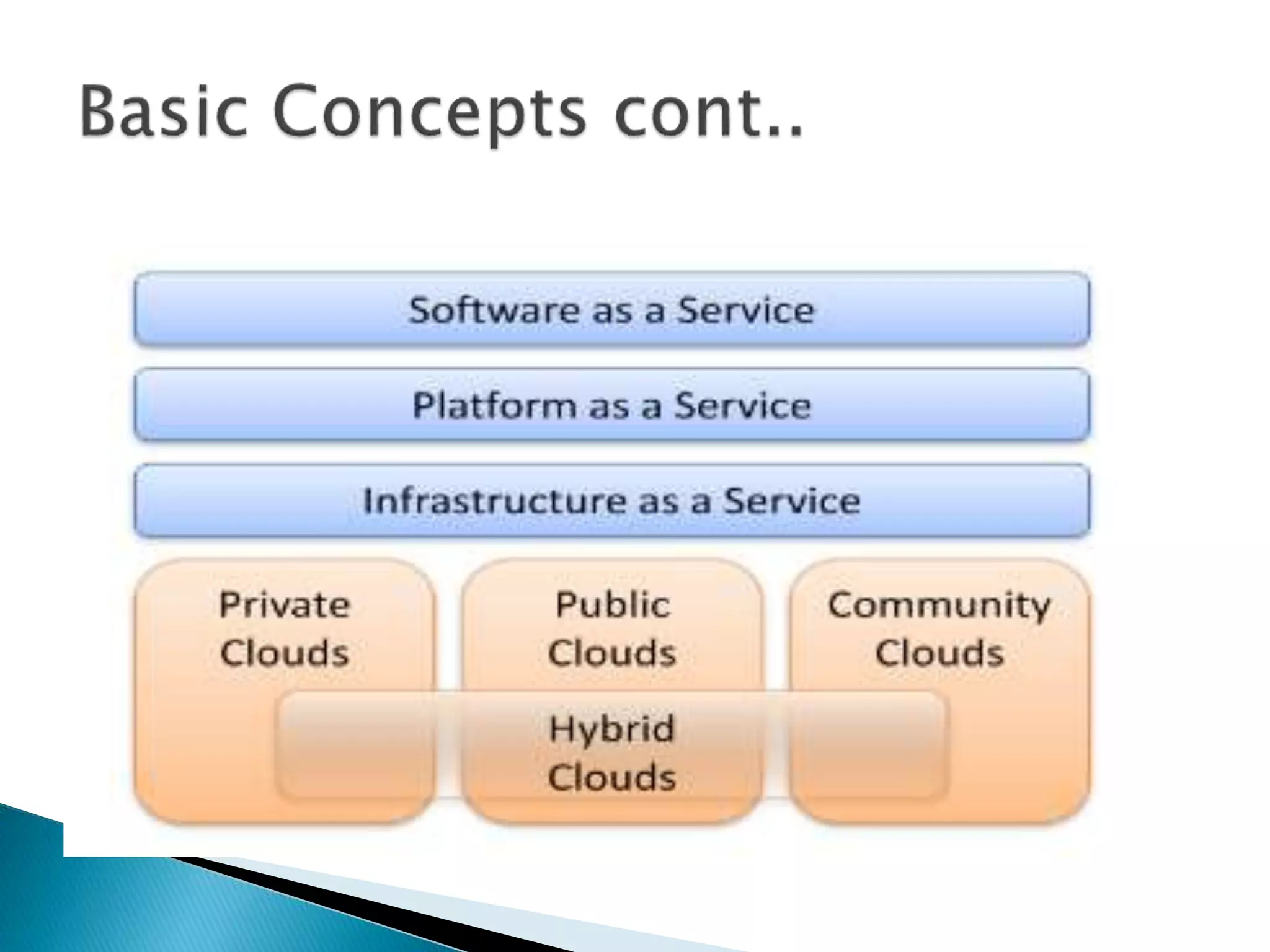
 1. Service Models
 2. Deployment Models
 Software as service (Saas) also known as On-demand Service
 Software-as-a-Service commonly refers to applications
delivered to the end user through a web browser or any other
web-rich client. Examples include Microsoft OfficeLive,
DropBox, and CloudNumbers.Gmail, Yahoo mail, Hotmail
etc..,)
 Infrastructure as service (Iaas ). also known as
hardware as a service.
 Is a computing power that you can rent for a limited period of
time.
 allows existing applications to be run on a cloud
suppliers hardware.
 cloud providers offer computers – as physical or
more often as virtual machines – raw (block) storage,
firewalls, load balancers, and networks
 Examples of an IaaS are AMAZON EC2, Eucalyptus
Community Cloud, and IBM Cloudburst.
 Platform as Service (Pass)
 Give us nice API (Application Programming
Interface). It provides more customisation room.
 is a platform for developers to write and create their
own SaaS i.e. applications(which means rapid
development at low cost).
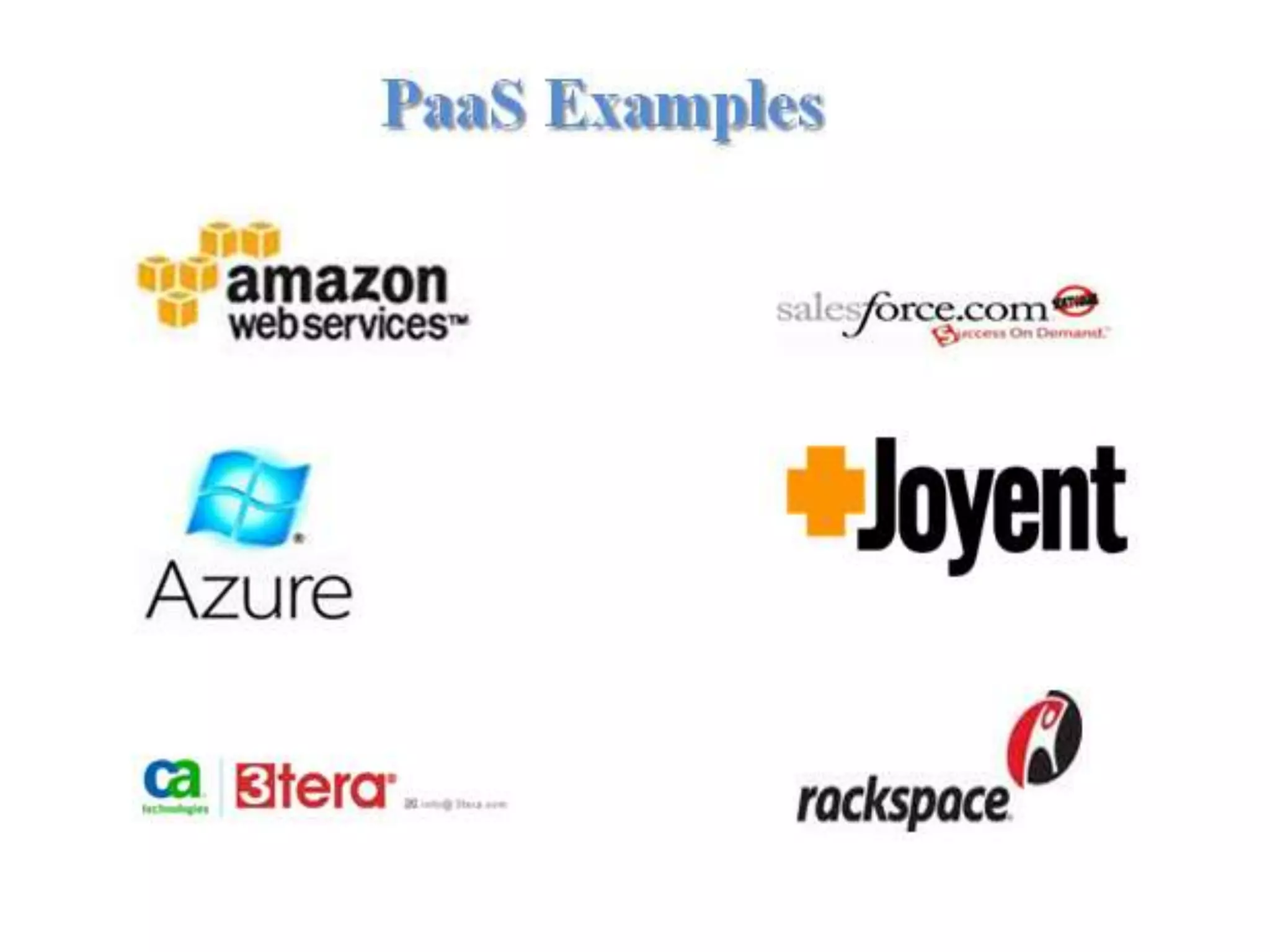
 Examples include Google AppEngine, SalesForce
VMforce, Joyent Accelerator., Windows Azure etc.
 Public cloud computing
 Private cloud computing
 Community Cloud
 Hybrid cloud computing
Public Cloud
 Computing infrastructure is hosted by cloud vendor at the
vendors premises and can be shared by various
organizations.
 E.g. : Amazon, Google, Microsoft, Sales force
Private Cloud
 The computing infrastructure is dedicated to a particular
organization and not shared with other organizations.
 It is more expensive and more secure when compare to
public cloud.
 E.g. : HP data center, IBM, Sun, Oracle, 3tera
Community Cloud
A community cloud falls between public and private clouds with
respect to the target set of consumers.
It is somewhat similar to a private cloud, but the infrastructure and
computational resources are exclusive to two or more
organizations that have common privacy, security, and regulatory
considerations, rather than a single organization.
Hybrid Cloud
 Hybrid clouds are more complex than the other
deployment models, since they involve a composition
of two or more clouds (private, community, or public).
Cloud computing consist of two layers:
 Front end layers
Part of cloud computing where you can see and interact
with.
 Back end layers
It consist of the hardware and software architecture that
produce the interface you see on the front end.
 Cloud computing is composed by cloud service
provider and cloud service consumer.
 Service provider is the one that host virtual machine
and other cloud services that run on the provider
hardware(Back end layers).
 The service consumer, after demanding a service from
provider, he/she can use it and pay for what he/she has
consumed.
 Users are dealing with the front end of the system
to perform their operation wherever they are,
provided that they have access to internet.
 User are able to rent the virtual machine and other
services of cloud computing to run their business.
 Example Cloud computing allows institution or
organization to utilize IT resources from remote
provider and campus that constituent access to
these resources over the internet.
 Cost saving
Using resources provided by service providers instead of purchasing your
own. No cost for maintenance.
 Scalability
Business can increase or decrease your operation and storage needs
quickly to suit your situation. It allows flexibility when the business
need changes.
 Manageability
Cloud computing simplifies IT management and maintenance capability
through central administration of resources and vendor managed
infrastructure.
 Flexibility of work practices
People are able to access service from various location provided that there
is an internet connection.
 Downtime
 As cloud service provider can become overwhelmed
and come up against technical outages resulting your
business process temporarily to be suspended.
 If your internet connection is offline, you will not be
able to access any of your applications, server or data
from the cloud.
 Limited control
 Since the cloud infrastructure is entirely owned, managed
and monitored by the service provider, it transfers minimal
control over to the customer.
 Security problem
 Storing data and important files on external service
providers always opens up risks.
 The ease in procuring and accessing cloud services can also
give bad users the ability to scan, identify and exploit
vulnerabilities within a system.
 Network connection
 If there is a problem of network connectivity, it is
impossible to access the cloud services.
 The performance of the cloud application also depends on
the performance of the network at the client side
 Peripheral device problem
 Peripheral devices like printers and scanners sometimes
might not work with cloud.
 Many of these devices require software to be installed
locally.
Today many sectors include private and public sectors
are using cloud computing technology to perform
their day to day activities.
 In business
Cloud computing offers a greater flexibility and
accessibility, allowing the business owners to work
remotely and access any file they require while they
are far from their offices, thus increasing productivity
and time management
 In education
Cloud computing is used to facilitate the communication
between: student and college or university, lecturer and
student.
 Online Entertainment.
Through Internet, cloud -based entertainment are now
used by many people. Devices such as TV, mobile and
other form which provide better clarity and sound
quality make the cloud entertainer attract more
customers.
 Finance and Banking.
Banking services are slowly adopting the cloud due
security reasons but still the cloud provide the chance
to eliminate the need for having a separate banking
portal and client database for every location for the
purpose of creating faster and better environment for
business.
 Research shows that people will not do their business
activities with software installed and running in their own
computers.
They will work on internet based application to perform
their tasks using smart phone.
 Automatic computing; By using cloud computing,
systems will manage and monitor themselves and take
measure to prevent or repair problems.
 Cloud computing service providers will enhance the
security and privacy to the client’s data stored on their
servers.
The cloud computing technology has some similar
characteristics to the following technologies:
 Grid computing
 utility computing
 web hosting technology.
Although they can differ from some features but the
technological idea still remains the same.
 A grid computing is a technology that involves
several computers connected together to form a
network for the purpose of gaining a large
supercomputing type computing resources.
 Computers in grid computing are used to perform
complex computing operation efficiently and quickly.
 It differs from cloud computing where the goal of
grid is for collaborative sharing of resources while in
cloud is for use of resources.
 Utility computing defines a pay per use model for using
computing resources.
 It involves the renting of computing resources like
hardware, software, bandwidth on an as required and
on demand basis.
 One of the key differences between cloud computing
and utility computing relates to the nature of renting.
 It is a straight forward rental where the business is fully
aware of the resources of the service they are leasing
web hosting technology is the business of providing
server space, web services and file maintenance for
websites controlled by companies or individuals that do
not have their own web servers.
The web hosting gives you a fixed server or a portion of
a single server, where cloud computing gives you the
benefit of many servers all working together as one.
Cloud computing is an economic model. It is a different way to
acquire and manage IT resources. As an Internet-based facility
allows users to access shared computer applications, storage
and other resources through a network of remote servers,
rather than each individual user installing hardware and
software onto their on-site server and personal computer.
It has some challenges such as security problems,
downtime issues and limited control. A decision to move
resources to the cloud requires risk analysis and cost-
benefit analysis as with any IT investment.
Cloud computing

Cloud computing

  • 1.
    Presented by ABDALLA S.A. SAID MSc.ITS ICT 6205 - INFORMATION SYSTEM TRENDS MZUMBE UNIVERSITY
  • 2.
    • Cloud computingis the use of hardware and software to deliver a service over a network(typically the Internet). • In simple, Cloud computing is using the internet to access someone else's software running on someone else's hardware in someone else's data center. • In the simplest terms, cloud computing means storing and accessing data and programs over the Internet instead of your computer’s hard drive. • Cloud Computing is a type of internet-based computing that provides shared computer processing resources and data to computers and other devices on demand .
  • 3.
     There arecertain services and models working behind the scene making the cloud computing feasible and accessible to end users. Following are the working models for cloud computing:  1. Service Models  2. Deployment Models
  • 5.
     Software asservice (Saas) also known as On-demand Service  Software-as-a-Service commonly refers to applications delivered to the end user through a web browser or any other web-rich client. Examples include Microsoft OfficeLive, DropBox, and CloudNumbers.Gmail, Yahoo mail, Hotmail etc..,)
  • 7.
     Infrastructure asservice (Iaas ). also known as hardware as a service.  Is a computing power that you can rent for a limited period of time.  allows existing applications to be run on a cloud suppliers hardware.  cloud providers offer computers – as physical or more often as virtual machines – raw (block) storage, firewalls, load balancers, and networks  Examples of an IaaS are AMAZON EC2, Eucalyptus Community Cloud, and IBM Cloudburst.
  • 9.
     Platform asService (Pass)  Give us nice API (Application Programming Interface). It provides more customisation room.  is a platform for developers to write and create their own SaaS i.e. applications(which means rapid development at low cost).  Examples include Google AppEngine, SalesForce VMforce, Joyent Accelerator., Windows Azure etc.
  • 11.
     Public cloudcomputing  Private cloud computing  Community Cloud  Hybrid cloud computing
  • 12.
    Public Cloud  Computinginfrastructure is hosted by cloud vendor at the vendors premises and can be shared by various organizations.  E.g. : Amazon, Google, Microsoft, Sales force Private Cloud  The computing infrastructure is dedicated to a particular organization and not shared with other organizations.  It is more expensive and more secure when compare to public cloud.  E.g. : HP data center, IBM, Sun, Oracle, 3tera
  • 13.
    Community Cloud A communitycloud falls between public and private clouds with respect to the target set of consumers. It is somewhat similar to a private cloud, but the infrastructure and computational resources are exclusive to two or more organizations that have common privacy, security, and regulatory considerations, rather than a single organization. Hybrid Cloud  Hybrid clouds are more complex than the other deployment models, since they involve a composition of two or more clouds (private, community, or public).
  • 14.
    Cloud computing consistof two layers:  Front end layers Part of cloud computing where you can see and interact with.  Back end layers It consist of the hardware and software architecture that produce the interface you see on the front end.
  • 15.
     Cloud computingis composed by cloud service provider and cloud service consumer.  Service provider is the one that host virtual machine and other cloud services that run on the provider hardware(Back end layers).  The service consumer, after demanding a service from provider, he/she can use it and pay for what he/she has consumed.
  • 16.
     Users aredealing with the front end of the system to perform their operation wherever they are, provided that they have access to internet.  User are able to rent the virtual machine and other services of cloud computing to run their business.  Example Cloud computing allows institution or organization to utilize IT resources from remote provider and campus that constituent access to these resources over the internet.
  • 17.
     Cost saving Usingresources provided by service providers instead of purchasing your own. No cost for maintenance.  Scalability Business can increase or decrease your operation and storage needs quickly to suit your situation. It allows flexibility when the business need changes.  Manageability Cloud computing simplifies IT management and maintenance capability through central administration of resources and vendor managed infrastructure.  Flexibility of work practices People are able to access service from various location provided that there is an internet connection.
  • 18.
     Downtime  Ascloud service provider can become overwhelmed and come up against technical outages resulting your business process temporarily to be suspended.  If your internet connection is offline, you will not be able to access any of your applications, server or data from the cloud.
  • 19.
     Limited control Since the cloud infrastructure is entirely owned, managed and monitored by the service provider, it transfers minimal control over to the customer.  Security problem  Storing data and important files on external service providers always opens up risks.  The ease in procuring and accessing cloud services can also give bad users the ability to scan, identify and exploit vulnerabilities within a system.
  • 20.
     Network connection If there is a problem of network connectivity, it is impossible to access the cloud services.  The performance of the cloud application also depends on the performance of the network at the client side  Peripheral device problem  Peripheral devices like printers and scanners sometimes might not work with cloud.  Many of these devices require software to be installed locally.
  • 21.
    Today many sectorsinclude private and public sectors are using cloud computing technology to perform their day to day activities.  In business Cloud computing offers a greater flexibility and accessibility, allowing the business owners to work remotely and access any file they require while they are far from their offices, thus increasing productivity and time management
  • 22.
     In education Cloudcomputing is used to facilitate the communication between: student and college or university, lecturer and student.  Online Entertainment. Through Internet, cloud -based entertainment are now used by many people. Devices such as TV, mobile and other form which provide better clarity and sound quality make the cloud entertainer attract more customers.
  • 23.
     Finance andBanking. Banking services are slowly adopting the cloud due security reasons but still the cloud provide the chance to eliminate the need for having a separate banking portal and client database for every location for the purpose of creating faster and better environment for business.
  • 24.
     Research showsthat people will not do their business activities with software installed and running in their own computers. They will work on internet based application to perform their tasks using smart phone.  Automatic computing; By using cloud computing, systems will manage and monitor themselves and take measure to prevent or repair problems.  Cloud computing service providers will enhance the security and privacy to the client’s data stored on their servers.
  • 25.
    The cloud computingtechnology has some similar characteristics to the following technologies:  Grid computing  utility computing  web hosting technology. Although they can differ from some features but the technological idea still remains the same.
  • 26.
     A gridcomputing is a technology that involves several computers connected together to form a network for the purpose of gaining a large supercomputing type computing resources.  Computers in grid computing are used to perform complex computing operation efficiently and quickly.  It differs from cloud computing where the goal of grid is for collaborative sharing of resources while in cloud is for use of resources.
  • 27.
     Utility computingdefines a pay per use model for using computing resources.  It involves the renting of computing resources like hardware, software, bandwidth on an as required and on demand basis.  One of the key differences between cloud computing and utility computing relates to the nature of renting.  It is a straight forward rental where the business is fully aware of the resources of the service they are leasing
  • 28.
    web hosting technologyis the business of providing server space, web services and file maintenance for websites controlled by companies or individuals that do not have their own web servers. The web hosting gives you a fixed server or a portion of a single server, where cloud computing gives you the benefit of many servers all working together as one.
  • 29.
    Cloud computing isan economic model. It is a different way to acquire and manage IT resources. As an Internet-based facility allows users to access shared computer applications, storage and other resources through a network of remote servers, rather than each individual user installing hardware and software onto their on-site server and personal computer. It has some challenges such as security problems, downtime issues and limited control. A decision to move resources to the cloud requires risk analysis and cost- benefit analysis as with any IT investment.