I. INTRODUCTION
Developing Assembly Language
Programs
Instructions and Directives

  Instructions
   tell processor what to do
   assembled into machine code by
    assembler
   executed at runtime by the processor
   from the Intel x86 instruction set
Instructions and Directives

  Directives
   tell assembler what to do
   commands that are recognized and
    acted upon by the assembler
   not part of the instruction set
   used to declare code and data areas,
    define constants and memory for storage
   different assemblers have different
    directives
Assembler Directives

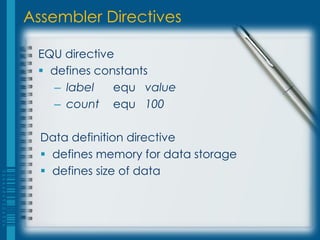
 EQU directive
  defines constants
    – label   equ value
    – count equ 100

  Data definition directive
   defines memory for data storage
   defines size of data
Assembler Directives

 Initialized Data
  db – define byte
  dw – define word
  dd – define double

   – label       directive   initial value
   – int         db          0
   – num         dw          100
Assembler Directives

 Character constants
  single quote delimited
  ‘A’

   – char   db   ‘!’
Assembler Directives

 String constants
  single quote delimited or sequence of
    characters separated by commas
  each character is one byte each
  ‘hello’
  ‘h’, ’e’, ’l’, ’l’, ’o’

   – prompt1    db    ‘Please enter number: ’
   – prompt2    db    ‘Please enter number: ’,10
Assembler Directives


                       Declarations
Assembler Directives

 Uninitialized Data
  resb – reserve byte
  resw – reserve word
  resd – reserve double word

   – label   directive   value
   – num     resb        1     ; reserves 1 byte
   – nums    resb        10    ; reserves 10 bytes
Assembler Directives


                       Uninitialized
                       variables
Assembly Instructions

 Basic Format
   instruction operand1, operand2

 Operand
  Register
  Immediate
  Memory
Instruction Operands

 Registers
  eax, ax, ah, al
  ebx, bx, bh, bl
  ecx, cx, ch, cl
  edx, dx, dh, dl
Instruction Operands

 Immediate
  character constants
    – character symbols enclosed in quotes
    – character ASCII code
  integer constants
    – begin with a number
    – ends with base modifier (B, O or H)
  ‘A’ = 65 = 41H = 01000001B
Instruction Operands

 Memory
  when using the value of a variable,
   enclose the variable name in square
   brackets
  [num]    -    value of num
  num      -    address of num
Instruction Operands

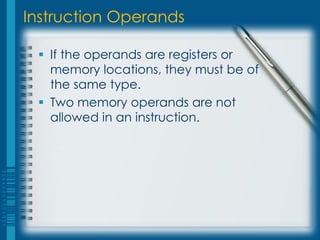
  If the operands are registers or
   memory locations, they must be of
   the same type.
  Two memory operands are not
   allowed in an instruction.
LABORATORY TOPICS
Basic Input/Output
Basic Input/Output

 Interrupts
  can be a hardware or software interrupt
  the printer is out of paper
    – hardware interrupt
  assembly program issuing a system call
    – software interrupt
 An interrupt simply gets the attention of the
   processor so that it would context switch and
   execute the system's interrupt handler being
   invoked.
Basic Input/Output

 Interrupts
  break the program execution cycle
    (Fetch-Decode-Execute)
  wait for interrupt to be serviced

 Linux services
  int 0x80, int 80H – function calls
INT 80H

 system call numbers for this service are
   placed in EAX

  1 – sys_exit (system exit)
  3 – sys_read (read from standard input)
  4 – sys_write (write to standard output)
INT 80H

   mov eax, 1
   mov ebx, 0
   int 80H


  terminate program
  return 0 at the end of main program (no
   error)
INT 80H

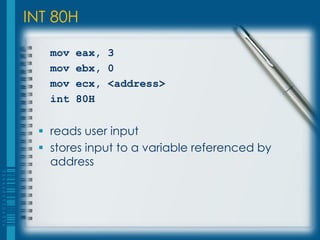
   mov   eax, 3
   mov   ebx, 0
   mov   ecx, <address>
   int   80H


  reads user input
  stores input to a variable referenced by
   address
INT 80H

   mov   eax,   4
   mov   ebx,   1
   mov   ecx,   <string>
   mov   edx,   <length>
   int   80H


  outputs a character/string
  character/string must be in ECX and string
   length must be in EDX before issuing interrupt
Basic Input/Output


                     Instructions
Basic Input/Output
Basic Input/Output
Basic Input/Output
Basic Input/Output
Basic Input/Output
Converting Characters to Numbers

  Input read from the keyboard are ASCII-
   coded characters.
  Output displayed on screen are ASCII-
   coded characters.
  To perform arithmetic, a numeric character
   must be converted from ASCII to its
   equivalent value.
  To print an integer, a number must be
   converted to its equivalent ASCII
   character(s).
Converting Characters to Numbers

 Character to Number:
 section .bss
   num resb 1
 section .text
   mov   eax, 3
   mov   ebx, 0
   mov   ecx, num
   int   80h
Converting Characters to Numbers

 Character to Number:
 section .bss
   num resb 1
 section .text
   mov   eax, 3
   mov   ebx, 0
   mov   ecx, num
   int   80h

   sub [num], 30h
Converting Numbers to Characters

 Number to Character:
 section .text
   mov eax, 4
   mov ebx, 1
   mov ecx, num
   mov edx, 1
   int 80h
Converting Numbers to Characters

 Number to Character:
 section .text
   add [num], 30h

   mov   eax,   4
   mov   ebx,   1
   mov   ecx,   num
   mov   edx,   1
   int   80h
ASCII Table
ASCII Table
Converting Characters to Numbers

 Character to Number:
   mov ecx, num
   int 80h
   sub [num], 30h


   num =   0   0   1   1   0   1   0   0
   30h =   0   0   1   1   0   0   0   0
   num =   0   0   0   0   0   1   0   0
Converting Numbers to Characters

 Number to Character:
   add [num], 30h


   num =   0   0   0   0   0   1   1   0
   30h =   0   0   1   1   0   0   0   0
   num =   0   0   1   1   0   1   1   0
LABORATORY TOPICS
Implementing Sequential
Statements
Assignment Instruction

  mov instruction
     mov destination, source

  mov is a storage command
  copies a value into a location
  destination may be register or memory
  source may be register, memory or
   immediate
  operands should not be both memory
  operands must be of the same size
Simple Instructions

   inc destination
    – increase destination by 1
   dec destination
    – decrease destination by 1
   neg destination
    – negate destination (2’s complement)


   destination may be a register or a memory
Add and Sub Instructions

  add destination, source
      destination = destination + source
  sub destination, source
      destination = destination – source

  same restrictions as the mov instruction
Multiplication

   mul source
   Source is the multiplier

   Source may be a register or memory
   If source is byte-size then
               AX = AL * source
   If source is word-size then
               DX:AX = AX * source
   If source is double word-size then
               EDX:EAX = EAX * source
Multiplication

   mov al, 2
   mov [num], 80H
   mul byte [num]
Multiplication

    mov al, 2
    mov [num], 80H
    mul byte [num]

   This results in AX = 2 * 128 = 256 = 0100 H
Multiplication

    mov al, 2
    mov [num], 80H
    mul byte [num]

   This results in AX = 2 * 128 = 256 = 0100 H
   In Binary, AX = 0000000100000000 B
Multiplication

    mov al, 2
    mov [num], 80H
    mul byte [num]

   This results in AX = 2 * 128 = 256 = 0100 H
   In Binary, AX = 0000000100000000 B
   So, AH = 1 and AL = 0.
Multiplication
    mov ax, 2
    mov [num], 65535
    mul word [num]


   This results in 2 * 65535 = 131070
                              = 0001FFFE H.
   DX = 1 and AX = FFFE H
   Only when taken together will one get the
    correct product.
Division

     div source
     Source is the divisor
     Source may be a register or memory
     If source is byte-size then
                  AH = AX mod source
                  AL = AX div source
Division

   If source is word-size then
                DX = DX:AX mod source
                AX = DX:AX div source
   If source is double word-size then
                EDX = EDX:EAX mod source
                EAX = EDX:EAX div source
   div == integer division
   mod == modulus operation (remainder)
Division (Divide word by byte)

   mov ax, 257
   mov [num], 2
   div byte [num]
Division (Divide word by byte)

   mov ax, 257
   mov [num], 2
   div byte [num]


  This results in AH = 1 and AL = 128
Division (Divide byte by byte)

   mov   [num], 129
   mov   al, [num]
   mov   ah, 0
   mov   [num], 2
   div   byte [num]
Division (Divide byte by byte)

   mov   [num], 129
   mov   al, [num]
   mov   ah, 0
   mov   [num], 2
   div   byte [num]


  AX = 129 since AH = 0 and AL = 129
Division (Divide byte by byte)

   mov   [num], 129
   mov   al, [num]
   mov   ah, 0
   mov   [num], 2
   div   byte [num]


  AX = 129 since AH = 0 and AL = 129
  This results in AH = 1 and AL = 64
Division (Divide word by word)

   mov   dx, 0
   mov   ax, 65535
   mov   [num], 32767
   div   word [num]

  DX:AX = 65535
  num = 32767
  This results in DX = 1 and AX = 2.
Division (Divide word by word)

   mov   dx, 1
   mov   ax, 65535
   mov   [num], 65535
   div   word [num]

  Taken together the values in DX and AX is 131071.
  This is divided by 65535.
  The results are in DX = 1 and in AX = 2.
Divide Overflow Error

   mov ax, 65535
   mov [num], 2
   div byte [num]

  Dividing 65535 by 2 results in a quotient of
   32767 with a remainder of 1.
  The value 32767 will not fit in AL, the destination
   of the quotient, thus resulting in an error.

Chapter1c

  • 1.
  • 2.
    Instructions and Directives Instructions  tell processor what to do  assembled into machine code by assembler  executed at runtime by the processor  from the Intel x86 instruction set
  • 3.
    Instructions and Directives Directives  tell assembler what to do  commands that are recognized and acted upon by the assembler  not part of the instruction set  used to declare code and data areas, define constants and memory for storage  different assemblers have different directives
  • 4.
    Assembler Directives EQUdirective  defines constants – label equ value – count equ 100 Data definition directive  defines memory for data storage  defines size of data
  • 5.
    Assembler Directives InitializedData  db – define byte  dw – define word  dd – define double – label directive initial value – int db 0 – num dw 100
  • 6.
    Assembler Directives Characterconstants  single quote delimited  ‘A’ – char db ‘!’
  • 7.
    Assembler Directives Stringconstants  single quote delimited or sequence of characters separated by commas  each character is one byte each  ‘hello’  ‘h’, ’e’, ’l’, ’l’, ’o’ – prompt1 db ‘Please enter number: ’ – prompt2 db ‘Please enter number: ’,10
  • 8.
  • 9.
    Assembler Directives UninitializedData  resb – reserve byte  resw – reserve word  resd – reserve double word – label directive value – num resb 1 ; reserves 1 byte – nums resb 10 ; reserves 10 bytes
  • 10.
    Assembler Directives Uninitialized variables
  • 11.
    Assembly Instructions BasicFormat instruction operand1, operand2 Operand  Register  Immediate  Memory
  • 12.
    Instruction Operands Registers  eax, ax, ah, al  ebx, bx, bh, bl  ecx, cx, ch, cl  edx, dx, dh, dl
  • 13.
    Instruction Operands Immediate  character constants – character symbols enclosed in quotes – character ASCII code  integer constants – begin with a number – ends with base modifier (B, O or H)  ‘A’ = 65 = 41H = 01000001B
  • 14.
    Instruction Operands Memory  when using the value of a variable, enclose the variable name in square brackets  [num] - value of num  num - address of num
  • 15.
    Instruction Operands If the operands are registers or memory locations, they must be of the same type.  Two memory operands are not allowed in an instruction.
  • 16.
  • 17.
    Basic Input/Output Interrupts  can be a hardware or software interrupt  the printer is out of paper – hardware interrupt  assembly program issuing a system call – software interrupt An interrupt simply gets the attention of the processor so that it would context switch and execute the system's interrupt handler being invoked.
  • 18.
    Basic Input/Output Interrupts  break the program execution cycle (Fetch-Decode-Execute)  wait for interrupt to be serviced Linux services  int 0x80, int 80H – function calls
  • 19.
    INT 80H systemcall numbers for this service are placed in EAX  1 – sys_exit (system exit)  3 – sys_read (read from standard input)  4 – sys_write (write to standard output)
  • 20.
    INT 80H mov eax, 1 mov ebx, 0 int 80H  terminate program  return 0 at the end of main program (no error)
  • 21.
    INT 80H mov eax, 3 mov ebx, 0 mov ecx, <address> int 80H  reads user input  stores input to a variable referenced by address
  • 22.
    INT 80H mov eax, 4 mov ebx, 1 mov ecx, <string> mov edx, <length> int 80H  outputs a character/string  character/string must be in ECX and string length must be in EDX before issuing interrupt
  • 23.
    Basic Input/Output Instructions
  • 24.
  • 25.
  • 26.
  • 27.
  • 28.
  • 29.
    Converting Characters toNumbers  Input read from the keyboard are ASCII- coded characters.  Output displayed on screen are ASCII- coded characters.  To perform arithmetic, a numeric character must be converted from ASCII to its equivalent value.  To print an integer, a number must be converted to its equivalent ASCII character(s).
  • 30.
    Converting Characters toNumbers Character to Number: section .bss num resb 1 section .text mov eax, 3 mov ebx, 0 mov ecx, num int 80h
  • 31.
    Converting Characters toNumbers Character to Number: section .bss num resb 1 section .text mov eax, 3 mov ebx, 0 mov ecx, num int 80h sub [num], 30h
  • 32.
    Converting Numbers toCharacters Number to Character: section .text mov eax, 4 mov ebx, 1 mov ecx, num mov edx, 1 int 80h
  • 33.
    Converting Numbers toCharacters Number to Character: section .text add [num], 30h mov eax, 4 mov ebx, 1 mov ecx, num mov edx, 1 int 80h
  • 34.
  • 35.
  • 36.
    Converting Characters toNumbers Character to Number: mov ecx, num int 80h sub [num], 30h num = 0 0 1 1 0 1 0 0 30h = 0 0 1 1 0 0 0 0 num = 0 0 0 0 0 1 0 0
  • 37.
    Converting Numbers toCharacters Number to Character: add [num], 30h num = 0 0 0 0 0 1 1 0 30h = 0 0 1 1 0 0 0 0 num = 0 0 1 1 0 1 1 0
  • 38.
  • 39.
    Assignment Instruction mov instruction mov destination, source  mov is a storage command  copies a value into a location  destination may be register or memory  source may be register, memory or immediate  operands should not be both memory  operands must be of the same size
  • 40.
    Simple Instructions  inc destination – increase destination by 1  dec destination – decrease destination by 1  neg destination – negate destination (2’s complement)  destination may be a register or a memory
  • 41.
    Add and SubInstructions  add destination, source destination = destination + source  sub destination, source destination = destination – source  same restrictions as the mov instruction
  • 42.
    Multiplication mul source  Source is the multiplier  Source may be a register or memory  If source is byte-size then AX = AL * source  If source is word-size then DX:AX = AX * source  If source is double word-size then EDX:EAX = EAX * source
  • 43.
    Multiplication mov al, 2 mov [num], 80H mul byte [num]
  • 44.
    Multiplication mov al, 2 mov [num], 80H mul byte [num]  This results in AX = 2 * 128 = 256 = 0100 H
  • 45.
    Multiplication mov al, 2 mov [num], 80H mul byte [num]  This results in AX = 2 * 128 = 256 = 0100 H  In Binary, AX = 0000000100000000 B
  • 46.
    Multiplication mov al, 2 mov [num], 80H mul byte [num]  This results in AX = 2 * 128 = 256 = 0100 H  In Binary, AX = 0000000100000000 B  So, AH = 1 and AL = 0.
  • 47.
    Multiplication mov ax, 2 mov [num], 65535 mul word [num]  This results in 2 * 65535 = 131070 = 0001FFFE H.  DX = 1 and AX = FFFE H  Only when taken together will one get the correct product.
  • 48.
    Division  div source  Source is the divisor  Source may be a register or memory  If source is byte-size then AH = AX mod source AL = AX div source
  • 49.
    Division If source is word-size then DX = DX:AX mod source AX = DX:AX div source  If source is double word-size then EDX = EDX:EAX mod source EAX = EDX:EAX div source  div == integer division  mod == modulus operation (remainder)
  • 50.
    Division (Divide wordby byte) mov ax, 257 mov [num], 2 div byte [num]
  • 51.
    Division (Divide wordby byte) mov ax, 257 mov [num], 2 div byte [num]  This results in AH = 1 and AL = 128
  • 52.
    Division (Divide byteby byte) mov [num], 129 mov al, [num] mov ah, 0 mov [num], 2 div byte [num]
  • 53.
    Division (Divide byteby byte) mov [num], 129 mov al, [num] mov ah, 0 mov [num], 2 div byte [num]  AX = 129 since AH = 0 and AL = 129
  • 54.
    Division (Divide byteby byte) mov [num], 129 mov al, [num] mov ah, 0 mov [num], 2 div byte [num]  AX = 129 since AH = 0 and AL = 129  This results in AH = 1 and AL = 64
  • 55.
    Division (Divide wordby word) mov dx, 0 mov ax, 65535 mov [num], 32767 div word [num]  DX:AX = 65535  num = 32767  This results in DX = 1 and AX = 2.
  • 56.
    Division (Divide wordby word) mov dx, 1 mov ax, 65535 mov [num], 65535 div word [num]  Taken together the values in DX and AX is 131071.  This is divided by 65535.  The results are in DX = 1 and in AX = 2.
  • 57.
    Divide Overflow Error mov ax, 65535 mov [num], 2 div byte [num]  Dividing 65535 by 2 results in a quotient of 32767 with a remainder of 1.  The value 32767 will not fit in AL, the destination of the quotient, thus resulting in an error.