Side Trip: XHTML


           Using XHTML
XHTML

●   Extensible Hypertext Markup Language
●   Supposedly the replacement for HTML.
●   Reformulation of HTML in XML.
    –   Still like HTML with the rules of XML (on
        wellformedness).
Required Elements in XHTML

●   <!DOCTYPE>
    –   One of three doctypes.
●   <html>
    –   Root element
●   <head>
●   <title>
●   <body>
Differences from HTML

●   Always well-formed.
●   Some elements are required elements.
●   Some elements in HTML that are formatting, e.g.
    <b>, <i>, etc. are avoided (Even absent) in
    XHTML.
    –   Presentation rules should be defined in CSS.
●   All tags, attributes and even attribute values are in
    lowercase characters.
●   Some attributes of some elements are required
    –   OTHERWISE your XHTML document is NOT valid
The DOCTYPES

●   XHTML Transitional
    –   Compatibility with old browsers that does not support
         CSS.
●   XHTML Strict
        –   Free from presentational elements.
●   XHTML Frameset
        –   When using <frameset> & <frame>
XHTML Template

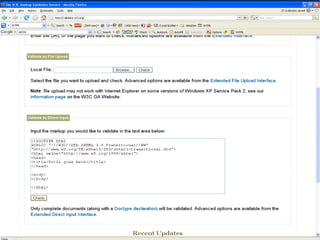
<!DOCTYPE html
PUBLIC "-//W3C//DTD XHTML 1.0 Transitional//EN"
"http://www.w3.org/TR/xhtml1/DTD/xhtml1-
  transitional.dtd">
<html xmlns="http://www.w3.org/1999/xhtml">
<head>
<title>Title goes here</title>
</head>

<body>
</body>

</html>
Where It's Going

●   XHTML 1.1 : Modularized XHTML
●   XHTML 2.0 : Still In Development
    –   HTML Forms to be replaced by XForms
    –   HTML frames to be replaced by XFrames
    –   Any element can become a hyperlink
    –   Etc..
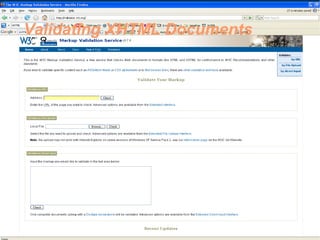
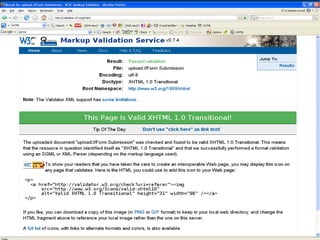
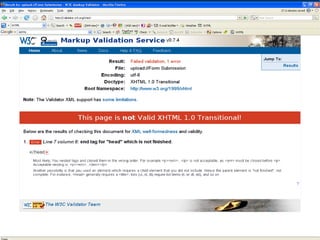
Validating XHTML Documents
Presentation of (XML) Data for the
Web
XML: Separation of Data From
Presentation
●   XML Documents are data-centric.
    –   Markup of data only.
●   XML Documents should be free from
    presentation/styling/display/formatting elements.
    –   No elements included as to how other elements should
        be formatted
    –   This would keep any XML portable and
        display-“platform” independent.
Presentation of XML Data using
Stylesheet
●   A Stylesheet
    –   A specification on how to display the data.
●   Cascading Stylesheets (CSS)
    –   Added to HTML to solve rendering consistency
        problems
    –   With CSS We can specify how to exactly display
        HTML elements.
    –   CSS can be applied to XML documents as well.
CSS: Attaching to HTML

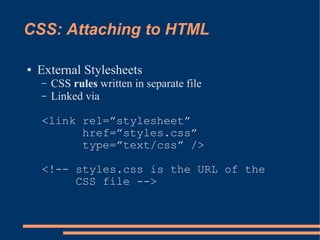
●   External Stylesheets
    –   CSS rules written in separate file
    –   Linked via

    <link rel=”stylesheet”
          href=”styles.css”
          type=”text/css” />

    <!-- styles.css is the URL of the
         CSS file -->
CSS: Attaching to HTML

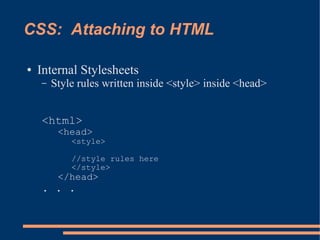
●   Internal Stylesheets
    –   Style rules written inside <style> inside <head>


    <html>
         <head>
            <style>

            //style rules here
            </style>
         </head>
    . . .
CSS: Attaching to HTML

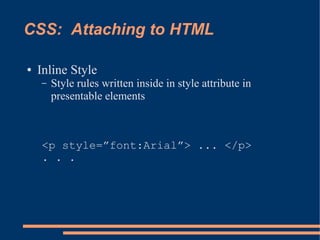
●   Inline Style
    –   Style rules written inside in style attribute in
        presentable elements


    <p style=”font:Arial”> ... </p>
    . . .
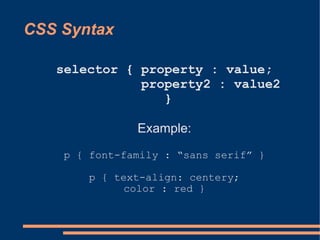
CSS Syntax

   selector { property : value;
              property2 : value2
                 }

               Example:
    p { font-family : “sans serif” }

       p { text-align: centery;
            color : red }
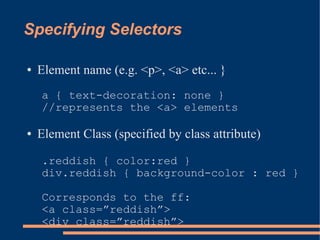
Specifying Selectors

●   Element name (e.g. <p>, <a> etc... }
    a { text-decoration: none }
    //represents the <a> elements

●   Element Class (specified by class attribute)

    .reddish { color:red }
    div.reddish { background-color : red }

    Corresponds to the ff:
    <a class=”reddish”>
    <div class=”reddish”>
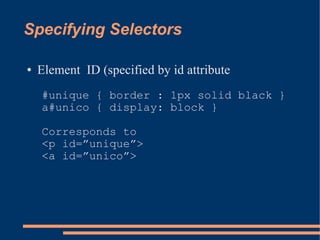
Specifying Selectors

●   Element ID (specified by id attribute
    #unique { border : 1px solid black }
    a#unico { display: block }

    Corresponds to
    <p id=”unique”>
    <a id=”unico”>
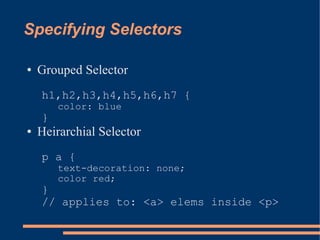
Specifying Selectors

●   Grouped Selector
    h1,h2,h3,h4,h5,h6,h7 {
        color: blue
    }
●   Heirarchial Selector
    p a {
        text-decoration: none;
        color red;
    }
    // applies to: <a> elems inside <p>
Specifying Selectors

●   Element with Specific Attribute


input[type=”text”] {
     border: 1px solid red
}
/* applies to <input type=”text”>
elems, IE sucks on this
dunno about IE 7 though */
Specifying Selectors

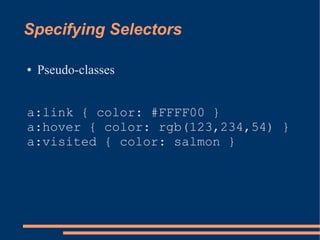
●   Pseudo-classes


a:link { color: #FFFF00 }
a:hover { color: rgb(123,234,54) }
a:visited { color: salmon }
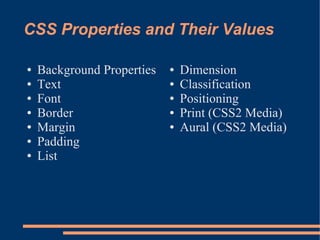
CSS Properties and Their Values

●   Background Properties   ●   Dimension
●   Text                    ●   Classification
●   Font                    ●   Positioning
●   Border                  ●   Print (CSS2 Media)
●   Margin                  ●   Aural (CSS2 Media)
●   Padding
●   List
CSS Properties and Their Values

●   Consult a CSS Reference for the different property
    names and their possible values.
CSS Inheritance

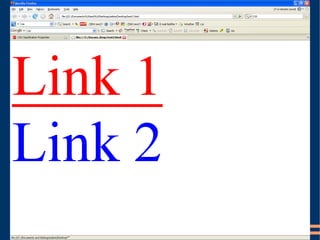
●   Most CSS properties are inheritable from more
    general selectors to more specific selectors
●   When two properties conflict, the more specific
    rule is applied, otherwise the rules combine.
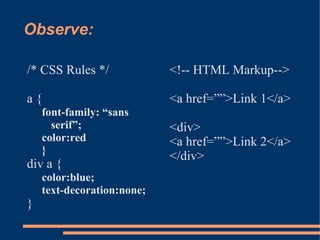
Observe:

/* CSS Rules */             <!-- HTML Markup-->

a{                          <a href=””>Link 1</a>
    font-family: “sans
      serif”;               <div>
    color:red               <a href=””>Link 2</a>
    }
                            </div>
div a {
    color:blue;
    text-decoration:none;
}
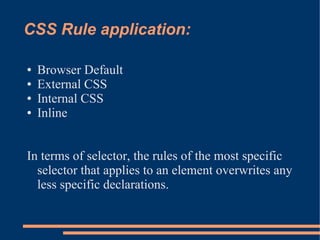
CSS Rule application:

●   Browser Default
●   External CSS
●   Internal CSS
●   Inline


In terms of selector, the rules of the most specific
  selector that applies to an element overwrites any
  less specific declarations.
XML + CSS = Web Page

●   With any XML document, we can apply CSS to
    display it as web page.
●   The selectors will be the elements of the XML
    documents.

Cmsc 100 xhtml and css

  • 1.
    Side Trip: XHTML Using XHTML
  • 2.
    XHTML ● Extensible Hypertext Markup Language ● Supposedly the replacement for HTML. ● Reformulation of HTML in XML. – Still like HTML with the rules of XML (on wellformedness).
  • 3.
    Required Elements inXHTML ● <!DOCTYPE> – One of three doctypes. ● <html> – Root element ● <head> ● <title> ● <body>
  • 4.
    Differences from HTML ● Always well-formed. ● Some elements are required elements. ● Some elements in HTML that are formatting, e.g. <b>, <i>, etc. are avoided (Even absent) in XHTML. – Presentation rules should be defined in CSS. ● All tags, attributes and even attribute values are in lowercase characters. ● Some attributes of some elements are required – OTHERWISE your XHTML document is NOT valid
  • 5.
    The DOCTYPES ● XHTML Transitional – Compatibility with old browsers that does not support CSS. ● XHTML Strict – Free from presentational elements. ● XHTML Frameset – When using <frameset> & <frame>
  • 6.
    XHTML Template <!DOCTYPE html PUBLIC"-//W3C//DTD XHTML 1.0 Transitional//EN" "http://www.w3.org/TR/xhtml1/DTD/xhtml1- transitional.dtd"> <html xmlns="http://www.w3.org/1999/xhtml"> <head> <title>Title goes here</title> </head> <body> </body> </html>
  • 7.
    Where It's Going ● XHTML 1.1 : Modularized XHTML ● XHTML 2.0 : Still In Development – HTML Forms to be replaced by XForms – HTML frames to be replaced by XFrames – Any element can become a hyperlink – Etc..
  • 8.
  • 12.
    Presentation of (XML)Data for the Web
  • 13.
    XML: Separation ofData From Presentation ● XML Documents are data-centric. – Markup of data only. ● XML Documents should be free from presentation/styling/display/formatting elements. – No elements included as to how other elements should be formatted – This would keep any XML portable and display-“platform” independent.
  • 14.
    Presentation of XMLData using Stylesheet ● A Stylesheet – A specification on how to display the data. ● Cascading Stylesheets (CSS) – Added to HTML to solve rendering consistency problems – With CSS We can specify how to exactly display HTML elements. – CSS can be applied to XML documents as well.
  • 15.
    CSS: Attaching toHTML ● External Stylesheets – CSS rules written in separate file – Linked via <link rel=”stylesheet” href=”styles.css” type=”text/css” /> <!-- styles.css is the URL of the CSS file -->
  • 16.
    CSS: Attaching toHTML ● Internal Stylesheets – Style rules written inside <style> inside <head> <html> <head> <style> //style rules here </style> </head> . . .
  • 17.
    CSS: Attaching toHTML ● Inline Style – Style rules written inside in style attribute in presentable elements <p style=”font:Arial”> ... </p> . . .
  • 18.
    CSS Syntax selector { property : value; property2 : value2 } Example: p { font-family : “sans serif” } p { text-align: centery; color : red }
  • 19.
    Specifying Selectors ● Element name (e.g. <p>, <a> etc... } a { text-decoration: none } //represents the <a> elements ● Element Class (specified by class attribute) .reddish { color:red } div.reddish { background-color : red } Corresponds to the ff: <a class=”reddish”> <div class=”reddish”>
  • 20.
    Specifying Selectors ● Element ID (specified by id attribute #unique { border : 1px solid black } a#unico { display: block } Corresponds to <p id=”unique”> <a id=”unico”>
  • 21.
    Specifying Selectors ● Grouped Selector h1,h2,h3,h4,h5,h6,h7 { color: blue } ● Heirarchial Selector p a { text-decoration: none; color red; } // applies to: <a> elems inside <p>
  • 22.
    Specifying Selectors ● Element with Specific Attribute input[type=”text”] { border: 1px solid red } /* applies to <input type=”text”> elems, IE sucks on this dunno about IE 7 though */
  • 23.
    Specifying Selectors ● Pseudo-classes a:link { color: #FFFF00 } a:hover { color: rgb(123,234,54) } a:visited { color: salmon }
  • 24.
    CSS Properties andTheir Values ● Background Properties ● Dimension ● Text ● Classification ● Font ● Positioning ● Border ● Print (CSS2 Media) ● Margin ● Aural (CSS2 Media) ● Padding ● List
  • 25.
    CSS Properties andTheir Values ● Consult a CSS Reference for the different property names and their possible values.
  • 26.
    CSS Inheritance ● Most CSS properties are inheritable from more general selectors to more specific selectors ● When two properties conflict, the more specific rule is applied, otherwise the rules combine.
  • 27.
    Observe: /* CSS Rules*/ <!-- HTML Markup--> a{ <a href=””>Link 1</a> font-family: “sans serif”; <div> color:red <a href=””>Link 2</a> } </div> div a { color:blue; text-decoration:none; }
  • 29.
    CSS Rule application: ● Browser Default ● External CSS ● Internal CSS ● Inline In terms of selector, the rules of the most specific selector that applies to an element overwrites any less specific declarations.
  • 30.
    XML + CSS= Web Page ● With any XML document, we can apply CSS to display it as web page. ● The selectors will be the elements of the XML documents.