EE 390 Lab Manual, EE Department, KFUPM


                                    Experiment #3

                              Arithmetic Instructions


3.0 Objective

The objective of this experiment is to learn the arithmetic instructions and write simple
programs using TASM


3.1 Introduction

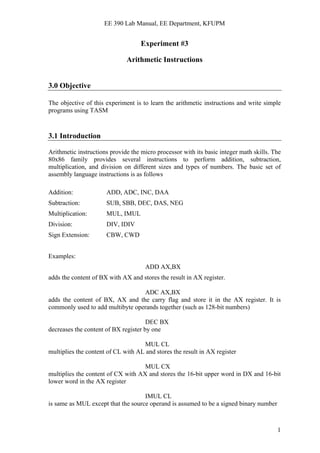
Arithmetic instructions provide the micro processor with its basic integer math skills. The
80x86 family provides several instructions to perform addition, subtraction,
multiplication, and division on different sizes and types of numbers. The basic set of
assembly language instructions is as follows

Addition:             ADD, ADC, INC, DAA
Subtraction:          SUB, SBB, DEC, DAS, NEG
Multiplication:       MUL, IMUL
Division:             DIV, IDIV
Sign Extension:       CBW, CWD


Examples:
                                     ADD AX,BX
adds the content of BX with AX and stores the result in AX register.

                                  ADC AX,BX
adds the content of BX, AX and the carry flag and store it in the AX register. It is
commonly used to add multibyte operands together (such as 128-bit numbers)

                                      DEC BX
decreases the content of BX register by one

                                    MUL CL
multiplies the content of CL with AL and stores the result in AX register

                                    MUL CX
multiplies the content of CX with AX and stores the 16-bit upper word in DX and 16-bit
lower word in the AX register

                                    IMUL CL
is same as MUL except that the source operand is assumed to be a signed binary number


                                                                                         1
EE 390 Lab Manual, EE Department, KFUPM


3.2 Pre-lab:

1. Write a program in TASM that performs the addition of two byte sized numbers that
   are initially stored in memory locations ‘num1’ and ‘num2’. The addition result
   should be stored in another memory location ‘total’. Verify the result using turbo
   debugger.

[Hint: Use DB directive to initially store the two byte sized numbers in memory locations
called ‘num1’ and ‘num2’. Also reserve a location for the addition result and call it
‘total’]

2. Write a program in TASM that multiplies two unsigned byte sized numbers that are
   initially stored in memory locations ‘num1’ and ‘num2’. Store the multiplication
   result in another memory location called ‘multiply’. Notice that the size of memory
   location ‘multiply’ must be of word size to be able to store the result. Verify the result
   using turbo debugger.


3.3 Lab Work:

Example Program 1: Write a program that asks to type a letter in lowercase and then
converts that letter to uppercase and also prints it on screen.

TITLE "Program to convert lowercase letter to uppercase"
.MODEL SMALL                ; this defines the memory model
.STACK 100         ; define a stack segment of 100 bytes
.DATA                       ; this is the data segment

     MSG1      DB     'Enter a lower case letter: $'
     MSG2      DB     0DH,0AH, 'The letter in uppercase is: '
     CHAR      DB      ?, '$'

.CODE                  ; this is the code segment
        ORG 100h

        MOV AX,@DATA          ; get the address of the data segment
        MOV DS,AX             ; and store it in register DS

        MOV AH,9              ; display string function
        LEA SI,MSG1           ; get memory location of first message
        MOV DX,SI              ; and store it in the DX register
        INT 21H               ; display the string

        MOV AH,01             ; single character keyboard input function
        INT 21H               ; call the function, result will be stored in AL (ASCII code)

        SUB AL,20H            ; convert to the ASCII code of upper case
        LEA SI,CHAR           ; load the address of the storage location
        MOV [SI],AL           ; store the ASCII code of the converted letter to memory


                                                                                           2
EE 390 Lab Manual, EE Department, KFUPM


        MOV AH,9              ; display string function
        LEA SI,MSG2           ; get memory location of second message
        MOV DX,SI             ; and store it in the DX register
        INT 21H               ; display the string

        MOV AX, 4C00H         ; Exit to DOS function
        INT 21H

END

String output function is used in this program to print a string on screen. The effective
address of string must first be loaded in the DX register and then the following two lines
are executed
                                      MOV AH,09
                                      INT 21H

Exercise 1: Modify the above program so that it asks for entering an uppercase letter and
converts it to lowercase.

Example Program 2: The objective of this program is to enter 3 positive numbers from
the keyboard (0-9), find the average and store the result in a memory location called
‘AVG’. Run the program in turbo debugger and verify the result.

TITLE "Program to calculate average of three numbers"
.MODEL SMALL               ; this defines the memory model
.STACK 100         ; define a stack segment of 100 bytes
.DATA                      ; this is the data segment

     msg1      DB      'Enter three numbers (0 to 9): $'
     msg2      DB     0DH,0AH,'The average is (only quotient) : $'
     num       DB     3 DUP(?)               ;memory location to store the numbers
     average   DW     ?                      ;memory location to store the average


.CODE                         ; this is the code segment
        ORG 100h              ; program starts at CS:100H

        MOV AX,@DATA          ; get the address of the data segment
        MOV DS,AX             ; and store it in register DS

        MOV CL,03             ; counter to take 3 inputs

        MOV AH,9               ; display string function
        LEA DI,msg1           ; get memory location of message1
        MOV DX,DI             ; and store it in the DX register
        INT 21H               ; display the string

        LEA SI,num            ; load the address of memory location num

START: MOV AH,01              ; single character keyboard input function


                                                                                             3
EE 390 Lab Manual, EE Department, KFUPM


      INT 21H          ; call the function, result will be stored in AL (ASCII)

      SUB AL,30H       ; subtract 30 to convert from ASCII code to number
      MOV [SI],AL      ; and store the first number in this location
      DEC CL           ; decrement CL
      CMP CL,0         ; check if the 3 inputs are complete
      JE ADD_IT        ; if yes then jump to ADD_IT location
      INC SI           ; if no then move to next location in memory
      JMP START        ; unconditional jump to get the next number

ADD_IT: MOV CL,02                ; counter to add the numbers
     LEA SI,NUM         ; get the address of the first stored number
     MOV AL,[SI]        ; store the first number in AL

AGAIN: ADD AL,[SI+1]   ; add the number with the next number
     DEC CL            ; decrease the counter
     CMP CL,0          ; if all the numbers are added
     JE DIVIDE         ; then go to the division
     INC SI            ; otherwise keep on adding the next numbers to the result
     JMP AGAIN         ; unconditional jump to add the next entry

DIVIDE: MOV AH,0       ; make AX=AL for unsigned division
     MOV CL,03         ; make divisor=3 to find average of three numbers
     DIV CL            ; divide AX by CL
     LEA SI,average    ; get the address of memory location average
     MOV [SI],AX       ; and store the result in the memory

      MOV AH,9         ; display string function
      LEA DI,msg2      ; get memory location of message1
      MOV DX,DI        ; and store it in the DX register
      INT 21H          ; display the string

      MOV DL,[SI]      ; store the result in DL
      ADD DL,30H       ; put ASCII code in DL by adding 30H
      MOV AH,02        ; display character function
      INT 21H          ; should contain ASCII code in DL

      MOV AX, 4C00H    ; Exit to DOS function
      INT 21H

END                    ; end of the program


                                                                                   4
EE 390 Lab Manual, EE Department, KFUPM


Exercise 2: Write a program in TASM that calculates the factorial of number 5 and
stores the result in a memory location. Verify the program using turbo debugger
[Hint: Since 5! = 5x4x3x2x1, use MUL instruction to find the multiplication. Store 5 in a
register and decrement the register after every multiplication and then multiply the result
with the decremented register. Repeat these steps using conditional jump instruction]

Exercise 3: Modify the factorial program such that it asks for the number for which
factorial is to be calculated using string function and keyboard input function. Assume
that the number will be less than 6 in order to fit the result in one byte.


                                                                                         5

Exp 03

  • 1.
    EE 390 LabManual, EE Department, KFUPM Experiment #3 Arithmetic Instructions 3.0 Objective The objective of this experiment is to learn the arithmetic instructions and write simple programs using TASM 3.1 Introduction Arithmetic instructions provide the micro processor with its basic integer math skills. The 80x86 family provides several instructions to perform addition, subtraction, multiplication, and division on different sizes and types of numbers. The basic set of assembly language instructions is as follows Addition: ADD, ADC, INC, DAA Subtraction: SUB, SBB, DEC, DAS, NEG Multiplication: MUL, IMUL Division: DIV, IDIV Sign Extension: CBW, CWD Examples: ADD AX,BX adds the content of BX with AX and stores the result in AX register. ADC AX,BX adds the content of BX, AX and the carry flag and store it in the AX register. It is commonly used to add multibyte operands together (such as 128-bit numbers) DEC BX decreases the content of BX register by one MUL CL multiplies the content of CL with AL and stores the result in AX register MUL CX multiplies the content of CX with AX and stores the 16-bit upper word in DX and 16-bit lower word in the AX register IMUL CL is same as MUL except that the source operand is assumed to be a signed binary number 1
  • 2.
    EE 390 LabManual, EE Department, KFUPM 3.2 Pre-lab: 1. Write a program in TASM that performs the addition of two byte sized numbers that are initially stored in memory locations ‘num1’ and ‘num2’. The addition result should be stored in another memory location ‘total’. Verify the result using turbo debugger. [Hint: Use DB directive to initially store the two byte sized numbers in memory locations called ‘num1’ and ‘num2’. Also reserve a location for the addition result and call it ‘total’] 2. Write a program in TASM that multiplies two unsigned byte sized numbers that are initially stored in memory locations ‘num1’ and ‘num2’. Store the multiplication result in another memory location called ‘multiply’. Notice that the size of memory location ‘multiply’ must be of word size to be able to store the result. Verify the result using turbo debugger. 3.3 Lab Work: Example Program 1: Write a program that asks to type a letter in lowercase and then converts that letter to uppercase and also prints it on screen. TITLE "Program to convert lowercase letter to uppercase" .MODEL SMALL ; this defines the memory model .STACK 100 ; define a stack segment of 100 bytes .DATA ; this is the data segment MSG1 DB 'Enter a lower case letter: $' MSG2 DB 0DH,0AH, 'The letter in uppercase is: ' CHAR DB ?, '$' .CODE ; this is the code segment ORG 100h MOV AX,@DATA ; get the address of the data segment MOV DS,AX ; and store it in register DS MOV AH,9 ; display string function LEA SI,MSG1 ; get memory location of first message MOV DX,SI ; and store it in the DX register INT 21H ; display the string MOV AH,01 ; single character keyboard input function INT 21H ; call the function, result will be stored in AL (ASCII code) SUB AL,20H ; convert to the ASCII code of upper case LEA SI,CHAR ; load the address of the storage location MOV [SI],AL ; store the ASCII code of the converted letter to memory 2
  • 3.
    EE 390 LabManual, EE Department, KFUPM MOV AH,9 ; display string function LEA SI,MSG2 ; get memory location of second message MOV DX,SI ; and store it in the DX register INT 21H ; display the string MOV AX, 4C00H ; Exit to DOS function INT 21H END String output function is used in this program to print a string on screen. The effective address of string must first be loaded in the DX register and then the following two lines are executed MOV AH,09 INT 21H Exercise 1: Modify the above program so that it asks for entering an uppercase letter and converts it to lowercase. Example Program 2: The objective of this program is to enter 3 positive numbers from the keyboard (0-9), find the average and store the result in a memory location called ‘AVG’. Run the program in turbo debugger and verify the result. TITLE "Program to calculate average of three numbers" .MODEL SMALL ; this defines the memory model .STACK 100 ; define a stack segment of 100 bytes .DATA ; this is the data segment msg1 DB 'Enter three numbers (0 to 9): $' msg2 DB 0DH,0AH,'The average is (only quotient) : $' num DB 3 DUP(?) ;memory location to store the numbers average DW ? ;memory location to store the average .CODE ; this is the code segment ORG 100h ; program starts at CS:100H MOV AX,@DATA ; get the address of the data segment MOV DS,AX ; and store it in register DS MOV CL,03 ; counter to take 3 inputs MOV AH,9 ; display string function LEA DI,msg1 ; get memory location of message1 MOV DX,DI ; and store it in the DX register INT 21H ; display the string LEA SI,num ; load the address of memory location num START: MOV AH,01 ; single character keyboard input function 3
  • 4.
    EE 390 LabManual, EE Department, KFUPM INT 21H ; call the function, result will be stored in AL (ASCII) SUB AL,30H ; subtract 30 to convert from ASCII code to number MOV [SI],AL ; and store the first number in this location DEC CL ; decrement CL CMP CL,0 ; check if the 3 inputs are complete JE ADD_IT ; if yes then jump to ADD_IT location INC SI ; if no then move to next location in memory JMP START ; unconditional jump to get the next number ADD_IT: MOV CL,02 ; counter to add the numbers LEA SI,NUM ; get the address of the first stored number MOV AL,[SI] ; store the first number in AL AGAIN: ADD AL,[SI+1] ; add the number with the next number DEC CL ; decrease the counter CMP CL,0 ; if all the numbers are added JE DIVIDE ; then go to the division INC SI ; otherwise keep on adding the next numbers to the result JMP AGAIN ; unconditional jump to add the next entry DIVIDE: MOV AH,0 ; make AX=AL for unsigned division MOV CL,03 ; make divisor=3 to find average of three numbers DIV CL ; divide AX by CL LEA SI,average ; get the address of memory location average MOV [SI],AX ; and store the result in the memory MOV AH,9 ; display string function LEA DI,msg2 ; get memory location of message1 MOV DX,DI ; and store it in the DX register INT 21H ; display the string MOV DL,[SI] ; store the result in DL ADD DL,30H ; put ASCII code in DL by adding 30H MOV AH,02 ; display character function INT 21H ; should contain ASCII code in DL MOV AX, 4C00H ; Exit to DOS function INT 21H END ; end of the program 4
  • 5.
    EE 390 LabManual, EE Department, KFUPM Exercise 2: Write a program in TASM that calculates the factorial of number 5 and stores the result in a memory location. Verify the program using turbo debugger [Hint: Since 5! = 5x4x3x2x1, use MUL instruction to find the multiplication. Store 5 in a register and decrement the register after every multiplication and then multiply the result with the decremented register. Repeat these steps using conditional jump instruction] Exercise 3: Modify the factorial program such that it asks for the number for which factorial is to be calculated using string function and keyboard input function. Assume that the number will be less than 6 in order to fit the result in one byte. 5