Chapter 1Chapter 1
Data StreamData Stream
Ref. Pge. 15
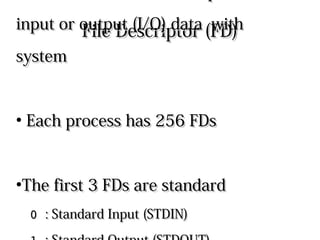
File Descriptor (FD)File Descriptor (FD)
●
Processes use File Descriptors toProcesses use File Descriptors to
input or output (I/O) data with systeminput or output (I/O) data with system
●
Each process has 256 FDsEach process has 256 FDs
●
The first 3 FDs are standardThe first 3 FDs are standard
0 0 : Standard Input (STDIN): Standard Input (STDIN)
1 1 : Standard Output (STDOUT): Standard Output (STDOUT)
2 2 : Standard Error Output (STDERR): Standard Error Output (STDERR)
Standard FDStandard FD
●
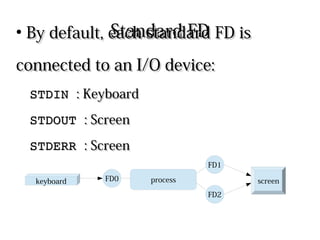
By default, each standard FD isBy default, each standard FD is
connected to an I/O device:connected to an I/O device:
STDIN STDIN : Keyboard: Keyboard
STDOUT STDOUT : Screen: Screen
STDERR STDERR : Screen: Screen
processFD0
FD2
FD1
keyboard screen
IO RedirectionIO Redirection
●
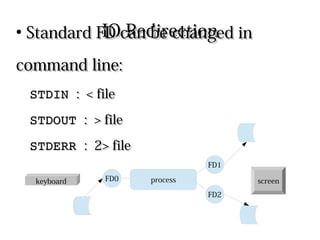
Standard FD can be changed inStandard FD can be changed in
command line:command line:
STDIN STDIN : < file: < file
STDOUT STDOUT : > file: > file
STDERR STDERR : 2> file: 2> file
processFD0
FD2
FD1
keyboard screen
IO Redirection ExampleIO Redirection Example
●
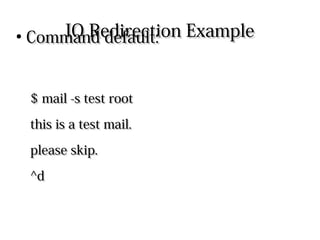
Command default:Command default:
$ mail -s test root$ mail -s test root
this is a test mail.this is a test mail.
please skip.please skip.
^d^d
IO Redirection ExampleIO Redirection Example
●
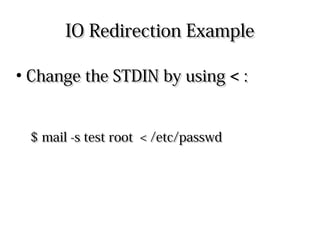
Change the STDIN by usingChange the STDIN by using << ::
$ mail -s test root < /etc/passwd$ mail -s test root < /etc/passwd
IO Redirection ExampleIO Redirection Example
●
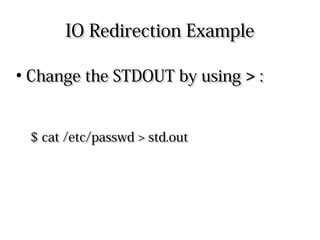
Change the STDOUT by usingChange the STDOUT by using >> ::
$ cat /etc/passwd > std.out$ cat /etc/passwd > std.out
IO Redirection ExampleIO Redirection Example
●
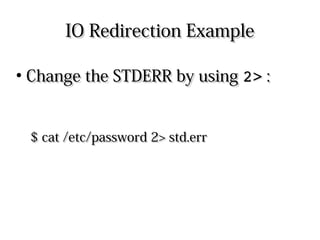
Change the STDERR by usingChange the STDERR by using 2>2> ::
$ cat /etc/password 2> std.err$ cat /etc/password 2> std.err
DeviceDevice /dev/null/dev/null
●
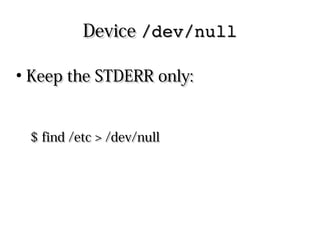
Keep the STDERR only:Keep the STDERR only:
$ find /etc > /dev/null$ find /etc > /dev/null
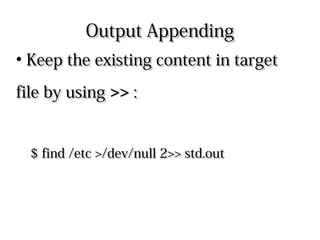
Output AppendingOutput Appending
●
Keep the existing content in targetKeep the existing content in target
file by usingfile by using >>>> ::
$ find /etc >/dev/null 2>> std.out$ find /etc >/dev/null 2>> std.out
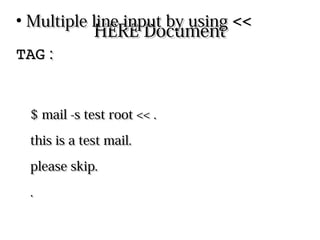
HERE DocumentHERE Document
●
Multiple line input by usingMultiple line input by using << TAG<< TAG ::
$ mail -s test root << .$ mail -s test root << .
this is a test mail.this is a test mail.
please skip.please skip.
..
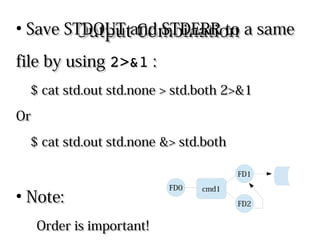
Output CombinationOutput Combination
●
Save STDOUT and STDERR to a sameSave STDOUT and STDERR to a same
file by usingfile by using 2>&12>&1 ::
$ cat std.out std.none > std.both 2>&1$ cat std.out std.none > std.both 2>&1
OrOr
$ cat std.out std.none &> std.both$ cat std.out std.none &> std.both
●
Note:Note:
Order is important!Order is important! cmd1
FD2
FD1
FD0
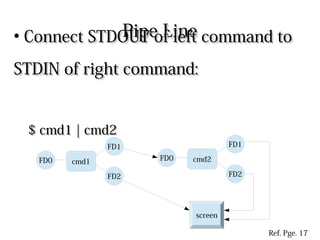
Pipe LinePipe Line
●
Connect STDOUT of left command toConnect STDOUT of left command to
STDIN of right command:STDIN of right command:
$ cmd1 | cmd2$ cmd1 | cmd2
cmd1
FD2
FD1
FD0
screen
cmd2
FD2
FD1
FD0
Ref. Pge. 17
Pipe LinePipe Line
●
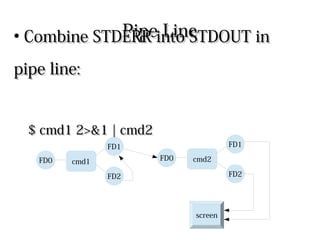
Combine STDERR into STDOUT inCombine STDERR into STDOUT in
pipe line:pipe line:
$ cmd1 2>&1 | cmd2$ cmd1 2>&1 | cmd2
cmd1
FD2
FD1
FD0
screen
cmd2
FD2
FD1
FD0
Output SplittingOutput Splitting
●
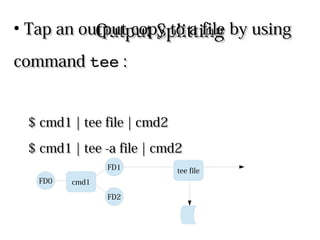
Tap an output copy to a file by usingTap an output copy to a file by using
commandcommand teetee ::
$ cmd1 | tee file | cmd2$ cmd1 | tee file | cmd2
$ cmd1 | tee -a file | cmd2$ cmd1 | tee -a file | cmd2
cmd1
FD2
FD1
FD0
tee file
XargsXargs
●
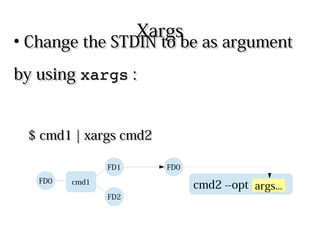
Change the STDIN to be as argumentChange the STDIN to be as argument
by usingby using xargsxargs ::
$ cmd1 | xargs cmd2$ cmd1 | xargs cmd2
cmd1
FD2
FD1
FD0
cmd2 --opt args...
FD0

Linux fundamental - Chap 01 io

  • 1.
    Chapter 1Chapter 1 DataStreamData Stream Ref. Pge. 15
  • 2.
    File Descriptor (FD)FileDescriptor (FD) ● Processes use File Descriptors toProcesses use File Descriptors to input or output (I/O) data with systeminput or output (I/O) data with system ● Each process has 256 FDsEach process has 256 FDs ● The first 3 FDs are standardThe first 3 FDs are standard 0 0 : Standard Input (STDIN): Standard Input (STDIN) 1 1 : Standard Output (STDOUT): Standard Output (STDOUT) 2 2 : Standard Error Output (STDERR): Standard Error Output (STDERR)
  • 3.
    Standard FDStandard FD ● Bydefault, each standard FD isBy default, each standard FD is connected to an I/O device:connected to an I/O device: STDIN STDIN : Keyboard: Keyboard STDOUT STDOUT : Screen: Screen STDERR STDERR : Screen: Screen processFD0 FD2 FD1 keyboard screen
  • 4.
    IO RedirectionIO Redirection ● StandardFD can be changed inStandard FD can be changed in command line:command line: STDIN STDIN : < file: < file STDOUT STDOUT : > file: > file STDERR STDERR : 2> file: 2> file processFD0 FD2 FD1 keyboard screen
  • 5.
    IO Redirection ExampleIORedirection Example ● Command default:Command default: $ mail -s test root$ mail -s test root this is a test mail.this is a test mail. please skip.please skip. ^d^d
  • 6.
    IO Redirection ExampleIORedirection Example ● Change the STDIN by usingChange the STDIN by using << :: $ mail -s test root < /etc/passwd$ mail -s test root < /etc/passwd
  • 7.
    IO Redirection ExampleIORedirection Example ● Change the STDOUT by usingChange the STDOUT by using >> :: $ cat /etc/passwd > std.out$ cat /etc/passwd > std.out
  • 8.
    IO Redirection ExampleIORedirection Example ● Change the STDERR by usingChange the STDERR by using 2>2> :: $ cat /etc/password 2> std.err$ cat /etc/password 2> std.err
  • 9.
    DeviceDevice /dev/null/dev/null ● Keep theSTDERR only:Keep the STDERR only: $ find /etc > /dev/null$ find /etc > /dev/null
  • 10.
    Output AppendingOutput Appending ● Keepthe existing content in targetKeep the existing content in target file by usingfile by using >>>> :: $ find /etc >/dev/null 2>> std.out$ find /etc >/dev/null 2>> std.out
  • 11.
    HERE DocumentHERE Document ● Multipleline input by usingMultiple line input by using << TAG<< TAG :: $ mail -s test root << .$ mail -s test root << . this is a test mail.this is a test mail. please skip.please skip. ..
  • 12.
    Output CombinationOutput Combination ● SaveSTDOUT and STDERR to a sameSave STDOUT and STDERR to a same file by usingfile by using 2>&12>&1 :: $ cat std.out std.none > std.both 2>&1$ cat std.out std.none > std.both 2>&1 OrOr $ cat std.out std.none &> std.both$ cat std.out std.none &> std.both ● Note:Note: Order is important!Order is important! cmd1 FD2 FD1 FD0
  • 13.
    Pipe LinePipe Line ● ConnectSTDOUT of left command toConnect STDOUT of left command to STDIN of right command:STDIN of right command: $ cmd1 | cmd2$ cmd1 | cmd2 cmd1 FD2 FD1 FD0 screen cmd2 FD2 FD1 FD0 Ref. Pge. 17
  • 14.
    Pipe LinePipe Line ● CombineSTDERR into STDOUT inCombine STDERR into STDOUT in pipe line:pipe line: $ cmd1 2>&1 | cmd2$ cmd1 2>&1 | cmd2 cmd1 FD2 FD1 FD0 screen cmd2 FD2 FD1 FD0
  • 15.
    Output SplittingOutput Splitting ● Tapan output copy to a file by usingTap an output copy to a file by using commandcommand teetee :: $ cmd1 | tee file | cmd2$ cmd1 | tee file | cmd2 $ cmd1 | tee -a file | cmd2$ cmd1 | tee -a file | cmd2 cmd1 FD2 FD1 FD0 tee file
  • 16.
    XargsXargs ● Change the STDINto be as argumentChange the STDIN to be as argument by usingby using xargsxargs :: $ cmd1 | xargs cmd2$ cmd1 | xargs cmd2 cmd1 FD2 FD1 FD0 cmd2 --opt args... FD0