UNIT -7  INTERPROCESS COMMUNICATION  Prepared By, Darshan.K.R Lecturer,SJBIT Kengeri,Bangalore
FILE TYPES Regular file Directory file Fifo file Character device file Block device file
Regular file It mat be  text  or  binary  file Both the files are executable provided execution rights are set  They can be read or written by users with appropriate permissions To remove regular files use  rm  command
Directory file Folder that contains other files and  subdirectories Provides a means to organize files in hierarchical structure To create  :  mkdir  command To remove  :  rmdir  command
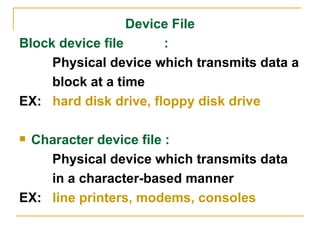
Device File Block device file  :  Physical device which transmits data a block at a time  EX:  hard disk drive, floppy disk drive Character device file :  Physical device which transmits data  in a character-based manner EX:  line printers, modems, consoles
To create :  mknod  command mknod   /dev/cdsk  c   115  5 /dev/cdsk : name of the device c   -- character device  b  -- block device  115   — major device number 5  — minor device number Major device number  : an index to the kernel’s  file table that contains address of all device  drivers Minor device number  : indicates the type of  physical file and I/O buffering scheme used  for data transfer
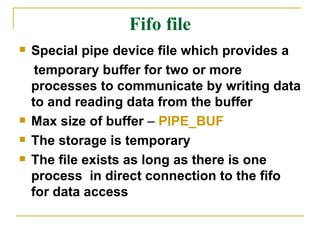
Fifo file Special pipe device file which provides a  temporary buffer for two or more processes to communicate by writing data to and reading data from the buffer Max size of buffer  –  PIPE_BUF The storage is temporary  The file exists as long as there is one process  in direct connection to the fifo for data access
To create  :  mkfifo  OR mkfifo mkfifo  /usr/prog/fifo_pipe mknod  /usr/prog/fifo_pipe  p   A fifo file can be removed like any other  regular file
Symbolic link file A symbolic link file contains a pathname  which references another file in either the local or a remote file system To create  :  ln command with –s option ln –s  /usr/abc/original  /usr/xyz/slink cat  /usr/xyz/slink /*will print contents of /usr/abc/original file*/
UNIX and POSIX file systems They have a tree-like hierarchical  file system  “ /”  – denotes the root “ .”  – current directory  “ ..”  – parent directory  NAME_MAX  – max number of characters  in a file name PATH_MAX  -- max number of characters  in a path name
Common UNIX files /etc :  Stores system  administrative files &  programs /etc/passwd   :  Stores all user information /etc/shadow  :  Stores user passwords /etc/group   :  Stores all group  information
/bin   : Stores all system programs /dev   : Stores all character and  block device files /usr/include   : Stores standard  header files /usr/lib  : Stores standard libraries  tmp  : Stores all temporary files  created by programs
UNIX and POSIX file attributes File type   :  type of file Access permission   :  the file access  permission for  owner group and  others  Hard link count   : number of hard  links of  a file
UID  : the file owner user  ID GID  : the file group ID File size   : the file size in  bytes Last access time  : the time the file  was last accessed Last modify time  : the time the file was  last modified
Last change time  :  the time the file  access  permission  UID ,GID  or hard link count was last changed
Inode number   : the system inode number of the file File system ID   :  the file system ID  where the file is  stored
Attributes of a file that remain unchanged   File type File inode number File system ID Major and minor device number Other attributes are changed using UNIX  commands or system calls
UNIX command System call Attributes changed chmod chmod Changes access permission, last change time chown chown Changes UID, last change time chgrp chown Changes GID, last change time
touch utime Changes last access time, modification time ln link Increases hard link count rm unlink Decreases hard link count .If the hard link count is zero ,the file will be removed from the file system  vi, emac Changes file size,last access time, last modification time
Inodes in UNIX system UNIX system V has an  inode table  which keeps track of all files Each entry in inode table is an  inode record   Inode record  contains all attributes of file including  inode number  and  physical address  of file Information of a file is accessed using its  inode number
Inode number is unique within a  file system   A file record is identified by a  file system ID  and  inode number Inode record doesnot contain the name of the file The mapping of filenames to inode number is done via  directory  files
To access a file for example  /usr/abc , the kernel knows  ”/”  directory inode number of any process, it will scan “/” directory to find inode number of  “usr”  directory it then checks for inode number of  abc  in  usr . The entire process in carried out taking into account the permissions of calling process 112 67 .. 97 abc 234 a.out
APPLICATION PROGRAM INTERFACE TO FILES Files are identified by path names Files must must be created before they can be used.  Files must be  opened  before they can be accessed by application programs  .open  system call is for this purpose, which returns a file descriptor, which is a file handle used in other system calls to manipulate the open file
A process can may open at most  OPEN_MAX  number of files The  read  and  write  system calls can be used to read and write data to opened files File attributes are queried using  stat  or  fstat  system calls File attributes are changed using  chmod,   chown, utime  and  link  system calls Hard links are removed by  unlink  system call
Struct stat { dev_ts  t_dev; ino_t  st_ino; mode_t  st_mode; nlink_t  st_nlink; uid_t  st_uid; gid_t  st_gid; dev_t  st_rdev; off_t  st_size; time_t  st_mtime time_t  st_ctime };
UNIX KERNEL SUPPORT FOR FILES Whenever a user executes a command, a process is created by the kernel to carry out the command execution Each process has its own data structures: file descriptor table is one among them File descriptor table has OPEN_MAX entries, and it records all files opened by the process
Kernel support to open system call Whenever an open function is called the kernel will resolve the pathname to file inode Open call fails and returns -1 if the file inode does not exist or the process lacks appropriate permissions Else a series of steps follow
The kernel will search the file descriptor table and look for first unused entry,which is returned as file descriptor of the opened file The kernel will scan the file table, which is used to reference the file If an unused entry is found then If an unused entry is found then
The process’s file descriptor table entry will be set to point to file table entry The file table entry will be set to point to inode table entry where the inode record of file is present The file table entry will contain the current file pointer of the open file The file table entry will contain an open mode which specifies the file is opened for read- only ,write-only etc. Reference count of file table is set to 1. The reference count of the in-memory inode of file is increased by 1.
File descriptor table File table Inode table rc=1 rc=2 r  rc=1 rw rc=1 w  rc=1
Kernel support : read system call The kernel will use the file descriptor to index the process’s file descriptor table to find file table entry to opened file It checks the file table entry to make sure that the file is opened with appropriate mode  The kernel will use the file pointer used in file table entry to determine where the read operation should occur in file
The kernel will check the type of file in the inode record and invokes an appropriate driver driver function to initiate the actual data transfer with a physical file If the process calls lseek function then the changes are made provided the file is not a character device file, a FIFO file, or a symbolic link file as they follow only sequential read and write operations
Kernel support : close system call The kernel will set the corresponding descriptor table entry to unused It decrements the reference count in file table entry by 1.if reference  count !=0  then go to 6 File table entry is marked unused The reference count in file inode table entry by 1.if reference  count !=0  then go to 6
If hard link count is non zero, it returns a success status, otherwise marks the inode table entry as unused and and deallocates all the physical disk storage It returns the process with a 0 (success ) status
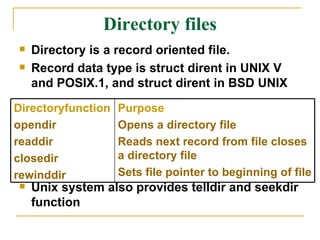
Directory files Directory is a record oriented file. Record data type is struct dirent in UNIX V and POSIX.1, and struct dirent in BSD UNIX Unix system also provides telldir and seekdir function Directoryfunction opendir readdir closedir rewinddir Purpose  Opens a directory file Reads next record from file closes a directory file Sets file pointer to beginning of file
Hard and symbolic links A hard link is a UNIX path name for a file To create hard link ln command is used ln  /usr/abc/old.c /usr/xyz/new.c Symbolic link is also a means of referencing a file  To create symbolic link ln command is used with option –s ln –s  /usr/abc/old.c /usr/xyz/new.c
Cp command creates a duplicated copy of file to another file with a different path name Where as ln command saves space by not duplicating the copy here the new file will have same inode number as original file Difference : cp and ln command
Difference : hard link and symbolic link Hard link Symbolic link Does not create a new inode Create a new inode Cannot link directories unless it is done by root Can link directories Cannot link files across file systems Can link files across file system Increase hard link count of the linked inode Does not change hard link count of the linked inode

Unit 7

  • 1.
    UNIT -7 INTERPROCESS COMMUNICATION Prepared By, Darshan.K.R Lecturer,SJBIT Kengeri,Bangalore
  • 2.
    FILE TYPES Regularfile Directory file Fifo file Character device file Block device file
  • 3.
    Regular file Itmat be text or binary file Both the files are executable provided execution rights are set They can be read or written by users with appropriate permissions To remove regular files use rm command
  • 4.
    Directory file Folderthat contains other files and subdirectories Provides a means to organize files in hierarchical structure To create : mkdir command To remove : rmdir command
  • 5.
    Device File Blockdevice file : Physical device which transmits data a block at a time EX: hard disk drive, floppy disk drive Character device file : Physical device which transmits data in a character-based manner EX: line printers, modems, consoles
  • 6.
    To create : mknod command mknod /dev/cdsk c 115 5 /dev/cdsk : name of the device c -- character device b -- block device 115 — major device number 5 — minor device number Major device number : an index to the kernel’s file table that contains address of all device drivers Minor device number : indicates the type of physical file and I/O buffering scheme used for data transfer
  • 7.
    Fifo file Specialpipe device file which provides a temporary buffer for two or more processes to communicate by writing data to and reading data from the buffer Max size of buffer – PIPE_BUF The storage is temporary The file exists as long as there is one process in direct connection to the fifo for data access
  • 8.
    To create : mkfifo OR mkfifo mkfifo /usr/prog/fifo_pipe mknod /usr/prog/fifo_pipe p A fifo file can be removed like any other regular file
  • 9.
    Symbolic link fileA symbolic link file contains a pathname which references another file in either the local or a remote file system To create : ln command with –s option ln –s /usr/abc/original /usr/xyz/slink cat /usr/xyz/slink /*will print contents of /usr/abc/original file*/
  • 10.
    UNIX and POSIXfile systems They have a tree-like hierarchical file system “ /” – denotes the root “ .” – current directory “ ..” – parent directory NAME_MAX – max number of characters in a file name PATH_MAX -- max number of characters in a path name
  • 11.
    Common UNIX files/etc : Stores system administrative files & programs /etc/passwd : Stores all user information /etc/shadow : Stores user passwords /etc/group : Stores all group information
  • 12.
    /bin : Stores all system programs /dev : Stores all character and block device files /usr/include : Stores standard header files /usr/lib : Stores standard libraries tmp : Stores all temporary files created by programs
  • 13.
    UNIX and POSIXfile attributes File type : type of file Access permission : the file access permission for owner group and others Hard link count : number of hard links of a file
  • 14.
    UID :the file owner user ID GID : the file group ID File size : the file size in bytes Last access time : the time the file was last accessed Last modify time : the time the file was last modified
  • 15.
    Last change time : the time the file access permission UID ,GID or hard link count was last changed
  • 16.
    Inode number : the system inode number of the file File system ID : the file system ID where the file is stored
  • 17.
    Attributes of afile that remain unchanged File type File inode number File system ID Major and minor device number Other attributes are changed using UNIX commands or system calls
  • 18.
    UNIX command Systemcall Attributes changed chmod chmod Changes access permission, last change time chown chown Changes UID, last change time chgrp chown Changes GID, last change time
  • 19.
    touch utime Changeslast access time, modification time ln link Increases hard link count rm unlink Decreases hard link count .If the hard link count is zero ,the file will be removed from the file system vi, emac Changes file size,last access time, last modification time
  • 20.
    Inodes in UNIXsystem UNIX system V has an inode table which keeps track of all files Each entry in inode table is an inode record Inode record contains all attributes of file including inode number and physical address of file Information of a file is accessed using its inode number
  • 21.
    Inode number isunique within a file system A file record is identified by a file system ID and inode number Inode record doesnot contain the name of the file The mapping of filenames to inode number is done via directory files
  • 22.
    To access afile for example /usr/abc , the kernel knows ”/” directory inode number of any process, it will scan “/” directory to find inode number of “usr” directory it then checks for inode number of abc in usr . The entire process in carried out taking into account the permissions of calling process 112 67 .. 97 abc 234 a.out
  • 23.
    APPLICATION PROGRAM INTERFACETO FILES Files are identified by path names Files must must be created before they can be used. Files must be opened before they can be accessed by application programs .open system call is for this purpose, which returns a file descriptor, which is a file handle used in other system calls to manipulate the open file
  • 24.
    A process canmay open at most OPEN_MAX number of files The read and write system calls can be used to read and write data to opened files File attributes are queried using stat or fstat system calls File attributes are changed using chmod, chown, utime and link system calls Hard links are removed by unlink system call
  • 25.
    Struct stat {dev_ts t_dev; ino_t st_ino; mode_t st_mode; nlink_t st_nlink; uid_t st_uid; gid_t st_gid; dev_t st_rdev; off_t st_size; time_t st_mtime time_t st_ctime };
  • 26.
    UNIX KERNEL SUPPORTFOR FILES Whenever a user executes a command, a process is created by the kernel to carry out the command execution Each process has its own data structures: file descriptor table is one among them File descriptor table has OPEN_MAX entries, and it records all files opened by the process
  • 27.
    Kernel support toopen system call Whenever an open function is called the kernel will resolve the pathname to file inode Open call fails and returns -1 if the file inode does not exist or the process lacks appropriate permissions Else a series of steps follow
  • 28.
    The kernel willsearch the file descriptor table and look for first unused entry,which is returned as file descriptor of the opened file The kernel will scan the file table, which is used to reference the file If an unused entry is found then If an unused entry is found then
  • 29.
    The process’s filedescriptor table entry will be set to point to file table entry The file table entry will be set to point to inode table entry where the inode record of file is present The file table entry will contain the current file pointer of the open file The file table entry will contain an open mode which specifies the file is opened for read- only ,write-only etc. Reference count of file table is set to 1. The reference count of the in-memory inode of file is increased by 1.
  • 30.
    File descriptor tableFile table Inode table rc=1 rc=2 r rc=1 rw rc=1 w rc=1
  • 31.
    Kernel support :read system call The kernel will use the file descriptor to index the process’s file descriptor table to find file table entry to opened file It checks the file table entry to make sure that the file is opened with appropriate mode The kernel will use the file pointer used in file table entry to determine where the read operation should occur in file
  • 32.
    The kernel willcheck the type of file in the inode record and invokes an appropriate driver driver function to initiate the actual data transfer with a physical file If the process calls lseek function then the changes are made provided the file is not a character device file, a FIFO file, or a symbolic link file as they follow only sequential read and write operations
  • 33.
    Kernel support :close system call The kernel will set the corresponding descriptor table entry to unused It decrements the reference count in file table entry by 1.if reference count !=0 then go to 6 File table entry is marked unused The reference count in file inode table entry by 1.if reference count !=0 then go to 6
  • 34.
    If hard linkcount is non zero, it returns a success status, otherwise marks the inode table entry as unused and and deallocates all the physical disk storage It returns the process with a 0 (success ) status
  • 35.
    Directory files Directoryis a record oriented file. Record data type is struct dirent in UNIX V and POSIX.1, and struct dirent in BSD UNIX Unix system also provides telldir and seekdir function Directoryfunction opendir readdir closedir rewinddir Purpose Opens a directory file Reads next record from file closes a directory file Sets file pointer to beginning of file
  • 36.
    Hard and symboliclinks A hard link is a UNIX path name for a file To create hard link ln command is used ln /usr/abc/old.c /usr/xyz/new.c Symbolic link is also a means of referencing a file To create symbolic link ln command is used with option –s ln –s /usr/abc/old.c /usr/xyz/new.c
  • 37.
    Cp command createsa duplicated copy of file to another file with a different path name Where as ln command saves space by not duplicating the copy here the new file will have same inode number as original file Difference : cp and ln command
  • 38.
    Difference : hardlink and symbolic link Hard link Symbolic link Does not create a new inode Create a new inode Cannot link directories unless it is done by root Can link directories Cannot link files across file systems Can link files across file system Increase hard link count of the linked inode Does not change hard link count of the linked inode