Chapter 7Chapter 7
Vi EditorVi Editor
Ref. Pge. 252
Text EditorText Editor
●
Common text editors in Linux:Common text editors in Linux:
– vivi // vimvim : most available: most available
– emacsemacs : comprehensive: comprehensive
– nanonano : simple: simple
– geditgedit : GUI: GUI
Why VI?Why VI?
●
The reasons:The reasons:
– standardstandard
– AvailabilityAvailability
●
TheThe vimvim ::
– enhanced versionenhanced version
– Linux defaultLinux default
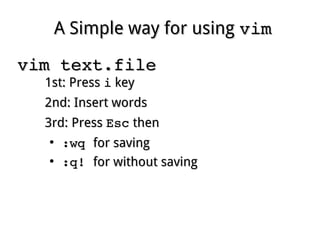
A Simple way for usingA Simple way for using vimvim
vim text.filevim text.file
1st: Press1st: Press ii keykey
2nd: Insert words2nd: Insert words
3rd: Press3rd: Press EscEsc thenthen
●
:wq :wq for savingfor saving
●
:q! :q! for without savingfor without saving
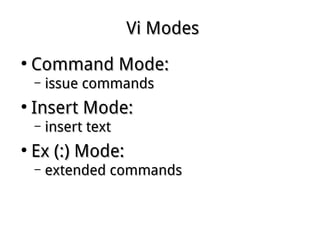
Vi ModesVi Modes
●
Command Mode:Command Mode:
– issue commandsissue commands
●
Insert Mode:Insert Mode:
– insert textinsert text
●
Ex (:) Mode:Ex (:) Mode:
– extended commandsextended commands
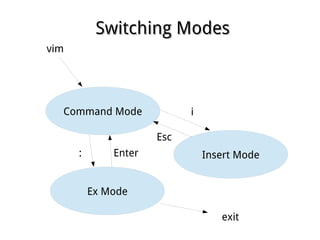
Switching ModesSwitching Modes
Command Mode
Insert Mode
Ex Mode
vim
i
Esc
: Enter
exit
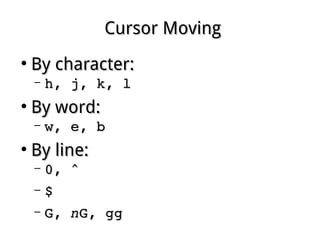
Cursor MovingCursor Moving
●
By character:By character:
– h, j, k, lh, j, k, l
●
By word:By word:
– w, e, bw, e, b
●
By line:By line:
– 0, ^0, ^
– $$
– G, G, nnG, ggG, gg
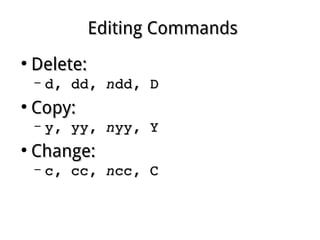
Editing CommandsEditing Commands
●
Delete:Delete:
– d, dd, d, dd, nndd, Ddd, D
●
Copy:Copy:
– y, yy, y, yy, nnyy, Yyy, Y
●
Change:Change:
– c, cc, c, cc, nncc, Ccc, C
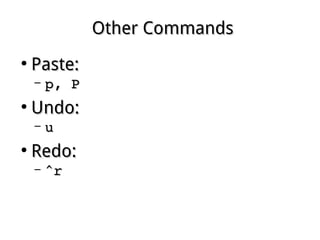
Other CommandsOther Commands
●
Paste:Paste:
– p, Pp, P
●
Undo:Undo:
– uu
●
Redo:Redo:
– ^r^r
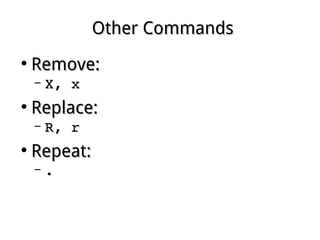
Other CommandsOther Commands
●
Remove:Remove:
– X, xX, x
●
Replace:Replace:
– R, rR, r
●
Repeat:Repeat:
– ..
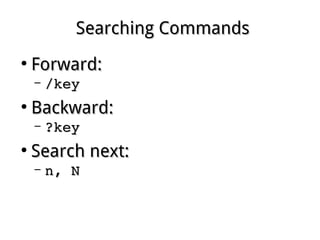
Searching CommandsSearching Commands
●
Forward:Forward:
– /key/key
●
Backward:Backward:
– ?key?key
●
Search next:Search next:
– n, Nn, N
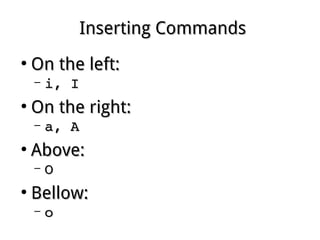
Inserting CommandsInserting Commands
●
On the left:On the left:
– i, Ii, I
●
On the right:On the right:
– a, Aa, A
●
Above:Above:
– OO
●
Bellow:Bellow:
– oo
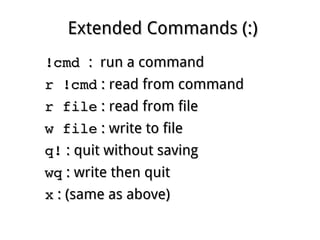
Extended Commands (:)Extended Commands (:)
!cmd !cmd : run a command: run a command
r !cmdr !cmd : read from command: read from command
r filer file : read from file: read from file
w filew file : write to file: write to file
q!q! : quit without saving: quit without saving
wqwq : write then quit: write then quit
xx : (same as above): (same as above)
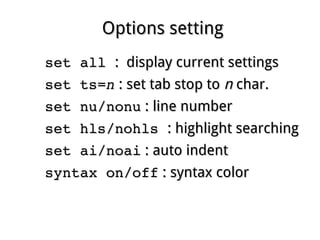
Options settingOptions setting
set all set all : display current settings: display current settings
set ts=set ts=nn : set tab stop to: set tab stop to nn char.char.
set nu/nonuset nu/nonu : line number: line number
set hls/nohls set hls/nohls : highlight searching: highlight searching
set ai/noaiset ai/noai : auto indent: auto indent
syntax on/offsyntax on/off : syntax color: syntax color

Linux fundamental - Chap 07 vi

  • 1.
    Chapter 7Chapter 7 ViEditorVi Editor Ref. Pge. 252
  • 2.
    Text EditorText Editor ● Commontext editors in Linux:Common text editors in Linux: – vivi // vimvim : most available: most available – emacsemacs : comprehensive: comprehensive – nanonano : simple: simple – geditgedit : GUI: GUI
  • 3.
    Why VI?Why VI? ● Thereasons:The reasons: – standardstandard – AvailabilityAvailability ● TheThe vimvim :: – enhanced versionenhanced version – Linux defaultLinux default
  • 4.
    A Simple wayfor usingA Simple way for using vimvim vim text.filevim text.file 1st: Press1st: Press ii keykey 2nd: Insert words2nd: Insert words 3rd: Press3rd: Press EscEsc thenthen ● :wq :wq for savingfor saving ● :q! :q! for without savingfor without saving
  • 5.
    Vi ModesVi Modes ● CommandMode:Command Mode: – issue commandsissue commands ● Insert Mode:Insert Mode: – insert textinsert text ● Ex (:) Mode:Ex (:) Mode: – extended commandsextended commands
  • 6.
    Switching ModesSwitching Modes CommandMode Insert Mode Ex Mode vim i Esc : Enter exit
  • 7.
    Cursor MovingCursor Moving ● Bycharacter:By character: – h, j, k, lh, j, k, l ● By word:By word: – w, e, bw, e, b ● By line:By line: – 0, ^0, ^ – $$ – G, G, nnG, ggG, gg
  • 8.
    Editing CommandsEditing Commands ● Delete:Delete: –d, dd, d, dd, nndd, Ddd, D ● Copy:Copy: – y, yy, y, yy, nnyy, Yyy, Y ● Change:Change: – c, cc, c, cc, nncc, Ccc, C
  • 9.
    Other CommandsOther Commands ● Paste:Paste: –p, Pp, P ● Undo:Undo: – uu ● Redo:Redo: – ^r^r
  • 10.
    Other CommandsOther Commands ● Remove:Remove: –X, xX, x ● Replace:Replace: – R, rR, r ● Repeat:Repeat: – ..
  • 11.
    Searching CommandsSearching Commands ● Forward:Forward: –/key/key ● Backward:Backward: – ?key?key ● Search next:Search next: – n, Nn, N
  • 12.
    Inserting CommandsInserting Commands ● Onthe left:On the left: – i, Ii, I ● On the right:On the right: – a, Aa, A ● Above:Above: – OO ● Bellow:Bellow: – oo
  • 13.
    Extended Commands (:)ExtendedCommands (:) !cmd !cmd : run a command: run a command r !cmdr !cmd : read from command: read from command r filer file : read from file: read from file w filew file : write to file: write to file q!q! : quit without saving: quit without saving wqwq : write then quit: write then quit xx : (same as above): (same as above)
  • 14.
    Options settingOptions setting set all set all :display current settings: display current settings set ts=set ts=nn : set tab stop to: set tab stop to nn char.char. set nu/nonuset nu/nonu : line number: line number set hls/nohls set hls/nohls : highlight searching: highlight searching set ai/noaiset ai/noai : auto indent: auto indent syntax on/offsyntax on/off : syntax color: syntax color