Chapter 11Chapter 11
System Boot UpSystem Boot Up
Ref. Pge. 223
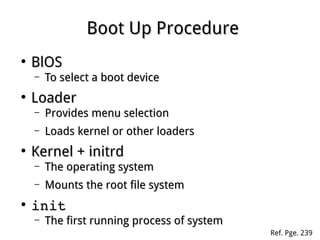
Boot Up ProcedureBoot Up Procedure
●
BlOSBlOS
– To select a boot deviceTo select a boot device
●
LoaderLoader
– Provides menu selectionProvides menu selection
– Loads kernel or other loadersLoads kernel or other loaders
●
Kernel + initrdKernel + initrd
– The operating systemThe operating system
– Mounts the root file systemMounts the root file system
●
initinit
– The first running process of systemThe first running process of system
Ref. Pge. 239
Linux LoaderLinux Loader
●
LILOLILO
– The LInux LOaderThe LInux LOader
– Depends on map strictlyDepends on map strictly
●
GRUBGRUB
– Grand Unified BootloaderGrand Unified Bootloader
– Supports kinds of file systemSupports kinds of file system
– Interactive with userInteractive with user
●
GRUB2GRUB2
– Second version of GRUBSecond version of GRUB
– Big changing in configurationBig changing in configuration
Ref. Pge. 228
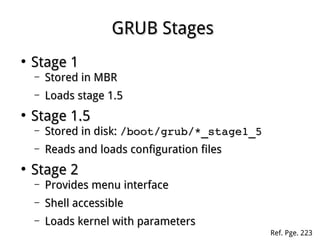
GRUB StagesGRUB Stages
●
Stage 1Stage 1
– Stored in MBRStored in MBR
– Loads stage 1.5Loads stage 1.5
●
Stage 1.5Stage 1.5
– Stored in disk:Stored in disk: /boot/grub/*_stage1_5/boot/grub/*_stage1_5
– Reads and loads configuration filesReads and loads configuration files
●
Stage 2Stage 2
– Provides menu interfaceProvides menu interface
– Shell accessibleShell accessible
– Loads kernel with parametersLoads kernel with parameters
Ref. Pge. 223
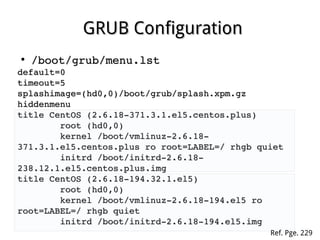
GRUB ConfigurationGRUB Configuration
●
/boot/grub/menu.lst/boot/grub/menu.lst
default=0default=0
timeout=5timeout=5
splashimage=(hd0,0)/boot/grub/splash.xpm.gzsplashimage=(hd0,0)/boot/grub/splash.xpm.gz
hiddenmenuhiddenmenu
title CentOS (2.6.18­371.3.1.el5.centos.plus)title CentOS (2.6.18­371.3.1.el5.centos.plus)
                root (hd0,0)root (hd0,0)
                kernel /boot/vmlinuz­2.6.18­kernel /boot/vmlinuz­2.6.18­
371.3.1.el5.centos.plus ro root=LABEL=/ rhgb quiet371.3.1.el5.centos.plus ro root=LABEL=/ rhgb quiet
                initrd /boot/initrd­2.6.18­initrd /boot/initrd­2.6.18­
238.12.1.el5.centos.plus.img238.12.1.el5.centos.plus.img
title CentOS (2.6.18­194.32.1.el5)title CentOS (2.6.18­194.32.1.el5)
                root (hd0,0)root (hd0,0)
                kernel /boot/vmlinuz­2.6.18­194.el5 ro kernel /boot/vmlinuz­2.6.18­194.el5 ro 
root=LABEL=/ rhgb quietroot=LABEL=/ rhgb quiet
                initrd /boot/initrd­2.6.18­194.el5.imginitrd /boot/initrd­2.6.18­194.el5.img
Ref. Pge. 229
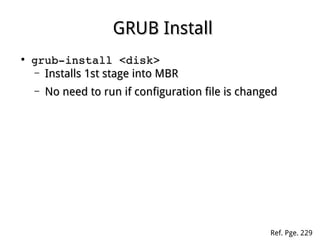
GRUB InstallGRUB Install
●
grub­install <disk>grub­install <disk>
– Installs 1st stage into MBRInstalls 1st stage into MBR
– No need to run if configuration file is changedNo need to run if configuration file is changed
Ref. Pge. 229
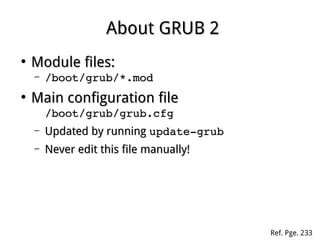
About GRUB 2About GRUB 2
●
Module files:Module files:
– /boot/grub/*.mod/boot/grub/*.mod
●
Main configuration fileMain configuration file
/boot/grub/grub.cfg/boot/grub/grub.cfg
– Updated by runningUpdated by running update­grubupdate­grub
– Never edit this file manually!Never edit this file manually!
Ref. Pge. 233
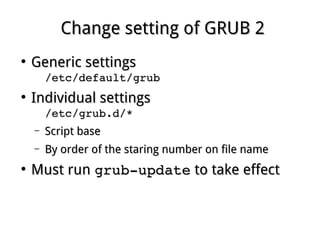
Change setting of GRUB 2Change setting of GRUB 2
●
Generic settingsGeneric settings
/etc/default/grub/etc/default/grub
●
Individual settingsIndividual settings
/etc/grub.d/*/etc/grub.d/*
– Script baseScript base
– By order of the staring number on file nameBy order of the staring number on file name
●
Must runMust run grub­updategrub­update to take effectto take effect
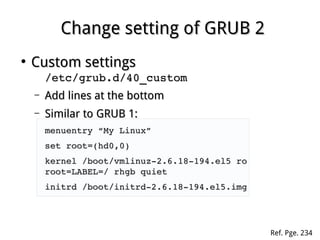
Change setting of GRUB 2Change setting of GRUB 2
●
Custom settingsCustom settings
/etc/grub.d/40_custom/etc/grub.d/40_custom
– Add lines at the bottomAdd lines at the bottom
– Similar to GRUB 1:Similar to GRUB 1:
menuentry “My Linux”menuentry “My Linux”
set root=(hd0,0)set root=(hd0,0)
kernel /boot/vmlinuz­2.6.18­194.el5 ro kernel /boot/vmlinuz­2.6.18­194.el5 ro 
root=LABEL=/ rhgb quietroot=LABEL=/ rhgb quiet
initrd /boot/initrd­2.6.18­194.el5.imginitrd /boot/initrd­2.6.18­194.el5.img
Ref. Pge. 234
TheThe initrd/initramfsinitrd/initramfs
●
Helps kernel to access the root fileHelps kernel to access the root file
system with modules built-insystem with modules built-in
●
Ram Disk loaded by loaderRam Disk loaded by loader
kernel
Root
Filesystem
init
Modules...
initramfs
TheThe initinit
●
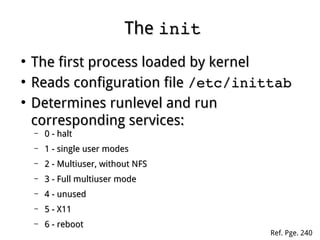
The first process loaded by kernelThe first process loaded by kernel
●
Reads configuration fileReads configuration file /etc/inittab/etc/inittab
●
Determines runlevel and runDetermines runlevel and run
corresponding services:corresponding services:
– 0 - halt0 - halt
– 1 - single user modes1 - single user modes
– 2 - Multiuser, without NFS2 - Multiuser, without NFS
– 3 - Full multiuser mode3 - Full multiuser mode
– 4 - unused4 - unused
– 5 - X115 - X11
– 6 - reboot6 - reboot
Ref. Pge. 240
Starting ServicesStarting Services
init /etc/inittab
/etc/rc.d/rc.sysinit
/etc/rc.d/rc
/etc/rc.d/rc<RL>.d
Knn*
Snn*
●
Controlled byControlled by initinit
Manually Control ServicesManually Control Services
●
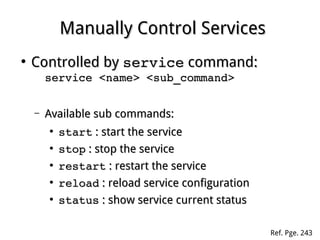
Controlled byControlled by serviceservice command:command:
service <name> <sub_command>service <name> <sub_command>
– Available sub commands:Available sub commands:
●
startstart : start the service: start the service
●
stopstop : stop the service: stop the service
●
restartrestart : restart the service: restart the service
●
reloadreload : reload service configuration: reload service configuration
●
statusstatus : show service current status: show service current status
Ref. Pge. 243
Configure Runlevel ServicesConfigure Runlevel Services
●
UseUse chkconfigchkconfig command:command:
chkconfig ­­list [name]chkconfig ­­list [name]
chkconfig ­­add <name>chkconfig ­­add <name>
chkconfig ­­del <name>chkconfig ­­del <name>
chkconfig [­­level <RL>] <name> <on|off>chkconfig [­­level <RL>] <name> <on|off>
Ref. Pge. 244
Shutting Down SystemShutting Down System
●
Shut down:Shut down:
– shutdownshutdown ­h now ­h now
– halthalt
– poweroffpoweroff
– init 0init 0
●
Reboot:Reboot:
– shutdownshutdown ­r now ­r now
– rebootreboot
– init 6init 6
Ref. Pge. 247
About UpstartAbout Upstart
●
A replacement ofA replacement of initinit andand runlevelrunlevel
●
Better handling on dynamic hardwareBetter handling on dynamic hardware
environmentenvironment
●
Service controlling scripts are locatedService controlling scripts are located
underunder /etc/init//etc/init/ directory anddirectory and
withwith .conf .conf extensionextension
●
Daemons can be interacted byDaemons can be interacted by initctlinitctl
commandcommand
UsingUsing initctlinitctl
●
Communicates and interacts with upstartCommunicates and interacts with upstart
daemon:daemon:
initctl <sub_command>initctl <sub_command>
– Available sub commands:Available sub commands:
●
help help : show help page: show help page
●
list list : show all jobs: show all jobs
●
start name start name : start a job: start a job
●
stop name stop name : stop a job: stop a job
●
restart name restart name : restart a job: restart a job
●
status name status name : show job status: show job status
●
reload name reload name : reload configuration: reload configuration

Linux fundamental - Chap 11 boot