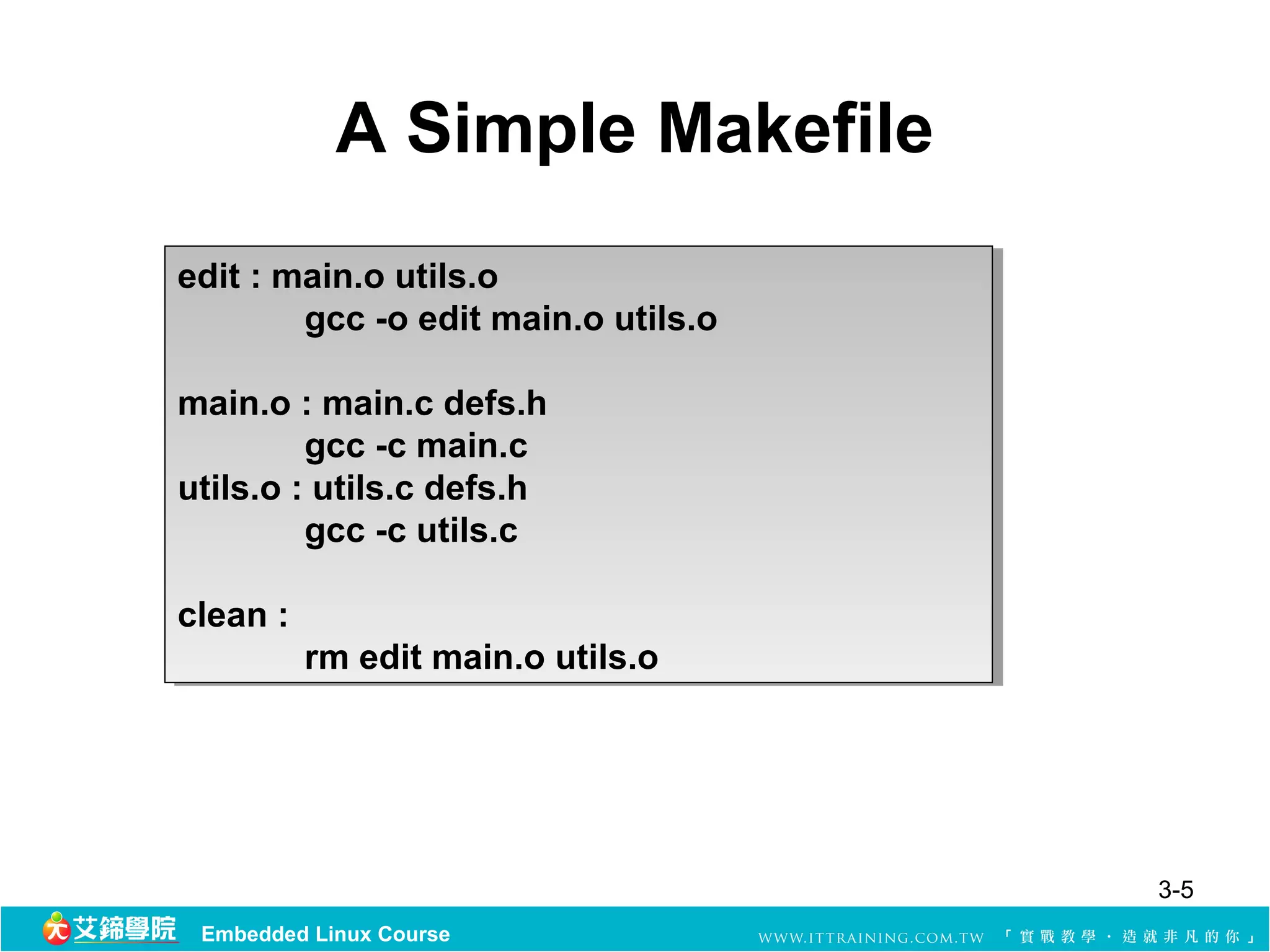
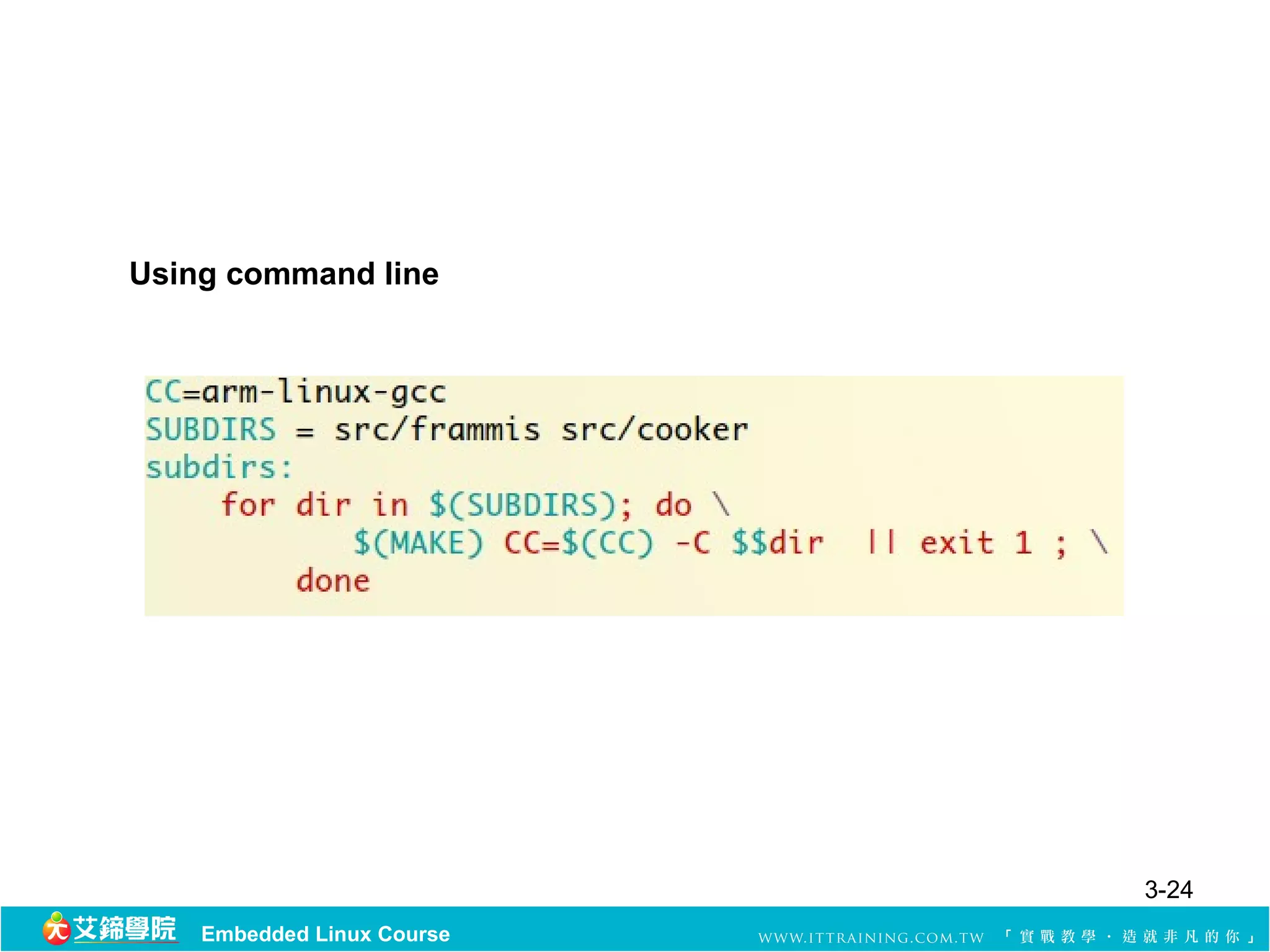
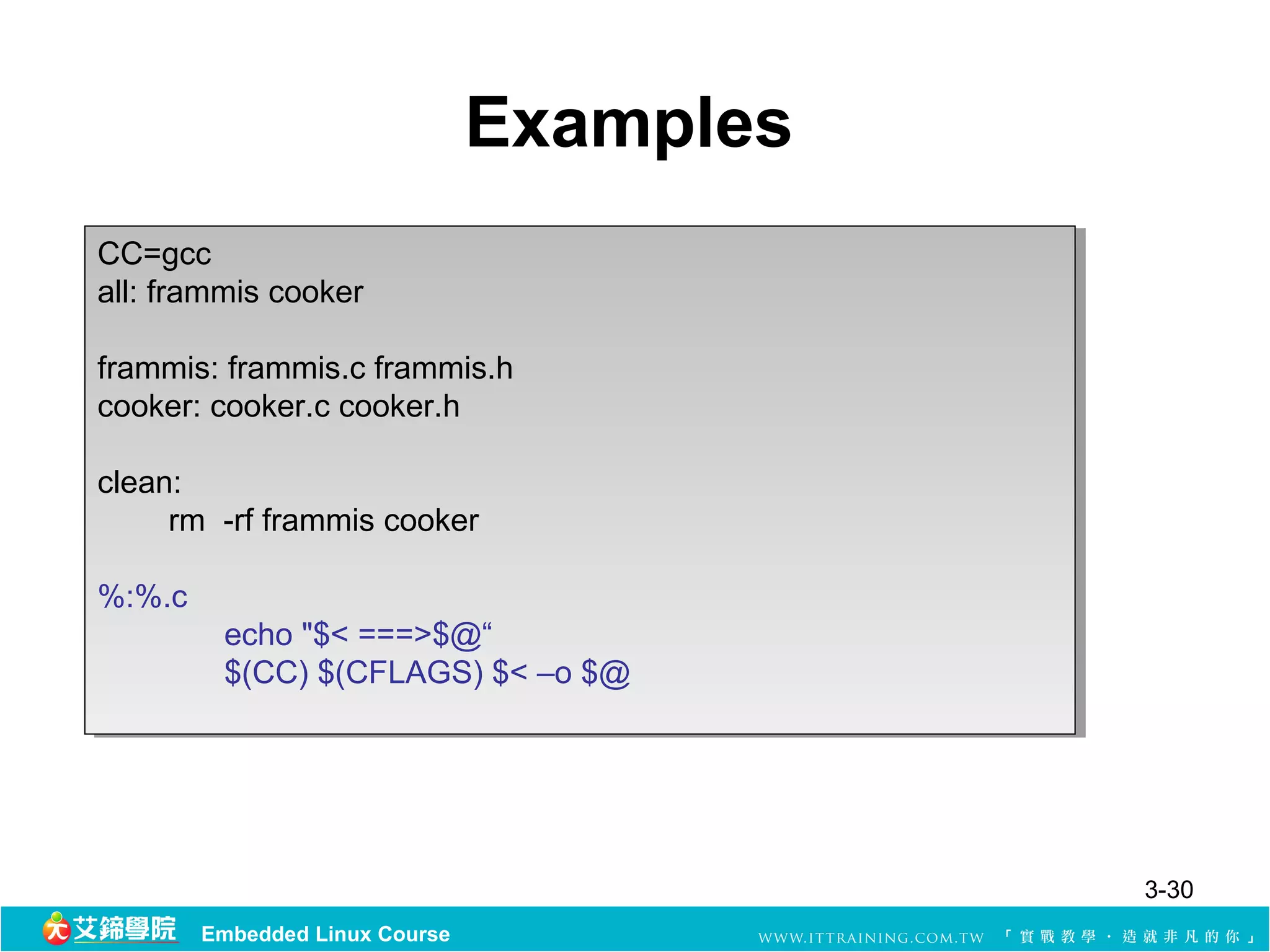
Here are some examples of pattern rules:
%.o: %.c
$(CC) -c $< -o $@
frammis cooker: frammis.o cooker.o
$(CC) -o $@ $^
clean:
rm -f *.o frammis cooker
This uses implicit pattern rules to compile .c files to .o, links the objects into the executables frammis and cooker, and defines a clean target to remove the object and executable files. The % wildcard allows make to recognize common filename patterns and apply the appropriate compilation/linking rules.
GNU Make
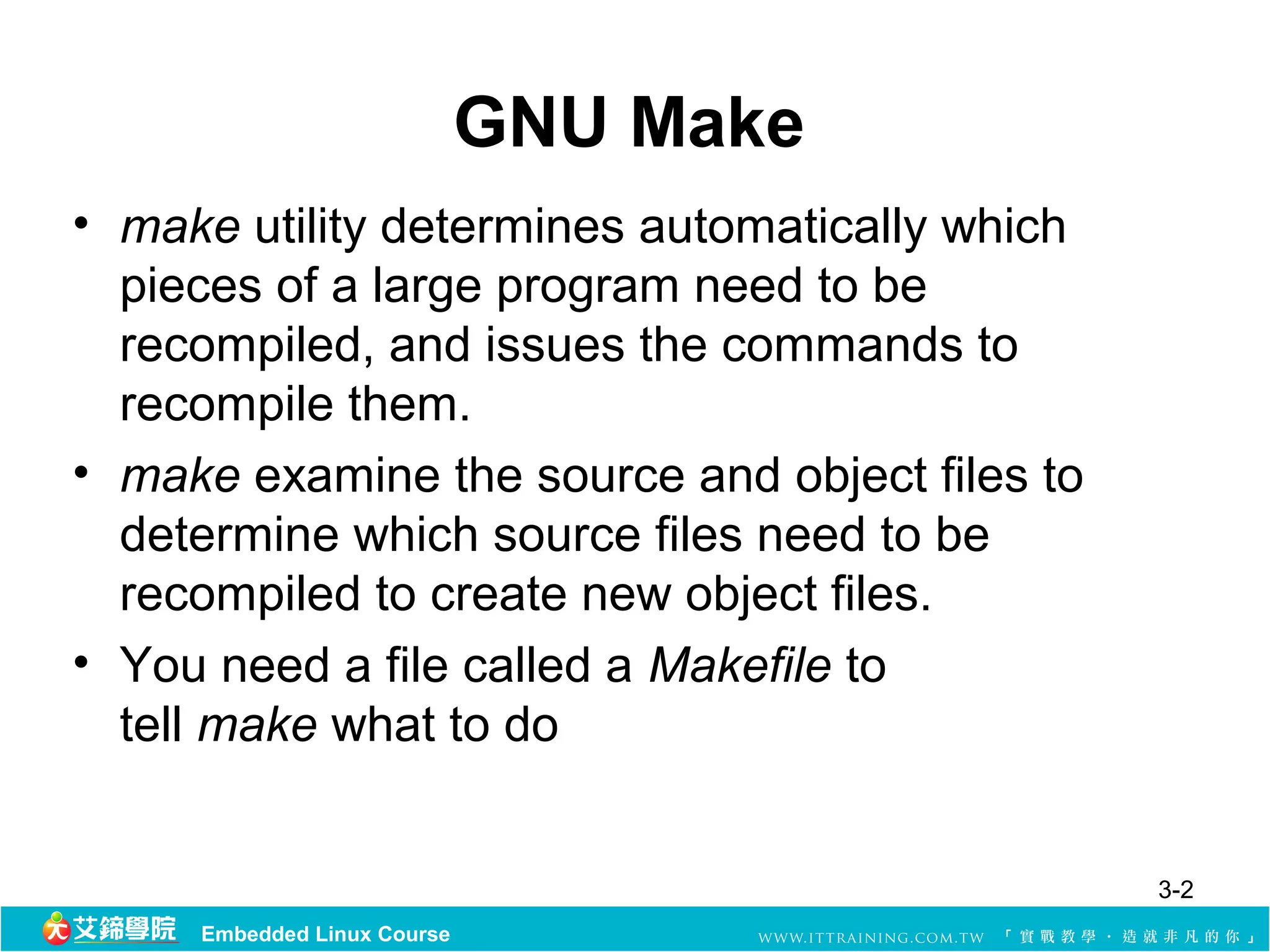
• make utility determines automatically which
pieces of a large program need to be
recompiled, and issues the commands to
recompile them.
• make examine the source and object files to
determine which source files need to be
recompiled to create new object files.
• You need a file called a Makefile to
tell make what to do
3-2
Embedded Linux Course
3.
GNU Make (cont.)
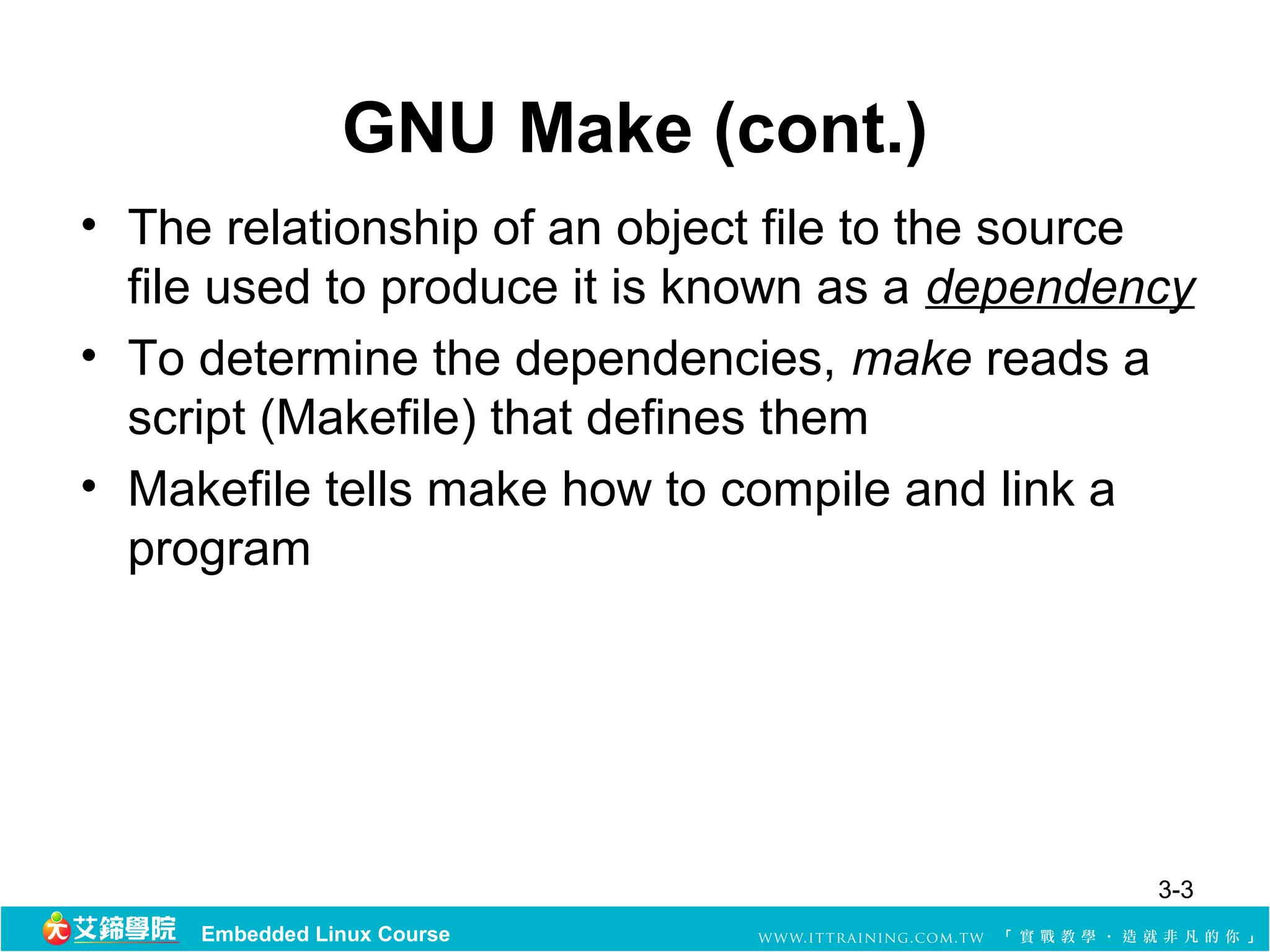
•The relationship of an object file to the source
file used to produce it is known as a dependency
• To determine the dependencies, make reads a
script (Makefile) that defines them
• Makefile tells make how to compile and link a
program
3-3
Embedded Linux Course
4.
Makefile
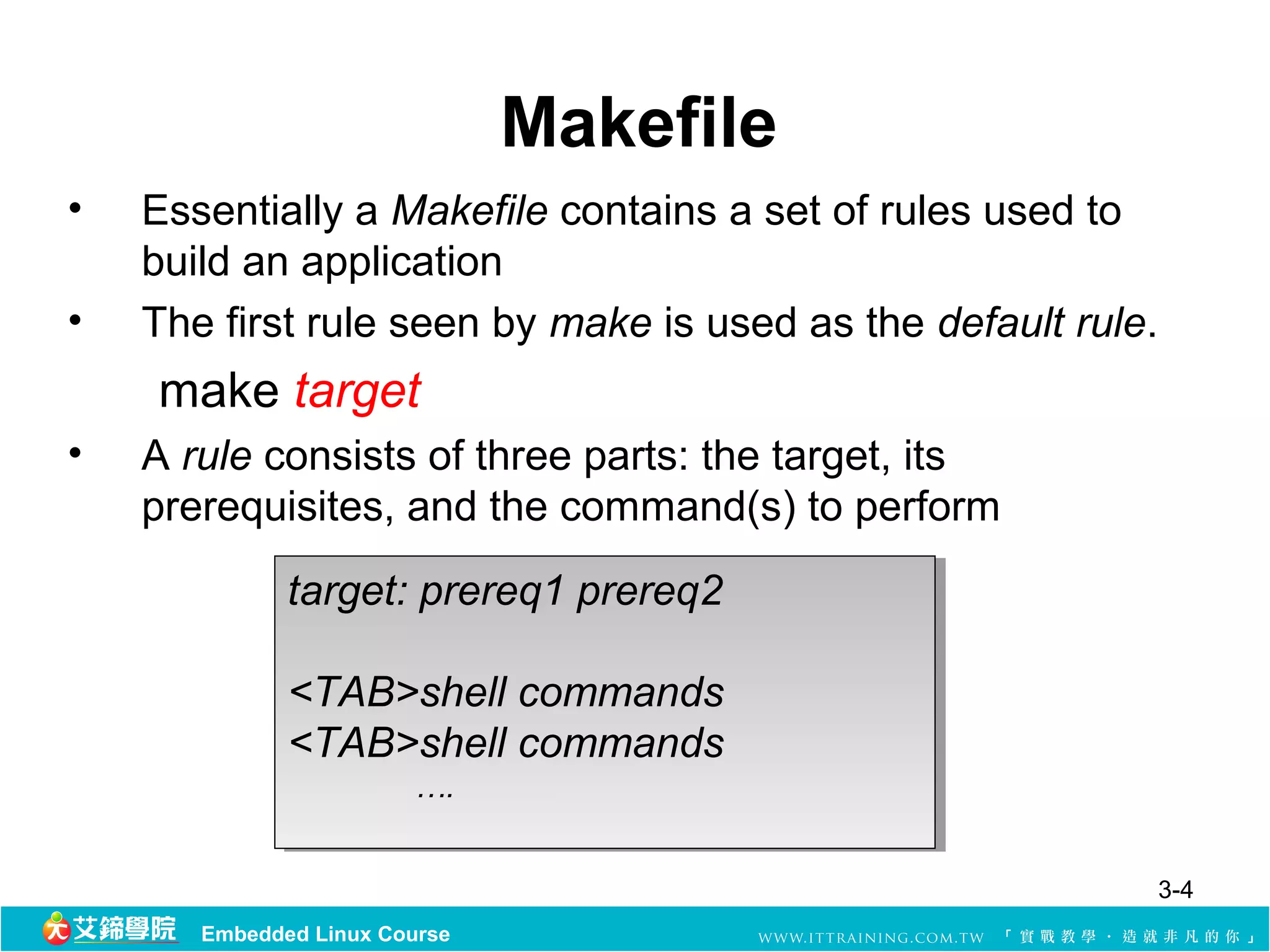
• Essentially a Makefile contains a set of rules used to
build an application
• The first rule seen by make is used as the default rule.
make target
• A rule consists of three parts: the target, its
prerequisites, and the command(s) to perform
target: prereq1 prereq2
<TAB>shell commands
<TAB>shell commands
<TAB>shell commands
<TAB>shell commands
….
….
3-4
Embedded Linux Course
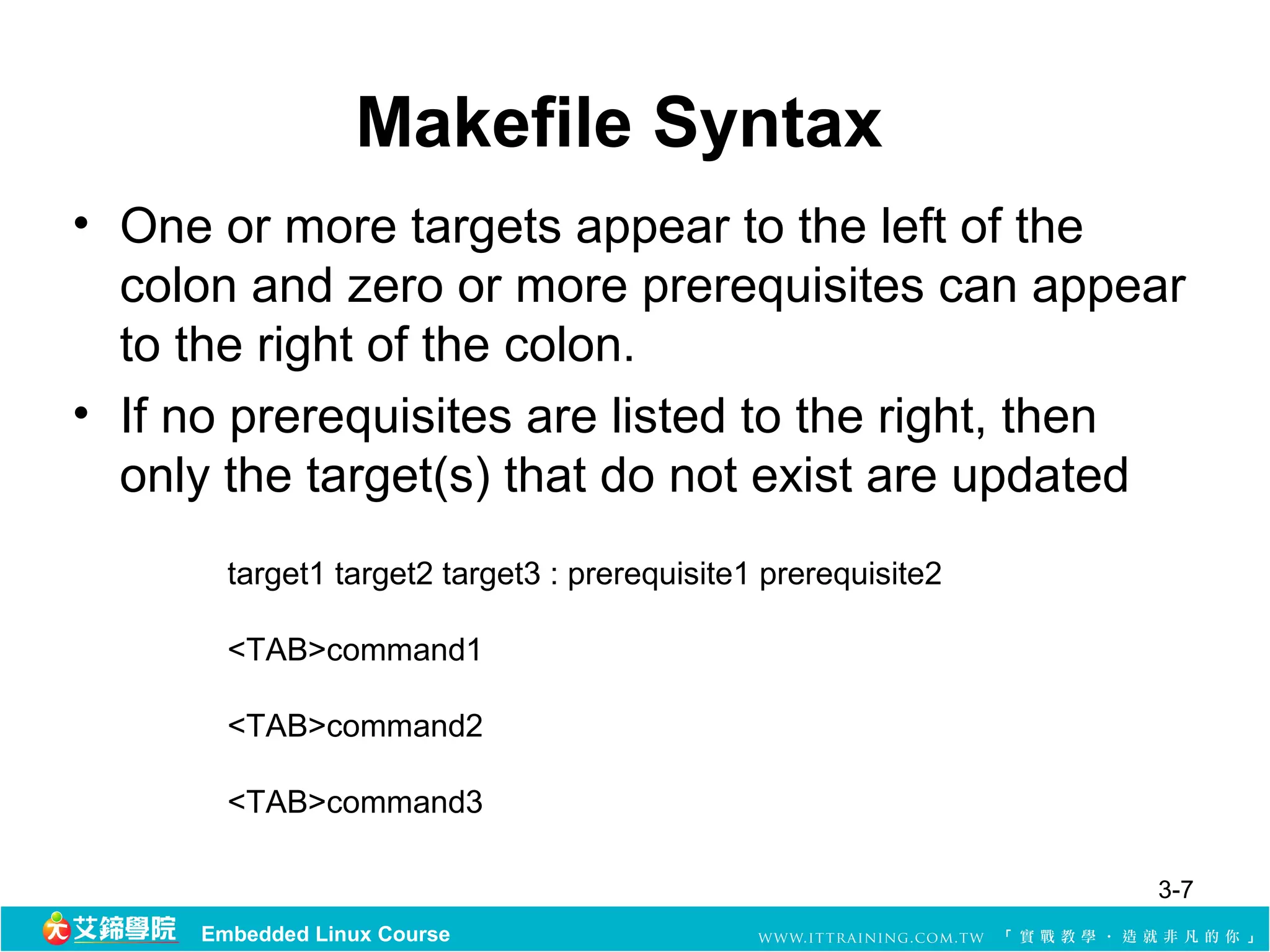
Makefile Syntax
• One or more targets appear to the left of the
colon and zero or more prerequisites can appear
to the right of the colon.
• If no prerequisites are listed to the right, then
only the target(s) that do not exist are updated
target1 target2 target3 : prerequisite1 prerequisite2
<TAB>command1
<TAB>command2
<TAB>command3
3-7
Embedded Linux Course
8.
Makefile Syntax (cont.)
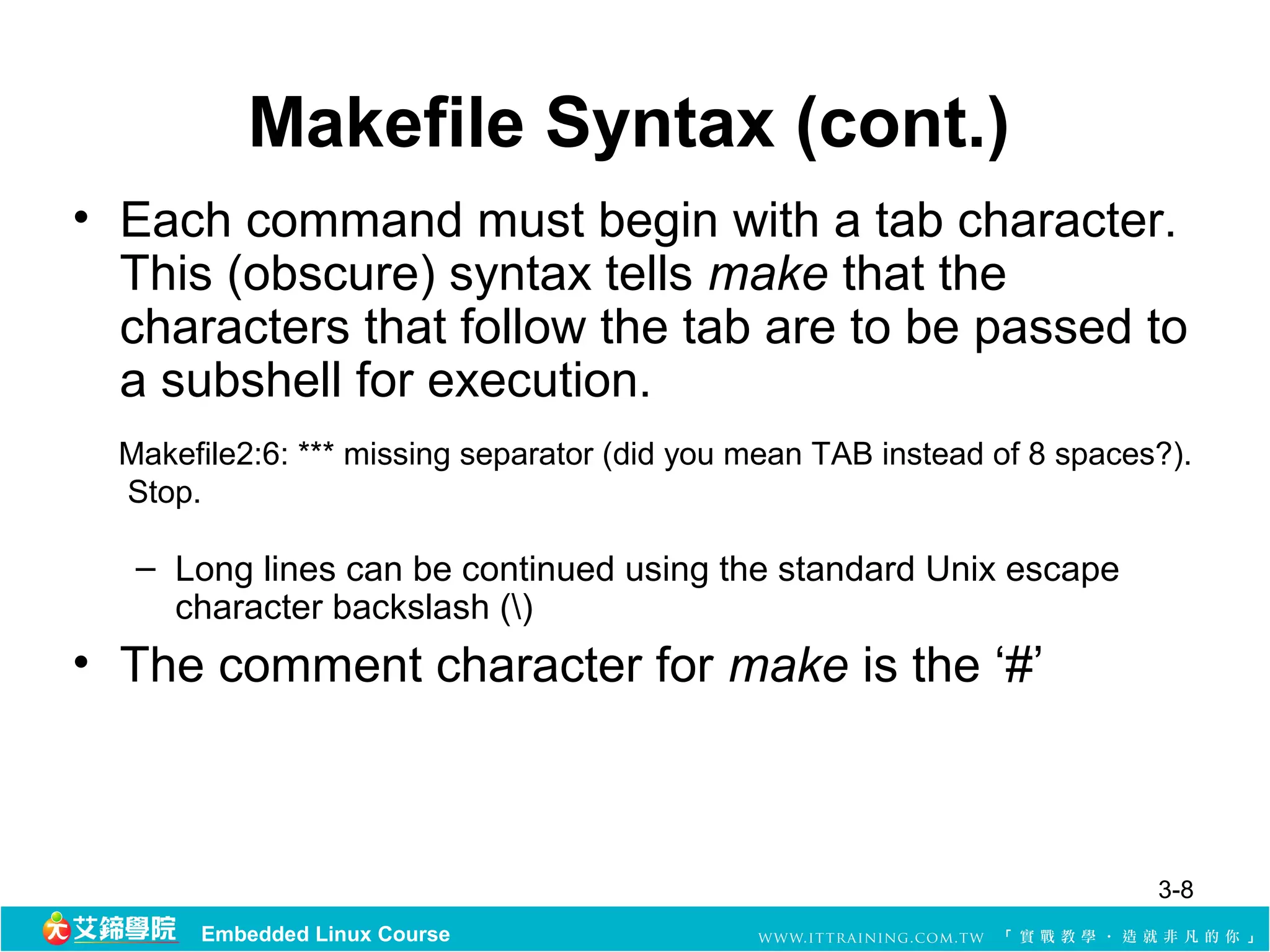
•Each command must begin with a tab character.
This (obscure) syntax tells make that the
characters that follow the tab are to be passed to
a subshell for execution.
Makefile2:6: *** missing separator (did you mean TAB instead of 8 spaces?).
Stop.
– Long lines can be continued using the standard Unix escape
character backslash ()
• The comment character for make is the ‘#’
3-8
Embedded Linux Course
9.
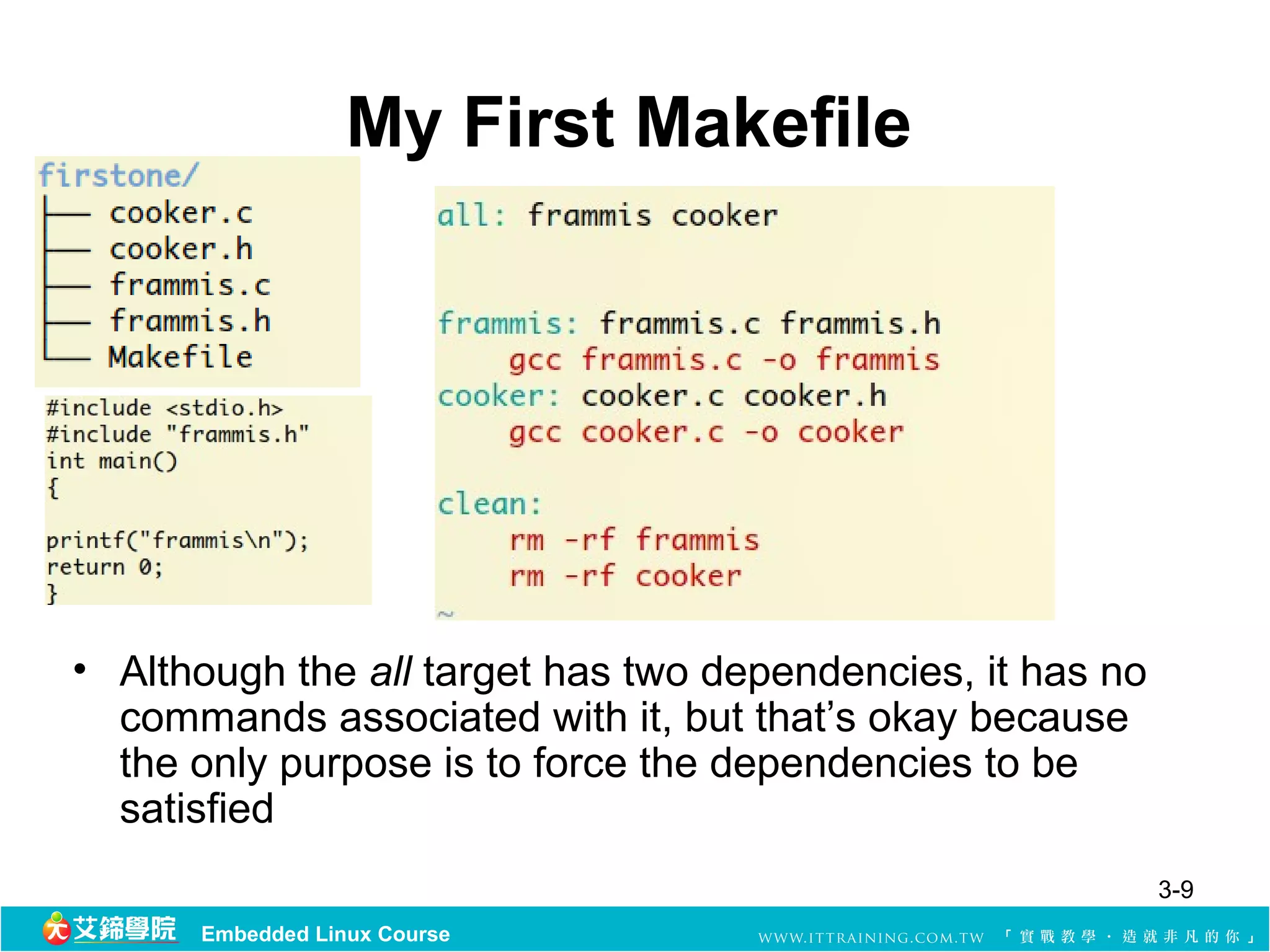
My First Makefile
•Although the all target has two dependencies, it has no
commands associated with it, but that’s okay because
the only purpose is to force the dependencies to be
satisfied
3-9
Embedded Linux Course
10.
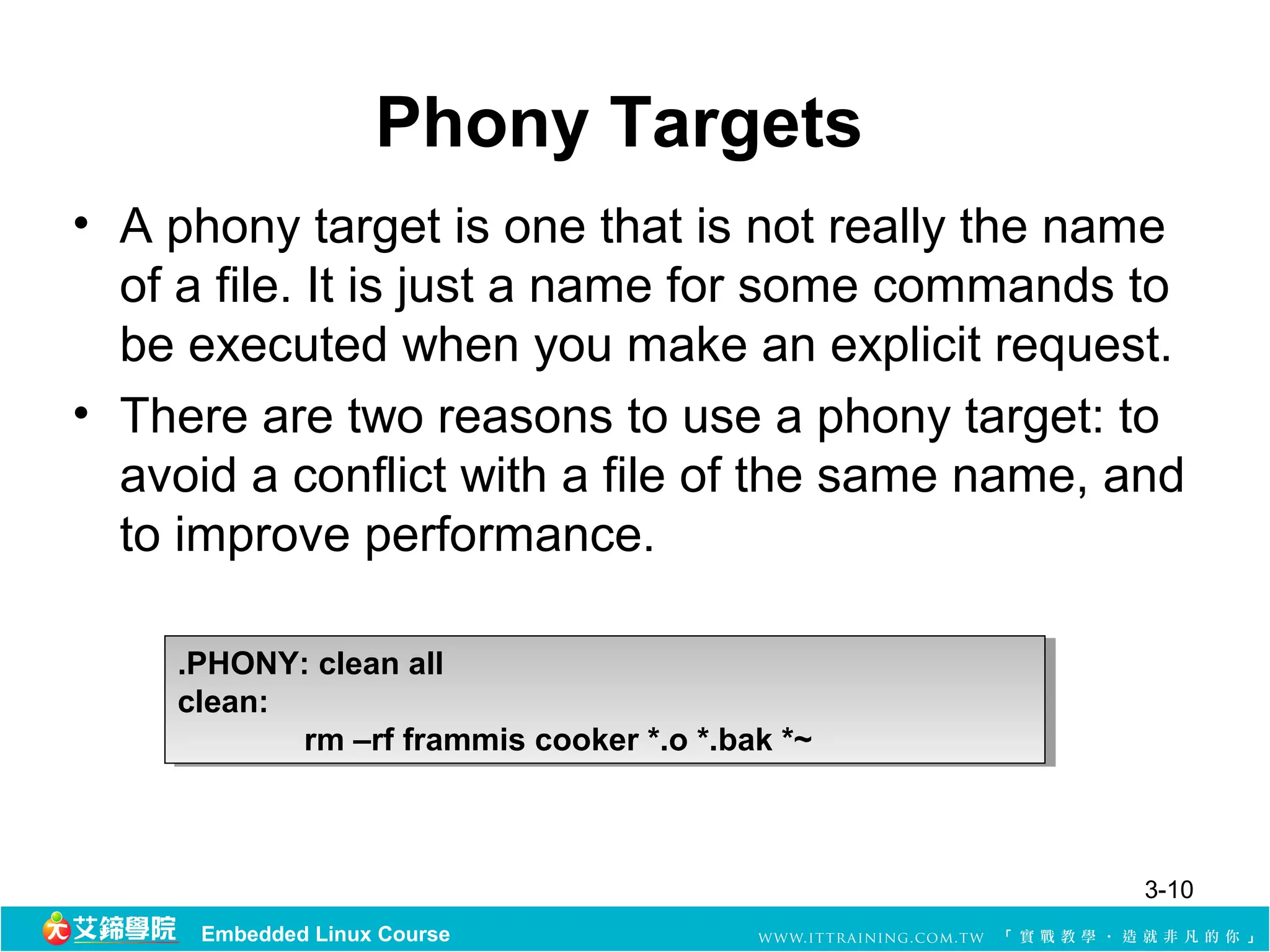
Phony Targets
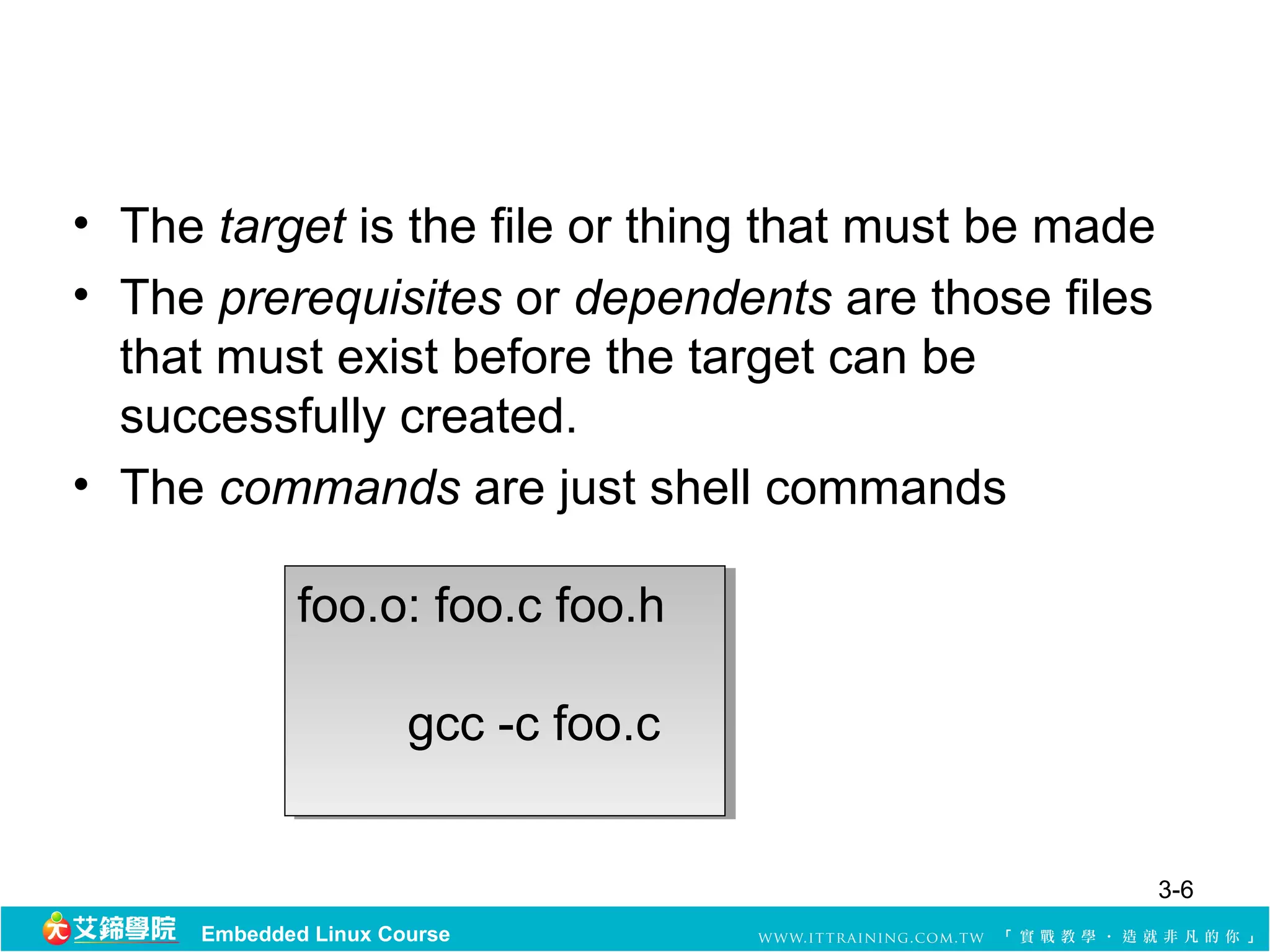
• A phony target is one that is not really the name
of a file. It is just a name for some commands to
be executed when you make an explicit request.
• There are two reasons to use a phony target: to
avoid a conflict with a file of the same name, and
to improve performance.
.PHONY: clean all
.PHONY: clean all
clean:
clean:
rm –rf frammis cooker *.o *.bak *~
3-10
Embedded Linux Course
11.
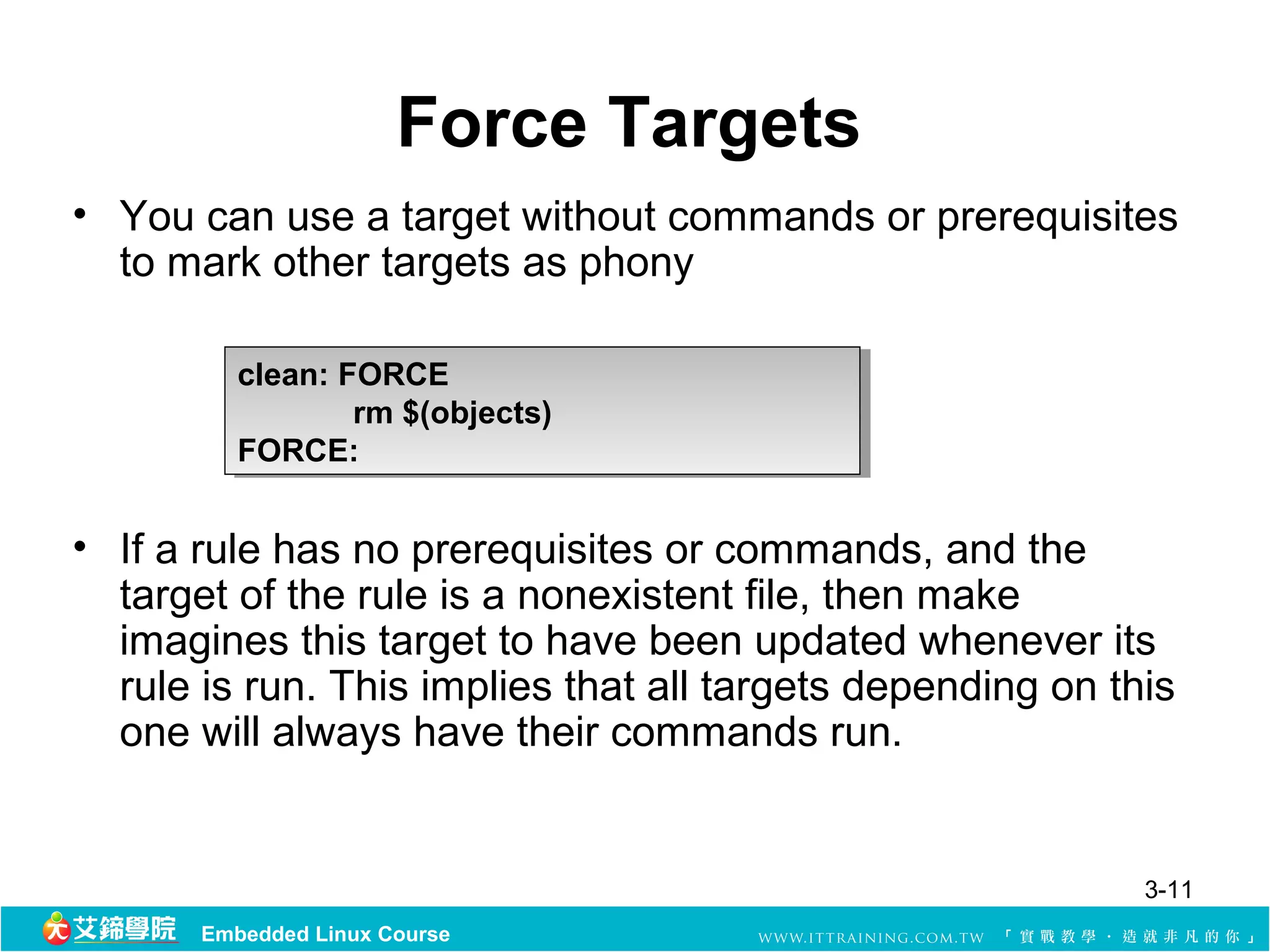
Force Targets
• You can use a target without commands or prerequisites
to mark other targets as phony
clean: FORCE
clean: FORCE
rm $(objects)
rm $(objects)
FORCE:
FORCE:
• If a rule has no prerequisites or commands, and the
target of the rule is a nonexistent file, then make
imagines this target to have been updated whenever its
rule is run. This implies that all targets depending on this
one will always have their commands run.
3-11
Embedded Linux Course
12.
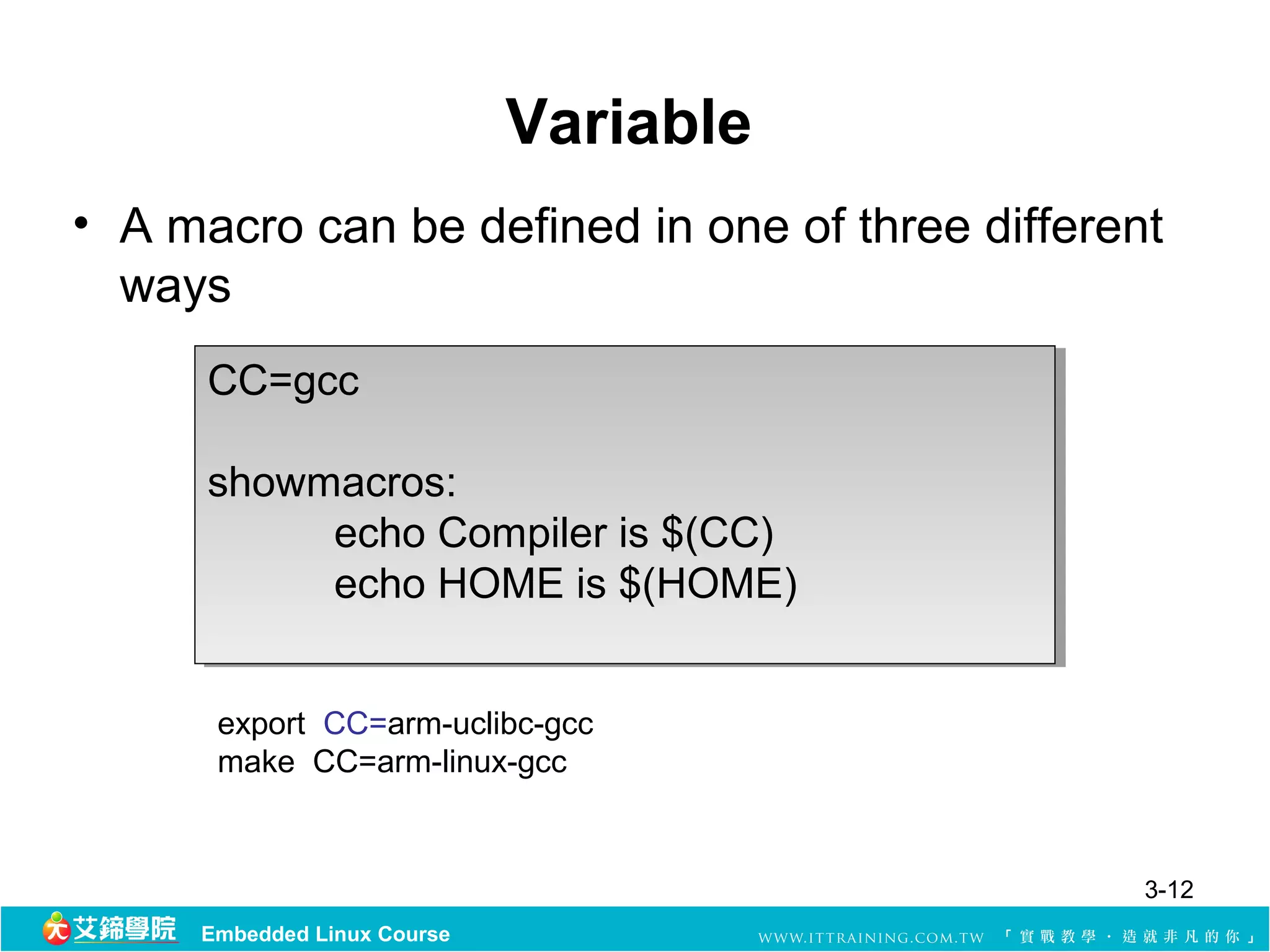
Variable
• A macro can be defined in one of three different
ways
CC=gcc
CC=gcc
showmacros:
showmacros:
echo Compiler is $(CC)
echo HOME is $(HOME)
export CC=arm-uclibc-gcc
make CC=arm-linux-gcc
3-12
Embedded Linux Course
13.
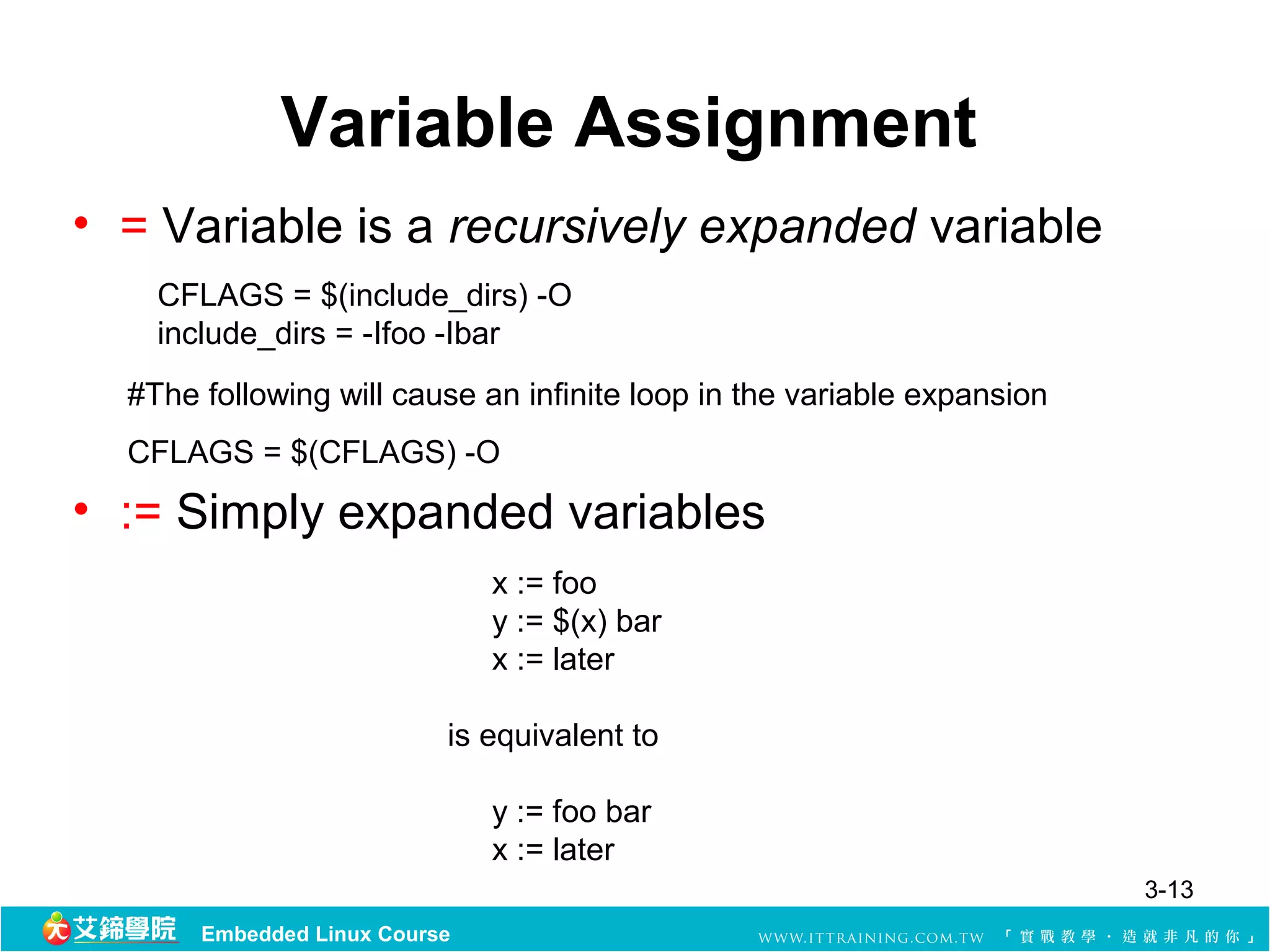
Variable Assignment
• = Variable is a recursivelyexpanded variable
CFLAGS = $(include_dirs) -O
include_dirs = -Ifoo -Ibar
#The following will cause an infinite loop in the variable expansion
CFLAGS = $(CFLAGS) -O
• := Simply expanded variables
x := foo
y := $(x) bar
x := later
is equivalent to
y := foo bar
x := later
3-13
Embedded Linux Course
14.
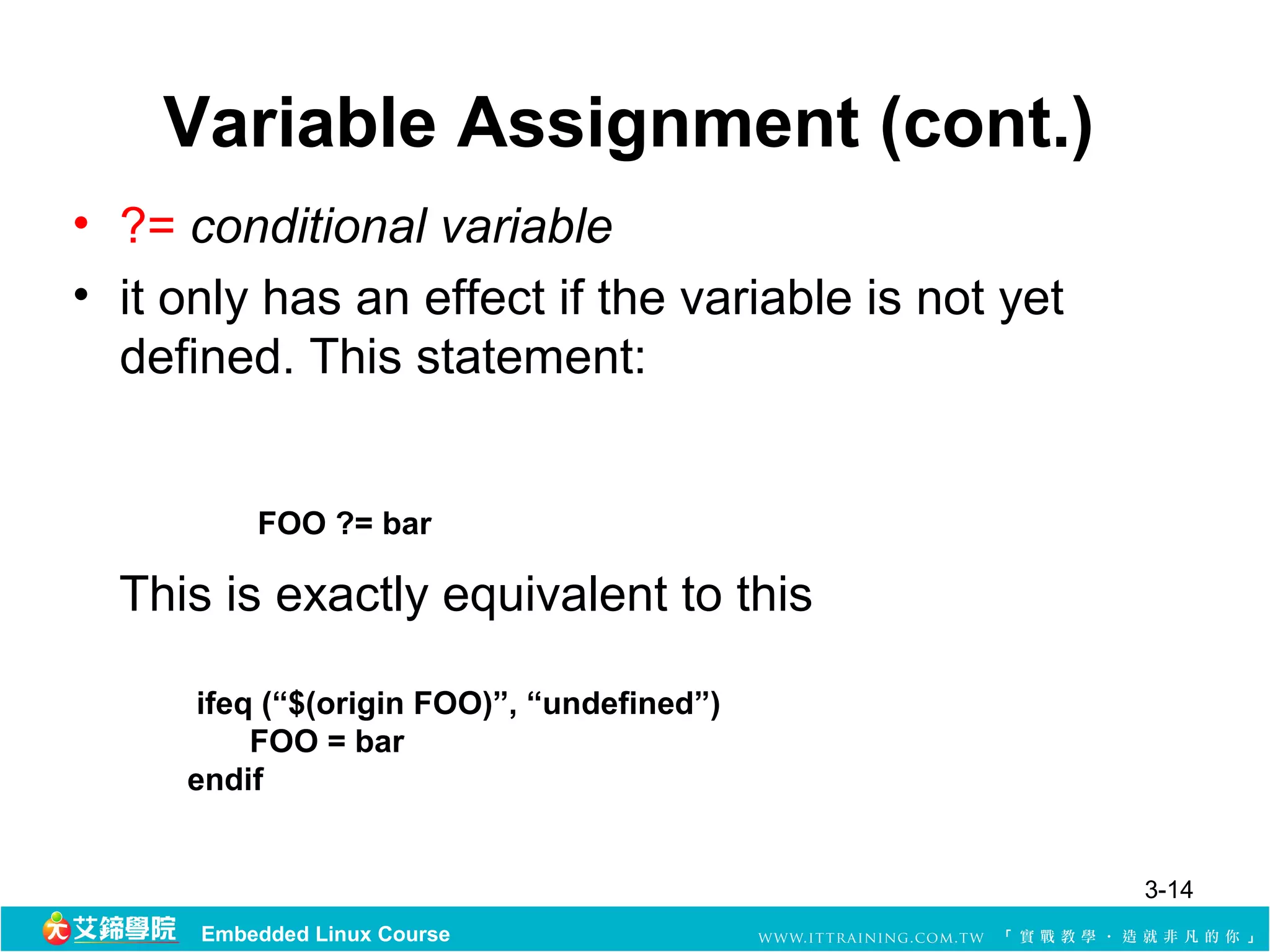
Variable Assignment (cont.)
•?= conditional variable
• it only has an effect if the variable is not yet
defined. This statement:
FOO ?= bar
This is exactly equivalent to this
ifeq (“$(origin FOO)”, “undefined”)
FOO = bar
endif
3-14
Embedded Linux Course
15.
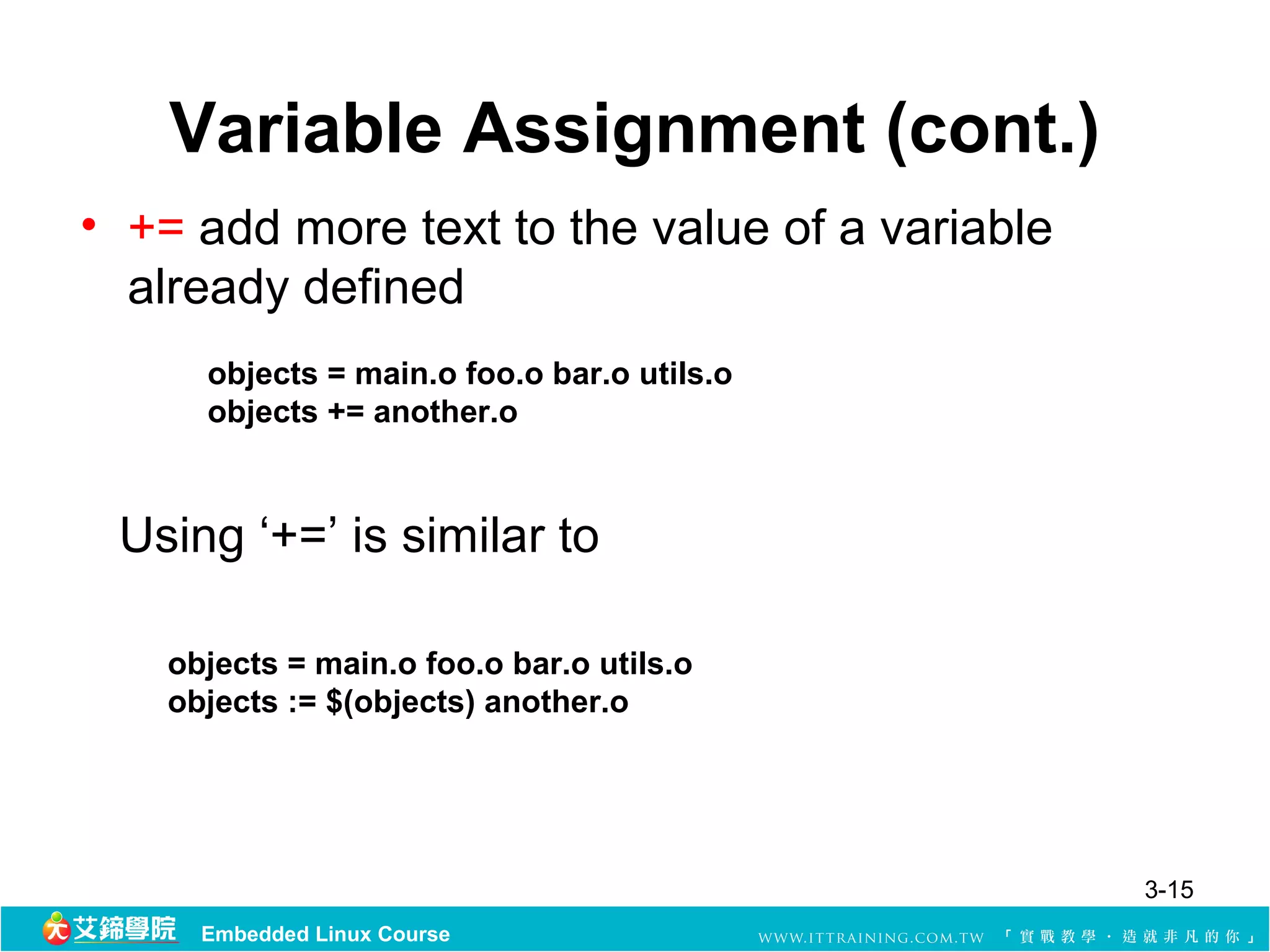
Variable Assignment (cont.)
•+= add more text to the value of a variable
already defined
objects = main.o foo.o bar.o utils.o
objects += another.o
Using ‘+=’ is similar to
objects = main.o foo.o bar.o utils.o
objects := $(objects) another.o
3-15
Embedded Linux Course
16.
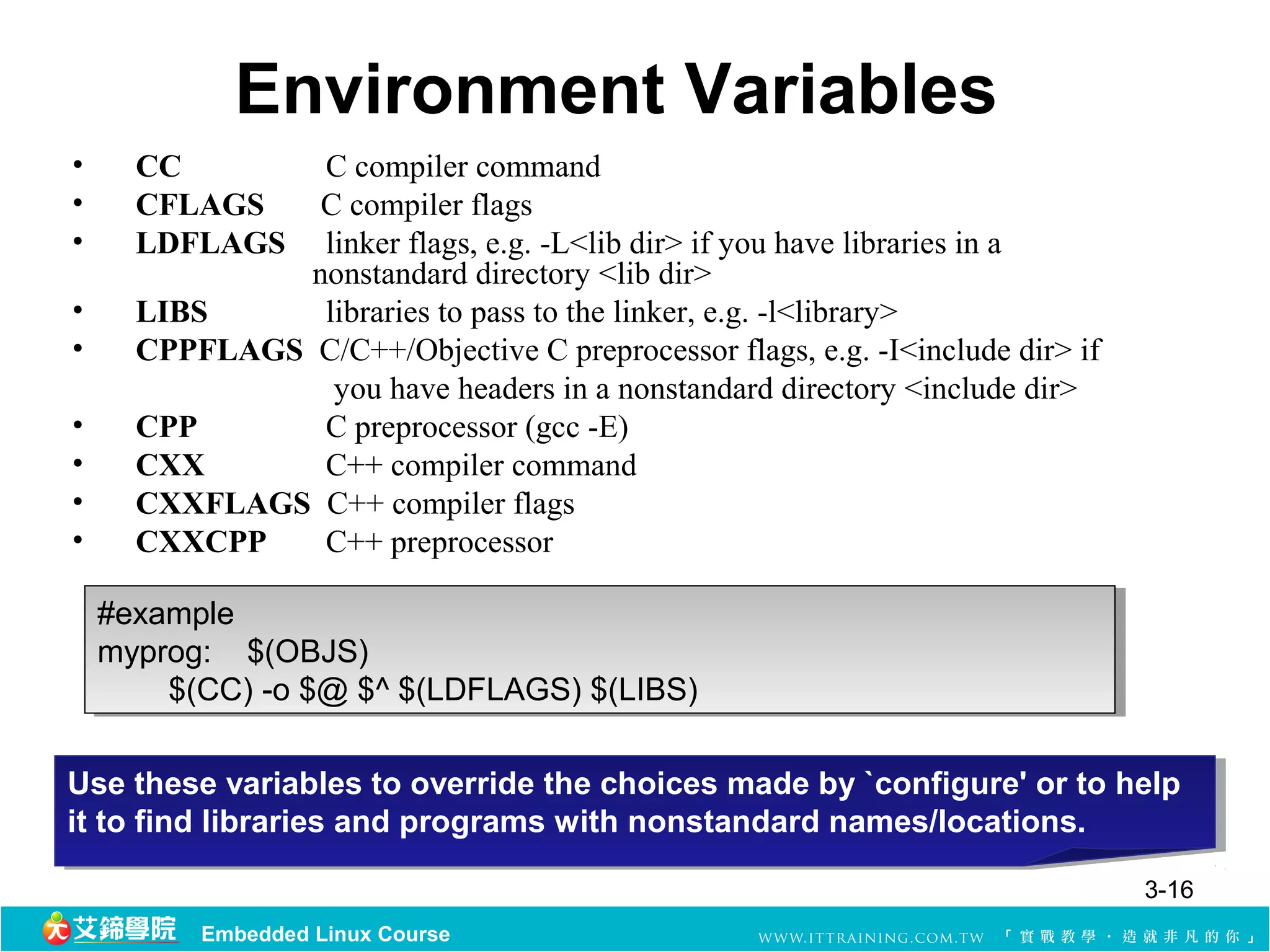
Environment Variables
• CC C compiler command
• CFLAGS C compiler flags
• LDFLAGS linker flags, e.g. -L<lib dir> if you have libraries in a
nonstandard directory <lib dir>
• LIBS libraries to pass to the linker, e.g. -l<library>
• CPPFLAGS C/C++/Objective C preprocessor flags, e.g. -I<include dir> if
you have headers in a nonstandard directory <include dir>
• CPP C preprocessor (gcc -E)
• CXX C++ compiler command
• CXXFLAGS C++ compiler flags
• CXXCPP C++ preprocessor
#example
#example
myprog: $(OBJS)
myprog: $(OBJS)
$(CC) -o $@ $^ $(LDFLAGS) $(LIBS)
Use these variables to override the choices made by `configure' or to help
it to find libraries and programs with nonstandard names/locations.
3-16
Embedded Linux Course
17.
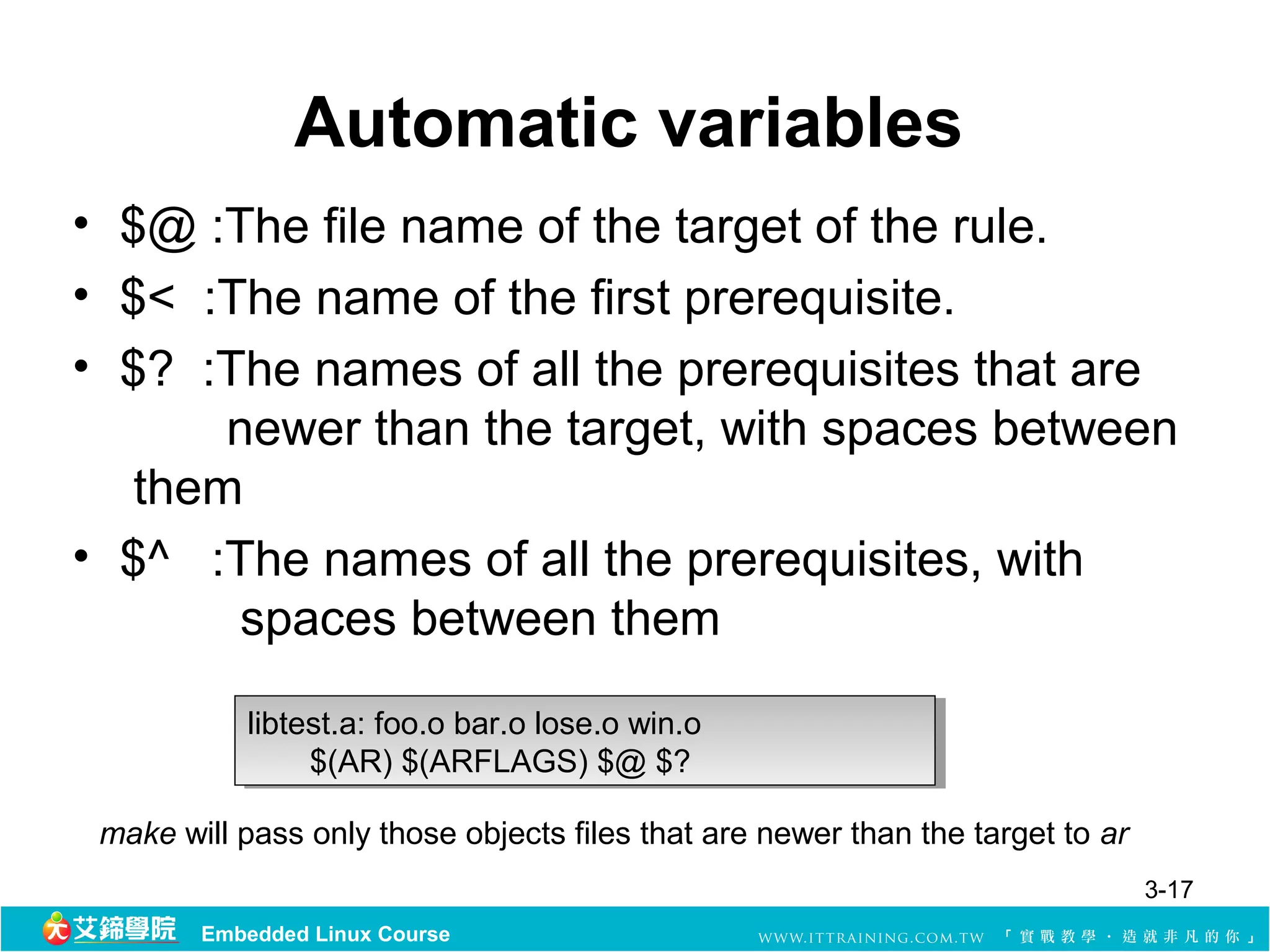
Automatic variables
• $@ :The file name of the target of the rule.
•$< :The name of the first prerequisite.
• $? :The names of all the prerequisites that are
newer than the target, with spaces between
them
• $^ :The names of all the prerequisites, with
spaces between them
libtest.a: foo.o bar.o lose.o win.o
$(AR) $(ARFLAGS) $@ $?
make will pass only those objects files that are newer than the target to ar
3-17
Embedded Linux Course
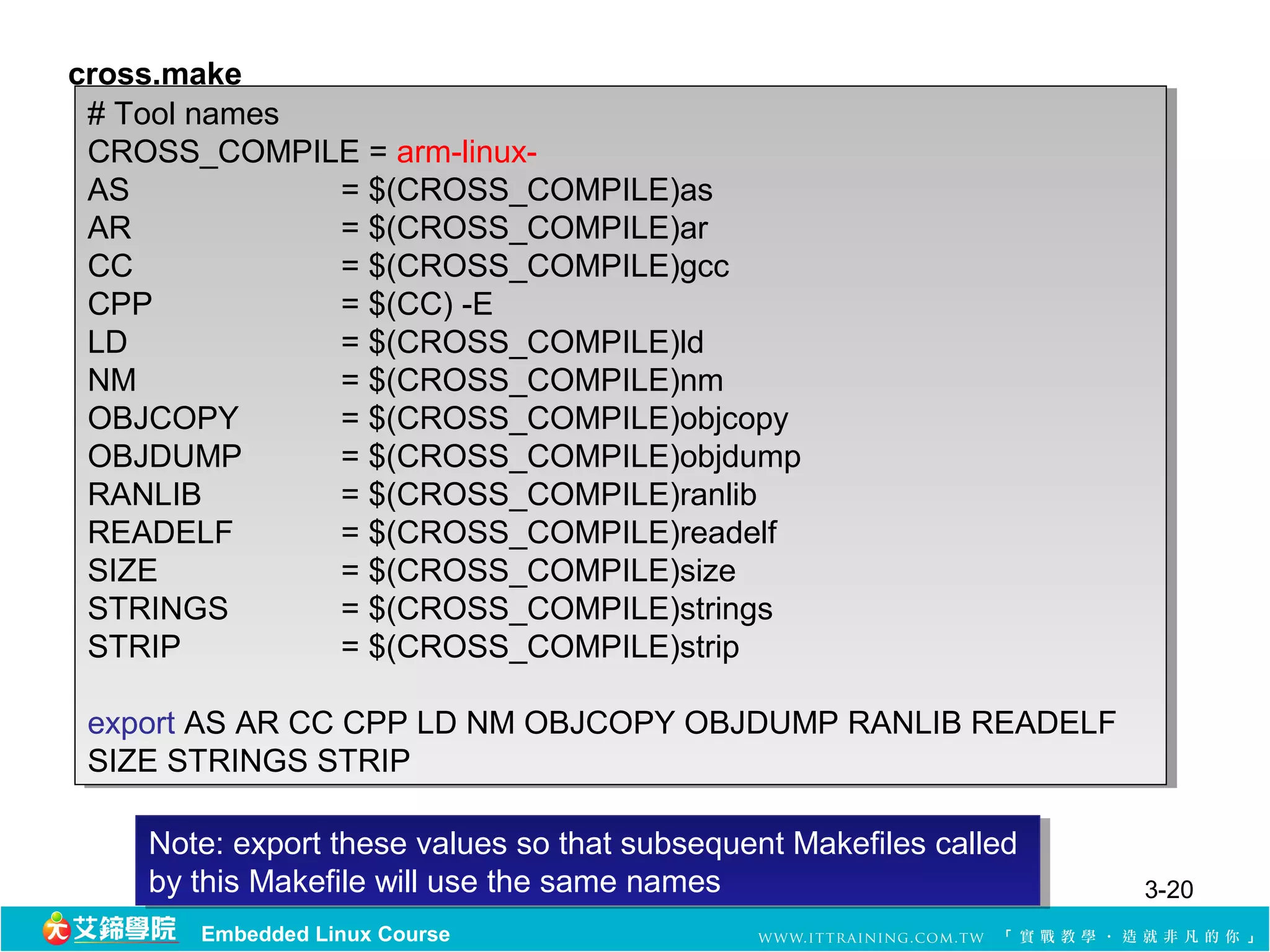
cross.make
# Toolnames
# Tool names
CROSS_COMPILE = arm-linux-
AS
AS = $(CROSS_COMPILE)as
= $(CROSS_COMPILE)as
AR
AR = $(CROSS_COMPILE)ar
= $(CROSS_COMPILE)ar
CC
CC = $(CROSS_COMPILE)gcc
= $(CROSS_COMPILE)gcc
CPP
CPP = $(CC) -E
= $(CC) -E
LD
LD = $(CROSS_COMPILE)ld
= $(CROSS_COMPILE)ld
NM
NM = $(CROSS_COMPILE)nm
= $(CROSS_COMPILE)nm
OBJCOPY
OBJCOPY = $(CROSS_COMPILE)objcopy
= $(CROSS_COMPILE)objcopy
OBJDUMP
OBJDUMP = $(CROSS_COMPILE)objdump
= $(CROSS_COMPILE)objdump
RANLIB
RANLIB = $(CROSS_COMPILE)ranlib
= $(CROSS_COMPILE)ranlib
READELF
READELF = $(CROSS_COMPILE)readelf
= $(CROSS_COMPILE)readelf
SIZE
SIZE = $(CROSS_COMPILE)size
= $(CROSS_COMPILE)size
STRINGS
STRINGS = $(CROSS_COMPILE)strings
= $(CROSS_COMPILE)strings
STRIP
STRIP = $(CROSS_COMPILE)strip
= $(CROSS_COMPILE)strip
export AS AR CC CPP LD NM OBJCOPY OBJDUMP RANLIB READELF
SIZE STRINGS STRIP
SIZE STRINGS STRIP
Note: export these values so that subsequent Makefiles called
by this Makefile will use the same names
by this Makefile will use the same names 3-20
Embedded Linux Course
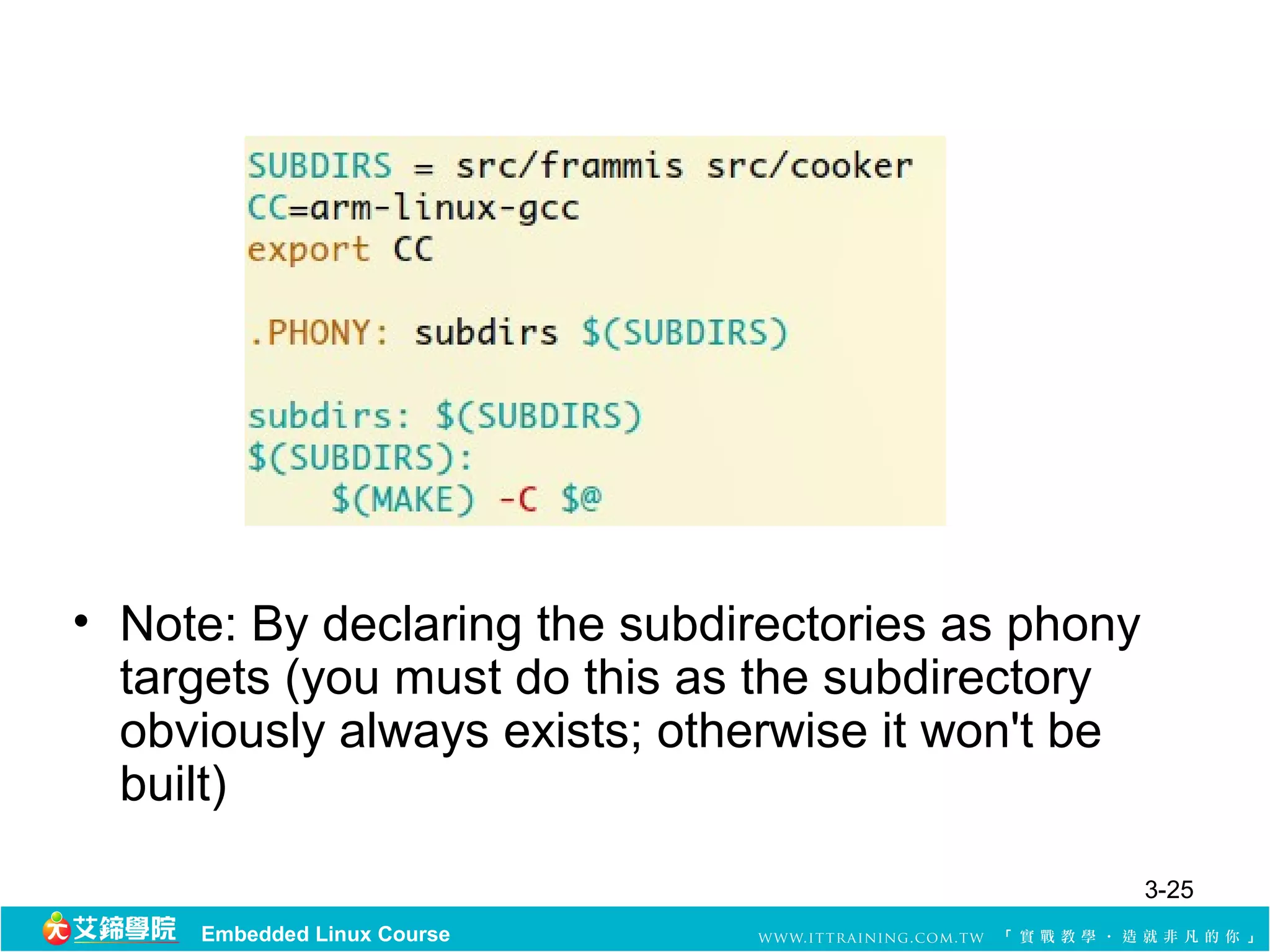
• Note: Bydeclaring the subdirectories as phony
targets (you must do this as the subdirectory
obviously always exists; otherwise it won't be
built)
3-25
Embedded Linux Course
26.
Internal Definitions
• Forconvenience in constructing rules based on
targets and dependencies, it is possible to use
predefined macros and establish implicit rules
that make can use to convert one file type to
another.
3-26
Embedded Linux Course
27.
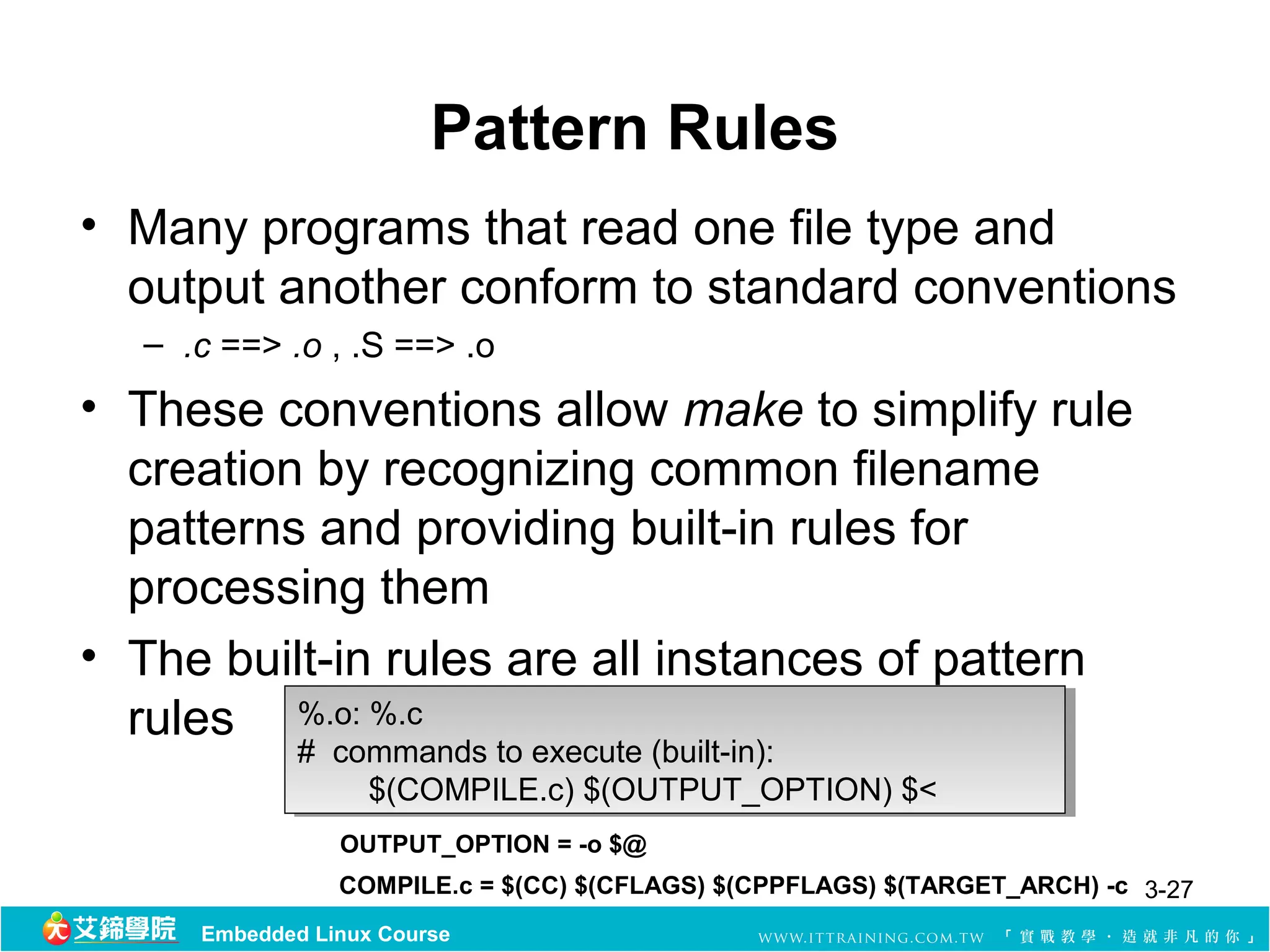
Pattern Rules
• Manyprograms that read one file type and
output another conform to standard conventions
– .c ==> .o , .S ==> .o
• These conventions allow make to simplify rule
creation by recognizing common filename
patterns and providing built-in rules for
processing them
• The built-in rules are all instances of pattern
rules %.o: %.c
%.o: %.c
# commands to execute (built-in):
$(COMPILE.c) $(OUTPUT_OPTION) $<
OUTPUT_OPTION = -o $@
COMPILE.c = $(CC) $(CFLAGS) $(CPPFLAGS) $(TARGET_ARCH) -c 3-27
Embedded Linux Course
28.
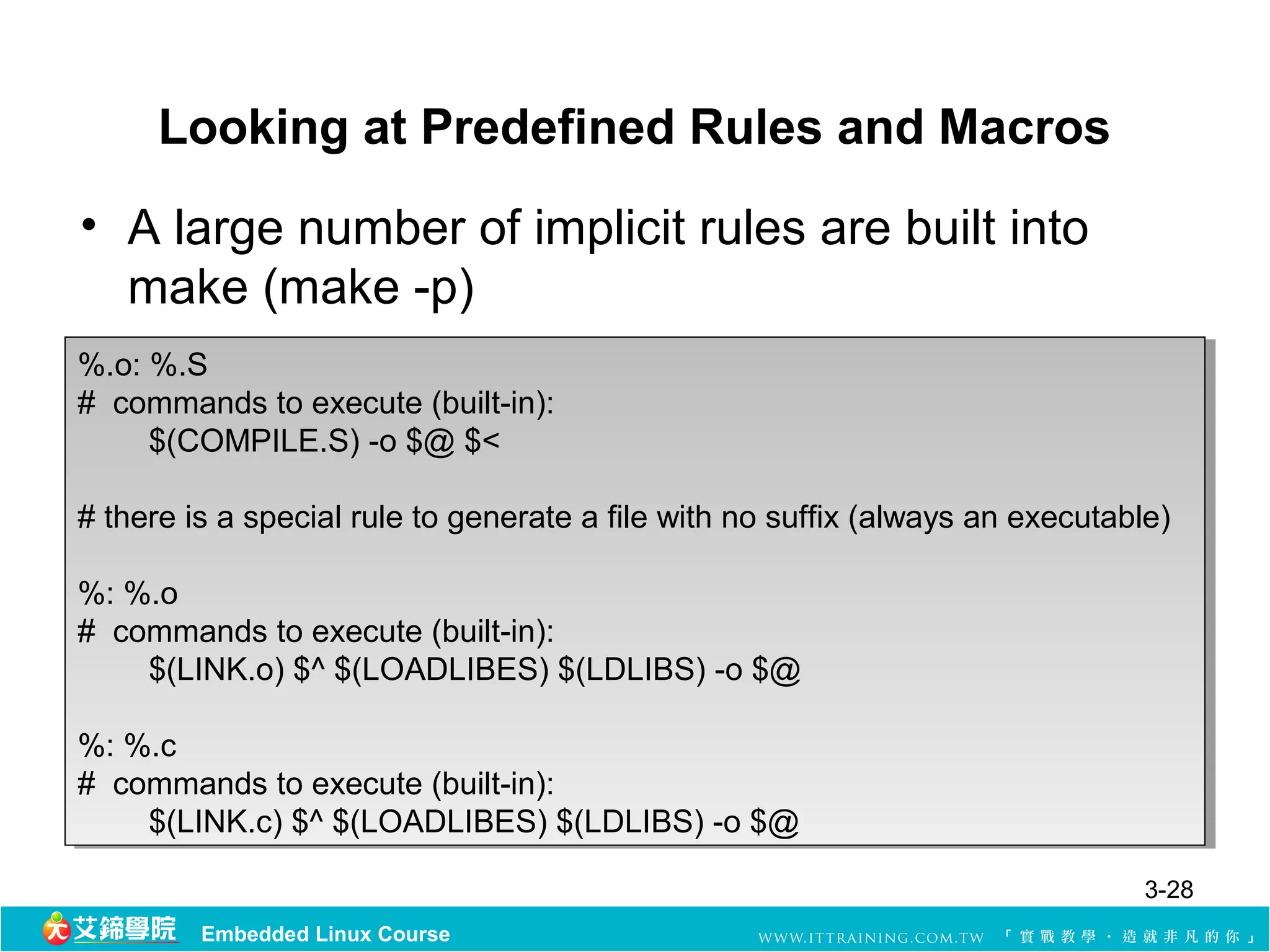
Looking at PredefinedRules and Macros
• A large number of implicit rules are built into
make (make -p)
%.o: %.S
%.o: %.S
# commands to execute (built-in):
$(COMPILE.S) -o $@ $<
# there is a special rule to generate a file with no suffix (always an executable)
%: %.o
%: %.o
# commands to execute (built-in):
$(LINK.o) $^ $(LOADLIBES) $(LDLIBS) -o $@
%: %.c
%: %.c
# commands to execute (built-in):
$(LINK.c) $^ $(LOADLIBES) $(LDLIBS) -o $@
3-28
Embedded Linux Course
29.
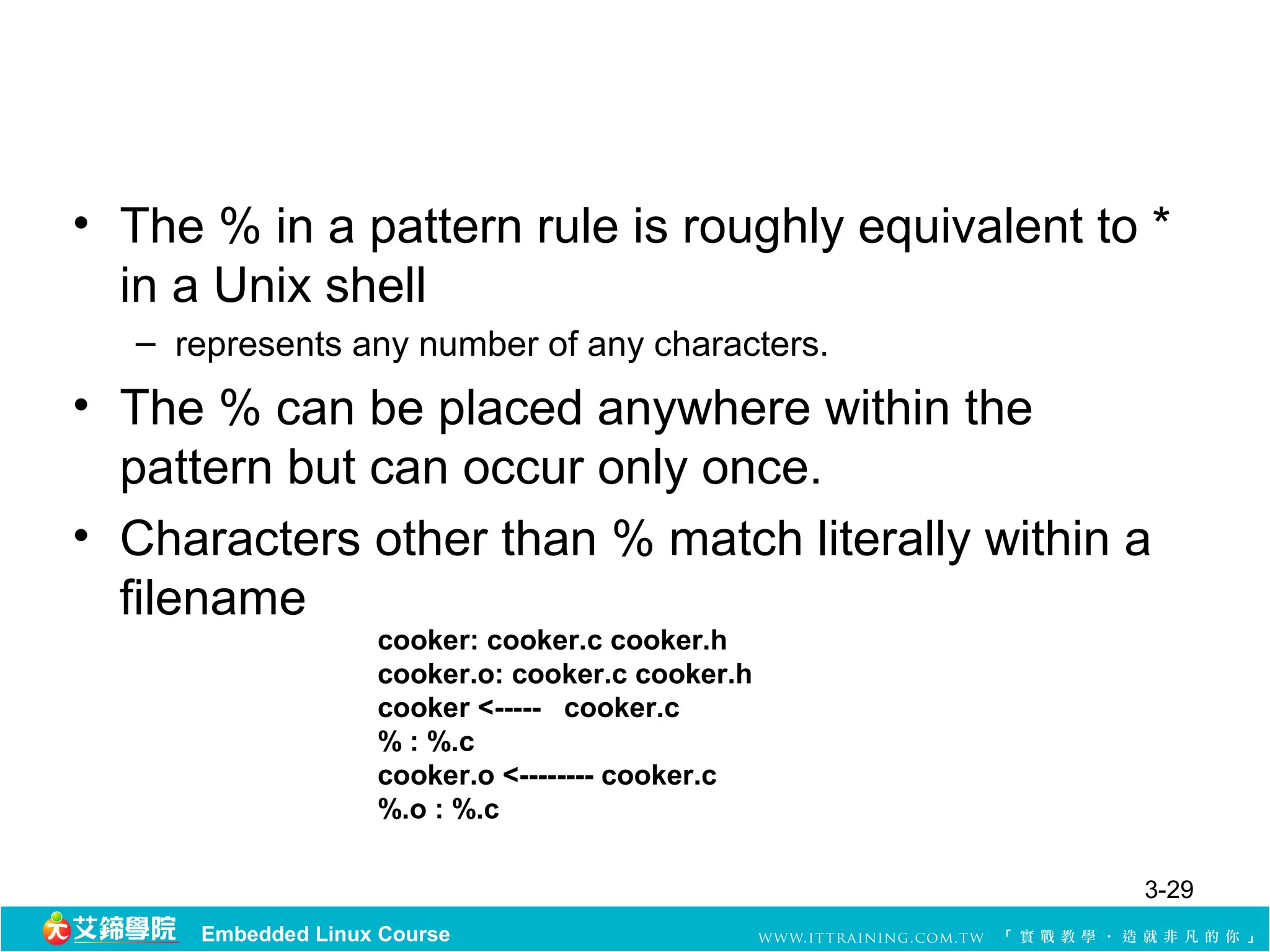
• The %in a pattern rule is roughly equivalent to *
in a Unix shell
– represents any number of any characters.
• The % can be placed anywhere within the
pattern but can occur only once.
• Characters other than % match literally within a
filename
cooker: cooker.c cooker.h
cooker.o: cooker.c cooker.h
cooker <----- cooker.c
% : %.c
cooker.o <-------- cooker.c
%.o : %.c
3-29
Embedded Linux Course
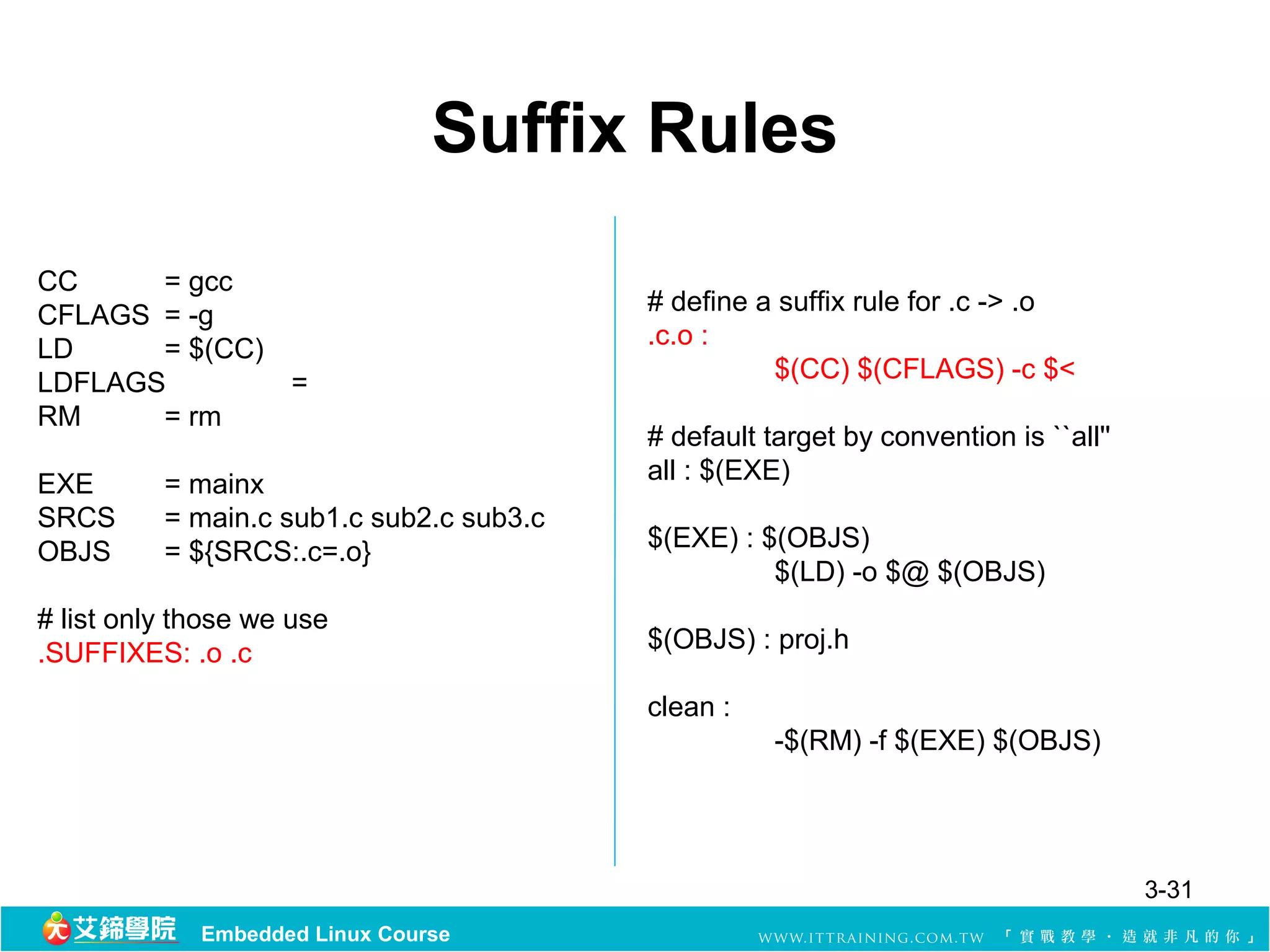
Suffix Rules
CC = gcc
CFLAGS = -g # define a suffix rule for .c -> .o
LD = $(CC) .c.o :
LDFLAGS = $(CC) $(CFLAGS) -c $<
RM = rm
# default target by convention is ``all''
EXE = mainx all : $(EXE)
SRCS = main.c sub1.c sub2.c sub3.c
OBJS = ${SRCS:.c=.o} $(EXE) : $(OBJS)
$(LD) -o $@ $(OBJS)
# list only those we use
.SUFFIXES: .o .c $(OBJS) : proj.h
clean :
-$(RM) -f $(EXE) $(OBJS)
3-31
Embedded Linux Course
32.
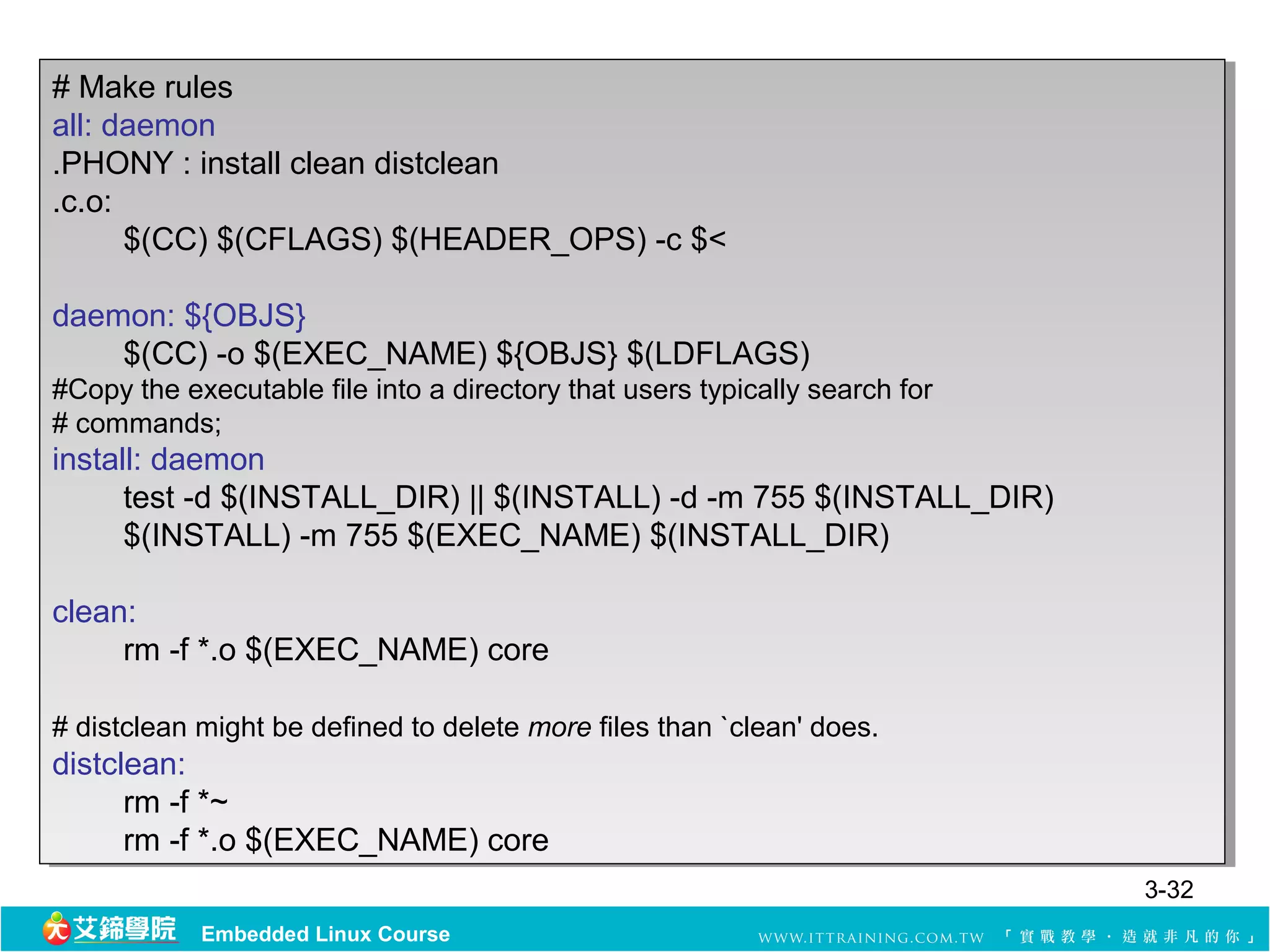
# Make rules
# Make rules
all: daemon
all: daemon
.PHONY : :install clean distclean
.PHONY install clean distclean
.c.o:
.c.o:
$(CC) $(CFLAGS) $(HEADER_OPS) -c $<
daemon: ${OBJS}
daemon: ${OBJS}
$(CC) -o $(EXEC_NAME) ${OBJS} $(LDFLAGS)
#Copy the executable file into a directory that users typically search for
##commands;
commands;
install: daemon
install: daemon
test -d $(INSTALL_DIR) ||||$(INSTALL) -d -m 755 $(INSTALL_DIR)
test -d $(INSTALL_DIR) $(INSTALL) -d -m 755 $(INSTALL_DIR)
$(INSTALL) -m 755 $(EXEC_NAME) $(INSTALL_DIR)
clean:
clean:
rm -f *.o $(EXEC_NAME) core
##distclean might be defined to delete more files than `clean' does.
distclean might be defined to delete more files than `clean' does.
distclean:
distclean:
rm -f *~
rm -f *~
rm -f *.o $(EXEC_NAME) core
3-32
Embedded Linux Course
33.
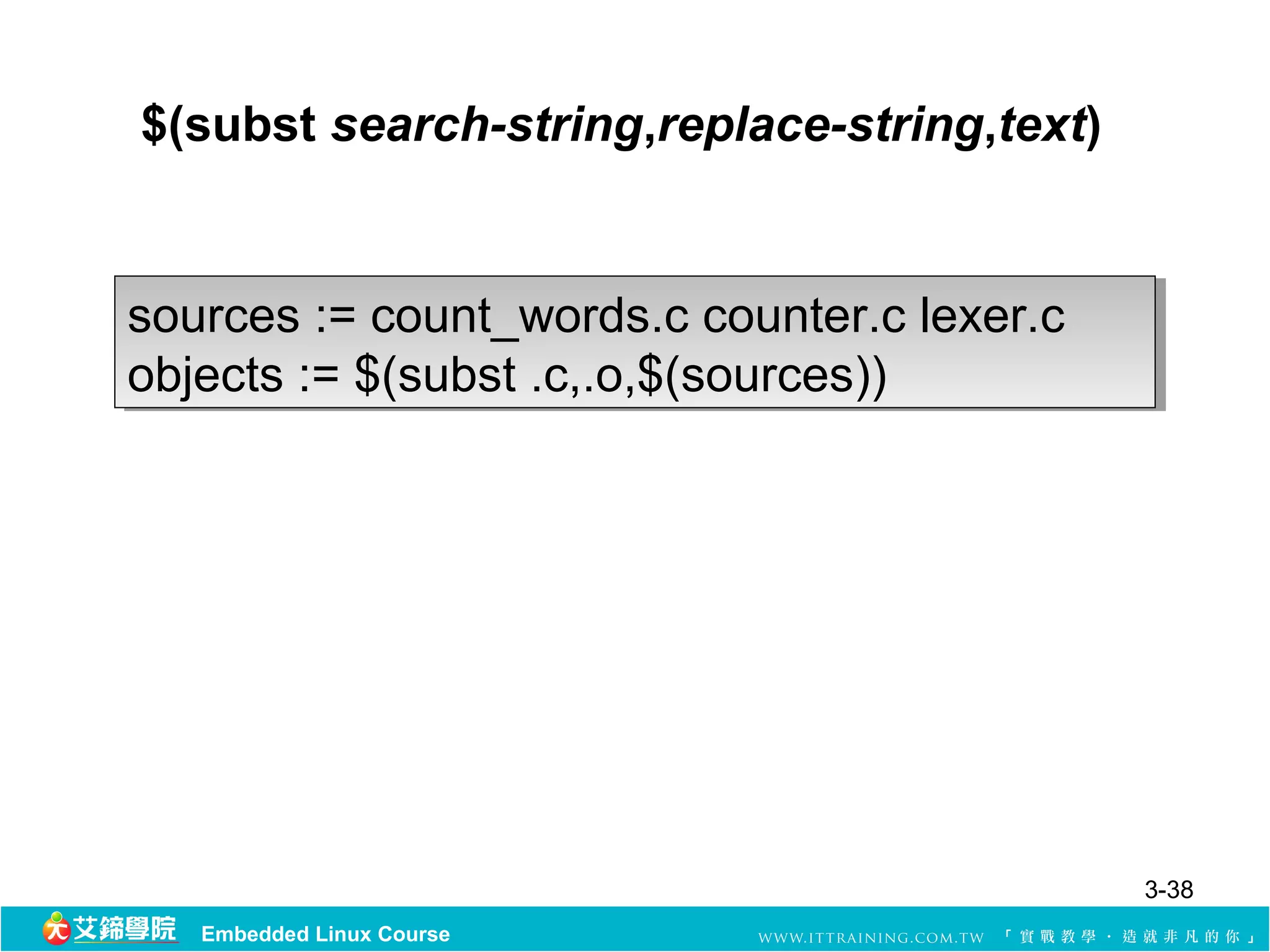
Built-in Functions
• GNUmake has a couple dozen built-in functions
for working with variables and their contents
• $(function-name arg1[, argn])
3-33
Embedded Linux Course
34.
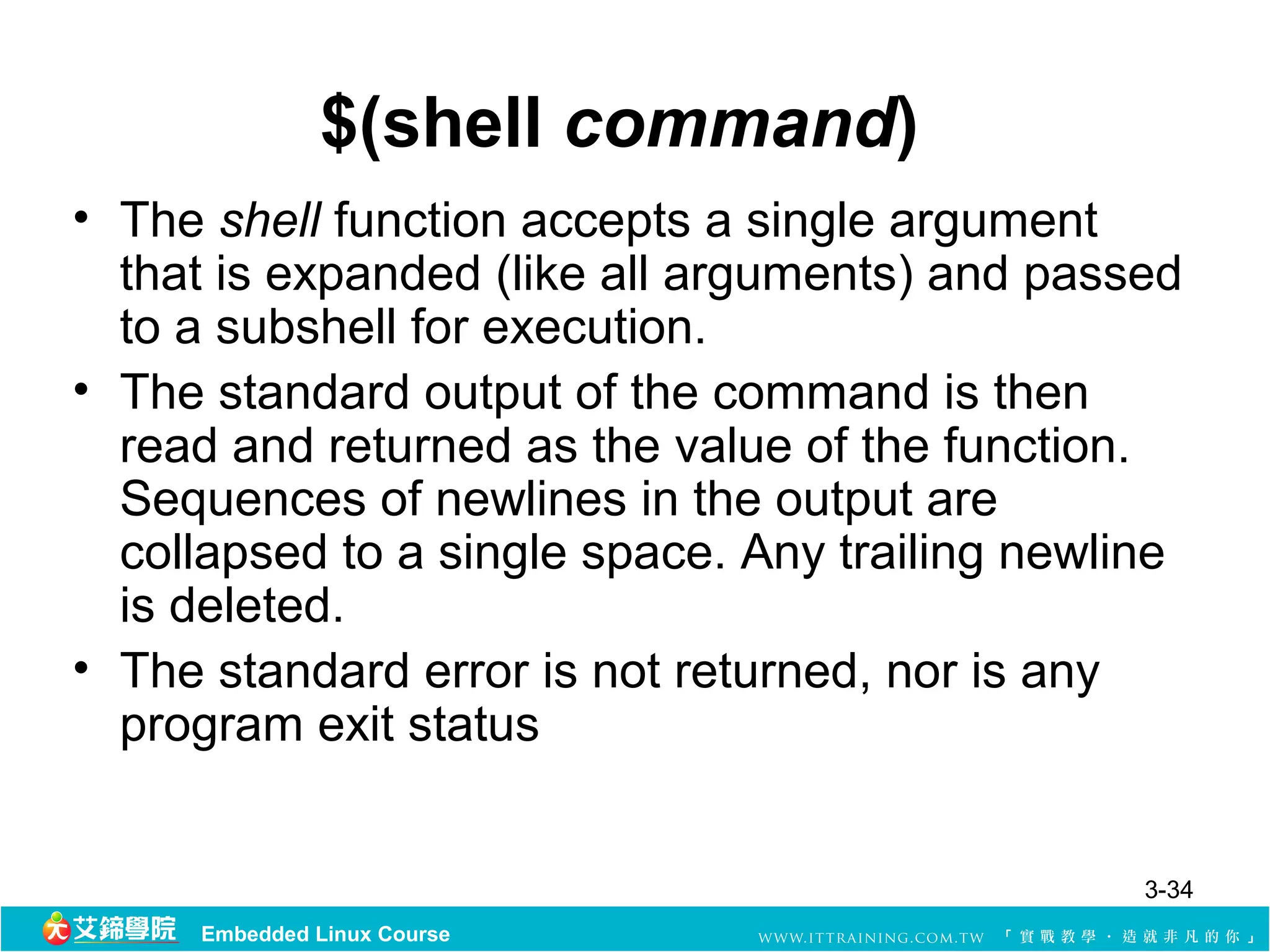
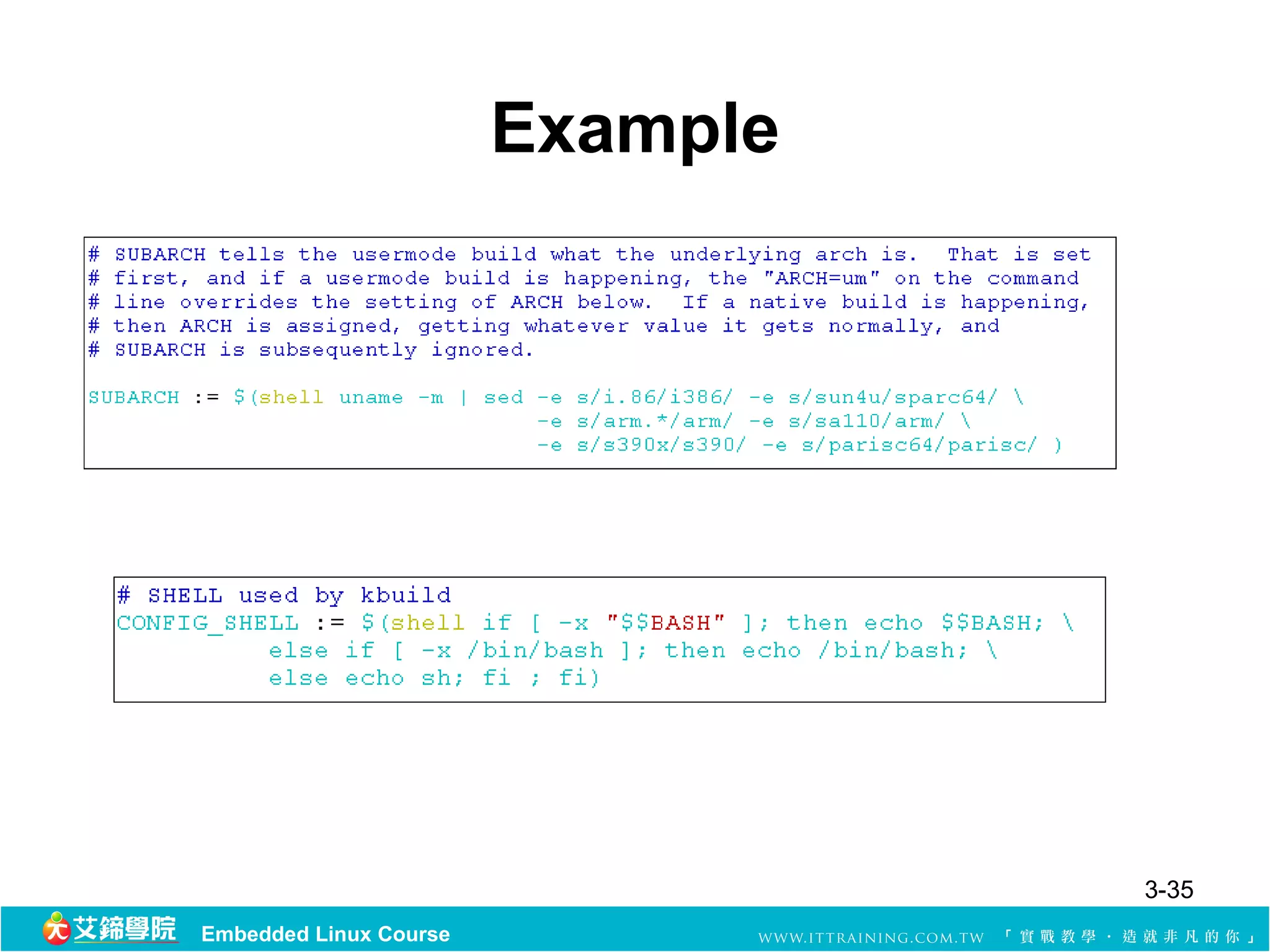
$(shell command)
• Theshell function accepts a single argument
that is expanded (like all arguments) and passed
to a subshell for execution.
• The standard output of the command is then
read and returned as the value of the function.
Sequences of newlines in the output are
collapsed to a single space. Any trailing newline
is deleted.
• The standard error is not returned, nor is any
program exit status
3-34
Embedded Linux Course
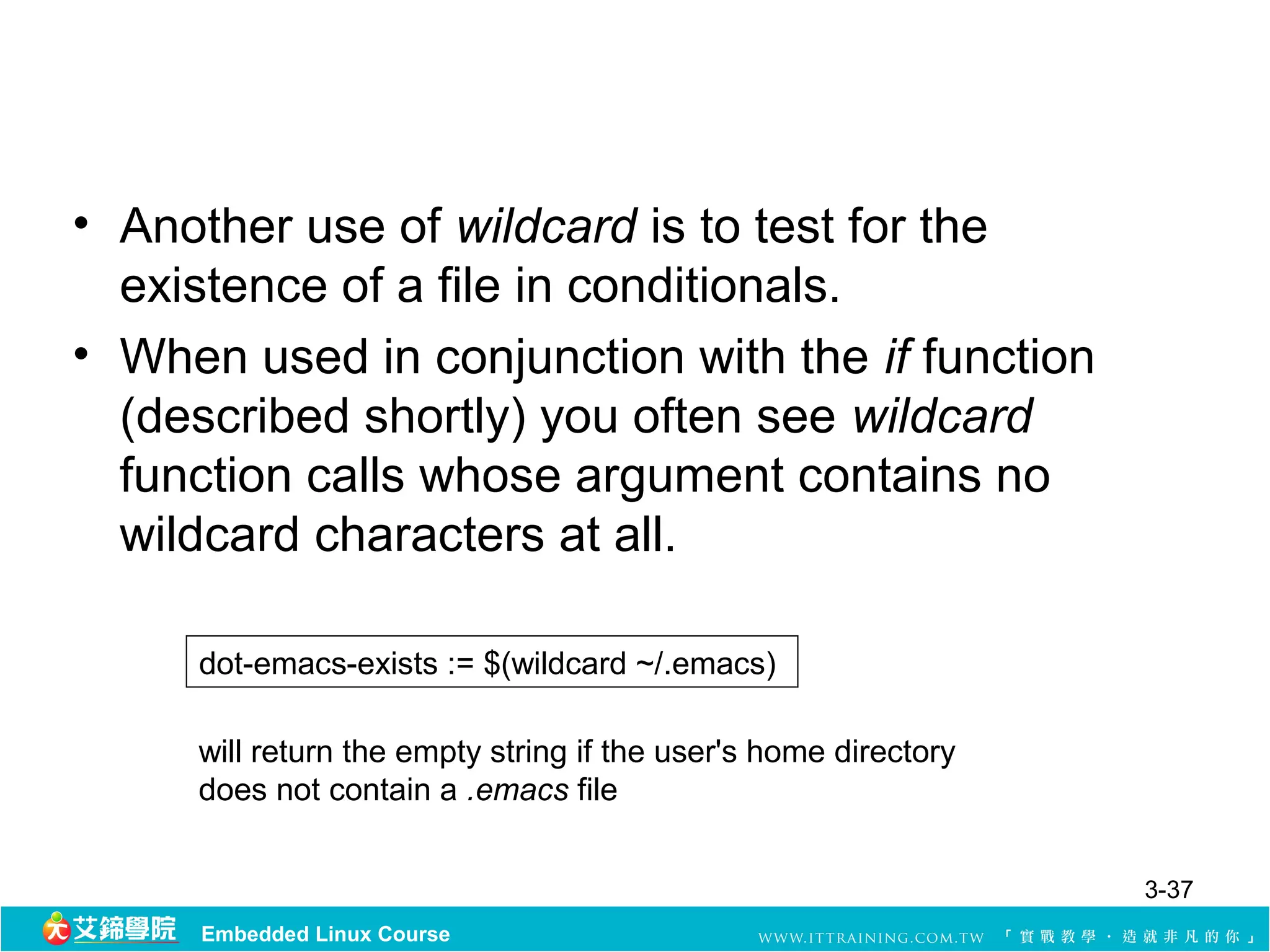
$(wildcard pattern .. . )
sources := $(wildcard *.c *.h)
• The wildcard function accepts a list of patterns
and performs expansion on each one.
• If a pattern does not match any files, the empty
string is returned.
• As with wildcard expansion in targets and
prerequisites, the normal shell globbing
characters are supported: ~, *, ?, [...], and [^...].
3-36
Embedded Linux Course
37.
• Another useof wildcard is to test for the
existence of a file in conditionals.
• When used in conjunction with the if function
(described shortly) you often see wildcard
function calls whose argument contains no
wildcard characters at all.
dot-emacs-exists := $(wildcard ~/.emacs)
will return the empty string if the user's home directory
does not contain a .emacs file
3-37
Embedded Linux Course
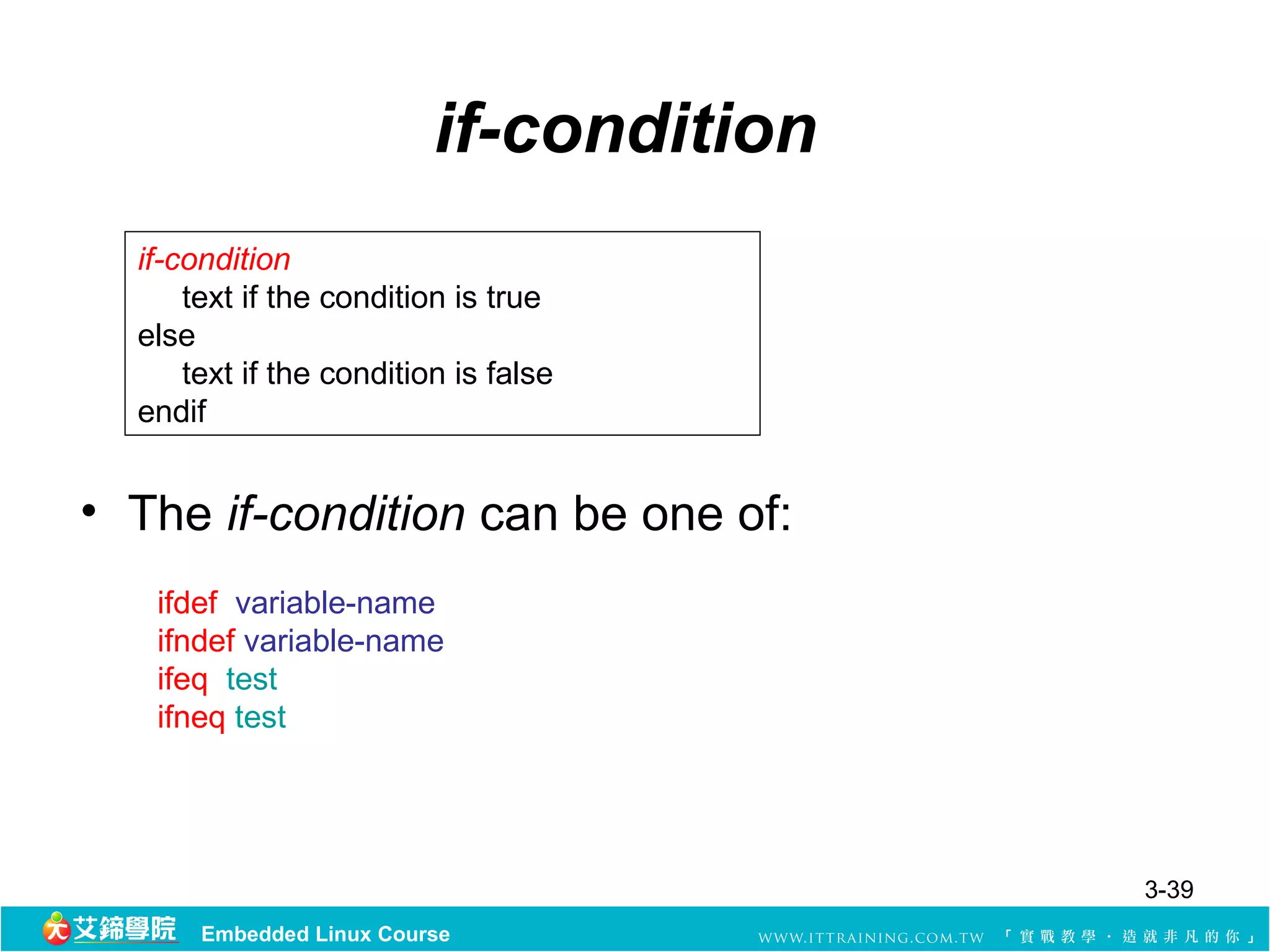
if-condition
if-condition
text if the condition is true
else
text if the condition is false
endif
• The if-condition can be one of:
ifdef variable-name
ifndef variable-name
ifeq test
ifneq test
3-39
Embedded Linux Course
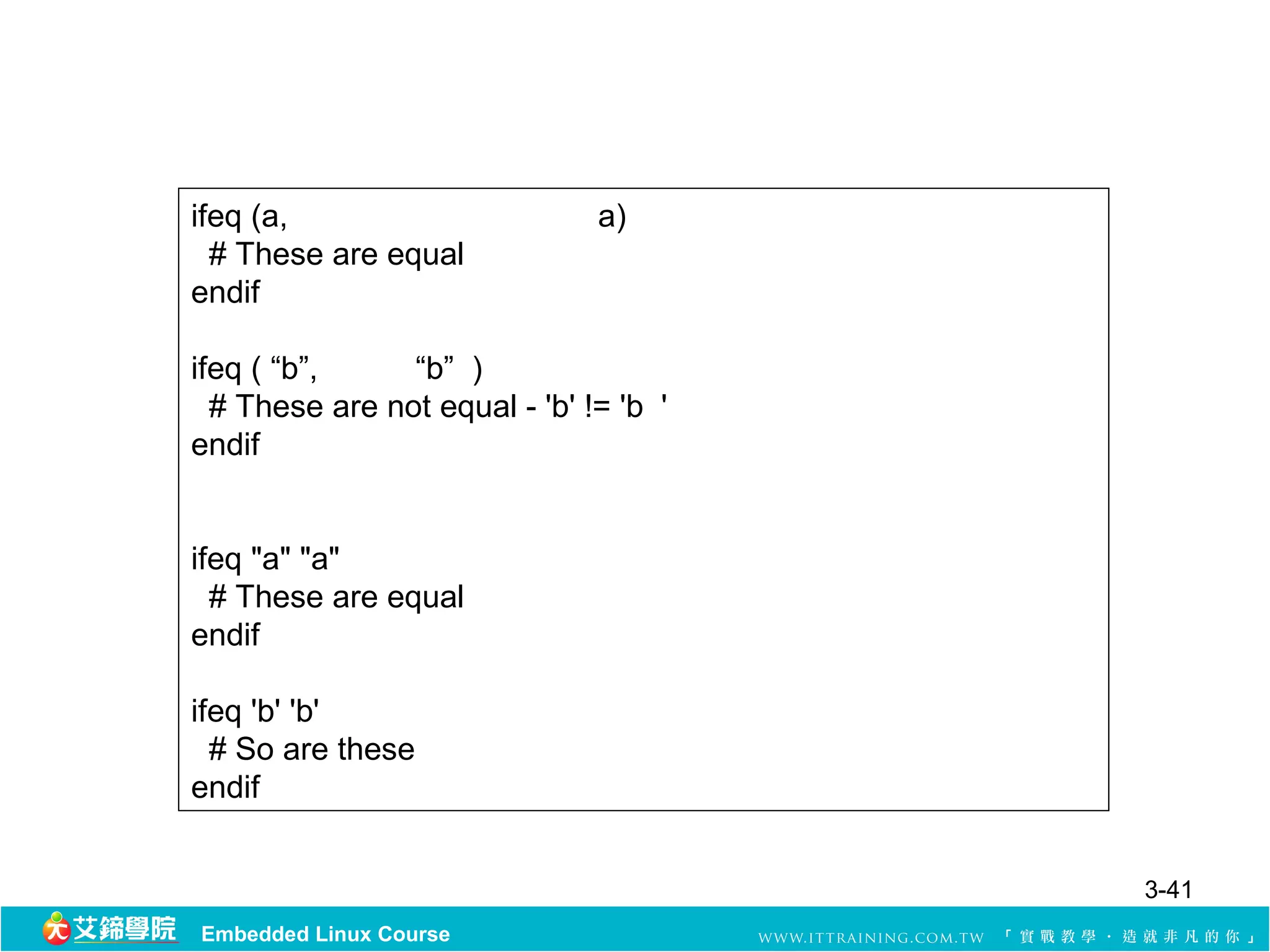
ifeq (a, a)
# These are equal
endif
ifeq ( “b”, “b” )
# These are not equal - 'b' != 'b '
endif
ifeq "a" "a"
# These are equal
endif
ifeq 'b' 'b'
# So are these
endif
3-41
Embedded Linux Course
42.
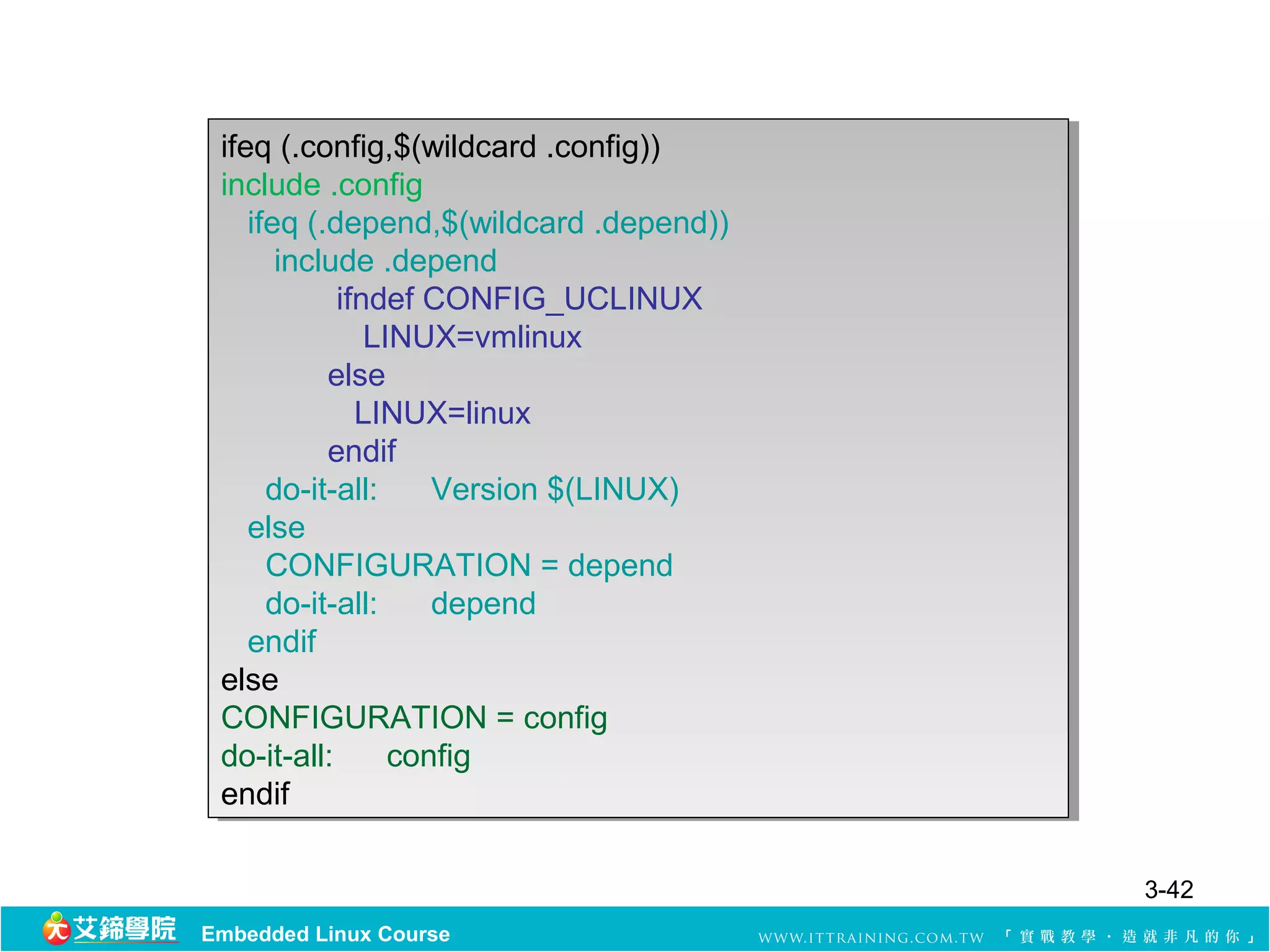
ifeq (.config,$(wildcard .config))
include .config
include .config
ifeq (.depend,$(wildcard .depend))
include .depend
include .depend
ifndef CONFIG_UCLINUX
LINUX=vmlinux
LINUX=vmlinux
else
else
LINUX=linux
LINUX=linux
endif
endif
do-it-all:
do-it-all: Version $(LINUX)
Version $(LINUX)
else
else
CONFIGURATION = depend
do-it-all:
do-it-all: depend
depend
endif
endif
else
else
CONFIGURATION = config
do-it-all:
do-it-all: config
config
endif
endif
3-42
Embedded Linux Course
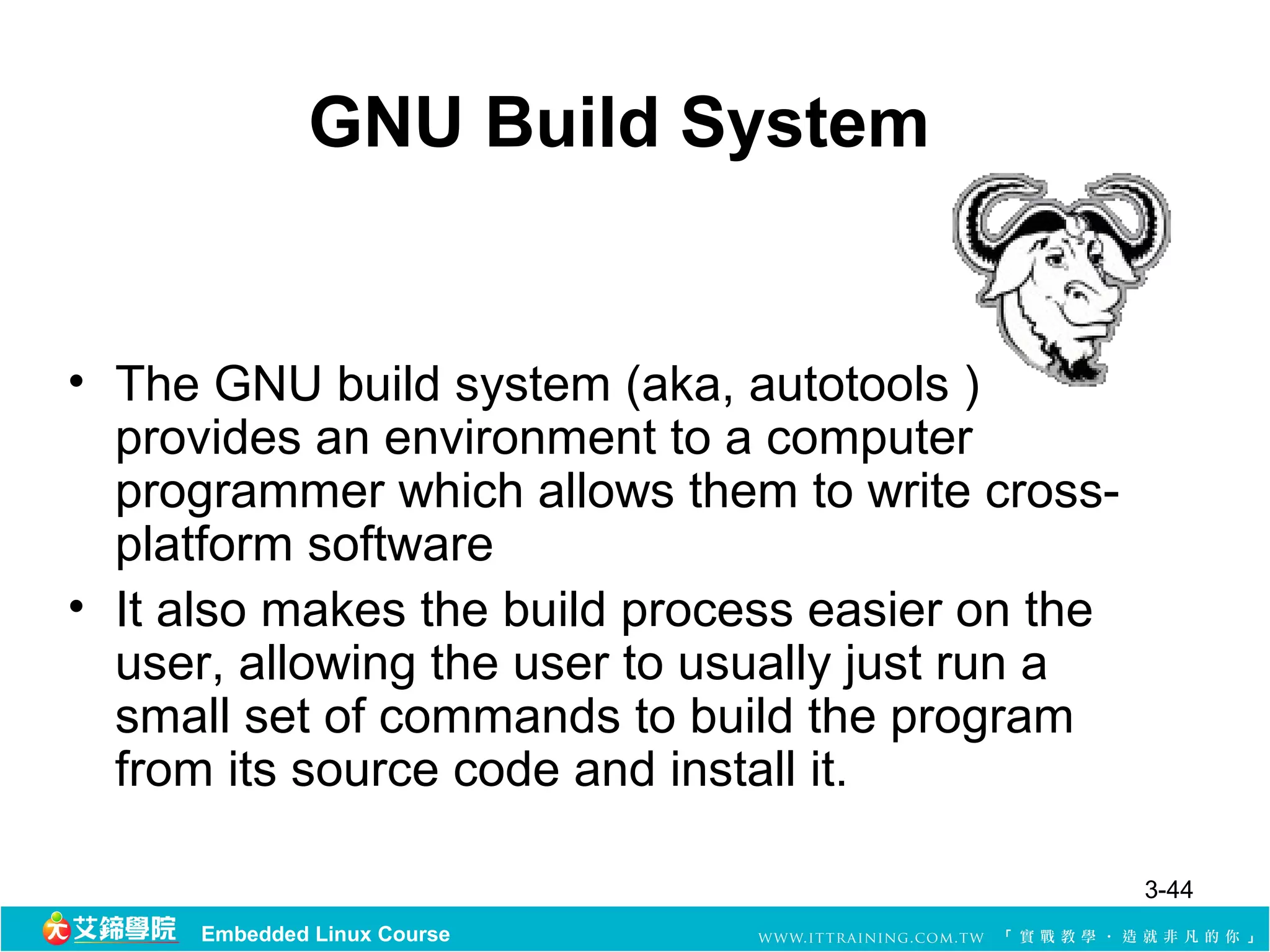
GNU Build System
•The GNU build system (aka, autotools )
provides an environment to a computer
programmer which allows them to write cross-
platform software
• It also makes the build process easier on the
user, allowing the user to usually just run a
small set of commands to build the program
from its source code and install it.
3-44
Embedded Linux Course
45.
GNU Autotools
• Autotoolscomprises the GNU utility programs
Autoconf, Automake, and Libtool.
• Other related tools frequently used with the GNU
build system are GNU’s make, GNU gettext,
pkg-config, and the GNU gcc.
• The utilities used by the GNU build system are
only required to be on the developer’s
workstation
3-45
Embedded Linux Course
46.
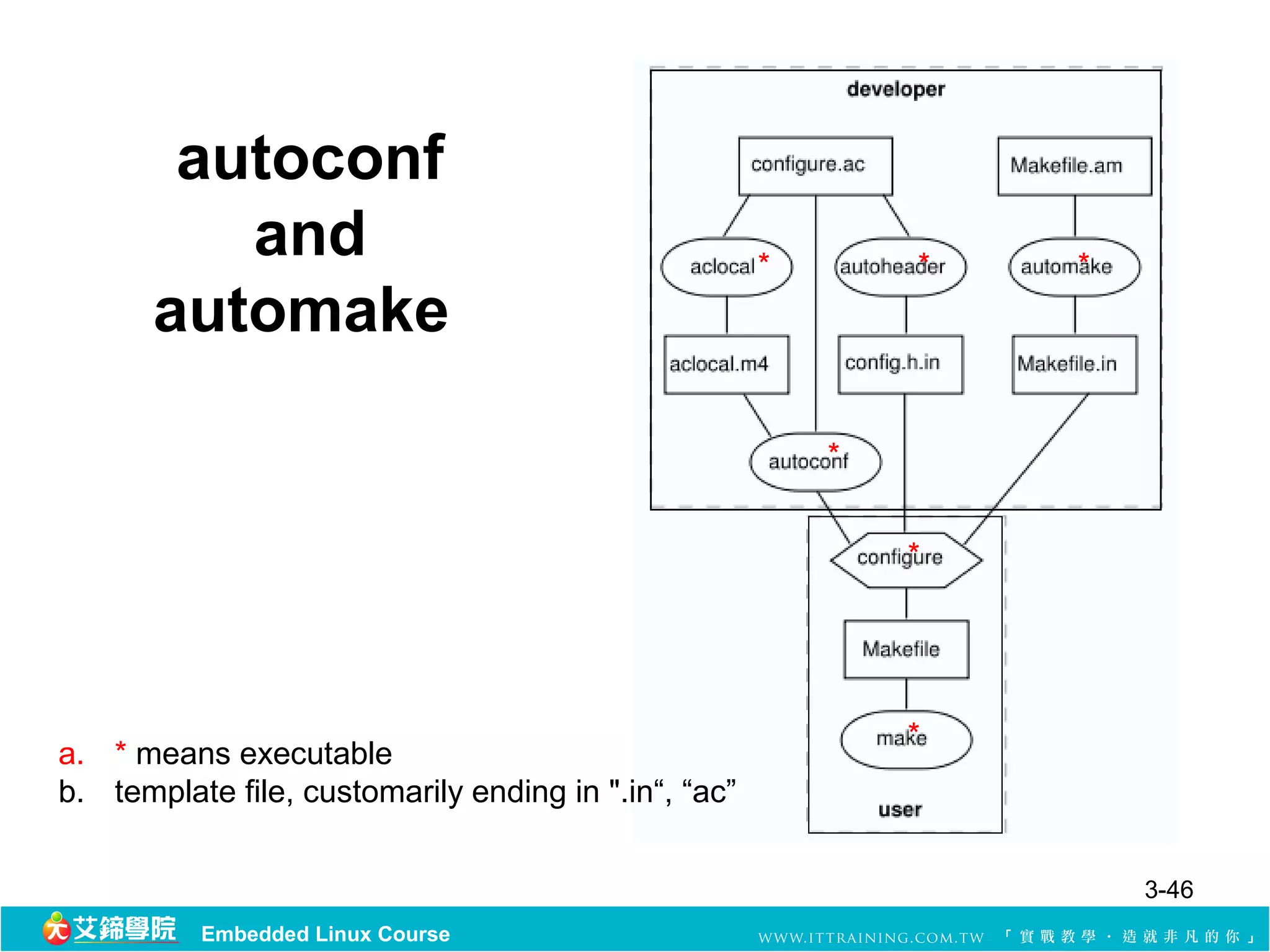
autoconf
and * * *
automake
*
*
*
a. * means executable
b. template file, customarily ending in ".in“, “ac”
3-46
Embedded Linux Course
47.
GNU Autoconf
• Autoconfis a tool for producing shell scripts that
automatically configure software source code
packages to adapt to many kinds of UNIX-like
systems.
• Autoconf makes use of GNU m4 to transform a
user-written 'configure.ac' file to a portable
'configure‘ script.
• The 'configure' generates customized headers
and makefiles derived from pre-written
templates.
3-47
Embedded Linux Course
48.
GNU Autoconf (cont.)
•The Autoconf approach to portability is to test
whether a particular feature is supported or not
• it also allows user to have the ‘configure’ script
to customize.
3-48
Embedded Linux Course
49.
GNU Automake
• Automakeaims to allow the programmer to write
a makefile in a higher-level language, rather
than having to write the whole makefile manually
• Automake helps to create portable Makefile,
which are in turn processed with the make utility.
• Must be used with GNU autoconf
3-49
Embedded Linux Course
50.
GNU Automake (cont.)
•Automake contains two commands:
– aclocal : a program for autoconf users
– Automake
• In simple cases, it suffices to give:
– a line that declares the name of the program to build
– a list of source files
– a list of command-line options to be passed to the gcc (namely,
in which directories header files will be found)
– a list of command-line options to be passed to the ld (which
libraries the program needs and in what directories they are to
be found).
3-50
Embedded Linux Course
51.
GNU Libtool
• Libtoolhelps manage the creation of static and
dynamic libraries on various Unix-like operating
systems.
• Libtool accomplishes this by abstracting the
library creation process, hiding differences
between various systems
3-51
Embedded Linux Course
Configure Script
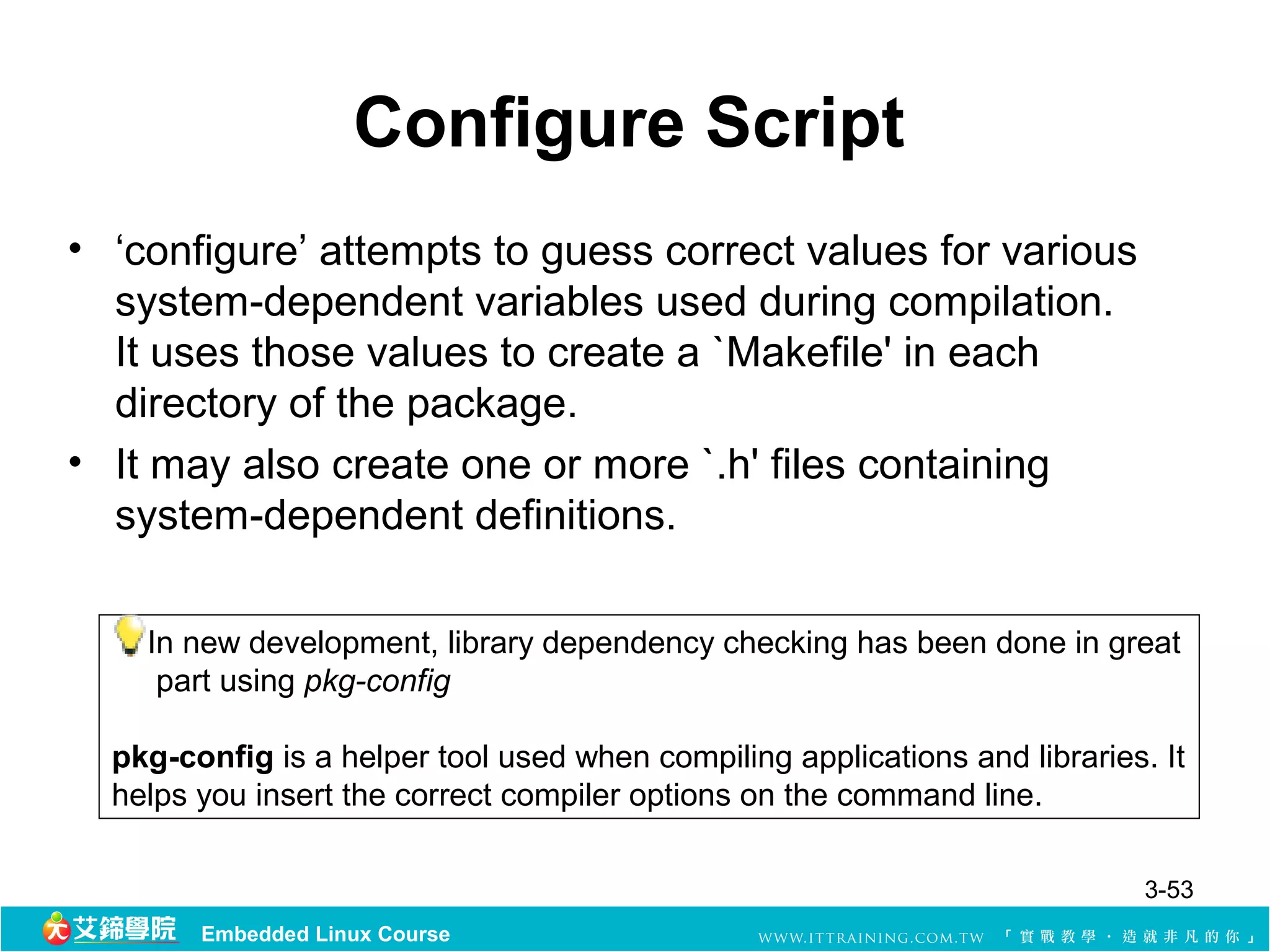
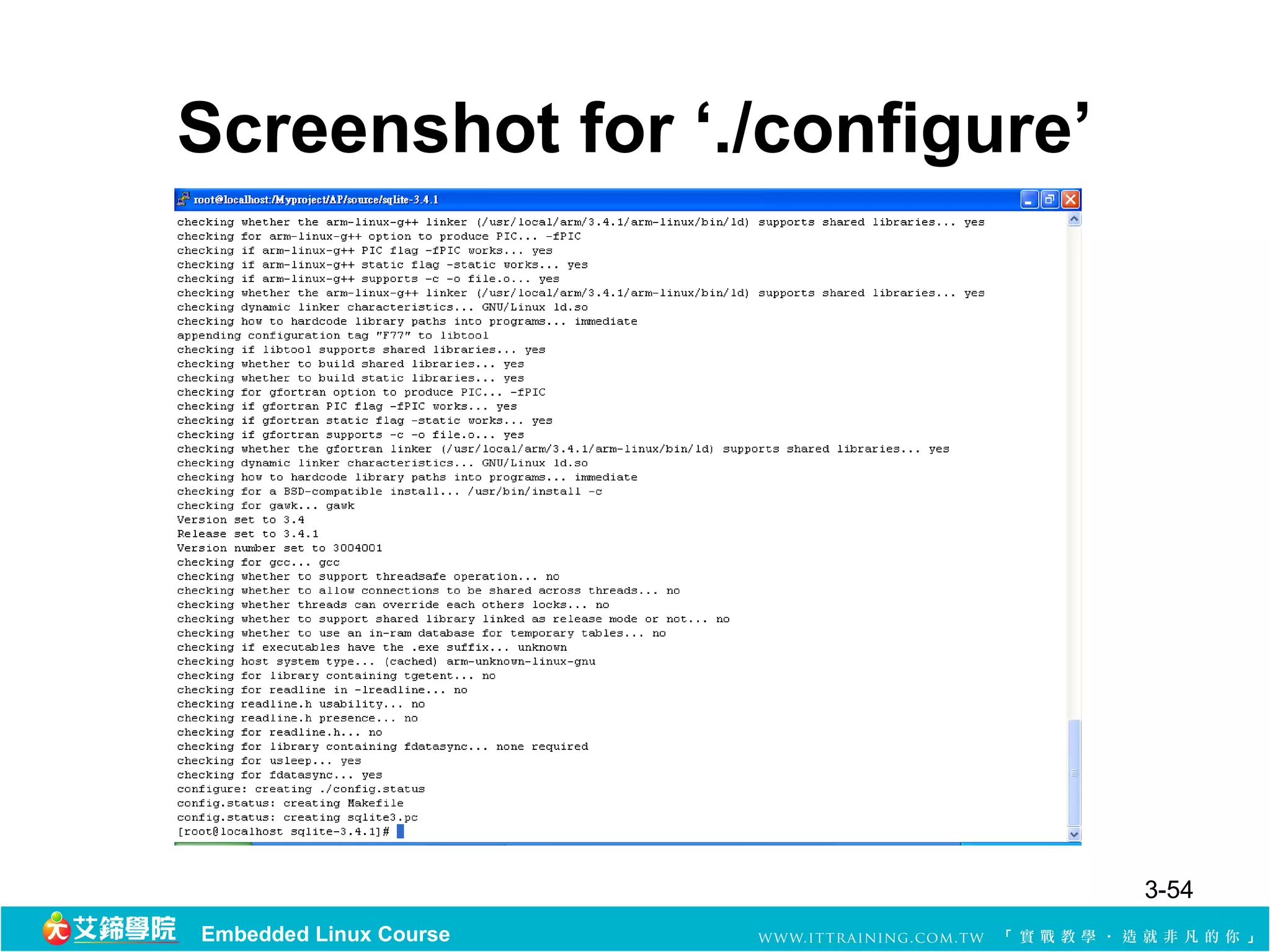
• ‘configure’attempts to guess correct values for various
system-dependent variables used during compilation.
It uses those values to create a `Makefile' in each
directory of the package.
• It may also create one or more `.h' files containing
system-dependent definitions.
In new development, library dependency checking has been done in great
part using pkg-config
pkg-config is a helper tool used when compiling applications and libraries. It
helps you insert the correct compiler options on the command line.
3-53
Embedded Linux Course
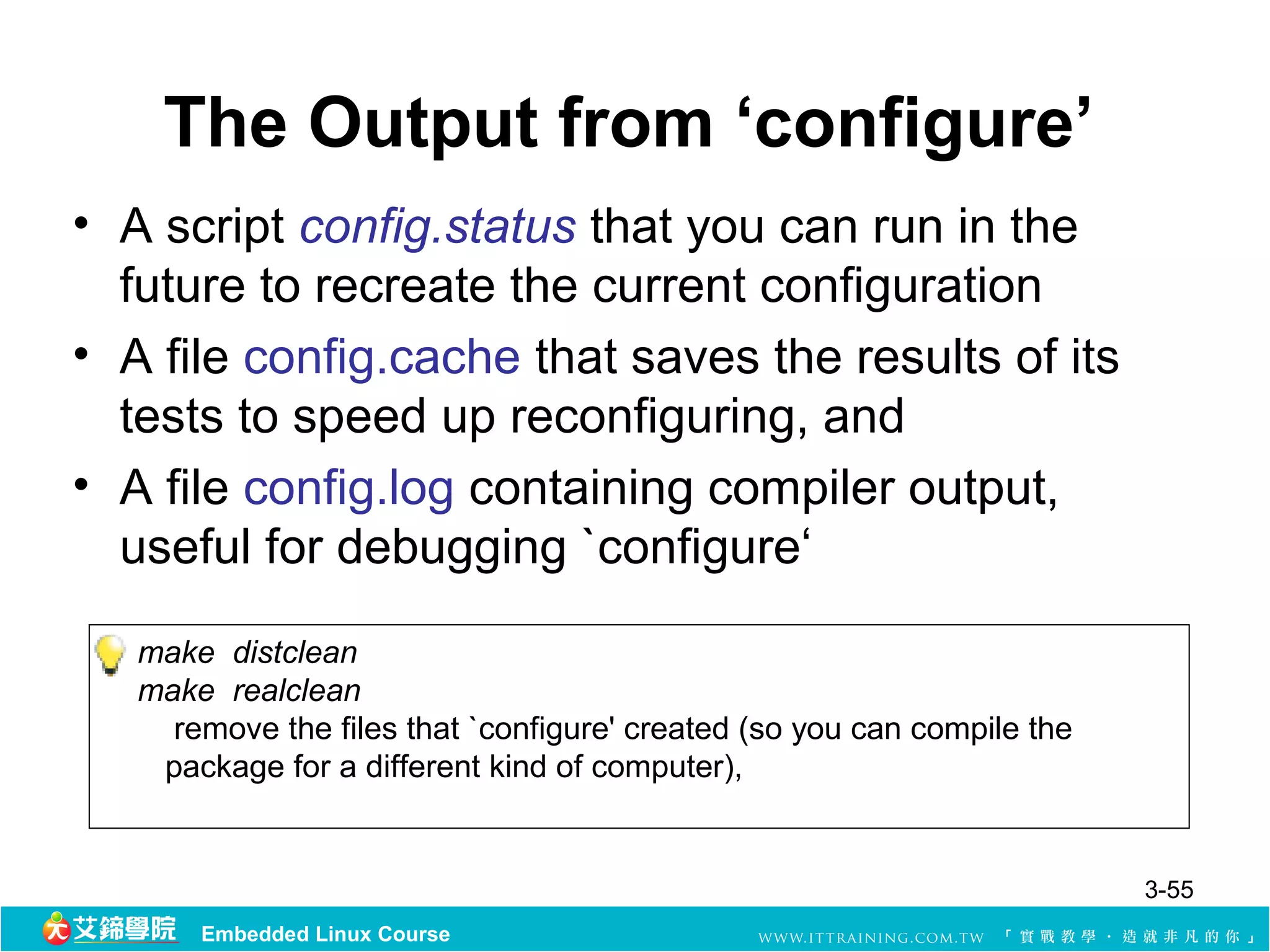
The Output from‘configure’
• A script config.status that you can run in the
future to recreate the current configuration
• A file config.cache that saves the results of its
tests to speed up reconfiguring, and
• A file config.log containing compiler output,
useful for debugging `configure‘
make distclean
make realclean
remove the files that `configure' created (so you can compile the
package for a different kind of computer),
3-55
Embedded Linux Course
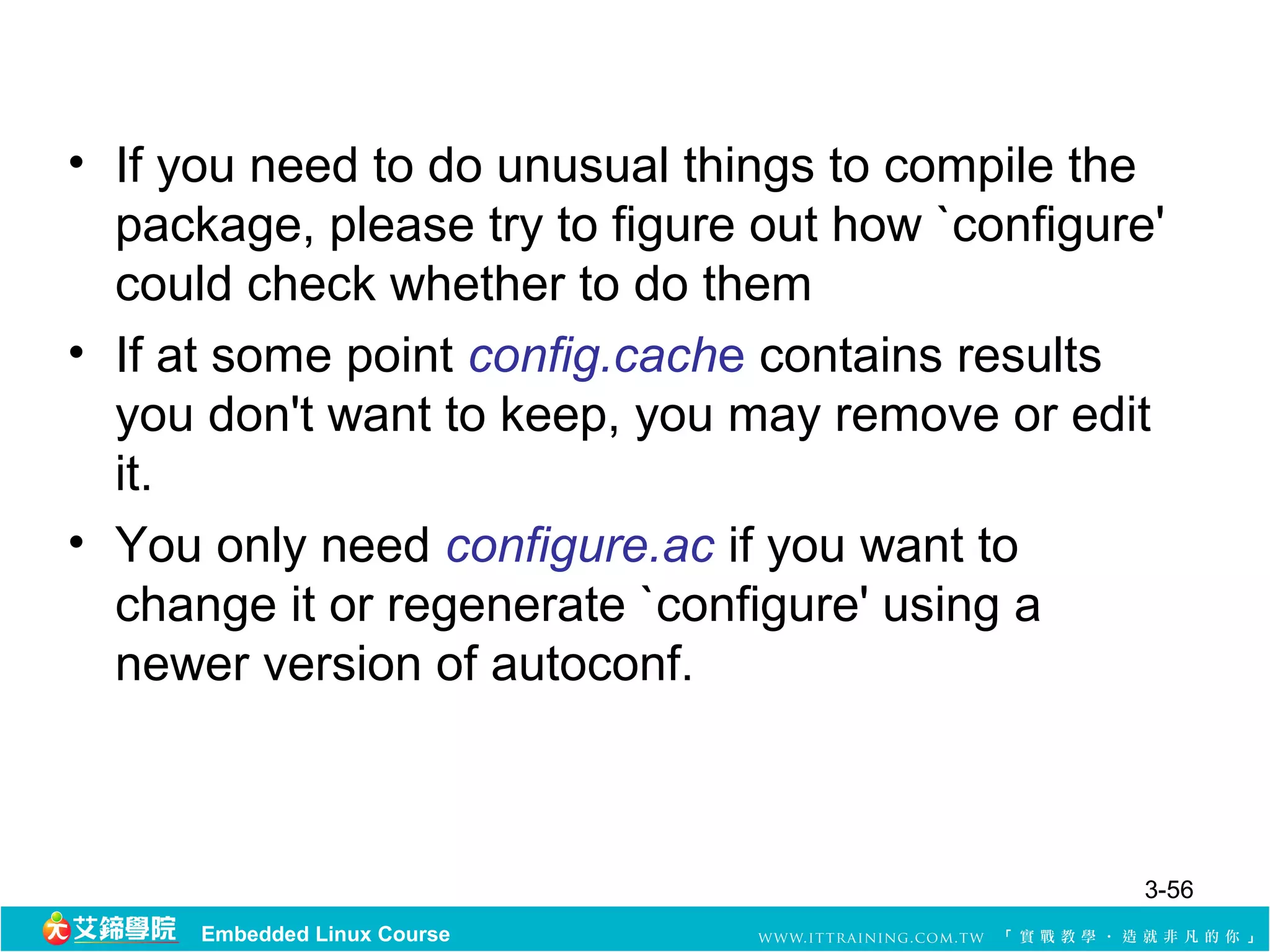
56.
• If youneed to do unusual things to compile the
package, please try to figure out how `configure'
could check whether to do them
• If at some point config.cache contains results
you don't want to keep, you may remove or edit
it.
• You only need configure.ac if you want to
change it or regenerate `configure' using a
newer version of autoconf.
3-56
Embedded Linux Course
57.
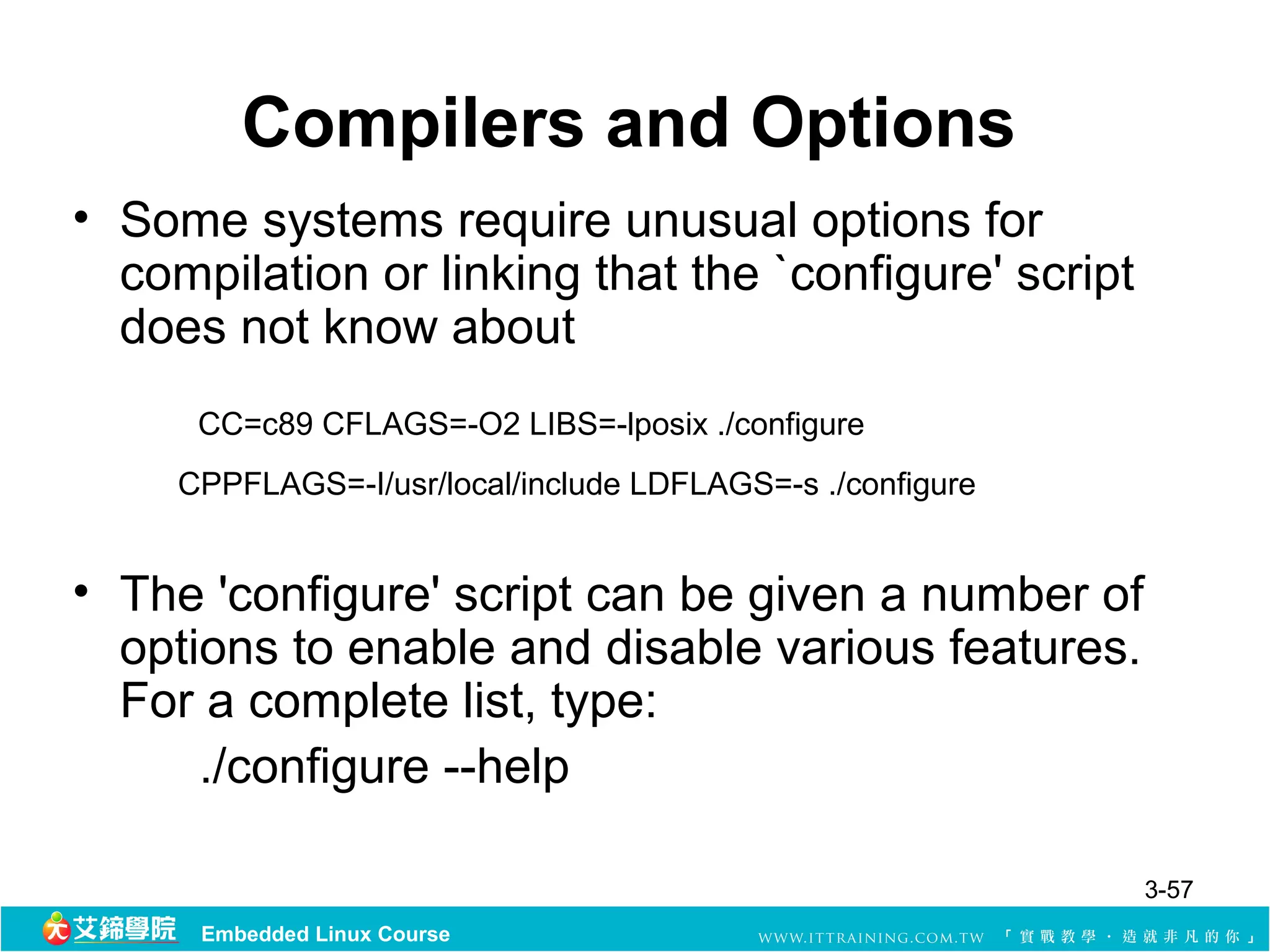
Compilers and Options
•Some systems require unusual options for
compilation or linking that the `configure' script
does not know about
CC=c89 CFLAGS=-O2 LIBS=-lposix ./configure
CPPFLAGS=-I/usr/local/include LDFLAGS=-s ./configure
• The 'configure' script can be given a number of
options to enable and disable various features.
For a complete list, type:
./configure --help
3-57
Embedded Linux Course
58.
Specifying the SystemType
• There may be some features `configure' can not figure
out automatically, but needs to determine by the type of
host the package will run on
System types:
--build=BUILD configure for building on BUILD [guessed]
--host=HOST cross-compile to build programs to run on
HOST [BUILD]
– type format: CPU-OS
– See the file `config.sub' for the possible values of each field .
• If you are building compiler tools for cross-compiling, you
can will need –host=CPU-OS
3-58
Embedded Linux Course
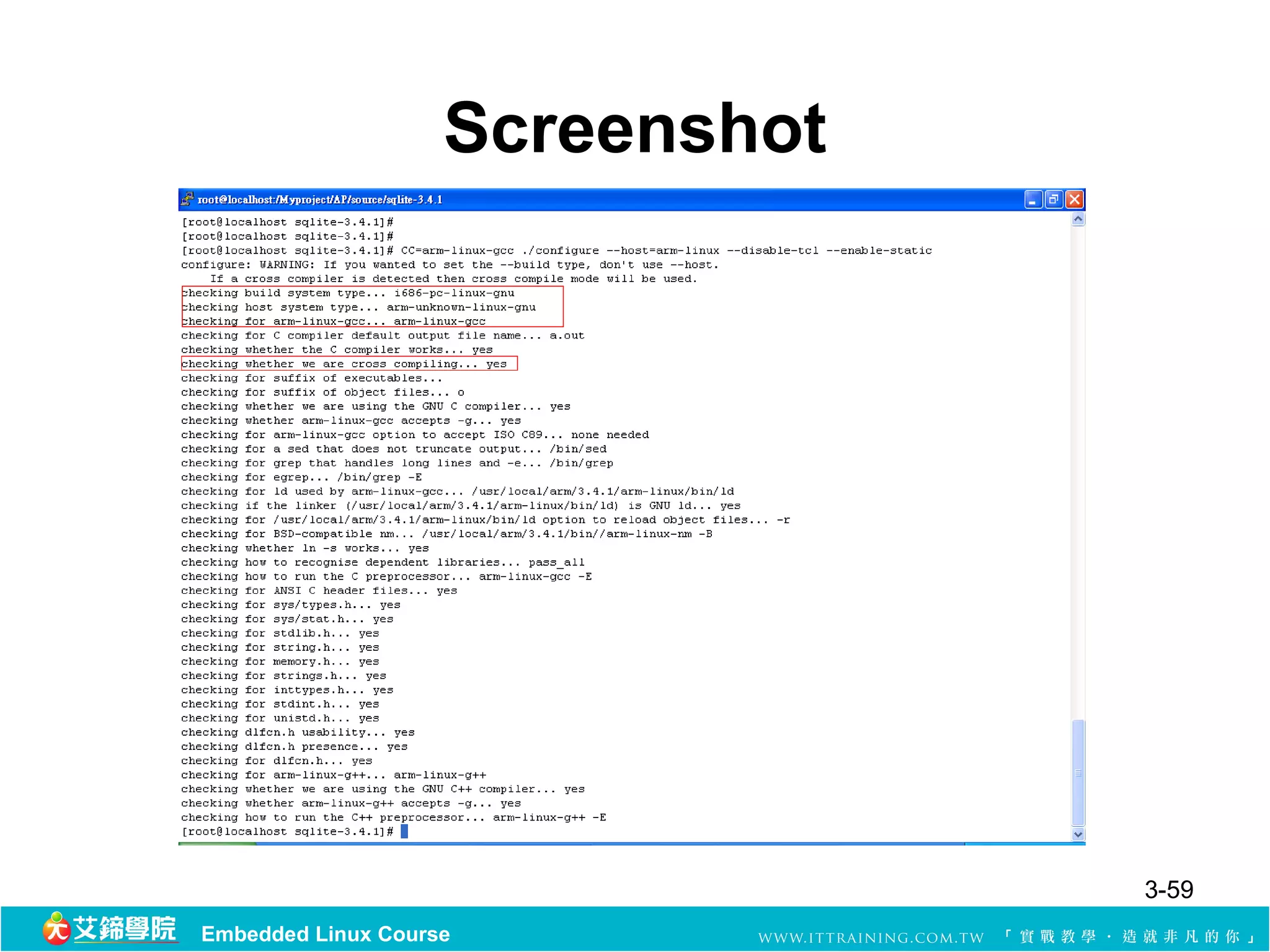
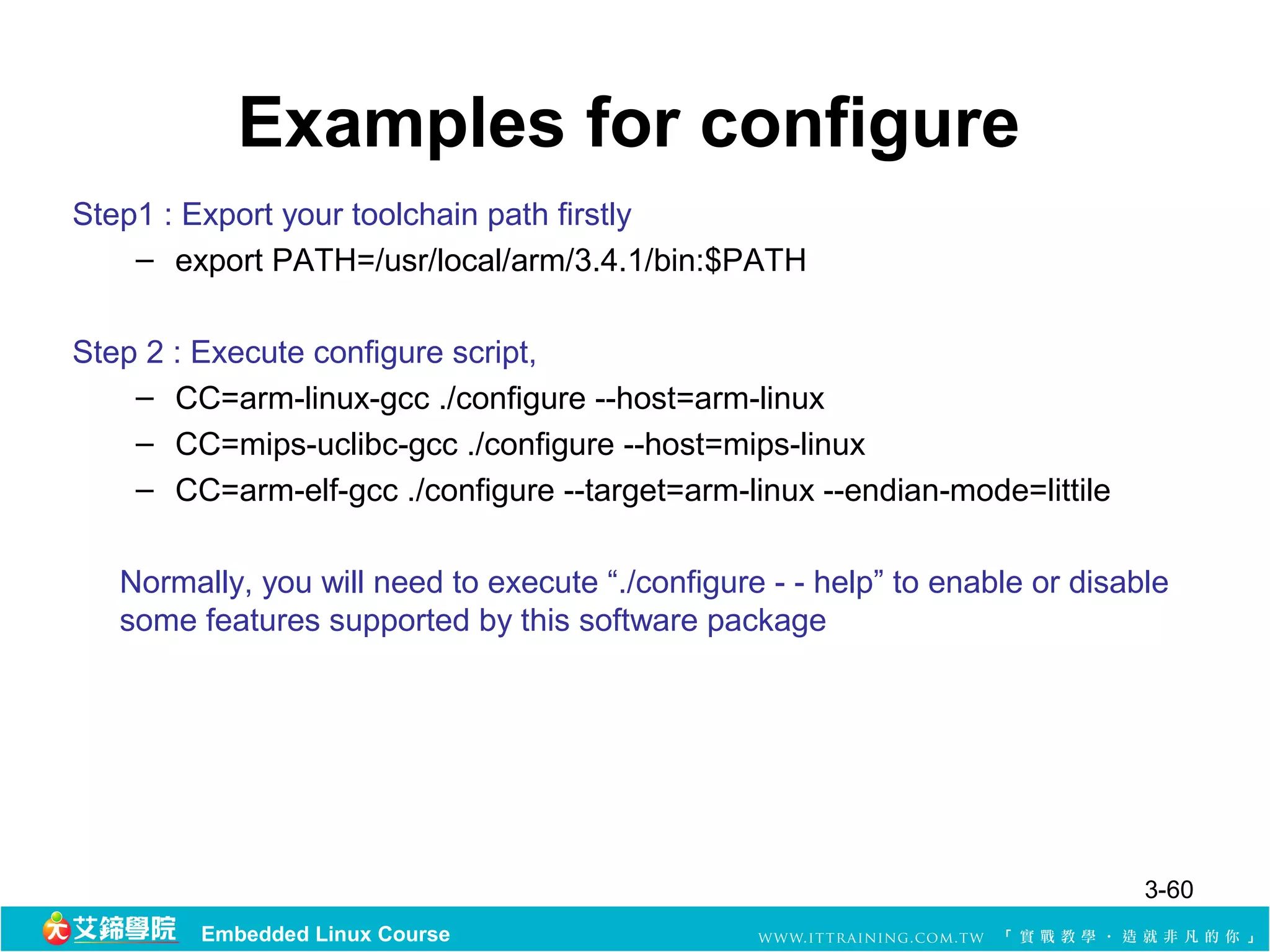
Examples for configure
Step1: Export your toolchain path firstly
– export PATH=/usr/local/arm/3.4.1/bin:$PATH
Step 2 : Execute configure script,
– CC=arm-linux-gcc ./configure --host=arm-linux
– CC=mips-uclibc-gcc ./configure --host=mips-linux
– CC=arm-elf-gcc ./configure --target=arm-linux --endian-mode=littile
Normally, you will need to execute “./configure - - help” to enable or disable
some features supported by this software package
3-60
Embedded Linux Course
61.
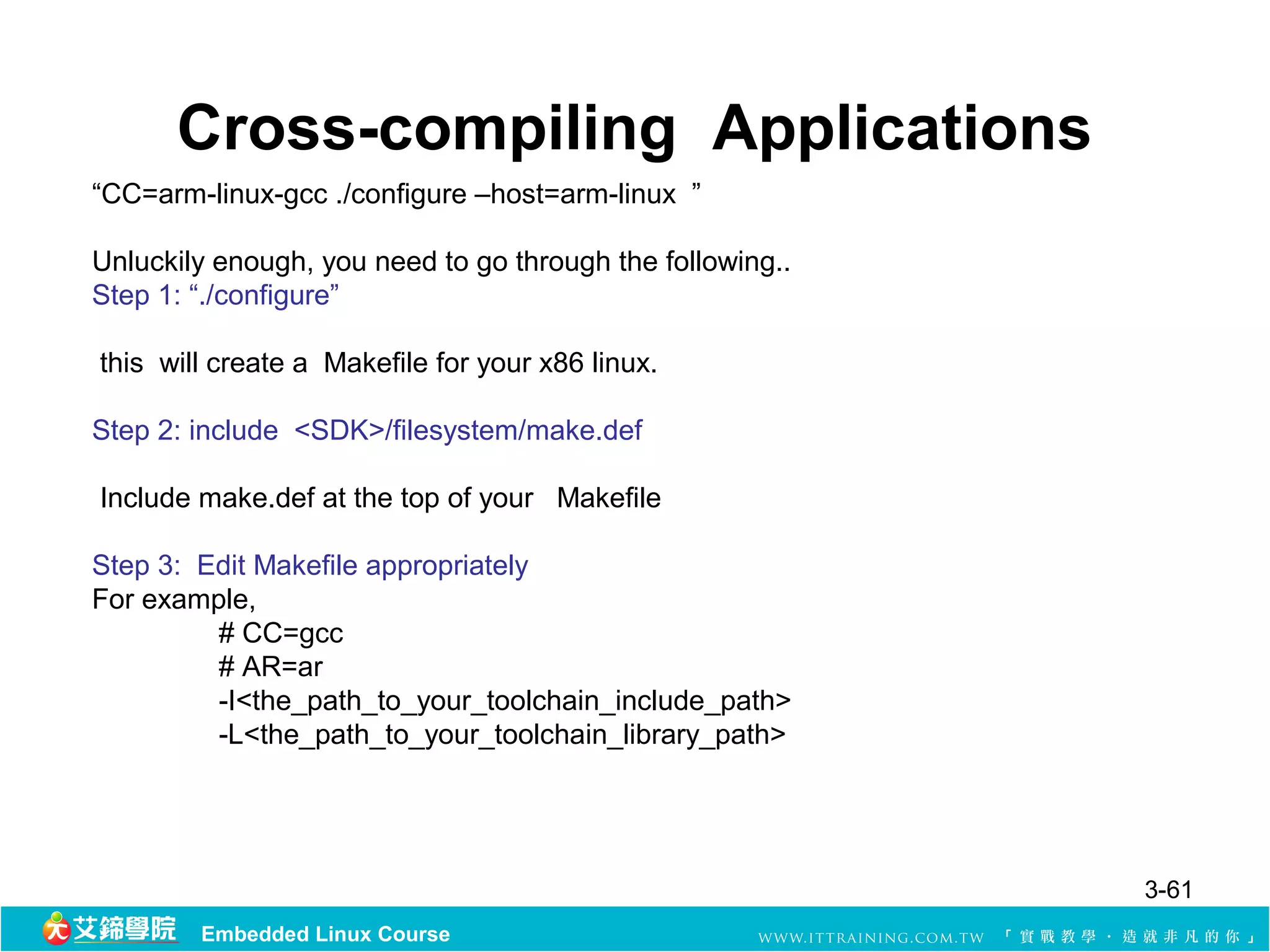
Cross-compiling Applications
“CC=arm-linux-gcc ./configure–host=arm-linux ”
Unluckily enough, you need to go through the following..
Step 1: “./configure”
this will create a Makefile for your x86 linux.
Step 2: include <SDK>/filesystem/make.def
Include make.def at the top of your Makefile
Step 3: Edit Makefile appropriately
For example,
# CC=gcc
# AR=ar
-I<the_path_to_your_toolchain_include_path>
-L<the_path_to_your_toolchain_library_path>
3-61
Embedded Linux Course
62.
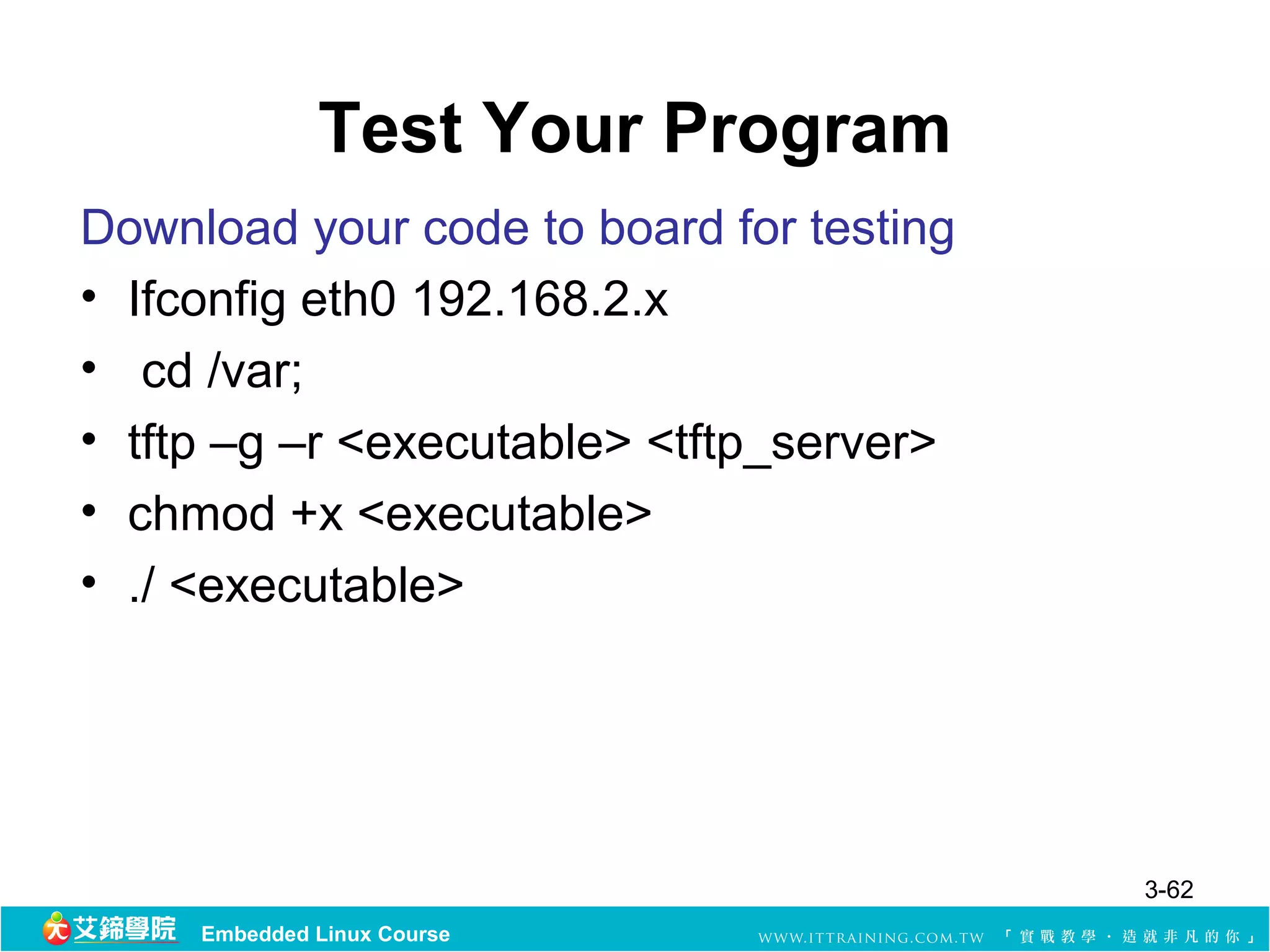
Test Your Program
Downloadyour code to board for testing
• Ifconfig eth0 192.168.2.x
• cd /var;
• tftp –g –r <executable> <tftp_server>
• chmod +x <executable>
• ./ <executable>
3-62
Embedded Linux Course
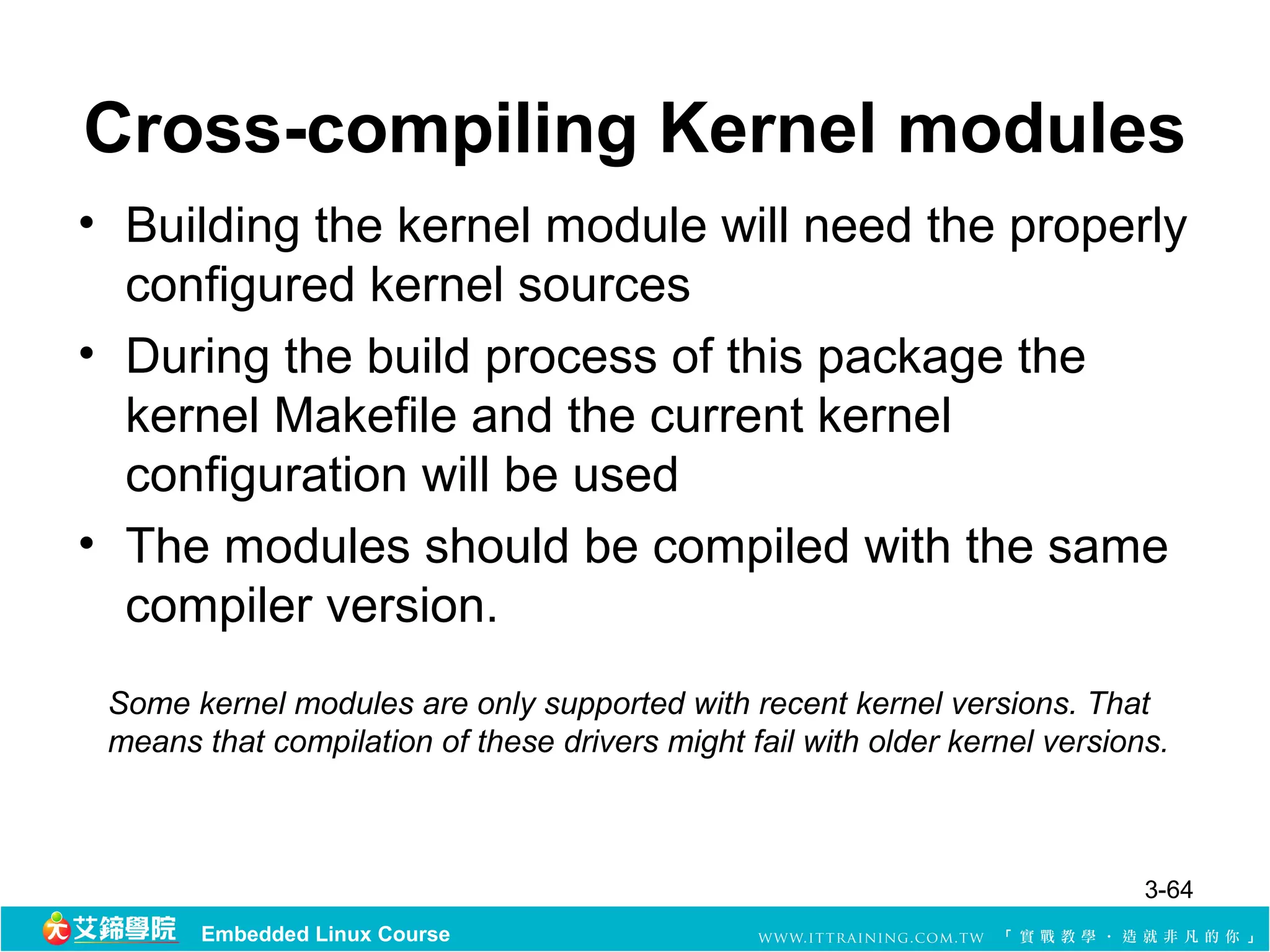
Cross-compiling Kernel modules
•Building the kernel module will need the properly
configured kernel sources
• During the build process of this package the
kernel Makefile and the current kernel
configuration will be used
• The modules should be compiled with the same
compiler version.
Some kernel modules are only supported with recent kernel versions. That
means that compilation of these drivers might fail with older kernel versions.
3-64
Embedded Linux Course
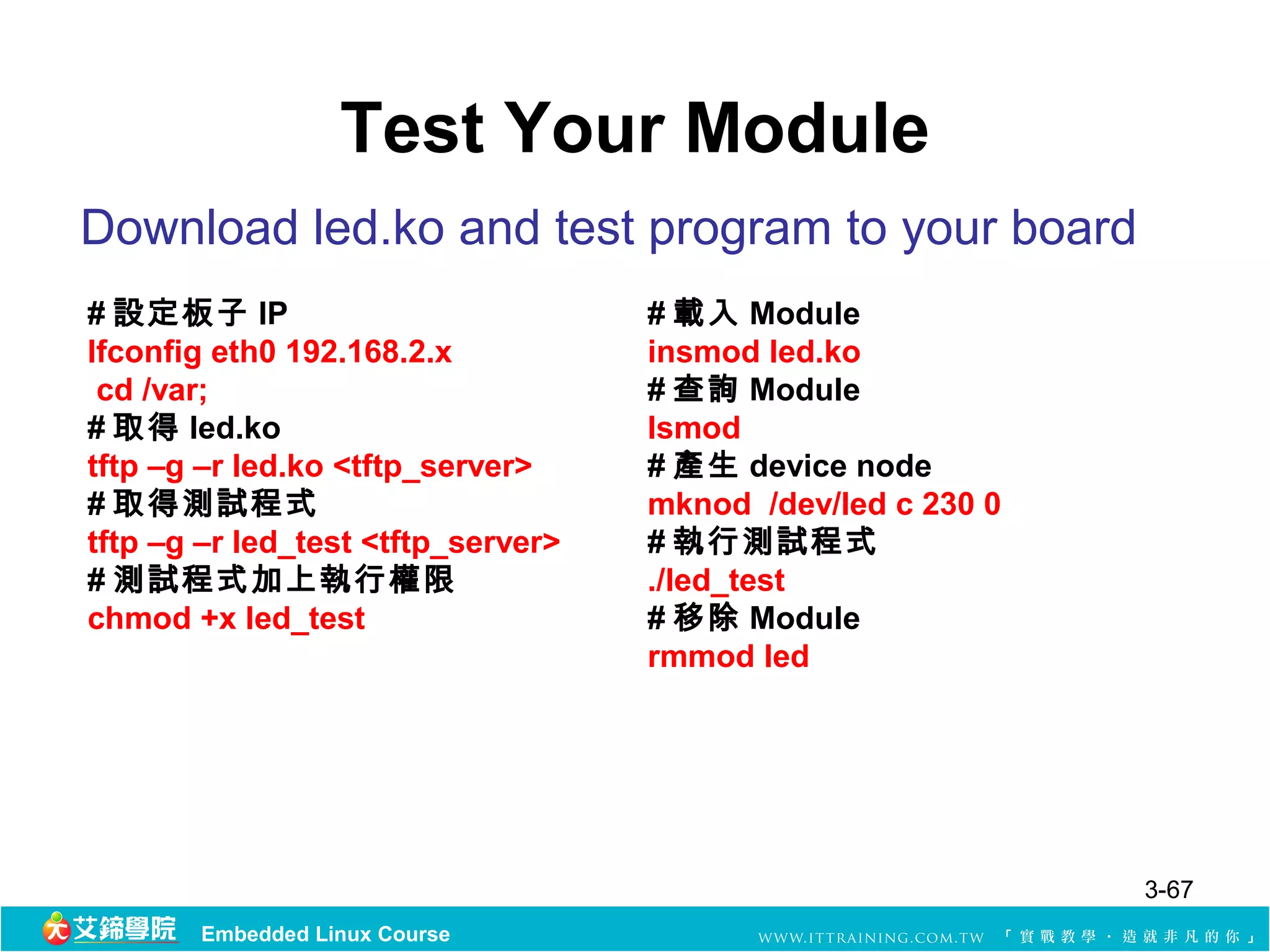
Test Your Module
Downloadled.ko and test program to your board
# 設定板子 IP # 載入 Module
Ifconfig eth0 192.168.2.x insmod led.ko
cd /var; # 查詢 Module
# 取得 led.ko lsmod
tftp –g –r led.ko <tftp_server> # 產生 device node
# 取得測試程式 mknod /dev/led c 230 0
tftp –g –r led_test <tftp_server> # 執行測試程式
# 測試程式加上執行權限 ./led_test
chmod +x led_test # 移除 Module
rmmod led
3-67
Embedded Linux Course
68.
References
• GNU ManualsOnline
– http://www.gnu.org/software/make/manual/
– Managing Projects with GNU Make” by Robert
Mecklenburg
– O'Reilly, Nov 19, 2004
3-68
Embedded Linux Course