Introduction & Installation Садвокасов Денис [email_address]
История
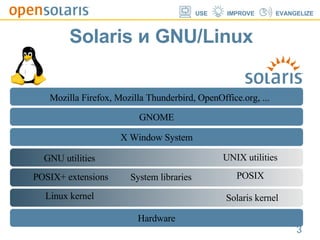
Solaris и GNU/Linux X Window System Hardware GNOME GNU utilities System libraries  Linux kernel POSIX+ extensions Mozilla Firefox, Mozilla Thunderbird, OpenOffice.org, ... UNIX utilities POSIX Solaris kernel
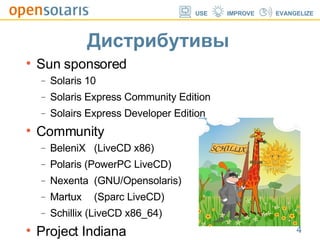
Дистрибутивы Sun sponsored Solaris 10 Solaris Express Community Edition ‏ Solairs Express Developer Edition ‏ Community BeleniX (LiveCD x86)‏ Polaris (PowerPC LiveCD)‏ Nexenta (GNU/Opensolaris)‏ Martux (Sparc LiveCD)‏ Schillix (LiveCD x86_64)‏ Project Indiana
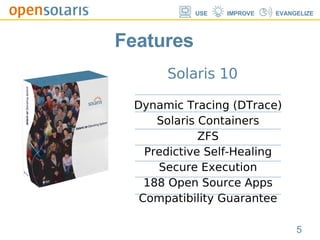
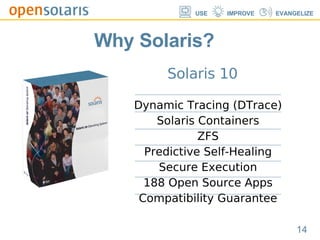
Solaris 10 Dynamic Tracing (DTrace)‏ Solaris Containers ZFS Predictive Self-Healing Secure Execution 188 Open Source Apps Compatibility Guarantee Features
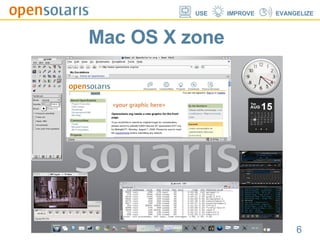
Mac OS X zone
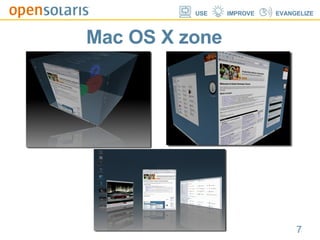
Mac OS X zone
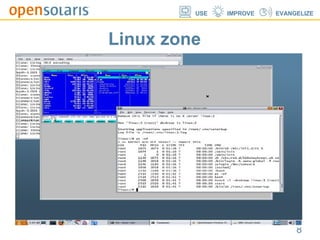
Linux zone
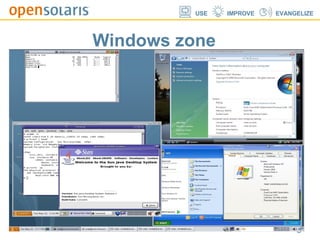
Windows zone
Solaris ZFS
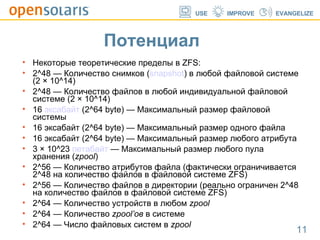
Потенциал  Некоторые теоретические пределы в ZFS: 2^48 — Количество снимков ( snapshot ) в любой файловой системе (2 × 10^14)  2^48 — Количество файлов в любой индивидуальной файловой системе (2 × 10^14)  16  эксабайт  (2^64 byte) — Максимальный размер файловой системы  16 эксабайт (2^64 byte) — Максимальный размер одного файла  16 эксабайт (2^64 byte) — Максимальный размер любого атрибута  3 × 10^23  петабайт  — Максимальный размер любого пула хранения ( zpool )  2^56 — Количество атрибутов файла (фактически ограничивается 2^48 на количество файлов в файловой системе ZFS)  2^56 — Количество файлов в директории (реально ограничен 2^48 на количество файлов в файловой системе ZFS)  2^64 — Количество устройств в любом  zpool   2^64 — Количество  zpool’ов  в системе  2^64 — Число файловых систем в  zpool
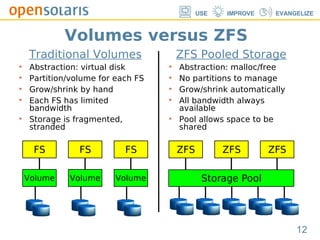
Traditional Volumes Abstraction: virtual disk Partition/volume for each FS Grow/shrink by hand Each FS has limited bandwidth Storage is fragmented, stranded ZFS Pooled Storage Abstraction: malloc/free No partitions to manage Grow/shrink automatically All bandwidth always available Pool allows space to be shared Storage Pool Volume FS Volume FS Volume FS ZFS ZFS ZFS Volumes versus ZFS
ZFS Demo nice zfs basics zfs selfhealing
Solaris 10 Dynamic Tracing (DTrace)‏ Solaris Containers ZFS Predictive Self-Healing Secure Execution 188 Open Source Apps Compatibility Guarantee Why Solaris?
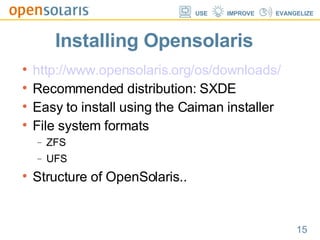
Installing Opensolaris http://www.opensolaris.org/os/downloads/ Recommended distribution: SXDE Easy to install using the Caiman installer File system formats ZFS UFS Structure of OpenSolaris..
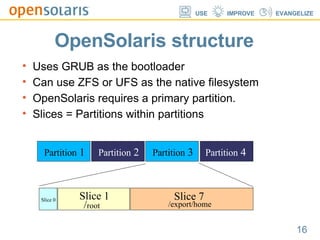
OpenSolaris structure Uses GRUB as the bootloader Can use ZFS or UFS as the native filesystem OpenSolaris requires a primary partition. Slices = Partitions within partitions Partition  1 Partition  2 Partition  3 Partition  4 Slice 0 Slice 1 Slice 7 / root /export/home
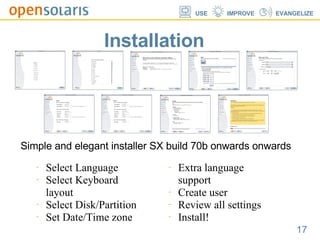
Installation Simple and elegant installer SX build 70b onwards onwards Select Language Select Keyboard layout Select Disk/Partition Set Date/Time zone Extra language support Create user Review all settings Install!
Project Indiana .. is what everyone is talking about in OpenSolaris land. Is the promising new OpenSolaris binary distribution Lead by Ian Murdock: The 'Ian' in Debian. What's a Linux guy doing in OpenSolaris? Pre release in Oct 2007, first release in early 2008. Great new features you always wanted in Solaris.
Project Indiana Network based apt-like binary package management called the Universal Packaging system The cool new Distro-constructor! Simply select packages from repository Customize look and feel and spread your own distribution! Join in! www.opensolaris.org/os/project/indiana/
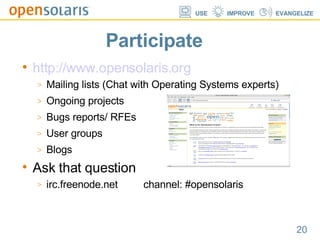
Participate http://www.opensolaris.org Mailing lists (Chat with Operating Systems experts)‏ Ongoing projects Bugs reports/ RFEs User groups Blogs Ask that question irc.freenode.net  channel: #opensolaris
 

Presentation. OpenSolaris.

  • 1.
    Introduction & InstallationСадвокасов Денис [email_address]
  • 2.
  • 3.
    Solaris и GNU/LinuxX Window System Hardware GNOME GNU utilities System libraries Linux kernel POSIX+ extensions Mozilla Firefox, Mozilla Thunderbird, OpenOffice.org, ... UNIX utilities POSIX Solaris kernel
  • 4.
    Дистрибутивы Sun sponsoredSolaris 10 Solaris Express Community Edition ‏ Solairs Express Developer Edition ‏ Community BeleniX (LiveCD x86)‏ Polaris (PowerPC LiveCD)‏ Nexenta (GNU/Opensolaris)‏ Martux (Sparc LiveCD)‏ Schillix (LiveCD x86_64)‏ Project Indiana
  • 5.
    Solaris 10 DynamicTracing (DTrace)‏ Solaris Containers ZFS Predictive Self-Healing Secure Execution 188 Open Source Apps Compatibility Guarantee Features
  • 6.
  • 7.
  • 8.
  • 9.
  • 10.
  • 11.
    Потенциал Некоторыетеоретические пределы в ZFS: 2^48 — Количество снимков ( snapshot ) в любой файловой системе (2 × 10^14) 2^48 — Количество файлов в любой индивидуальной файловой системе (2 × 10^14) 16  эксабайт (2^64 byte) — Максимальный размер файловой системы 16 эксабайт (2^64 byte) — Максимальный размер одного файла 16 эксабайт (2^64 byte) — Максимальный размер любого атрибута 3 × 10^23  петабайт — Максимальный размер любого пула хранения ( zpool ) 2^56 — Количество атрибутов файла (фактически ограничивается 2^48 на количество файлов в файловой системе ZFS) 2^56 — Количество файлов в директории (реально ограничен 2^48 на количество файлов в файловой системе ZFS) 2^64 — Количество устройств в любом zpool 2^64 — Количество zpool’ов в системе 2^64 — Число файловых систем в zpool
  • 12.
    Traditional Volumes Abstraction:virtual disk Partition/volume for each FS Grow/shrink by hand Each FS has limited bandwidth Storage is fragmented, stranded ZFS Pooled Storage Abstraction: malloc/free No partitions to manage Grow/shrink automatically All bandwidth always available Pool allows space to be shared Storage Pool Volume FS Volume FS Volume FS ZFS ZFS ZFS Volumes versus ZFS
  • 13.
    ZFS Demo nicezfs basics zfs selfhealing
  • 14.
    Solaris 10 DynamicTracing (DTrace)‏ Solaris Containers ZFS Predictive Self-Healing Secure Execution 188 Open Source Apps Compatibility Guarantee Why Solaris?
  • 15.
    Installing Opensolaris http://www.opensolaris.org/os/downloads/Recommended distribution: SXDE Easy to install using the Caiman installer File system formats ZFS UFS Structure of OpenSolaris..
  • 16.
    OpenSolaris structure UsesGRUB as the bootloader Can use ZFS or UFS as the native filesystem OpenSolaris requires a primary partition. Slices = Partitions within partitions Partition 1 Partition 2 Partition 3 Partition 4 Slice 0 Slice 1 Slice 7 / root /export/home
  • 17.
    Installation Simple andelegant installer SX build 70b onwards onwards Select Language Select Keyboard layout Select Disk/Partition Set Date/Time zone Extra language support Create user Review all settings Install!
  • 18.
    Project Indiana ..is what everyone is talking about in OpenSolaris land. Is the promising new OpenSolaris binary distribution Lead by Ian Murdock: The 'Ian' in Debian. What's a Linux guy doing in OpenSolaris? Pre release in Oct 2007, first release in early 2008. Great new features you always wanted in Solaris.
  • 19.
    Project Indiana Networkbased apt-like binary package management called the Universal Packaging system The cool new Distro-constructor! Simply select packages from repository Customize look and feel and spread your own distribution! Join in! www.opensolaris.org/os/project/indiana/
  • 20.
    Participate http://www.opensolaris.org Mailinglists (Chat with Operating Systems experts)‏ Ongoing projects Bugs reports/ RFEs User groups Blogs Ask that question irc.freenode.net channel: #opensolaris
  • 21.

Editor's Notes

  • #2 open Рисунок, который вы сейчас видите создан одним из разработчиков Solaris Changa Когда сотрудники Sun запустили свой проект они искали ключевое слово, которое бы больше всего подошло к нему. Было несколько вариантов: -начинающийся(launched)‏ -свободный(openning)‏ В конце концов сошлись на слове open – открытый, т.к. оно одновременно простое, и в то же время хорошо подходит для сообщества OpenSolaris community Сообществ OpenSolaris не так уж много, но они существуют уже во многих странах, в том числе и в России. Целых два: питерское и московское )‏ У каждого из них есть форум, довольно активный. вопросы там задаются разные – от того, будет ли OpenSolaris laptop-системой до халявных футболок )‏