RECORDS MANAGEMENT
Judith Read and Mary Lea Ginn
Chapter 11
Electronic and Image Records
Copyright 2011 South-Western, Cengage Learning
Electronic and Image Records
• Electronic record
– Stored on electronic storage media
– Can be readily accessed or changed
– Digitized data that must be translated by a computer or
other type of equipment for use
– Often referred to as a machine-readable record
• Image record
– A digital or photographic representation of a record
– On any medium such as microfilm or optical disk
2
Magnetic and Optical Media
• Magnetic media
– A variety of magnetically coated materials
– Used by computers for data
– Examples include hard drives and magnetic tape
• Optical media
– A high-density data storage medium
– Digitally encoded information is both written and read
by means of a laser
– Examples include optical disks, CDs, and DVDs
3
Removable Storage Devices
• Advantages
– Secure placement in locked cabinets or vaults
– Reliable backup for internal hard drives
– Easy transfer of data between computers
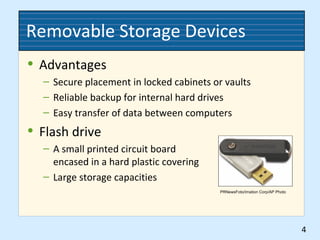
• Flash drive
– A small printed circuit board
encased in a hard plastic covering
– Large storage capacities
4
PRNewsFoto/Imation Corp/AP Photo
Data Input
• Scanners
• Bar codes and RFID
• OCR
• Fax machines
• Handheld devices
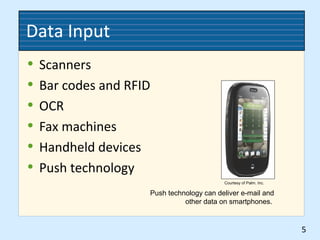
• Push technology
5
Courtesy of Palm. Inc.
Push technology can deliver e-mail and
other data on smartphones.
Storage and Retrieval Procedures
• Indexing electronic records
– Provides the means to locate, group, retrieve, and
manage documents
– Fields can be used to categorize documents, to track
creation or retention dates, or to enter keywords
• Retrieval
– Consistency in naming directories, subdirectories, and
files is important
– An index of directories, subdirectories, and filename
categories should be kept to speed retrieval
6
Retention and Disposition
• Duplicate records
• Media compatibility and stability
• Access
• E-mail records
• Active and inactive records storage
– Working copies
– Storage copies
– Master copies
7
Records Safety
• Protective measures
• Records conversion and backup
• Protection against computer viruses
8
Records Security
• Security policies and checks
• Security measures
– Locks
– Passwords
– Firewalls
• Data protection
• Security for faxed records
• E-mail retention policies
9
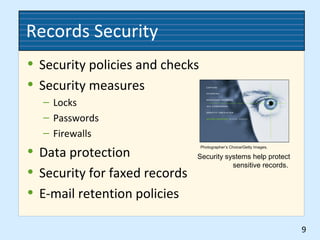
Photographer’s Choice/Getty Images.
Security systems help protect
sensitive records.
Image Media
• Microforms
• Micrographics
• Resolution
• Density
• Reduction ratio
• Magnification ratio
10
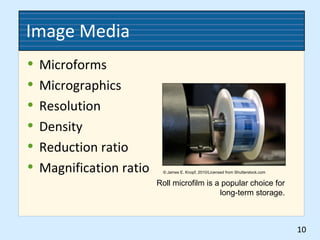
Roll microfilm is a popular choice for
long-term storage.
© James E. Knopf, 2010/Licensed from Shutterstock.com
Microfilming Procedures
• Document preparation
• Indexing
– Flash target indexing
– Sequential frame numbering
– Blip coding
– Bar coding
11
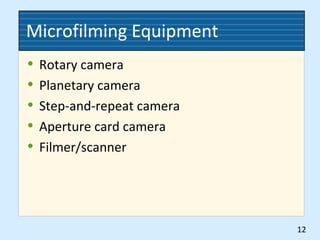
Microfilming Equipment
• Rotary camera
• Planetary camera
• Step-and-repeat camera
• Aperture card camera
• Filmer/scanner
12
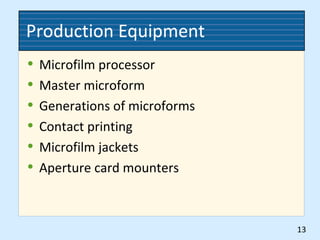
Production Equipment
• Microfilm processor
• Master microform
• Generations of microforms
• Contact printing
• Microfilm jackets
• Aperture card mounters
13
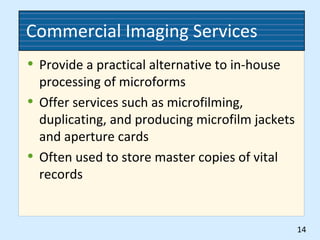
Commercial Imaging Services
• Provide a practical alternative to in-house
processing of microforms
• Offer services such as microfilming,
duplicating, and producing microfilm jackets
and aperture cards
• Often used to store master copies of vital
records
14
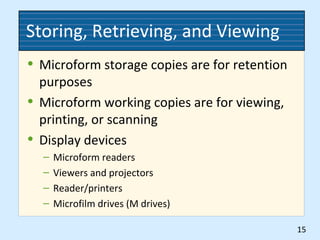
Storing, Retrieving, and Viewing
• Microform storage copies are for retention
purposes
• Microform working copies are for viewing,
printing, or scanning
• Display devices
– Microform readers
– Viewers and projectors
– Reader/printers
– Microfilm drives (M drives)
15
Image Records Retention
• Microfilm records can be preserved for
decades—often used for vital records
• CDs and DVDs have useful life spans ranging
from 10 to 100 years
• Remastering—making new copies of a
master record
16
Software
• Tracks and manages physical, electronic,
and image records
• Increases rapid access to records
• Reduces the number of misplaced records
17

Ch11 records management

  • 1.
    RECORDS MANAGEMENT Judith Readand Mary Lea Ginn Chapter 11 Electronic and Image Records Copyright 2011 South-Western, Cengage Learning
  • 2.
    Electronic and ImageRecords • Electronic record – Stored on electronic storage media – Can be readily accessed or changed – Digitized data that must be translated by a computer or other type of equipment for use – Often referred to as a machine-readable record • Image record – A digital or photographic representation of a record – On any medium such as microfilm or optical disk 2
  • 3.
    Magnetic and OpticalMedia • Magnetic media – A variety of magnetically coated materials – Used by computers for data – Examples include hard drives and magnetic tape • Optical media – A high-density data storage medium – Digitally encoded information is both written and read by means of a laser – Examples include optical disks, CDs, and DVDs 3
  • 4.
    Removable Storage Devices •Advantages – Secure placement in locked cabinets or vaults – Reliable backup for internal hard drives – Easy transfer of data between computers • Flash drive – A small printed circuit board encased in a hard plastic covering – Large storage capacities 4 PRNewsFoto/Imation Corp/AP Photo
  • 5.
    Data Input • Scanners •Bar codes and RFID • OCR • Fax machines • Handheld devices • Push technology 5 Courtesy of Palm. Inc. Push technology can deliver e-mail and other data on smartphones.
  • 6.
    Storage and RetrievalProcedures • Indexing electronic records – Provides the means to locate, group, retrieve, and manage documents – Fields can be used to categorize documents, to track creation or retention dates, or to enter keywords • Retrieval – Consistency in naming directories, subdirectories, and files is important – An index of directories, subdirectories, and filename categories should be kept to speed retrieval 6
  • 7.
    Retention and Disposition •Duplicate records • Media compatibility and stability • Access • E-mail records • Active and inactive records storage – Working copies – Storage copies – Master copies 7
  • 8.
    Records Safety • Protectivemeasures • Records conversion and backup • Protection against computer viruses 8
  • 9.
    Records Security • Securitypolicies and checks • Security measures – Locks – Passwords – Firewalls • Data protection • Security for faxed records • E-mail retention policies 9 Photographer’s Choice/Getty Images. Security systems help protect sensitive records.
  • 10.
    Image Media • Microforms •Micrographics • Resolution • Density • Reduction ratio • Magnification ratio 10 Roll microfilm is a popular choice for long-term storage. © James E. Knopf, 2010/Licensed from Shutterstock.com
  • 11.
    Microfilming Procedures • Documentpreparation • Indexing – Flash target indexing – Sequential frame numbering – Blip coding – Bar coding 11
  • 12.
    Microfilming Equipment • Rotarycamera • Planetary camera • Step-and-repeat camera • Aperture card camera • Filmer/scanner 12
  • 13.
    Production Equipment • Microfilmprocessor • Master microform • Generations of microforms • Contact printing • Microfilm jackets • Aperture card mounters 13
  • 14.
    Commercial Imaging Services •Provide a practical alternative to in-house processing of microforms • Offer services such as microfilming, duplicating, and producing microfilm jackets and aperture cards • Often used to store master copies of vital records 14
  • 15.
    Storing, Retrieving, andViewing • Microform storage copies are for retention purposes • Microform working copies are for viewing, printing, or scanning • Display devices – Microform readers – Viewers and projectors – Reader/printers – Microfilm drives (M drives) 15
  • 16.
    Image Records Retention •Microfilm records can be preserved for decades—often used for vital records • CDs and DVDs have useful life spans ranging from 10 to 100 years • Remastering—making new copies of a master record 16
  • 17.
    Software • Tracks andmanages physical, electronic, and image records • Increases rapid access to records • Reduces the number of misplaced records 17