www.linkedin.com/company/networkraft
contact@networkraft.com
www.facebook.com/networkraft
www.linkedin.com/company/networkraft
contact@networkraft.com
www.facebook.com/networkraft
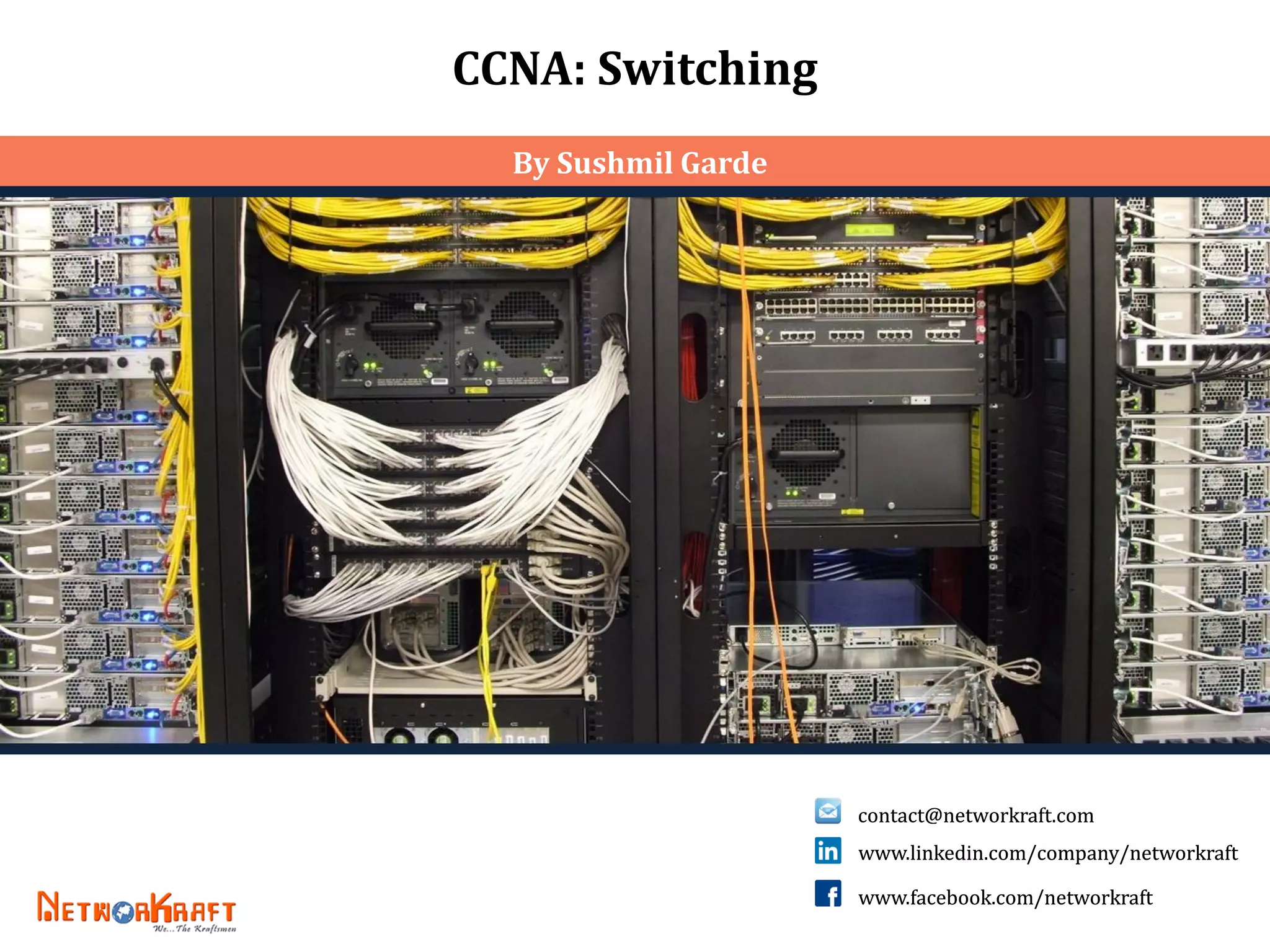
CCNA: Switching
By Sushmil Garde
contact@networkraft.com www.facebook.com/networkraft www.linkedin.com/company/networkraftcontact@networkraft.com www.facebook.com/networkraft www.linkedin.com/company/networkraft 2
SWITCH
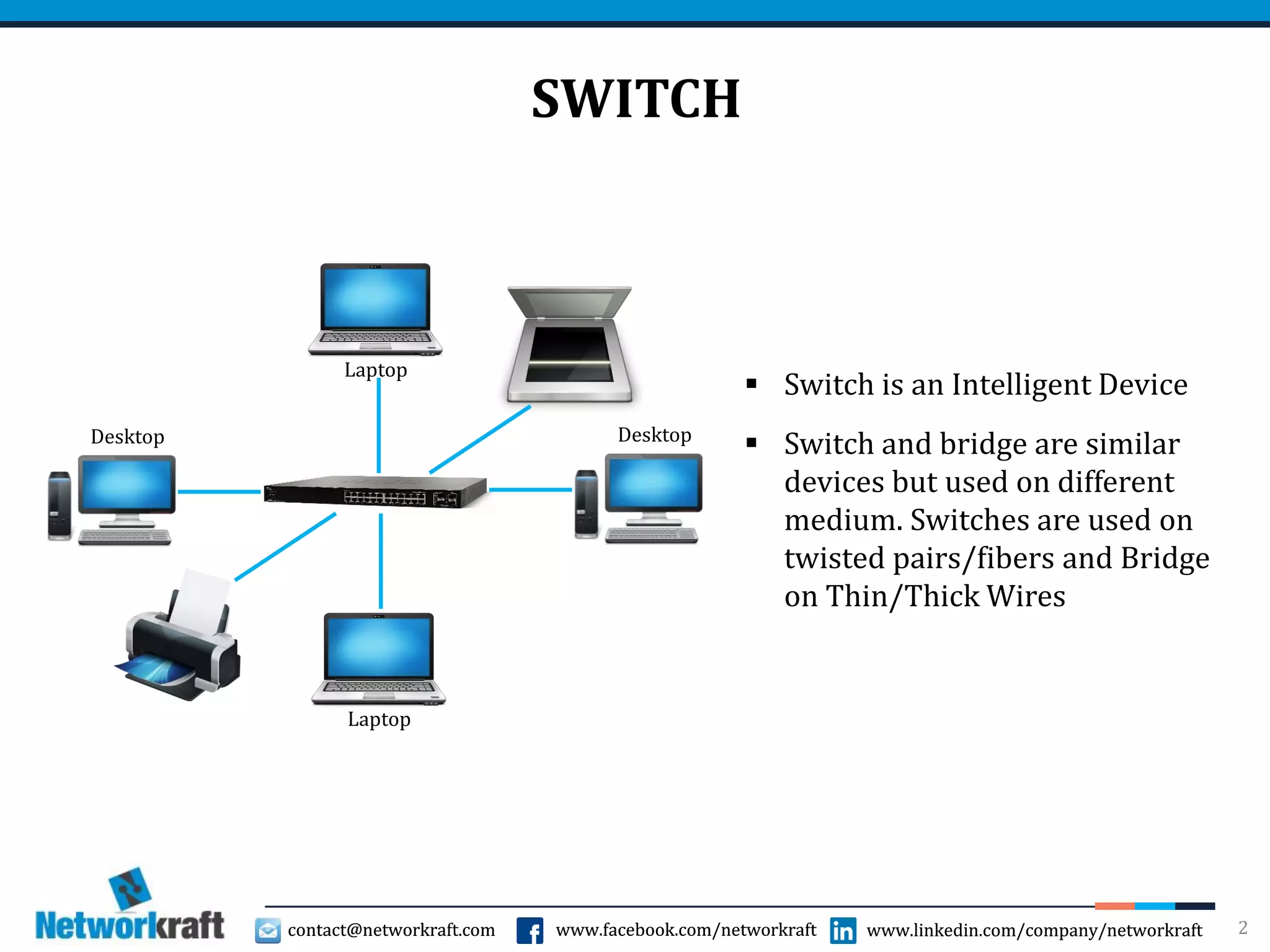
Laptop
Desktop Desktop
Laptop
 Switch is an Intelligent Device
 Switch and bridge are similar
devices but used on different
medium. Switches are used on
twisted pairs/fibers and Bridge
on Thin/Thick Wires
contact@networkraft.com www.facebook.com/networkraft www.linkedin.com/company/networkraftcontact@networkraft.com www.facebook.com/networkraft www.linkedin.com/company/networkraft 3
SWITCH
 When switch receives a frames on its port it will open L2 info. Read MAC
Address, refer to MAC table to take forwarding decisions.
 Switch takes forwarding decisions on basis on MAC address. MAC address is
a layer 2 address and hence the switch is a layer 2 device
 As soon as switch receives a frame on its port, it will read MAC address, refer
it to the MAC table and forward the packet to the APPROPRIATE Port
 When switch receives the frame on its port, it Opens L2 information, reads
source MAC address and makes an entry in its MAC table against the port
number on which it was received
 Switch SEGMENTS network
contact@networkraft.com www.facebook.com/networkraft www.linkedin.com/company/networkraftcontact@networkraft.com www.facebook.com/networkraft www.linkedin.com/company/networkraft 4
SWITCH
 MAC table size should be precise and concise
 Performance purpose
 For quick reference and fast forwarding
 To conserve resources
 To keep table size precise an concise, entries in MAC table should be
controlled and stale entries should be deleted
 Any entry in MAC table that is not referred for a stipulated time is
considered stale and removed from MAC table. Stipulated time can be 5-20
minutes depending upon switch
contact@networkraft.com www.facebook.com/networkraft www.linkedin.com/company/networkraftcontact@networkraft.com www.facebook.com/networkraft www.linkedin.com/company/networkraft 5
SWITCH OPERATION
 If switch receives a Broadcast frame on a port, it creates multiple copies and
forwards it to all OTHER ports. (Switch Does not Broadcast)
 If the sender and receivers are connected on the same port then, switch will
block/discard the frame
 Switch SEGMENTS network whereas Hub EXTENDS the network
 Switch allows simultaneous communication between multiple communication
pairs connected on different ports
 Every port of the switch has its own dedicated bandwidth. Switch is a dedicated
bandwidth device.
 If Receiver is not known then switch forwards information to all other ports
 Every port of the switch is a member of different collision domain. Switch is a
MULTIPLE COLLISION DOMAIN device
 Every port of the switch is a member of same Broadcast domain. Switch is a
SINGLE BROADCAST DOMAIN device.
contact@networkraft.com www.facebook.com/networkraft www.linkedin.com/company/networkraftcontact@networkraft.com www.facebook.com/networkraft www.linkedin.com/company/networkraft
VLANS
 Definition: A logical grouping of network users and resources connected to
administratively defined ports on a switch
 By default, all ports of a switch belong to VLAN 1
 Smaller Broadcast domains
 Organized by…
 Location
 Function
 Department
 Application of Protocol
 Advantages:
 Simplifies Network Management
 Eliminates unnecessary broadcast, hence improves network performance
 Logically separates the user/departments restricting access between them
 Removes physical boundaries
6
contact@networkraft.com www.facebook.com/networkraft www.linkedin.com/company/networkraftcontact@networkraft.com www.facebook.com/networkraft www.linkedin.com/company/networkraft
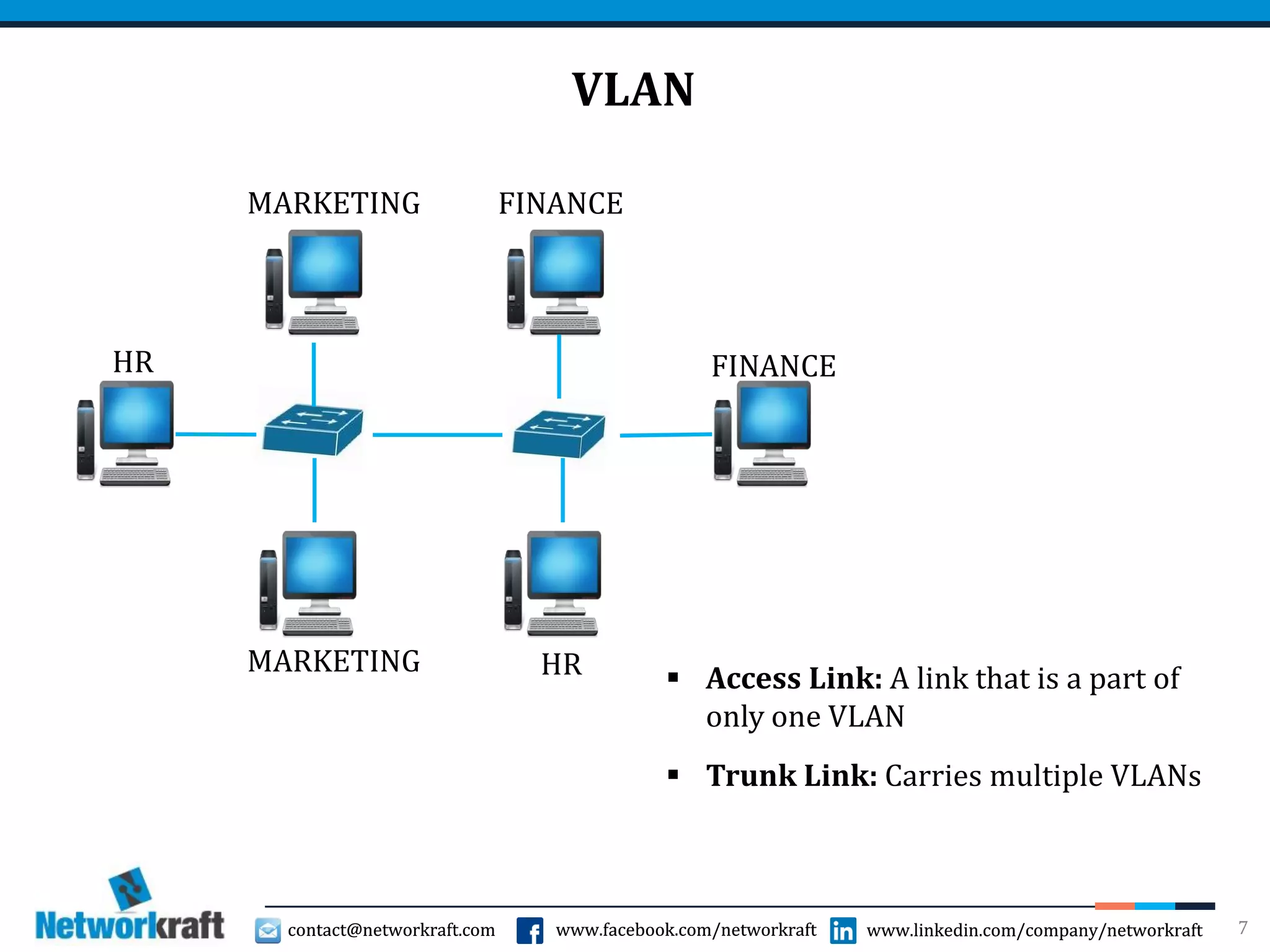
VLAN
7
HR
HRMARKETING
MARKETING FINANCE
FINANCE
 Access Link: A link that is a part of
only one VLAN
 Trunk Link: Carries multiple VLANs
contact@networkraft.com www.facebook.com/networkraft www.linkedin.com/company/networkraftcontact@networkraft.com www.facebook.com/networkraft www.linkedin.com/company/networkraft
VLAN MEMBERSHIP
 Two ways to configure it
 Statically: Manually assign one or more ports to a VLAN
 Dynamically: Based on the MAC address of the host. User can
connect to any physical port and still it will get same VLAN every
time. It requires MAC address to VLAN mapping. Cisco developed
VLAN MEMBERSHIP POLICY SERVER (VMPS) for this
8
contact@networkraft.com www.facebook.com/networkraft www.linkedin.com/company/networkraftcontact@networkraft.com www.facebook.com/networkraft www.linkedin.com/company/networkraft
FRAME TAGGING
 It’s used to mark a packet with a VLAN number
 When the packet is sent over a trunk port, it is marked
(tagged) with the VLAN ID
 When a packet is going out of an Access port, VLAN tag is
removed, hence VLAN ID is transparent to the end devices
9
contact@networkraft.com www.facebook.com/networkraft www.linkedin.com/company/networkraftcontact@networkraft.com www.facebook.com/networkraft www.linkedin.com/company/networkraft
FRAME TAGGING METHODS
 Inter-Switch Link (ISL)
 Cisco Proprietary
 ISL encapsulates frames with 26 byte header and 4 byte trailer
increasing the overhead
 Supports Maximum of 1000 VLANs on a trunk port
 IEEE 802.1Q (dot1Q)
 Industry standard
 It embeds 4 byte VLAN tag into layer 2 header
 Supports maximum of 4096 VLANs on a trunk port
10
contact@networkraft.com www.facebook.com/networkraft www.linkedin.com/company/networkraftcontact@networkraft.com www.facebook.com/networkraft www.linkedin.com/company/networkraft
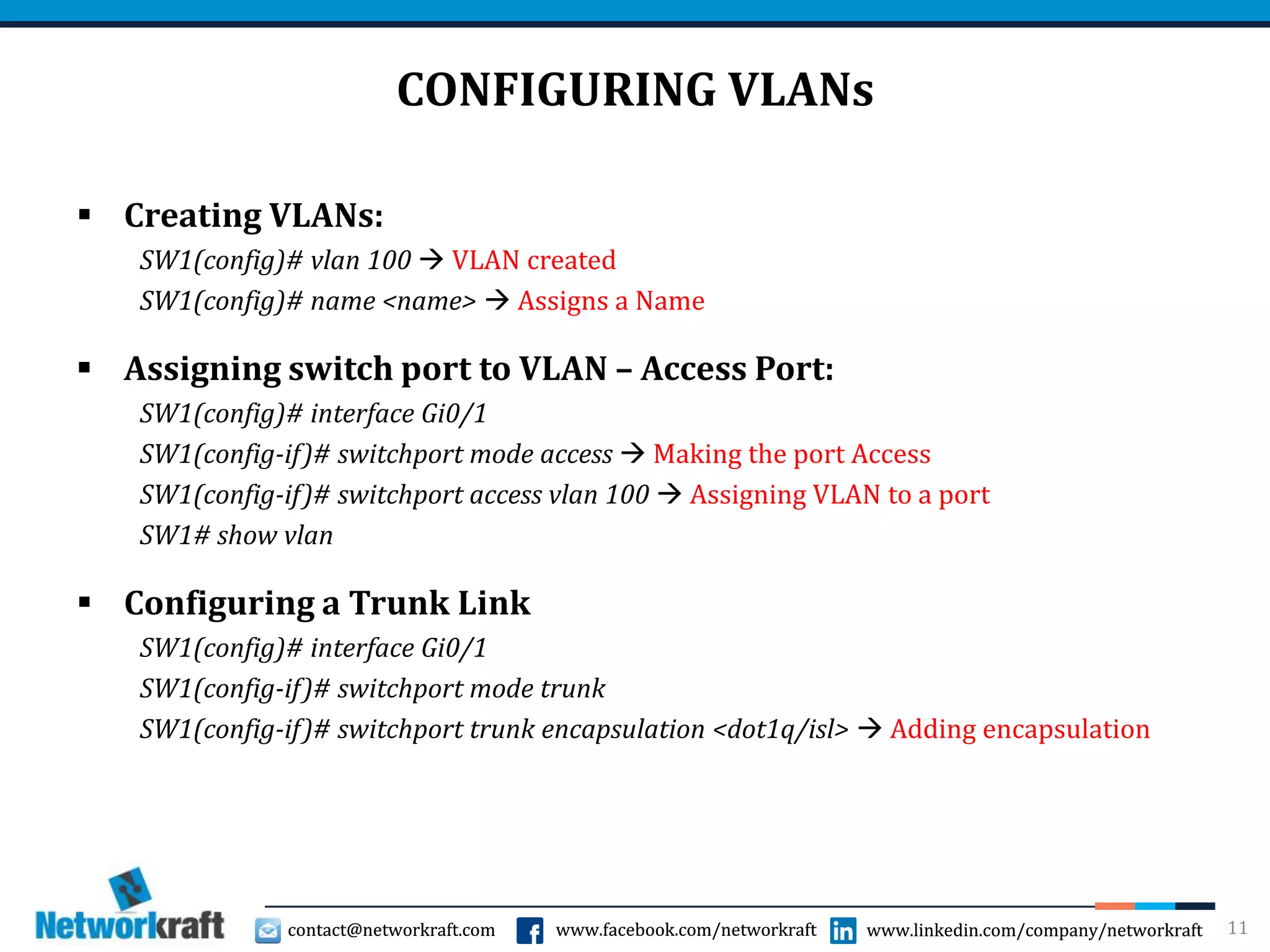
CONFIGURING VLANs
 Creating VLANs:
SW1(config)# vlan 100  VLAN created
SW1(config)# name <name>  Assigns a Name
 Assigning switch port to VLAN – Access Port:
SW1(config)# interface Gi0/1
SW1(config-if)# switchport mode access  Making the port Access
SW1(config-if)# switchport access vlan 100  Assigning VLAN to a port
SW1# show vlan
 Configuring a Trunk Link
SW1(config)# interface Gi0/1
SW1(config-if)# switchport mode trunk
SW1(config-if)# switchport trunk encapsulation <dot1q/isl>  Adding encapsulation
11
contact@networkraft.com www.facebook.com/networkraft www.linkedin.com/company/networkraftcontact@networkraft.com www.facebook.com/networkraft www.linkedin.com/company/networkraft
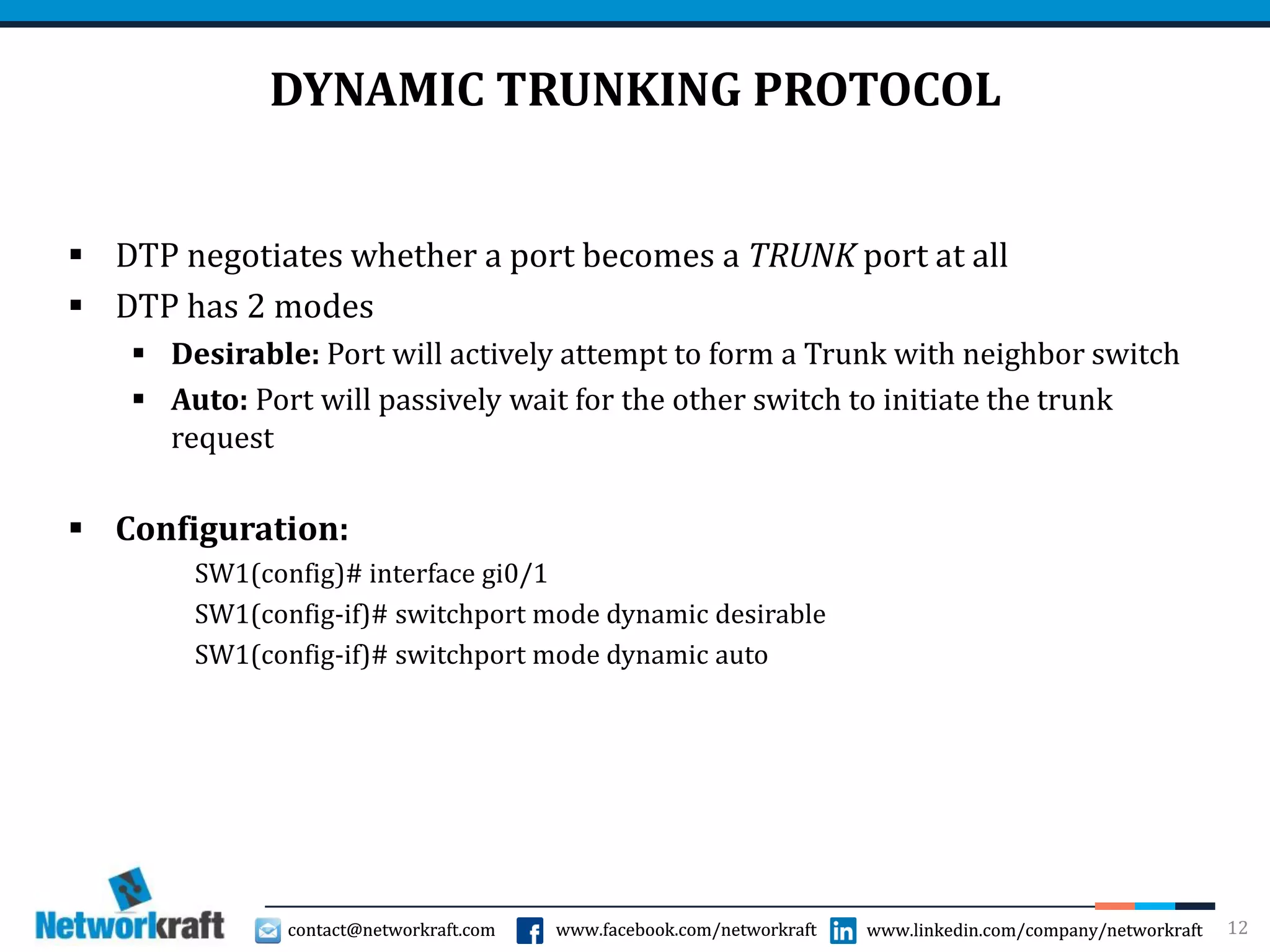
DYNAMIC TRUNKING PROTOCOL
 DTP negotiates whether a port becomes a TRUNK port at all
 DTP has 2 modes
 Desirable: Port will actively attempt to form a Trunk with neighbor switch
 Auto: Port will passively wait for the other switch to initiate the trunk
request
 Configuration:
SW1(config)# interface gi0/1
SW1(config-if)# switchport mode dynamic desirable
SW1(config-if)# switchport mode dynamic auto
12
contact@networkraft.com www.facebook.com/networkraft www.linkedin.com/company/networkraftcontact@networkraft.com www.facebook.com/networkraft www.linkedin.com/company/networkraft
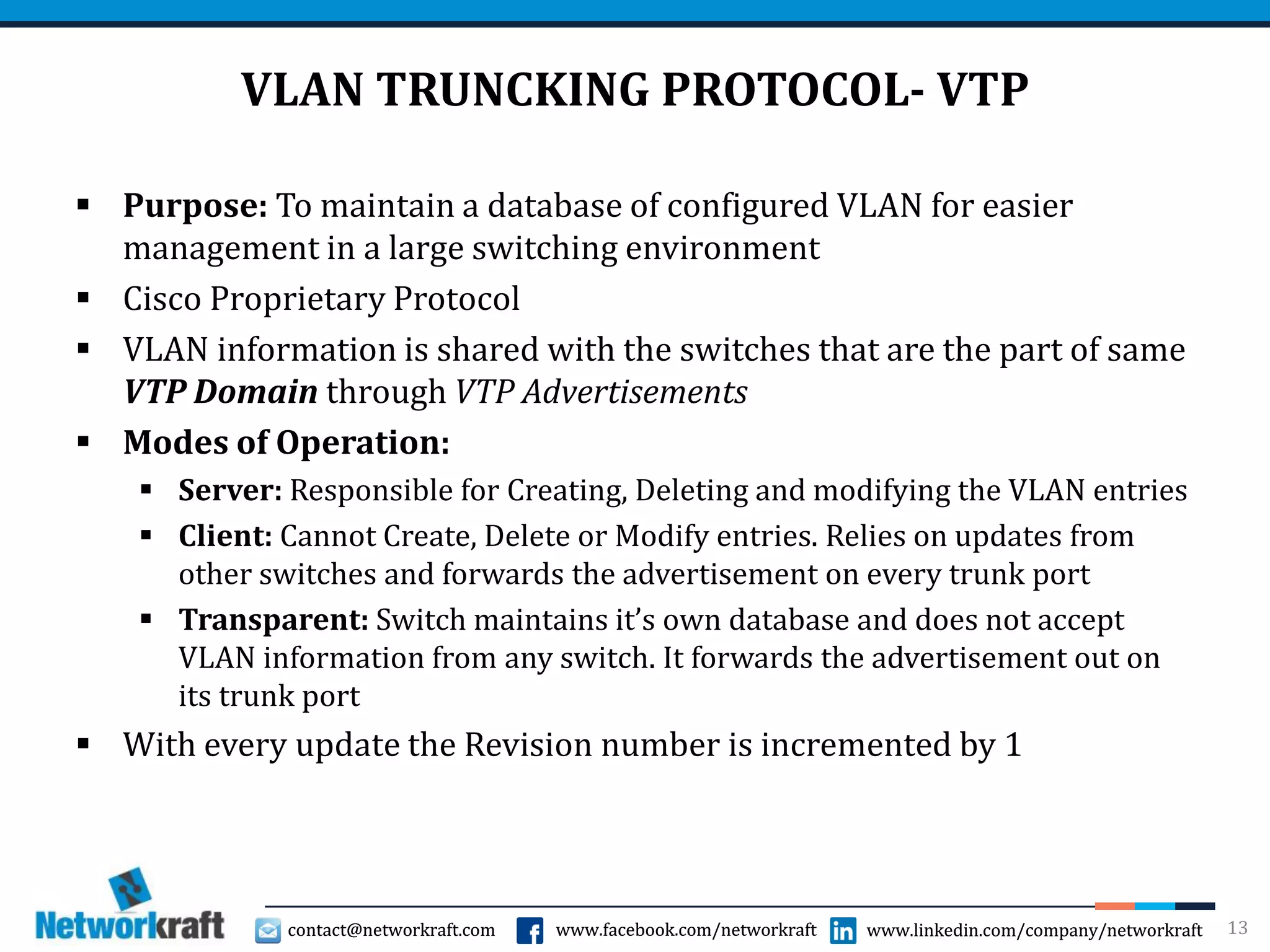
VLAN TRUNCKING PROTOCOL- VTP
 Purpose: To maintain a database of configured VLAN for easier
management in a large switching environment
 Cisco Proprietary Protocol
 VLAN information is shared with the switches that are the part of same
VTP Domain through VTP Advertisements
 Modes of Operation:
 Server: Responsible for Creating, Deleting and modifying the VLAN entries
 Client: Cannot Create, Delete or Modify entries. Relies on updates from
other switches and forwards the advertisement on every trunk port
 Transparent: Switch maintains it’s own database and does not accept
VLAN information from any switch. It forwards the advertisement out on
its trunk port
 With every update the Revision number is incremented by 1
13
contact@networkraft.com www.facebook.com/networkraft www.linkedin.com/company/networkraftcontact@networkraft.com www.facebook.com/networkraft www.linkedin.com/company/networkraft
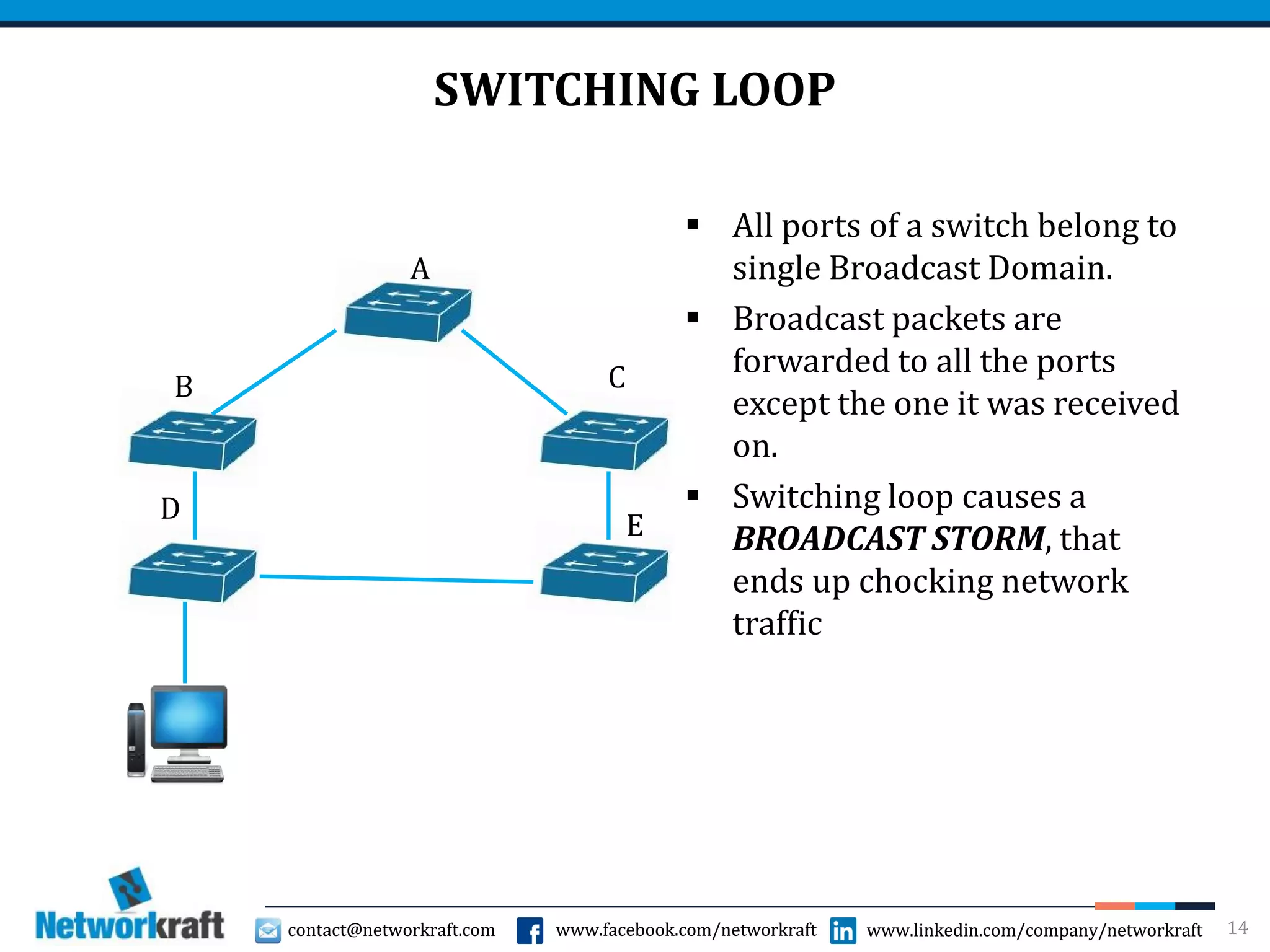
SWITCHING LOOP
 All ports of a switch belong to
single Broadcast Domain.
 Broadcast packets are
forwarded to all the ports
except the one it was received
on.
 Switching loop causes a
BROADCAST STORM, that
ends up chocking network
traffic
14
B
A
C
E
D
contact@networkraft.com www.facebook.com/networkraft www.linkedin.com/company/networkraftcontact@networkraft.com www.facebook.com/networkraft www.linkedin.com/company/networkraft
SPANNING TREE PROTOCOL
 Purpose: To prevent Broadcast Storms caused by switching loops
 Standard RFC: IEEE 802.1D
 STP builds a Topology of the network and identify whether there is
loop in the network
 One or more ports are blocked to avoid switching loop
 Blocked port can be reactivated, when necessary
15
contact@networkraft.com www.facebook.com/networkraft www.linkedin.com/company/networkraftcontact@networkraft.com www.facebook.com/networkraft www.linkedin.com/company/networkraft
BUILDING STP TOPOLOGY
 STP enabled switches exchange BPDUs (Bridge Protocol Data Units)
every two seconds
 These BPDUs are sent out on every port on a dedicated Multicast MAC
address- 01:80:C2:00:00:00
 Steps in Building STP Topology:
 Root Bridge Election
 Identifying Root Ports
 Identifying Designated Ports
 Placing ports in Blocking state if required
16
contact@networkraft.com www.facebook.com/networkraft www.linkedin.com/company/networkraftcontact@networkraft.com www.facebook.com/networkraft www.linkedin.com/company/networkraft
ROOT BRIDGE ELECTION
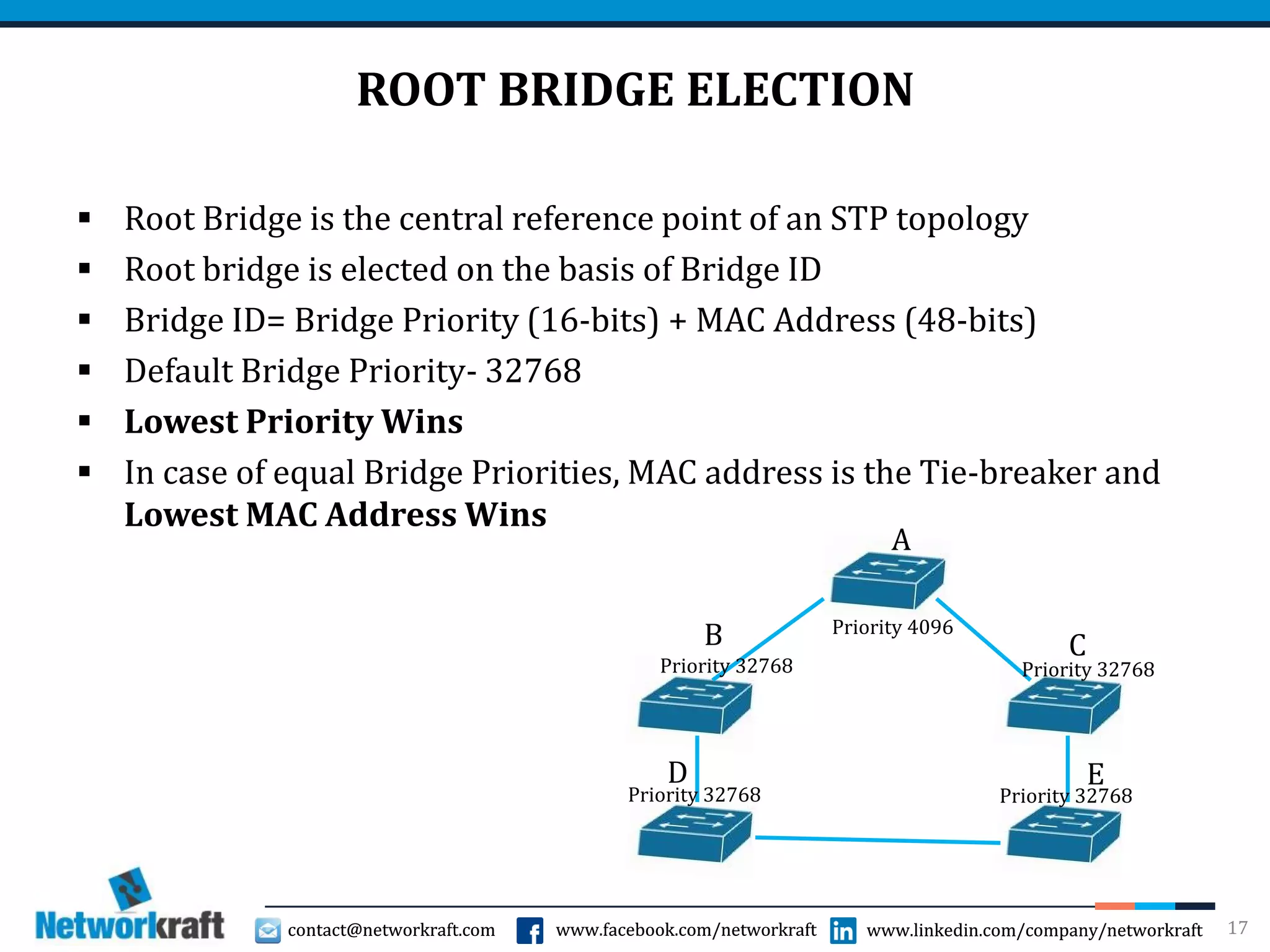
 Root Bridge is the central reference point of an STP topology
 Root bridge is elected on the basis of Bridge ID
 Bridge ID= Bridge Priority (16-bits) + MAC Address (48-bits)
 Default Bridge Priority- 32768
 Lowest Priority Wins
 In case of equal Bridge Priorities, MAC address is the Tie-breaker and
Lowest MAC Address Wins
17
B
A
C
ED
Priority 4096
Priority 32768Priority 32768
Priority 32768 Priority 32768
contact@networkraft.com www.facebook.com/networkraft www.linkedin.com/company/networkraftcontact@networkraft.com www.facebook.com/networkraft www.linkedin.com/company/networkraft
IDNTIFYING ROOT PORT
 The port with lowest path cost to reach Root Bridge is the Root Port
 Path cost is the cumulative cost to reach the Root Bridge
 Path cost info is mentioned in the BPDUs and the BPDU with lowest
path cost is considered as Superior BPDU and others are considered
as inferior BPDUs
 If path cost is equal, then select the port connected to neighbor switch
with lowest Bridge ID
 If all the paths go through the same neighboring switch then local port
that receives the lowest Port ID on it will become the Root Port
 Each switch can have only one root port
 Root Bridge does not have a Root Port
18
contact@networkraft.com www.facebook.com/networkraft www.linkedin.com/company/networkraftcontact@networkraft.com www.facebook.com/networkraft www.linkedin.com/company/networkraft
IDENTIFYING DESIGNATED PORT
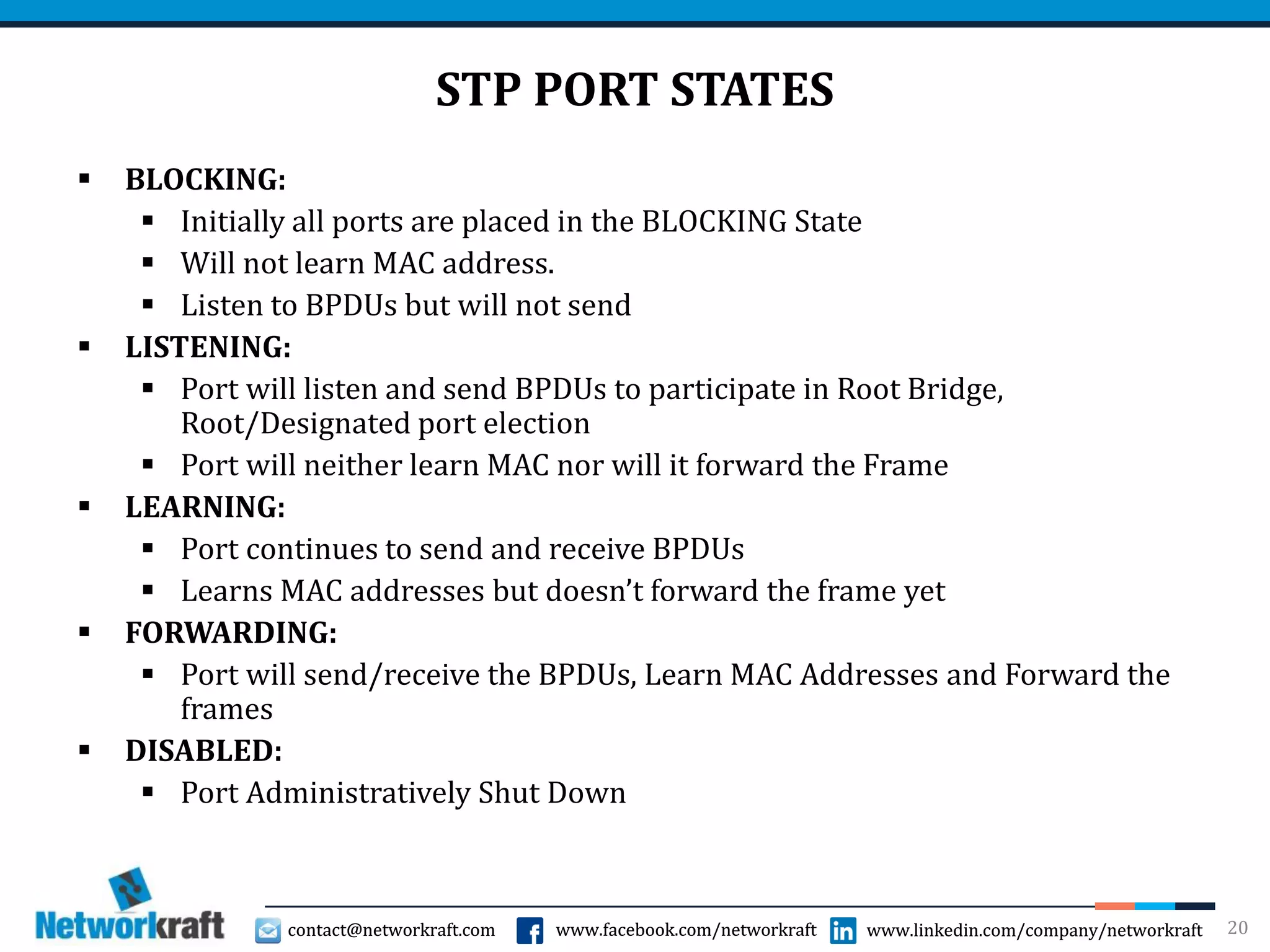
 Only one designated port for each network segment
 Forwards BPDU frames to that network segment
 If two ports are eligible to become Designated port, then
there is a loop and one needs to be placed in the Blocking
state
 Designated ports are determined by the lowest cumulative
path cost
 If path cost is equal, then the Bridge-ID is the Tie-Breaker
19
contact@networkraft.com www.facebook.com/networkraft www.linkedin.com/company/networkraftcontact@networkraft.com www.facebook.com/networkraft www.linkedin.com/company/networkraft
STP PORT STATES
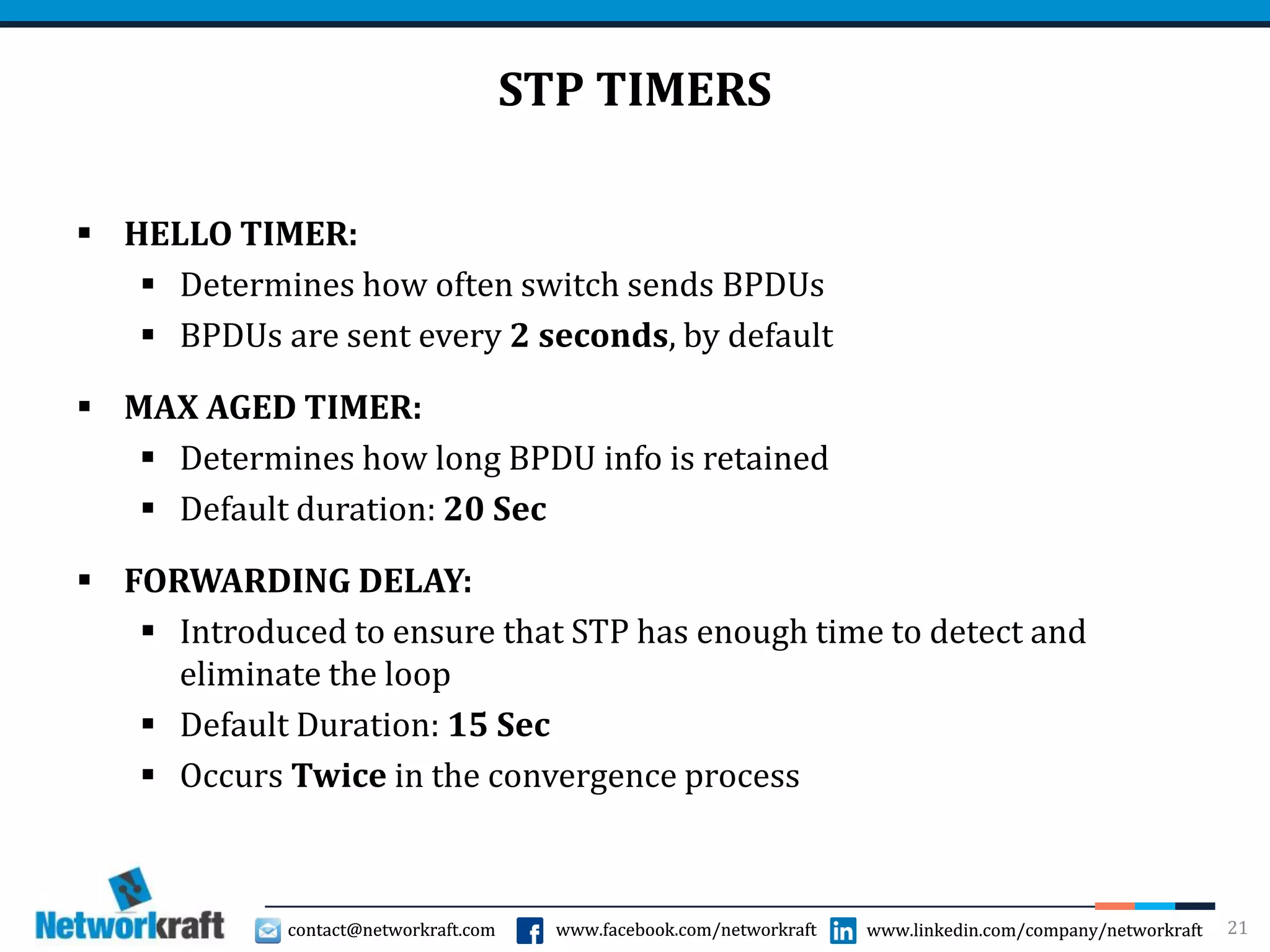
 BLOCKING:
 Initially all ports are placed in the BLOCKING State
 Will not learn MAC address.
 Listen to BPDUs but will not send
 LISTENING:
 Port will listen and send BPDUs to participate in Root Bridge,
Root/Designated port election
 Port will neither learn MAC nor will it forward the Frame
 LEARNING:
 Port continues to send and receive BPDUs
 Learns MAC addresses but doesn’t forward the frame yet
 FORWARDING:
 Port will send/receive the BPDUs, Learn MAC Addresses and Forward the
frames
 DISABLED:
 Port Administratively Shut Down
20
contact@networkraft.com www.facebook.com/networkraft www.linkedin.com/company/networkraftcontact@networkraft.com www.facebook.com/networkraft www.linkedin.com/company/networkraft
STP TIMERS
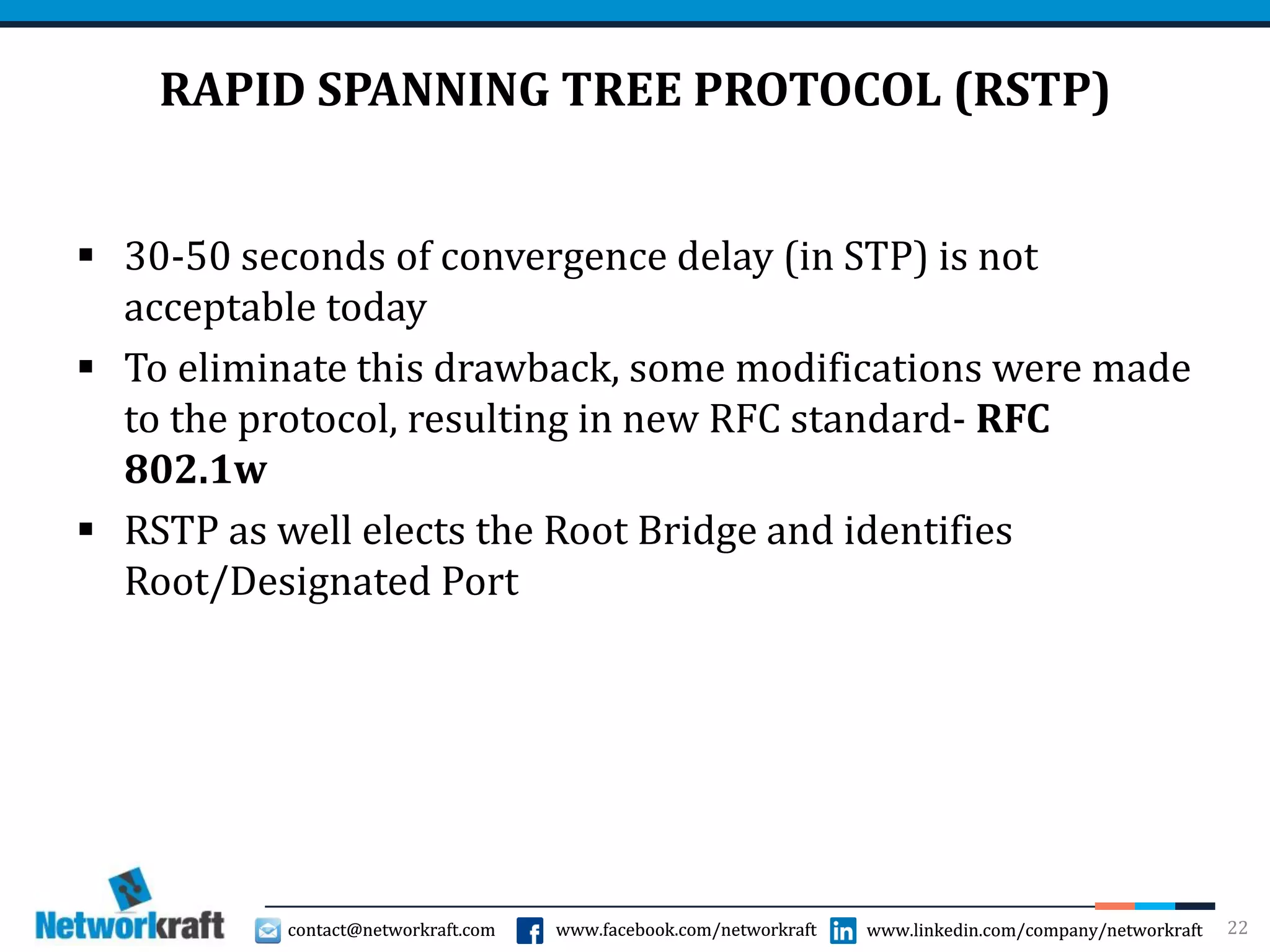
 HELLO TIMER:
 Determines how often switch sends BPDUs
 BPDUs are sent every 2 seconds, by default
 MAX AGED TIMER:
 Determines how long BPDU info is retained
 Default duration: 20 Sec
 FORWARDING DELAY:
 Introduced to ensure that STP has enough time to detect and
eliminate the loop
 Default Duration: 15 Sec
 Occurs Twice in the convergence process
21
contact@networkraft.com www.facebook.com/networkraft www.linkedin.com/company/networkraftcontact@networkraft.com www.facebook.com/networkraft www.linkedin.com/company/networkraft
RAPID SPANNING TREE PROTOCOL (RSTP)
 30-50 seconds of convergence delay (in STP) is not
acceptable today
 To eliminate this drawback, some modifications were made
to the protocol, resulting in new RFC standard- RFC
802.1w
 RSTP as well elects the Root Bridge and identifies
Root/Designated Port
22
contact@networkraft.com www.facebook.com/networkraft www.linkedin.com/company/networkraftcontact@networkraft.com www.facebook.com/networkraft www.linkedin.com/company/networkraft
RSTP- PORT ROLES
 Root Port:
 Port with Best path cost to reach Root Bridge
 Alternate Port:
 Backup root port that has a less desirable path cost
 Designated Port:
 Non-root port that represent the best path cost to reach Root port in each
Network Segment
 Backup Port:
 Designated port with less desirable path cost
23
contact@networkraft.com www.facebook.com/networkraft www.linkedin.com/company/networkraftcontact@networkraft.com www.facebook.com/networkraft www.linkedin.com/company/networkraft
RSTP- STATES
 DISCARDING:
 Neither will forward frames nor will learn MAC
 Listens to the BPDUs
 Alternate and Backup ports are in Discarding state
 LEARNING:
 Learn MAC Addresses
 Doesn’t forward Frames
 FORWARDING:
 Send/receive BPDUs, Learn MAC address and Forward frames
 Root and Designated Ports are placed in Forwarding state
24
contact@networkraft.com www.facebook.com/networkraft www.linkedin.com/company/networkraftcontact@networkraft.com www.facebook.com/networkraft www.linkedin.com/company/networkraft
ETHERCHANNEL- WHY?
 Multiple switches are connected to each other in a network
 They are connected through a trunk port to extend the VLANs to other
switch
 Only one Trunk port is used hence there is no redundancy and a hinder
that all other (access) ports will send the traffic on only one port to
send the traffic across to the other switch
 If multiple ports are used,
 Either spanning tree will block one or more ports to avoid loops
 Or If STP is disabled, then there will be a Switching loop
25
contact@networkraft.com www.facebook.com/networkraft www.linkedin.com/company/networkraftcontact@networkraft.com www.facebook.com/networkraft www.linkedin.com/company/networkraft
PORT AGGREGATION
 Port aggregation is bundling multiple Physical ports to form a single
logical port
 Provides redundancy (without placing any port in Blocking state) and
provides high Bandwidth
 Cisco’s implementation of Port Aggregation is called EtherChannel
 EtherChannel supports Fast Ethernet, Gigabit Ethernet and 10 G
Ethernet ports
 Maximum of 8 ports can be bundled on one EtherChannel
 EtherChannel can be configured on Access, Trunk and even on Layer 3
ports
26
contact@networkraft.com www.facebook.com/networkraft www.linkedin.com/company/networkraftcontact@networkraft.com www.facebook.com/networkraft www.linkedin.com/company/networkraft
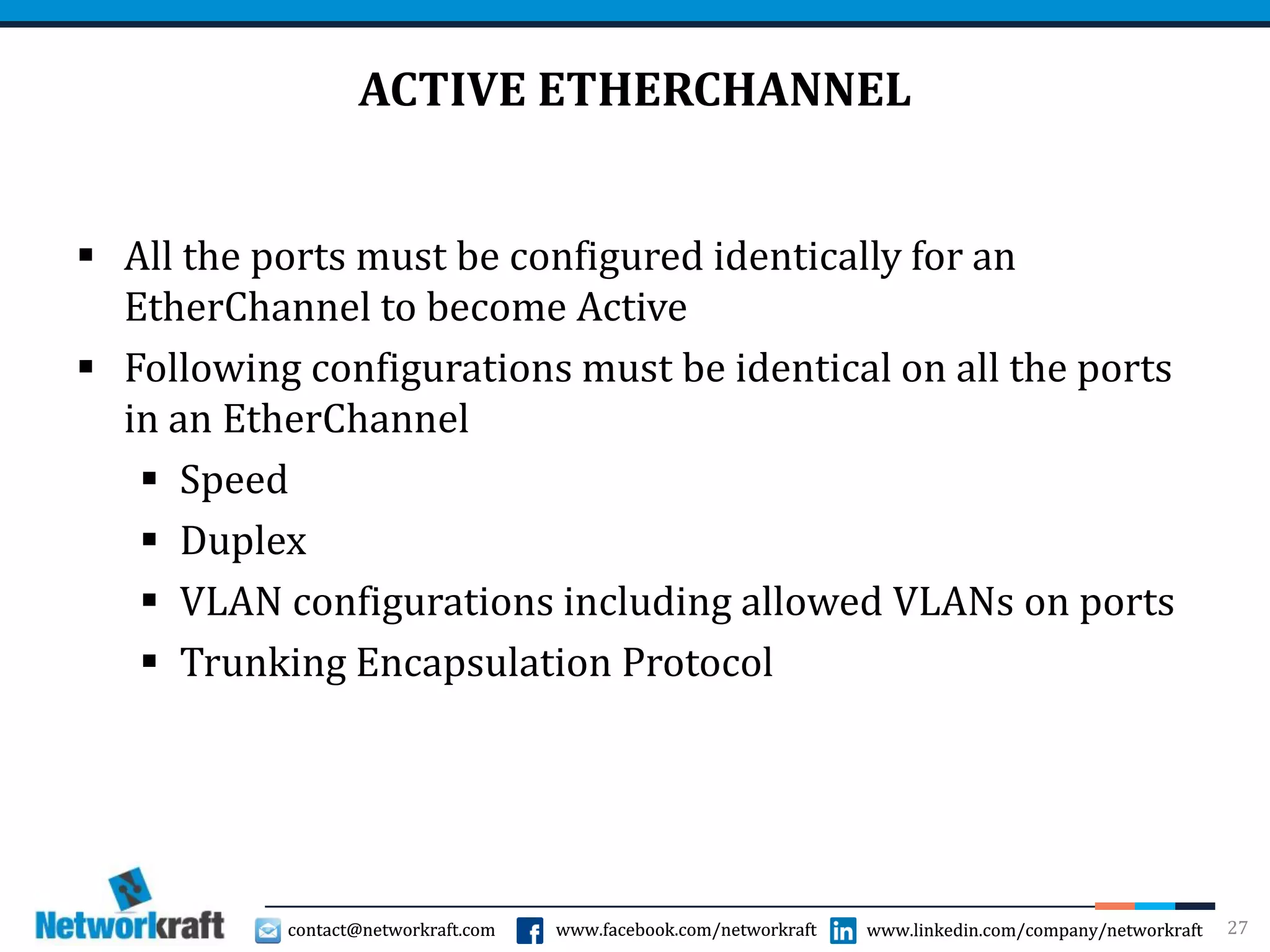
ACTIVE ETHERCHANNEL
 All the ports must be configured identically for an
EtherChannel to become Active
 Following configurations must be identical on all the ports
in an EtherChannel
 Speed
 Duplex
 VLAN configurations including allowed VLANs on ports
 Trunking Encapsulation Protocol
27
contact@networkraft.com www.facebook.com/networkraft www.linkedin.com/company/networkraftcontact@networkraft.com www.facebook.com/networkraft www.linkedin.com/company/networkraft
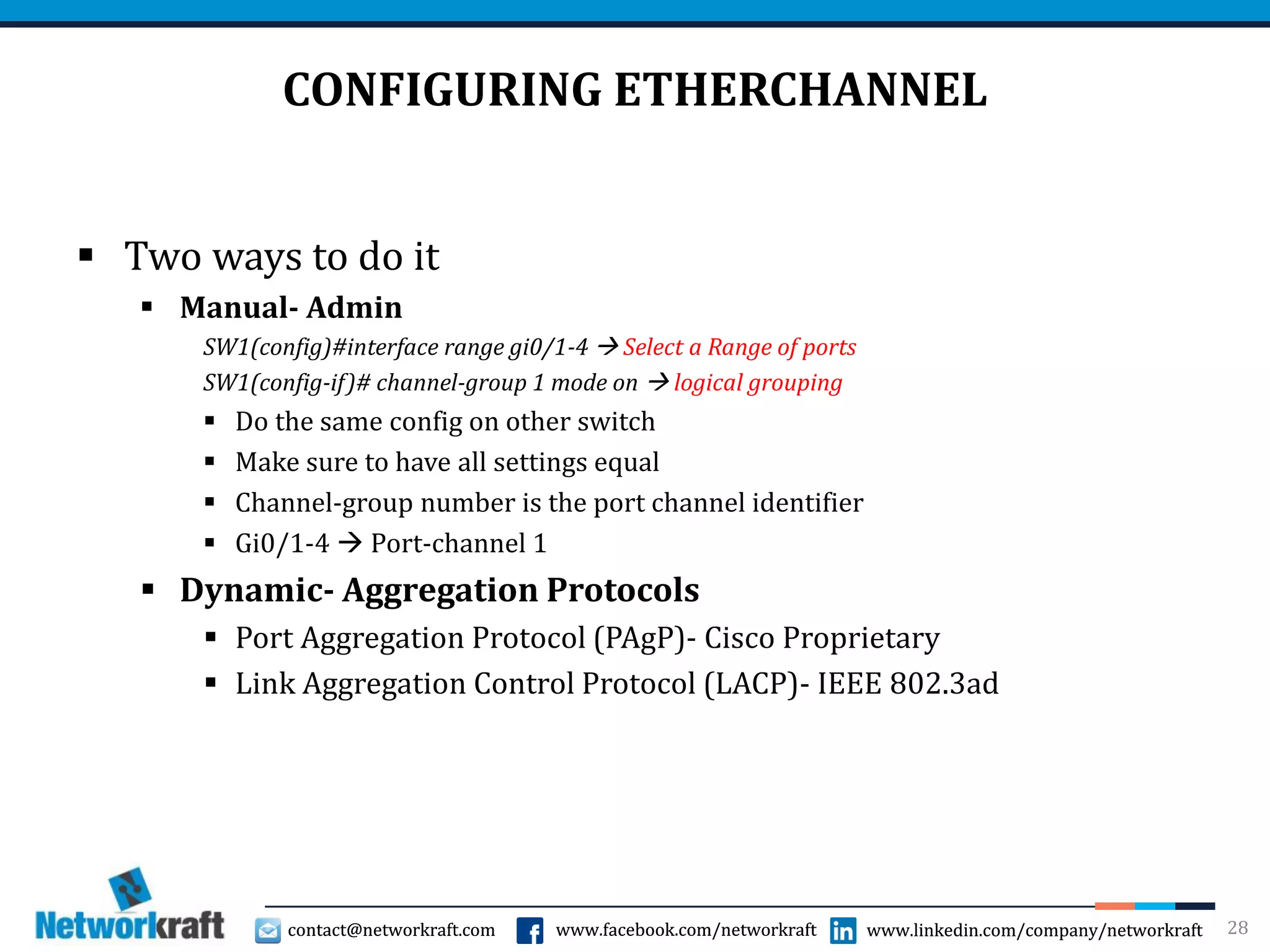
CONFIGURING ETHERCHANNEL
 Two ways to do it
 Manual- Admin
SW1(config)#interface range gi0/1-4  Select a Range of ports
SW1(config-if)# channel-group 1 mode on  logical grouping
 Do the same config on other switch
 Make sure to have all settings equal
 Channel-group number is the port channel identifier
 Gi0/1-4  Port-channel 1
 Dynamic- Aggregation Protocols
 Port Aggregation Protocol (PAgP)- Cisco Proprietary
 Link Aggregation Control Protocol (LACP)- IEEE 802.3ad
28
contact@networkraft.com www.facebook.com/networkraft www.linkedin.com/company/networkraftcontact@networkraft.com www.facebook.com/networkraft www.linkedin.com/company/networkraft
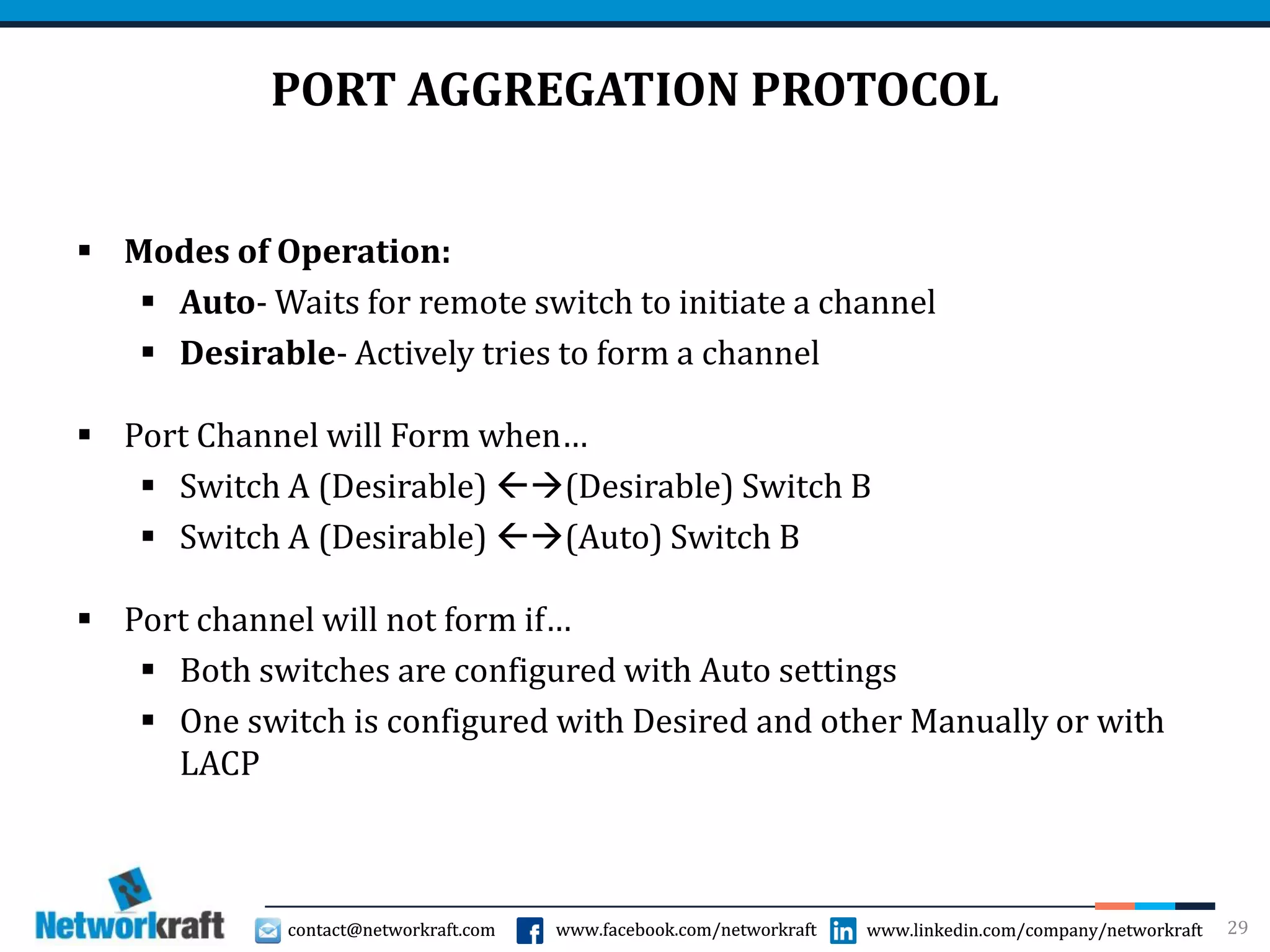
PORT AGGREGATION PROTOCOL
 Modes of Operation:
 Auto- Waits for remote switch to initiate a channel
 Desirable- Actively tries to form a channel
 Port Channel will Form when…
 Switch A (Desirable) (Desirable) Switch B
 Switch A (Desirable) (Auto) Switch B
 Port channel will not form if…
 Both switches are configured with Auto settings
 One switch is configured with Desired and other Manually or with
LACP
29
contact@networkraft.com www.facebook.com/networkraft www.linkedin.com/company/networkraftcontact@networkraft.com www.facebook.com/networkraft www.linkedin.com/company/networkraft
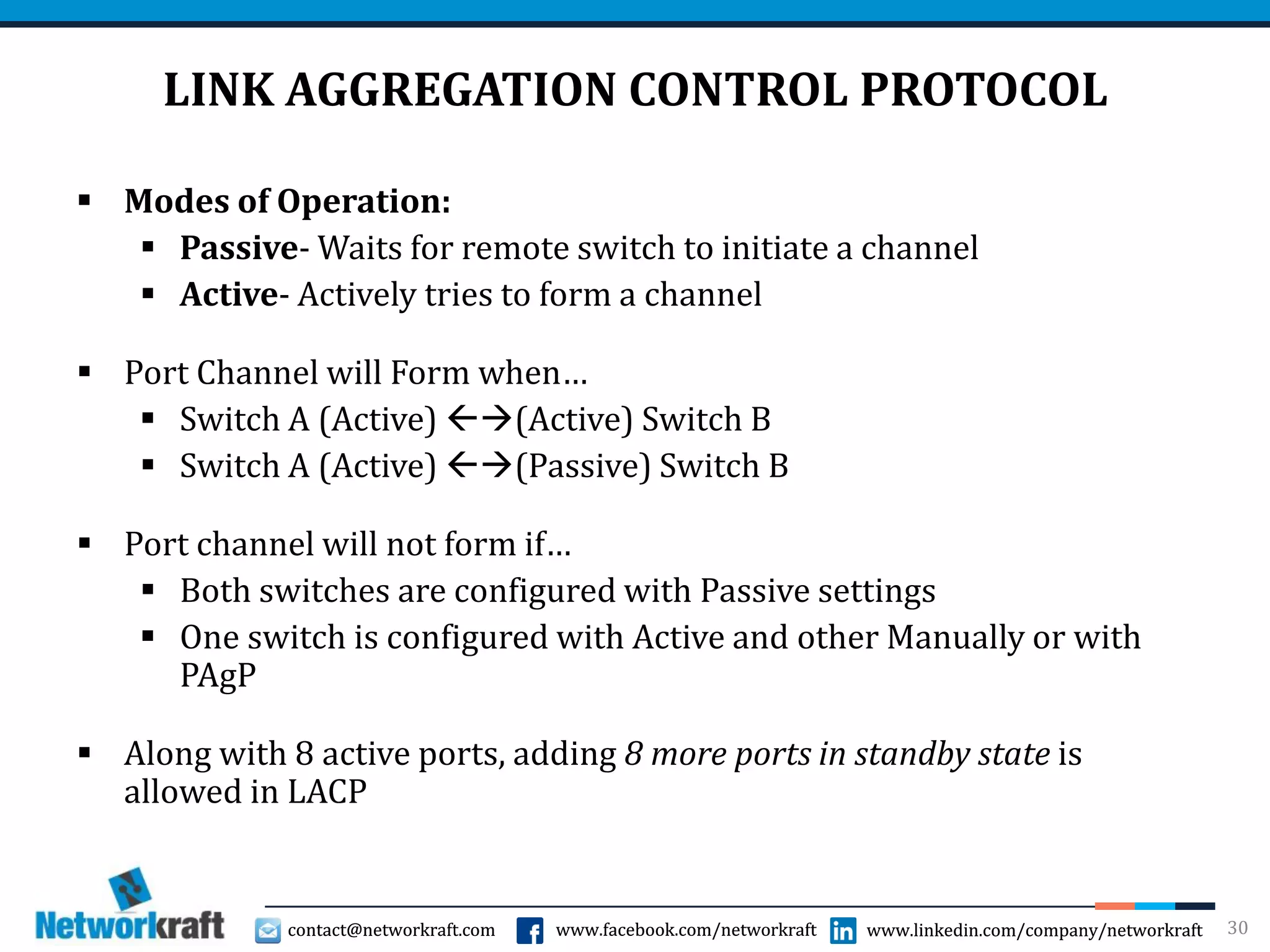
LINK AGGREGATION CONTROL PROTOCOL
 Modes of Operation:
 Passive- Waits for remote switch to initiate a channel
 Active- Actively tries to form a channel
 Port Channel will Form when…
 Switch A (Active) (Active) Switch B
 Switch A (Active) (Passive) Switch B
 Port channel will not form if…
 Both switches are configured with Passive settings
 One switch is configured with Active and other Manually or with
PAgP
 Along with 8 active ports, adding 8 more ports in standby state is
allowed in LACP
30
contact@networkraft.com www.facebook.com/networkraft www.linkedin.com/company/networkraftcontact@networkraft.com www.facebook.com/networkraft www.linkedin.com/company/networkraft
FIRST HOP REDUNDANCY PROTOCOL
31
 Three main First Hope Redundancy
Protocols
 Hot Standby Redundancy Protocol
 Virtual Router Redundancy
Protocol
 Gateway Load Balancing Protocol
contact@networkraft.com www.facebook.com/networkraft www.linkedin.com/company/networkraftcontact@networkraft.com www.facebook.com/networkraft www.linkedin.com/company/networkraft
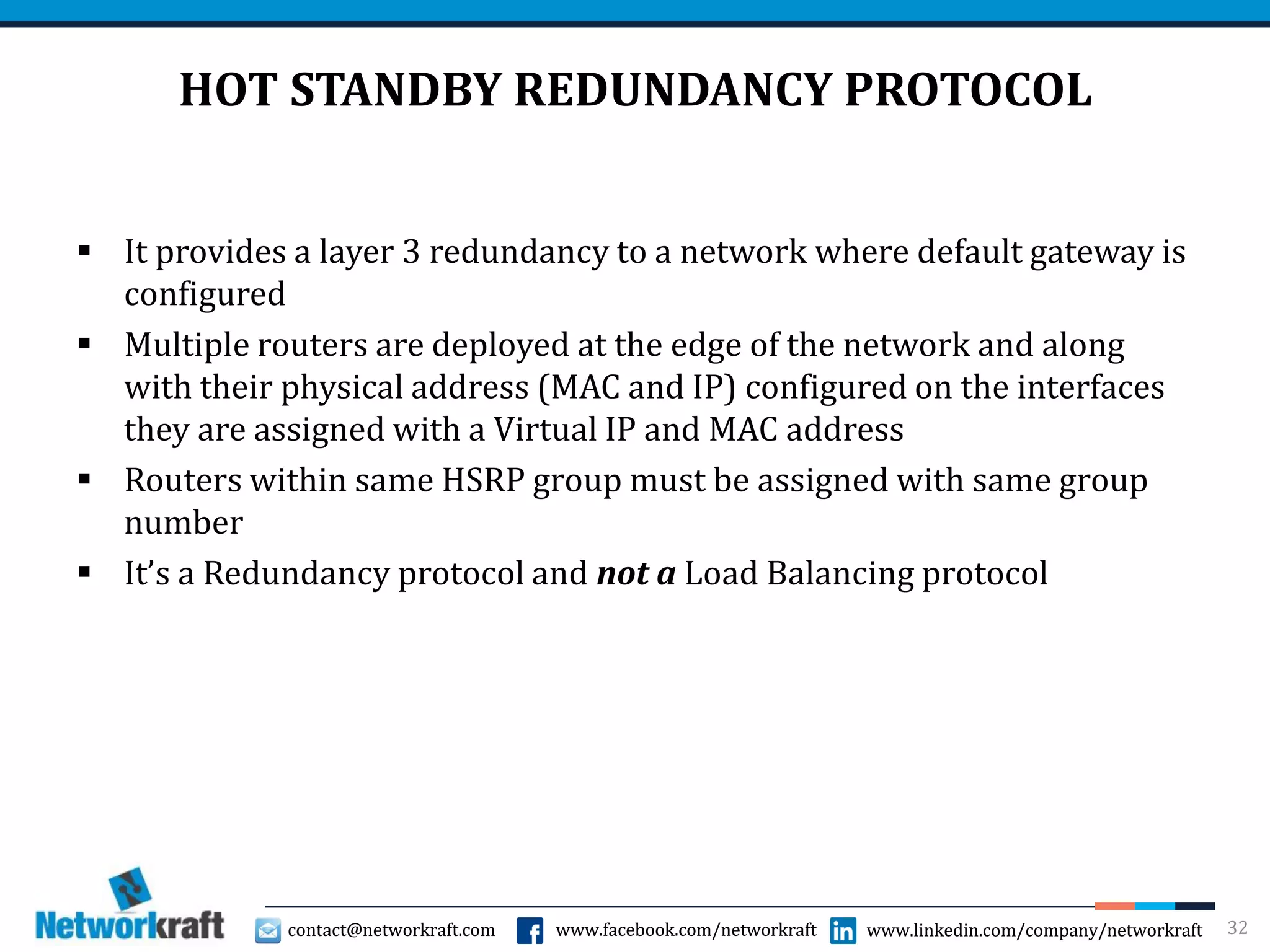
HOT STANDBY REDUNDANCY PROTOCOL
 It provides a layer 3 redundancy to a network where default gateway is
configured
 Multiple routers are deployed at the edge of the network and along
with their physical address (MAC and IP) configured on the interfaces
they are assigned with a Virtual IP and MAC address
 Routers within same HSRP group must be assigned with same group
number
 It’s a Redundancy protocol and not a Load Balancing protocol
32
contact@networkraft.com www.facebook.com/networkraft www.linkedin.com/company/networkraftcontact@networkraft.com www.facebook.com/networkraft www.linkedin.com/company/networkraft
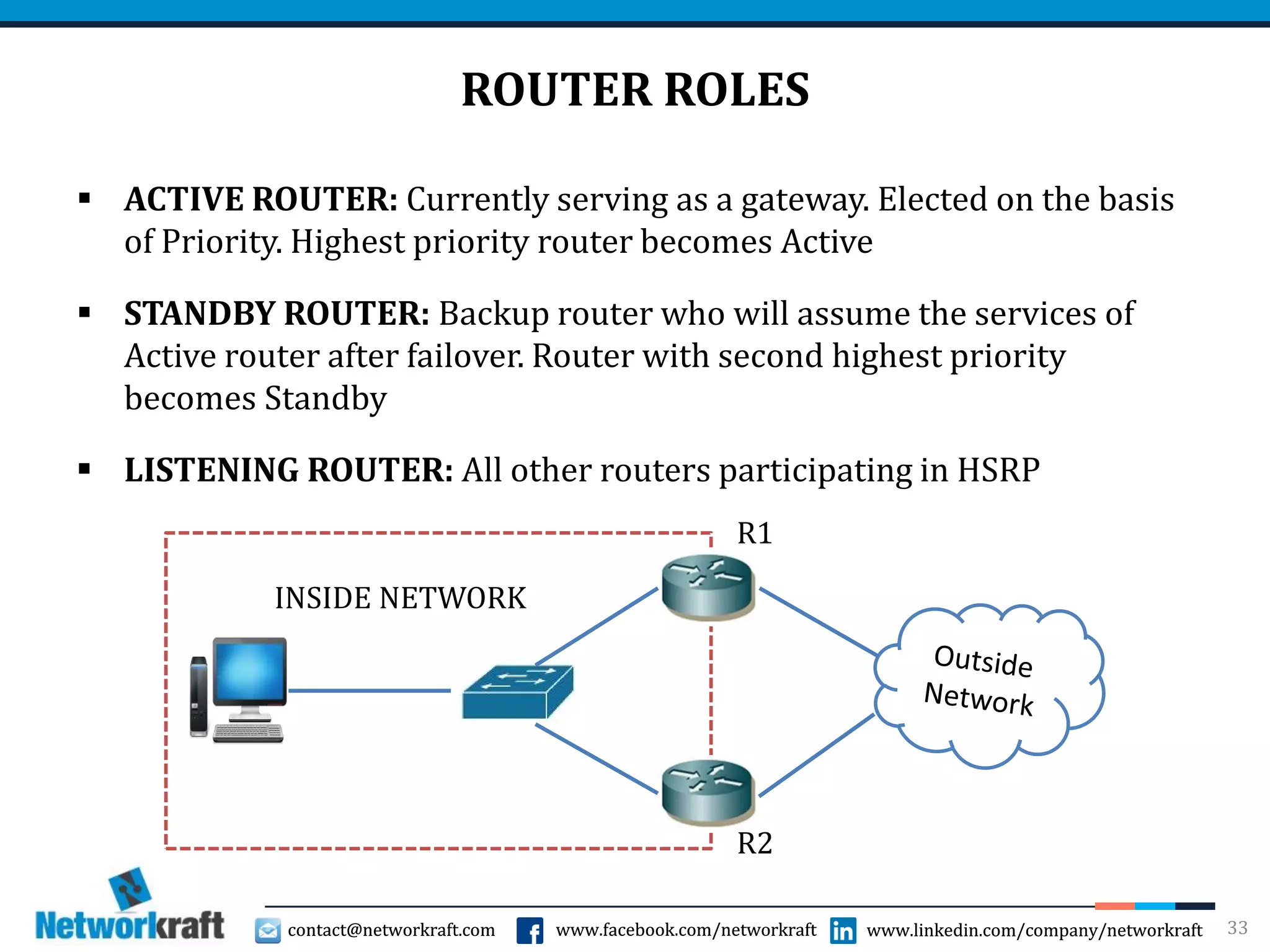
ROUTER ROLES
 ACTIVE ROUTER: Currently serving as a gateway. Elected on the basis
of Priority. Highest priority router becomes Active
 STANDBY ROUTER: Backup router who will assume the services of
Active router after failover. Router with second highest priority
becomes Standby
 LISTENING ROUTER: All other routers participating in HSRP
33
INSIDE NETWORK
R1
R2
contact@networkraft.com www.facebook.com/networkraft www.linkedin.com/company/networkraftcontact@networkraft.com www.facebook.com/networkraft www.linkedin.com/company/networkraft
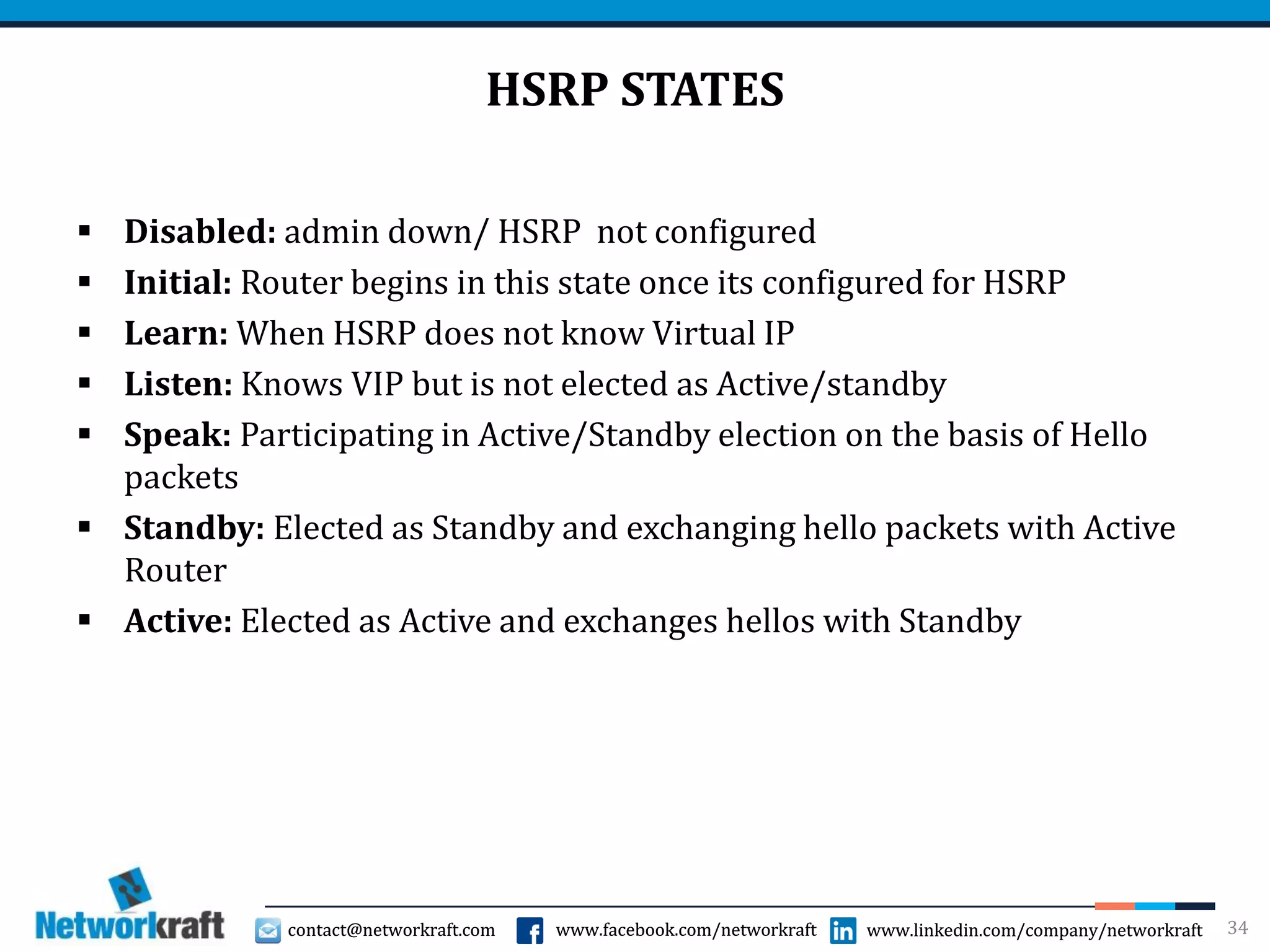
HSRP STATES
 Disabled: admin down/ HSRP not configured
 Initial: Router begins in this state once its configured for HSRP
 Learn: When HSRP does not know Virtual IP
 Listen: Knows VIP but is not elected as Active/standby
 Speak: Participating in Active/Standby election on the basis of Hello
packets
 Standby: Elected as Standby and exchanging hello packets with Active
Router
 Active: Elected as Active and exchanges hellos with Standby
34
contact@networkraft.com www.facebook.com/networkraft www.linkedin.com/company/networkraftcontact@networkraft.com www.facebook.com/networkraft www.linkedin.com/company/networkraft
HSRP CONFIGURATION
RTR1(config)# int fa0/0
RTR1(config-if)# standby 1 ip 10.0.0.3
RTR1(config-if)# standby 1 priority 110
RTR1(config-if)# standby 1 preempt
10.0.0.3 VIP
1 Group
35
www.linkedin.com/company/networkraft
contact@networkraft.com
www.facebook.com/networkraft
www.linkedin.com/company/networkraft
contact@networkraft.com
www.facebook.com/networkraft
THANK YOU!

CCNA - Switching Concepts made easy

  • 1.
  • 2.
    contact@networkraft.com www.facebook.com/networkraft www.linkedin.com/company/networkraftcontact@networkraft.comwww.facebook.com/networkraft www.linkedin.com/company/networkraft 2 SWITCH Laptop Desktop Desktop Laptop  Switch is an Intelligent Device  Switch and bridge are similar devices but used on different medium. Switches are used on twisted pairs/fibers and Bridge on Thin/Thick Wires
  • 3.
    contact@networkraft.com www.facebook.com/networkraft www.linkedin.com/company/networkraftcontact@networkraft.comwww.facebook.com/networkraft www.linkedin.com/company/networkraft 3 SWITCH  When switch receives a frames on its port it will open L2 info. Read MAC Address, refer to MAC table to take forwarding decisions.  Switch takes forwarding decisions on basis on MAC address. MAC address is a layer 2 address and hence the switch is a layer 2 device  As soon as switch receives a frame on its port, it will read MAC address, refer it to the MAC table and forward the packet to the APPROPRIATE Port  When switch receives the frame on its port, it Opens L2 information, reads source MAC address and makes an entry in its MAC table against the port number on which it was received  Switch SEGMENTS network
  • 4.
    contact@networkraft.com www.facebook.com/networkraft www.linkedin.com/company/networkraftcontact@networkraft.comwww.facebook.com/networkraft www.linkedin.com/company/networkraft 4 SWITCH  MAC table size should be precise and concise  Performance purpose  For quick reference and fast forwarding  To conserve resources  To keep table size precise an concise, entries in MAC table should be controlled and stale entries should be deleted  Any entry in MAC table that is not referred for a stipulated time is considered stale and removed from MAC table. Stipulated time can be 5-20 minutes depending upon switch
  • 5.
    contact@networkraft.com www.facebook.com/networkraft www.linkedin.com/company/networkraftcontact@networkraft.comwww.facebook.com/networkraft www.linkedin.com/company/networkraft 5 SWITCH OPERATION  If switch receives a Broadcast frame on a port, it creates multiple copies and forwards it to all OTHER ports. (Switch Does not Broadcast)  If the sender and receivers are connected on the same port then, switch will block/discard the frame  Switch SEGMENTS network whereas Hub EXTENDS the network  Switch allows simultaneous communication between multiple communication pairs connected on different ports  Every port of the switch has its own dedicated bandwidth. Switch is a dedicated bandwidth device.  If Receiver is not known then switch forwards information to all other ports  Every port of the switch is a member of different collision domain. Switch is a MULTIPLE COLLISION DOMAIN device  Every port of the switch is a member of same Broadcast domain. Switch is a SINGLE BROADCAST DOMAIN device.
  • 6.
    contact@networkraft.com www.facebook.com/networkraft www.linkedin.com/company/networkraftcontact@networkraft.comwww.facebook.com/networkraft www.linkedin.com/company/networkraft VLANS  Definition: A logical grouping of network users and resources connected to administratively defined ports on a switch  By default, all ports of a switch belong to VLAN 1  Smaller Broadcast domains  Organized by…  Location  Function  Department  Application of Protocol  Advantages:  Simplifies Network Management  Eliminates unnecessary broadcast, hence improves network performance  Logically separates the user/departments restricting access between them  Removes physical boundaries 6
  • 7.
    contact@networkraft.com www.facebook.com/networkraft www.linkedin.com/company/networkraftcontact@networkraft.comwww.facebook.com/networkraft www.linkedin.com/company/networkraft VLAN 7 HR HRMARKETING MARKETING FINANCE FINANCE  Access Link: A link that is a part of only one VLAN  Trunk Link: Carries multiple VLANs
  • 8.
    contact@networkraft.com www.facebook.com/networkraft www.linkedin.com/company/networkraftcontact@networkraft.comwww.facebook.com/networkraft www.linkedin.com/company/networkraft VLAN MEMBERSHIP  Two ways to configure it  Statically: Manually assign one or more ports to a VLAN  Dynamically: Based on the MAC address of the host. User can connect to any physical port and still it will get same VLAN every time. It requires MAC address to VLAN mapping. Cisco developed VLAN MEMBERSHIP POLICY SERVER (VMPS) for this 8
  • 9.
    contact@networkraft.com www.facebook.com/networkraft www.linkedin.com/company/networkraftcontact@networkraft.comwww.facebook.com/networkraft www.linkedin.com/company/networkraft FRAME TAGGING  It’s used to mark a packet with a VLAN number  When the packet is sent over a trunk port, it is marked (tagged) with the VLAN ID  When a packet is going out of an Access port, VLAN tag is removed, hence VLAN ID is transparent to the end devices 9
  • 10.
    contact@networkraft.com www.facebook.com/networkraft www.linkedin.com/company/networkraftcontact@networkraft.comwww.facebook.com/networkraft www.linkedin.com/company/networkraft FRAME TAGGING METHODS  Inter-Switch Link (ISL)  Cisco Proprietary  ISL encapsulates frames with 26 byte header and 4 byte trailer increasing the overhead  Supports Maximum of 1000 VLANs on a trunk port  IEEE 802.1Q (dot1Q)  Industry standard  It embeds 4 byte VLAN tag into layer 2 header  Supports maximum of 4096 VLANs on a trunk port 10
  • 11.
    contact@networkraft.com www.facebook.com/networkraft www.linkedin.com/company/networkraftcontact@networkraft.comwww.facebook.com/networkraft www.linkedin.com/company/networkraft CONFIGURING VLANs  Creating VLANs: SW1(config)# vlan 100  VLAN created SW1(config)# name <name>  Assigns a Name  Assigning switch port to VLAN – Access Port: SW1(config)# interface Gi0/1 SW1(config-if)# switchport mode access  Making the port Access SW1(config-if)# switchport access vlan 100  Assigning VLAN to a port SW1# show vlan  Configuring a Trunk Link SW1(config)# interface Gi0/1 SW1(config-if)# switchport mode trunk SW1(config-if)# switchport trunk encapsulation <dot1q/isl>  Adding encapsulation 11
  • 12.
    contact@networkraft.com www.facebook.com/networkraft www.linkedin.com/company/networkraftcontact@networkraft.comwww.facebook.com/networkraft www.linkedin.com/company/networkraft DYNAMIC TRUNKING PROTOCOL  DTP negotiates whether a port becomes a TRUNK port at all  DTP has 2 modes  Desirable: Port will actively attempt to form a Trunk with neighbor switch  Auto: Port will passively wait for the other switch to initiate the trunk request  Configuration: SW1(config)# interface gi0/1 SW1(config-if)# switchport mode dynamic desirable SW1(config-if)# switchport mode dynamic auto 12
  • 13.
    contact@networkraft.com www.facebook.com/networkraft www.linkedin.com/company/networkraftcontact@networkraft.comwww.facebook.com/networkraft www.linkedin.com/company/networkraft VLAN TRUNCKING PROTOCOL- VTP  Purpose: To maintain a database of configured VLAN for easier management in a large switching environment  Cisco Proprietary Protocol  VLAN information is shared with the switches that are the part of same VTP Domain through VTP Advertisements  Modes of Operation:  Server: Responsible for Creating, Deleting and modifying the VLAN entries  Client: Cannot Create, Delete or Modify entries. Relies on updates from other switches and forwards the advertisement on every trunk port  Transparent: Switch maintains it’s own database and does not accept VLAN information from any switch. It forwards the advertisement out on its trunk port  With every update the Revision number is incremented by 1 13
  • 14.
    contact@networkraft.com www.facebook.com/networkraft www.linkedin.com/company/networkraftcontact@networkraft.comwww.facebook.com/networkraft www.linkedin.com/company/networkraft SWITCHING LOOP  All ports of a switch belong to single Broadcast Domain.  Broadcast packets are forwarded to all the ports except the one it was received on.  Switching loop causes a BROADCAST STORM, that ends up chocking network traffic 14 B A C E D
  • 15.
    contact@networkraft.com www.facebook.com/networkraft www.linkedin.com/company/networkraftcontact@networkraft.comwww.facebook.com/networkraft www.linkedin.com/company/networkraft SPANNING TREE PROTOCOL  Purpose: To prevent Broadcast Storms caused by switching loops  Standard RFC: IEEE 802.1D  STP builds a Topology of the network and identify whether there is loop in the network  One or more ports are blocked to avoid switching loop  Blocked port can be reactivated, when necessary 15
  • 16.
    contact@networkraft.com www.facebook.com/networkraft www.linkedin.com/company/networkraftcontact@networkraft.comwww.facebook.com/networkraft www.linkedin.com/company/networkraft BUILDING STP TOPOLOGY  STP enabled switches exchange BPDUs (Bridge Protocol Data Units) every two seconds  These BPDUs are sent out on every port on a dedicated Multicast MAC address- 01:80:C2:00:00:00  Steps in Building STP Topology:  Root Bridge Election  Identifying Root Ports  Identifying Designated Ports  Placing ports in Blocking state if required 16
  • 17.
    contact@networkraft.com www.facebook.com/networkraft www.linkedin.com/company/networkraftcontact@networkraft.comwww.facebook.com/networkraft www.linkedin.com/company/networkraft ROOT BRIDGE ELECTION  Root Bridge is the central reference point of an STP topology  Root bridge is elected on the basis of Bridge ID  Bridge ID= Bridge Priority (16-bits) + MAC Address (48-bits)  Default Bridge Priority- 32768  Lowest Priority Wins  In case of equal Bridge Priorities, MAC address is the Tie-breaker and Lowest MAC Address Wins 17 B A C ED Priority 4096 Priority 32768Priority 32768 Priority 32768 Priority 32768
  • 18.
    contact@networkraft.com www.facebook.com/networkraft www.linkedin.com/company/networkraftcontact@networkraft.comwww.facebook.com/networkraft www.linkedin.com/company/networkraft IDNTIFYING ROOT PORT  The port with lowest path cost to reach Root Bridge is the Root Port  Path cost is the cumulative cost to reach the Root Bridge  Path cost info is mentioned in the BPDUs and the BPDU with lowest path cost is considered as Superior BPDU and others are considered as inferior BPDUs  If path cost is equal, then select the port connected to neighbor switch with lowest Bridge ID  If all the paths go through the same neighboring switch then local port that receives the lowest Port ID on it will become the Root Port  Each switch can have only one root port  Root Bridge does not have a Root Port 18
  • 19.
    contact@networkraft.com www.facebook.com/networkraft www.linkedin.com/company/networkraftcontact@networkraft.comwww.facebook.com/networkraft www.linkedin.com/company/networkraft IDENTIFYING DESIGNATED PORT  Only one designated port for each network segment  Forwards BPDU frames to that network segment  If two ports are eligible to become Designated port, then there is a loop and one needs to be placed in the Blocking state  Designated ports are determined by the lowest cumulative path cost  If path cost is equal, then the Bridge-ID is the Tie-Breaker 19
  • 20.
    contact@networkraft.com www.facebook.com/networkraft www.linkedin.com/company/networkraftcontact@networkraft.comwww.facebook.com/networkraft www.linkedin.com/company/networkraft STP PORT STATES  BLOCKING:  Initially all ports are placed in the BLOCKING State  Will not learn MAC address.  Listen to BPDUs but will not send  LISTENING:  Port will listen and send BPDUs to participate in Root Bridge, Root/Designated port election  Port will neither learn MAC nor will it forward the Frame  LEARNING:  Port continues to send and receive BPDUs  Learns MAC addresses but doesn’t forward the frame yet  FORWARDING:  Port will send/receive the BPDUs, Learn MAC Addresses and Forward the frames  DISABLED:  Port Administratively Shut Down 20
  • 21.
    contact@networkraft.com www.facebook.com/networkraft www.linkedin.com/company/networkraftcontact@networkraft.comwww.facebook.com/networkraft www.linkedin.com/company/networkraft STP TIMERS  HELLO TIMER:  Determines how often switch sends BPDUs  BPDUs are sent every 2 seconds, by default  MAX AGED TIMER:  Determines how long BPDU info is retained  Default duration: 20 Sec  FORWARDING DELAY:  Introduced to ensure that STP has enough time to detect and eliminate the loop  Default Duration: 15 Sec  Occurs Twice in the convergence process 21
  • 22.
    contact@networkraft.com www.facebook.com/networkraft www.linkedin.com/company/networkraftcontact@networkraft.comwww.facebook.com/networkraft www.linkedin.com/company/networkraft RAPID SPANNING TREE PROTOCOL (RSTP)  30-50 seconds of convergence delay (in STP) is not acceptable today  To eliminate this drawback, some modifications were made to the protocol, resulting in new RFC standard- RFC 802.1w  RSTP as well elects the Root Bridge and identifies Root/Designated Port 22
  • 23.
    contact@networkraft.com www.facebook.com/networkraft www.linkedin.com/company/networkraftcontact@networkraft.comwww.facebook.com/networkraft www.linkedin.com/company/networkraft RSTP- PORT ROLES  Root Port:  Port with Best path cost to reach Root Bridge  Alternate Port:  Backup root port that has a less desirable path cost  Designated Port:  Non-root port that represent the best path cost to reach Root port in each Network Segment  Backup Port:  Designated port with less desirable path cost 23
  • 24.
    contact@networkraft.com www.facebook.com/networkraft www.linkedin.com/company/networkraftcontact@networkraft.comwww.facebook.com/networkraft www.linkedin.com/company/networkraft RSTP- STATES  DISCARDING:  Neither will forward frames nor will learn MAC  Listens to the BPDUs  Alternate and Backup ports are in Discarding state  LEARNING:  Learn MAC Addresses  Doesn’t forward Frames  FORWARDING:  Send/receive BPDUs, Learn MAC address and Forward frames  Root and Designated Ports are placed in Forwarding state 24
  • 25.
    contact@networkraft.com www.facebook.com/networkraft www.linkedin.com/company/networkraftcontact@networkraft.comwww.facebook.com/networkraft www.linkedin.com/company/networkraft ETHERCHANNEL- WHY?  Multiple switches are connected to each other in a network  They are connected through a trunk port to extend the VLANs to other switch  Only one Trunk port is used hence there is no redundancy and a hinder that all other (access) ports will send the traffic on only one port to send the traffic across to the other switch  If multiple ports are used,  Either spanning tree will block one or more ports to avoid loops  Or If STP is disabled, then there will be a Switching loop 25
  • 26.
    contact@networkraft.com www.facebook.com/networkraft www.linkedin.com/company/networkraftcontact@networkraft.comwww.facebook.com/networkraft www.linkedin.com/company/networkraft PORT AGGREGATION  Port aggregation is bundling multiple Physical ports to form a single logical port  Provides redundancy (without placing any port in Blocking state) and provides high Bandwidth  Cisco’s implementation of Port Aggregation is called EtherChannel  EtherChannel supports Fast Ethernet, Gigabit Ethernet and 10 G Ethernet ports  Maximum of 8 ports can be bundled on one EtherChannel  EtherChannel can be configured on Access, Trunk and even on Layer 3 ports 26
  • 27.
    contact@networkraft.com www.facebook.com/networkraft www.linkedin.com/company/networkraftcontact@networkraft.comwww.facebook.com/networkraft www.linkedin.com/company/networkraft ACTIVE ETHERCHANNEL  All the ports must be configured identically for an EtherChannel to become Active  Following configurations must be identical on all the ports in an EtherChannel  Speed  Duplex  VLAN configurations including allowed VLANs on ports  Trunking Encapsulation Protocol 27
  • 28.
    contact@networkraft.com www.facebook.com/networkraft www.linkedin.com/company/networkraftcontact@networkraft.comwww.facebook.com/networkraft www.linkedin.com/company/networkraft CONFIGURING ETHERCHANNEL  Two ways to do it  Manual- Admin SW1(config)#interface range gi0/1-4  Select a Range of ports SW1(config-if)# channel-group 1 mode on  logical grouping  Do the same config on other switch  Make sure to have all settings equal  Channel-group number is the port channel identifier  Gi0/1-4  Port-channel 1  Dynamic- Aggregation Protocols  Port Aggregation Protocol (PAgP)- Cisco Proprietary  Link Aggregation Control Protocol (LACP)- IEEE 802.3ad 28
  • 29.
    contact@networkraft.com www.facebook.com/networkraft www.linkedin.com/company/networkraftcontact@networkraft.comwww.facebook.com/networkraft www.linkedin.com/company/networkraft PORT AGGREGATION PROTOCOL  Modes of Operation:  Auto- Waits for remote switch to initiate a channel  Desirable- Actively tries to form a channel  Port Channel will Form when…  Switch A (Desirable) (Desirable) Switch B  Switch A (Desirable) (Auto) Switch B  Port channel will not form if…  Both switches are configured with Auto settings  One switch is configured with Desired and other Manually or with LACP 29
  • 30.
    contact@networkraft.com www.facebook.com/networkraft www.linkedin.com/company/networkraftcontact@networkraft.comwww.facebook.com/networkraft www.linkedin.com/company/networkraft LINK AGGREGATION CONTROL PROTOCOL  Modes of Operation:  Passive- Waits for remote switch to initiate a channel  Active- Actively tries to form a channel  Port Channel will Form when…  Switch A (Active) (Active) Switch B  Switch A (Active) (Passive) Switch B  Port channel will not form if…  Both switches are configured with Passive settings  One switch is configured with Active and other Manually or with PAgP  Along with 8 active ports, adding 8 more ports in standby state is allowed in LACP 30
  • 31.
    contact@networkraft.com www.facebook.com/networkraft www.linkedin.com/company/networkraftcontact@networkraft.comwww.facebook.com/networkraft www.linkedin.com/company/networkraft FIRST HOP REDUNDANCY PROTOCOL 31  Three main First Hope Redundancy Protocols  Hot Standby Redundancy Protocol  Virtual Router Redundancy Protocol  Gateway Load Balancing Protocol
  • 32.
    contact@networkraft.com www.facebook.com/networkraft www.linkedin.com/company/networkraftcontact@networkraft.comwww.facebook.com/networkraft www.linkedin.com/company/networkraft HOT STANDBY REDUNDANCY PROTOCOL  It provides a layer 3 redundancy to a network where default gateway is configured  Multiple routers are deployed at the edge of the network and along with their physical address (MAC and IP) configured on the interfaces they are assigned with a Virtual IP and MAC address  Routers within same HSRP group must be assigned with same group number  It’s a Redundancy protocol and not a Load Balancing protocol 32
  • 33.
    contact@networkraft.com www.facebook.com/networkraft www.linkedin.com/company/networkraftcontact@networkraft.comwww.facebook.com/networkraft www.linkedin.com/company/networkraft ROUTER ROLES  ACTIVE ROUTER: Currently serving as a gateway. Elected on the basis of Priority. Highest priority router becomes Active  STANDBY ROUTER: Backup router who will assume the services of Active router after failover. Router with second highest priority becomes Standby  LISTENING ROUTER: All other routers participating in HSRP 33 INSIDE NETWORK R1 R2
  • 34.
    contact@networkraft.com www.facebook.com/networkraft www.linkedin.com/company/networkraftcontact@networkraft.comwww.facebook.com/networkraft www.linkedin.com/company/networkraft HSRP STATES  Disabled: admin down/ HSRP not configured  Initial: Router begins in this state once its configured for HSRP  Learn: When HSRP does not know Virtual IP  Listen: Knows VIP but is not elected as Active/standby  Speak: Participating in Active/Standby election on the basis of Hello packets  Standby: Elected as Standby and exchanging hello packets with Active Router  Active: Elected as Active and exchanges hellos with Standby 34
  • 35.
    contact@networkraft.com www.facebook.com/networkraft www.linkedin.com/company/networkraftcontact@networkraft.comwww.facebook.com/networkraft www.linkedin.com/company/networkraft HSRP CONFIGURATION RTR1(config)# int fa0/0 RTR1(config-if)# standby 1 ip 10.0.0.3 RTR1(config-if)# standby 1 priority 110 RTR1(config-if)# standby 1 preempt 10.0.0.3 VIP 1 Group 35
  • 36.