Embedded Systems
Be Ready for Tomorrow

By,
PL.Manicka Raja,
Embedded & Robotics Engineer,
ThinkLABS Techno Solutions Pvt Ltd,
SINE, IIT-Bombay, Mumbai.
manicka.r@thinklabs.in
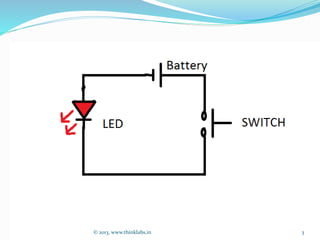
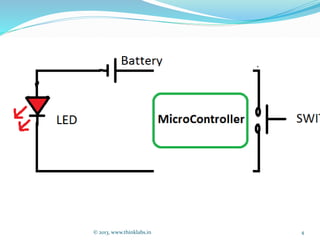
What is Embedded Systems?
© 2013, www.thinklabs.in 2
© 2013, www.thinklabs.in 3
© 2013, www.thinklabs.in 4
© 2013, www.thinklabs.in 5
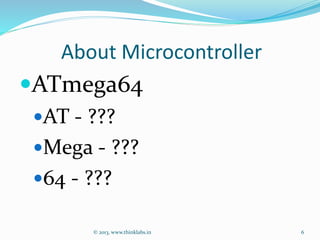
About Microcontroller
ATmega64
AT - ???
Mega - ???
64 - ???
© 2013, www.thinklabs.in 6
KEY Notes
REGISTERS
?
Types of Registers
General Purpose Registers
Special Registers
© 2013, www.thinklabs.in 7
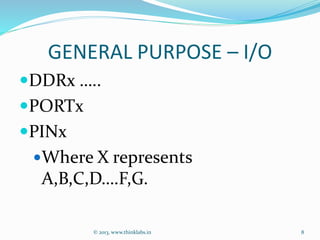
GENERAL PURPOSE – I/O
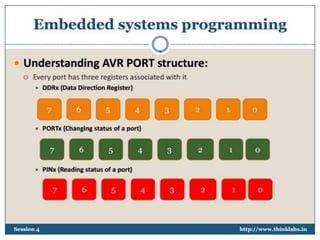
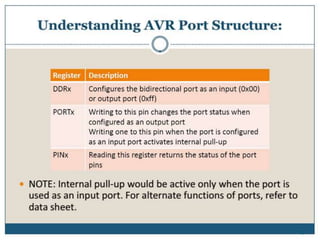
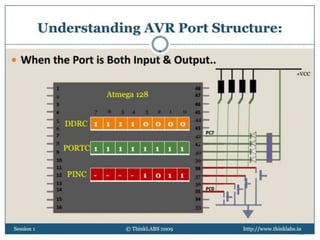
DDRx 
..
PORTx
PINx
Where X represents
A,B,C,D
.F,G.
© 2013, www.thinklabs.in 8
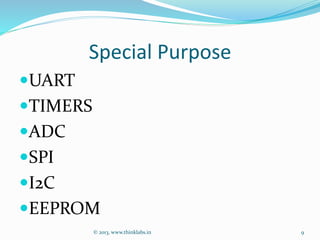
Special Purpose
UART
TIMERS
ADC
SPI
I2C
EEPROM
© 2013, www.thinklabs.in 9
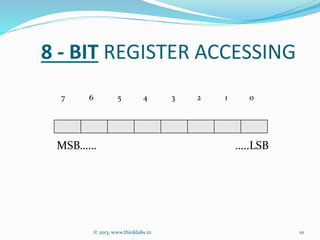
8 - BIT REGISTER ACCESSING
7 6 5 4 3 2 1 0
MSB

 
..LSB
© 2013, www.thinklabs.in 10
© 2013, www.thinklabs.in 11
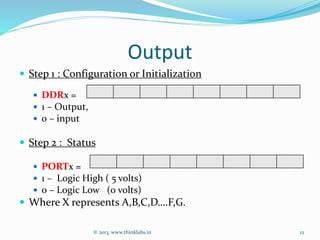
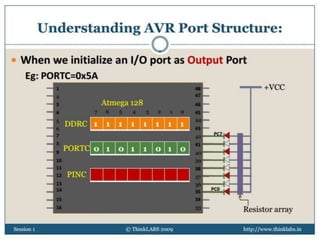
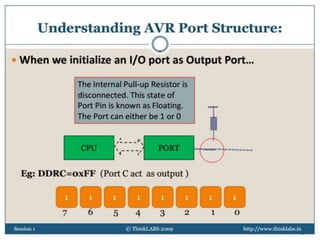
Output
 Step 1 : Configuration or Initialization
 DDRx =
 1 – Output,
 0 – input
 Step 2 : Status
 PORTx =
 1 – Logic High ( 5 volts)
 0 – Logic Low (0 volts)
 Where X represents A,B,C,D
.F,G.
© 2013, www.thinklabs.in 12
© 2013, www.thinklabs.in 13
© 2013, www.thinklabs.in 14
© 2013, www.thinklabs.in 15
© 2013, www.thinklabs.in 16
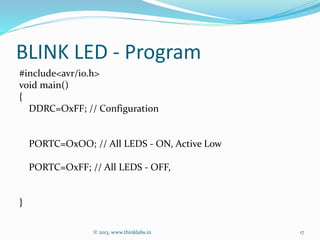
BLINK LED - Program
#include<avr/io.h>
void main()
{
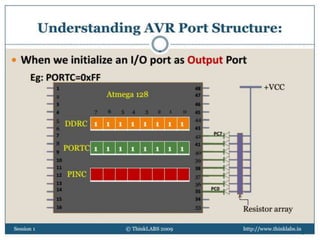
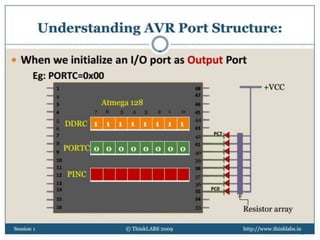
DDRC=OxFF; // Configuration
PORTC=OxOO; // All LEDS - ON, Active Low
PORTC=OxFF; // All LEDS - OFF,
}
© 2013, www.thinklabs.in 17
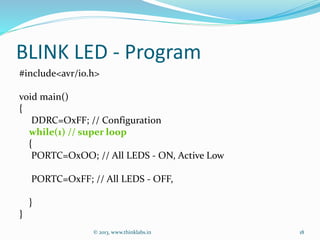
BLINK LED - Program
#include<avr/io.h>
void main()
{
DDRC=OxFF; // Configuration
while(1) // super loop
{
PORTC=OxOO; // All LEDS - ON, Active Low
PORTC=OxFF; // All LEDS - OFF,
}
}
© 2013, www.thinklabs.in 18
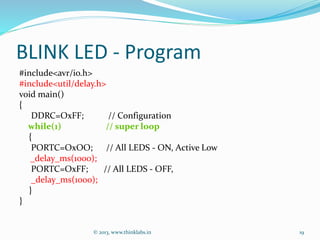
BLINK LED - Program
#include<avr/io.h>
#include<util/delay.h>
void main()
{
DDRC=OxFF; // Configuration
while(1) // super loop
{
PORTC=OxOO; // All LEDS - ON, Active Low
_delay_ms(1000);
PORTC=OxFF; // All LEDS - OFF,
_delay_ms(1000);
}
}
© 2013, www.thinklabs.in 19
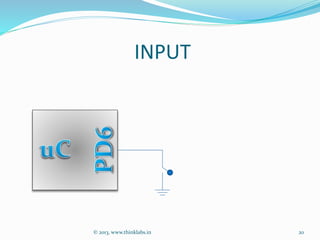
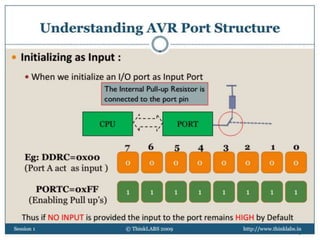
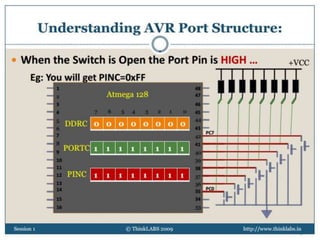
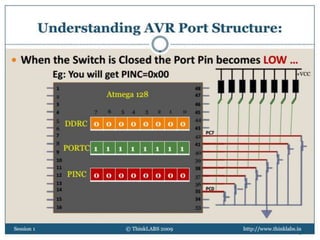
INPUT
© 2013, www.thinklabs.in 20
INPUT
© 2013, www.thinklabs.in 21
INPUT
© 2013, www.thinklabs.in
Vcc
22
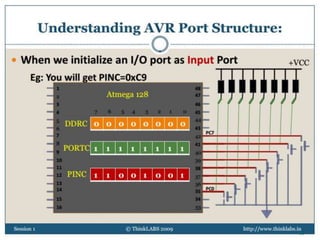
INPUT
© 2013, www.thinklabs.in
Vcc
23
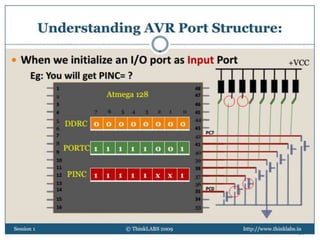
INPUT
© 2013, www.thinklabs.in
Vcc
24
© 2013, www.thinklabs.in 25
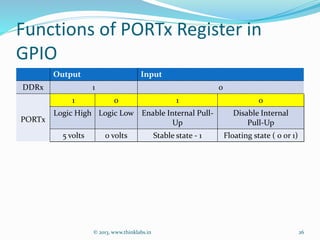
Functions of PORTx Register in
GPIO
Output Input
DDRx 1 0
PORTx
1 0 1 0
Logic High Logic Low Enable Internal Pull-
Up
Disable Internal
Pull-Up
5 volts 0 volts Stable state - 1 Floating state ( 0 or 1)
© 2013, www.thinklabs.in 26
© 2013, www.thinklabs.in 27
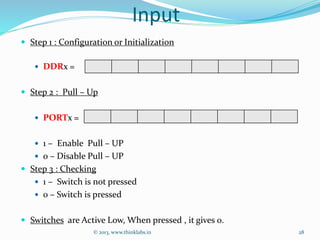
Input
 Step 1 : Configuration or Initialization
 DDRx =
 Step 2 : Pull – Up
 PORTx =
 1 – Enable Pull – UP
 0 – Disable Pull – UP
 Step 3 : Checking
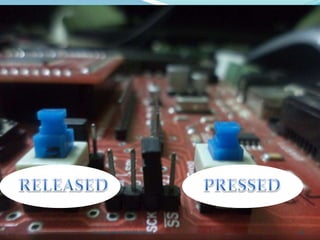
 1 – Switch is not pressed
 0 – Switch is pressed
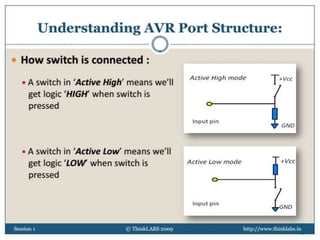
 Switches are Active Low, When pressed , it gives 0.
© 2013, www.thinklabs.in 28
© 2013, www.thinklabs.in 29
© 2013, www.thinklabs.in 30
© 2013, www.thinklabs.in 31
© 2013, www.thinklabs.in 32
© 2013, www.thinklabs.in 33
© 2013, www.thinklabs.in 34
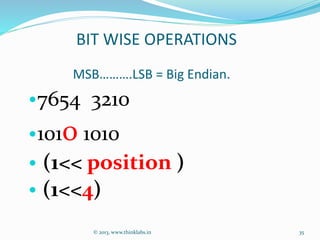
MSB


.LSB = Big Endian.
© 2013, www.thinklabs.in
‱7654 3210
‱1010 1010
‱ (1<< position )
‱ (1<<4)
BIT WISE OPERATIONS
35
BIT WISE OPERATIONS
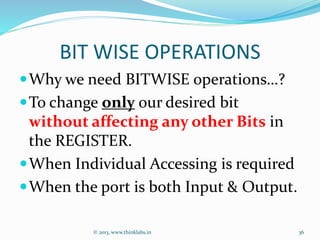
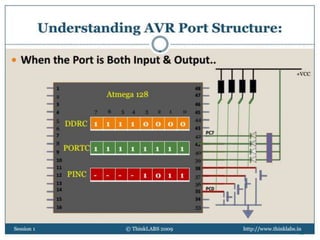
Why we need BITWISE operations
?
To change only our desired bit
without affecting any other Bits in
the REGISTER.
When Individual Accessing is required
When the port is both Input & Output.
© 2013, www.thinklabs.in 36
© 2013, www.thinklabs.in 37
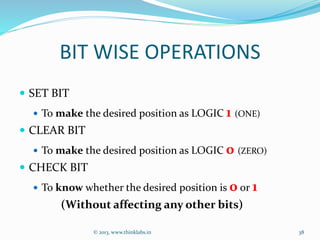
BIT WISE OPERATIONS
 SET BIT
 To make the desired position as LOGIC 1 (ONE)
 CLEAR BIT
 To make the desired position as LOGIC 0 (ZERO)
 CHECK BIT
 To know whether the desired position is 0 or 1
(Without affecting any other bits)
© 2013, www.thinklabs.in 38
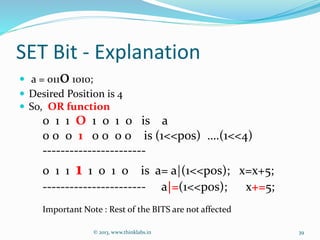
SET Bit - Explanation
 a = 01101010;
 Desired Position is 4
 So, OR function
0 1 1 O 1 0 1 0 is a
0 0 0 1 0 0 0 0 is (1<<pos) 
.(1<<4)
-----------------------
0 1 1 1 1 0 1 0 is a= a|(1<<pos); x=x+5;
----------------------- a|=(1<<pos); x+=5;
Important Note : Rest of the BITS are not affected
© 2013, www.thinklabs.in 39
One’s complement
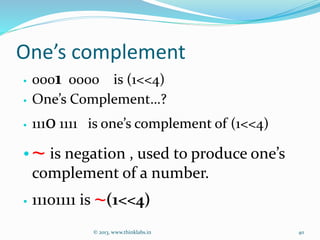
‱ 0001 0000 is (1<<4)
‱ One’s Complement
?
‱ 1110 1111 is one’s complement of (1<<4)
‱~ is negation , used to produce one’s
complement of a number.
‱ 11101111 is ~(1<<4)
© 2013, www.thinklabs.in 40
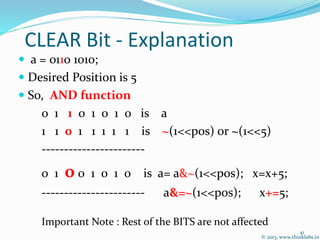
CLEAR Bit - Explanation
 a = 0110 1010;
 Desired Position is 5
 So, AND function
0 1 1 0 1 0 1 0 is a
1 1 0 1 1 1 1 1 is ~(1<<pos) or ~(1<<5)
-----------------------
0 1 0 0 1 0 1 0 is a= a&~(1<<pos); x=x+5;
----------------------- a&=~(1<<pos); x+=5;
Important Note : Rest of the BITS are not affected
© 2013, www.thinklabs.in
41
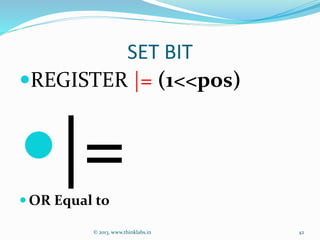
SET BIT
REGISTER |= (1<<pos)
|= OR Equal to
© 2013, www.thinklabs.in 42
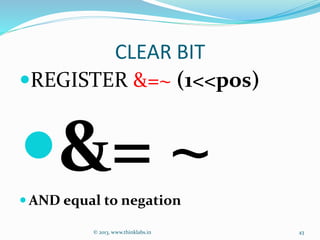
CLEAR BIT
REGISTER &=~ (1<<pos)
&= ~ AND equal to negation
© 2013, www.thinklabs.in 43
CHECK BIT
(REGISTER & (1<<pos))== ?
& AND is only for checking, not for assingning
 EQUAL ‘=’ is for assigning, BUT here we don’t assign
anything,
 Just checking the Status of the BIT
© 2013, www.thinklabs.in 44
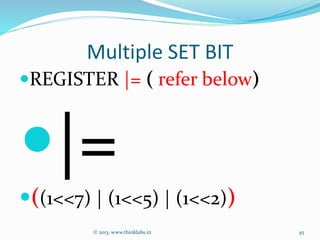
Multiple SET BIT
REGISTER |= ( refer below)
|=
((1<<7) | (1<<5) | (1<<2))
© 2013, www.thinklabs.in 45
Multiple CLEAR BIT
REGISTER &=~ ( refer below)
&=~
((1<<7) | (1<<5) | (1<<2))
© 2013, www.thinklabs.in 46
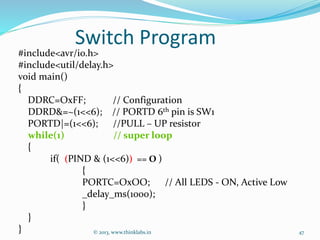
Switch Program
#include<avr/io.h>
#include<util/delay.h>
void main()
{
DDRC=OxFF; // Configuration
DDRD&=~(1<<6); // PORTD 6th pin is SW1
PORTD|=(1<<6); //PULL – UP resistor
while(1) // super loop
{
if( (PIND & (1<<6)) == O )
{
PORTC=OxOO; // All LEDS - ON, Active Low
_delay_ms(1000);
}
}
} © 2013, www.thinklabs.in 47
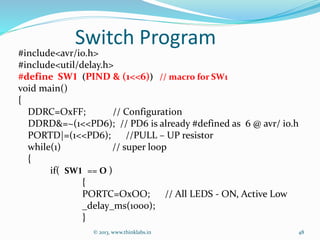
Switch Program
#include<avr/io.h>
#include<util/delay.h>
#define SW1 (PIND & (1<<6)) // macro for SW1
void main()
{
DDRC=OxFF; // Configuration
DDRD&=~(1<<PD6); // PD6 is already #defined as 6 @ avr/ io.h
PORTD|=(1<<PD6); //PULL – UP resistor
while(1) // super loop
{
if( SW1 == O )
{
PORTC=OxOO; // All LEDS - ON, Active Low
_delay_ms(1000);
}
© 2013, www.thinklabs.in 48
© 2013, www.thinklabs.in 49
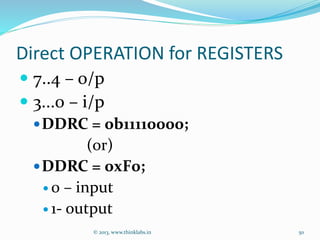
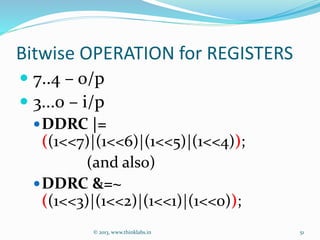
Direct OPERATION for REGISTERS
 7..4 – o/p
 3...0 – i/p
DDRC = 0b11110000;
(or)
DDRC = 0xF0;
 0 – input
 1- output
© 2013, www.thinklabs.in 50
Bitwise OPERATION for REGISTERS
 7..4 – o/p
 3...0 – i/p
DDRC |=
((1<<7)|(1<<6)|(1<<5)|(1<<4));
(and also)
DDRC &=~
((1<<3)|(1<<2)|(1<<1)|(1<<0));
© 2013, www.thinklabs.in 51
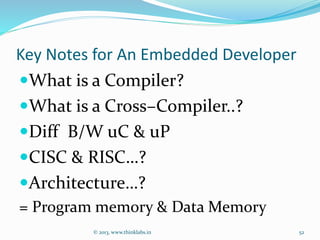
Key Notes for An Embedded Developer
What is a Compiler?
What is a Cross–Compiler..?
Diff B/W uC & uP
CISC & RISC
?
Architecture
?
= Program memory & Data Memory
© 2013, www.thinklabs.in 52
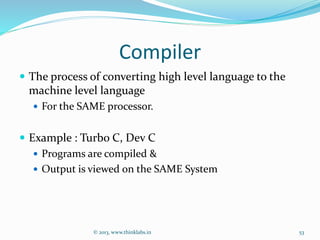
Compiler
 The process of converting high level language to the
machine level language
 For the SAME processor.
 Example : Turbo C, Dev C
 Programs are compiled &
 Output is viewed on the SAME System
© 2013, www.thinklabs.in 53
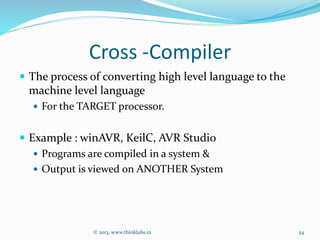
Cross -Compiler
 The process of converting high level language to the
machine level language
 For the TARGET processor.
 Example : winAVR, KeilC, AVR Studio
 Programs are compiled in a system &
 Output is viewed on ANOTHER System
© 2013, www.thinklabs.in 54
5 Golden Rules for Programming
also called as Cross Compilation
1. Make New Separate folder for Each &
Every Program
2. Only Makefile and .c (dot C) file
?
3. ‘M ‘of Makefile should be in Capital.
4. Target name in Makefile & some
changes
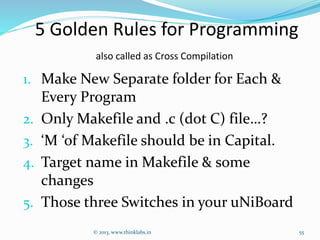
5. Those three Switches in your uNiBoard
© 2013, www.thinklabs.in 55
© 2013, www.thinklabs.in 56
Tools to Remember
To Compile
Tools  Make All
To Program
Tools  Make Program
© 2013, www.thinklabs.in 57
ReCap
 X= 6;
 Right to Left Operation in C.
 So, We are passing the value 6 to X,
 Similarly,
 DDRx=OxFF, and PORTx=OxFF;
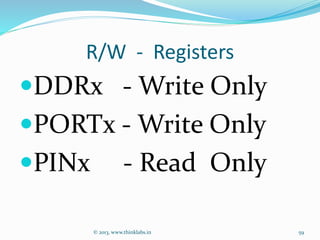
 So, We are (passing) Writing an 8 bit Value to REGISTER
 But, in PINx , we are just only reading from it.
 PINx & (1<< pos )
© 2013, www.thinklabs.in 58
R/W - Registers
DDRx - Write Only
PORTx - Write Only
PINx - Read Only
© 2013, www.thinklabs.in 59
THANK U

Contact
maaniq1805@gmail.com
www.linkedin.com/in/maaniq
www.facebook.com/maaniq
©2013,www.thinklabs.in
60

AVR I/O programming Atmega 64 uNiboard ThinkLABS maaniq