Instructional Computer TECH2111 Dr. Alaa Sadik Instructional & Learning Technologies Department www.alaasadik.net [email_address] Welcome Back to the SQU
Instructional Computer TECH2111 Lecture One:  Educational Technology Standards: Introduction
About the Course Instructor Alaa Sadik Received:  B.Sc. from South Valley University, Egypt, 1991. M.Ed in Computer-Based Learning from South Valley University, Egypt, 1997. Ph.D in Web-Based Learning from Hull University, UK, 2002.
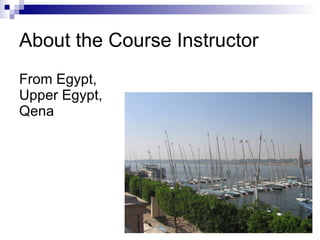
About the Course Instructor From Egypt,  Upper Egypt,  Qena
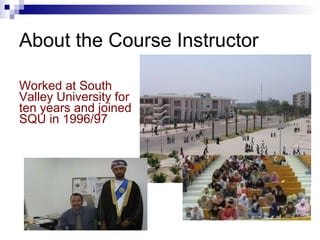
About the Course Instructor Worked at South Valley University for ten years and joined SQU in 1996/97
What about You? What did you like/dislike in previous courses? What are your expectations from TECH2111 course?
TECH2111: Overview Course Syllabus Review  Your Comments [Feel free to share your points of view to enhance this syllabus]
Educational Technology Standards What is a standard?  A standard is a  basis for comparison ;  a reference point  against which other things can be evaluated. A standard refers to what students should  know  and be  able to do .
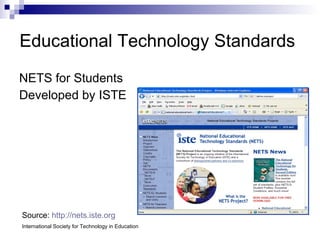
Educational Technology Standards NETS for Students Developed by ISTE Source:  http://nets.iste.org International Society for Technology in Education
Educational Technology Standards NETS Divided into six broad categories Standards within each category are to be introduced, reinforced, and mastered by students.  Teachers can use these standards as  guidelines for planning technology-based activities  in which students achieve success in learning, communication, and life skills.
NETS for Students
NETS for Students 1. Basic operations and concepts   Students demonstrate a sound understanding of the nature and operation of technology systems.  Students are proficient in the use of technology.
NETS for Students 2. Social, ethical, and human issues   Students understand the ethical, cultural, and societal issues related to technology.  Students practice responsible use of technology systems, information, and software.  Students develop positive attitudes toward technology uses that support lifelong learning, collaboration, personal pursuits, and productivity.
NETS for Students 3. Technology productivity tools   Students use technology tools to enhance learning, increase productivity, and promote creativity.  Students use productivity tools to collaborate in constructing technology-enhanced models, prepare publications, and produce other creative works.
NETS for Students 4. Technology communications tools   Students use telecommunications to collaborate, publish, and interact with peers, experts, and other audiences.  Students use a variety of media and formats to communicate information and ideas effectively to multiple audiences.
NETS for Students 5. Technology research tools   Students use technology to locate, evaluate, and collect information from a variety of sources.  Students use technology tools to process data and report results.  Students evaluate and select new information resources and technological innovations based on the appropriateness for specific tasks.
NETS for Students 6. Technology problem-solving and decision-making tools   Students use technology resources for solving problems and making informed decisions.  Students employ technology in the development of strategies for solving problems in the real world.
Instructional Computer Introduction Computers have changed the face of the world:  how ?  [p.4] . Computers at schools:  past  and  present   [p. 5] . Computer integration into the curriculum: why?  [p.10,11] ,  how ?  Computers and  changes  in the educational system  [p.18] Textbook: pp.4-20
Discussions  & Conclusions
Look around you: market, cash machine, cars, kitchen, lab, governmental services, ticket booking, administration units… Become easy, fast, accurate, safe… << Back
Students can write, illustrate, publish, program, and create models, movies, music, stories, poetry and art.  Using computers students can access libraries, databases, information centers, bulletin boards, and others around the world. << Back
To revolutionize education the same way that computers revolutionized business. << Back
To improve thinking skills and enhance the achievement of higher-order learning objectives. << Back
From  Group-based to individualized learning.  Lecture to coaching. Passive learning to engaged learning. Competitive to cooperative. … << Back

Educational Technology Standards: Introduction

  • 1.
    Instructional Computer TECH2111Dr. Alaa Sadik Instructional & Learning Technologies Department www.alaasadik.net [email_address] Welcome Back to the SQU
  • 2.
    Instructional Computer TECH2111Lecture One: Educational Technology Standards: Introduction
  • 3.
    About the CourseInstructor Alaa Sadik Received: B.Sc. from South Valley University, Egypt, 1991. M.Ed in Computer-Based Learning from South Valley University, Egypt, 1997. Ph.D in Web-Based Learning from Hull University, UK, 2002.
  • 4.
    About the CourseInstructor From Egypt, Upper Egypt, Qena
  • 5.
    About the CourseInstructor Worked at South Valley University for ten years and joined SQU in 1996/97
  • 6.
    What about You?What did you like/dislike in previous courses? What are your expectations from TECH2111 course?
  • 7.
    TECH2111: Overview CourseSyllabus Review Your Comments [Feel free to share your points of view to enhance this syllabus]
  • 8.
    Educational Technology StandardsWhat is a standard? A standard is a basis for comparison ; a reference point against which other things can be evaluated. A standard refers to what students should know and be able to do .
  • 9.
    Educational Technology StandardsNETS for Students Developed by ISTE Source: http://nets.iste.org International Society for Technology in Education
  • 10.
    Educational Technology StandardsNETS Divided into six broad categories Standards within each category are to be introduced, reinforced, and mastered by students. Teachers can use these standards as guidelines for planning technology-based activities in which students achieve success in learning, communication, and life skills.
  • 11.
  • 12.
    NETS for Students1. Basic operations and concepts Students demonstrate a sound understanding of the nature and operation of technology systems. Students are proficient in the use of technology.
  • 13.
    NETS for Students2. Social, ethical, and human issues Students understand the ethical, cultural, and societal issues related to technology. Students practice responsible use of technology systems, information, and software. Students develop positive attitudes toward technology uses that support lifelong learning, collaboration, personal pursuits, and productivity.
  • 14.
    NETS for Students3. Technology productivity tools Students use technology tools to enhance learning, increase productivity, and promote creativity. Students use productivity tools to collaborate in constructing technology-enhanced models, prepare publications, and produce other creative works.
  • 15.
    NETS for Students4. Technology communications tools Students use telecommunications to collaborate, publish, and interact with peers, experts, and other audiences. Students use a variety of media and formats to communicate information and ideas effectively to multiple audiences.
  • 16.
    NETS for Students5. Technology research tools Students use technology to locate, evaluate, and collect information from a variety of sources. Students use technology tools to process data and report results. Students evaluate and select new information resources and technological innovations based on the appropriateness for specific tasks.
  • 17.
    NETS for Students6. Technology problem-solving and decision-making tools Students use technology resources for solving problems and making informed decisions. Students employ technology in the development of strategies for solving problems in the real world.
  • 18.
    Instructional Computer IntroductionComputers have changed the face of the world: how ? [p.4] . Computers at schools: past and present [p. 5] . Computer integration into the curriculum: why? [p.10,11] , how ? Computers and changes in the educational system [p.18] Textbook: pp.4-20
  • 19.
    Discussions &Conclusions
  • 20.
    Look around you:market, cash machine, cars, kitchen, lab, governmental services, ticket booking, administration units… Become easy, fast, accurate, safe… << Back
  • 21.
    Students can write,illustrate, publish, program, and create models, movies, music, stories, poetry and art. Using computers students can access libraries, databases, information centers, bulletin boards, and others around the world. << Back
  • 22.
    To revolutionize educationthe same way that computers revolutionized business. << Back
  • 23.
    To improve thinkingskills and enhance the achievement of higher-order learning objectives. << Back
  • 24.
    From Group-basedto individualized learning. Lecture to coaching. Passive learning to engaged learning. Competitive to cooperative. … << Back