Cecilie Murray
John Sloan
Delphian eLearning
Let’s talk about what we know
What the research says
Workshop:
 Planning an implementation strategy
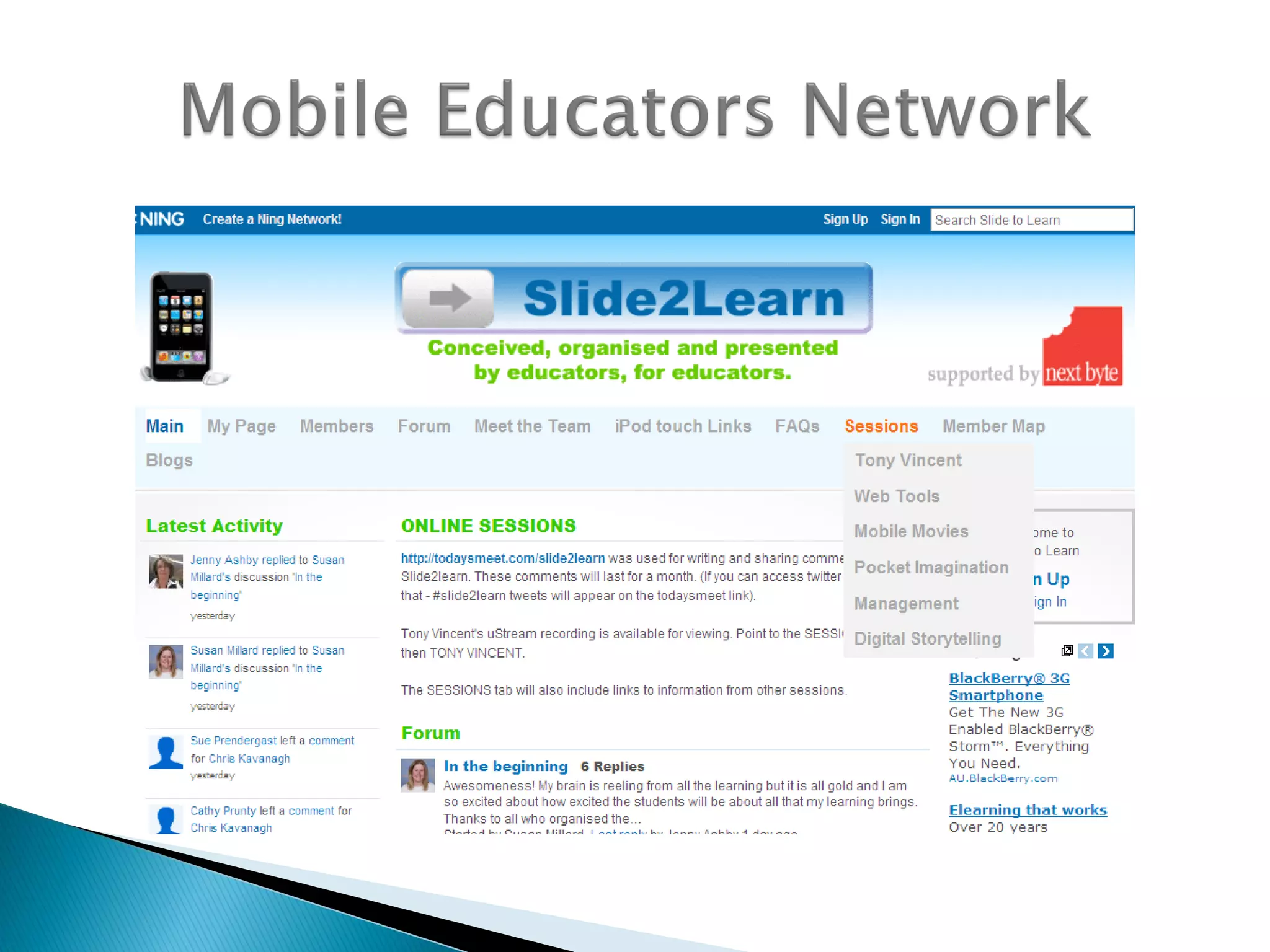
 Support networks and info sources
 Good apps and how to find them
 Effective integration into teaching & learning
Apps, apps and data
Resources
Discuss:
Which mobile devices do you use
inside and outside of school?
Share:
What have you found out about
mobile devices?
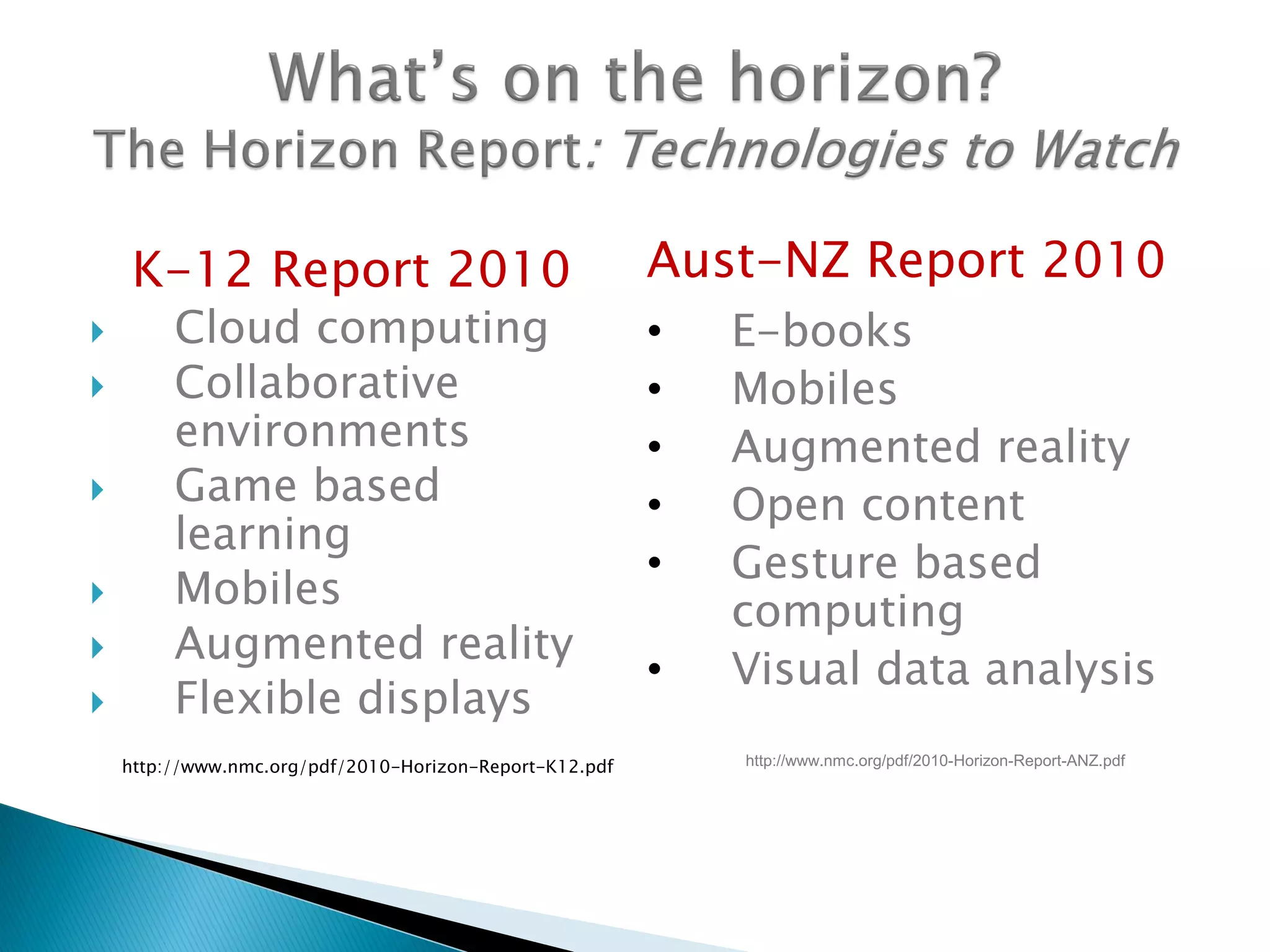
K-12 Report 2010
 Cloud computing
 Collaborative
environments
 Game based
learning
 Mobiles
 Augmented reality
 Flexible displays
http://www.nmc.org/pdf/2010-Horizon-Report-K12.pdf
Aust-NZ Report 2010
• E-books
• Mobiles
• Augmented reality
• Open content
• Gesture based
computing
• Visual data analysis
http://www.nmc.org/pdf/2010-Horizon-Report-ANZ.pdf
Mobile learning is…
‘learning in a more personalised way, handing
over more control to the learners themselves’
‘disruptive learning’
(Stead, 2006)
‘holds and heightens student interest, engages
students in learning, and provides yet another
means for expressive and receptive literacy’
(Dogeby, 2007)
The Research
‘a small, cleverly designed handheld game can
significantly enhance learner performance in
mental maths as well as having a positive
impact on other aspects of classroom life’
(Robertson, 2009).
‘mobile devices can have a positive impact on
learning experiences for both educators and
students’
(McFarlane, Triggs& Yee, 2008; Ng &
Nicholas, 2009)
‘Schools with one-to-one computing programs
have fewer discipline problems, lower
dropout rates, and higher rates of college
attendance than schools with a higher ratio
of students to computers…but for one-to-
one programs to boost student achievement
as well, they must be properly implemented.’
Project Red (Revolutionizing Education)
June 2010
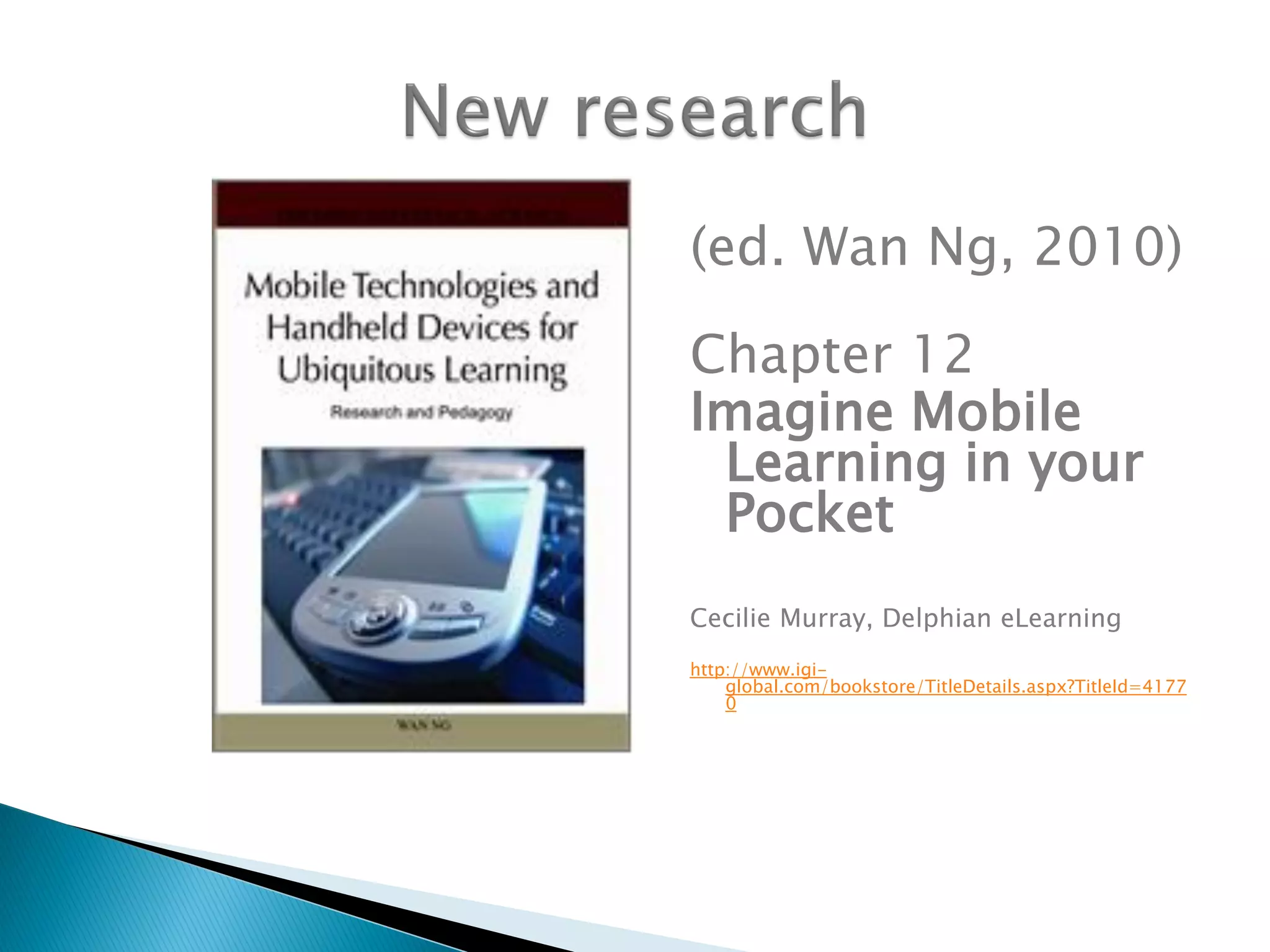
(ed. Wan Ng, 2010)
Chapter 12
Imagine Mobile
Learning in your
Pocket
Cecilie Murray, Delphian eLearning
http://www.igi-
global.com/bookstore/TitleDetails.aspx?TitleId=4177
0
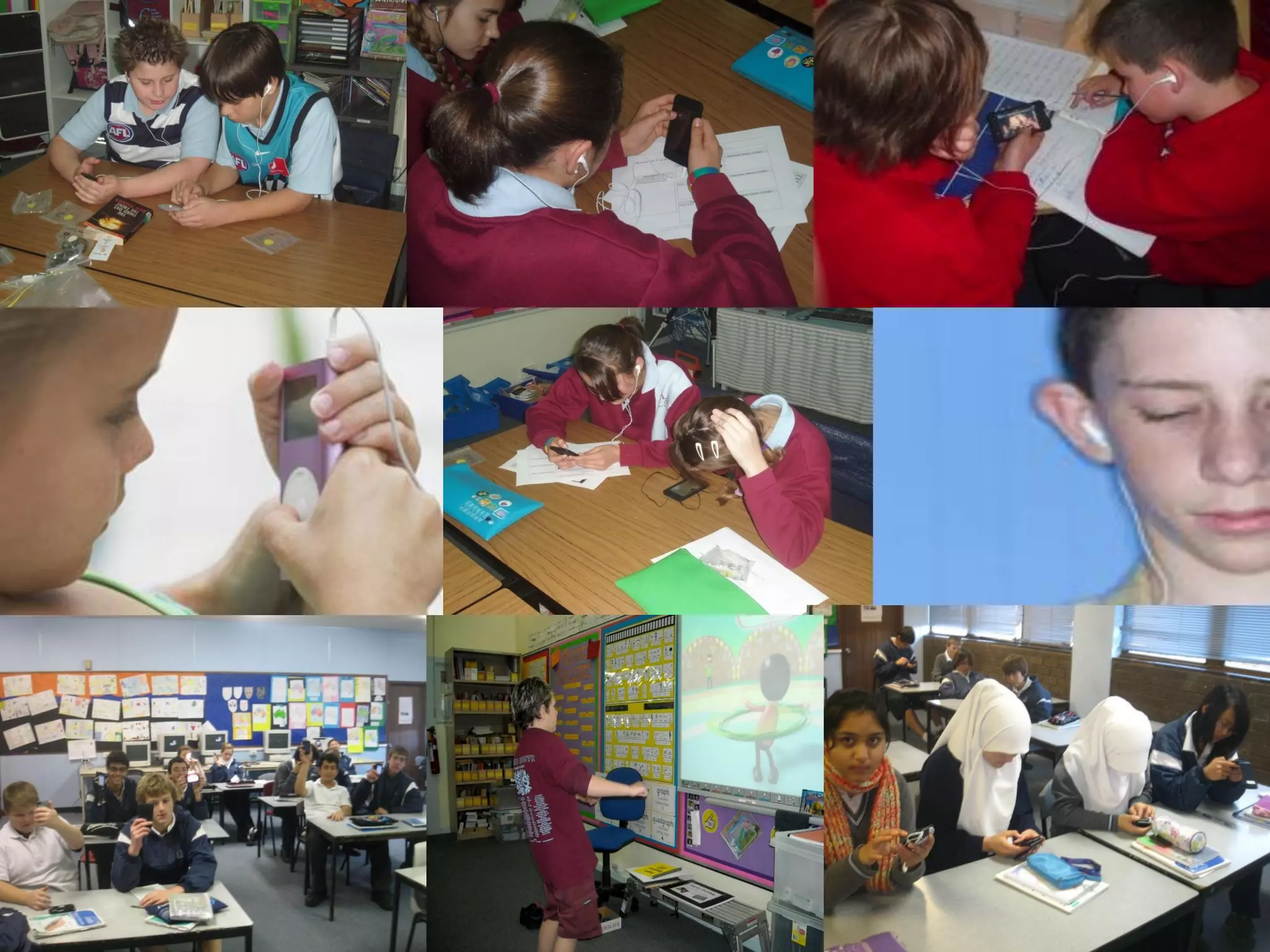
 how mobile learning might be used to
increase engagement, motivation, ICT
curriculum integration and effective
learning in K-12 schools.
 action research questions focused on
impact on learning in core curriculum
areas, literacy, numeracy, new media,
interpersonal development
 iPodagogy 2007
iPods and video podcasting for learning
 iPod Touch Project 2008
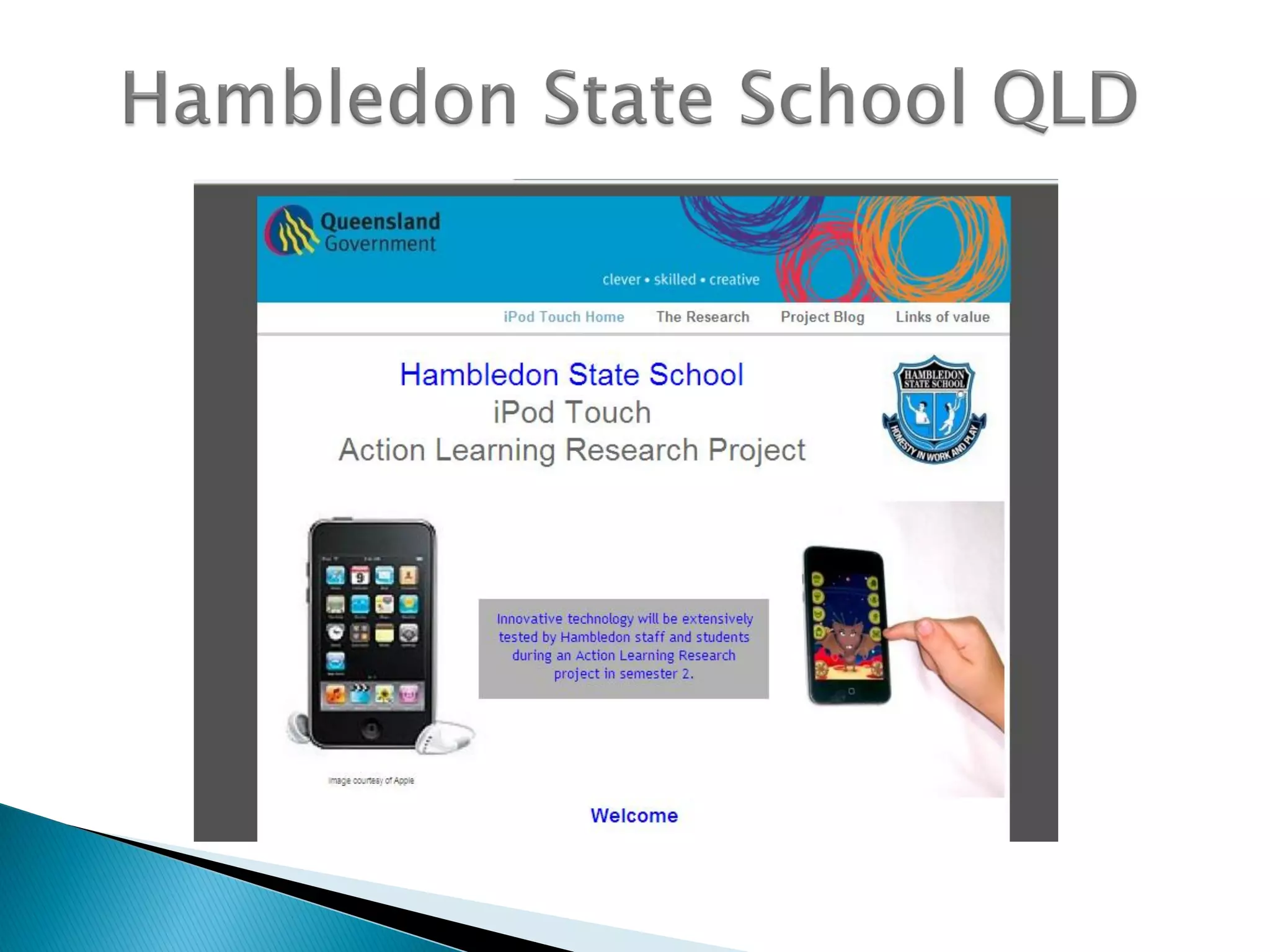
8 iPod Touches per class for literacy
 Global Mobile Learning 2008-09
Two year project – Australia, Singapore and USA
 Nintendo DS for Maths 2009
Nintendo DS for student learning in Mathematics
 Up to 50 Primary and secondary schools
 1:1technologies and collaborative
technologies supporting VELS outcomes
 iPod touch, Netbooks, Flip cameras, Blogs,
Wikis, GPS & geocaching, Massive Multiplayer
Online Gaming, Quizdom etc
 Benchmarking, data collection based on
rubrics, online survey, reports, interviews
Mobile learning:
 Promotes confidence and independence regardless of
year level and age
 Promotes peer coaching and developing activities for
each other
 Important in encouraging ESL learners, reluctant
learners (at risk/disengaged)
 Improves attendance, more active participation in
class
 Promotes better preparation and organisation for
class
 Supports more regular completion of school work
and homework
 Mobile learning stimulates enjoyment in
learning…‘fun’ activity
 Greater interaction (& writing) from boys in
particular, in blogs, podcasts and web pages
 Stimulates teachers and students to work
creatively to improve literacy and numeracy
 Student performance data – improves numeracy
and literacy, increases skills in teamwork,
interpersonal skills and ICT skills
 Motivates teachers to rethink their pedagogy
around the use of ICT and mobile devices
Research reports
iPod Touch Report
http://delphian.com.au/ipod-touch-research-report
iPodagogy: Using iPods and Video Podcasting for Learning
http://delphian.com.au/ipods-and-podcasting-learning
Global Mobile Learning
http://delphian.com.au/global-mobile-learning-research
References
Project Red (2010) Revolutionizing Education, One to One Institute, US.
http://projectred.org/
McFarlane, A. Triggs, P. & Yee, W. (2008). Researching mobile learning - Interim
report to Becta
http://partners.becta.org.uk/uploaddir/downloads/page_documents/research/mobil
e_learning.pdf
Ng, W. & Nicholas, H. (2009a). Introduction of pocket PC in schools: attitudes and
beliefs in the first year. Computers and Education.
Robertson, M. (2009) Innovative Schooling and Responsiveness to ongoing Global
Change, La Trobe University, Melbourne
Stead, G. (2006). Mobile technologies: transforming the future of learning, in
Emerging Technologies for Learning, BECTA. http://partners.becta.org.uk/upload-
dir/downloads/page_documents/research/emerging_technologies.pdf
Metiri Group (2006) Technology in Schools, What the Research Says, Cisco Systems.
http://www.cisco.com/web/strategy/docs/education/TechnologyinSchoolsReport.pd
f
Dogeby, (2006) Using iPods for Instruction, Principals Partnership, Florida.
http://www.principalspartnership.com/iPods.pdf
Why iPads or Touch tablets?
 iPad or Galaxy Tablet (Samsung)
 Small handheld devices enable learning
anywhere, anytime
 Convergence of innovations in mobile
technology and social software, Web 2.0
 Young people’s social use of technologies
 For schools it means 1:1 is achievable
Discuss in four rotations: (10 mins)
1. How do we develop an Implementation
Strategy?
2. Where do I find support, networks and
info?
3. How do I find quality educational apps?
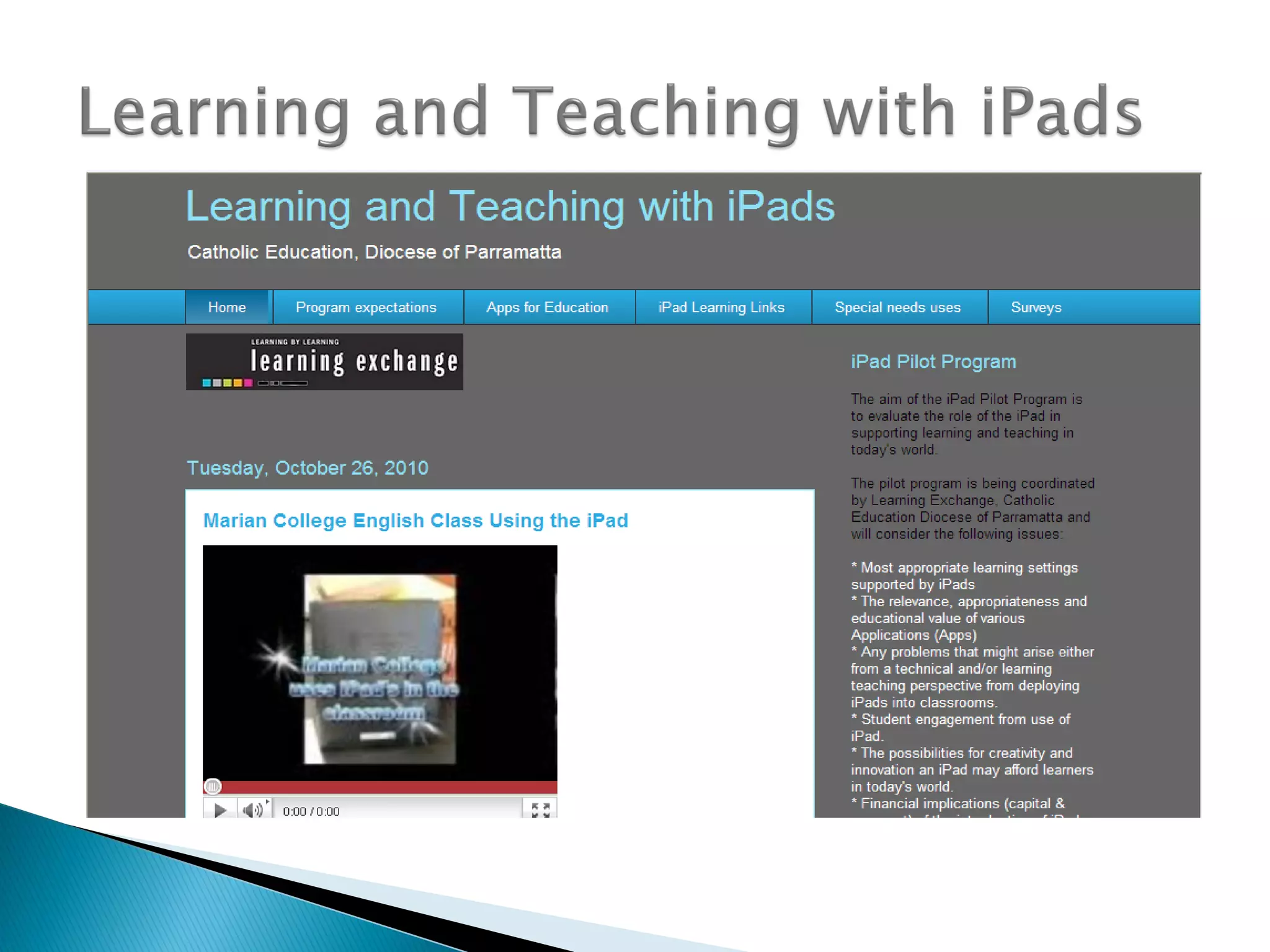
4. How do I integrate iPads in the classroom?
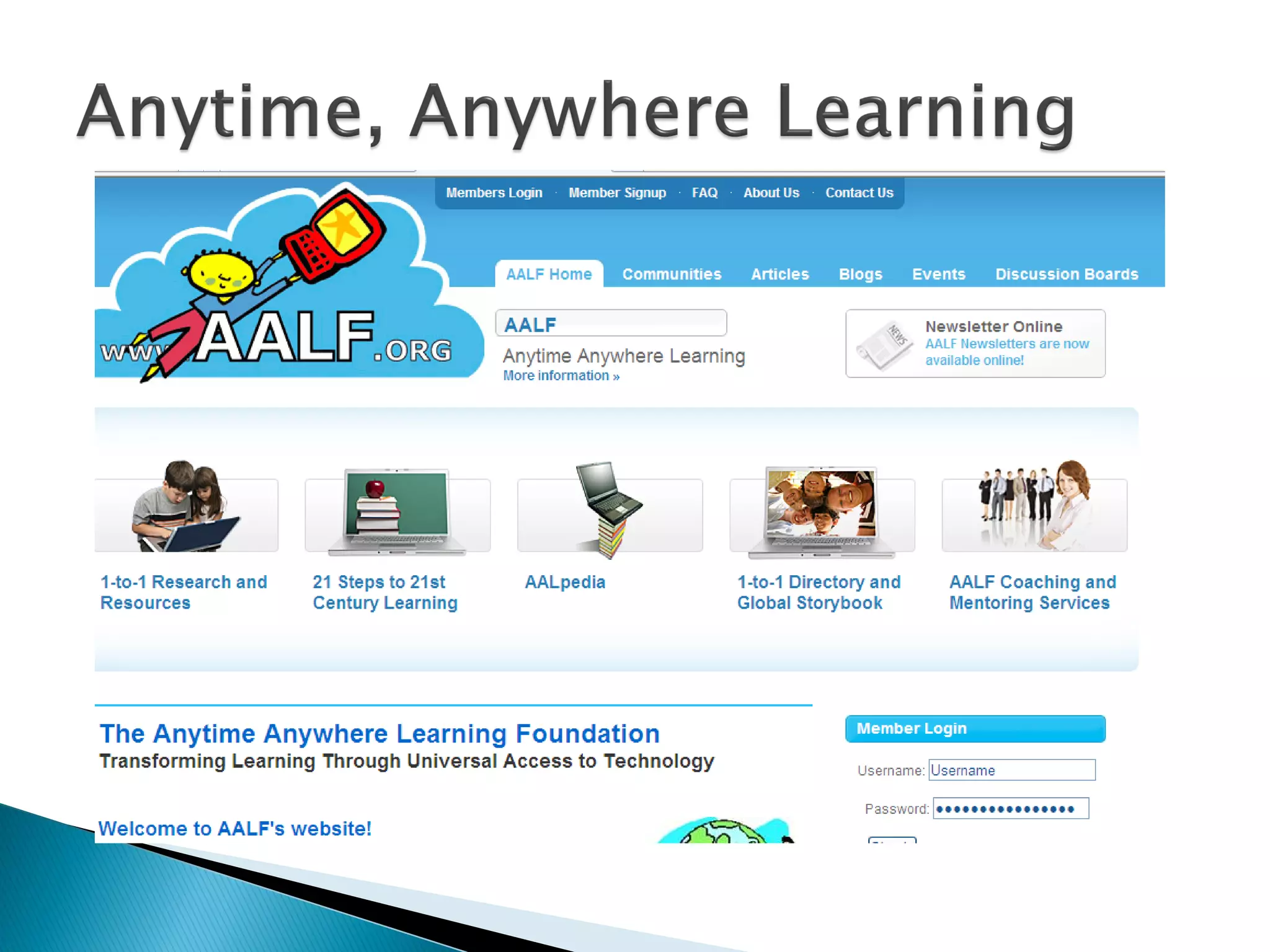
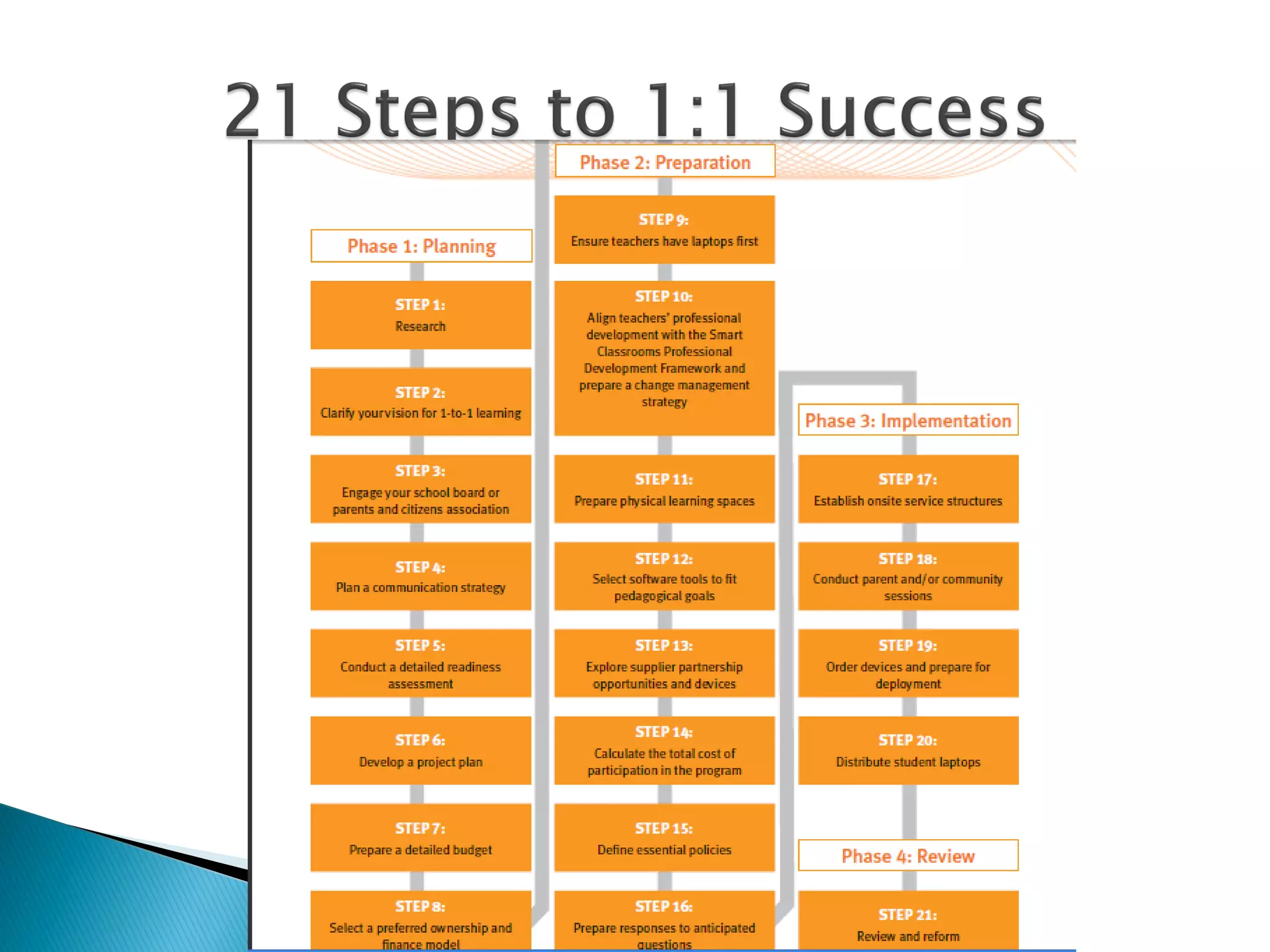
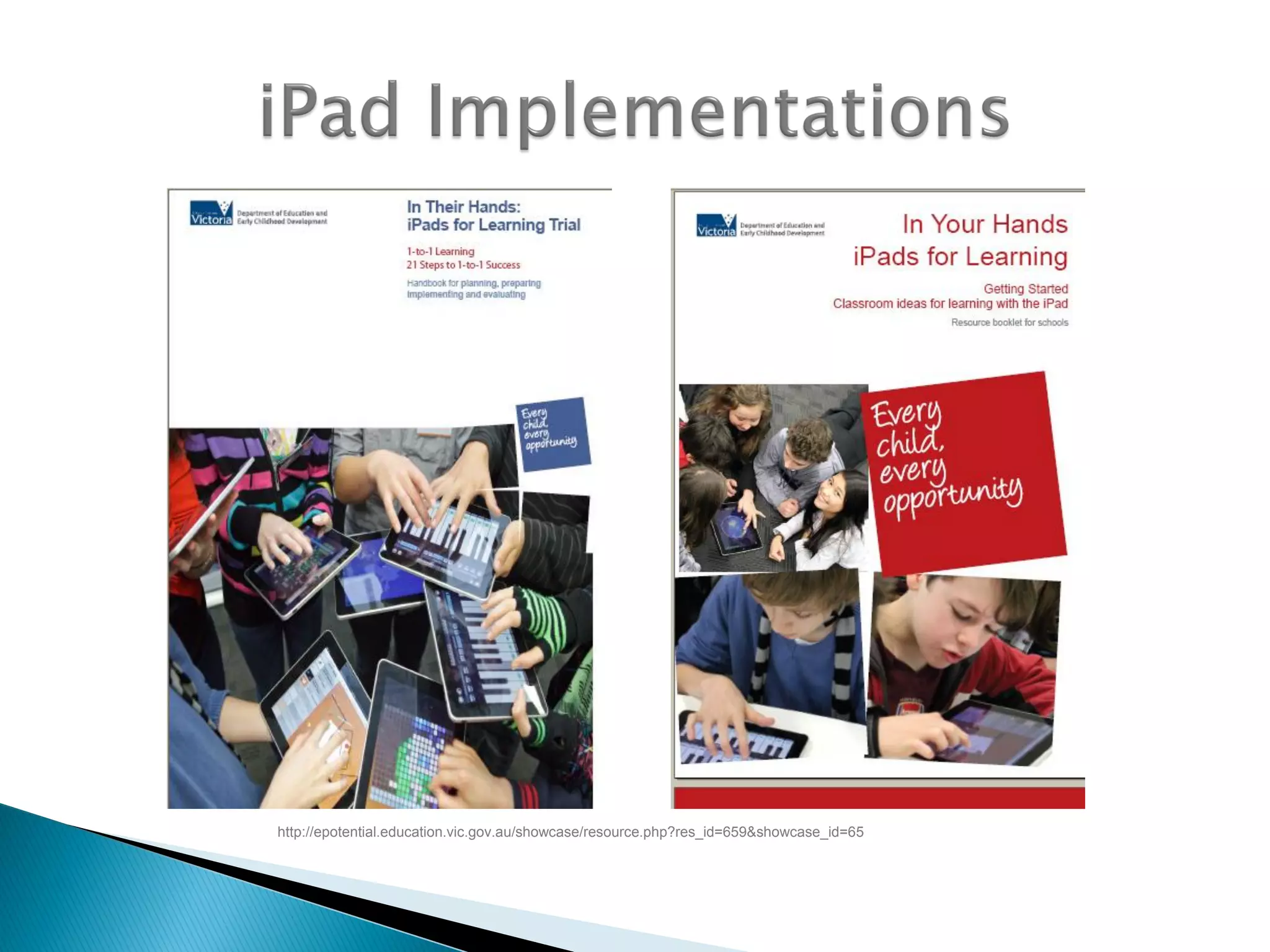
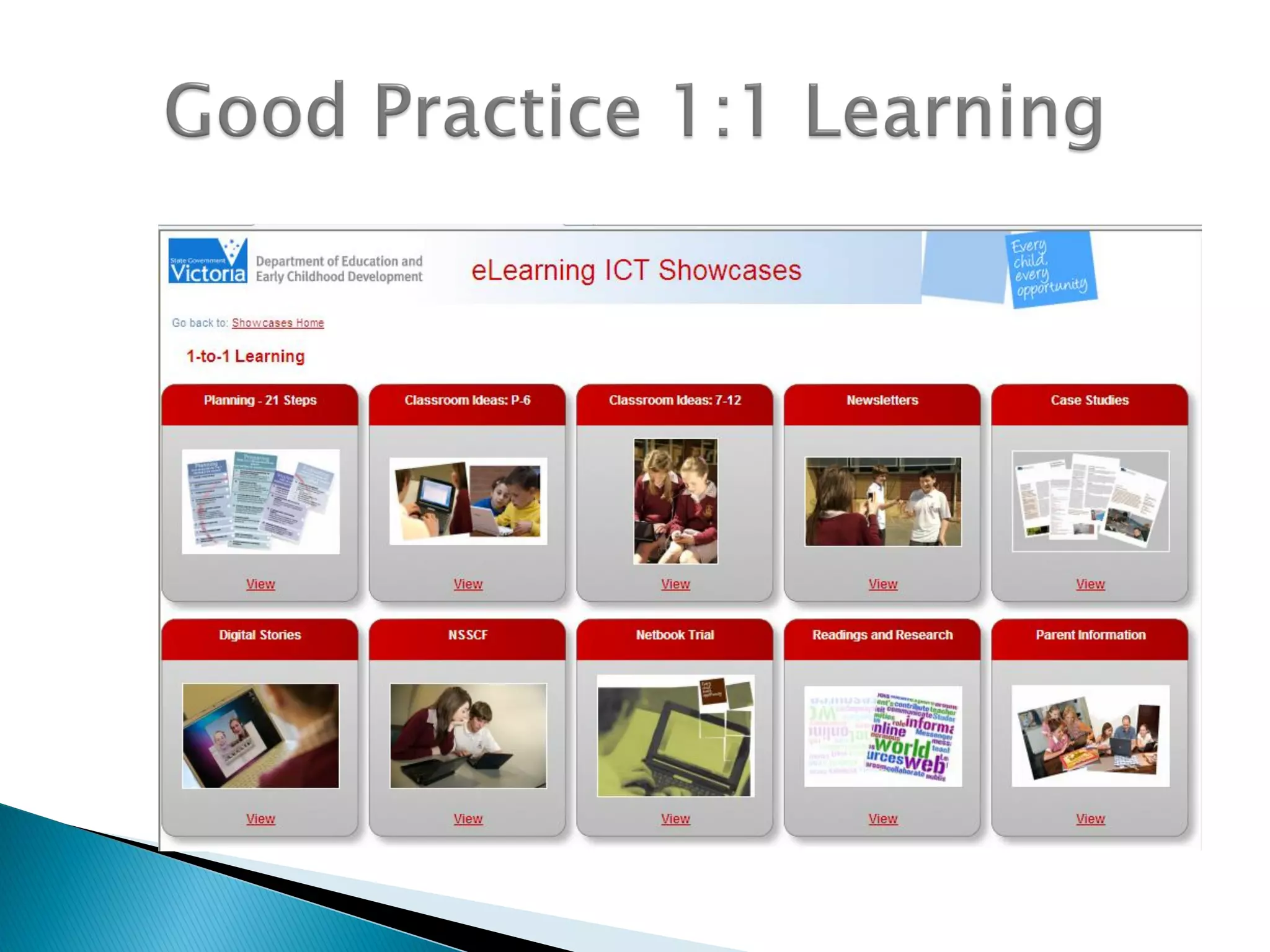
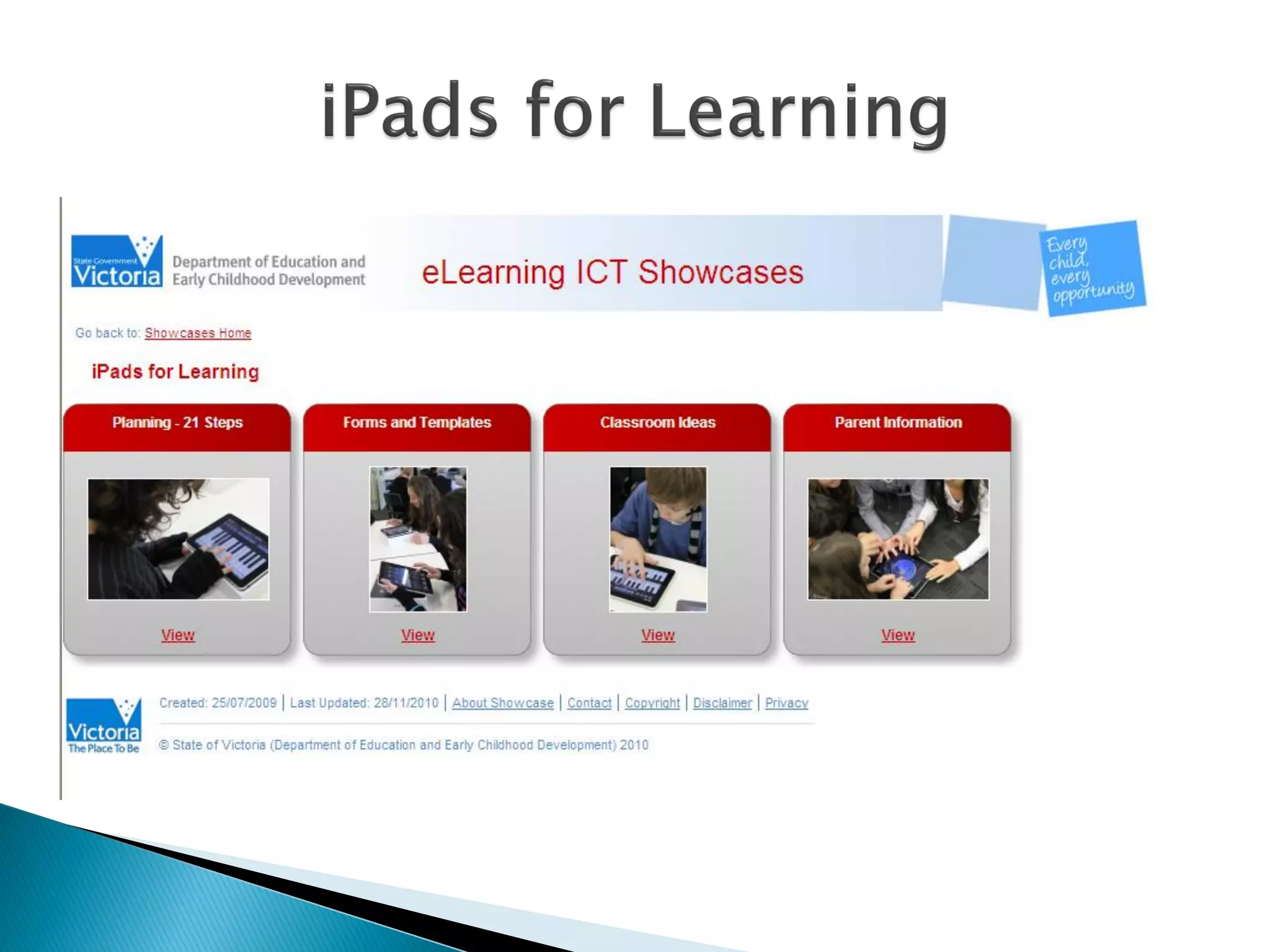
 Good practice: AALF 21 steps for
implementation
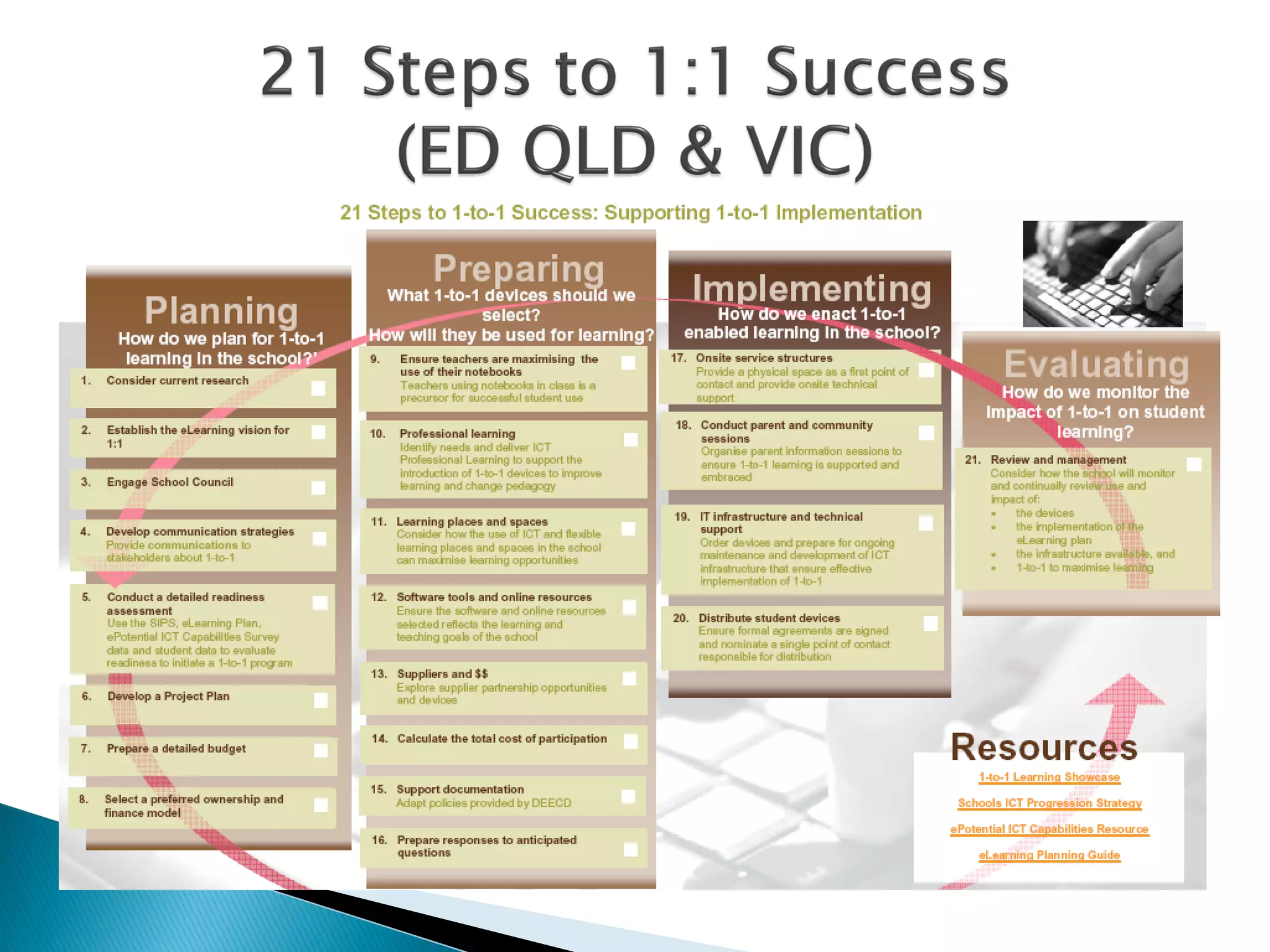
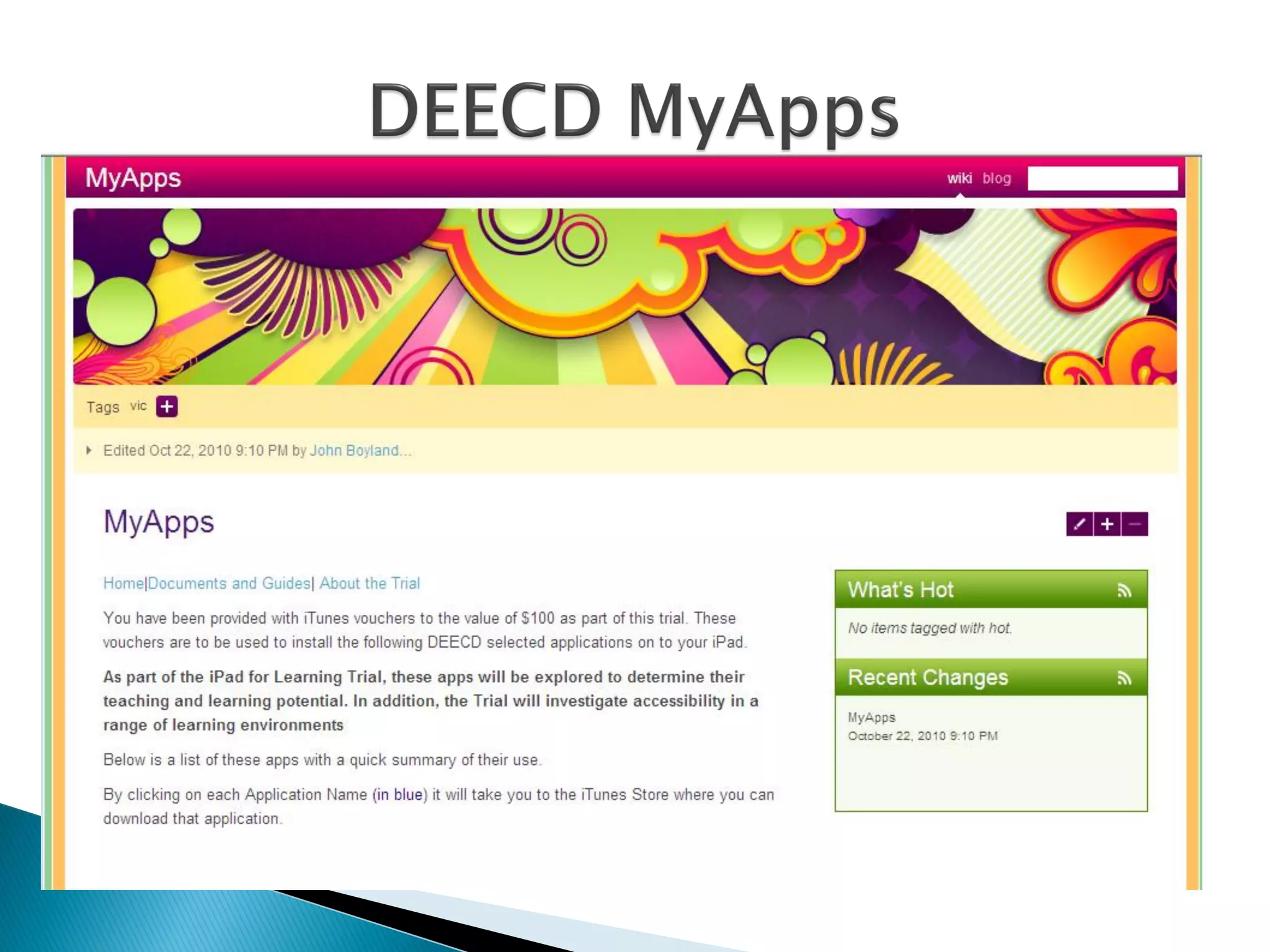
 DEECD – 2 resources
 1:1 21 steps checklist at DEECD VIC & QLD
 Issues: professional learning an issue
 OHP or data shows for using with iPads
 Teachers need to be taught hand gestures
with iPads
 PL to be built into planning
 Look at other schools for good practice
 Technicians from other schools
 Talk to Apple
 Issues:
 Proxies- the big end proxy is key in Govt
schools
 Independent schools more flexible
 iTunes – bulk purchase for schools; 1 app per
device
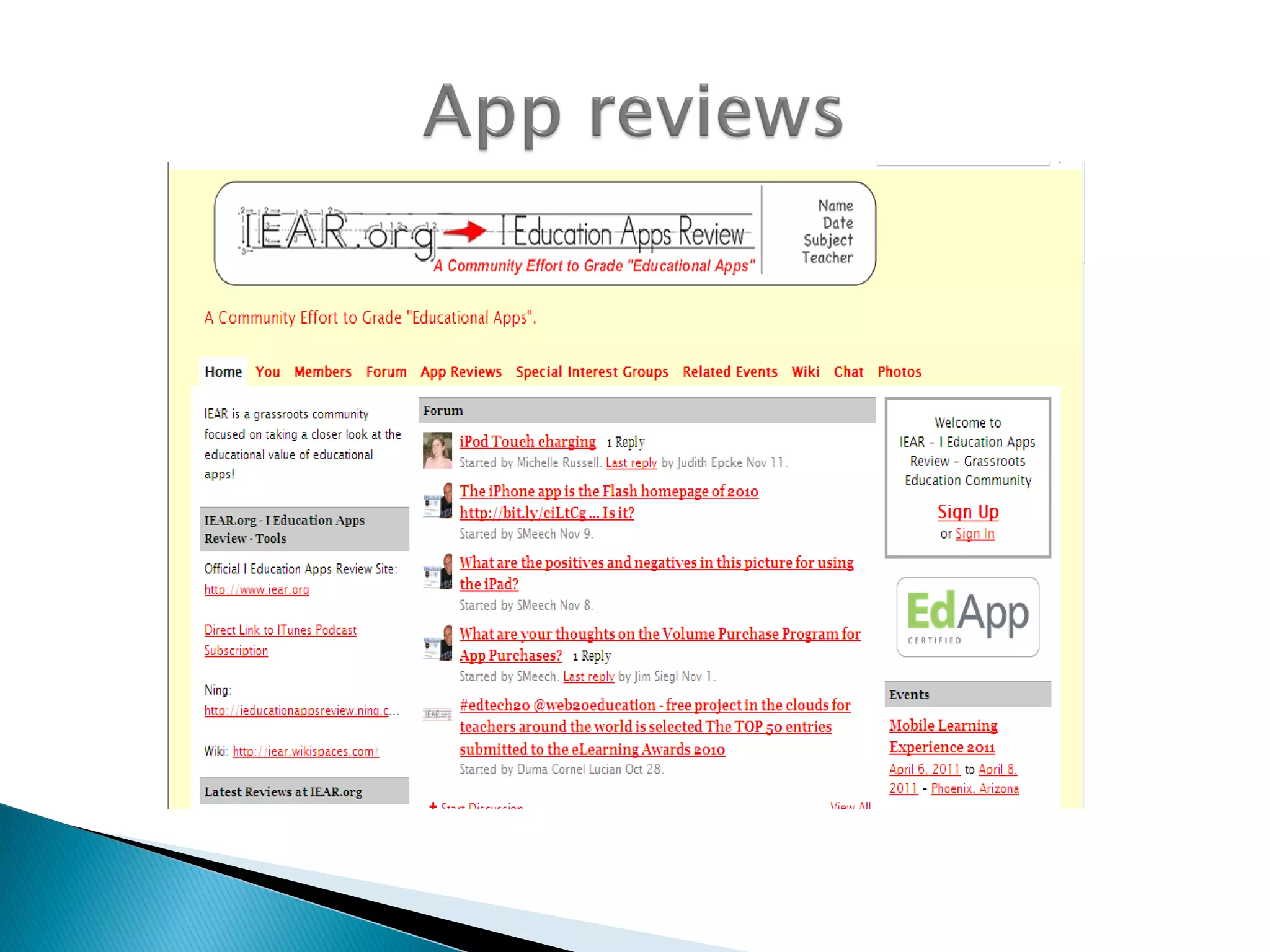
 Places to go to look at reviews of apps
 Issue: - time for teachers to find good apps
 iTunes search processes not intuitive
 Flash not working on iPads – Skyfire browser
app (prompts users to be >17 y.o)
 Personal device issues in schools
 Search in iTunes, not on the device
 iPub – images or multimedia for assignments
 Integrate with other technologies
 Netbooks, ipod touches, ipads etc
 Curriculum developed first
 Curriculum, not technology should be the
driver
 Seek out schools demonstrating good
practice
 Four phases:
◦ PLANNING – research, vision, consult, assess readiness, project
plan, budget
◦ PREPARATION – assess teacher skills, professional learning,
spaces, suppliers, applications, costs, policies
◦ IMPLEMENTATION – support services, distribute, use in classrooms
◦ EVALUATION – device use (action research), support services,
policies and management
 Good Practice Tips
 Implementation of Mobile Learning projects
 http://delphian.com.au/mobile-learning-articles
http://epotential.education.vic.gov.au/showcase/resource.php?res_id=659&showcase_id=65
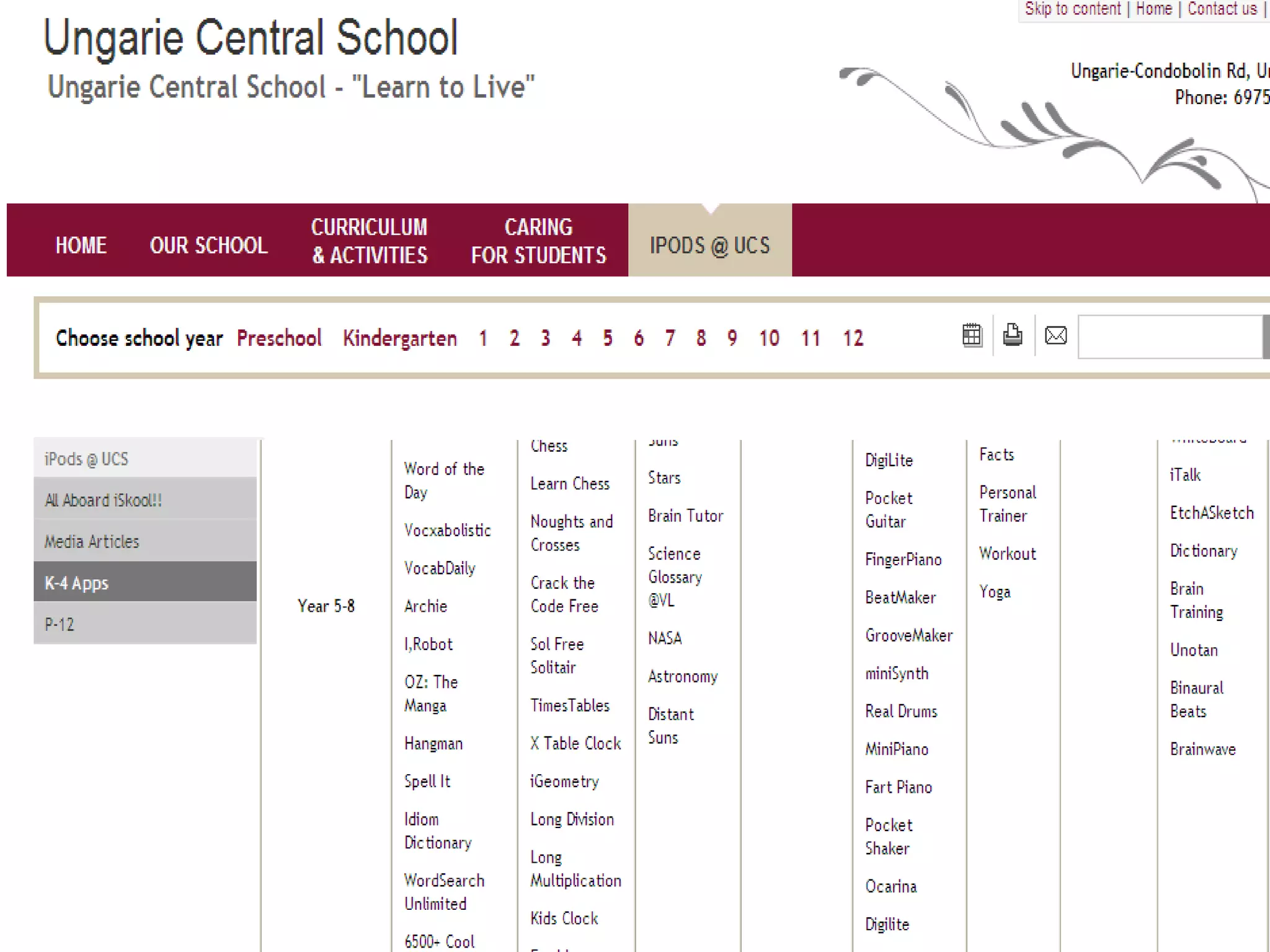
Educational apps
 Relevant to kids
 Use technologies that pervade their
lives
 Engaging for learning
 Inquiry based constructivist content
 High quality games prolong
engagement
 Kids can consolidate knowledge
independently
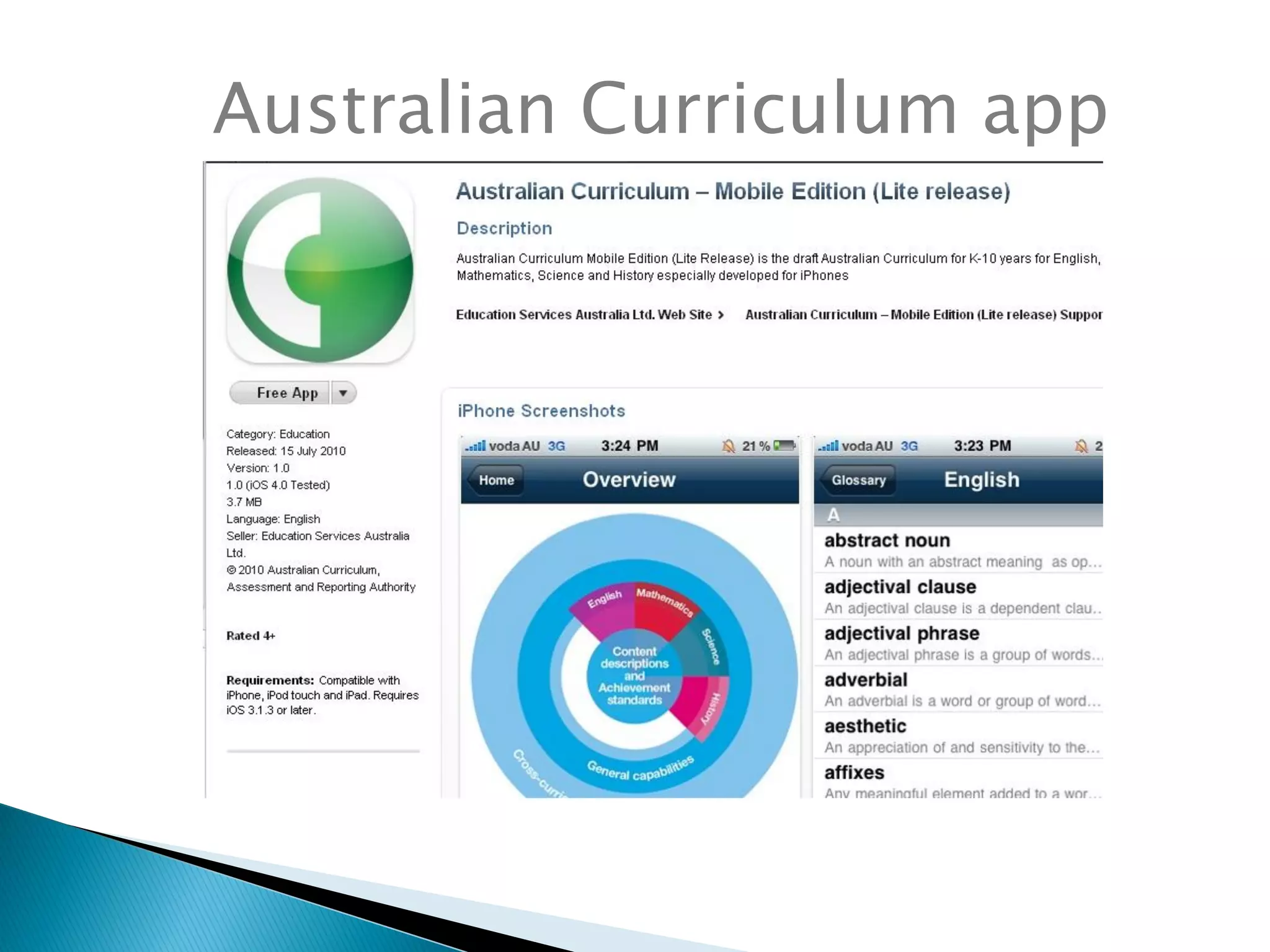
Australian Curriculum app
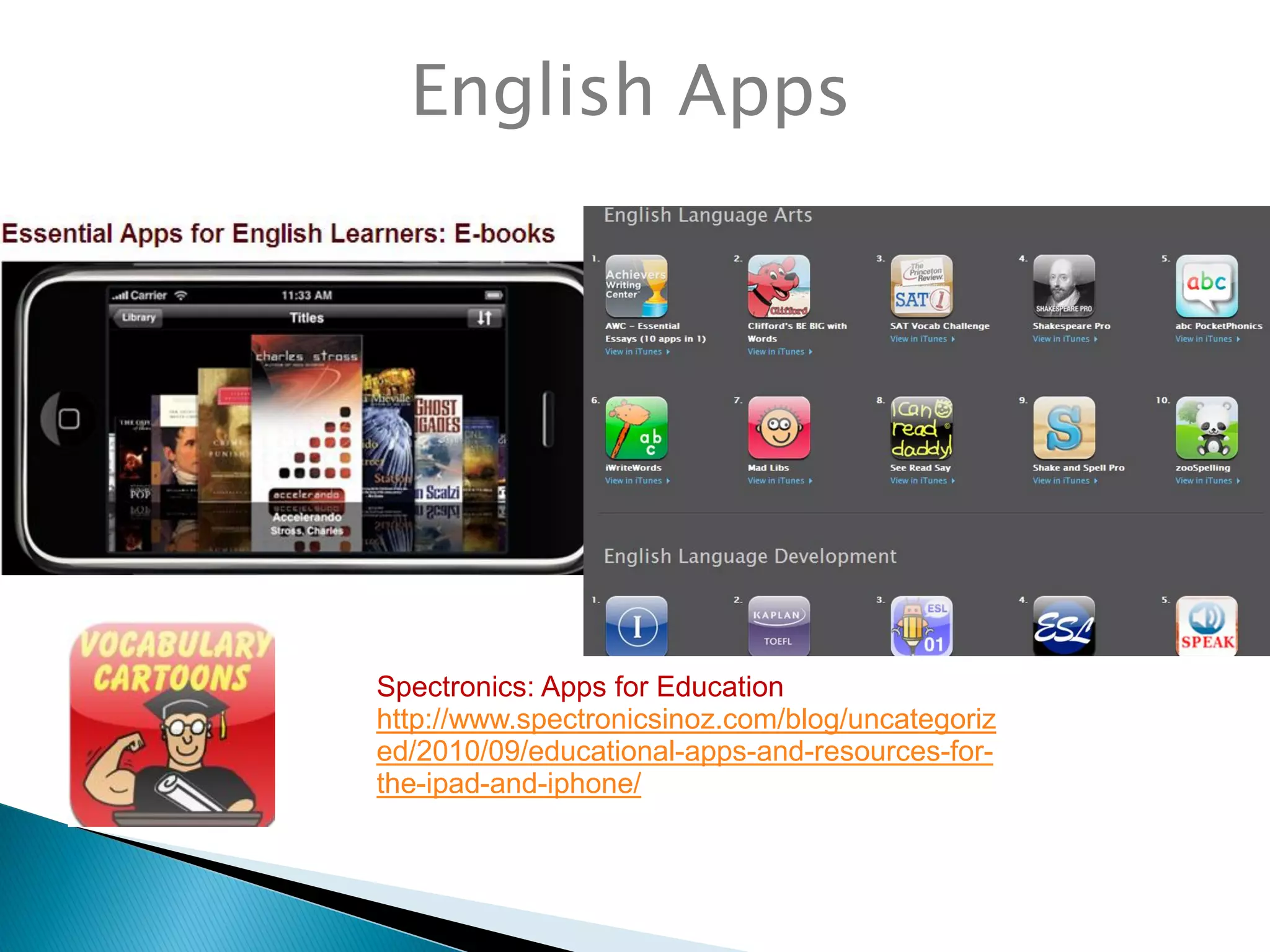
English Apps
Spectronics: Apps for Education
http://www.spectronicsinoz.com/blog/uncategoriz
ed/2010/09/educational-apps-and-resources-for-
the-ipad-and-iphone/
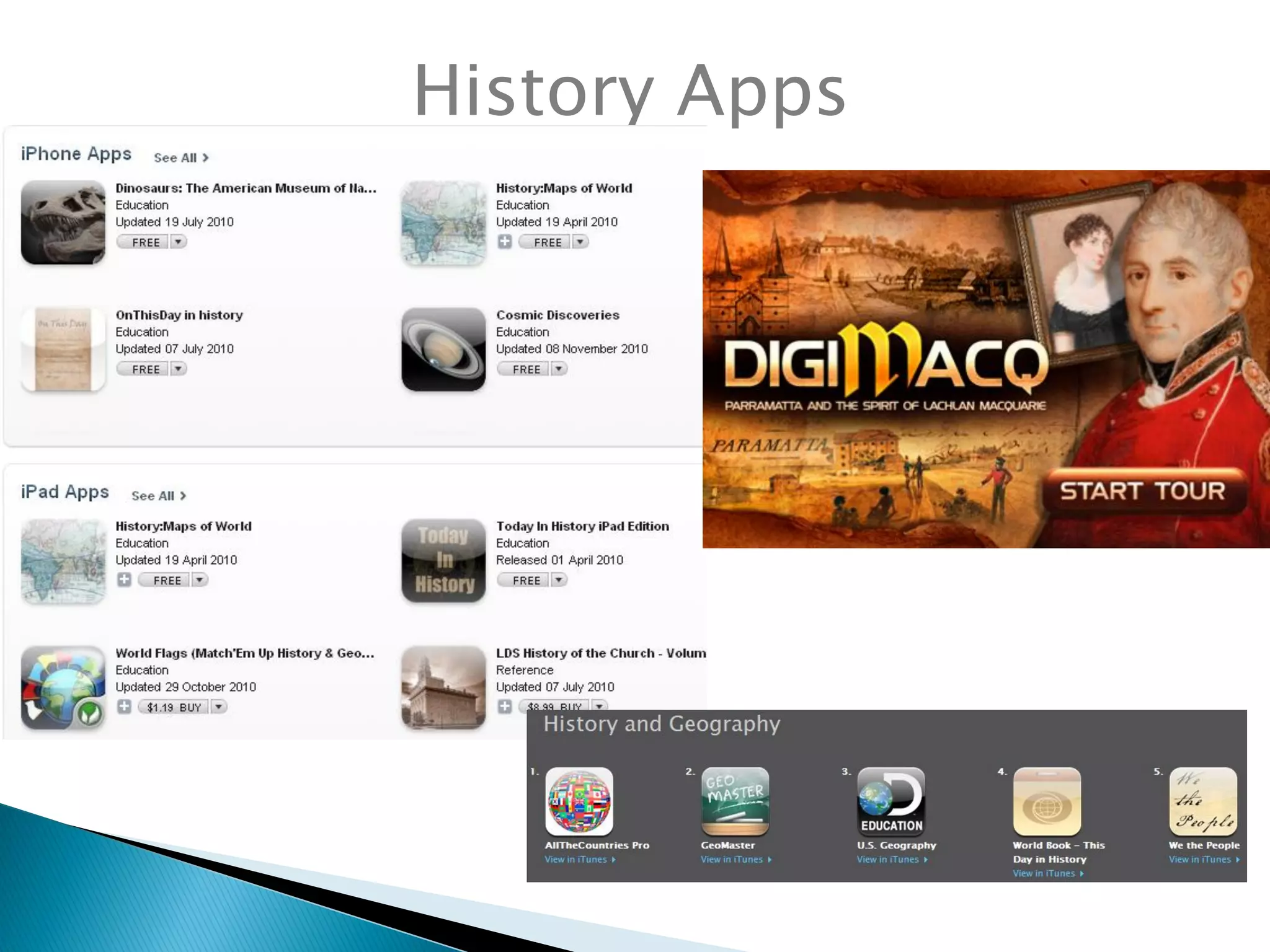
History Apps
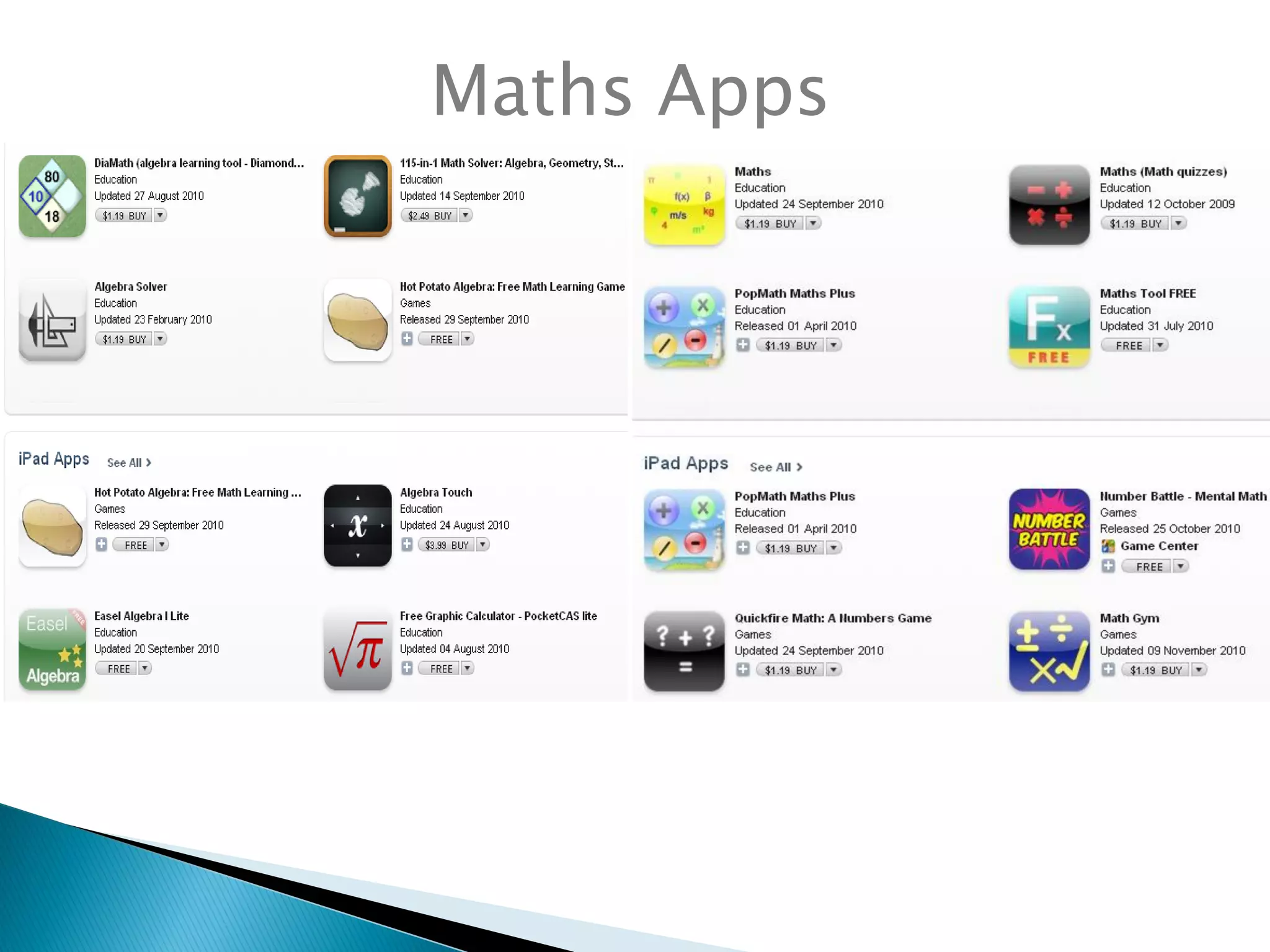
Maths Apps
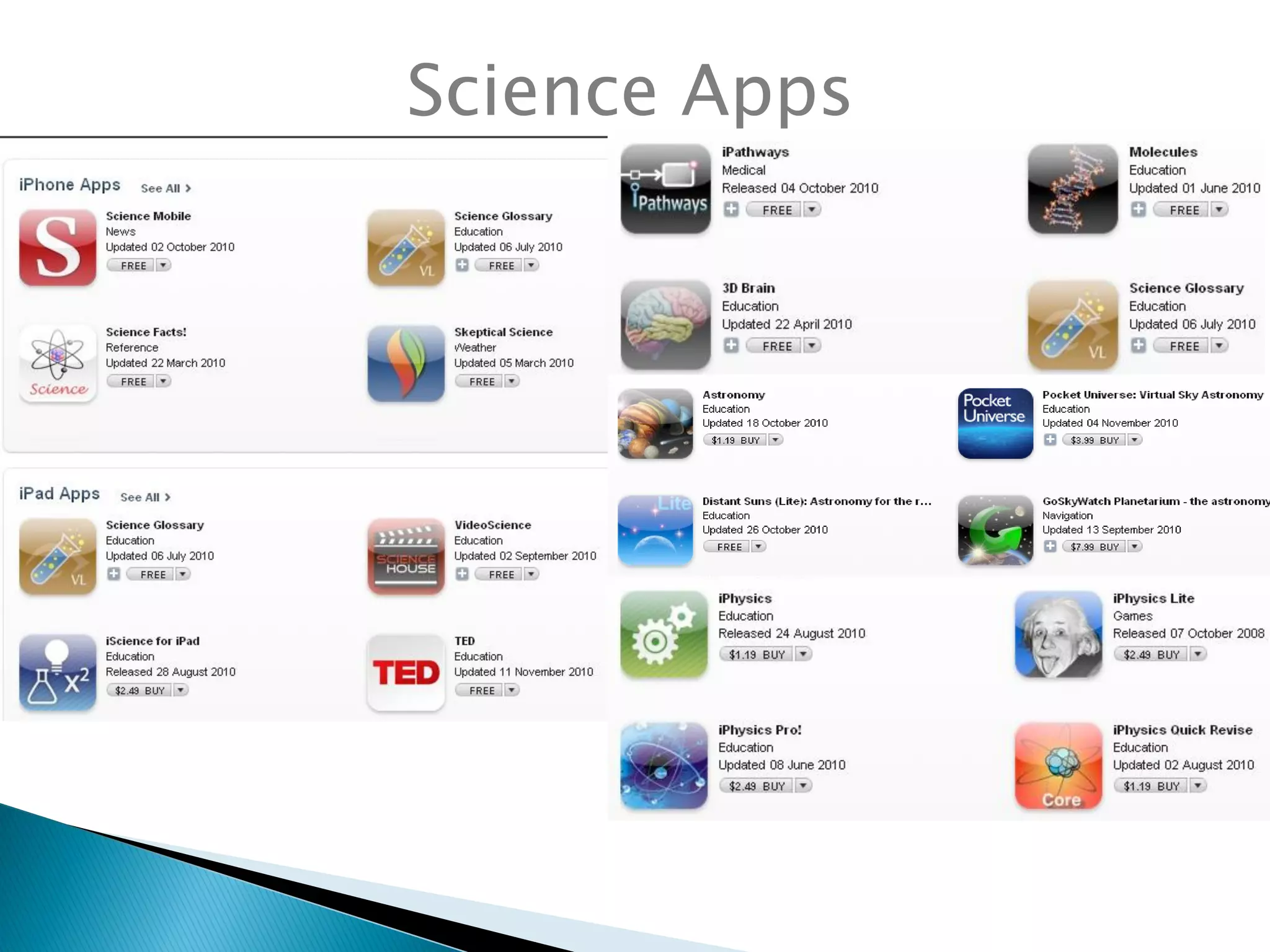
Science Apps
Use Twitter to follow the leaders:
#slide2learn
#mlearning
#edapps
Twitter
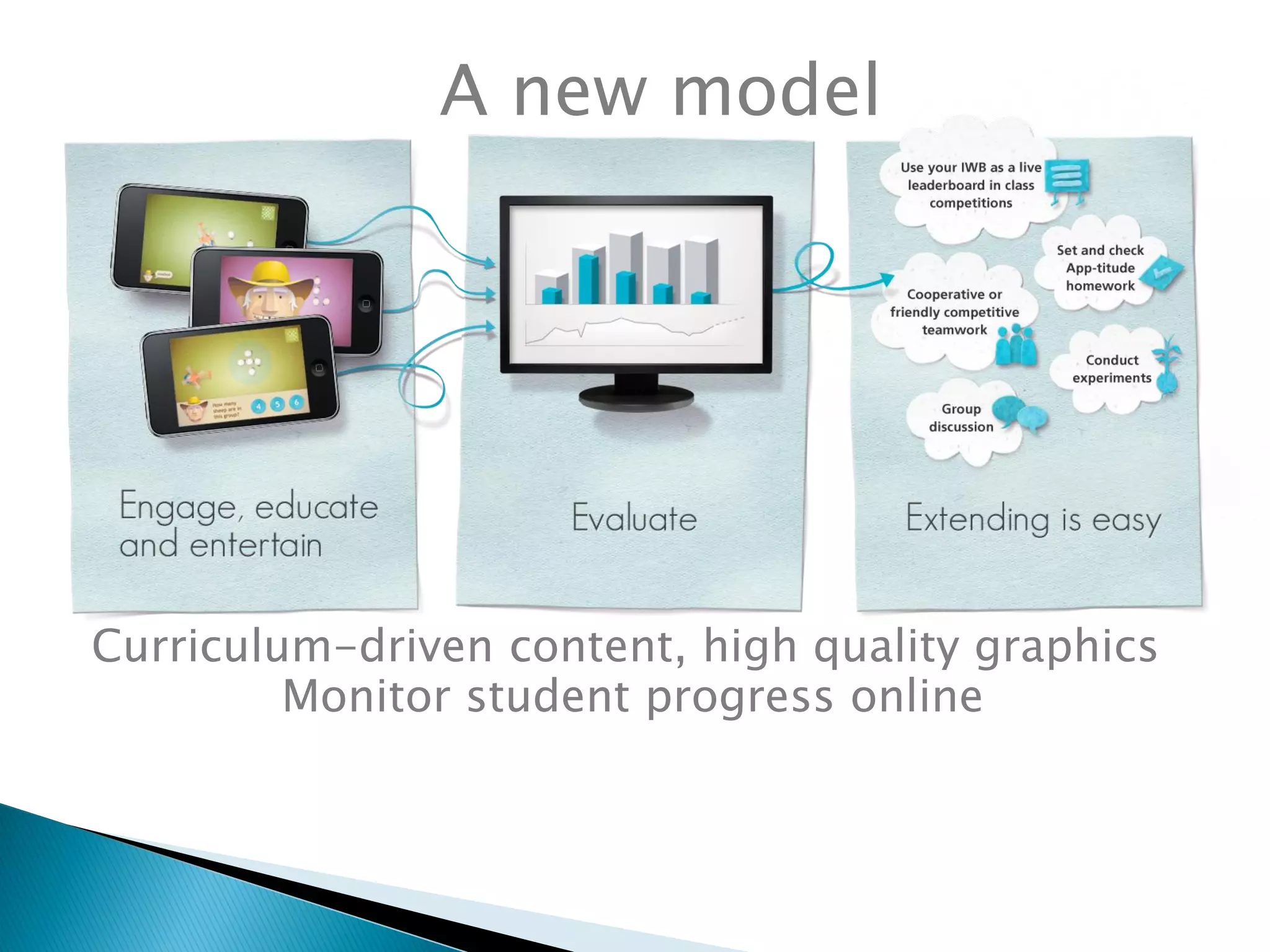
Curriculum-driven content, high quality graphics
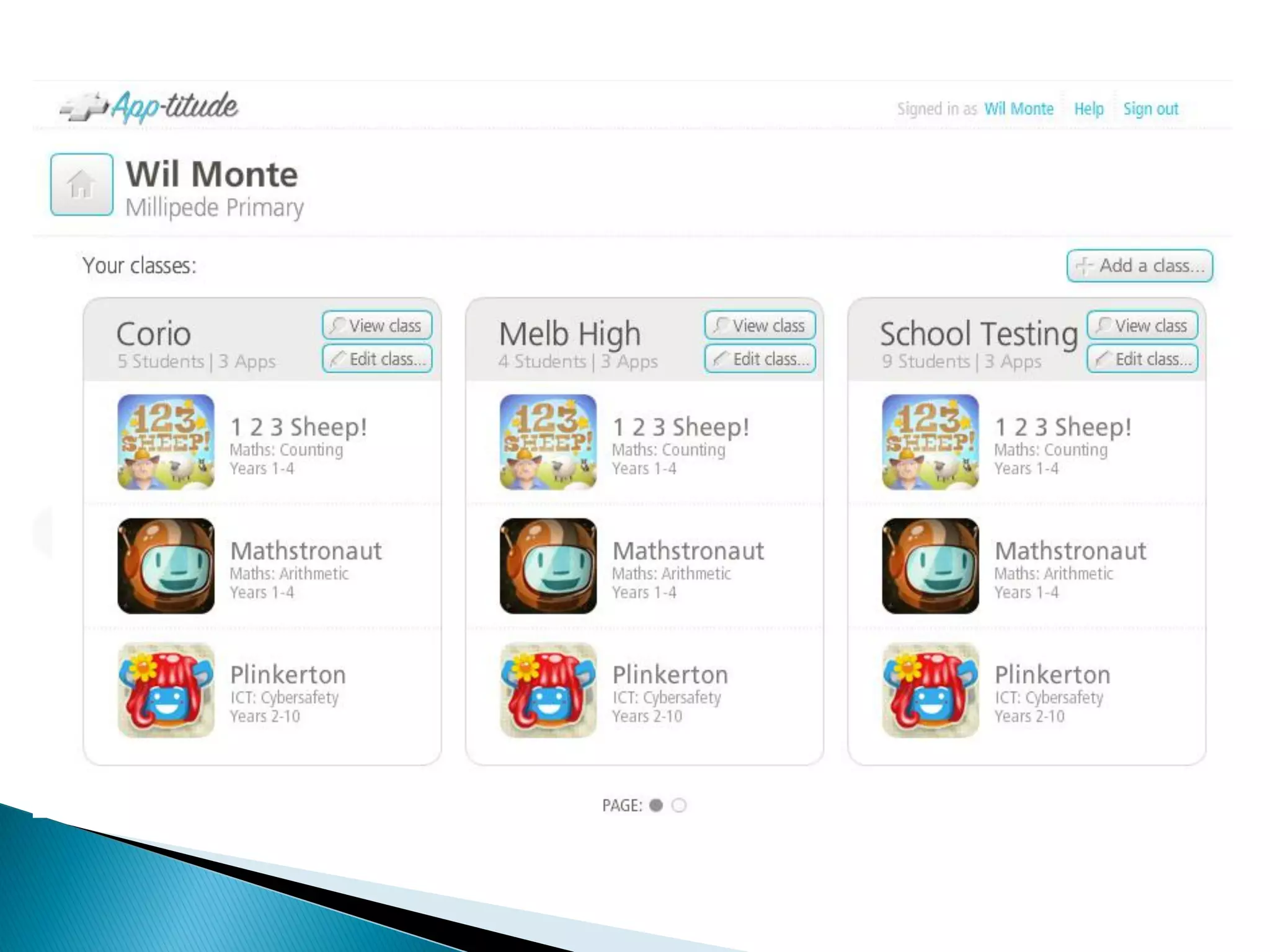
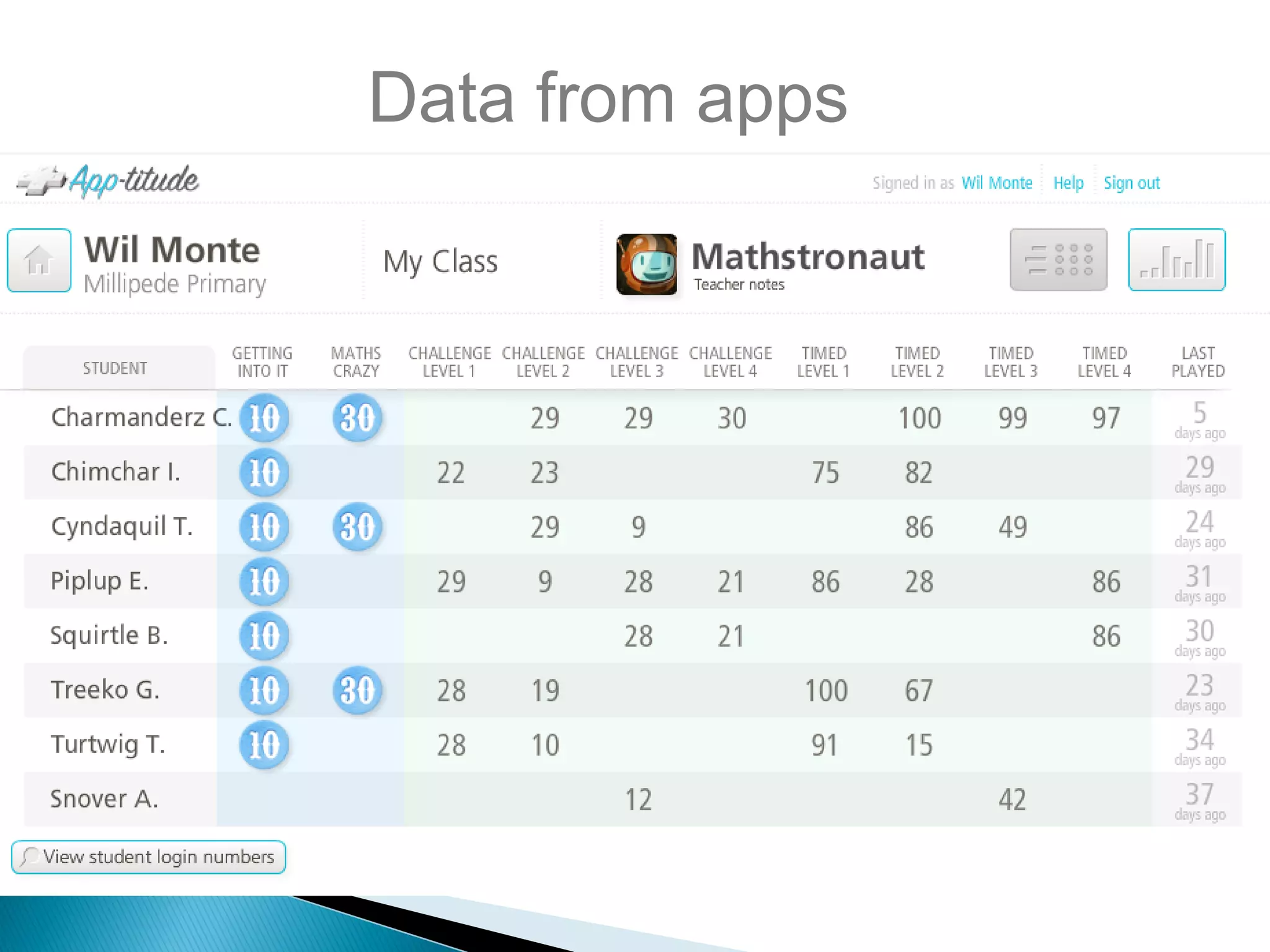
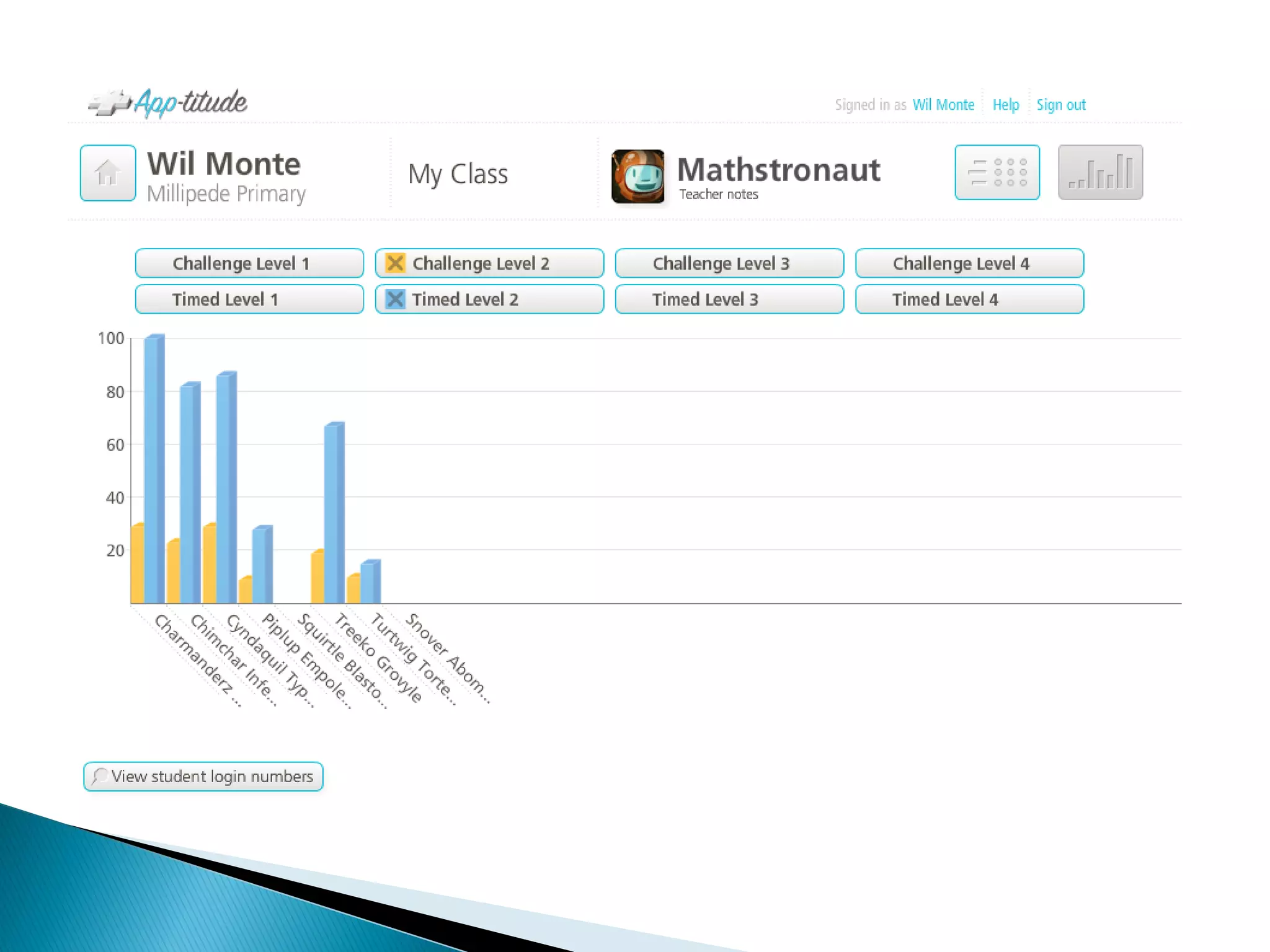
Monitor student progress online
A new model
Data from apps
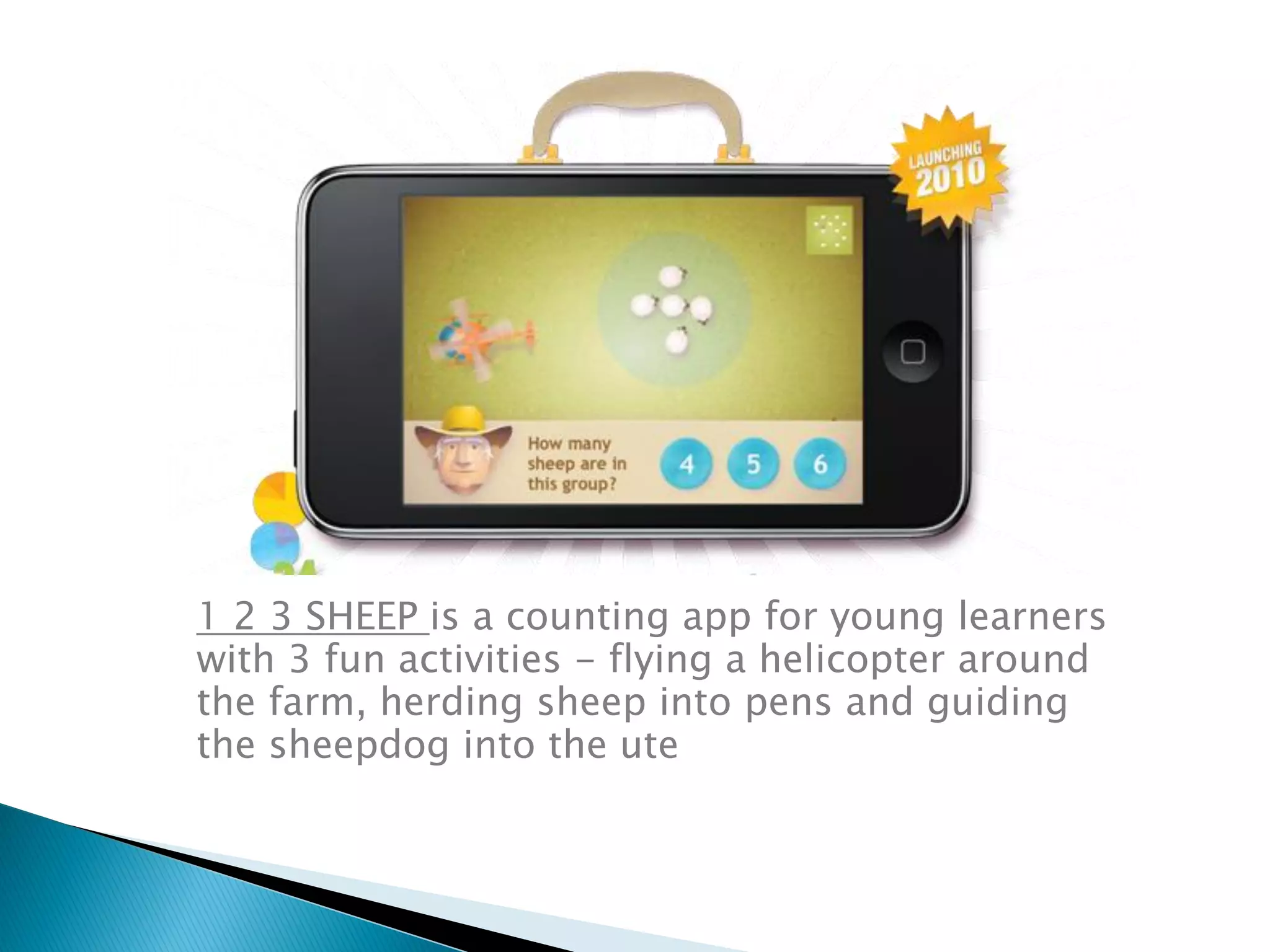
1 2 3 SHEEP is a counting app for young learners
with 3 fun activities - flying a helicopter around
the farm, herding sheep into pens and guiding
the sheepdog into the ute
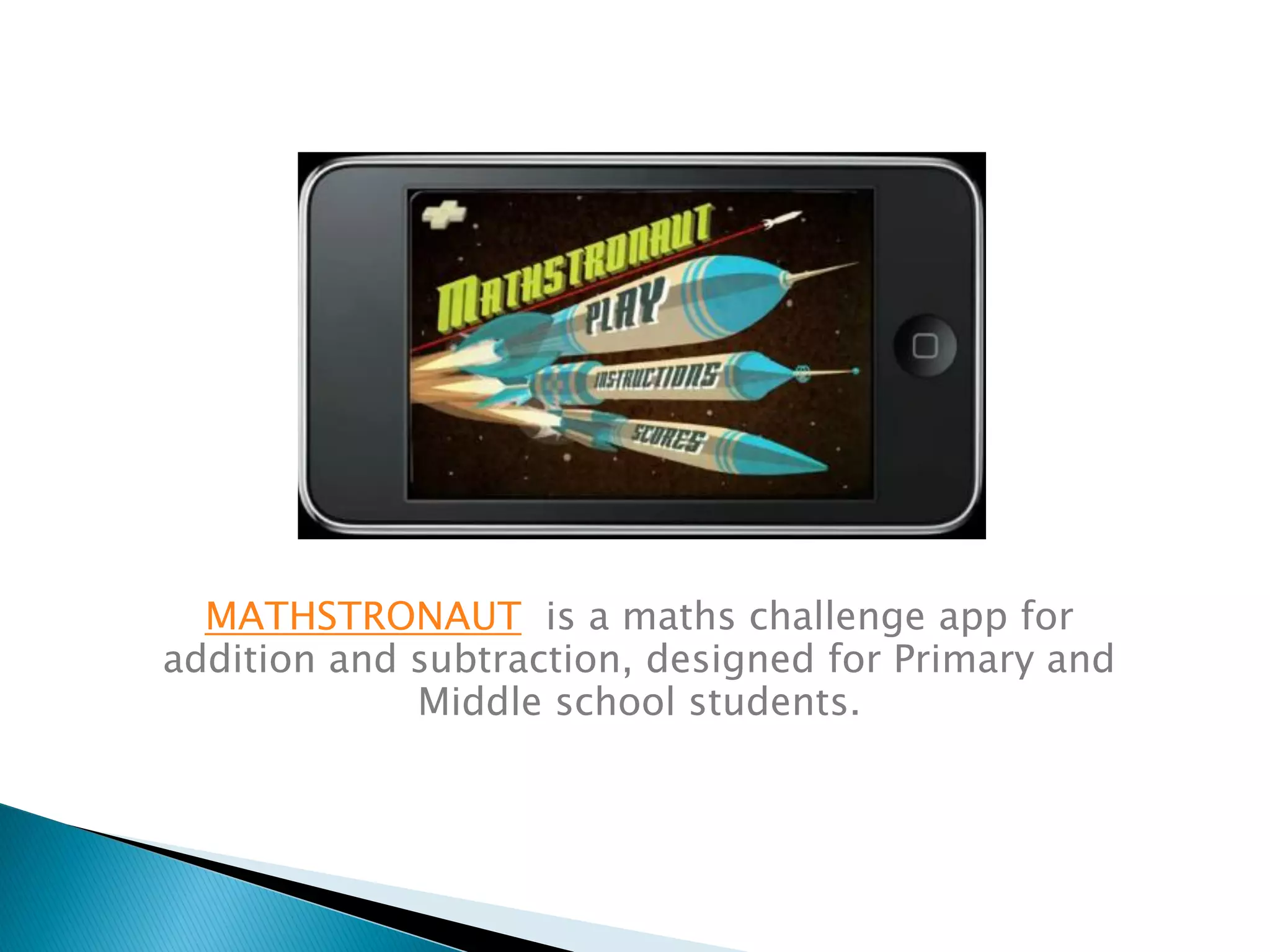
MATHSTRONAUT is a maths challenge app for
addition and subtraction, designed for Primary and
Middle school students.
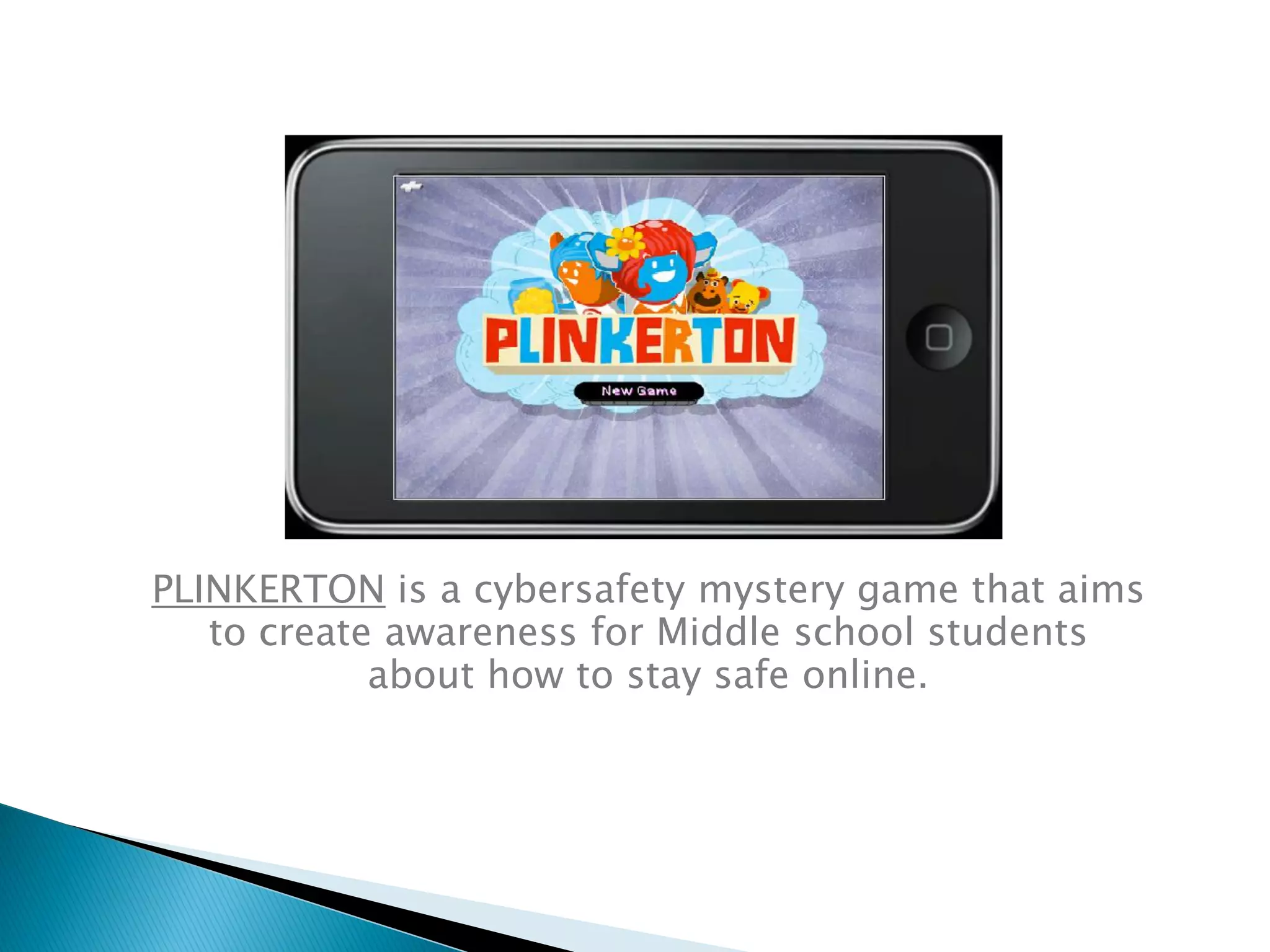
PLINKERTON is a cybersafety mystery game that aims
to create awareness for Middle school students
about how to stay safe online.
Web: www.delphian.com.au
www.app-titude.com.au
Email: cecilie@delphian.com.au
cecilie@app-titude.com.au
Twitter:
http://twitter.com/ceciliemurray
http://twitter.com/App_titude
Contacts

iPads: the new frontier - November 2010

  • 1.
  • 2.
    Let’s talk aboutwhat we know What the research says Workshop:  Planning an implementation strategy  Support networks and info sources  Good apps and how to find them  Effective integration into teaching & learning Apps, apps and data Resources
  • 3.
    Discuss: Which mobile devicesdo you use inside and outside of school?
  • 4.
    Share: What have youfound out about mobile devices?
  • 5.
    K-12 Report 2010 Cloud computing  Collaborative environments  Game based learning  Mobiles  Augmented reality  Flexible displays http://www.nmc.org/pdf/2010-Horizon-Report-K12.pdf Aust-NZ Report 2010 • E-books • Mobiles • Augmented reality • Open content • Gesture based computing • Visual data analysis http://www.nmc.org/pdf/2010-Horizon-Report-ANZ.pdf
  • 6.
    Mobile learning is… ‘learningin a more personalised way, handing over more control to the learners themselves’ ‘disruptive learning’ (Stead, 2006) ‘holds and heightens student interest, engages students in learning, and provides yet another means for expressive and receptive literacy’ (Dogeby, 2007) The Research
  • 7.
    ‘a small, cleverlydesigned handheld game can significantly enhance learner performance in mental maths as well as having a positive impact on other aspects of classroom life’ (Robertson, 2009). ‘mobile devices can have a positive impact on learning experiences for both educators and students’ (McFarlane, Triggs& Yee, 2008; Ng & Nicholas, 2009)
  • 8.
    ‘Schools with one-to-onecomputing programs have fewer discipline problems, lower dropout rates, and higher rates of college attendance than schools with a higher ratio of students to computers…but for one-to- one programs to boost student achievement as well, they must be properly implemented.’ Project Red (Revolutionizing Education) June 2010
  • 9.
    (ed. Wan Ng,2010) Chapter 12 Imagine Mobile Learning in your Pocket Cecilie Murray, Delphian eLearning http://www.igi- global.com/bookstore/TitleDetails.aspx?TitleId=4177 0
  • 11.
     how mobilelearning might be used to increase engagement, motivation, ICT curriculum integration and effective learning in K-12 schools.  action research questions focused on impact on learning in core curriculum areas, literacy, numeracy, new media, interpersonal development
  • 12.
     iPodagogy 2007 iPodsand video podcasting for learning  iPod Touch Project 2008 8 iPod Touches per class for literacy  Global Mobile Learning 2008-09 Two year project – Australia, Singapore and USA  Nintendo DS for Maths 2009 Nintendo DS for student learning in Mathematics
  • 13.
     Up to50 Primary and secondary schools  1:1technologies and collaborative technologies supporting VELS outcomes  iPod touch, Netbooks, Flip cameras, Blogs, Wikis, GPS & geocaching, Massive Multiplayer Online Gaming, Quizdom etc  Benchmarking, data collection based on rubrics, online survey, reports, interviews
  • 14.
    Mobile learning:  Promotesconfidence and independence regardless of year level and age  Promotes peer coaching and developing activities for each other  Important in encouraging ESL learners, reluctant learners (at risk/disengaged)  Improves attendance, more active participation in class  Promotes better preparation and organisation for class  Supports more regular completion of school work and homework
  • 15.
     Mobile learningstimulates enjoyment in learning…‘fun’ activity  Greater interaction (& writing) from boys in particular, in blogs, podcasts and web pages  Stimulates teachers and students to work creatively to improve literacy and numeracy  Student performance data – improves numeracy and literacy, increases skills in teamwork, interpersonal skills and ICT skills  Motivates teachers to rethink their pedagogy around the use of ICT and mobile devices
  • 16.
    Research reports iPod TouchReport http://delphian.com.au/ipod-touch-research-report iPodagogy: Using iPods and Video Podcasting for Learning http://delphian.com.au/ipods-and-podcasting-learning Global Mobile Learning http://delphian.com.au/global-mobile-learning-research
  • 17.
    References Project Red (2010)Revolutionizing Education, One to One Institute, US. http://projectred.org/ McFarlane, A. Triggs, P. & Yee, W. (2008). Researching mobile learning - Interim report to Becta http://partners.becta.org.uk/uploaddir/downloads/page_documents/research/mobil e_learning.pdf Ng, W. & Nicholas, H. (2009a). Introduction of pocket PC in schools: attitudes and beliefs in the first year. Computers and Education. Robertson, M. (2009) Innovative Schooling and Responsiveness to ongoing Global Change, La Trobe University, Melbourne Stead, G. (2006). Mobile technologies: transforming the future of learning, in Emerging Technologies for Learning, BECTA. http://partners.becta.org.uk/upload- dir/downloads/page_documents/research/emerging_technologies.pdf Metiri Group (2006) Technology in Schools, What the Research Says, Cisco Systems. http://www.cisco.com/web/strategy/docs/education/TechnologyinSchoolsReport.pd f Dogeby, (2006) Using iPods for Instruction, Principals Partnership, Florida. http://www.principalspartnership.com/iPods.pdf
  • 18.
    Why iPads orTouch tablets?  iPad or Galaxy Tablet (Samsung)  Small handheld devices enable learning anywhere, anytime  Convergence of innovations in mobile technology and social software, Web 2.0  Young people’s social use of technologies  For schools it means 1:1 is achievable
  • 19.
    Discuss in fourrotations: (10 mins) 1. How do we develop an Implementation Strategy? 2. Where do I find support, networks and info? 3. How do I find quality educational apps? 4. How do I integrate iPads in the classroom?
  • 20.
     Good practice:AALF 21 steps for implementation  DEECD – 2 resources  1:1 21 steps checklist at DEECD VIC & QLD  Issues: professional learning an issue  OHP or data shows for using with iPads  Teachers need to be taught hand gestures with iPads  PL to be built into planning
  • 21.
     Look atother schools for good practice  Technicians from other schools  Talk to Apple  Issues:  Proxies- the big end proxy is key in Govt schools  Independent schools more flexible  iTunes – bulk purchase for schools; 1 app per device
  • 22.
     Places togo to look at reviews of apps  Issue: - time for teachers to find good apps  iTunes search processes not intuitive  Flash not working on iPads – Skyfire browser app (prompts users to be >17 y.o)  Personal device issues in schools  Search in iTunes, not on the device  iPub – images or multimedia for assignments
  • 23.
     Integrate withother technologies  Netbooks, ipod touches, ipads etc  Curriculum developed first  Curriculum, not technology should be the driver  Seek out schools demonstrating good practice
  • 24.
     Four phases: ◦PLANNING – research, vision, consult, assess readiness, project plan, budget ◦ PREPARATION – assess teacher skills, professional learning, spaces, suppliers, applications, costs, policies ◦ IMPLEMENTATION – support services, distribute, use in classrooms ◦ EVALUATION – device use (action research), support services, policies and management  Good Practice Tips  Implementation of Mobile Learning projects  http://delphian.com.au/mobile-learning-articles
  • 30.
  • 38.
    Educational apps  Relevantto kids  Use technologies that pervade their lives  Engaging for learning  Inquiry based constructivist content  High quality games prolong engagement  Kids can consolidate knowledge independently
  • 40.
  • 41.
    English Apps Spectronics: Appsfor Education http://www.spectronicsinoz.com/blog/uncategoriz ed/2010/09/educational-apps-and-resources-for- the-ipad-and-iphone/
  • 42.
  • 43.
  • 44.
  • 48.
    Use Twitter tofollow the leaders: #slide2learn #mlearning #edapps Twitter
  • 49.
    Curriculum-driven content, highquality graphics Monitor student progress online A new model
  • 51.
  • 53.
    1 2 3SHEEP is a counting app for young learners with 3 fun activities - flying a helicopter around the farm, herding sheep into pens and guiding the sheepdog into the ute
  • 54.
    MATHSTRONAUT is amaths challenge app for addition and subtraction, designed for Primary and Middle school students.
  • 55.
    PLINKERTON is acybersafety mystery game that aims to create awareness for Middle school students about how to stay safe online.
  • 56.