Use of Media in Learn360


  Posted: www.slideshare.net/Clairvoy
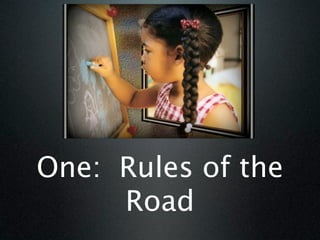
One: Rules of the
     Road
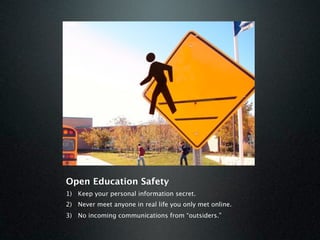
Open Education Safety
1) Keep your personal information secret.
2) Never meet anyone in real life you only met online.
3) No incoming communications from “outsiders.”
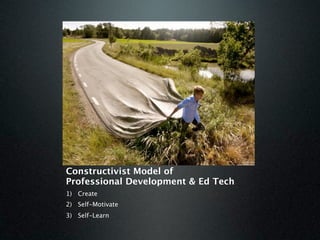
Constructivist Model of
Professional Development & Ed Tech
1) Create
2) Self-Motivate
3) Self-Learn
Productivity Tools
           (just Google it)
• “25 Digital Things All Teachers Should
  Know”
  –   Delicious (tagging)
  –   Wiki (tagging)
  –   PhotoSharing (tagging)
  –   Snagit
  –   RSS Feeds
  –   Wordpress
  –   Google.com (Google Docs, Google
      Reader, Google Earth)             5
5 Things You Need
1.Media Sources
2.Free Media Editing Tools
3.Free Media Publishing Tools
4.Free Media Collaboration Tools
5.Free Media Organizational Tools


                                    6
Media Sources
• Learn360: Video, Stills, Audio
• YouTube, Vimeo, Subject-specific Video Sites:
   – Don’t allow referral videos
• TeacherTube:
   – Same as YouTube, but vetted
• iTunes, Google, Flickr, Other:
   – Watch your copyright rights
• CreativeCommons.org:
   – Choose license for non-commercial use.


                                             7
How To Search
• Set ‘safe search’ mode.
• Start in Wikipedia to find 5 keywords
• Search other resources with 5
  keywords:
  –   Who: Ming Dynasty
  –   What: Technology
  –   Where: China
  –   When: Ancient
  –   Why: History of
                                  8
Free Media Editing Tools
• Windows MovieMaker:
    • Edits Video (iMovie if you’re a Mac)
• Windows PhotoStory:
    • Edits Photos into a Movie (iMovie if you’re a
      Mac)
• Audacity:
    • Edits Audio like a Cassette Tape Recorder
• PhotoEditor:
    • There are a number of online options, check
      with your SBTS. (Pixie has a good photo
      editor.)                               9
Free Media Publishing Tools
• Blogs: explanation & example 1 &
  example 2

• Wikis: explanation & example

• PhotoSharing: explanation

• Social Bookmarking: explanation &
  example
                                     10
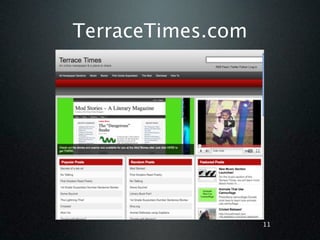
TerraceTimes.com


                   11
Make Pictures “Tell”
• Don’t show what your telling
  – Talk about what you are showing
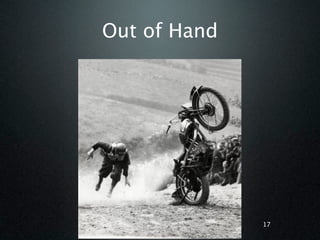
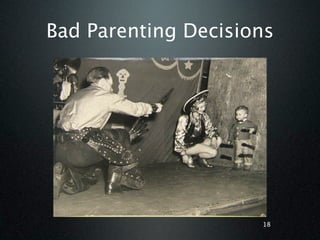
• Use Visual Metaphors: Compare 2
  Things
    • One Prior Knowledge & One New
    • One Visual, One Language


                                      12
Visual Repetition
        is
   Repetitive


                    13
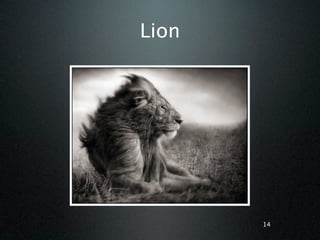
Lion


       14
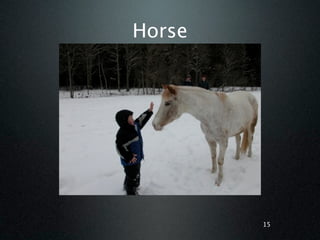
Horse


        15
Visual Metaphor


Compare two things, one
visual.


                       16
Out of Hand


              17
Bad Parenting Decisions


                     18
Use of Media in Learn360


    Posted: www.slideshare.net/Clairvoy
              www.Clairvoy.com
www.delicious.com/Clairvoy/Learn360_Aug2012

Learn360 aug 2012

  • 1.
    Use of Mediain Learn360 Posted: www.slideshare.net/Clairvoy
  • 2.
    One: Rules ofthe Road
  • 3.
    Open Education Safety 1)Keep your personal information secret. 2) Never meet anyone in real life you only met online. 3) No incoming communications from “outsiders.”
  • 4.
    Constructivist Model of ProfessionalDevelopment & Ed Tech 1) Create 2) Self-Motivate 3) Self-Learn
  • 5.
    Productivity Tools (just Google it) • “25 Digital Things All Teachers Should Know” – Delicious (tagging) – Wiki (tagging) – PhotoSharing (tagging) – Snagit – RSS Feeds – Wordpress – Google.com (Google Docs, Google Reader, Google Earth) 5
  • 6.
    5 Things YouNeed 1.Media Sources 2.Free Media Editing Tools 3.Free Media Publishing Tools 4.Free Media Collaboration Tools 5.Free Media Organizational Tools 6
  • 7.
    Media Sources • Learn360:Video, Stills, Audio • YouTube, Vimeo, Subject-specific Video Sites: – Don’t allow referral videos • TeacherTube: – Same as YouTube, but vetted • iTunes, Google, Flickr, Other: – Watch your copyright rights • CreativeCommons.org: – Choose license for non-commercial use. 7
  • 8.
    How To Search •Set ‘safe search’ mode. • Start in Wikipedia to find 5 keywords • Search other resources with 5 keywords: – Who: Ming Dynasty – What: Technology – Where: China – When: Ancient – Why: History of 8
  • 9.
    Free Media EditingTools • Windows MovieMaker: • Edits Video (iMovie if you’re a Mac) • Windows PhotoStory: • Edits Photos into a Movie (iMovie if you’re a Mac) • Audacity: • Edits Audio like a Cassette Tape Recorder • PhotoEditor: • There are a number of online options, check with your SBTS. (Pixie has a good photo editor.) 9
  • 10.
    Free Media PublishingTools • Blogs: explanation & example 1 & example 2 • Wikis: explanation & example • PhotoSharing: explanation • Social Bookmarking: explanation & example 10
  • 11.
  • 12.
    Make Pictures “Tell” •Don’t show what your telling – Talk about what you are showing • Use Visual Metaphors: Compare 2 Things • One Prior Knowledge & One New • One Visual, One Language 12
  • 13.
    Visual Repetition is Repetitive 13
  • 14.
  • 15.
  • 16.
    Visual Metaphor Compare twothings, one visual. 16
  • 17.
  • 18.
  • 19.
    Use of Mediain Learn360 Posted: www.slideshare.net/Clairvoy www.Clairvoy.com www.delicious.com/Clairvoy/Learn360_Aug2012

Editor's Notes

  • #2 \n
  • #3 We are currently in a technology revolution in education. But it’s not what you think. It’s not the technology itself. The real revolution is the fact that students have access to technologies outside of school. \n\nHere's the problem. A study of students conducted last year found a majority of forth and fifth graders spend 3 to 6 hours a day on social media unsupervised at home. They play with Myspace, Facebook and all the "sharp scissors" collaborative technology out there. Heck even in 3rd grade there are early adopters in each class using MySpace and collaborating with folks they don't know in their gaming sites. Webkins starts them off at an early age. Yes, that's right, Webkins targets kids with stuffed animals and with each animal they get a login for a social networking site.\n \nOpen Education, as it is currently defined, is the use of free and collaborative technologies in education.\nFraught with issues about safety, stability which are brought about by misunderstanding and fear, practitioners and proponents of Open Education have a rough row to hoe.\nBlogs, wikis, free media production software, sites allowing web pages to be built with little or no effort are making things easier to do.\n
  • #4 In the K-5 environment, collaboration must be managed. \n\nThe authentic publishing environment can be provided, but without incoming communication.\nTurn off your computer or monitor if you see something that bothers you.\nPorn Shui - Diablo Cody, screen writer for Little Miss sunshine\n\n
  • #5 \n
  • #6 \n
  • #7 \n
  • #8 \n
  • #9 \n
  • #10 \n
  • #11 \n
  • #12 \n
  • #13 \n
  • #14 \n
  • #15 \n
  • #16 \n
  • #17 \n
  • #18 \n
  • #19 \n
  • #20 \n