Ansible
for
Beginners

…?

#pyfes 2013.11 in Tokyo
by @r_rudi(しろう)
Ansible
Chef
Puppet
Salt
cfengine
juju
…..

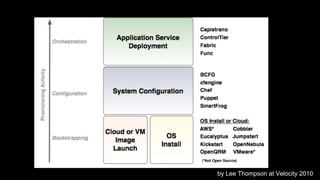
Provisioning
Tool
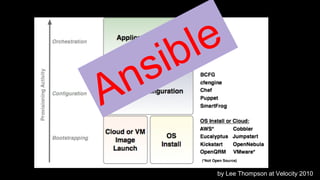
by Lee Thompson at Velocity 2010
s
n
A

le
ib
by Lee Thompson at Velocity 2010
Today’s
Assumptions
Task
- name: install python
homeblew: name=python
installs_options={{ option }}
state=present
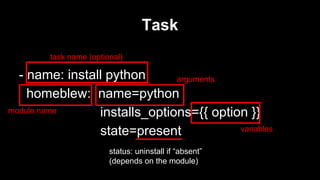
Task
task name (optional)

- name: install python
arguments
homeblew: name=python
module name
installs_options={{ option }}
variables
state=present
status: uninstall if “absent”
(depends on the module)
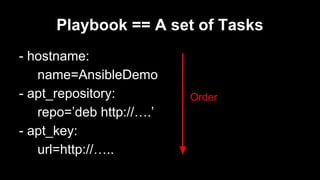
Playbook == A set of Tasks
- hostname:
name=AnsibleDemo
- apt_repository:
repo=’deb http://….’
- apt_key:
url=http://…..

Order
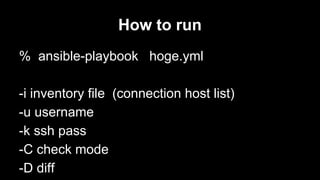
How to run
% ansible-playbook hoge.yml
-i inventory file (connection host list)
-u username
-k ssh pass
-C check mode
-D diff
OK
Let' Go !
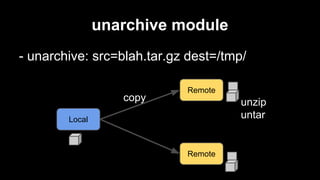
unarchive module
- unarchive: src=blah.tar.gz dest=/tmp/
copy

Remote

unzip
untar

Local

Remote
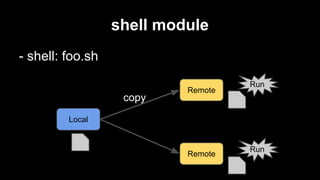
shell module
- shell: foo.sh
copy

Remote

Run

Local

Remote

Run
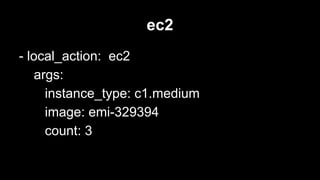
ec2
- local_action: ec2
args:
instance_type: c1.medium
image: emi-329394
count: 3
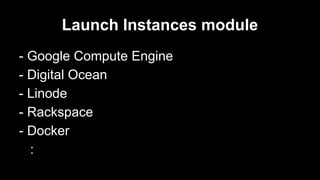
Launch Instances module
- Google Compute Engine
- Digital Ocean
- Linode
- Rackspace
- Docker
:
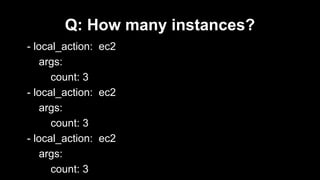
Q: How many instances?
- local_action: ec2
args:
count: 3
- local_action: ec2
args:
count: 3
- local_action: ec2
args:
count: 3
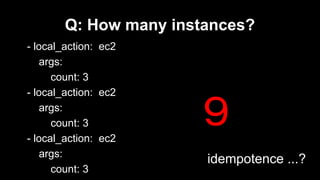
Q: How many instances?
- local_action: ec2
args:
count: 3
- local_action: ec2
args:
count: 3
- local_action: ec2
args:
count: 3

9
Q: How many instances?
- local_action: ec2
args:
count: 3
- local_action: ec2
args:
count: 3
- local_action: ec2
args:
count: 3

9
idempotence ...?
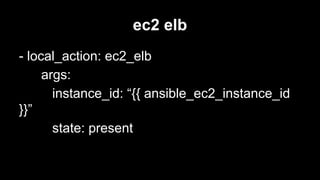
ec2 elb
- local_action: ec2_elb
args:
instance_id: “{{ ansible_ec2_instance_id
}}”
state: present
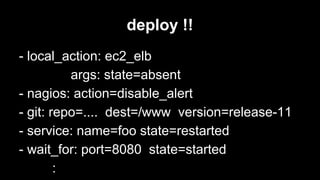
deploy !!
- local_action: ec2_elb
args: state=absent
- nagios: action=disable_alert
- git: repo=.... dest=/www version=release-11
- service: name=foo state=restarted
- wait_for: port=8080 state=started
:
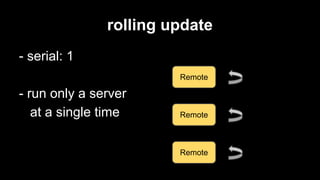
rolling update
- serial: 1
Remote

- run only a server
at a single time

Remote

Remote
Python API
cause this is #pyfes
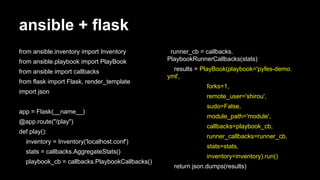
ansible + flask
from ansible.inventory import Inventory
from ansible.playbook import PlayBook
from ansible import callbacks
from flask import Flask, render_template
import json
app = Flask(__name__)
@app.route("/play")
def play():
inventory = Inventory('localhost.conf')
stats = callbacks.AggregateStats()
playbook_cb = callbacks.PlaybookCallbacks()

runner_cb = callbacks.
PlaybookRunnerCallbacks(stats)
results = PlayBook(playbook='pyfes-demo.
yml',
forks=1,
remote_user='shirou',
sudo=False,
module_path='module',
callbacks=playbook_cb,
runner_callbacks=runner_cb,
stats=stats,
inventory=inventory).run()
return json.dumps(results)
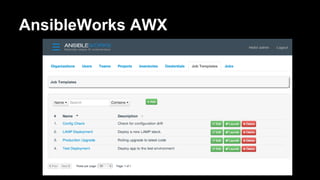
AnsibleWorks AWX
Demo
or Die
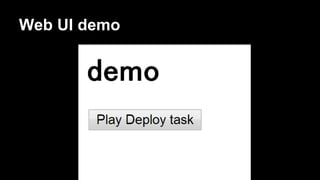
Web UI demo
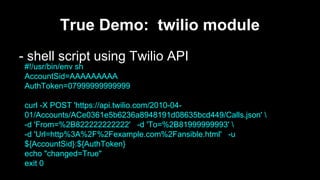
True Demo: twilio module
- shell script using Twilio API
#!/usr/bin/env sh
AccountSid=AAAAAAAAA
AuthToken=07999999999999
curl -X POST 'https://api.twilio.com/2010-0401/Accounts/ACe0361e5b6236a8948191d08635bcd449/Calls.json' 
-d 'From=%2B822222222222' -d 'To=%2B81999999993' 
-d 'Url=http%3A%2F%2Fexample.com%2Fansible.html' -u
${AccountSid}:${AuthToken}
echo "changed=True"
exit 0
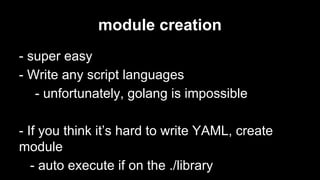
module creation
- super easy
- Write any script languages
- unfortunately, golang is impossible
- If you think it’s hard to write YAML, create
module
- auto execute if on the ./library
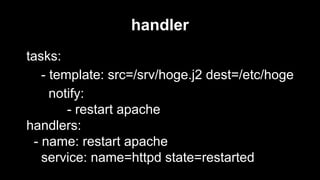
handler
tasks:
- template: src=/srv/hoge.j2 dest=/etc/hoge
notify:
- restart apache
handlers:
- name: restart apache
service: name=httpd state=restarted
How many servers
Ansible can manage?
We have users using Ansible in push mode
against 5000 machines at a time
Accelarated mode
- Launch daemon on server via SSH
- Then, direct connection
- terminate after playbook ends
- 2-8x faster than SSH

- hosts: all
accelerate: true
tasks: ...
Module introduction
Arista networks
- 10G/40G/100G switch

- login via ssh
- python included
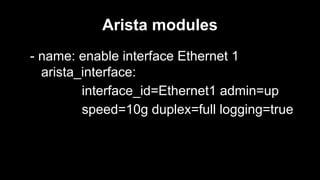
Arista modules
- name: enable interface Ethernet 1
arista_interface:
interface_id=Ethernet1 admin=up
speed=10g duplex=full logging=true
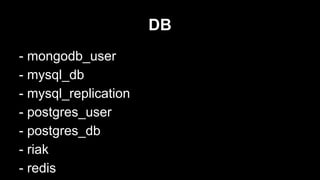
DB
- mongodb_user
- mysql_db
- mysql_replication
- postgres_user
- postgres_db
- riak
- redis
notification
- irc
- hipchat
- jabber
- mail
- osx_say
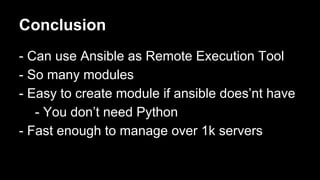
Conclusion
- Can use Ansible as Remote Execution Tool
- So many modules
- Easy to create module if ansible does’nt have
- You don’t need Python
- Fast enough to manage over 1k servers
Ansible Book
- Release Nov. 2013
- cover wide area
- especially, not
included part this slide

Ansible for beginners ...?

  • 1.
  • 2.
  • 3.
  • 4.
  • 6.
    by Lee Thompsonat Velocity 2010
  • 7.
  • 8.
  • 9.
    Task - name: installpython homeblew: name=python installs_options={{ option }} state=present
  • 10.
    Task task name (optional) -name: install python arguments homeblew: name=python module name installs_options={{ option }} variables state=present status: uninstall if “absent” (depends on the module)
  • 11.
    Playbook == Aset of Tasks - hostname: name=AnsibleDemo - apt_repository: repo=’deb http://….’ - apt_key: url=http://….. Order
  • 12.
    How to run %ansible-playbook hoge.yml -i inventory file (connection host list) -u username -k ssh pass -C check mode -D diff
  • 13.
  • 14.
    unarchive module - unarchive:src=blah.tar.gz dest=/tmp/ copy Remote unzip untar Local Remote
  • 15.
    shell module - shell:foo.sh copy Remote Run Local Remote Run
  • 16.
    ec2 - local_action: ec2 args: instance_type:c1.medium image: emi-329394 count: 3
  • 17.
    Launch Instances module -Google Compute Engine - Digital Ocean - Linode - Rackspace - Docker :
  • 18.
    Q: How manyinstances? - local_action: ec2 args: count: 3 - local_action: ec2 args: count: 3 - local_action: ec2 args: count: 3
  • 19.
    Q: How manyinstances? - local_action: ec2 args: count: 3 - local_action: ec2 args: count: 3 - local_action: ec2 args: count: 3 9
  • 20.
    Q: How manyinstances? - local_action: ec2 args: count: 3 - local_action: ec2 args: count: 3 - local_action: ec2 args: count: 3 9 idempotence ...?
  • 21.
    ec2 elb - local_action:ec2_elb args: instance_id: “{{ ansible_ec2_instance_id }}” state: present
  • 22.
    deploy !! - local_action:ec2_elb args: state=absent - nagios: action=disable_alert - git: repo=.... dest=/www version=release-11 - service: name=foo state=restarted - wait_for: port=8080 state=started :
  • 23.
    rolling update - serial:1 Remote - run only a server at a single time Remote Remote
  • 24.
  • 25.
    ansible + flask fromansible.inventory import Inventory from ansible.playbook import PlayBook from ansible import callbacks from flask import Flask, render_template import json app = Flask(__name__) @app.route("/play") def play(): inventory = Inventory('localhost.conf') stats = callbacks.AggregateStats() playbook_cb = callbacks.PlaybookCallbacks() runner_cb = callbacks. PlaybookRunnerCallbacks(stats) results = PlayBook(playbook='pyfes-demo. yml', forks=1, remote_user='shirou', sudo=False, module_path='module', callbacks=playbook_cb, runner_callbacks=runner_cb, stats=stats, inventory=inventory).run() return json.dumps(results)
  • 26.
  • 27.
  • 28.
  • 29.
    True Demo: twiliomodule - shell script using Twilio API #!/usr/bin/env sh AccountSid=AAAAAAAAA AuthToken=07999999999999 curl -X POST 'https://api.twilio.com/2010-0401/Accounts/ACe0361e5b6236a8948191d08635bcd449/Calls.json' -d 'From=%2B822222222222' -d 'To=%2B81999999993' -d 'Url=http%3A%2F%2Fexample.com%2Fansible.html' -u ${AccountSid}:${AuthToken} echo "changed=True" exit 0
  • 30.
    module creation - supereasy - Write any script languages - unfortunately, golang is impossible - If you think it’s hard to write YAML, create module - auto execute if on the ./library
  • 31.
    handler tasks: - template: src=/srv/hoge.j2dest=/etc/hoge notify: - restart apache handlers: - name: restart apache service: name=httpd state=restarted
  • 32.
  • 33.
    We have usersusing Ansible in push mode against 5000 machines at a time
  • 34.
    Accelarated mode - Launchdaemon on server via SSH - Then, direct connection - terminate after playbook ends - 2-8x faster than SSH - hosts: all accelerate: true tasks: ...
  • 35.
  • 36.
    Arista networks - 10G/40G/100Gswitch - login via ssh - python included
  • 37.
    Arista modules - name:enable interface Ethernet 1 arista_interface: interface_id=Ethernet1 admin=up speed=10g duplex=full logging=true
  • 38.
    DB - mongodb_user - mysql_db -mysql_replication - postgres_user - postgres_db - riak - redis
  • 39.
    notification - irc - hipchat -jabber - mail - osx_say
  • 40.
    Conclusion - Can useAnsible as Remote Execution Tool - So many modules - Easy to create module if ansible does’nt have - You don’t need Python - Fast enough to manage over 1k servers
  • 41.
    Ansible Book - ReleaseNov. 2013 - cover wide area - especially, not included part this slide