Downloaded 1,395 times










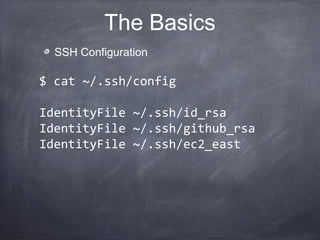
![~/ansible_hosts
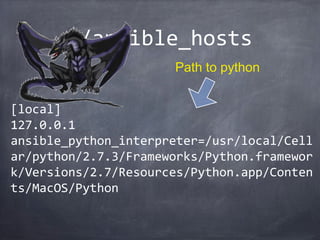
[local]
127.0.0.1
[web-group]
www.bsg.mil
www2.bsg.mil
[db-group]
10.0.1.123
Group Name](https://image.slidesharecdn.com/ansiblepresentation-130805110046-phpapp02/85/Ansible-presentation-17-320.jpg)
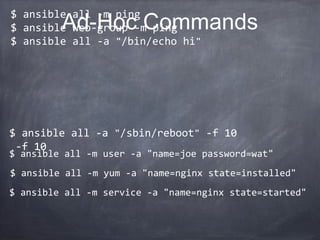
![~/ansible_hosts
[local]
127.0.0.1
ansible_python_interpreter=/usr/local/Cell
ar/python/2.7.3/Frameworks/Python.framewor
k/Versions/2.7/Resources/Python.app/Conten
ts/MacOS/Python
Path to python](https://image.slidesharecdn.com/ansiblepresentation-130805110046-phpapp02/85/Ansible-presentation-18-320.jpg)
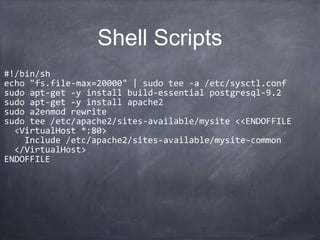
![127.0.0.1 | success >> {
"ansible_facts": {
"ansible_all_ipv4_addresses": [
"192.168.2.112"
],
"ansible_architecture": "x86_64",
"ansible_distribution": "MacOSX",
"ansible_distribution_version": "10.8.4",
"ansible_domain": "local",
"ansible_fqdn": "Johns-MacBook-Pro.local",
"ansible_hostname": "Johns-MacBook-Pro",
"ansible_kernel": "12.4.0",
"ansible_machine": "x86_64",
"ansible_memfree_mb": 4035,
"ansible_memtotal_mb": 16384,
"ansible_model": "MacBookPro10,1",
"ansible_os_family": "Darwin",
"ansible_osrevision": "199506",
"ansible_osversion": "12E55",
"ansible_pkg_mgr": "unknown",
"ansible_processor": "Intel(R) Core(TM) i7-3740QM CPU @ 2.70GHz",
"ansible_processor_cores": "4",
"ansible_python_version": "2.7.3",
"ansible_system": "Darwin",
"ansible_user_id": "john"
},
"changed": false
}
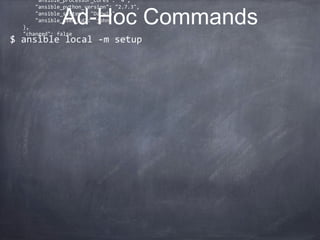
Ad-Hoc Commands
$ ansible local -m setup](https://image.slidesharecdn.com/ansiblepresentation-130805110046-phpapp02/85/Ansible-presentation-20-320.jpg)
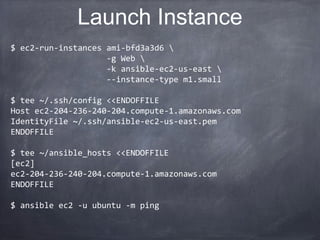
![$ ec2-run-instances ami-bfd3a3d6
-g Web
-k ansible-ec2-us-east
--instance-type m1.small
$ tee ~/.ssh/config <<ENDOFFILE
Host ec2-204-236-240-204.compute-1.amazonaws.com
IdentityFile ~/.ssh/ansible-ec2-us-east.pem
ENDOFFILE
$ tee ~/ansible_hosts <<ENDOFFILE
[ec2]
ec2-204-236-240-204.compute-1.amazonaws.com
ENDOFFILE
$ ansible ec2 -u ubuntu -m ping
Launch Instance](https://image.slidesharecdn.com/ansiblepresentation-130805110046-phpapp02/85/Ansible-presentation-26-320.jpg)
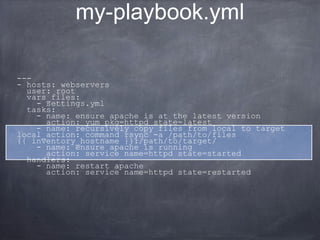
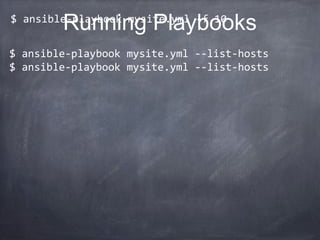


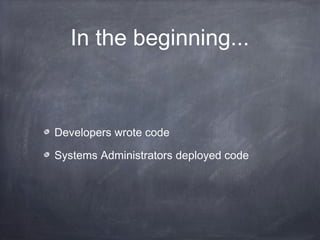
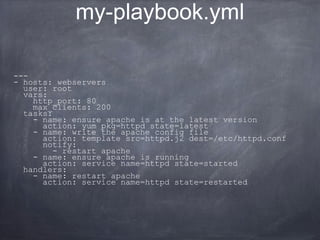
This document provides an overview of Ansible, an open source tool for configuration management and application deployment. It discusses how Ansible aims to simplify infrastructure automation tasks through a model-driven approach without requiring developers to learn DevOps tools. Key points: - Ansible uses YAML playbooks to declaratively define server configurations and deployments in an idempotent and scalable way. - It provides ad-hoc command execution and setup facts gathering via SSH. Playbooks can target groups of servers to orchestrate complex multi-server tasks. - Variables, templates, conditionals allow playbooks to customize configurations for different environments. Plugins support integration with cloud, monitoring, messaging tools. - Ansible aims to reduce complexity compared


