Introduction to Ansible
Omid Vahdaty, DevOps ninja
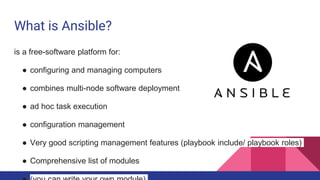
What is Ansible?
is a free-software platform for:
● configuring and managing computers
● combines multi-node software deployment
● ad hoc task execution
● configuration management
● Very good scripting management features (playbook include/ playbook roles)
● Comprehensive list of modules
Install High Level Steps
https://www.digitalocean.com/community/tutorials/how-to-install-and-
configure-ansible-on-ubuntu-14-04
1.Install ansible
2.create ssh keys to remote machines
3.Configure inventory file: /etc/ansible/hosts
4.Configure /etc/ansible/ansible.cfg
5.Test via “Ansible -m ping all”
Cmd options
● ansible -m shell -a 'free -m' host1
○ Get free mem on all machines
● ansible all -a "/bin/echo hello"
○ Print hello
● ansible all -a "/sbin/reboot" -f 10
○ (fork 10 threads.)
● ansible all -a "/usr/bin/foo" -u username
○ Change username
● ansible atlanta -a "/usr/bin/foo" -u username --become [--ask-become-pass]
CMD options
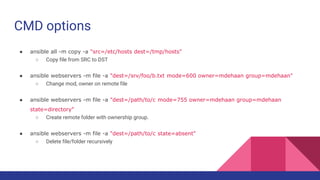
● ansible all -m copy -a "src=/etc/hosts dest=/tmp/hosts"
○ Copy file from SRC to DST
● ansible webservers -m file -a "dest=/srv/foo/b.txt mode=600 owner=mdehaan group=mdehaan"
○ Change mod, owner on remote file
● ansible webservers -m file -a "dest=/path/to/c mode=755 owner=mdehaan group=mdehaan
state=directory"
○ Create remote folder with ownership group.
● ansible webservers -m file -a "dest=/path/to/c state=absent"
○ Delete file/folder recursively
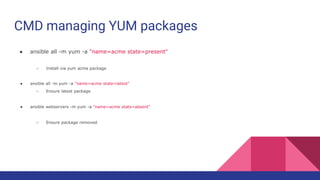
CMD managing YUM packages
● ansible all -m yum -a "name=acme state=present"
○ Install via yum acme package
● ansible all -m yum -a "name=acme state=latest"
○ Ensure latest package
● ansible webservers -m yum -a "name=acme state=absent"
○ Ensure package removed
CMD apt-get management
● http://docs.ansible.com/ansible/apt_module.html
CMD user management
● ansible all -m user -a "name=foo password=<crypted password here>"
○ Add user
● ansible all -m user -a "name=foo state=absent"
○ Remove user
CMD GIT
● ansible webservers -m git -a "repo=git://foo.example.org/repo.git dest=/srv/myapp version=HEAD"
○ Get repor ?
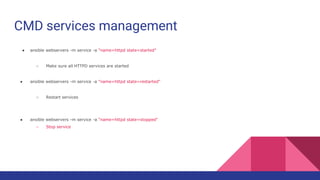
CMD services management
● ansible webservers -m service -a "name=httpd state=started"
○ Make sure all HTTPD services are started
● ansible webservers -m service -a "name=httpd state=restarted"
○ Restart services
● ansible webservers -m service -a "name=httpd state=stopped"
○ Stop service
Facts
● ansible all -m setup
○ Get Verbose like inform (cpu, ip, users, etc.)
Optional configuration
http://docs.ansible.com/ansible/intro_configuration.html
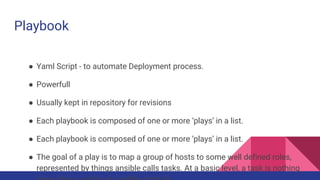
Playbook
● Yaml Script - to automate Deployment process.
● Powerfull
● Usually kept in repository for revisions
● Each playbook is composed of one or more ‘plays’ in a list.
● The goal of a play is to map a group of hosts to some well defined roles,
represented by things ansible calls tasks. At a basic level, a task is nothing
Playbook syntax
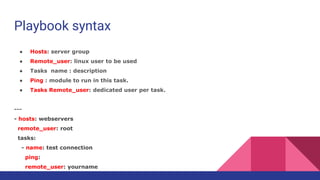
● Hosts: server group
● Remote_user: linux user to be used
● Tasks name : description
● Ping : module to run in this task.
● Tasks Remote_user: dedicated user per task.
---
- hosts: webservers
remote_user: root
tasks:
- name: test connection
ping:
remote_user: yourname
Playbook Examples for Users
---
- hosts: webservers
remote_user: yourname
become: yes
-----------------------
---
- hosts: webservers
remote_user: yourname
tasks:
- service: name=nginx state=started
become: yes
become_method: sudo
Playbook's users example
hosts: webservers
remote_user: yourname
become: yes
become_user: postgres
--------------------------
hosts: webservers
remote_user: yourname
become: yes
become_method: su
Playbook Tasklist
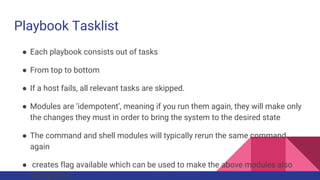
● Each playbook consists out of tasks
● From top to bottom
● If a host fails, all relevant tasks are skipped.
● Modules are ‘idempotent’, meaning if you run them again, they will make only
the changes they must in order to bring the system to the desired state
● The command and shell modules will typically rerun the same command
again
● creates flag available which can be used to make the above modules also
idempotent.
Playbook tasks
tasks:
- name: run this command and ignore the result
shell: /usr/bin/somecommand
ignore_errors: True
● Notice the line break.
tasks:
- name: Copy ansible inventory file to client
copy: src=/etc/ansible/hosts dest=/etc/ansible/hosts
owner=root group=root mode=0644
Playbook Handlers (==event triggers)
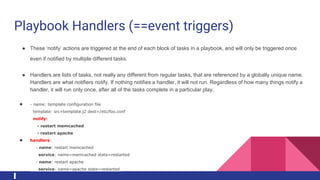
● These ‘notify’ actions are triggered at the end of each block of tasks in a playbook, and will only be triggered once
even if notified by multiple different tasks.
● Handlers are lists of tasks, not really any different from regular tasks, that are referenced by a globally unique name.
Handlers are what notifiers notify. If nothing notifies a handler, it will not run. Regardless of how many things notify a
handler, it will run only once, after all of the tasks complete in a particular play.
● - name: template configuration file
template: src=template.j2 dest=/etc/foo.conf
notify:
- restart memcached
- restart apache
● handlers:
- name: restart memcached
service: name=memcached state=restarted
- name: restart apache
service: name=apache state=restarted
Ansible pull
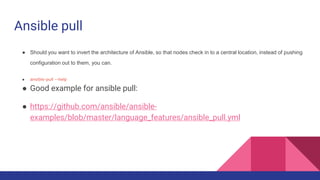
● Should you want to invert the architecture of Ansible, so that nodes check in to a central location, instead of pushing
configuration out to them, you can.
● ansible-pull --help
● Good example for ansible pull:
● https://github.com/ansible/ansible-
examples/blob/master/language_features/ansible_pull.yml
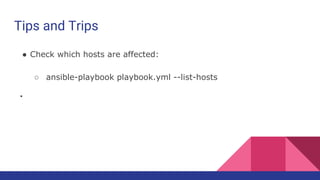
Tips and Trips
● Check which hosts are affected:
○ ansible-playbook playbook.yml --list-hosts
●
Playbook variables
tasks:
- include: wordpress.yml
vars:
wp_user: timmy
ssh_keys:
- keys/one.txt
- keys/two.txt
-----------------
● Reference a variable using :
○ {{ wp_user }}
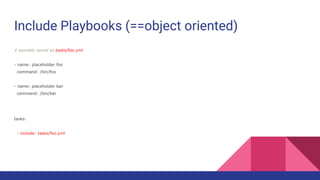
Include Playbooks (==object oriented)
# possibly saved as tasks/foo.yml
- name: placeholder foo
command: /bin/foo
- name: placeholder bar
command: /bin/bar
tasks:
- include: tasks/foo.yml
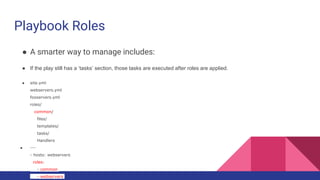
Playbook Roles
● A smarter way to manage includes:
● If the play still has a ‘tasks’ section, those tasks are executed after roles are applied.
● site.yml
webservers.yml
fooservers.yml
roles/
common/
files/
templates/
tasks/
Handlers
● ---
- hosts: webservers
roles:
- common
- webservers
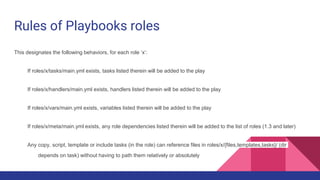
Rules of Playbooks roles
This designates the following behaviors, for each role ‘x’:
If roles/x/tasks/main.yml exists, tasks listed therein will be added to the play
If roles/x/handlers/main.yml exists, handlers listed therein will be added to the play
If roles/x/vars/main.yml exists, variables listed therein will be added to the play
If roles/x/meta/main.yml exists, any role dependencies listed therein will be added to the list of roles (1.3 and later)
Any copy, script, template or include tasks (in the role) can reference files in roles/x/{files,templates,tasks}/ (dir
depends on task) without having to path them relatively or absolutely
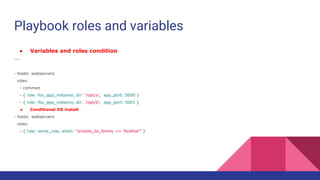
Playbook roles and variables
● Variables and roles condition
---
- hosts: webservers
roles:
- common
- { role: foo_app_instance, dir: '/opt/a', app_port: 5000 }
- { role: foo_app_instance, dir: '/opt/b', app_port: 5001 }
● Conditional OS install
- hosts: webservers
roles:
- { role: some_role, when: "ansible_os_family == 'RedHat'" }
Playbook roles, pretask, task, post task combied
---
- hosts: webservers
pre_tasks:
- shell: echo 'hello'
roles:
- { role: some_role }
tasks:
- shell: echo 'still busy'
post_tasks:
- shell: echo 'goodbye'
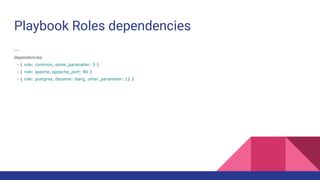
Playbook Roles dependencies
---
dependencies:
- { role: common, some_parameter: 3 }
- { role: apache, appache_port: 80 }
- { role: postgres, dbname: blarg, other_parameter: 12 }
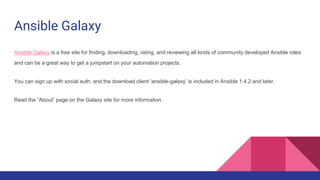
Ansible Galaxy
Ansible Galaxy is a free site for finding, downloading, rating, and reviewing all kinds of community developed Ansible roles
and can be a great way to get a jumpstart on your automation projects.
You can sign up with social auth, and the download client ‘ansible-galaxy’ is included in Ansible 1.4.2 and later.
Read the “About” page on the Galaxy site for more information.
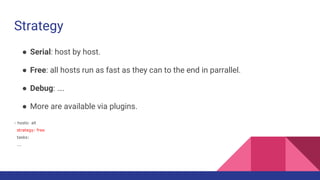
Strategy
● Serial: host by host.
● Free: all hosts run as fast as they can to the end in parrallel.
● Debug: ….
● More are available via plugins.
- hosts: all
strategy: free
tasks:
...
Download Example Playbooks
● https://github.com/analytically/hadoop-ansible
● http://software.danielwatrous.com/install-and-configure-a-multi-node-
hadoop-cluster-using-ansible/
● https://galaxy.ansible.com/
Advanced
● Variables: http://docs.ansible.com/ansible/playbooks_variables.html
● Conditionals: http://docs.ansible.com/ansible/playbooks_conditionals.html
● Loops: http://docs.ansible.com/ansible/playbooks_loops.html
● Blocks (logical blocks) :
http://docs.ansible.com/ansible/playbooks_blocks.html
● Best practices:
http://docs.ansible.com/ansible/playbooks_best_practices.html
Sources
● Ad hoc CMD
○ http://docs.ansible.com/ansible/intro_adhoc.html
● Playbook
○ http://docs.ansible.com/ansible/playbooks_intro.html

Introduction to ansible

  • 1.
    Introduction to Ansible OmidVahdaty, DevOps ninja
  • 2.
    What is Ansible? isa free-software platform for: ● configuring and managing computers ● combines multi-node software deployment ● ad hoc task execution ● configuration management ● Very good scripting management features (playbook include/ playbook roles) ● Comprehensive list of modules
  • 3.
    Install High LevelSteps https://www.digitalocean.com/community/tutorials/how-to-install-and- configure-ansible-on-ubuntu-14-04 1.Install ansible 2.create ssh keys to remote machines 3.Configure inventory file: /etc/ansible/hosts 4.Configure /etc/ansible/ansible.cfg 5.Test via “Ansible -m ping all”
  • 4.
    Cmd options ● ansible-m shell -a 'free -m' host1 ○ Get free mem on all machines ● ansible all -a "/bin/echo hello" ○ Print hello ● ansible all -a "/sbin/reboot" -f 10 ○ (fork 10 threads.) ● ansible all -a "/usr/bin/foo" -u username ○ Change username ● ansible atlanta -a "/usr/bin/foo" -u username --become [--ask-become-pass]
  • 5.
    CMD options ● ansibleall -m copy -a "src=/etc/hosts dest=/tmp/hosts" ○ Copy file from SRC to DST ● ansible webservers -m file -a "dest=/srv/foo/b.txt mode=600 owner=mdehaan group=mdehaan" ○ Change mod, owner on remote file ● ansible webservers -m file -a "dest=/path/to/c mode=755 owner=mdehaan group=mdehaan state=directory" ○ Create remote folder with ownership group. ● ansible webservers -m file -a "dest=/path/to/c state=absent" ○ Delete file/folder recursively
  • 6.
    CMD managing YUMpackages ● ansible all -m yum -a "name=acme state=present" ○ Install via yum acme package ● ansible all -m yum -a "name=acme state=latest" ○ Ensure latest package ● ansible webservers -m yum -a "name=acme state=absent" ○ Ensure package removed
  • 7.
    CMD apt-get management ●http://docs.ansible.com/ansible/apt_module.html
  • 8.
    CMD user management ●ansible all -m user -a "name=foo password=<crypted password here>" ○ Add user ● ansible all -m user -a "name=foo state=absent" ○ Remove user
  • 9.
    CMD GIT ● ansiblewebservers -m git -a "repo=git://foo.example.org/repo.git dest=/srv/myapp version=HEAD" ○ Get repor ?
  • 10.
    CMD services management ●ansible webservers -m service -a "name=httpd state=started" ○ Make sure all HTTPD services are started ● ansible webservers -m service -a "name=httpd state=restarted" ○ Restart services ● ansible webservers -m service -a "name=httpd state=stopped" ○ Stop service
  • 11.
    Facts ● ansible all-m setup ○ Get Verbose like inform (cpu, ip, users, etc.)
  • 12.
  • 13.
    Playbook ● Yaml Script- to automate Deployment process. ● Powerfull ● Usually kept in repository for revisions ● Each playbook is composed of one or more ‘plays’ in a list. ● Each playbook is composed of one or more ‘plays’ in a list. ● The goal of a play is to map a group of hosts to some well defined roles, represented by things ansible calls tasks. At a basic level, a task is nothing
  • 14.
    Playbook syntax ● Hosts:server group ● Remote_user: linux user to be used ● Tasks name : description ● Ping : module to run in this task. ● Tasks Remote_user: dedicated user per task. --- - hosts: webservers remote_user: root tasks: - name: test connection ping: remote_user: yourname
  • 15.
    Playbook Examples forUsers --- - hosts: webservers remote_user: yourname become: yes ----------------------- --- - hosts: webservers remote_user: yourname tasks: - service: name=nginx state=started become: yes become_method: sudo
  • 16.
    Playbook's users example hosts:webservers remote_user: yourname become: yes become_user: postgres -------------------------- hosts: webservers remote_user: yourname become: yes become_method: su
  • 17.
    Playbook Tasklist ● Eachplaybook consists out of tasks ● From top to bottom ● If a host fails, all relevant tasks are skipped. ● Modules are ‘idempotent’, meaning if you run them again, they will make only the changes they must in order to bring the system to the desired state ● The command and shell modules will typically rerun the same command again ● creates flag available which can be used to make the above modules also idempotent.
  • 18.
    Playbook tasks tasks: - name:run this command and ignore the result shell: /usr/bin/somecommand ignore_errors: True ● Notice the line break. tasks: - name: Copy ansible inventory file to client copy: src=/etc/ansible/hosts dest=/etc/ansible/hosts owner=root group=root mode=0644
  • 19.
    Playbook Handlers (==eventtriggers) ● These ‘notify’ actions are triggered at the end of each block of tasks in a playbook, and will only be triggered once even if notified by multiple different tasks. ● Handlers are lists of tasks, not really any different from regular tasks, that are referenced by a globally unique name. Handlers are what notifiers notify. If nothing notifies a handler, it will not run. Regardless of how many things notify a handler, it will run only once, after all of the tasks complete in a particular play. ● - name: template configuration file template: src=template.j2 dest=/etc/foo.conf notify: - restart memcached - restart apache ● handlers: - name: restart memcached service: name=memcached state=restarted - name: restart apache service: name=apache state=restarted
  • 20.
    Ansible pull ● Shouldyou want to invert the architecture of Ansible, so that nodes check in to a central location, instead of pushing configuration out to them, you can. ● ansible-pull --help ● Good example for ansible pull: ● https://github.com/ansible/ansible- examples/blob/master/language_features/ansible_pull.yml
  • 21.
    Tips and Trips ●Check which hosts are affected: ○ ansible-playbook playbook.yml --list-hosts ●
  • 22.
    Playbook variables tasks: - include:wordpress.yml vars: wp_user: timmy ssh_keys: - keys/one.txt - keys/two.txt ----------------- ● Reference a variable using : ○ {{ wp_user }}
  • 23.
    Include Playbooks (==objectoriented) # possibly saved as tasks/foo.yml - name: placeholder foo command: /bin/foo - name: placeholder bar command: /bin/bar tasks: - include: tasks/foo.yml
  • 24.
    Playbook Roles ● Asmarter way to manage includes: ● If the play still has a ‘tasks’ section, those tasks are executed after roles are applied. ● site.yml webservers.yml fooservers.yml roles/ common/ files/ templates/ tasks/ Handlers ● --- - hosts: webservers roles: - common - webservers
  • 25.
    Rules of Playbooksroles This designates the following behaviors, for each role ‘x’: If roles/x/tasks/main.yml exists, tasks listed therein will be added to the play If roles/x/handlers/main.yml exists, handlers listed therein will be added to the play If roles/x/vars/main.yml exists, variables listed therein will be added to the play If roles/x/meta/main.yml exists, any role dependencies listed therein will be added to the list of roles (1.3 and later) Any copy, script, template or include tasks (in the role) can reference files in roles/x/{files,templates,tasks}/ (dir depends on task) without having to path them relatively or absolutely
  • 26.
    Playbook roles andvariables ● Variables and roles condition --- - hosts: webservers roles: - common - { role: foo_app_instance, dir: '/opt/a', app_port: 5000 } - { role: foo_app_instance, dir: '/opt/b', app_port: 5001 } ● Conditional OS install - hosts: webservers roles: - { role: some_role, when: "ansible_os_family == 'RedHat'" }
  • 27.
    Playbook roles, pretask,task, post task combied --- - hosts: webservers pre_tasks: - shell: echo 'hello' roles: - { role: some_role } tasks: - shell: echo 'still busy' post_tasks: - shell: echo 'goodbye'
  • 28.
    Playbook Roles dependencies --- dependencies: -{ role: common, some_parameter: 3 } - { role: apache, appache_port: 80 } - { role: postgres, dbname: blarg, other_parameter: 12 }
  • 29.
    Ansible Galaxy Ansible Galaxyis a free site for finding, downloading, rating, and reviewing all kinds of community developed Ansible roles and can be a great way to get a jumpstart on your automation projects. You can sign up with social auth, and the download client ‘ansible-galaxy’ is included in Ansible 1.4.2 and later. Read the “About” page on the Galaxy site for more information.
  • 30.
    Strategy ● Serial: hostby host. ● Free: all hosts run as fast as they can to the end in parrallel. ● Debug: …. ● More are available via plugins. - hosts: all strategy: free tasks: ...
  • 31.
    Download Example Playbooks ●https://github.com/analytically/hadoop-ansible ● http://software.danielwatrous.com/install-and-configure-a-multi-node- hadoop-cluster-using-ansible/ ● https://galaxy.ansible.com/
  • 32.
    Advanced ● Variables: http://docs.ansible.com/ansible/playbooks_variables.html ●Conditionals: http://docs.ansible.com/ansible/playbooks_conditionals.html ● Loops: http://docs.ansible.com/ansible/playbooks_loops.html ● Blocks (logical blocks) : http://docs.ansible.com/ansible/playbooks_blocks.html ● Best practices: http://docs.ansible.com/ansible/playbooks_best_practices.html
  • 33.
    Sources ● Ad hocCMD ○ http://docs.ansible.com/ansible/intro_adhoc.html ● Playbook ○ http://docs.ansible.com/ansible/playbooks_intro.html