Anxious about DevOps
management & deploy ?
DevOps made simple.
@baiolo
http://www.ansible.com/home
From the main website:
“Deploy apps.
Manage systems. Crush complexity.
Ansible is a powerful automation tool that you can
learn quickly.”
https://github.com/ansible/ansible
“Ansible is a radically simple IT automation platform ...
Avoid writing scripts or custom code ... automate in a
language that approaches plain English, using SSH,
with no agents to install on remote systems.”
The Octocat says:
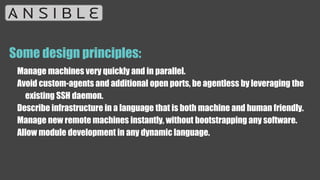
Some design principles:
Manage machines very quickly and in parallel.
Avoid custom-agents and additional open ports, be agentless by leveraging the
existing SSH daemon.
Describe infrastructure in a language that is both machine and human friendly.
Manage new remote machines instantly, without bootstrapping any software.
Allow module development in any dynamic language.
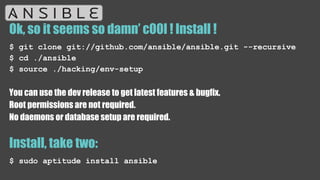
Ok, so it seems so damn’ c00l ! Install !
$ git clone git://github.com/ansible/ansible.git --recursive
$ cd ./ansible
$ source ./hacking/env-setup
You can use the dev release to get latest features & bugfix.
Root permissions are not required.
No daemons or database setup are required.
Install, take two:
$ sudo aptitude install ansible
And then let’s roll:
Create /etc/ansible/hosts and put one or more remote systems in it.
Your public SSH key should be located in authorized_keys on those systems.
[aruba]
ext-ubudb01
ext-ubudb02
ext-ubudemo01
ext-debweb01
Inventory
[webservers]
foo.example.com
bar.example.com
[dbservers]
one.example.com
two.example.com
three.example.com
Inventory… a bit more
[webservers]
www[01:50].example.com
[databases]
db-[a:f].example.com
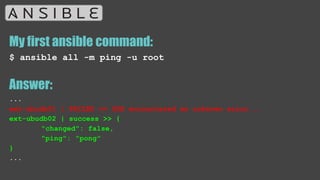
My first ansible command:
$ ansible all -m ping -u root
Answer:
...
ext-ubudb01 | FAILED => SSH encountered an unknown error...
ext-ubudb02 | success >> {
"changed": false,
"ping": "pong"
}
...
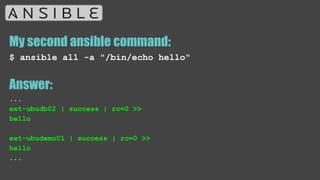
My second ansible command:
$ ansible all -a "/bin/echo hello"
Answer:
...
ext-ubudb02 | success | rc=0 >>
hello
ext-ubudemo01 | success | rc=0 >>
hello
...
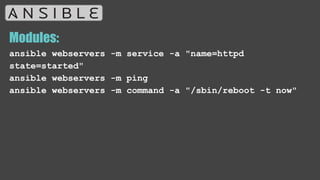
Modules:
ansible webservers -m service -a "name=httpd
state=started"
ansible webservers -m ping
ansible webservers -m command -a "/sbin/reboot -t now"
Modules… just a index:
Cloud Modules
Commands Modules
Database Modules
Files Modules
Inventory Modules
Messaging Modules
Monitoring Modules
Network Modules
Notification Modules
Packaging Modules
Source Control Modules
System Modules
Utilities Modules
Web Infrastructure Modules
Windows Modules
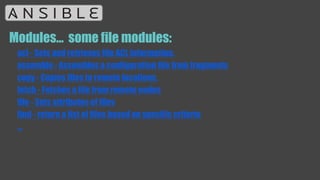
Modules… some file modules:
acl - Sets and retrieves file ACL information.
assemble - Assembles a configuration file from fragments
copy - Copies files to remote locations.
fetch - Fetches a file from remote nodes
file - Sets attributes of files
find - return a list of files based on specific criteria
...
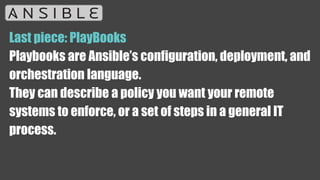
Last piece: PlayBooks
Playbooks are Ansible’s configuration, deployment, and
orchestration language.
They can describe a policy you want your remote
systems to enforce, or a set of steps in a general IT
process.
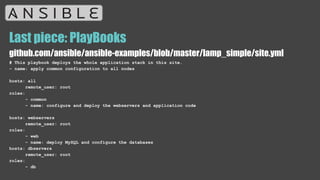
Last piece: PlayBooks
github.com/ansible/ansible-examples/blob/master/lamp_simple/site.yml
# This playbook deploys the whole application stack in this site.
- name: apply common configuration to all nodes
hosts: all
remote_user: root
roles:
- common
- name: configure and deploy the webservers and application code
hosts: webservers
remote_user: root
roles:
- web
- name: deploy MySQL and configure the databases
hosts: dbservers
remote_user: root
roles:
- db
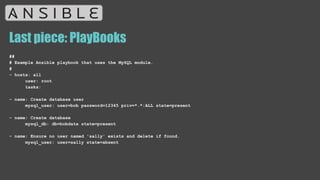
Last piece: PlayBooks
##
# Example Ansible playbook that uses the MySQL module.
#
- hosts: all
user: root
tasks:
- name: Create database user
mysql_user: user=bob password=12345 priv=*.*:ALL state=present
- name: Create database
mysql_db: db=bobdata state=present
- name: Ensure no user named 'sally' exists and delete if found.
mysql_user: user=sally state=absent
That’s All !
and don’t be
anxious !

Ansible Hands On

  • 1.
    Anxious about DevOps management& deploy ? DevOps made simple. @baiolo
  • 2.
    http://www.ansible.com/home From the mainwebsite: “Deploy apps. Manage systems. Crush complexity. Ansible is a powerful automation tool that you can learn quickly.”
  • 3.
    https://github.com/ansible/ansible “Ansible is aradically simple IT automation platform ... Avoid writing scripts or custom code ... automate in a language that approaches plain English, using SSH, with no agents to install on remote systems.” The Octocat says:
  • 4.
    Some design principles: Managemachines very quickly and in parallel. Avoid custom-agents and additional open ports, be agentless by leveraging the existing SSH daemon. Describe infrastructure in a language that is both machine and human friendly. Manage new remote machines instantly, without bootstrapping any software. Allow module development in any dynamic language.
  • 5.
    Ok, so itseems so damn’ c00l ! Install ! $ git clone git://github.com/ansible/ansible.git --recursive $ cd ./ansible $ source ./hacking/env-setup You can use the dev release to get latest features & bugfix. Root permissions are not required. No daemons or database setup are required. Install, take two: $ sudo aptitude install ansible
  • 6.
    And then let’sroll: Create /etc/ansible/hosts and put one or more remote systems in it. Your public SSH key should be located in authorized_keys on those systems. [aruba] ext-ubudb01 ext-ubudb02 ext-ubudemo01 ext-debweb01
  • 7.
  • 8.
    Inventory… a bitmore [webservers] www[01:50].example.com [databases] db-[a:f].example.com
  • 9.
    My first ansiblecommand: $ ansible all -m ping -u root Answer: ... ext-ubudb01 | FAILED => SSH encountered an unknown error... ext-ubudb02 | success >> { "changed": false, "ping": "pong" } ...
  • 10.
    My second ansiblecommand: $ ansible all -a "/bin/echo hello" Answer: ... ext-ubudb02 | success | rc=0 >> hello ext-ubudemo01 | success | rc=0 >> hello ...
  • 11.
    Modules: ansible webservers -mservice -a "name=httpd state=started" ansible webservers -m ping ansible webservers -m command -a "/sbin/reboot -t now"
  • 12.
    Modules… just aindex: Cloud Modules Commands Modules Database Modules Files Modules Inventory Modules Messaging Modules Monitoring Modules Network Modules Notification Modules Packaging Modules Source Control Modules System Modules Utilities Modules Web Infrastructure Modules Windows Modules
  • 13.
    Modules… some filemodules: acl - Sets and retrieves file ACL information. assemble - Assembles a configuration file from fragments copy - Copies files to remote locations. fetch - Fetches a file from remote nodes file - Sets attributes of files find - return a list of files based on specific criteria ...
  • 14.
    Last piece: PlayBooks Playbooksare Ansible’s configuration, deployment, and orchestration language. They can describe a policy you want your remote systems to enforce, or a set of steps in a general IT process.
  • 15.
    Last piece: PlayBooks github.com/ansible/ansible-examples/blob/master/lamp_simple/site.yml #This playbook deploys the whole application stack in this site. - name: apply common configuration to all nodes hosts: all remote_user: root roles: - common - name: configure and deploy the webservers and application code hosts: webservers remote_user: root roles: - web - name: deploy MySQL and configure the databases hosts: dbservers remote_user: root roles: - db
  • 16.
    Last piece: PlayBooks ## #Example Ansible playbook that uses the MySQL module. # - hosts: all user: root tasks: - name: Create database user mysql_user: user=bob password=12345 priv=*.*:ALL state=present - name: Create database mysql_db: db=bobdata state=present - name: Ensure no user named 'sally' exists and delete if found. mysql_user: user=sally state=absent
  • 17.
    That’s All ! anddon’t be anxious !