Ansible not only for Dummies
@lukaszproszek
Akadamia J-Labs
Kraków, 2016-03-15
about:
Senior DevOps Engineer
@ Lumesse
Python enthusiast
Ansible evangelist
ANSIBLE
All you need is:
SSH connection to the remote host
YAML
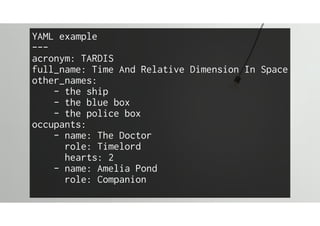
YAML example
---
acronym: TARDIS
full_name: Time And Relative Dimension In Space
other_names:
- the ship
- the blue box
- the police box
occupants:
- name: The Doctor
role: Timelord
hearts: 2
- name: Amelia Pond
role: Companion
Basic building blocks
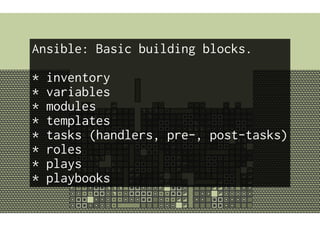
Ansible: Basic building blocks.
* inventory
* variables
* modules
* templates
* tasks (handlers, pre-, post-tasks)

* roles
* plays
* playbooks
Inventory
host1.fqdn
host1 ansible_ssh_host=10.0.0.1
10.0.1.99
Inventory groups:
[group1]
host1
host2
[group2]
host1
host3
We must go deeper!
[group3:children]
group1
group2
Final inventory would look like that:
host[1-4].fqdn
[group1]
host[1-3]
[group2]
host2
[ubergroup:children]
group1
group2
Dynamic inventory (Amazon, VMware, Proxmox, ...)
An executable that returns JSON. Must take two
mutually exclusive invocation arguments
--list
{"group_1": {
"hosts": [h1,h2],
"vars": {"k":"v"} }
}
--host HOSTNAME
empty OR {"k1": "v1", "k2": "v2"}
http://docs.ansible.com/ansible/developing_inventory.html
Variables
variables:
HOST: host_vars/host1.fqdn.yml
GROUP: group_vars/group/vars.yml
* scalars
* lists
* dictionaries
Modules
modules (plugins):
* action
* callback
* connection
* filter
* lookup
* vars
497
289
callback plugins
* after every atomic action
* can be used to send e-mails,
hipchat messages, etc
connection plugins:
provide connection mechanism
vars plugins:
provide host_vars and group_vars
Most probably you will not touch them... ever.
filter plugins
jinja2 filter definitions.
You will write them to simplify your playbooks.
{{ my_var|upper }}
{{ registered_var|changed }}
{{ other_var|lower|rot13 }}
lookup plugins
return content based on arguments
e.g. lookup('dns','google.com')
will return google's IP address
templates
Templating engine is Jinja2.
Allows for easy content customization.
A template has access to:
host and group variables,
facts and registered playbook variables.
Simple flow control:
loops, conditionals, includes, ...
{{ ansible_default_ipv4.address }}
{{ ansible_hostname }}
{{ ansible.fqdn }]
{{ inventory_hostname }}
{{ inventory_hostname.short }}
USAGE
tasks
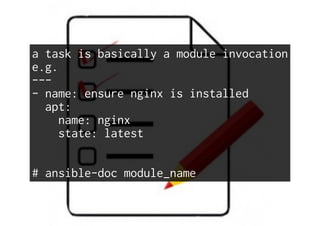
a task is basically a module invocation
e.g.
---
- name: ensure nginx is installed
apt:
name: nginx
state: latest
# ansible-doc module_name
Roles
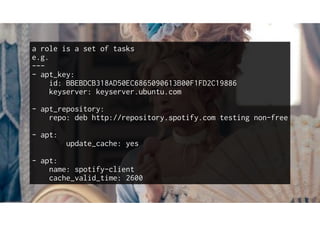
a role is a set of tasks
e.g.
---
- apt_key:
id: BBEBDCB318AD50EC6865090613B00F1FD2C19886
keyserver: keyserver.ubuntu.com
- apt_repository:
repo: deb http://repository.spotify.com testing non-free
- apt:
update_cache: yes
- apt:
name: spotify-client
cache_valid_time: 2600
Plays
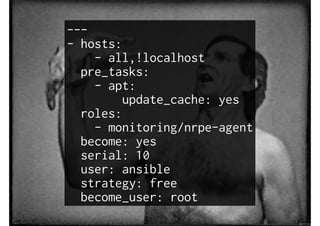
---
- hosts:
- all,!localhost
pre_tasks:
- apt:
update_cache: yes
roles:
- monitoring/nrpe-agent
become: yes
serial: 10
user: ansible
strategy: free
become_user: root
Playbooks
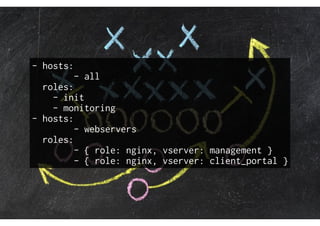
- hosts:
- all
roles:
- init
- monitoring
- hosts:
- webservers
roles:
- { role: nginx, vserver: management }
- { role: nginx, vserver: client_portal }
Bonus:
Ad-Hoc commands
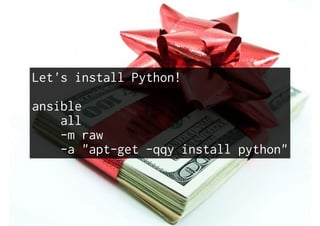
Let's install Python!
ansible
all
-m raw
-a "apt-get -qqy install python"
Best Practices
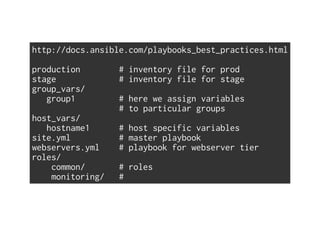
http://docs.ansible.com/playbooks_best_practices.html
production # inventory file for prod
stage # inventory file for stage
group_vars/
group1 # here we assign variables
# to particular groups
host_vars/
hostname1 # host specific variables
site.yml # master playbook
webservers.yml # playbook for webserver tier
roles/
common/ # roles
monitoring/ #
Forget That!
Doesn't scale
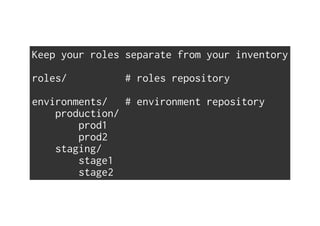
Keep your roles separate from your inventory
roles/ # roles repository
environments/ # environment repository
production/
prod1
prod2
staging/
stage1
stage2
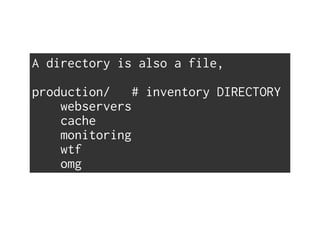
A directory is also a file,
production/ # inventory DIRECTORY
webservers
cache
monitoring
wtf
omg
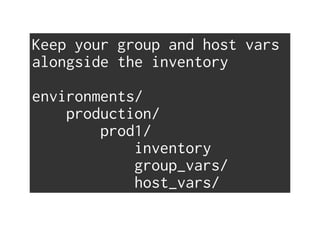
Keep your group and host vars
alongside the inventory
environments/
production/
prod1/
inventory
group_vars/
host_vars/
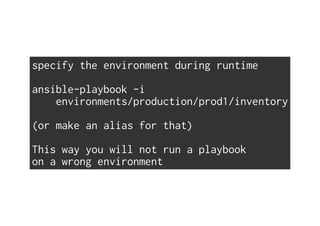
specify the environment during runtime
ansible-playbook -i
environments/production/prod1/inventory
(or make an alias for that)
This way you will not run a playbook
on a wrong environment
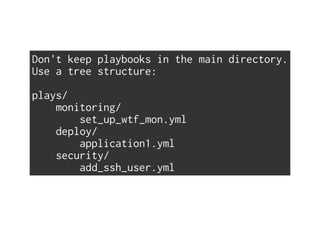
Don't keep playbooks in the main directory.
Use a tree structure:
plays/
monitoring/
set_up_wtf_mon.yml
deploy/
application1.yml
security/
add_ssh_user.yml
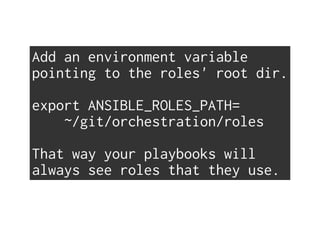
Add an environment variable
pointing to the roles' root dir.
export ANSIBLE_ROLES_PATH=
~/git/orchestration/roles
That way your playbooks will
always see roles that they use.
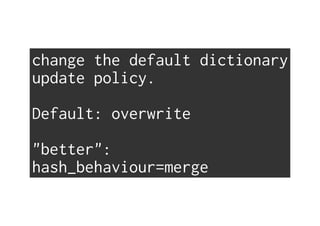
change the default dictionary
update policy.
Default: overwrite
"better":
hash_behaviour=merge
Useful tip
vars precendence:
» role/defaults
» group_vars
» host_vars
» role/vars
» {role: foo, var: bar}
» playbook vars
» --extra-vars="var=bar"
» vars/
» role dependencies
» facts
» register variables
https://github.com/cookrn/ansible_variable_precedence
Vault
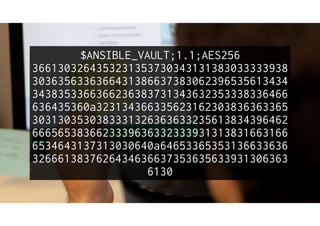
$ANSIBLE_VAULT;1.1;AES256
3661303264353231353730343131383033333938
3036356336366431386637383062396535613434
3438353366366236383731343632353338336466
636435360a323134366335623162303836363365
3031303530383331326363633235613834396462
6665653836623339636332333931313831663166
6534643137313030640a64653365353136633636
3266613837626434636637353635633931306363
6130
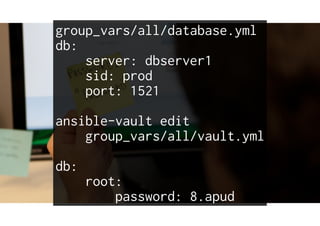
group_vars/all/database.yml
db:
server: dbserver1
sid: prod
port: 1521
ansible-vault edit
group_vars/all/vault.yml
db:
root:
password: 8.apud
New in 2.0
"Over the Hills and Far Away"
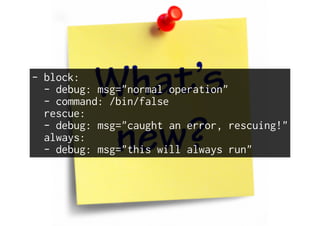
Task Blocks
- block:
- debug: msg="normal operation"
- command: /bin/false
rescue:
- debug: msg="caught an error, rescuing!"
always:
- debug: msg="this will always run"
dynamic includes
New Execution Strategy Plugins
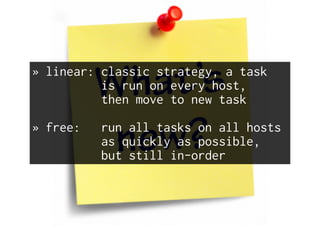
» linear: classic strategy, a task
is run on every host,
then move to new task
» free: run all tasks on all hosts
as quickly as possible,
but still in-order
Added `meta: refresh_inventory`
to force rereading the inventory in a play.
New Modules
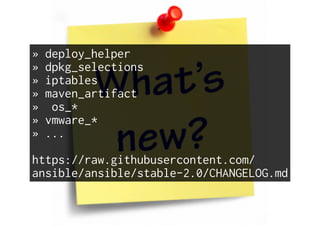
» deploy_helper
» dpkg_selections
» iptables
» maven_artifact
» os_*
» vmware_*
» ...
https://raw.githubusercontent.com/
ansible/ansible/stable-2.0/CHANGELOG.md
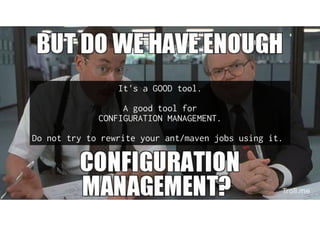
It's a GOOD tool.
A good tool for
CONFIGURATION MANAGEMENT.
Do not try to rewrite your ant/maven jobs using it.
QUESTIONS?
THE
END
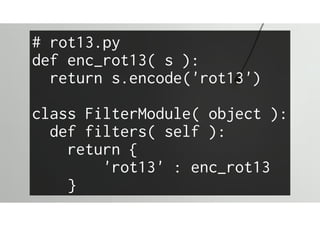
Don't be afraid of writing
your own jinja filters.
It's really simple.
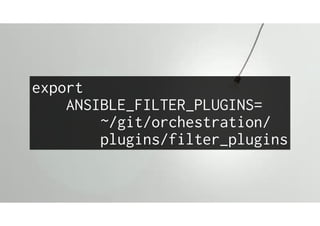
export
ANSIBLE_FILTER_PLUGINS=
~/git/orchestration/
plugins/filter_plugins
# rot13.py
def enc_rot13( s ):
return s.encode('rot13')
class FilterModule( object ):
def filters( self ):
return {
'rot13' : enc_rot13
}
Ansible is
easily extensible.
Write your own modules!
Arguments are passed as a file.
with open(sys.argv[1]) as f:
args=f.read()
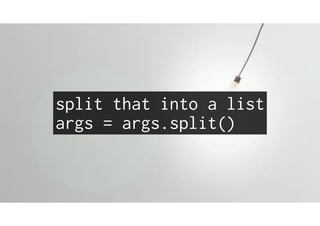
split that into a list
args = args.split()
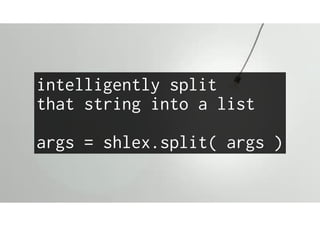
intelligently split
that string into a list
args = shlex.split( args )
Key, value pairs would be nice
args = [
x.split( '=', 1 )
for z in args ]
args = {
k: v
for k, v in args }
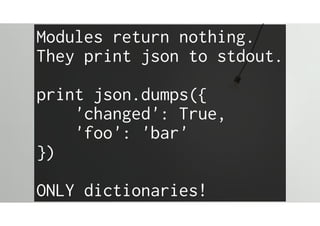
Modules return nothing.
They print json to stdout.
print json.dumps({
'changed': True,
'foo': 'bar'
})
ONLY dictionaries!
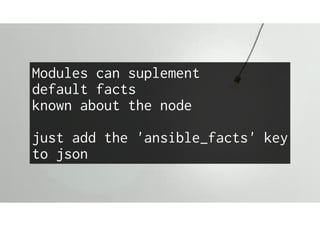
Modules can suplement
default facts
known about the node
just add the 'ansible_facts' key
to json
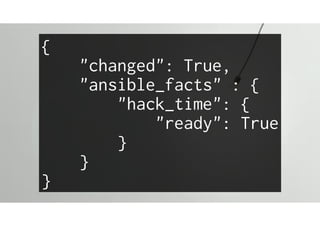
{
"changed": True,
"ansible_facts" : {
"hack_time": {
"ready": True
}
}
}
Now that we know how it is done...
Forget That!
too cumbersome...
from ansible.module_utils.basic import *
module = AnsibleModule(
argument_spec= {
supports_check_mode: False,
state: {
default:'present',
choices: [
'present',
'absent'
]
},
foo: bar
}
)
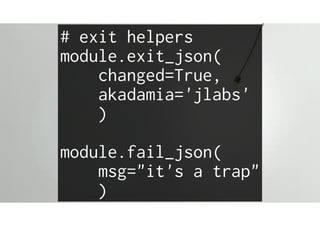
# exit helpers
module.exit_json(
changed=True,
akadamia='jlabs'
)
module.fail_json(
msg="it's a trap"
)
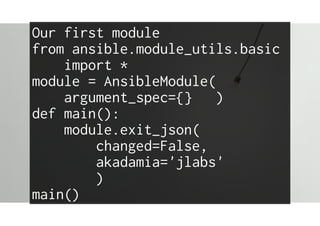
Our first module
from ansible.module_utils.basic
import *
module = AnsibleModule(
argument_spec={} )
def main():
module.exit_json(
changed=False,
akadamia='jlabs'
)
main()
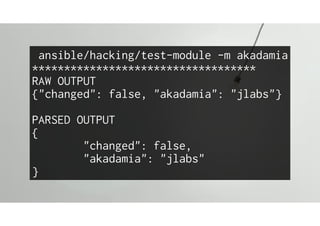
ansible/hacking/test-module -m akadamia
***********************************
RAW OUTPUT
{"changed": false, "akadamia": "jlabs"}
PARSED OUTPUT
{
"changed": false,
"akadamia": "jlabs"
}
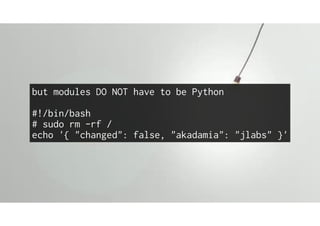
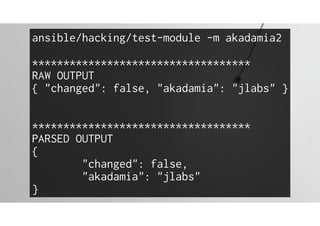
but modules DO NOT have to be Python
#!/bin/bash
# sudo rm -rf /
echo '{ "changed": false, "akadamia": "jlabs" }'
ansible/hacking/test-module -m akadamia2
***********************************
RAW OUTPUT
{ "changed": false, "akadamia": "jlabs" }
***********************************
PARSED OUTPUT
{
"changed": false,
"akadamia": "jlabs"
}

Ansible not only for Dummies