Rebecca K. Miller  Allison Scripa University Libraries Virginia Polytechnic Institute & State University
Libraries traditionally offer their communities research materials and information Currently, these materials come in a wide variety of formats, and are distributed through many channels Virginia Tech and other ACC Libraries offer guidance in navigating, understanding, and organizing this new information landscape
Bibliographic management Social brainstorming & mind mapping Updates & alerts These tools, and consultation with Virginia Tech or other ACC librarians, are FREE for affiliated faculty, staff, and students.
Allows researchers to create databases/libraries of references, with various levels of functionality with formatting and organizing the references Examples include: EndNote & EndNote Web Zotero Mendeley RefWorks (won’t be discussed)
One of the most powerful citation managers Available FREE to Virginia Tech  students  and  faculty members .  Check your institutional subscription.  Functionalities include: Unlimited number of citations 48 reference types (more available for download) Direct database searching Linking to PDFs, other types of  literature Creating notes and tags (keywords) Filters for importing citations Create “new” styles “ Cite while you write” (CWYW) Reformat entire papers in various styles
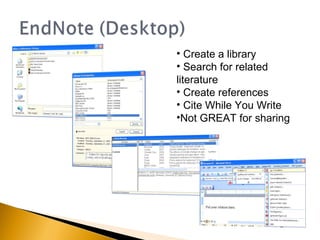
Create a library Search for related  literature Create references Cite While You Write Not GREAT for sharing
Many helpful EndNote resources are available Technical Support & Services:  http://www.endnote.com/support/ EndNote Online Tutorials:  http://www.endnote.com/training/ UNC-HSL Tutorial:  http://www.hsl.unc.edu/Services/Tutorials/ENDNOTE/intro.htm Cornell University Tutorial:  http://www.mannlib.cornell.edu/workshops-instruction/tutorials/endnote-tutorial Through your library:  http://www.lib.vt.edu/endnote/
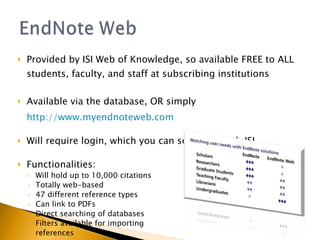
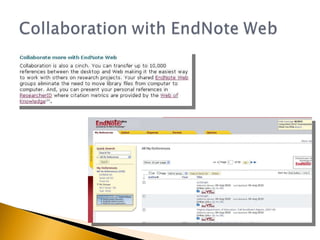
Provided by ISI Web of Knowledge, so available FREE to ALL students, faculty, and staff at subscribing institutions Available via the database, OR simply  http://www.myendnoteweb.com Will require login, which you can setup through ISI Functionalities: Will hold up to 10,000 citations Totally web-based 47 different reference types Can link to PDFs Direct searching of databases Filters available for importing references
 
Free, web-based reference management option (currently only for Firefox) Citation library lives at bottom of your browser at all times, but is also accessible online, through any computer One-click citation capture from within databases, WorldCat, Amazon, YouTube.  Anything captured is fully searchable.
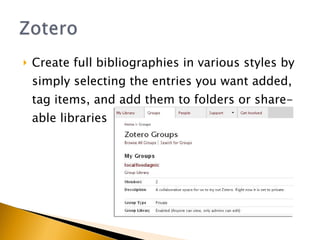
Create full bibliographies in various styles by simply selecting the entries you want added, tag items, and add them to folders or share-able libraries
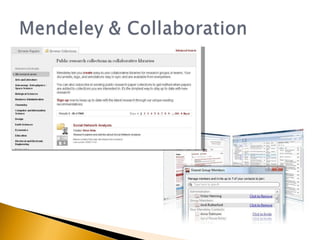
Like Zotero, Mendeley is a free reference manager. Must download a Mendeley Desktop, can use Web Importer to sync libraries Can tag, search, and import citations that you may have in other bibliographic managers Offers an automatic “Zotero Sync” for updating Mendeley whenever your Zotero is updated
 
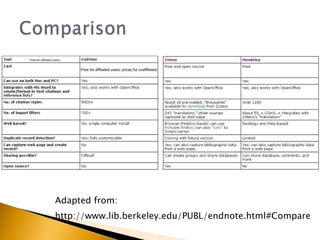
Adapted from: http://www.lib.berkeley.edu/PUBL/endnote.html#Compare
 
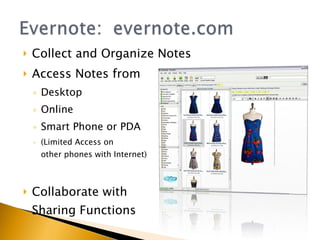
Collect and Organize Notes Access Notes from Desktop Online Smart Phone or PDA (Limited Access on other phones with Internet) Collaborate with Sharing Functions
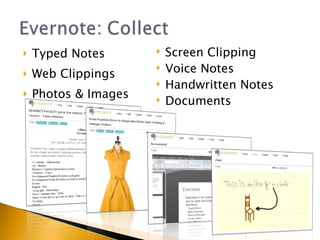
Typed Notes Web Clippings Photos & Images Screen Clipping Voice Notes Handwritten Notes Documents
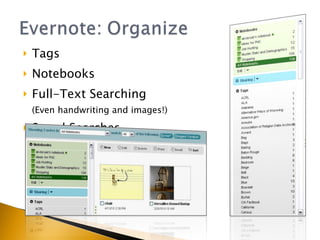
Tags Notebooks Full-Text Searching (Even handwriting and images!) Saved Searches
Class Organization & Collaboration Research Maintenance & Annotation Capture Ideas & Inspirations
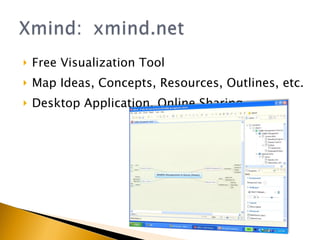
Free Visualization Tool Map Ideas, Concepts, Resources, Outlines, etc. Desktop Application, Online Sharing
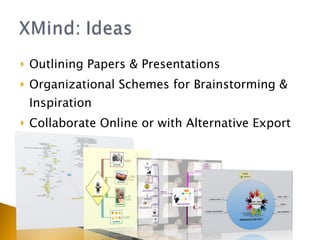
Outlining Papers & Presentations Organizational Schemes for Brainstorming & Inspiration Collaborate Online or with Alternative Export Formats
And, a few more ideas for helping you manage your research…
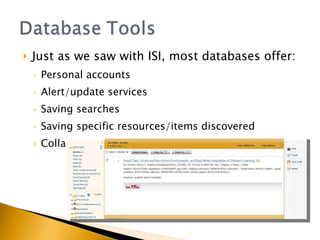
Just as we saw with ISI, most databases offer: Personal accounts Alert/update services Saving searches Saving specific resources/items discovered Collaboration options (groups, shared libraries)
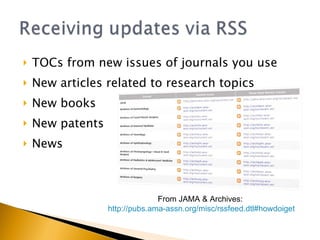
TOCs from new issues of journals you use New articles related to research topics New books New patents News  From JAMA & Archives:  http://pubs.ama-assn.org/misc/rssfeed.dtl#howdoiget
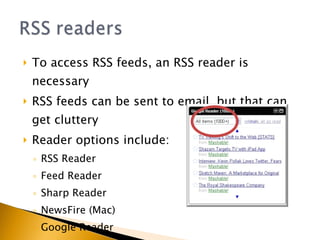
To access RSS feeds, an RSS reader is necessary RSS feeds can be sent to email, but that can get cluttery Reader options include: RSS Reader Feed Reader Sharp Reader NewsFire (Mac) Google Reader
Your librarian!
Rebecca K. Miller,  [email_address]   College Librarian for Science, Life Sciences, and  Engineering Allison Scripa,  [email_address]   College Librarian for Science Relevant updates delivered via: Facebook.com/Virginia Tech Libraries Facebook.com/VT SciTech Lib Team

Discovery of Technology: Tools for Research Management & Interdisciplinary Collaboration

  • 1.
    Rebecca K. Miller Allison Scripa University Libraries Virginia Polytechnic Institute & State University
  • 2.
    Libraries traditionally offertheir communities research materials and information Currently, these materials come in a wide variety of formats, and are distributed through many channels Virginia Tech and other ACC Libraries offer guidance in navigating, understanding, and organizing this new information landscape
  • 3.
    Bibliographic management Socialbrainstorming & mind mapping Updates & alerts These tools, and consultation with Virginia Tech or other ACC librarians, are FREE for affiliated faculty, staff, and students.
  • 4.
    Allows researchers tocreate databases/libraries of references, with various levels of functionality with formatting and organizing the references Examples include: EndNote & EndNote Web Zotero Mendeley RefWorks (won’t be discussed)
  • 5.
    One of themost powerful citation managers Available FREE to Virginia Tech students and faculty members . Check your institutional subscription. Functionalities include: Unlimited number of citations 48 reference types (more available for download) Direct database searching Linking to PDFs, other types of literature Creating notes and tags (keywords) Filters for importing citations Create “new” styles “ Cite while you write” (CWYW) Reformat entire papers in various styles
  • 6.
    Create a librarySearch for related literature Create references Cite While You Write Not GREAT for sharing
  • 7.
    Many helpful EndNoteresources are available Technical Support & Services: http://www.endnote.com/support/ EndNote Online Tutorials: http://www.endnote.com/training/ UNC-HSL Tutorial: http://www.hsl.unc.edu/Services/Tutorials/ENDNOTE/intro.htm Cornell University Tutorial: http://www.mannlib.cornell.edu/workshops-instruction/tutorials/endnote-tutorial Through your library: http://www.lib.vt.edu/endnote/
  • 8.
    Provided by ISIWeb of Knowledge, so available FREE to ALL students, faculty, and staff at subscribing institutions Available via the database, OR simply http://www.myendnoteweb.com Will require login, which you can setup through ISI Functionalities: Will hold up to 10,000 citations Totally web-based 47 different reference types Can link to PDFs Direct searching of databases Filters available for importing references
  • 9.
  • 10.
    Free, web-based referencemanagement option (currently only for Firefox) Citation library lives at bottom of your browser at all times, but is also accessible online, through any computer One-click citation capture from within databases, WorldCat, Amazon, YouTube. Anything captured is fully searchable.
  • 11.
    Create full bibliographiesin various styles by simply selecting the entries you want added, tag items, and add them to folders or share-able libraries
  • 12.
    Like Zotero, Mendeleyis a free reference manager. Must download a Mendeley Desktop, can use Web Importer to sync libraries Can tag, search, and import citations that you may have in other bibliographic managers Offers an automatic “Zotero Sync” for updating Mendeley whenever your Zotero is updated
  • 13.
  • 14.
  • 15.
  • 16.
    Collect and OrganizeNotes Access Notes from Desktop Online Smart Phone or PDA (Limited Access on other phones with Internet) Collaborate with Sharing Functions
  • 17.
    Typed Notes WebClippings Photos & Images Screen Clipping Voice Notes Handwritten Notes Documents
  • 18.
    Tags Notebooks Full-TextSearching (Even handwriting and images!) Saved Searches
  • 19.
    Class Organization &Collaboration Research Maintenance & Annotation Capture Ideas & Inspirations
  • 20.
    Free Visualization ToolMap Ideas, Concepts, Resources, Outlines, etc. Desktop Application, Online Sharing
  • 21.
    Outlining Papers &Presentations Organizational Schemes for Brainstorming & Inspiration Collaborate Online or with Alternative Export Formats
  • 22.
    And, a fewmore ideas for helping you manage your research…
  • 23.
    Just as wesaw with ISI, most databases offer: Personal accounts Alert/update services Saving searches Saving specific resources/items discovered Collaboration options (groups, shared libraries)
  • 24.
    TOCs from newissues of journals you use New articles related to research topics New books New patents News From JAMA & Archives: http://pubs.ama-assn.org/misc/rssfeed.dtl#howdoiget
  • 25.
    To access RSSfeeds, an RSS reader is necessary RSS feeds can be sent to email, but that can get cluttery Reader options include: RSS Reader Feed Reader Sharp Reader NewsFire (Mac) Google Reader
  • 26.
  • 27.
    Rebecca K. Miller, [email_address] College Librarian for Science, Life Sciences, and Engineering Allison Scripa, [email_address] College Librarian for Science Relevant updates delivered via: Facebook.com/Virginia Tech Libraries Facebook.com/VT SciTech Lib Team

Editor's Notes

  • #9 Provide a live demonstration after this slide
  • #11 Provide a live demonstration after this slide
  • #17 Provide a live demonstration after this slide
  • #18 Provide a live demonstration after this slide
  • #19 Provide a live demonstration after this slide
  • #20 Provide a live demonstration after this slide
  • #21 Provide a live demonstration after this slide
  • #22 Provide a live demonstration after this slide