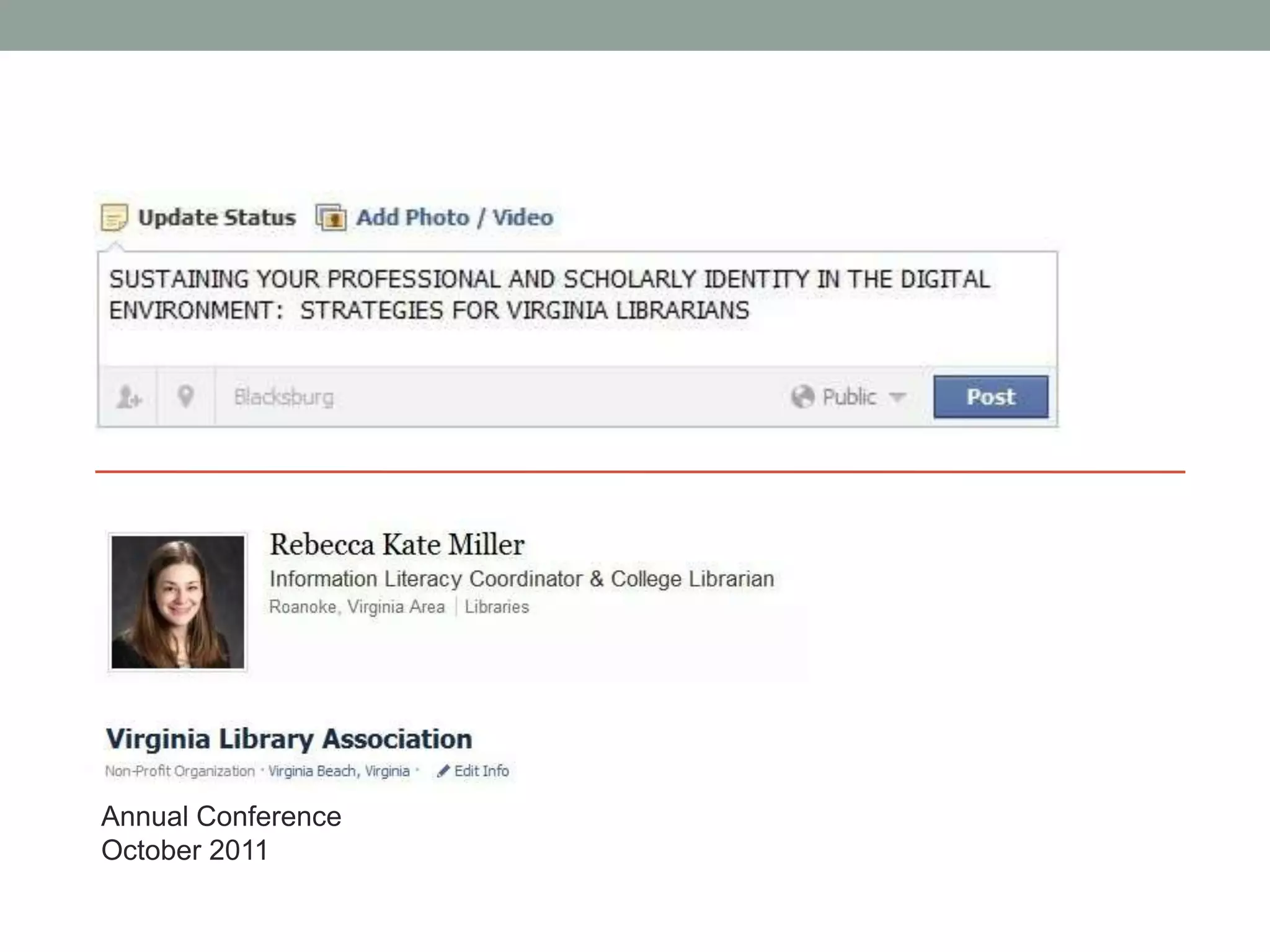
Annual Conference
October 2011
Quick Poll
Text your answer (code below) to: 37607            OR
Visit http://pollev.com and enter the code below

What types of librarians are here today?

Public: 123516
Academic: 125698
School: 125708
Special: 126824
Other: 199226
This presentation is available on slideshare:

http://www.slideshare.net/millerrk/presentations
Googled yourself lately?
Why?
• 45-89% of employers use and rely on social networking
 sites to investigate candidates

• 75% of HR departments are expected to research
 candidates online
• 90% of search-firm recruiters rely on Google to view a
 “complete” portrait of candidates
Furthermore…
• Augment your networking


• Find collaborators and a community


• Make a name for yourself (self-promote!)


• Make yourself more visible to your users


• Eliminate professional misidentification


• Contribute to the profession


• Engage in meaningful professional discussion
Quick Poll
Text your answer (code below) to: 37607            OR
Visit http://pollev.com and enter the code below

Do you already have an online identity?
Yes 199277
No 199280
Probably-I’m not really sure, though 199281
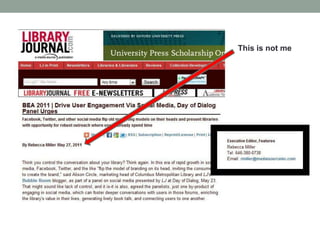
This is not me
How to begin
• Understand that you already have an online identity
• Make the conscious decision to develop that identity
• Search for what’s already out there

• Consider the false dichotomy of personal v. professional on the web

• Think about personal branding (proactive online identity management)

• Use online portfolios (websites)

• Pull it all together with profiles

• Be aware of security and privacy issues

• Follow up, maintain your information, and be vigilant
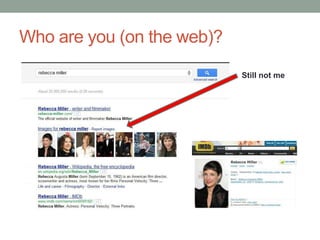
Who are you (on the web)?
                            Still not me
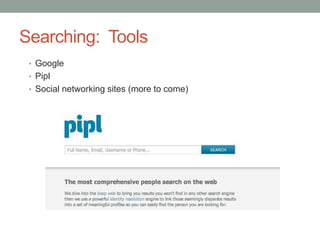
Searching: Tools
 • Google
 • Pipl
 • Social networking sites (more to come)
“…the line between personal and
professional no longer exists…”
                     (Markgren)
“The public expression and projection of an individual’s
identity, personality, values, skills, and abilities.” (BNET)

• Keep consistent:
  • Visual image
  • Identification
  • Message/vision
  • Skills
  • Goal
  • Interests & passions


  “A personal brand is a by-product, not an end itself.”
  (Kim)
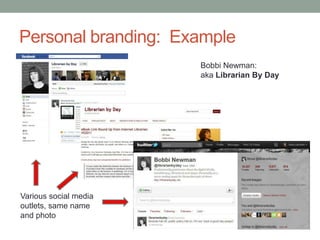
Personal branding: Example
                       Bobbi Newman:
                       aka Librarian By Day


Various social media
outlets, same name
and photo
Personal branding: Tools
  • Identification               • Social media &
     • Your vision and mission    communication
       statements                 platforms
     • Consistent headshot        • Facebook
     • Unique image or            • Google+
       graphic                    • LinkedIn
                                  • Slideshare
                                  • Twitter
                                  • Tumblr
                                  • WordPress, Blogger
                                  • Goodreads
                                  • Delicious
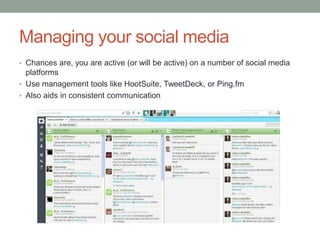
Managing your social media
• Chances are, you are active (or will be active) on a number of social media
  platforms
• Use management tools like HootSuite, TweetDeck, or Ping.fm
• Also aids in consistent communication
Online portfolios/websites
(What is) the future of the CV and the resume (?)

Creating a personal space to showcase your ideas, vision,
work, and experience requires little more than a computer
and an internet connection

ePortfolios are now required in many higher education
institutions enabling students to:
               Showcase their relevant work/coursework
               Demonstrate a range of skills
               Have a positive online identity
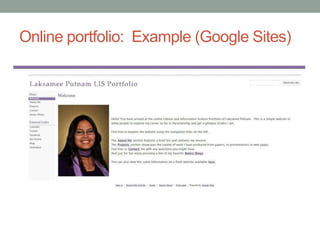
Online portfolio: Example (Google Sites)
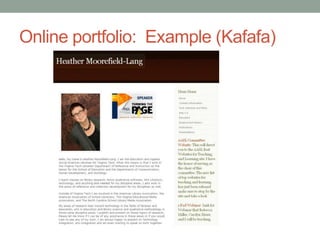
Online portfolio: Example (Kafafa)
Online portfolios: Tools
• Free and easy site building tools
  • Google Sites
  • Kafafa
  • Wix
  • Weebly
• Tools that can also be used as websites
   • WordPress or Blogger
   • Tumblr
• Hint: pay attention to the domain name
  • Free sites often give you the option to upgrade to a unique domain
    name that you have purchased for a minimal annual fee
  • If you can, use the name you’ve selected for everything else
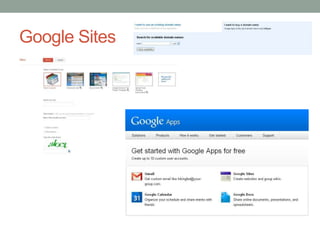
Google Sites
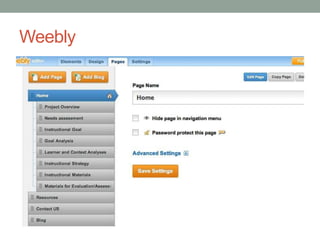
Weebly
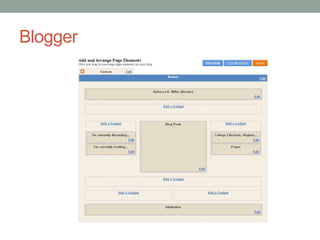
Blogger
Quick Poll
Text your answer (code below) to: 37607            OR
Visit http://pollev.com and enter the code below

How many of these social media or portfolio tools do you
use?

None 62558
1-2 62559
3-5 62560
More than 5 62563
Profiles
• Online profiles can pull together your various
 communication platforms and online portfolio(s)

• They also make you more visible, since most are indexed
 by major search engines
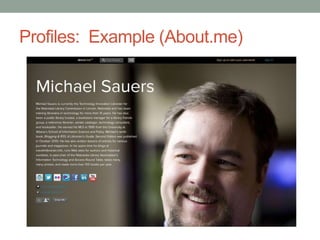
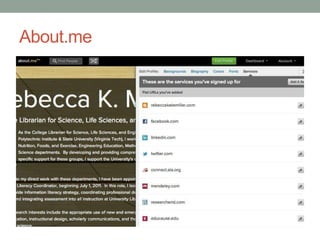
Profiles: Example (About.me)
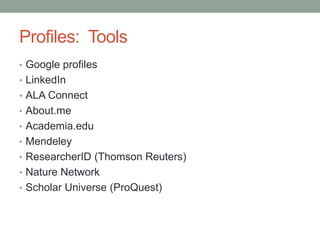
Profiles: Tools
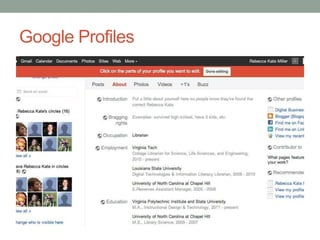
• Google profiles
• LinkedIn
• ALA Connect
• About.me
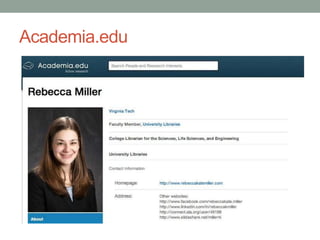
• Academia.edu
• Mendeley
• ResearcherID (Thomson Reuters)
• Nature Network
• Scholar Universe (ProQuest)
Google Profiles
About.me
Academia.edu
Balancing security and privacy issues
• Protecting your computer or other devices
   • In a recent survey, 1/3 of households surveyed experienced a malicious
     software threat, costing them $2.3 billion and causing them to replace 1.3
     million PCs
   • 30% of survey respondents who have bank, medical, and other sensitive data
     on their phones do not secure their phones

• Protecting yourself and your personal information
   • 15% of survey respondents had listed location or travel plans on a social
     network
   • 34% had listed their full birthdate
   • 21% of those with children had posted children’s names and photos


• Removing information from the web
  • Is difficult, if not impossible
  • Consider the Digital Tattoo project: http://digitaltattoo.ubc.ca/
  • Can be requested of Google:
    http://www.google.com/support/webmasters/bin/answer.py?answer=164734
Security and privacy issues: Tools
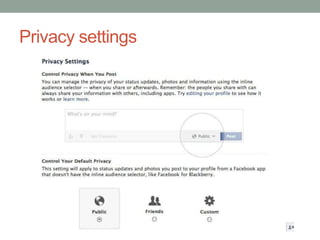
• Security/privacy settings on all accounts
• Placing some sort of restrictions on comments on blogs
  and other accounts
• Common sense


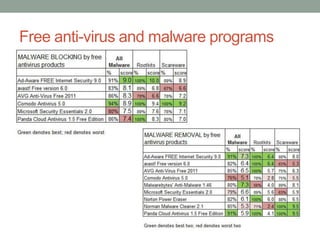
• Anti-virus and malware blocking software
• Regular browser and software updates
• Look for HTTPS
• Complex and unique passwords--OR
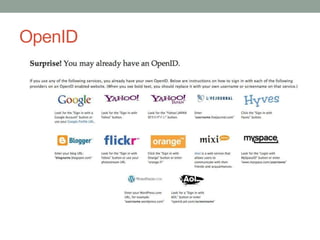
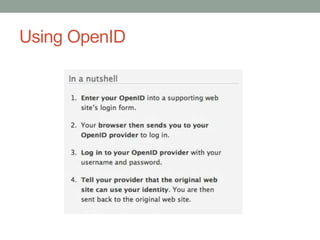
• OpenID
Privacy settings
Free anti-virus and malware programs
OpenID
Using OpenID
Maintenance & vigilance
• Constantly keep an eye on what is out there about you—
 make sure that you catch any incorrect or bad information

• The work you put in to developing an online identity will
 be lost if the information is not maintained and kept up to
 date

• Additionally, think of this step as an “assessment” step—
 who’s looking at your stuff, and why? This can inform
 your future online identity development
Maintenance & vigilance: Tools
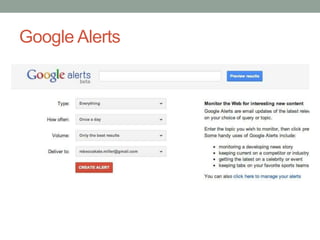
• Google Alerts
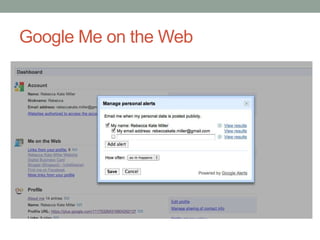
• Google Me on the Web
• Google Scholar Citations (coming soon)
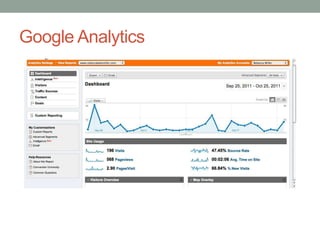
• Google Analytics
• Look for statistic options in other software, such as:
   • WordPress
   • Slideshare
   • About.me
   • …Many social media tools and profiles have a statistics option—
     look for it, and utilize it!
Google Alerts
Google Me on the Web
Google Analytics
Extrapolating the ideas
• Developing an online identity—or brand—for an
 institution, team, or service is very similar

 • Find out your current reputation or identity
 • Develop a consistent message (brand)
 • Use free and flexible tools to deliver the message
 • Keep communication channels active: update
   Facebook, Tweet, and make sure website information is up to date
 • Keep your computer and posting habits secure as possible
 • Be vigilant, maintain information, and keep track of relevant
   statistics
Final Thoughts
• Creating and managing your online identity doesn’t have
 to be hard or time consuming

• Often, just a little work will pay off in big ways


• Many of the tools we looked at are incredibly flexible, so
 capitalize on that

• Balance security and privacy with the information you post
 about yourself, AND OTHERS
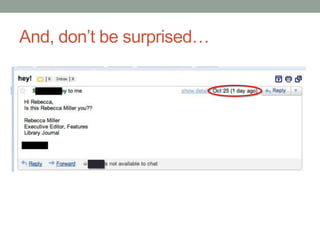
And, don’t be surprised…
Quick Discussion
We’re going low-tech on this one:

What was the most helpful thing we discussed today?

Which tools do you already use or want to know more
about?

What tools do you use that you didn’t see up here?
Questions? Comments?


Thank you!

Rebecca K. Miller
http://www.rebeccakatemiller.com
References & Other Resources
• ACRL New Members Discussion Group. (2011). Tips: Personal Branding and Digital Identities for
    New Librarians. Retrieved from
    http://connect.ala.org/files/66007/acrl_nmdg_alamw11_handout_pdf_68737.pdf
•   Betancourt, L. (2009). A guide to protecting your online identity. Mashable. Retrieved from
    http://mashable.com/2009/04/21/protecting-online-identity/
•   Bell, S. (2011). The WHY of your brand. LibraryJournal.com. Retrieved from
    http://www.libraryjournal.com/lj/communityacademiclibraries/888893-
    419/the_why_of_your_brand.html.csp
•   BNET. (2010). Personal brand. Retrieved from http://www.bnet.com/topics/personal+brand
•   Bradley, T. (2011). 7 hints to stay safe online. PCWorld Business Center. Retrieved from
    http://www.pcworld.com/businesscenter/article/218243/seven_hints_to_stay_safe_online.html
•   Consumer Reports. (2011). Online exposure. Consumer Reports Magazine. Retrieved from
    http://www.consumerreports.org/cro/magazine-archive/2011/june/electronics-computers/state-of-the-
    net/online-exposure/index.htm
•   Digital Tattoo Project. Digital Tattoo. DigitalTattoo.ubc.ca. Retrieved from http://digitaltattoo.ubc.ca/
•   Farkas, M. (2010). Your virtual brand: online presence for professional success. American
    Libraries, 41(3): 28. Retrieved from http://americanlibrariesmagazine.org/columns/your-virtual-
    brand
•   Kim, B. (2011). Surprise—a personal brand is a by-product. Library Hat. Retrieved from
    http://www.bohyunkim.net/blog/archives/1048
References & Other Resources
• Levine, J. (2009). Who is managing your online identity. The Shifted Librarian. Retrieved from
    http://theshiftedlibrarian.com/archives/2009/02/18/who-is-managing-your-online-identity.html
•   Markgren, S. (2011). Ten simple steps to create and manage your professional online identity: how
    to use portfolios and profiles. College & Research Libraries News, 72(1): 31-35. Retrieved from
    http://crln.acrl.org/content/72/1/31.full
•   Miller, R. (2011). Around the web: online identity management. Notes from Newman: HNFE
    Research & Resources. Retrieved from http://hnfelibrarian.blogspot.com/2011/02/around-web-
    online-identity-management.html
•   Putnam, L. (2011). Web reviews: where to start creating your online portfolio. NMRT
    Footnotes, 40(4). Retrieved from
    http://www.ala.org/ala/mgrps/rts/nmrt/news/footnotes/may2011/online_portfolio_putnam.cfm
•   Rubenking, N.J. (2011). The best free antivirus software. PCMag.com Retrieved from
    http://www.pcmag.com/article2/0,2817,2388652,00.asp#fbid=kHnXan2I05x
•   Salpeter, M. (2011). How to improve your online identity. U.S. News, Money. Retrieved from
    http://money.usnews.com/money/blogs/outside-voices-careers/2011/03/30/how-to-improve-your-
    online-identity
•   Schawbel, D. (2009). Personal branding 101: how to discover and create your brand. Mashable
    Business. Retrieved from http://mashable.com/2009/02/05/personal-branding-101/
•   Swoger, B. (2011). Managing your scholarly identity. The Undergraduate Science Librarian.
    Retrieved from http://undergraduatesciencelibrarian.wordpress.com/2011/01/12/managing-your-
    scholarly-identity/

Sustaining Your Digital Identity

  • 1.
  • 2.
    Quick Poll Text youranswer (code below) to: 37607 OR Visit http://pollev.com and enter the code below What types of librarians are here today? Public: 123516 Academic: 125698 School: 125708 Special: 126824 Other: 199226
  • 3.
    This presentation isavailable on slideshare: http://www.slideshare.net/millerrk/presentations
  • 6.
  • 7.
    Why? • 45-89% ofemployers use and rely on social networking sites to investigate candidates • 75% of HR departments are expected to research candidates online • 90% of search-firm recruiters rely on Google to view a “complete” portrait of candidates
  • 8.
    Furthermore… • Augment yournetworking • Find collaborators and a community • Make a name for yourself (self-promote!) • Make yourself more visible to your users • Eliminate professional misidentification • Contribute to the profession • Engage in meaningful professional discussion
  • 9.
    Quick Poll Text youranswer (code below) to: 37607 OR Visit http://pollev.com and enter the code below Do you already have an online identity? Yes 199277 No 199280 Probably-I’m not really sure, though 199281
  • 10.
  • 11.
    How to begin •Understand that you already have an online identity • Make the conscious decision to develop that identity • Search for what’s already out there • Consider the false dichotomy of personal v. professional on the web • Think about personal branding (proactive online identity management) • Use online portfolios (websites) • Pull it all together with profiles • Be aware of security and privacy issues • Follow up, maintain your information, and be vigilant
  • 12.
    Who are you(on the web)? Still not me
  • 13.
    Searching: Tools •Google • Pipl • Social networking sites (more to come)
  • 14.
    “…the line betweenpersonal and professional no longer exists…” (Markgren)
  • 15.
    “The public expressionand projection of an individual’s identity, personality, values, skills, and abilities.” (BNET) • Keep consistent: • Visual image • Identification • Message/vision • Skills • Goal • Interests & passions “A personal brand is a by-product, not an end itself.” (Kim)
  • 16.
    Personal branding: Example Bobbi Newman: aka Librarian By Day Various social media outlets, same name and photo
  • 17.
    Personal branding: Tools • Identification • Social media & • Your vision and mission communication statements platforms • Consistent headshot • Facebook • Unique image or • Google+ graphic • LinkedIn • Slideshare • Twitter • Tumblr • WordPress, Blogger • Goodreads • Delicious
  • 18.
    Managing your socialmedia • Chances are, you are active (or will be active) on a number of social media platforms • Use management tools like HootSuite, TweetDeck, or Ping.fm • Also aids in consistent communication
  • 19.
    Online portfolios/websites (What is)the future of the CV and the resume (?) Creating a personal space to showcase your ideas, vision, work, and experience requires little more than a computer and an internet connection ePortfolios are now required in many higher education institutions enabling students to: Showcase their relevant work/coursework Demonstrate a range of skills Have a positive online identity
  • 20.
  • 21.
  • 22.
    Online portfolios: Tools •Free and easy site building tools • Google Sites • Kafafa • Wix • Weebly • Tools that can also be used as websites • WordPress or Blogger • Tumblr • Hint: pay attention to the domain name • Free sites often give you the option to upgrade to a unique domain name that you have purchased for a minimal annual fee • If you can, use the name you’ve selected for everything else
  • 23.
  • 24.
  • 25.
  • 26.
    Quick Poll Text youranswer (code below) to: 37607 OR Visit http://pollev.com and enter the code below How many of these social media or portfolio tools do you use? None 62558 1-2 62559 3-5 62560 More than 5 62563
  • 27.
    Profiles • Online profilescan pull together your various communication platforms and online portfolio(s) • They also make you more visible, since most are indexed by major search engines
  • 28.
  • 29.
    Profiles: Tools • Googleprofiles • LinkedIn • ALA Connect • About.me • Academia.edu • Mendeley • ResearcherID (Thomson Reuters) • Nature Network • Scholar Universe (ProQuest)
  • 30.
  • 31.
  • 32.
  • 33.
    Balancing security andprivacy issues • Protecting your computer or other devices • In a recent survey, 1/3 of households surveyed experienced a malicious software threat, costing them $2.3 billion and causing them to replace 1.3 million PCs • 30% of survey respondents who have bank, medical, and other sensitive data on their phones do not secure their phones • Protecting yourself and your personal information • 15% of survey respondents had listed location or travel plans on a social network • 34% had listed their full birthdate • 21% of those with children had posted children’s names and photos • Removing information from the web • Is difficult, if not impossible • Consider the Digital Tattoo project: http://digitaltattoo.ubc.ca/ • Can be requested of Google: http://www.google.com/support/webmasters/bin/answer.py?answer=164734
  • 34.
    Security and privacyissues: Tools • Security/privacy settings on all accounts • Placing some sort of restrictions on comments on blogs and other accounts • Common sense • Anti-virus and malware blocking software • Regular browser and software updates • Look for HTTPS • Complex and unique passwords--OR • OpenID
  • 35.
  • 36.
    Free anti-virus andmalware programs
  • 37.
  • 38.
  • 39.
    Maintenance & vigilance •Constantly keep an eye on what is out there about you— make sure that you catch any incorrect or bad information • The work you put in to developing an online identity will be lost if the information is not maintained and kept up to date • Additionally, think of this step as an “assessment” step— who’s looking at your stuff, and why? This can inform your future online identity development
  • 40.
    Maintenance & vigilance:Tools • Google Alerts • Google Me on the Web • Google Scholar Citations (coming soon) • Google Analytics • Look for statistic options in other software, such as: • WordPress • Slideshare • About.me • …Many social media tools and profiles have a statistics option— look for it, and utilize it!
  • 41.
  • 42.
    Google Me onthe Web
  • 43.
  • 44.
    Extrapolating the ideas •Developing an online identity—or brand—for an institution, team, or service is very similar • Find out your current reputation or identity • Develop a consistent message (brand) • Use free and flexible tools to deliver the message • Keep communication channels active: update Facebook, Tweet, and make sure website information is up to date • Keep your computer and posting habits secure as possible • Be vigilant, maintain information, and keep track of relevant statistics
  • 45.
    Final Thoughts • Creatingand managing your online identity doesn’t have to be hard or time consuming • Often, just a little work will pay off in big ways • Many of the tools we looked at are incredibly flexible, so capitalize on that • Balance security and privacy with the information you post about yourself, AND OTHERS
  • 46.
    And, don’t besurprised…
  • 47.
    Quick Discussion We’re goinglow-tech on this one: What was the most helpful thing we discussed today? Which tools do you already use or want to know more about? What tools do you use that you didn’t see up here?
  • 48.
    Questions? Comments? Thank you! RebeccaK. Miller http://www.rebeccakatemiller.com
  • 49.
    References & OtherResources • ACRL New Members Discussion Group. (2011). Tips: Personal Branding and Digital Identities for New Librarians. Retrieved from http://connect.ala.org/files/66007/acrl_nmdg_alamw11_handout_pdf_68737.pdf • Betancourt, L. (2009). A guide to protecting your online identity. Mashable. Retrieved from http://mashable.com/2009/04/21/protecting-online-identity/ • Bell, S. (2011). The WHY of your brand. LibraryJournal.com. Retrieved from http://www.libraryjournal.com/lj/communityacademiclibraries/888893- 419/the_why_of_your_brand.html.csp • BNET. (2010). Personal brand. Retrieved from http://www.bnet.com/topics/personal+brand • Bradley, T. (2011). 7 hints to stay safe online. PCWorld Business Center. Retrieved from http://www.pcworld.com/businesscenter/article/218243/seven_hints_to_stay_safe_online.html • Consumer Reports. (2011). Online exposure. Consumer Reports Magazine. Retrieved from http://www.consumerreports.org/cro/magazine-archive/2011/june/electronics-computers/state-of-the- net/online-exposure/index.htm • Digital Tattoo Project. Digital Tattoo. DigitalTattoo.ubc.ca. Retrieved from http://digitaltattoo.ubc.ca/ • Farkas, M. (2010). Your virtual brand: online presence for professional success. American Libraries, 41(3): 28. Retrieved from http://americanlibrariesmagazine.org/columns/your-virtual- brand • Kim, B. (2011). Surprise—a personal brand is a by-product. Library Hat. Retrieved from http://www.bohyunkim.net/blog/archives/1048
  • 50.
    References & OtherResources • Levine, J. (2009). Who is managing your online identity. The Shifted Librarian. Retrieved from http://theshiftedlibrarian.com/archives/2009/02/18/who-is-managing-your-online-identity.html • Markgren, S. (2011). Ten simple steps to create and manage your professional online identity: how to use portfolios and profiles. College & Research Libraries News, 72(1): 31-35. Retrieved from http://crln.acrl.org/content/72/1/31.full • Miller, R. (2011). Around the web: online identity management. Notes from Newman: HNFE Research & Resources. Retrieved from http://hnfelibrarian.blogspot.com/2011/02/around-web- online-identity-management.html • Putnam, L. (2011). Web reviews: where to start creating your online portfolio. NMRT Footnotes, 40(4). Retrieved from http://www.ala.org/ala/mgrps/rts/nmrt/news/footnotes/may2011/online_portfolio_putnam.cfm • Rubenking, N.J. (2011). The best free antivirus software. PCMag.com Retrieved from http://www.pcmag.com/article2/0,2817,2388652,00.asp#fbid=kHnXan2I05x • Salpeter, M. (2011). How to improve your online identity. U.S. News, Money. Retrieved from http://money.usnews.com/money/blogs/outside-voices-careers/2011/03/30/how-to-improve-your- online-identity • Schawbel, D. (2009). Personal branding 101: how to discover and create your brand. Mashable Business. Retrieved from http://mashable.com/2009/02/05/personal-branding-101/ • Swoger, B. (2011). Managing your scholarly identity. The Undergraduate Science Librarian. Retrieved from http://undergraduatesciencelibrarian.wordpress.com/2011/01/12/managing-your- scholarly-identity/