A Bibliographic Playlist:  Online Reference, Recommender, & Collaborative Academic Tools Lorena O’English http://pbj.ctlt.wsu.edu/oenglish [email_address]   Yahoo/MSN/AIM IM: wsulorena
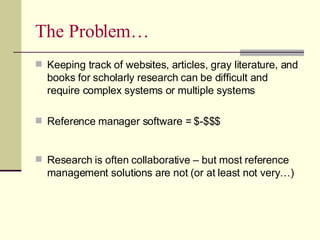
The Problem… Keeping track of websites, articles, gray literature, and books for scholarly research can be difficult and require complex systems or multiple systems Reference manager software = $-$$$ Research is often collaborative – but most reference management solutions are not (or at least not very…)
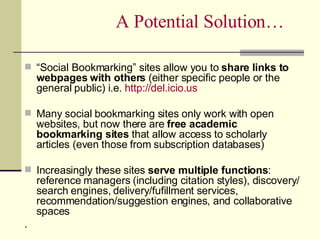
A Potential Solution… “ Social Bookmarking” sites allow you to  share links to webpages with others  (either specific people or the general public) i.e.  http:// del.icio.us Many social bookmarking sites only work with open websites, but now there are  free academic bookmarking sites  that allow access to scholarly articles (even those from subscription databases) Increasingly these sites  serve multiple functions : reference managers (including citation styles), discovery/ search engines, delivery/fufillment services, recommendation/suggestion engines, and collaborative spaces .
Obligatory Technical/Vocabulary Slides
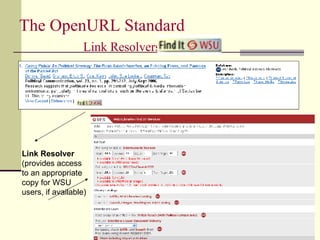
The OpenURL Standard  Link Resolvers and   Link Resolver (provides access to an appropriate copy for WSU users, if available)
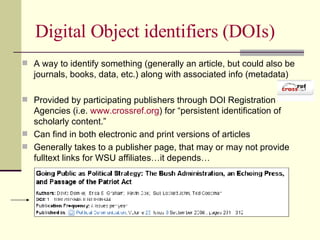
Digital Object identifiers (DOIs) A way to identify something (generally an article, but could also be journals, books, data, etc.) along with associated info (metadata)  Provided by participating publishers through DOI Registration Agencies (i.e.  www.crossref.org ) for “persistent identification of scholarly content.”  Can find in both electronic and print versions of articles Generally takes to a publisher page, that may or may not provide fulltext links for WSU affiliates…it depends…
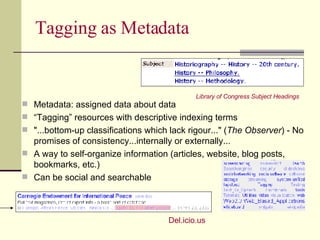
Tagging as Metadata Metadata: assigned data about data “ Tagging” resources with descriptive indexing terms "...bottom-up classifications which lack rigour..." ( The Observer ) - No promises of consistency...internally or externally...  A way to self-organize information (articles, website, blog posts, bookmarks, etc.)  Can be social and searchable Library of Congress Subject Headings Del.icio.us
The Tools Endnote Web  (www.myendnoteweb.com) Zotero  (www.zotero.org) Connotea  (www.connotea.org) And CiteULike And RefWorks, EndNote, ProCite…
EndNote Web Good for current EndNote users Web version provided free to all WSU affiliates via the WSU Libraries subscription to Web of Science Librarian Jane Scales teaches EndNote Web classes via WSU’s HRS training office http://wiki.wsu.edu/wsuwiki/Endnote_Web
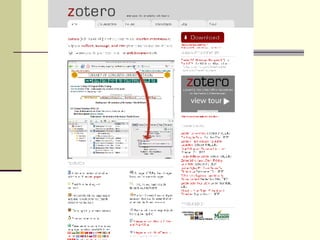
Available as a Firefox 2.0 extension Based on your computer, but can be loaded on a flash drive for portability and record transfer. Can use with all open webpages, and many/most WSU Libraries article databases via OpenURL/  Find it@WSU . Allows tags, notes, and screenshots to be associated with articles & other resources Can import and export citations to EndNote, RIS and other reference manager formats using multiple citation styles; includes Microsoft Word plug-in for attaching citations (in correct style) to documents Can attach (and search) associated PDFs From the Center for History and New Media, at George Mason University.  Forthcoming: Web-based, collaborative and recommender capabilities…
 
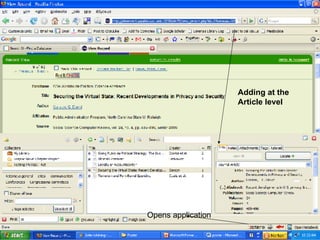
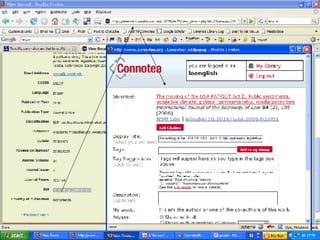
Adding at the  Article level Opens application
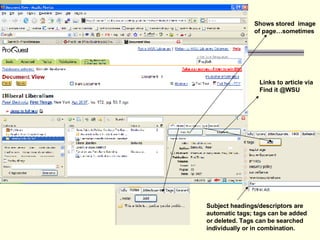
Shows stored  image  of page…sometimes Links to article via  Find it @WSU  Subject headings/descriptors are  automatic tags; tags can be added  or deleted. Tags can be searched  individually or in combination.
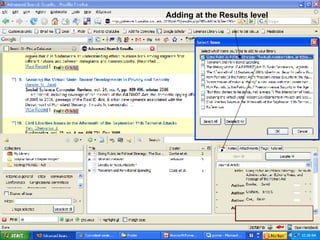
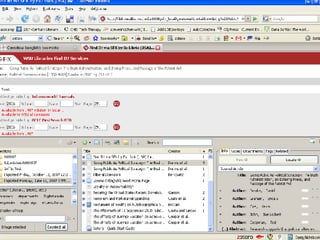
Adding at the Results level
 
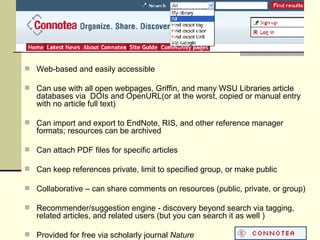
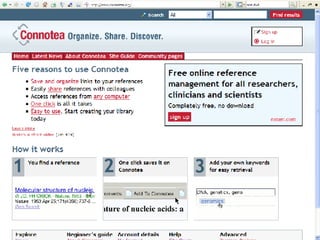
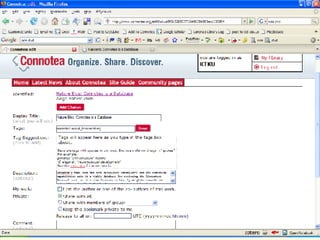
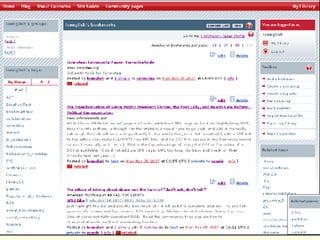
Web-based and easily accessible Can use with all open webpages, Griffin, and many WSU Libraries article databases via  DOIs and OpenURL(or at the worst, copied or manual entry with no article full text) Can import and export to EndNote, RIS, and other reference manager formats; resources can be archived Can attach PDF files for specific articles Can keep references private, limit to specified group, or make public Collaborative – can share comments on resources (public, private, or group) Recommender/suggestion engine - discovery beyond search via tagging, related articles, and related users (but you can search it as well ) Provided for free via scholarly journal  Nature


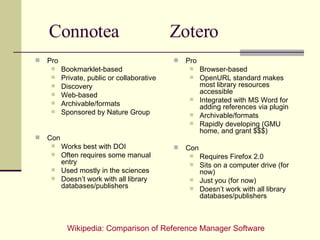
Connotea  Zotero Pro Bookmarklet-based Private, public or collaborative  Discovery Web-based Archivable/formats Sponsored by Nature Group Con Works best with DOI Often requires some manual entry Used mostly in the sciences Doesn’t work with all library databases/publishers Pro Browser-based OpenURL standard makes most library resources accessible Integrated with MS Word for adding references via plugin Archivable/formats Rapidly developing (GMU home, and grant $$$) Con Requires Firefox 2.0 Sits on a computer drive (for now) Just you (for now) Doesn’t work with all library databases/publishers Wikipedia: Comparison of Reference Manager Software
Takeaways HRS Classes starting in the spring Tailored workshops for graduate student groups, etc. available on request (oenglish@wsu.edu) Want to try it on your own? IMPORTANT : These resources are  NOT  formally supported by the WSU Libraries!

A Bibliographic Playlist: Online Reference, Recommender, & Collaborative Academic Tools

  • 1.
    A Bibliographic Playlist: Online Reference, Recommender, & Collaborative Academic Tools Lorena O’English http://pbj.ctlt.wsu.edu/oenglish [email_address] Yahoo/MSN/AIM IM: wsulorena
  • 2.
    The Problem… Keepingtrack of websites, articles, gray literature, and books for scholarly research can be difficult and require complex systems or multiple systems Reference manager software = $-$$$ Research is often collaborative – but most reference management solutions are not (or at least not very…)
  • 3.
    A Potential Solution…“ Social Bookmarking” sites allow you to share links to webpages with others (either specific people or the general public) i.e. http:// del.icio.us Many social bookmarking sites only work with open websites, but now there are free academic bookmarking sites that allow access to scholarly articles (even those from subscription databases) Increasingly these sites serve multiple functions : reference managers (including citation styles), discovery/ search engines, delivery/fufillment services, recommendation/suggestion engines, and collaborative spaces .
  • 4.
  • 5.
    The OpenURL Standard Link Resolvers and Link Resolver (provides access to an appropriate copy for WSU users, if available)
  • 6.
    Digital Object identifiers(DOIs) A way to identify something (generally an article, but could also be journals, books, data, etc.) along with associated info (metadata) Provided by participating publishers through DOI Registration Agencies (i.e. www.crossref.org ) for “persistent identification of scholarly content.” Can find in both electronic and print versions of articles Generally takes to a publisher page, that may or may not provide fulltext links for WSU affiliates…it depends…
  • 7.
    Tagging as MetadataMetadata: assigned data about data “ Tagging” resources with descriptive indexing terms "...bottom-up classifications which lack rigour..." ( The Observer ) - No promises of consistency...internally or externally... A way to self-organize information (articles, website, blog posts, bookmarks, etc.) Can be social and searchable Library of Congress Subject Headings Del.icio.us
  • 8.
    The Tools EndnoteWeb (www.myendnoteweb.com) Zotero (www.zotero.org) Connotea (www.connotea.org) And CiteULike And RefWorks, EndNote, ProCite…
  • 9.
    EndNote Web Goodfor current EndNote users Web version provided free to all WSU affiliates via the WSU Libraries subscription to Web of Science Librarian Jane Scales teaches EndNote Web classes via WSU’s HRS training office http://wiki.wsu.edu/wsuwiki/Endnote_Web
  • 10.
    Available as aFirefox 2.0 extension Based on your computer, but can be loaded on a flash drive for portability and record transfer. Can use with all open webpages, and many/most WSU Libraries article databases via OpenURL/ Find it@WSU . Allows tags, notes, and screenshots to be associated with articles & other resources Can import and export citations to EndNote, RIS and other reference manager formats using multiple citation styles; includes Microsoft Word plug-in for attaching citations (in correct style) to documents Can attach (and search) associated PDFs From the Center for History and New Media, at George Mason University. Forthcoming: Web-based, collaborative and recommender capabilities…
  • 11.
  • 12.
    Adding at the Article level Opens application
  • 13.
    Shows stored image of page…sometimes Links to article via Find it @WSU Subject headings/descriptors are automatic tags; tags can be added or deleted. Tags can be searched individually or in combination.
  • 14.
    Adding at theResults level
  • 15.
  • 16.
    Web-based and easilyaccessible Can use with all open webpages, Griffin, and many WSU Libraries article databases via DOIs and OpenURL(or at the worst, copied or manual entry with no article full text) Can import and export to EndNote, RIS, and other reference manager formats; resources can be archived Can attach PDF files for specific articles Can keep references private, limit to specified group, or make public Collaborative – can share comments on resources (public, private, or group) Recommender/suggestion engine - discovery beyond search via tagging, related articles, and related users (but you can search it as well ) Provided for free via scholarly journal Nature
  • 17.
  • 18.
  • 19.
  • 20.
  • 21.
    Connotea ZoteroPro Bookmarklet-based Private, public or collaborative Discovery Web-based Archivable/formats Sponsored by Nature Group Con Works best with DOI Often requires some manual entry Used mostly in the sciences Doesn’t work with all library databases/publishers Pro Browser-based OpenURL standard makes most library resources accessible Integrated with MS Word for adding references via plugin Archivable/formats Rapidly developing (GMU home, and grant $$$) Con Requires Firefox 2.0 Sits on a computer drive (for now) Just you (for now) Doesn’t work with all library databases/publishers Wikipedia: Comparison of Reference Manager Software
  • 22.
    Takeaways HRS Classesstarting in the spring Tailored workshops for graduate student groups, etc. available on request (oenglish@wsu.edu) Want to try it on your own? IMPORTANT : These resources are NOT formally supported by the WSU Libraries!