
S
Skills Refresher:
Bibliographic
Management
Writing Workshop Series
Marriott Library, University of Utah
Rebekah Cummings
July 16, 2015
Overview
S Introduction (10 minutes)
S Searching Library Databases (20 minutes)
S Bibliographic Management (40 minutes)
S Time set aside to search on your topic (20
minutes)
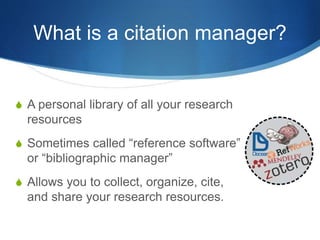
What is a citation manager?
S A personal library of all your research
resources
S Sometimes called “reference software”
or “bibliographic manager”
S Allows you to collect, organize, cite,
and share your research resources.
Citation software allows you
to…
S Import citations directly from databases and
websites
S Build and organize bibliographies over the life
of your research
S Format (and reformat) citations for papers
S Take notes on articles and save them in
your collection
S Save and organize research files like PDFs
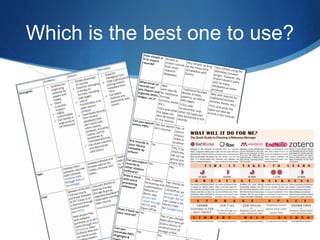
Which is the best one to use?
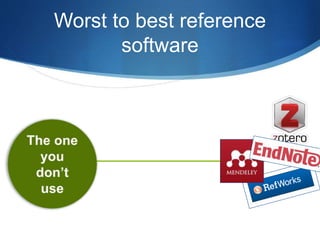
Worst to best reference
software
Zotero
S Open source, free software developed at the Roy Rosenzweig
Center for History and New Media (GMU)
S Download and use on Firefox (with plug-ins for Chrome and
Safari)
S BENEFIT: Saves citations in the browser with a single click
S Great for collaborative work and has an easy learning curve
Three components of Zotero
S Zotero.org – download software and set up
your online account and preferences
S Zotero for Firefox (application) – where
you manage your library
S Zotero plug-in for Word – how your
reference library interacts with Microsoft
Word so you can automagically plug
references into your papers
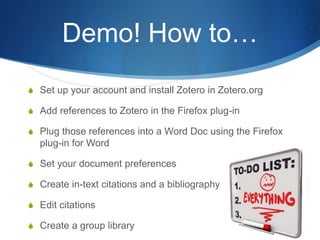
Demo! How to…
S Set up your account and install Zotero in Zotero.org
S Add references to Zotero in the Firefox plug-in
S Plug those references into a Word Doc using the Firefox
plug-in for Word
S Set your document preferences
S Create in-text citations and a bibliography
S Edit citations
S Create a group library
Let’s go!
In Firefox:
https://www.zotero.org/
EndNote
S Bibliographic software tool by Thomson Reuters
S Commercial product but there is a free version (EndNote Web)
S Longer learning curve but powerful interface
S BENEFIT: Search databases directly through EndNote
S BENEFIT: Save references directly from Usearch!
Three components of EndNote
S Myendnoteweb.com – set up your account and
preferences; can manage your library here as well.
S EndNote X7 desktop application – unlike Zotero,
not browser specific – can manage your library here
S Cite While You Write – in the “Tools” menu in
Word. Interacts with Microsoft Word so you can
automatically plug references into your papers
Demo! How to…
S Set up your account at myendnoteweb.com and
check for EndNote desktop on your computer
S Add references to EndNote using Usearch
S Plug those references into a Word Doc using Cite
While You Write feature
S Format bibliography
S Create in-text citations and a bibliography
S Move citations from one citation manager to another
Let’s go!
myendnoteweb.com
Additional training
S EndNote Subject Guide
S Additional Zotero and EndNote training
opportunities this fall – stay tuned!
S Contact me with questions:
S Rebekah.cummings@utah.edu
S 1705Y
S 801-581-7701
Hands-on practice
S 20 minutes to practice these skills
S Search databases and add citations to your
online library
S Ask questions!

Bibliographic Management

  • 1.
    S Skills Refresher: Bibliographic Management Writing WorkshopSeries Marriott Library, University of Utah Rebekah Cummings July 16, 2015
  • 2.
    Overview S Introduction (10minutes) S Searching Library Databases (20 minutes) S Bibliographic Management (40 minutes) S Time set aside to search on your topic (20 minutes)
  • 3.
    What is acitation manager? S A personal library of all your research resources S Sometimes called “reference software” or “bibliographic manager” S Allows you to collect, organize, cite, and share your research resources.
  • 4.
    Citation software allowsyou to… S Import citations directly from databases and websites S Build and organize bibliographies over the life of your research S Format (and reformat) citations for papers S Take notes on articles and save them in your collection S Save and organize research files like PDFs
  • 5.
    Which is thebest one to use?
  • 6.
    Worst to bestreference software
  • 7.
    Zotero S Open source,free software developed at the Roy Rosenzweig Center for History and New Media (GMU) S Download and use on Firefox (with plug-ins for Chrome and Safari) S BENEFIT: Saves citations in the browser with a single click S Great for collaborative work and has an easy learning curve
  • 8.
    Three components ofZotero S Zotero.org – download software and set up your online account and preferences S Zotero for Firefox (application) – where you manage your library S Zotero plug-in for Word – how your reference library interacts with Microsoft Word so you can automagically plug references into your papers
  • 9.
    Demo! How to… SSet up your account and install Zotero in Zotero.org S Add references to Zotero in the Firefox plug-in S Plug those references into a Word Doc using the Firefox plug-in for Word S Set your document preferences S Create in-text citations and a bibliography S Edit citations S Create a group library
  • 10.
  • 11.
    EndNote S Bibliographic softwaretool by Thomson Reuters S Commercial product but there is a free version (EndNote Web) S Longer learning curve but powerful interface S BENEFIT: Search databases directly through EndNote S BENEFIT: Save references directly from Usearch!
  • 12.
    Three components ofEndNote S Myendnoteweb.com – set up your account and preferences; can manage your library here as well. S EndNote X7 desktop application – unlike Zotero, not browser specific – can manage your library here S Cite While You Write – in the “Tools” menu in Word. Interacts with Microsoft Word so you can automatically plug references into your papers
  • 13.
    Demo! How to… SSet up your account at myendnoteweb.com and check for EndNote desktop on your computer S Add references to EndNote using Usearch S Plug those references into a Word Doc using Cite While You Write feature S Format bibliography S Create in-text citations and a bibliography S Move citations from one citation manager to another
  • 14.
  • 15.
    Additional training S EndNoteSubject Guide S Additional Zotero and EndNote training opportunities this fall – stay tuned! S Contact me with questions: S Rebekah.cummings@utah.edu S 1705Y S 801-581-7701
  • 16.
    Hands-on practice S 20minutes to practice these skills S Search databases and add citations to your online library S Ask questions!

Editor's Notes

  • #2 All writing starts first of all with a good idea. You know what you want to write about, but before you get started it is important to to know what other people have said about your topic. It’s important to do your lit review and to organize the resources that you plan on using in your publications. To do this effectively you should use a citation manager.
  • #4 Most of us read stuff everyday. We get articles through listserv and Twitter. Some of us read journals or books. And we think that magically we sit down to write, we are going to remember all the things we read, including that really great quote from that really great article. The reality is that you are not. But citation managers give you a much better shot at finding them later when you need them.
  • #5 Some people think that they don’t need a citation manager because they know how to format citations. It might have been hard to learn to format citations, all those rules! Now I’m telling you that you can just forget all that? Not exactly. While it’s possible to have your own system for organizing your citations, it is so much easier to create and cite references with software. Import citations directly from databases and websites – Rather than having to write down or copy citation, you can save citations with a single click. All the structured metadata for most of the things you want to cite has already been lovingly curated by librarians. Take advantage of that and capture the metadata automatically rather than doing it all again from scratch. Build and organize your bibliographies over the life of your research – For most of us, research is never just for one paper. What you know about a subject builds over a lifetime. Using reference manager software allows you to capture that research in one place so that you can find it five years down the road when you are writing a different paper. I as lucky in grad school I saved all the syllabi from my different courses in reference software because I certainly don’t have the paper syllabus that was passes out. I don’t even have the computer I worked on in grad school. What I do have is all the readings from my classes organized in my Zotero library. Format (and reformat citations) – This is one of the main reasons you should use reference software. Formatting citations is a pain. So many rules and so many citation formats. Personally I have better things to do than remember whether or not something should be italicized or whether you use the entire first name or initials. My favorite anecdote about this is that I was once a personal assistant for a professor and as part of that job I did all her citation work. 72 pages bibliography. You don’t always know where your work will be published and what format they will require. Take notes on articles and save them in your collection (including quotes)
  • #6 Hopefully most of you are thinking, yes, I should use a citation manager! If you look online you will find dozens of compare and contrast charts that discuss which citation manager is best for you. EndNote is extremely powerful while Zotero is easy to use. Some cost money, some don’t. Some make it easier to share your research, which others are just for your personal library. Here is the reality….
  • #7 I created my own graphic that represents which software is best for you. The one you will actually use! Most citation managers now are really, really good. As University of Utah staff and faculty you likely have free access to some version of all of them up to a certain amount of storage space. The one you use will likely be because of personal preference. We are going to talk about two citation managers today, Zotero and EndNote.
  • #8 First we are going to explore the reference software that I use, which is Zotero. Strong user community
  • #9 I truly feel like the worst part of starting to use reference software is understanding how all the pieces fit together.
  • #14 Show new Match feature