Download as PDF, PPTX


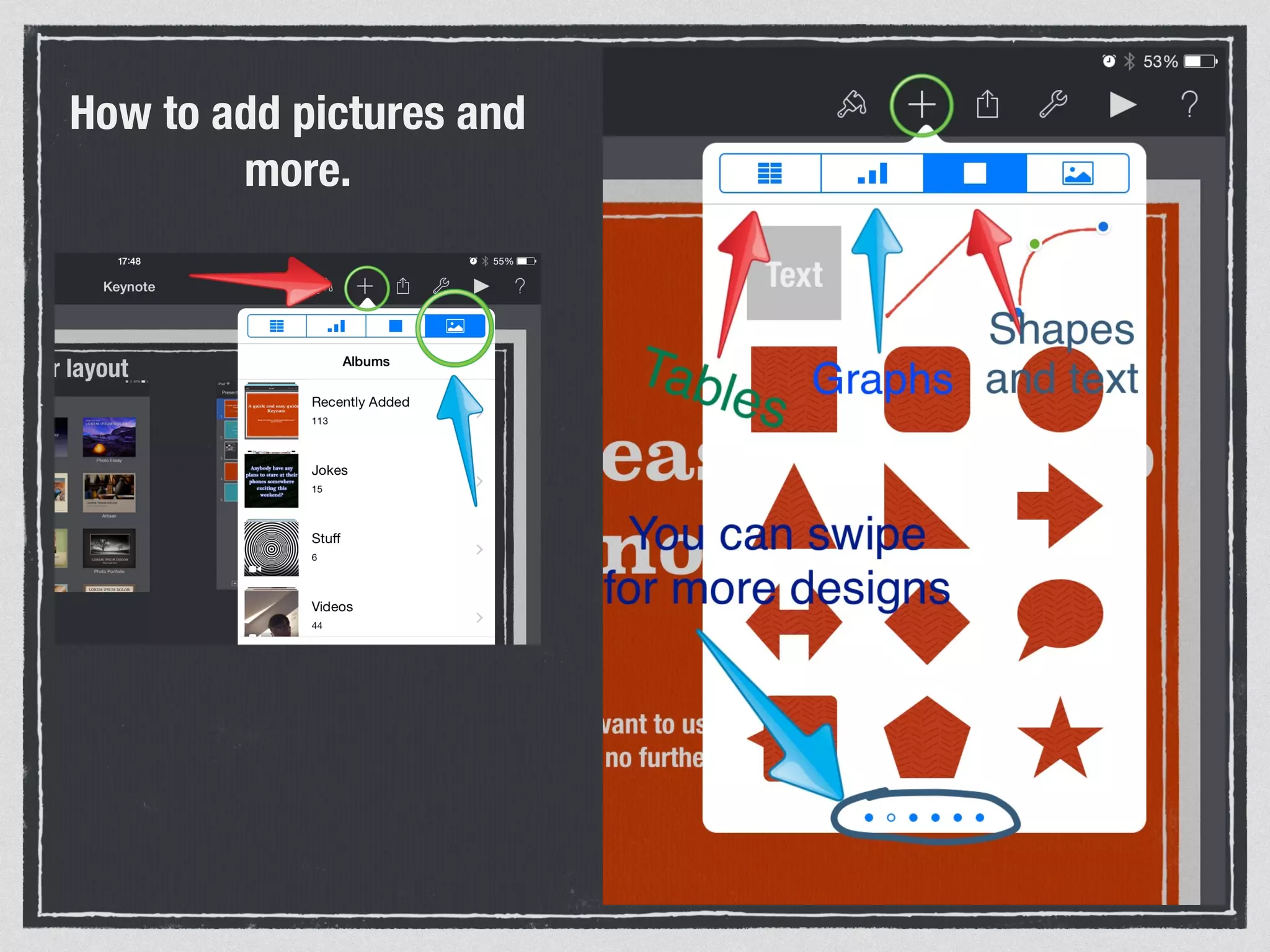
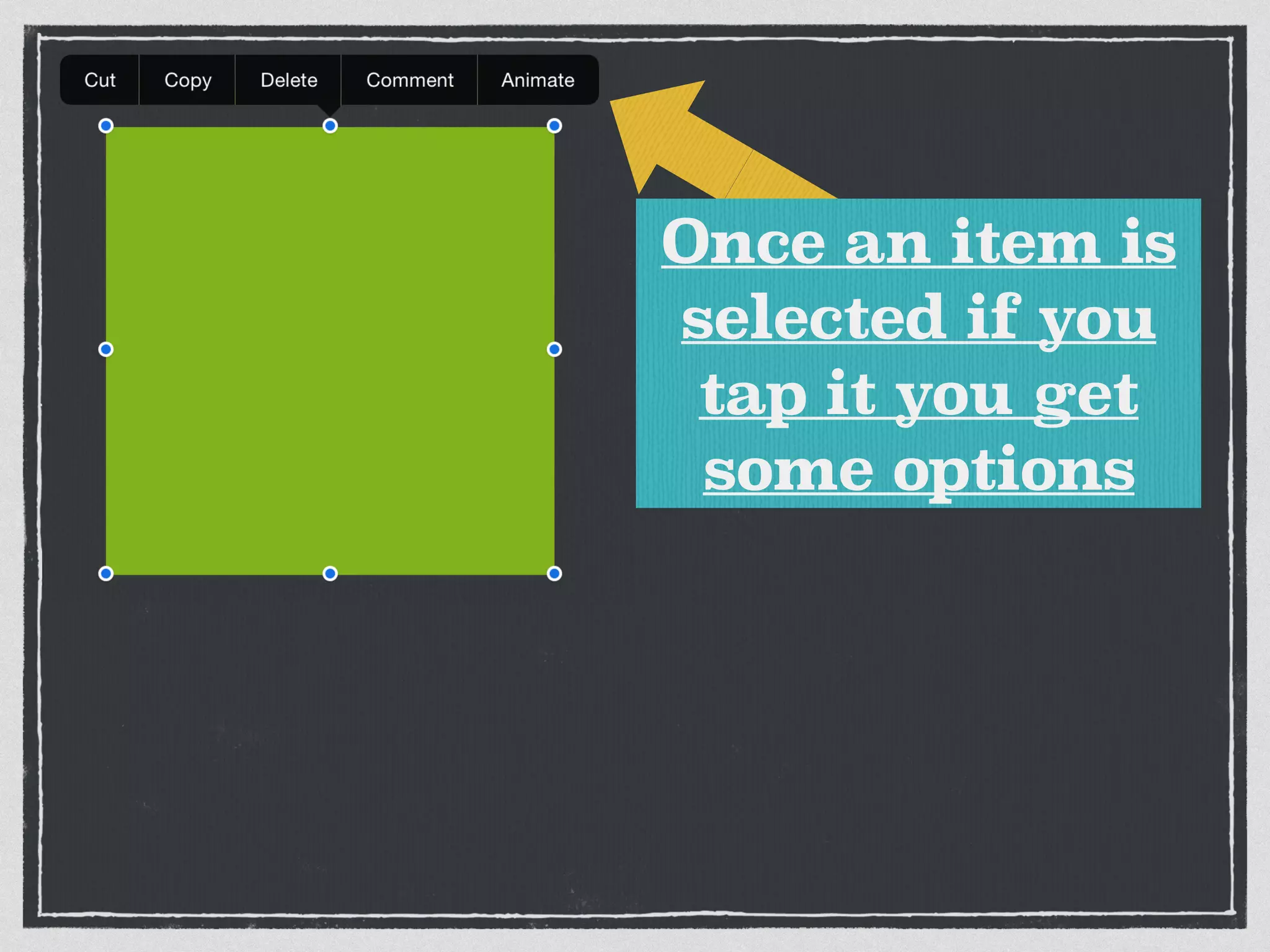


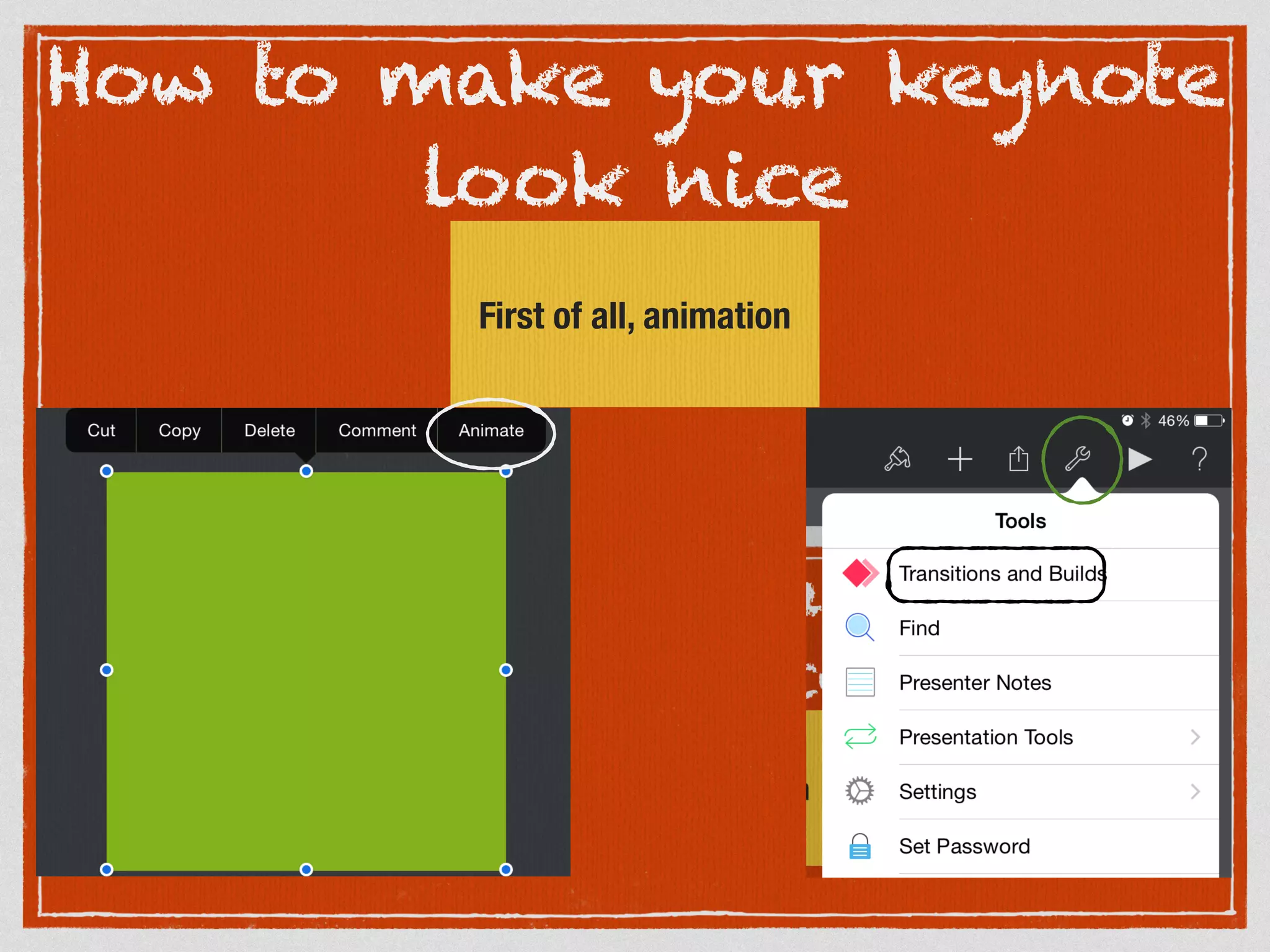
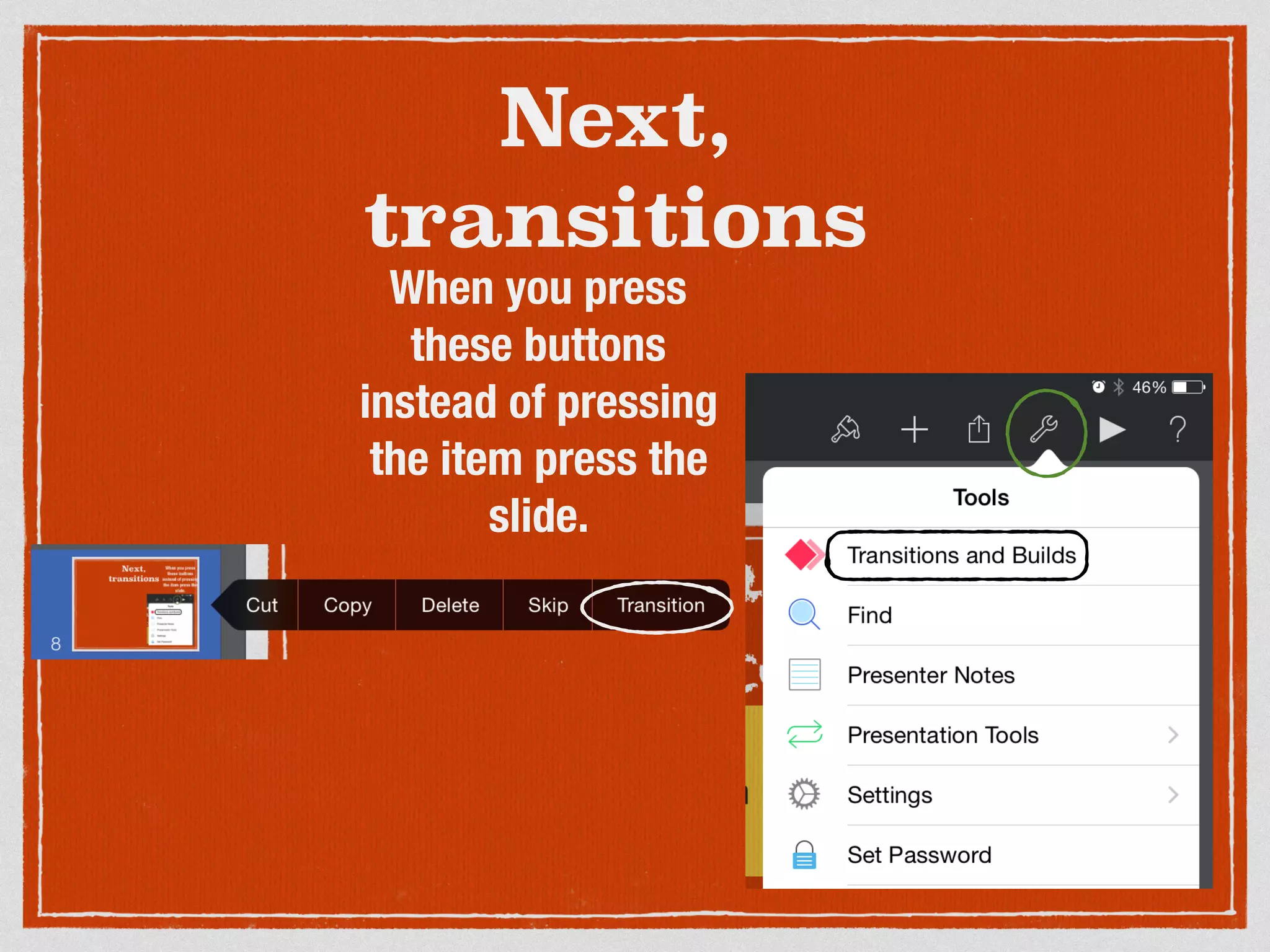
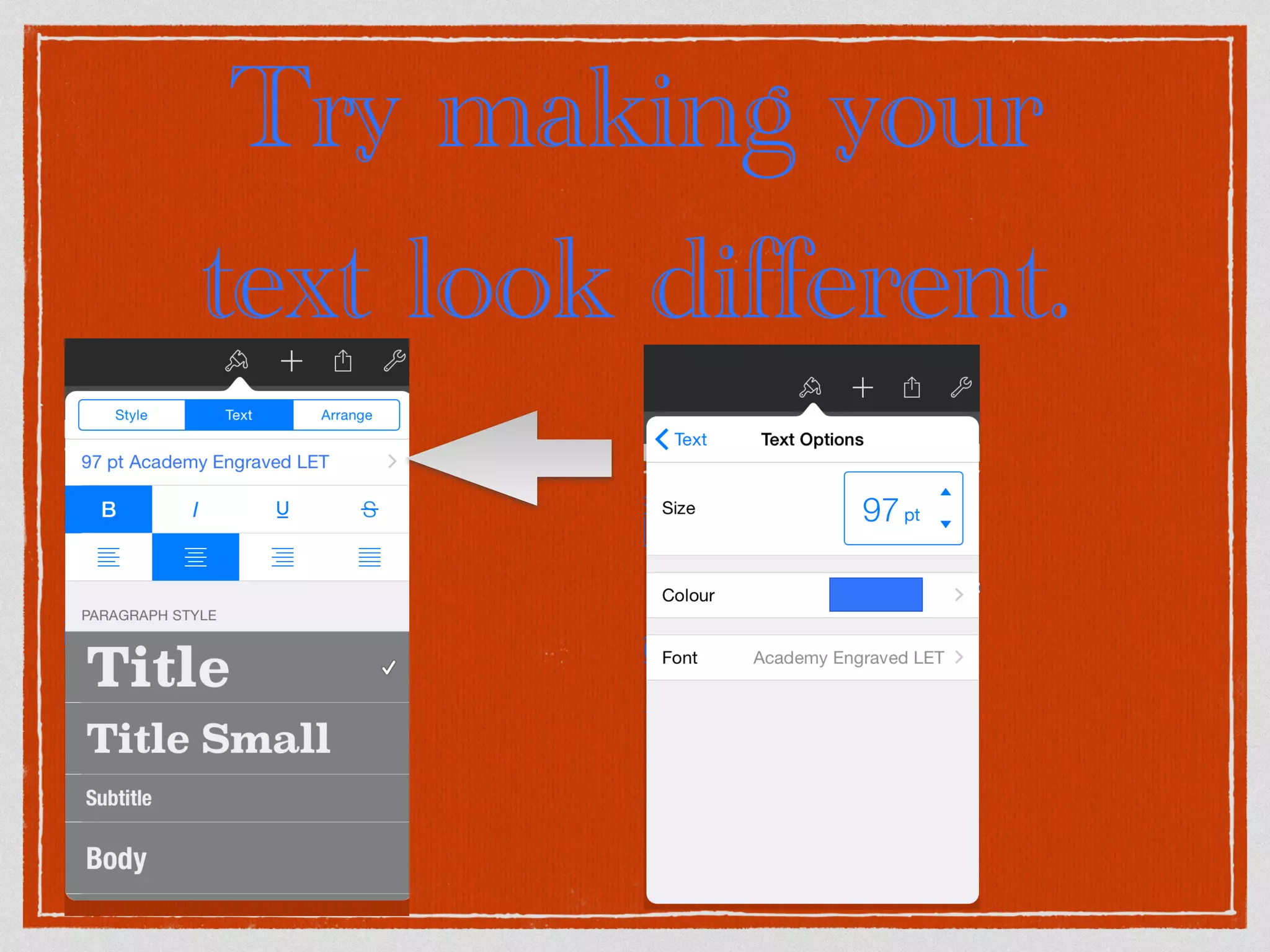
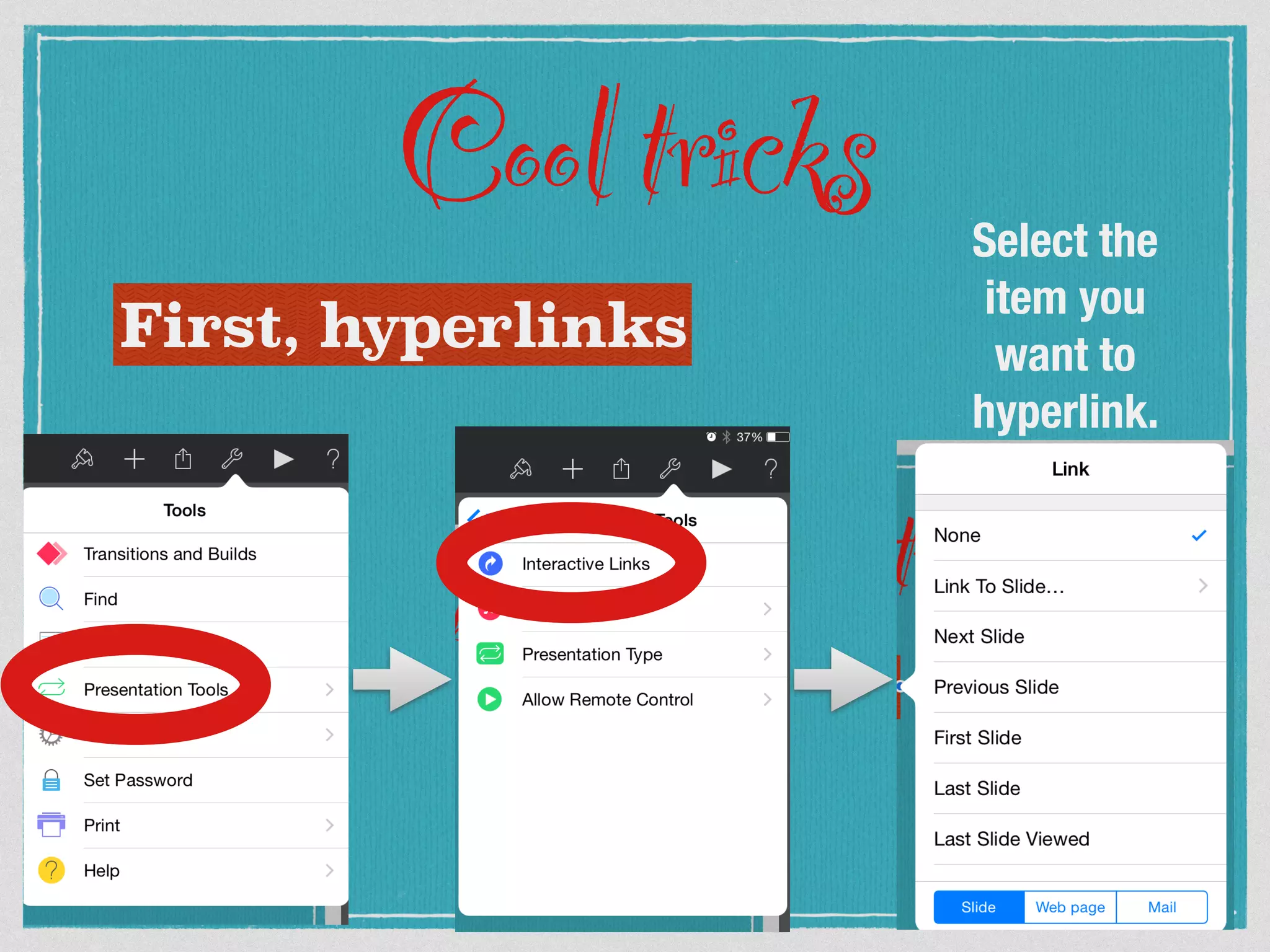
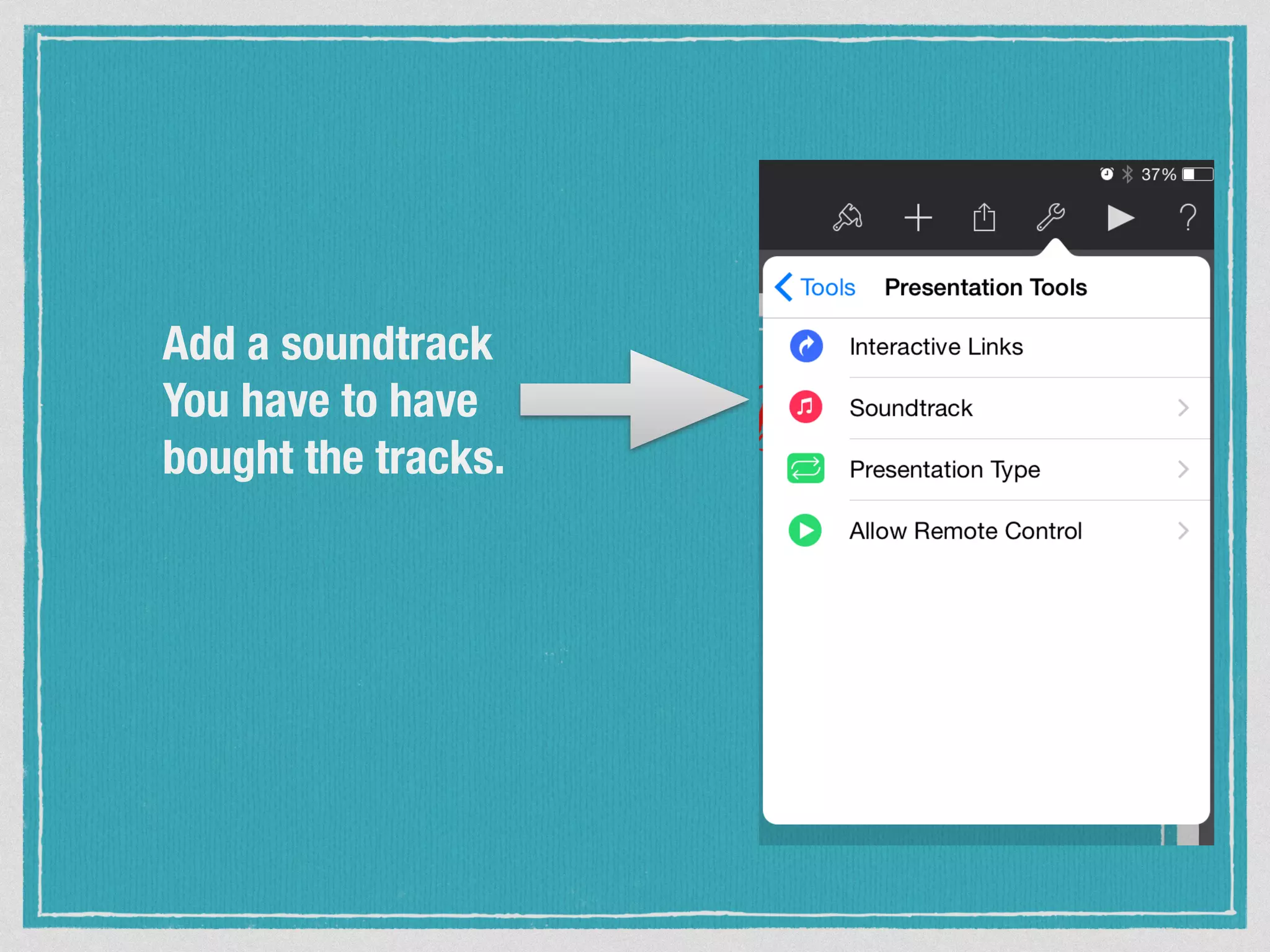

Keynote is a presentation app that allows users to add text, pictures, and animations to slides. The guide outlines how to get started with keynote by choosing a layout and adding text. It then explains how to make presentations look nice through animation, transitions, and formatting text differently. Advanced tricks covered include adding hyperlinks, soundtracks, and other features to enhance keynote presentations.


![Kahoot: A Game-based Formative Assessment Tool [Slides]](https://cdn.slidesharecdn.com/ss_thumbnails/kahoot-agame-basedformativeassessmenttool-150326043539-conversion-gate01-thumbnail.jpg?width=640&height=640&fit=bounds)


