By Nisha Gupta
WHAT IS AUGMENTED
REALITY??
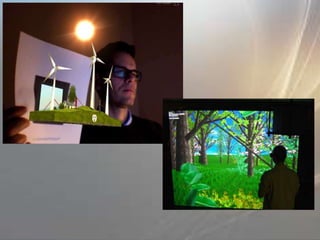
• a real scene viewed by a user and
• a virtual scene generated by a computer
that augments the scene with additional
information
• interactive in 3D
• Interactive in real-time
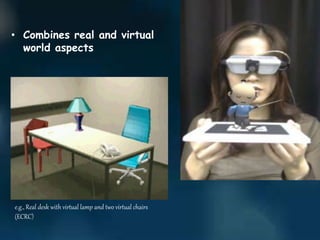
• Combines real and virtual
world aspects
e.g., Real desk with virtual lamp and two virtual chairs
(ECRC)
HOW AUGMENTED REALITY IS DIFFERENT
FROM VIRTUAL REALITY
AUGMENTED REALITY VIRTUAL REALITY
• System augments the real
world scene
• User maintains a sense of
presence in real world
• Needs a mechanism to
combine virtual and real
worlds
• Hard to register real and
virtual
• Totally immersive
environment
• Senses are under control
of system
• Need a mechanism to
feed virtual world to user
• Hard to make VR world
interesting
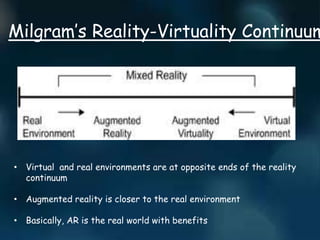
Milgram’s Reality-Virtuality Continuum
• Virtual and real environments are at opposite ends of the reality
continuum
• Augmented reality is closer to the real environment
• Basically, AR is the real world with benefits
CHARACTERSTICS
 Besides adding objects to a real environment, AR
also has the potential to remove them.
 Blending the real and virtual poses problems with
focus and contrast and some applications require
portable AR systems to be truly effective.
 AR might apply to all senses, not just sight
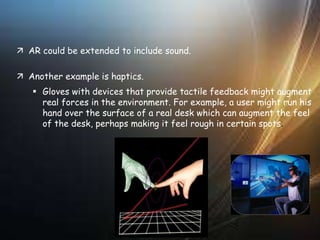
 AR could be extended to include sound.
 Another example is haptics.
 Gloves with devices that provide tactile feedback might augment
real forces in the environment. For example, a user might run his
hand over the surface of a real desk which can augment the feel
of the desk, perhaps making it feel rough in certain spots.
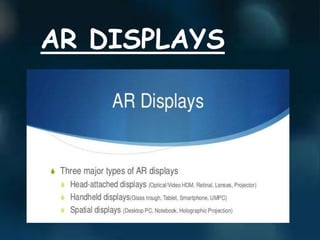
AR DISPLAYS
• Combines and displays physical world images
and virtual graphical objects
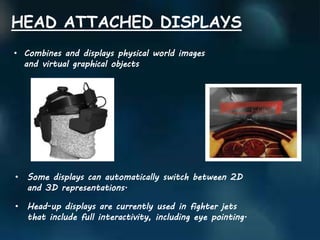
HEAD ATTACHED DISPLAYS
• Some displays can automatically switch between 2D
and 3D representations.
• Head-up displays are currently used in fighter jets
that include full interactivity, including eye pointing.
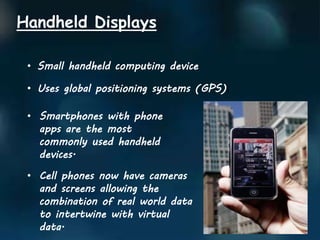
Handheld Displays
• Small handheld computing device
• Uses global positioning systems (GPS))
• Smartphones with phone
apps are the most
commonly used handheld
devices.
• Cell phones now have cameras
and screens allowing the
combination of real world data
to intertwine with virtual
data.
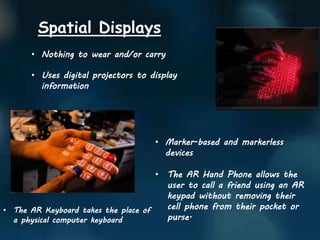
Spatial Displays
• Nothing to wear and/or carry
• Uses digital projectors to display
information
• Marker-based and markerless
devices
• The AR Hand Phone allows the
user to call a friend using an AR
keypad without removing their
cell phone from their pocket or
purse.
• The AR Keyboard takes the place of
a physical computer keyboard
Advertising Applications
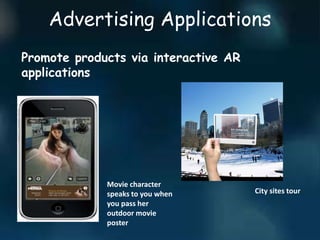
Promote products via interactive AR
applications
Movie character
speaks to you when
you pass her
outdoor movie
poster
City sites tour
Marketing Applications
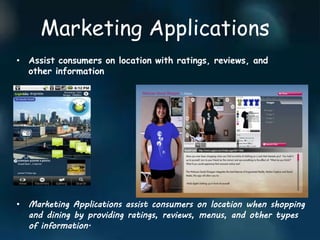
• Assist consumers on location with ratings, reviews, and
other information
• Marketing Applications assist consumers on location when shopping
and dining by providing ratings, reviews, menus, and other types
of information.
ART APPLICATIONS
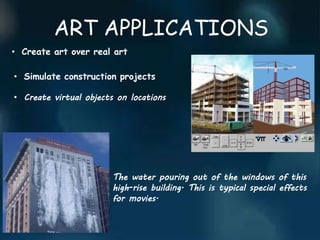
• Create art over real art
• Simulate construction projects
• Create virtual objects on locations
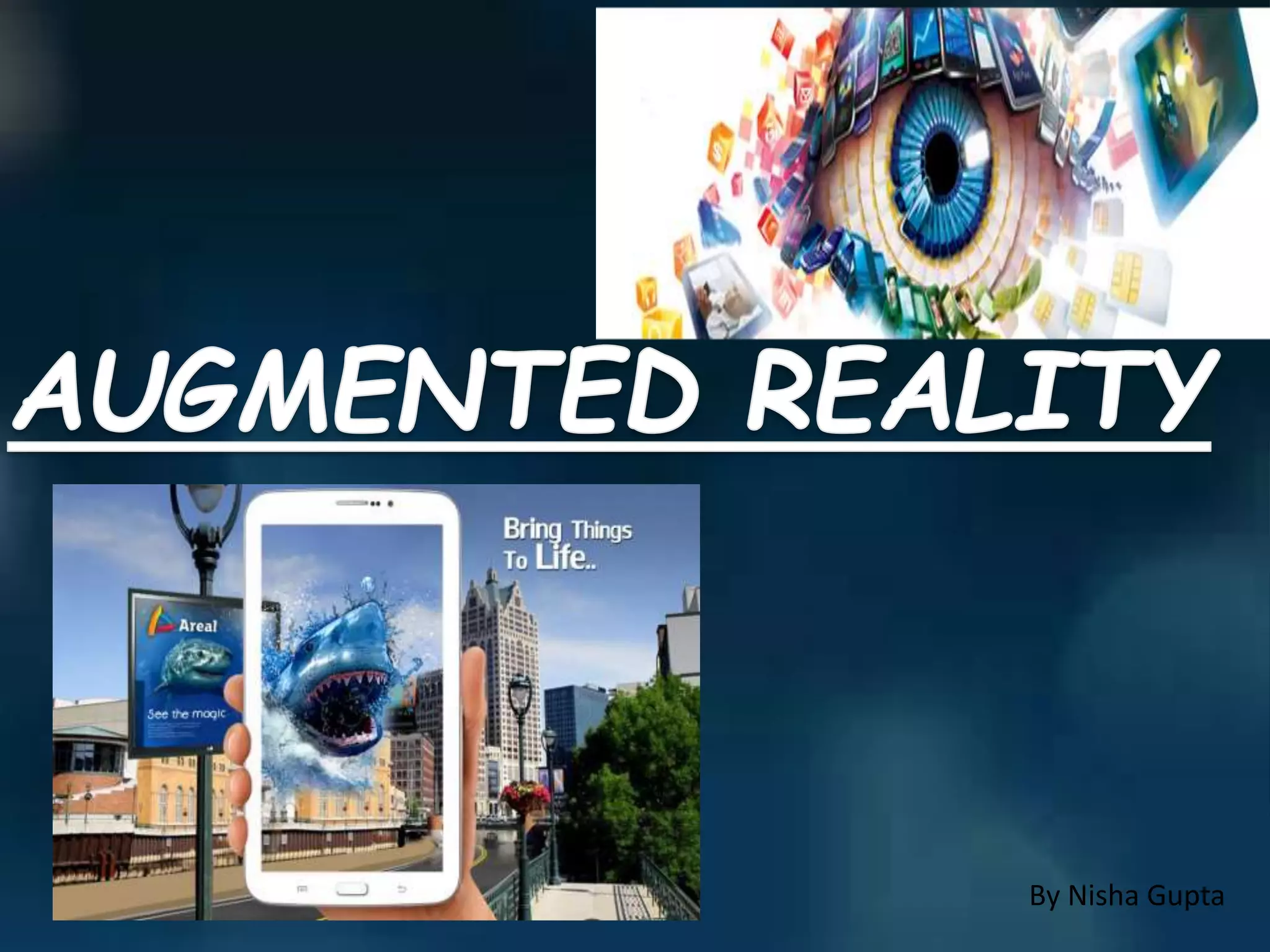
The water pouring out of the windows of this
high-rise building. This is typical special effects
for movies.
EDUCATIONAL APPLICATION
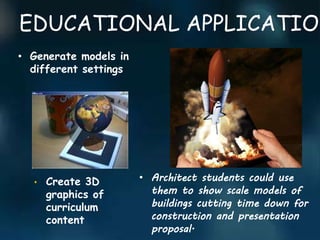
• Generate models in
different settings
• Create 3D
graphics of
curriculum
content
• Architect students could use
them to show scale models of
buildings cutting time down for
construction and presentation
proposal.
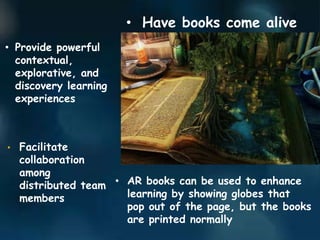
• Have books come alive
• Provide powerful
contextual,
explorative, and
discovery learning
experiences
• Facilitate
collaboration
among
distributed team
members
• AR books can be used to enhance
learning by showing globes that
pop out of the page, but the books
are printed normally
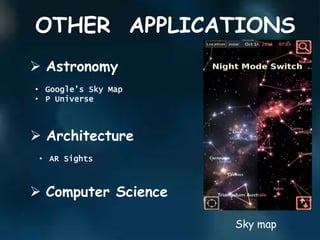
OTHER APPLICATIONS
 Astronomy
 Architecture
• Google’s Sky Map
• P Universe
 Computer Science
• AR Sights
Sky map
FUTURE OF AR
 Expanding a PC screen into the real world
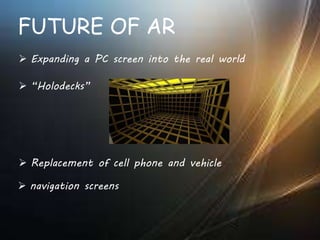
 “Holodecks”
 Replacement of cell phone and vehicle
 navigation screens
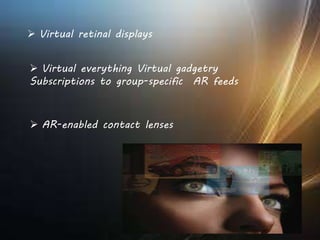
 AR-enabled contact lenses
 Virtual retinal displays
 Virtual everything Virtual gadgetry
Subscriptions to group-specific AR feeds
• Used in labs where students can learn more about
the experiments they are participating in.
Military:
• The Office of Naval Research has sponsored AR
research
• AR system could provide troops with vital
information about their surroundings
Medical:
• Superimpose an image from an MRI onto a
patient’s body.
• This might allow surgeons to pinpoint a tumor to
remove.
Education:
THANK YOU

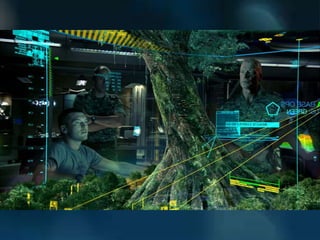
Augmented Reality

  • 1.
  • 5.
    WHAT IS AUGMENTED REALITY?? •a real scene viewed by a user and • a virtual scene generated by a computer that augments the scene with additional information • interactive in 3D • Interactive in real-time
  • 6.
    • Combines realand virtual world aspects e.g., Real desk with virtual lamp and two virtual chairs (ECRC)
  • 7.
    HOW AUGMENTED REALITYIS DIFFERENT FROM VIRTUAL REALITY AUGMENTED REALITY VIRTUAL REALITY • System augments the real world scene • User maintains a sense of presence in real world • Needs a mechanism to combine virtual and real worlds • Hard to register real and virtual • Totally immersive environment • Senses are under control of system • Need a mechanism to feed virtual world to user • Hard to make VR world interesting
  • 9.
    Milgram’s Reality-Virtuality Continuum •Virtual and real environments are at opposite ends of the reality continuum • Augmented reality is closer to the real environment • Basically, AR is the real world with benefits
  • 10.
    CHARACTERSTICS  Besides addingobjects to a real environment, AR also has the potential to remove them.  Blending the real and virtual poses problems with focus and contrast and some applications require portable AR systems to be truly effective.  AR might apply to all senses, not just sight
  • 11.
     AR couldbe extended to include sound.  Another example is haptics.  Gloves with devices that provide tactile feedback might augment real forces in the environment. For example, a user might run his hand over the surface of a real desk which can augment the feel of the desk, perhaps making it feel rough in certain spots.
  • 12.
  • 13.
    • Combines anddisplays physical world images and virtual graphical objects HEAD ATTACHED DISPLAYS • Some displays can automatically switch between 2D and 3D representations. • Head-up displays are currently used in fighter jets that include full interactivity, including eye pointing.
  • 14.
    Handheld Displays • Smallhandheld computing device • Uses global positioning systems (GPS)) • Smartphones with phone apps are the most commonly used handheld devices. • Cell phones now have cameras and screens allowing the combination of real world data to intertwine with virtual data.
  • 15.
    Spatial Displays • Nothingto wear and/or carry • Uses digital projectors to display information • Marker-based and markerless devices • The AR Hand Phone allows the user to call a friend using an AR keypad without removing their cell phone from their pocket or purse. • The AR Keyboard takes the place of a physical computer keyboard
  • 17.
    Advertising Applications Promote productsvia interactive AR applications Movie character speaks to you when you pass her outdoor movie poster City sites tour
  • 18.
    Marketing Applications • Assistconsumers on location with ratings, reviews, and other information • Marketing Applications assist consumers on location when shopping and dining by providing ratings, reviews, menus, and other types of information.
  • 19.
    ART APPLICATIONS • Createart over real art • Simulate construction projects • Create virtual objects on locations The water pouring out of the windows of this high-rise building. This is typical special effects for movies.
  • 20.
    EDUCATIONAL APPLICATION • Generatemodels in different settings • Create 3D graphics of curriculum content • Architect students could use them to show scale models of buildings cutting time down for construction and presentation proposal.
  • 21.
    • Have bookscome alive • Provide powerful contextual, explorative, and discovery learning experiences • Facilitate collaboration among distributed team members • AR books can be used to enhance learning by showing globes that pop out of the page, but the books are printed normally
  • 22.
    OTHER APPLICATIONS  Astronomy Architecture • Google’s Sky Map • P Universe  Computer Science • AR Sights Sky map
  • 23.
    FUTURE OF AR Expanding a PC screen into the real world  “Holodecks”  Replacement of cell phone and vehicle  navigation screens
  • 24.
     AR-enabled contactlenses  Virtual retinal displays  Virtual everything Virtual gadgetry Subscriptions to group-specific AR feeds
  • 25.
    • Used inlabs where students can learn more about the experiments they are participating in. Military: • The Office of Naval Research has sponsored AR research • AR system could provide troops with vital information about their surroundings Medical: • Superimpose an image from an MRI onto a patient’s body. • This might allow surgeons to pinpoint a tumor to remove. Education:
  • 27.