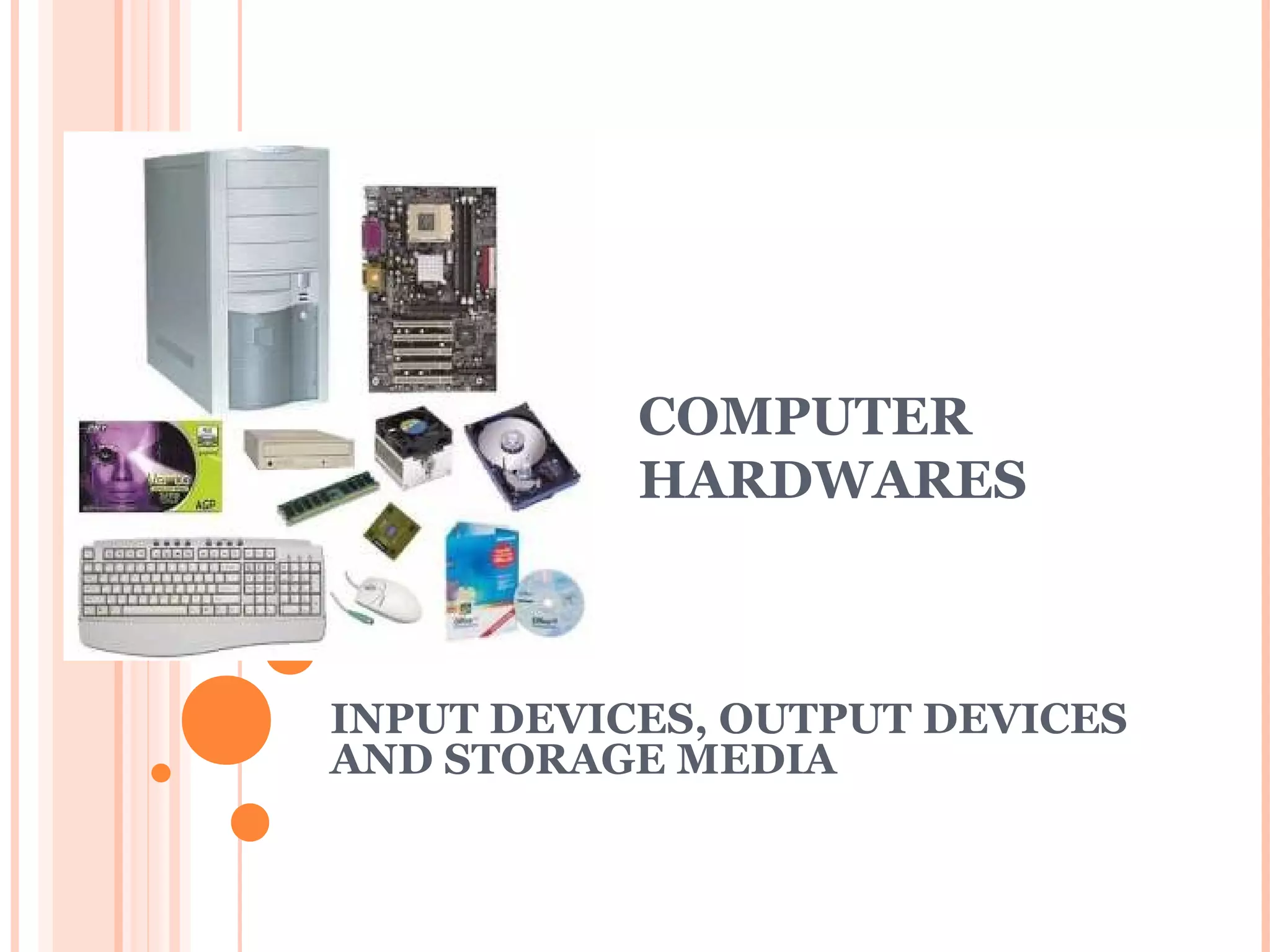

COMPUTER 
HARDWARES 
INPUT DEVICES, OUTPUT DEVICES 
AND STORAGE MEDIA
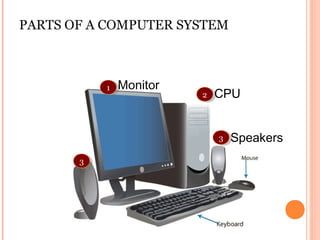
PARTS OF A COMPUTER SYSTEM 
11 Monitor CPU 
33 
22 
Speakers 
33
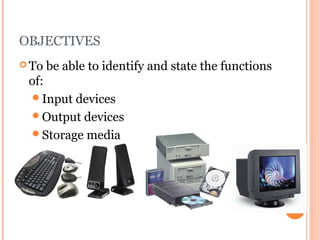
OBJECTIVES 
To be able to identify and state the functions 
of: 
Input devices 
Output devices 
Storage media
INTRODUCTION 
Input device? 
Input : 
Enter data 
Input : 
Enter data 
An input device is a piece of hardware 
that is used to enter data into a computer.
INTRODUCTION 
Output device? 
Output : 
Produce 
Output : 
Produce 
results / data 
results / data 
piece of hardware that is use to get 
information OUT of a computer
INTRODUCTION 
 Storage device? 
Storage : 
keep / save 
Storage : 
keep / save 
data 
data 
 A device used for storing information/data.
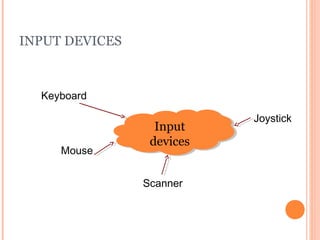
INPUT DEVICES 
Keyboard 
Mouse 
Input 
devices 
Scanner 
Joystick 
Input 
devices
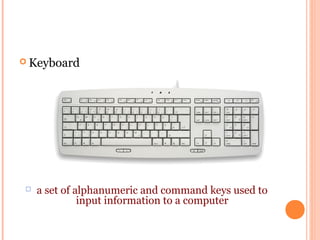
Keyboard 
 a set of alphanumeric and command keys used to 
input information to a computer
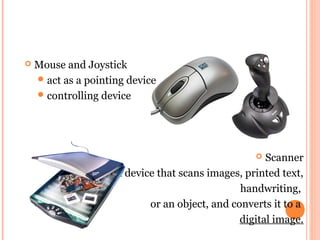
 Mouse and Joystick 
act as a pointing device 
controlling device 
 Scanner 
a device that scans images, printed text, 
handwriting, 
or an object, and converts it to a 
digital image.
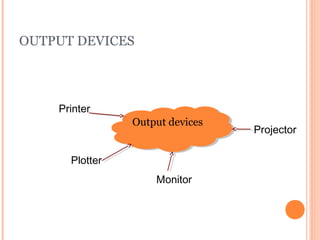
OUTPUT DEVICES 
OOuuttppuutt ddeevviicceess 
Printer 
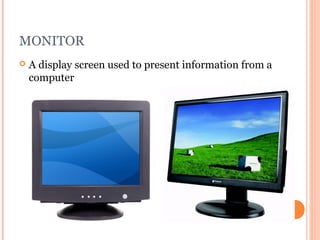
Monitor 
Plotter 
Projector
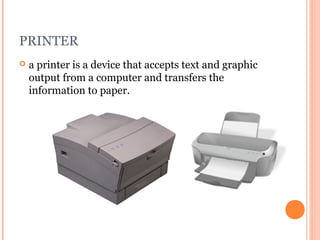
PRINTER 
 a printer is a device that accepts text and graphic 
output from a computer and transfers the 
information to paper.
MONITOR 
 A display screen used to present information from a 
computer
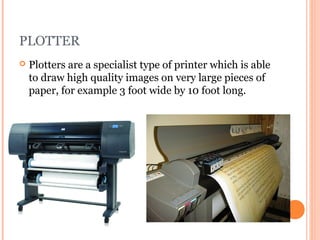
PLOTTER 
 Plotters are a specialist type of printer which is able 
to draw high quality images on very large pieces of 
paper, for example 3 foot wide by 10 foot long.
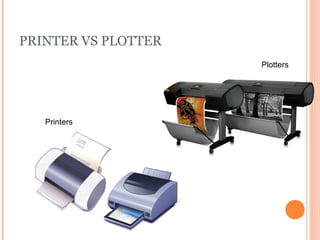
PRINTER VS PLOTTER 
Printers 
Plotters
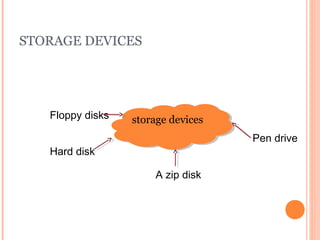
STORAGE DEVICES 
Floppy disks ssttoorraaggee ddeevviicceess 
Hard disk 
A zip disk 
Pen drive
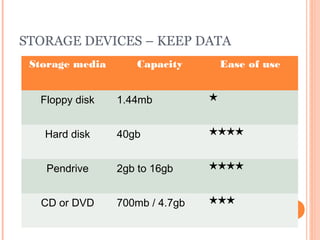
STORAGE DEVICES – KEEP DATA 
Storage media Capacity Ease of use 
Floppy disk 1.44mb ★ 
Hard disk 40gb ★★★★ 
Pendrive 2gb to 16gb ★★★★ 
CD or DVD 700mb / 4.7gb ★★★
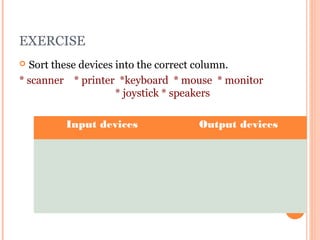
EXERCISE 
 Sort these devices into the correct column. 
* scanner * printer *keyboard * mouse * monitor 
* joystick * speakers 
Input devices Output devices
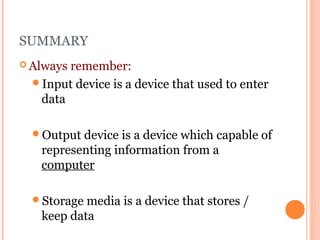
SUMMARY 
Always remember: 
Input device is a device that used to enter 
data 
Output device is a device which capable of 
representing information from a 
computer 
Storage media is a device that stores / 
keep data
RESEARCH – GOOGLE, SEARCH THE 
FOLLOWING DEVICES: 
Input devices?Output devices? 
Touchscreen 
Digital camera 
Projector
END LESSON

3 input, output and storage technologies

  • 1.
    COMPUTER HARDWARES INPUTDEVICES, OUTPUT DEVICES AND STORAGE MEDIA
  • 2.
    PARTS OF ACOMPUTER SYSTEM 11 Monitor CPU 33 22 Speakers 33
  • 3.
    OBJECTIVES To beable to identify and state the functions of: Input devices Output devices Storage media
  • 4.
    INTRODUCTION Input device? Input : Enter data Input : Enter data An input device is a piece of hardware that is used to enter data into a computer.
  • 5.
    INTRODUCTION Output device? Output : Produce Output : Produce results / data results / data piece of hardware that is use to get information OUT of a computer
  • 6.
    INTRODUCTION  Storagedevice? Storage : keep / save Storage : keep / save data data  A device used for storing information/data.
  • 7.
    INPUT DEVICES Keyboard Mouse Input devices Scanner Joystick Input devices
  • 8.
    Keyboard  aset of alphanumeric and command keys used to input information to a computer
  • 9.
     Mouse andJoystick act as a pointing device controlling device  Scanner a device that scans images, printed text, handwriting, or an object, and converts it to a digital image.
  • 10.
    OUTPUT DEVICES OOuuttppuuttddeevviicceess Printer Monitor Plotter Projector
  • 11.
    PRINTER  aprinter is a device that accepts text and graphic output from a computer and transfers the information to paper.
  • 12.
    MONITOR  Adisplay screen used to present information from a computer
  • 13.
    PLOTTER  Plottersare a specialist type of printer which is able to draw high quality images on very large pieces of paper, for example 3 foot wide by 10 foot long.
  • 14.
    PRINTER VS PLOTTER Printers Plotters
  • 15.
    STORAGE DEVICES Floppydisks ssttoorraaggee ddeevviicceess Hard disk A zip disk Pen drive
  • 16.
    STORAGE DEVICES –KEEP DATA Storage media Capacity Ease of use Floppy disk 1.44mb ★ Hard disk 40gb ★★★★ Pendrive 2gb to 16gb ★★★★ CD or DVD 700mb / 4.7gb ★★★
  • 17.
    EXERCISE  Sortthese devices into the correct column. * scanner * printer *keyboard * mouse * monitor * joystick * speakers Input devices Output devices
  • 18.
    SUMMARY Always remember: Input device is a device that used to enter data Output device is a device which capable of representing information from a computer Storage media is a device that stores / keep data
  • 19.
    RESEARCH – GOOGLE,SEARCH THE FOLLOWING DEVICES: Input devices?Output devices? Touchscreen Digital camera Projector
  • 20.