SoftWare and HardWare
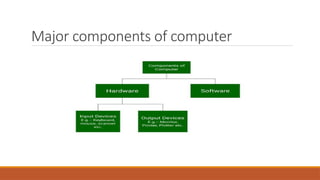
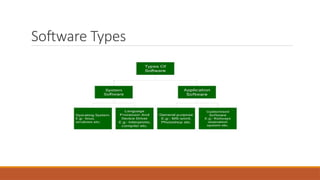
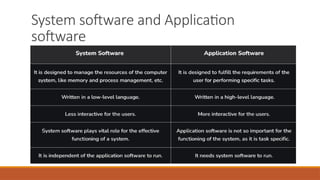
Ina computer system, the software is basically a set of instructions or commands that tell a
computer what to do.
In other words, the software is a computer program that provides a set of instructions to
execute a user’s commands and tell the computer what to do.
For example like MS-Word, MS-Excel, PowerPoint, etc.
Computer hardware is a physical device of computers that we can see and touch.
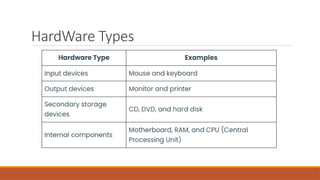
For e.g. Monitor, Central Processing Unit, Mouse, Joystick, etc. Using these devices, we can
control computer operations like input and output.
What are input,output devices and
Storage devices?
The functioning of a computer system is based on the
combined usage of both input and output devices.
Using an input device we can give instructions to the
computer to perform and action and the device reverts back to
our action through an output device.
8.
Input device
Input DeviceDefinition: A piece of equipment/hardware which help us enter data into a computer is called an
input device. For example keyboard, mouse, etc.
Input device are used to send signals to the computer for performing tasks.
Input devices are:
Keyboard Devices
Pointing Devices
Composite Devices
Game Controller
Visual Devices
Audio Input Devices
9.
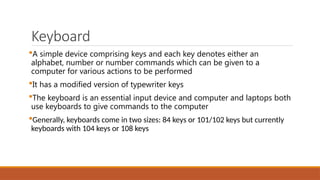
Keyboard
A simple devicecomprising keys and each key denotes either an
alphabet, number or number commands which can be given to a
computer for various actions to be performed
It has a modified version of typewriter keys
The keyboard is an essential input device and computer and laptops both
use keyboards to give commands to the computer
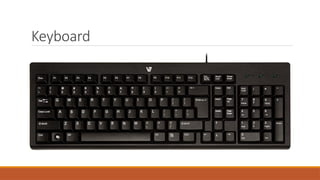
Generally, keyboards come in two sizes: 84 keys or 101/102 keys but currently
keyboards with 104 keys or 108 keys
10.
Keyboard
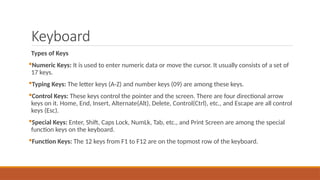
Types of Keys
NumericKeys: It is used to enter numeric data or move the cursor. It usually consists of a set of
17 keys.
Typing Keys: The letter keys (A-Z) and number keys (09) are among these keys.
Control Keys: These keys control the pointer and the screen. There are four directional arrow
keys on it. Home, End, Insert, Alternate(Alt), Delete, Control(Ctrl), etc., and Escape are all control
keys (Esc).
Special Keys: Enter, Shift, Caps Lock, NumLk, Tab, etc., and Print Screen are among the special
function keys on the keyboard.
Function Keys: The 12 keys from F1 to F12 are on the topmost row of the keyboard.
Mouse
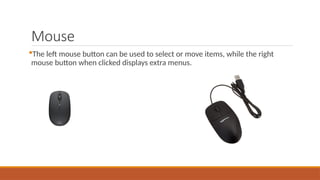
It is alsoknown as a pointing device
Using mouse we can directly click on the various icons present on the
system and open up various files and programs
A mouse comprises 3 buttons on the top and one trackball at the bottom
which helps in selecting and moving the mouse around, respectively
In case of laptops, the touchpad is given as a replacement of mouse
which helps in the movement of the mouse pointer
13.
Mouse
The left mousebutton can be used to select or move items, while the right
mouse button when clicked displays extra menus.
14.
Joystick
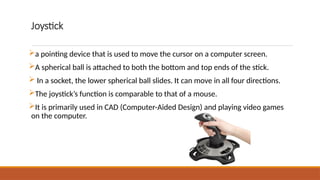
a pointing devicethat is used to move the cursor on a computer screen.
A spherical ball is attached to both the bottom and top ends of the stick.
In a socket, the lower spherical ball slides. It can move in all four directions.
The joystick’s function is comparable to that of a mouse.
It is primarily used in CAD (Computer-Aided Design) and playing video games
on the computer.
15.
Trackball
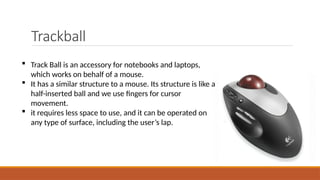
Track Ballis an accessory for notebooks and laptops,
which works on behalf of a mouse.
It has a similar structure to a mouse. Its structure is like a
half-inserted ball and we use fingers for cursor
movement.
it requires less space to use, and it can be operated on
any type of surface, including the user’s lap.
16.
Light Pen
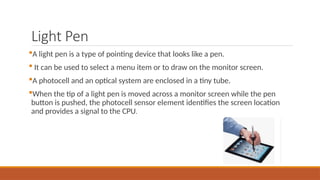
A lightpen is a type of pointing device that looks like a pen.
It can be used to select a menu item or to draw on the monitor screen.
A photocell and an optical system are enclosed in a tiny tube.
When the tip of a light pen is moved across a monitor screen while the pen
button is pushed, the photocell sensor element identifies the screen location
and provides a signal to the CPU.
17.
Scanner
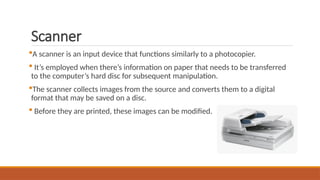
A scanner isan input device that functions similarly to a photocopier.
It’s employed when there’s information on paper that needs to be transferred
to the computer’s hard disc for subsequent manipulation.
The scanner collects images from the source and converts them to a digital
format that may be saved on a disc.
Before they are printed, these images can be modified.
18.
Optical Mark Reader(OMR)
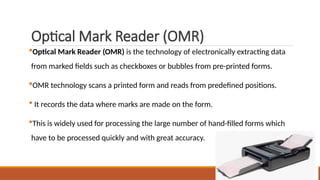
Optical Mark Reader (OMR) is the technology of electronically extracting data
from marked fields such as checkboxes or bubbles from pre-printed forms.
OMR technology scans a printed form and reads from predefined positions.
It records the data where marks are made on the form.
This is widely used for processing the large number of hand-filled forms which
have to be processed quickly and with great accuracy.
19.
Optical Character Reader(OCR)
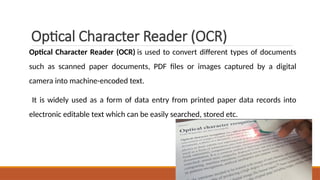
Optical Character Reader (OCR) is used to convert different types of documents
such as scanned paper documents, PDF files or images captured by a digital
camera into machine-encoded text.
It is widely used as a form of data entry from printed paper data records into
electronic editable text which can be easily searched, stored etc.
20.
Bar Code Reader
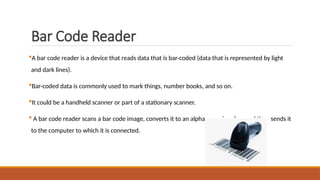
Abar code reader is a device that reads data that is bar-coded (data that is represented by light
and dark lines).
Bar-coded data is commonly used to mark things, number books, and so on.
It could be a handheld scanner or part of a stationary scanner.
A bar code reader scans a bar code image, converts it to an alphanumeric value, and then sends it
to the computer to which it is connected.
21.
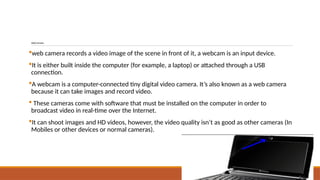
WebCamera
web camera recordsa video image of the scene in front of it, a webcam is an input device.
It is either built inside the computer (for example, a laptop) or attached through a USB
connection.
A webcam is a computer-connected tiny digital video camera. It’s also known as a web camera
because it can take images and record video.
These cameras come with software that must be installed on the computer in order to
broadcast video in real-time over the Internet.
It can shoot images and HD videos, however, the video quality isn’t as good as other cameras (In
Mobiles or other devices or normal cameras).
22.
Microphone
The microphone worksas an input device that receives input voice signals and
also has the responsibility of converting it also to digital form.
It is a very common device that is present in every device which is related to
music.
23.
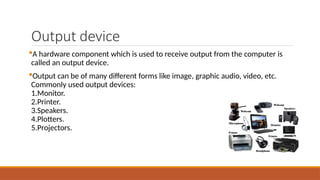
Output device
A hardwarecomponent which is used to receive output from the computer is
called an output device.
Output can be of many different forms like image, graphic audio, video, etc.
Commonly used output devices:
1.Monitor.
2.Printer.
3.Speakers.
4.Plotters.
5.Projectors.
24.
MONITOR
Monitor is mostcommonly used output device in personal computer.
It consist of a screen and different electronic components that display the
information on the screen.
Monitor display text, graphics and video in different colors'.
Information is display in different colors.
Most personal computers use color monitors. However, some monitors are
monochrome.
25.
Monitor...
The two kindsof viewing screens used for monitors
are described below.
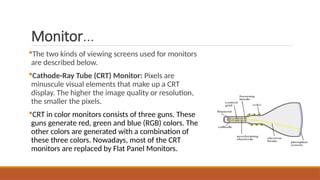
Cathode-Ray Tube (CRT) Monitor: Pixels are
minuscule visual elements that make up a CRT
display. The higher the image quality or resolution,
the smaller the pixels.
CRT in color monitors consists of three guns. These
guns generate red, green and blue (RGB) colors. The
other colors are generated with a combination of
these three colors. Nowadays, most of the CRT
monitors are replaced by Flat Panel Monitors.
26.
Monitor...
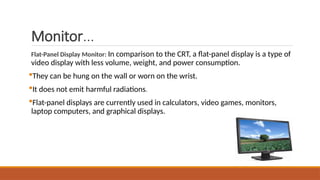
Flat-Panel Display Monitor:In comparison to the CRT, a flat-panel display is a type of
video display with less volume, weight, and power consumption.
They can be hung on the wall or worn on the wrist.
It does not emit harmful radiations.
Flat-panel displays are currently used in calculators, video games, monitors,
laptop computers, and graphical displays.
27.
Plotter
A Plotteris a special output device used for printing architectural drawing, maps,graphs and
charts.
A graphic card is mandatorily required to use these devices. These are the pen-like devices
that help in generating exact designs on the computer.
A plotter is typically used to print large-format graphs or maps such as construction maps or
engineering drawings.
28.
Plotter
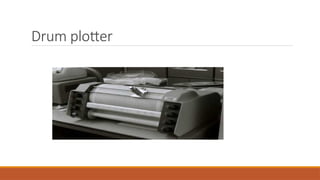
A drumplotter is also known as Roller Plotter.
It consists of a drum or roller on which a paper is placed and the drum rotates back and
forth to produce the graph on the paper.
It also consists of mechanical device known as Robotic Drawing Arm that holds a set of
colored ink pens or pencils.
The Robotic Drawing Arm moves side to side as the paper are rolled back and forth
through the roller. In this way, a perfect graph or map is created on the paper. This work is
done under the control of computer.
Drum Plotters are used to produce continuous output, such as plotting earthquake activity.
Flatbed Plotter
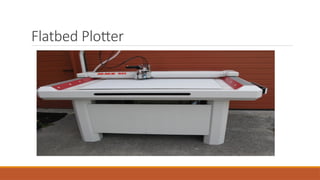
A flatbedplotter is also known as Table Plotter. It plots on paper that is spread and fixed over
a rectangular flatbed table.
The flatbed plotter uses two robotic drawing arms, each of which holds a set of colored ink
pens or pencils.
The drawing arms move over the stationary paper and draw the graph on the paper. Typically
the plot size is equal to the area of a bed.
The plot size may be 20- by-50 feet. It is used in the design of cars, ships, aircrafts, buildings,
highways etc.
Flatbed plotter is very slow in drawing or printing graphs.
Printer
An externalhardware device responsible for taking computer data and generating a hard copy of that data.
They print text and still images on paper.
Following are the types of printer
Impact printer:
i. Dot matrix printer
ii. Daisy wheel printer
Non impact printer:
i. Inkjet printer
ii. Laser printer
33.
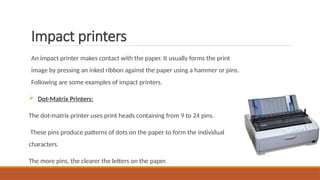
Impact printers
An impactprinter makes contact with the paper. It usually forms the print
image by pressing an inked ribbon against the paper using a hammer or pins.
Following are some examples of impact printers.
Dot-Matrix Printers:
The dot-matrix printer uses print heads containing from 9 to 24 pins.
These pins produce patterns of dots on the paper to form the individual
characters.
The more pins, the clearer the letters on the paper.
34.
Daisy-wheel printers
It iscalled daisy-wheel printer because the print mechanism looks like a daisy;
at the end of each “Petal” is a fully formed character which produces solid-line
print.
A hammer strikes a “petal” containing a character against the ribbon, and the
character prints on the paper. Its speed is slow typically 25-55 characters per
second.
35.
Non-impact printers
Non-impact printersdo not use a striking device to produce characters on the paper.
Ink-jet printers: Ink-jet printers work in the same fashion as dot-matrix printers in the form
images or characters with little dots. However, the dots are formed by tiny droplets of ink.
Ink-jet printers form characters on paper by spraying ink from tiny nozzles through an electrical
field that arranges the charged ink particles into characters at the rate of approximately 250
characters per second. The ink is absorbed into the paper and dries instantly. Various colors of
ink can also be used.
36.
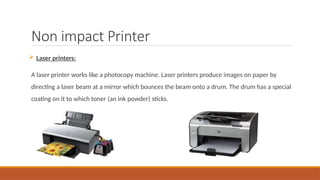
Non impact Printer
Laser printers:
A laser printer works like a photocopy machine. Laser printers produce images on paper by
directing a laser beam at a mirror which bounces the beam onto a drum. The drum has a special
coating on it to which toner (an ink powder) sticks.
37.
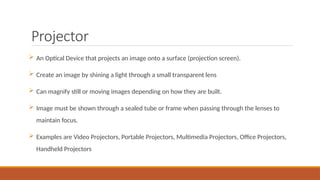
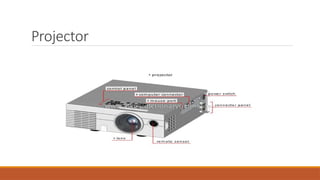
Projector
An OpticalDevice that projects an image onto a surface (projection screen).
Create an image by shining a light through a small transparent lens
Can magnify still or moving images depending on how they are built.
Image must be shown through a sealed tube or frame when passing through the lenses to
maintain focus.
Examples are Video Projectors, Portable Projectors, Multimedia Projectors, Office Projectors,
Handheld Projectors
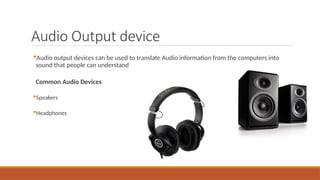
Audio Output device
Audiooutput devices can be used to translate Audio information from the computers into
sound that people can understand
Common Audio Devices
Speakers
Headphones
40.
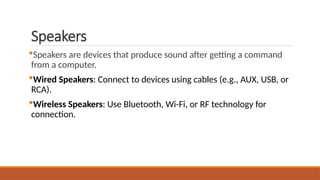
Speakers
Speakers are devicesthat produce sound after getting a command
from a computer.
Wired Speakers: Connect to devices using cables (e.g., AUX, USB, or
RCA).
Wireless Speakers: Use Bluetooth, Wi-Fi, or RF technology for
connection.
41.
Headphones
Small speakerwith a way to keep them close to the ears.
Sometimes referred to as earphones
Headphones are a hardware device that either plugs into your computer or your speakers and
allow you to privately listen to audio without disturbing anyone else.
42.
Storage Devices
The storageunit is a part of the computer system which is employed to store the information
and instructions to be processed.
A storage device is an integral part of the computer hardware which stores information/data to
process the result of any computational work.
Without a storage device, a computer would not be able to run or even boot up.
Or in other words, “we can say that a storage device is hardware that is used for storing,
porting, or extracting data files. It can also store information/data both temporarily and
permanently.”
43.
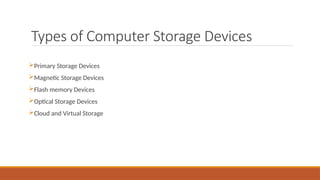
Types of ComputerStorage Devices
Primary Storage Devices
Magnetic Storage Devices
Flash memory Devices
Optical Storage Devices
Cloud and Virtual Storage
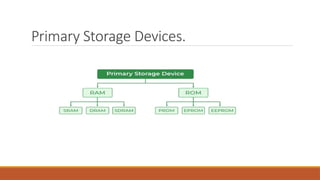
Primary Storage Devices...
SRAM(Static RAM): Fast, expensive, and used in cache memory. It requires less power and doesn’t
need refreshing.
DRAM (Dynamic RAM): Slower, cheaper, and used as main memory. Needs constant refreshing to
retain data.
SDRAM (Synchronous DRAM): Syncs with CPU clock for better speed. Improves performance by
reducing wait time.
PROM (Programmable ROM): Can be programmed once, not erasable. Used in firmware and
embedded systems.
EPROM (Erasable PROM): Erased using UV light, then reprogrammed. Used in older BIOS chips and
microcontrollers.
EEPROM (Electrically Erasable PROM): Erased and rewritten electrically. Used in modern BIOS and
flash memory.
46.
Magnetic Storage Devices
MagneticStorage Devices use magnetized surfaces to store data and are non-volatile, meaning
they retain information even when powered off.
Examples:
Hard Disk Drive (HDD): Uses spinning magnetic platters and a read/write head to store data. It
is widely used for computer storage.
Floppy Disk: A portable, low-capacity magnetic storage medium, now obsolete.
Magnetic Tape: Used for large-scale data backup and archival storage, offering high capacity
but slow access speed.
47.
Flash Memory Devices
FlashMemory Devices use electrically erasable programmable read-only memory (EEPROM) to
store data without moving parts, making them fast and durable.
Examples:
USB Flash Drive: A portable device for storing and transferring data.
Solid-State Drive (SSD): A high-speed storage device used in computers, faster than HDDs.
Memory Card (SD Card): A small, removable storage medium used in cameras and
smartphones.
Multimedia Card: It is also known as MMC. It is an integrated circuit that is generally used in-
car radios, digital cameras, etc. It is an external device to store data/information.
48.
Optical Storage Devices
OpticalStorage Devices use laser technology to read and write data on discs, making them durable and
portable. They are widely used for media playback, backups, and software installations.
Examples:
CD (Compact Disc): Stores music, videos, or data, with a capacity of up to 700MB. Commonly used for audio
albums and software distribution.
DVD (Digital Versatile Disc): Holds more data than CDs, up to 4.7GB (single-layer). Used for movies, games, and
high-quality video storage.
Blu-ray Disc: High-capacity disc for HD videos and large files, up to 50GB (dual-layer). Provides superior video
quality and supports 3D and 4K content.
49.
Cloud and VirtualStorage
Cloud and Virtual Storage allow users to store data online or in virtualized environments,
enabling remote access, scalability, and security. These storage solutions reduce hardware
dependency and offer automated backups.
Examples:
Cloud Storage: Services like Google Drive, Dropbox, and OneDrive store data on remote servers,
accessible via the internet. It enables real-time collaboration and synchronization across devices.
Virtual Storage: Uses virtualization technology to pool multiple storage devices into a single
system, improving efficiency. Commonly used in data centers for better resource management
and cost reduction.
50.
Characteristics of ComputerStorage
Devices
Data stored in the Memory can be changed or replaced in case of a requirement, because of
the mobility of the storage devices.
Storage Devices validate that saved data can be replaced or deleted as per the requirements
because the storage devices are easily readable, writeable, and rewritable.
Storage Devices are easy and convenient to access because they do not require much skill set
to handle these resources.
The storage capacity of these devices is an extra advantage to the system.
Storage Devices have better performance and data can be easily transferred from one device to
another.