The CCCHS experience
What things have we learned that may be useful
for LT Coordinators to know
Findings regarding 1:1 implementation
Pedagogy – what works and what doesn’t
Professional Learning Strategies – how were staff
kept up-to-date
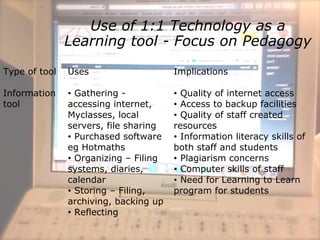
Use of 1:1 Technology as a
Learning tool - Focus on Pedagogy
Type of tool Uses Implications
Information
tool
• Gathering -
accessing internet,
Myclasses, local
servers, file sharing
• Purchased software
eg Hotmaths
• Organizing – Filing
systems, diaries,
calendar
• Storing – Filing,
archiving, backing up
• Reflecting
• Quality of internet access
• Access to backup facilities
• Quality of staff created
resources
• Information literacy skills of
both staff and students
• Plagiarism concerns
• Computer skills of staff
• Need for Learning to Learn
program for students
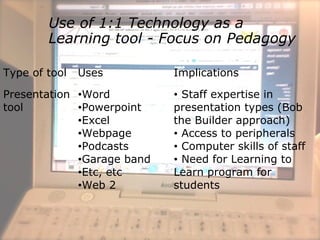
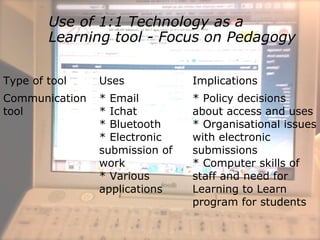
Use of 1:1 Technology as a
Learning tool - Focus on Pedagogy
Type of tool Uses Implications
Presentation
tool
•Word
•Powerpoint
•Excel
•Webpage
•Podcasts
•Garage band
•Etc, etc
•Web 2
• Staff expertise in
presentation types (Bob
the Builder approach)
• Access to peripherals
• Computer skills of staff
• Need for Learning to
Learn program for
students
Use of 1:1 Technology as a
Learning tool - Focus on Pedagogy
Type of tool Uses Implications
Communication
tool
* Email
* Ichat
* Bluetooth
* Electronic
submission of
work
* Various
applications
* Policy decisions
about access and uses
* Organisational issues
with electronic
submissions
* Computer skills of
staff and need for
Learning to Learn
program for students
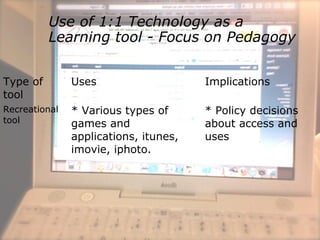
Use of 1:1 Technology as a
Learning tool - Focus on Pedagogy
Type of
tool
Uses Implications
Recreational
tool
* Various types of
games and
applications, itunes,
imovie, iphoto.
* Policy decisions
about access and
uses
Maintenance issues
 Importance of structure and policies
 Laptops
 Batteries
 Hardware – Cleaning, faults and
breakdowns
 Down time and replacements
 Mistreatment
 IT Support
 System
 System failures
 Staff expertise
Professional Learning needs
of staff
 Just in time learning
 Focus on pedagogy
 Learning Teams
 Structured approach
 Etc, etc

1:1 Lessons from Corpus Christi Catholic High School

  • 1.
    The CCCHS experience Whatthings have we learned that may be useful for LT Coordinators to know Findings regarding 1:1 implementation Pedagogy – what works and what doesn’t Professional Learning Strategies – how were staff kept up-to-date
  • 2.
    Use of 1:1Technology as a Learning tool - Focus on Pedagogy Type of tool Uses Implications Information tool • Gathering - accessing internet, Myclasses, local servers, file sharing • Purchased software eg Hotmaths • Organizing – Filing systems, diaries, calendar • Storing – Filing, archiving, backing up • Reflecting • Quality of internet access • Access to backup facilities • Quality of staff created resources • Information literacy skills of both staff and students • Plagiarism concerns • Computer skills of staff • Need for Learning to Learn program for students
  • 3.
    Use of 1:1Technology as a Learning tool - Focus on Pedagogy Type of tool Uses Implications Presentation tool •Word •Powerpoint •Excel •Webpage •Podcasts •Garage band •Etc, etc •Web 2 • Staff expertise in presentation types (Bob the Builder approach) • Access to peripherals • Computer skills of staff • Need for Learning to Learn program for students
  • 4.
    Use of 1:1Technology as a Learning tool - Focus on Pedagogy Type of tool Uses Implications Communication tool * Email * Ichat * Bluetooth * Electronic submission of work * Various applications * Policy decisions about access and uses * Organisational issues with electronic submissions * Computer skills of staff and need for Learning to Learn program for students
  • 5.
    Use of 1:1Technology as a Learning tool - Focus on Pedagogy Type of tool Uses Implications Recreational tool * Various types of games and applications, itunes, imovie, iphoto. * Policy decisions about access and uses
  • 6.
    Maintenance issues  Importanceof structure and policies  Laptops  Batteries  Hardware – Cleaning, faults and breakdowns  Down time and replacements  Mistreatment  IT Support  System  System failures  Staff expertise
  • 7.
    Professional Learning needs ofstaff  Just in time learning  Focus on pedagogy  Learning Teams  Structured approach  Etc, etc