Executive Summary
 East Rockaway School District is a small working middle
class community located on the south shore of Long Island.
 Due to the increase in technology use both inside and
outside of the classroom, it becomes more vital than ever to
provide all of our students equal access to technology.
 Providing 1:1 technology to our 6th graders seems most
fitting, since they are in their final year of elementary
school, and will be entering the Junior-Senior High School in
the next school calendar year.
Technology Plan
 After review, it is recommended that the district purchase
HP Chromebook 14 for the 87 students, 4 grade-level
teachers, and 1 21st Century Skills teacher. Features include:
 14-inch display
 Weight – 4 pounds
 Two 3.0 USB ports and one 2.0 USB ports
 Wi Fi and Bluetooth accessible
 7-second Boot-up
 7 Hour battery life
 Web-only applications
 Built-in camera, speakers, headphone and multimedia ports
Technology Plan –
Continued
 Budgeting for Chromebooks is primarily supported by the
district’s technology reserve funds. Costs include:
 $299 initial cost per HP Chromebook 14
 $30 additional cost for Google management and support per
Chromebook
 Due to its web-based platform, there is no need to purchase
additional software or virus protection
 The district currently has Google Drive for Education, with
each student, faculty, and staff member having a school Gmail
account, which also incurs no cost to the district
 Total costs incurred would total $33,000
Technology Plan –
Continued
 Chromebooks would be on-lease to students at the
beginning of the school calendar year.
 Students would fill out permission slips that would be kept
on file with the 21st Century Skills teacher
 Students who lose or damage their assigned Chromebook
would not be assigned a new one and would assume
responsibility to replace the item
 Chromebooks would be collected at the end of the calendar
year and stored at the High School, where incoming 7th
graders would be re-assigned their Chromebooks
Professional Development
 Participating teachers would be assigned Chromebooks over the
summer to navigate
 Initial training would be offered by a Google Certified Trainer
through Nassau BOCES
 Teachers would be encouraged to review Google Chromebook
Classroom and watch pertinent tutorials
 Teachers would be encouraged to attend Google-specific
conferences throughout the school year and turnkey information
to their colleagues
 Grade-level meetings would be established on a monthly basis to
review, troubleshoot, and create curriculum-based instruction
Professional Development –
Continued
 Student training would take place during the first week of
the school calendar year
 Training would be provided by the 21st Century Skills
teacher
 Tutorials of frequently used applications, Google Drive, and
Gmail will be available on all teacher websites and through
a Google Document shared with all students and pertinent
staff
 Parents and students will be able to contact and ask
questions through email and by phone
Assessments
 Implementation of 1:1 computing will be assessed and measured using
the following four benchmarks:
1. Student Achievement
 Measured by the Director of Curriculum and Technology, Principals,
Classroom teachers, 21st Century Skills Teacher
 Are students engaged in online learning across all subject areas?
 Measured using trimester report card evaluation
 Are students empowered through the use of flexible learning?
 Measured using yearly pre- and end-of-year student surveys
 Are students gaining proficiency on state standardized tests?
 Measured by yearly assessment and comparison to previous year’ s
data
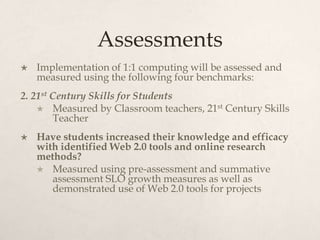
Assessments
 Implementation of 1:1 computing will be assessed and
measured using the following four benchmarks:
2. 21st Century Skills for Students
 Measured by Classroom teachers, 21st Century Skills
Teacher
 Have students increased their knowledge and efficacy
with identified Web 2.0 tools and online research
methods?
 Measured using pre-assessment and summative
assessment SLO growth measures as well as
demonstrated use of Web 2.0 tools for projects
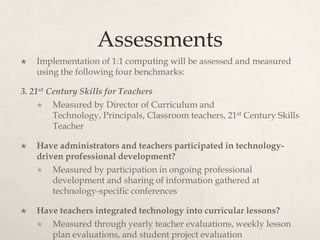
Assessments
 Implementation of 1:1 computing will be assessed and measured
using the following four benchmarks:
3. 21st Century Skills for Teachers
 Measured by Director of Curriculum and
Technology, Principals, Classroom teachers, 21st Century Skills
Teacher
 Have administrators and teachers participated in technology-
driven professional development?
 Measured by participation in ongoing professional
development and sharing of information gathered at
technology-specific conferences
 Have teachers integrated technology into curricular lessons?
 Measured through yearly teacher evaluations, weekly lesson
plan evaluations, and student project evaluation
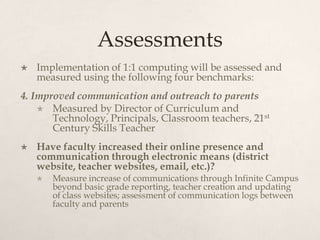
Assessments
 Implementation of 1:1 computing will be assessed and
measured using the following four benchmarks:
4. Improved communication and outreach to parents
 Measured by Director of Curriculum and
Technology, Principals, Classroom teachers, 21st
Century Skills Teacher
 Have faculty increased their online presence and
communication through electronic means (district
website, teacher websites, email, etc.)?
 Measure increase of communications through Infinite Campus
beyond basic grade reporting, teacher creation and updating
of class websites; assessment of communication logs between
faculty and parents
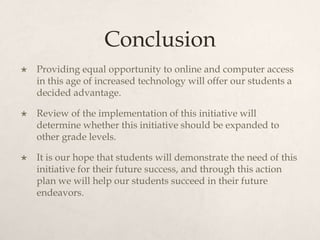
Conclusion
 Providing equal opportunity to online and computer access
in this age of increased technology will offer our students a
decided advantage.
 Review of the implementation of this initiative will
determine whether this initiative should be expanded to
other grade levels.
 It is our hope that students will demonstrate the need of this
initiative for their future success, and through this action
plan we will help our students succeed in their future
endeavors.

P schoen technology action plan

  • 2.
    Executive Summary  EastRockaway School District is a small working middle class community located on the south shore of Long Island.  Due to the increase in technology use both inside and outside of the classroom, it becomes more vital than ever to provide all of our students equal access to technology.  Providing 1:1 technology to our 6th graders seems most fitting, since they are in their final year of elementary school, and will be entering the Junior-Senior High School in the next school calendar year.
  • 3.
    Technology Plan  Afterreview, it is recommended that the district purchase HP Chromebook 14 for the 87 students, 4 grade-level teachers, and 1 21st Century Skills teacher. Features include:  14-inch display  Weight – 4 pounds  Two 3.0 USB ports and one 2.0 USB ports  Wi Fi and Bluetooth accessible  7-second Boot-up  7 Hour battery life  Web-only applications  Built-in camera, speakers, headphone and multimedia ports
  • 4.
    Technology Plan – Continued Budgeting for Chromebooks is primarily supported by the district’s technology reserve funds. Costs include:  $299 initial cost per HP Chromebook 14  $30 additional cost for Google management and support per Chromebook  Due to its web-based platform, there is no need to purchase additional software or virus protection  The district currently has Google Drive for Education, with each student, faculty, and staff member having a school Gmail account, which also incurs no cost to the district  Total costs incurred would total $33,000
  • 5.
    Technology Plan – Continued Chromebooks would be on-lease to students at the beginning of the school calendar year.  Students would fill out permission slips that would be kept on file with the 21st Century Skills teacher  Students who lose or damage their assigned Chromebook would not be assigned a new one and would assume responsibility to replace the item  Chromebooks would be collected at the end of the calendar year and stored at the High School, where incoming 7th graders would be re-assigned their Chromebooks
  • 6.
    Professional Development  Participatingteachers would be assigned Chromebooks over the summer to navigate  Initial training would be offered by a Google Certified Trainer through Nassau BOCES  Teachers would be encouraged to review Google Chromebook Classroom and watch pertinent tutorials  Teachers would be encouraged to attend Google-specific conferences throughout the school year and turnkey information to their colleagues  Grade-level meetings would be established on a monthly basis to review, troubleshoot, and create curriculum-based instruction
  • 7.
    Professional Development – Continued Student training would take place during the first week of the school calendar year  Training would be provided by the 21st Century Skills teacher  Tutorials of frequently used applications, Google Drive, and Gmail will be available on all teacher websites and through a Google Document shared with all students and pertinent staff  Parents and students will be able to contact and ask questions through email and by phone
  • 8.
    Assessments  Implementation of1:1 computing will be assessed and measured using the following four benchmarks: 1. Student Achievement  Measured by the Director of Curriculum and Technology, Principals, Classroom teachers, 21st Century Skills Teacher  Are students engaged in online learning across all subject areas?  Measured using trimester report card evaluation  Are students empowered through the use of flexible learning?  Measured using yearly pre- and end-of-year student surveys  Are students gaining proficiency on state standardized tests?  Measured by yearly assessment and comparison to previous year’ s data
  • 9.
    Assessments  Implementation of1:1 computing will be assessed and measured using the following four benchmarks: 2. 21st Century Skills for Students  Measured by Classroom teachers, 21st Century Skills Teacher  Have students increased their knowledge and efficacy with identified Web 2.0 tools and online research methods?  Measured using pre-assessment and summative assessment SLO growth measures as well as demonstrated use of Web 2.0 tools for projects
  • 10.
    Assessments  Implementation of1:1 computing will be assessed and measured using the following four benchmarks: 3. 21st Century Skills for Teachers  Measured by Director of Curriculum and Technology, Principals, Classroom teachers, 21st Century Skills Teacher  Have administrators and teachers participated in technology- driven professional development?  Measured by participation in ongoing professional development and sharing of information gathered at technology-specific conferences  Have teachers integrated technology into curricular lessons?  Measured through yearly teacher evaluations, weekly lesson plan evaluations, and student project evaluation
  • 11.
    Assessments  Implementation of1:1 computing will be assessed and measured using the following four benchmarks: 4. Improved communication and outreach to parents  Measured by Director of Curriculum and Technology, Principals, Classroom teachers, 21st Century Skills Teacher  Have faculty increased their online presence and communication through electronic means (district website, teacher websites, email, etc.)?  Measure increase of communications through Infinite Campus beyond basic grade reporting, teacher creation and updating of class websites; assessment of communication logs between faculty and parents
  • 12.
    Conclusion  Providing equalopportunity to online and computer access in this age of increased technology will offer our students a decided advantage.  Review of the implementation of this initiative will determine whether this initiative should be expanded to other grade levels.  It is our hope that students will demonstrate the need of this initiative for their future success, and through this action plan we will help our students succeed in their future endeavors.