IaaSSystem Center 2012Technical OverviewAmit GatenyoInfrastructure & Security Manager, DarioMicrosoft Regional Director – Windows Server & Security054-2492499Amit.g@dario.co.il
AgendaYour ExpectationsWhat is in System Center 2012 ?The Cloud is a JourneyVirtual Machine Manager 2012Server Application VirtualizationSystem Center "Concero"Configuration Manager 2012Operations Manager 2012Orchestrator 2012Service Manager 2012Data Protection Manager 2012Roadmap DemoQ/AWebcasts from Tech-Ed North America 2011
What is in System Center 2012 ?
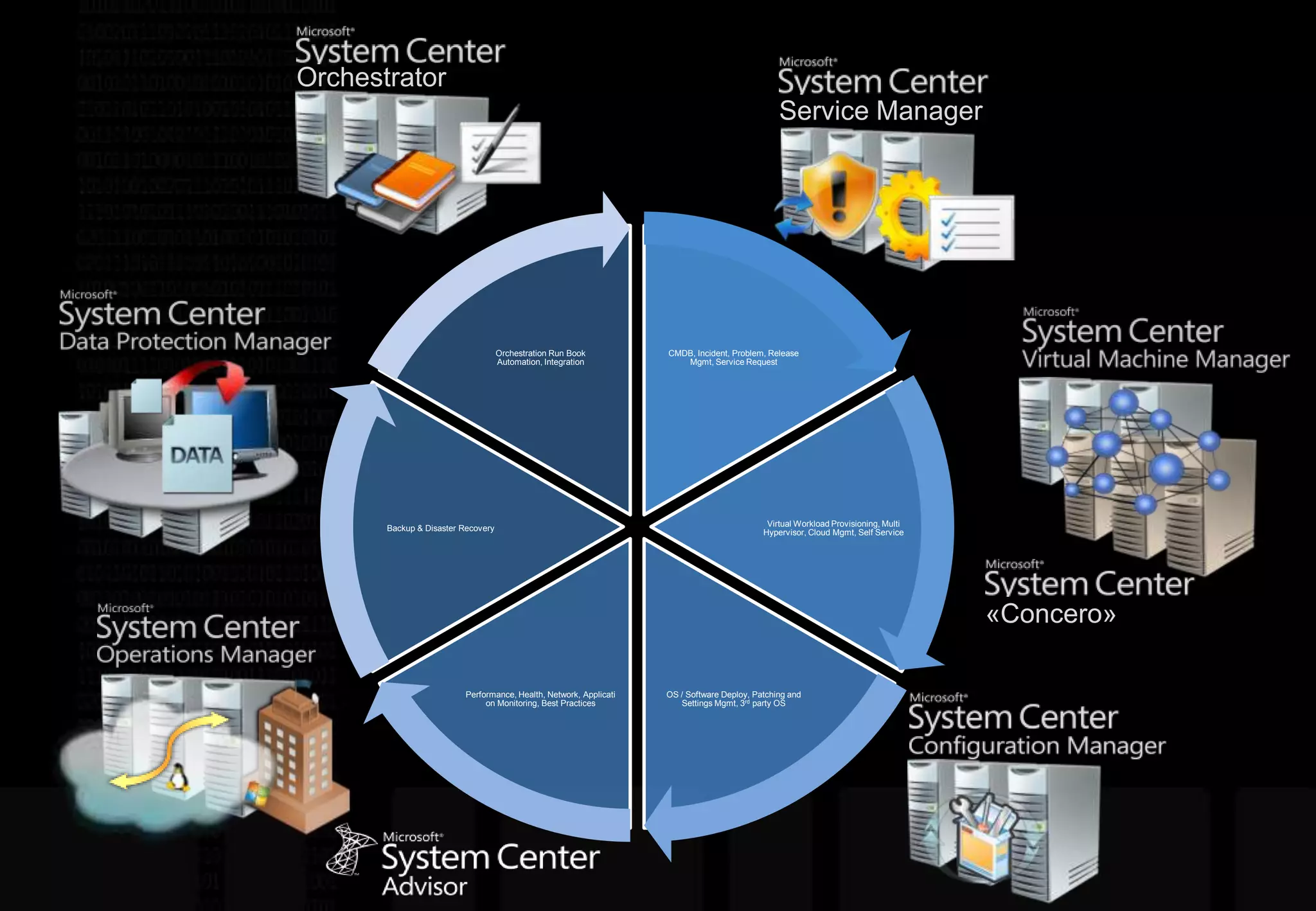
OrchestratorService Manager«Concero»
The Cloud is a Journey
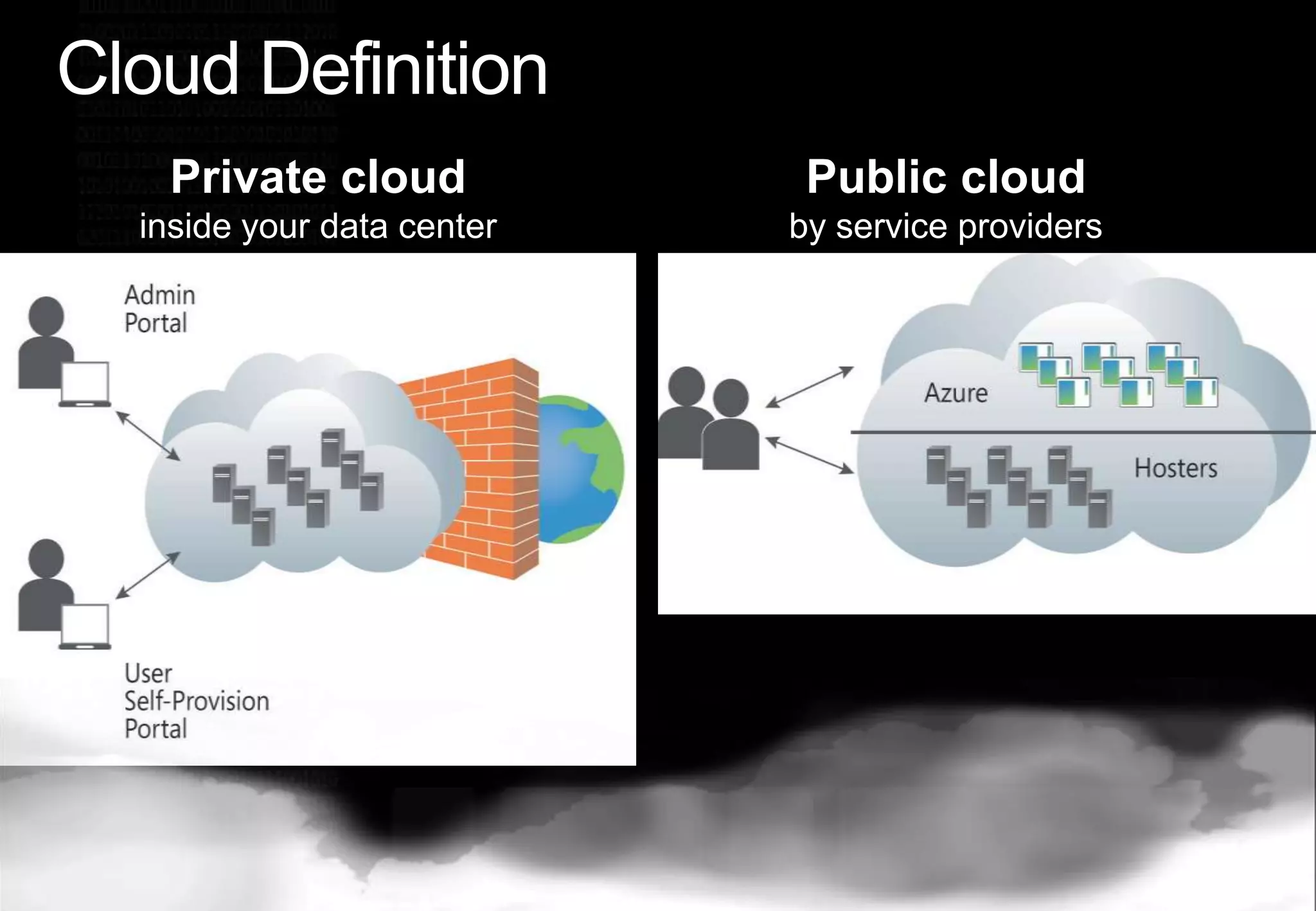
Cloud DefinitionPrivate cloud inside your data centerPublic cloud by service providers
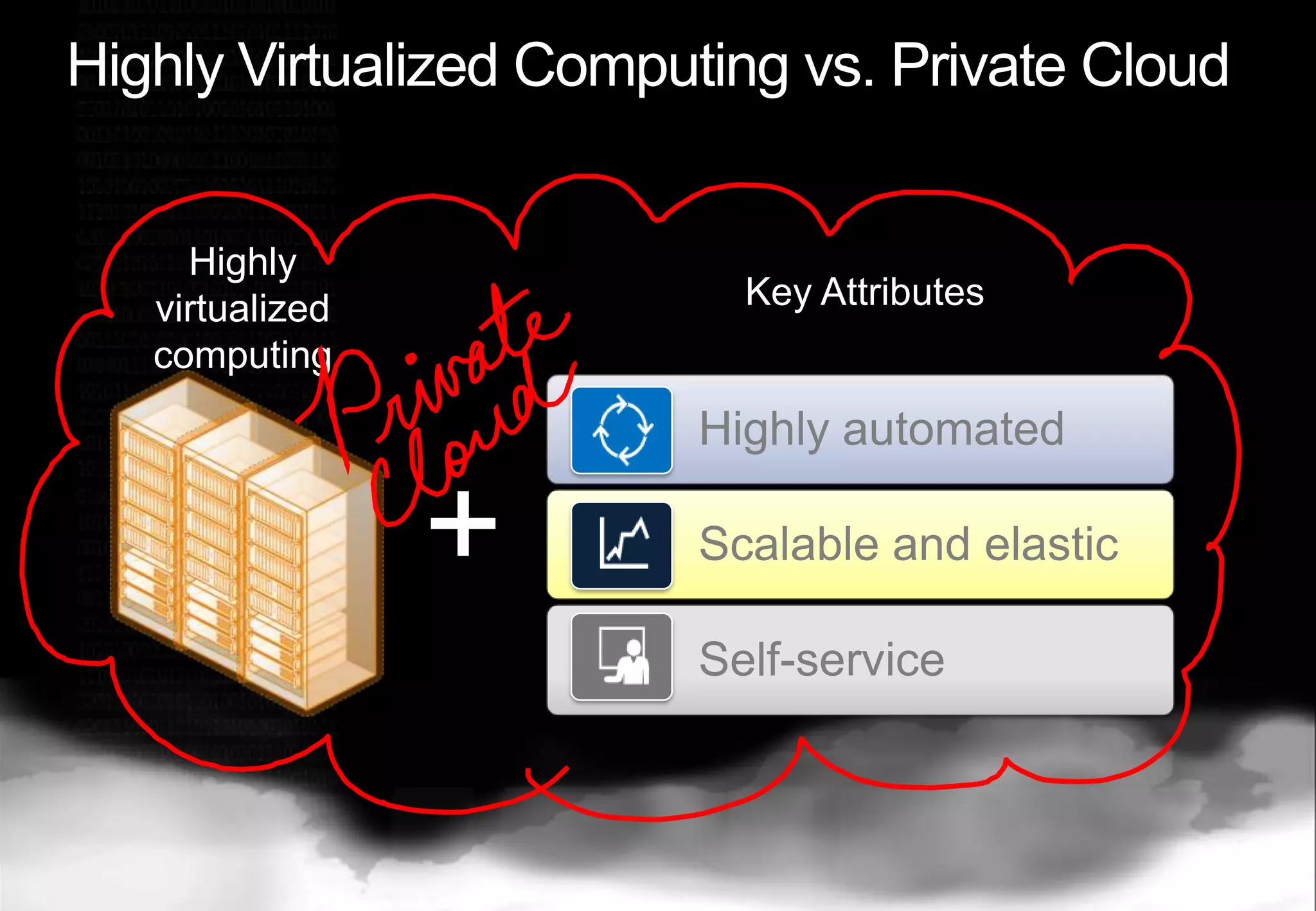
Highly Virtualized Computing vs. Private CloudKey AttributesHighly virtualized computing+
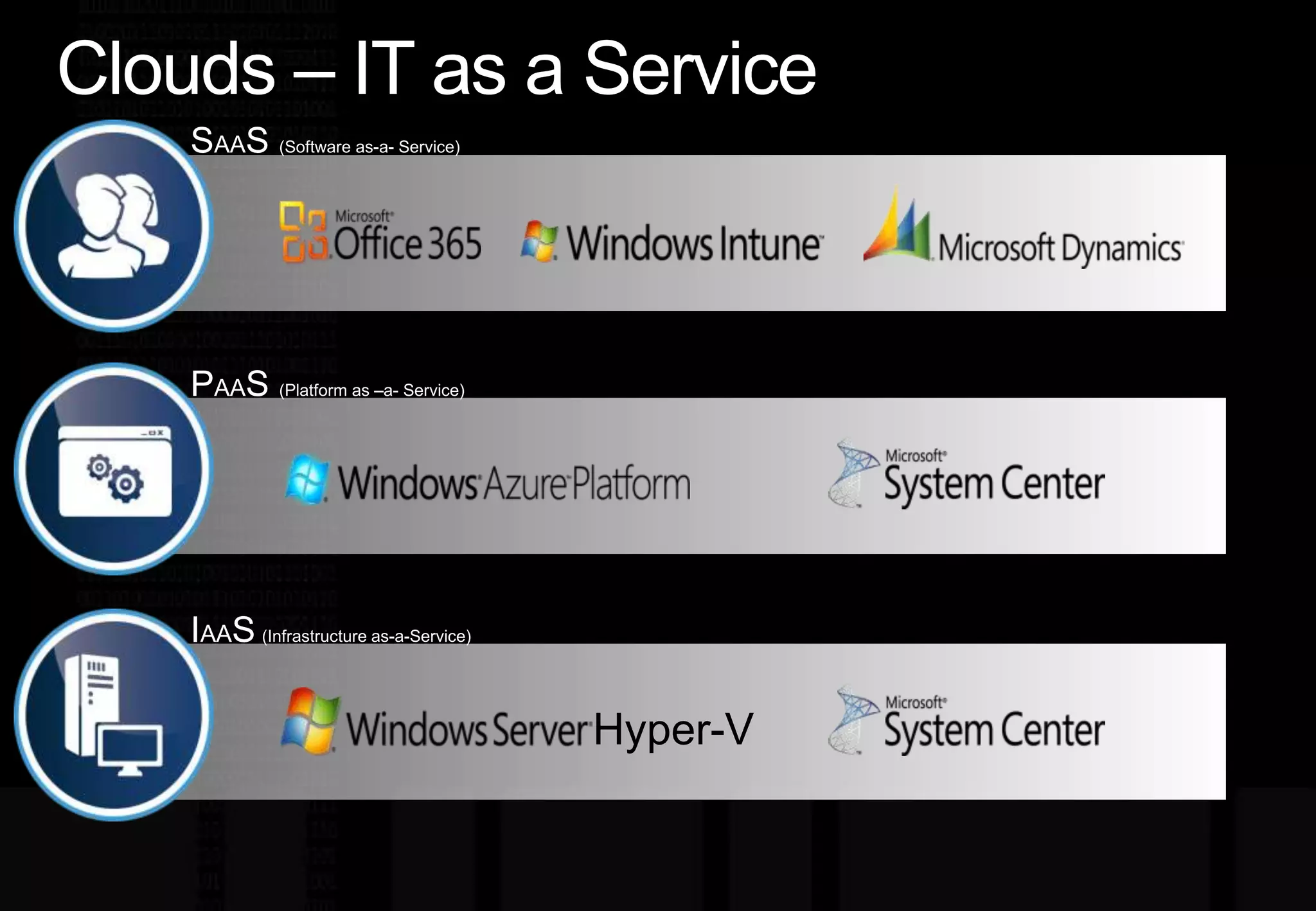
Clouds –IT as a ServiceSAAS (Software as-a- Service)PAAS (Platformas–a- Service)IAAS(Infrastructure as-a-Service)Hyper-V
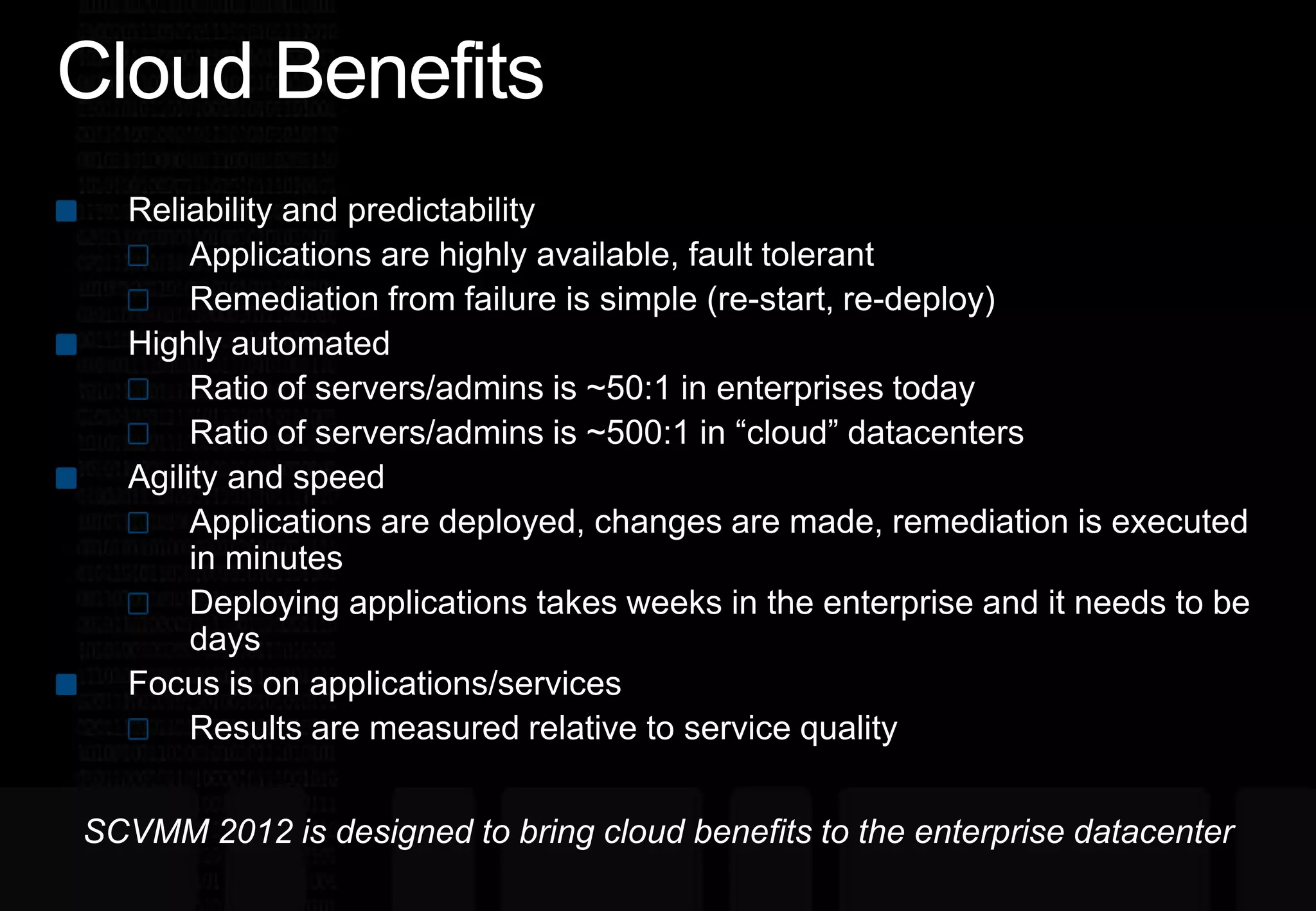
Cloud BenefitsReliability and predictabilityApplications are highly available, fault tolerantRemediation from failure is simple (re-start, re-deploy)Highly automatedRatio of servers/admins is ~50:1 in enterprises todayRatio of servers/admins is ~500:1 in “cloud” datacentersAgility and speedApplications are deployed, changes are made, remediation is executed in minutesDeploying applications takes weeks in the enterprise and it needs to be daysFocus is on applications/servicesResults are measured relative to service qualitySCVMM 2012 is designed to bring cloud benefits to the enterprise datacenter
 System Center Virtual Machine Manager
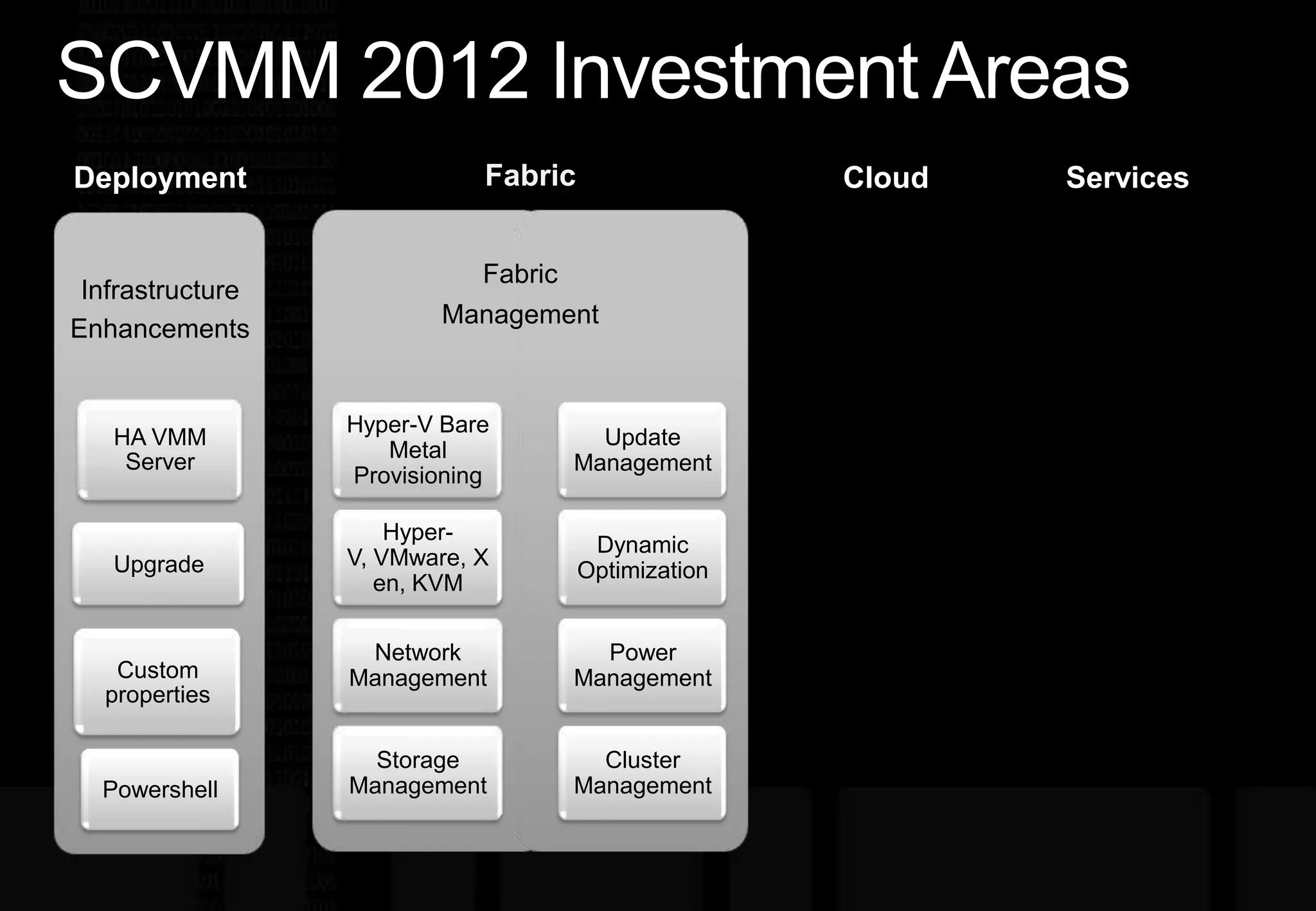
SCVMM 2012 Investment AreasFabricServicesCloudDeploymentFabric ManagementHyper-V Bare Metal ProvisioningUpdate ManagementHyper-V, VMware, Xen, KVMDynamic OptimizationNetwork ManagementPower ManagementStorage ManagementCluster Management
SCVMM 2012demo
Server Application Virtualization (Server App-V)
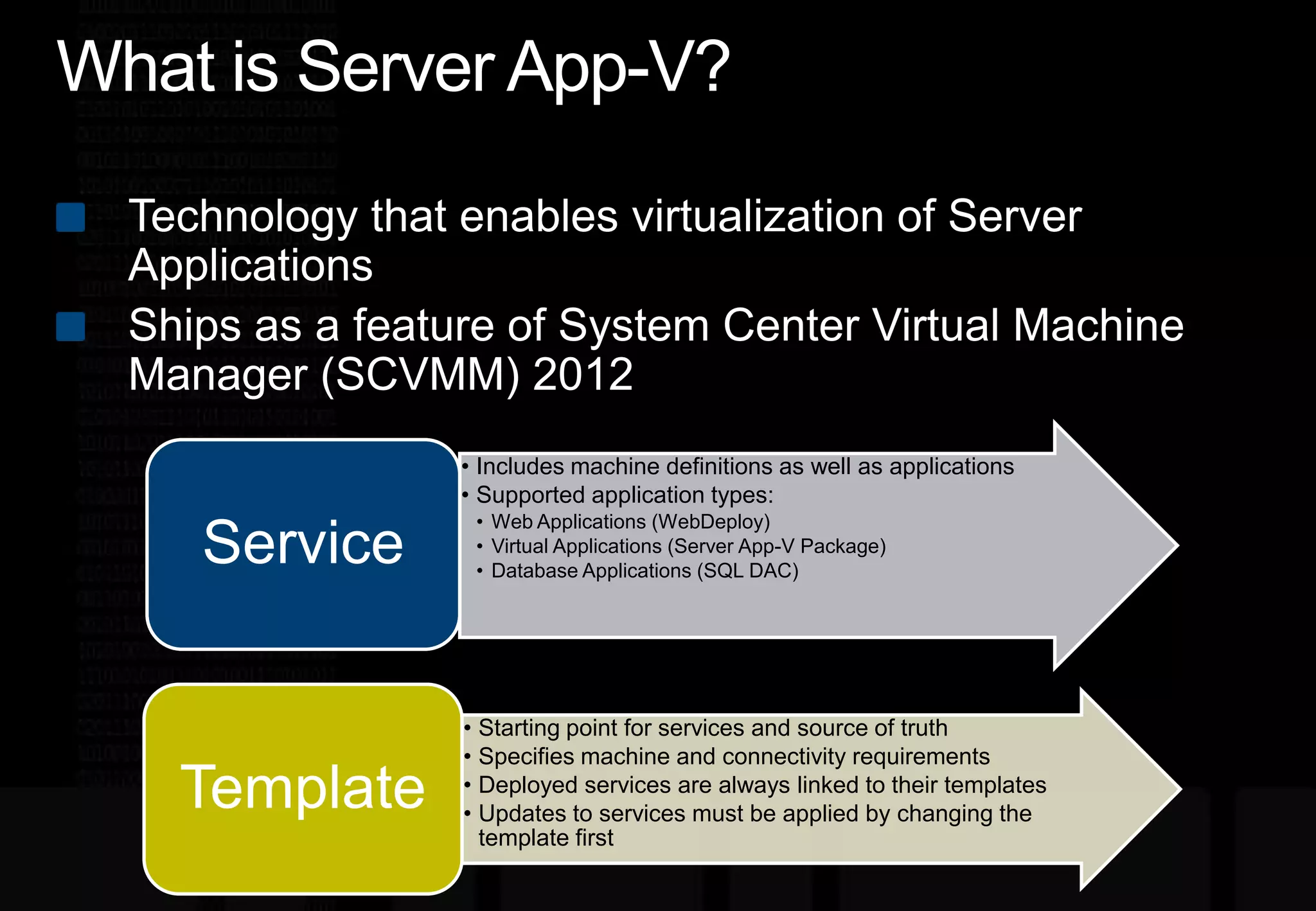
What is Server App-V?Technology that enables virtualization of Server ApplicationsShips as a feature of System Center Virtual Machine Manager (SCVMM) 2012
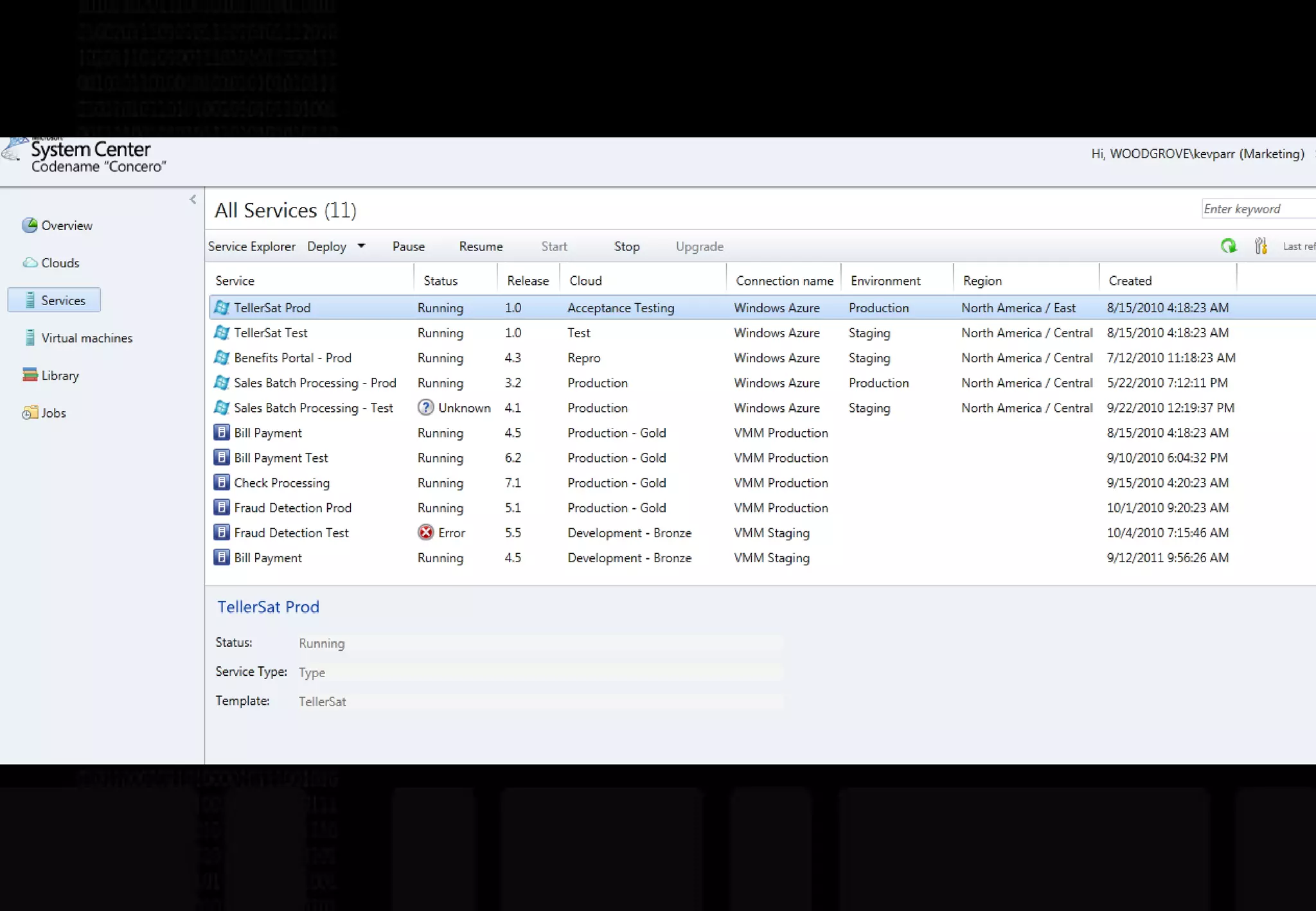
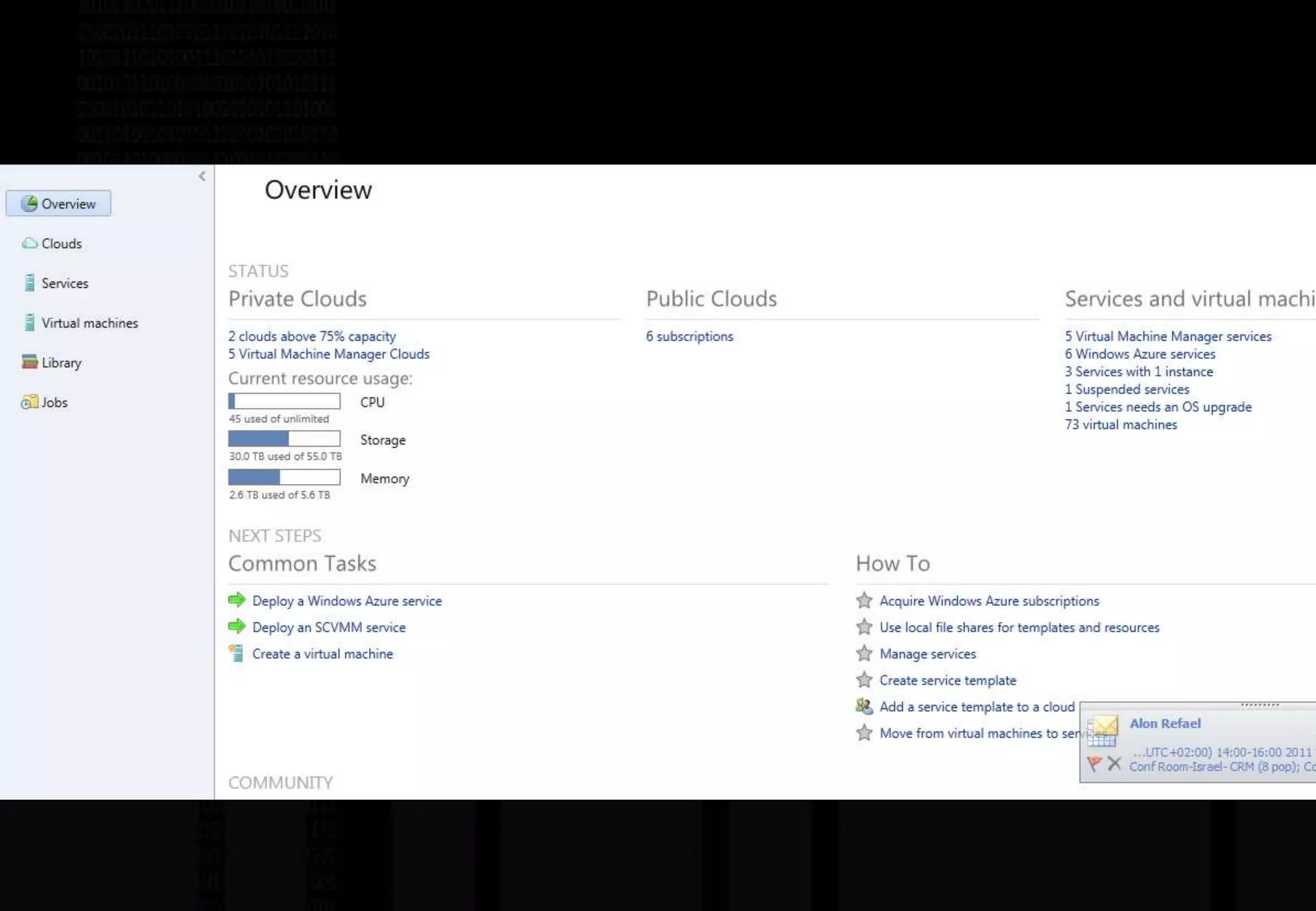
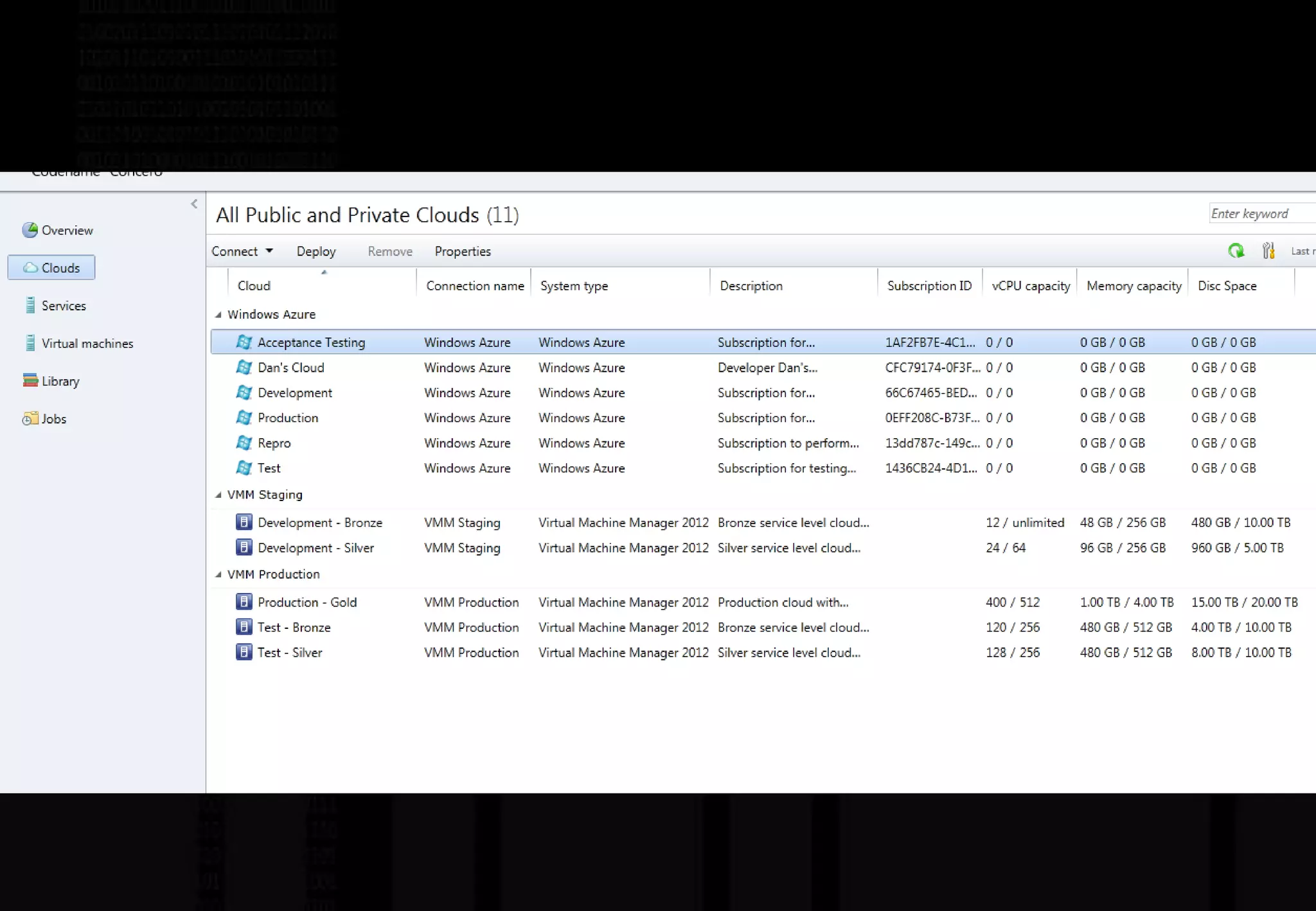
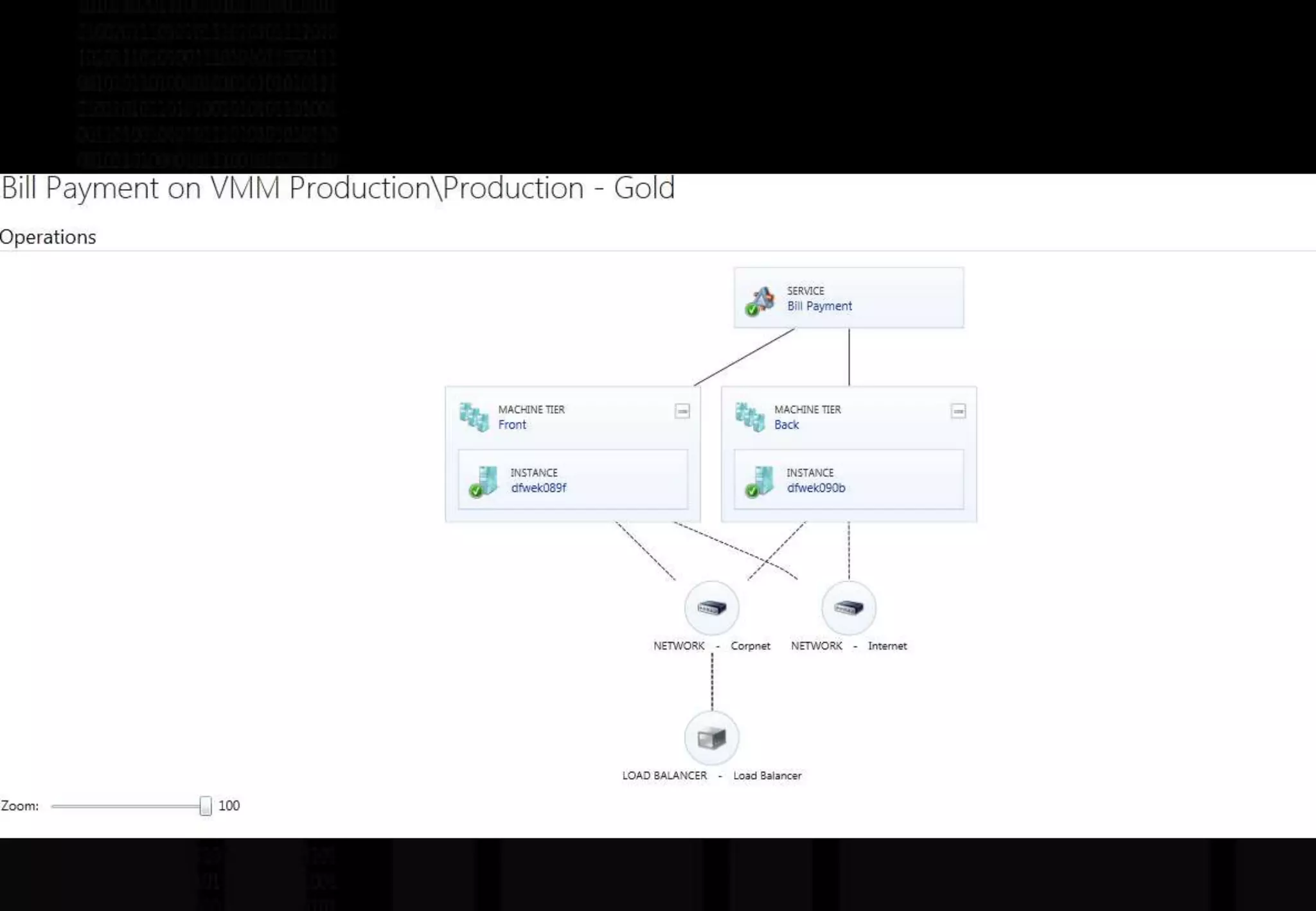
System Center "Concero"Service Management in Hybrid Clouds
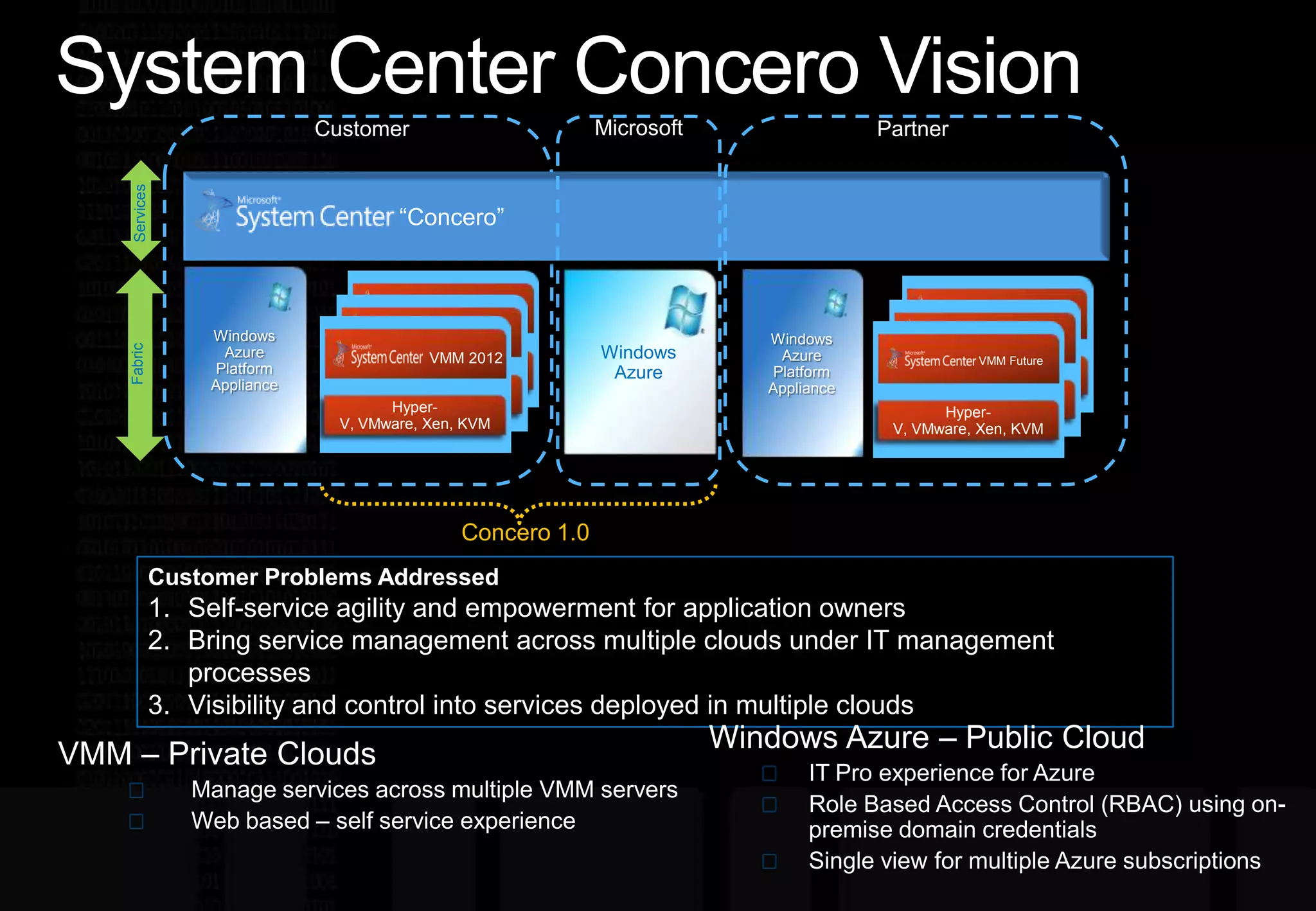
System Center Concero VisionCustomerPartnerServices“Concero”Windows Azure Platform ApplianceWindows Azure Platform ApplianceVMM 2012MicrosoftVMM FutureVMM 2012VMM 2012VMM 2012VMM 2012Windows AzureHyper-V, VMware, XenHyper-V, VMware, XenHyper-V, VMware, Xen, KVMHyper-V, VMware, XenHyper-V, VMware, XenHyper-V, VMware, Xen, KVMConcero 1.0FabricCustomer Problems AddressedSelf-service agility and empowerment for application ownersBring service management across multiple clouds under IT management processesVisibility and control into services deployed in multiple cloudsWindows Azure – Public CloudIT Pro experience for AzureRole Based Access Control (RBAC) using on-premise domain credentialsSingle view for multiple Azure subscriptionsVMM – Private CloudsManage services across multiple VMM serversWeb based – self service experience
 System Center Configurations Manager
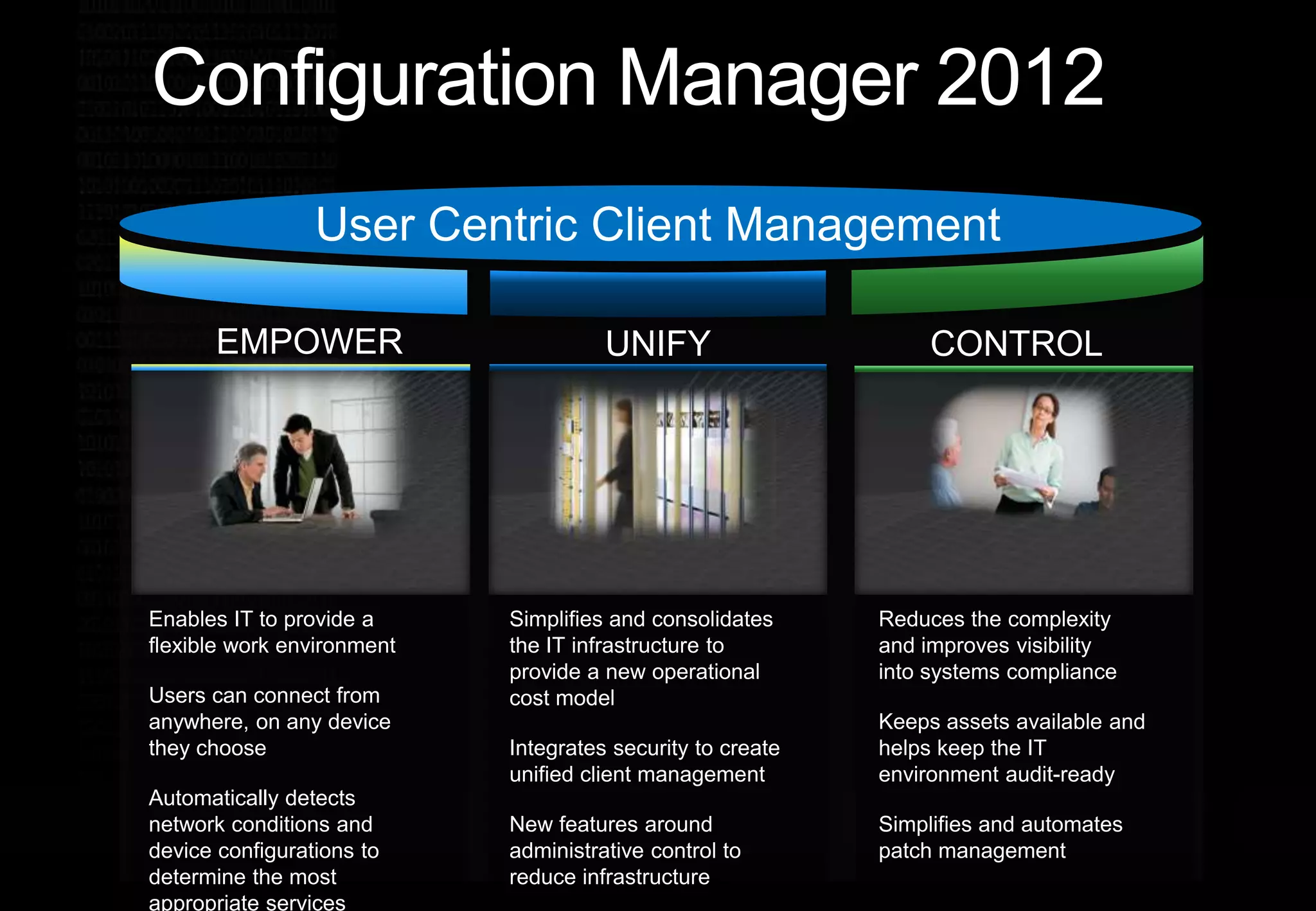
Configuration Manager 2012User Centric Client ManagementEMPOWERCONTROLUNIFYReduces the complexity and improves visibility into systems compliance Keeps assets available and helps keep the IT environment audit-ready Simplifies and automates  patch managementSimplifies and consolidates the IT infrastructure to provide a new operational cost modelIntegrates security to create unified client managementNew features around administrative control to reduce infrastructure Enables IT to provide a flexible work environment Users can connect from anywhere, on any device they chooseAutomatically detects network conditions and device configurations to determine the most appropriate services
 System Center Operations Manager 2012
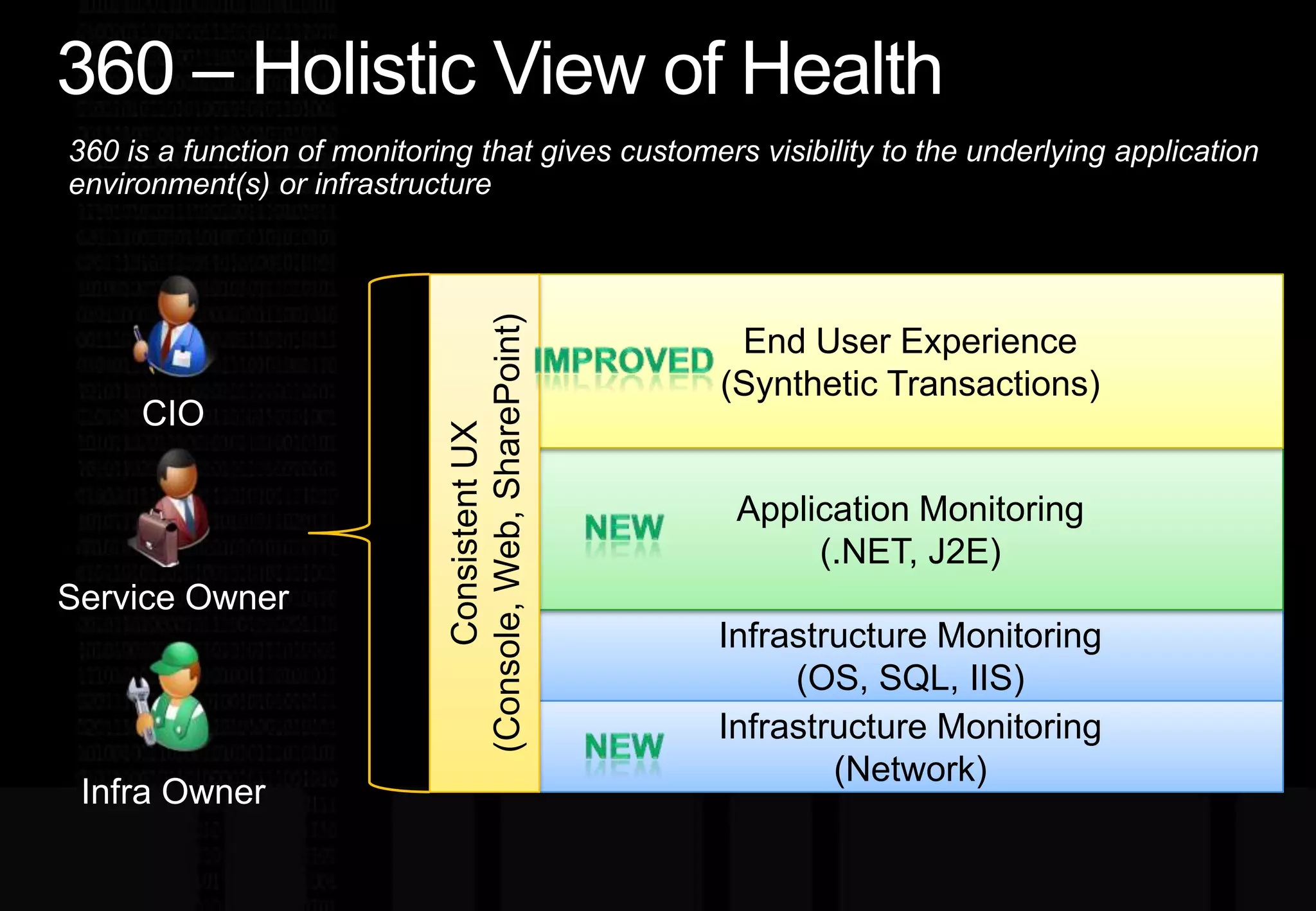
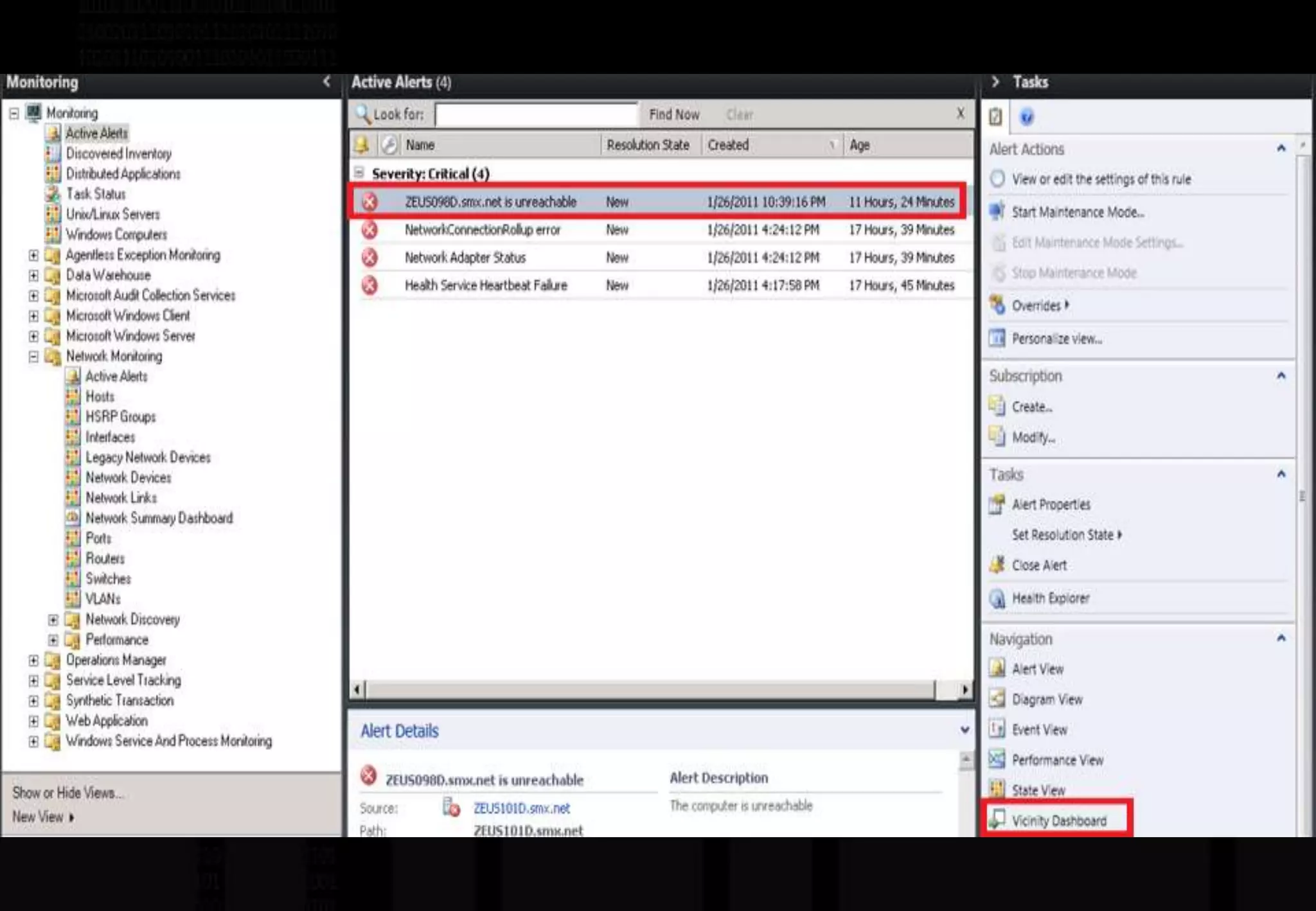
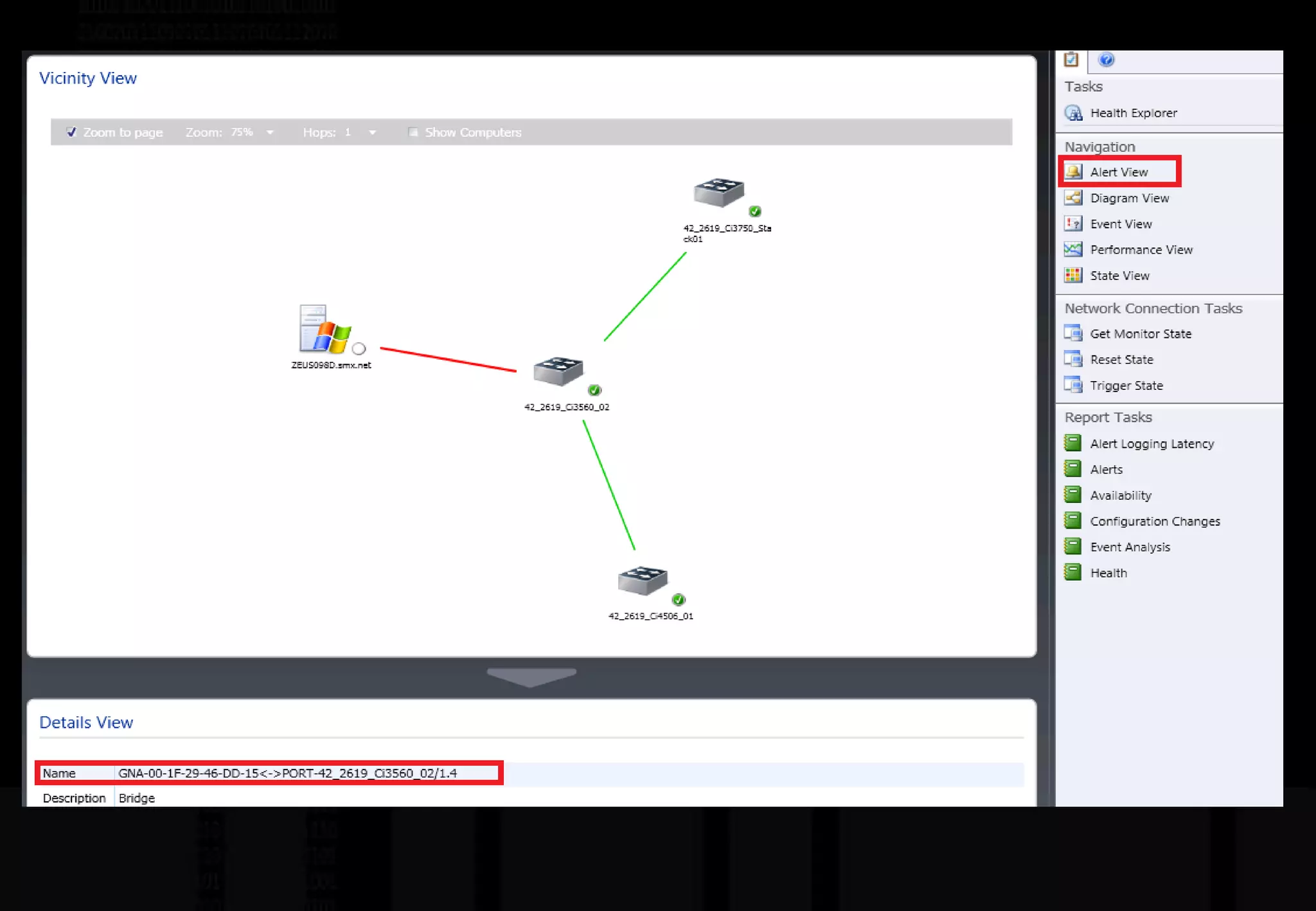
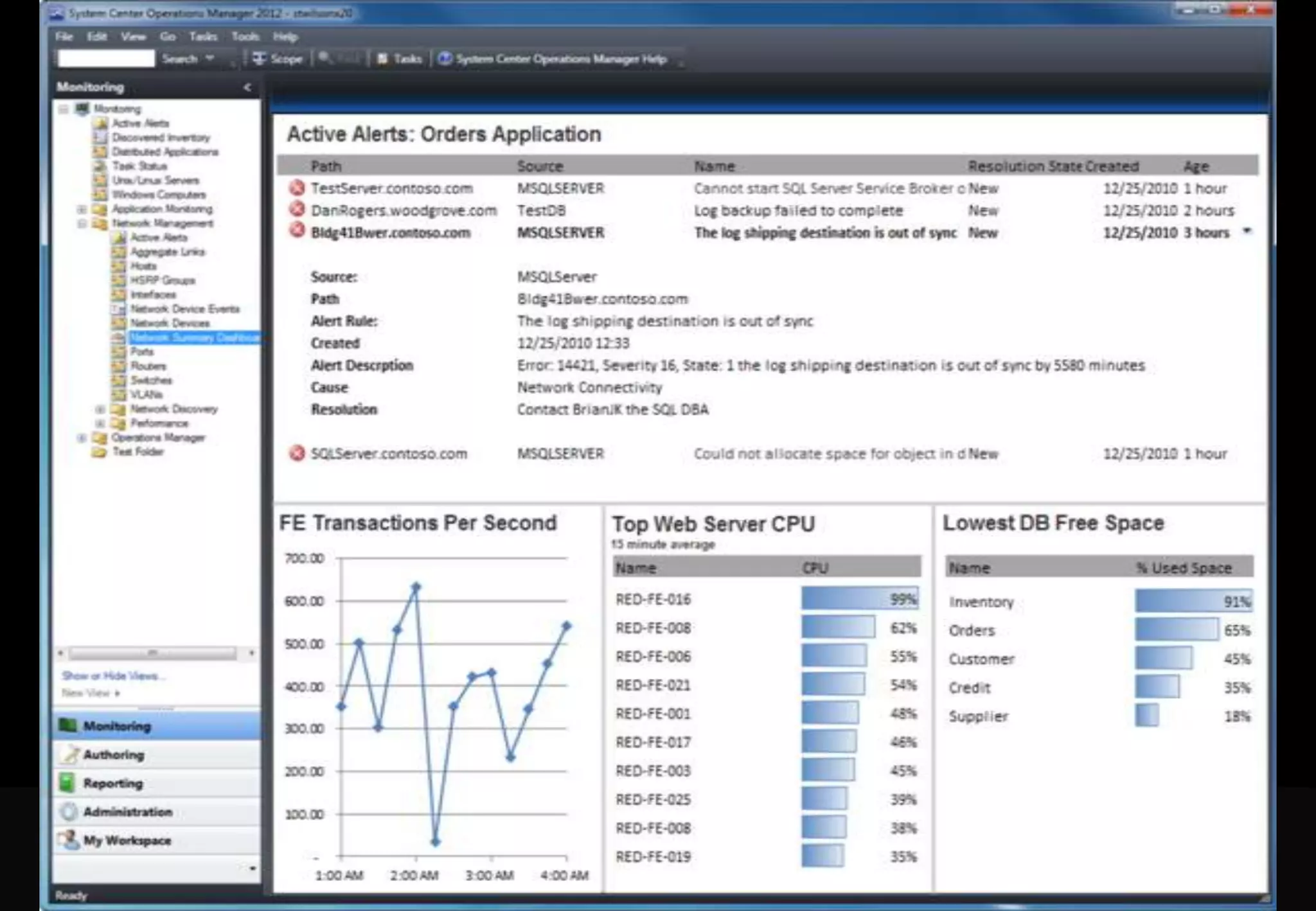
SCOM 2012 Investment AreasTopology SimplificationOut of the box HAEasy to scale outNetwork MonitoringMulti-vendor supportMulti-protocol supportServer to network dependency discovery Application Monitoring (AviCode)Java EE Application Servers.NET ApplicationsSimple and Powerful Visualizations via Dashboards360 – Holistic View of Health
360 – Holistic View of Health360 is a function of monitoring that gives customers visibility to the underlying application environment(s) or infrastructureConsistent UX(Console, Web, SharePoint) End User Experience(Synthetic Transactions)ImprovedCIOApplication Monitoring(.NET, J2E)NewService OwnerInfrastructure Monitoring(OS, SQL, IIS)Infrastructure Monitoring(Network)NewInfra Owner
 System Center Orchestrator (legacy Opalis)
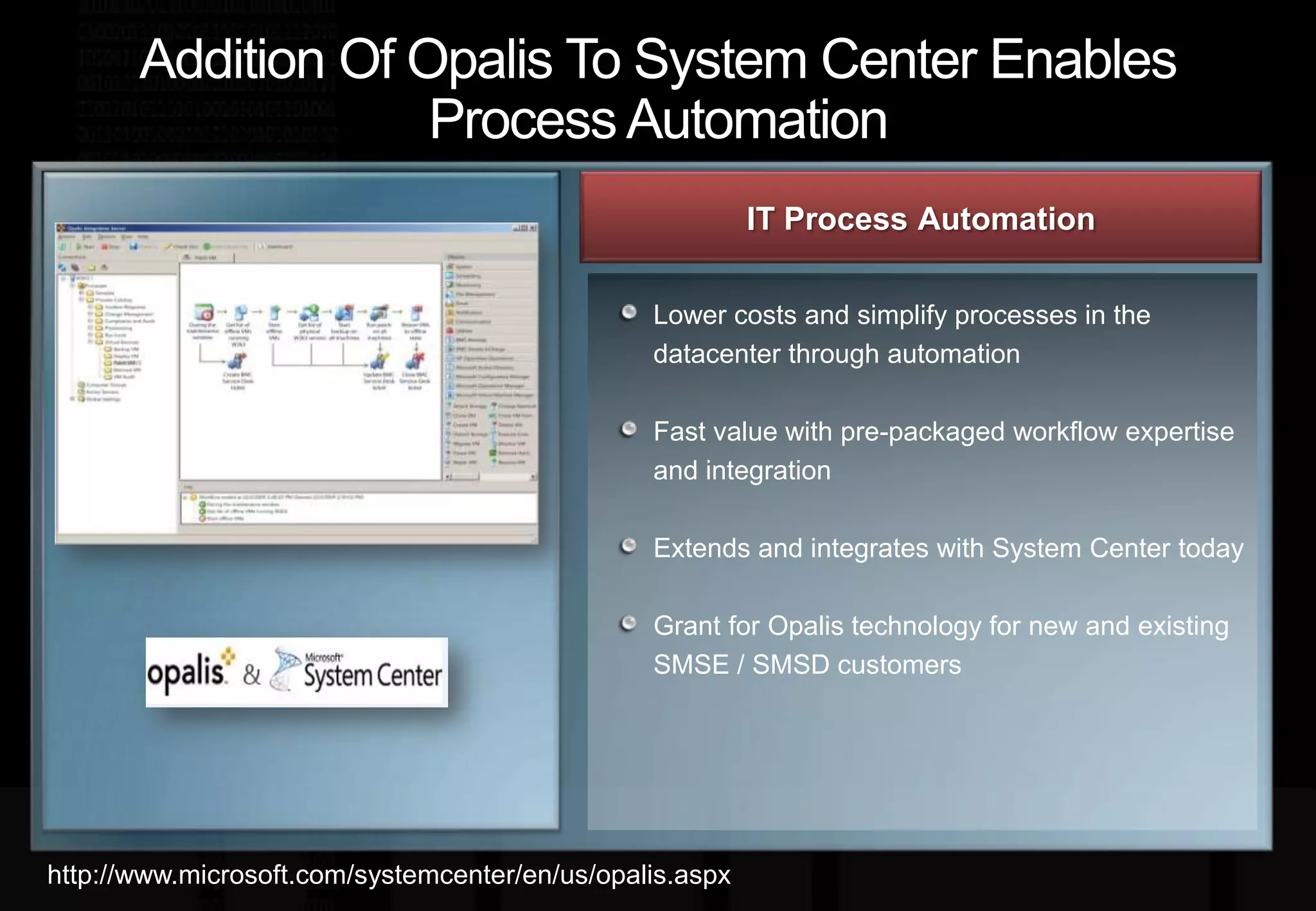
Addition Of Opalis To System Center Enables Process AutomationIT Process Automation Lower costs and simplify processes in the datacenter through automationFast value with pre-packaged workflow expertise and integrationExtends and integrates with System Center todayGrant for Opalis technology for new and existing SMSE / SMSD customershttp://www.microsoft.com/systemcenter/en/us/opalis.aspx
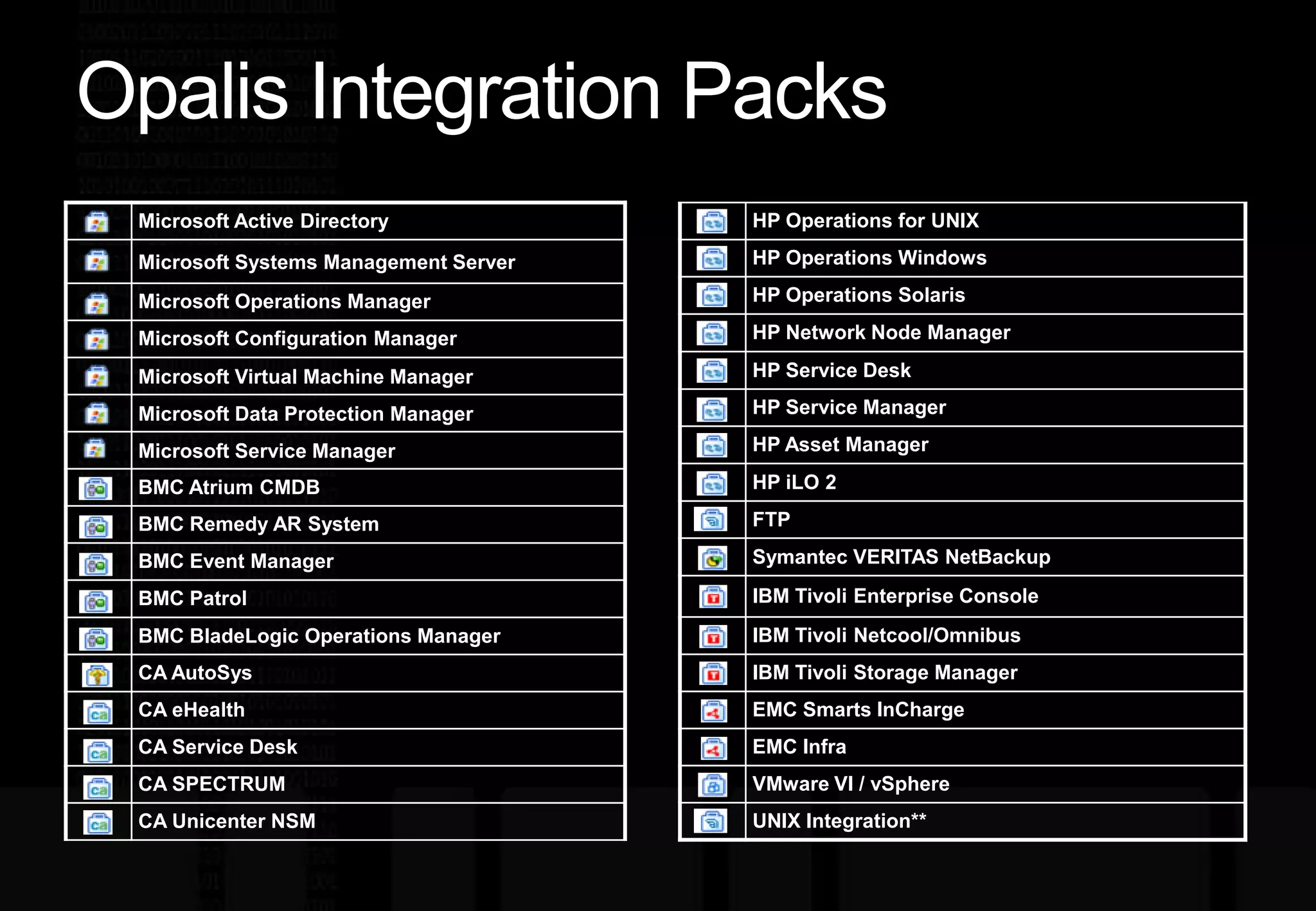
Opalis Integration Packs
demo System Center Orchestrator (legacy Opalis)
 System Center Service Manager
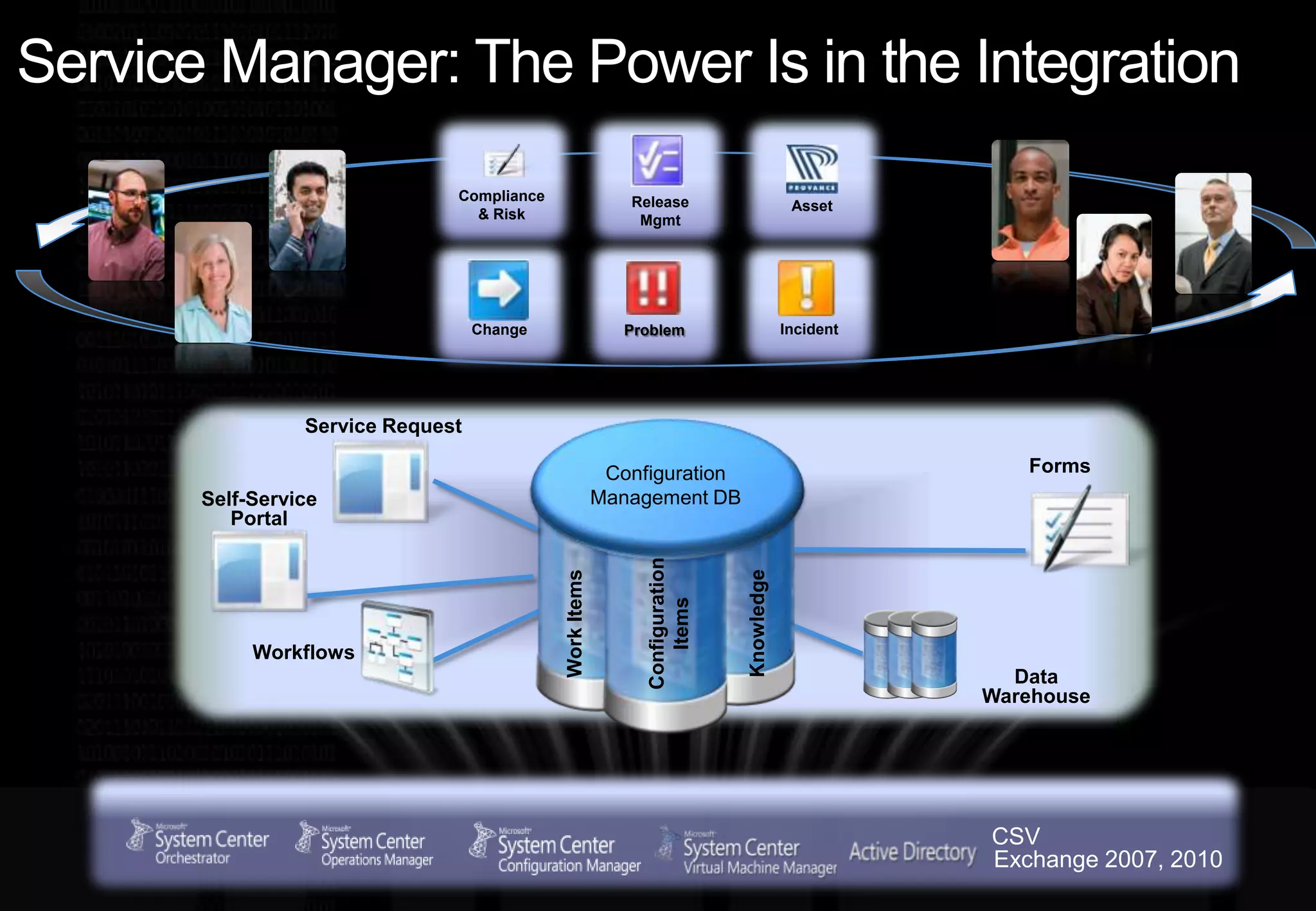
Service Manager: The Power Is in the IntegrationRelease MgmtAssetCompliance & RiskIncidentChangeProblemService RequestFormsConfiguration Management DBSelf-Service PortalWorkflowsConfiguration ItemsKnowledgeWork ItemsData WarehouseCSVExchange 2007, 2010
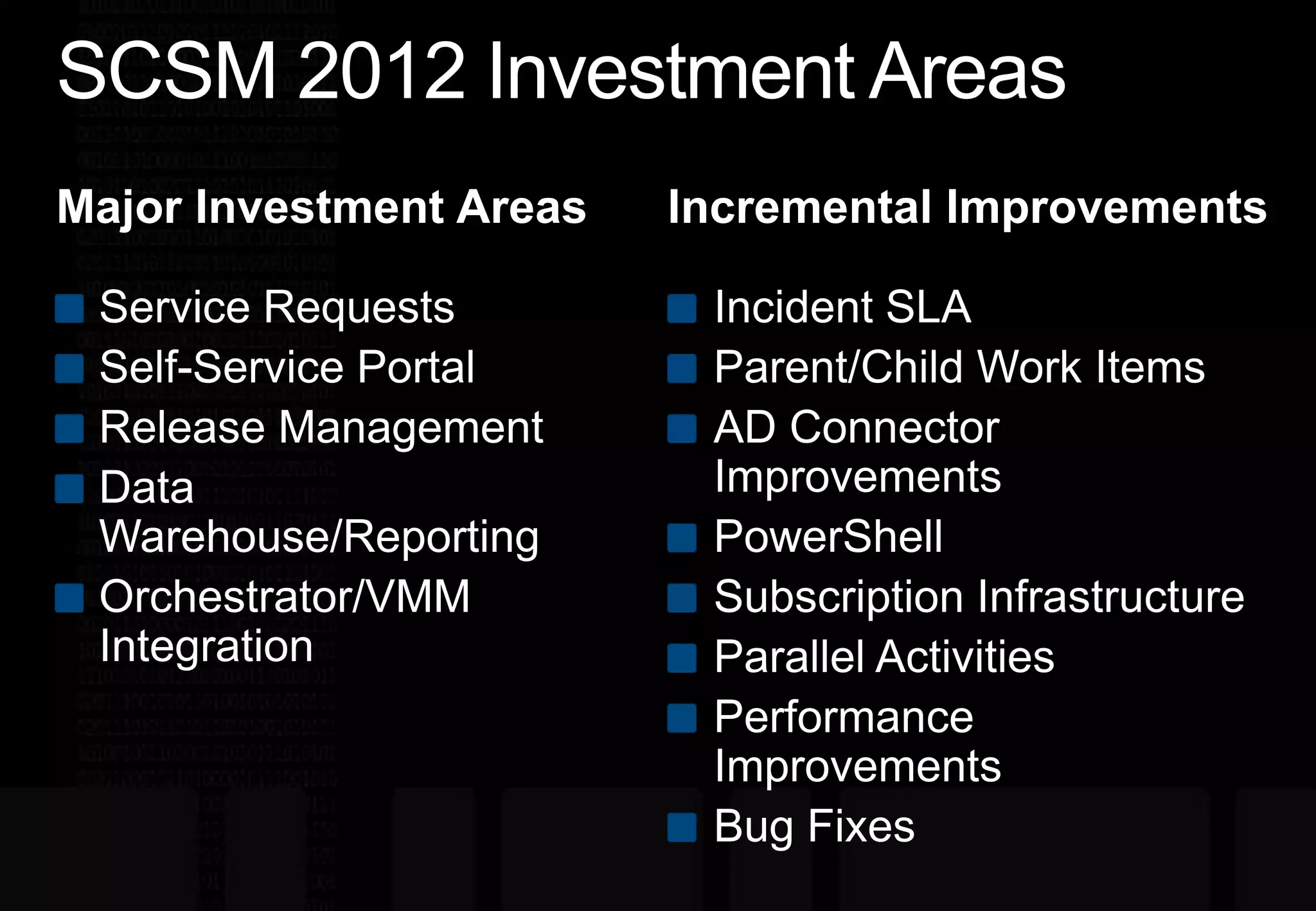
SCSM 2012 Investment AreasIncremental ImprovementsMajor Investment AreasService RequestsSelf-Service PortalRelease ManagementData Warehouse/ReportingOrchestrator/VMM IntegrationIncident SLAParent/Child Work ItemsAD Connector ImprovementsPowerShellSubscription InfrastructureParallel ActivitiesPerformance ImprovementsBug Fixes
 System Center Data Protection Manager 2012
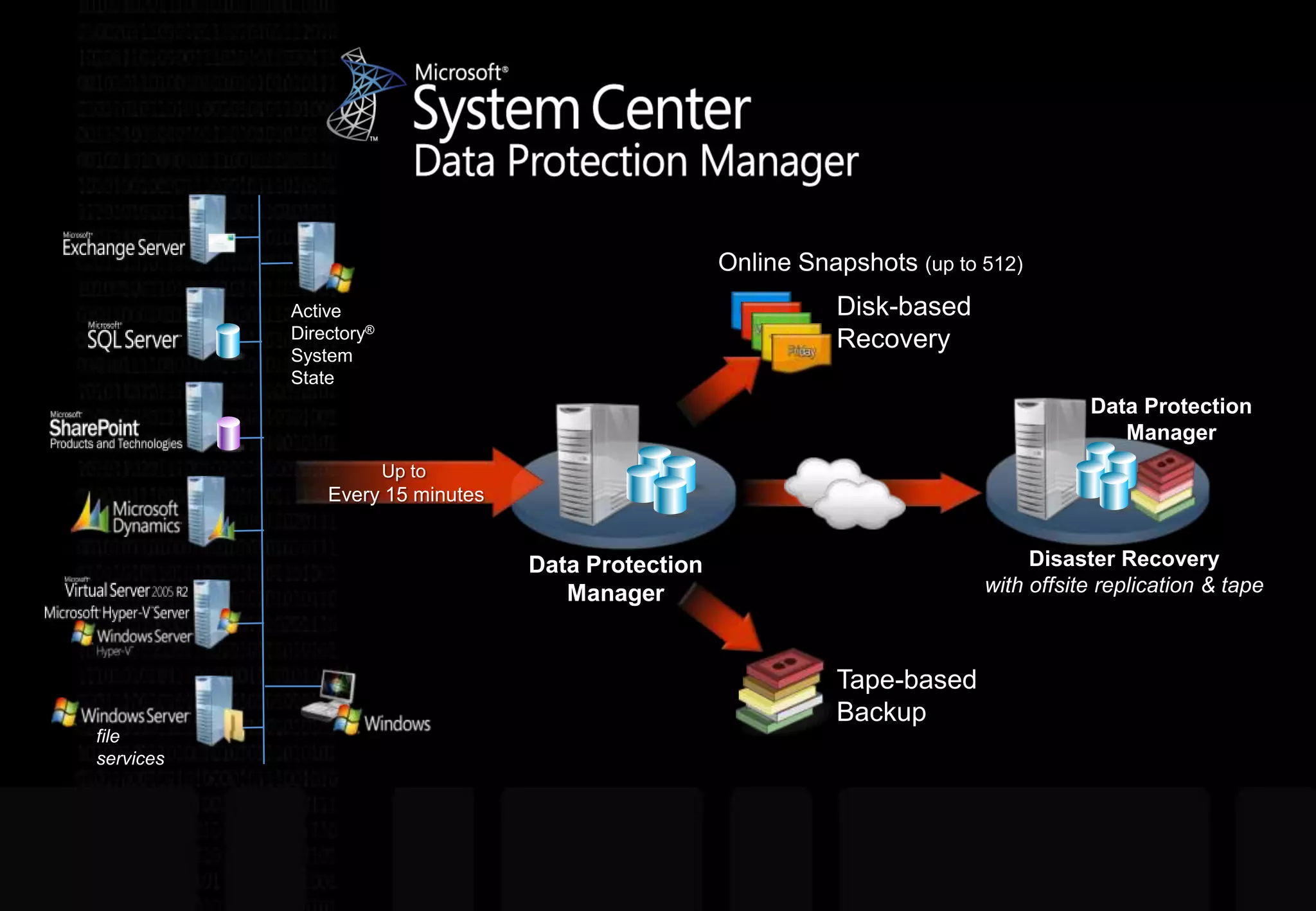
Disk-based RecoveryOnline Snapshots (up to 512)Active Directory®System StateData Protection ManagerUp to Every 15 minutesData Protection ManagerDisaster Recoverywith offsite replication & tapeTape-based Backupfile services
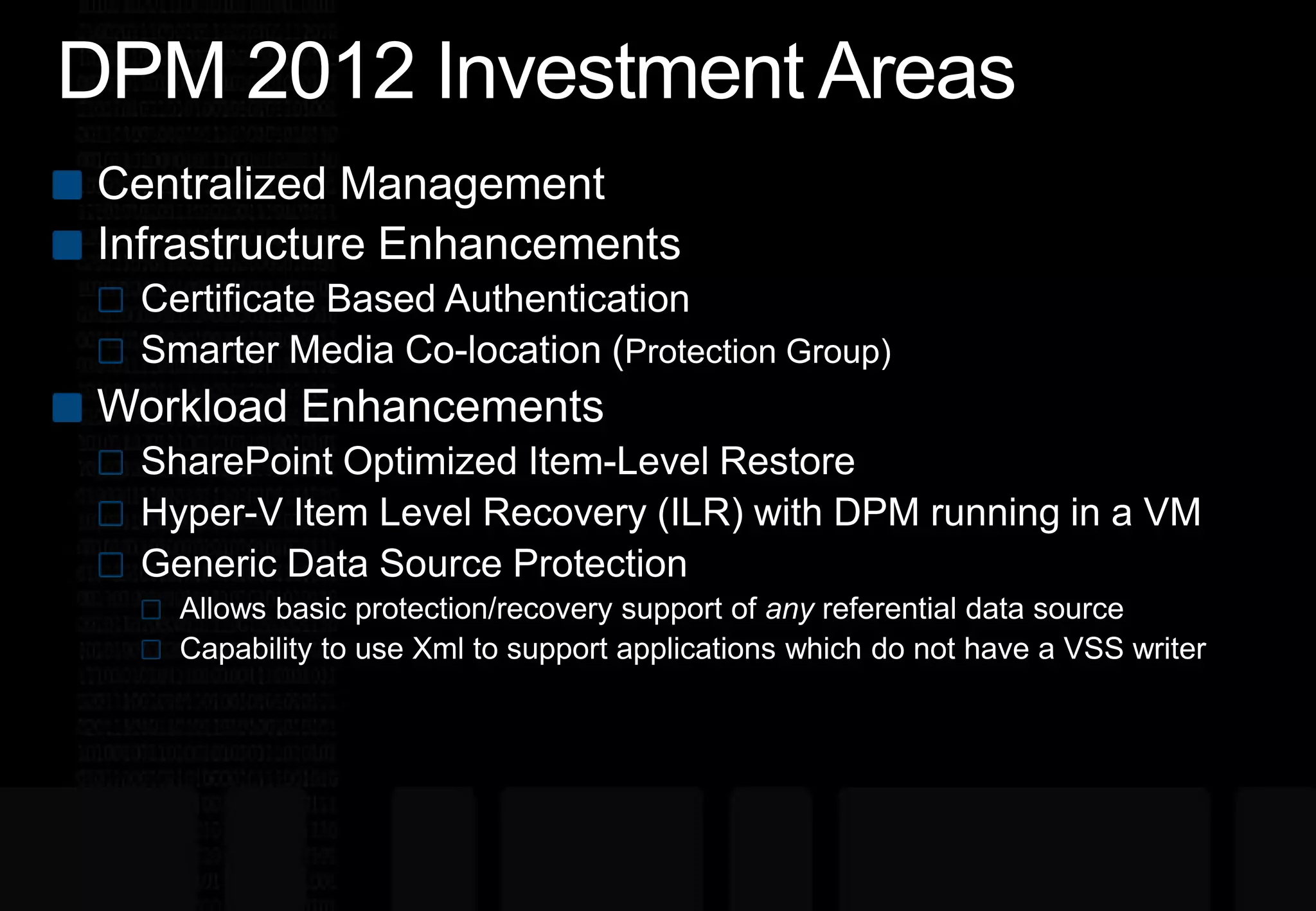
DPM 2012 Investment AreasCentralized ManagementInfrastructure EnhancementsCertificate Based AuthenticationSmarter Media Co-location (Protection Group) Workload EnhancementsSharePoint Optimized Item-Level RestoreHyper-V Item Level Recovery (ILR) with DPM running in a VMGeneric Data Source ProtectionAllows basic protection/recovery support of anyreferential data sourceCapability to use Xml to support applications which do not have a VSS writer
System Center 2012Roadmap
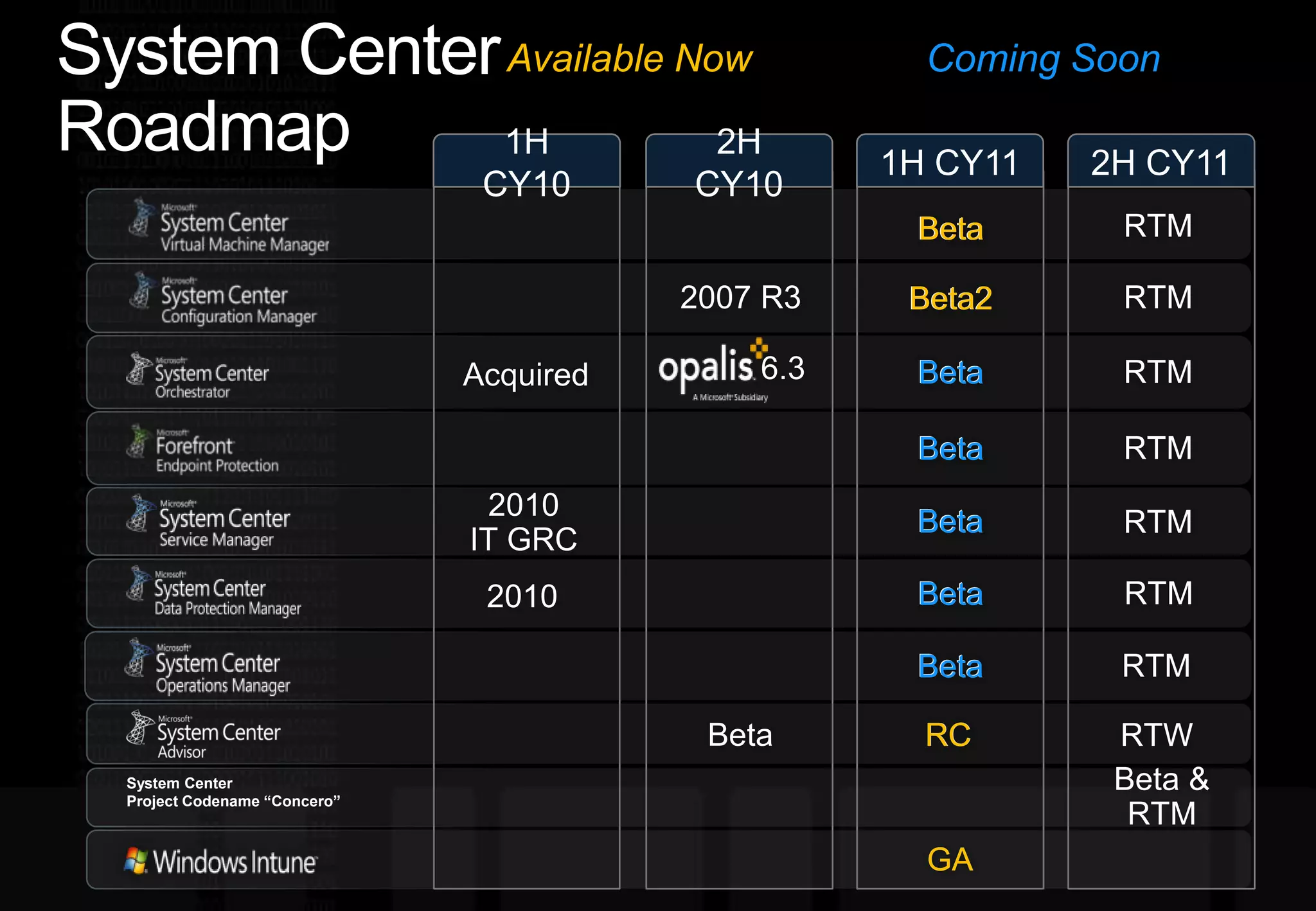
System Center RoadmapComing SoonAvailable Now1H CY102H CY101H CY112H CY11RTMBetaBetaRTM2007 R3Beta2Beta26.3RTMBeta Beta AcquiredRTMBeta Beta 2010IT GRC Beta Beta RTM2010RTMBeta Beta RTMBetaBetaBetaRCRCRTWBeta & RTMSystem Center Project Codename “Concero”GAGA
Q&A
IaaSSystem Center 2012Technical OverviewAmit GatenyoInfrastructure & Security Manager, DarioMicrosoft Regional Director – Windows Server & Security054-2492499Amit.g@dario.co.il

System Center 2012 Technical Overview

  • 1.
    IaaSSystem Center 2012TechnicalOverviewAmit GatenyoInfrastructure & Security Manager, DarioMicrosoft Regional Director – Windows Server & Security054-2492499Amit.g@dario.co.il
  • 2.
    AgendaYour ExpectationsWhat isin System Center 2012 ?The Cloud is a JourneyVirtual Machine Manager 2012Server Application VirtualizationSystem Center "Concero"Configuration Manager 2012Operations Manager 2012Orchestrator 2012Service Manager 2012Data Protection Manager 2012Roadmap DemoQ/AWebcasts from Tech-Ed North America 2011
  • 3.
    What is inSystem Center 2012 ?
  • 4.
  • 5.
    The Cloud isa Journey
  • 6.
    Cloud DefinitionPrivate cloudinside your data centerPublic cloud by service providers
  • 7.
    Highly Virtualized Computingvs. Private CloudKey AttributesHighly virtualized computing+
  • 8.
    Clouds –IT asa ServiceSAAS (Software as-a- Service)PAAS (Platformas–a- Service)IAAS(Infrastructure as-a-Service)Hyper-V
  • 9.
    Cloud BenefitsReliability andpredictabilityApplications are highly available, fault tolerantRemediation from failure is simple (re-start, re-deploy)Highly automatedRatio of servers/admins is ~50:1 in enterprises todayRatio of servers/admins is ~500:1 in “cloud” datacentersAgility and speedApplications are deployed, changes are made, remediation is executed in minutesDeploying applications takes weeks in the enterprise and it needs to be daysFocus is on applications/servicesResults are measured relative to service qualitySCVMM 2012 is designed to bring cloud benefits to the enterprise datacenter
  • 10.
    System CenterVirtual Machine Manager
  • 11.
    SCVMM 2012 InvestmentAreasFabricServicesCloudDeploymentFabric ManagementHyper-V Bare Metal ProvisioningUpdate ManagementHyper-V, VMware, Xen, KVMDynamic OptimizationNetwork ManagementPower ManagementStorage ManagementCluster Management
  • 12.
  • 13.
  • 14.
    What is ServerApp-V?Technology that enables virtualization of Server ApplicationsShips as a feature of System Center Virtual Machine Manager (SCVMM) 2012
  • 15.
    System Center "Concero"ServiceManagement in Hybrid Clouds
  • 16.
    System Center ConceroVisionCustomerPartnerServices“Concero”Windows Azure Platform ApplianceWindows Azure Platform ApplianceVMM 2012MicrosoftVMM FutureVMM 2012VMM 2012VMM 2012VMM 2012Windows AzureHyper-V, VMware, XenHyper-V, VMware, XenHyper-V, VMware, Xen, KVMHyper-V, VMware, XenHyper-V, VMware, XenHyper-V, VMware, Xen, KVMConcero 1.0FabricCustomer Problems AddressedSelf-service agility and empowerment for application ownersBring service management across multiple clouds under IT management processesVisibility and control into services deployed in multiple cloudsWindows Azure – Public CloudIT Pro experience for AzureRole Based Access Control (RBAC) using on-premise domain credentialsSingle view for multiple Azure subscriptionsVMM – Private CloudsManage services across multiple VMM serversWeb based – self service experience
  • 21.
    System CenterConfigurations Manager
  • 22.
    Configuration Manager 2012UserCentric Client ManagementEMPOWERCONTROLUNIFYReduces the complexity and improves visibility into systems compliance Keeps assets available and helps keep the IT environment audit-ready Simplifies and automates patch managementSimplifies and consolidates the IT infrastructure to provide a new operational cost modelIntegrates security to create unified client managementNew features around administrative control to reduce infrastructure Enables IT to provide a flexible work environment Users can connect from anywhere, on any device they chooseAutomatically detects network conditions and device configurations to determine the most appropriate services
  • 23.
    System CenterOperations Manager 2012
  • 24.
    SCOM 2012 InvestmentAreasTopology SimplificationOut of the box HAEasy to scale outNetwork MonitoringMulti-vendor supportMulti-protocol supportServer to network dependency discovery Application Monitoring (AviCode)Java EE Application Servers.NET ApplicationsSimple and Powerful Visualizations via Dashboards360 – Holistic View of Health
  • 25.
    360 – HolisticView of Health360 is a function of monitoring that gives customers visibility to the underlying application environment(s) or infrastructureConsistent UX(Console, Web, SharePoint) End User Experience(Synthetic Transactions)ImprovedCIOApplication Monitoring(.NET, J2E)NewService OwnerInfrastructure Monitoring(OS, SQL, IIS)Infrastructure Monitoring(Network)NewInfra Owner
  • 29.
    System CenterOrchestrator (legacy Opalis)
  • 30.
    Addition Of OpalisTo System Center Enables Process AutomationIT Process Automation Lower costs and simplify processes in the datacenter through automationFast value with pre-packaged workflow expertise and integrationExtends and integrates with System Center todayGrant for Opalis technology for new and existing SMSE / SMSD customershttp://www.microsoft.com/systemcenter/en/us/opalis.aspx
  • 31.
  • 32.
    demo System CenterOrchestrator (legacy Opalis)
  • 33.
    System CenterService Manager
  • 34.
    Service Manager: ThePower Is in the IntegrationRelease MgmtAssetCompliance & RiskIncidentChangeProblemService RequestFormsConfiguration Management DBSelf-Service PortalWorkflowsConfiguration ItemsKnowledgeWork ItemsData WarehouseCSVExchange 2007, 2010
  • 35.
    SCSM 2012 InvestmentAreasIncremental ImprovementsMajor Investment AreasService RequestsSelf-Service PortalRelease ManagementData Warehouse/ReportingOrchestrator/VMM IntegrationIncident SLAParent/Child Work ItemsAD Connector ImprovementsPowerShellSubscription InfrastructureParallel ActivitiesPerformance ImprovementsBug Fixes
  • 36.
    System CenterData Protection Manager 2012
  • 37.
    Disk-based RecoveryOnline Snapshots(up to 512)Active Directory®System StateData Protection ManagerUp to Every 15 minutesData Protection ManagerDisaster Recoverywith offsite replication & tapeTape-based Backupfile services
  • 38.
    DPM 2012 InvestmentAreasCentralized ManagementInfrastructure EnhancementsCertificate Based AuthenticationSmarter Media Co-location (Protection Group) Workload EnhancementsSharePoint Optimized Item-Level RestoreHyper-V Item Level Recovery (ILR) with DPM running in a VMGeneric Data Source ProtectionAllows basic protection/recovery support of anyreferential data sourceCapability to use Xml to support applications which do not have a VSS writer
  • 39.
  • 40.
    System Center RoadmapComingSoonAvailable Now1H CY102H CY101H CY112H CY11RTMBetaBetaRTM2007 R3Beta2Beta26.3RTMBeta Beta AcquiredRTMBeta Beta 2010IT GRC Beta Beta RTM2010RTMBeta Beta RTMBetaBetaBetaRCRCRTWBeta & RTMSystem Center Project Codename “Concero”GAGA
  • 41.
  • 42.
    IaaSSystem Center 2012TechnicalOverviewAmit GatenyoInfrastructure & Security Manager, DarioMicrosoft Regional Director – Windows Server & Security054-2492499Amit.g@dario.co.il