System Center Virtual Machine Manager 2012What’s In It and How It Enables Building Private Clouds and Federation to Public CloudsAmit GatenyoInfrastructure & Security Manager, DarioMicrosoft Regional Director – Windows Server & Security054-2492499Amit.g@dario.co.il
Session ObjectivesProvide an overview of VMM 2012Provide information on cloud (IAAS) management using VMM 2012
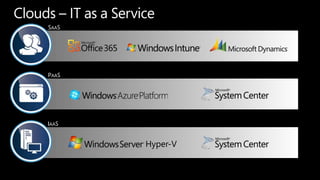
Clouds –IT as a ServiceSAASPAASIAASHyper-V
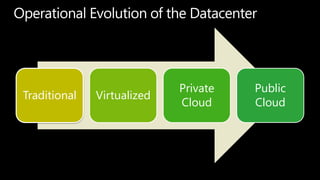
Operational Evolution of the Datacenter
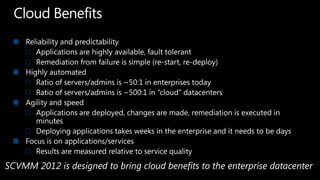
Cloud BenefitsReliability and predictabilityApplications are highly available, fault tolerantRemediation from failure is simple (re-start, re-deploy)Highly automatedRatio of servers/admins is ~50:1 in enterprises todayRatio of servers/admins is ~500:1 in “cloud” datacentersAgility and speedApplications are deployed, changes are made, remediation is executed in minutesDeploying applications takes weeks in the enterprise and it needs to be daysFocus is on applications/servicesResults are measured relative to service qualitySCVMM 2012 is designed to bring cloud benefits to the enterprise datacenter
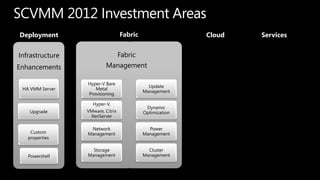
SCVMM 2012 Investment AreasFabricServicesCloudDeploymentFabric ManagementHyper-V Bare Metal ProvisioningUpdate ManagementHyper-V, VMware, Citrix XenServerDynamic OptimizationNetwork ManagementPower ManagementStorage ManagementCluster Management
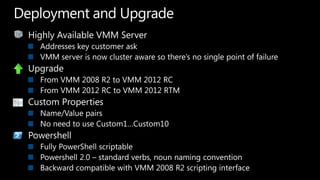
Highly Available VMM ServerAddresses key customer ask VMM server is now cluster aware so there’s no single point of failureUpgradeFrom VMM 2008 R2 to VMM 2012 RCFrom VMM 2012 RC to VMM 2012 RTMCustom PropertiesName/Value pairsNo need to use Custom1…Custom10PowershellFully PowerShell scriptablePowershell 2.0 – standard verbs, noun naming conventionBackward compatible with VMM 2008 R2 scripting interfaceDeployment and Upgrade
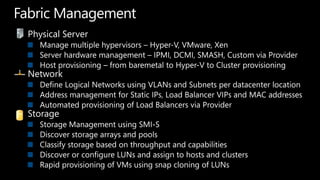
Fabric ManagementPhysical ServerManage multiple hypervisors – Hyper-V, VMware, XenServer hardware management – IPMI, DCMI, SMASH, Custom via ProviderHost provisioning – from baremetal to Hyper-V to Cluster provisioningNetworkDefine Logical Networks using VLANs and Subnets per datacenter locationAddress management for Static IPs, Load Balancer VIPs and MAC addressesAutomated provisioning of Load Balancers via ProviderStorageStorage Management using SMI-SDiscover storage arrays and poolsClassify storage based on throughput and capabilitiesDiscover or configure LUNs and assign to hosts and clustersRapid provisioning of VMs using snap cloning of LUNs
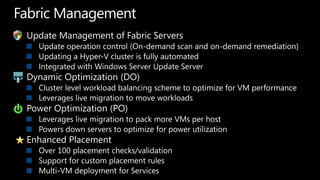
Fabric ManagementUpdate Management of Fabric ServersUpdate operation control (On-demand scan and on-demand remediation)Updating a Hyper-V cluster is fully automatedIntegrated with Windows Server Update ServerDynamic Optimization (DO)Cluster level workload balancing scheme to optimize for VM performanceLeverages live migration to move workloadsPower Optimization (PO)Leverages live migration to pack more VMs per hostPowers down servers to optimize for power utilizationEnhanced PlacementOver 100 placement checks/validationSupport for custom placement rulesMulti-VM deployment for Services
VMM 2012 Walkthroughdemo
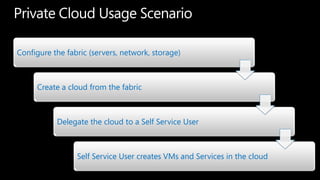
Private Cloud Usage Scenario
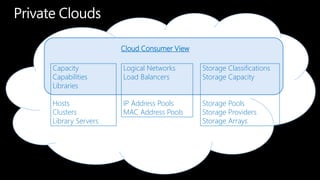
Private CloudsCloud Consumer View Capacity Capabilities Libraries Hosts Clusters Library Servers Logical Networks Load Balancers IP Address Pools MAC Address Pools Storage Classifications Storage Capacity Storage Pools Storage Providers Storage Arrays
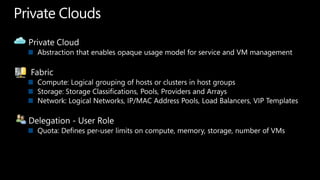
Private CloudsPrivate CloudAbstraction that enables opaque usage model for service and VM managementFabricCompute: Logical grouping of hosts or clusters in host groupsStorage: Storage Classifications, Pools, Providers and ArraysNetwork: Logical Networks, IP/MAC Address Pools, Load Balancers, VIP TemplatesDelegation - User RoleQuota: Defines per-user limits on compute, memory, storage, number of VMs
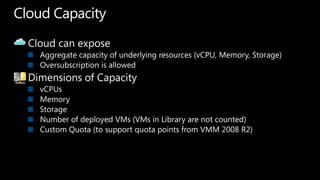
Cloud CapacityCloud can exposeAggregate capacity of underlying resources (vCPU, Memory, Storage)Oversubscription is allowedDimensions of CapacityvCPUsMemoryStorageNumber of deployed VMs (VMs in Library are not counted)Custom Quota (to support quota points from VMM 2008 R2)
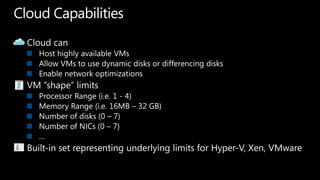
Cloud CapabilitiesCloud canHost highly available VMsAllow VMs to use dynamic disks or differencing disksEnable network optimizationsVM “shape” limitsProcessor Range (i.e. 1 - 4)Memory Range (i.e. 16MB – 32 GB)Number of disks (0 – 7)Number of NICs (0 – 7)…Built-in set representing underlying limits for Hyper-V, Xen, VMware
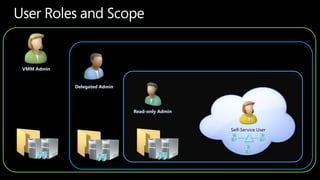
User Roles and ScopeVMMAdminDelegated AdminSelf-Service UserRead-only Admin
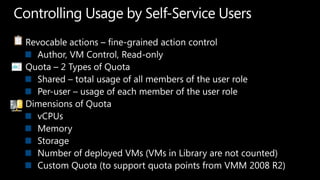
Controlling Usage by Self-Service UsersRevocable actions – fine-grained action controlAuthor, VM Control, Read-onlyQuota – 2 Types of QuotaShared – total usage of all members of the user rolePer-user – usage of each member of the user roleDimensions of QuotavCPUsMemoryStorageNumber of deployed VMs (VMs in Library are not counted)Custom Quota (to support quota points from VMM 2008 R2)
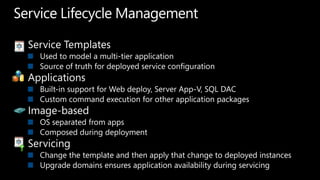
Service Lifecycle ManagementService TemplatesUsed to model a multi-tier applicationSource of truth for deployed service configurationApplicationsBuilt-in support for Web deploy, Server App-V, SQL DACCustom command execution for other application packagesImage-basedOS separated from appsComposed during deploymentServicingChange the template and then apply that change to deployed instancesUpgrade domains ensures application availability during servicing
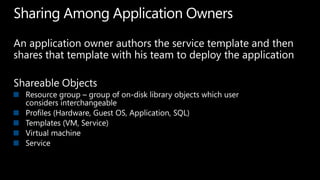
Sharing Among Application OwnersAn application owner authors the service template and then shares that template with his team to deploy the applicationShareable ObjectsResource group – group of on-disk library objects which user considers interchangeableProfiles (Hardware, Guest OS, Application, SQL)Templates (VM, Service)Virtual machine Service
Building and Delegating Cloudsdemo
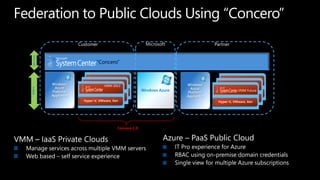
Federation to Public Clouds Using “Concero”CustomerPartnerServices“Concero”Windows Azure Platform ApplianceWindows Azure Platform ApplianceMicrosoftVMM 2012VMM FutureVMM 2012VMM 2012VMM 2012VMM 2012Windows AzureHyper-V, VMware, XenHyper-V, VMware, XenHyper-V, VMware, XenHyper-V, VMware, XenHyper-V, VMware, XenHyper-V, VMware, XenFabricConcero 1.0Azure – PaaS Public CloudIT Pro experience for AzureRBAC using on-premise domain credentialsSingle view for multiple Azure subscriptionsVMM – IaaS Private CloudsManage services across multiple VMM serversWeb based – self service experience
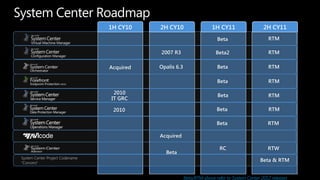
System Center Roadmap1H CY102H CY101H CY112H CY11RTMBetaRTMBetaRTM2007 R3Beta2RTMBeta RTMBeta Opalis 6.3Acquired2010RTMBeta 2010IT GRC Beta RTMAcquiredRCRTWBetaSystem Center Project Codename “Concero”Beta & RTMBeta/RTM above refer to System Center 2012 releases
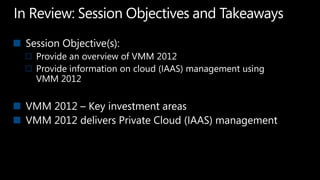
In Review: Session Objectives and TakeawaysSession Objective(s):  Provide an overview of VMM 2012Provide information on cloud (IAAS) management using VMM 2012VMM 2012 – Key investment areasVMM 2012 delivers Private Cloud (IAAS) management
System Center Virtual Machine Manager 2012What’s In It and How It Enables Building Private Clouds and Federation to Public CloudsAmit GatenyoInfrastructure & Security Manager, DarioMicrosoft Regional Director – Windows Server & Security054-2492499Amit.g@dario.co.il

System Center Virtual Machine Manager 2012 - Whats New

  • 1.
    System Center VirtualMachine Manager 2012What’s In It and How It Enables Building Private Clouds and Federation to Public CloudsAmit GatenyoInfrastructure & Security Manager, DarioMicrosoft Regional Director – Windows Server & Security054-2492499Amit.g@dario.co.il
  • 2.
    Session ObjectivesProvide anoverview of VMM 2012Provide information on cloud (IAAS) management using VMM 2012
  • 3.
    Clouds –IT asa ServiceSAASPAASIAASHyper-V
  • 4.
  • 5.
    Cloud BenefitsReliability andpredictabilityApplications are highly available, fault tolerantRemediation from failure is simple (re-start, re-deploy)Highly automatedRatio of servers/admins is ~50:1 in enterprises todayRatio of servers/admins is ~500:1 in “cloud” datacentersAgility and speedApplications are deployed, changes are made, remediation is executed in minutesDeploying applications takes weeks in the enterprise and it needs to be daysFocus is on applications/servicesResults are measured relative to service qualitySCVMM 2012 is designed to bring cloud benefits to the enterprise datacenter
  • 6.
    SCVMM 2012 InvestmentAreasFabricServicesCloudDeploymentFabric ManagementHyper-V Bare Metal ProvisioningUpdate ManagementHyper-V, VMware, Citrix XenServerDynamic OptimizationNetwork ManagementPower ManagementStorage ManagementCluster Management
  • 7.
    Highly Available VMMServerAddresses key customer ask VMM server is now cluster aware so there’s no single point of failureUpgradeFrom VMM 2008 R2 to VMM 2012 RCFrom VMM 2012 RC to VMM 2012 RTMCustom PropertiesName/Value pairsNo need to use Custom1…Custom10PowershellFully PowerShell scriptablePowershell 2.0 – standard verbs, noun naming conventionBackward compatible with VMM 2008 R2 scripting interfaceDeployment and Upgrade
  • 8.
    Fabric ManagementPhysical ServerManagemultiple hypervisors – Hyper-V, VMware, XenServer hardware management – IPMI, DCMI, SMASH, Custom via ProviderHost provisioning – from baremetal to Hyper-V to Cluster provisioningNetworkDefine Logical Networks using VLANs and Subnets per datacenter locationAddress management for Static IPs, Load Balancer VIPs and MAC addressesAutomated provisioning of Load Balancers via ProviderStorageStorage Management using SMI-SDiscover storage arrays and poolsClassify storage based on throughput and capabilitiesDiscover or configure LUNs and assign to hosts and clustersRapid provisioning of VMs using snap cloning of LUNs
  • 9.
    Fabric ManagementUpdate Managementof Fabric ServersUpdate operation control (On-demand scan and on-demand remediation)Updating a Hyper-V cluster is fully automatedIntegrated with Windows Server Update ServerDynamic Optimization (DO)Cluster level workload balancing scheme to optimize for VM performanceLeverages live migration to move workloadsPower Optimization (PO)Leverages live migration to pack more VMs per hostPowers down servers to optimize for power utilizationEnhanced PlacementOver 100 placement checks/validationSupport for custom placement rulesMulti-VM deployment for Services
  • 10.
  • 11.
  • 12.
    Private CloudsCloud ConsumerView Capacity Capabilities Libraries Hosts Clusters Library Servers Logical Networks Load Balancers IP Address Pools MAC Address Pools Storage Classifications Storage Capacity Storage Pools Storage Providers Storage Arrays
  • 13.
    Private CloudsPrivate CloudAbstractionthat enables opaque usage model for service and VM managementFabricCompute: Logical grouping of hosts or clusters in host groupsStorage: Storage Classifications, Pools, Providers and ArraysNetwork: Logical Networks, IP/MAC Address Pools, Load Balancers, VIP TemplatesDelegation - User RoleQuota: Defines per-user limits on compute, memory, storage, number of VMs
  • 14.
    Cloud CapacityCloud canexposeAggregate capacity of underlying resources (vCPU, Memory, Storage)Oversubscription is allowedDimensions of CapacityvCPUsMemoryStorageNumber of deployed VMs (VMs in Library are not counted)Custom Quota (to support quota points from VMM 2008 R2)
  • 15.
    Cloud CapabilitiesCloud canHosthighly available VMsAllow VMs to use dynamic disks or differencing disksEnable network optimizationsVM “shape” limitsProcessor Range (i.e. 1 - 4)Memory Range (i.e. 16MB – 32 GB)Number of disks (0 – 7)Number of NICs (0 – 7)…Built-in set representing underlying limits for Hyper-V, Xen, VMware
  • 16.
    User Roles andScopeVMMAdminDelegated AdminSelf-Service UserRead-only Admin
  • 17.
    Controlling Usage bySelf-Service UsersRevocable actions – fine-grained action controlAuthor, VM Control, Read-onlyQuota – 2 Types of QuotaShared – total usage of all members of the user rolePer-user – usage of each member of the user roleDimensions of QuotavCPUsMemoryStorageNumber of deployed VMs (VMs in Library are not counted)Custom Quota (to support quota points from VMM 2008 R2)
  • 18.
    Service Lifecycle ManagementServiceTemplatesUsed to model a multi-tier applicationSource of truth for deployed service configurationApplicationsBuilt-in support for Web deploy, Server App-V, SQL DACCustom command execution for other application packagesImage-basedOS separated from appsComposed during deploymentServicingChange the template and then apply that change to deployed instancesUpgrade domains ensures application availability during servicing
  • 19.
    Sharing Among ApplicationOwnersAn application owner authors the service template and then shares that template with his team to deploy the applicationShareable ObjectsResource group – group of on-disk library objects which user considers interchangeableProfiles (Hardware, Guest OS, Application, SQL)Templates (VM, Service)Virtual machine Service
  • 20.
  • 21.
    Federation to PublicClouds Using “Concero”CustomerPartnerServices“Concero”Windows Azure Platform ApplianceWindows Azure Platform ApplianceMicrosoftVMM 2012VMM FutureVMM 2012VMM 2012VMM 2012VMM 2012Windows AzureHyper-V, VMware, XenHyper-V, VMware, XenHyper-V, VMware, XenHyper-V, VMware, XenHyper-V, VMware, XenHyper-V, VMware, XenFabricConcero 1.0Azure – PaaS Public CloudIT Pro experience for AzureRBAC using on-premise domain credentialsSingle view for multiple Azure subscriptionsVMM – IaaS Private CloudsManage services across multiple VMM serversWeb based – self service experience
  • 22.
    System Center Roadmap1HCY102H CY101H CY112H CY11RTMBetaRTMBetaRTM2007 R3Beta2RTMBeta RTMBeta Opalis 6.3Acquired2010RTMBeta 2010IT GRC Beta RTMAcquiredRCRTWBetaSystem Center Project Codename “Concero”Beta & RTMBeta/RTM above refer to System Center 2012 releases
  • 23.
    In Review: SessionObjectives and TakeawaysSession Objective(s): Provide an overview of VMM 2012Provide information on cloud (IAAS) management using VMM 2012VMM 2012 – Key investment areasVMM 2012 delivers Private Cloud (IAAS) management
  • 24.
    System Center VirtualMachine Manager 2012What’s In It and How It Enables Building Private Clouds and Federation to Public CloudsAmit GatenyoInfrastructure & Security Manager, DarioMicrosoft Regional Director – Windows Server & Security054-2492499Amit.g@dario.co.il