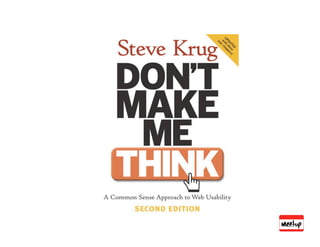
lagartoflojoExcept for coffeshop testing, it seems you ended up doing exactly what Steve Krug's Rocket Surgery Made Easy describes...1 year ago
Are you sure you want to
arickelCan you post the version of the slides you presented at Web 2.0 NY?
Thanks2 years ago
Are you sure you want to
farhadfExcellent. Thanks. Did you consider remote usability testing software such as openhallway.com or trymyui.com? They are unmoderated, so I wonder if you have any thoughts on moderated vs. unmoderated testing.2 years ago
Re: Slide 31 were you actually able to use silverback to record iphone screens? I'm checking out their website but I cant find the feature...3 years ago
Are you sure you want to
femmebotIt's spelled Malkovich (with a k)3 years ago
Naresh Jain, Startup Founder at AgileFAQsSweet. Great set of tips. What I really appreciate is, its all based on first hand experience, rather than just building castles in the air.3 years ago
LEAN USABIILTY @
PRESENTED AT NYC LEAN STARTUP MEETUP
FEB 9, 2010
ANDRES GLUSMAN @glusman
ANNA DEYOUNG
OVERVIEW OF USABILITY TESTING
AT MEETUP
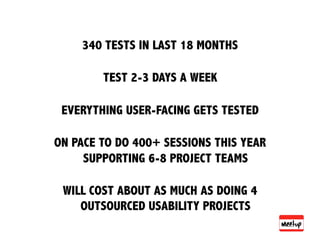
340 TESTS IN LAST 18 MONTHS
TEST 2-3 DAYS A WEEK
EVERYTHING USER-FACING GETS TESTED
ON PACE TO DO 400+ SESSIONS THIS YEAR
SUPPORTING 6-8 PROJECT TEAMS
WILL COST ABOUT AS MUCH AS DOING 4
OUTSOURCED USABILITY PROJECTS
WHY USABILITY TESTING MATTERS
PRODUCT DEVELOPMENT IS AN ART
THAT INVOLVES MANY PEOPLE
& SUFFERS FROM THE MALKOVICH BIAS
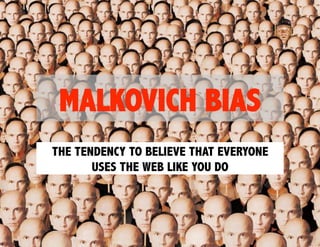
MALKOVICH BIAS
THE TENDENCY TO BELIEVE THAT EVERYONE
USES THE WEB LIKE YOU DO
WATCHING PEOPLE USE THE STUFF YOU
BUILD IS THE BEST WAY TO CONFRONT THE
MALKOVICH BIAS
HOW WE GOT HERE….
~ FIRST ITERATION ~
DIY TESTING
DIY EXPERIMENT
• RECRUITED OFF OF CRAIGSLIST
• 1 PRODUCT PERSON ENGAGED USERS IN A FEW DIRECTED TASKS
THEN SYNTHESIZED FINDINGS INTO A PRESENTATION
VERDICT
• LOW COST
• LEARNED INTERESTING FINDINGS
• HARD TO REALLY CONVEY USER BEHAVIOR TO REST OF TEAM
• WE DID NOT MAKE INTO ONGOING ROUTINE
~ SECOND ITERATION ~
PROPOSALS FROM OUTSIDE FIRMS
LOOKED AT FORMAL USABILITY TESTS
• RECEIVED PROPOSALS FROM SEVERAL USABILITY TESTING FIRMS
• $32K - $53K FOR 2 DAYS (16 TESTS)
• INVOLVED USE OF TESTING FACILITY
• PROPOSED DELIVERABLE WAS A REPORT/RECOMMENDATION
VERDICT
• HELD OFF
~ THIRD ITERATION ~
ACCIDENTALLY DISCOVERED LEAN USABILITY
“I’LL LET YOU INTO THE BETA PROGRAM IF YOU
AGREE TO LET MY TEAM WATCH YOU SET IT UP”
‐ CHANCE CONVERSATION THAT SET FOUNDATION FOR CURRENT PROGRAM
“THAT WAS HUMBLING”
- A DEVELOPER AFTER THE SESSION
SHIFTED THE CONVERSATION FROM HOW I
WOULD USE THE WEBSITE TO HOW THIS
USER USES THE WEBSITE
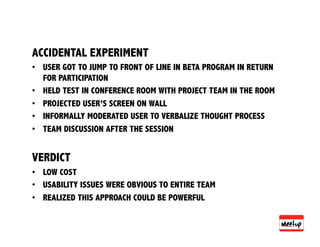
ACCIDENTAL EXPERIMENT
• USER GOT TO JUMP TO FRONT OF LINE IN BETA PROGRAM IN RETURN
FOR PARTICIPATION
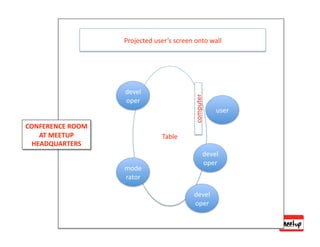
• HELD TEST IN CONFERENCE ROOM WITH PROJECT TEAM IN THE ROOM
• PROJECTED USER’S SCREEN ON WALL
• INFORMALLY MODERATED USER TO VERBALIZE THOUGHT PROCESS
• TEAM DISCUSSION AFTER THE SESSION
VERDICT
• LOW COST
• USABILITY ISSUES WERE OBVIOUS TO ENTIRE TEAM
• REALIZED THIS APPROACH COULD BE POWERFUL
~ FOUTH ITERATION ~
FIGURE OUT A REPLICABLE ROUTINE
HIRED SOMEONE TO TEACH US TO
FISH BUT…
FOCUSED ON MINIMUM VIABLE
SOLUTION & STRIPPED OUT AS
MUCH COST AS POSSIBLE
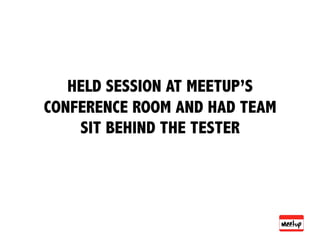
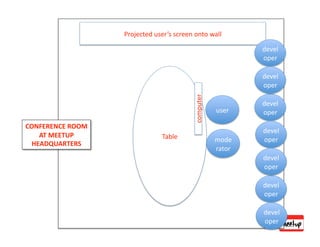
HELD SESSION AT MEETUP’S
CONFERENCE ROOM AND HAD TEAM
SIT BEHIND THE TESTER
~ FIFTH ITERATION ~
COMMITTED TO USABILITY TESTING
& MADE IT ROUTINE
• CTO MANDATED THAT ALL USER-FACING PRODUCT BE TESTED
AS PART OF DEVELOPMENT PROCESS
• PURCHASED SOFTWARE TO HELP SHARE/RECORD SESSIONS
• TEAMS VIEWED ALL SESSIONS LIVE
• IMMEDIATELY FOLLOWED UP WITH A DISCUSSION
• NO REPORTS
• DID OUR OWN RECRUITING OUT OF THE COMMUNITY TO TEST
MEMBER EXPERIENCE
• USED OUTSIDE RECRUITERS TO TEST EXPERIENCE FOR
PEOPLE UNFAMILIAR WITH MEETUP
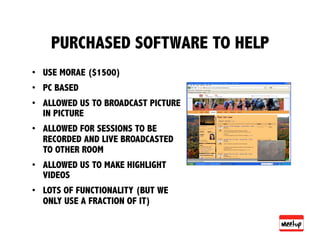
PURCHASED SOFTWARE TO HELP
• USE MORAE ($1500)
• PC BASED
• ALLOWED US TO BROADCAST PICTURE
IN PICTURE
• ALLOWED FOR SESSIONS TO BE
RECORDED AND LIVE BROADCASTED
TO OTHER ROOM
• ALLOWED US TO MAKE HIGHLIGHT
VIDEOS
• LOTS OF FUNCTIONALITY (BUT WE
ONLY USE A FRACTION OF IT)
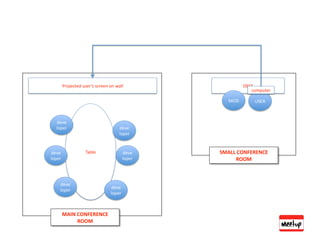
Projected user’s screen on wall DESK
computer
MOD USER
deve
loper deve
loper
deve Table deve SMALL CONFERENCE
loper loper ROOM
deve
deve
loper
loper
MAIN CONFERENCE
ROOM
EXPERIMENT WITH COMMANDO TESTING
• TAKE A LAPTOP WITH SILVERBACK SOFTWARE TO A COFFEE SHOP
• GET PERMISSION FROM THE MANAGER
• OFFER FANCY CUP OF COFFEE FOR A TEN MINUTE TEST
VERDICT
• CHEAP
• DO NOT NEED TO PLAN AHEAD
• FEEL LIKE A BAD ASS
…UNTIL YOU GET TO THE COFFEE SHOP
• WASTE A LOT OF TIME WRANGLING PEOPLE
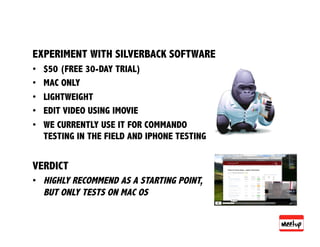
EXPERIMENT WITH SILVERBACK SOFTWARE
• $50 (FREE 30-DAY TRIAL)
• MAC ONLY
• LIGHTWEIGHT
• EDIT VIDEO USING IMOVIE
• WE CURRENTLY USE IT FOR COMMANDO
TESTING IN THE FIELD AND IPHONE TESTING
VERDICT
• HIGHLY RECOMMEND AS A STARTING POINT,
BUT ONLY TESTS ON MAC OS
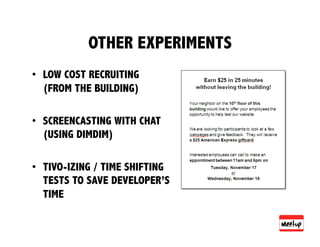
OTHER EXPERIMENTS
• LOW COST RECRUITING
(FROM THE BUILDING)
• SCREENCASTING WITH CHAT
(USING DIMDIM)
• TIVO-IZING / TIME SHIFTING
TESTS TO SAVE DEVELOPER’S
TIME
TIPS FOR DOING YOUR OWN LEAN USABILITY
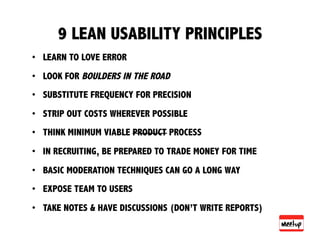
9 LEAN USABILITY PRINCIPLES
• LEARN TO LOVE ERROR
• LOOK FOR BOULDERS IN THE ROAD
• SUBSTITUTE FREQUENCY FOR PRECISION
• STRIP OUT COSTS WHEREVER POSSIBLE
• THINK MINIMUM VIABLE PRODUCT PROCESS
• IN RECRUITING, BE PREPARED TO TRADE MONEY FOR TIME
• BASIC MODERATION TECHNIQUES CAN GO A LONG WAY
• EXPOSE TEAM TO USERS
• TAKE NOTES & HAVE DISCUSSIONS (DON’T WRITE REPORTS)
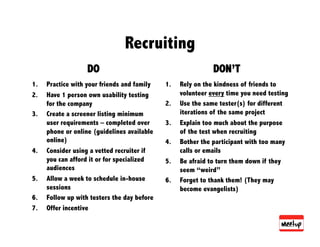
Recruiting
DO DON’T
1. Practice with your friends and family 1. Rely on the kindness of friends to
2. Have 1 person own usability testing volunteer every time you need testing
for the company 2. Use the same tester(s) for different
3. Create a screener listing minimum iterations of the same project
user requirements – completed over 3. Explain too much about the purpose
phone or online (guidelines available of the test when recruiting
online) 4. Bother the participant with too many
4. Consider using a vetted recruiter if calls or emails
you can afford it or for specialized 5. Be afraid to turn them down if they
audiences seem “weird”
5. Allow a week to schedule in-house 6. Forget to thank them! (They may
sessions become evangelists)
6. Follow up with testers the day before
7. Offer incentive
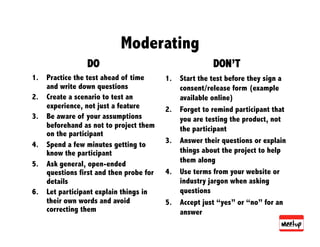
Moderating
DO DON’T
1. Practice the test ahead of time 1. Start the test before they sign a
and write down questions consent/release form (example
2. Create a scenario to test an available online)
experience, not just a feature 2. Forget to remind participant that
3. Be aware of your assumptions you are testing the product, not
beforehand as not to project them the participant
on the participant
3. Answer their questions or explain
4. Spend a few minutes getting to
know the participant things about the project to help
5. Ask general, open-ended them along
questions first and then probe for 4. Use terms from your website or
details industry jargon when asking
6. Let participant explain things in questions
their own words and avoid 5. Accept just “yes” or “no” for an
correcting them answer
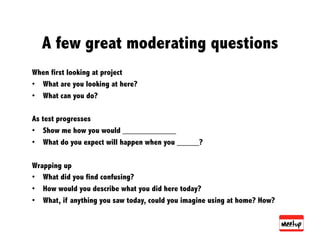
A few great moderating questions
When first looking at project
• What are you looking at here?
• What can you do?
As test progresses
• Show me how you would ____________
• What do you expect will happen when you _____?
Wrapping up
• What did you find confusing?
• How would you describe what you did here today?
• What, if anything you saw today, could you imagine using at home? How?
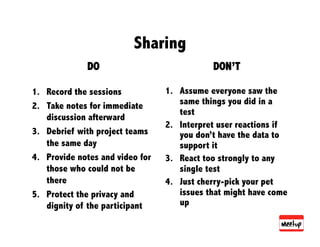
Sharing
DO DON’T
1. Record the sessions 1. Assume everyone saw the
2. Take notes for immediate same things you did in a
test
discussion afterward
2. Interpret user reactions if
3. Debrief with project teams you don’t have the data to
the same day support it
4. Provide notes and video for 3. React too strongly to any
those who could not be single test
there 4. Just cherry-pick your pet
5. Protect the privacy and issues that might have come
dignity of the participant up
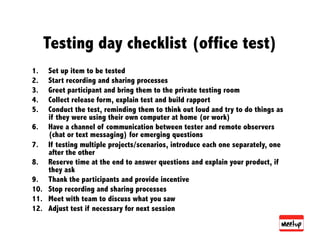
Testing day checklist (office test)
1. Set up item to be tested
2. Start recording and sharing processes
3. Greet participant and bring them to the private testing room
4. Collect release form, explain test and build rapport
5. Conduct the test, reminding them to think out loud and try to do things as
if they were using their own computer at home (or work)
6. Have a channel of communication between tester and remote observers
(chat or text messaging) for emerging questions
7. If testing multiple projects/scenarios, introduce each one separately, one
after the other
8. Reserve time at the end to answer questions and explain your product, if
they ask
9. Thank the participants and provide incentive
10. Stop recording and sharing processes
11. Meet with team to discuss what you saw
12. Adjust test if necessary for next session
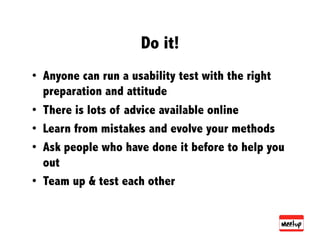
Do it!
• Anyone can run a usability test with the right
preparation and attitude
• There is lots of advice available online
• Learn from mistakes and evolve your methods
• Ask people who have done it before to help you
out
• Team up & test each other
Thanks 2 years ago
Very helpful stuff!
Re: Slide 31
were you actually able to use silverback to record iphone screens? I'm checking out their website but I cant find the feature... 3 years ago