The Next Generation of
Microsoft Virtualization With
Windows Server 2012
Lai Yoong Seng (MVP Virtual Machine)
www.ms4u.info | yoongseng@infrontconsulting.com
Infront Consulting Group
Session Objective and Takeaway


Session Objective                 Key Takeaway
• Windows Server 2012 Hyper-V     • Virtualize with Windows Server 2012
   Features                       • Choose Hyper-V
• Just Virtualization feature …   • Start build Private Cloud with Microsoft
Windows Server 2012 is Cloud Optimized

Scalability, &   Flexible          Delivery High
Performance      Infrastructure    Availability
Scalability &
Performance
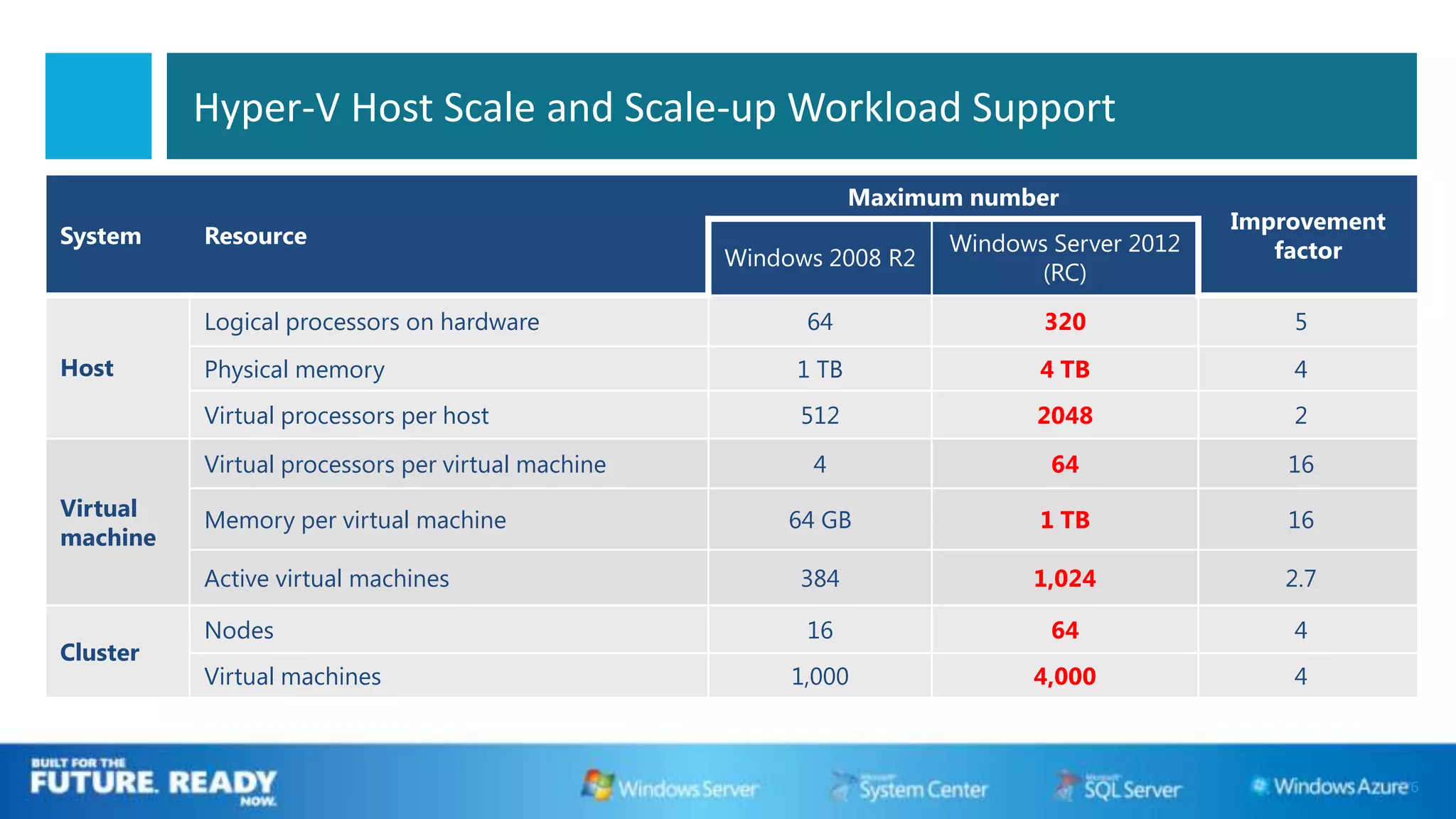
Hyper-V Host Scale and Scale-up Workload Support
                                                               Maximum number
                                                                                           Improvement
System    Resource                                                   Windows Server 2012
                                                   Windows 2008 R2                            factor
                                                                            (RC)

          Logical processors on hardware                 64                 320                5
Host      Physical memory                               1 TB                4 TB               4
          Virtual processors per host                   512                 2048               2

          Virtual processors per virtual machine         4                   64                16
Virtual   Memory per virtual machine                    64 GB               1 TB               16
machine
          Active virtual machines                       384                1,024              2.7

          Nodes                                          16                  64                4
Cluster
          Virtual machines                              1,000              4,000               4


                                                                                                         6
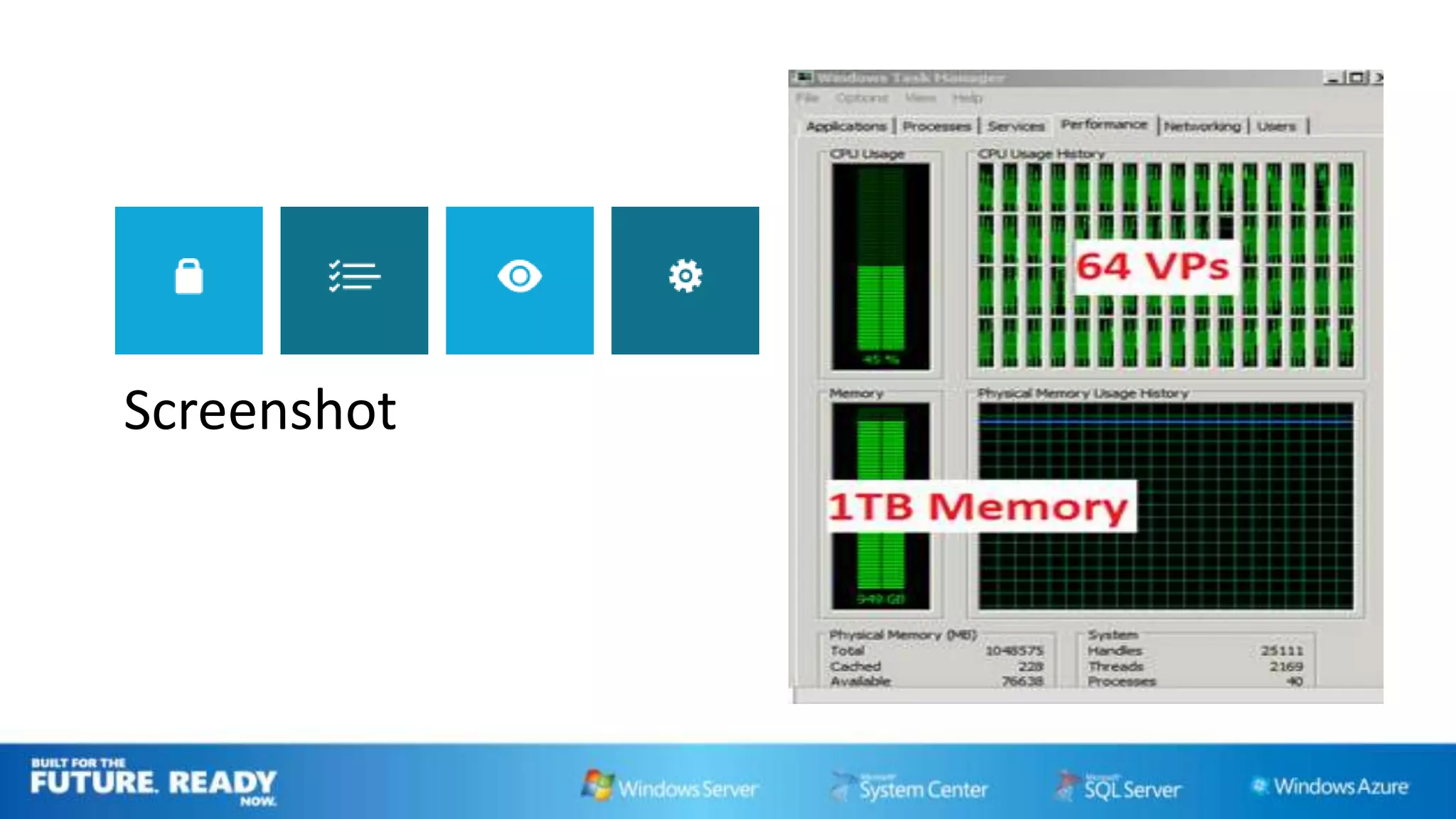
Screenshot
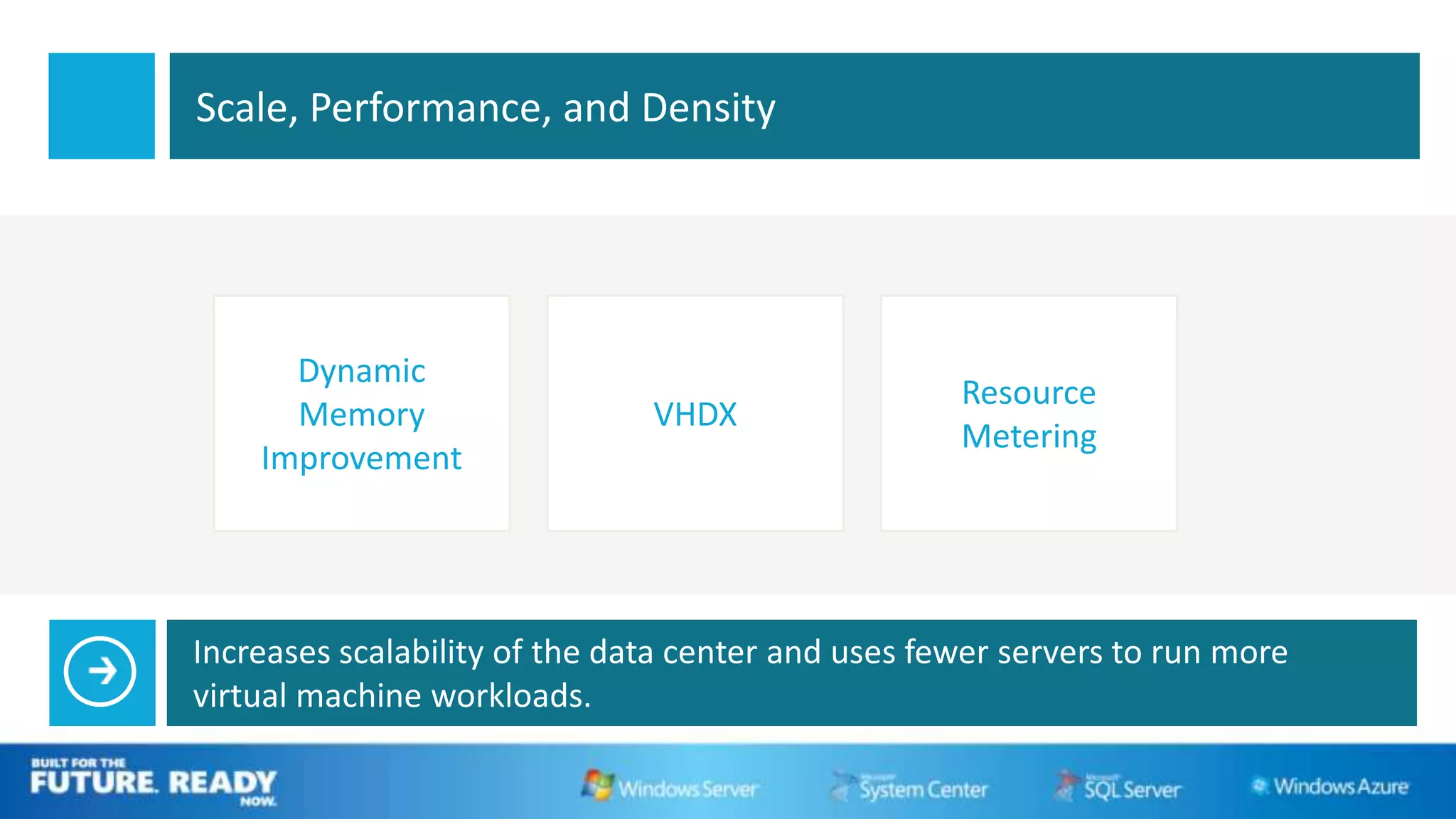
Scale, Performance, and Density


      Dynamic
                                                    Resource
      Memory                   VHDX
                                                    Metering
    Improvement


Increases scalability of the data center and uses fewer servers to run more
virtual machine workloads.
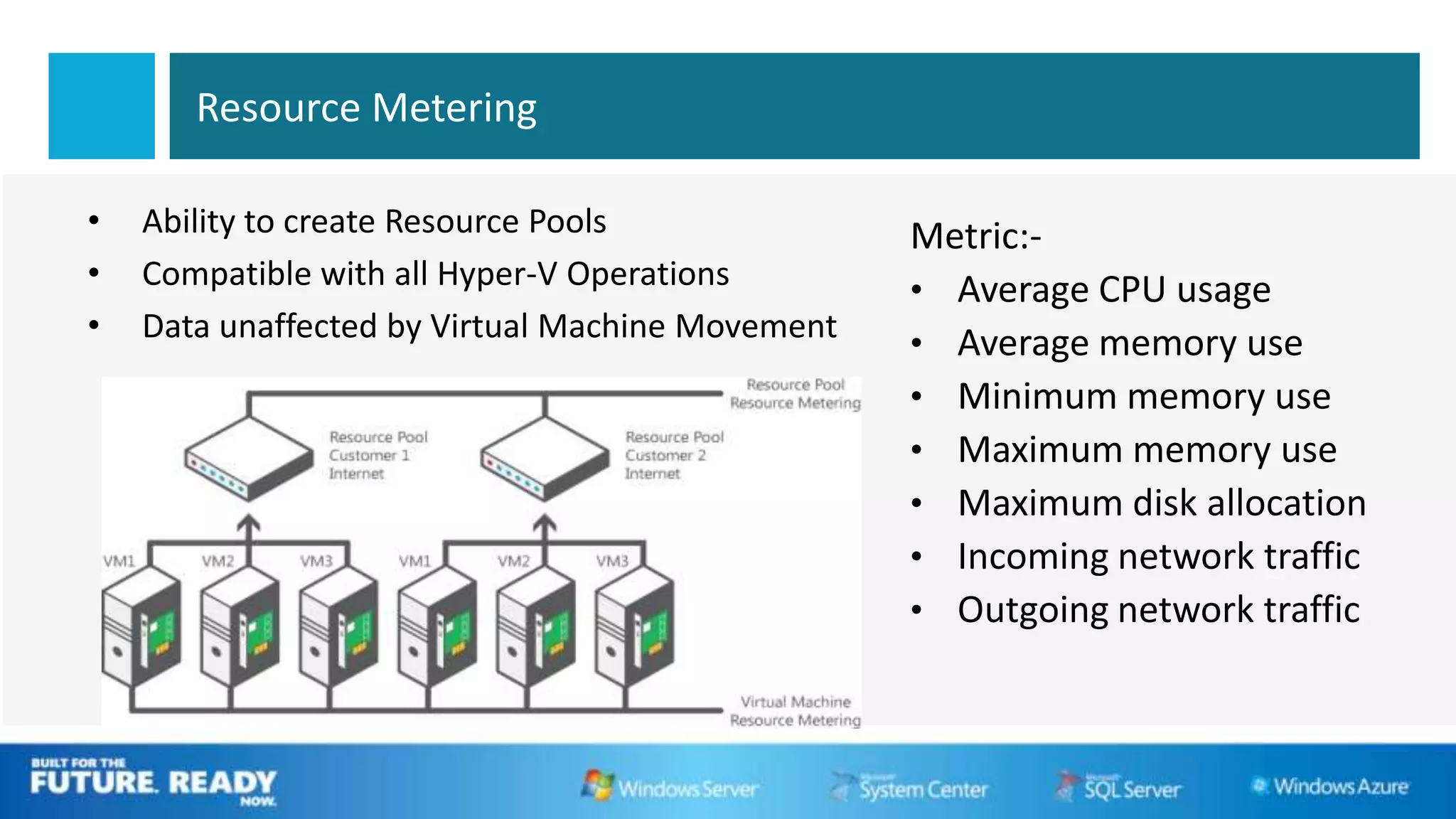
Resource Metering

•   Ability to create Resource Pools
•   Compatible with all Hyper-V Operations
•   Data unaffected by Virtual Machine Movement
Live Dynamic Memory
                      DEMO
Flexibility Infrastructure
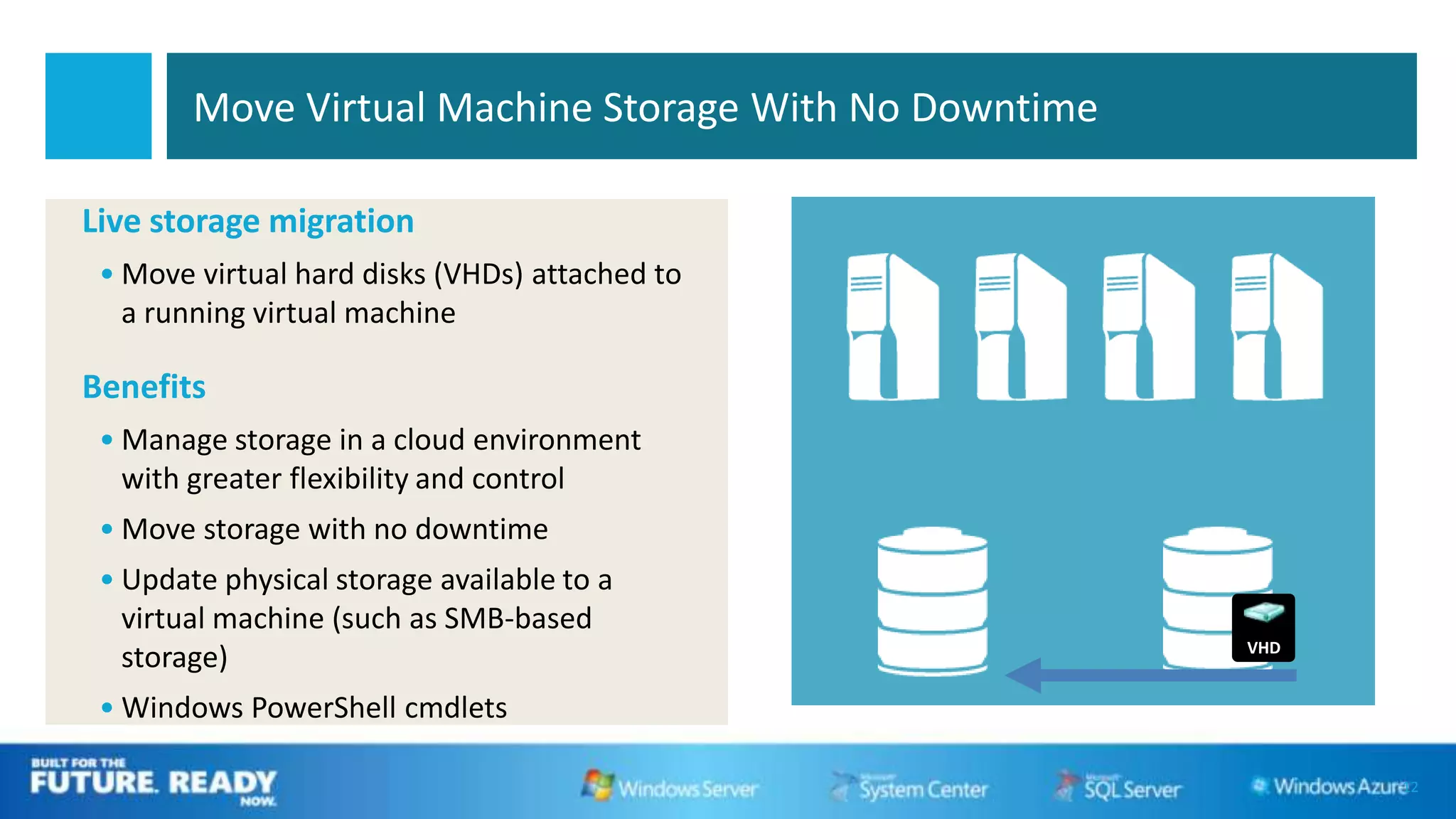
Move Virtual Machine Storage With No Downtime

Live storage migration
 • Move virtual hard disks (VHDs) attached to
   a running virtual machine

Benefits
 • Manage storage in a cloud environment
   with greater flexibility and control
 • Move storage with no downtime
 • Update physical storage available to a
   virtual machine (such as SMB-based
                                                        VHD
   storage)
 • Windows PowerShell cmdlets

                                                              12
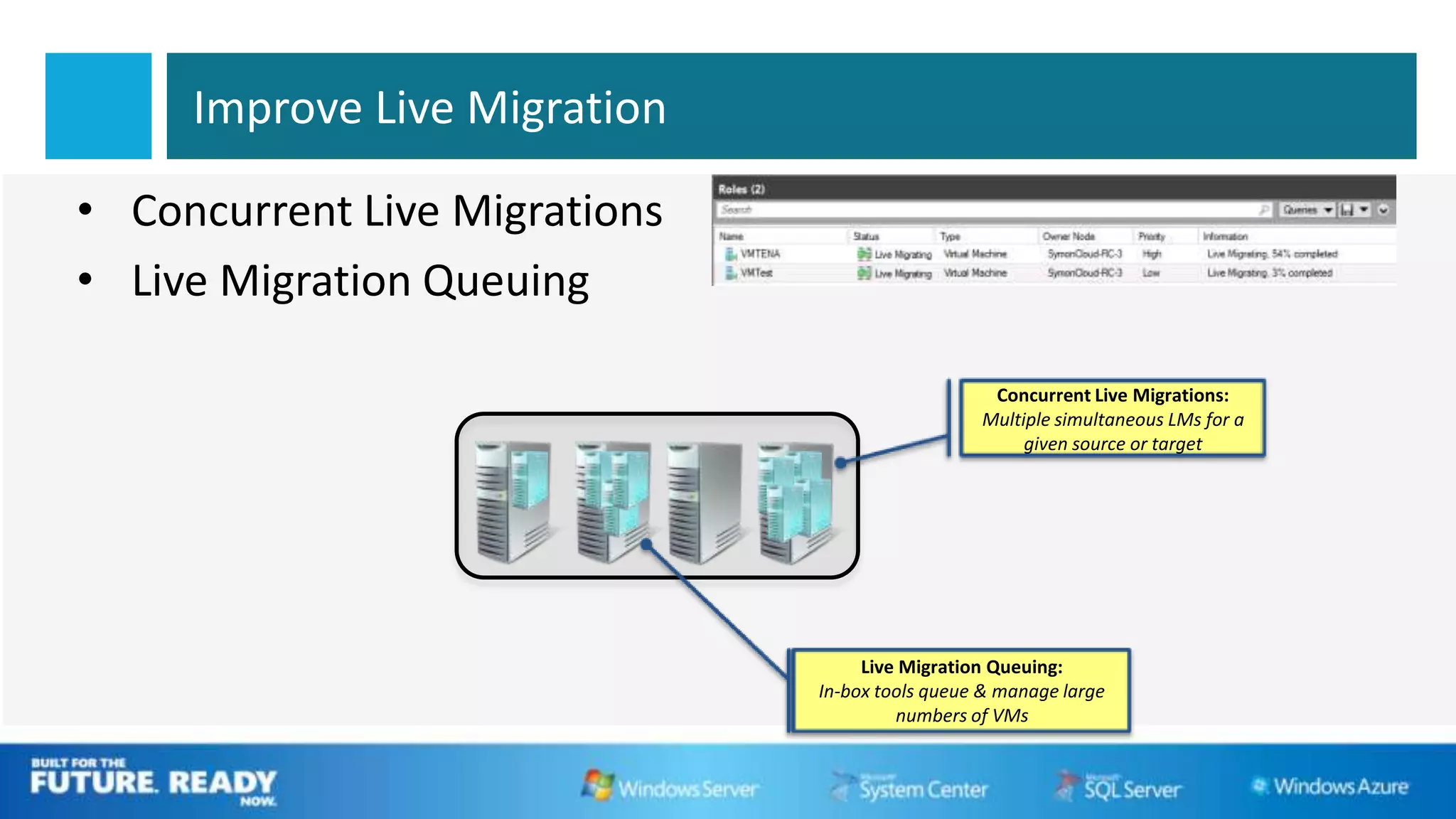
Improve Live Migration

• Concurrent Live Migrations
• Live Migration Queuing

                                                  Concurrent Live Migrations:
                                                 Multiple simultaneous LMs for a
                                                      given source or target


                                    Live Migration Queuing:
                               In-box tools queue & manage large
                                        numbers of VMs
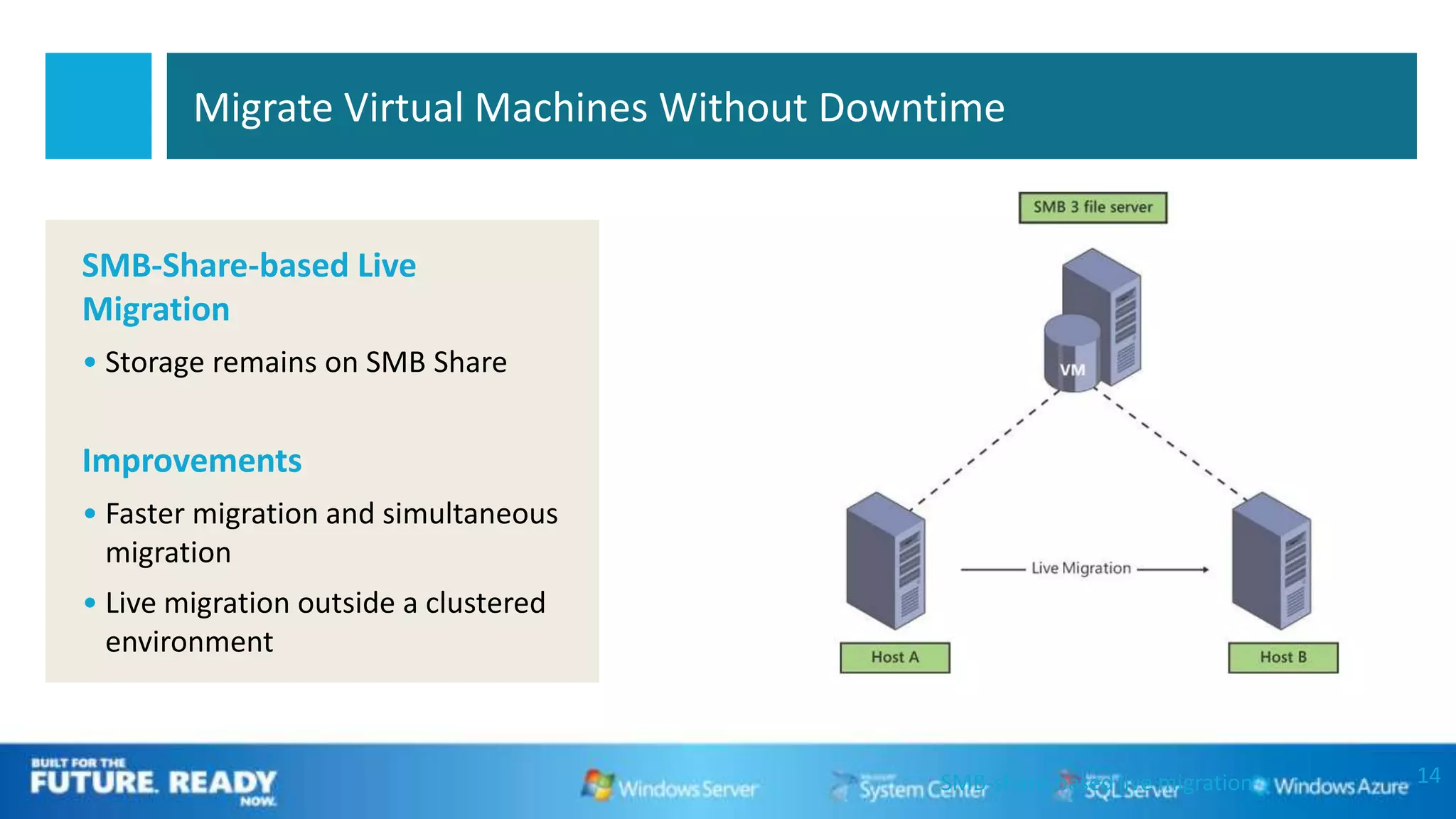
Migrate Virtual Machines Without Downtime


SMB-Share-based Live
Migration
• Storage remains on SMB Share


Improvements
• Faster migration and simultaneous
  migration
• Live migration outside a clustered
  environment


                                             SMB-share-based live migration   14
WOULDN’T IT BE GREAT IF YOU COULD
LIVE MIGRATE A VM WITH NOTHING
     BUT AN ETHERNET CABLE?
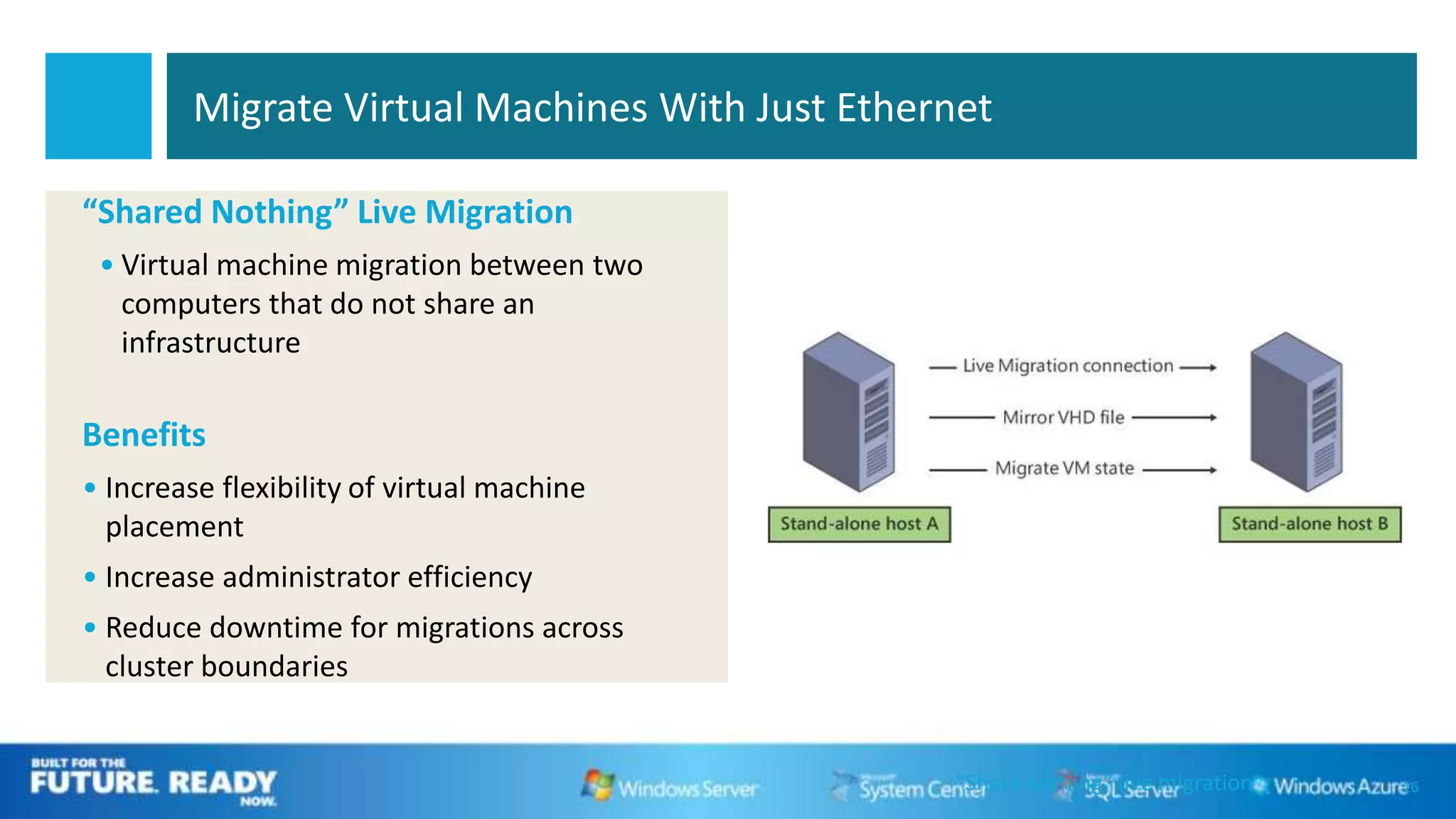
Migrate Virtual Machines With Just Ethernet

“Shared Nothing” Live Migration
 • Virtual machine migration between two
   computers that do not share an
   infrastructure

Benefits
• Increase flexibility of virtual machine
  placement
• Increase administrator efficiency
• Reduce downtime for migrations across
  cluster boundaries


                                                 “Share nothing” live migration   16
Concurrent Live Migration
                            DEMO
Deliver High Availability
19
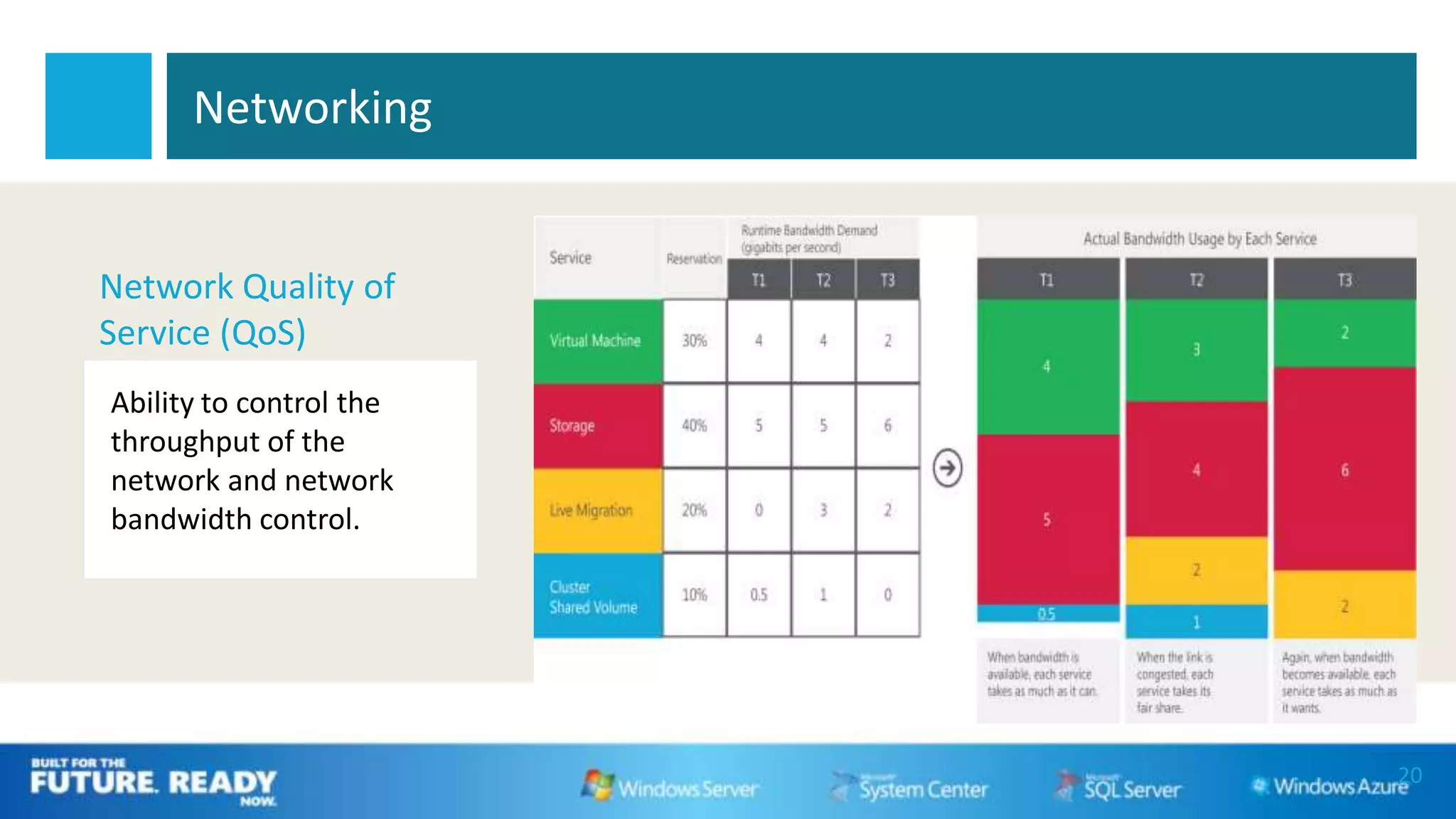
Networking


Network Quality of
Service (QoS)
Ability to control the
throughput of the
network and network
bandwidth control.


                         20
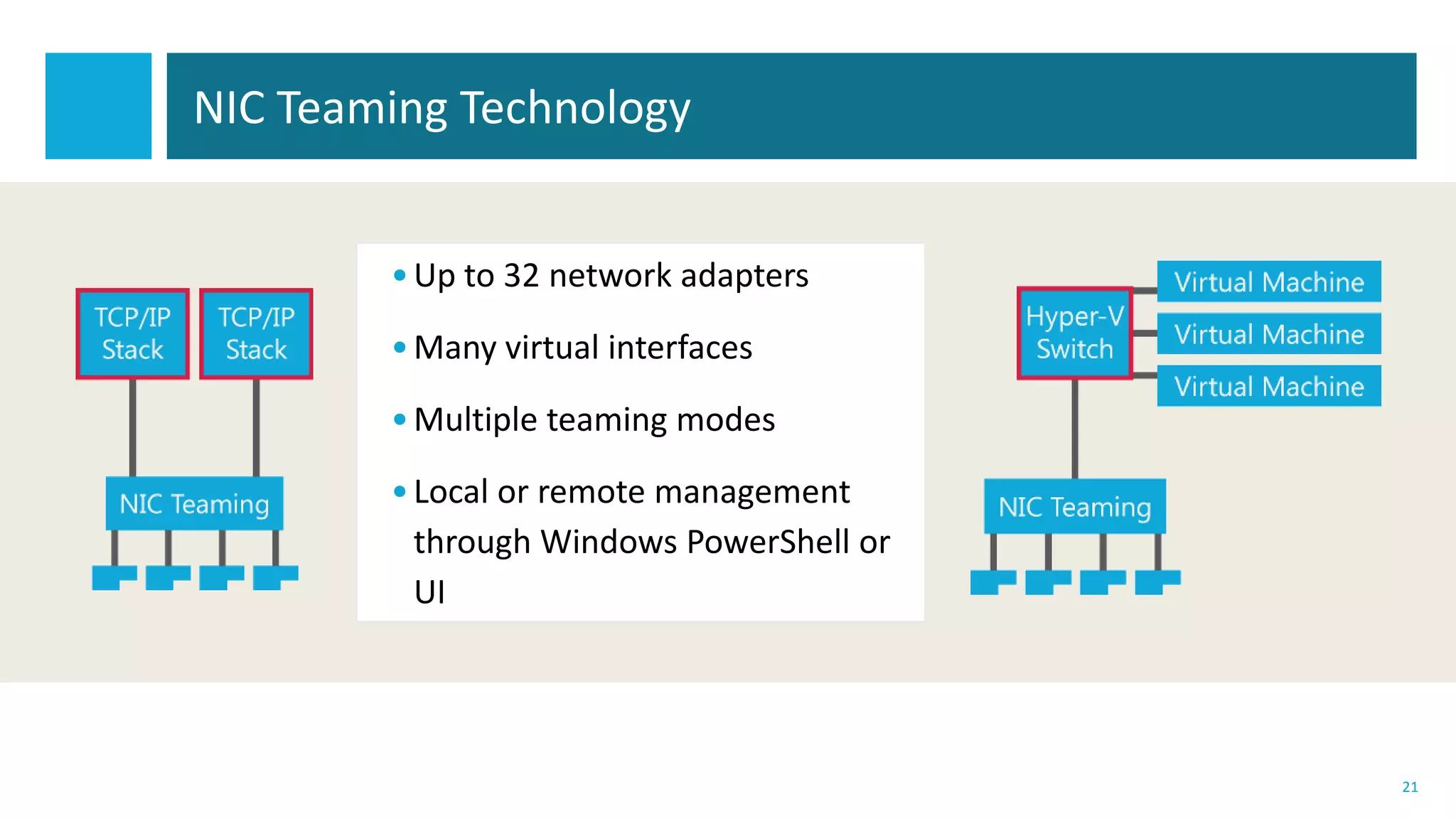
NIC Teaming Technology


        • Up to 32 network adapters
        • Many virtual interfaces
        • Multiple teaming modes
        • Local or remote management
          through Windows PowerShell or
          UI


                                          21
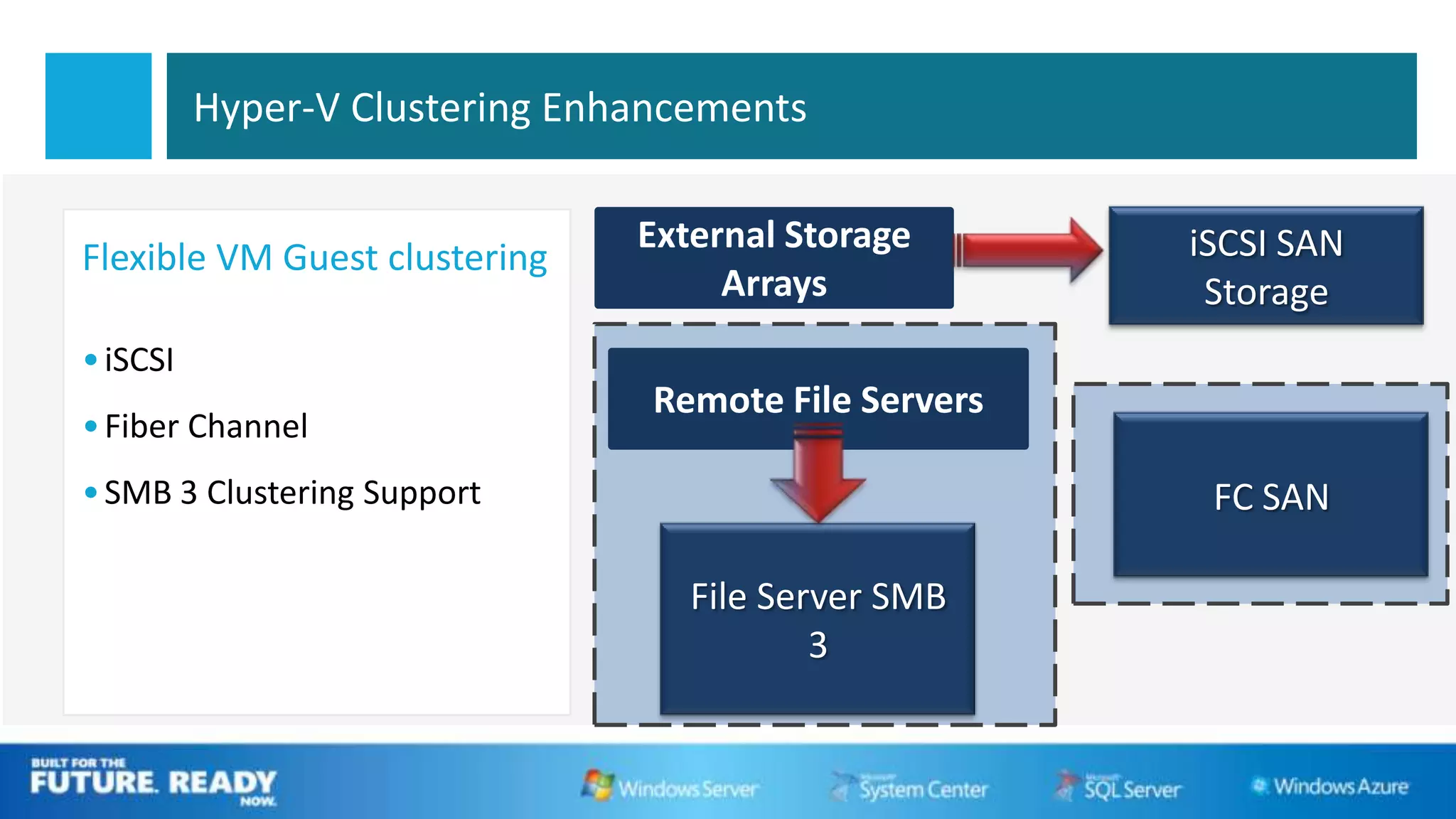
Hyper-V Clustering Enhancements

                                External Storage       iSCSI SAN
Flexible VM Guest clustering
                                     Arrays             Storage
• iSCSI
                                 Remote File Servers
• Fiber Channel
• SMB 3 Clustering Support                              FC SAN

                                   File Server SMB
                                           3
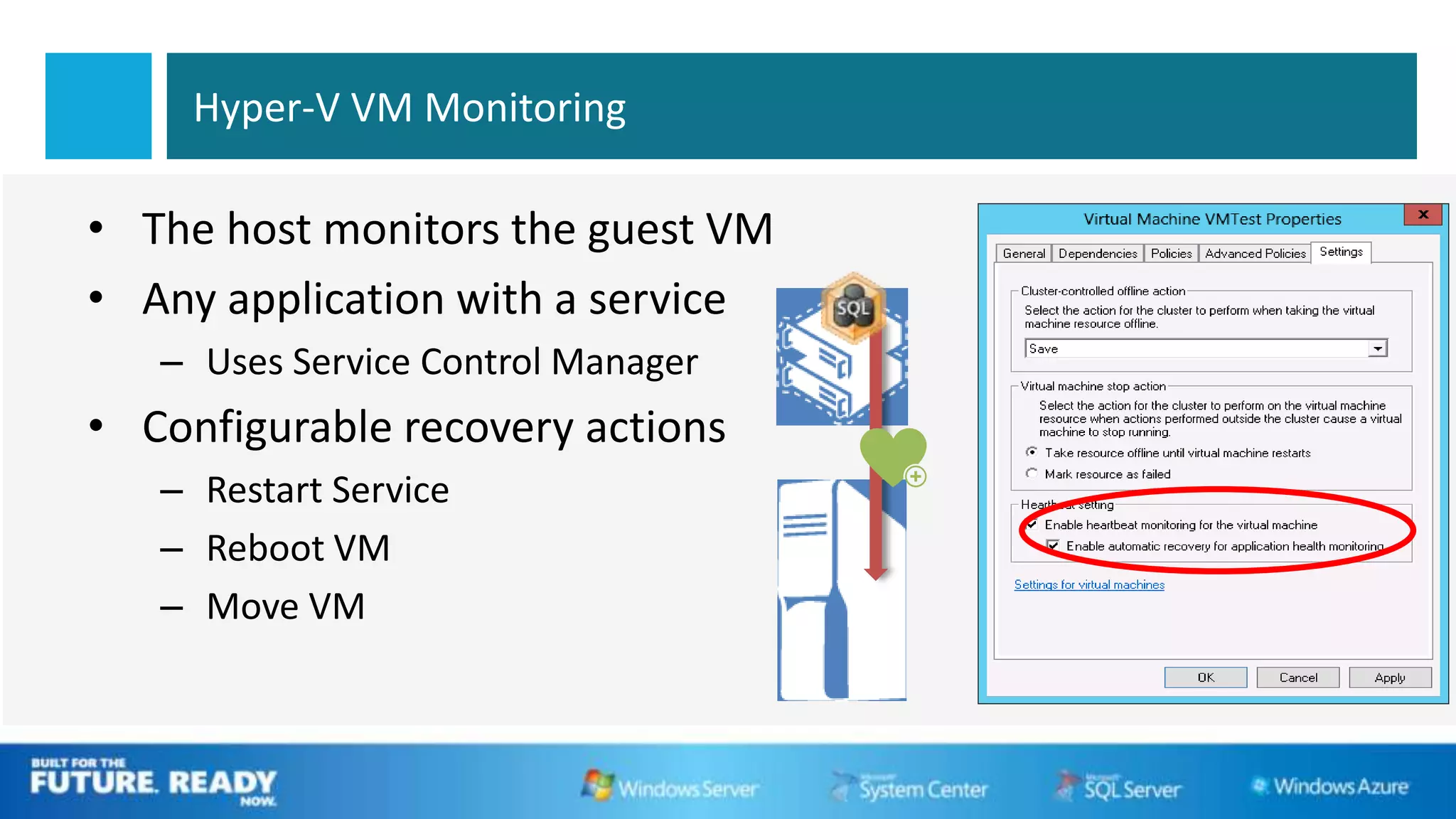
Hyper-V VM Monitoring

• The host monitors the guest VM
• Any application with a service
   – Uses Service Control Manager
• Configurable recovery actions
   – Restart Service
   – Reboot VM
   – Move VM
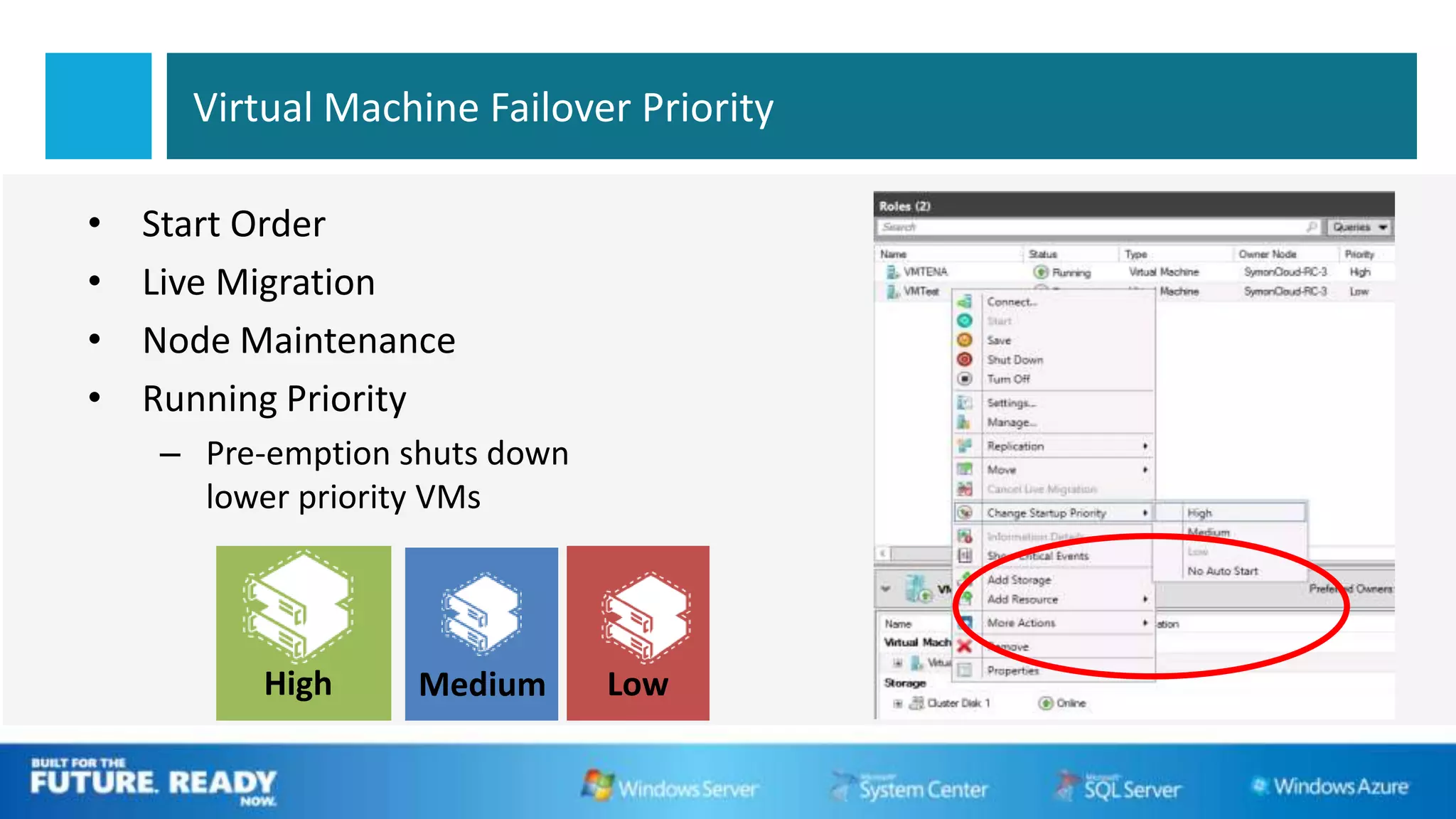
Virtual Machine Failover Priority

•   Start Order
•   Live Migration
•   Node Maintenance
•   Running Priority
    – Pre-emption shuts down
      lower priority VMs


          High     Medium      Low
Failover Prioritization   DEMO
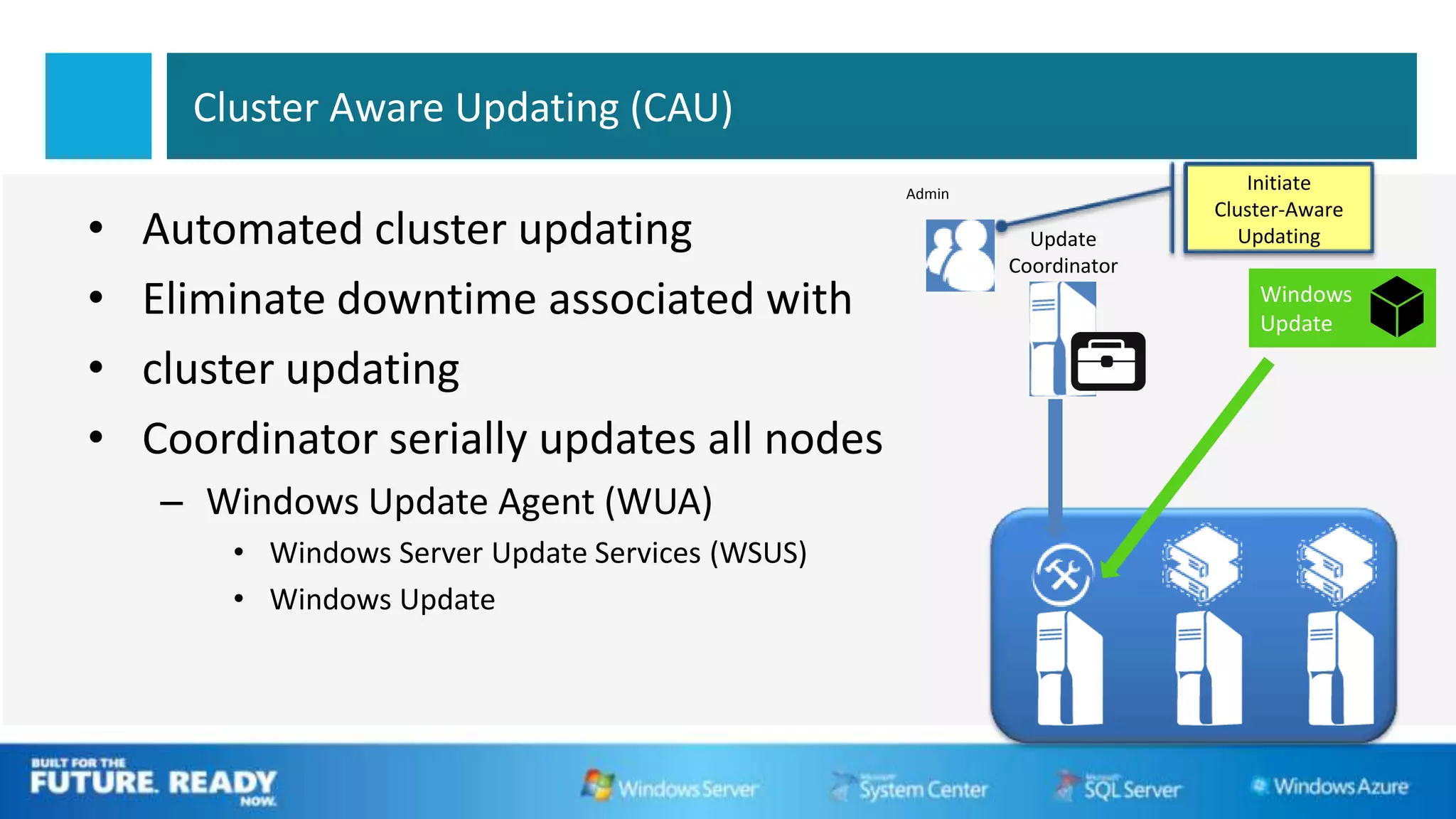
Cluster Aware Updating (CAU)
                                                  Admin
                                                                            Initiate
                                                                        Cluster-Aware
•   Automated cluster updating                              Update         Updating
                                                          Coordinator
•   Eliminate downtime associated with
•   cluster updating
•   Coordinator serially updates all nodes
    – Windows Update Agent (WUA)
        • Windows Server Update Services (WSUS)
        • Windows Update
Disaster Happen Anywhere …
      Tsunami…Earthquake … 911 incident…


How to protect your datacenter?
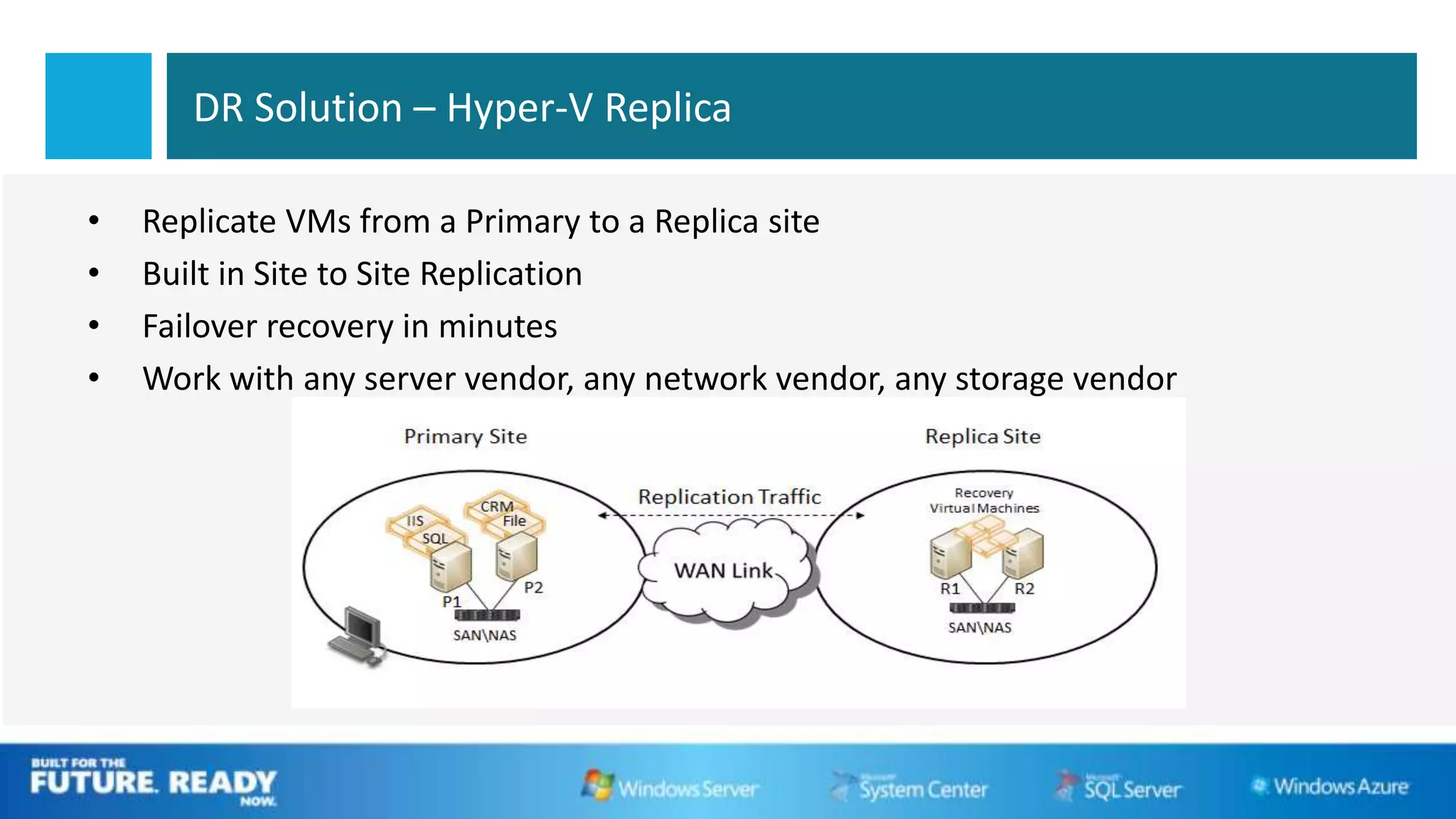
DR Solution – Hyper-V Replica

•   Replicate VMs from a Primary to a Replica site
•   Built in Site to Site Replication
•   Failover recovery in minutes
•   Work with any server vendor, any network vendor, any storage vendor
Hyper-V Replica
                  DEMO
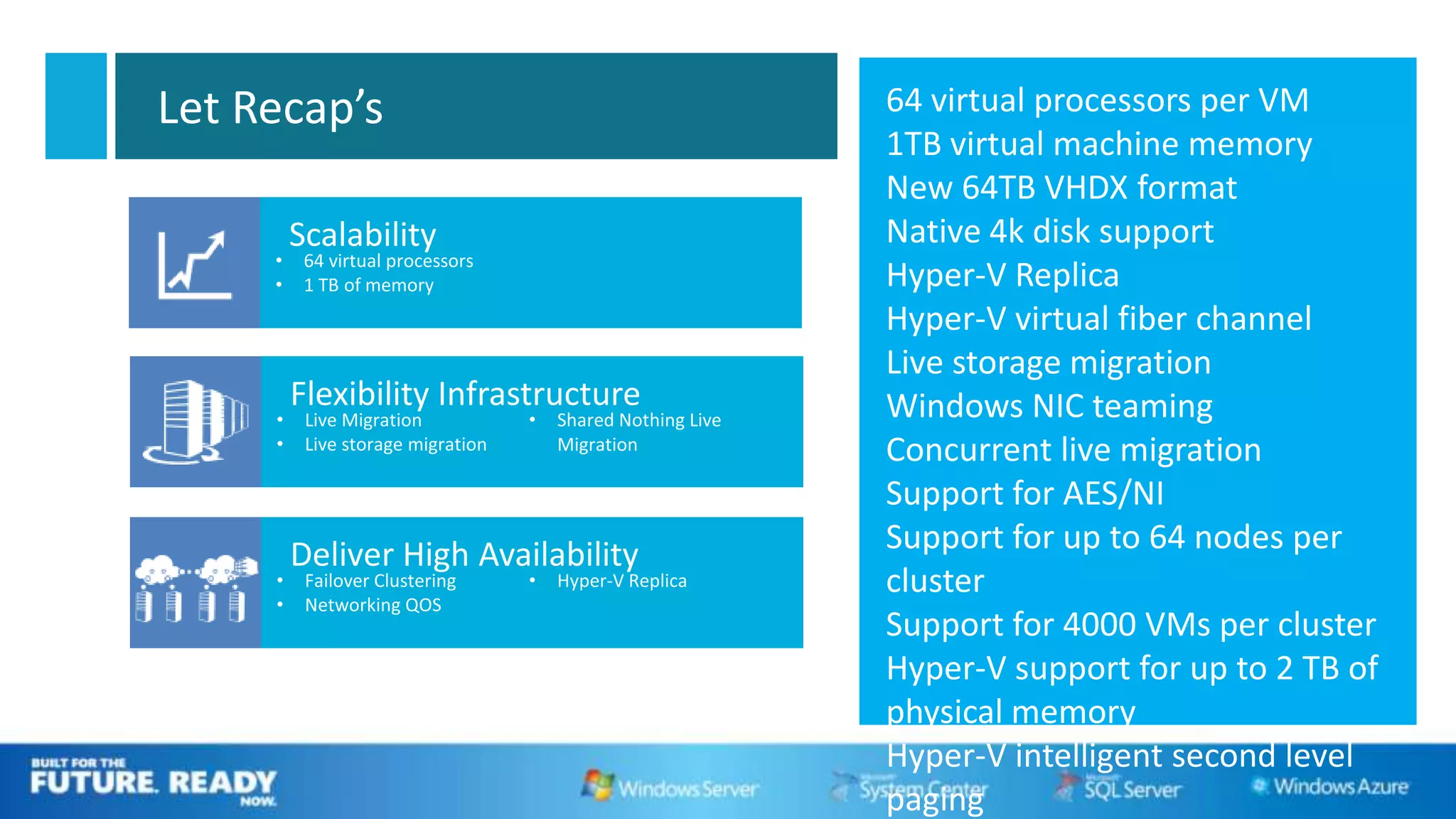
Let Recap’s         64 virtual processors per VM
                    1TB virtual machine memory
                    New 64TB VHDX format
      Scalability   Native 4k disk support
                    Hyper-V Replica
                    Hyper-V virtual fiber channel
                    Live storage migration
                    Windows NIC teaming
                    Concurrent live migration
                    Support for AES/NI
                    Support for up to 64 nodes per
                    cluster
                    Support for 4000 VMs per cluster
                    Hyper-V support for up to 2 TB of
                    physical memory
                    Hyper-V intelligent second level
                    paging
Call to Action


                     Virtual
                     Lai’s Blog
                                                                       Q&A
                 www.ms4u.info


                                         DOWNLOAD
                                                                       Windows Server
                                         Windows Server
                                                                       Blog
                                         2012 Release
                                         Candidate                     http://blogs.technet.com/
                 http://www.microsoftv                                 b/windowsserver/
                 irtualacademy.com       microsoft.com/windowsserver
The Next Generation of Microsoft Virtualization With Windows Server 2012

The Next Generation of Microsoft Virtualization With Windows Server 2012

  • 2.
    The Next Generationof Microsoft Virtualization With Windows Server 2012 Lai Yoong Seng (MVP Virtual Machine) www.ms4u.info | yoongseng@infrontconsulting.com Infront Consulting Group
  • 3.
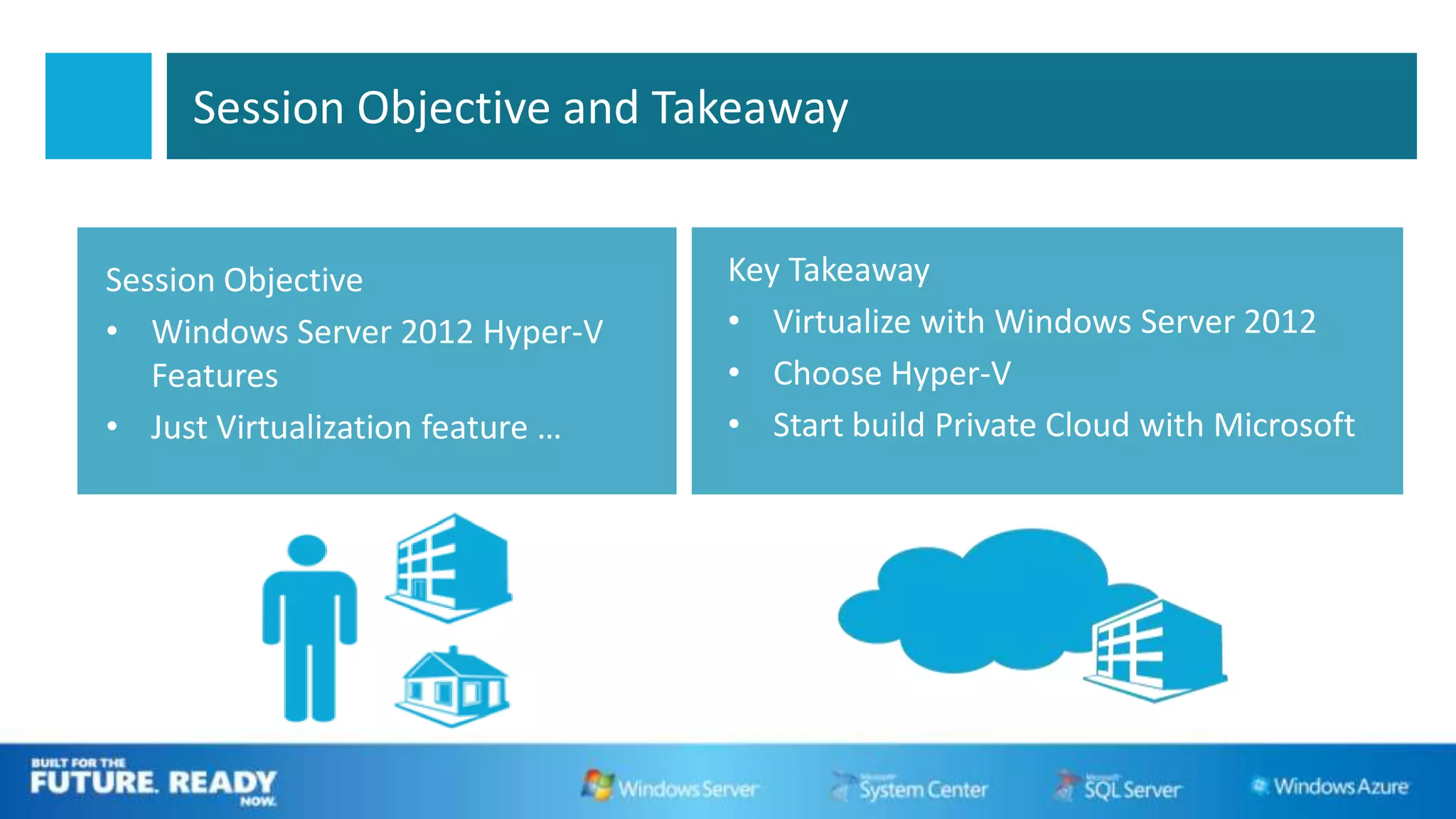
    Session Objective andTakeaway Session Objective Key Takeaway • Windows Server 2012 Hyper-V • Virtualize with Windows Server 2012 Features • Choose Hyper-V • Just Virtualization feature … • Start build Private Cloud with Microsoft
  • 4.
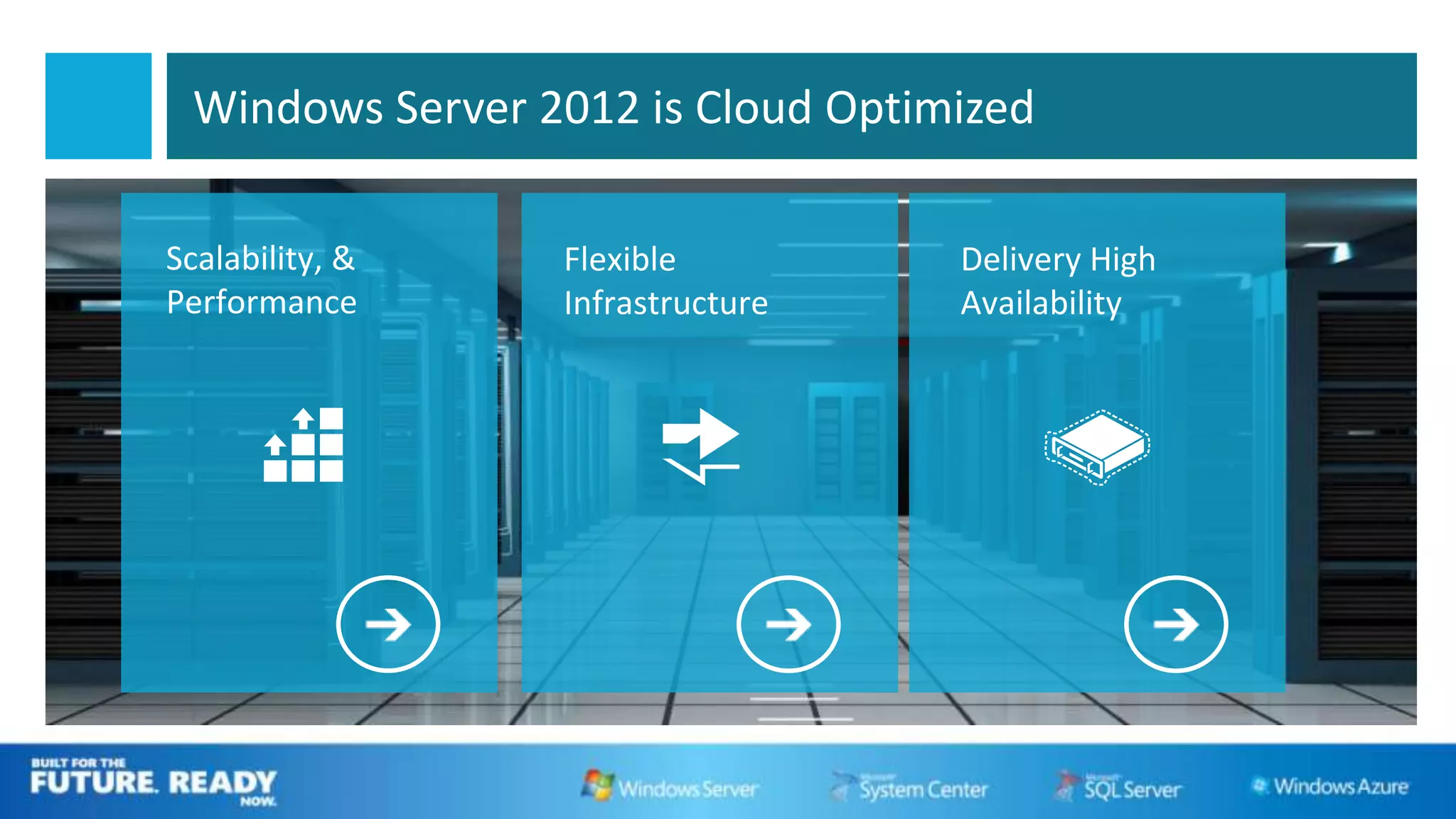
    Windows Server 2012is Cloud Optimized Scalability, & Flexible Delivery High Performance Infrastructure Availability
  • 5.
  • 6.
    Hyper-V Host Scaleand Scale-up Workload Support Maximum number Improvement System Resource Windows Server 2012 Windows 2008 R2 factor (RC) Logical processors on hardware 64 320 5 Host Physical memory 1 TB 4 TB 4 Virtual processors per host 512 2048 2 Virtual processors per virtual machine 4 64 16 Virtual Memory per virtual machine 64 GB 1 TB 16 machine Active virtual machines 384 1,024 2.7 Nodes 16 64 4 Cluster Virtual machines 1,000 4,000 4 6
  • 7.
  • 8.
    Scale, Performance, andDensity Dynamic Resource Memory VHDX Metering Improvement Increases scalability of the data center and uses fewer servers to run more virtual machine workloads.
  • 9.
    Resource Metering • Ability to create Resource Pools • Compatible with all Hyper-V Operations • Data unaffected by Virtual Machine Movement
  • 10.
  • 11.
  • 12.
    Move Virtual MachineStorage With No Downtime Live storage migration • Move virtual hard disks (VHDs) attached to a running virtual machine Benefits • Manage storage in a cloud environment with greater flexibility and control • Move storage with no downtime • Update physical storage available to a virtual machine (such as SMB-based VHD storage) • Windows PowerShell cmdlets 12
  • 13.
    Improve Live Migration •Concurrent Live Migrations • Live Migration Queuing Concurrent Live Migrations: Multiple simultaneous LMs for a given source or target Live Migration Queuing: In-box tools queue & manage large numbers of VMs
  • 14.
    Migrate Virtual MachinesWithout Downtime SMB-Share-based Live Migration • Storage remains on SMB Share Improvements • Faster migration and simultaneous migration • Live migration outside a clustered environment SMB-share-based live migration 14
  • 15.
    WOULDN’T IT BEGREAT IF YOU COULD LIVE MIGRATE A VM WITH NOTHING BUT AN ETHERNET CABLE?
  • 16.
    Migrate Virtual MachinesWith Just Ethernet “Shared Nothing” Live Migration • Virtual machine migration between two computers that do not share an infrastructure Benefits • Increase flexibility of virtual machine placement • Increase administrator efficiency • Reduce downtime for migrations across cluster boundaries “Share nothing” live migration 16
  • 17.
  • 18.
  • 19.
  • 20.
    Networking Network Quality of Service(QoS) Ability to control the throughput of the network and network bandwidth control. 20
  • 21.
    NIC Teaming Technology • Up to 32 network adapters • Many virtual interfaces • Multiple teaming modes • Local or remote management through Windows PowerShell or UI 21
  • 22.
    Hyper-V Clustering Enhancements External Storage iSCSI SAN Flexible VM Guest clustering Arrays Storage • iSCSI Remote File Servers • Fiber Channel • SMB 3 Clustering Support FC SAN File Server SMB 3
  • 23.
    Hyper-V VM Monitoring •The host monitors the guest VM • Any application with a service – Uses Service Control Manager • Configurable recovery actions – Restart Service – Reboot VM – Move VM
  • 24.
    Virtual Machine FailoverPriority • Start Order • Live Migration • Node Maintenance • Running Priority – Pre-emption shuts down lower priority VMs High Medium Low
  • 25.
  • 26.
    Cluster Aware Updating(CAU) Admin Initiate Cluster-Aware • Automated cluster updating Update Updating Coordinator • Eliminate downtime associated with • cluster updating • Coordinator serially updates all nodes – Windows Update Agent (WUA) • Windows Server Update Services (WSUS) • Windows Update
  • 27.
    Disaster Happen Anywhere… Tsunami…Earthquake … 911 incident… How to protect your datacenter?
  • 28.
    DR Solution –Hyper-V Replica • Replicate VMs from a Primary to a Replica site • Built in Site to Site Replication • Failover recovery in minutes • Work with any server vendor, any network vendor, any storage vendor
  • 29.
  • 30.
    Let Recap’s 64 virtual processors per VM 1TB virtual machine memory New 64TB VHDX format Scalability Native 4k disk support Hyper-V Replica Hyper-V virtual fiber channel Live storage migration Windows NIC teaming Concurrent live migration Support for AES/NI Support for up to 64 nodes per cluster Support for 4000 VMs per cluster Hyper-V support for up to 2 TB of physical memory Hyper-V intelligent second level paging
  • 31.
    Call to Action Virtual Lai’s Blog Q&A www.ms4u.info DOWNLOAD Windows Server Windows Server Blog 2012 Release Candidate http://blogs.technet.com/ http://www.microsoftv b/windowsserver/ irtualacademy.com microsoft.com/windowsserver

Editor's Notes

  • #5 Hyper-V in the current OS has help many organization to build private cloud. But windows Server 2012 taken this step further. Microsoft has redesigned the operating system to be cloud optimized and in today session, I will be covered on 3 key area on how to build your private cloudScalabilityFlexibilityHA