

Enterprise Mobility
Suite (EMS)
Lai Yoong Seng | MVP Hyper-V
Senior Consultant |
Yoongseng.lai@infrontconsulting.com
Part 3
Access and
Information
Protection
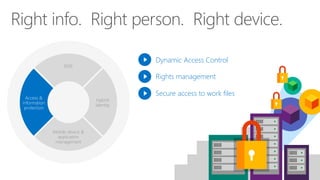
EMS
Access &
information
protection
Mobile device &
application
management
Hybrid
identity
Dynamic Access Control
Rights management
Secure access to work files
ITUser
ITUser
ITUser
ITUser
v
ITUser
v
ITUser
Demo
Azure Right Management Service
(RMS)
Keep corporate data secure
Manage the data, not the user
Provide access to data on any trusted device
Enterprise Mobility Suite- Azure RMS

Enterprise Mobility Suite- Azure RMS

Editor's Notes

  • #3 Let switch to last gear. We have talked about Hybrid Identity, Mobile Device management and application. Now let look into Data. Fall into wrong hand can be costly and embarrassing to business. Example: Najib
  • #4 Businesses need to keep their data protected as much as possible – striking a balance between user productivity and data protection. Microsoft’s Access & Information Protection solutions help companies address these challenges.
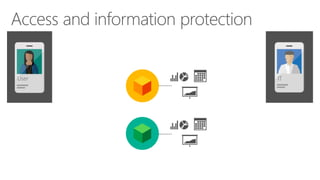
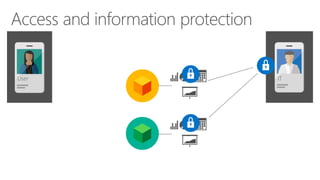
  • #5 Sitting behind the app, is the sensitive data and Jane frequently access. There are two types of protection: Native – encrypt, authentication and enforcement of usage rights and restriction - Office, PDF, App from vendor, RMS enlightened apps Generic – Encrypt & Authentication but cannot enforce -any files
  • #6 It is IT job to make sure these data is secured
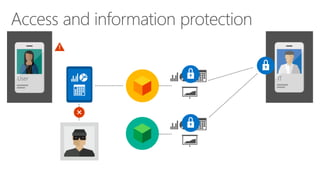
  • #7 It is IT duty to ensure data stay in secure place. In the mean time , allow busy to access and work on it and prevent Thief from getting access to document.
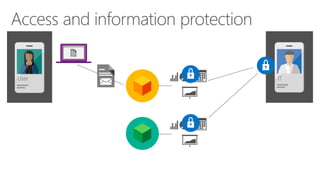
  • #8 Jane is a hardworking staff. Always send email , access corporate data from home. Email a copy of document so she can work at home during weekend. We admire her dedication on work. But she has little information regarding data protection.
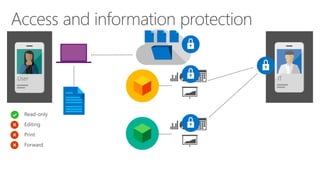
  • #9 Luckily now IT can draw a line to provide a secure place for her to access the document without using email. Set policy to read only, cannot forward, edit and print the document.
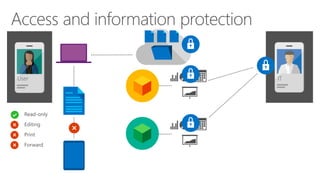
  • #10 So our User may be able to get a more sensitive document on her PC while in the office, but won’t be able to access the same document on her iPad at home.