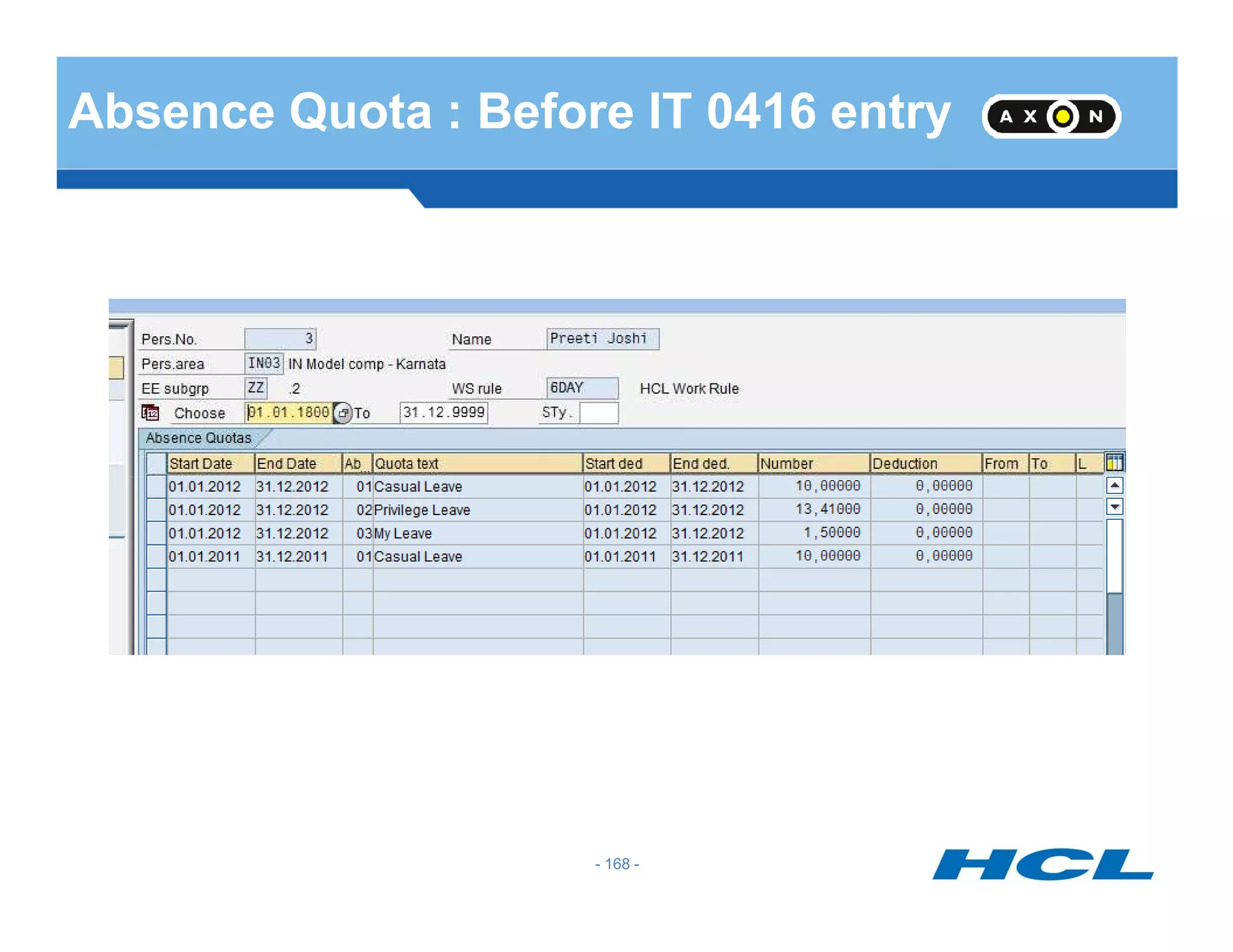
(SAP – Personnel Time Management)
Ajay Kumar
E-mail : ajay_kuma@hcl.com
(Saturday, 16 June 2012)
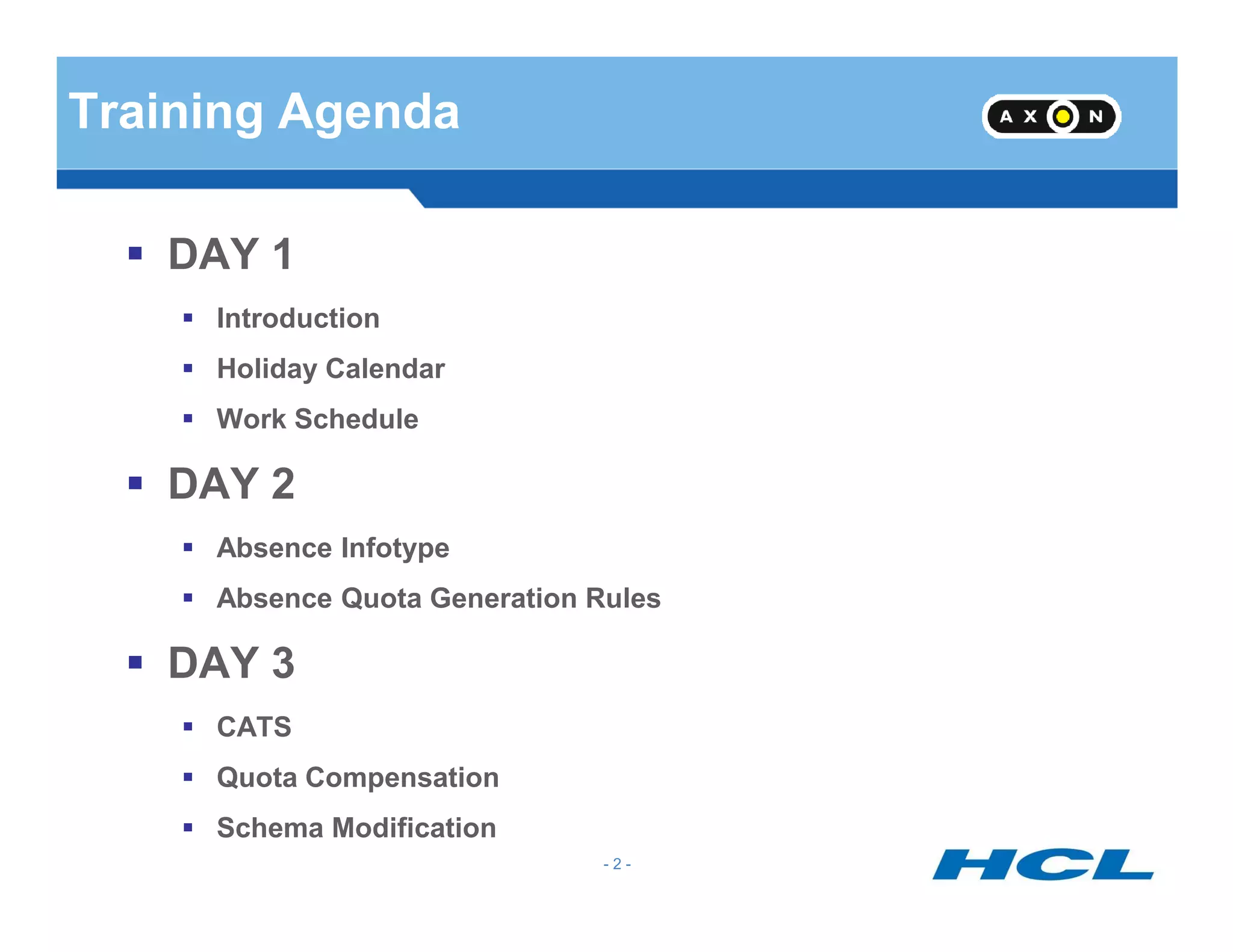
Training Agenda
DAY 1
Introduction
Holiday Calendar
Work Schedule
DAY 2
- 2 -
DAY 2
Absence Infotype
Absence Quota Generation Rules
DAY 3
CATS
Quota Compensation
Schema Modification
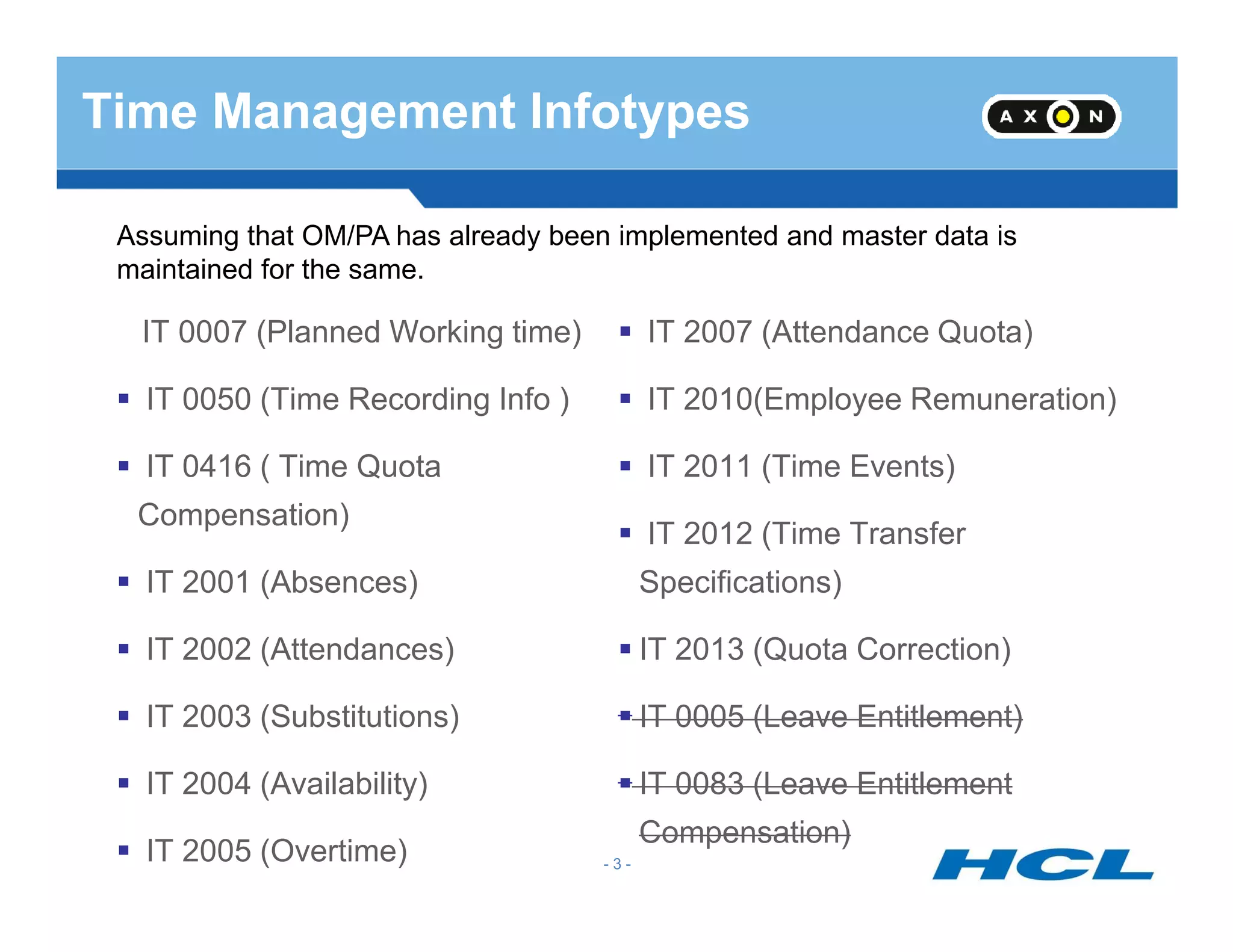
Time Management Infotypes
IT 0007 (Planned Working time)
IT 0050 (Time Recording Info )
IT 0416 ( Time Quota
IT 2007 (Attendance Quota)
IT 2010(Employee Remuneration)
IT 2011 (Time Events)
Assuming that OM/PA has already been implemented and master data is
maintained for the same.
- 3 -
IT 0416 ( Time Quota
Compensation)
IT 2001 (Absences)
IT 2002 (Attendances)
IT 2003 (Substitutions)
IT 2004 (Availability)
IT 2005 (Overtime)
IT 2011 (Time Events)
IT 2012 (Time Transfer
Specifications)
IT 2013 (Quota Correction)
IT 0005 (Leave Entitlement)
IT 0083 (Leave Entitlement
Compensation)
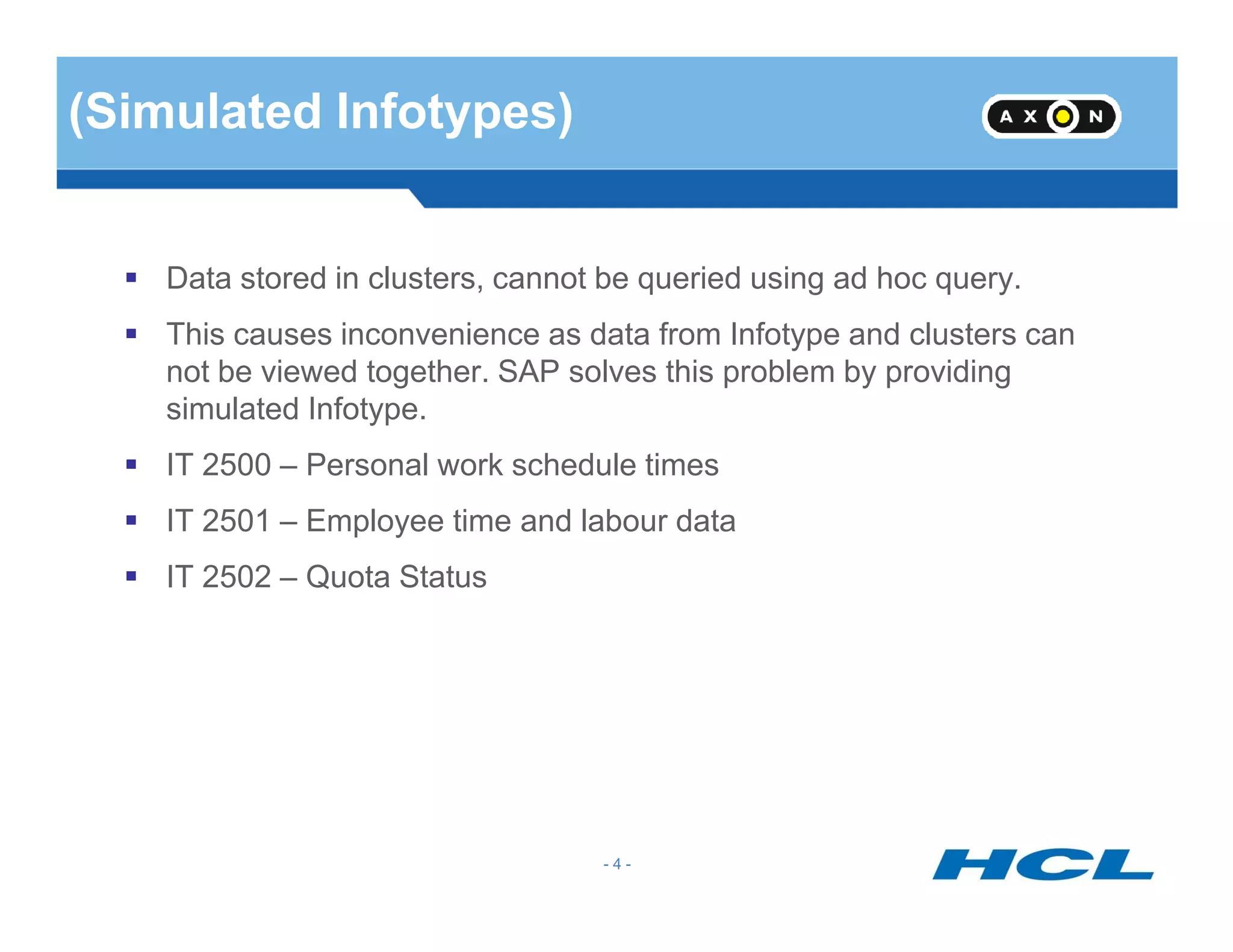
(Simulated Infotypes)
Data stored in clusters, cannot be queried using ad hoc query.
This causes inconvenience as data from Infotype and clusters can
not be viewed together. SAP solves this problem by providing
simulated Infotype.
IT 2500 – Personal work schedule times
- 4 -
IT 2500 – Personal work schedule times
IT 2501 – Employee time and labour data
IT 2502 – Quota Status
(Infotype Maintenance)
PA30
PA20 - Dispaly
PA61
PA51
- 5 -
PA71
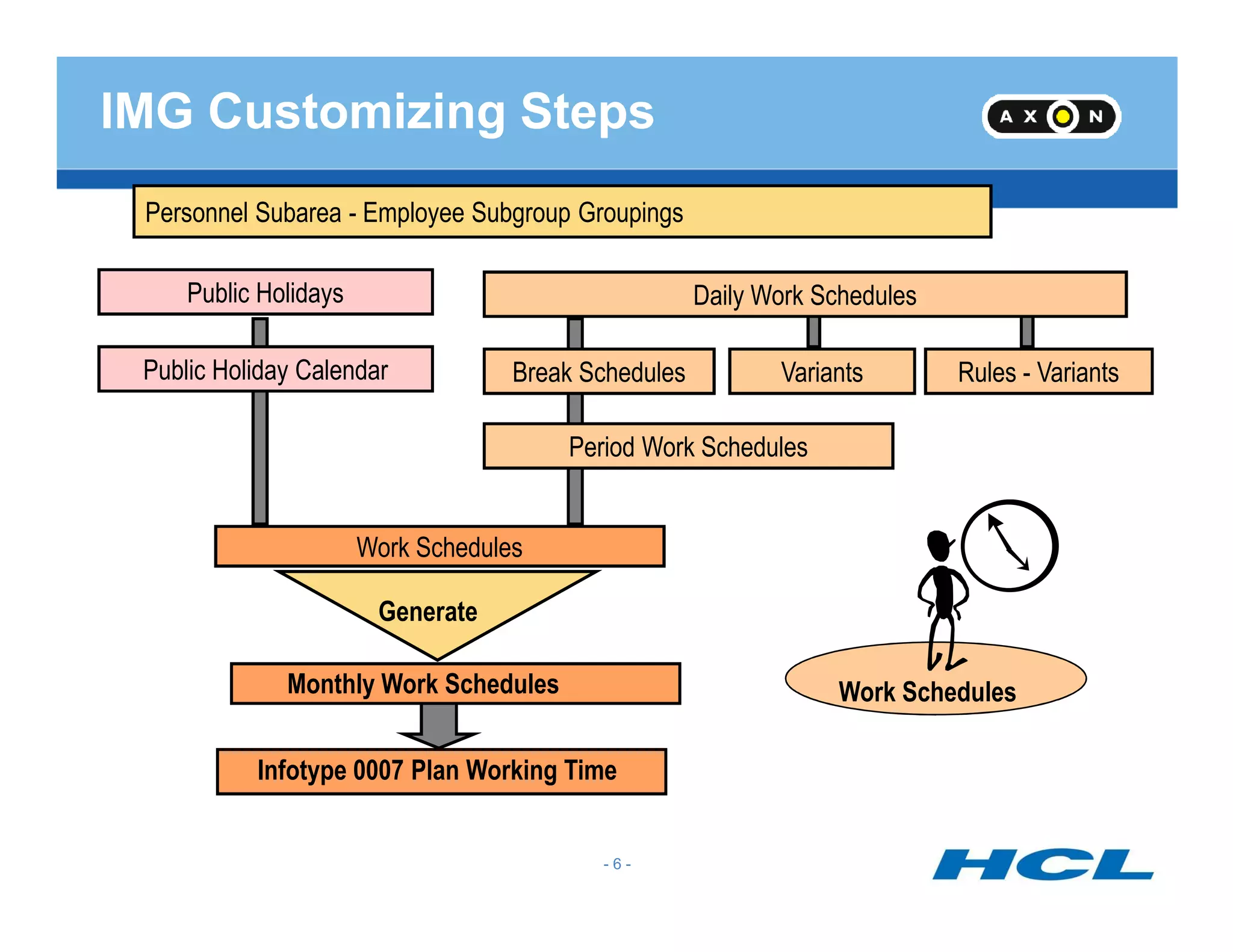
Personnel Subarea - Employee Subgroup Groupings
Public Holidays
Public Holiday Calendar
Daily Work Schedules
Break Schedules Variants Rules - Variants
Period Work Schedules
IMG Customizing Steps
- 6 -
Work Schedules
Work Schedules
Generate
Monthly Work Schedules
Infotype 0007 Plan Working Time
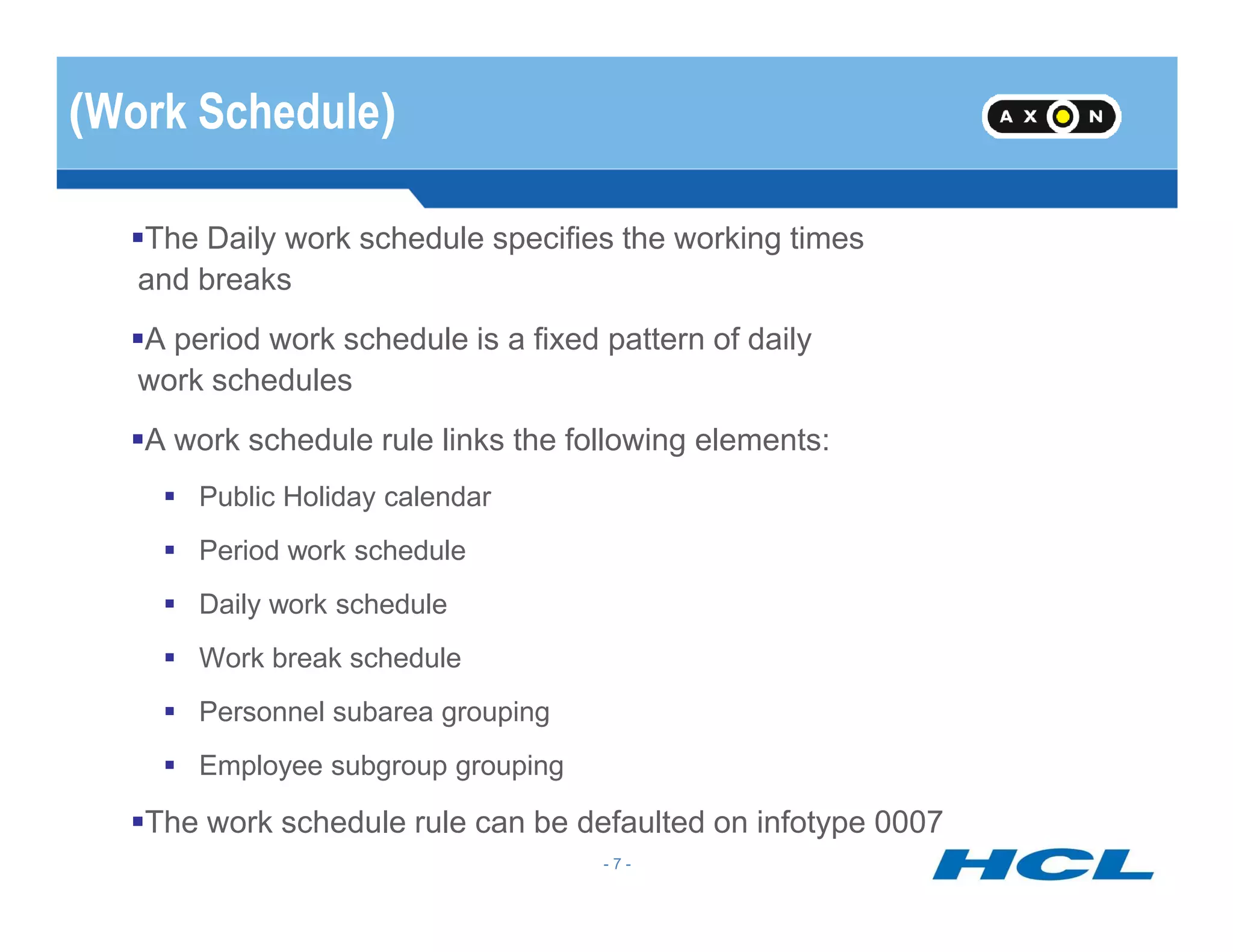
(Work Schedule)
The Daily work schedule specifies the working times
and breaks
A period work schedule is a fixed pattern of daily
work schedules
A work schedule rule links the following elements:
- 7 -
Public Holiday calendar
Period work schedule
Daily work schedule
Work break schedule
Personnel subarea grouping
Employee subgroup grouping
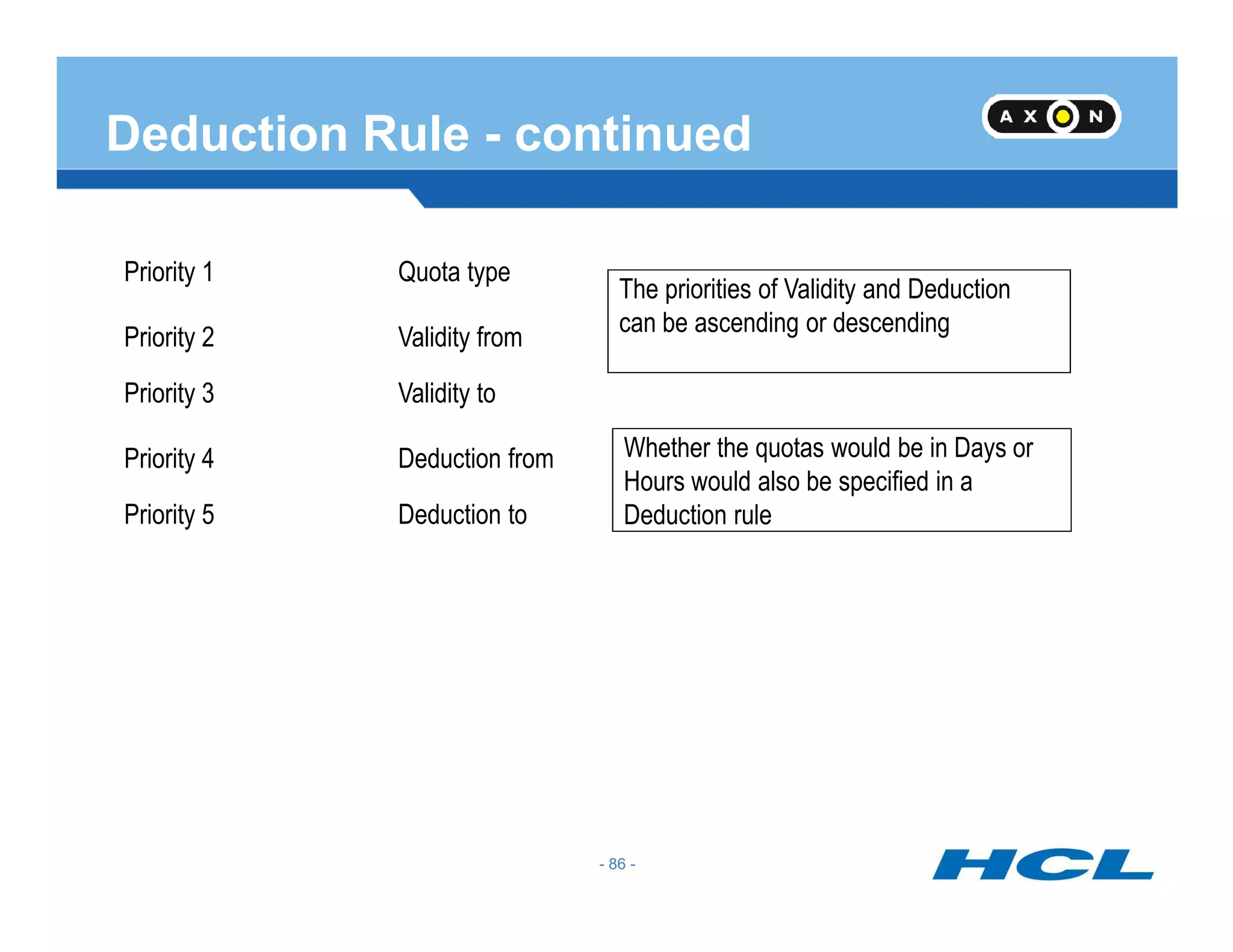
The work schedule rule can be defaulted on infotype 0007
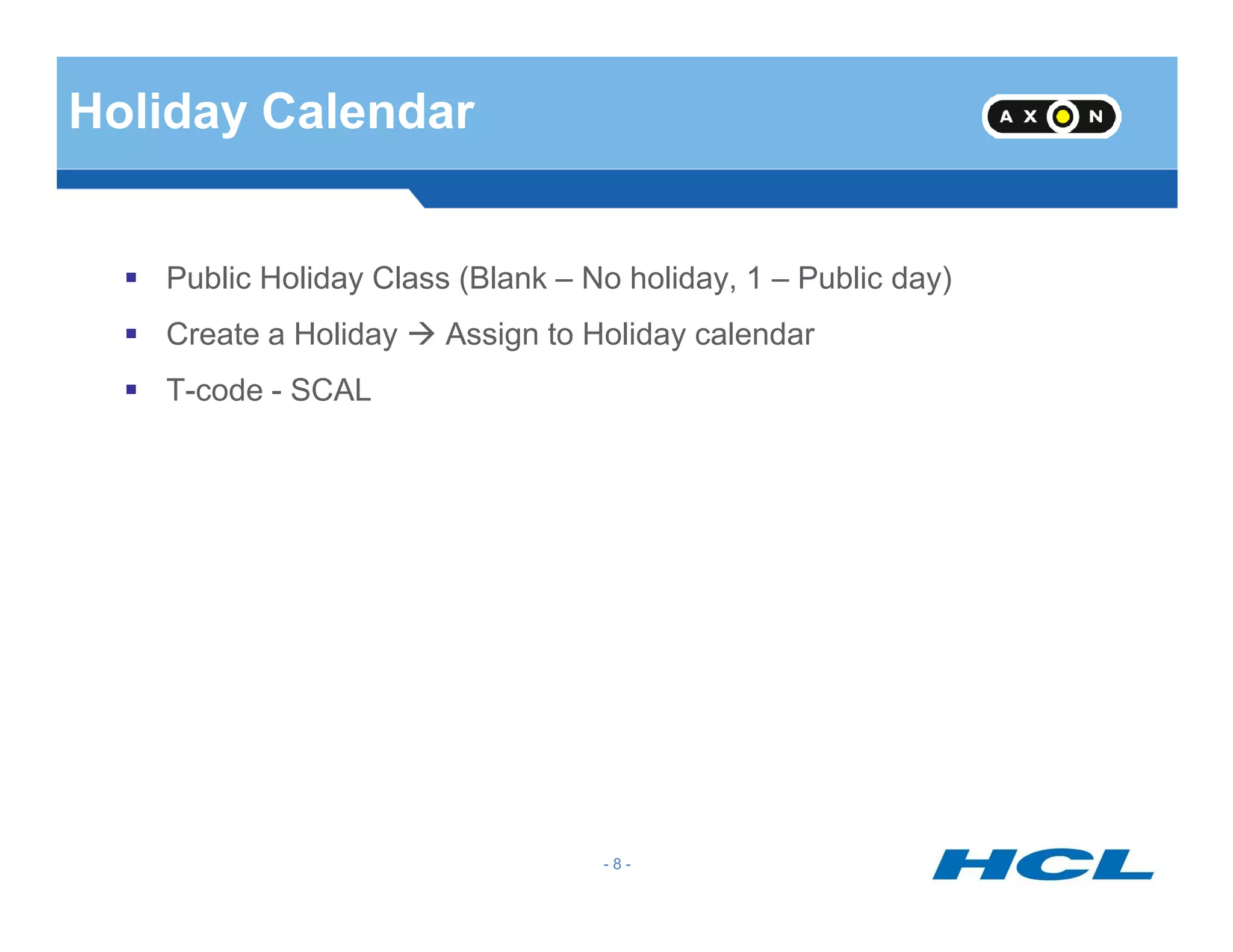
Holiday Calendar
Public Holiday Class (Blank – No holiday, 1 – Public day)
Create a Holiday Assign to Holiday calendar
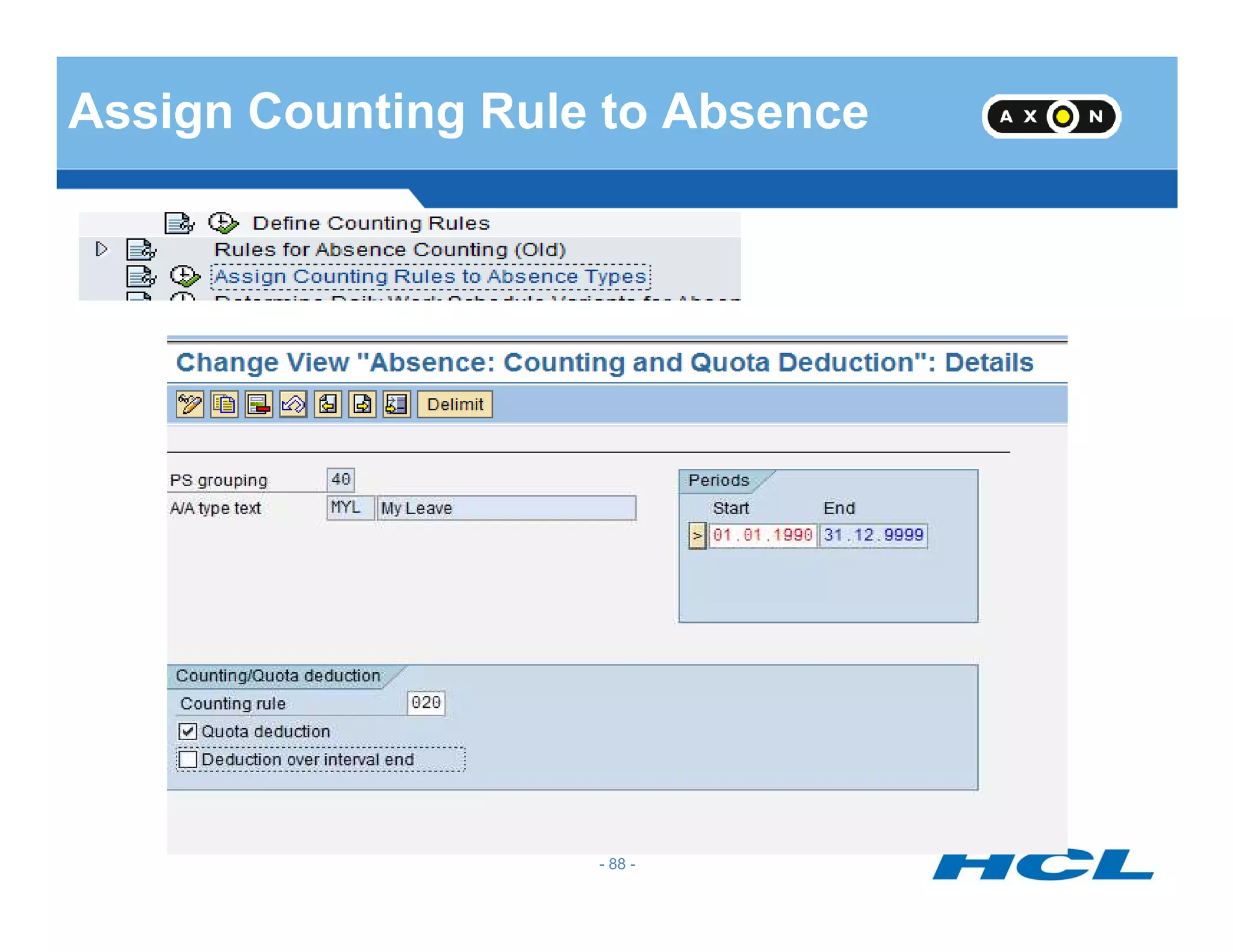
T-code - SCAL
- 8 -
Public Holiday Calendar
SAP has two calendars used by the HR module
Public Holiday Calendar
Factory Calendar
SAP provides standard Public Holiday calendars for most countries.
All calendars are customizable in SAP
- 9 -
All calendars are customizable in SAP
SAP Calendars are not client-specific
Used in many areas e.g. logistics and HR
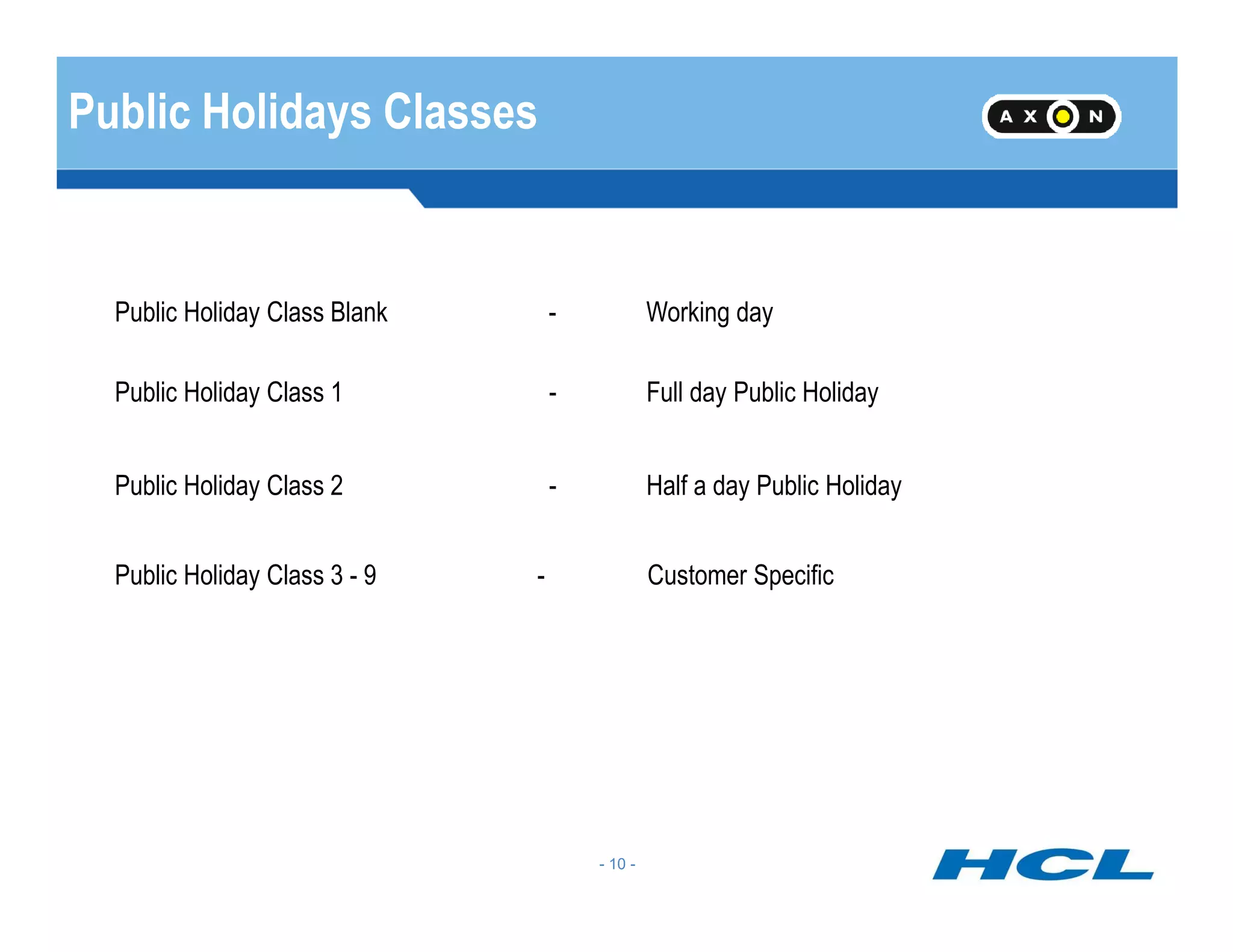
Public Holidays Classes
Public Holiday Class Blank - Working day
Public Holiday Class 1 - Full day Public Holiday
Public Holiday Class 2 - Half a day Public Holiday
- 10 -
Public Holiday Class 2 - Half a day Public Holiday
Public Holiday Class 3 - 9 - Customer Specific
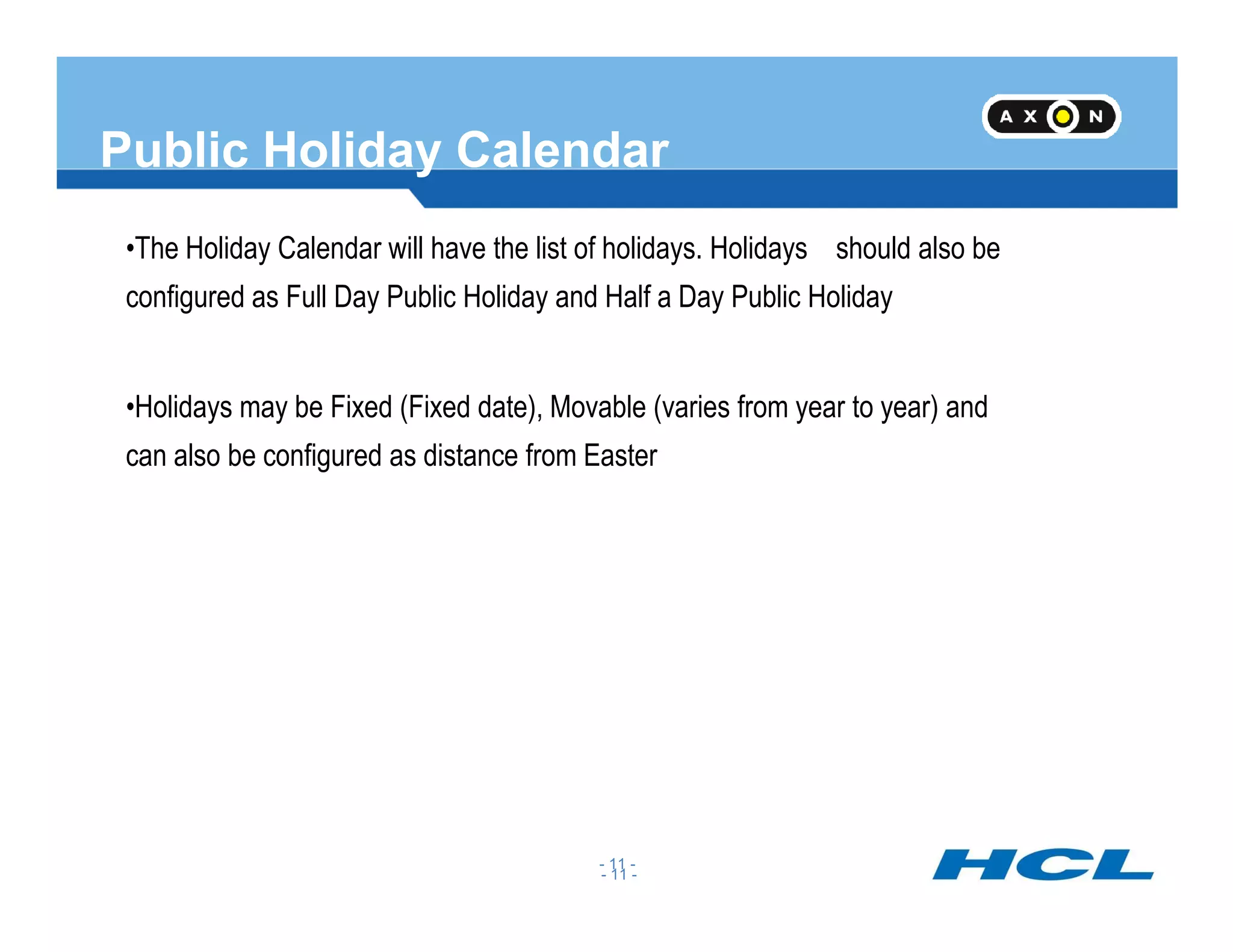
Public Holiday Calendar
•The Holiday Calendar will have the list of holidays. Holidays should also be
configured as Full Day Public Holiday and Half a Day Public Holiday
•Holidays may be Fixed (Fixed date), Movable (varies from year to year) and
can also be configured as distance from Easter
- 11 -
- 11 -
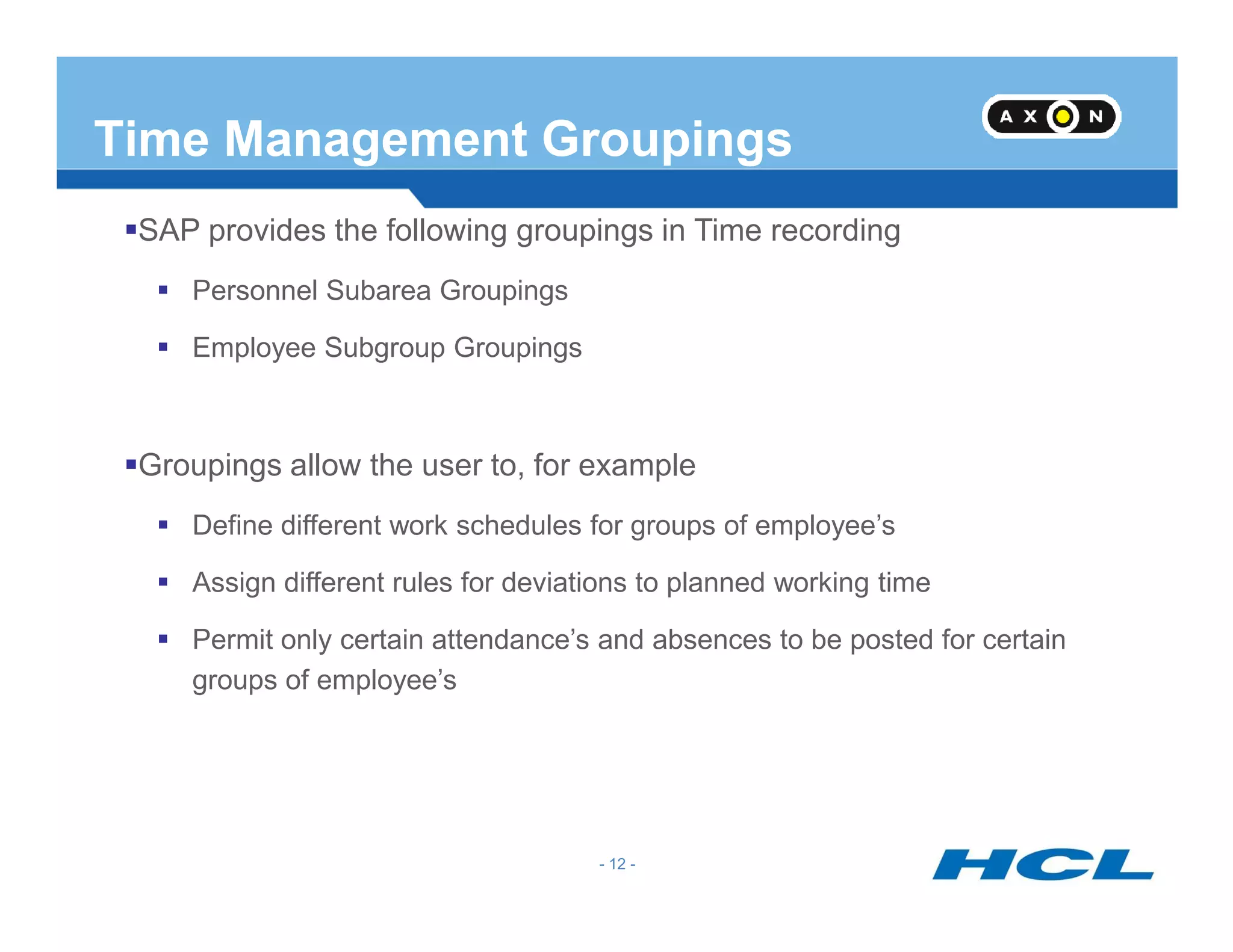
Time Management Groupings
SAP provides the following groupings in Time recording
Personnel Subarea Groupings
Employee Subgroup Groupings
Groupings allow the user to, for example
- 12 -
Groupings allow the user to, for example
Define different work schedules for groups of employee’s
Assign different rules for deviations to planned working time
Permit only certain attendance’s and absences to be posted for certain
groups of employee’s
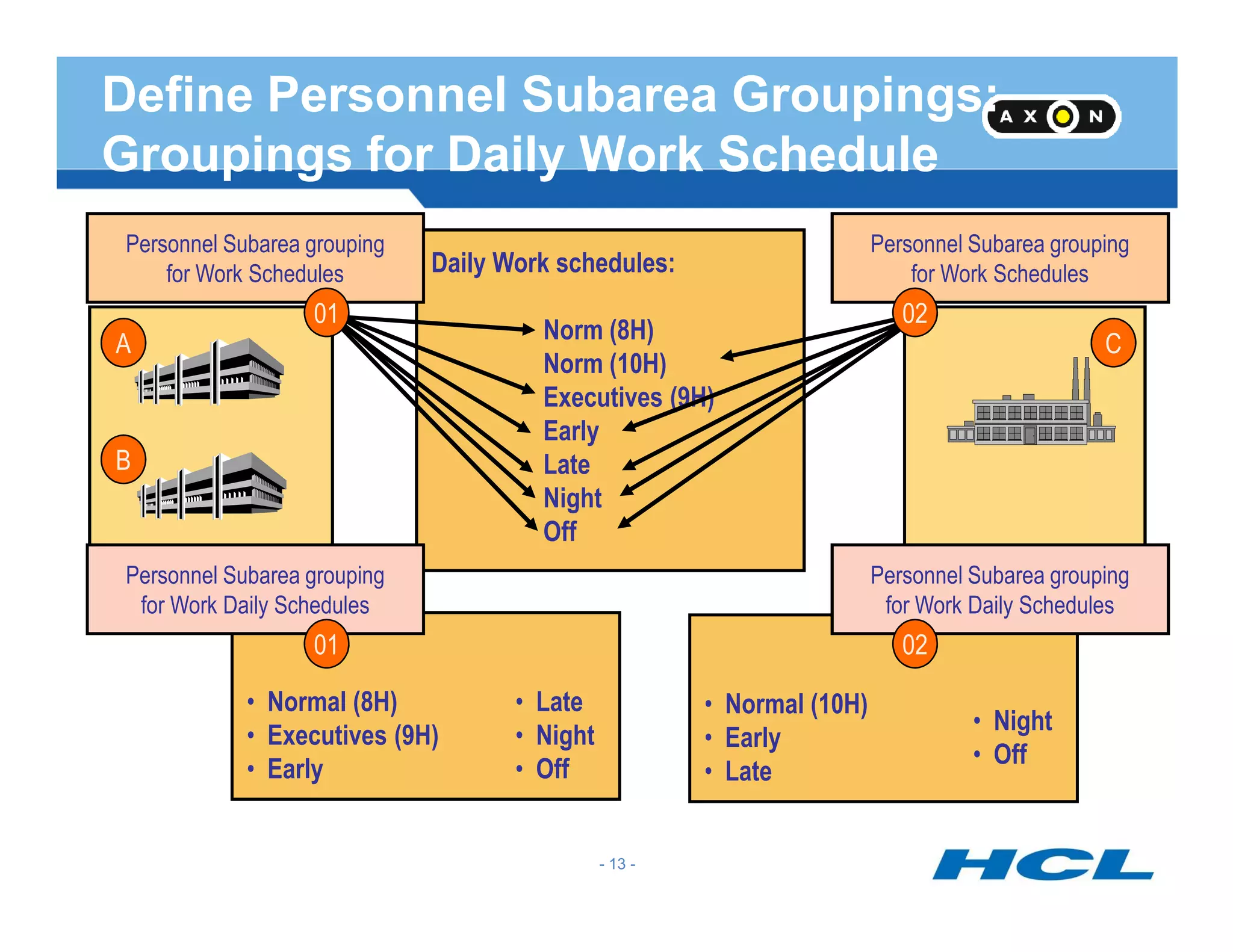
Personnel Subarea grouping
for Work Schedules
C
B
A
Daily Work schedules:
Norm (8H)
Norm (10H)
Executives (9H)
Early
Late
Personnel Subarea grouping
for Work Schedules
0201
Define Personnel Subarea Groupings:
Groupings for Daily Work Schedule
- 13 -
Late
Night
Off
Personnel Subarea grouping
for Work Daily Schedules
Personnel Subarea grouping
for Work Daily Schedules
0201
• Normal (8H)
• Executives (9H)
• Early
• Late
• Night
• Off
• Normal (10H)
• Early
• Late
• Night
• Off
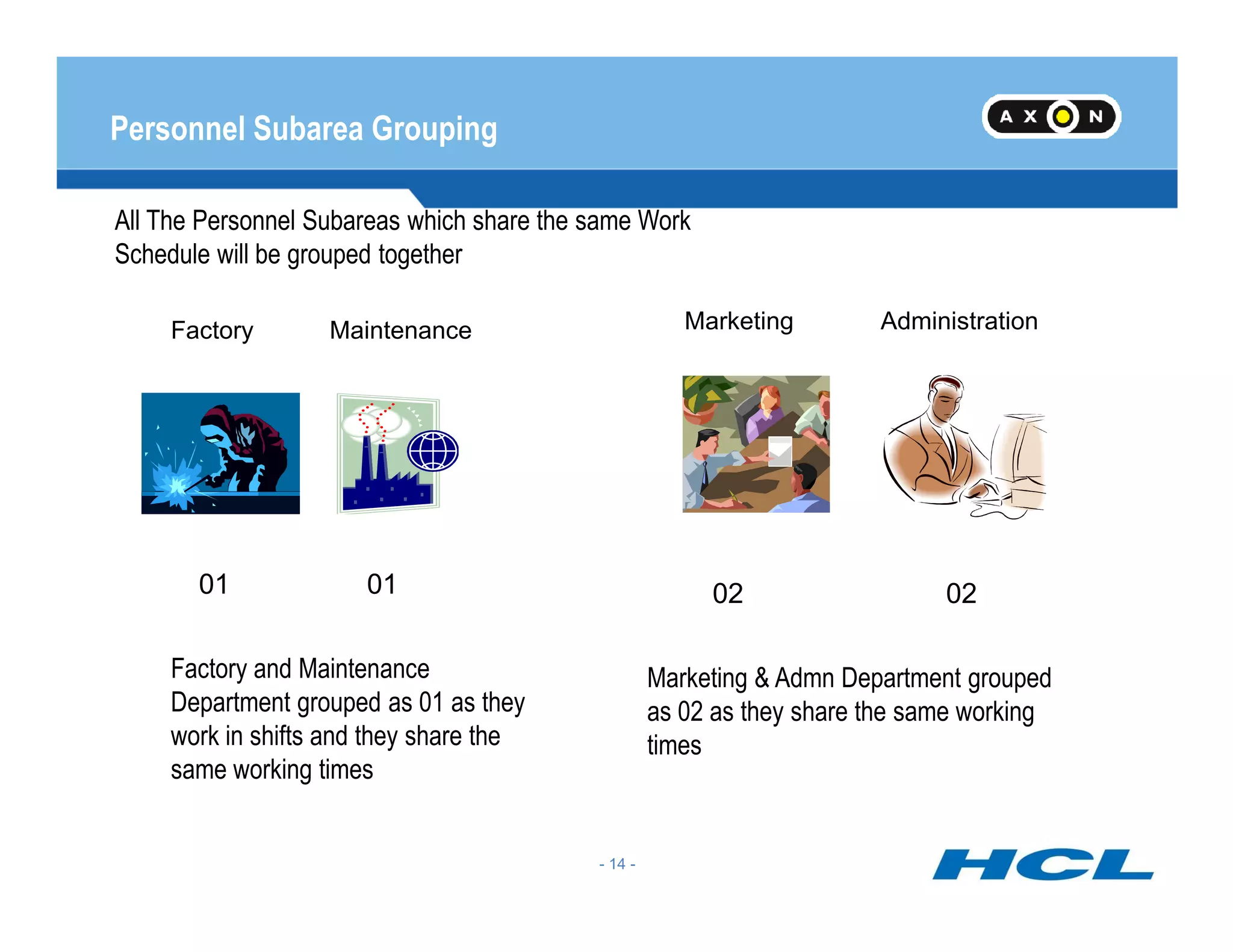
Personnel Subarea Grouping
All The Personnel Subareas which share the same Work
Schedule will be grouped together
Factory Maintenance Marketing Administration
- 14 -
01 01 02 02
Factory and Maintenance
Department grouped as 01 as they
work in shifts and they share the
same working times
Marketing & Admn Department grouped
as 02 as they share the same working
times
Personnel Subarea Grouping
For Work schedule
For Daily Work Schedule
View: V_001P_ALL
- 15 -
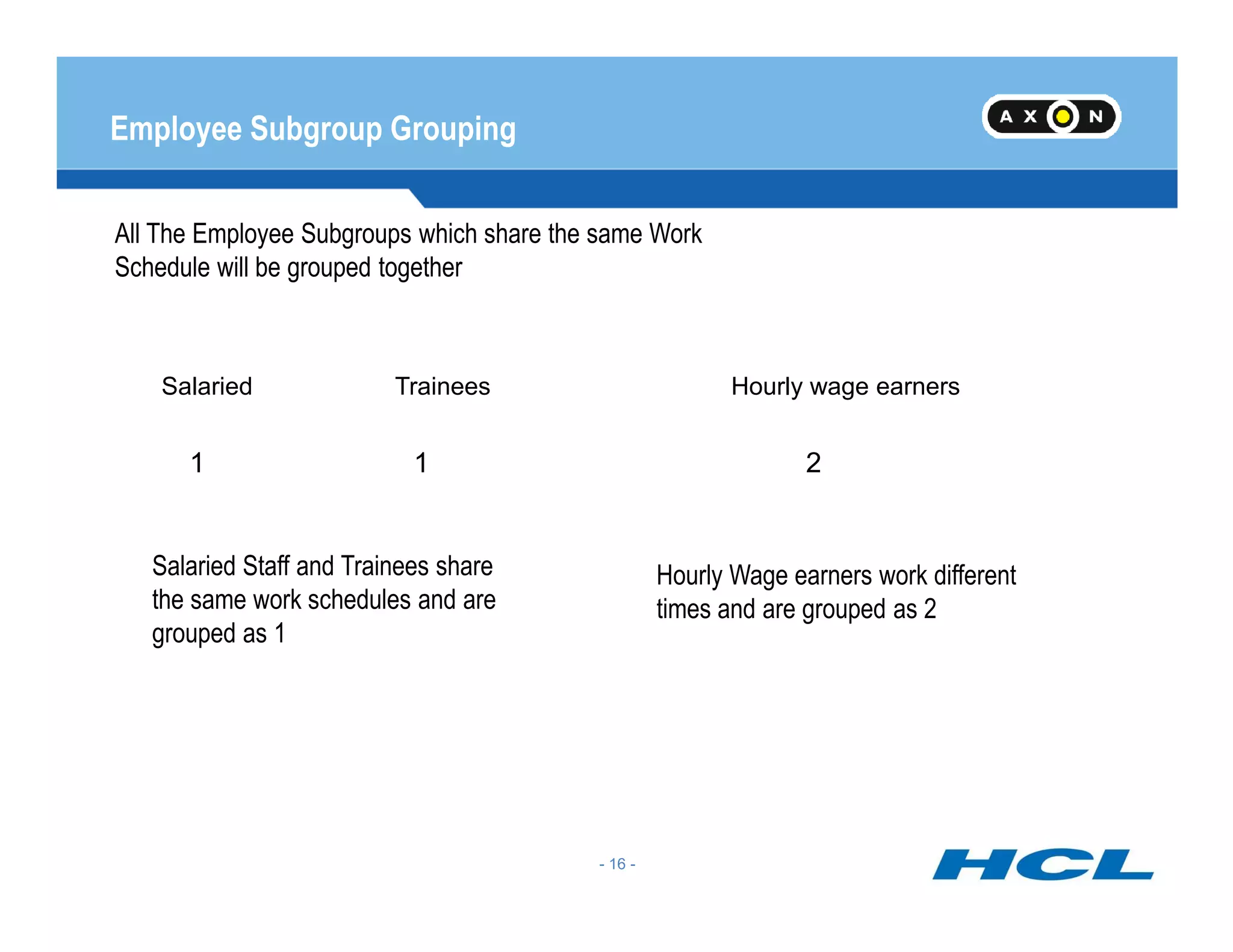
Employee Subgroup Grouping
All The Employee Subgroups which share the same Work
Schedule will be grouped together
Salaried Trainees Hourly wage earners
1 21
- 16 -
Salaried Staff and Trainees share
the same work schedules and are
grouped as 1
Hourly Wage earners work different
times and are grouped as 2
1 21
Employee Sub-Group Grouping
View : V_503_ALL
- 17 -
Daily Work Schedules
How an employee works during a day
What is the timing
How much late coming or early going is tolerated
When does he have break
- 18 -
In case of flextime – Specify planned, Normal and core times
Work Break Schedule
4 types of Break Schedule:
Fixed Break
Variable break
Dynamic break
- 19 -
Overtime break
Daily work schedule variant
Definition : V_T550X
Assignment : V_T550A
3 conditions for selection of variant
#Holiday Class for the day
- 20 -
#Holiday class for the next day
#Weekday
You can have many variant for a DWS. When all above conditions
meet, specific variant will be selected.
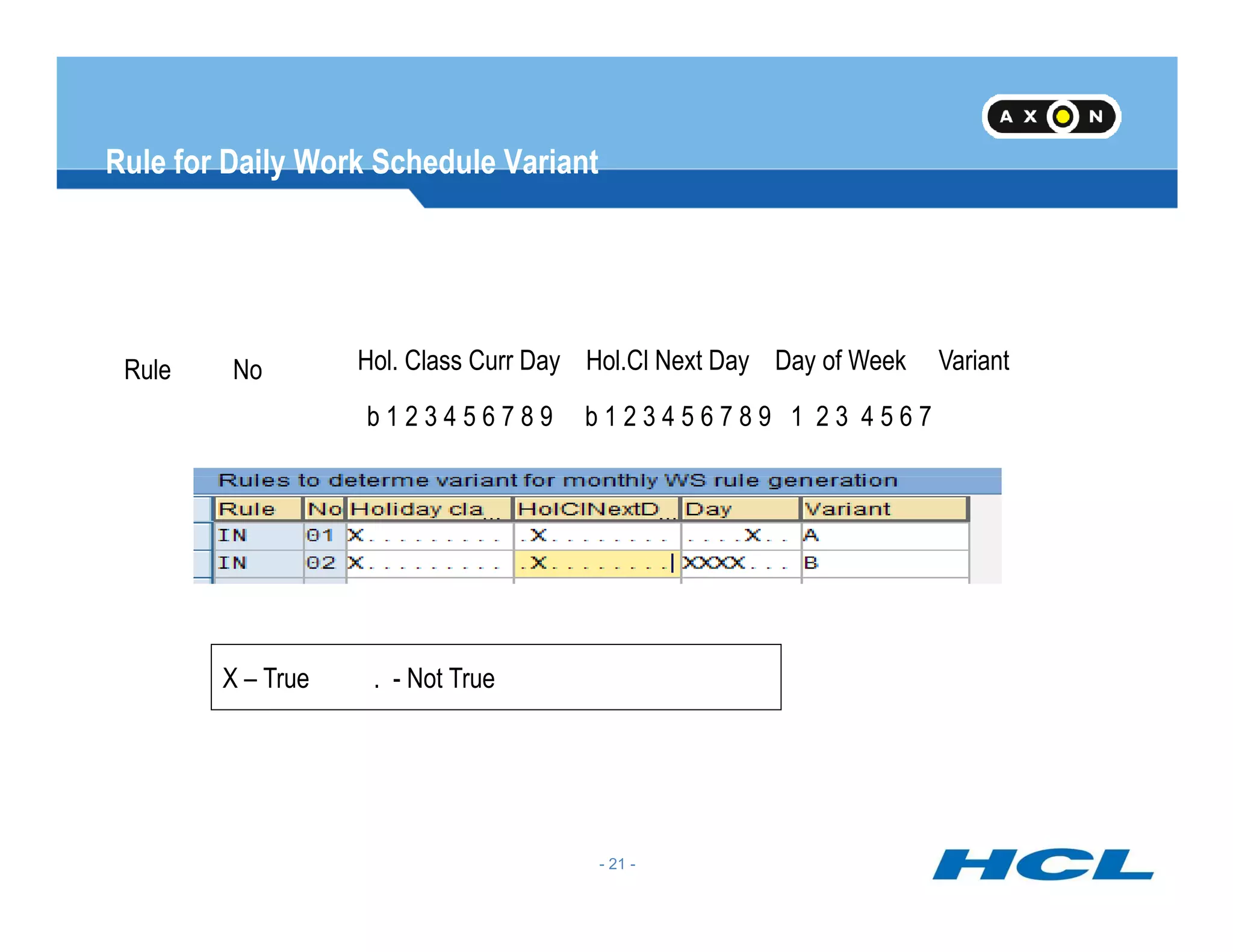
Rule for Daily Work Schedule Variant
Rule No Hol. Class Curr Day Hol.Cl Next Day Day of Week Variant
b 1 2 3 4 5 6 7 8 9 b 1 2 3 4 5 6 7 8 9 1 2 3 4 5 6 7
- 21 -
X – True . - Not True
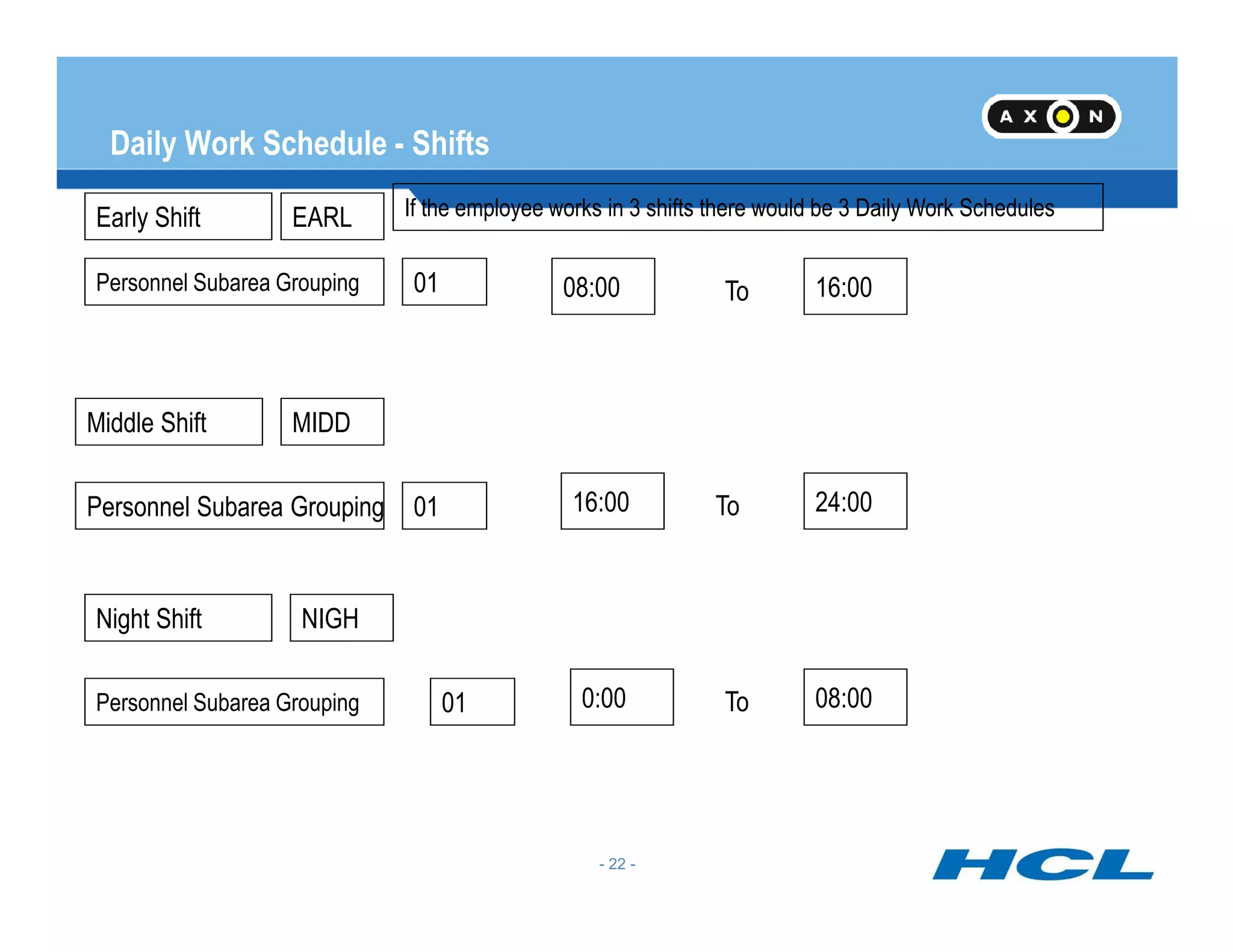
Daily Work Schedule - Shifts
To08:00 16:00Personnel Subarea Grouping 01
Early Shift
Middle Shift
If the employee works in 3 shifts there would be 3 Daily Work SchedulesEARL
MIDD
- 22 -
Personnel Subarea Grouping
01
01
16:00
0:00
24:00
08:00
To
To
Night Shift NIGH
Period Work Schedule
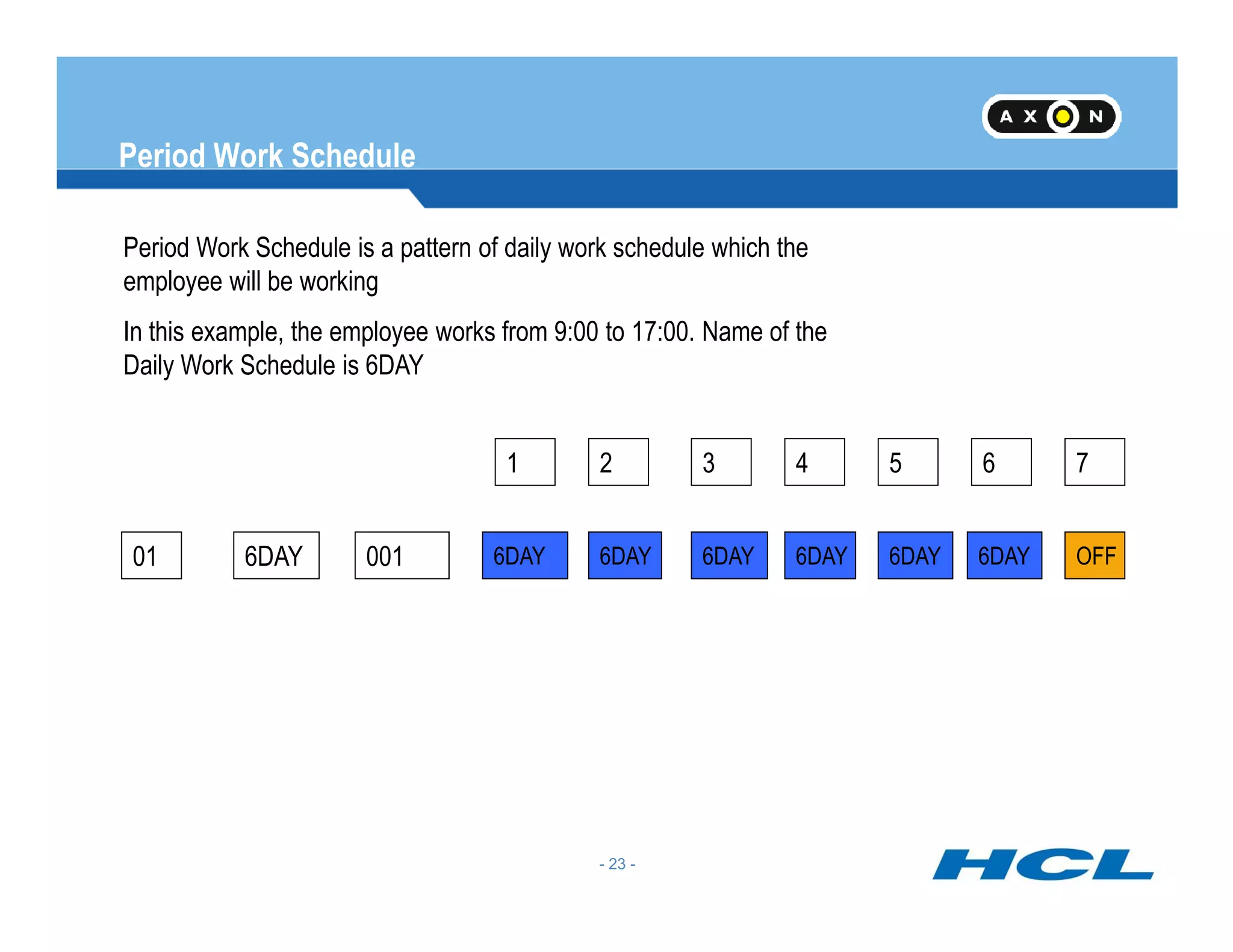
Period Work Schedule is a pattern of daily work schedule which the
employee will be working
In this example, the employee works from 9:00 to 17:00. Name of the
Daily Work Schedule is 6DAY
7654321
- 23 -
01 6DAY 001
7654321
6DAY 6DAY6DAY 6DAY 6DAY OFF6DAY
Weekly off
For Weekly off there should be a separate Daily Work Schedule in which the
option “No planned working hours is to be checked”
Checkbox No Planned Working Hours
OFF Weekly Off
- 24 -
Checkbox No Planned Working Hours
No timings need to be entered in this Daily Work Schedule as it is meant for an OFF day
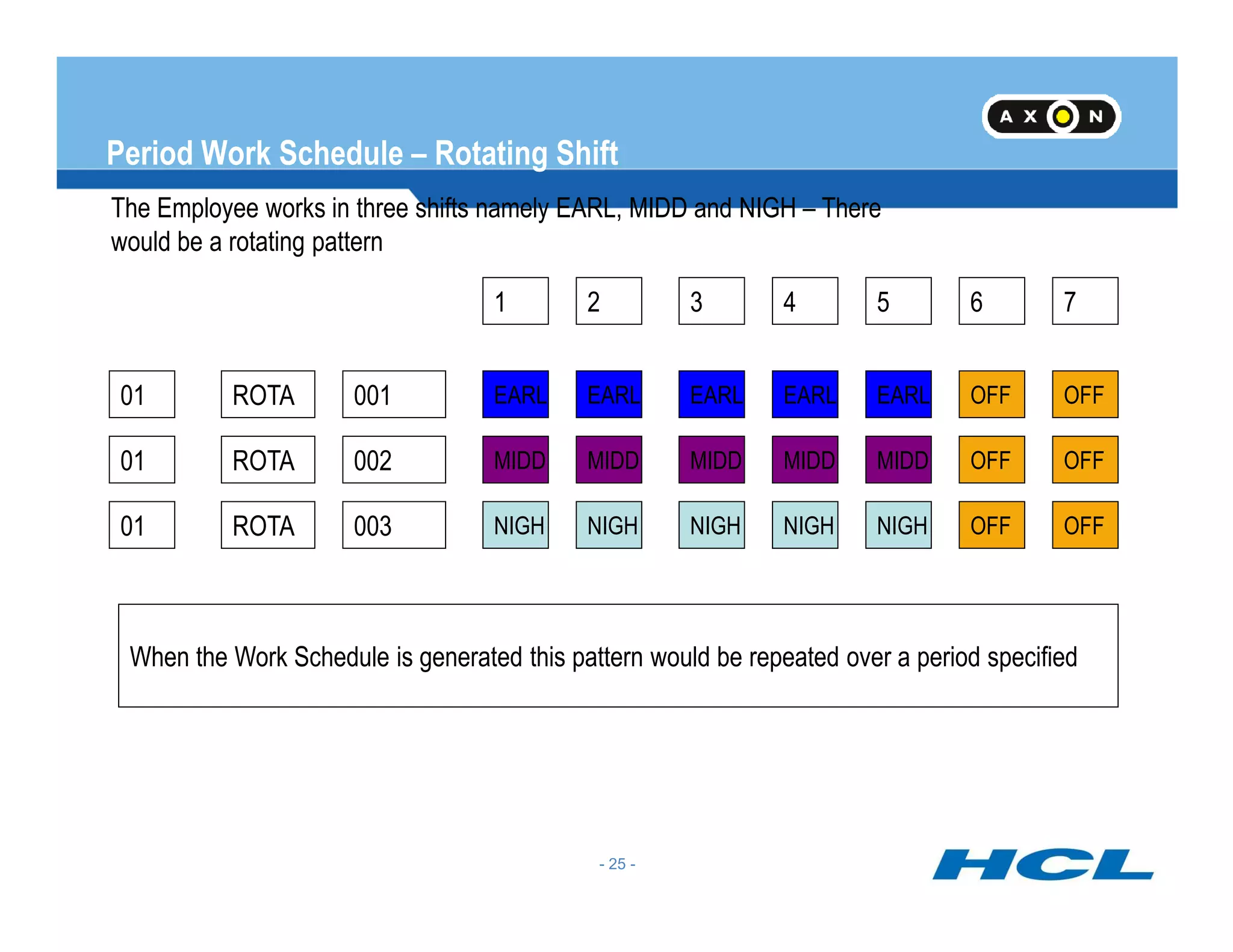
Period Work Schedule – Rotating Shift
The Employee works in three shifts namely EARL, MIDD and NIGH – There
would be a rotating pattern
01 ROTA 001
7654321
EARL EARLEARL EARL EARL OFF OFF
01 ROTA 002 MIDD MIDDMIDD MIDD MIDD OFF OFF
- 25 -
01 ROTA 003 NIGH NIGHNIGH NIGH NIGH OFF OFF
When the Work Schedule is generated this pattern would be repeated over a period specified
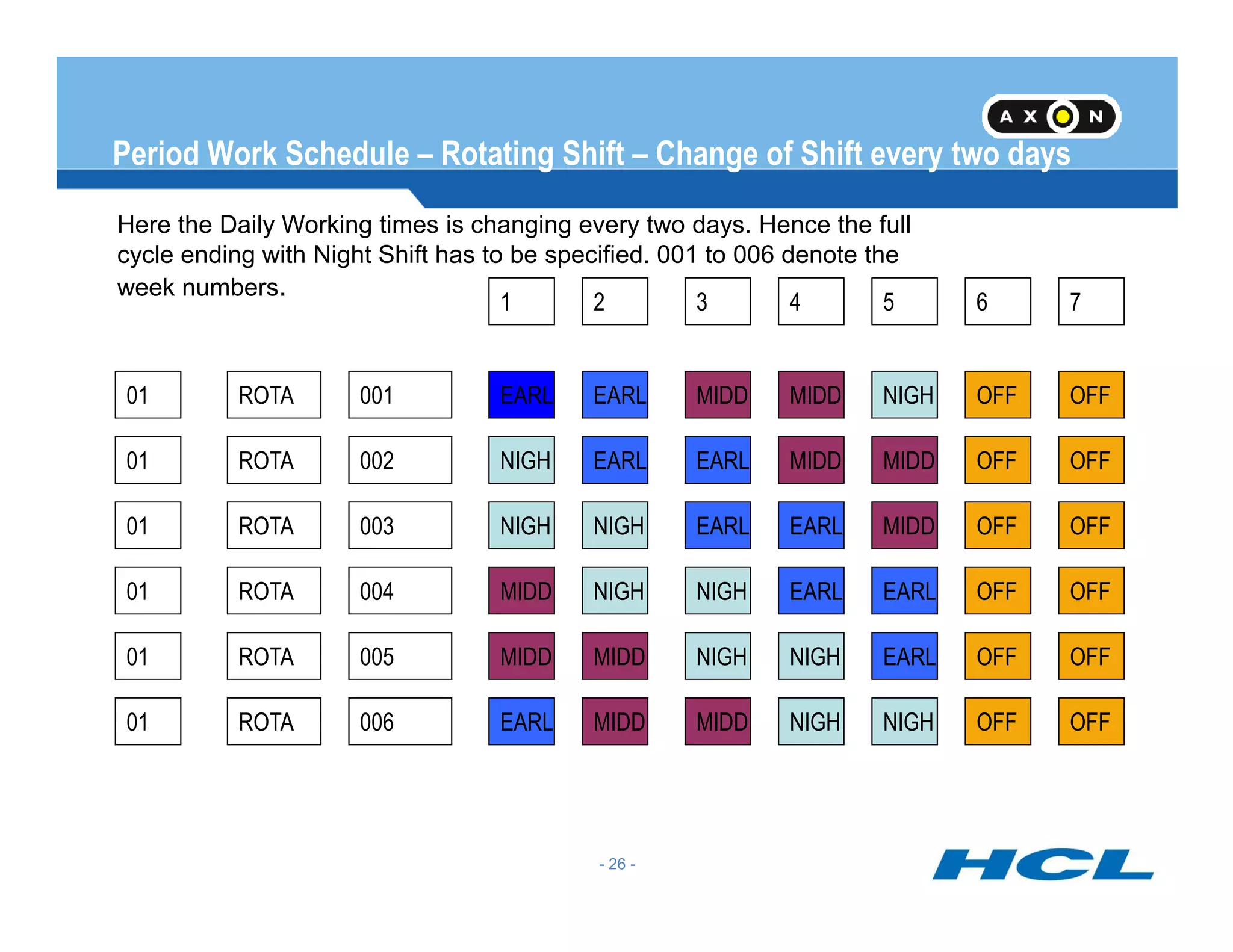
Period Work Schedule – Rotating Shift – Change of Shift every two days
Here the Daily Working times is changing every two days. Hence the full
cycle ending with Night Shift has to be specified. 001 to 006 denote the
week numbers.
01 ROTA 001
7654321
EARL MIDDEARL MIDD NIGH OFF OFF
01 ROTA 002 NIGH EARLEARL MIDD MIDD OFF OFF
- 26 -
01 ROTA 003 NIGH EARLNIGH EARL MIDD OFF OFF
01 ROTA 004 MIDD NIGHNIGH EARL EARL OFF OFF
01 ROTA 005 MIDD NIGHMIDD NIGH EARL OFF OFF
01 ROTA 006 EARL MIDDMIDD NIGH NIGH OFF OFF
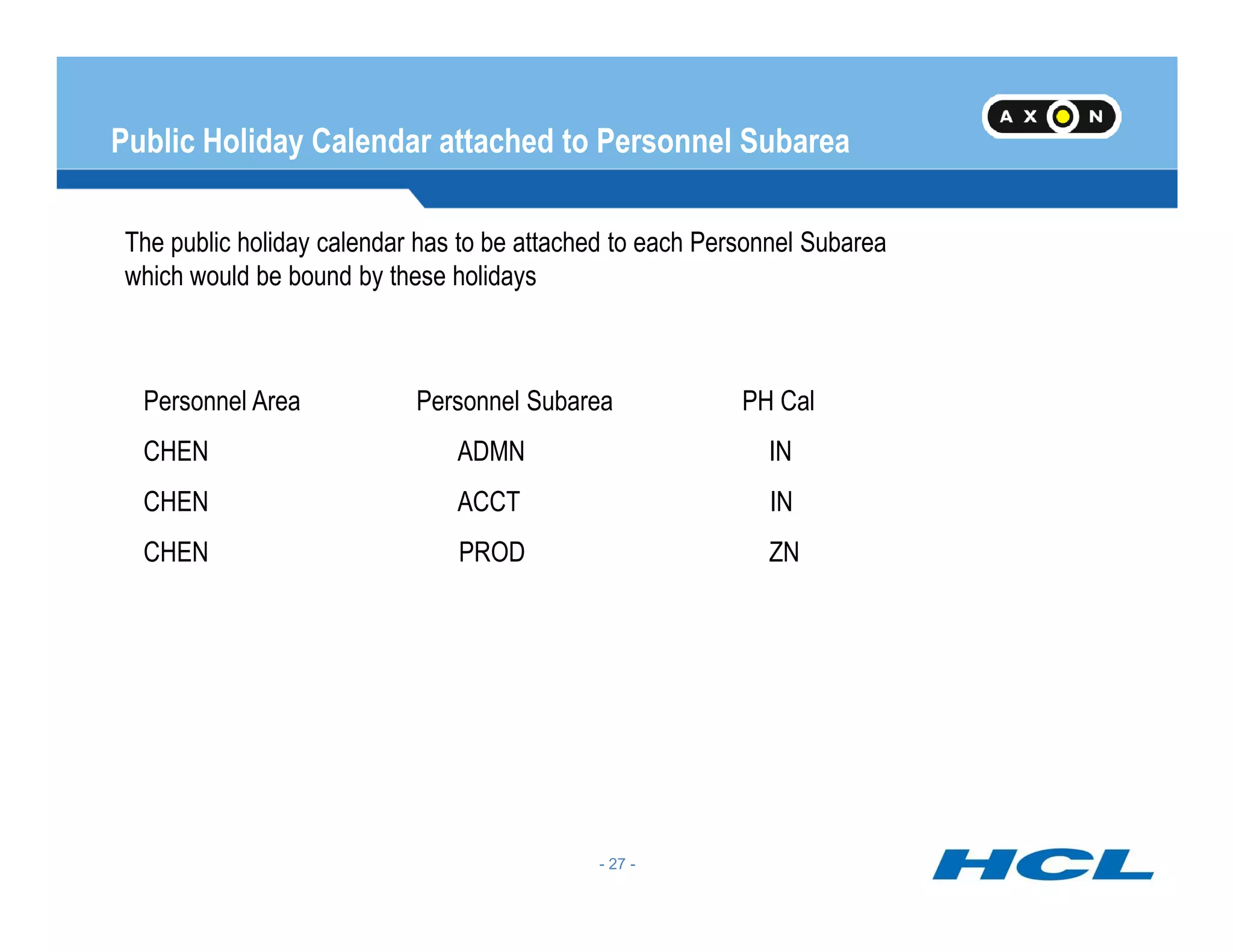
Public Holiday Calendar attached to Personnel Subarea
The public holiday calendar has to be attached to each Personnel Subarea
which would be bound by these holidays
Personnel Area Personnel Subarea PH Cal
CHEN ADMN IN
- 27 -
CHEN ACCT IN
CHEN PROD ZN
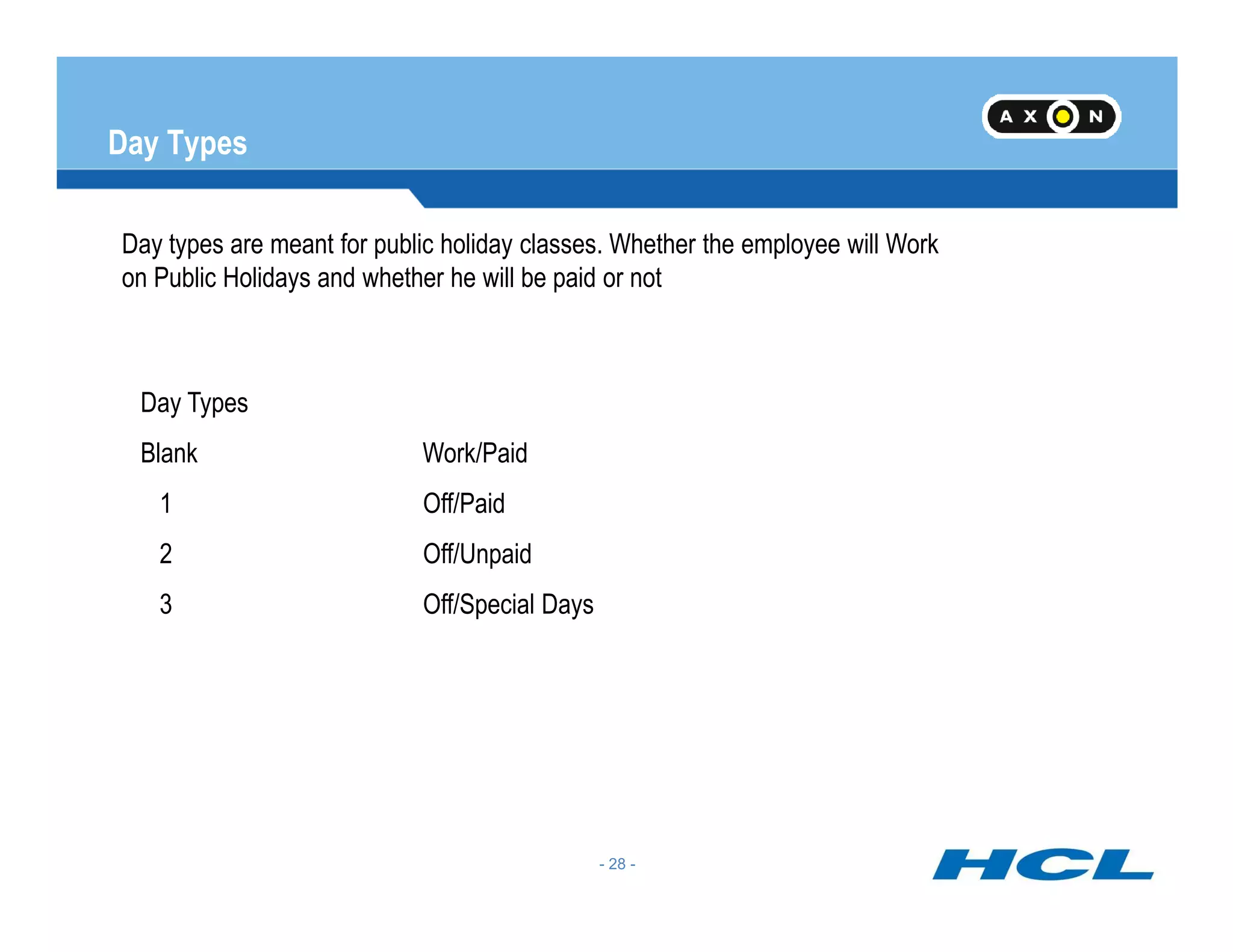
Day Types
Day types are meant for public holiday classes. Whether the employee will Work
on Public Holidays and whether he will be paid or not
Day Types
Blank Work/Paid
- 28 -
1 Off/Paid
2 Off/Unpaid
3 Off/Special Days
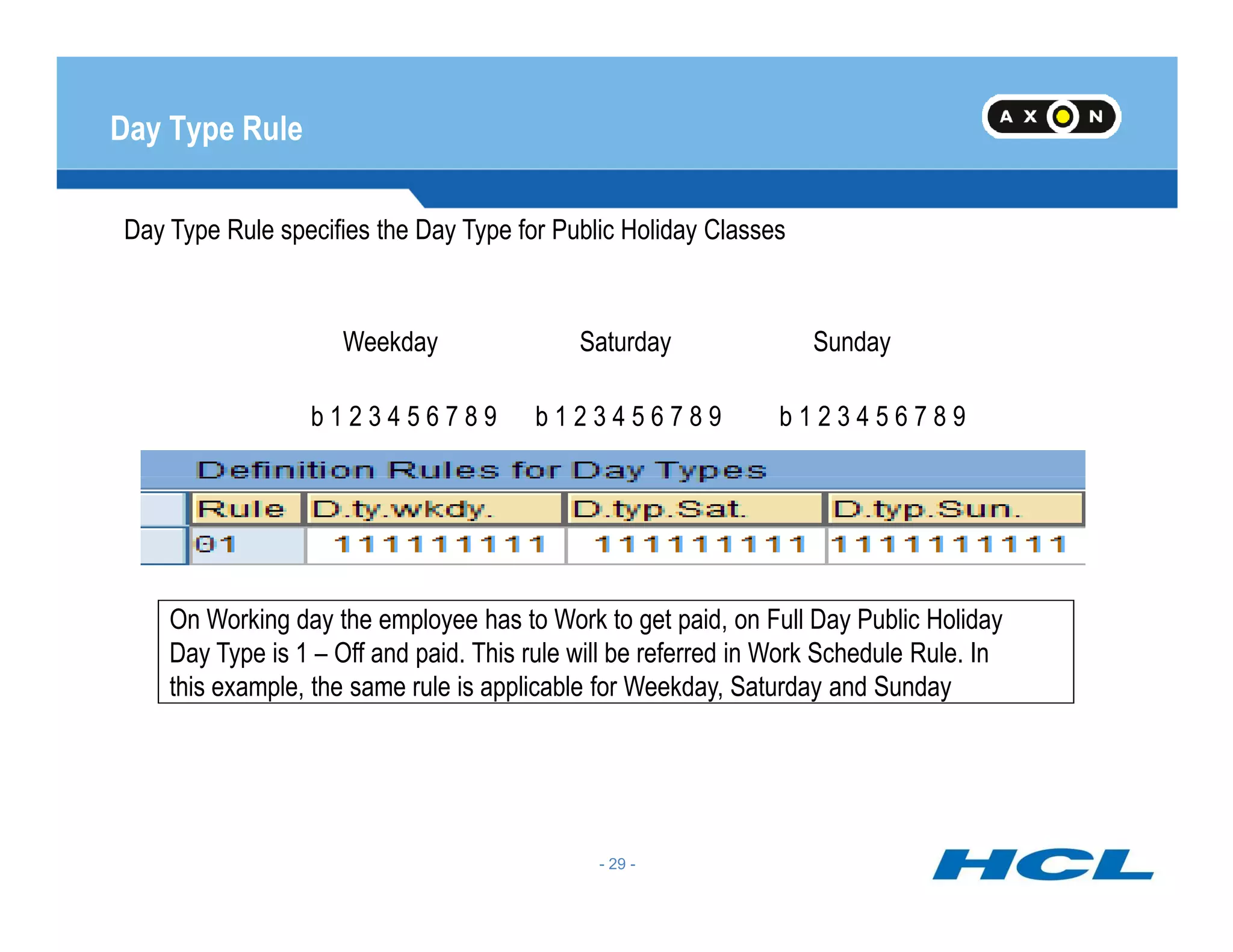
Day Type Rule
Day Type Rule specifies the Day Type for Public Holiday Classes
b 1 2 3 4 5 6 7 8 9 b 1 2 3 4 5 6 7 8 9 b 1 2 3 4 5 6 7 8 9
Weekday Saturday Sunday
- 29 -
On Working day the employee has to Work to get paid, on Full Day Public Holiday
Day Type is 1 – Off and paid. This rule will be referred in Work Schedule Rule. In
this example, the same rule is applicable for Weekday, Saturday and Sunday
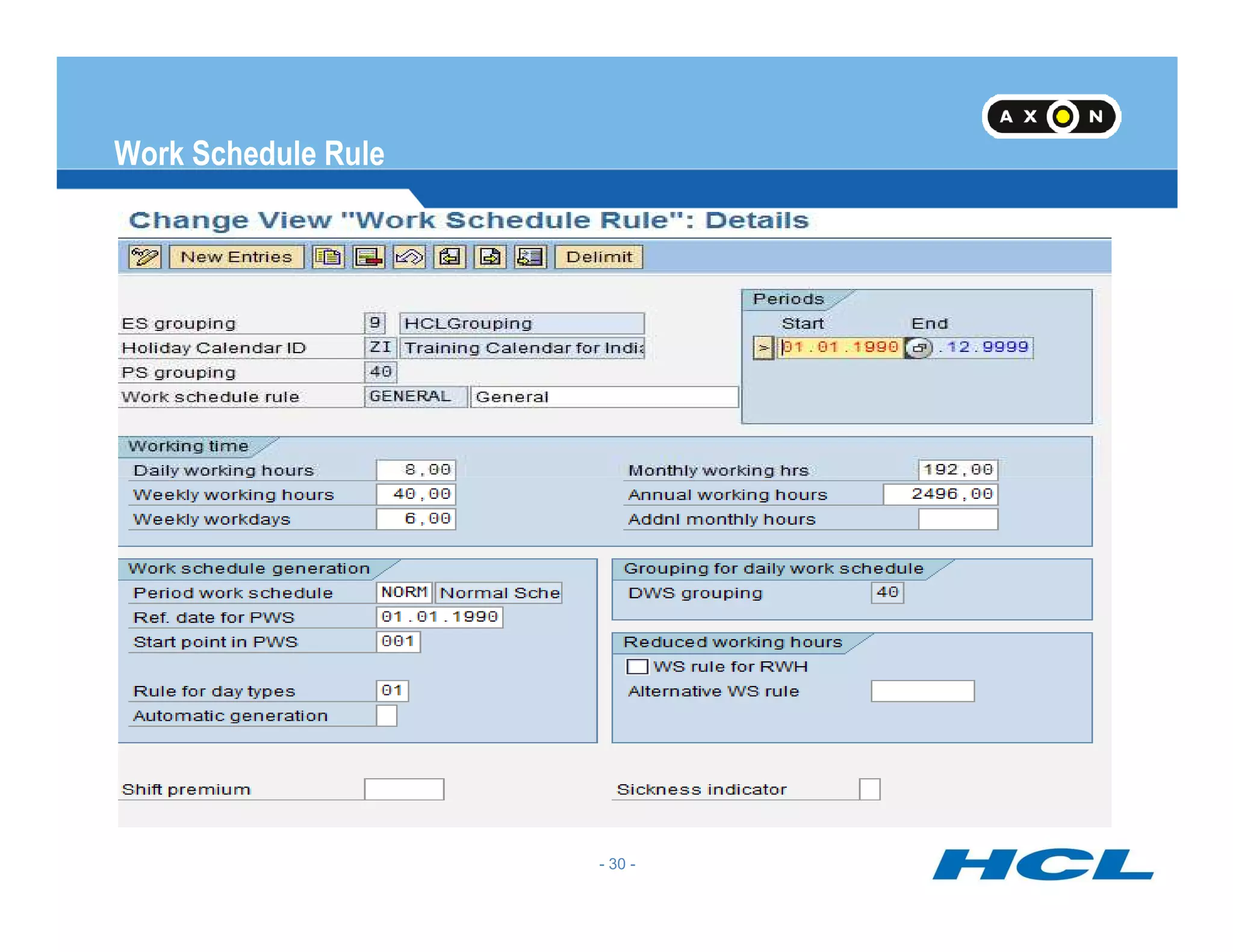
Work Schedule Rule
Work Schedule Rule will incorporate all the rules for the Work Schedule
- 30 -
Work Schedule Rule - Continued
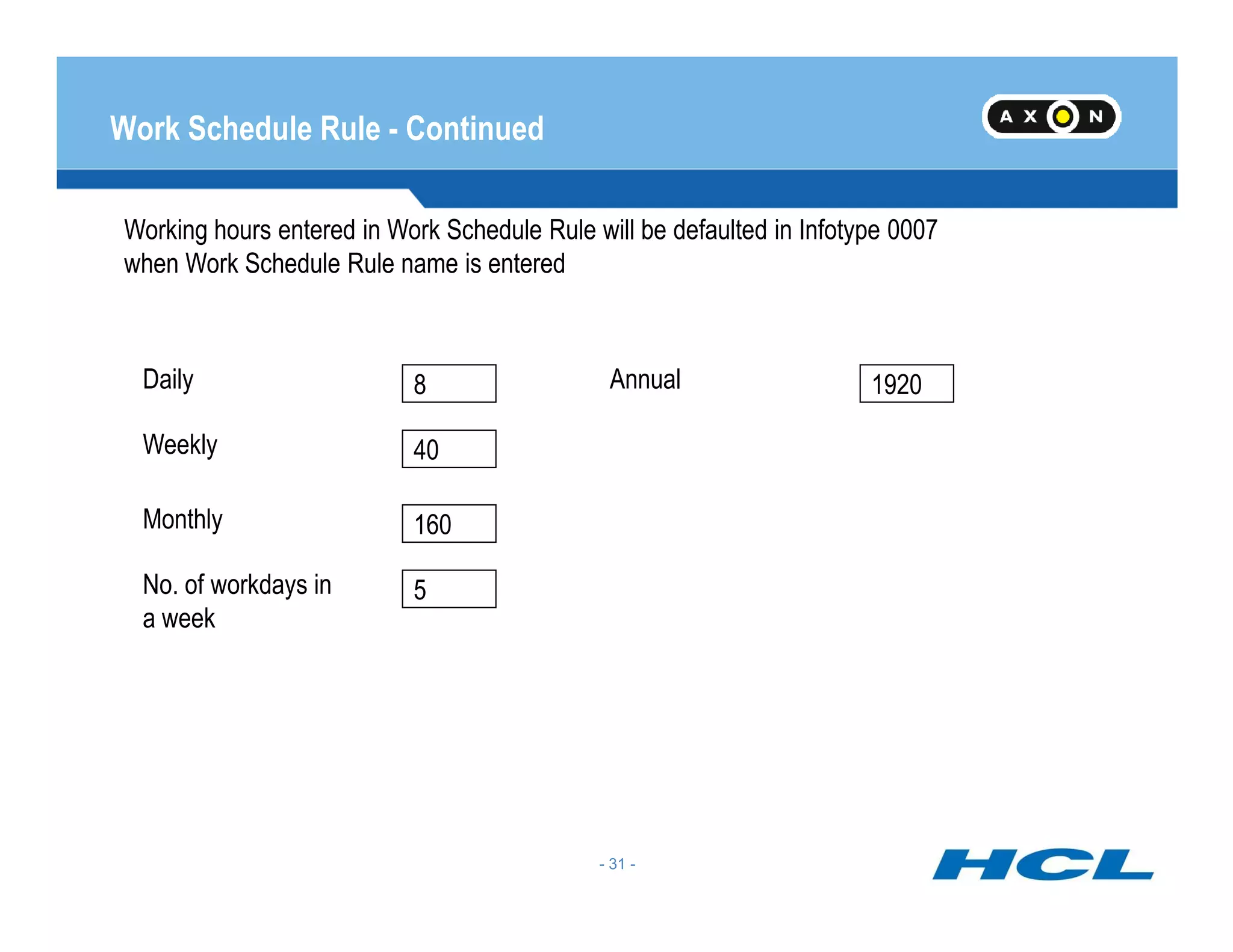
Working hours entered in Work Schedule Rule will be defaulted in Infotype 0007
when Work Schedule Rule name is entered
Weekly
Daily Annual8
40
1920
- 31 -
Monthly
No. of workdays in
a week
160
5
Work Schedule Rule - Continued
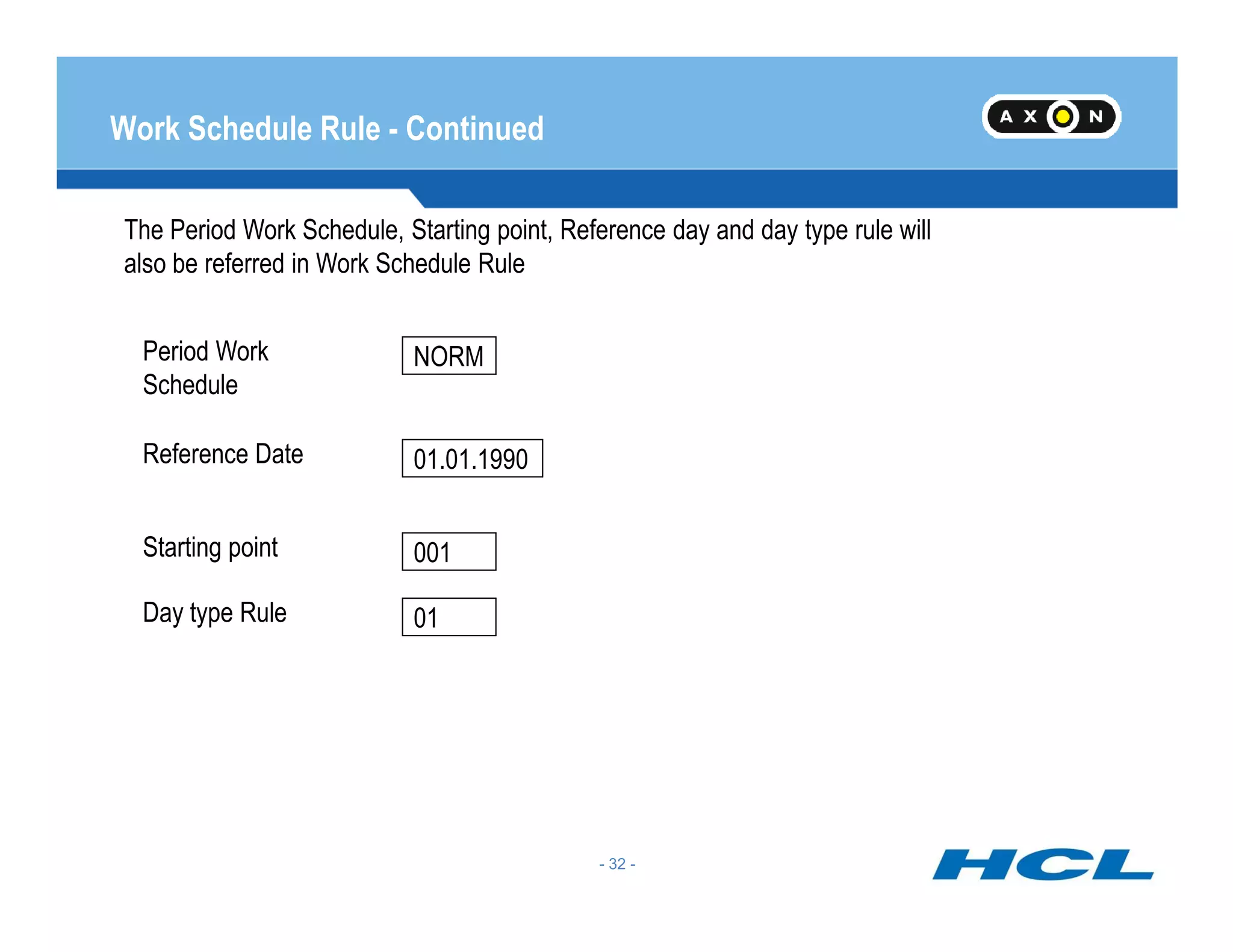
The Period Work Schedule, Starting point, Reference day and day type rule will
also be referred in Work Schedule Rule
Reference Date
Period Work
Schedule
NORM
01.01.1990
- 32 -
Starting point
Day type Rule
001
01
Generate Work Schedules Manually
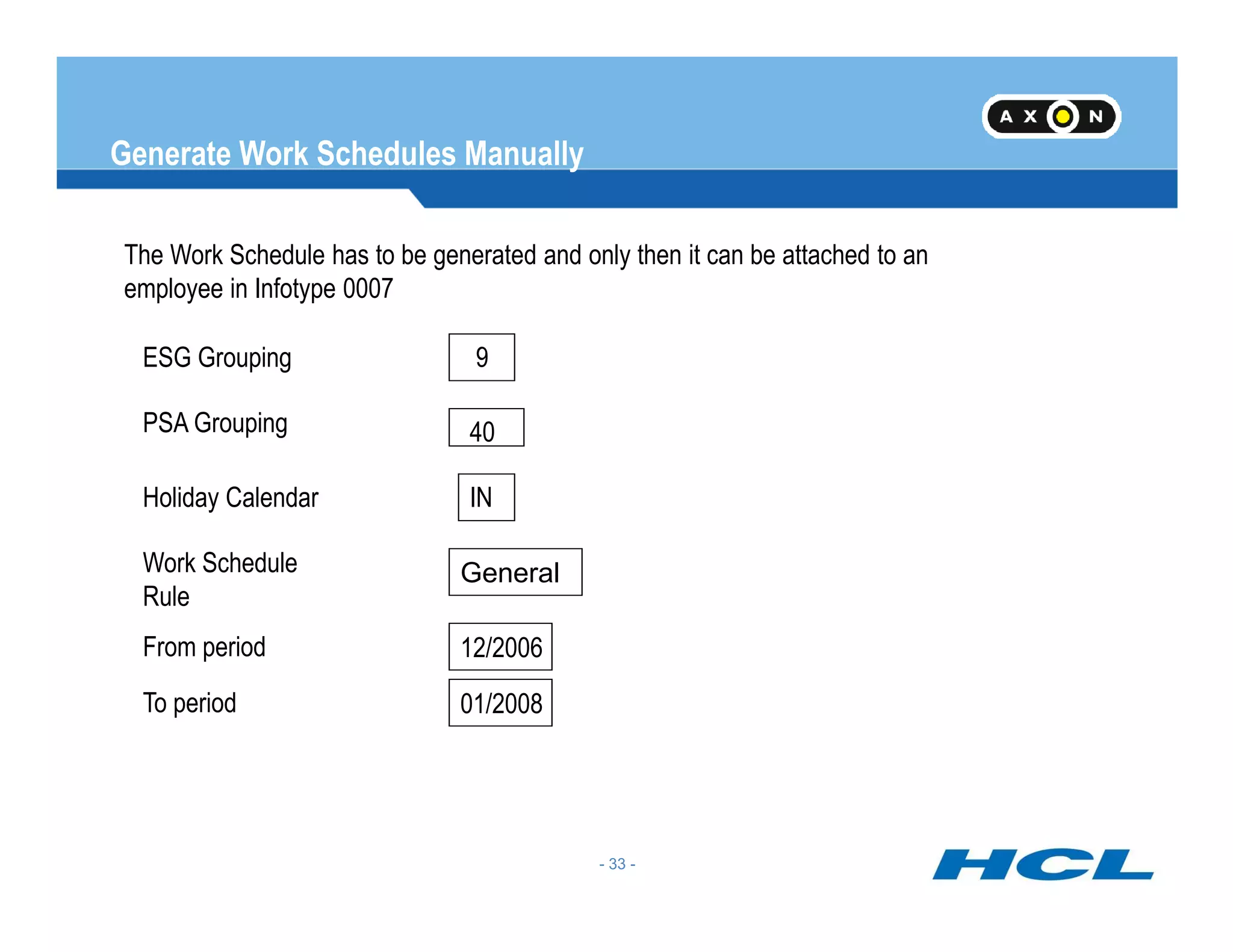
The Work Schedule has to be generated and only then it can be attached to an
employee in Infotype 0007
PSA Grouping
ESG Grouping
40
9
- 33 -
Generate Work Schedules ManuallyHoliday Calendar
Work Schedule
Rule
IN
General
From period
To period
12/2006
01/2008
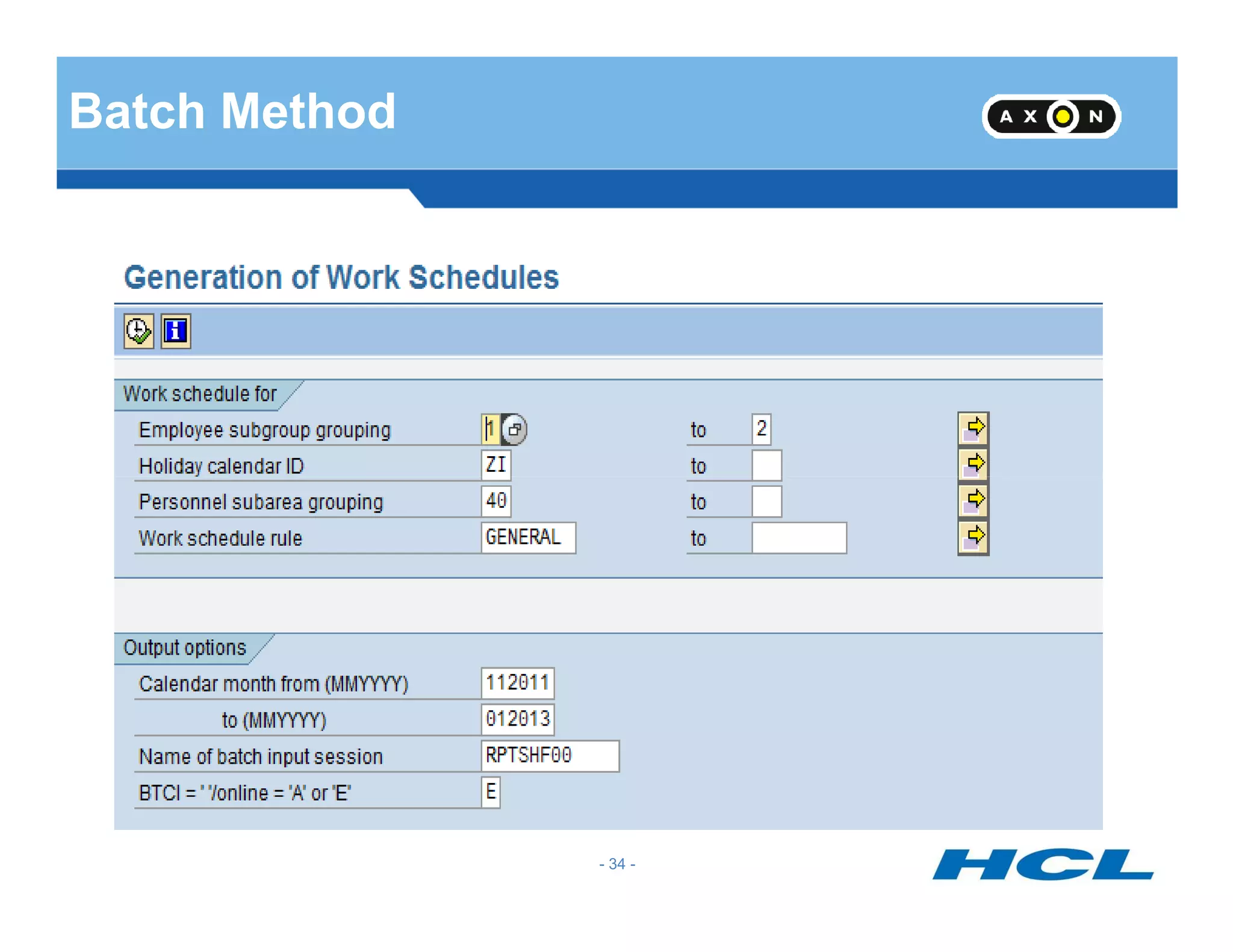
Batch Method
- 34 -
Infotype 0007
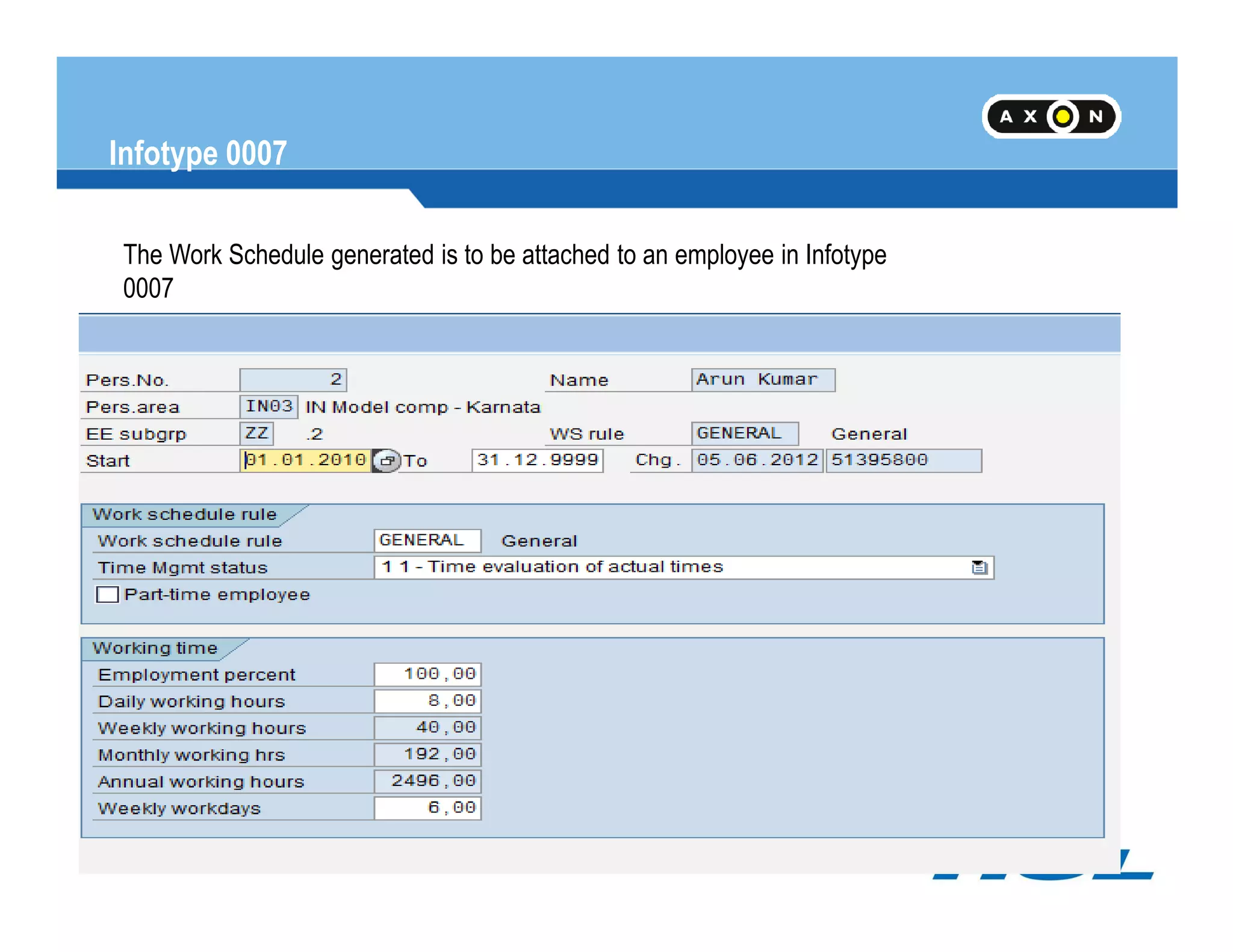
The Work Schedule generated is to be attached to an employee in Infotype
0007
- 35 -
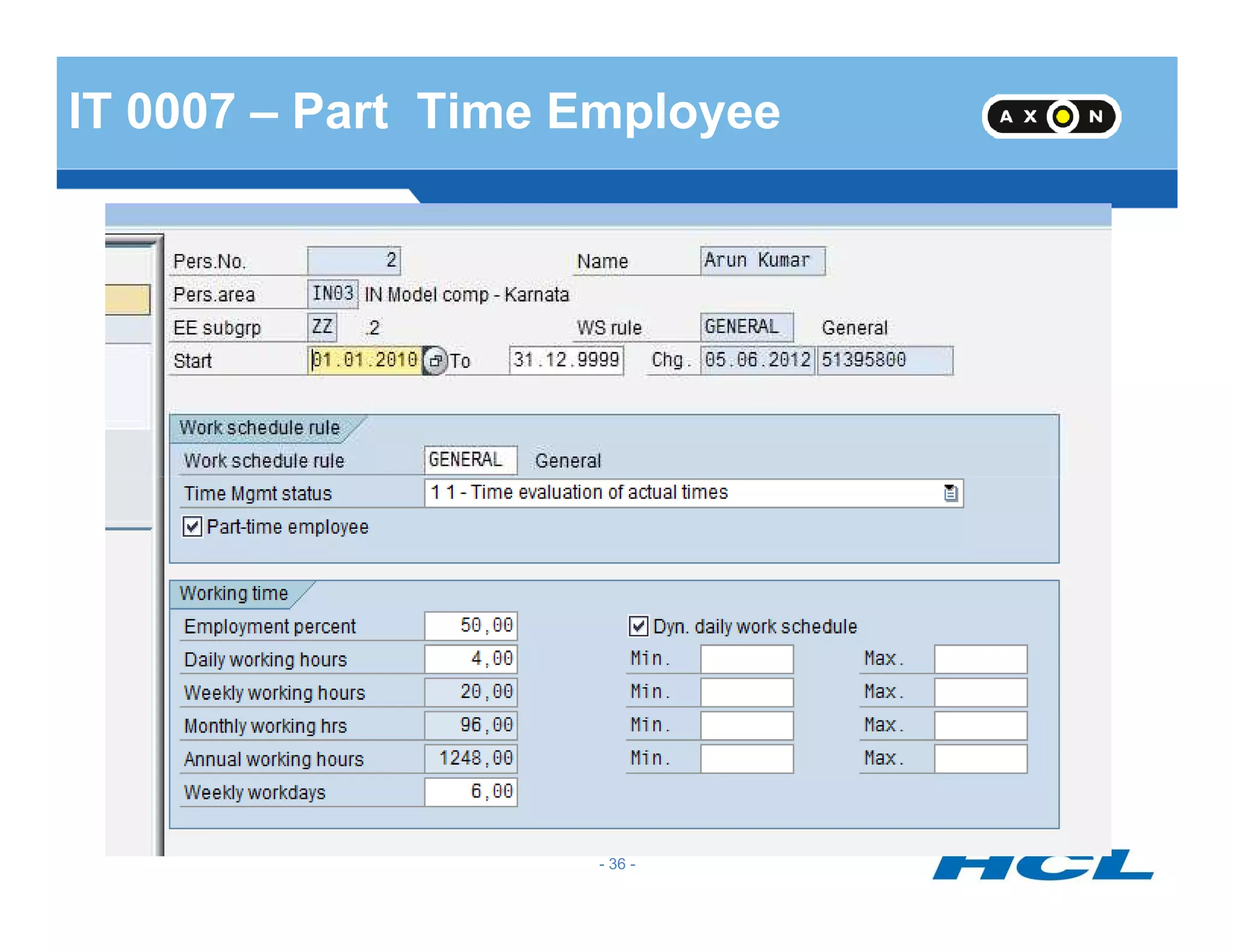
IT 0007 – Part Time Employee
- 36 -
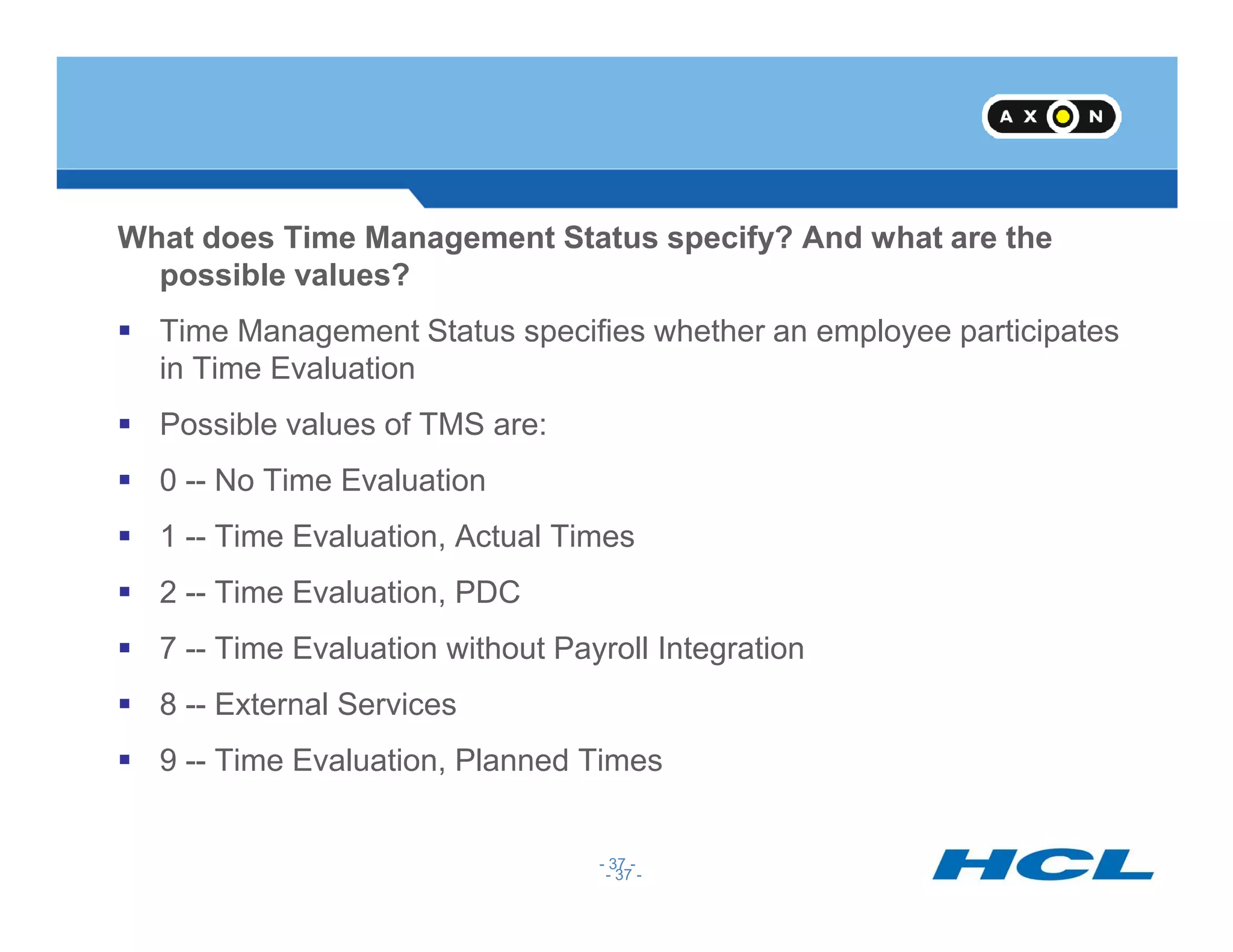
What does Time Management Status specify? And what are the
possible values?
Time Management Status specifies whether an employee participates
in Time Evaluation
Possible values of TMS are:
0 -- No Time Evaluation
- 37 -
0 -- No Time Evaluation
1 -- Time Evaluation, Actual Times
2 -- Time Evaluation, PDC
7 -- Time Evaluation without Payroll Integration
8 -- External Services
9 -- Time Evaluation, Planned Times
- 37 -
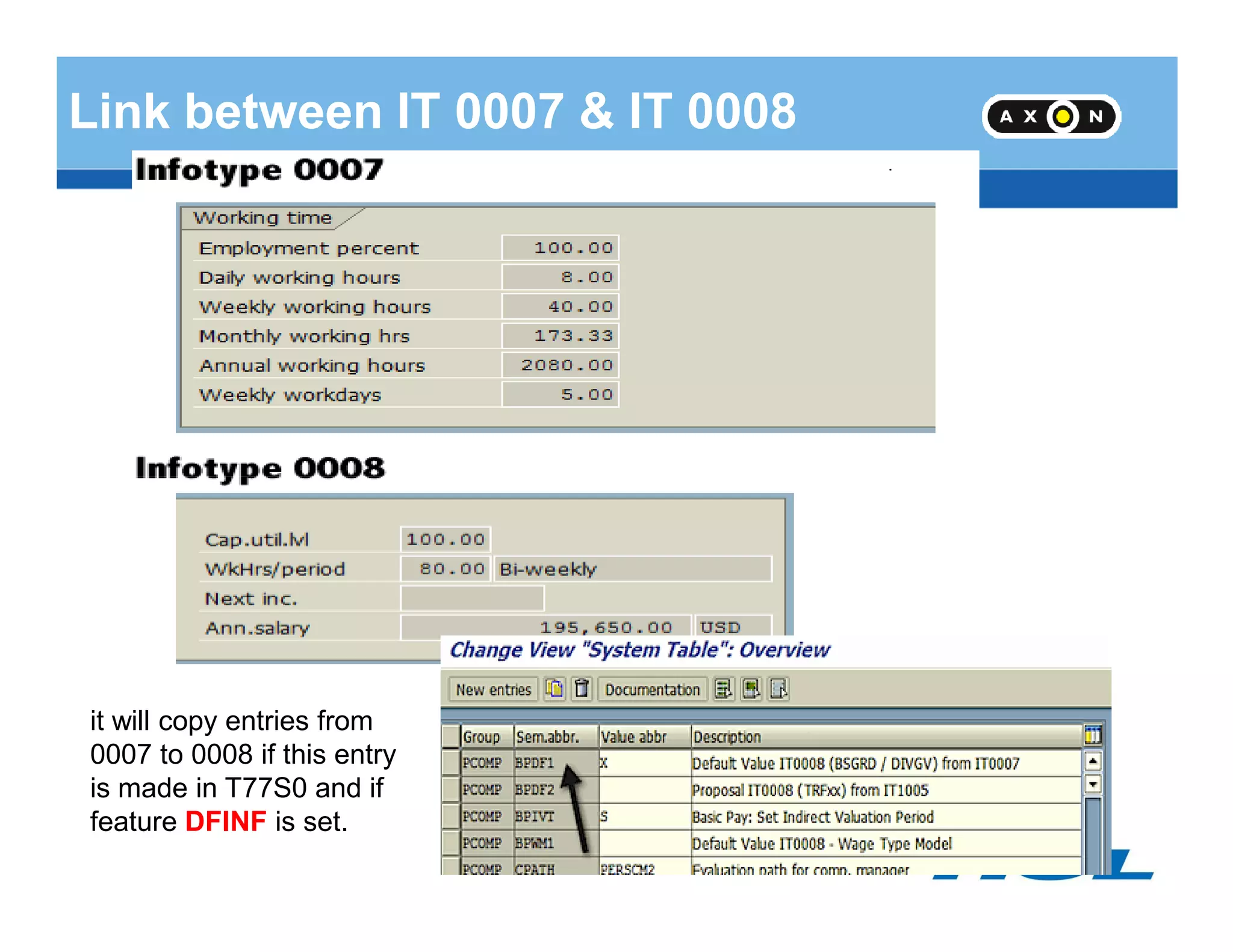
Link between IT 0007 & IT 0008
- 38 -
it will copy entries from
0007 to 0008 if this entry
is made in T77S0 and if
feature DFINF is set.
Substitution
- 39 -
Substitution
Substitution
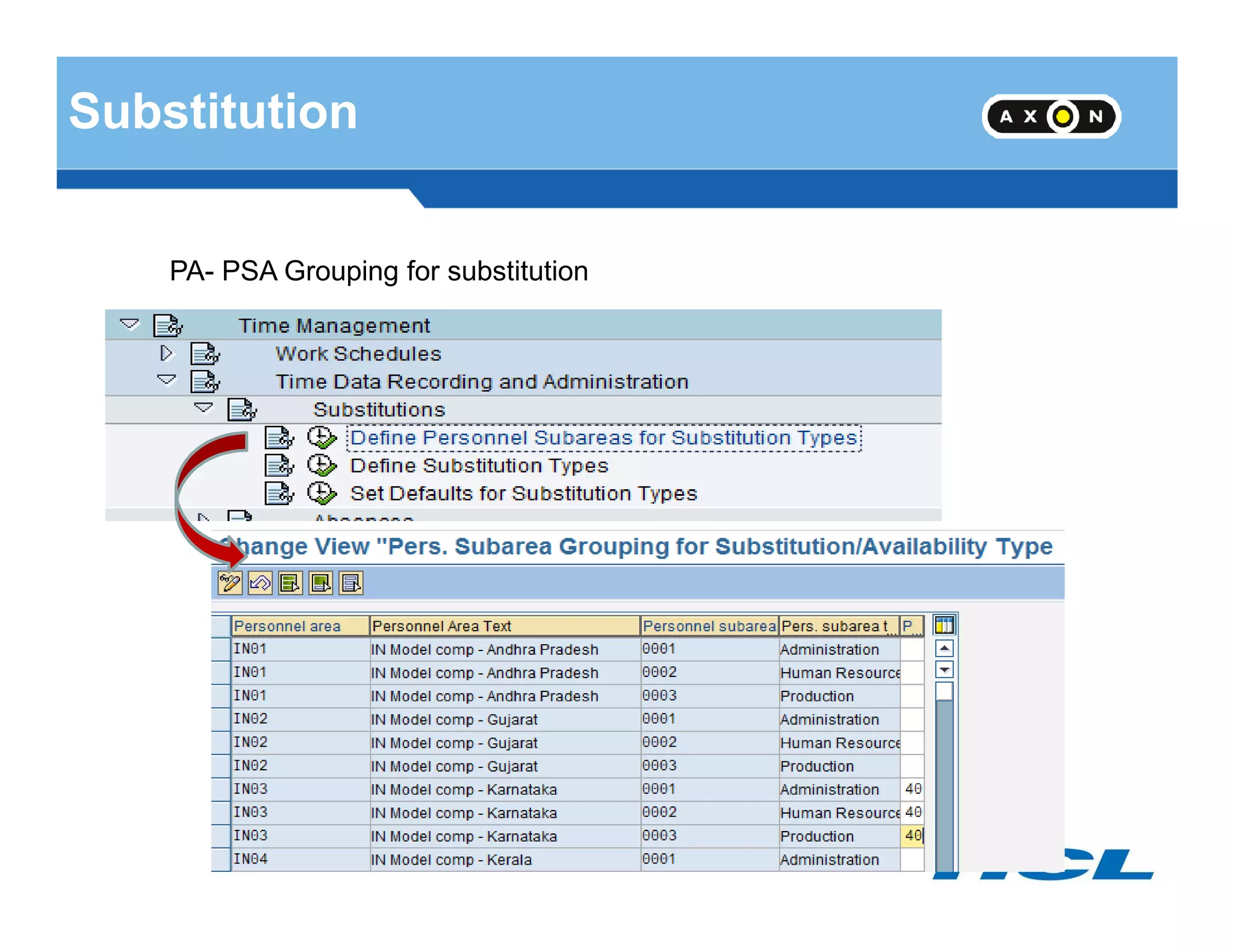
PA- PSA Grouping for substitution
- 40 -
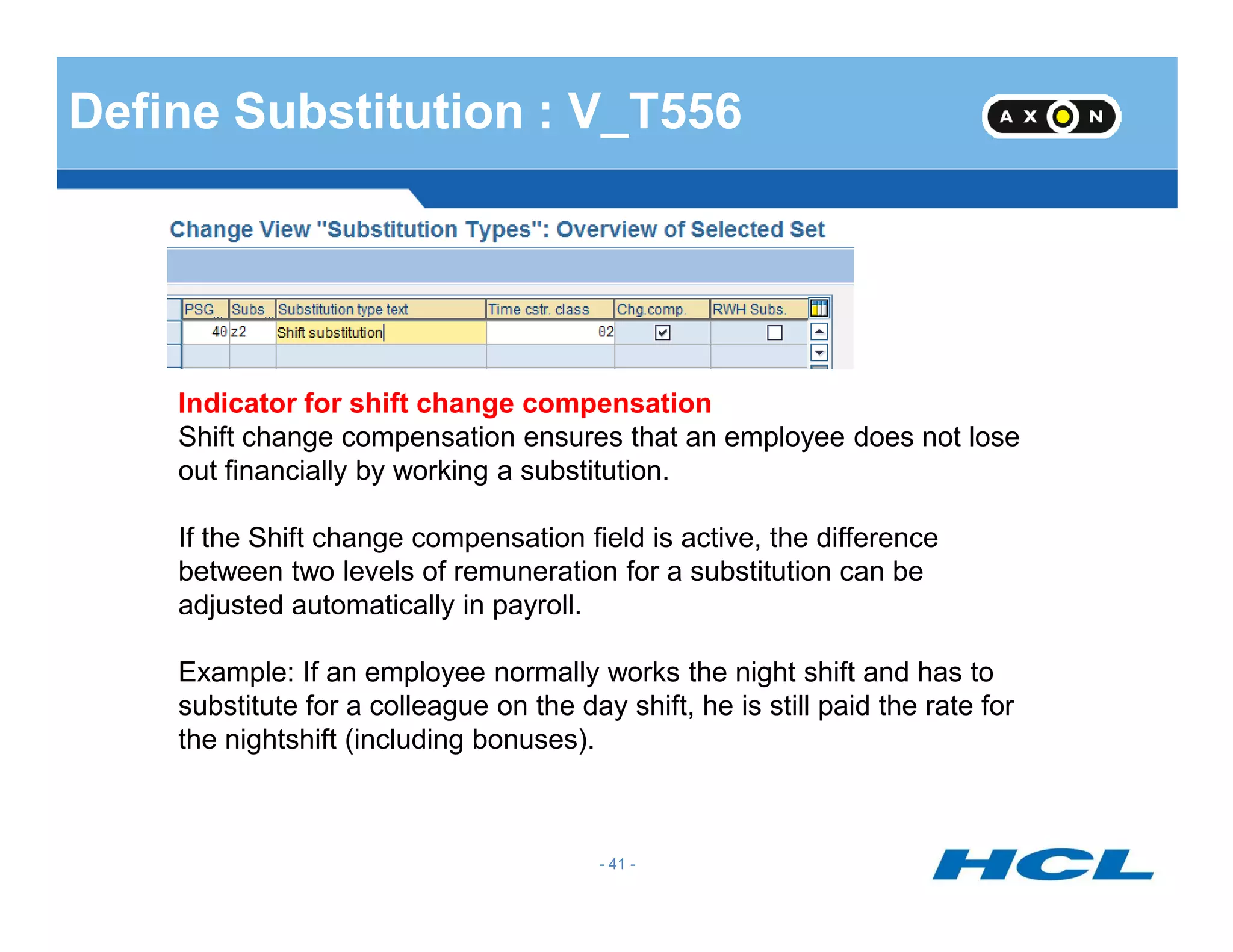
Define Substitution : V_T556
Indicator for shift change compensation
Shift change compensation ensures that an employee does not lose
out financially by working a substitution.
- 41 -
out financially by working a substitution.
If the Shift change compensation field is active, the difference
between two levels of remuneration for a substitution can be
adjusted automatically in payroll.
Example: If an employee normally works the night shift and has to
substitute for a colleague on the day shift, he is still paid the rate for
the nightshift (including bonuses).
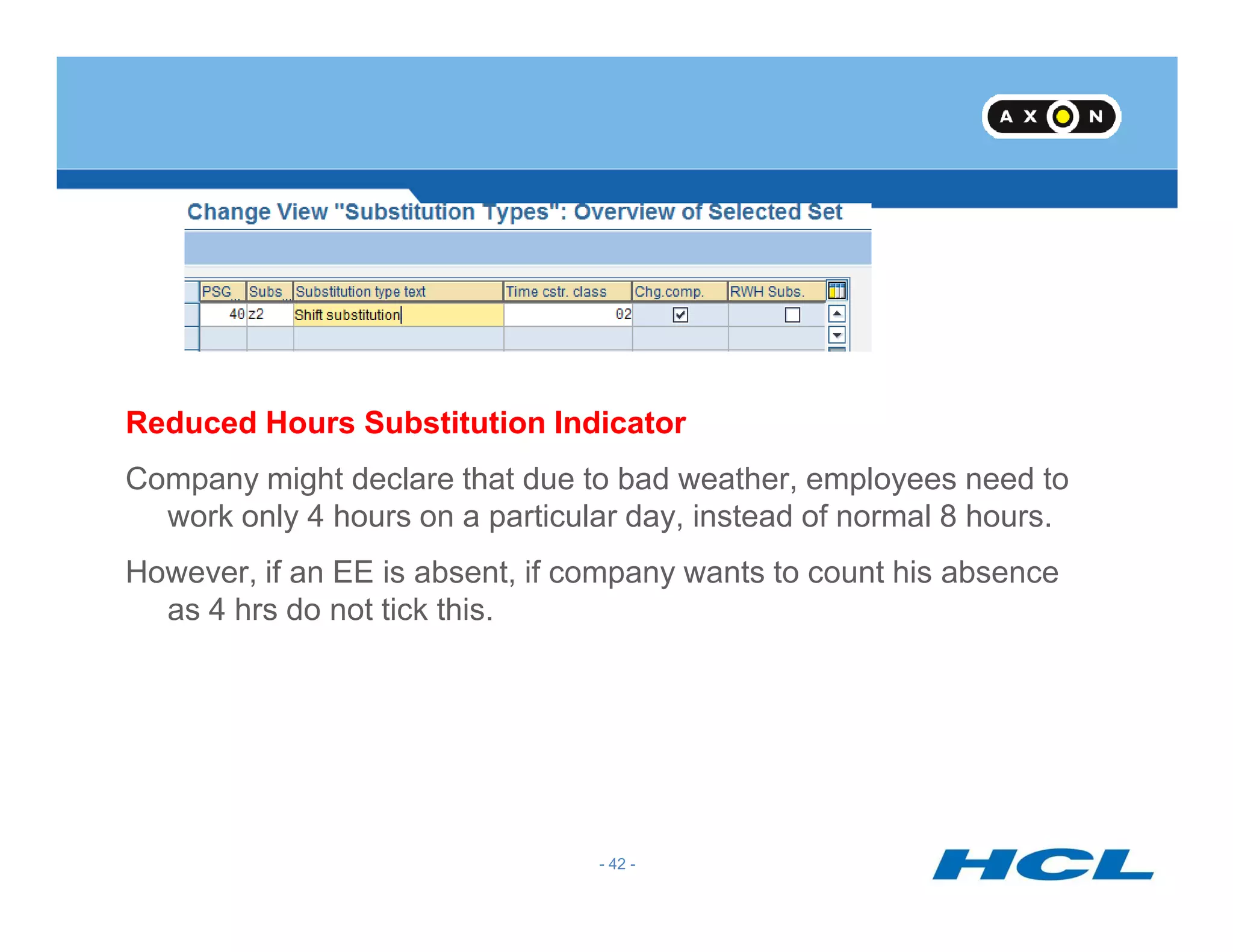
Reduced Hours Substitution Indicator
Company might declare that due to bad weather, employees need to
- 42 -
Company might declare that due to bad weather, employees need to
work only 4 hours on a particular day, instead of normal 8 hours.
However, if an EE is absent, if company wants to count his absence
as 4 hrs do not tick this.
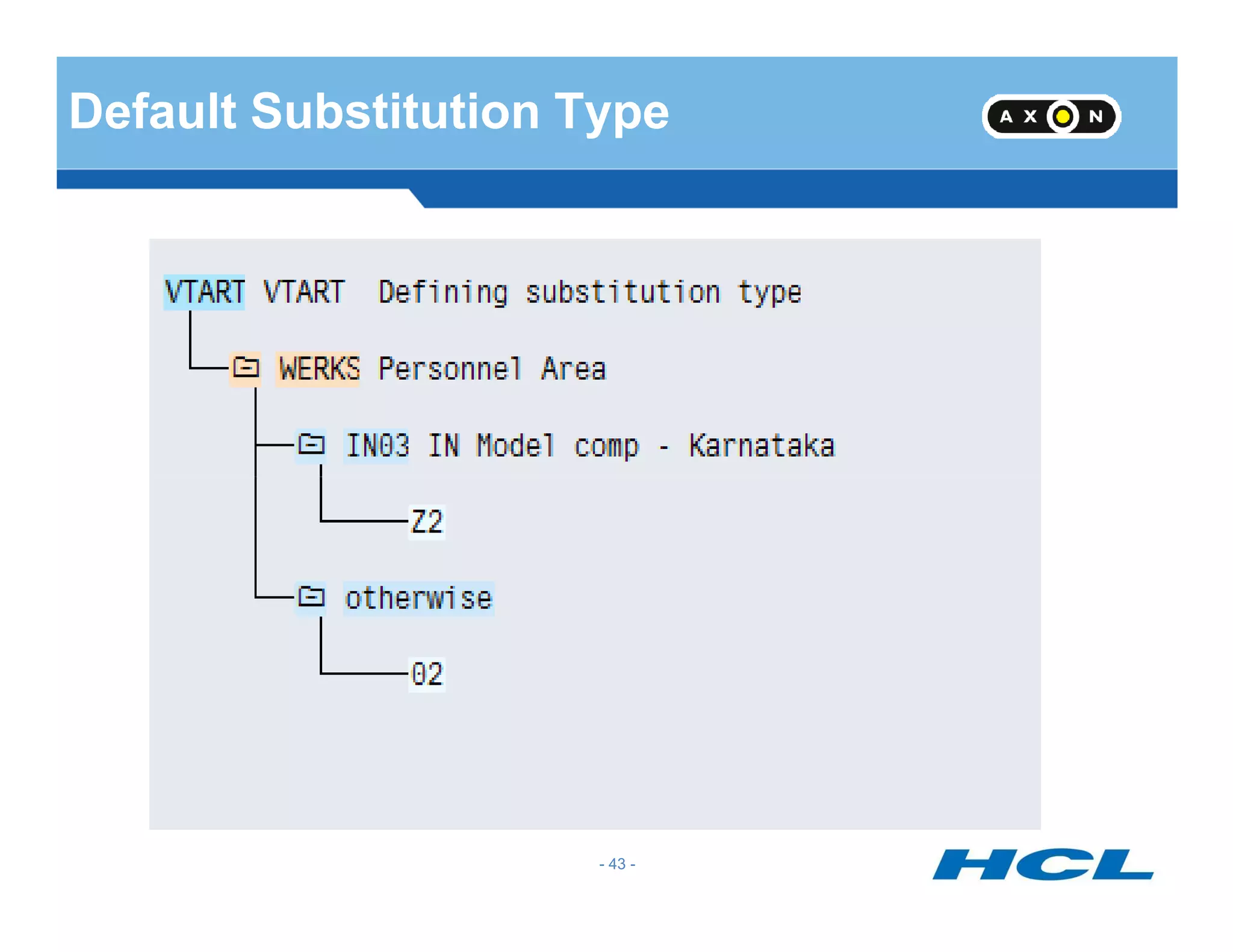
Default Substitution Type
- 43 -
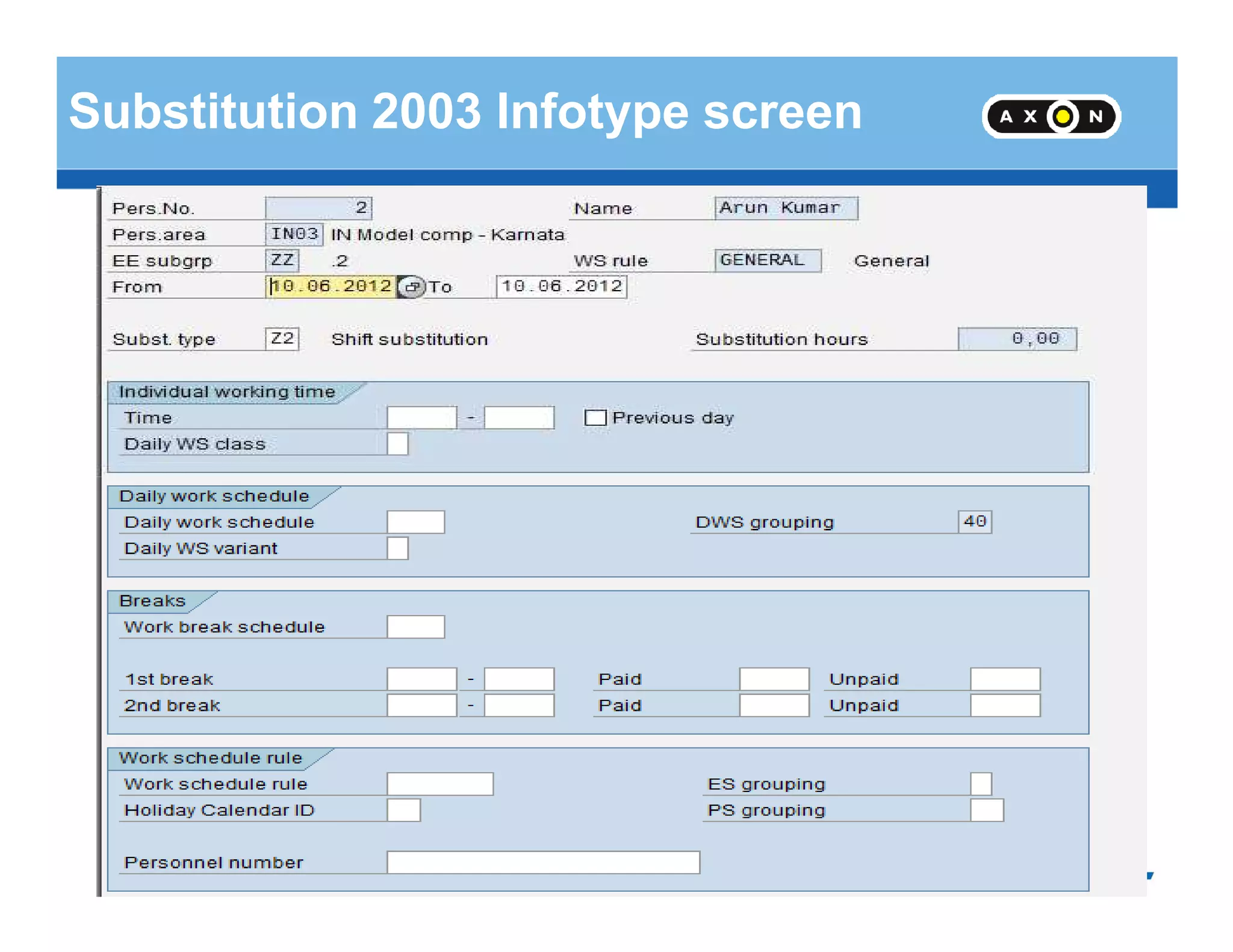
Substitution 2003 Infotype screen
- 44 -
Substitution 2003 Cont..
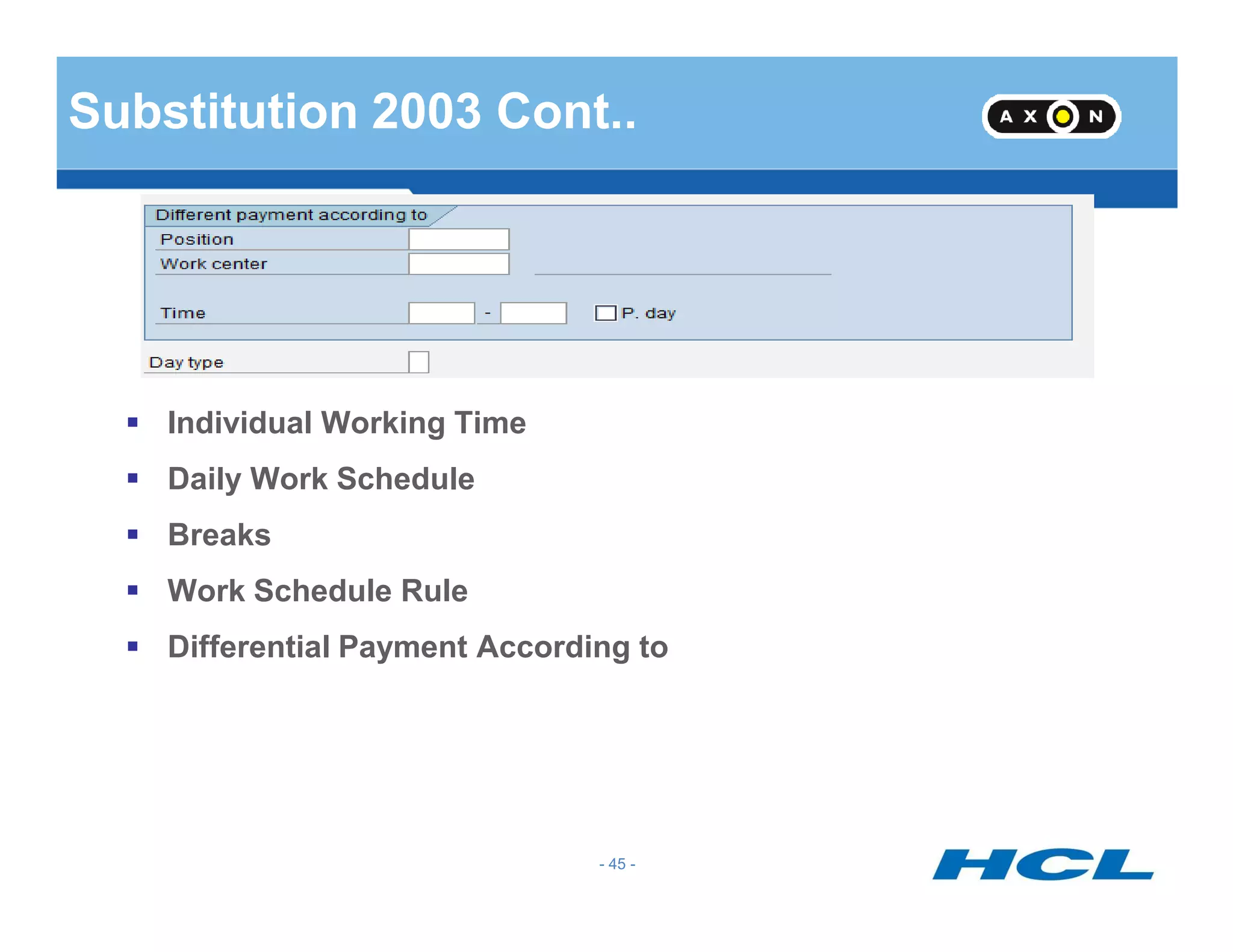
Individual Working Time
Daily Work Schedule
- 45 -
Daily Work Schedule
Breaks
Work Schedule Rule
Differential Payment According to
Time Data Recording and Administration
- 46 -
Time Data Recording and Administration
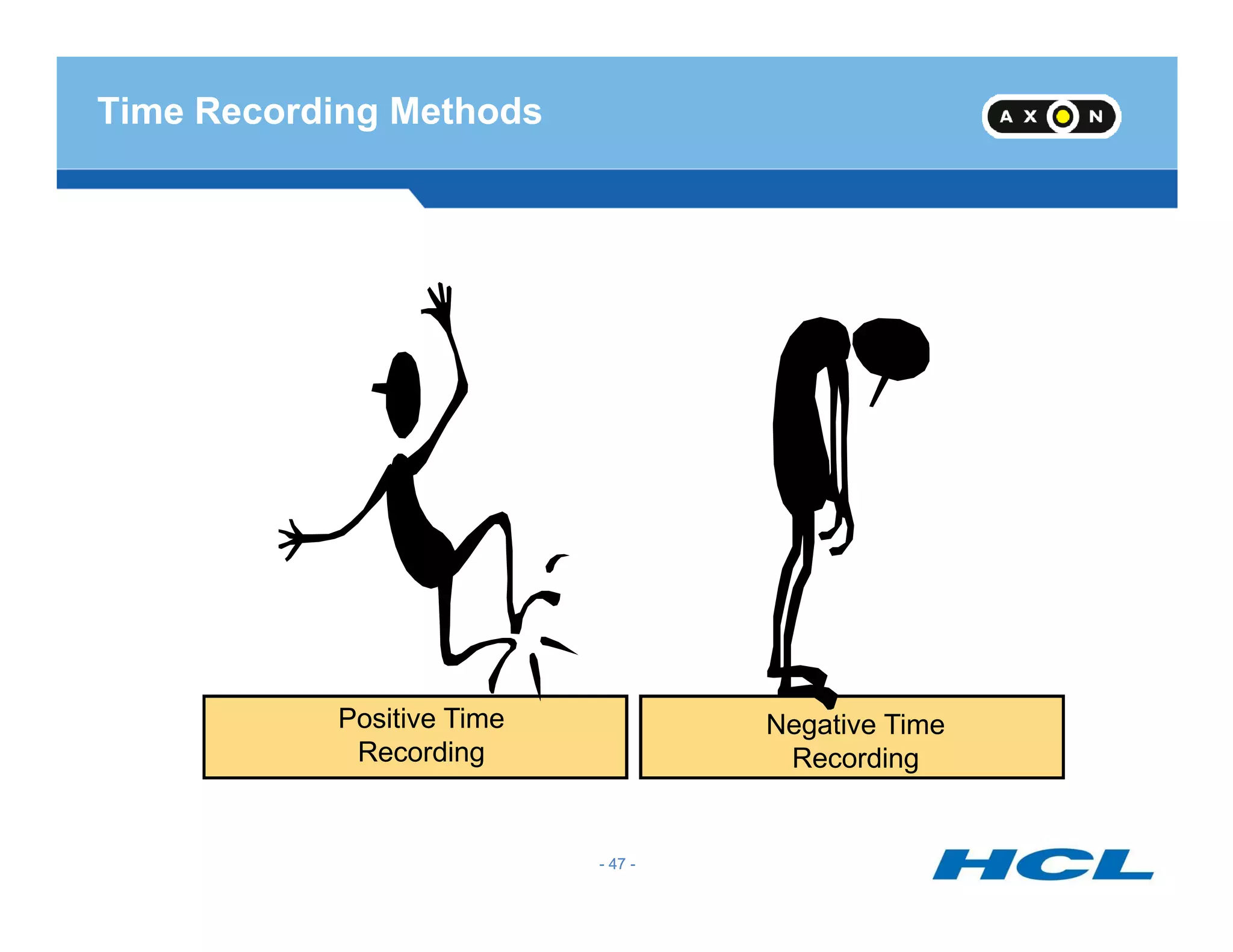
Time Recording Methods
- 47 -
Positive Time
Recording
Negative Time
Recording
- 47 -
Records time deviations to planned working time
Valid deviations include:
Absences
Special absences
On call duty
Overtime
Time Recording : Negative
- 48 -
Overtime
Substitutions
Time off in lieu
Deviations are manually entered according to type and duration
- 48 -
Records the attendance times of an employee
Records the deviation times of an employee
Valid attendance's include:
Training
Time Recording : Positive
- 49 -
Business trip
Seminar
Overtime
Attendance's and deviations can be entered either:
Front-end system
Manually
- 49 -
Time Recording : Methods of Time Data
Capture
Time sheet entry using ESS
Employee enters time sheets
using ESS
Paper time sheets
Employee physically record
start and end time
Electronic data capture
Employee use machines to
punch a card
Employee swipes a card at a
time terminal
Importable file formats
Time admin submits data in
importable file format
- 50 -
50
Time Recording in Time Management
Time recording in time management
Allows the entry of employee time data
Manually
Automatically
- 51 -
Allows data to be entered as clock times
Allows data to be entered as hours
Time data is entered in time recording infotypes
Time recording infotype range 2000 - 2999
- 51 -
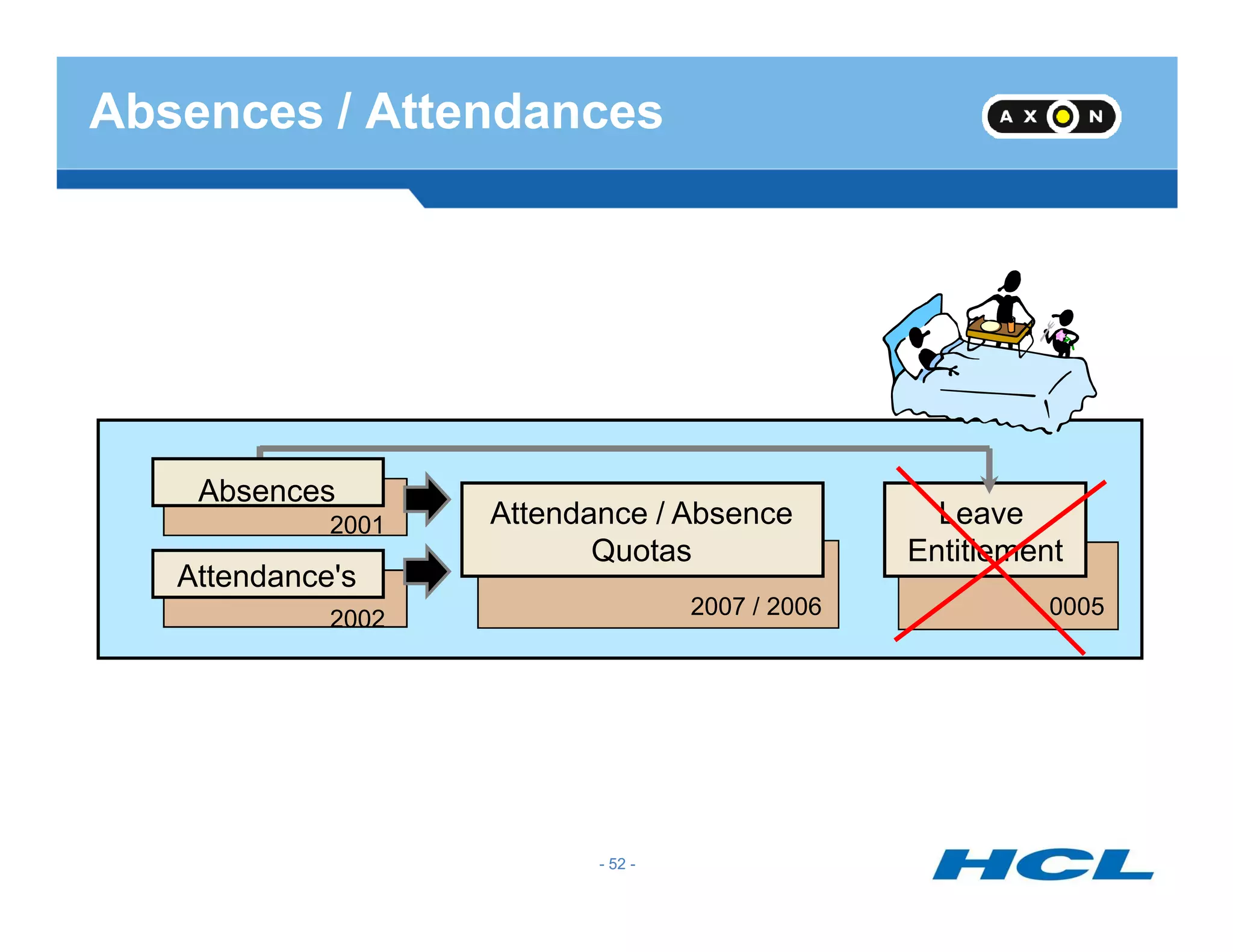
Absences
Absences / Attendances
- 52 -
Attendance / Absence
Quotas
Leave
Entitlement
Absences
Attendance's
2001
2002
2007 / 2006 0005
- 52 -
Secured
FTP Server
Secured
FTP Server
Files
Inbound
Time
Files
Data
Master
Data
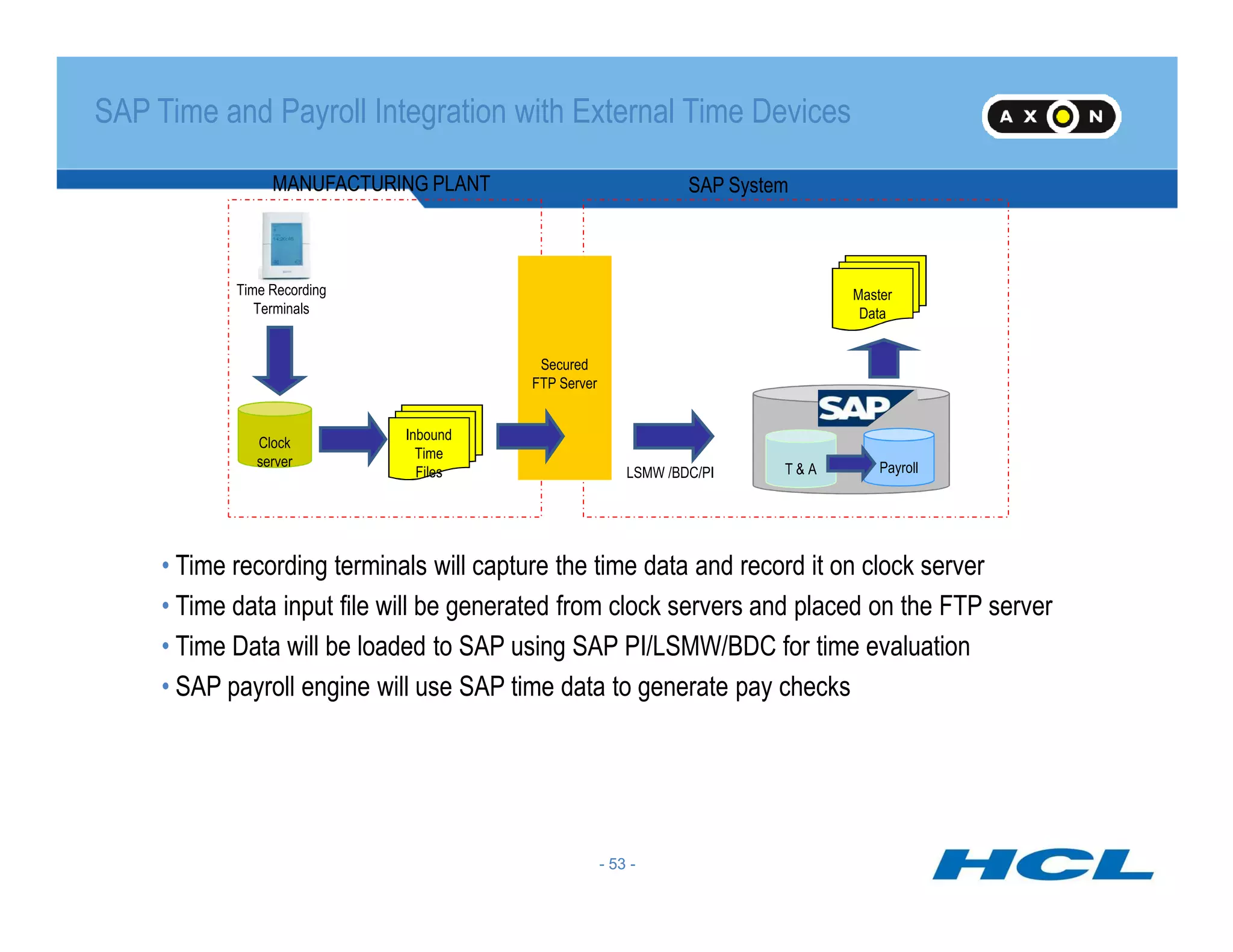
SAP SystemMANUFACTURING PLANT
Clock
server
Time Recording
Terminals
SAP Time and Payroll Integration with External Time Devices
T & A PayrollLSMW /BDC/PI
- 53 -
FilesFiles
• Time recording terminals will capture the time data and record it on clock server
• Time data input file will be generated from clock servers and placed on the FTP server
• Time Data will be loaded to SAP using SAP PI/LSMW/BDC for time evaluation
• SAP payroll engine will use SAP time data to generate pay checks
- 53 -
T & ALSMW /BDC/PI
Payroll
Secured
FTP
Server
Secured
FTP
Server
Files
Inbound
Time
Files
Master
Data
LSMW
/BDC/PI
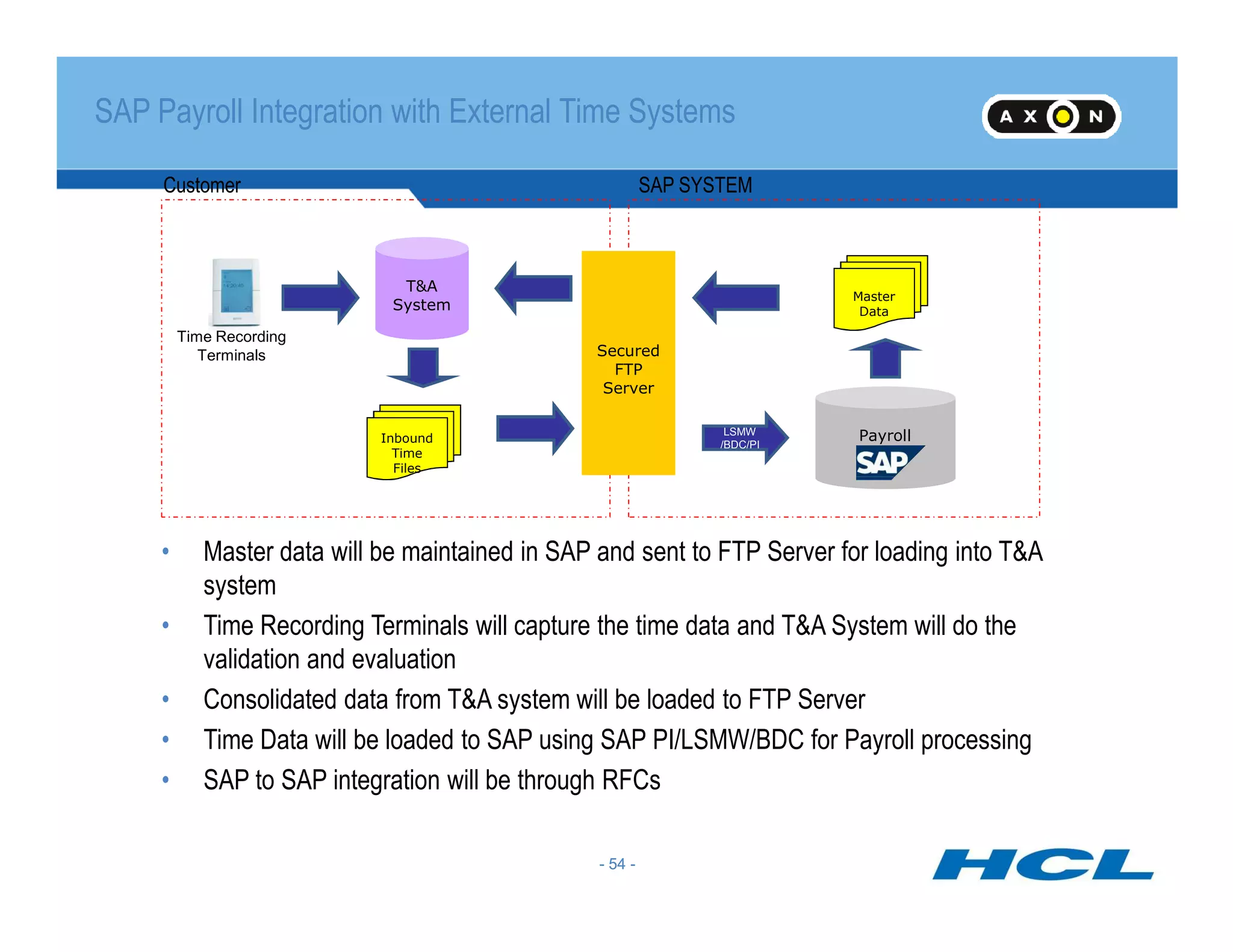
SAP SYSTEMCustomer
T&A
System
Time Recording
Terminals
SAP Payroll Integration with External Time Systems
- 54 -
• Master data will be maintained in SAP and sent to FTP Server for loading into T&A
system
• Time Recording Terminals will capture the time data and T&A System will do the
validation and evaluation
• Consolidated data from T&A system will be loaded to FTP Server
• Time Data will be loaded to SAP using SAP PI/LSMW/BDC for Payroll processing
• SAP to SAP integration will be through RFCs
- 54 -
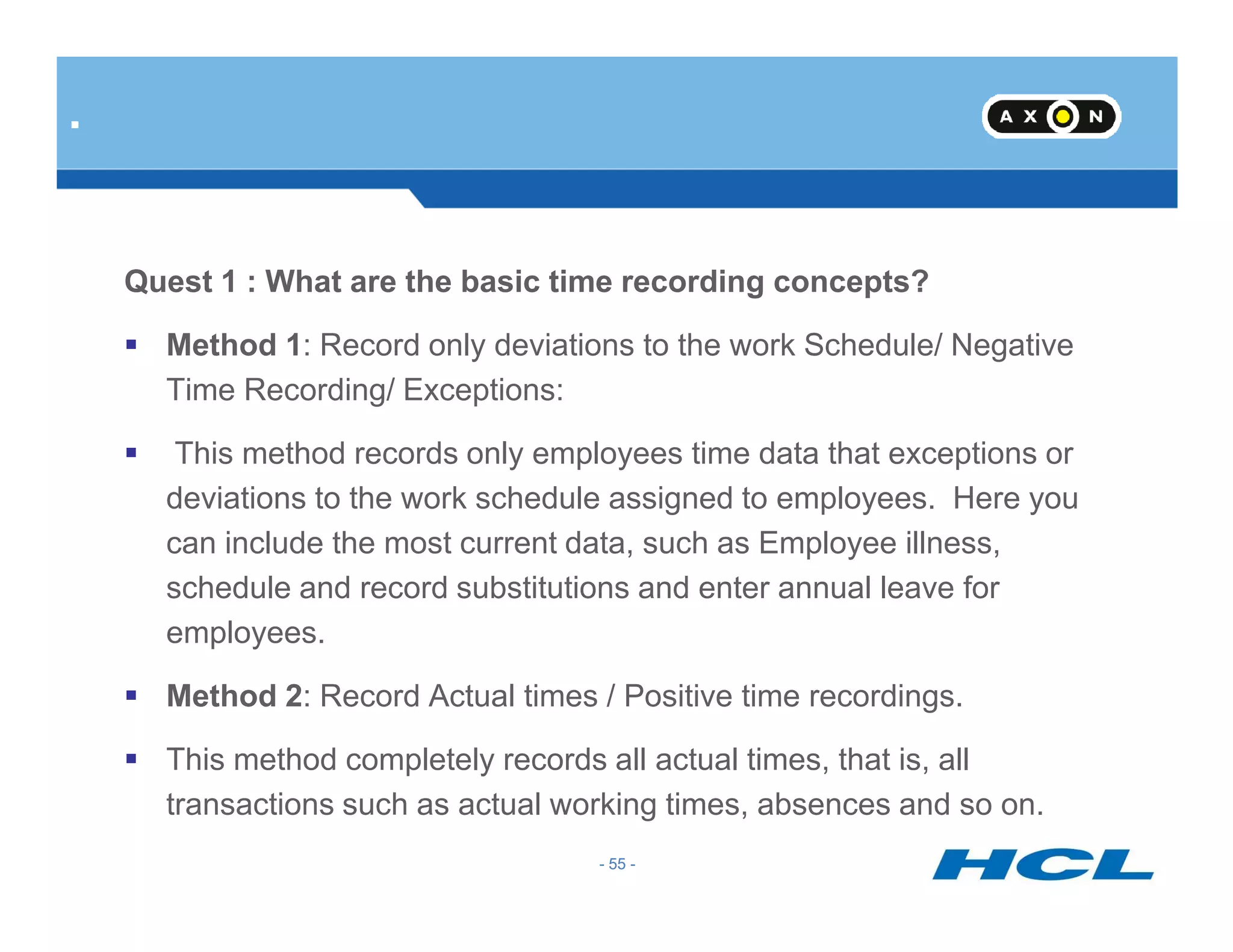
Quest 1 : What are the basic time recording concepts?
Method 1: Record only deviations to the work Schedule/ Negative
Time Recording/ Exceptions:
This method records only employees time data that exceptions or
.
- 55 -
deviations to the work schedule assigned to employees. Here you
can include the most current data, such as Employee illness,
schedule and record substitutions and enter annual leave for
employees.
Method 2: Record Actual times / Positive time recordings.
This method completely records all actual times, that is, all
transactions such as actual working times, absences and so on.
- 55 -
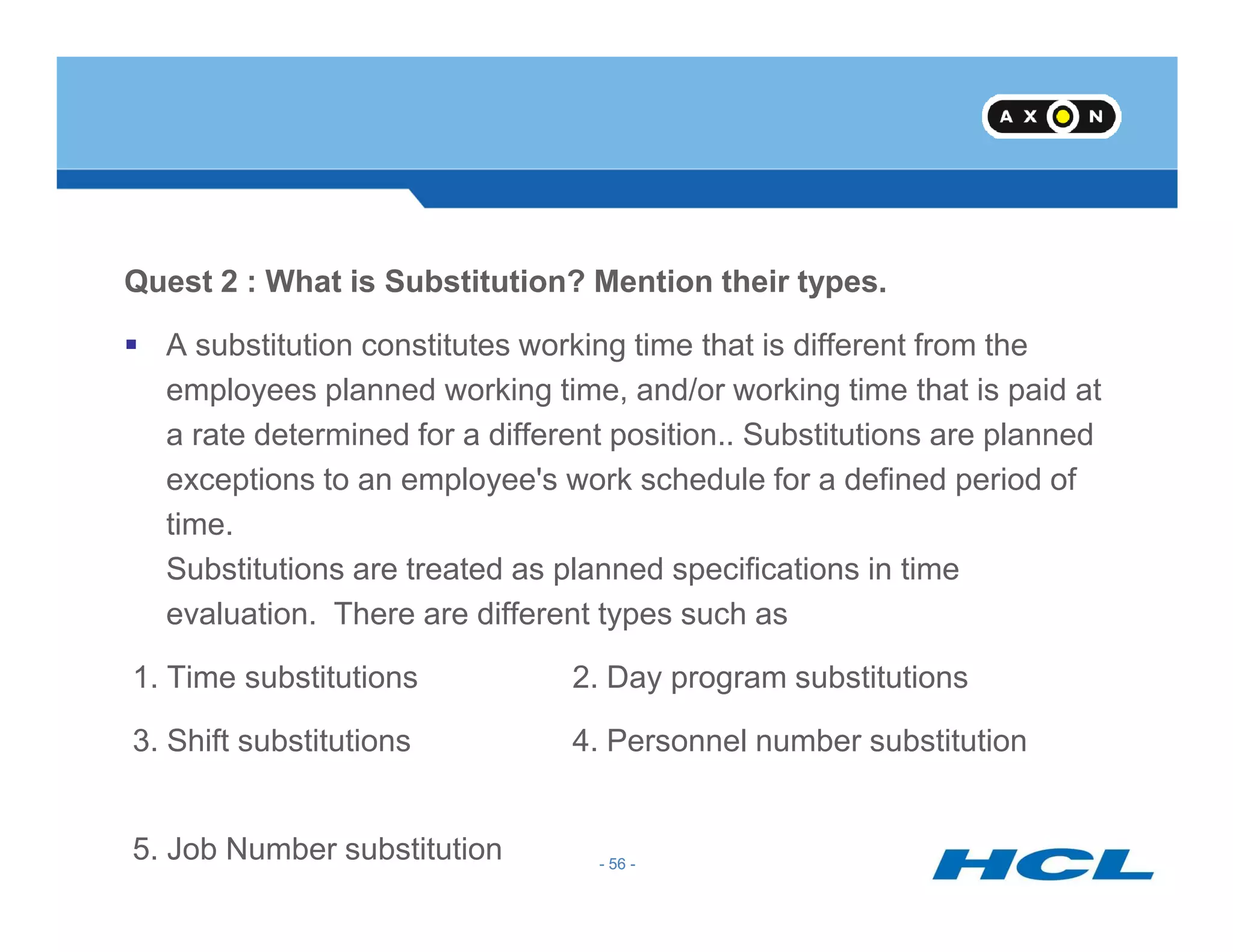
Quest 2 : What is Substitution? Mention their types.
A substitution constitutes working time that is different from the
employees planned working time, and/or working time that is paid at
a rate determined for a different position.. Substitutions are planned
exceptions to an employee's work schedule for a defined period of
- 56 -
exceptions to an employee's work schedule for a defined period of
time.
Substitutions are treated as planned specifications in time
evaluation. There are different types such as
1. Time substitutions 2. Day program substitutions
3. Shift substitutions 4. Personnel number substitution
5. Job Number substitution - 56 -
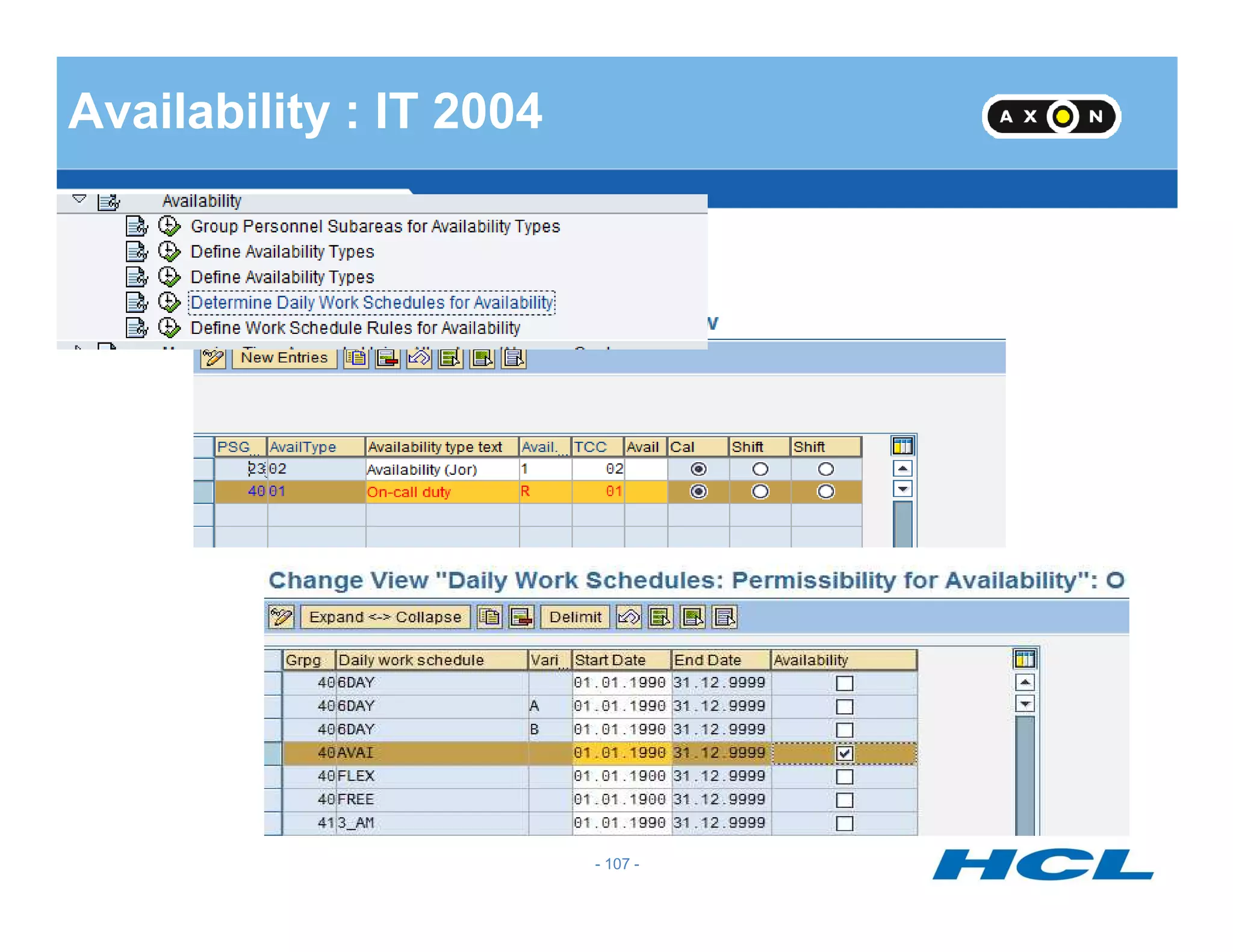
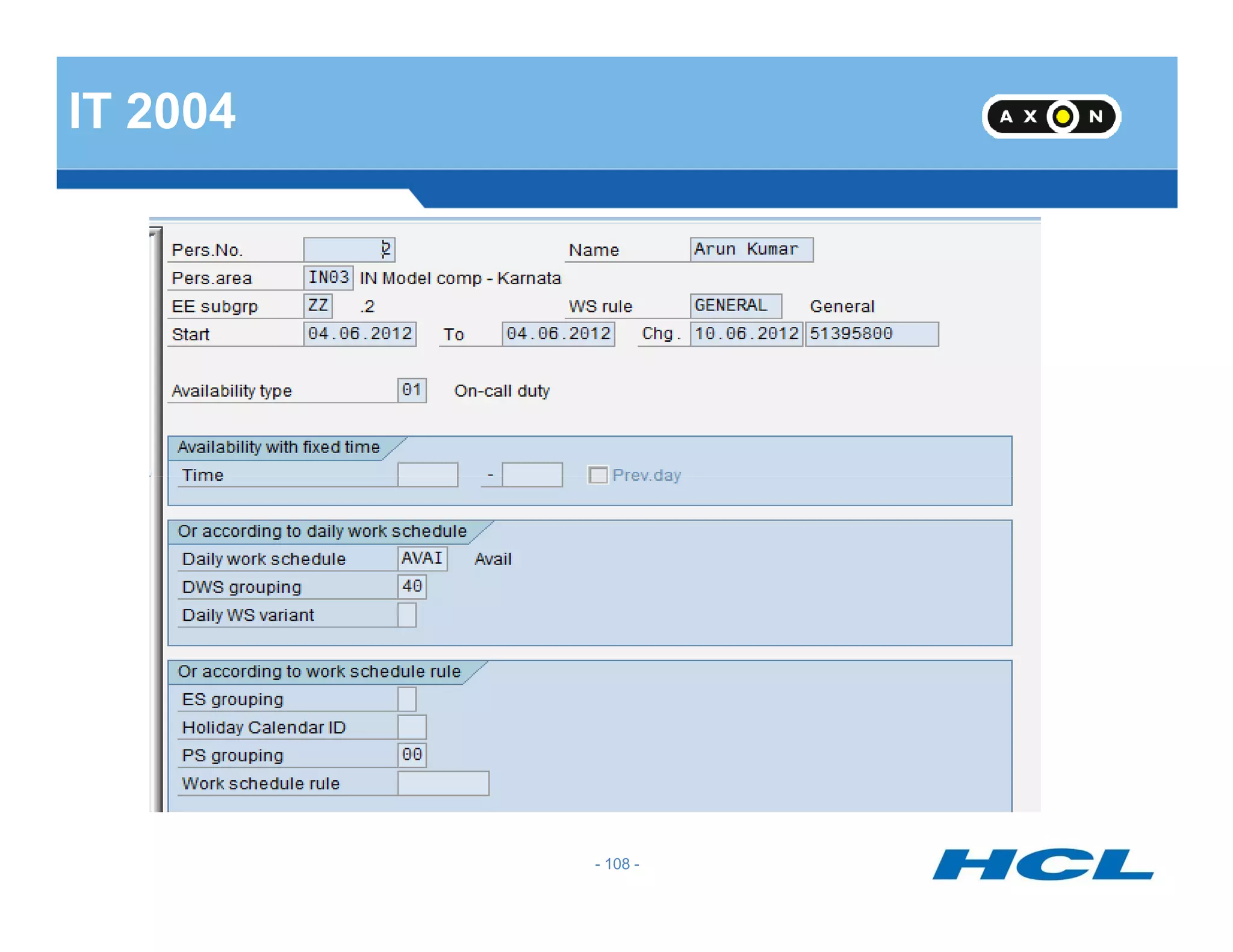
Quest 3 : What is availability and types?
Time period during which an employee must be available to perform
any work that arises. It differs from on call duty in that the employee
must actually be at his work center.
- 57 -
You use the availability to specify whether an employee is available
for other work activities if he or she has been assigned this
availability type. IT2004
1. Not available 2. Available 3.Available on-call 4.
Irrelevant
- 57 -
Quest 4 : What is over time?
Overtime represents working time performed in addition to normal
working time as defined by law. The employee is entitled to
appropriate remuneration in addition to his normal wage or salary
(overtime bonus).IT2005
- 58 -
(overtime bonus).IT2005
Time worked in addition to an employee's planned working time as
defined in the employee's contract, collective agreement, or by legal
regulations. Many agreements assume that times recognized as
overtime are first approved internally.
- 58 -
Absence Management & Quota Accrual
- 59 -
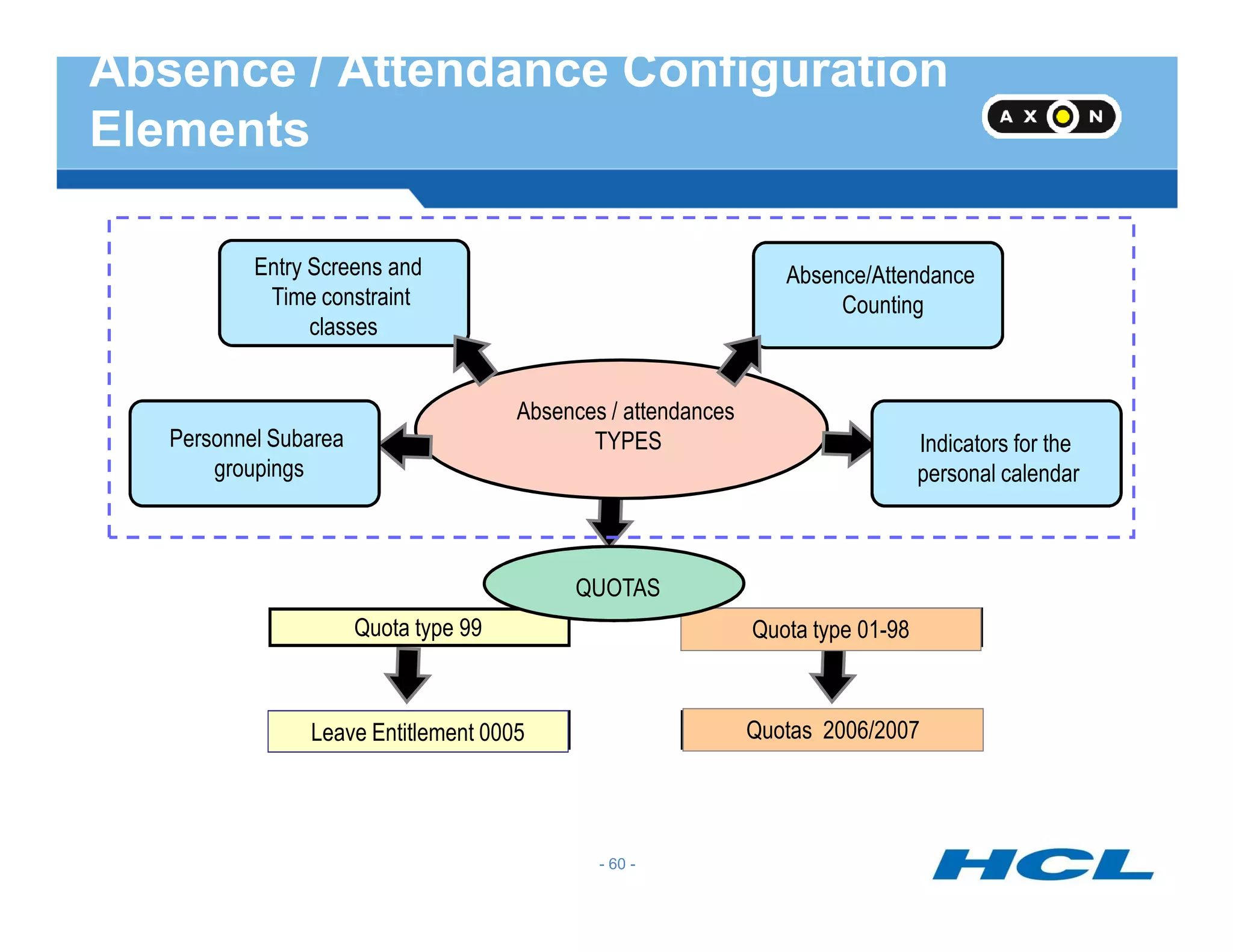
Absence/Attendance
Counting
Absences / attendances
TYPESPersonnel Subarea
groupings
Indicators for the
personal calendar
Entry Screens and
Time constraint
classes
Absence / Attendance Configuration
Elements
Quota type 99
Leave Entitlement 0005
Quota type 01-98
Quotas 2006/2007
groupings personal calendar
QUOTAS
- 60 -
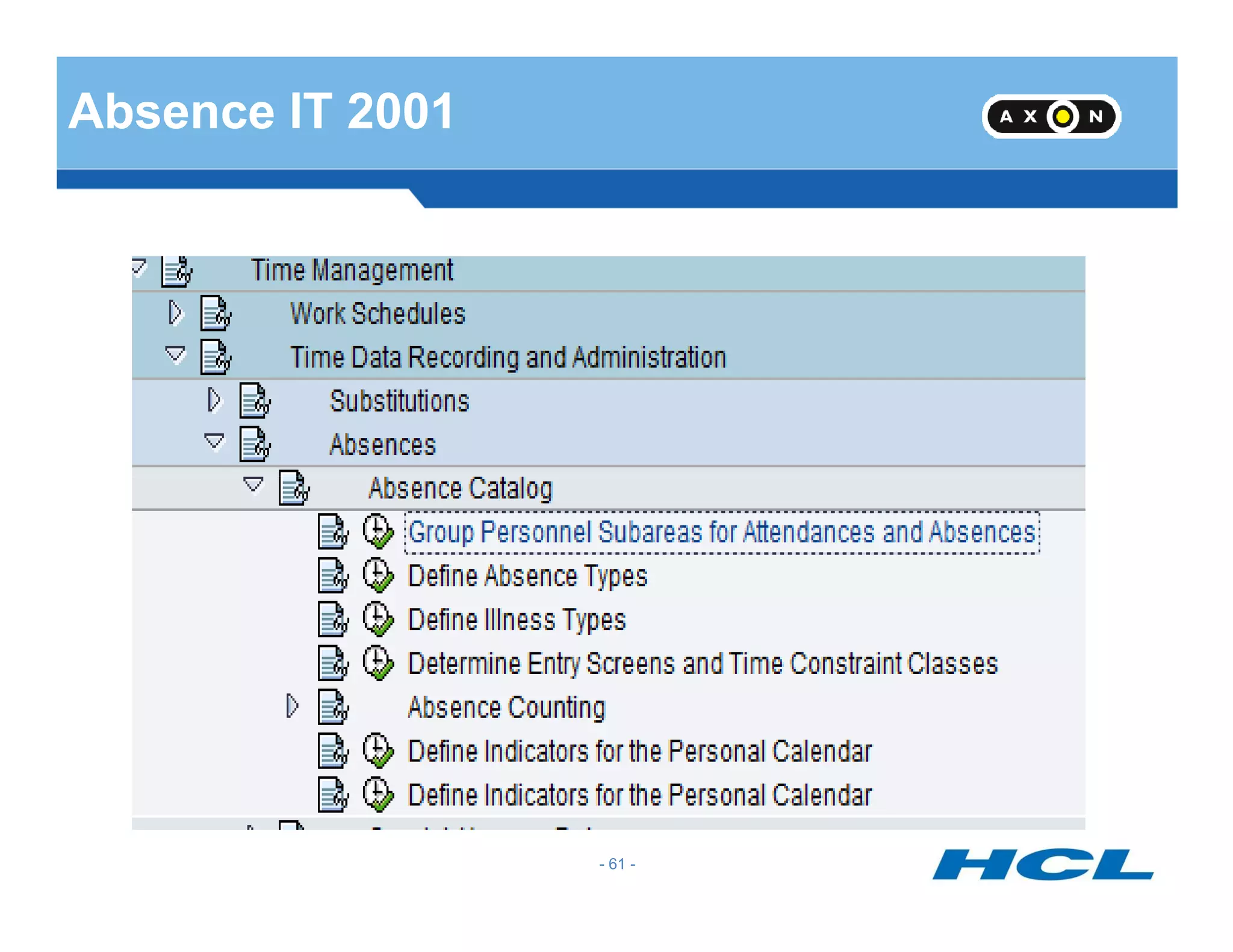
Absence IT 2001
- 61 -
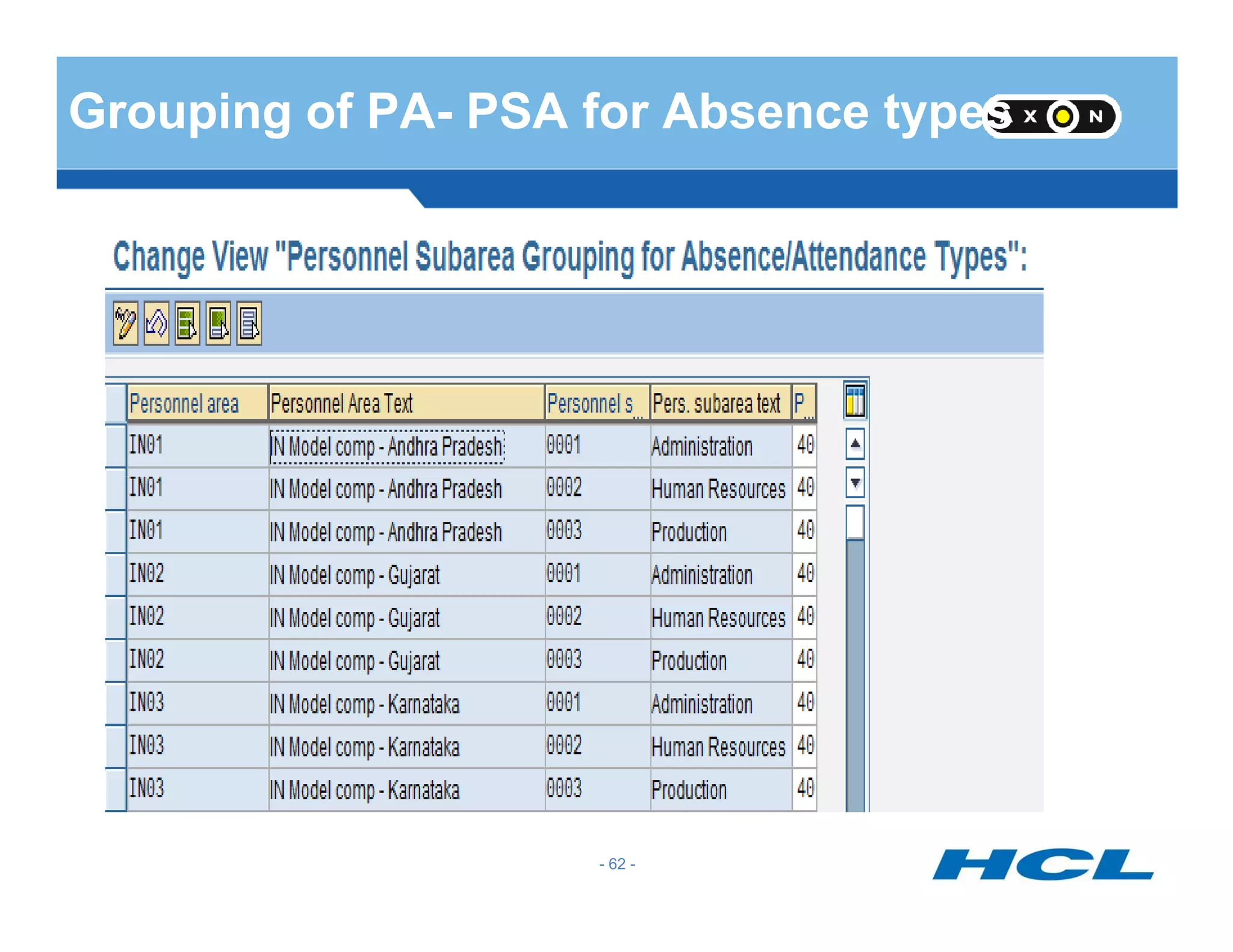
Grouping of PA- PSA for Absence types
- 62 -
Define Absence Type
- 63 -
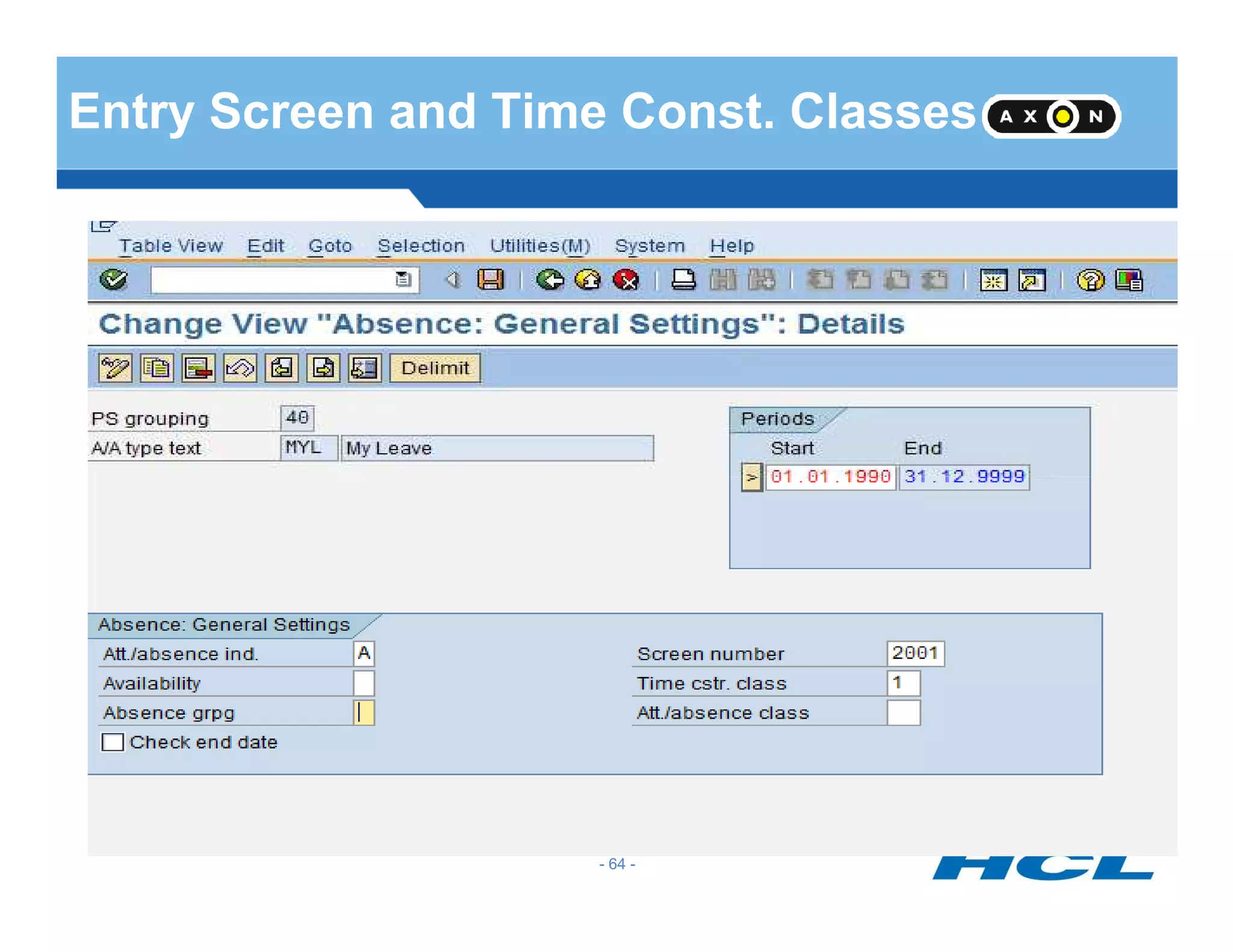
Entry Screen and Time Const. Classes
- 64 -
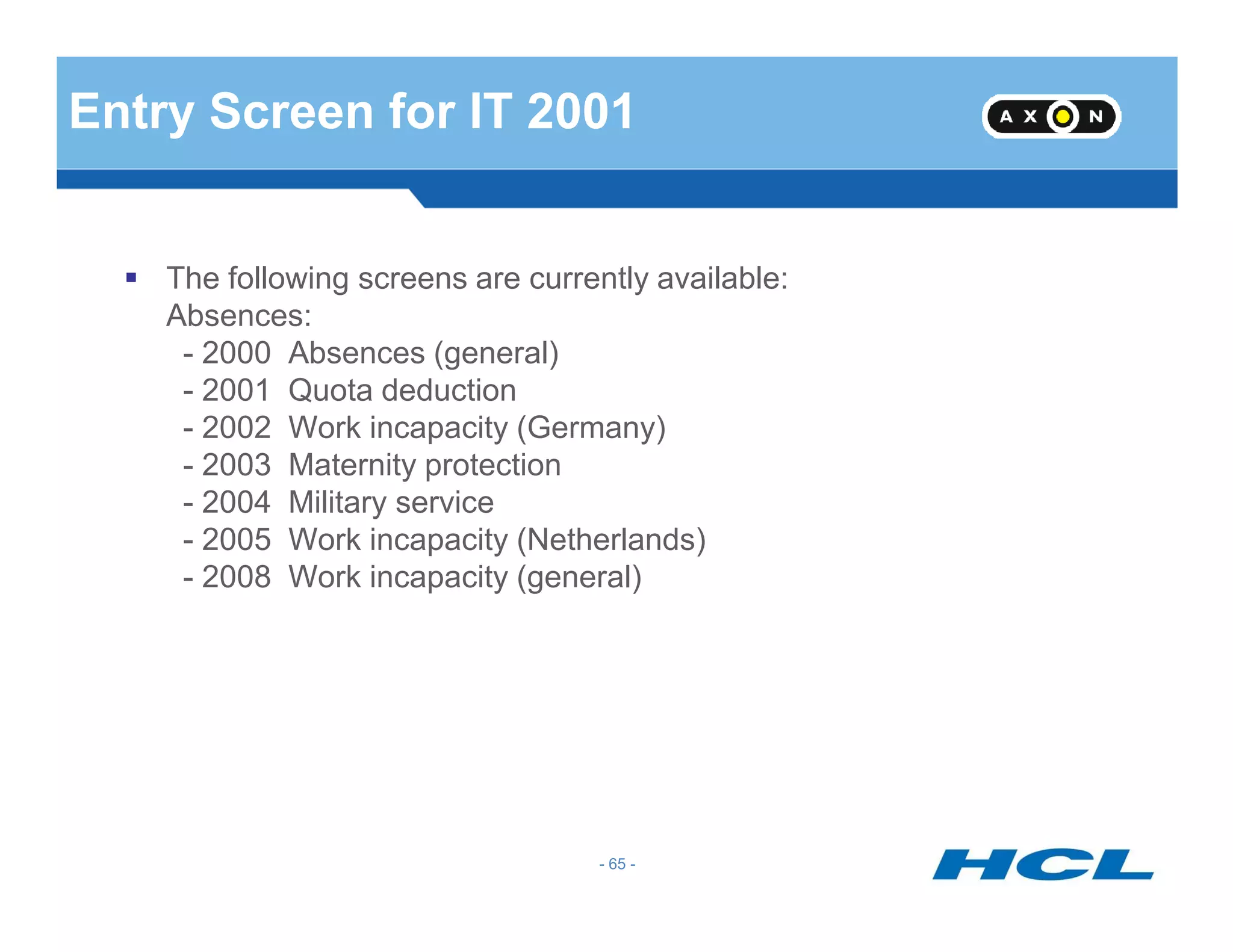
Entry Screen for IT 2001
The following screens are currently available:
Absences:
- 2000 Absences (general)
- 2001 Quota deduction
- 2002 Work incapacity (Germany)
- 2003 Maternity protection
- 65 -
- 2003 Maternity protection
- 2004 Military service
- 2005 Work incapacity (Netherlands)
- 2008 Work incapacity (general)
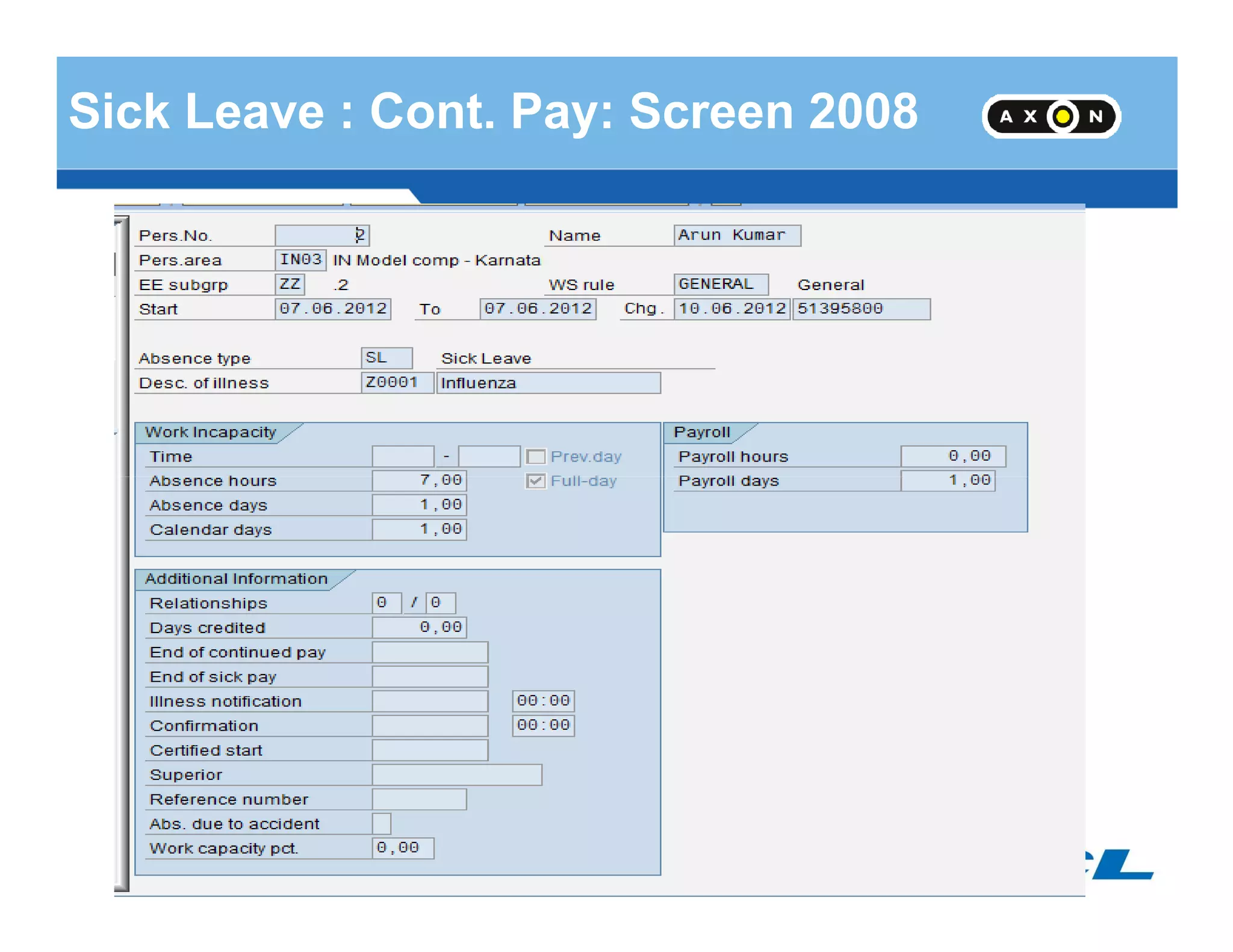
Sick Leave : Cont. Pay: Screen 2008
- 66 -
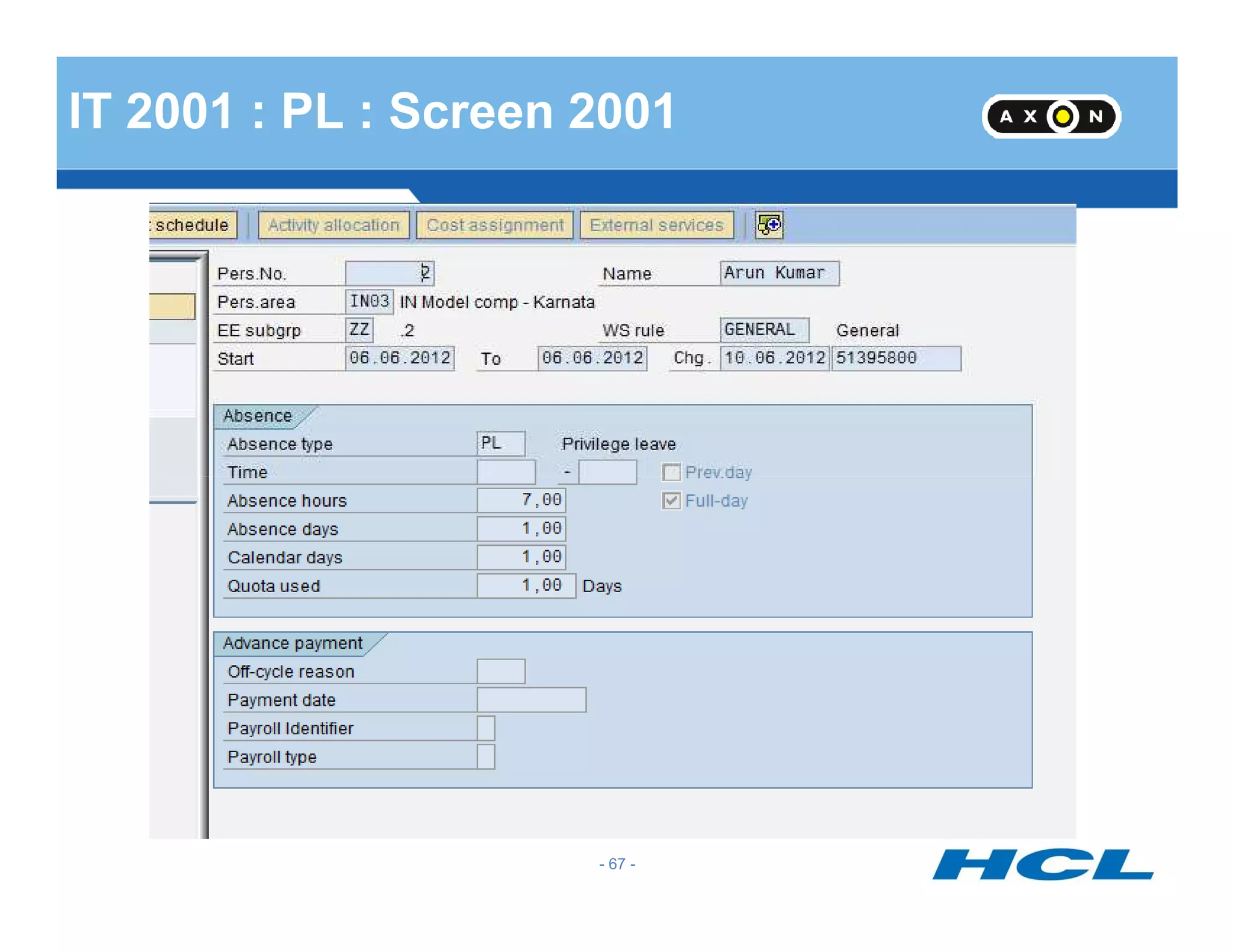
IT 2001 : PL : Screen 2001
- 67 -
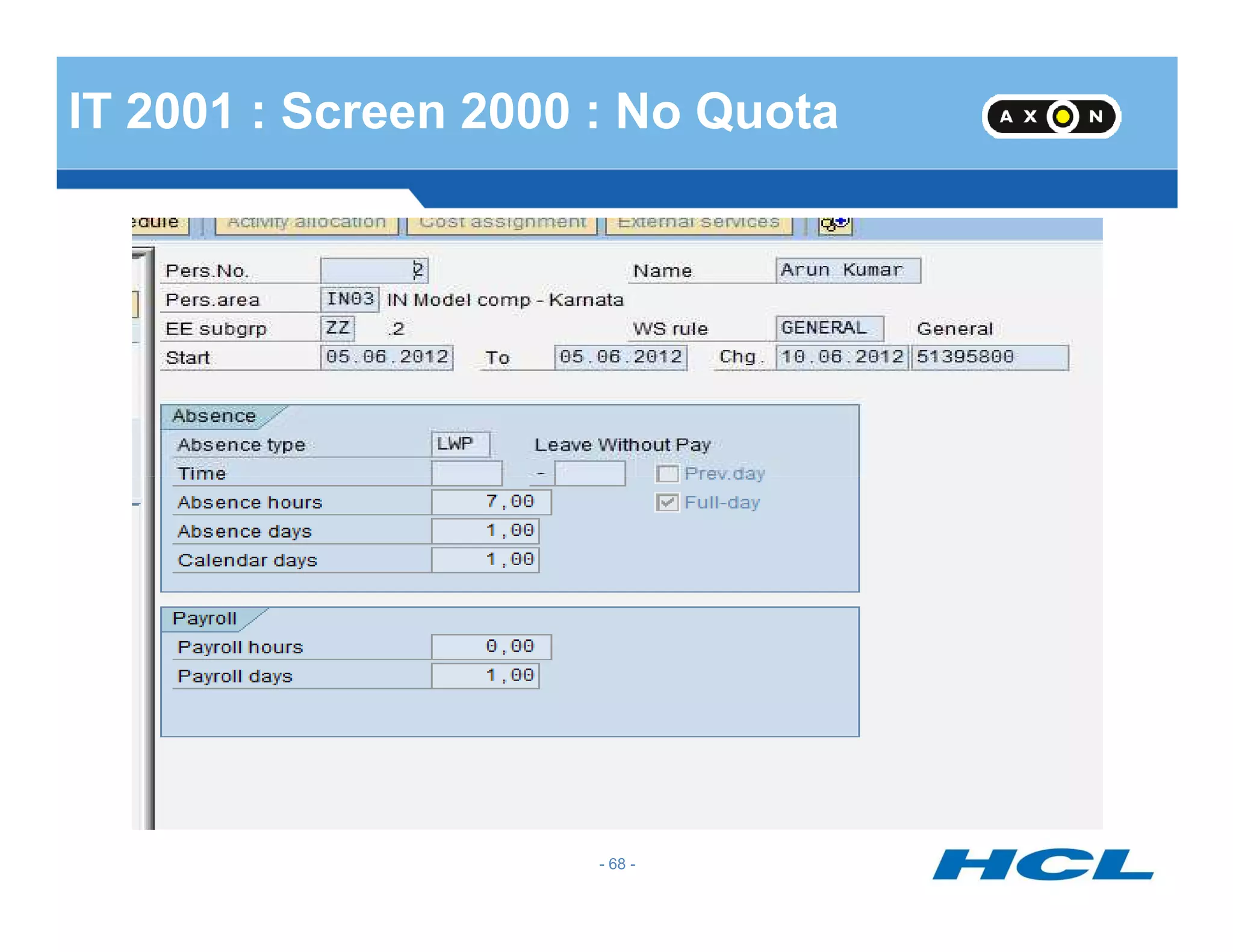
IT 2001 : Screen 2000 : No Quota
- 68 -
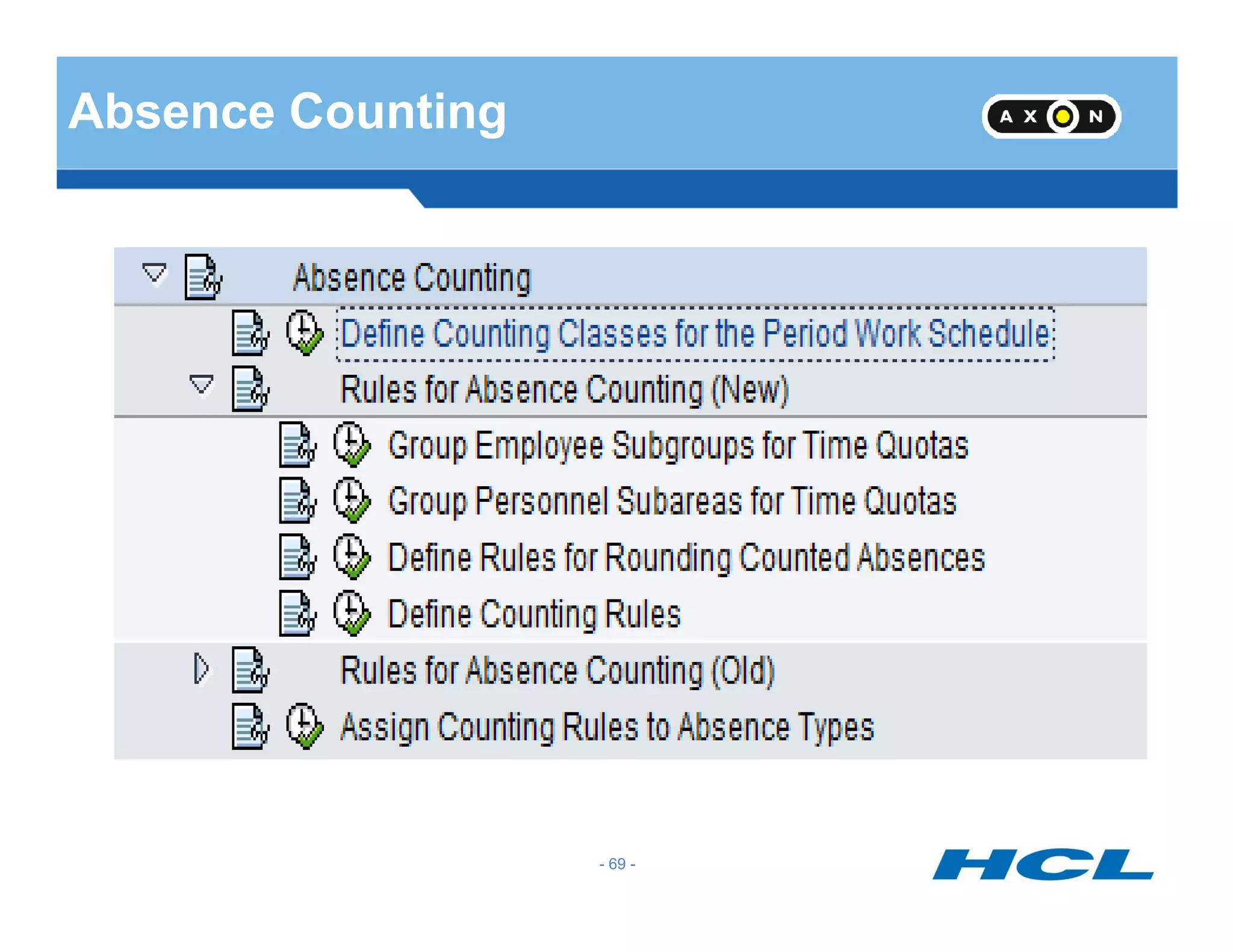
Absence Counting
- 69 -
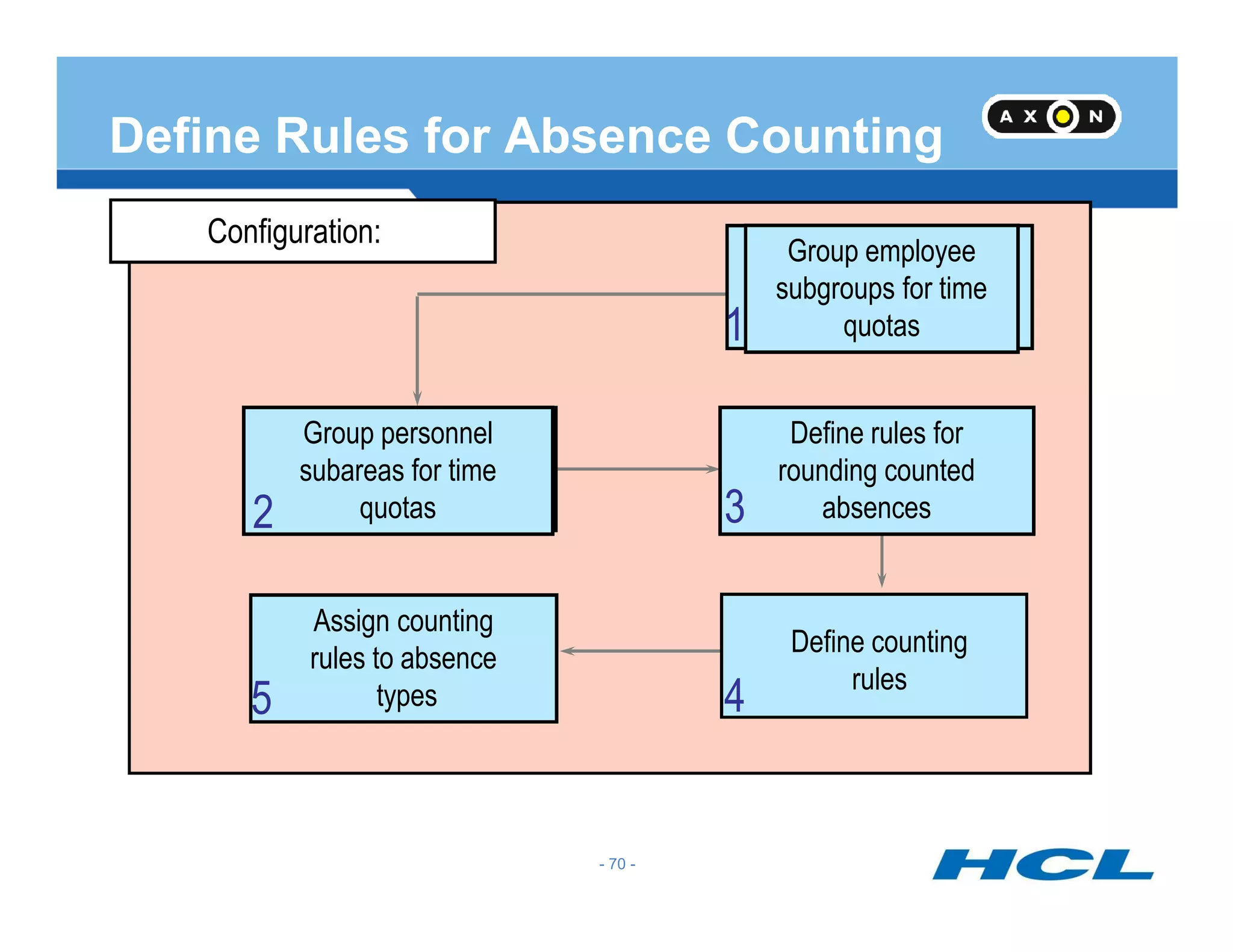
Configuration:
Group employee
subgroups for time
quotas
Define rules for
rounding counted
1
Group personnel
subareas for time
Define Rules for Absence Counting
rounding counted
absences3
4
subareas for time
quotas
Define counting
rules
Assign counting
rules to absence
types
2
5
- 70 -
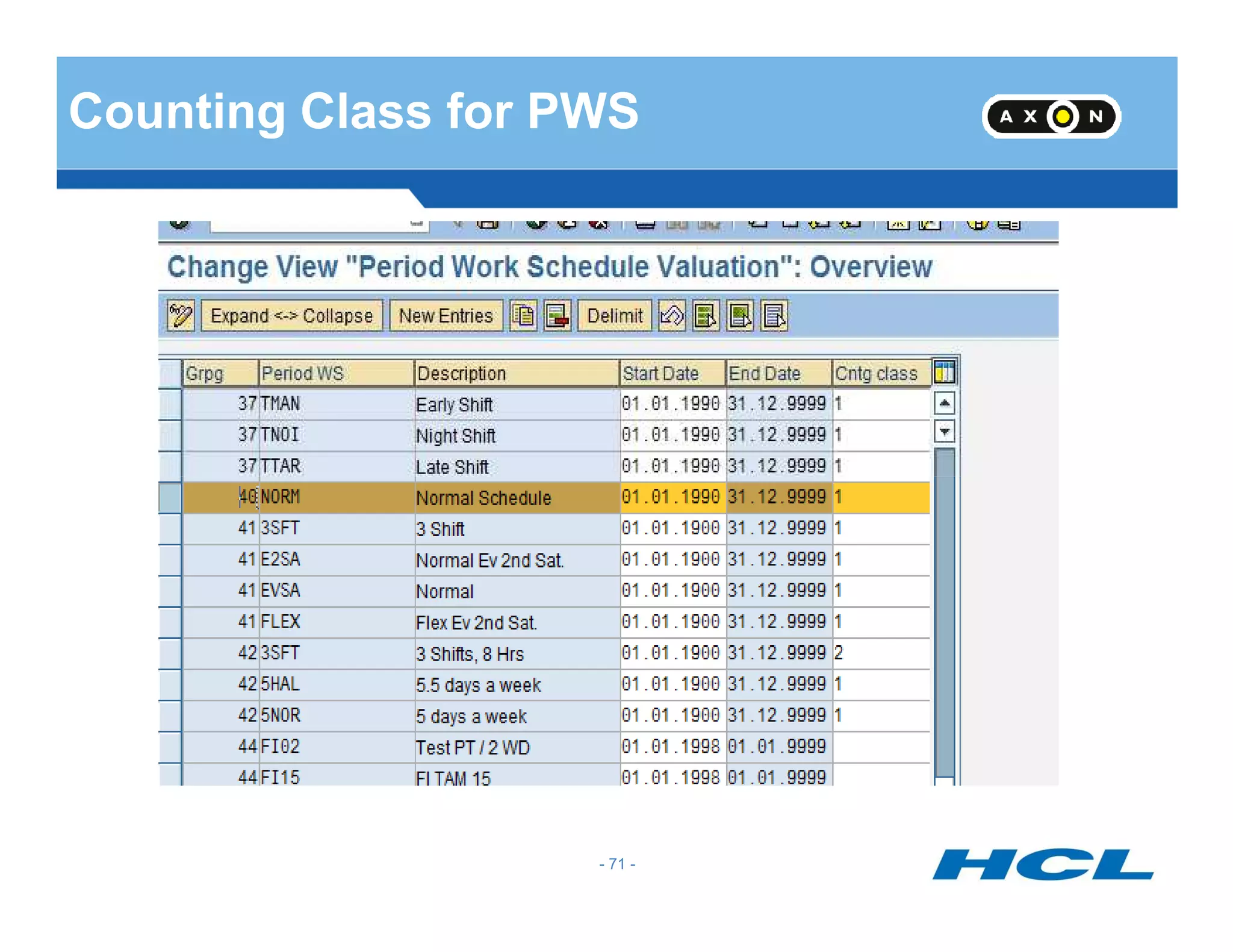
Counting Class for PWS
- 71 -
- 72 -
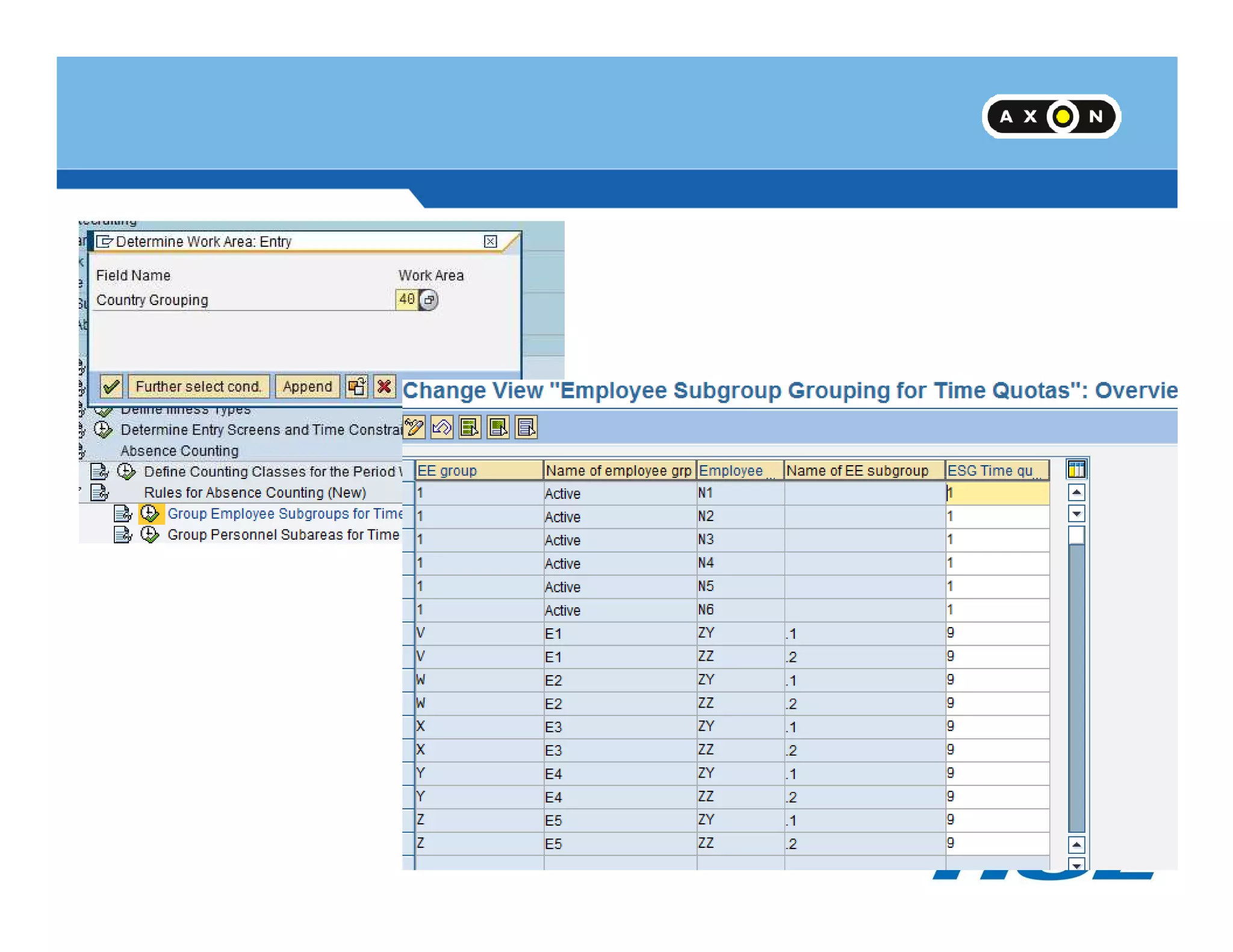
PA PSA Grouping
- 73 -
Rounding Rule
- 74 -
Rounding Rule
• Quotas can be rounded for which we can specify the conditions for rounding in a
rounding rule
• The lower limit and upper limit can be specified along with the target value for
rounding.
- 75 -
• We can either include or exclude the lower or upper limit for the purpose of rounding
• If we select checkbox “Roll” the target value would be rolled for subsequent intervals
- 75 -
Counting Rule
Applicability of Rule
Condition for Current Day
Weekday
Holiday Class
Condition For Work Schedule
- 76 -
Counting class for PWS
DWS Class
Condition for planned hours
Condition for absence/ Attendance
Counting
Deduction Rule
Counting Rule
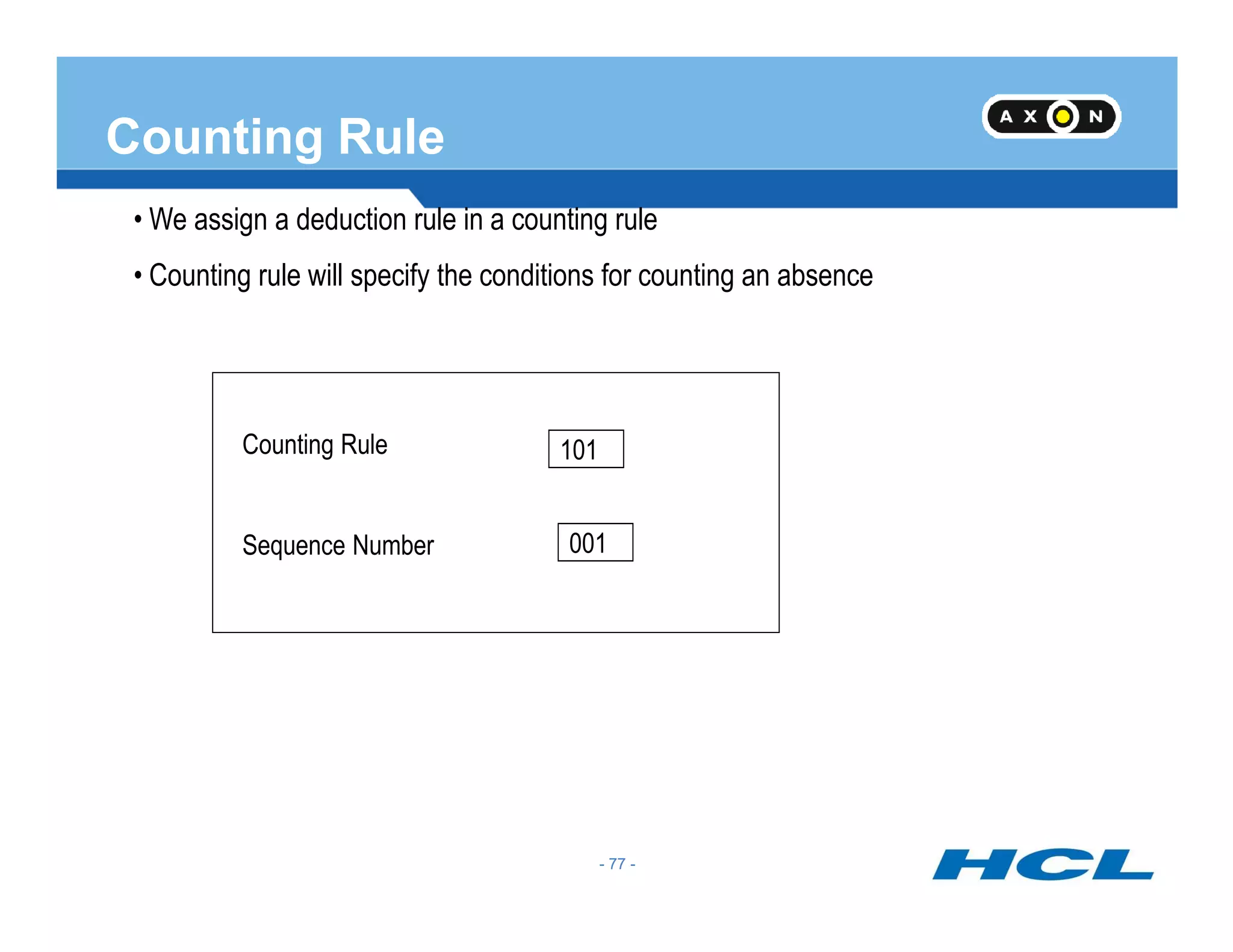
• We assign a deduction rule in a counting rule
• Counting rule will specify the conditions for counting an absence
Counting Rule 101
- 77 -
Sequence Number 001
- 77 -
Counting Rule Contd…
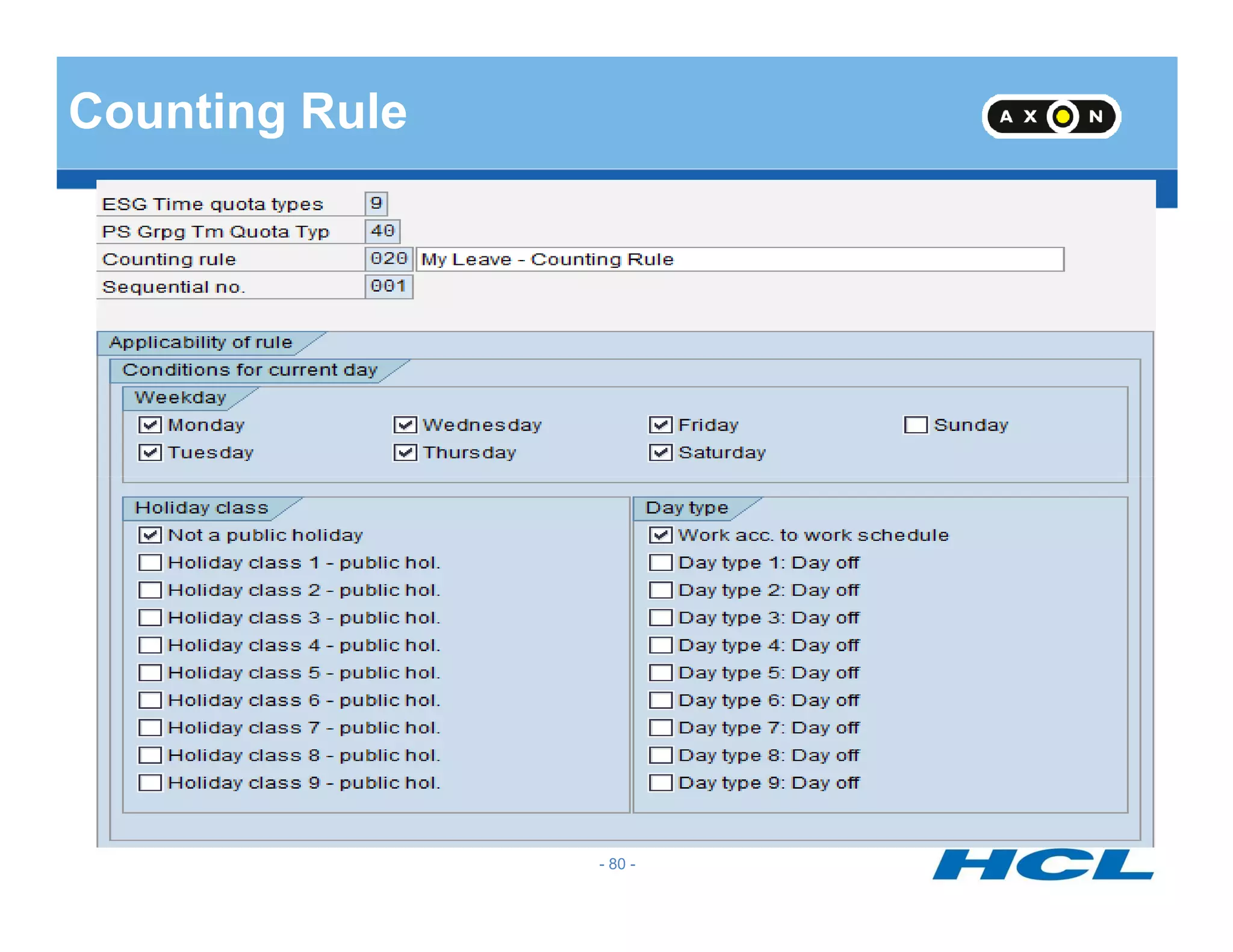
• Checkboxes for Monday to Sunday would be available and these have to be checked if the
leave is to be counted on these days
• Counting Classes can be attached to Period Work Schedules which can be queried in the
counting rule
• DWS class given in the Daily Work Schedule can be queried in the Counting rule. Only
absences for those employees who belong to the selected category would be counted using
- 78 -
this rule. If one rule is not satisfied system will process the sub-rules sequentially
• The Holiday Classes blank to 9 can be queried and counted if required
• The Day types can be queried in the counting rule
• Less than one day and one day options are available in the counting rule
• Planned hours =0 and Planned hours > 0 options can also be used for counting
• System will count the leave only if all the selected conditions are satisfied
- 78 -
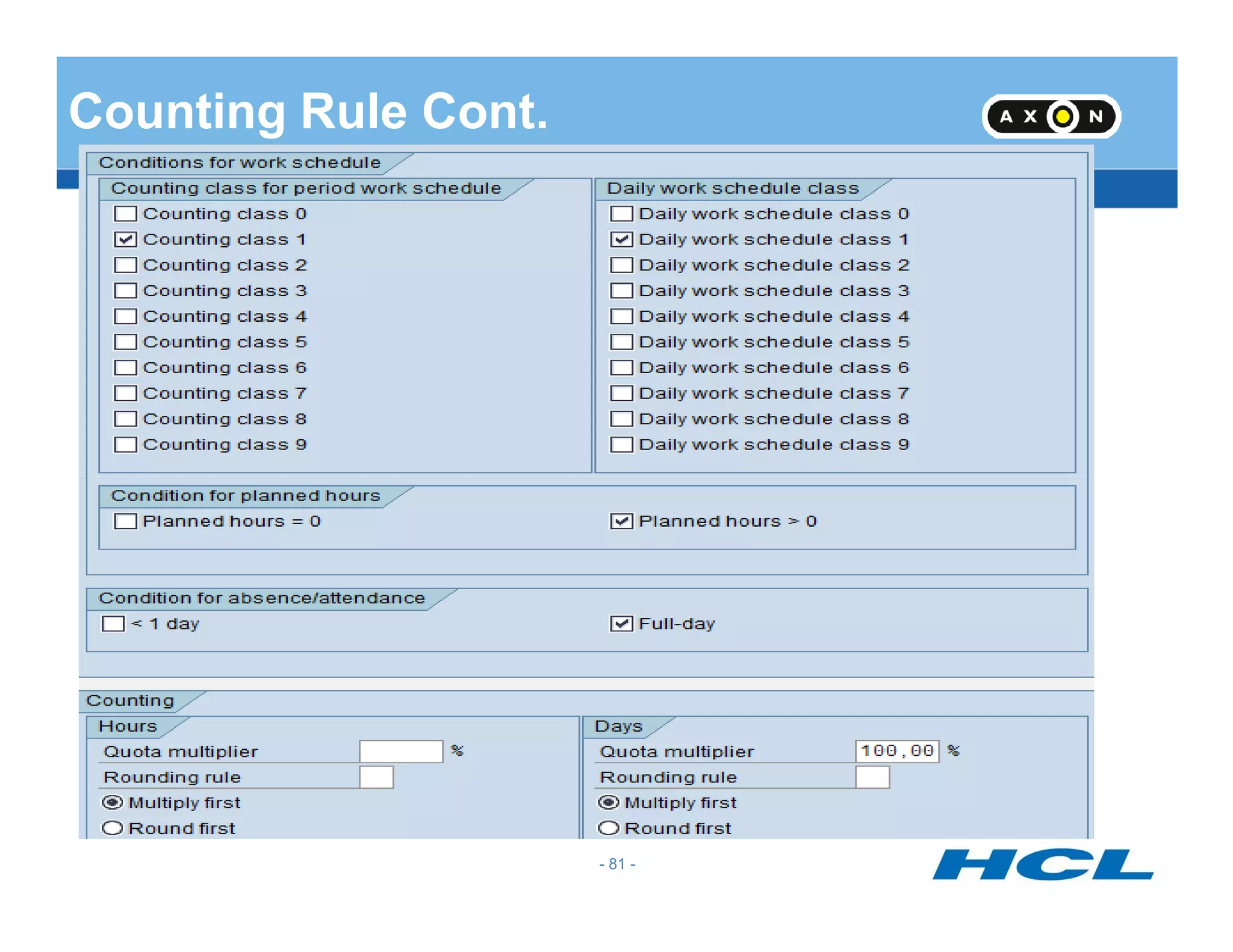
Counting Rule Contd…
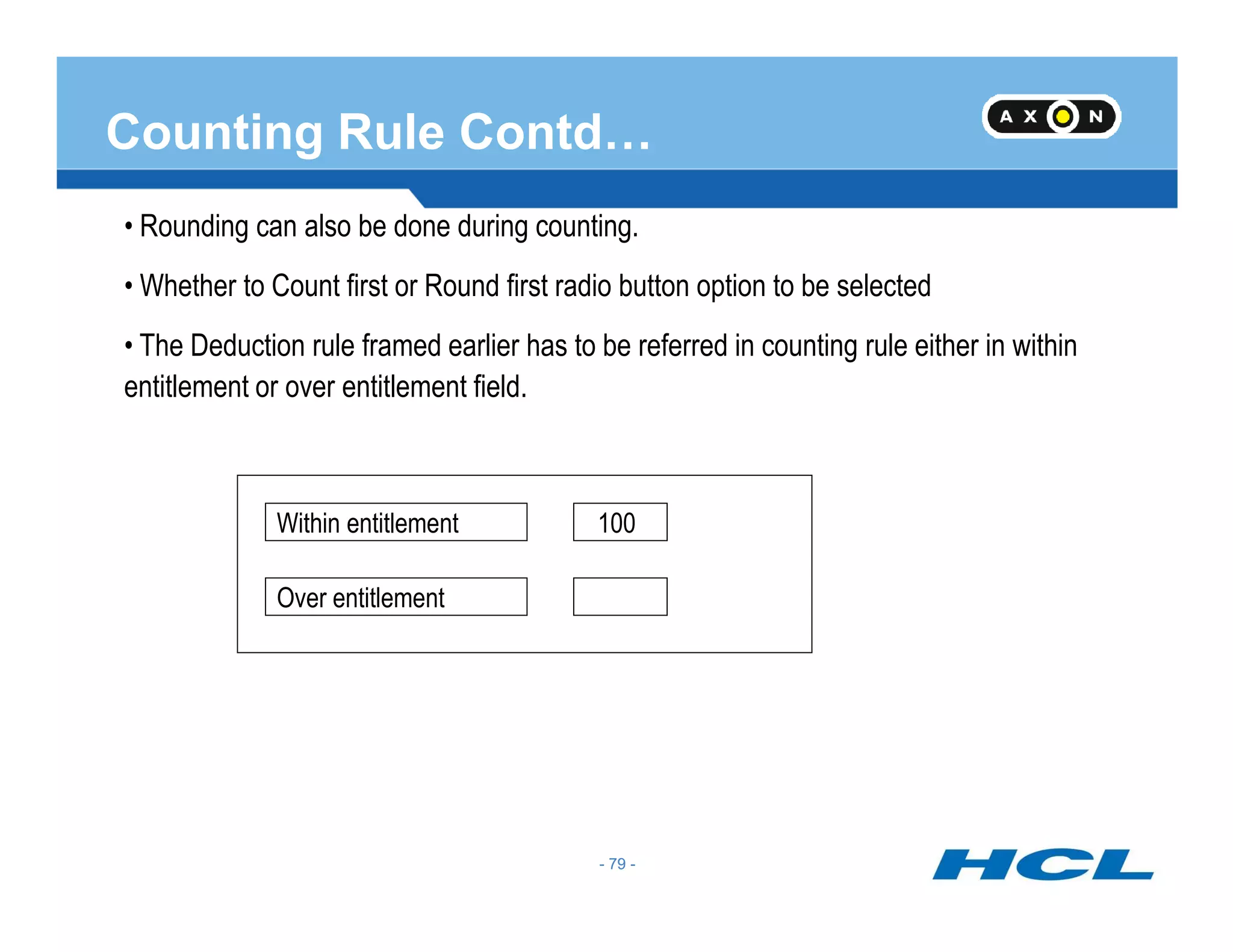
• Rounding can also be done during counting.
• Whether to Count first or Round first radio button option to be selected
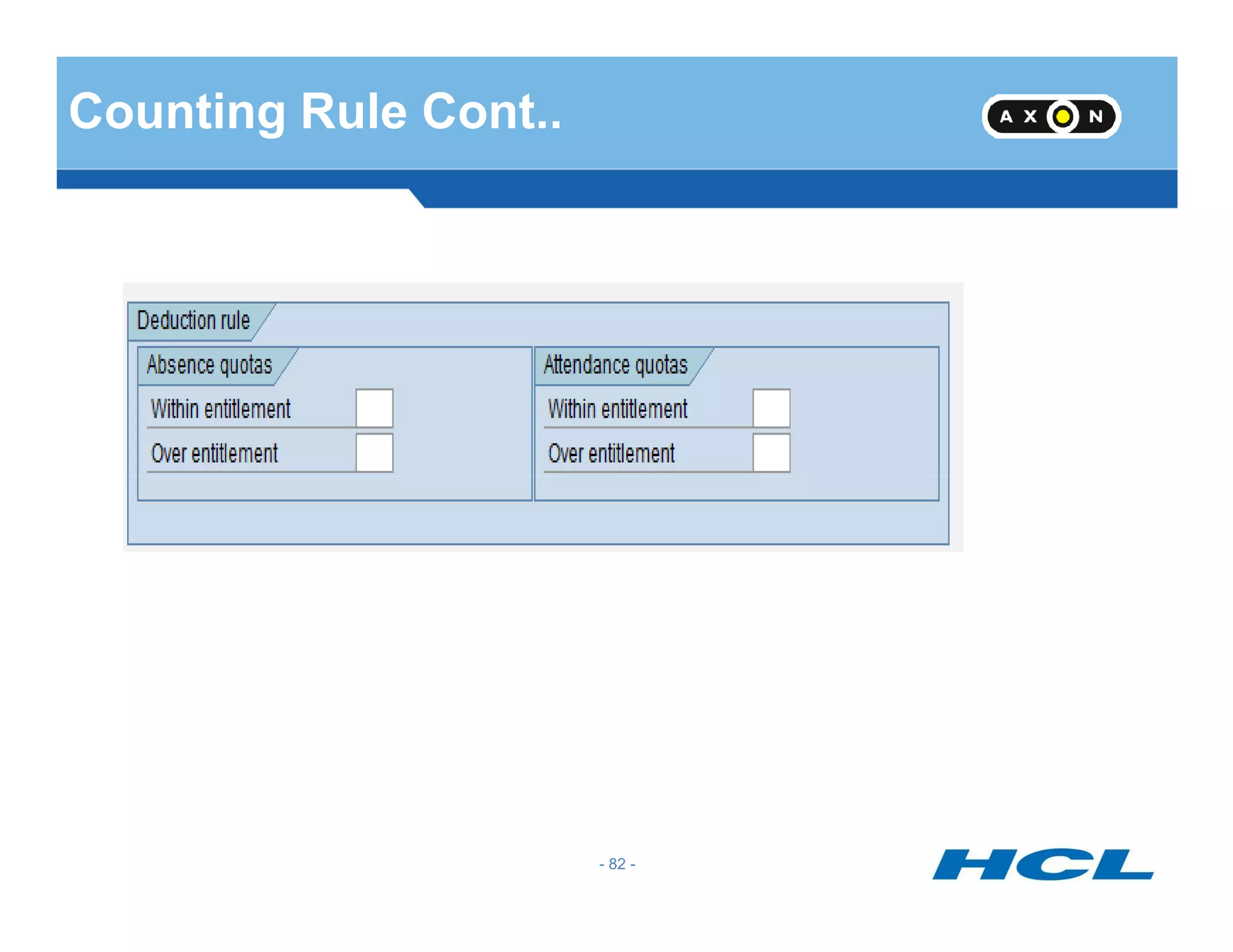
• The Deduction rule framed earlier has to be referred in counting rule either in within
entitlement or over entitlement field.
- 79 -
Within entitlement
Over entitlement
100
- 79 -
Counting Rule
- 80 -
Counting Rule Cont.
- 81 -
Counting Rule Cont..
- 82 -
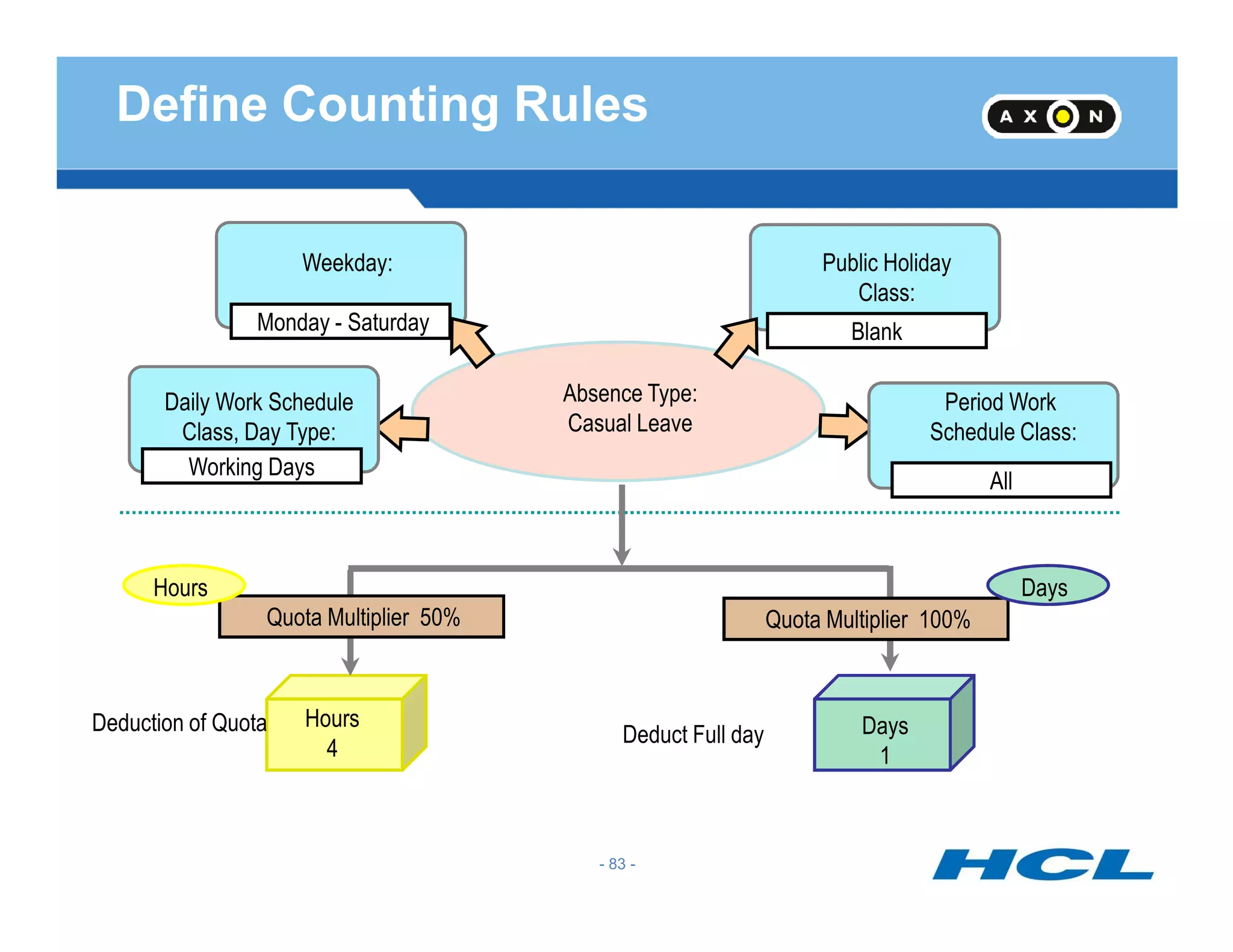
Absence Type:
Casual Leave
Weekday:
Working Days
Public Holiday
Class:
Period Work
Schedule Class:
Daily Work Schedule
Class, Day Type:
All
BlankMonday - Saturday
Define Counting Rules
Days
1
Deduct Full day
Hours
4
Working Days
Quota Multiplier 50% Quota Multiplier 100%
Hours Days
Deduction of Quota
All
- 83 -
Deduction Rule
- 84 -
Deduction Rule
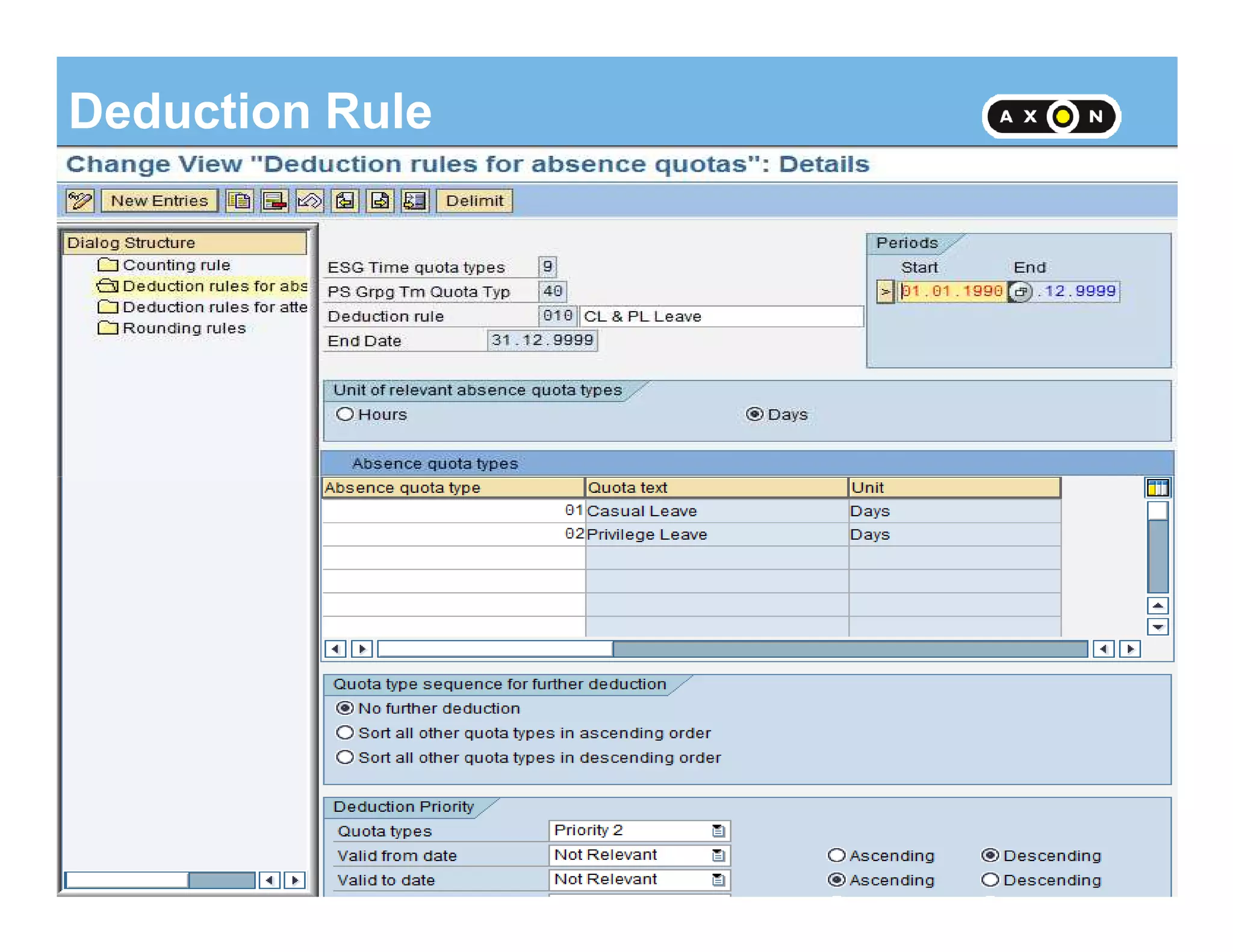
•Deduction rule Specifies the Deduction of Quotas ,the sequence in which they have to
be deducted and also the priority of deduction
•There may be more than one quota for the same absence type. The order of deduction
of these quotas have to be specified
- 85 -
•The priorities can be Quota types, Validity from date, Validity to date, deduction from
date and deduction to date.
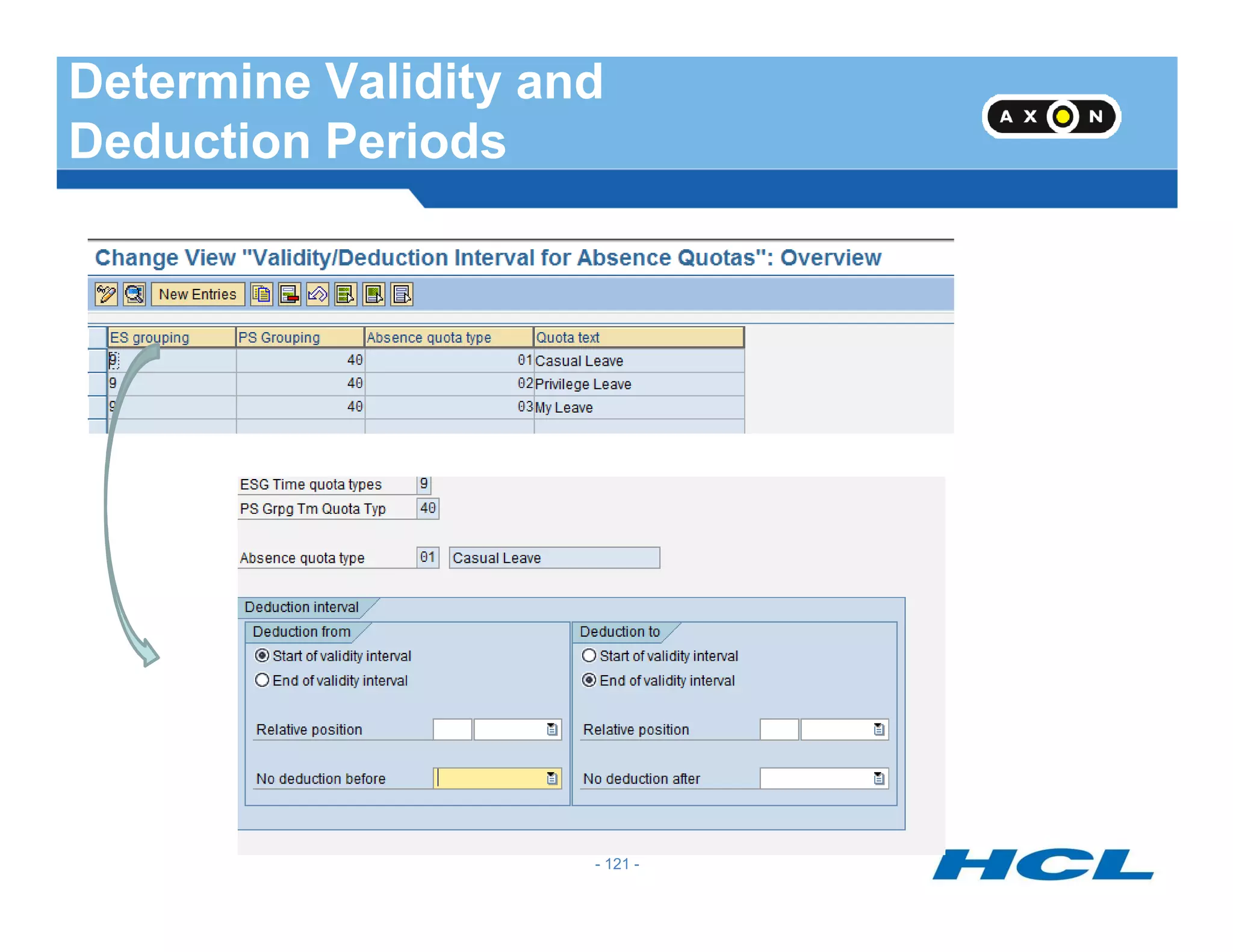
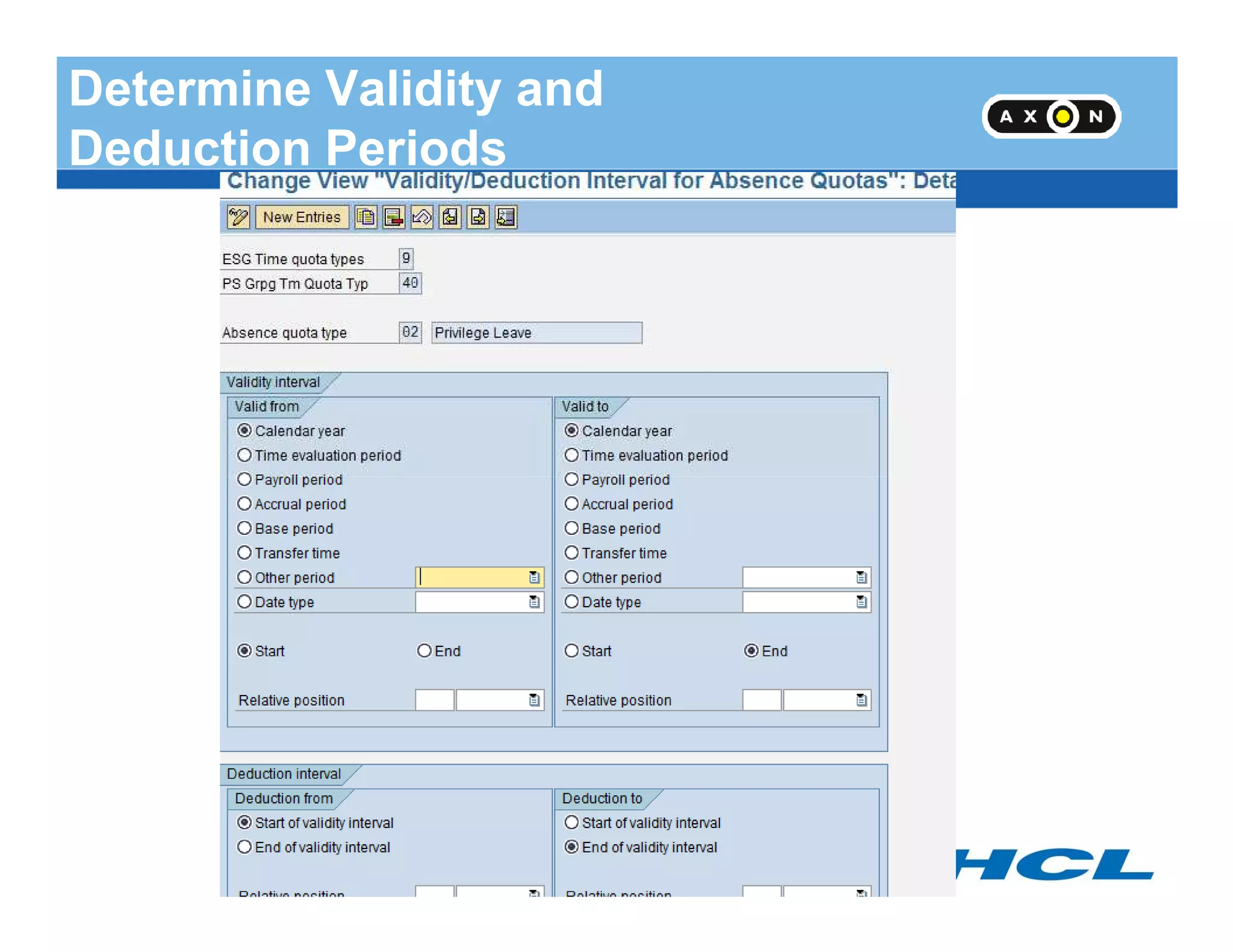
•The Validity interval is the period for which quota has accrued. The Deduction interval is
the period in which the quota can be used.
- 85 -
Deduction Rule - continued
Priority 1 Quota type
Priority 2
Priority 3
Priority 4
Validity from
Validity to
Deduction from
The priorities of Validity and Deduction
can be ascending or descending
Whether the quotas would be in Days or
Hours would also be specified in a
- 86 -
Priority 5 Deduction to
Hours would also be specified in a
Deduction rule
- 86 -
Assign counting rule to absence types
- 87 -
Assign Counting Rule to Absence
- 88 -
Assign Counting Rule to Absence Types
•The Counting rule has to be assigned to the absence type for which the quota is
created.
•This step will connect the quota and absence.
•The checkbox for deduction of quota has to be activated so that the quota would be
- 89 -
reduced if the absence is recorded
•The Checkbox for deduction over interval end can be selected if the leave starting
from deduction end date and extending beyond that date is to be allowed or not
- 89 -
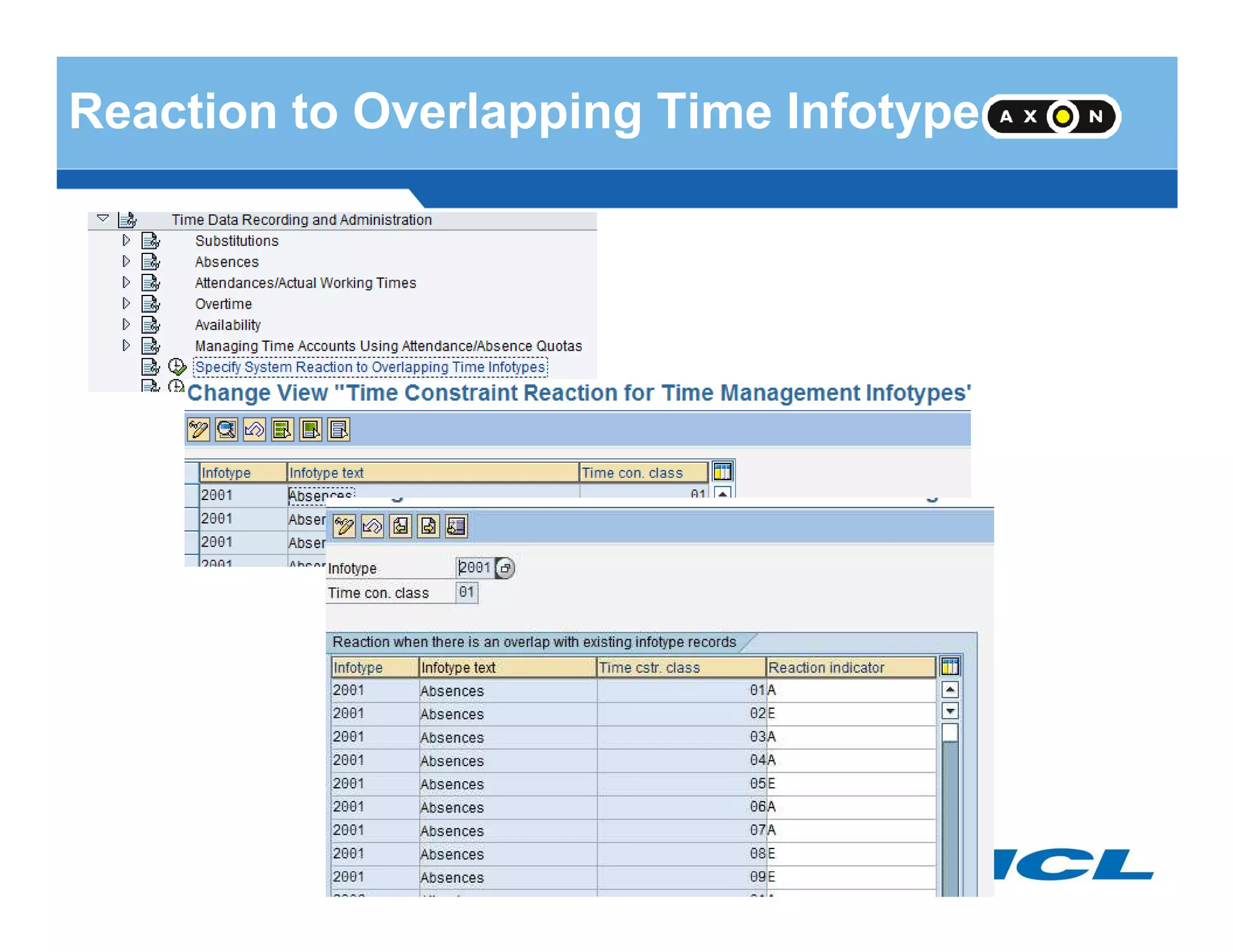
Reaction to Overlapping Time Infotype
- 90 -
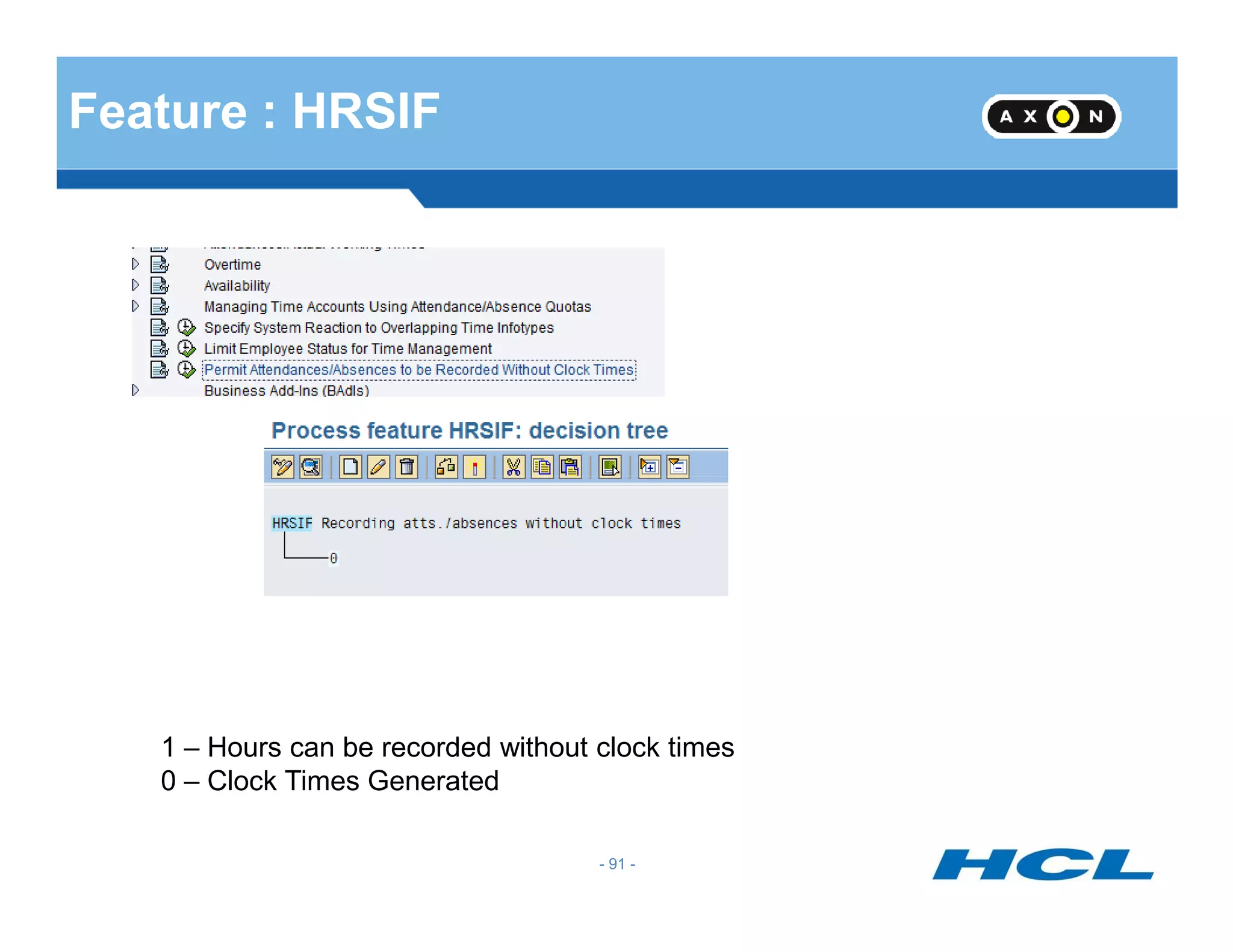
Feature : HRSIF
- 91 -
1 – Hours can be recorded without clock times
0 – Clock Times Generated
Leave Request ESS
- 92 -
Leave Request ESS
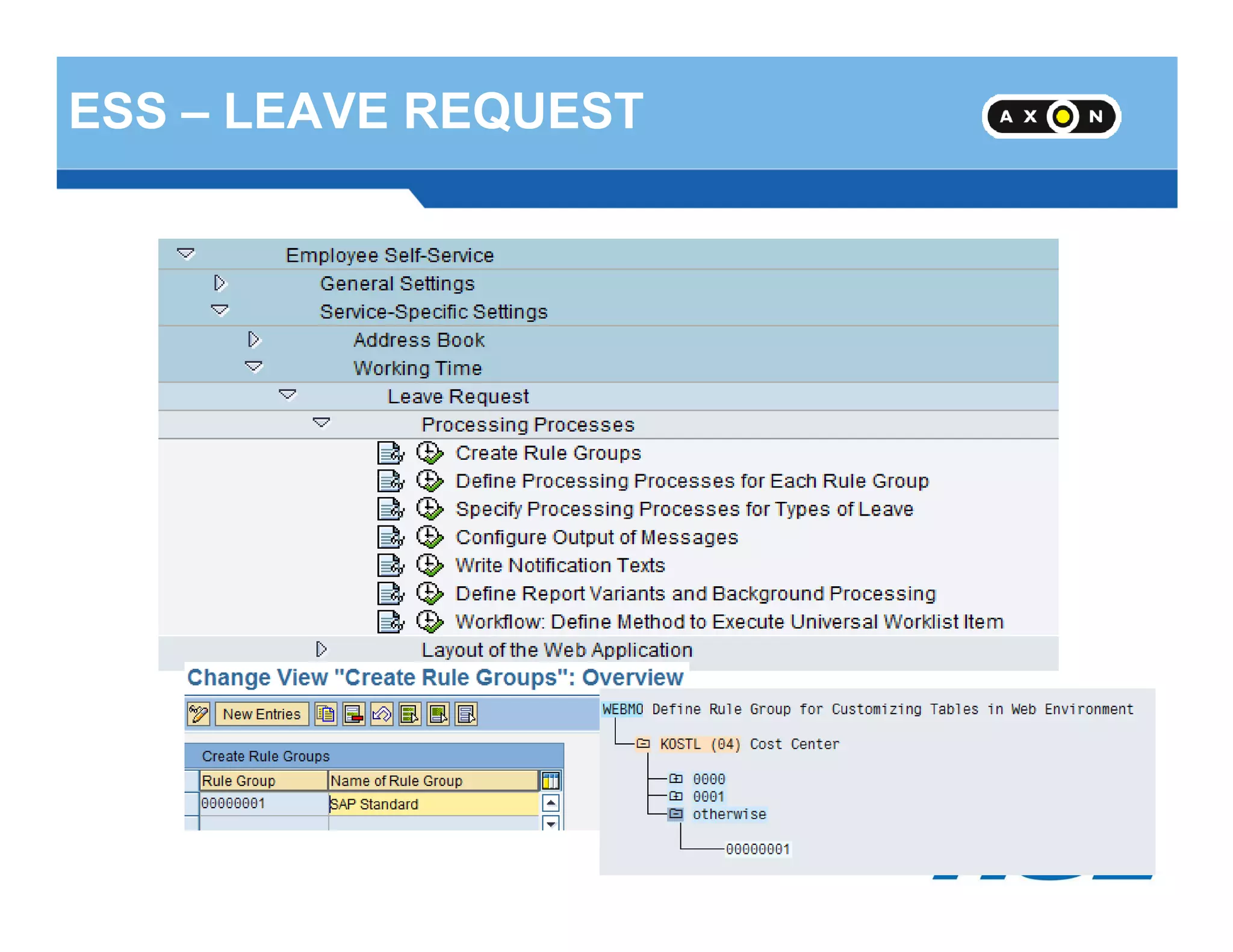
ESS – LEAVE REQUEST
- 93 -
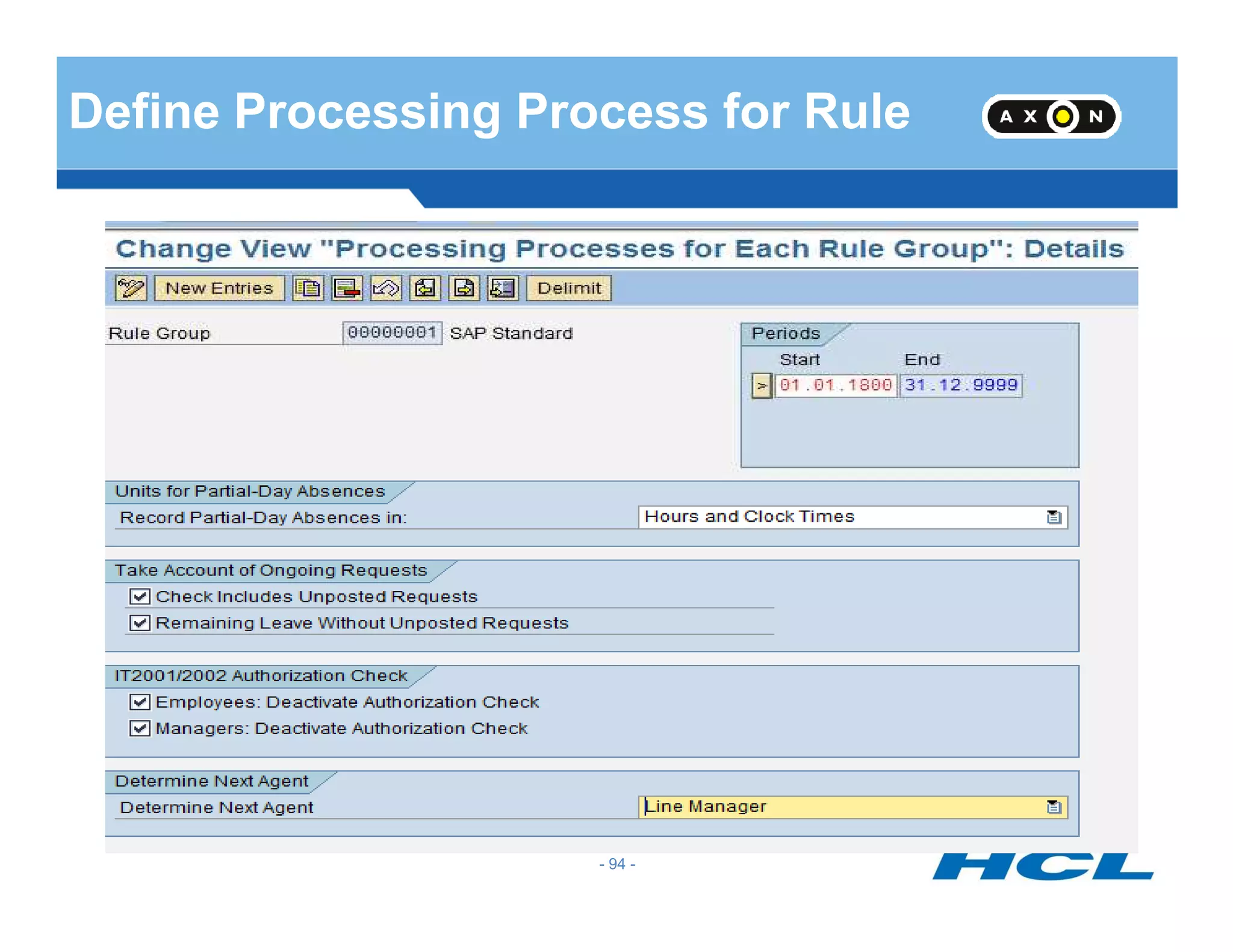
Define Processing Process for Rule
- 94 -
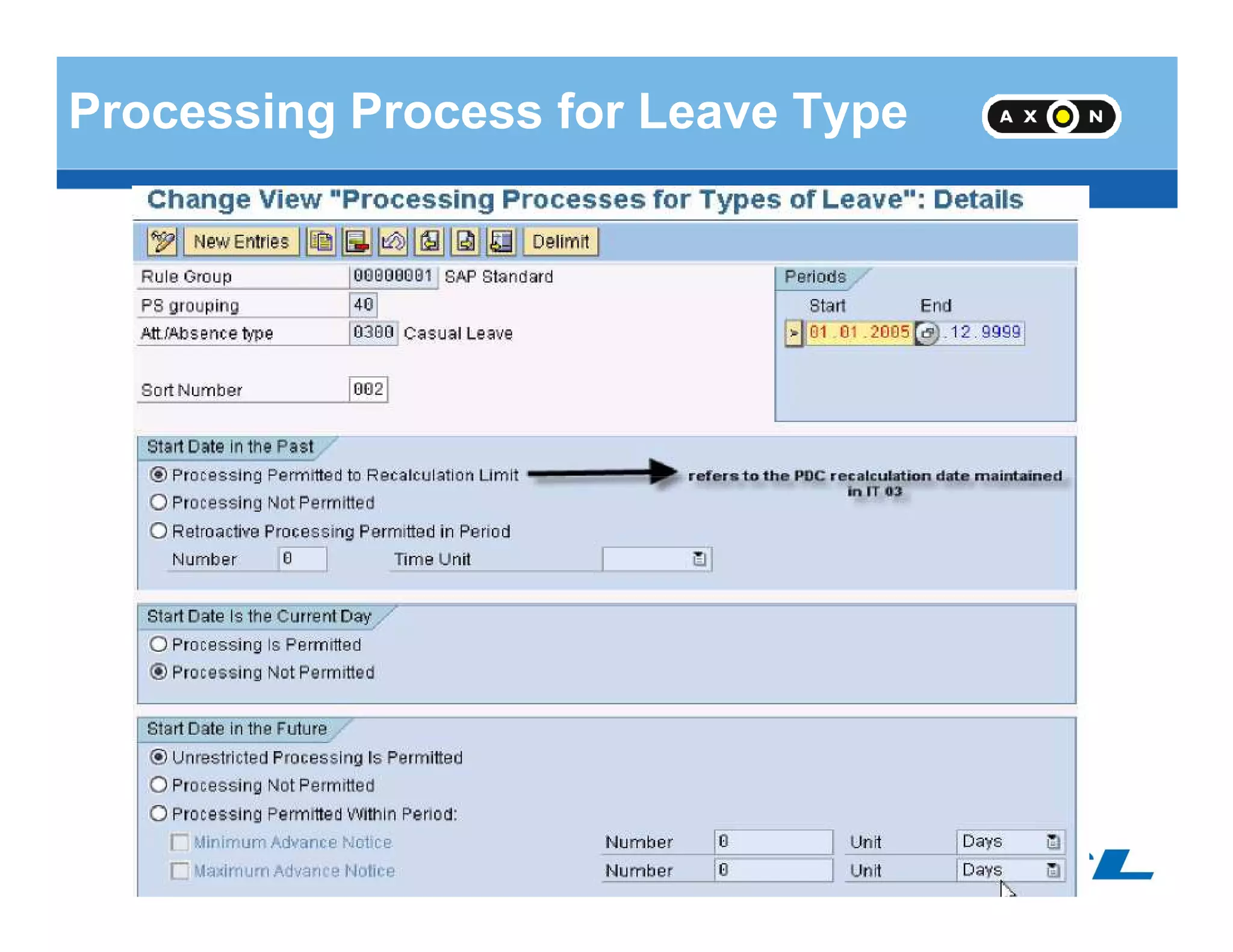
Processing Process for Leave Type
- 95 -
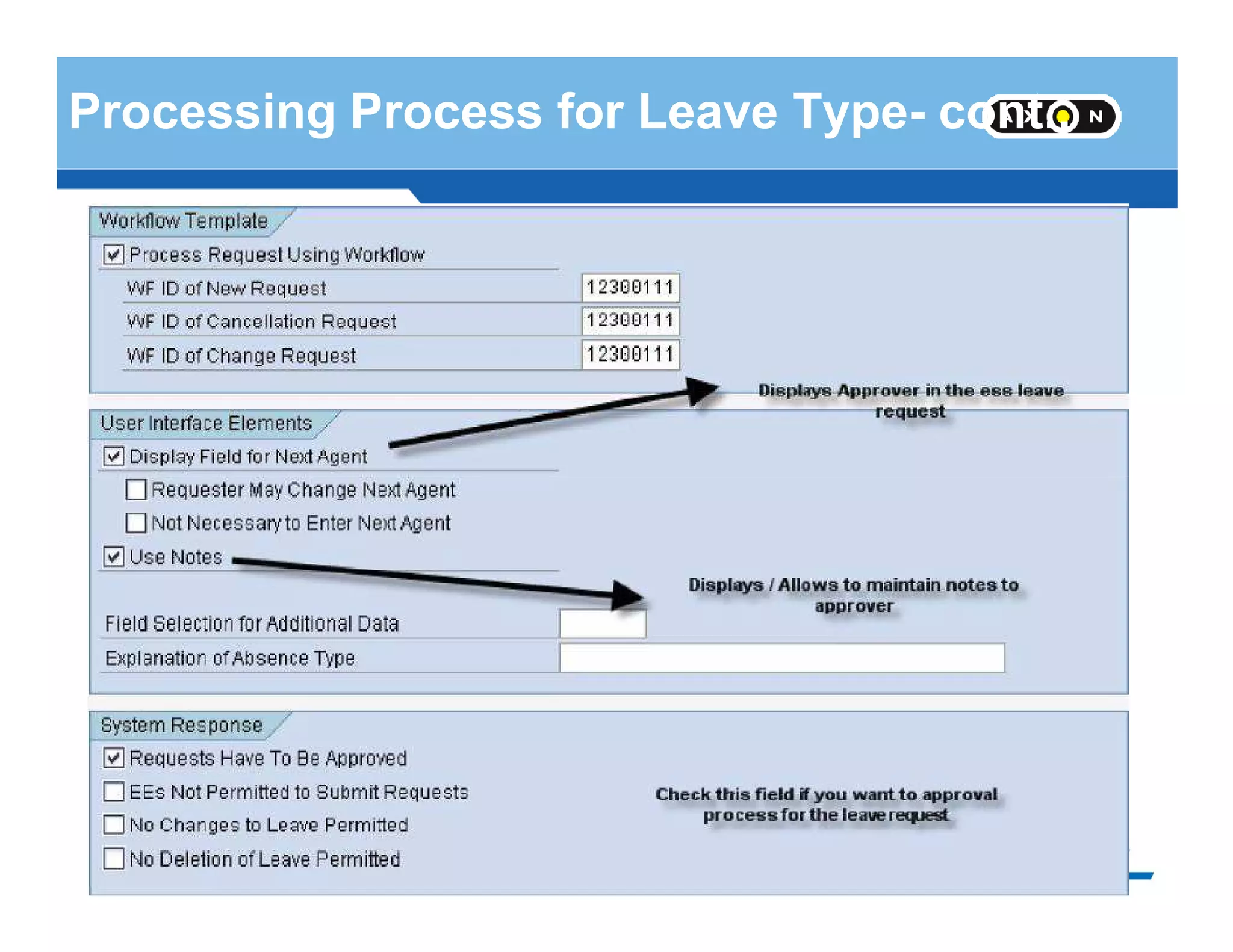
Processing Process for Leave Type- cont..
- 96 -
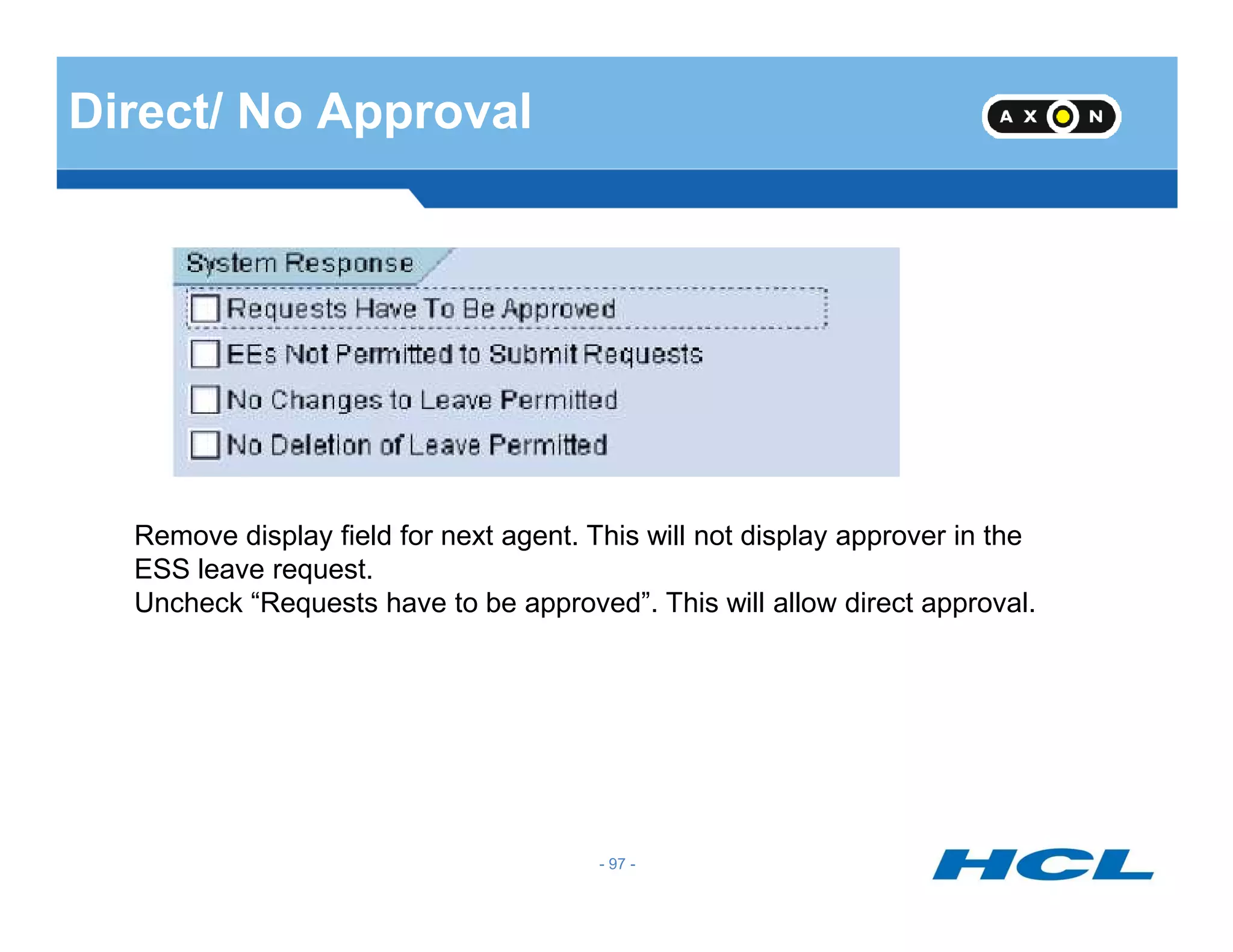
Direct/ No Approval
- 97 -
Remove display field for next agent. This will not display approver in the
ESS leave request.
Uncheck “Requests have to be approved”. This will allow direct approval.
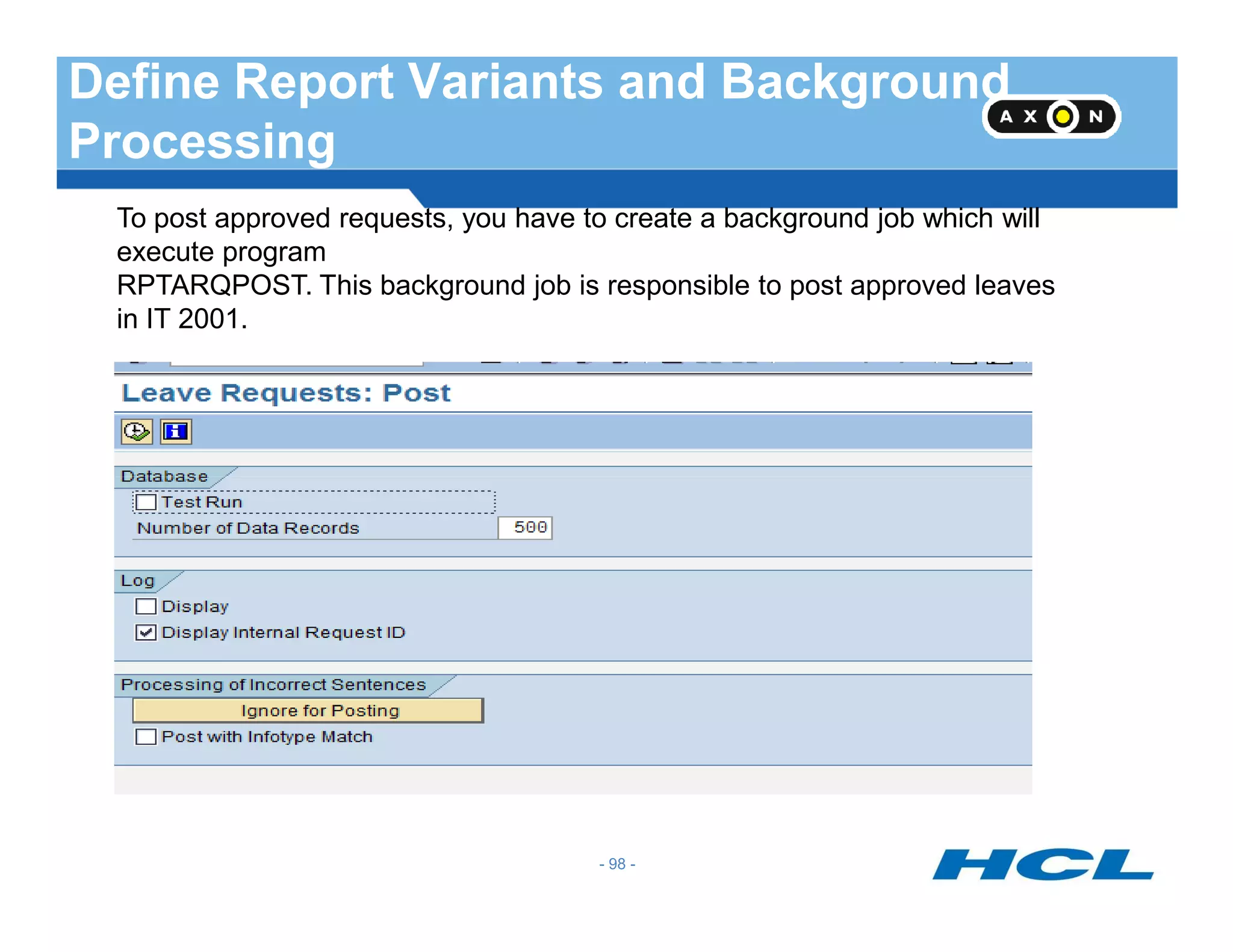
Define Report Variants and Background
Processing
To post approved requests, you have to create a background job which will
execute program
RPTARQPOST. This background job is responsible to post approved leaves
in IT 2001.
- 98 -
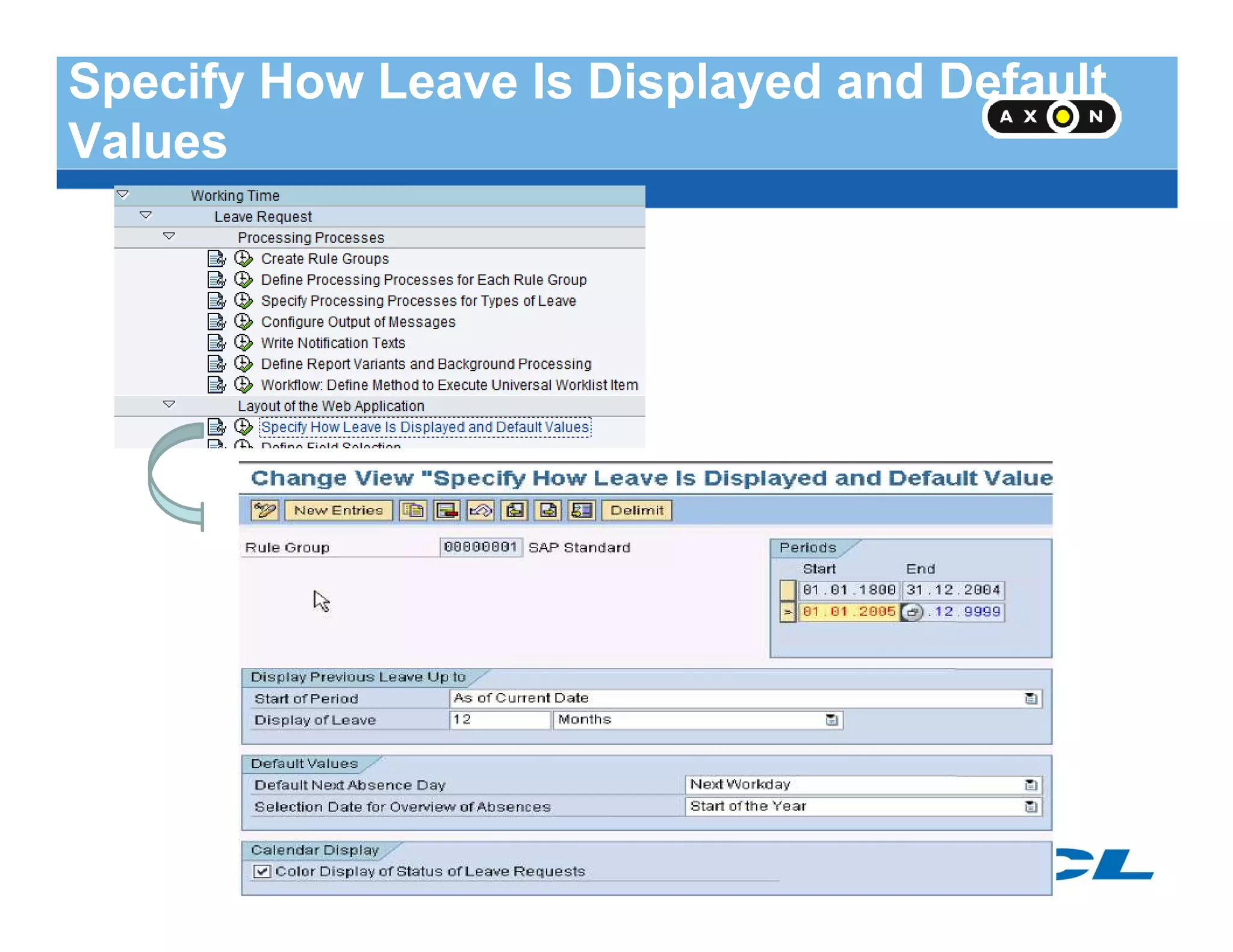
Specify How Leave Is Displayed and Default
Values
- 99 -
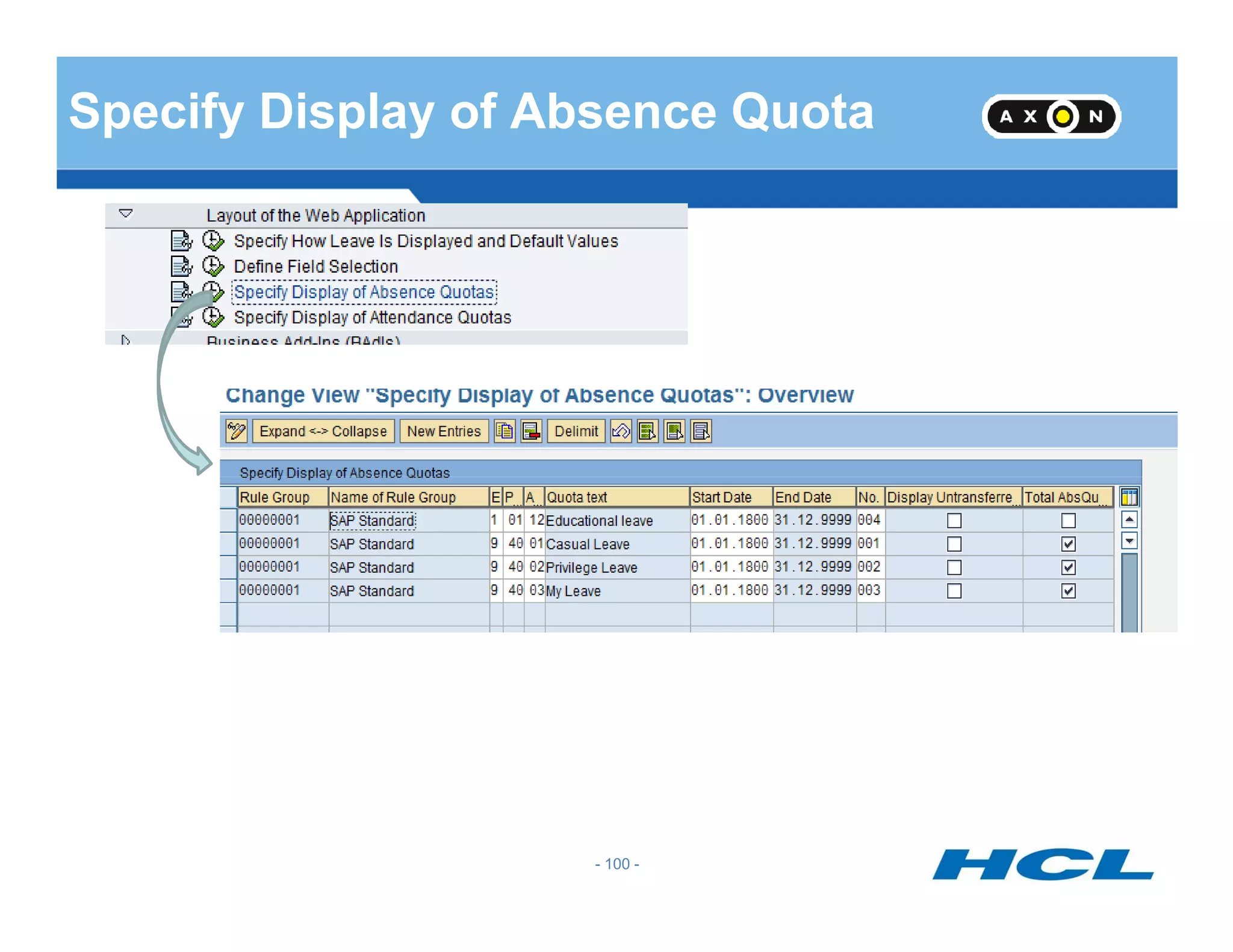
Specify Display of Absence Quota
- 100 -
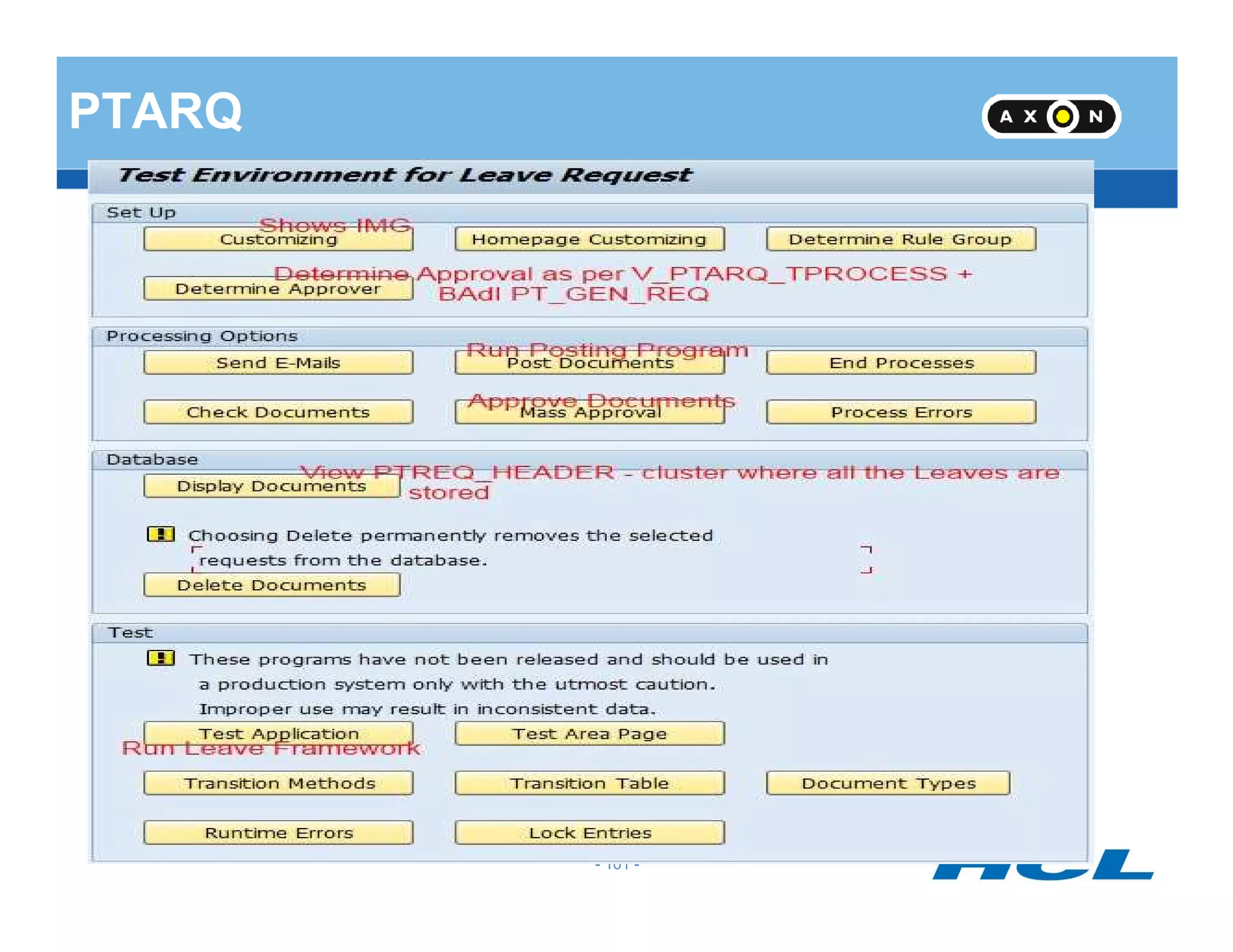
PTARQ
- 101 -
T-Codes
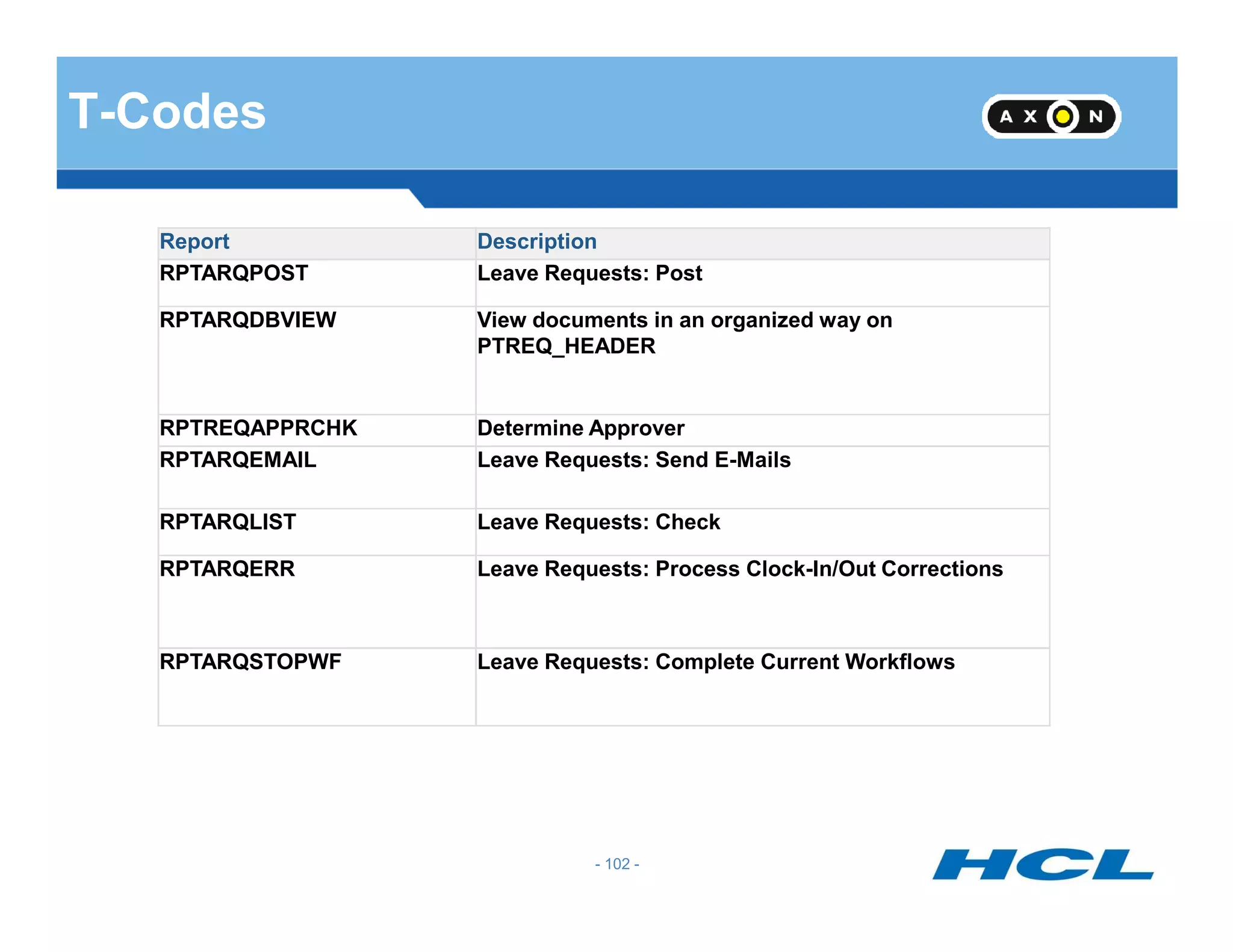
Report Description
RPTARQPOST Leave Requests: Post
RPTARQDBVIEW View documents in an organized way on
PTREQ_HEADER
RPTREQAPPRCHK Determine Approver
RPTARQEMAIL Leave Requests: Send E-Mails
- 102 -
RPTARQLIST Leave Requests: Check
RPTARQERR Leave Requests: Process Clock-In/Out Corrections
RPTARQSTOPWF Leave Requests: Complete Current Workflows
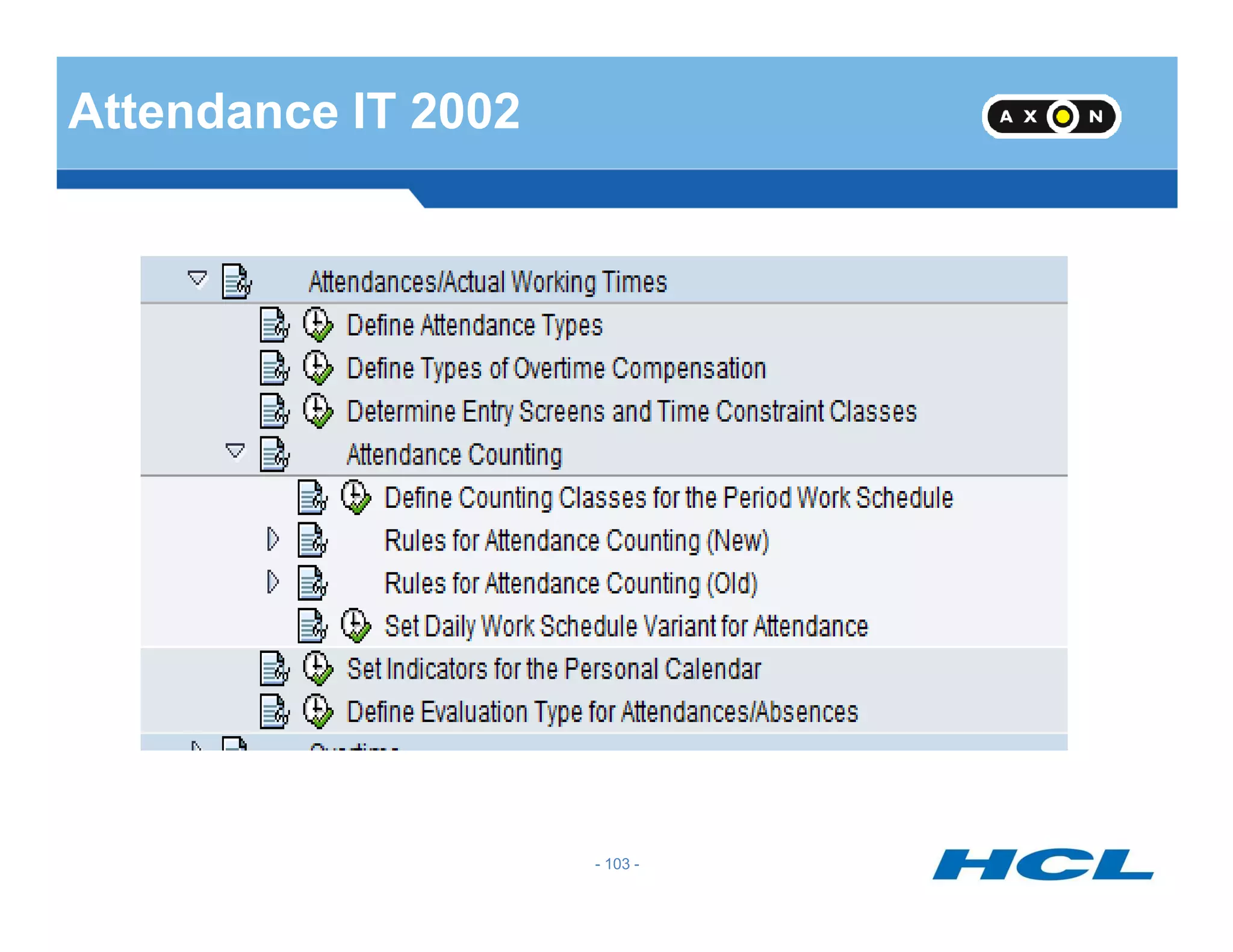
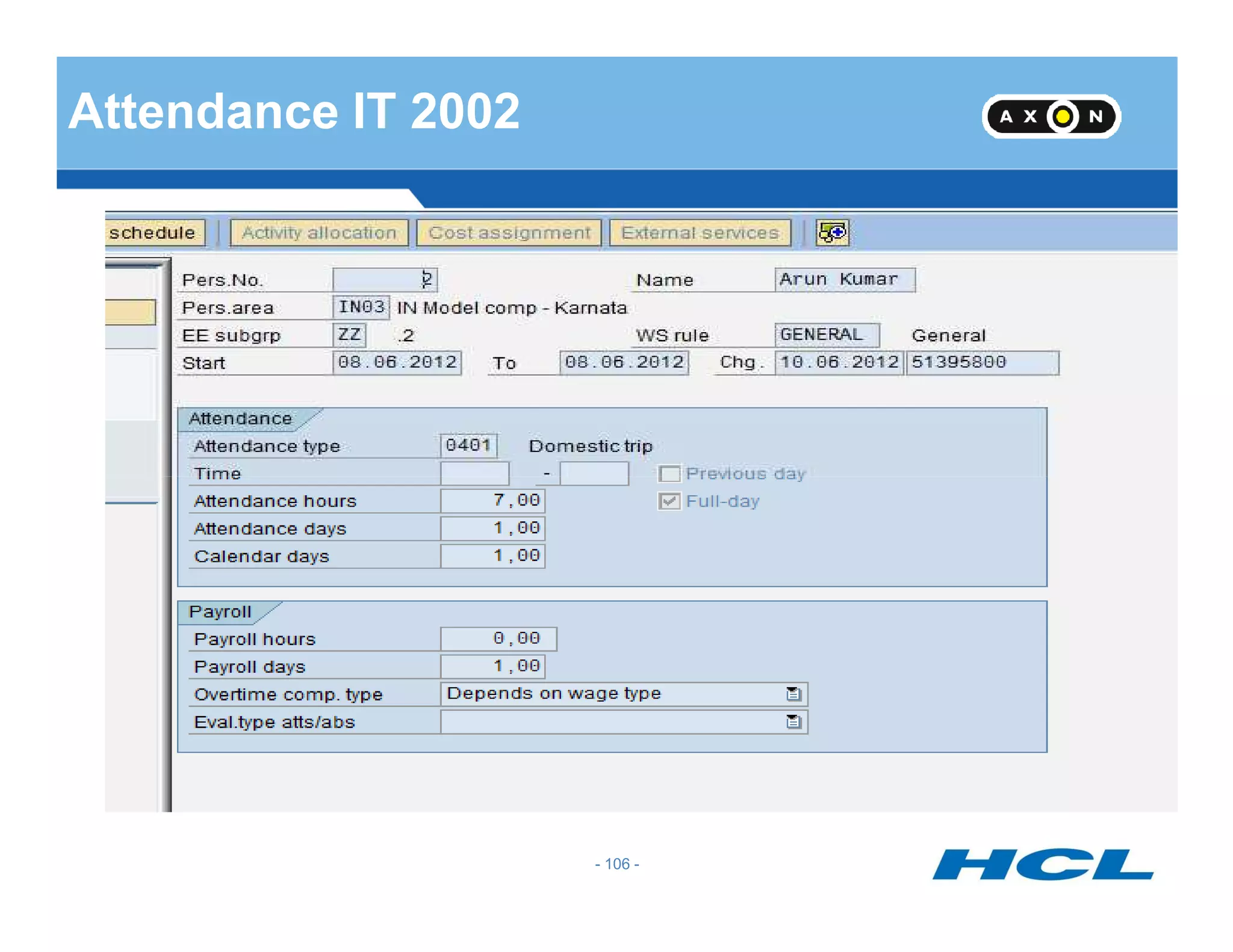
Attendance IT 2002
- 103 -
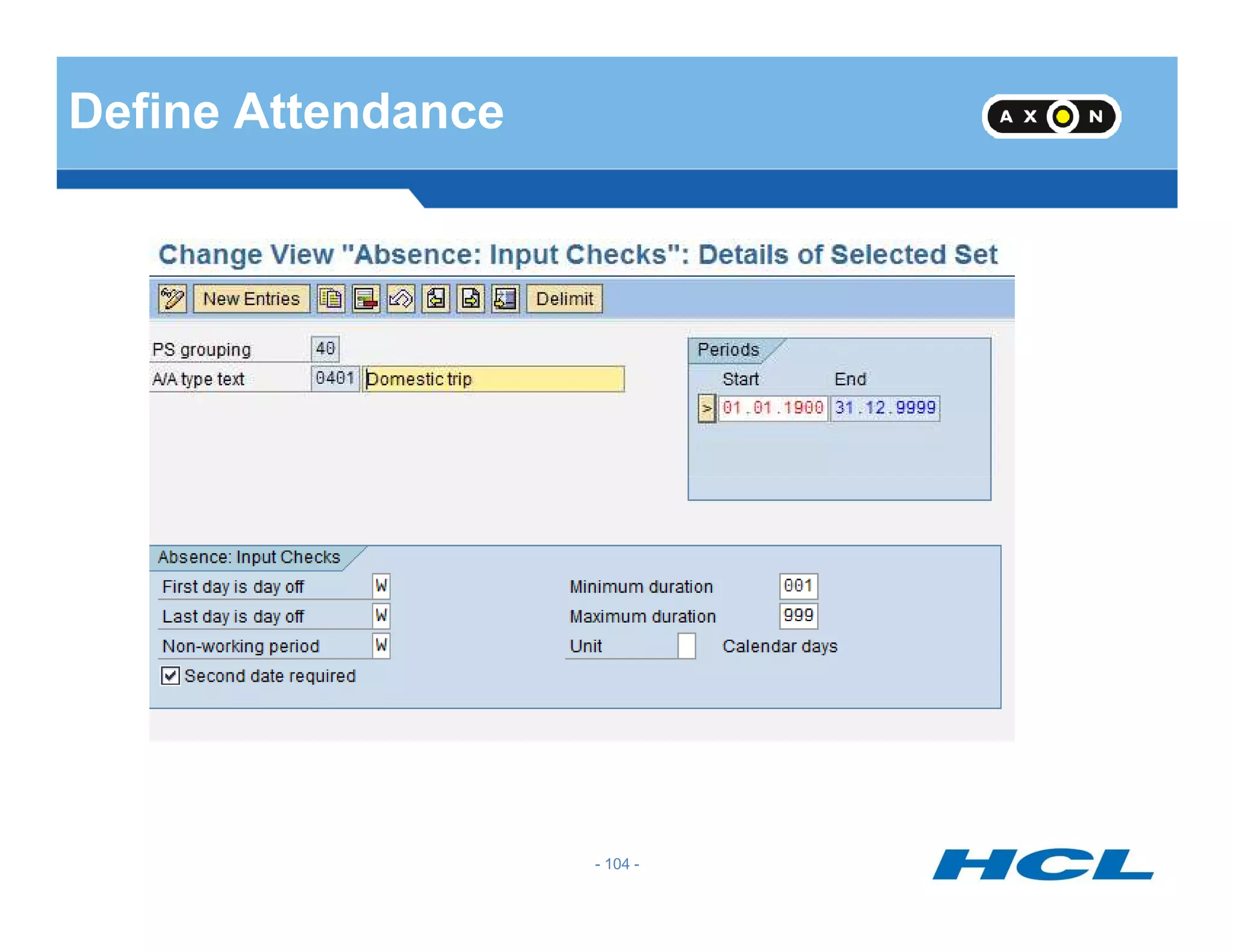
Define Attendance
- 104 -
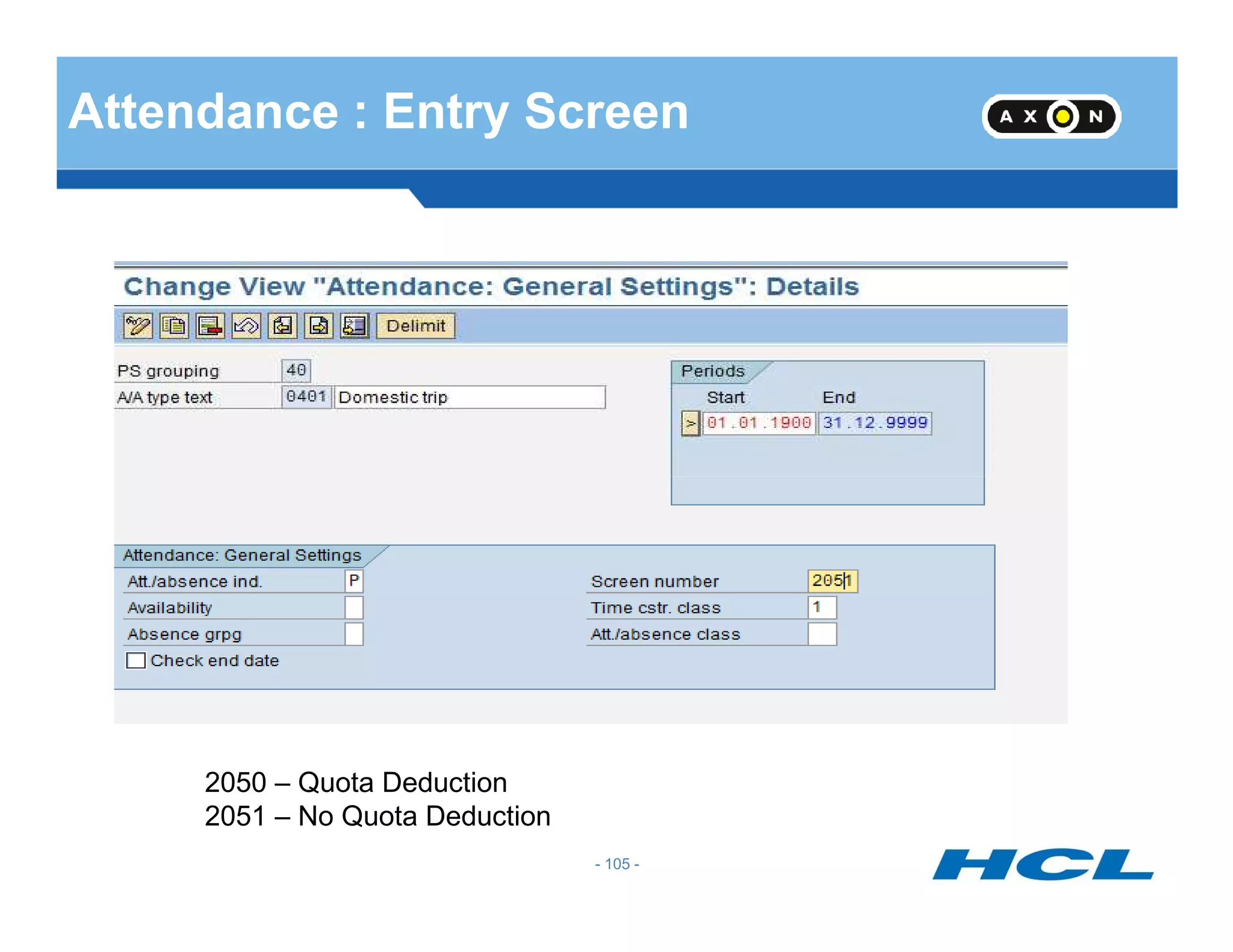
Attendance : Entry Screen
- 105 -
2050 – Quota Deduction
2051 – No Quota Deduction
Attendance IT 2002
- 106 -
Availability : IT 2004
- 107 -
IT 2004
- 108 -
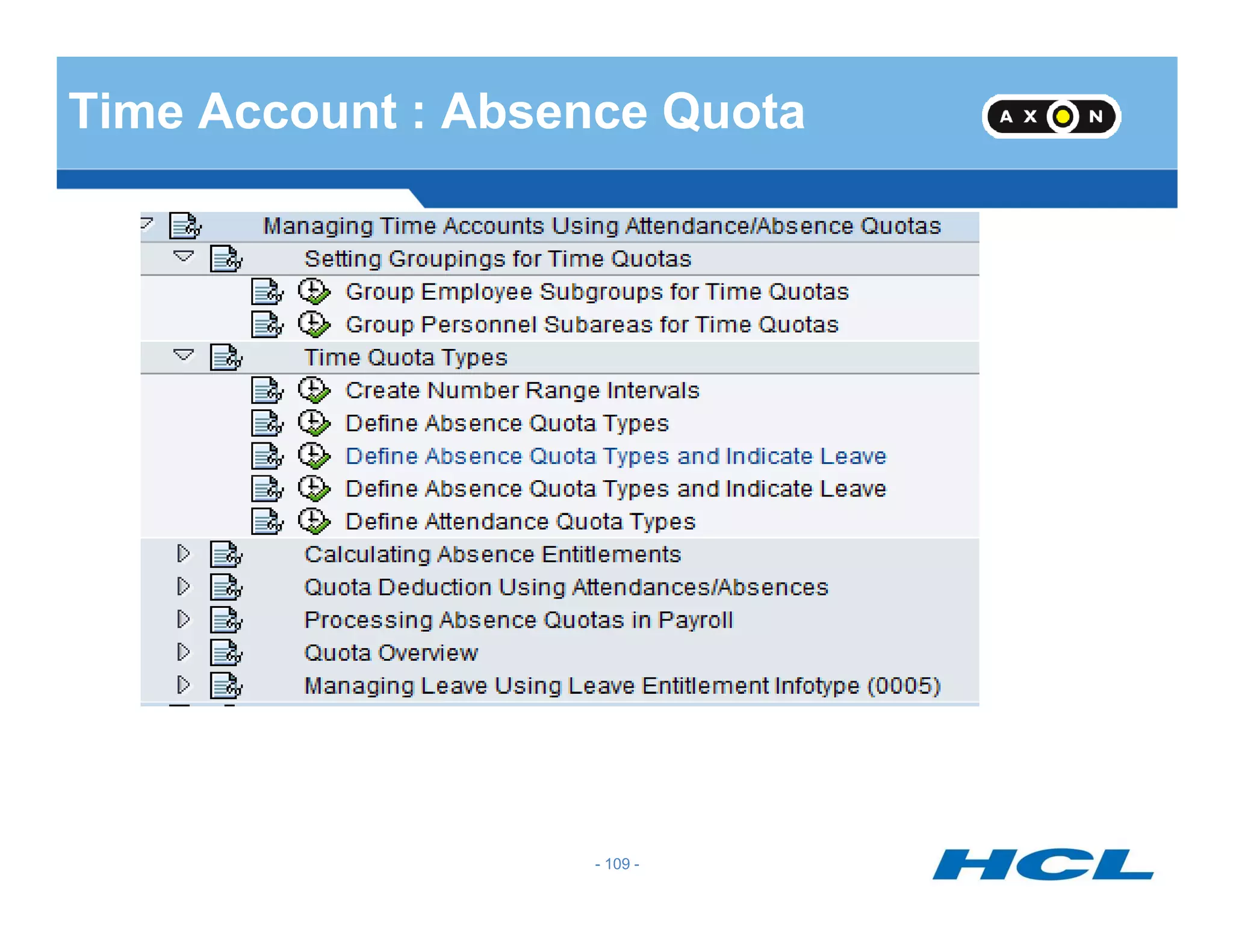
Time Account : Absence Quota
- 109 -
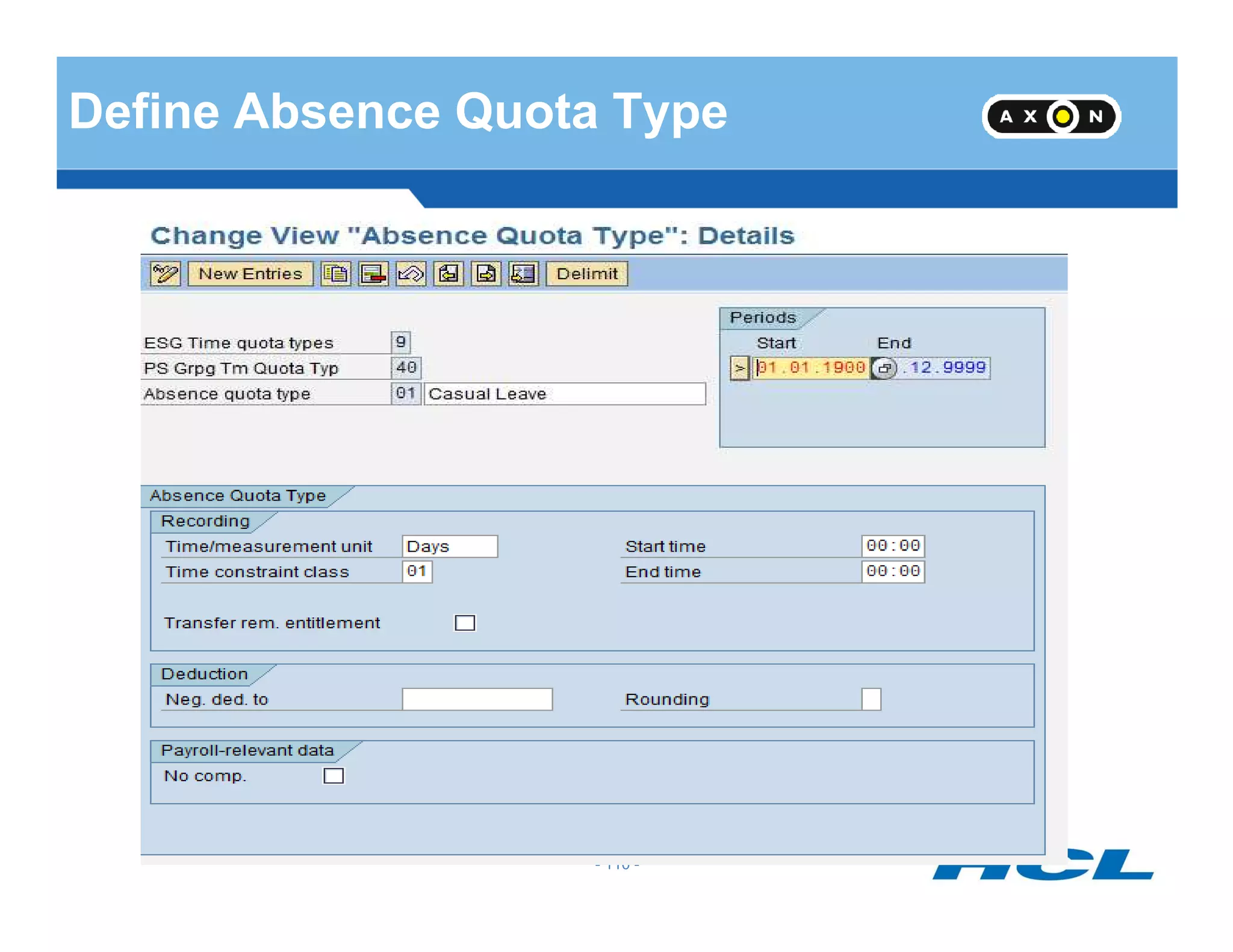
Define Absence Quota Type
- 110 -
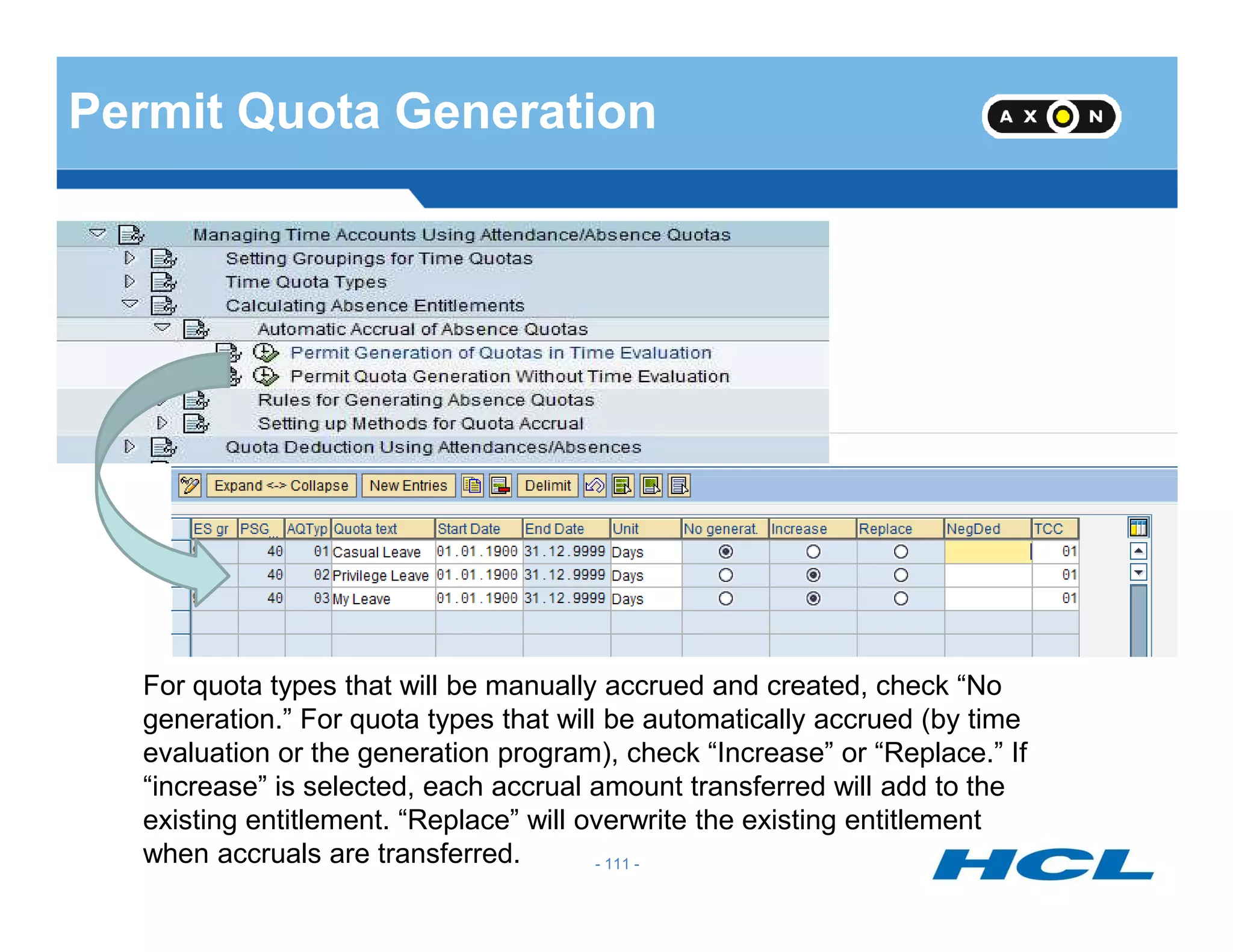
Permit Quota Generation
- 111 -
For quota types that will be manually accrued and created, check “No
generation.” For quota types that will be automatically accrued (by time
evaluation or the generation program), check “Increase” or “Replace.” If
“increase” is selected, each accrual amount transferred will add to the
existing entitlement. “Replace” will overwrite the existing entitlement
when accruals are transferred.
Generation Rule
Generate Rule incorporates
•Base Entitlements
•Reduction Rule
• Rounding Rule
- 112 -
• Based on Challenge percentage of employee different generation rules can be framed
• Based on date of entry, different generation rules can be framed
•The maximum entitlement can be restricted in the generation rule
- 112 -
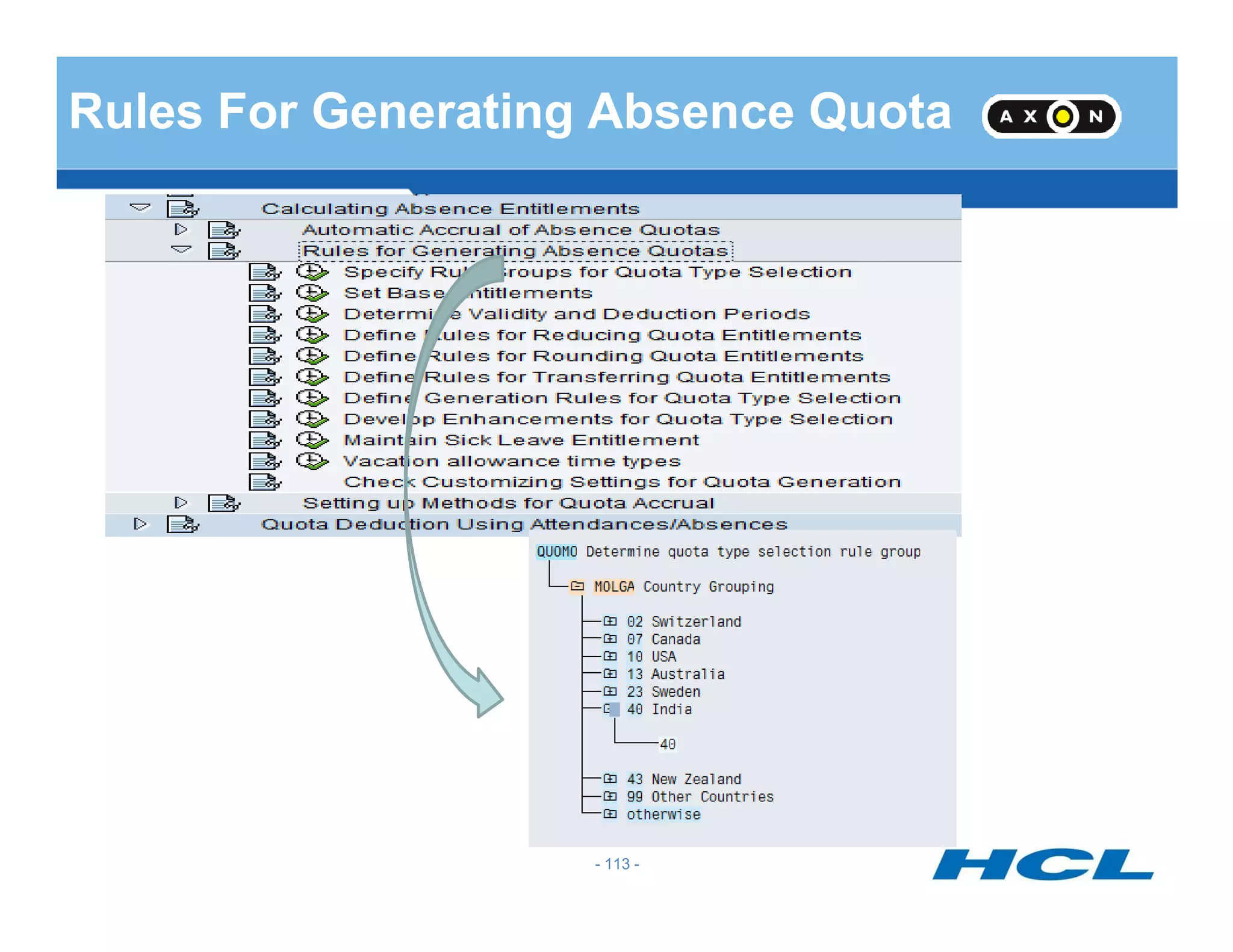
Rules For Generating Absence Quota
- 113 -
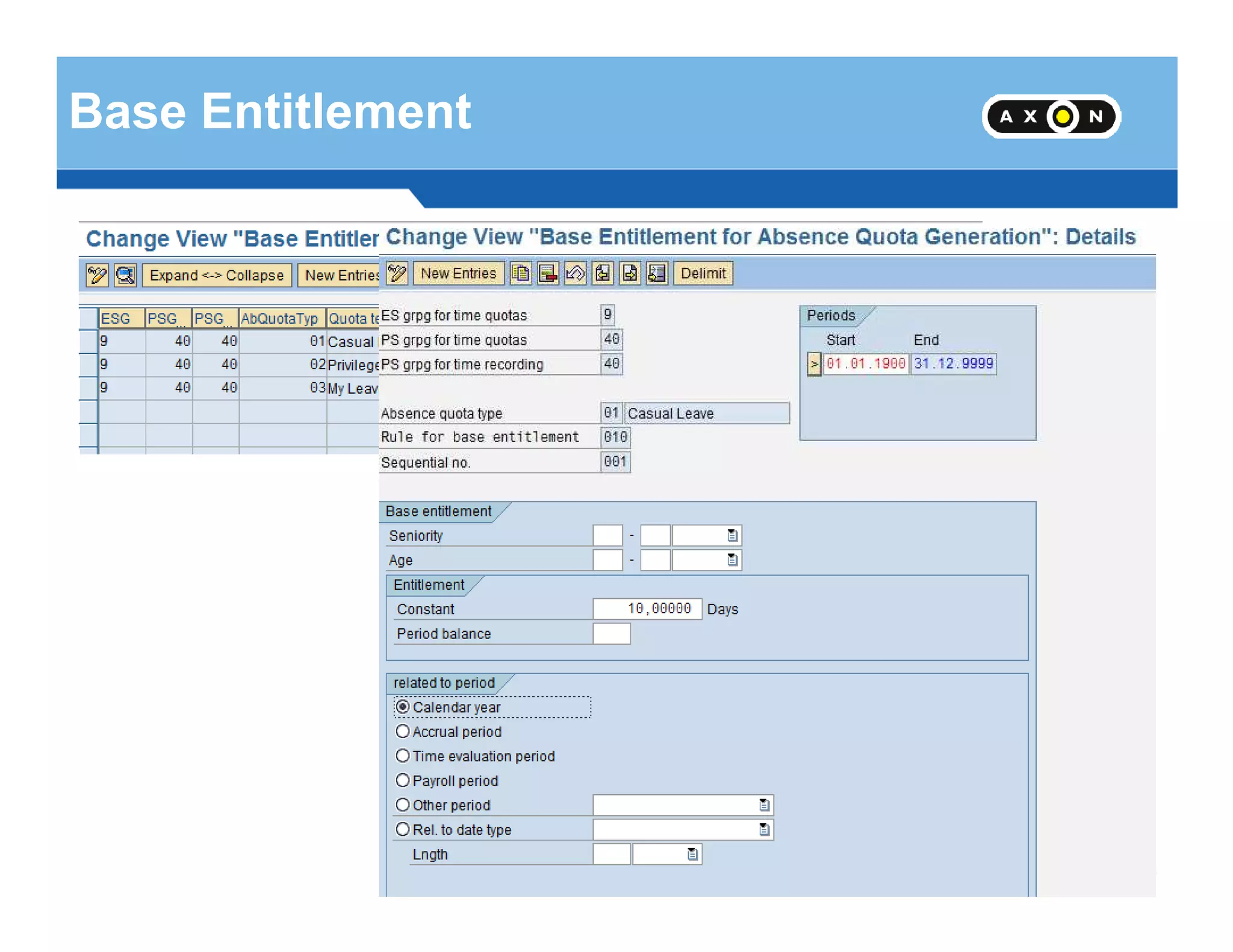
Base Entitlement
- 114 -
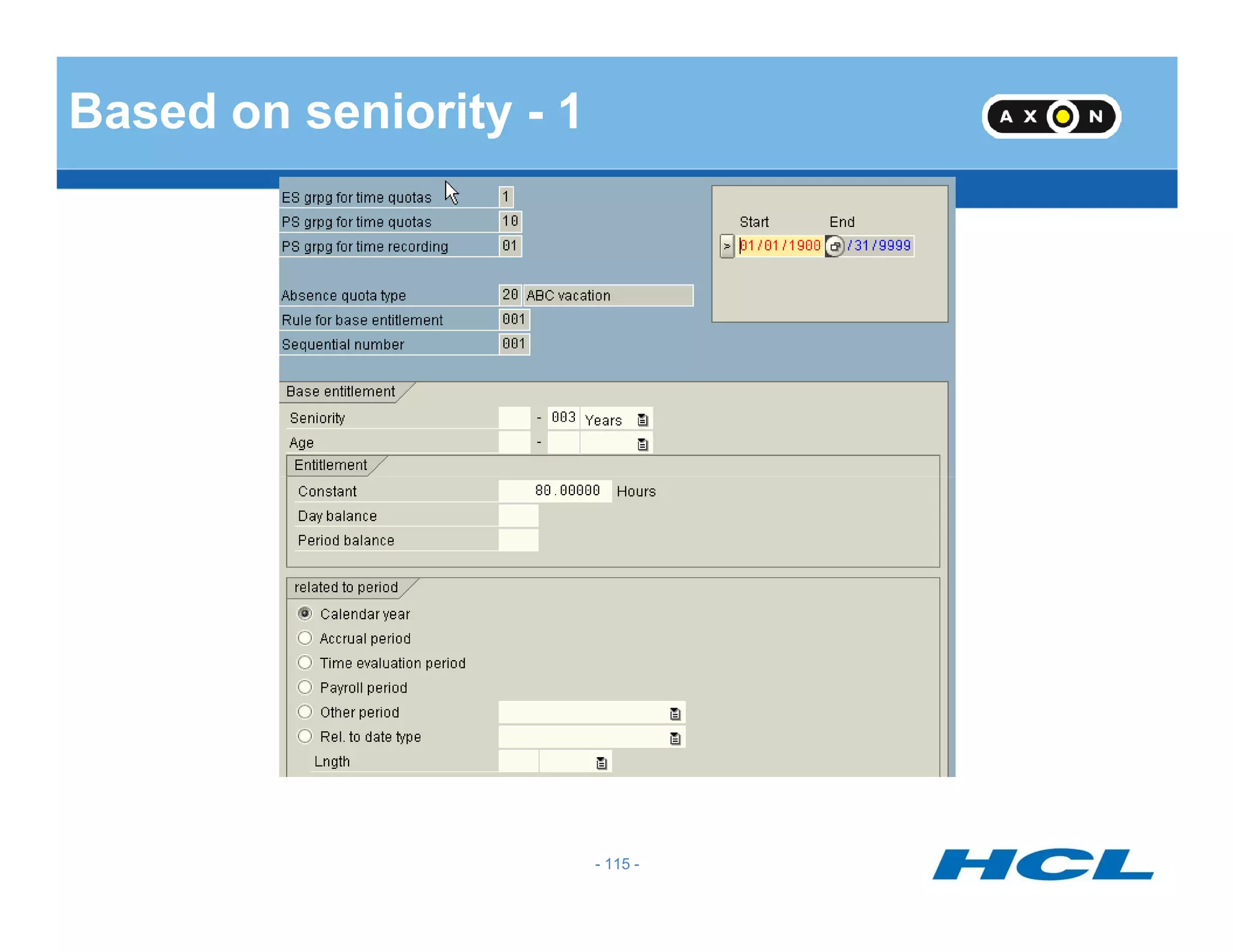
Based on seniority - 1
- 115 -
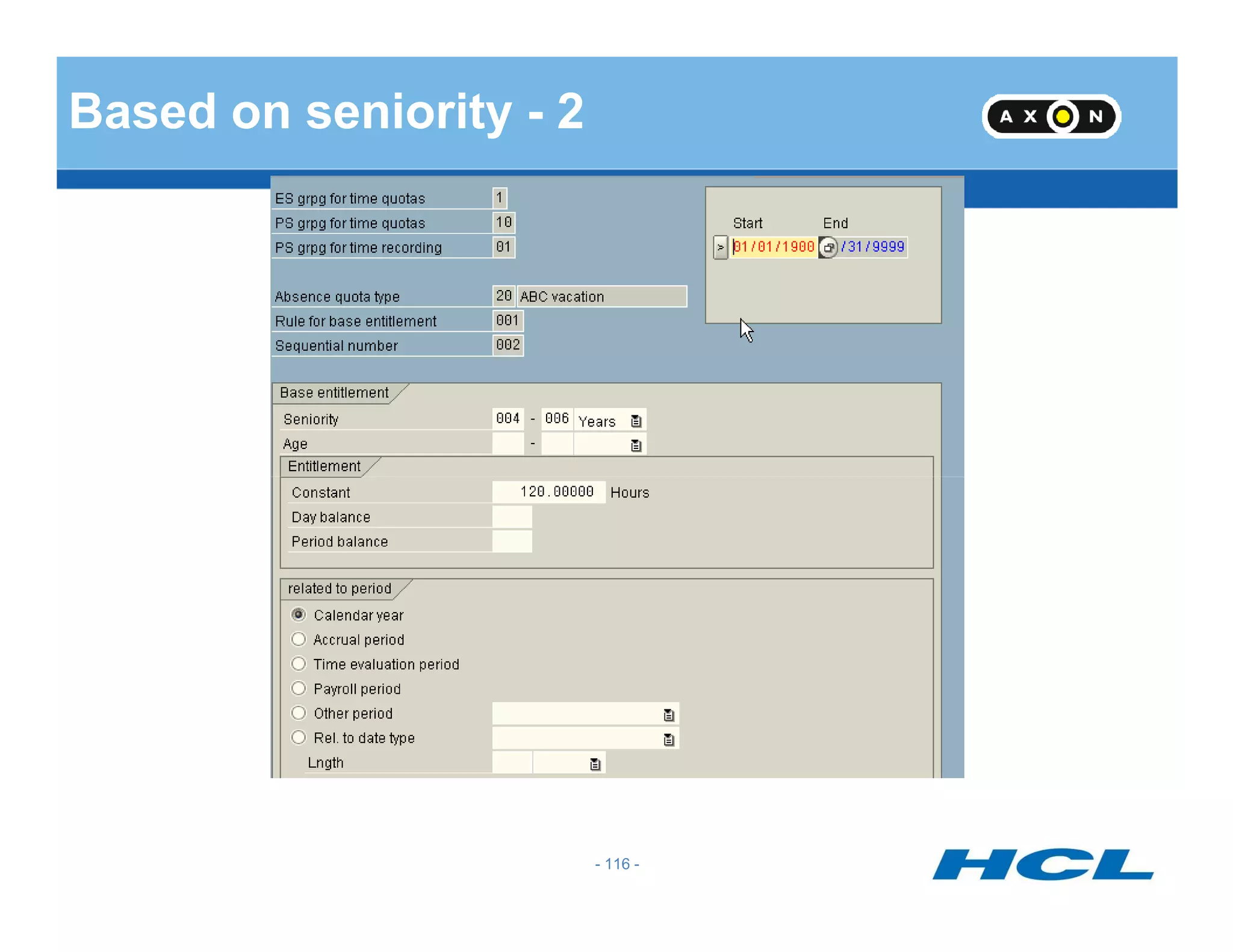
Based on seniority - 2
- 116 -
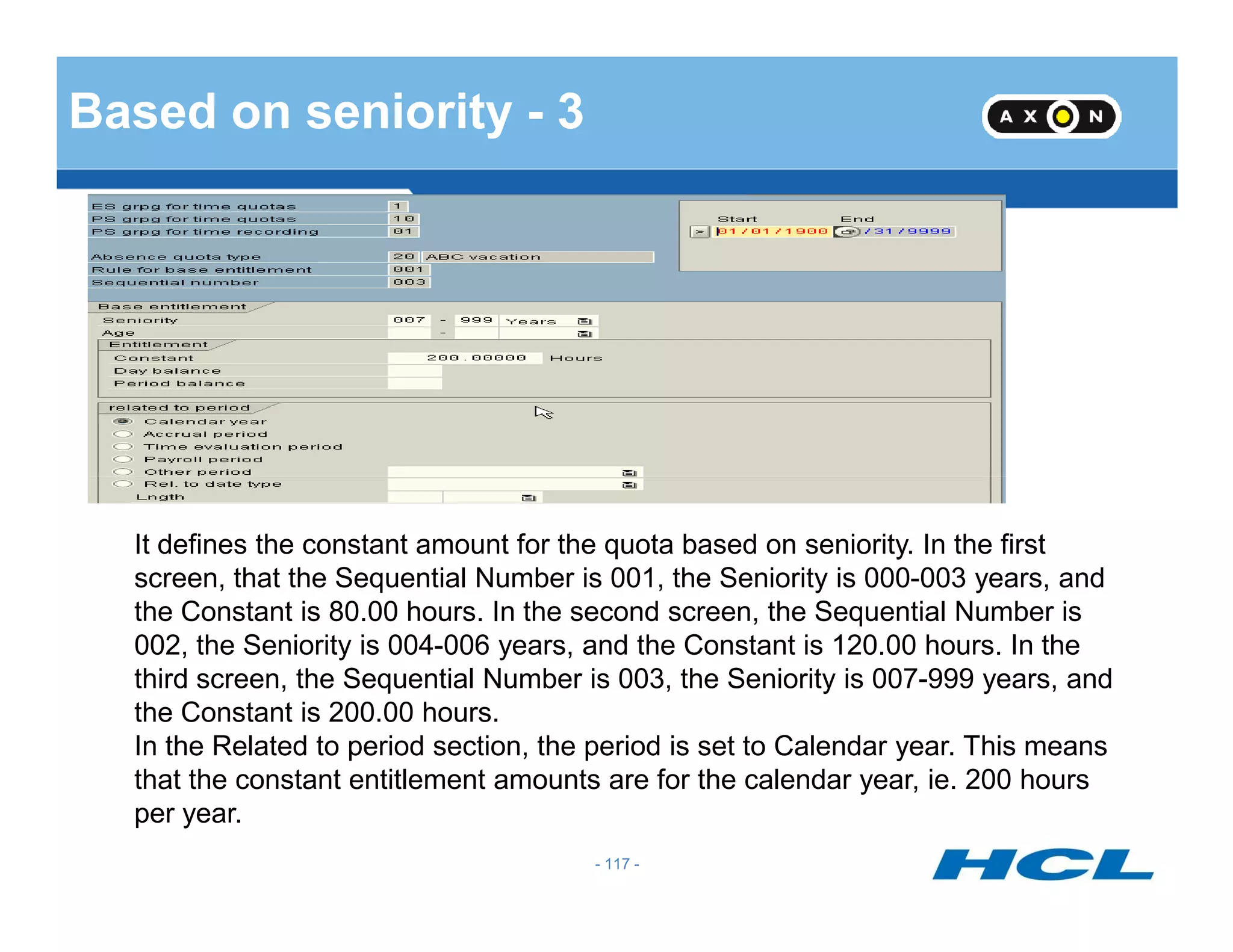
Based on seniority - 3
- 117 -
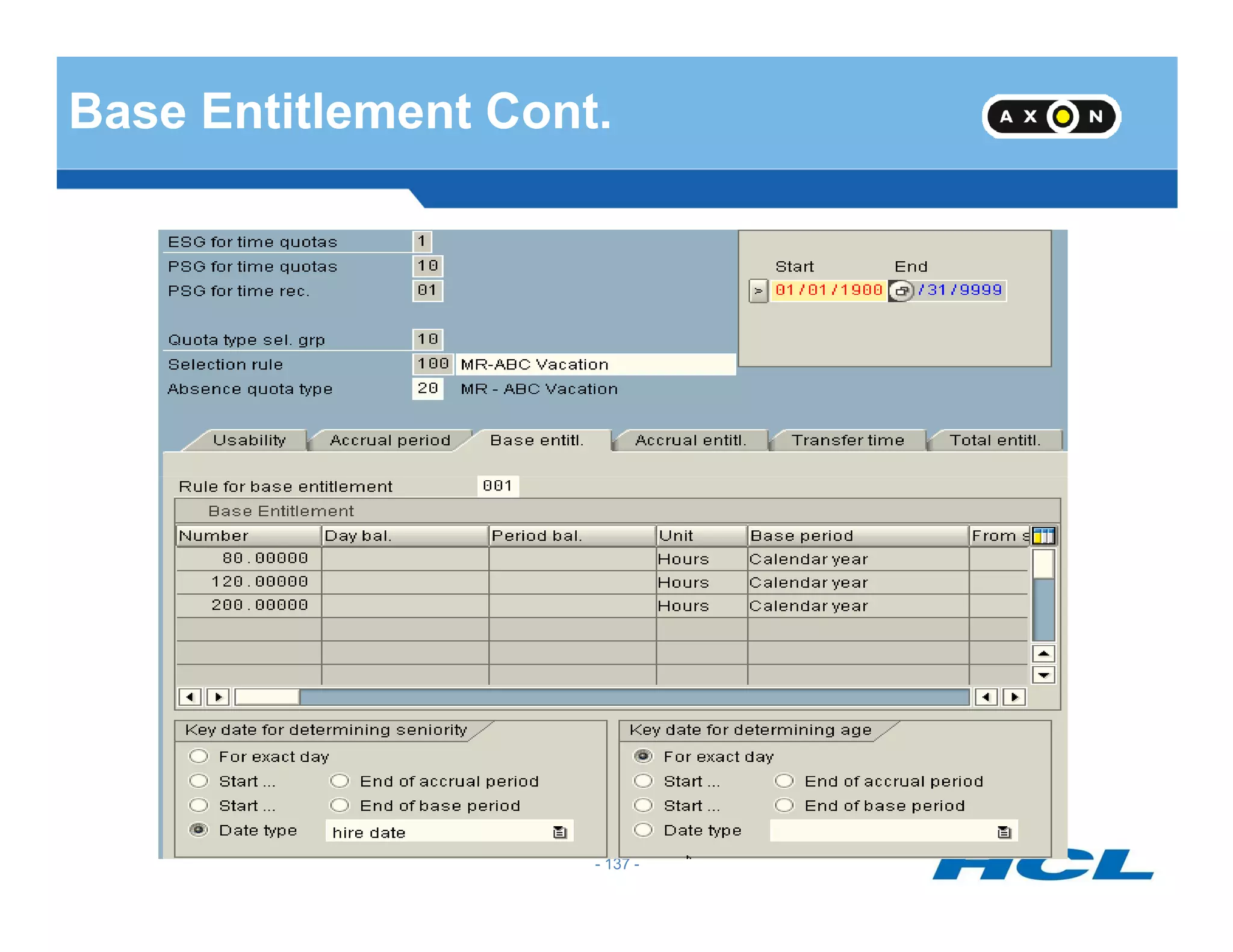
It defines the constant amount for the quota based on seniority. In the first
screen, that the Sequential Number is 001, the Seniority is 000-003 years, and
the Constant is 80.00 hours. In the second screen, the Sequential Number is
002, the Seniority is 004-006 years, and the Constant is 120.00 hours. In the
third screen, the Sequential Number is 003, the Seniority is 007-999 years, and
the Constant is 200.00 hours.
In the Related to period section, the period is set to Calendar year. This means
that the constant entitlement amounts are for the calendar year, ie. 200 hours
per year.
- 118 -
Validity Interval and Deduction Interval
Validity Interval
• Validity Interval is the period for which the quota is to be accrued.
• We may specify validity interval as start of calendar year to end of calendar year or
alternatively, other periods can also be specified as validity interval.
- 119 -
alternatively, other periods can also be specified as validity interval.
• While giving the validity interval, the quota type selection rule group will also be
specified.
- 119 -
Deduction Interval
• Deduction interval is the period in which quota can be used.
• Different quotas can have different deduction intervals
- 120 -- 120 -
Determine Validity and
Deduction Periods
- 121 -
Determine Validity and
Deduction Periods
- 122 -
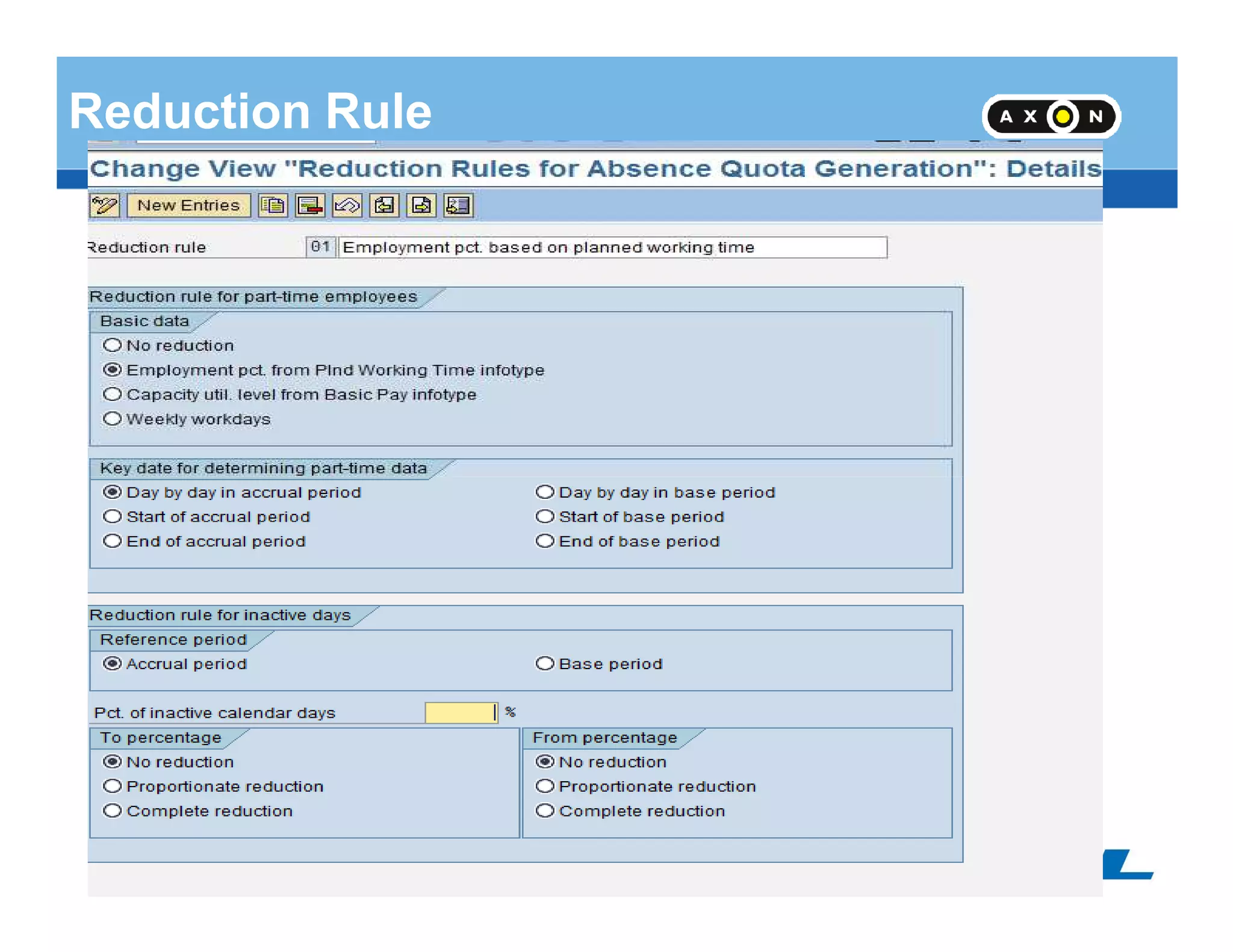
Reduction Rule
- 123 -
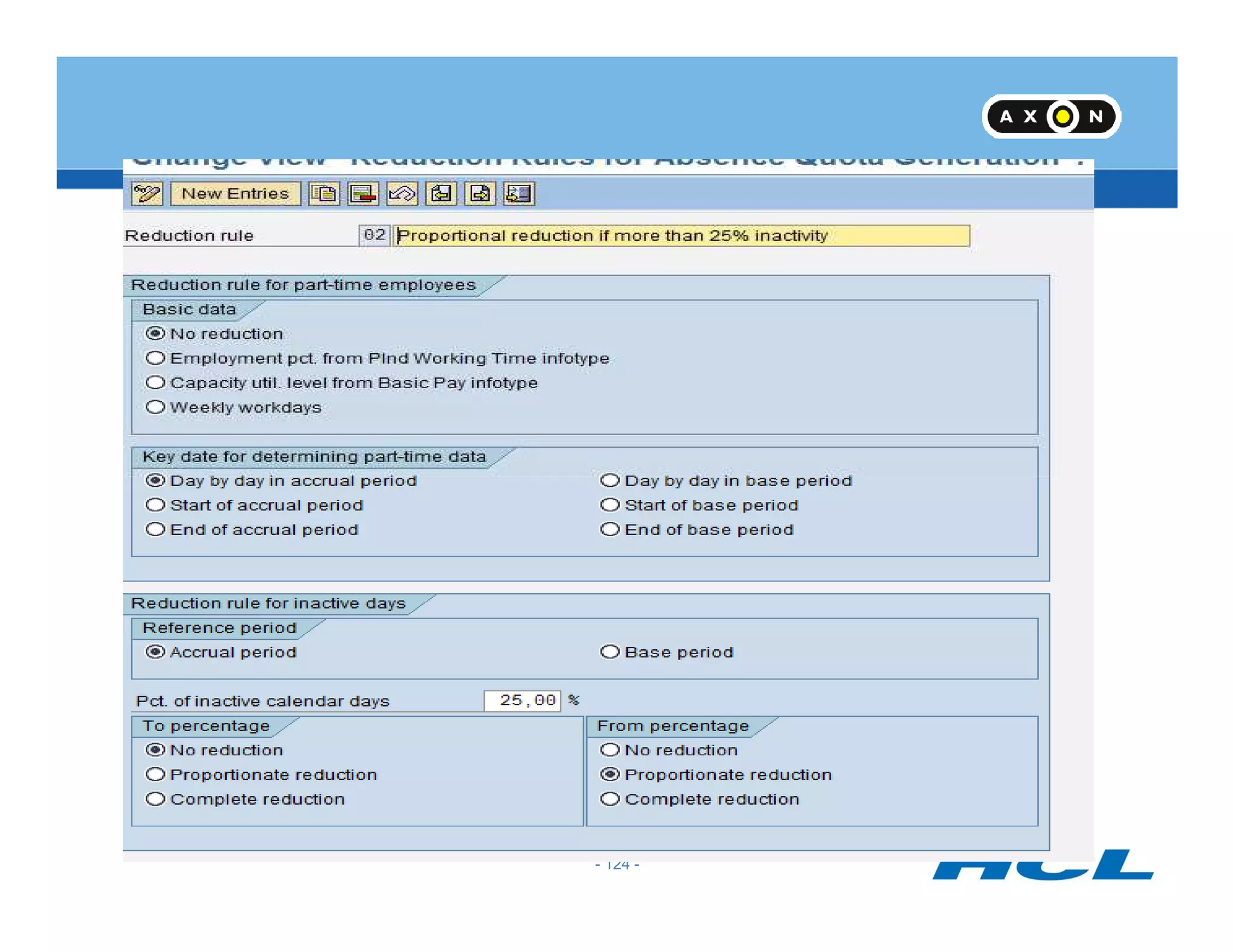
- 124 -
Reduction Rule
• Quota can be reduced proportionately for part-time employees based on part-time
percentage in Infotype 0007
• Quota can be reduced proportionately for employees based on Capacity Utilisation
percentage in Infotype 0008
- 125 -
• For employees who join or leave in the middle of the year, based on inactivity, quotas
can be reduced
- 125 -
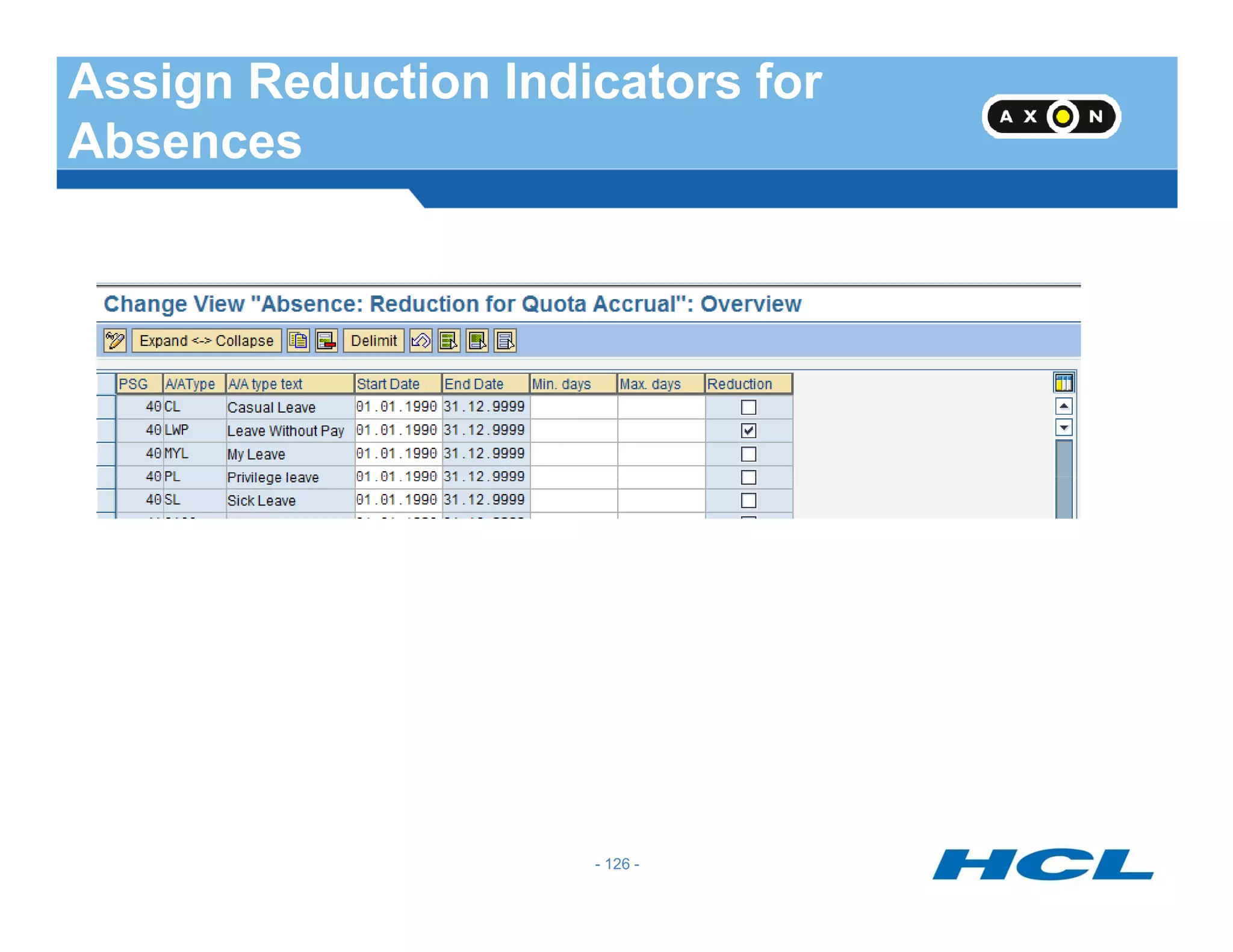
Assign Reduction Indicators for
Absences
- 126 -
Generation Rule
- 127 -
Generation Rule
Generate Rule incorporates
•Base Entitlements
•Reduction Rule
• Rounding Rule
- 128 -
• Based on Challenge percentage of employee different generation rules can be framed
• Based on date of entry, different generation rules can be framed
•The maximum entitlement can be restricted in the generation rule
- 128 -
Default of Quotas
- 129 -
Default of Quotas
• QUOMO feature defaults quotas based on Quota Type Selection Rule Group
• The Generation Rule and Validity periods would refer the Quota Type Selection Rule
Group
- 130 -
• Based on the Quota Type Selection Rule Group QUOMO will default the quotas if
report
RPTQTA00 is run or when Infotype 2006 is created
- 130 -
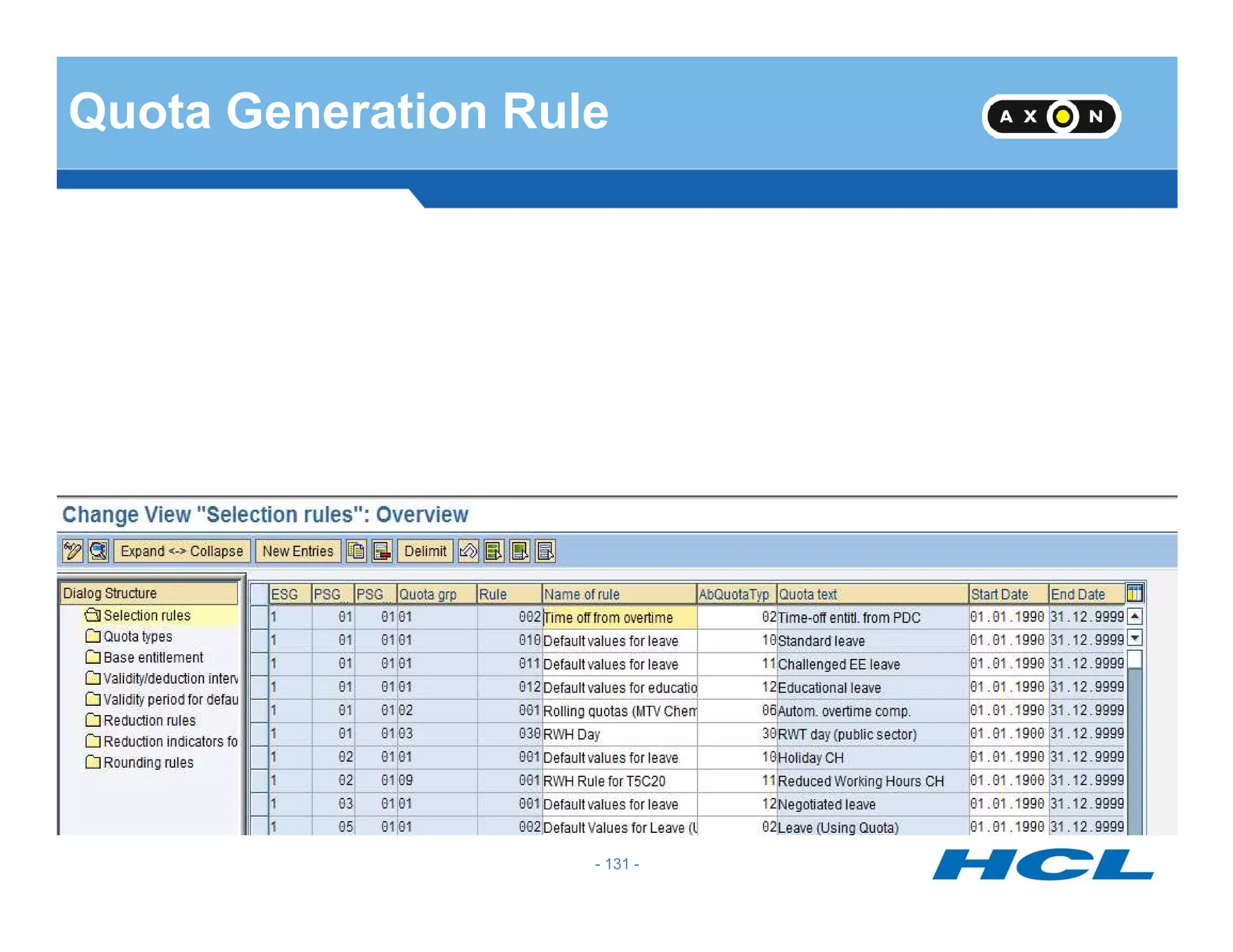
Quota Generation Rule
- 131 -
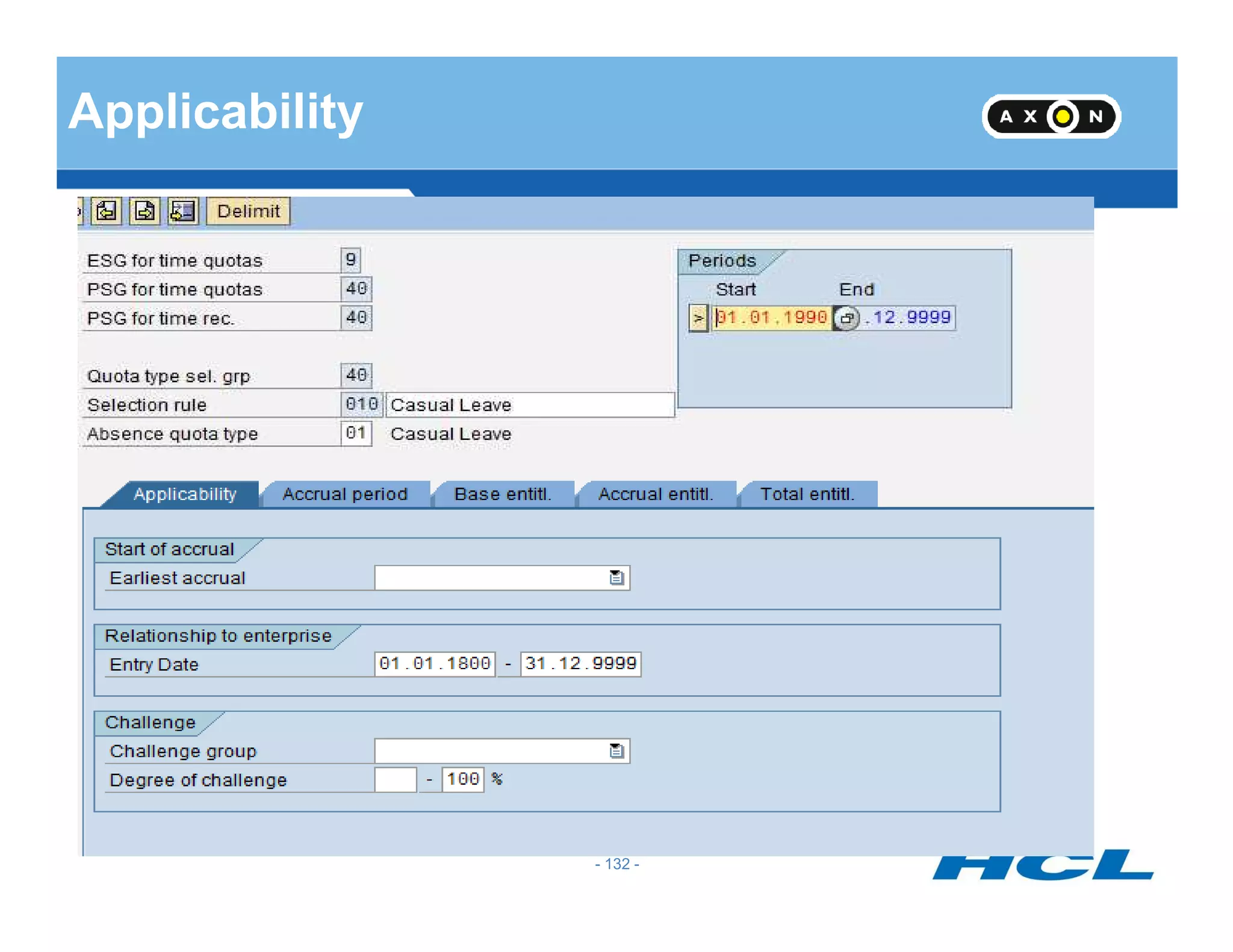
Applicability
- 132 -
Applicability cont..
Earliest accrual date: corresponds to a date on Infotype 0019 – Monitoring
of Dates. For example, if the employee’s accrual should not start until after
they complete a probationary period of time, you can specify the
date/deadline type from IT0019 here.
• Entry date: Specify a period of time for which the rule should be applicable
- 133 -
• Entry date: Specify a period of time for which the rule should be applicable
based on the employee’s entry date. Keep in mind that this date is derived
from the entry date on IT0000. (See section in this document on Feature
HDATE for more details). If entry date is not relevant, leave the fields blank
or use a greater period for the entry date (01/01/1800 - 2/31/9999, for
example).
• Challenge Group/Degree of challenge: specify details on the employee’s
disability, if applicable.
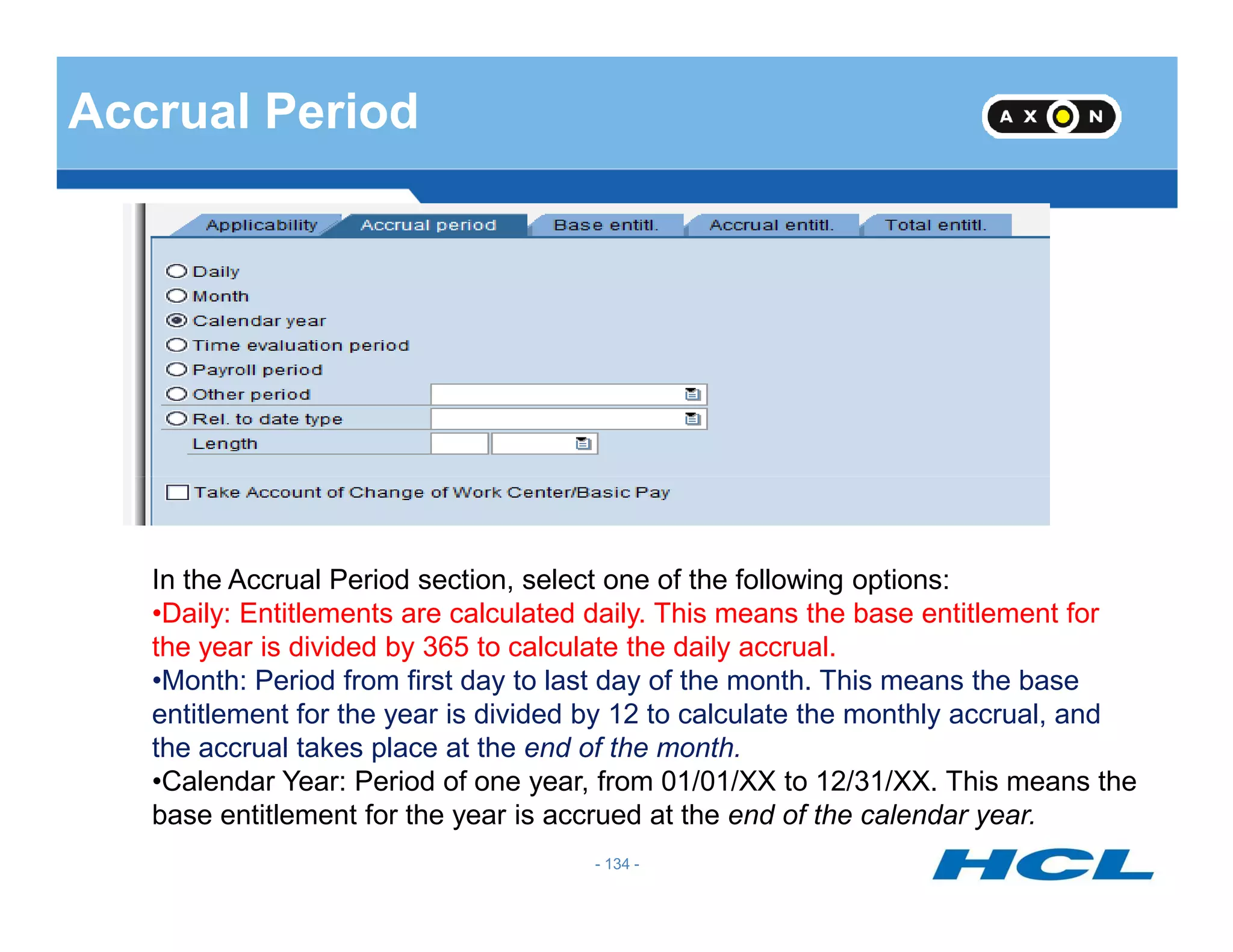
Accrual Period
- 134 -
In the Accrual Period section, select one of the following options:
•Daily: Entitlements are calculated daily. This means the base entitlement for
the year is divided by 365 to calculate the daily accrual.
•Month: Period from first day to last day of the month. This means the base
entitlement for the year is divided by 12 to calculate the monthly accrual, and
the accrual takes place at the end of the month.
•Calendar Year: Period of one year, from 01/01/XX to 12/31/XX. This means the
base entitlement for the year is accrued at the end of the calendar year.
Accrual Period Cont ..
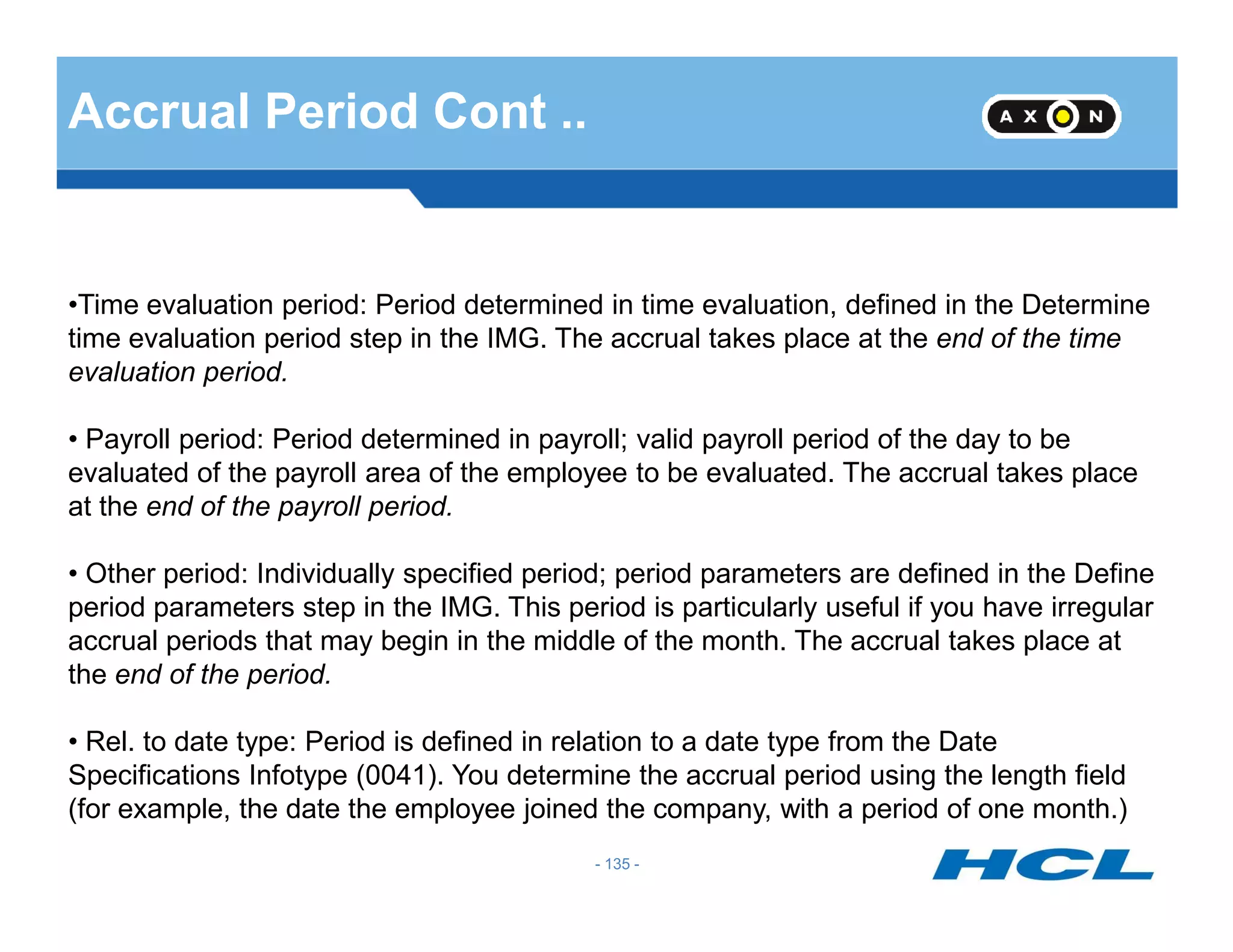
•Time evaluation period: Period determined in time evaluation, defined in the Determine
time evaluation period step in the IMG. The accrual takes place at the end of the time
evaluation period.
• Payroll period: Period determined in payroll; valid payroll period of the day to be
evaluated of the payroll area of the employee to be evaluated. The accrual takes place
- 135 -
evaluated of the payroll area of the employee to be evaluated. The accrual takes place
at the end of the payroll period.
• Other period: Individually specified period; period parameters are defined in the Define
period parameters step in the IMG. This period is particularly useful if you have irregular
accrual periods that may begin in the middle of the month. The accrual takes place at
the end of the period.
• Rel. to date type: Period is defined in relation to a date type from the Date
Specifications Infotype (0041). You determine the accrual period using the length field
(for example, the date the employee joined the company, with a period of one month.)
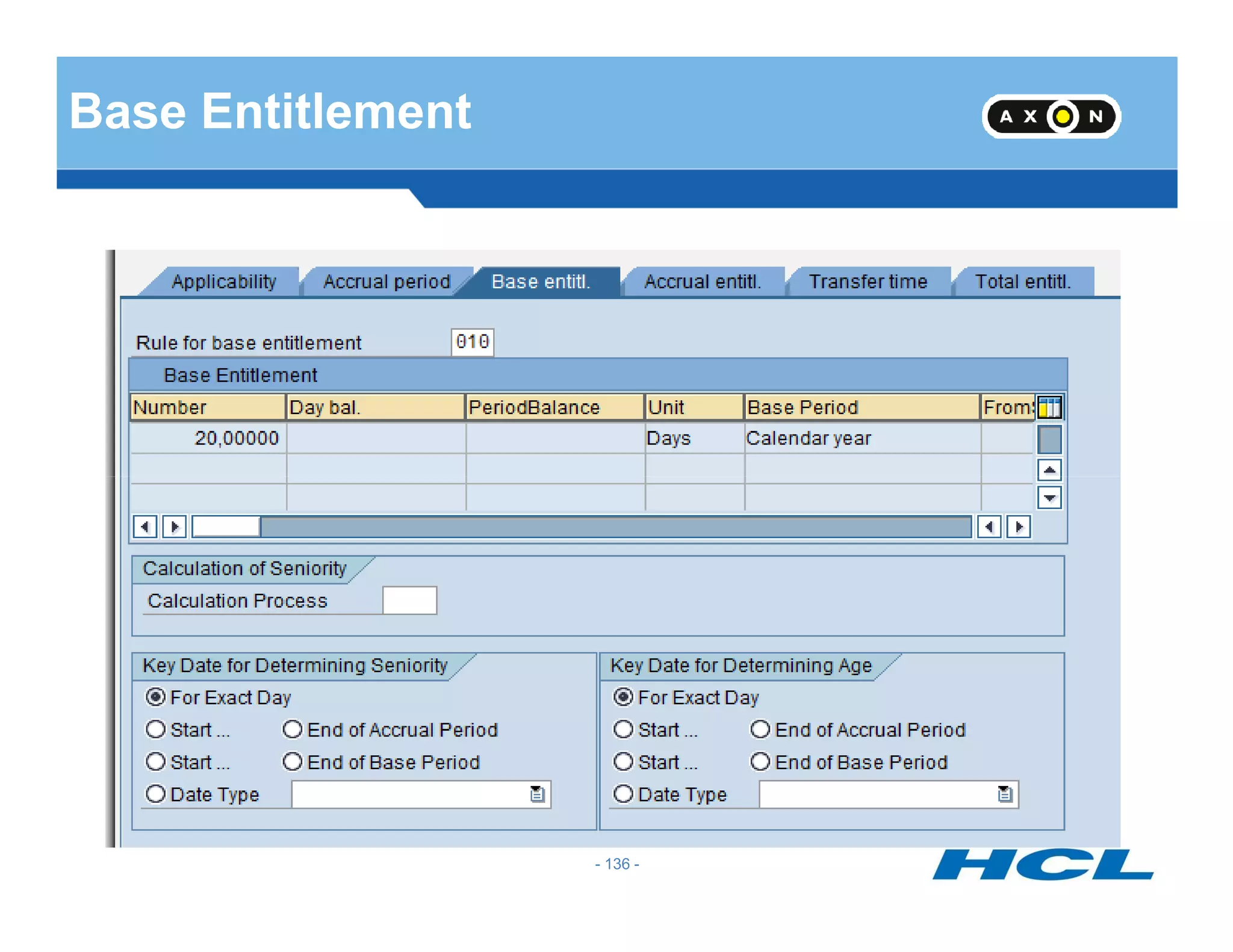
Base Entitlement
- 136 -
Base Entitlement Cont.
- 137 -
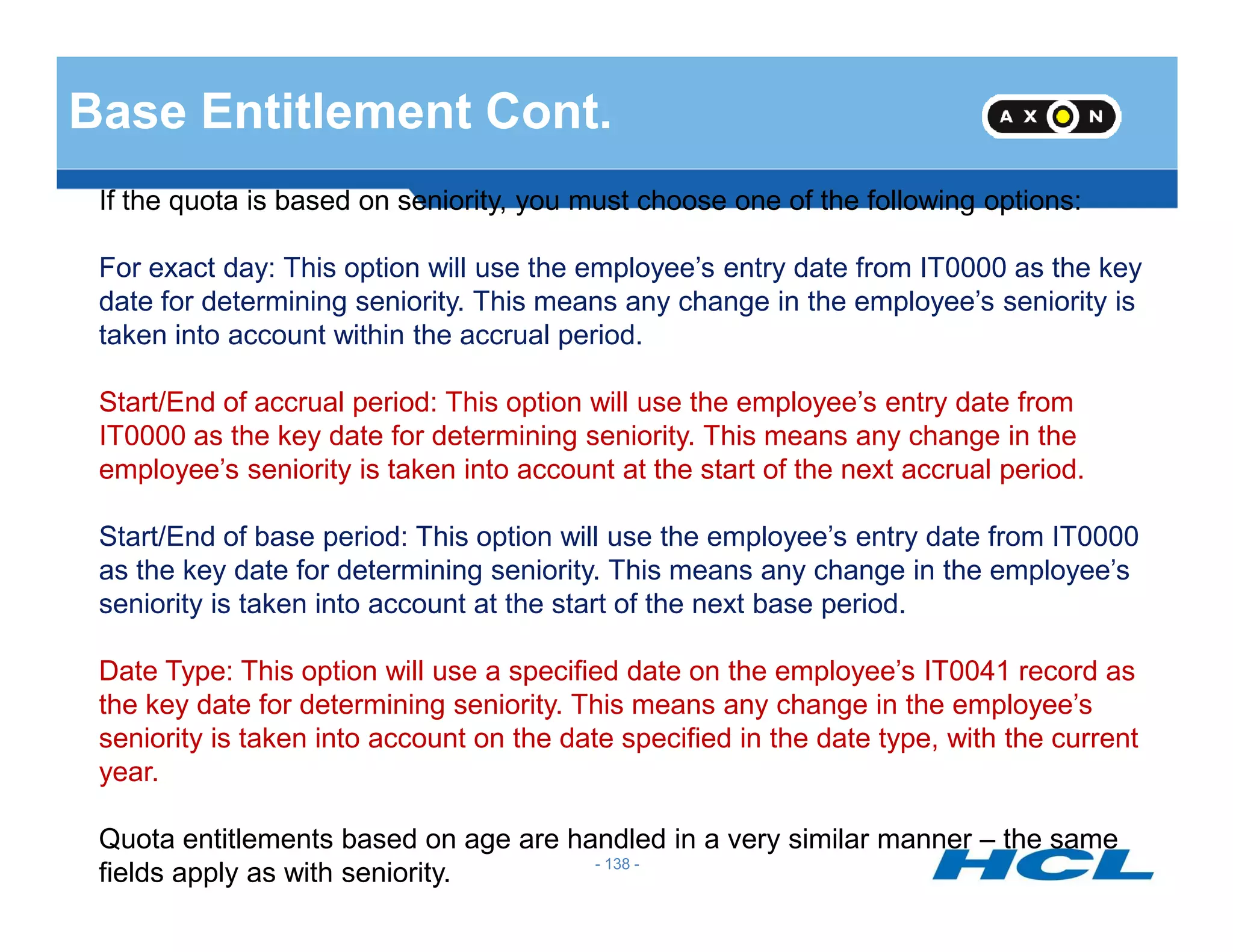
Base Entitlement Cont.
If the quota is based on seniority, you must choose one of the following options:
For exact day: This option will use the employee’s entry date from IT0000 as the key
date for determining seniority. This means any change in the employee’s seniority is
taken into account within the accrual period.
Start/End of accrual period: This option will use the employee’s entry date from
IT0000 as the key date for determining seniority. This means any change in the
employee’s seniority is taken into account at the start of the next accrual period.
- 138 -
employee’s seniority is taken into account at the start of the next accrual period.
Start/End of base period: This option will use the employee’s entry date from IT0000
as the key date for determining seniority. This means any change in the employee’s
seniority is taken into account at the start of the next base period.
Date Type: This option will use a specified date on the employee’s IT0041 record as
the key date for determining seniority. This means any change in the employee’s
seniority is taken into account on the date specified in the date type, with the current
year.
Quota entitlements based on age are handled in a very similar manner – the same
fields apply as with seniority.
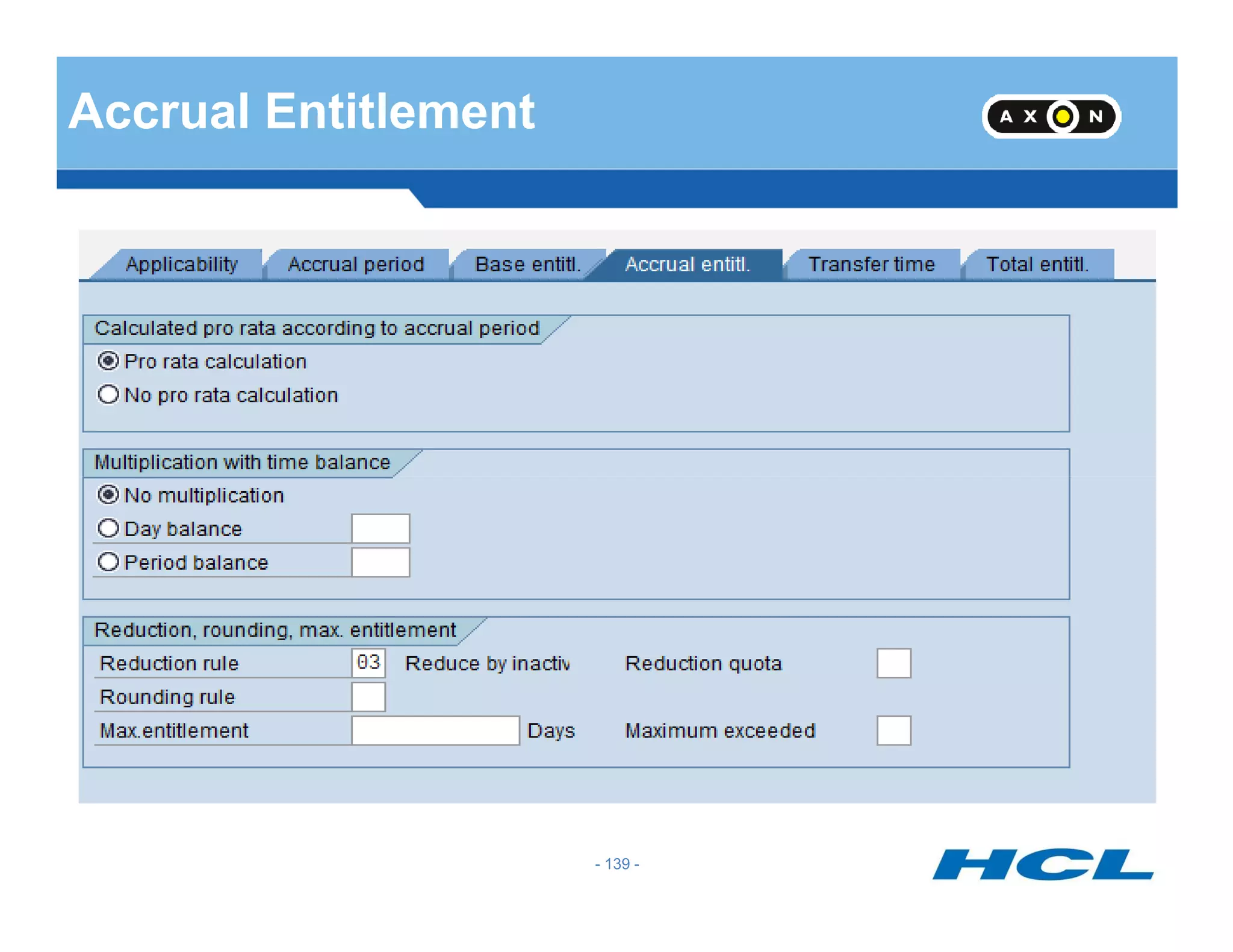
Accrual Entitlement
- 139 -
Accrual Entitlement Cont..
Pro rata calculation means in order to determine the appropriate entitlement based on
the period, the accrual period is compared with the base period of the quota type
currently being processed, and a proportionate accrual entitlement is determined. It
means the total base entitlement of the quota type currently being processed is always
used as the basis for the accrual entitlement.
You can also choose to multiply the accrual by a time balance. If you want to generate
the accrual entitlements on the basis of accountable attendance times, enter either a
- 140 -
the accrual entitlements on the basis of accountable attendance times, enter either a
day balance or period balance in the Multiplication by time balance section.
You can use alternative quotas to manage the capping differences that result from
deduction or from the maximum entitlement being exceeded. Determine whether you
want to store the capping differences and assign the applicable quota types.
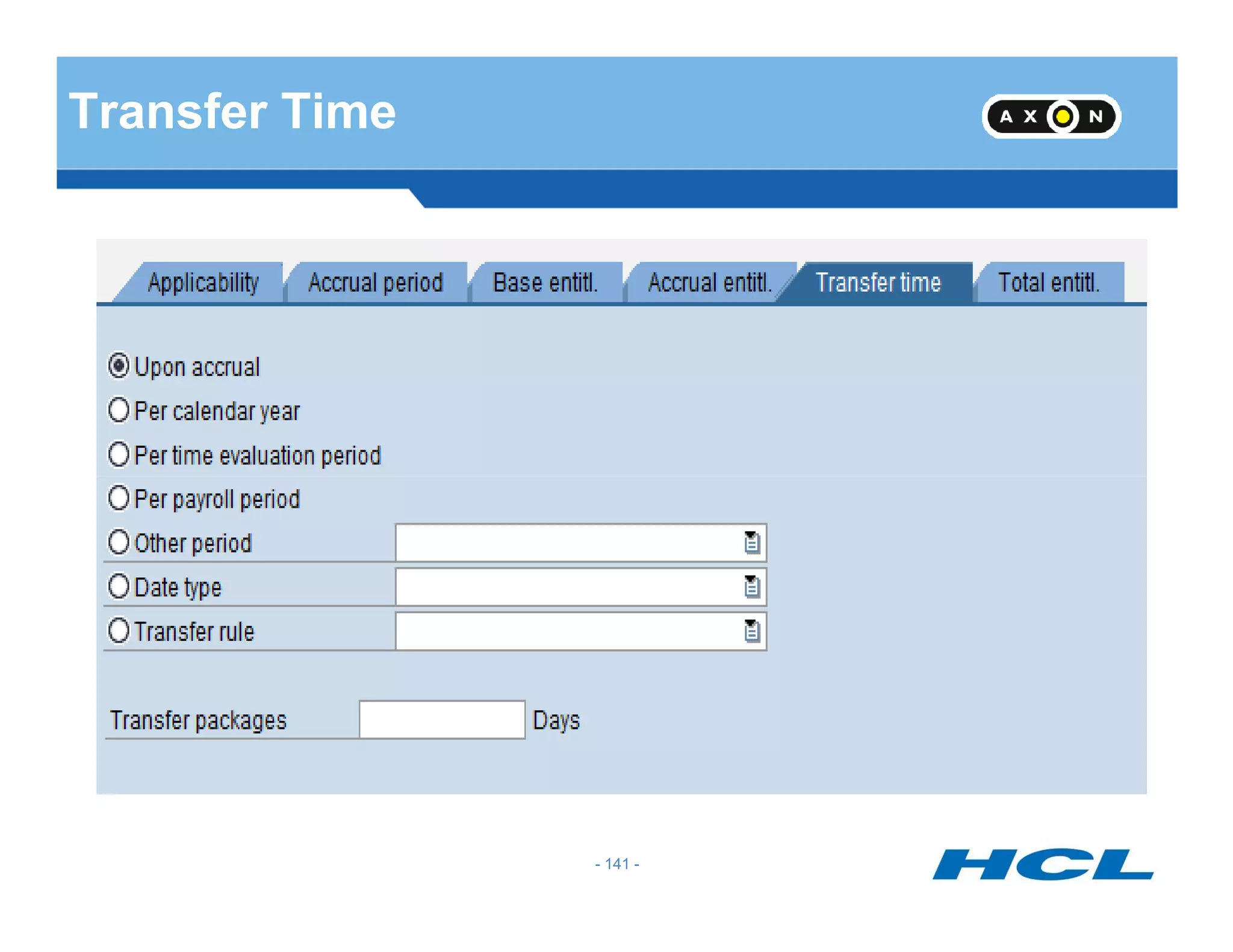
Transfer Time
- 141 -
Transfer Time Cont..
In the transfer time section, you must choose one of the following options:
Upon accrual – Whenever the accrual takes place, it is immediately transferred to the
quota.
Per calendar year – The accrual is transferred at the end of the year, on 12/31/XX.
Per time evaluation period – The accrual is transferred at the end of the specified time
- 142 -
Per time evaluation period – The accrual is transferred at the end of the specified time
evaluation period.
Per payroll period – The accrual is transferred at the end of the payroll period.
Other period – An individually defined period; the period parameter is set in the Define
Period Parameters step in Customizing for Payroll.
Date type – A date type from IT0041 can be specified here as the transfer time.
Transfer rule - This field is relevant for Australia and New Zealand only.
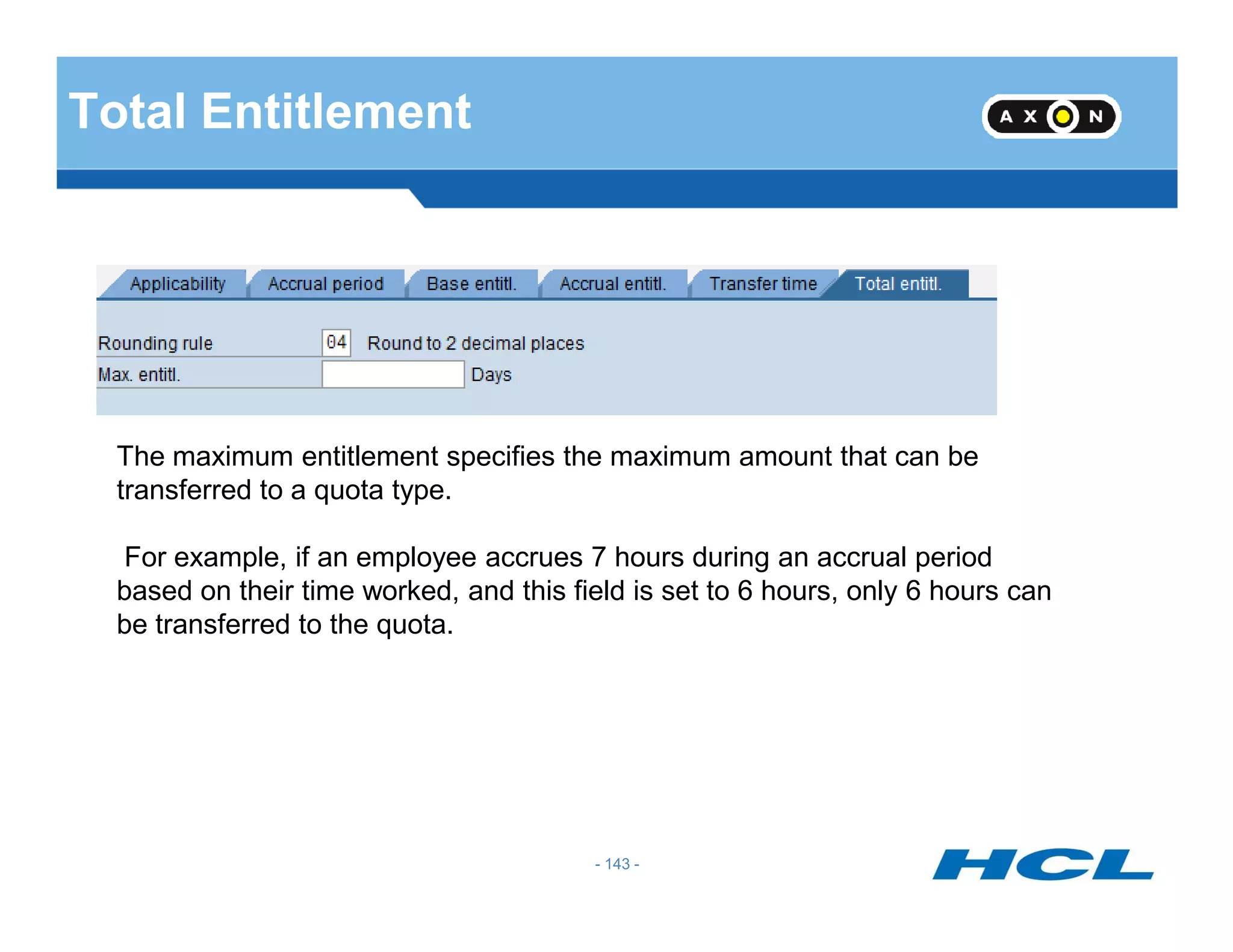
Total Entitlement
The maximum entitlement specifies the maximum amount that can be
transferred to a quota type.
- 143 -
transferred to a quota type.
For example, if an employee accrues 7 hours during an accrual period
based on their time worked, and this field is set to 6 hours, only 6 hours can
be transferred to the quota.
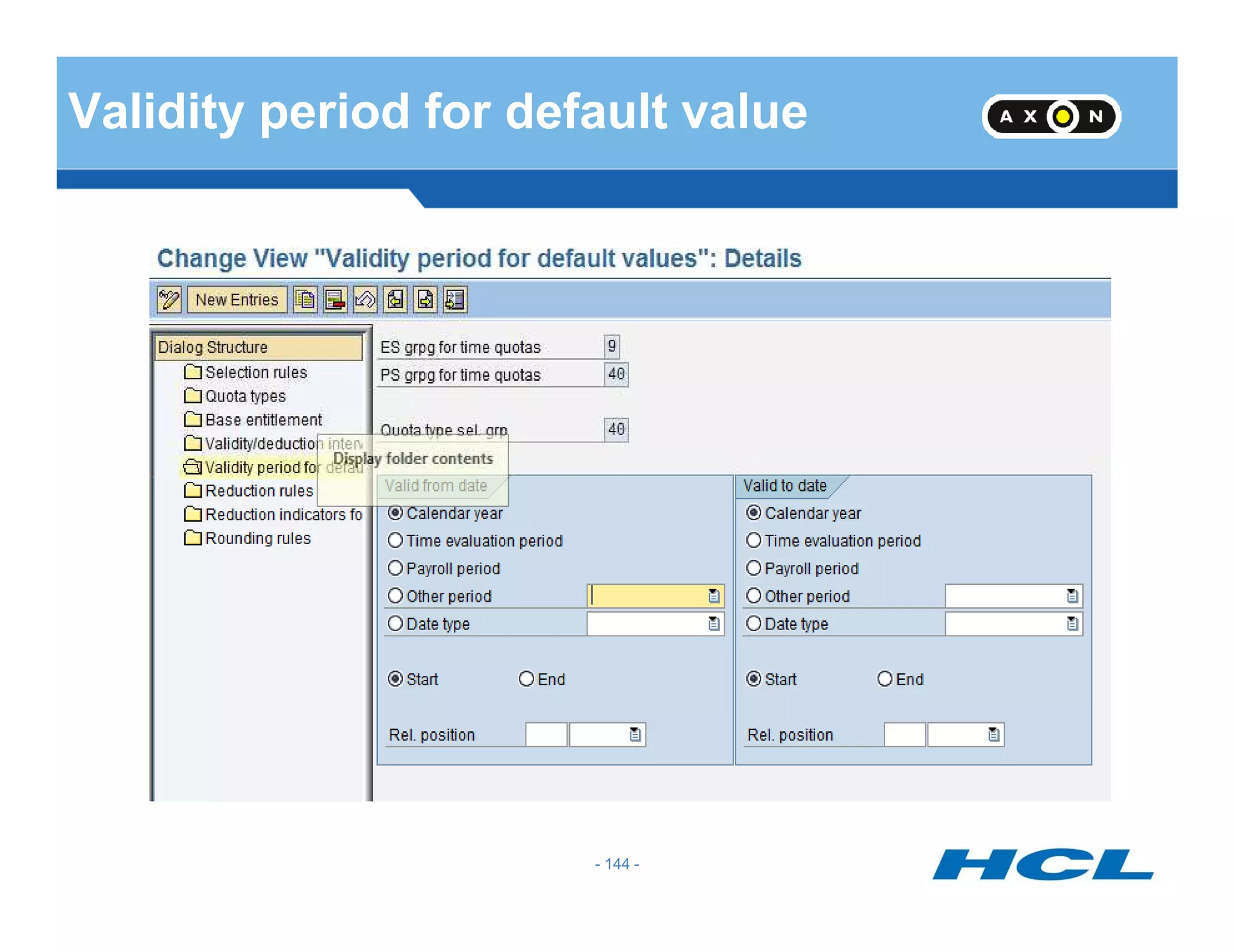
Validity period for default value
- 144 -
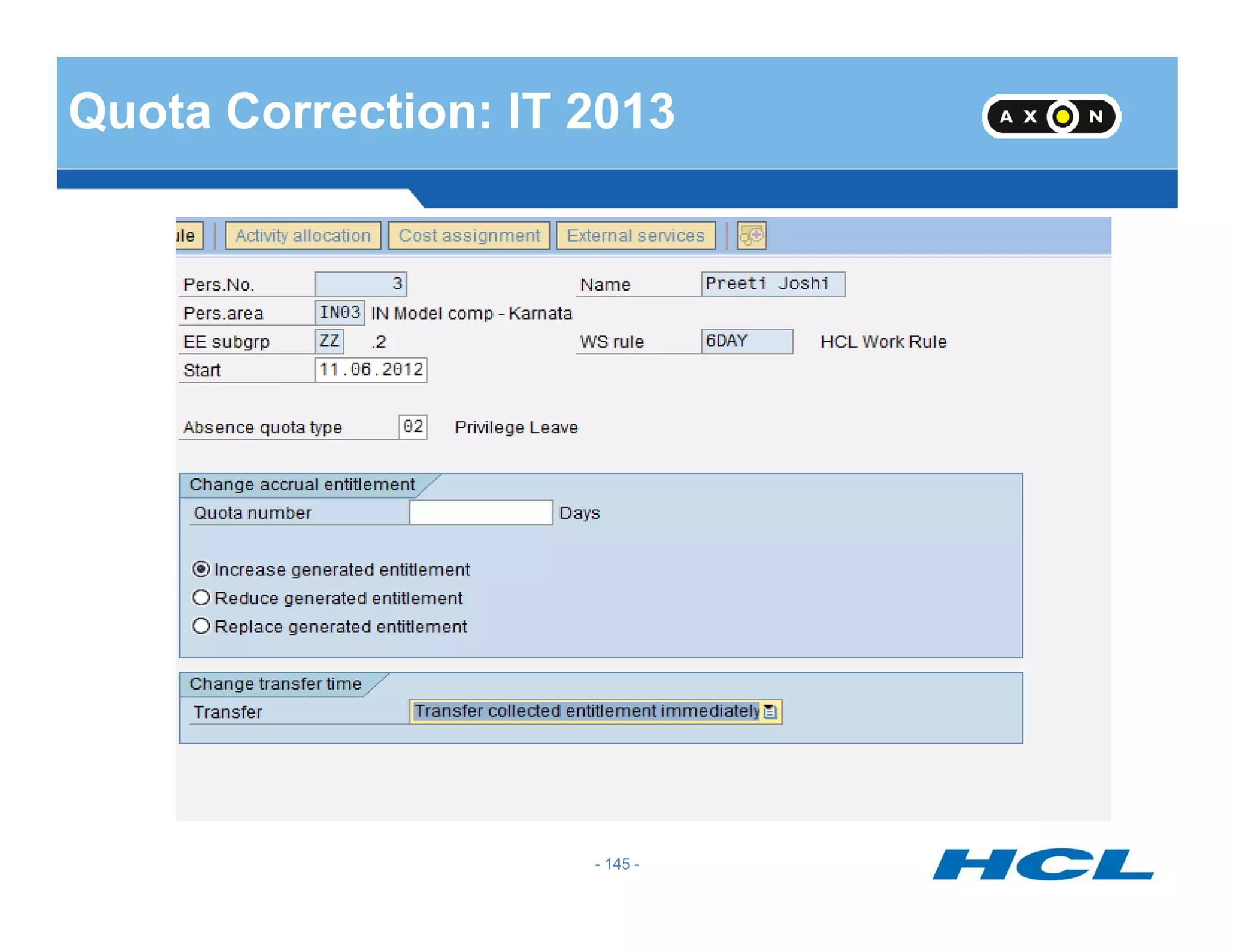
Quota Correction: IT 2013
- 145 -
Leave Donation in Public Sector
1. Infotype 0696 (Absence Pools) –
There are two types of pools: Home Pool and Foreign Pool.
Home Pool is used for a group of employees within the same
criteria/attribute (in the same Enterprise Structure, employee group,
subgroup, etc.)
Foreign Pool is a pool outside of the employee’s attribute. An employee
can only have one Home Pool and can have more than one Foreign
- 146 -
can only have one Home Pool and can have more than one Foreign
Pool.
2. Infotype 0613 (Absence Donation Administration) – To donate to
another employee, either to an Absence Pool or Withdraw from an
Absence Pool.
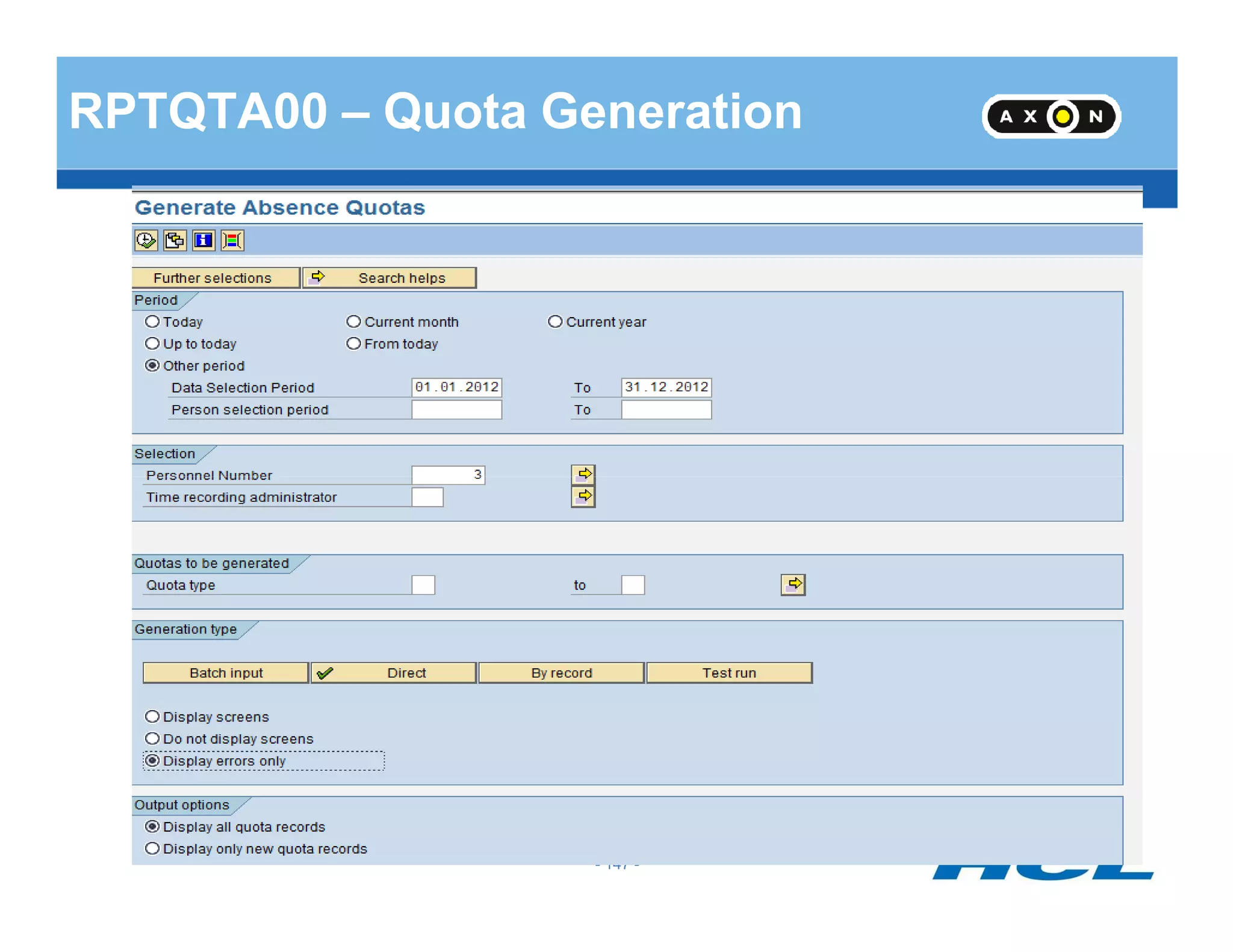
RPTQTA00 – Quota Generation
- 147 -
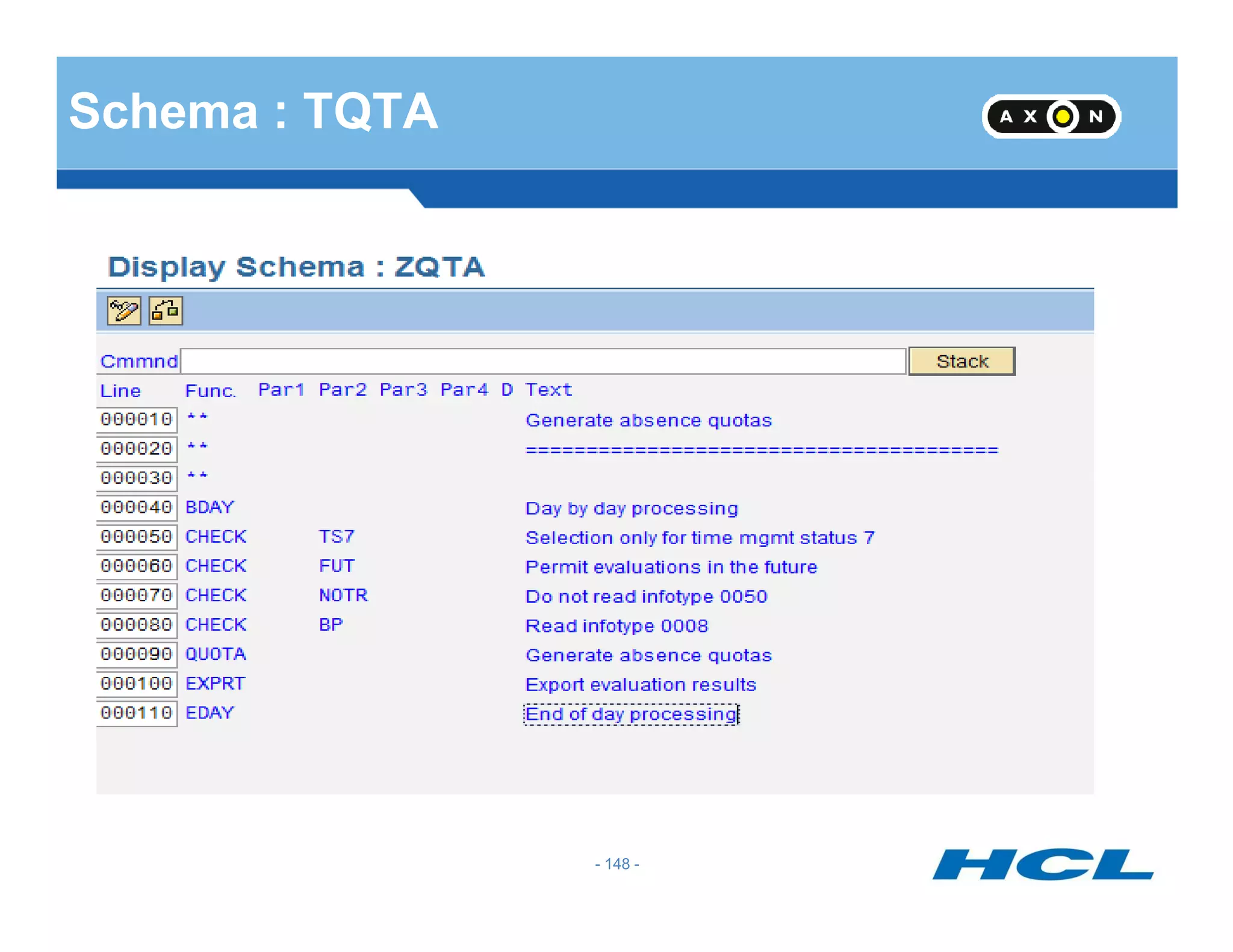
Schema : TQTA
- 148 -
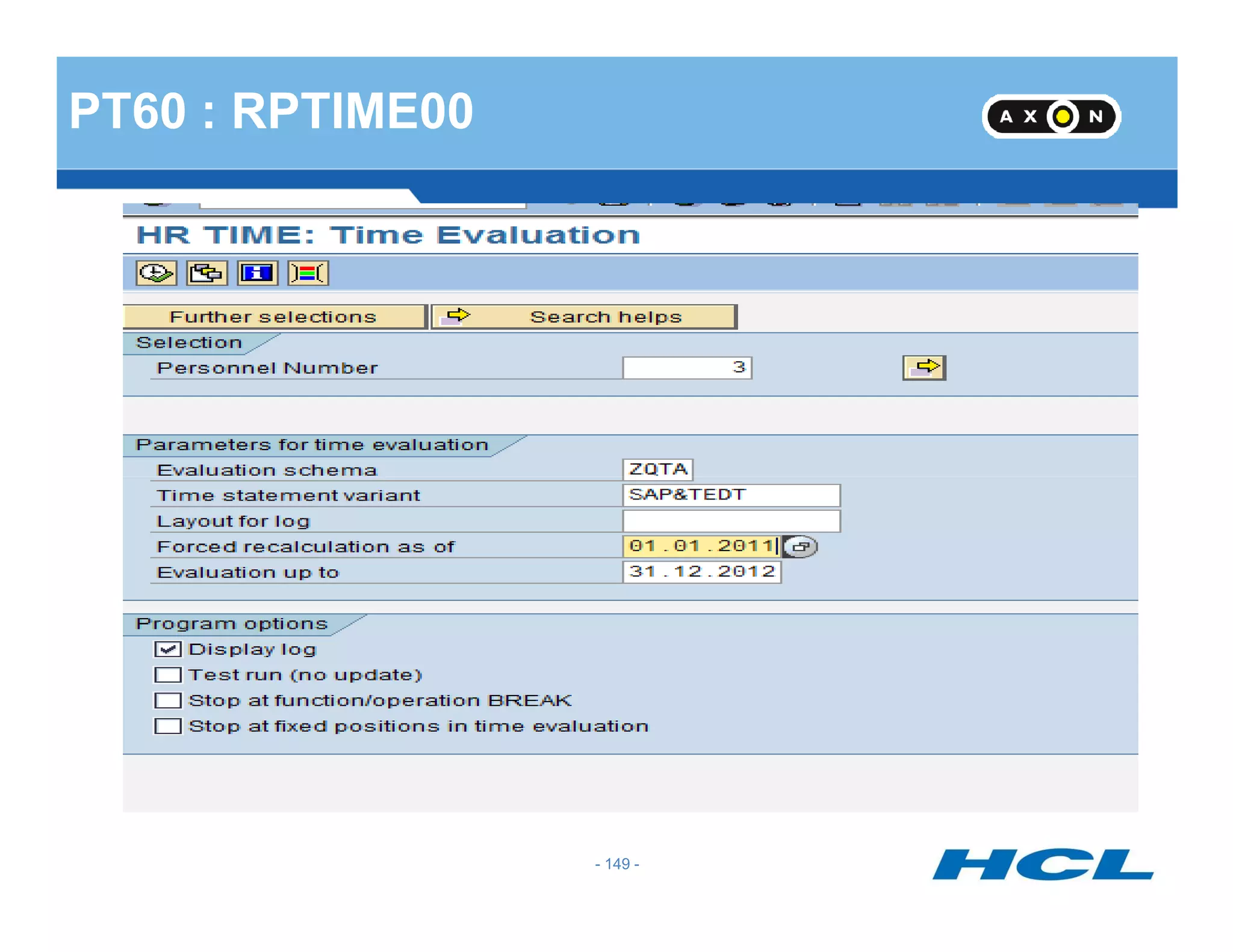
PT60 : RPTIME00
- 149 -
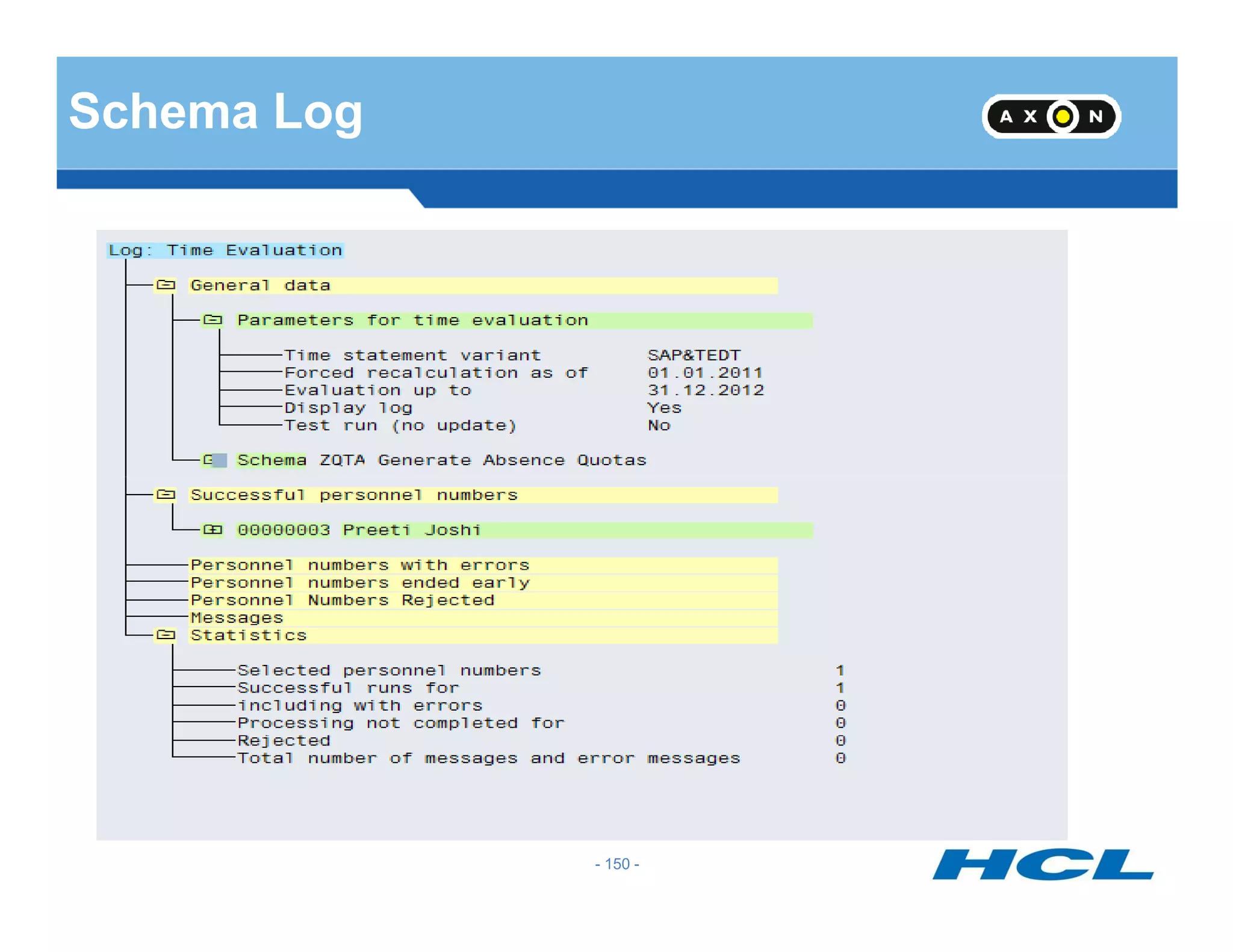
Schema Log
- 150 -
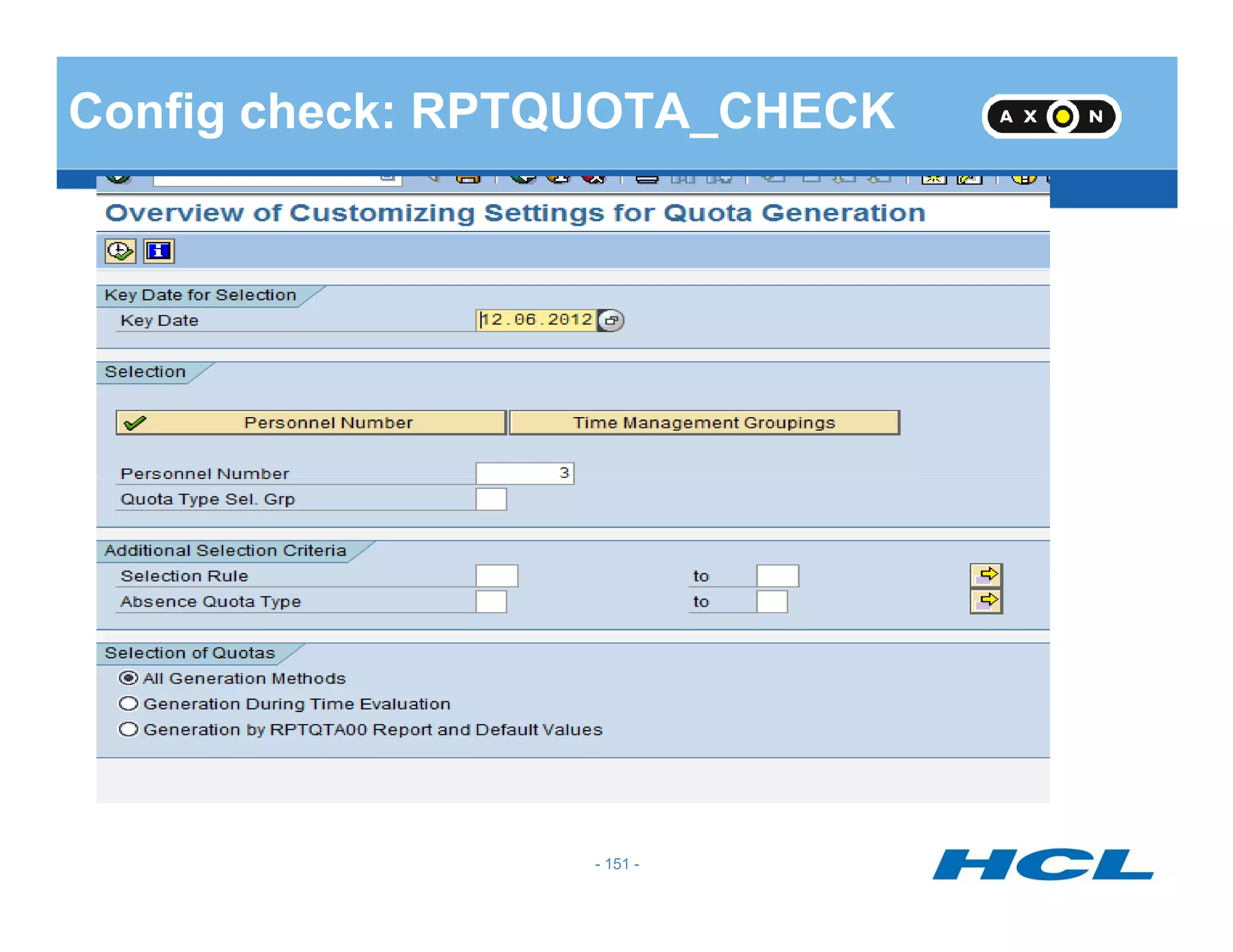
Config check: RPTQUOTA_CHECK
- 151 -
Result: RPTQUOTA_CHECK
- 152 -
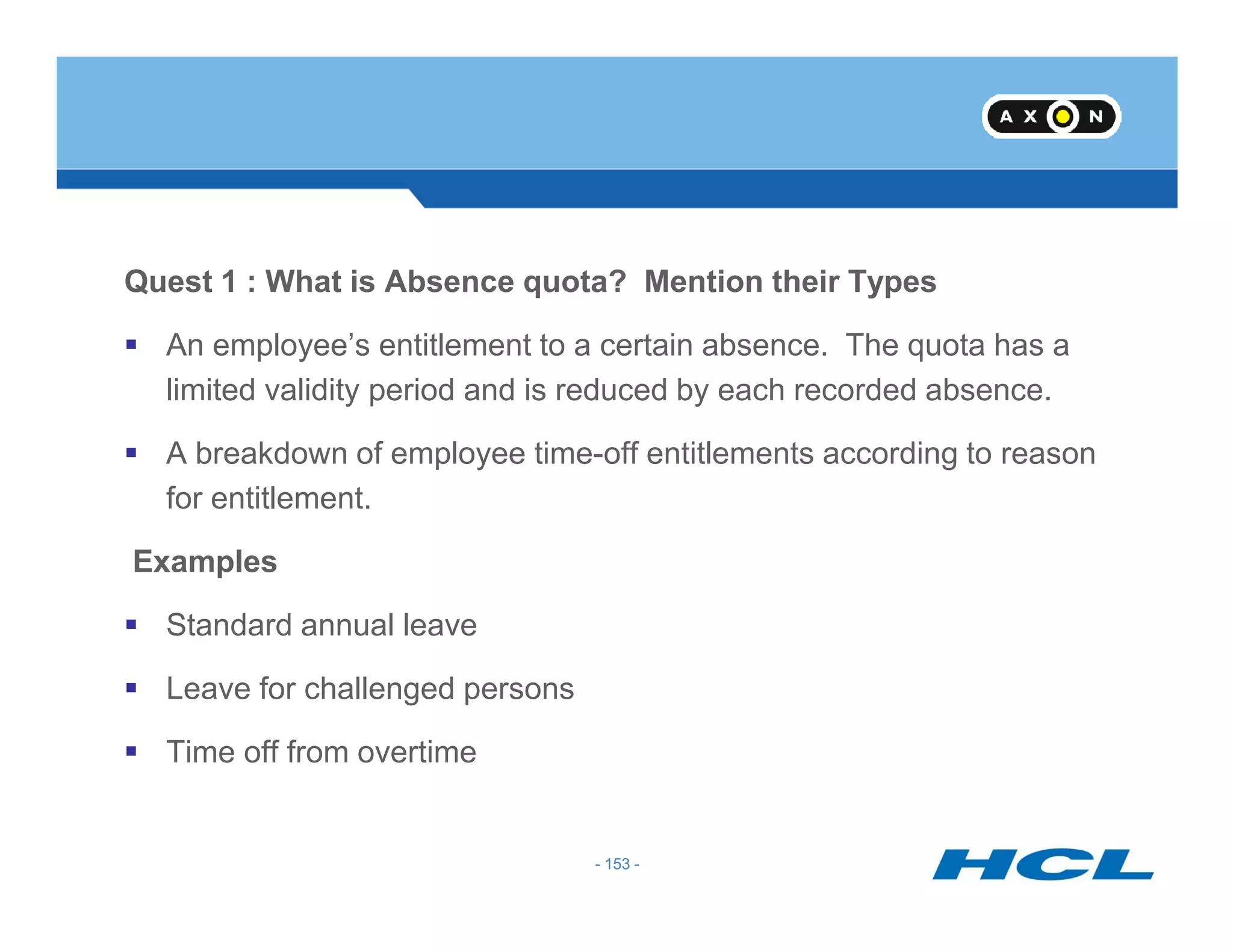
Quest 1 : What is Absence quota? Mention their Types
An employee’s entitlement to a certain absence. The quota has a
limited validity period and is reduced by each recorded absence.
A breakdown of employee time-off entitlements according to reason
- 153 -
for entitlement.
Examples
Standard annual leave
Leave for challenged persons
Time off from overtime
- 153 -
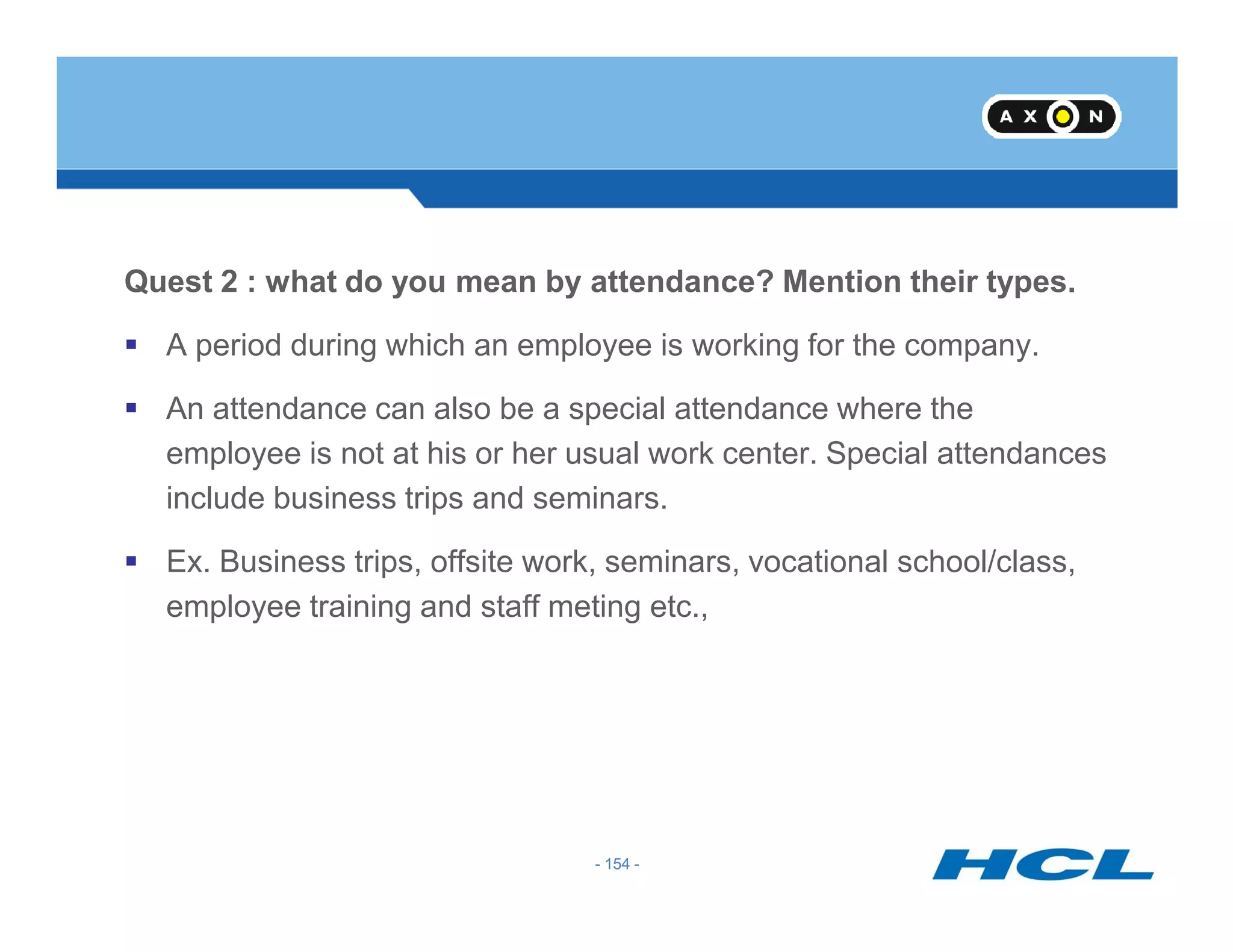
Quest 2 : what do you mean by attendance? Mention their types.
A period during which an employee is working for the company.
An attendance can also be a special attendance where the
employee is not at his or her usual work center. Special attendances
- 154 -
include business trips and seminars.
Ex. Business trips, offsite work, seminars, vocational school/class,
employee training and staff meting etc.,
- 154 -
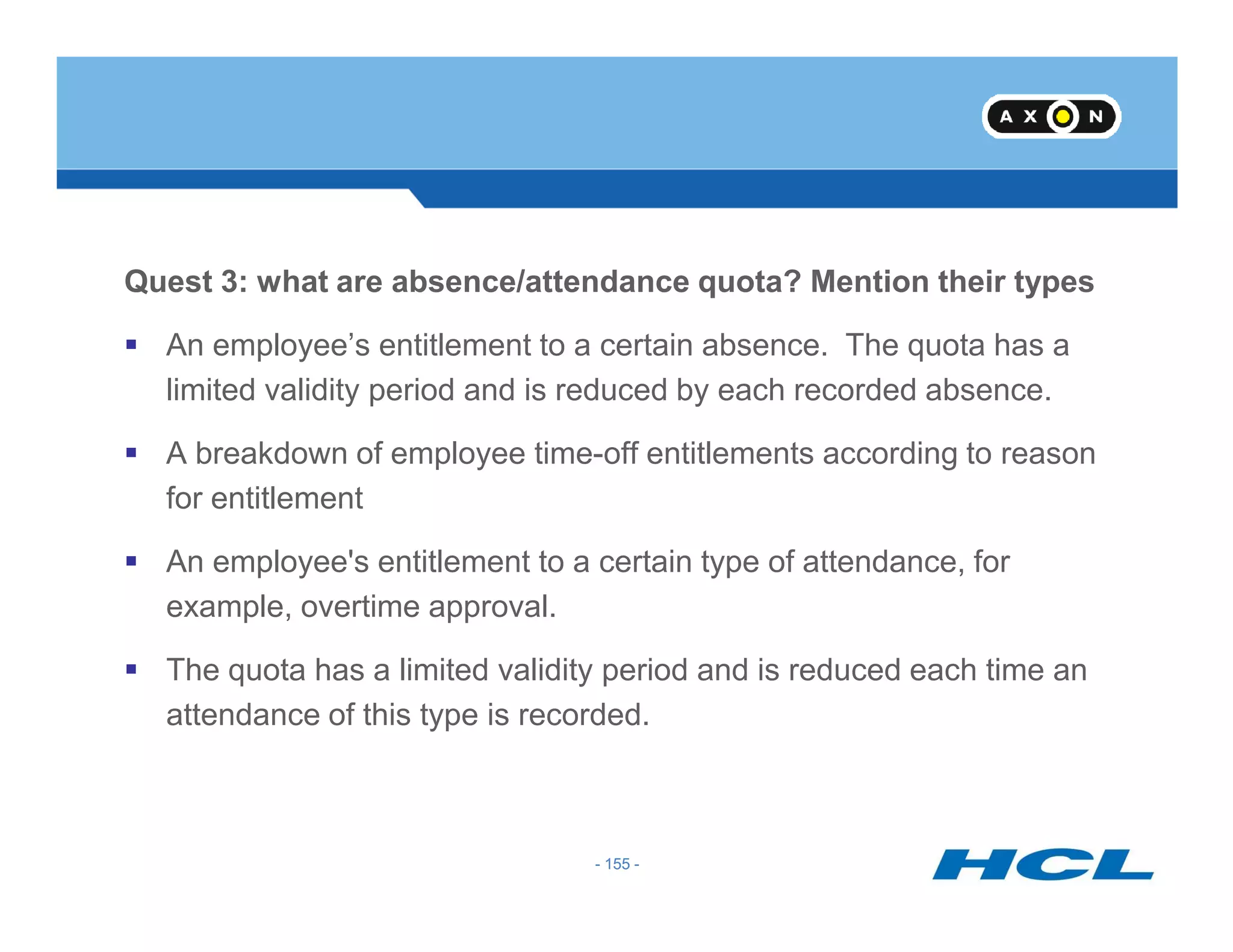
Quest 3: what are absence/attendance quota? Mention their types
An employee’s entitlement to a certain absence. The quota has a
limited validity period and is reduced by each recorded absence.
A breakdown of employee time-off entitlements according to reason
- 155 -
for entitlement
An employee's entitlement to a certain type of attendance, for
example, overtime approval.
The quota has a limited validity period and is reduced each time an
attendance of this type is recorded.
- 155 -
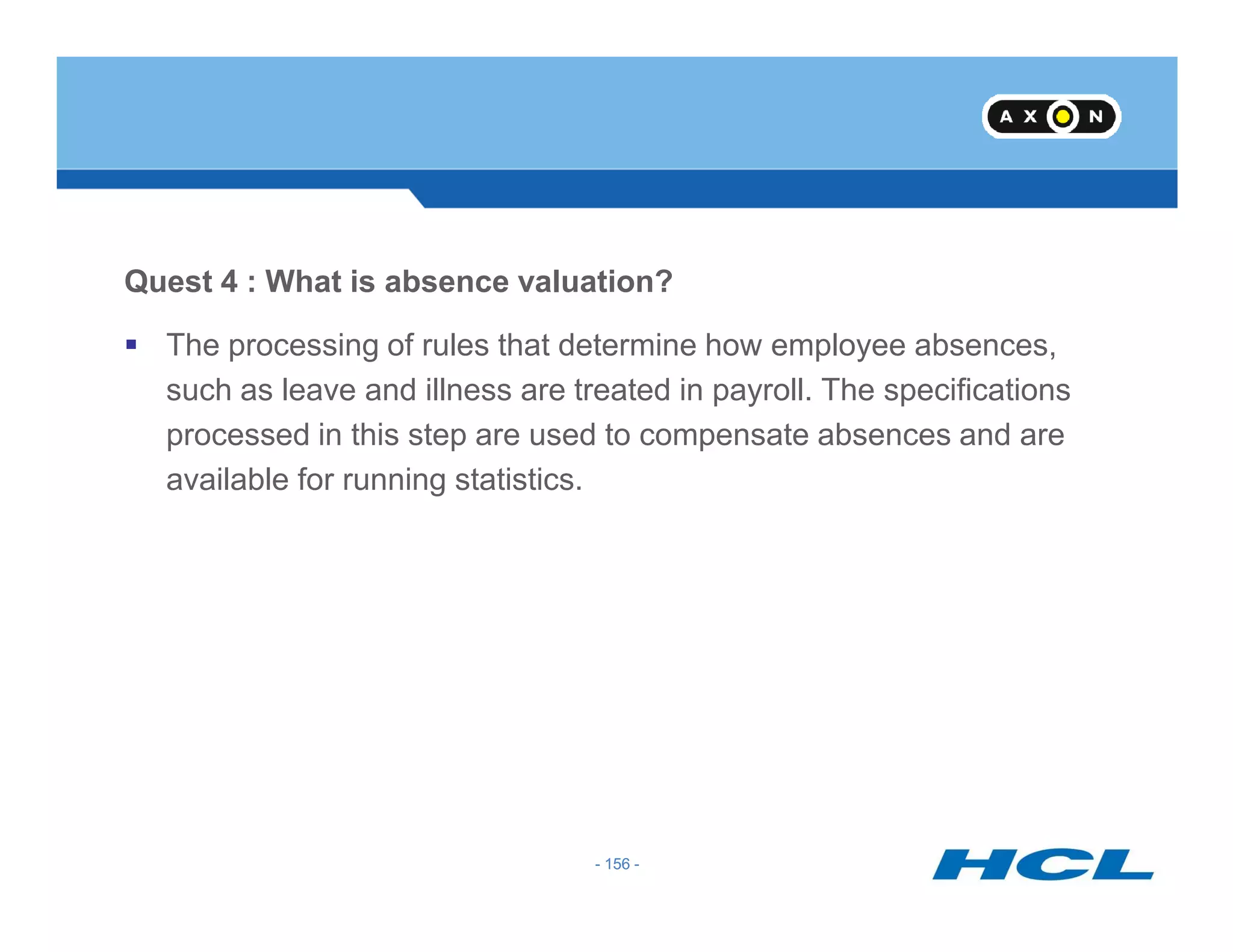
Quest 4 : What is absence valuation?
The processing of rules that determine how employee absences,
such as leave and illness are treated in payroll. The specifications
processed in this step are used to compensate absences and are
available for running statistics.
- 156 -
available for running statistics.
- 156 -
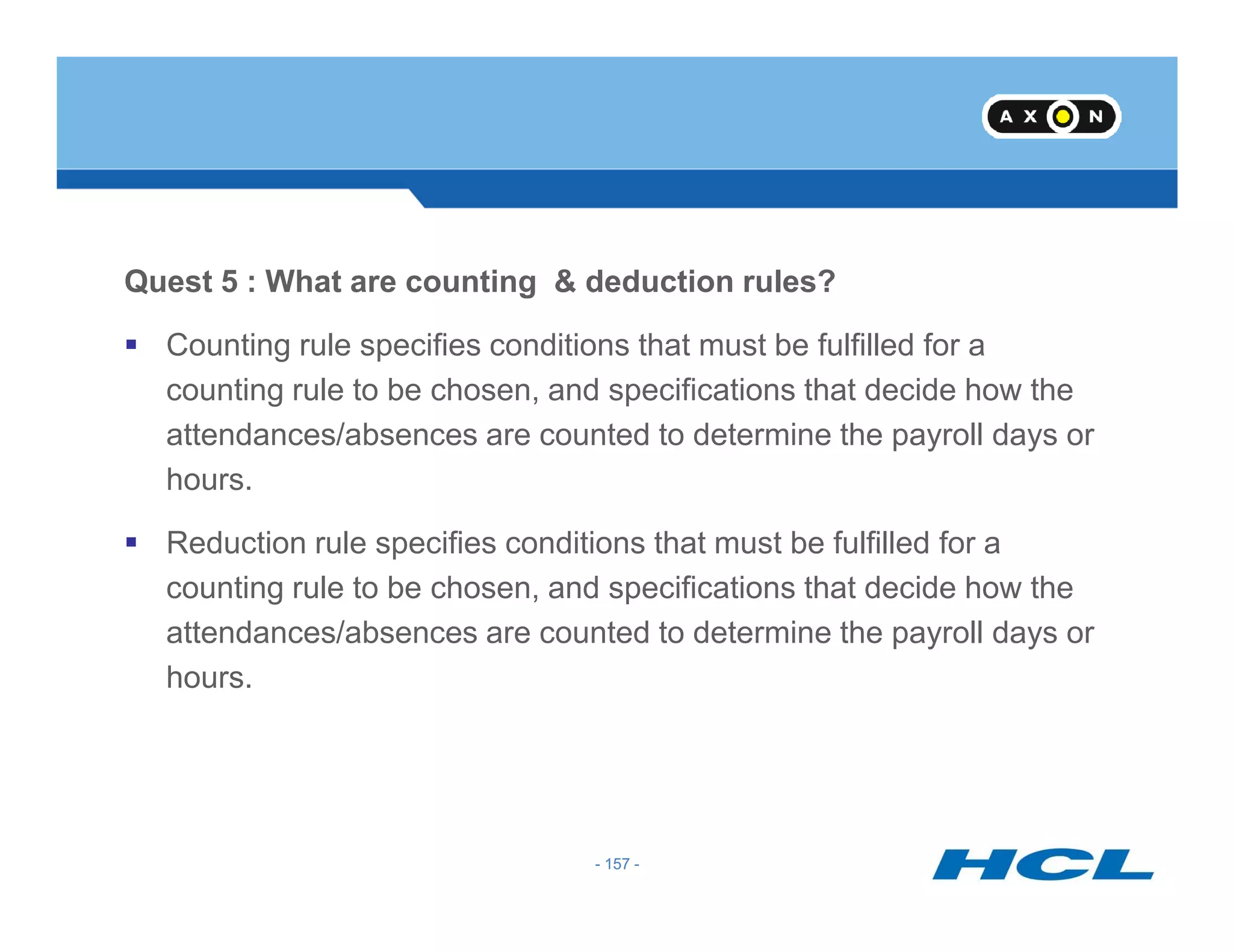
Quest 5 : What are counting & deduction rules?
Counting rule specifies conditions that must be fulfilled for a
counting rule to be chosen, and specifications that decide how the
attendances/absences are counted to determine the payroll days or
hours.
- 157 -
hours.
Reduction rule specifies conditions that must be fulfilled for a
counting rule to be chosen, and specifications that decide how the
attendances/absences are counted to determine the payroll days or
hours.
- 157 -
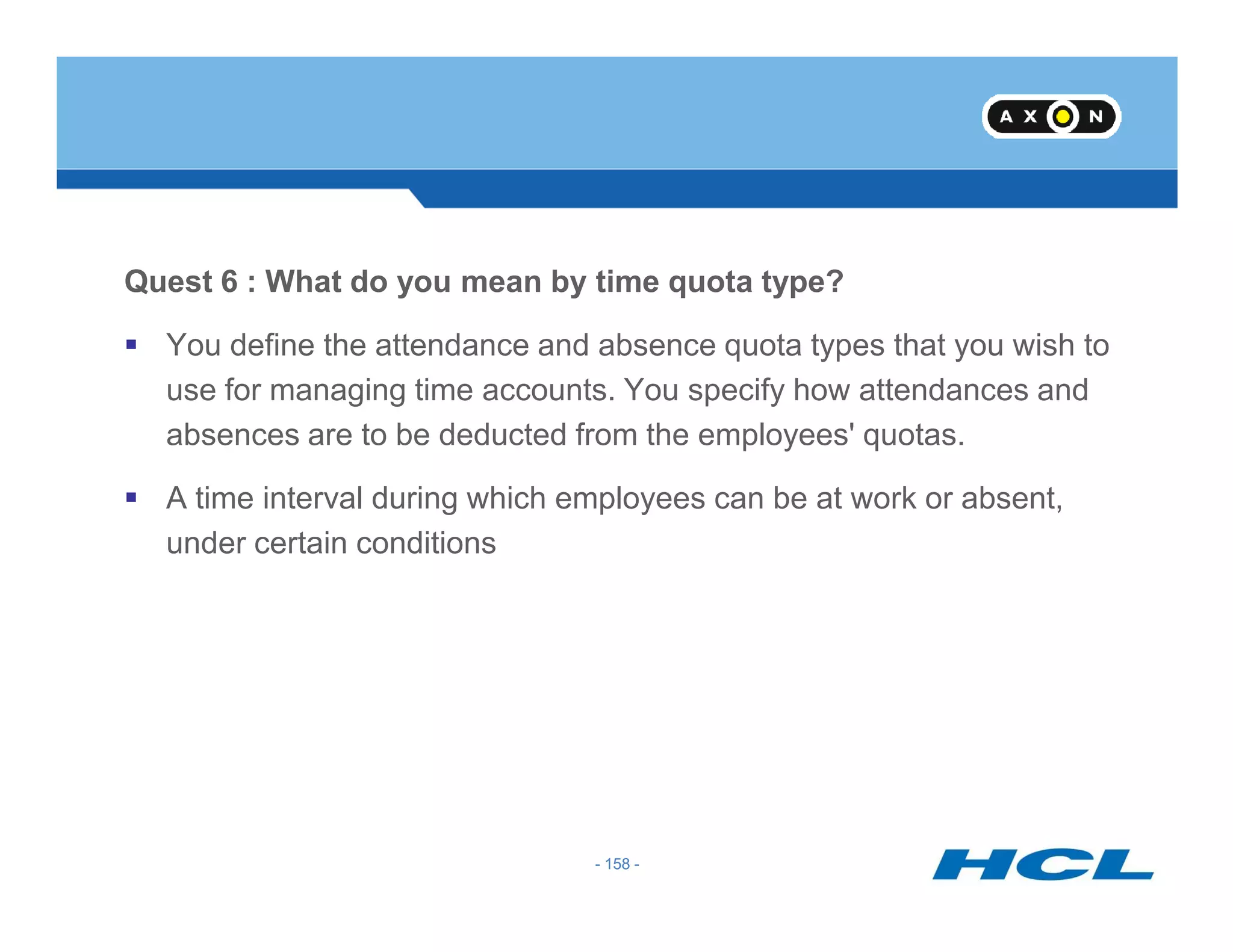
Quest 6 : What do you mean by time quota type?
You define the attendance and absence quota types that you wish to
use for managing time accounts. You specify how attendances and
absences are to be deducted from the employees' quotas.
- 158 -
A time interval during which employees can be at work or absent,
under certain conditions
- 158 -
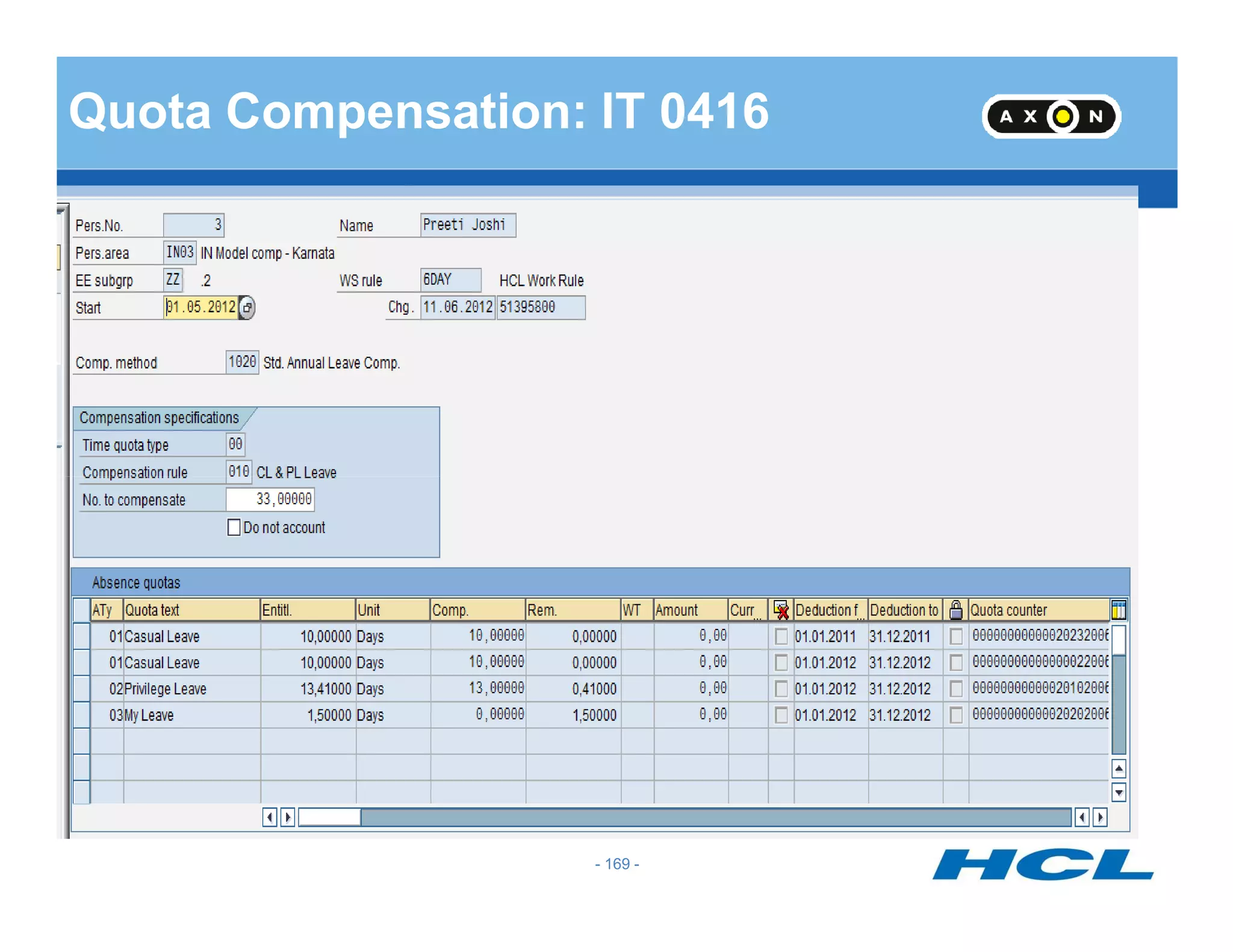
Quota Compensation: IT 0416
- 159 -
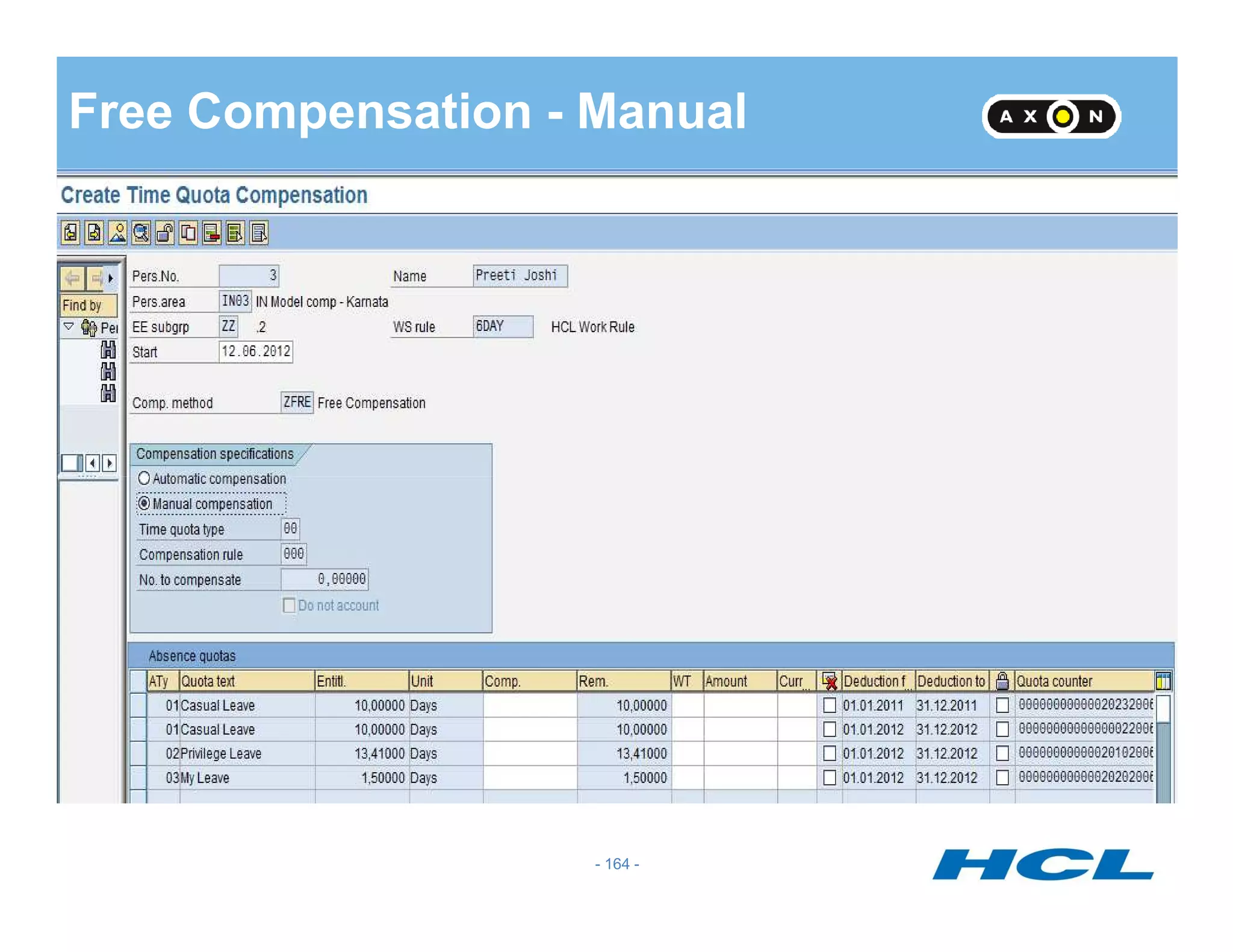
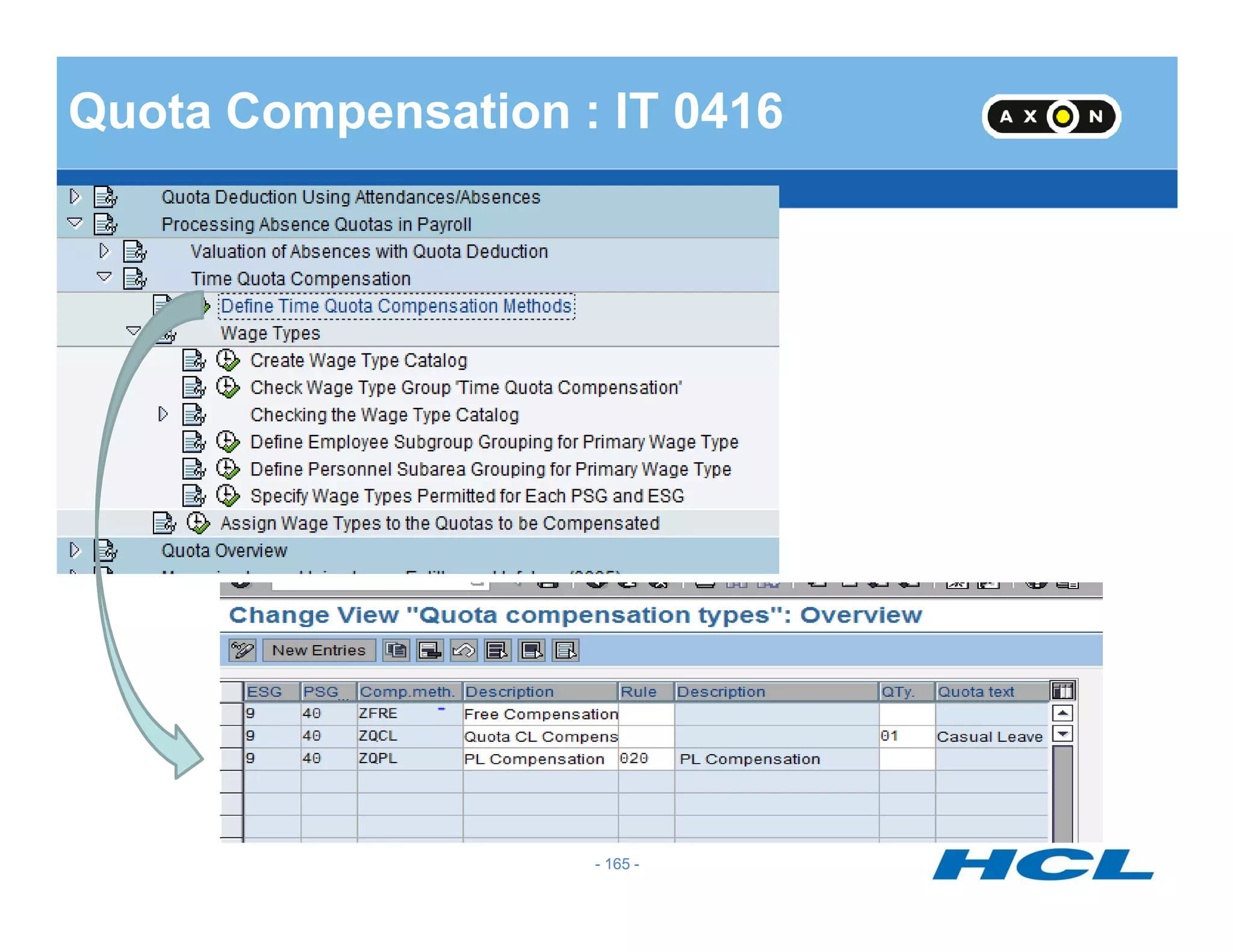
3 Methods of Quota Compensation
Based on Time Quota Type
Based on Compensation Rule
Free Compensation
- 160 -
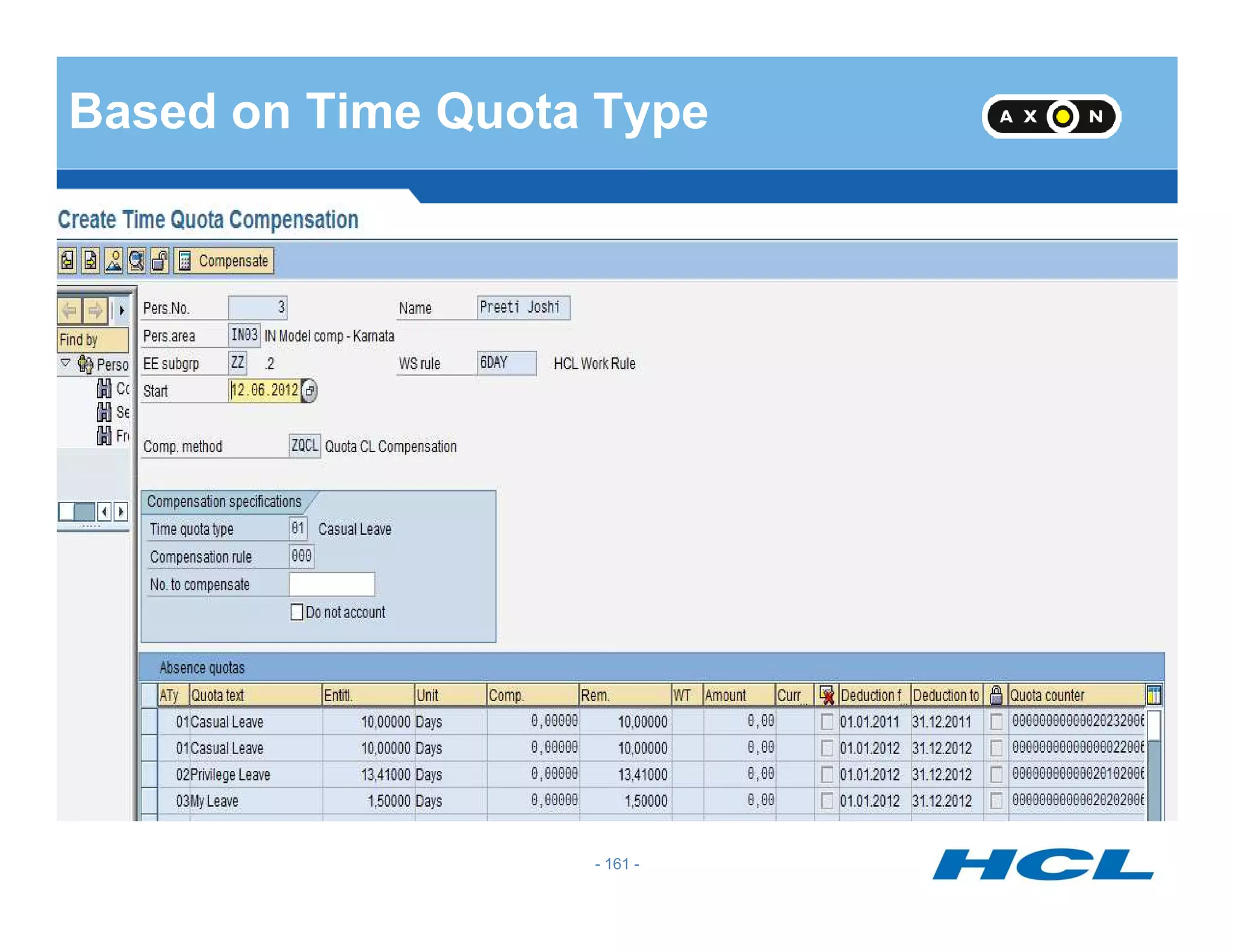
Based on Time Quota Type
- 161 -
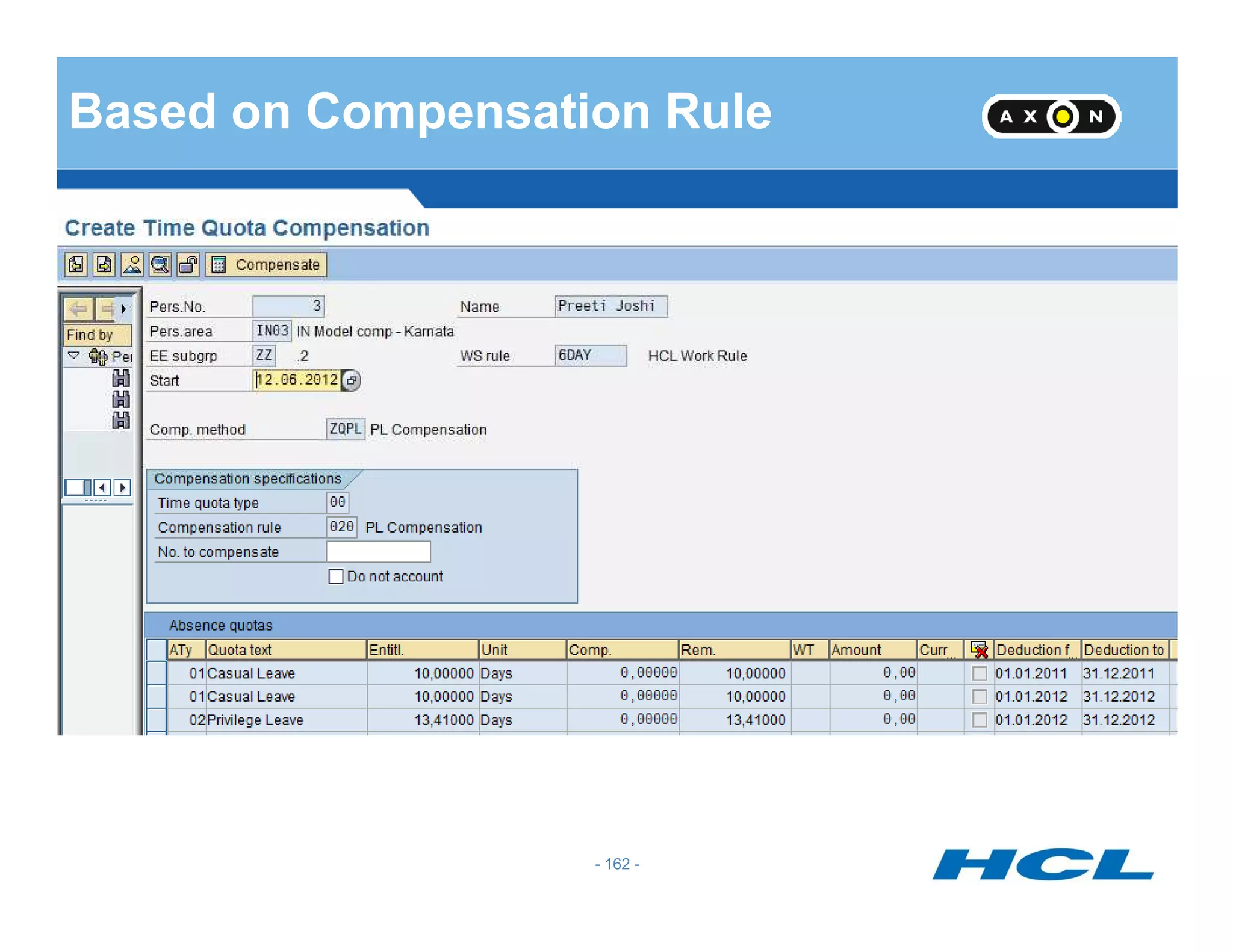
Based on Compensation Rule
- 162 -
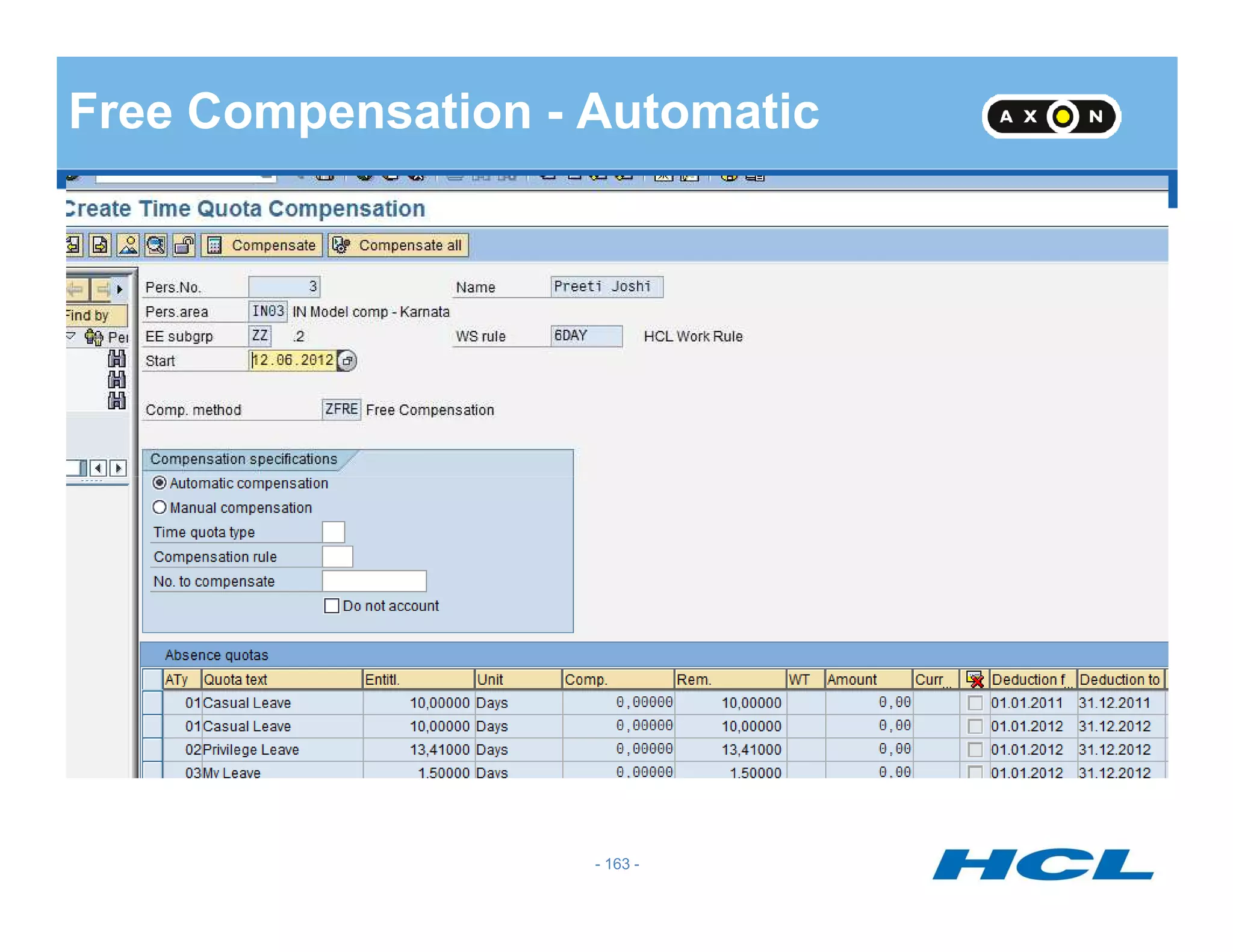
Free Compensation - Automatic
- 163 -
Free Compensation - Manual
- 164 -
Quota Compensation : IT 0416
- 165 -
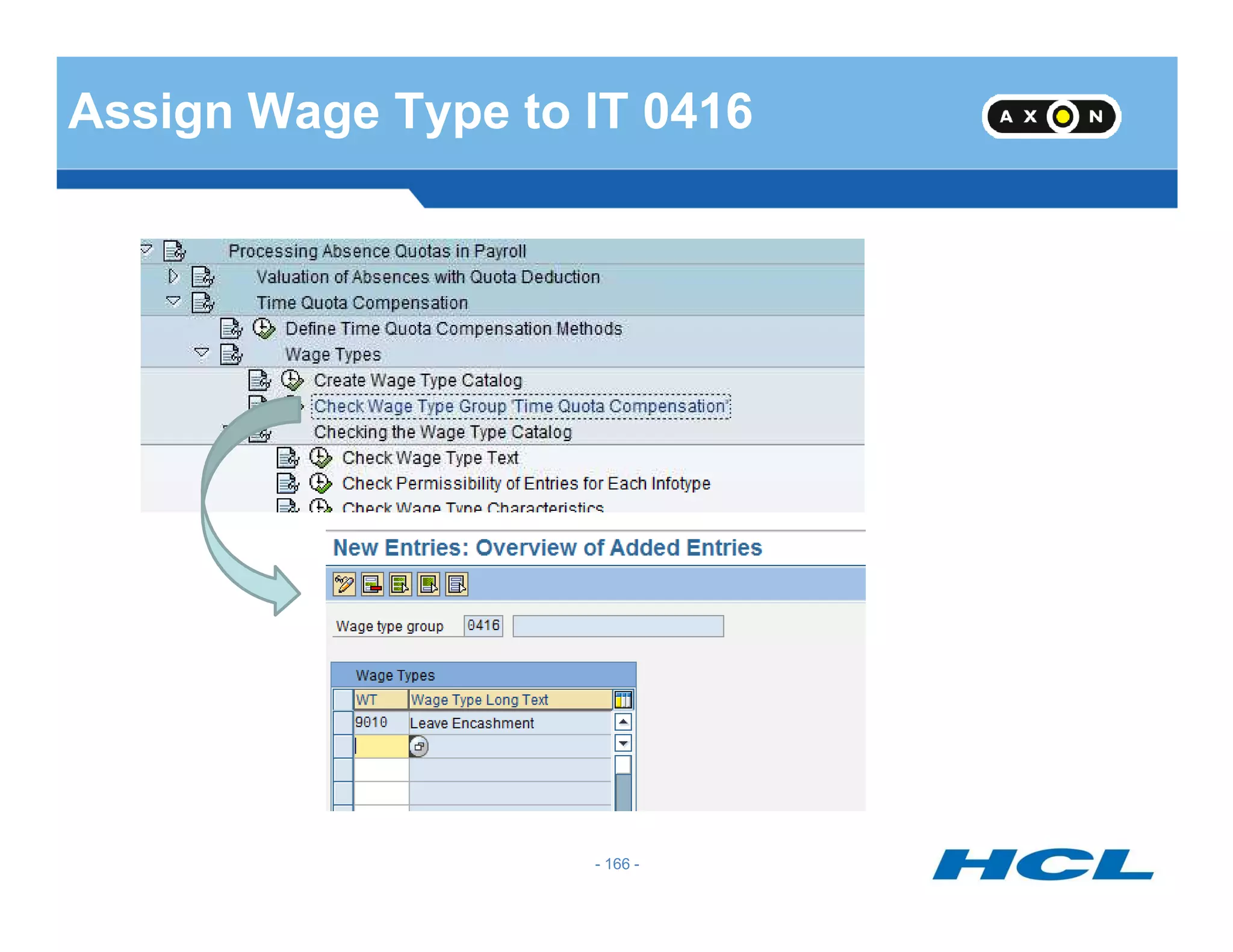
Assign Wage Type to IT 0416
- 166 -
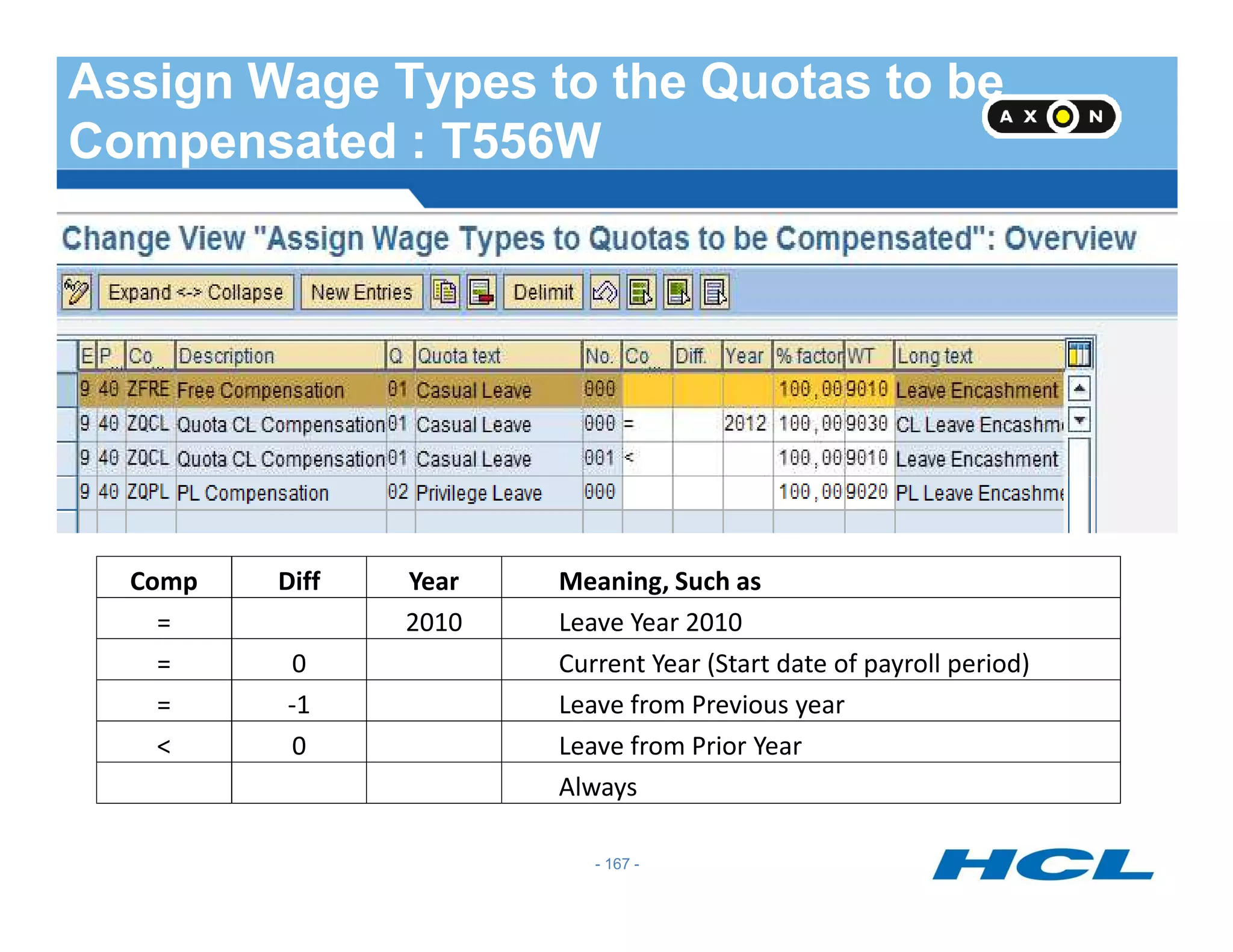
Assign Wage Types to the Quotas to be
Compensated : T556W
- 167 -
Comp Diff Year Meaning, Such as
= 2010 Leave Year 2010
= 0 Current Year (Start date of payroll period)
= -1 Leave from Previous year
< 0 Leave from Prior Year
Always
Absence Quota : Before IT 0416 entry
- 168 -
Quota Compensation: IT 0416
- 169 -
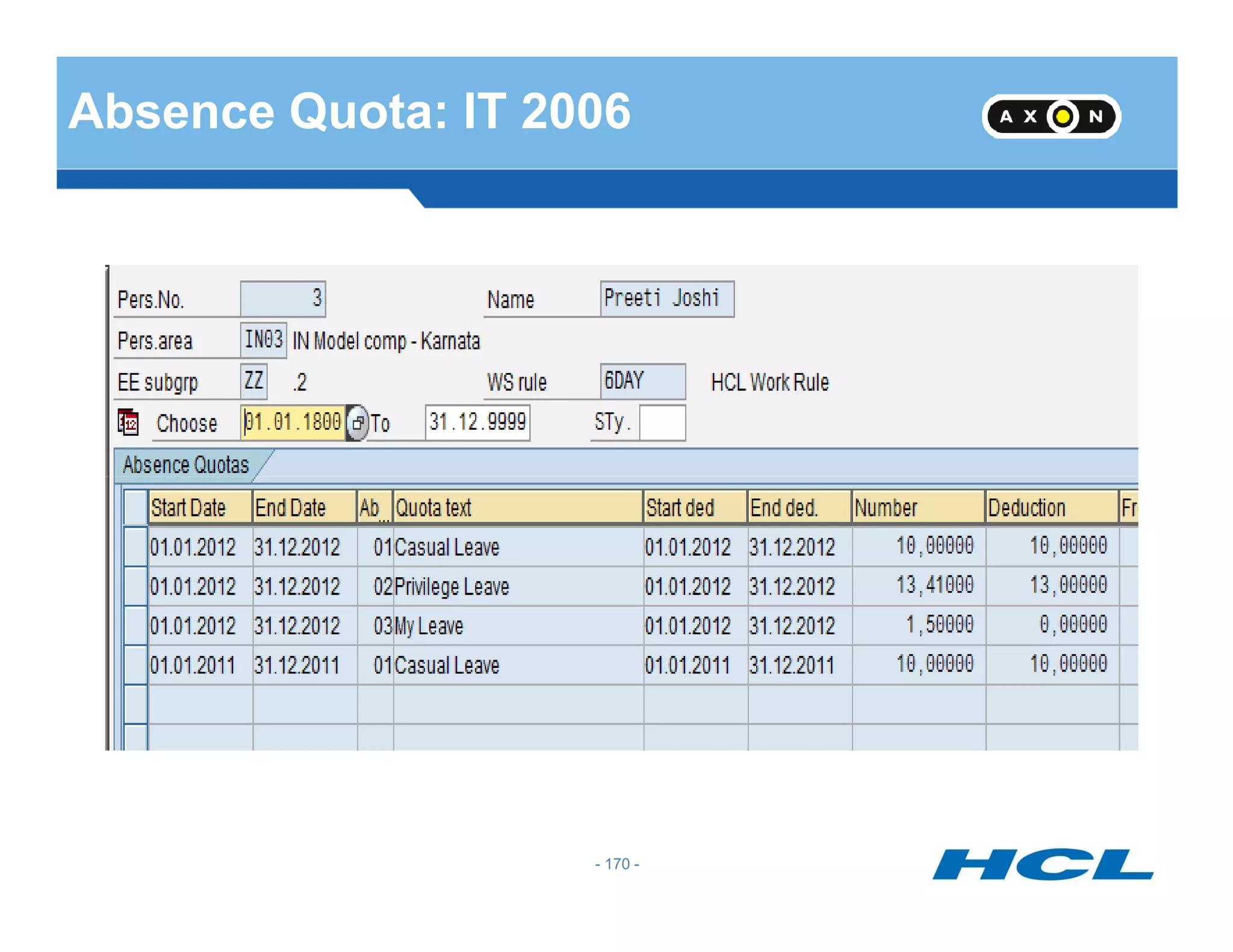
Absence Quota: IT 2006
- 170 -
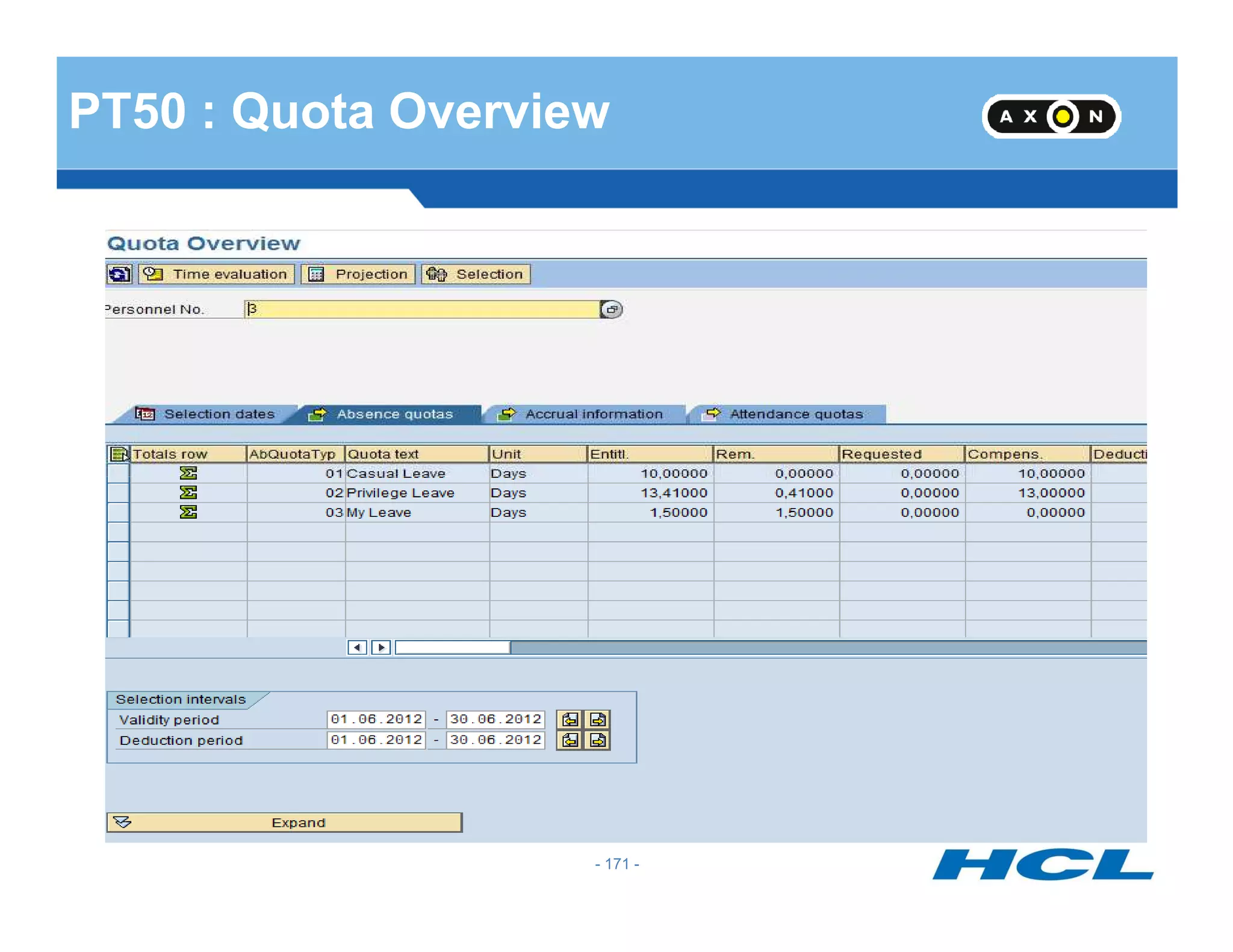
PT50 : Quota Overview
- 171 -
Time Evaluation
- 172 -
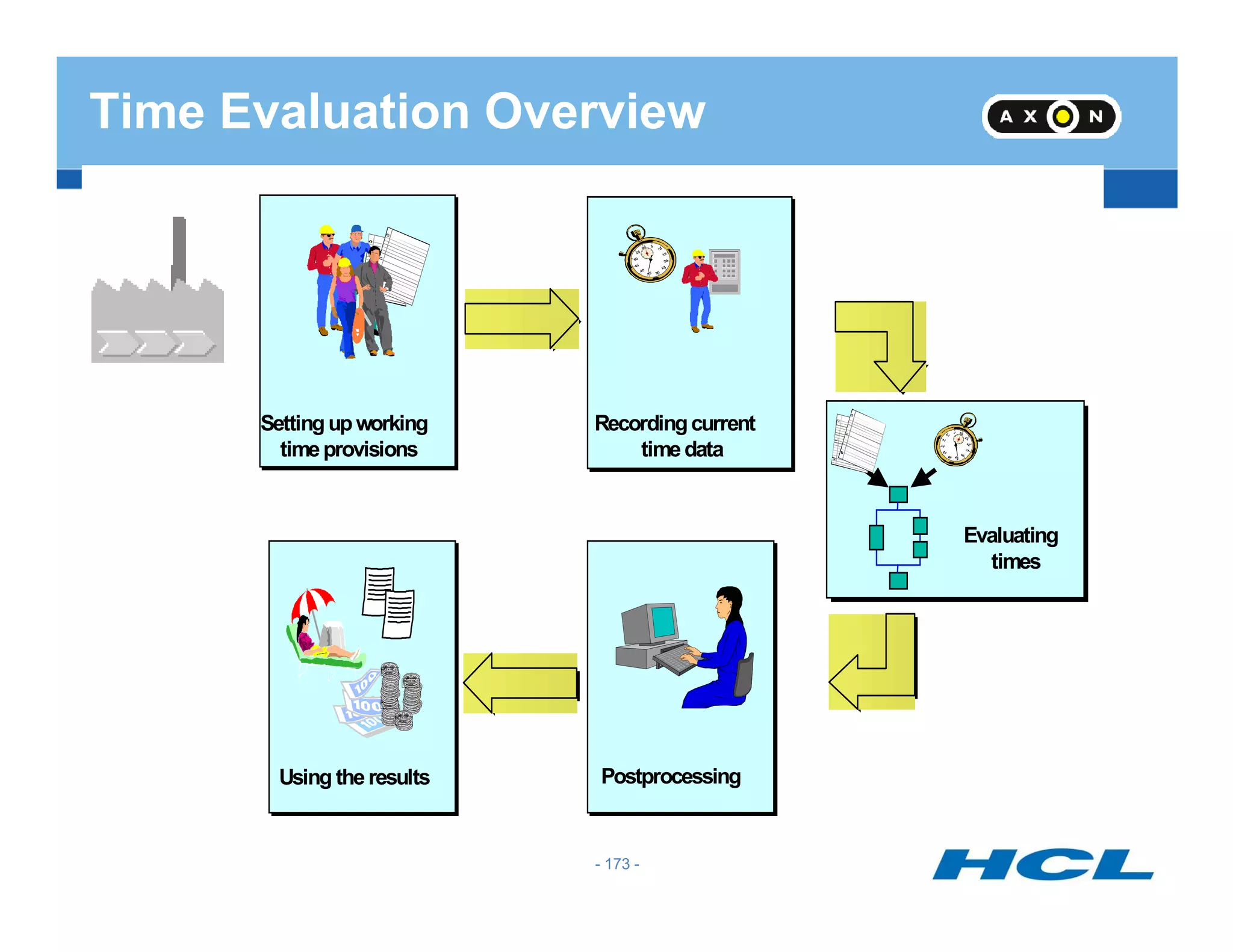
Time Evaluation Overview
Settingupworking
timeprovisions
Recordingcurrent
timedata
Using the results
DEUTSCHE
MARK
DEUTSCHE
MARK
DEUTSCHE
MARK
DEUTSCHE
MARK
Postprocessing
Evaluating
times
- 173 -
Why Use Time Evaluation
Time sheet
Managing time
accounts and
issuing time
statements
Issuing messages for
postprocessing
Recording... ...evaluating... …and using time data
R
DE UTSCHE
M ARK
DE UTSCHE
M ARK
DE UTSCHE
M ARK
DE UTSCHE
MARK
Creating wage types for
Payroll Accounting
Self-service
applications
postprocessing
Time
administrator
Time recording
terminals
R/3 Time Evaluation
- 174 -
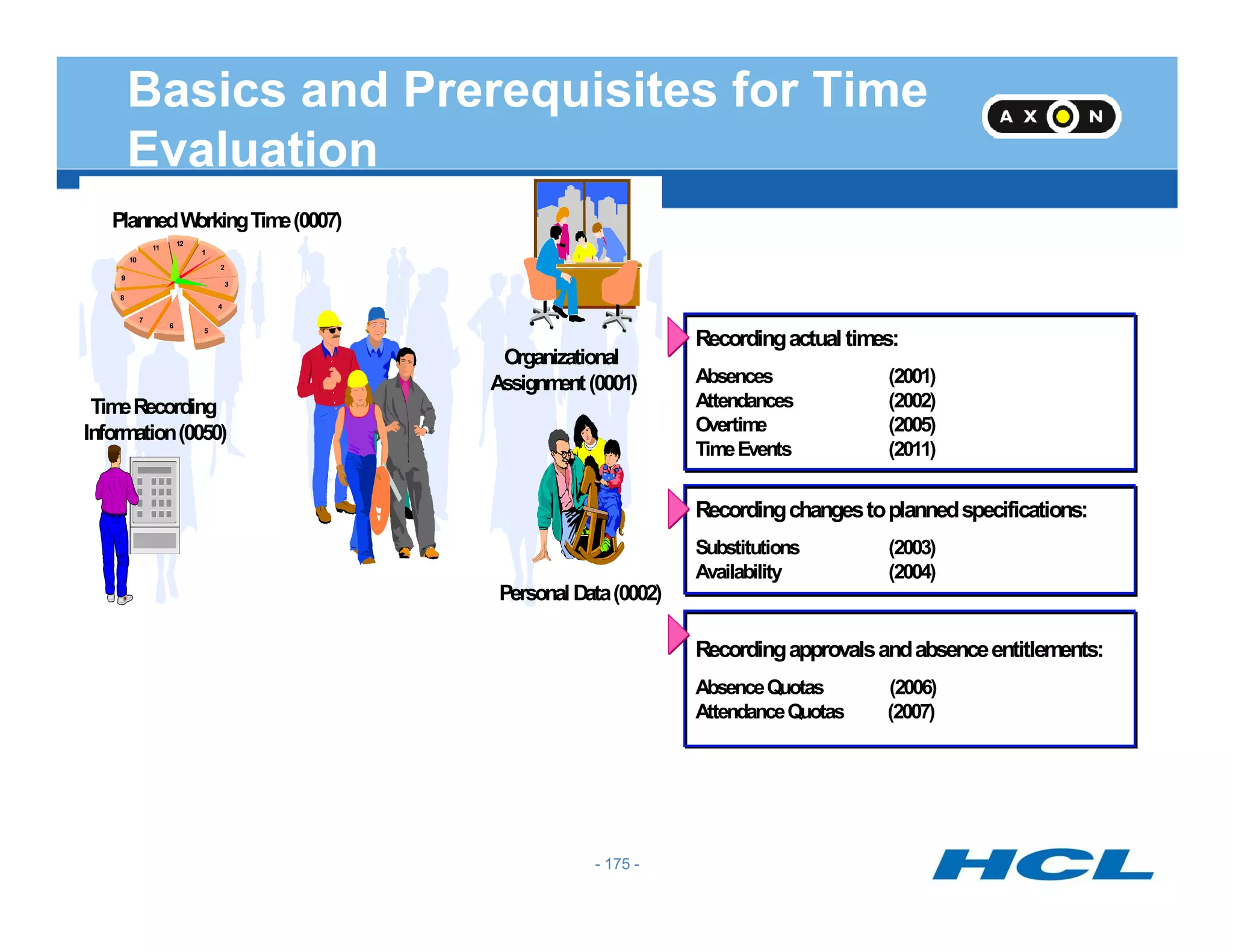
Basics and Prerequisites for Time
Evaluation
PlannedWorkingTime(0007)
Organizational
Assignment(0001)
1
2
3
4
5
6
7
8
9
10
11
12
TimeRecording
Information(0050)
Recordingactual times:
Absences (2001)
Attendances (2002)
Overtime (2005)
TimeEvents (2011)
PersonalData(0002)
R
Recordingchangestoplannedspecifications:
Substitutions (2003)
Availability (2004)
Recordingapprovalsandabsenceentitlements:
AbsenceQuotas (2006)
AttendanceQuotas (2007)
- 175 -
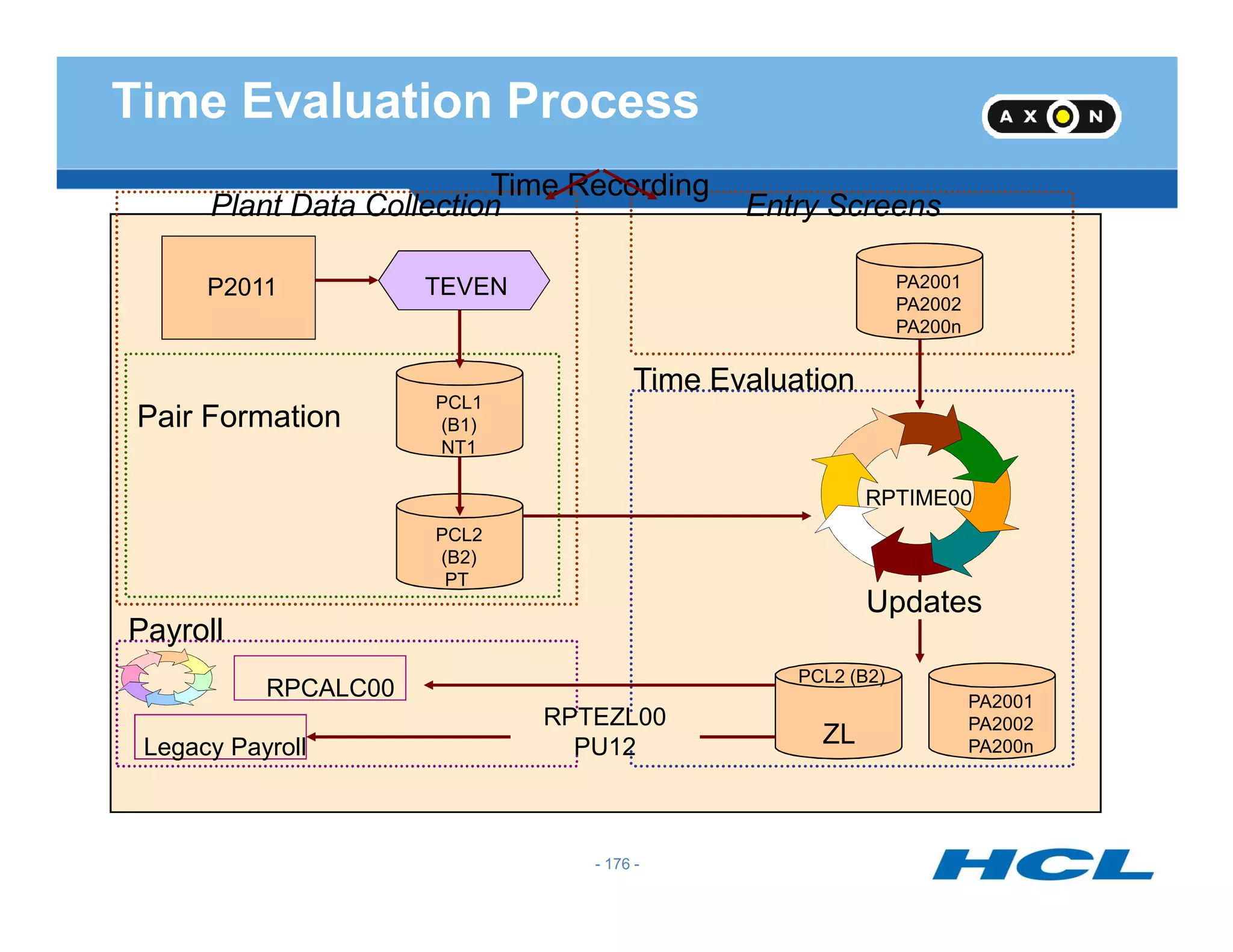
Plant Data Collection
TEVENP2011
Entry Screens
PA2001
PA2002
PA200n
Pair Formation
PCL1
(B1)
NT1
Time Evaluation
Time Recording
Time Evaluation Process
PCL2
(B2)
PT
RPTIME00
PCL2 (B2)
PA2001
PA2002
PA200n
Updates
ZL
Payroll
RPCALC00
Legacy Payroll
RPTEZL00
PU12
- 176 -
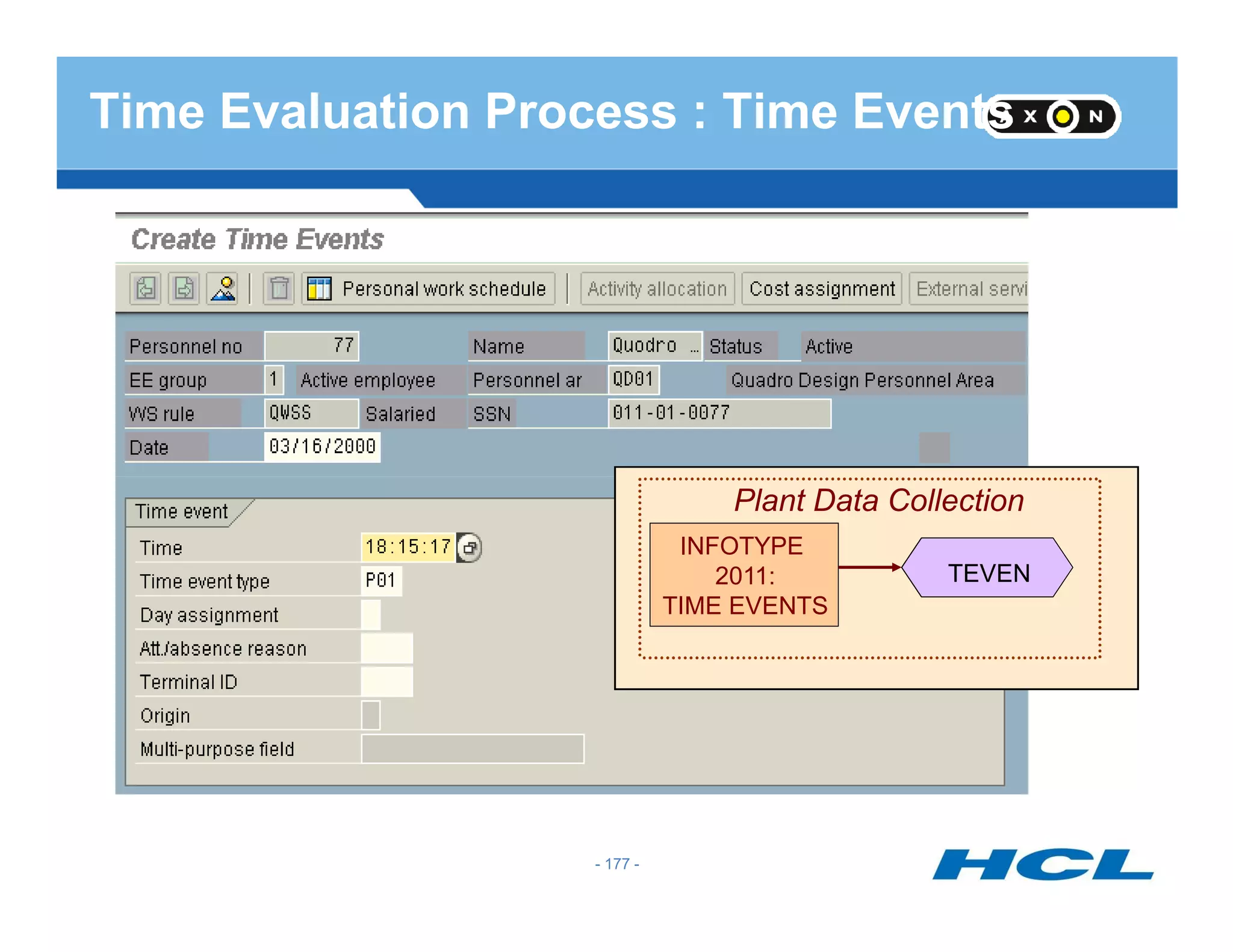
Time Evaluation Process : Time Events
Plant Data Collection
TEVEN
INFOTYPE
2011:
TIME EVENTS
- 177 -
Quest 1: What is time evaluation?
Time evaluation evaluates the attendance and absence times that have
been recorded for or by your employees. The system uses the
results of time evaluation to form time balances and time wage
types, and to update attendance and absence quotas.
- 178 -
types, and to update attendance and absence quotas.
- 178 -
Quest 2 : What are time wage types?
A time wage type is a remuneration specification for bonuses, such
as overtime or nighttime bonus, as well as for employees paid by the
hour.
- 179 -
These primary wage types are selected in time evaluation or when
processing time data in payroll accounting. They are used in payroll
accounting to determine gross pay.
- 179 -
Quest 3 : How can you generate absence quotas?
After generation rules have been specified, you can use Report
RPTQTA00 to accrual quota entitlement in advance for individual
employees or a group of employees.
- 180 -
If you want to take advantage of time evaluation functions when
generating absence entitlements, without having implemented all of
time evaluation, you can use the standard schema TQTA.
- 180 -
Quest 4 : What is the schema TQTA used for?
It is a special schema used for accrual of absence quotas.
- 181 -- 181 -
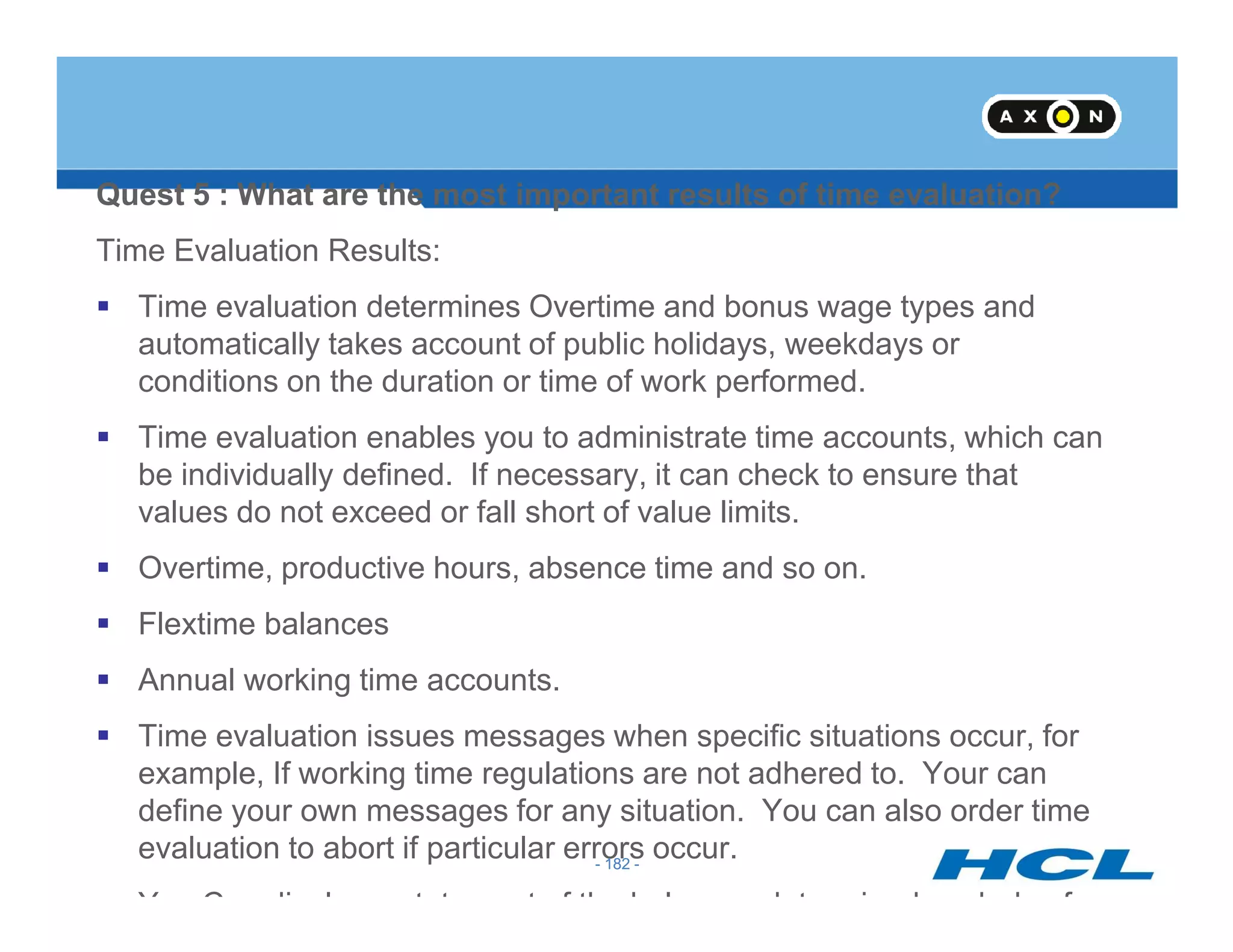
Quest 5 : What are the most important results of time evaluation?
Time Evaluation Results:
Time evaluation determines Overtime and bonus wage types and
automatically takes account of public holidays, weekdays or
conditions on the duration or time of work performed.
Time evaluation enables you to administrate time accounts, which can
be individually defined. If necessary, it can check to ensure that
- 182 -
be individually defined. If necessary, it can check to ensure that
values do not exceed or fall short of value limits.
Overtime, productive hours, absence time and so on.
Flextime balances
Annual working time accounts.
Time evaluation issues messages when specific situations occur, for
example, If working time regulations are not adhered to. Your can
define your own messages for any situation. You can also order time
evaluation to abort if particular errors occur.
You Con display a statement of the balances determined each day for
- 182 -
CATS (Cross Application Time
Sheet)
- 183 -
Sheet)
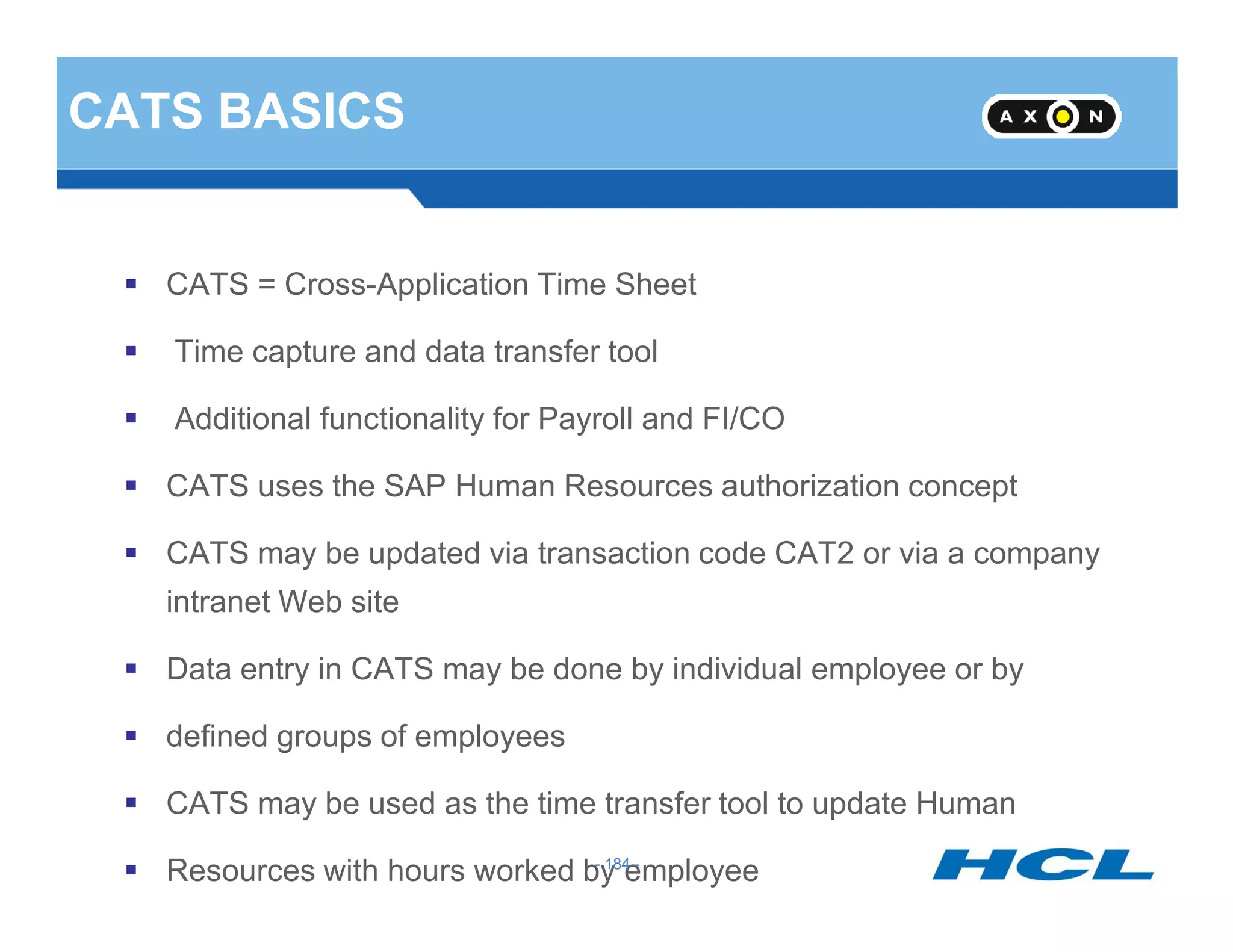
CATS BASICS
CATS = Cross-Application Time Sheet
Time capture and data transfer tool
Additional functionality for Payroll and FI/CO
CATS uses the SAP Human Resources authorization concept
- 184 -
CATS uses the SAP Human Resources authorization concept
CATS may be updated via transaction code CAT2 or via a company
intranet Web site
Data entry in CATS may be done by individual employee or by
defined groups of employees
CATS may be used as the time transfer tool to update Human
Resources with hours worked by employee- 184 -
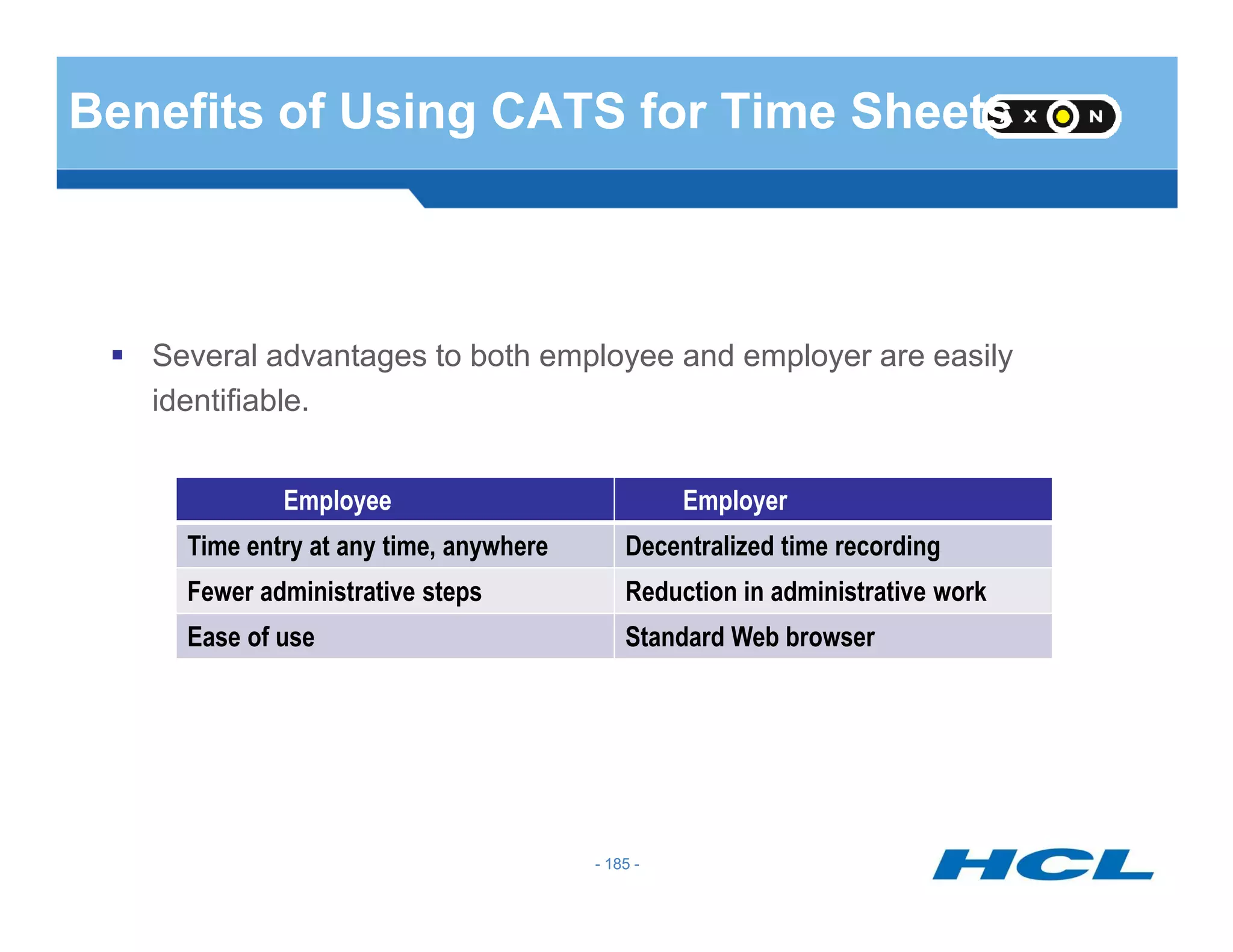
Benefits of Using CATS for Time Sheets
Several advantages to both employee and employer are easily
identifiable.
- 185 -
Employee Employer
Time entry at any time, anywhere Decentralized time recording
Fewer administrative steps Reduction in administrative work
Ease of use Standard Web browser
- 185 -
SAP Provides 4 Solutions
CATS Classic
For HR / Time Administrator for multiple EE entry.
CATS Regular**
Can be used through web browser in ESS application
Extensively Used
- 186 -
Extensively Used
CATS Notebook
Good for marketing employees, whom internet is not accessible all
times.
CATS for service Providers
For temporary contract EE .
Offer with to specify basic data that is valid for more than a day.
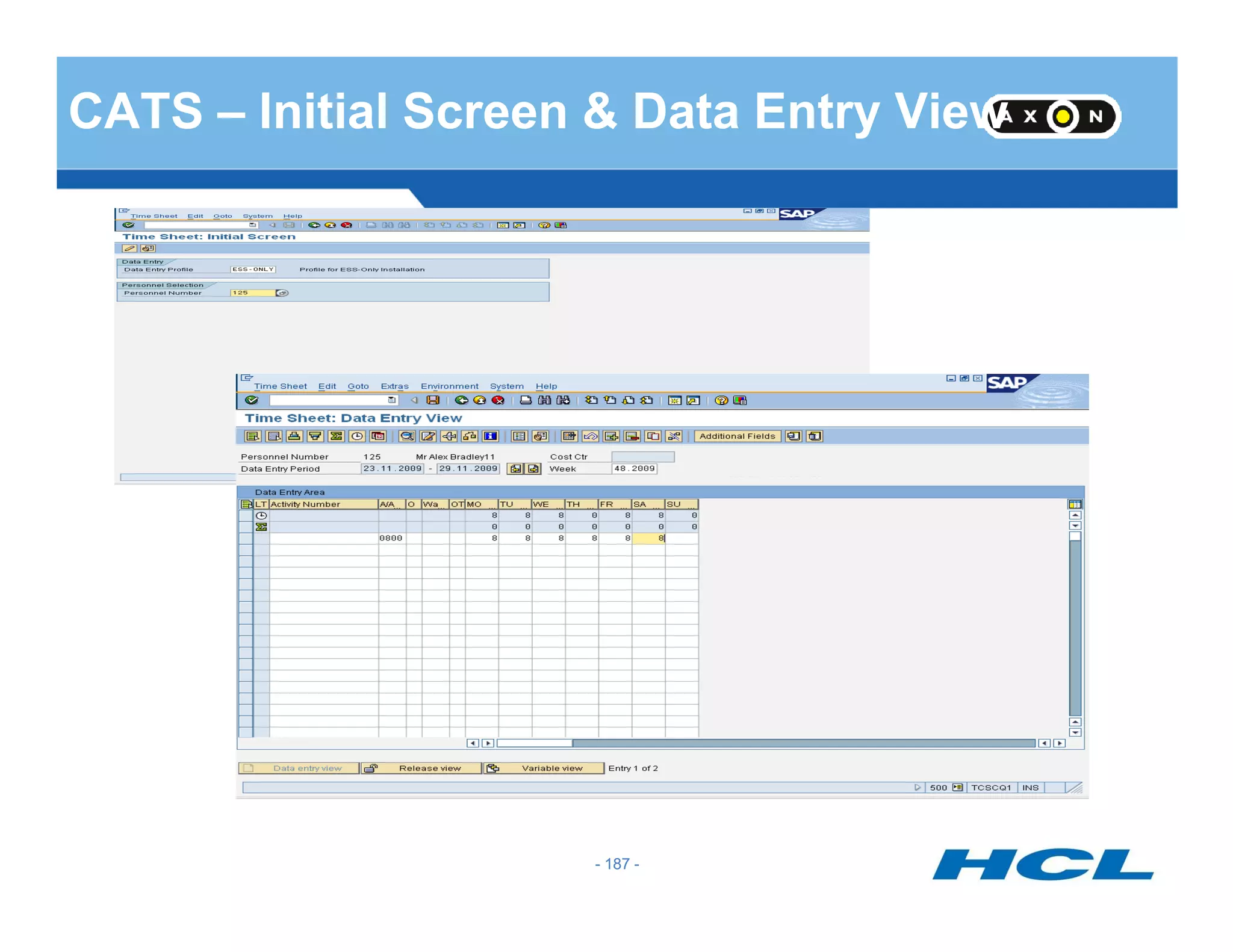
CATS – Initial Screen & Data Entry View
- 187 -- 187 -
Using CATS Data: Updating HR
Attendances/Absences (Infotypes 2001/2002)
CATS feeds HR actual hours attended or absent
CATS validates absences with absence quotas
Payroll uses Infotype 2001/2002 data during processing
Substitutions (Infotype 2003)
- 188 -
Position option may be used to assign payment for the work
according to the specifications of a different position
Employee Remuneration Infotype 2010)
One-time earnings/deductions may be passed from CATS to HR
Used to process manually – calculated wages or bonuses
Work Tax Area (Infotype 0208)
CATS allows a work tax area to default area in Infotype 0208.- 188 -
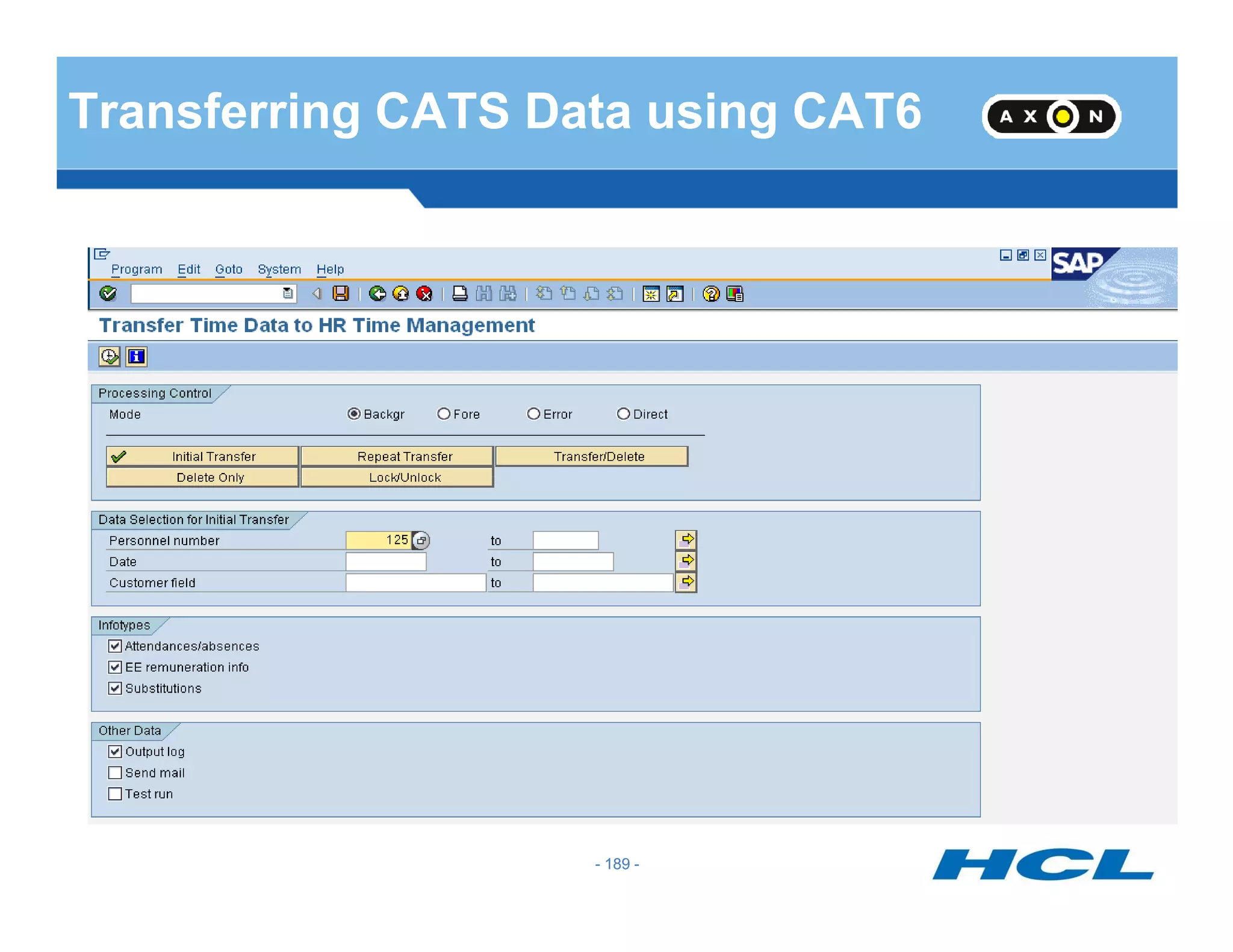
Transferring CATS Data using CAT6
- 189 -- 189 -
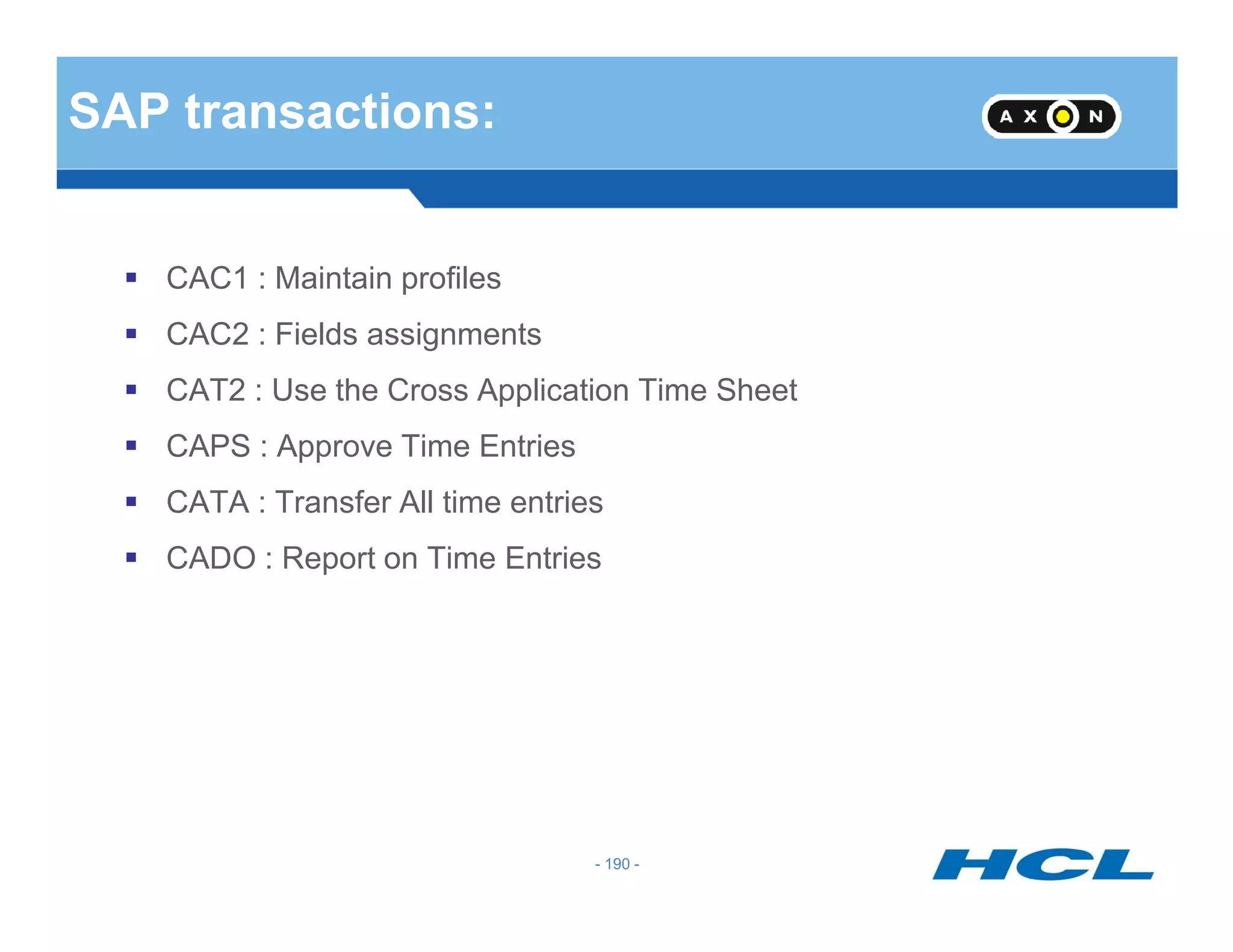
SAP transactions:
CAC1 : Maintain profiles
CAC2 : Fields assignments
CAT2 : Use the Cross Application Time Sheet
CAPS : Approve Time Entries
- 190 -
CATA : Transfer All time entries
CADO : Report on Time Entries
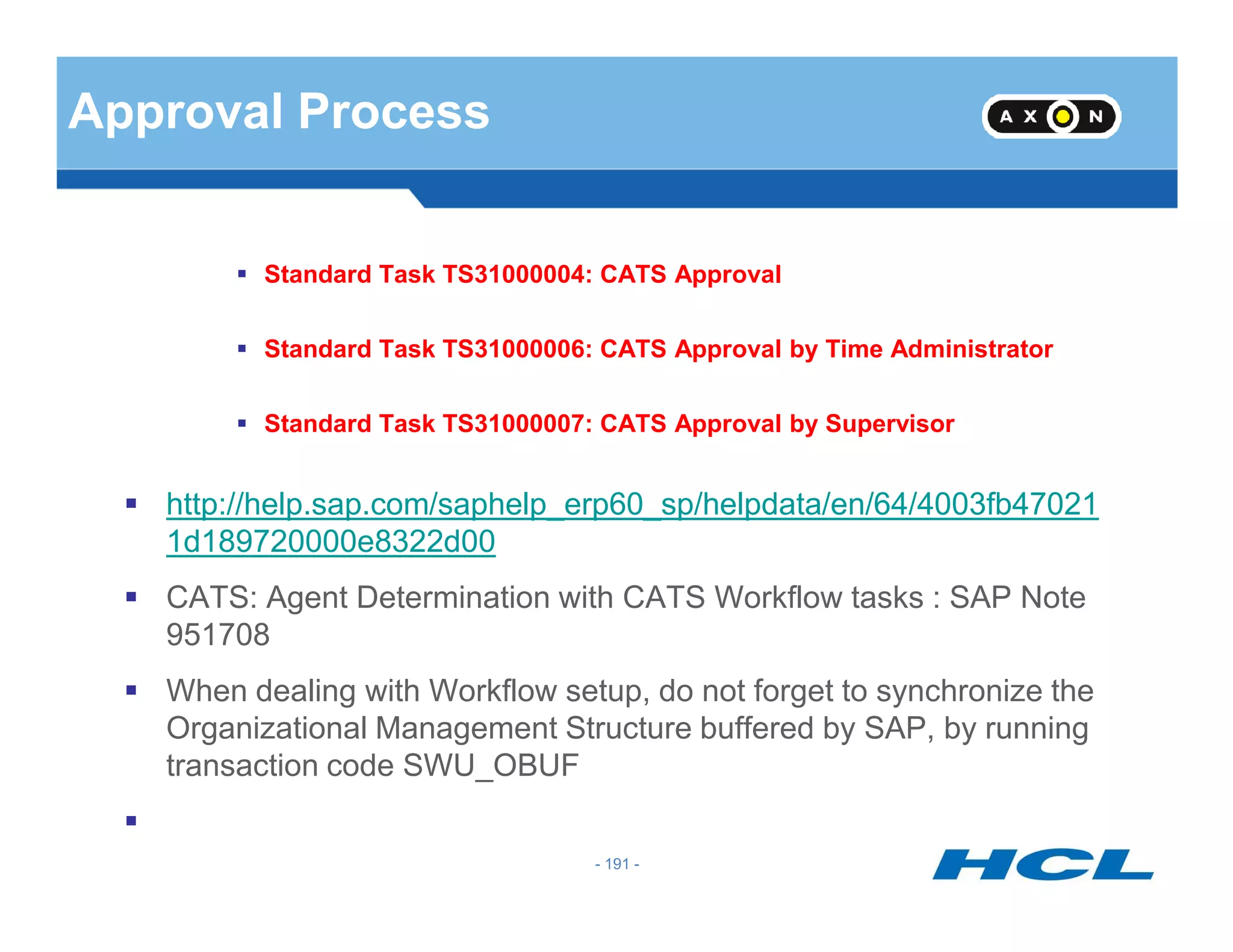
Approval Process
Standard Task TS31000004: CATS Approval
Standard Task TS31000006: CATS Approval by Time Administrator
Standard Task TS31000007: CATS Approval by Supervisor
- 191 -
http://help.sap.com/saphelp_erp60_sp/helpdata/en/64/4003fb47021
1d189720000e8322d00
CATS: Agent Determination with CATS Workflow tasks : SAP Note
951708
When dealing with Workflow setup, do not forget to synchronize the
Organizational Management Structure buffered by SAP, by running
transaction code SWU_OBUF
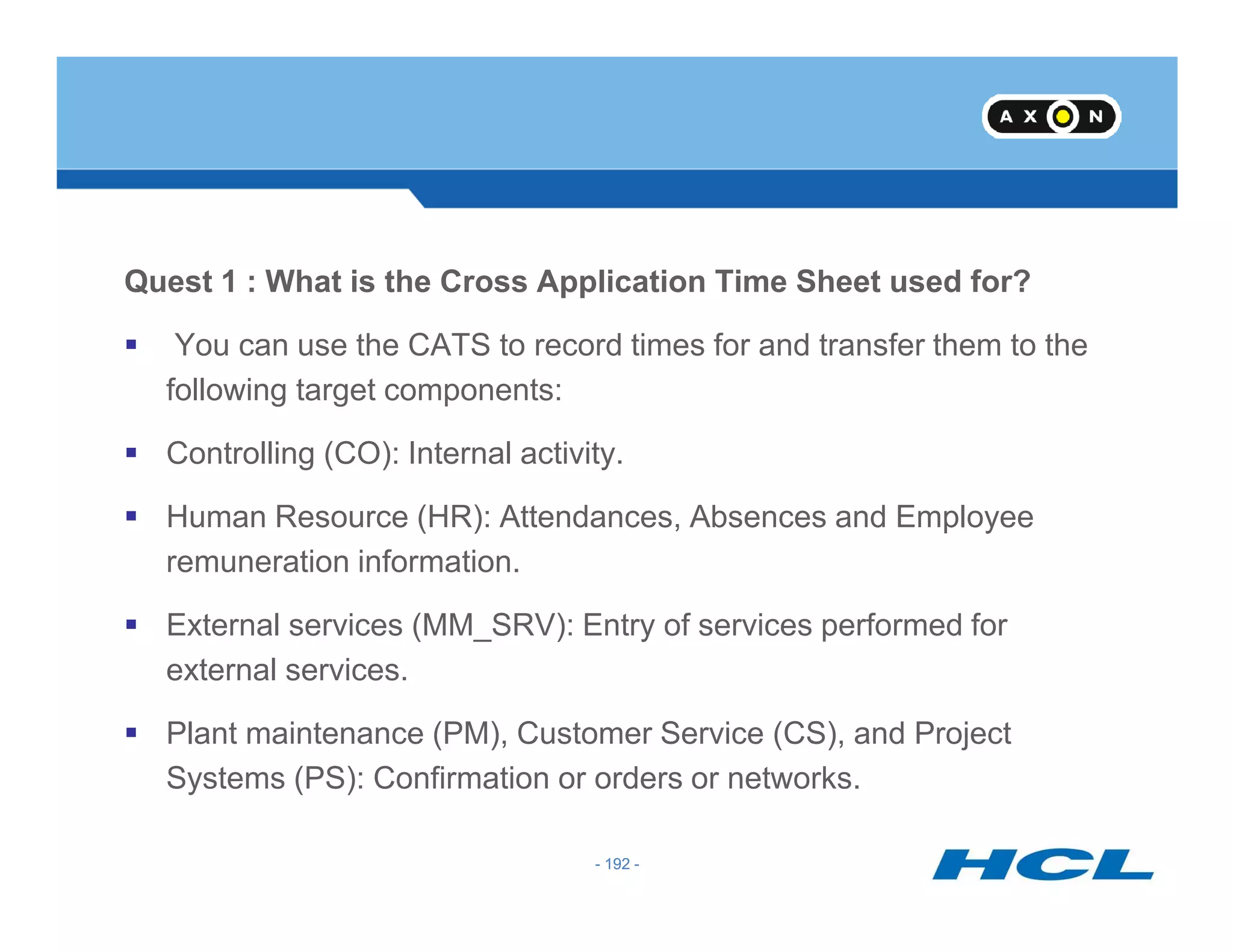
Quest 1 : What is the Cross Application Time Sheet used for?
You can use the CATS to record times for and transfer them to the
following target components:
Controlling (CO): Internal activity.
- 192 -
Human Resource (HR): Attendances, Absences and Employee
remuneration information.
External services (MM_SRV): Entry of services performed for
external services.
Plant maintenance (PM), Customer Service (CS), and Project
Systems (PS): Confirmation or orders or networks.
- 192 -
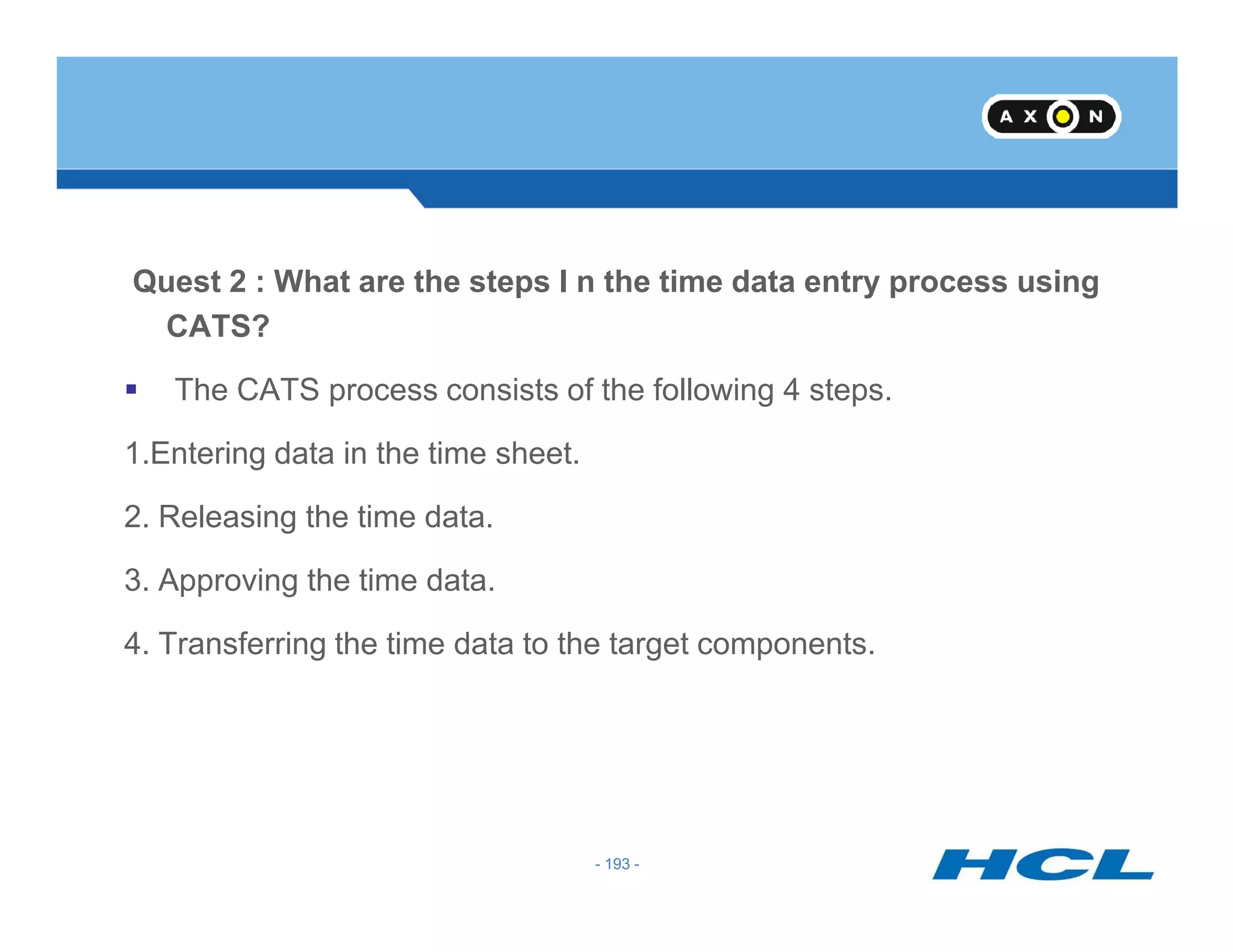
Quest 2 : What are the steps I n the time data entry process using
CATS?
The CATS process consists of the following 4 steps.
1.Entering data in the time sheet.
- 193 -
2. Releasing the time data.
3. Approving the time data.
4. Transferring the time data to the target components.
- 193 -
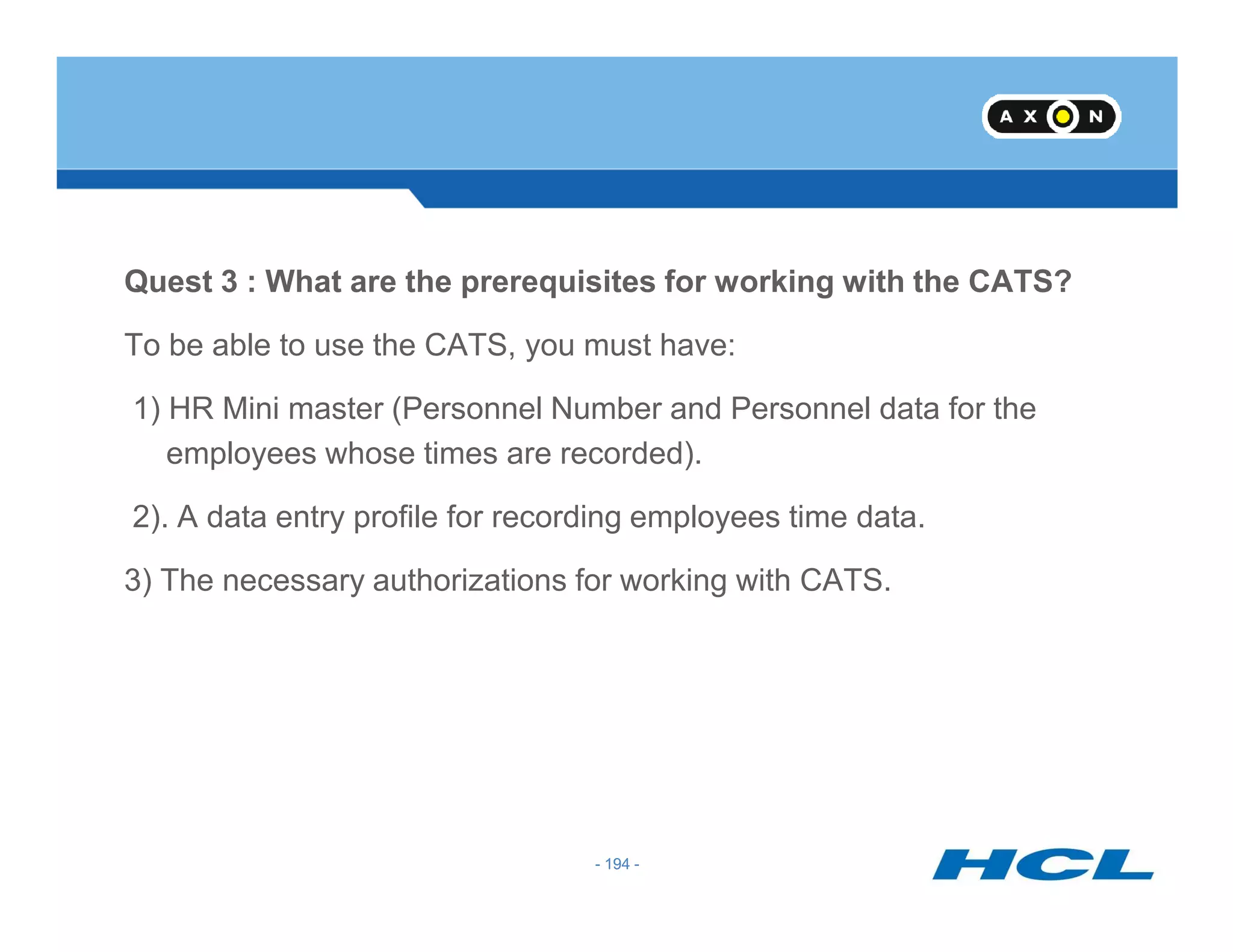
Quest 3 : What are the prerequisites for working with the CATS?
To be able to use the CATS, you must have:
1) HR Mini master (Personnel Number and Personnel data for the
employees whose times are recorded).
- 194 -
2). A data entry profile for recording employees time data.
3) The necessary authorizations for working with CATS.
- 194 -
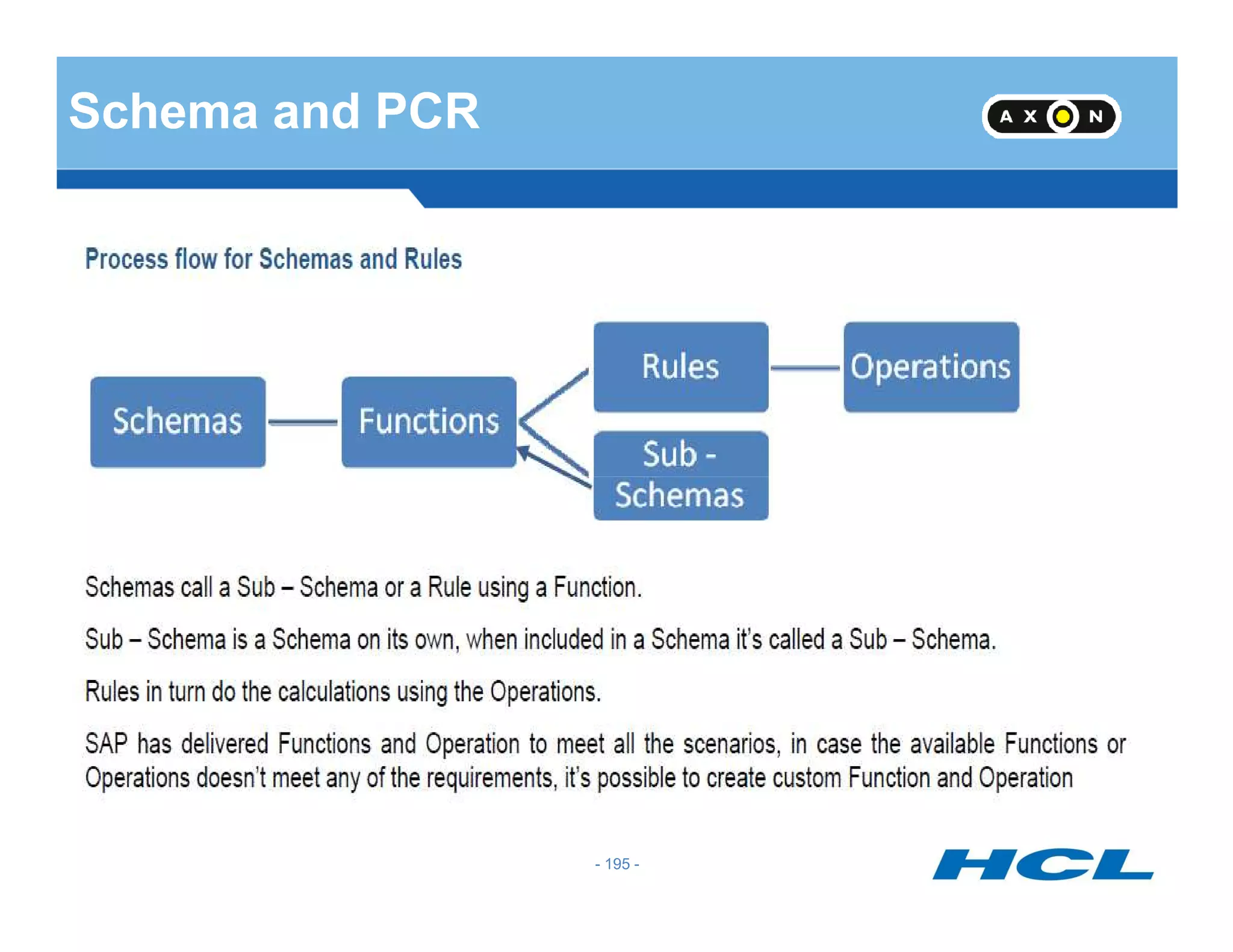
Schema and PCR
- 195 -
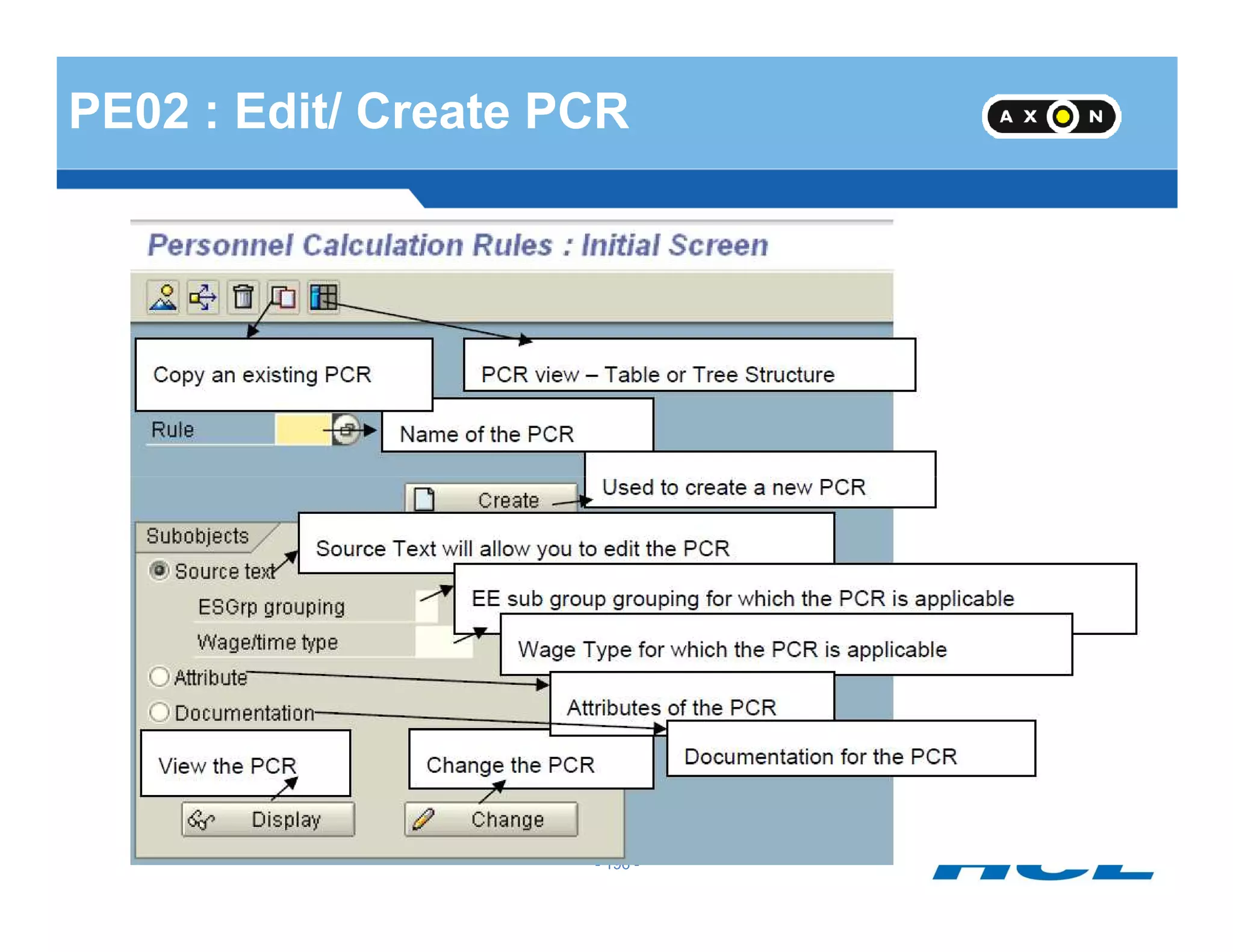
PE02 : Edit/ Create PCR
- 196 -
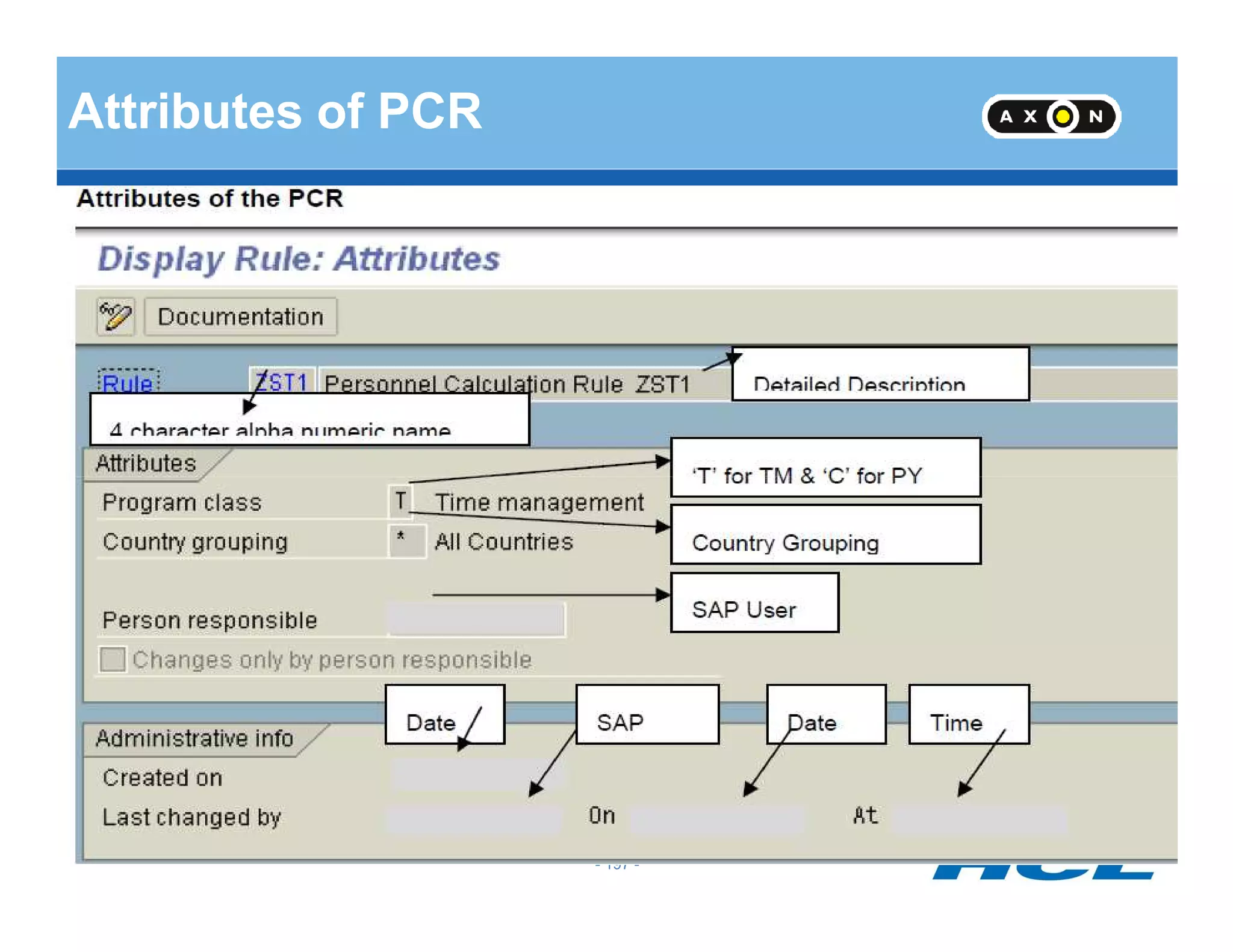
Attributes of PCR
- 197 -
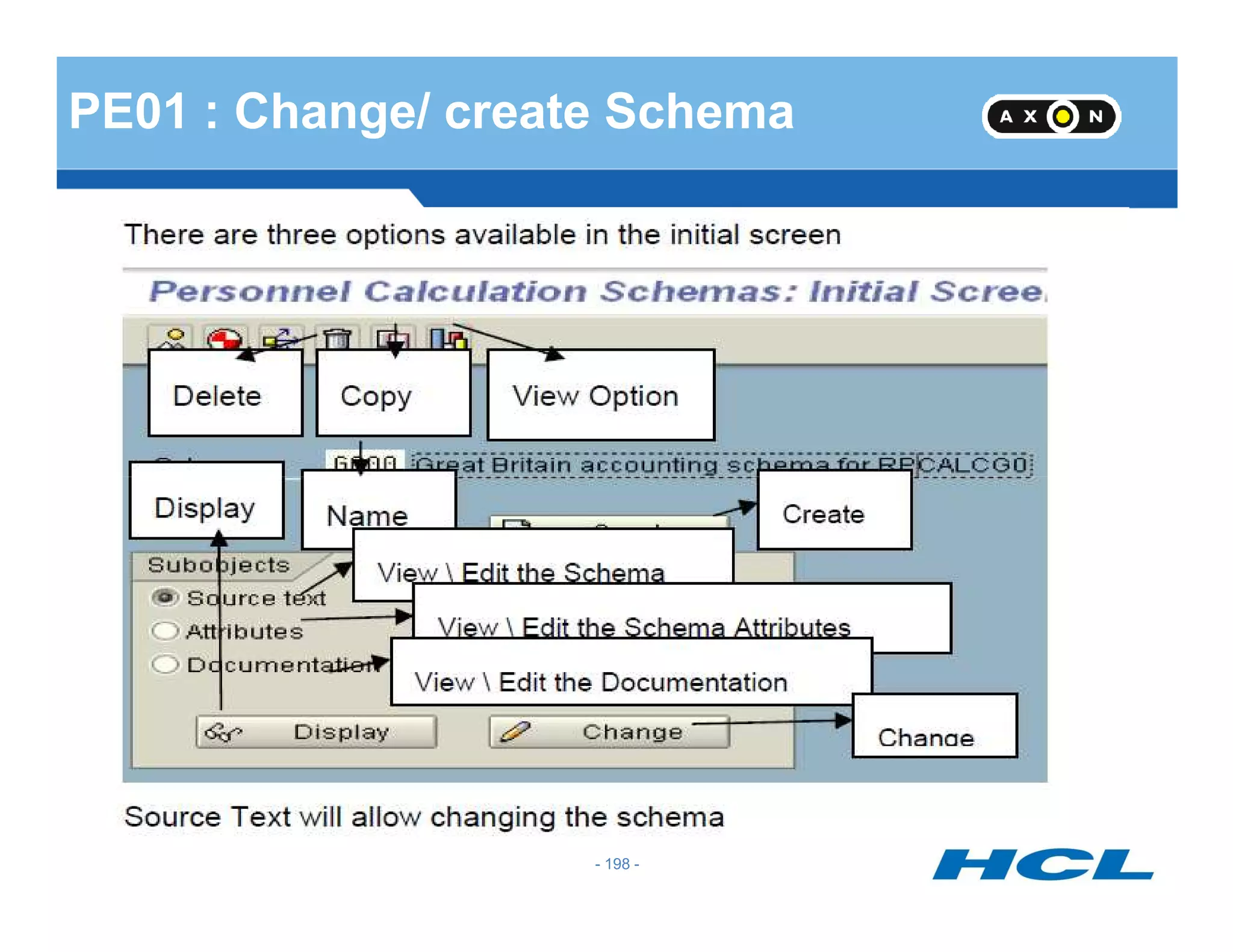
PE01 : Change/ create Schema
- 198 -
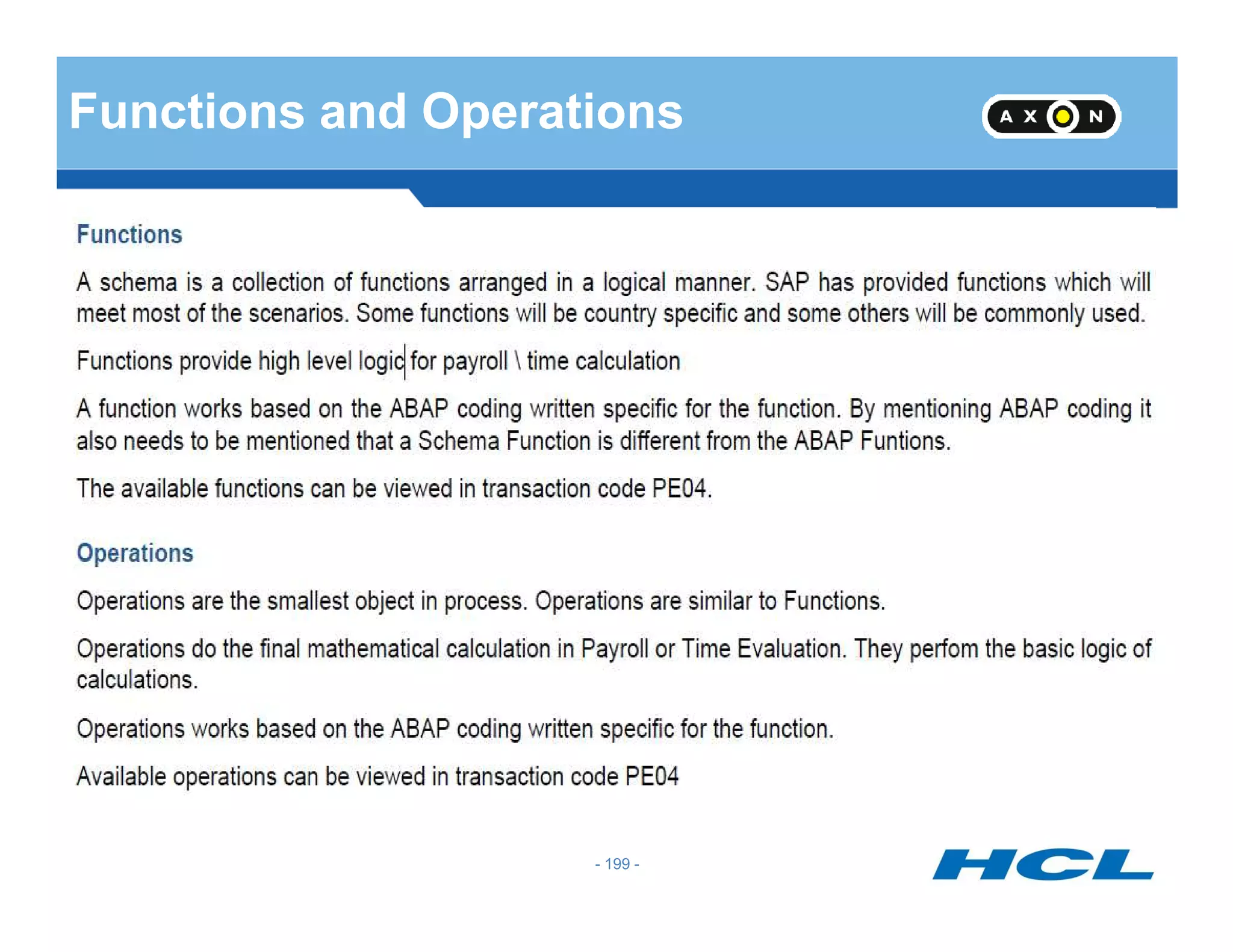
Functions and Operations
- 199 -
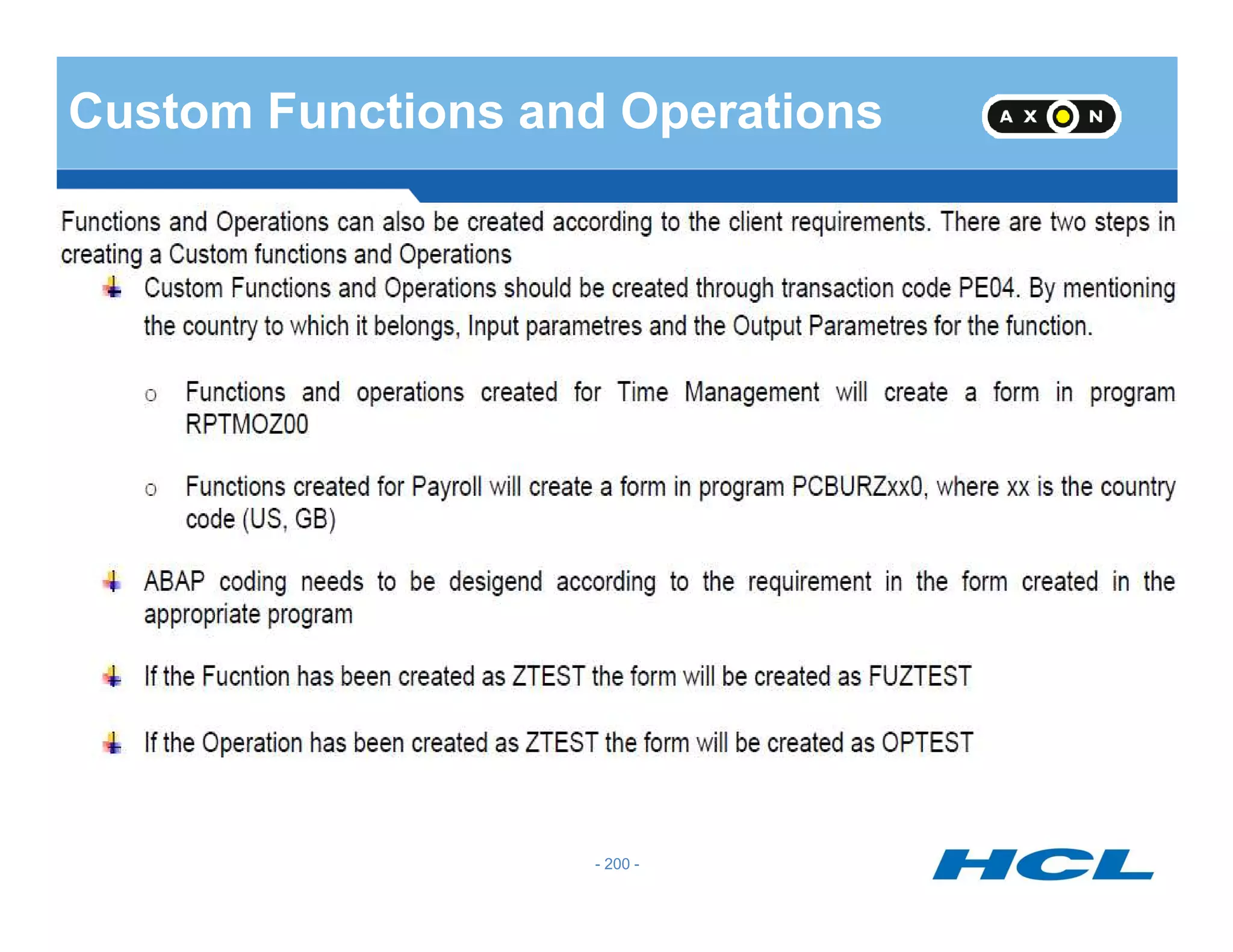
Custom Functions and Operations
- 200 -
Thank you

SAP Time Management

  • 1.
    (SAP – PersonnelTime Management) Ajay Kumar E-mail : ajay_kuma@hcl.com (Saturday, 16 June 2012)
  • 2.
    Training Agenda DAY 1 Introduction HolidayCalendar Work Schedule DAY 2 - 2 - DAY 2 Absence Infotype Absence Quota Generation Rules DAY 3 CATS Quota Compensation Schema Modification
  • 3.
    Time Management Infotypes IT0007 (Planned Working time) IT 0050 (Time Recording Info ) IT 0416 ( Time Quota IT 2007 (Attendance Quota) IT 2010(Employee Remuneration) IT 2011 (Time Events) Assuming that OM/PA has already been implemented and master data is maintained for the same. - 3 - IT 0416 ( Time Quota Compensation) IT 2001 (Absences) IT 2002 (Attendances) IT 2003 (Substitutions) IT 2004 (Availability) IT 2005 (Overtime) IT 2011 (Time Events) IT 2012 (Time Transfer Specifications) IT 2013 (Quota Correction) IT 0005 (Leave Entitlement) IT 0083 (Leave Entitlement Compensation)
  • 4.
    (Simulated Infotypes) Data storedin clusters, cannot be queried using ad hoc query. This causes inconvenience as data from Infotype and clusters can not be viewed together. SAP solves this problem by providing simulated Infotype. IT 2500 – Personal work schedule times - 4 - IT 2500 – Personal work schedule times IT 2501 – Employee time and labour data IT 2502 – Quota Status
  • 5.
    (Infotype Maintenance) PA30 PA20 -Dispaly PA61 PA51 - 5 - PA71
  • 6.
    Personnel Subarea -Employee Subgroup Groupings Public Holidays Public Holiday Calendar Daily Work Schedules Break Schedules Variants Rules - Variants Period Work Schedules IMG Customizing Steps - 6 - Work Schedules Work Schedules Generate Monthly Work Schedules Infotype 0007 Plan Working Time
  • 7.
    (Work Schedule) The Dailywork schedule specifies the working times and breaks A period work schedule is a fixed pattern of daily work schedules A work schedule rule links the following elements: - 7 - Public Holiday calendar Period work schedule Daily work schedule Work break schedule Personnel subarea grouping Employee subgroup grouping The work schedule rule can be defaulted on infotype 0007
  • 8.
    Holiday Calendar Public HolidayClass (Blank – No holiday, 1 – Public day) Create a Holiday Assign to Holiday calendar T-code - SCAL - 8 -
  • 9.
    Public Holiday Calendar SAPhas two calendars used by the HR module Public Holiday Calendar Factory Calendar SAP provides standard Public Holiday calendars for most countries. All calendars are customizable in SAP - 9 - All calendars are customizable in SAP SAP Calendars are not client-specific Used in many areas e.g. logistics and HR
  • 10.
    Public Holidays Classes PublicHoliday Class Blank - Working day Public Holiday Class 1 - Full day Public Holiday Public Holiday Class 2 - Half a day Public Holiday - 10 - Public Holiday Class 2 - Half a day Public Holiday Public Holiday Class 3 - 9 - Customer Specific
  • 11.
    Public Holiday Calendar •TheHoliday Calendar will have the list of holidays. Holidays should also be configured as Full Day Public Holiday and Half a Day Public Holiday •Holidays may be Fixed (Fixed date), Movable (varies from year to year) and can also be configured as distance from Easter - 11 - - 11 -
  • 12.
    Time Management Groupings SAPprovides the following groupings in Time recording Personnel Subarea Groupings Employee Subgroup Groupings Groupings allow the user to, for example - 12 - Groupings allow the user to, for example Define different work schedules for groups of employee’s Assign different rules for deviations to planned working time Permit only certain attendance’s and absences to be posted for certain groups of employee’s
  • 13.
    Personnel Subarea grouping forWork Schedules C B A Daily Work schedules: Norm (8H) Norm (10H) Executives (9H) Early Late Personnel Subarea grouping for Work Schedules 0201 Define Personnel Subarea Groupings: Groupings for Daily Work Schedule - 13 - Late Night Off Personnel Subarea grouping for Work Daily Schedules Personnel Subarea grouping for Work Daily Schedules 0201 • Normal (8H) • Executives (9H) • Early • Late • Night • Off • Normal (10H) • Early • Late • Night • Off
  • 14.
    Personnel Subarea Grouping AllThe Personnel Subareas which share the same Work Schedule will be grouped together Factory Maintenance Marketing Administration - 14 - 01 01 02 02 Factory and Maintenance Department grouped as 01 as they work in shifts and they share the same working times Marketing & Admn Department grouped as 02 as they share the same working times
  • 15.
    Personnel Subarea Grouping ForWork schedule For Daily Work Schedule View: V_001P_ALL - 15 -
  • 16.
    Employee Subgroup Grouping AllThe Employee Subgroups which share the same Work Schedule will be grouped together Salaried Trainees Hourly wage earners 1 21 - 16 - Salaried Staff and Trainees share the same work schedules and are grouped as 1 Hourly Wage earners work different times and are grouped as 2 1 21
  • 17.
  • 18.
    Daily Work Schedules Howan employee works during a day What is the timing How much late coming or early going is tolerated When does he have break - 18 - In case of flextime – Specify planned, Normal and core times
  • 19.
    Work Break Schedule 4types of Break Schedule: Fixed Break Variable break Dynamic break - 19 - Overtime break
  • 20.
    Daily work schedulevariant Definition : V_T550X Assignment : V_T550A 3 conditions for selection of variant #Holiday Class for the day - 20 - #Holiday class for the next day #Weekday You can have many variant for a DWS. When all above conditions meet, specific variant will be selected.
  • 21.
    Rule for DailyWork Schedule Variant Rule No Hol. Class Curr Day Hol.Cl Next Day Day of Week Variant b 1 2 3 4 5 6 7 8 9 b 1 2 3 4 5 6 7 8 9 1 2 3 4 5 6 7 - 21 - X – True . - Not True
  • 22.
    Daily Work Schedule- Shifts To08:00 16:00Personnel Subarea Grouping 01 Early Shift Middle Shift If the employee works in 3 shifts there would be 3 Daily Work SchedulesEARL MIDD - 22 - Personnel Subarea Grouping Personnel Subarea Grouping 01 01 16:00 0:00 24:00 08:00 To To Night Shift NIGH
  • 23.
    Period Work Schedule PeriodWork Schedule is a pattern of daily work schedule which the employee will be working In this example, the employee works from 9:00 to 17:00. Name of the Daily Work Schedule is 6DAY 7654321 - 23 - 01 6DAY 001 7654321 6DAY 6DAY6DAY 6DAY 6DAY OFF6DAY
  • 24.
    Weekly off For Weeklyoff there should be a separate Daily Work Schedule in which the option “No planned working hours is to be checked” Checkbox No Planned Working Hours OFF Weekly Off - 24 - Checkbox No Planned Working Hours No timings need to be entered in this Daily Work Schedule as it is meant for an OFF day
  • 25.
    Period Work Schedule– Rotating Shift The Employee works in three shifts namely EARL, MIDD and NIGH – There would be a rotating pattern 01 ROTA 001 7654321 EARL EARLEARL EARL EARL OFF OFF 01 ROTA 002 MIDD MIDDMIDD MIDD MIDD OFF OFF - 25 - 01 ROTA 003 NIGH NIGHNIGH NIGH NIGH OFF OFF When the Work Schedule is generated this pattern would be repeated over a period specified
  • 26.
    Period Work Schedule– Rotating Shift – Change of Shift every two days Here the Daily Working times is changing every two days. Hence the full cycle ending with Night Shift has to be specified. 001 to 006 denote the week numbers. 01 ROTA 001 7654321 EARL MIDDEARL MIDD NIGH OFF OFF 01 ROTA 002 NIGH EARLEARL MIDD MIDD OFF OFF - 26 - 01 ROTA 003 NIGH EARLNIGH EARL MIDD OFF OFF 01 ROTA 004 MIDD NIGHNIGH EARL EARL OFF OFF 01 ROTA 005 MIDD NIGHMIDD NIGH EARL OFF OFF 01 ROTA 006 EARL MIDDMIDD NIGH NIGH OFF OFF
  • 27.
    Public Holiday Calendarattached to Personnel Subarea The public holiday calendar has to be attached to each Personnel Subarea which would be bound by these holidays Personnel Area Personnel Subarea PH Cal CHEN ADMN IN - 27 - CHEN ACCT IN CHEN PROD ZN
  • 28.
    Day Types Day typesare meant for public holiday classes. Whether the employee will Work on Public Holidays and whether he will be paid or not Day Types Blank Work/Paid - 28 - 1 Off/Paid 2 Off/Unpaid 3 Off/Special Days
  • 29.
    Day Type Rule DayType Rule specifies the Day Type for Public Holiday Classes b 1 2 3 4 5 6 7 8 9 b 1 2 3 4 5 6 7 8 9 b 1 2 3 4 5 6 7 8 9 Weekday Saturday Sunday - 29 - On Working day the employee has to Work to get paid, on Full Day Public Holiday Day Type is 1 – Off and paid. This rule will be referred in Work Schedule Rule. In this example, the same rule is applicable for Weekday, Saturday and Sunday
  • 30.
    Work Schedule Rule WorkSchedule Rule will incorporate all the rules for the Work Schedule - 30 -
  • 31.
    Work Schedule Rule- Continued Working hours entered in Work Schedule Rule will be defaulted in Infotype 0007 when Work Schedule Rule name is entered Weekly Daily Annual8 40 1920 - 31 - Monthly No. of workdays in a week 160 5
  • 32.
    Work Schedule Rule- Continued The Period Work Schedule, Starting point, Reference day and day type rule will also be referred in Work Schedule Rule Reference Date Period Work Schedule NORM 01.01.1990 - 32 - Starting point Day type Rule 001 01
  • 33.
    Generate Work SchedulesManually The Work Schedule has to be generated and only then it can be attached to an employee in Infotype 0007 PSA Grouping ESG Grouping 40 9 - 33 - Generate Work Schedules ManuallyHoliday Calendar Work Schedule Rule IN General From period To period 12/2006 01/2008
  • 34.
  • 35.
    Infotype 0007 The WorkSchedule generated is to be attached to an employee in Infotype 0007 - 35 -
  • 36.
    IT 0007 –Part Time Employee - 36 -
  • 37.
    What does TimeManagement Status specify? And what are the possible values? Time Management Status specifies whether an employee participates in Time Evaluation Possible values of TMS are: 0 -- No Time Evaluation - 37 - 0 -- No Time Evaluation 1 -- Time Evaluation, Actual Times 2 -- Time Evaluation, PDC 7 -- Time Evaluation without Payroll Integration 8 -- External Services 9 -- Time Evaluation, Planned Times - 37 -
  • 38.
    Link between IT0007 & IT 0008 - 38 - it will copy entries from 0007 to 0008 if this entry is made in T77S0 and if feature DFINF is set.
  • 39.
  • 40.
    Substitution PA- PSA Groupingfor substitution - 40 -
  • 41.
    Define Substitution :V_T556 Indicator for shift change compensation Shift change compensation ensures that an employee does not lose out financially by working a substitution. - 41 - out financially by working a substitution. If the Shift change compensation field is active, the difference between two levels of remuneration for a substitution can be adjusted automatically in payroll. Example: If an employee normally works the night shift and has to substitute for a colleague on the day shift, he is still paid the rate for the nightshift (including bonuses).
  • 42.
    Reduced Hours SubstitutionIndicator Company might declare that due to bad weather, employees need to - 42 - Company might declare that due to bad weather, employees need to work only 4 hours on a particular day, instead of normal 8 hours. However, if an EE is absent, if company wants to count his absence as 4 hrs do not tick this.
  • 43.
  • 44.
  • 45.
    Substitution 2003 Cont.. IndividualWorking Time Daily Work Schedule - 45 - Daily Work Schedule Breaks Work Schedule Rule Differential Payment According to
  • 46.
    Time Data Recordingand Administration - 46 - Time Data Recording and Administration
  • 47.
    Time Recording Methods -47 - Positive Time Recording Negative Time Recording - 47 -
  • 48.
    Records time deviationsto planned working time Valid deviations include: Absences Special absences On call duty Overtime Time Recording : Negative - 48 - Overtime Substitutions Time off in lieu Deviations are manually entered according to type and duration - 48 -
  • 49.
    Records the attendancetimes of an employee Records the deviation times of an employee Valid attendance's include: Training Time Recording : Positive - 49 - Business trip Seminar Overtime Attendance's and deviations can be entered either: Front-end system Manually - 49 -
  • 50.
    Time Recording :Methods of Time Data Capture Time sheet entry using ESS Employee enters time sheets using ESS Paper time sheets Employee physically record start and end time Electronic data capture Employee use machines to punch a card Employee swipes a card at a time terminal Importable file formats Time admin submits data in importable file format - 50 - 50
  • 51.
    Time Recording inTime Management Time recording in time management Allows the entry of employee time data Manually Automatically - 51 - Allows data to be entered as clock times Allows data to be entered as hours Time data is entered in time recording infotypes Time recording infotype range 2000 - 2999 - 51 -
  • 52.
    Absences Absences / Attendances -52 - Attendance / Absence Quotas Leave Entitlement Absences Attendance's 2001 2002 2007 / 2006 0005 - 52 -
  • 53.
    Secured FTP Server Secured FTP Server Files Inbound Time Files Data Master Data SAPSystemMANUFACTURING PLANT Clock server Time Recording Terminals SAP Time and Payroll Integration with External Time Devices T & A PayrollLSMW /BDC/PI - 53 - FilesFiles • Time recording terminals will capture the time data and record it on clock server • Time data input file will be generated from clock servers and placed on the FTP server • Time Data will be loaded to SAP using SAP PI/LSMW/BDC for time evaluation • SAP payroll engine will use SAP time data to generate pay checks - 53 - T & ALSMW /BDC/PI
  • 54.
    Payroll Secured FTP Server Secured FTP Server Files Inbound Time Files Master Data LSMW /BDC/PI SAP SYSTEMCustomer T&A System Time Recording Terminals SAPPayroll Integration with External Time Systems - 54 - • Master data will be maintained in SAP and sent to FTP Server for loading into T&A system • Time Recording Terminals will capture the time data and T&A System will do the validation and evaluation • Consolidated data from T&A system will be loaded to FTP Server • Time Data will be loaded to SAP using SAP PI/LSMW/BDC for Payroll processing • SAP to SAP integration will be through RFCs - 54 -
  • 55.
    Quest 1 :What are the basic time recording concepts? Method 1: Record only deviations to the work Schedule/ Negative Time Recording/ Exceptions: This method records only employees time data that exceptions or . - 55 - deviations to the work schedule assigned to employees. Here you can include the most current data, such as Employee illness, schedule and record substitutions and enter annual leave for employees. Method 2: Record Actual times / Positive time recordings. This method completely records all actual times, that is, all transactions such as actual working times, absences and so on. - 55 -
  • 56.
    Quest 2 :What is Substitution? Mention their types. A substitution constitutes working time that is different from the employees planned working time, and/or working time that is paid at a rate determined for a different position.. Substitutions are planned exceptions to an employee's work schedule for a defined period of - 56 - exceptions to an employee's work schedule for a defined period of time. Substitutions are treated as planned specifications in time evaluation. There are different types such as 1. Time substitutions 2. Day program substitutions 3. Shift substitutions 4. Personnel number substitution 5. Job Number substitution - 56 -
  • 57.
    Quest 3 :What is availability and types? Time period during which an employee must be available to perform any work that arises. It differs from on call duty in that the employee must actually be at his work center. - 57 - You use the availability to specify whether an employee is available for other work activities if he or she has been assigned this availability type. IT2004 1. Not available 2. Available 3.Available on-call 4. Irrelevant - 57 -
  • 58.
    Quest 4 :What is over time? Overtime represents working time performed in addition to normal working time as defined by law. The employee is entitled to appropriate remuneration in addition to his normal wage or salary (overtime bonus).IT2005 - 58 - (overtime bonus).IT2005 Time worked in addition to an employee's planned working time as defined in the employee's contract, collective agreement, or by legal regulations. Many agreements assume that times recognized as overtime are first approved internally. - 58 -
  • 59.
    Absence Management &Quota Accrual - 59 -
  • 60.
    Absence/Attendance Counting Absences / attendances TYPESPersonnelSubarea groupings Indicators for the personal calendar Entry Screens and Time constraint classes Absence / Attendance Configuration Elements Quota type 99 Leave Entitlement 0005 Quota type 01-98 Quotas 2006/2007 groupings personal calendar QUOTAS - 60 -
  • 61.
  • 62.
    Grouping of PA-PSA for Absence types - 62 -
  • 63.
  • 64.
    Entry Screen andTime Const. Classes - 64 -
  • 65.
    Entry Screen forIT 2001 The following screens are currently available: Absences: - 2000 Absences (general) - 2001 Quota deduction - 2002 Work incapacity (Germany) - 2003 Maternity protection - 65 - - 2003 Maternity protection - 2004 Military service - 2005 Work incapacity (Netherlands) - 2008 Work incapacity (general)
  • 66.
    Sick Leave :Cont. Pay: Screen 2008 - 66 -
  • 67.
    IT 2001 :PL : Screen 2001 - 67 -
  • 68.
    IT 2001 :Screen 2000 : No Quota - 68 -
  • 69.
  • 70.
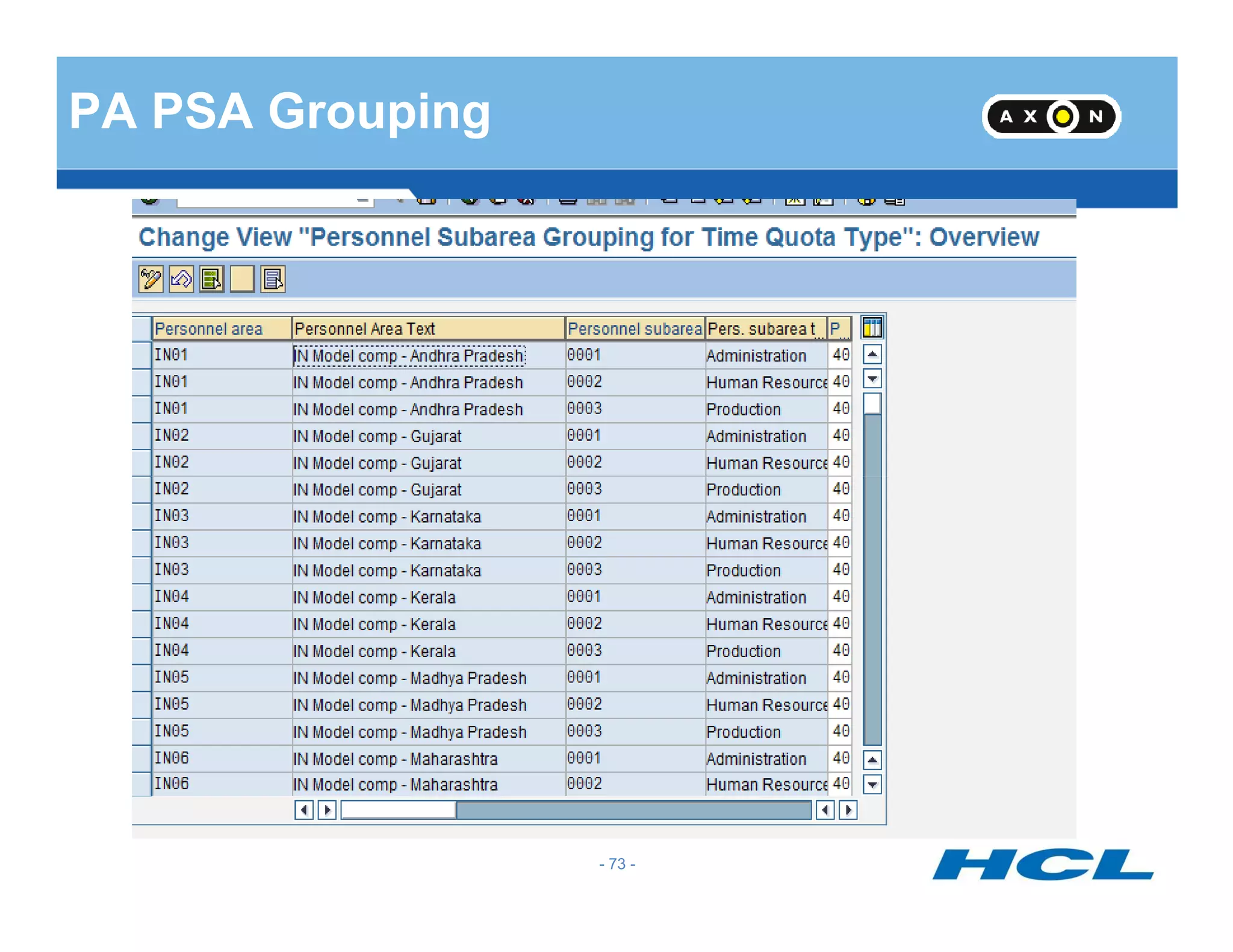
    Configuration: Group employee subgroups fortime quotas Define rules for rounding counted 1 Group personnel subareas for time Define Rules for Absence Counting rounding counted absences3 4 subareas for time quotas Define counting rules Assign counting rules to absence types 2 5 - 70 -
  • 71.
  • 72.
  • 73.
  • 74.
  • 75.
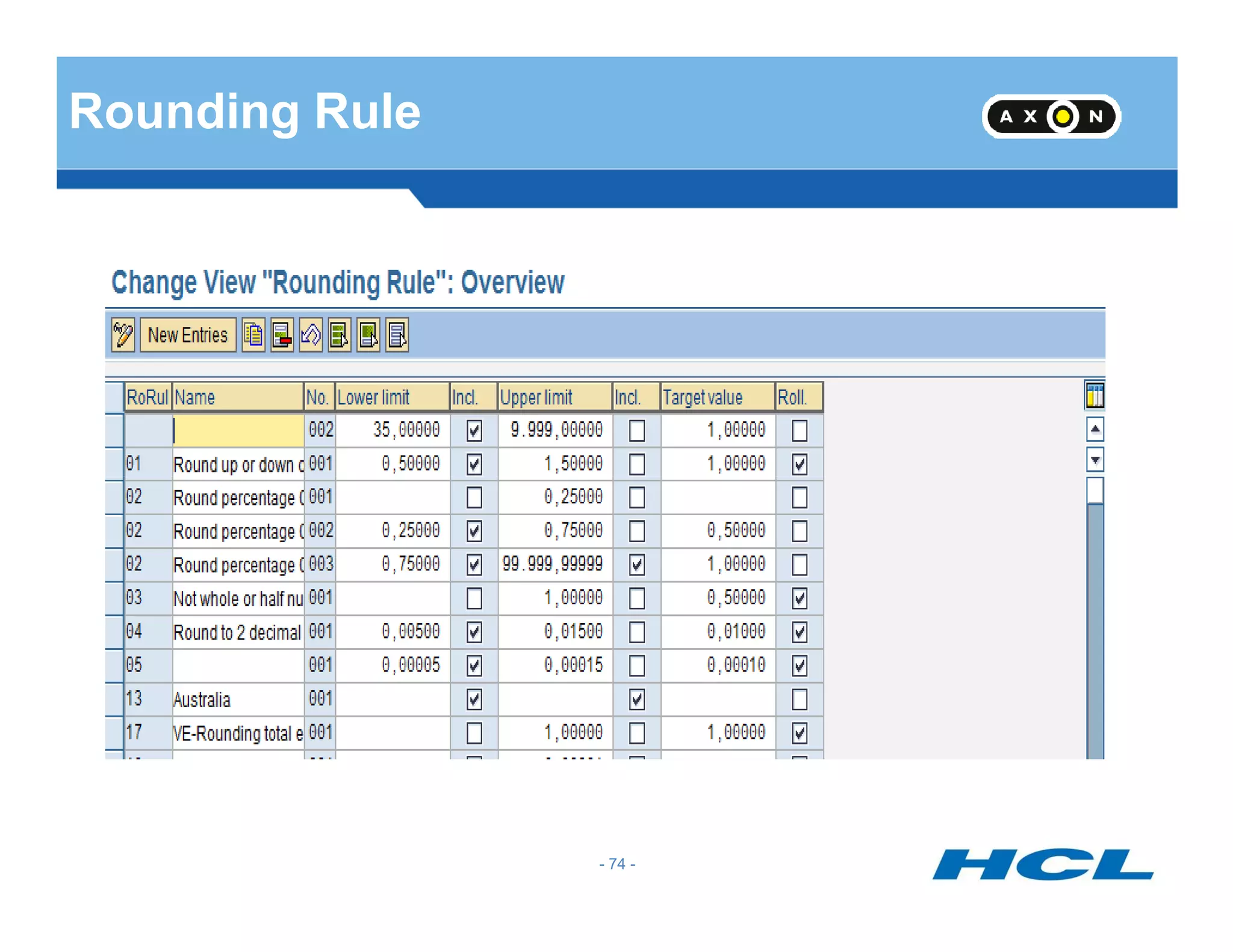
    Rounding Rule • Quotascan be rounded for which we can specify the conditions for rounding in a rounding rule • The lower limit and upper limit can be specified along with the target value for rounding. - 75 - • We can either include or exclude the lower or upper limit for the purpose of rounding • If we select checkbox “Roll” the target value would be rolled for subsequent intervals - 75 -
  • 76.
    Counting Rule Applicability ofRule Condition for Current Day Weekday Holiday Class Condition For Work Schedule - 76 - Counting class for PWS DWS Class Condition for planned hours Condition for absence/ Attendance Counting Deduction Rule
  • 77.
    Counting Rule • Weassign a deduction rule in a counting rule • Counting rule will specify the conditions for counting an absence Counting Rule 101 - 77 - Sequence Number 001 - 77 -
  • 78.
    Counting Rule Contd… •Checkboxes for Monday to Sunday would be available and these have to be checked if the leave is to be counted on these days • Counting Classes can be attached to Period Work Schedules which can be queried in the counting rule • DWS class given in the Daily Work Schedule can be queried in the Counting rule. Only absences for those employees who belong to the selected category would be counted using - 78 - this rule. If one rule is not satisfied system will process the sub-rules sequentially • The Holiday Classes blank to 9 can be queried and counted if required • The Day types can be queried in the counting rule • Less than one day and one day options are available in the counting rule • Planned hours =0 and Planned hours > 0 options can also be used for counting • System will count the leave only if all the selected conditions are satisfied - 78 -
  • 79.
    Counting Rule Contd… •Rounding can also be done during counting. • Whether to Count first or Round first radio button option to be selected • The Deduction rule framed earlier has to be referred in counting rule either in within entitlement or over entitlement field. - 79 - Within entitlement Over entitlement 100 - 79 -
  • 80.
  • 81.
  • 82.
  • 83.
    Absence Type: Casual Leave Weekday: WorkingDays Public Holiday Class: Period Work Schedule Class: Daily Work Schedule Class, Day Type: All BlankMonday - Saturday Define Counting Rules Days 1 Deduct Full day Hours 4 Working Days Quota Multiplier 50% Quota Multiplier 100% Hours Days Deduction of Quota All - 83 -
  • 84.
  • 85.
    Deduction Rule •Deduction ruleSpecifies the Deduction of Quotas ,the sequence in which they have to be deducted and also the priority of deduction •There may be more than one quota for the same absence type. The order of deduction of these quotas have to be specified - 85 - •The priorities can be Quota types, Validity from date, Validity to date, deduction from date and deduction to date. •The Validity interval is the period for which quota has accrued. The Deduction interval is the period in which the quota can be used. - 85 -
  • 86.
    Deduction Rule -continued Priority 1 Quota type Priority 2 Priority 3 Priority 4 Validity from Validity to Deduction from The priorities of Validity and Deduction can be ascending or descending Whether the quotas would be in Days or Hours would also be specified in a - 86 - Priority 5 Deduction to Hours would also be specified in a Deduction rule - 86 -
  • 87.
    Assign counting ruleto absence types - 87 -
  • 88.
    Assign Counting Ruleto Absence - 88 -
  • 89.
    Assign Counting Ruleto Absence Types •The Counting rule has to be assigned to the absence type for which the quota is created. •This step will connect the quota and absence. •The checkbox for deduction of quota has to be activated so that the quota would be - 89 - reduced if the absence is recorded •The Checkbox for deduction over interval end can be selected if the leave starting from deduction end date and extending beyond that date is to be allowed or not - 89 -
  • 90.
    Reaction to OverlappingTime Infotype - 90 -
  • 91.
    Feature : HRSIF -91 - 1 – Hours can be recorded without clock times 0 – Clock Times Generated
  • 92.
    Leave Request ESS -92 - Leave Request ESS
  • 93.
    ESS – LEAVEREQUEST - 93 -
  • 94.
  • 95.
    Processing Process forLeave Type - 95 -
  • 96.
    Processing Process forLeave Type- cont.. - 96 -
  • 97.
    Direct/ No Approval -97 - Remove display field for next agent. This will not display approver in the ESS leave request. Uncheck “Requests have to be approved”. This will allow direct approval.
  • 98.
    Define Report Variantsand Background Processing To post approved requests, you have to create a background job which will execute program RPTARQPOST. This background job is responsible to post approved leaves in IT 2001. - 98 -
  • 99.
    Specify How LeaveIs Displayed and Default Values - 99 -
  • 100.
    Specify Display ofAbsence Quota - 100 -
  • 101.
  • 102.
    T-Codes Report Description RPTARQPOST LeaveRequests: Post RPTARQDBVIEW View documents in an organized way on PTREQ_HEADER RPTREQAPPRCHK Determine Approver RPTARQEMAIL Leave Requests: Send E-Mails - 102 - RPTARQLIST Leave Requests: Check RPTARQERR Leave Requests: Process Clock-In/Out Corrections RPTARQSTOPWF Leave Requests: Complete Current Workflows
  • 103.
  • 104.
  • 105.
    Attendance : EntryScreen - 105 - 2050 – Quota Deduction 2051 – No Quota Deduction
  • 106.
  • 107.
    Availability : IT2004 - 107 -
  • 108.
  • 109.
    Time Account :Absence Quota - 109 -
  • 110.
  • 111.
    Permit Quota Generation -111 - For quota types that will be manually accrued and created, check “No generation.” For quota types that will be automatically accrued (by time evaluation or the generation program), check “Increase” or “Replace.” If “increase” is selected, each accrual amount transferred will add to the existing entitlement. “Replace” will overwrite the existing entitlement when accruals are transferred.
  • 112.
    Generation Rule Generate Ruleincorporates •Base Entitlements •Reduction Rule • Rounding Rule - 112 - • Based on Challenge percentage of employee different generation rules can be framed • Based on date of entry, different generation rules can be framed •The maximum entitlement can be restricted in the generation rule - 112 -
  • 113.
    Rules For GeneratingAbsence Quota - 113 -
  • 114.
  • 115.
    Based on seniority- 1 - 115 -
  • 116.
    Based on seniority- 2 - 116 -
  • 117.
    Based on seniority- 3 - 117 - It defines the constant amount for the quota based on seniority. In the first screen, that the Sequential Number is 001, the Seniority is 000-003 years, and the Constant is 80.00 hours. In the second screen, the Sequential Number is 002, the Seniority is 004-006 years, and the Constant is 120.00 hours. In the third screen, the Sequential Number is 003, the Seniority is 007-999 years, and the Constant is 200.00 hours. In the Related to period section, the period is set to Calendar year. This means that the constant entitlement amounts are for the calendar year, ie. 200 hours per year.
  • 118.
    - 118 - ValidityInterval and Deduction Interval
  • 119.
    Validity Interval • ValidityInterval is the period for which the quota is to be accrued. • We may specify validity interval as start of calendar year to end of calendar year or alternatively, other periods can also be specified as validity interval. - 119 - alternatively, other periods can also be specified as validity interval. • While giving the validity interval, the quota type selection rule group will also be specified. - 119 -
  • 120.
    Deduction Interval • Deductioninterval is the period in which quota can be used. • Different quotas can have different deduction intervals - 120 -- 120 -
  • 121.
  • 122.
  • 123.
  • 124.
  • 125.
    Reduction Rule • Quotacan be reduced proportionately for part-time employees based on part-time percentage in Infotype 0007 • Quota can be reduced proportionately for employees based on Capacity Utilisation percentage in Infotype 0008 - 125 - • For employees who join or leave in the middle of the year, based on inactivity, quotas can be reduced - 125 -
  • 126.
    Assign Reduction Indicatorsfor Absences - 126 -
  • 127.
  • 128.
    Generation Rule Generate Ruleincorporates •Base Entitlements •Reduction Rule • Rounding Rule - 128 - • Based on Challenge percentage of employee different generation rules can be framed • Based on date of entry, different generation rules can be framed •The maximum entitlement can be restricted in the generation rule - 128 -
  • 129.
  • 130.
    Default of Quotas •QUOMO feature defaults quotas based on Quota Type Selection Rule Group • The Generation Rule and Validity periods would refer the Quota Type Selection Rule Group - 130 - • Based on the Quota Type Selection Rule Group QUOMO will default the quotas if report RPTQTA00 is run or when Infotype 2006 is created - 130 -
  • 131.
  • 132.
  • 133.
    Applicability cont.. Earliest accrualdate: corresponds to a date on Infotype 0019 – Monitoring of Dates. For example, if the employee’s accrual should not start until after they complete a probationary period of time, you can specify the date/deadline type from IT0019 here. • Entry date: Specify a period of time for which the rule should be applicable - 133 - • Entry date: Specify a period of time for which the rule should be applicable based on the employee’s entry date. Keep in mind that this date is derived from the entry date on IT0000. (See section in this document on Feature HDATE for more details). If entry date is not relevant, leave the fields blank or use a greater period for the entry date (01/01/1800 - 2/31/9999, for example). • Challenge Group/Degree of challenge: specify details on the employee’s disability, if applicable.
  • 134.
    Accrual Period - 134- In the Accrual Period section, select one of the following options: •Daily: Entitlements are calculated daily. This means the base entitlement for the year is divided by 365 to calculate the daily accrual. •Month: Period from first day to last day of the month. This means the base entitlement for the year is divided by 12 to calculate the monthly accrual, and the accrual takes place at the end of the month. •Calendar Year: Period of one year, from 01/01/XX to 12/31/XX. This means the base entitlement for the year is accrued at the end of the calendar year.
  • 135.
    Accrual Period Cont.. •Time evaluation period: Period determined in time evaluation, defined in the Determine time evaluation period step in the IMG. The accrual takes place at the end of the time evaluation period. • Payroll period: Period determined in payroll; valid payroll period of the day to be evaluated of the payroll area of the employee to be evaluated. The accrual takes place - 135 - evaluated of the payroll area of the employee to be evaluated. The accrual takes place at the end of the payroll period. • Other period: Individually specified period; period parameters are defined in the Define period parameters step in the IMG. This period is particularly useful if you have irregular accrual periods that may begin in the middle of the month. The accrual takes place at the end of the period. • Rel. to date type: Period is defined in relation to a date type from the Date Specifications Infotype (0041). You determine the accrual period using the length field (for example, the date the employee joined the company, with a period of one month.)
  • 136.
  • 137.
  • 138.
    Base Entitlement Cont. Ifthe quota is based on seniority, you must choose one of the following options: For exact day: This option will use the employee’s entry date from IT0000 as the key date for determining seniority. This means any change in the employee’s seniority is taken into account within the accrual period. Start/End of accrual period: This option will use the employee’s entry date from IT0000 as the key date for determining seniority. This means any change in the employee’s seniority is taken into account at the start of the next accrual period. - 138 - employee’s seniority is taken into account at the start of the next accrual period. Start/End of base period: This option will use the employee’s entry date from IT0000 as the key date for determining seniority. This means any change in the employee’s seniority is taken into account at the start of the next base period. Date Type: This option will use a specified date on the employee’s IT0041 record as the key date for determining seniority. This means any change in the employee’s seniority is taken into account on the date specified in the date type, with the current year. Quota entitlements based on age are handled in a very similar manner – the same fields apply as with seniority.
  • 139.
  • 140.
    Accrual Entitlement Cont.. Prorata calculation means in order to determine the appropriate entitlement based on the period, the accrual period is compared with the base period of the quota type currently being processed, and a proportionate accrual entitlement is determined. It means the total base entitlement of the quota type currently being processed is always used as the basis for the accrual entitlement. You can also choose to multiply the accrual by a time balance. If you want to generate the accrual entitlements on the basis of accountable attendance times, enter either a - 140 - the accrual entitlements on the basis of accountable attendance times, enter either a day balance or period balance in the Multiplication by time balance section. You can use alternative quotas to manage the capping differences that result from deduction or from the maximum entitlement being exceeded. Determine whether you want to store the capping differences and assign the applicable quota types.
  • 141.
  • 142.
    Transfer Time Cont.. Inthe transfer time section, you must choose one of the following options: Upon accrual – Whenever the accrual takes place, it is immediately transferred to the quota. Per calendar year – The accrual is transferred at the end of the year, on 12/31/XX. Per time evaluation period – The accrual is transferred at the end of the specified time - 142 - Per time evaluation period – The accrual is transferred at the end of the specified time evaluation period. Per payroll period – The accrual is transferred at the end of the payroll period. Other period – An individually defined period; the period parameter is set in the Define Period Parameters step in Customizing for Payroll. Date type – A date type from IT0041 can be specified here as the transfer time. Transfer rule - This field is relevant for Australia and New Zealand only.
  • 143.
    Total Entitlement The maximumentitlement specifies the maximum amount that can be transferred to a quota type. - 143 - transferred to a quota type. For example, if an employee accrues 7 hours during an accrual period based on their time worked, and this field is set to 6 hours, only 6 hours can be transferred to the quota.
  • 144.
    Validity period fordefault value - 144 -
  • 145.
  • 146.
    Leave Donation inPublic Sector 1. Infotype 0696 (Absence Pools) – There are two types of pools: Home Pool and Foreign Pool. Home Pool is used for a group of employees within the same criteria/attribute (in the same Enterprise Structure, employee group, subgroup, etc.) Foreign Pool is a pool outside of the employee’s attribute. An employee can only have one Home Pool and can have more than one Foreign - 146 - can only have one Home Pool and can have more than one Foreign Pool. 2. Infotype 0613 (Absence Donation Administration) – To donate to another employee, either to an Absence Pool or Withdraw from an Absence Pool.
  • 147.
    RPTQTA00 – QuotaGeneration - 147 -
  • 148.
  • 149.
  • 150.
  • 151.
  • 152.
  • 153.
    Quest 1 :What is Absence quota? Mention their Types An employee’s entitlement to a certain absence. The quota has a limited validity period and is reduced by each recorded absence. A breakdown of employee time-off entitlements according to reason - 153 - for entitlement. Examples Standard annual leave Leave for challenged persons Time off from overtime - 153 -
  • 154.
    Quest 2 :what do you mean by attendance? Mention their types. A period during which an employee is working for the company. An attendance can also be a special attendance where the employee is not at his or her usual work center. Special attendances - 154 - include business trips and seminars. Ex. Business trips, offsite work, seminars, vocational school/class, employee training and staff meting etc., - 154 -
  • 155.
    Quest 3: whatare absence/attendance quota? Mention their types An employee’s entitlement to a certain absence. The quota has a limited validity period and is reduced by each recorded absence. A breakdown of employee time-off entitlements according to reason - 155 - for entitlement An employee's entitlement to a certain type of attendance, for example, overtime approval. The quota has a limited validity period and is reduced each time an attendance of this type is recorded. - 155 -
  • 156.
    Quest 4 :What is absence valuation? The processing of rules that determine how employee absences, such as leave and illness are treated in payroll. The specifications processed in this step are used to compensate absences and are available for running statistics. - 156 - available for running statistics. - 156 -
  • 157.
    Quest 5 :What are counting & deduction rules? Counting rule specifies conditions that must be fulfilled for a counting rule to be chosen, and specifications that decide how the attendances/absences are counted to determine the payroll days or hours. - 157 - hours. Reduction rule specifies conditions that must be fulfilled for a counting rule to be chosen, and specifications that decide how the attendances/absences are counted to determine the payroll days or hours. - 157 -
  • 158.
    Quest 6 :What do you mean by time quota type? You define the attendance and absence quota types that you wish to use for managing time accounts. You specify how attendances and absences are to be deducted from the employees' quotas. - 158 - A time interval during which employees can be at work or absent, under certain conditions - 158 -
  • 159.
  • 160.
    3 Methods ofQuota Compensation Based on Time Quota Type Based on Compensation Rule Free Compensation - 160 -
  • 161.
    Based on TimeQuota Type - 161 -
  • 162.
  • 163.
    Free Compensation -Automatic - 163 -
  • 164.
    Free Compensation -Manual - 164 -
  • 165.
    Quota Compensation :IT 0416 - 165 -
  • 166.
    Assign Wage Typeto IT 0416 - 166 -
  • 167.
    Assign Wage Typesto the Quotas to be Compensated : T556W - 167 - Comp Diff Year Meaning, Such as = 2010 Leave Year 2010 = 0 Current Year (Start date of payroll period) = -1 Leave from Previous year < 0 Leave from Prior Year Always
  • 168.
    Absence Quota :Before IT 0416 entry - 168 -
  • 169.
  • 170.
    Absence Quota: IT2006 - 170 -
  • 171.
    PT50 : QuotaOverview - 171 -
  • 172.
  • 173.
    Time Evaluation Overview Settingupworking timeprovisions Recordingcurrent timedata Usingthe results DEUTSCHE MARK DEUTSCHE MARK DEUTSCHE MARK DEUTSCHE MARK Postprocessing Evaluating times - 173 -
  • 174.
    Why Use TimeEvaluation Time sheet Managing time accounts and issuing time statements Issuing messages for postprocessing Recording... ...evaluating... …and using time data R DE UTSCHE M ARK DE UTSCHE M ARK DE UTSCHE M ARK DE UTSCHE MARK Creating wage types for Payroll Accounting Self-service applications postprocessing Time administrator Time recording terminals R/3 Time Evaluation - 174 -
  • 175.
    Basics and Prerequisitesfor Time Evaluation PlannedWorkingTime(0007) Organizational Assignment(0001) 1 2 3 4 5 6 7 8 9 10 11 12 TimeRecording Information(0050) Recordingactual times: Absences (2001) Attendances (2002) Overtime (2005) TimeEvents (2011) PersonalData(0002) R Recordingchangestoplannedspecifications: Substitutions (2003) Availability (2004) Recordingapprovalsandabsenceentitlements: AbsenceQuotas (2006) AttendanceQuotas (2007) - 175 -
  • 176.
    Plant Data Collection TEVENP2011 EntryScreens PA2001 PA2002 PA200n Pair Formation PCL1 (B1) NT1 Time Evaluation Time Recording Time Evaluation Process PCL2 (B2) PT RPTIME00 PCL2 (B2) PA2001 PA2002 PA200n Updates ZL Payroll RPCALC00 Legacy Payroll RPTEZL00 PU12 - 176 -
  • 177.
    Time Evaluation Process: Time Events Plant Data Collection TEVEN INFOTYPE 2011: TIME EVENTS - 177 -
  • 178.
    Quest 1: Whatis time evaluation? Time evaluation evaluates the attendance and absence times that have been recorded for or by your employees. The system uses the results of time evaluation to form time balances and time wage types, and to update attendance and absence quotas. - 178 - types, and to update attendance and absence quotas. - 178 -
  • 179.
    Quest 2 :What are time wage types? A time wage type is a remuneration specification for bonuses, such as overtime or nighttime bonus, as well as for employees paid by the hour. - 179 - These primary wage types are selected in time evaluation or when processing time data in payroll accounting. They are used in payroll accounting to determine gross pay. - 179 -
  • 180.
    Quest 3 :How can you generate absence quotas? After generation rules have been specified, you can use Report RPTQTA00 to accrual quota entitlement in advance for individual employees or a group of employees. - 180 - If you want to take advantage of time evaluation functions when generating absence entitlements, without having implemented all of time evaluation, you can use the standard schema TQTA. - 180 -
  • 181.
    Quest 4 :What is the schema TQTA used for? It is a special schema used for accrual of absence quotas. - 181 -- 181 -
  • 182.
    Quest 5 :What are the most important results of time evaluation? Time Evaluation Results: Time evaluation determines Overtime and bonus wage types and automatically takes account of public holidays, weekdays or conditions on the duration or time of work performed. Time evaluation enables you to administrate time accounts, which can be individually defined. If necessary, it can check to ensure that - 182 - be individually defined. If necessary, it can check to ensure that values do not exceed or fall short of value limits. Overtime, productive hours, absence time and so on. Flextime balances Annual working time accounts. Time evaluation issues messages when specific situations occur, for example, If working time regulations are not adhered to. Your can define your own messages for any situation. You can also order time evaluation to abort if particular errors occur. You Con display a statement of the balances determined each day for - 182 -
  • 183.
    CATS (Cross ApplicationTime Sheet) - 183 - Sheet)
  • 184.
    CATS BASICS CATS =Cross-Application Time Sheet Time capture and data transfer tool Additional functionality for Payroll and FI/CO CATS uses the SAP Human Resources authorization concept - 184 - CATS uses the SAP Human Resources authorization concept CATS may be updated via transaction code CAT2 or via a company intranet Web site Data entry in CATS may be done by individual employee or by defined groups of employees CATS may be used as the time transfer tool to update Human Resources with hours worked by employee- 184 -
  • 185.
    Benefits of UsingCATS for Time Sheets Several advantages to both employee and employer are easily identifiable. - 185 - Employee Employer Time entry at any time, anywhere Decentralized time recording Fewer administrative steps Reduction in administrative work Ease of use Standard Web browser - 185 -
  • 186.
    SAP Provides 4Solutions CATS Classic For HR / Time Administrator for multiple EE entry. CATS Regular** Can be used through web browser in ESS application Extensively Used - 186 - Extensively Used CATS Notebook Good for marketing employees, whom internet is not accessible all times. CATS for service Providers For temporary contract EE . Offer with to specify basic data that is valid for more than a day.
  • 187.
    CATS – InitialScreen & Data Entry View - 187 -- 187 -
  • 188.
    Using CATS Data:Updating HR Attendances/Absences (Infotypes 2001/2002) CATS feeds HR actual hours attended or absent CATS validates absences with absence quotas Payroll uses Infotype 2001/2002 data during processing Substitutions (Infotype 2003) - 188 - Position option may be used to assign payment for the work according to the specifications of a different position Employee Remuneration Infotype 2010) One-time earnings/deductions may be passed from CATS to HR Used to process manually – calculated wages or bonuses Work Tax Area (Infotype 0208) CATS allows a work tax area to default area in Infotype 0208.- 188 -
  • 189.
    Transferring CATS Datausing CAT6 - 189 -- 189 -
  • 190.
    SAP transactions: CAC1 :Maintain profiles CAC2 : Fields assignments CAT2 : Use the Cross Application Time Sheet CAPS : Approve Time Entries - 190 - CATA : Transfer All time entries CADO : Report on Time Entries
  • 191.
    Approval Process Standard TaskTS31000004: CATS Approval Standard Task TS31000006: CATS Approval by Time Administrator Standard Task TS31000007: CATS Approval by Supervisor - 191 - http://help.sap.com/saphelp_erp60_sp/helpdata/en/64/4003fb47021 1d189720000e8322d00 CATS: Agent Determination with CATS Workflow tasks : SAP Note 951708 When dealing with Workflow setup, do not forget to synchronize the Organizational Management Structure buffered by SAP, by running transaction code SWU_OBUF
  • 192.
    Quest 1 :What is the Cross Application Time Sheet used for? You can use the CATS to record times for and transfer them to the following target components: Controlling (CO): Internal activity. - 192 - Human Resource (HR): Attendances, Absences and Employee remuneration information. External services (MM_SRV): Entry of services performed for external services. Plant maintenance (PM), Customer Service (CS), and Project Systems (PS): Confirmation or orders or networks. - 192 -
  • 193.
    Quest 2 :What are the steps I n the time data entry process using CATS? The CATS process consists of the following 4 steps. 1.Entering data in the time sheet. - 193 - 2. Releasing the time data. 3. Approving the time data. 4. Transferring the time data to the target components. - 193 -
  • 194.
    Quest 3 :What are the prerequisites for working with the CATS? To be able to use the CATS, you must have: 1) HR Mini master (Personnel Number and Personnel data for the employees whose times are recorded). - 194 - 2). A data entry profile for recording employees time data. 3) The necessary authorizations for working with CATS. - 194 -
  • 195.
  • 196.
    PE02 : Edit/Create PCR - 196 -
  • 197.
  • 198.
    PE01 : Change/create Schema - 198 -
  • 199.
  • 200.
    Custom Functions andOperations - 200 -
  • 201.