Word Processing Mr Arthur
Aims of the Lesson 1 Today’s Lesson To discuss the advantages of Word Processing over using a type writer Features Editing Font Word-wrap Formatting
Advantages of Word Processing Advantages Easier to edit Format the document, adding images, borders Save the document and make a backup Better working conditions, less noise Possibly save ink and paper Print out numerous copies Disadvantages Possibly more expensive to buy hardware Technical knowledge to install software Electricity
Features of Word Processor Editing Font  = making changes Word-wrap  = automatically creating a new line when word does not fit Formatting Text Alignment Left, Centre, Right, Justify Line Spacing Single, Double Alter text style Arial,  Comic Sans ,  Times New Roman
Aims of the Lesson 2 Last Lesson To discuss the advantages of Word Processing over using a type writer Features Editing Font Word-wrap Formatting Today’s Lesson Formatting continued Search and Replace Spell Checker
Features of Word Processor Formatting continued Page Size and Layout A4, A3, landscape, portrait Set Margins Page breaks = starting a new page Tabulation and Tables = makes the text clearer and easier to read,
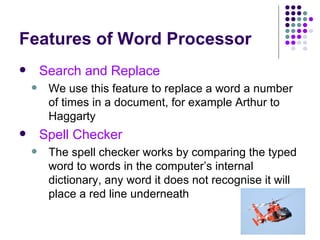
Features of Word Processor Search and Replace We use this feature to replace a word a number of times in a document, for example Arthur to Haggarty Spell Checker The spell checker works by comparing the typed word to words in the computer’s internal dictionary, any word it does not recognise it will place a red line underneath
Aims of the Lesson 3 Last Lesson To discuss the advantages of Word Processing over using a type writer Features Editing Font Word-wrap Formatting Search and Replace Spell Checker Today’s Lesson Grammar Check Standard Paragraphs
Features of Word Processor Grammar Check This feature works by highlighting sentences with grammatical errors, for example I seen everyone coming along Standard Paragraph A standard paragraph is a piece of text that has been typed up, saved to backing storage and inserted into a document a number of times
WP Revision Task Slide 1  = The advantages of Word Processing over using a type writer Slide 2  = Editing Font Size, Style, Alignment Slide 3  = Word-wrap, Search and Replace Slide 4  = Spell Checker ,  Grammar Check Slide 5  = Standard Paragraphs, Mailmerge
Aims of the Lesson 4 Last Lesson To discuss the advantages of Word Processing over using a type writer Features Editing Font Word-wrap Formatting Search and Replace Spell Checker Grammar Check Standard Paragraphs Today’s Lesson Standard Letters Mailmerge Templates
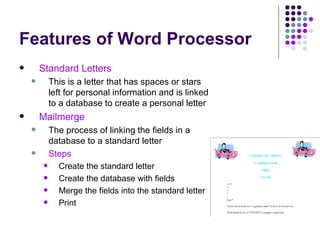
Features of Word Processor Standard Letters This is a letter that has spaces or stars left for personal information and is linked to a database to create a personal letter Mailmerge The process of linking the fields in a database to a standard letter Steps Create the standard letter Create the database with fields Merge the fields into the standard letter Print
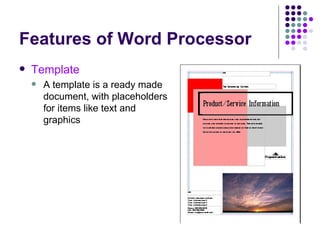
Features of Word Processor Template A template is a ready made document, with placeholders for items like text and graphics
Word Processing Revision Quiz Give 2 advantages of using a Word Processing application over using a type writer Give 2 different ways that you can format text in a Word Processing document Text can be aligned in 4 different ways. List the 4 alignments Mr Arthur has always stressed the importance of using the word wrap feature. What is word-wrap? What is the name of the feature that allows you to change a word a number of times in a word processing document?
Revision Quiz What is a standard paragraph? Mr Arthur is terrible at spelling and uses the spell checker feature of the Word Processor. Explain how a spell checker works What is a standard letter? List the 3 main steps in the mailmerge process Mr Cunningham had made up a template for the Alton Towers parental consent form. What is a template?
Revision Quiz Mr Haggarty always uses the Grammar check feature of the Word Processor. What is the Grammar check? Give 1 reason why you may display information in a table

Word Processing Slides

  • 1.
  • 2.
    Aims of theLesson 1 Today’s Lesson To discuss the advantages of Word Processing over using a type writer Features Editing Font Word-wrap Formatting
  • 3.
    Advantages of WordProcessing Advantages Easier to edit Format the document, adding images, borders Save the document and make a backup Better working conditions, less noise Possibly save ink and paper Print out numerous copies Disadvantages Possibly more expensive to buy hardware Technical knowledge to install software Electricity
  • 4.
    Features of WordProcessor Editing Font = making changes Word-wrap = automatically creating a new line when word does not fit Formatting Text Alignment Left, Centre, Right, Justify Line Spacing Single, Double Alter text style Arial, Comic Sans , Times New Roman
  • 5.
    Aims of theLesson 2 Last Lesson To discuss the advantages of Word Processing over using a type writer Features Editing Font Word-wrap Formatting Today’s Lesson Formatting continued Search and Replace Spell Checker
  • 6.
    Features of WordProcessor Formatting continued Page Size and Layout A4, A3, landscape, portrait Set Margins Page breaks = starting a new page Tabulation and Tables = makes the text clearer and easier to read,
  • 7.
    Features of WordProcessor Search and Replace We use this feature to replace a word a number of times in a document, for example Arthur to Haggarty Spell Checker The spell checker works by comparing the typed word to words in the computer’s internal dictionary, any word it does not recognise it will place a red line underneath
  • 8.
    Aims of theLesson 3 Last Lesson To discuss the advantages of Word Processing over using a type writer Features Editing Font Word-wrap Formatting Search and Replace Spell Checker Today’s Lesson Grammar Check Standard Paragraphs
  • 9.
    Features of WordProcessor Grammar Check This feature works by highlighting sentences with grammatical errors, for example I seen everyone coming along Standard Paragraph A standard paragraph is a piece of text that has been typed up, saved to backing storage and inserted into a document a number of times
  • 10.
    WP Revision TaskSlide 1 = The advantages of Word Processing over using a type writer Slide 2 = Editing Font Size, Style, Alignment Slide 3 = Word-wrap, Search and Replace Slide 4 = Spell Checker , Grammar Check Slide 5 = Standard Paragraphs, Mailmerge
  • 11.
    Aims of theLesson 4 Last Lesson To discuss the advantages of Word Processing over using a type writer Features Editing Font Word-wrap Formatting Search and Replace Spell Checker Grammar Check Standard Paragraphs Today’s Lesson Standard Letters Mailmerge Templates
  • 12.
    Features of WordProcessor Standard Letters This is a letter that has spaces or stars left for personal information and is linked to a database to create a personal letter Mailmerge The process of linking the fields in a database to a standard letter Steps Create the standard letter Create the database with fields Merge the fields into the standard letter Print
  • 13.
    Features of WordProcessor Template A template is a ready made document, with placeholders for items like text and graphics
  • 14.
    Word Processing RevisionQuiz Give 2 advantages of using a Word Processing application over using a type writer Give 2 different ways that you can format text in a Word Processing document Text can be aligned in 4 different ways. List the 4 alignments Mr Arthur has always stressed the importance of using the word wrap feature. What is word-wrap? What is the name of the feature that allows you to change a word a number of times in a word processing document?
  • 15.
    Revision Quiz Whatis a standard paragraph? Mr Arthur is terrible at spelling and uses the spell checker feature of the Word Processor. Explain how a spell checker works What is a standard letter? List the 3 main steps in the mailmerge process Mr Cunningham had made up a template for the Alton Towers parental consent form. What is a template?
  • 16.
    Revision Quiz MrHaggarty always uses the Grammar check feature of the Word Processor. What is the Grammar check? Give 1 reason why you may display information in a table