Spreadsheets Mr Arthur
Aims of the Lesson 1 Today’s Lesson Note taking What is a Spreadsheet Columns/Rows Simple Formula Continue with Green Folder
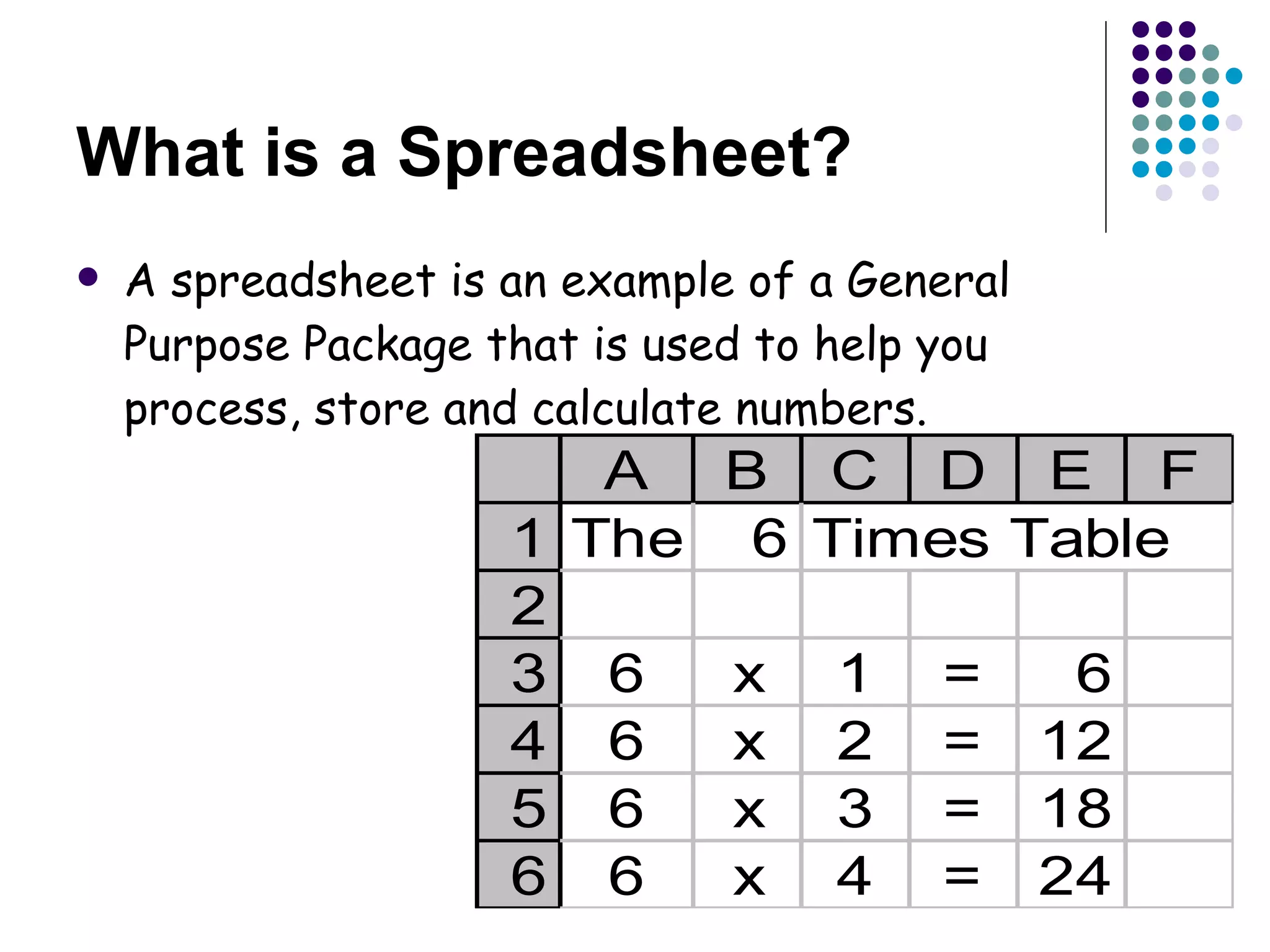
What is a Spreadsheet? A spreadsheet is an example of a General Purpose Package that is used to help you process, store and calculate numbers.
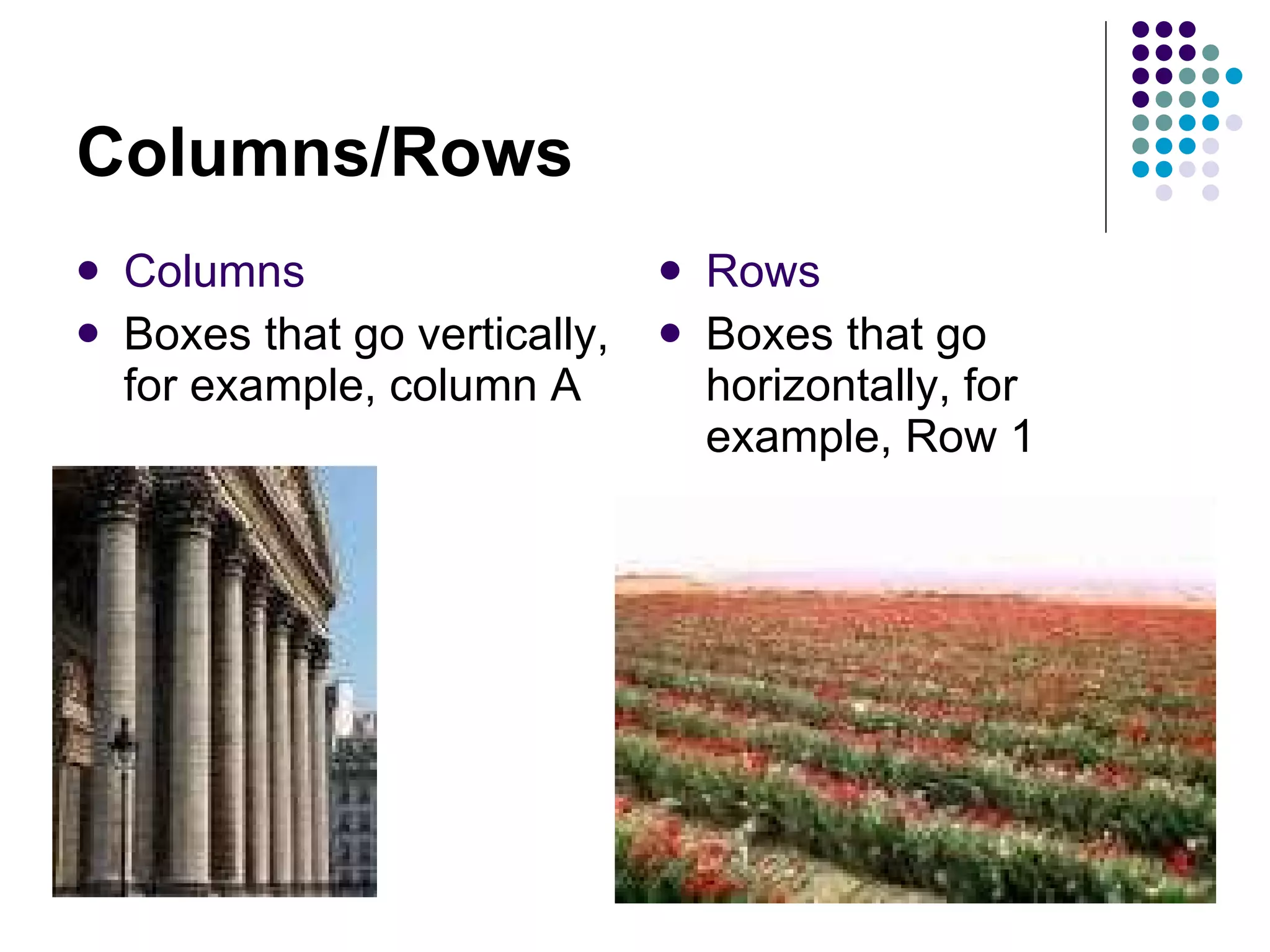
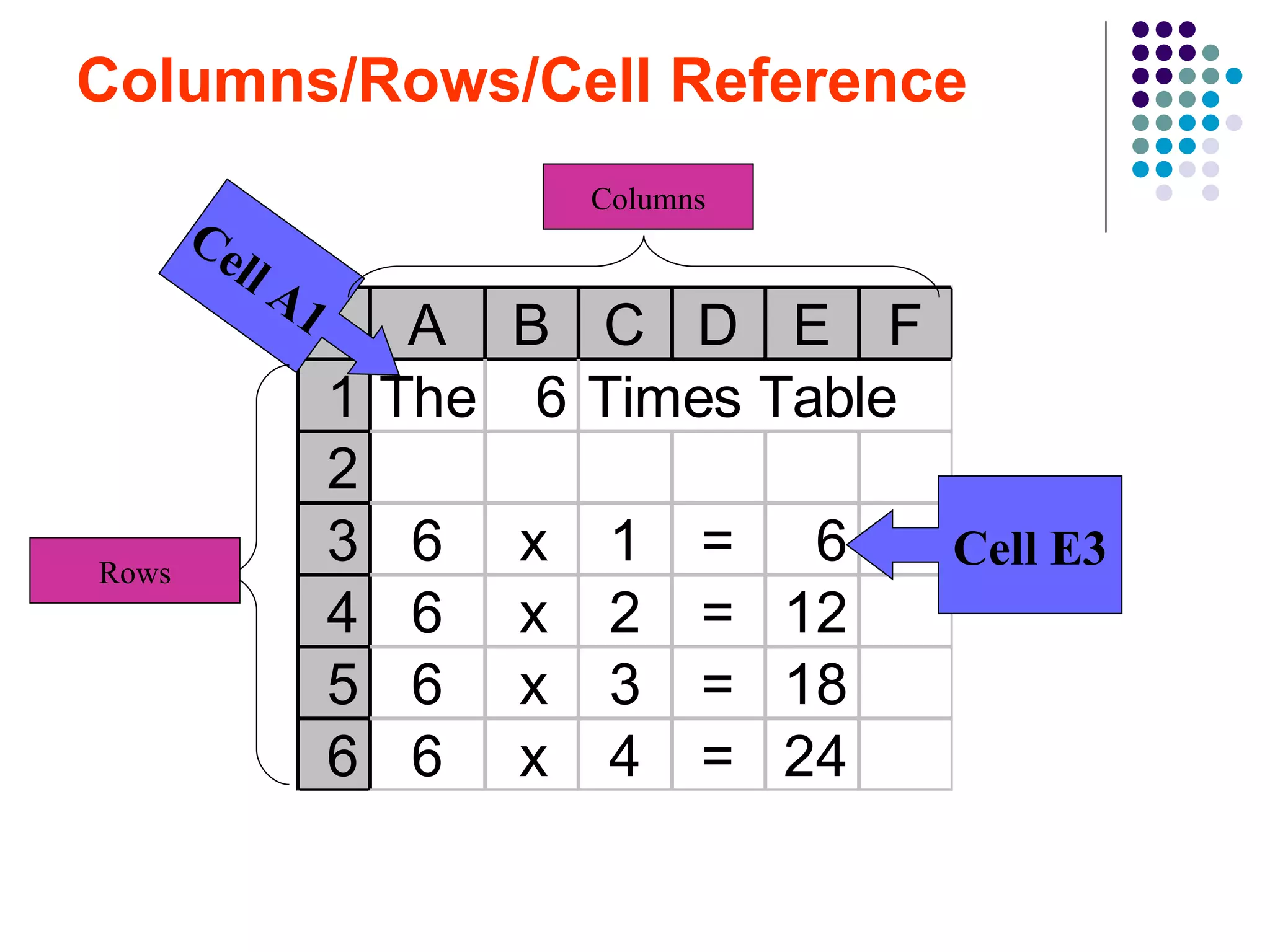
Columns/Rows Columns Boxes that go vertically, for example, column A  Rows Boxes that go horizontally, for example, Row 1
Columns/Rows/Cell Reference Cell E3 Cell A1 Columns Rows
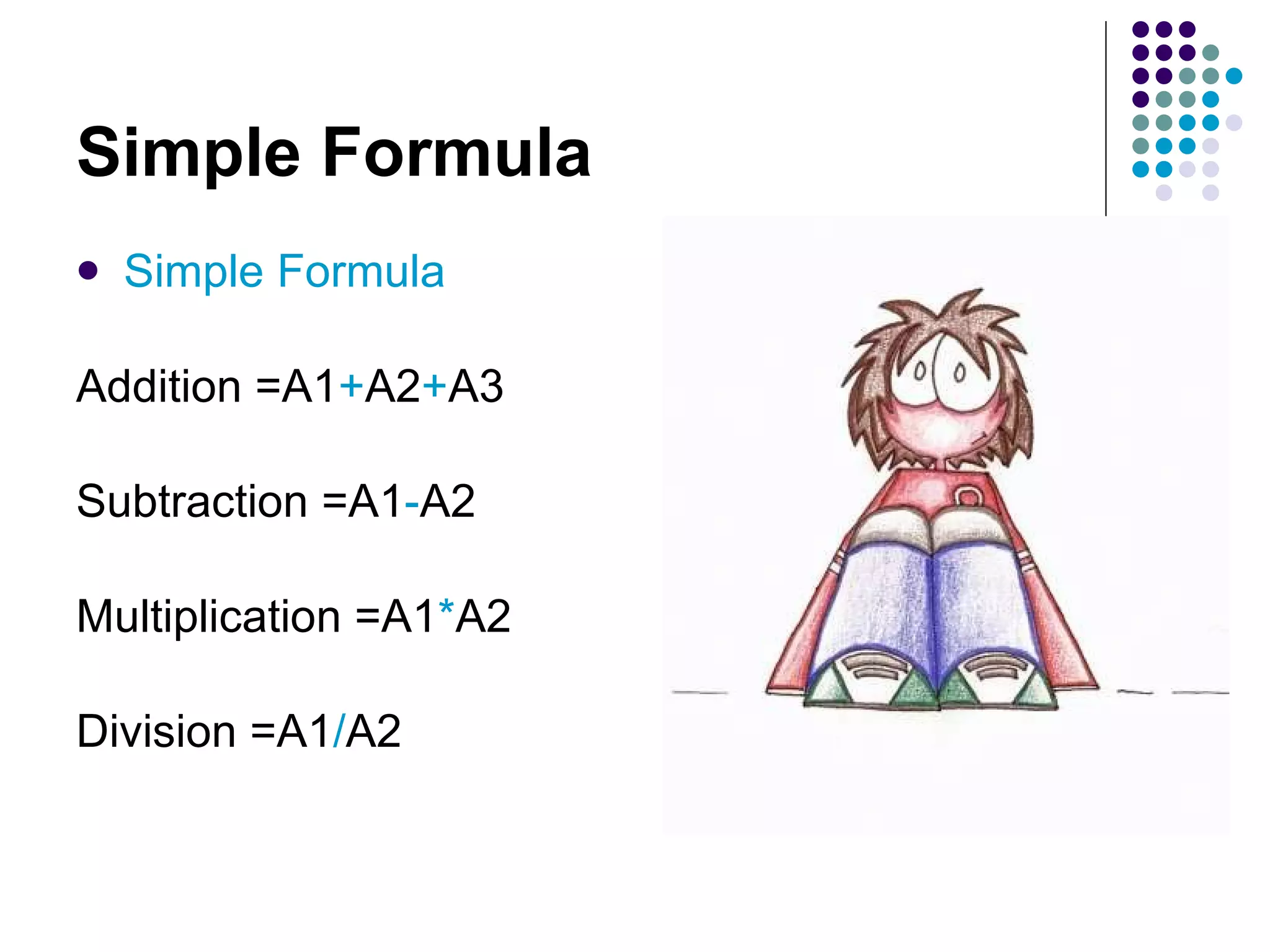
Simple Formula Simple Formula Addition =A1 + A2 + A3 Subtraction =A1 - A2 Multiplication =A1 * A2 Division =A1 / A2
Aims of the Lesson 2 Today’s Lesson =sum formula Other complex formula Replication Continue with Green Folder
SUM Function The =sum function is used to  add up  a list of numbers =A1 + A2 + A3 +A4 + A5 + A6 + A7 + A8 You would use the formula =sum(A1:A8)
Complex Formula Complex Formula Adding a list of numbers = sum(A1 : A10) Calculating Averages = average(A1 : A10) Finding the largest = max(A1 : A10) Finding the smallest = min(A1 : A10) Making Decisions =if(A1>65,”OAP”,”young thing”)
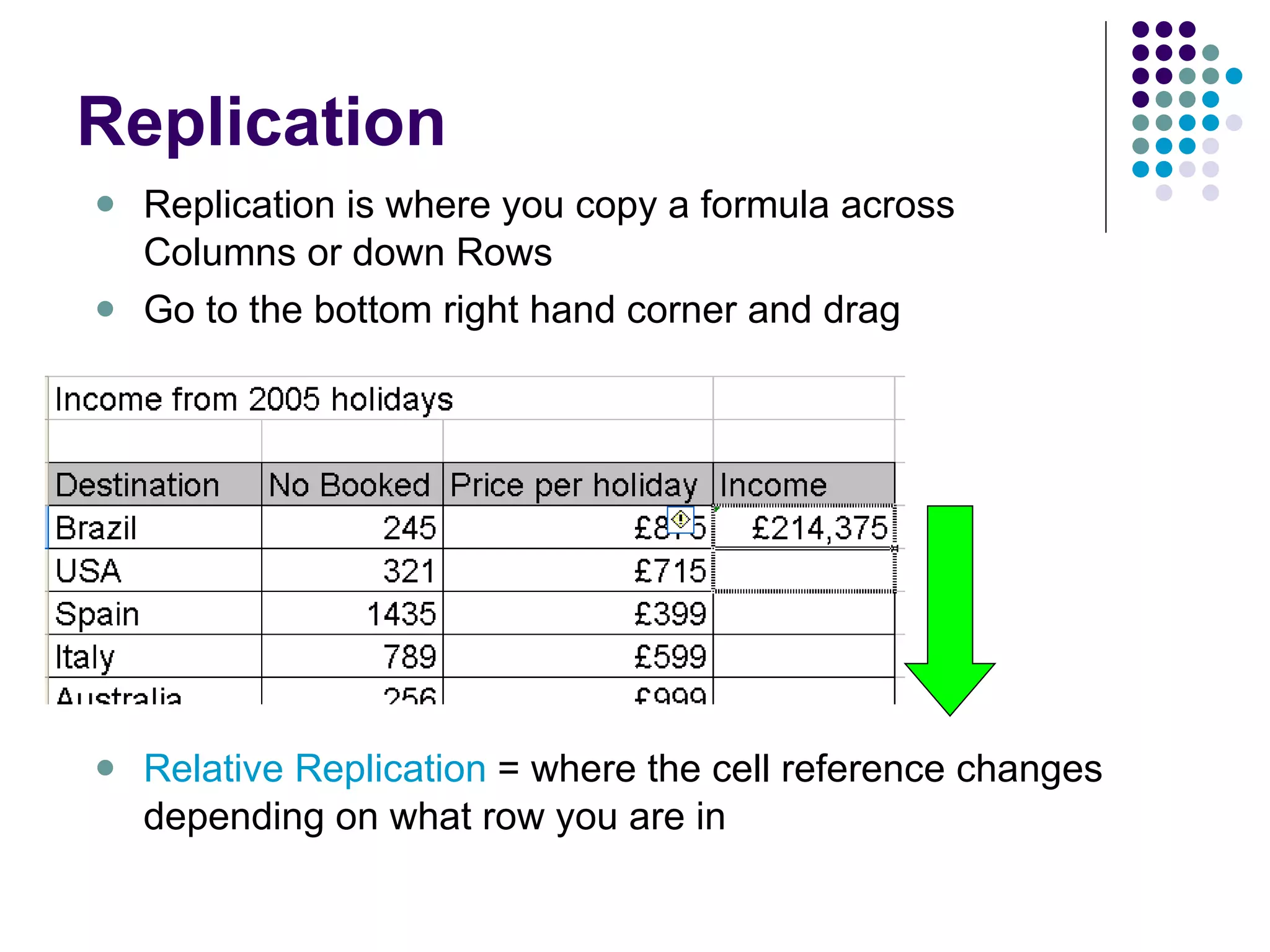
Replication Replication is where you copy a formula across Columns or down Rows Go to the bottom right hand corner and drag Relative Replication  = where the cell reference changes depending on what row you are in
Aims of the Lesson 3 Today’s Lesson Note taking Formatting cells Inserting Columns/Rows Cell Protection Continue with Green Folder
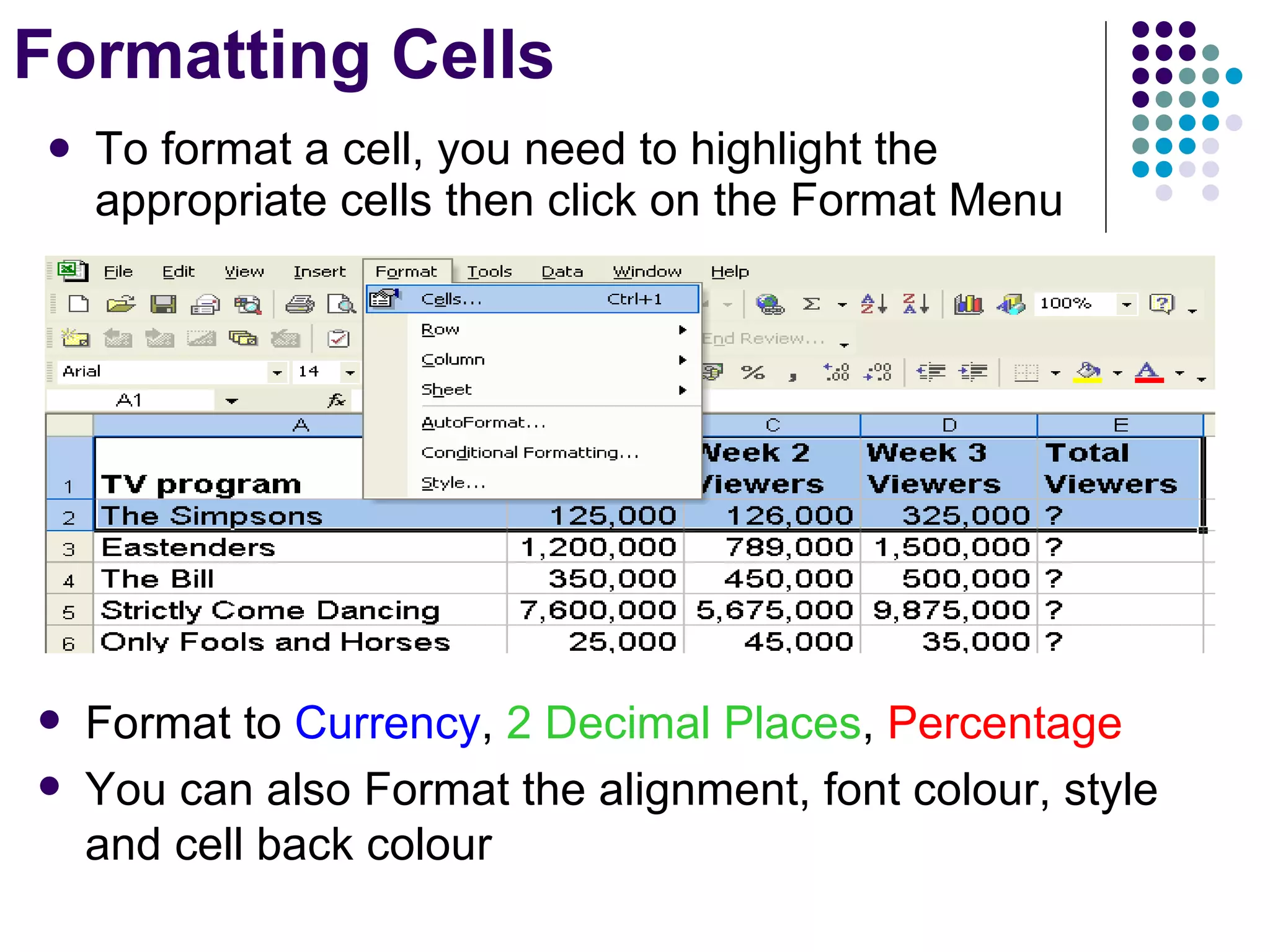
Formatting Cells To format a cell, you need to highlight the appropriate cells then click on the Format Menu Format to  Currency ,  2 Decimal Places ,  Percentage You can also Format the alignment, font colour, style and cell back colour
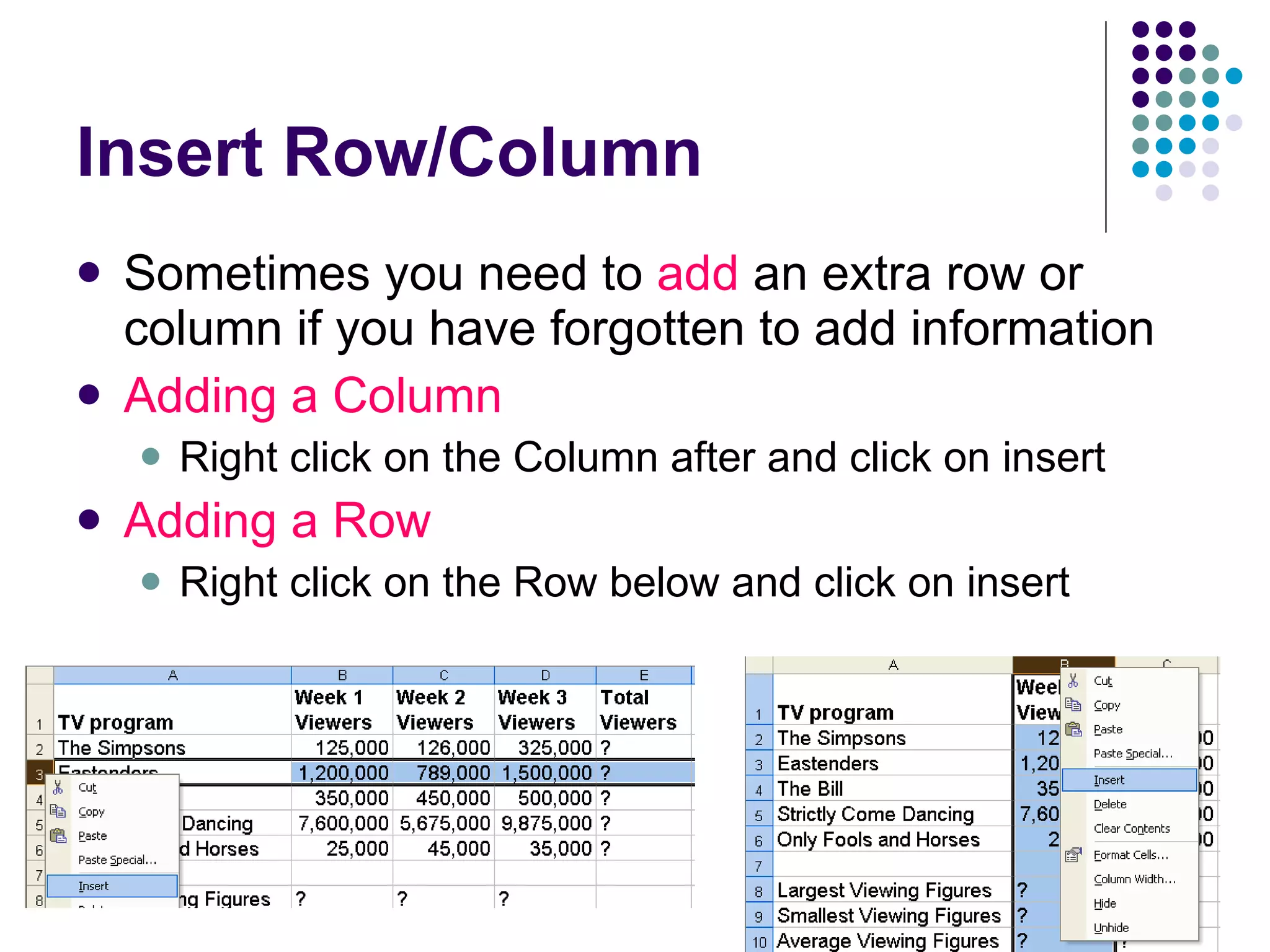
Insert Row/Column  Sometimes you need to  add  an extra row or column if you have forgotten to add information Adding a Column Right click on the Column after and click on insert Adding a Row Right click on the Row below and click on insert
Lesson Starter Other than sum, List 3 spreadsheet functions What is the difference between a column and a row? What is the name of the little box where you enter formula? What is formula replication?
Aims of the Lesson 4 Today’s Lesson Note taking Cell Protection Absolute Referencing IF Formula Continue with Green Folder
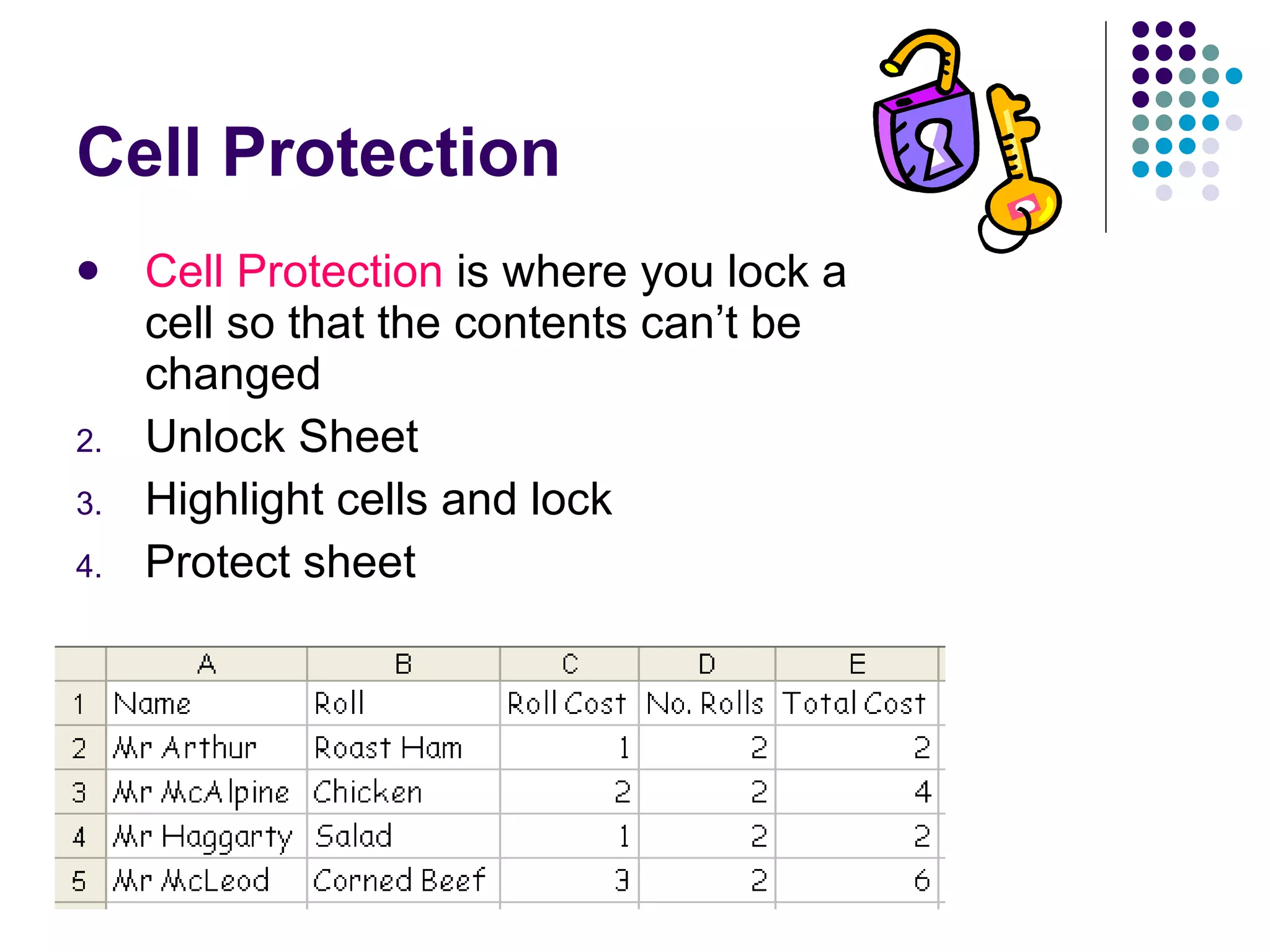
Cell Protection Cell Protection  is where you lock a cell so that the contents can’t be changed Unlock Sheet Highlight cells and lock Protect sheet
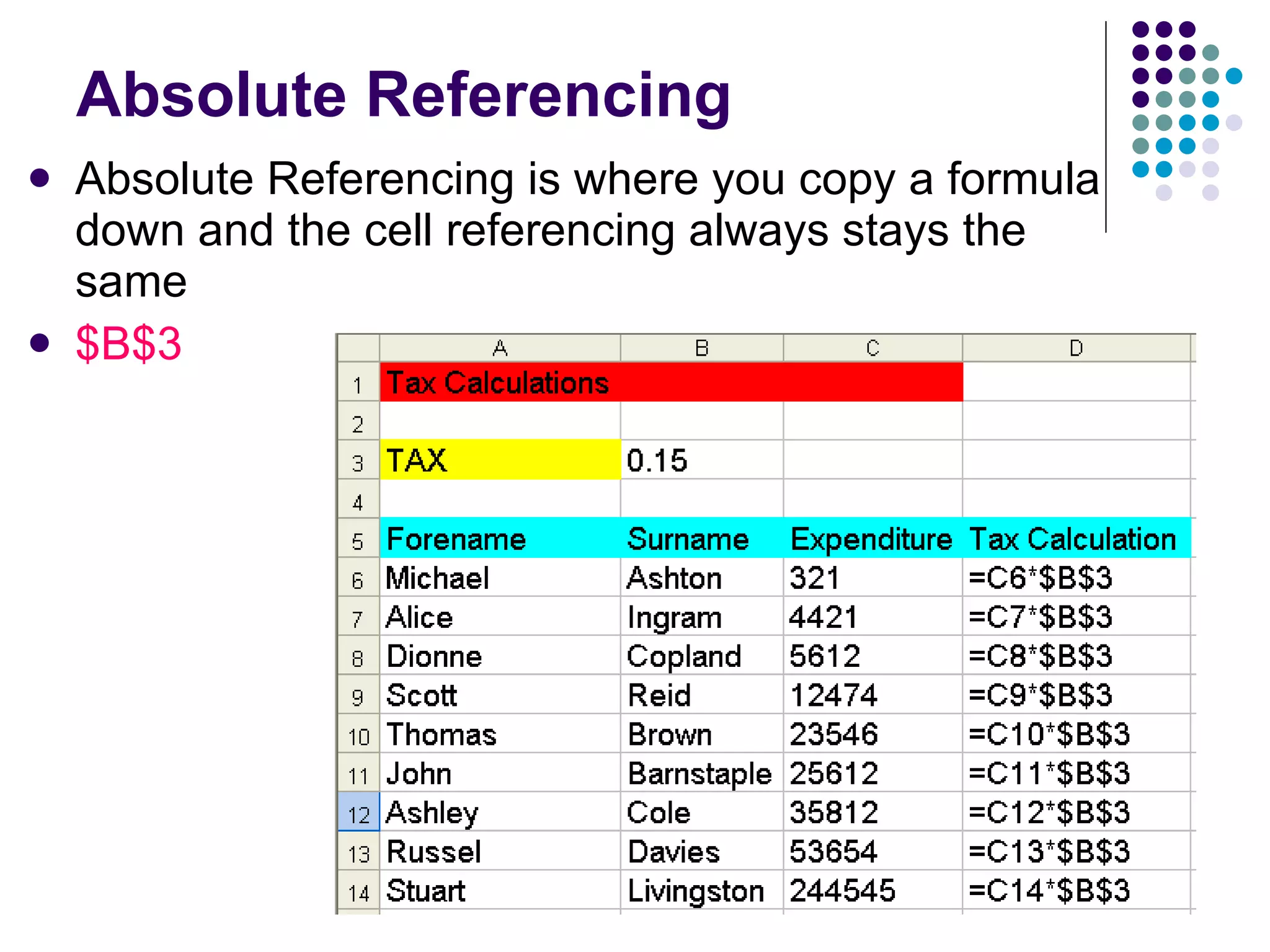
Absolute Referencing Absolute Referencing is where you copy a formula down and the cell referencing always stays the same $B$3
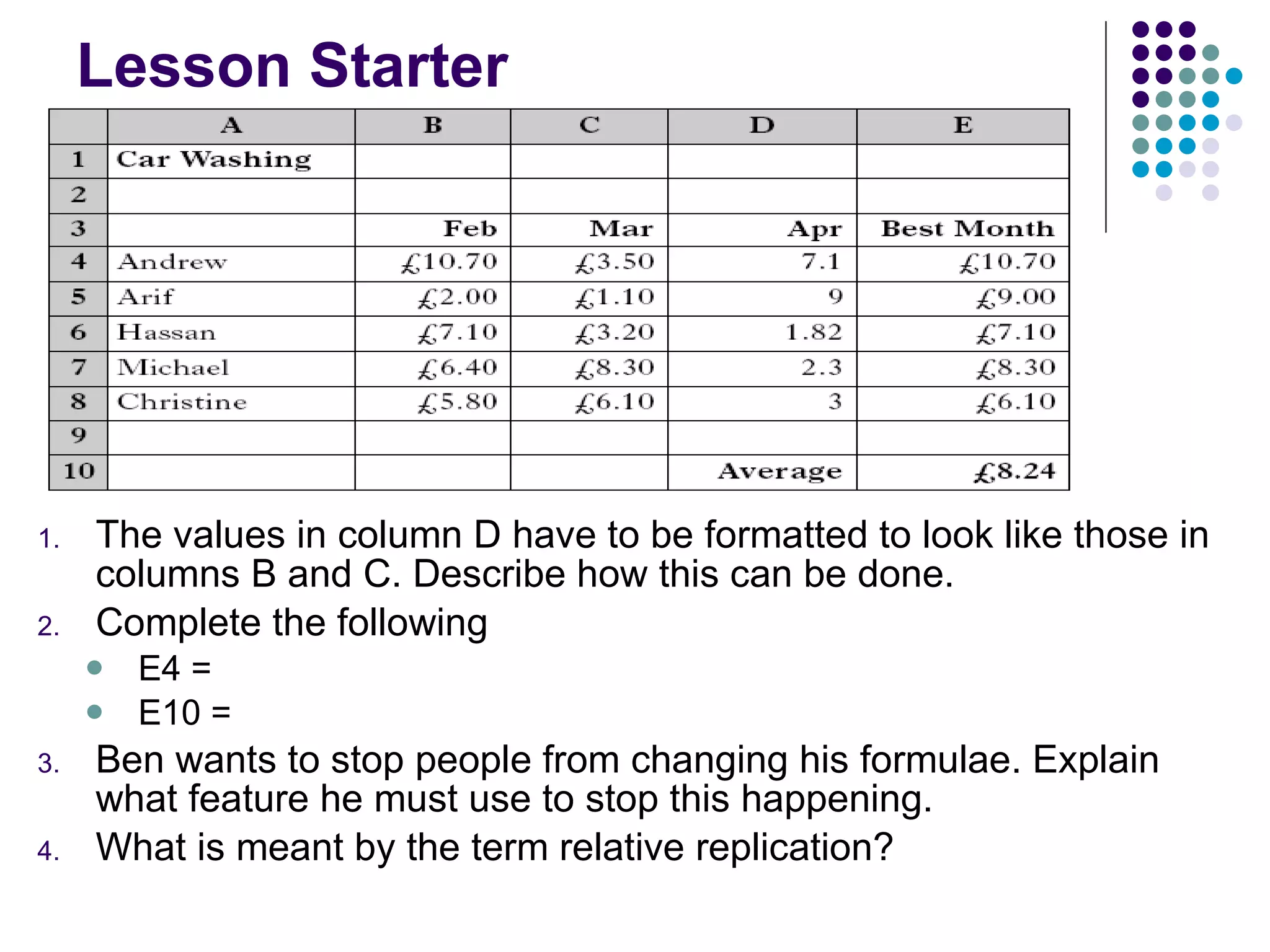
Lesson Starter The values in column D have to be formatted to look like those in columns B and C. Describe how this can be done. Complete the following E4 =  E10 =  Ben wants to stop people from changing his formulae. Explain what feature he must use to stop this happening. What is meant by the term relative replication?
Aims of the Lesson 5 Today’s Lesson Note taking IF Formula Charting Fully labelled chart Finish General Spreadsheet task Continue with Green Folder
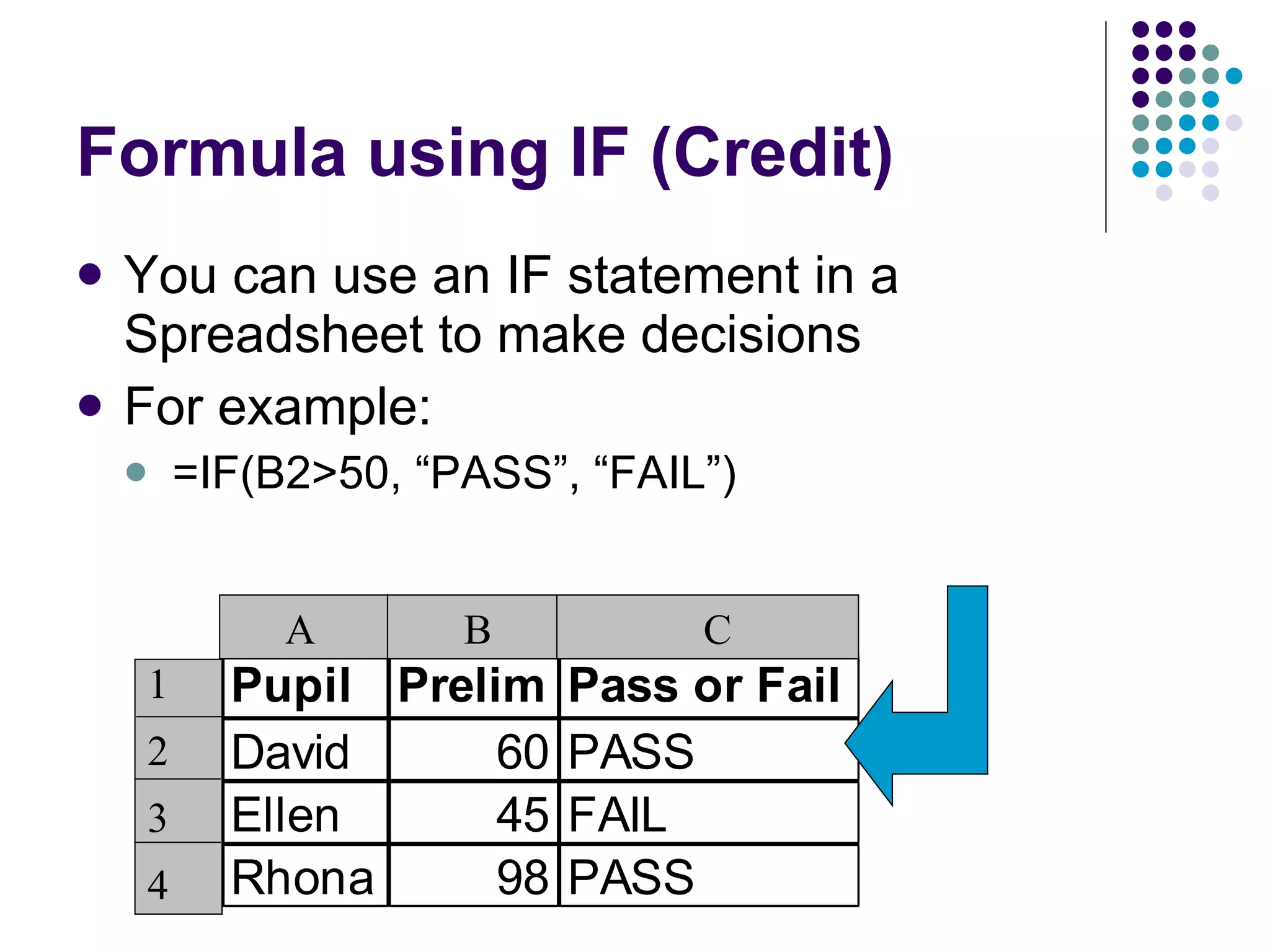
Formula using IF (Credit) You can use an IF statement in a Spreadsheet to make decisions For example:  =IF(B2>50, “PASS”, “FAIL”) A  B  C 1 2 3 4
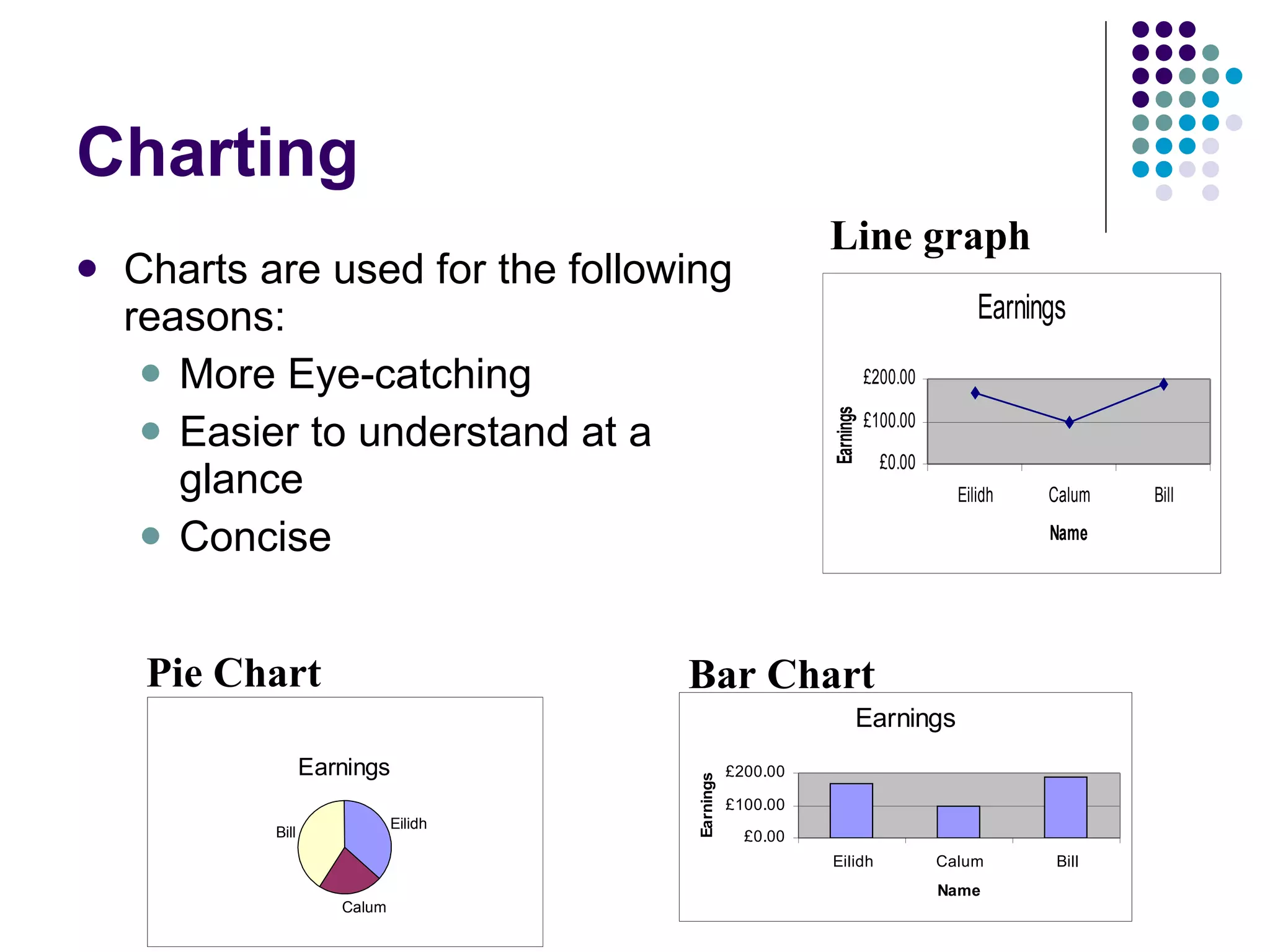
Charting Charts are used for the following reasons: More Eye-catching Easier to understand at a glance Concise  Bar Chart Line graph Pie Chart
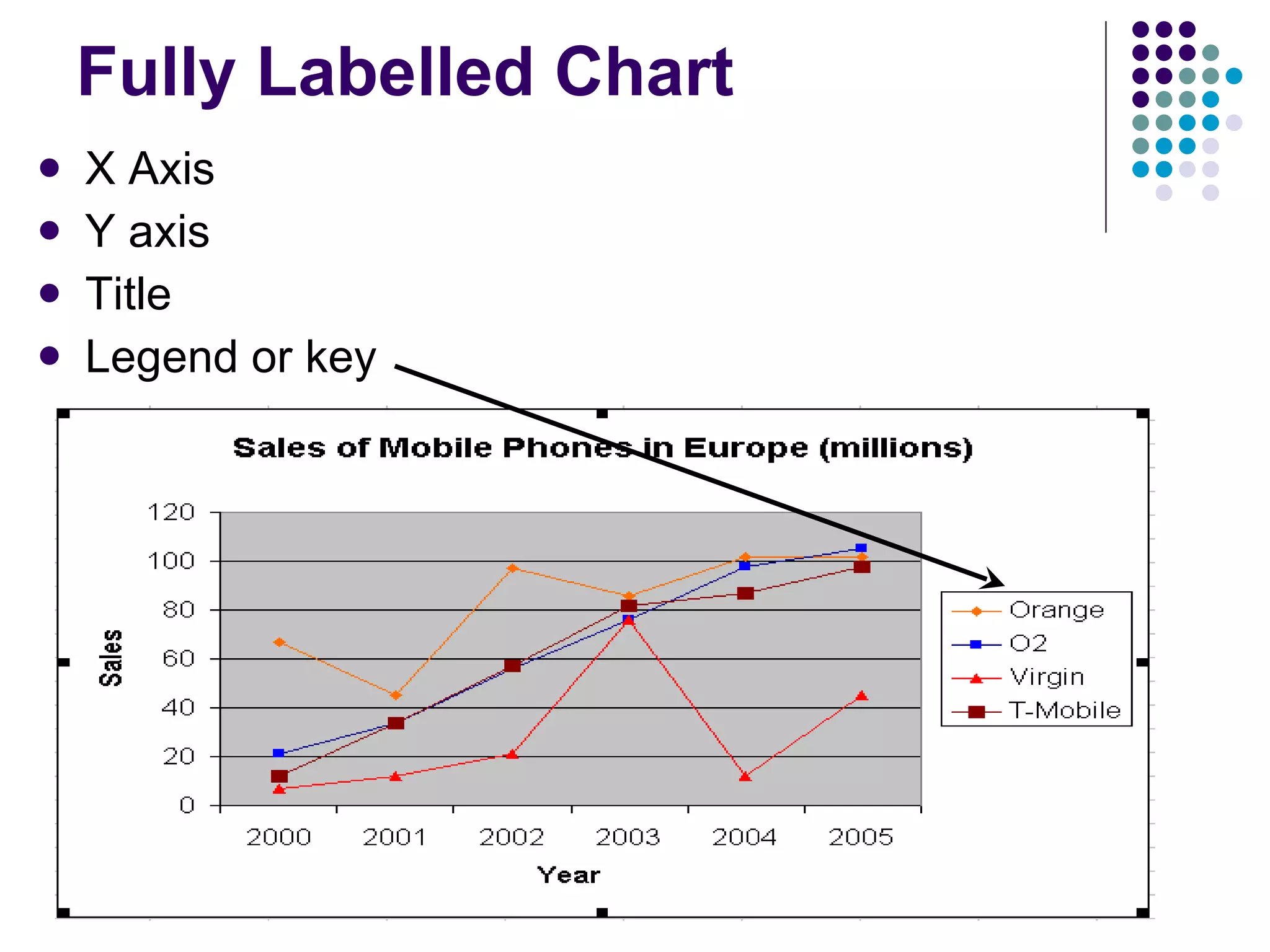
Fully Labelled Chart X Axis Y axis Title  Legend or key

Spreadsheets

  • 1.
  • 2.
    Aims of theLesson 1 Today’s Lesson Note taking What is a Spreadsheet Columns/Rows Simple Formula Continue with Green Folder
  • 3.
    What is aSpreadsheet? A spreadsheet is an example of a General Purpose Package that is used to help you process, store and calculate numbers.
  • 4.
    Columns/Rows Columns Boxesthat go vertically, for example, column A Rows Boxes that go horizontally, for example, Row 1
  • 5.
    Columns/Rows/Cell Reference CellE3 Cell A1 Columns Rows
  • 6.
    Simple Formula SimpleFormula Addition =A1 + A2 + A3 Subtraction =A1 - A2 Multiplication =A1 * A2 Division =A1 / A2
  • 7.
    Aims of theLesson 2 Today’s Lesson =sum formula Other complex formula Replication Continue with Green Folder
  • 8.
    SUM Function The=sum function is used to add up a list of numbers =A1 + A2 + A3 +A4 + A5 + A6 + A7 + A8 You would use the formula =sum(A1:A8)
  • 9.
    Complex Formula ComplexFormula Adding a list of numbers = sum(A1 : A10) Calculating Averages = average(A1 : A10) Finding the largest = max(A1 : A10) Finding the smallest = min(A1 : A10) Making Decisions =if(A1>65,”OAP”,”young thing”)
  • 10.
    Replication Replication iswhere you copy a formula across Columns or down Rows Go to the bottom right hand corner and drag Relative Replication = where the cell reference changes depending on what row you are in
  • 11.
    Aims of theLesson 3 Today’s Lesson Note taking Formatting cells Inserting Columns/Rows Cell Protection Continue with Green Folder
  • 12.
    Formatting Cells Toformat a cell, you need to highlight the appropriate cells then click on the Format Menu Format to Currency , 2 Decimal Places , Percentage You can also Format the alignment, font colour, style and cell back colour
  • 13.
    Insert Row/Column Sometimes you need to add an extra row or column if you have forgotten to add information Adding a Column Right click on the Column after and click on insert Adding a Row Right click on the Row below and click on insert
  • 14.
    Lesson Starter Otherthan sum, List 3 spreadsheet functions What is the difference between a column and a row? What is the name of the little box where you enter formula? What is formula replication?
  • 15.
    Aims of theLesson 4 Today’s Lesson Note taking Cell Protection Absolute Referencing IF Formula Continue with Green Folder
  • 16.
    Cell Protection CellProtection is where you lock a cell so that the contents can’t be changed Unlock Sheet Highlight cells and lock Protect sheet
  • 17.
    Absolute Referencing AbsoluteReferencing is where you copy a formula down and the cell referencing always stays the same $B$3
  • 18.
    Lesson Starter Thevalues in column D have to be formatted to look like those in columns B and C. Describe how this can be done. Complete the following E4 = E10 = Ben wants to stop people from changing his formulae. Explain what feature he must use to stop this happening. What is meant by the term relative replication?
  • 19.
    Aims of theLesson 5 Today’s Lesson Note taking IF Formula Charting Fully labelled chart Finish General Spreadsheet task Continue with Green Folder
  • 20.
    Formula using IF(Credit) You can use an IF statement in a Spreadsheet to make decisions For example: =IF(B2>50, “PASS”, “FAIL”) A B C 1 2 3 4
  • 21.
    Charting Charts areused for the following reasons: More Eye-catching Easier to understand at a glance Concise Bar Chart Line graph Pie Chart
  • 22.
    Fully Labelled ChartX Axis Y axis Title Legend or key