Instructional Computer TECH2111 Dr. Alaa Sadik Instructional & Learning Technologies Department www.alaasadik.net/courses/tech2111 [email_address]
Instructional Computer TECH2111 Applications Word-Processing,  Spreadsheet   & Database Lecture Five
Why use applications? Improve productivity Make it faster to produce and organize instructional materials. Improve appearance Produce polished-looking materials.  Improve accuracy Create and keep precise records and materials. Support interaction  Encourage cooperative group-learning activities. Applications Word-Processing,  Spreadsheet   & Database
Definition Features and capabilities Advantages Using applications in the classroom Teaching students to use applications Applications Word-Processing,  Spreadsheet   & Database
Definition of word processing Features and capabilities of word processing Advantages of using word processing Using word processing in the classroom Teaching students to use word processing Word-Processing
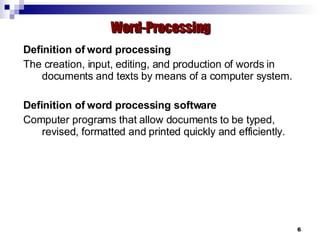
Definition of word processing The creation, input, editing, and production of words in documents and texts by means of a computer system. Definition of word processing software Computer programs that allow documents to be typed, revised, formatted and printed quickly and efficiently. Word-Processing
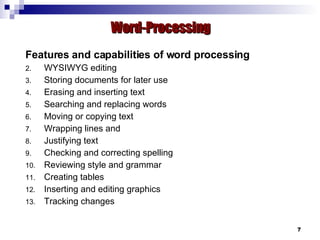
Features and capabilities of word processing WYSIWYG editing Storing documents for later use Erasing and inserting text Searching and replacing words Moving or copying text Wrapping lines and  Justifying text Checking and correcting spelling Reviewing style and grammar Creating tables Inserting and editing graphics Tracking changes Word-Processing
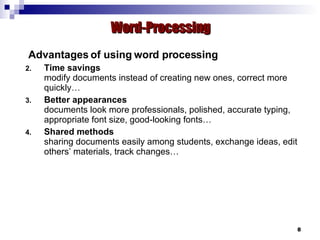
Advantages of using word processing Time savings modify documents instead of creating new ones, correct more quickly…  Better appearances documents look more professionals, polished, accurate typing, appropriate font size, good-looking fonts… Shared methods sharing documents easily among students, exchange ideas, edit others’ materials, track changes… Word-Processing
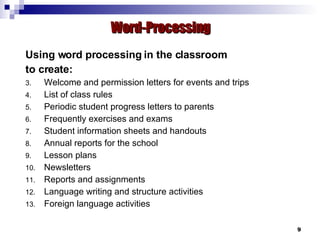
Using word processing in the classroom to create: Welcome and permission letters for events and trips List of class rules Periodic student progress letters to parents Frequently exercises and exams Student information sheets and handouts Annual reports for the school Lesson plans  Newsletters Reports and assignments Language writing and structure activities Foreign language activities Word-Processing
Teaching students to use word processing Dealing with toolbars and menus Moving cursor and typing correctly Highlighting and changing text font and size Naming and saving files in different formats Adjusting margins and page prosperities Inserting objects (e.g. equations) Searching and replacing words Drawing and editing graphics Word-Processing
Definition of spreadsheets Features and capabilities of spreadsheet Advantages of using spreadsheets Using spreadsheets in the classroom Teaching students to use spreadsheets Spreadsheets
Definition of spreadsheets A spreadsheet is a table, grid or matrix of data that shows data in rows and columns and used to perform a wide variety of simple to complex calculations. Definition of  spreadsheets  software A computer program that allows the user to enter text and numbers into a table with rows and columns, and then maintain and manipulate those numbers using the table structure. Spreadsheets
Features and capabilities of spreadsheets Calculations and comparisons Automatic recalculations Copying of cells Lining up information in columns Creation of graphs that correspond to data Creation of custom functions  Spreadsheets
Advantages of using spreadsheets Saving time calculate quickly, recalculate easily, update data faster…  Creating charts create different types of chars, chart wizard, chart prosperities… Answering “what if” questions (problem-solving) visualize the impact of changes, recalculate changes, transform data… Motivation play with numbers, immediate feedback, explore the relationship between inputs and outputs… Spreadsheets
Using spreadsheets in the classroom to create: Score and record keeping Attendance charts Timetables Illustration of abstract concepts Graphical demonstration  Problem-solving activities Sharing formulas and solutions Spreadsheets
Teaching students to use spreadsheets Format cells Develop formulas Visualize numerical data Automate calculations Exchange data  Spreadsheets
Definition of databases Features and capabilities of databases Advantages of using databases Using databases in the classroom Teaching students to use databases Databases
Definition of databases A database is a system designed to store information in a way that makes it easy to locate later. Definition of  database  software Computer programs that allow users to store, organize, and manipulate information, including both text and numerical data. Databases
Features and capabilities of databases Allowing changes to information (not document) Sorting information alphabetically or numerically Searching for information Automatically creating reports or summaries Merging with word-processing documents Databases
Advantages of using databases Reducing data redundancy multiple location access, central database, customized reports… Simplifying access unique identifier, simple interface, accessible forms… Saving time  easily make changes, central access, anytime access… Allowing comparisons of information searching data, filtering of data, sorting data… Safeguarding privacy and security secure access, different levels of access, data backup  Databases
Using databases in the classroom to: Create Inventorying and locating instructional resources Supply teachers’ and students’ information Store and retrieve records Plan instruction and enhance learning Design research and study skills Enhance problem-solving and decision-making skills Databases
Teaching students to use databases Create a new database using Wizard Create new tables by entering data Create forms in design mode Understand the different between database components Export data to Word document Search and filter data Databases
Discussion  & Conclusion

Applications: Word-Processing, Spreadsheet & Database

  • 1.
    Instructional Computer TECH2111Dr. Alaa Sadik Instructional & Learning Technologies Department www.alaasadik.net/courses/tech2111 [email_address]
  • 2.
    Instructional Computer TECH2111Applications Word-Processing, Spreadsheet & Database Lecture Five
  • 3.
    Why use applications?Improve productivity Make it faster to produce and organize instructional materials. Improve appearance Produce polished-looking materials. Improve accuracy Create and keep precise records and materials. Support interaction Encourage cooperative group-learning activities. Applications Word-Processing, Spreadsheet & Database
  • 4.
    Definition Features andcapabilities Advantages Using applications in the classroom Teaching students to use applications Applications Word-Processing, Spreadsheet & Database
  • 5.
    Definition of wordprocessing Features and capabilities of word processing Advantages of using word processing Using word processing in the classroom Teaching students to use word processing Word-Processing
  • 6.
    Definition of wordprocessing The creation, input, editing, and production of words in documents and texts by means of a computer system. Definition of word processing software Computer programs that allow documents to be typed, revised, formatted and printed quickly and efficiently. Word-Processing
  • 7.
    Features and capabilitiesof word processing WYSIWYG editing Storing documents for later use Erasing and inserting text Searching and replacing words Moving or copying text Wrapping lines and Justifying text Checking and correcting spelling Reviewing style and grammar Creating tables Inserting and editing graphics Tracking changes Word-Processing
  • 8.
    Advantages of usingword processing Time savings modify documents instead of creating new ones, correct more quickly… Better appearances documents look more professionals, polished, accurate typing, appropriate font size, good-looking fonts… Shared methods sharing documents easily among students, exchange ideas, edit others’ materials, track changes… Word-Processing
  • 9.
    Using word processingin the classroom to create: Welcome and permission letters for events and trips List of class rules Periodic student progress letters to parents Frequently exercises and exams Student information sheets and handouts Annual reports for the school Lesson plans Newsletters Reports and assignments Language writing and structure activities Foreign language activities Word-Processing
  • 10.
    Teaching students touse word processing Dealing with toolbars and menus Moving cursor and typing correctly Highlighting and changing text font and size Naming and saving files in different formats Adjusting margins and page prosperities Inserting objects (e.g. equations) Searching and replacing words Drawing and editing graphics Word-Processing
  • 11.
    Definition of spreadsheetsFeatures and capabilities of spreadsheet Advantages of using spreadsheets Using spreadsheets in the classroom Teaching students to use spreadsheets Spreadsheets
  • 12.
    Definition of spreadsheetsA spreadsheet is a table, grid or matrix of data that shows data in rows and columns and used to perform a wide variety of simple to complex calculations. Definition of spreadsheets software A computer program that allows the user to enter text and numbers into a table with rows and columns, and then maintain and manipulate those numbers using the table structure. Spreadsheets
  • 13.
    Features and capabilitiesof spreadsheets Calculations and comparisons Automatic recalculations Copying of cells Lining up information in columns Creation of graphs that correspond to data Creation of custom functions Spreadsheets
  • 14.
    Advantages of usingspreadsheets Saving time calculate quickly, recalculate easily, update data faster… Creating charts create different types of chars, chart wizard, chart prosperities… Answering “what if” questions (problem-solving) visualize the impact of changes, recalculate changes, transform data… Motivation play with numbers, immediate feedback, explore the relationship between inputs and outputs… Spreadsheets
  • 15.
    Using spreadsheets inthe classroom to create: Score and record keeping Attendance charts Timetables Illustration of abstract concepts Graphical demonstration Problem-solving activities Sharing formulas and solutions Spreadsheets
  • 16.
    Teaching students touse spreadsheets Format cells Develop formulas Visualize numerical data Automate calculations Exchange data Spreadsheets
  • 17.
    Definition of databasesFeatures and capabilities of databases Advantages of using databases Using databases in the classroom Teaching students to use databases Databases
  • 18.
    Definition of databasesA database is a system designed to store information in a way that makes it easy to locate later. Definition of database software Computer programs that allow users to store, organize, and manipulate information, including both text and numerical data. Databases
  • 19.
    Features and capabilitiesof databases Allowing changes to information (not document) Sorting information alphabetically or numerically Searching for information Automatically creating reports or summaries Merging with word-processing documents Databases
  • 20.
    Advantages of usingdatabases Reducing data redundancy multiple location access, central database, customized reports… Simplifying access unique identifier, simple interface, accessible forms… Saving time easily make changes, central access, anytime access… Allowing comparisons of information searching data, filtering of data, sorting data… Safeguarding privacy and security secure access, different levels of access, data backup Databases
  • 21.
    Using databases inthe classroom to: Create Inventorying and locating instructional resources Supply teachers’ and students’ information Store and retrieve records Plan instruction and enhance learning Design research and study skills Enhance problem-solving and decision-making skills Databases
  • 22.
    Teaching students touse databases Create a new database using Wizard Create new tables by entering data Create forms in design mode Understand the different between database components Export data to Word document Search and filter data Databases
  • 23.
    Discussion &Conclusion