MY SKILLS
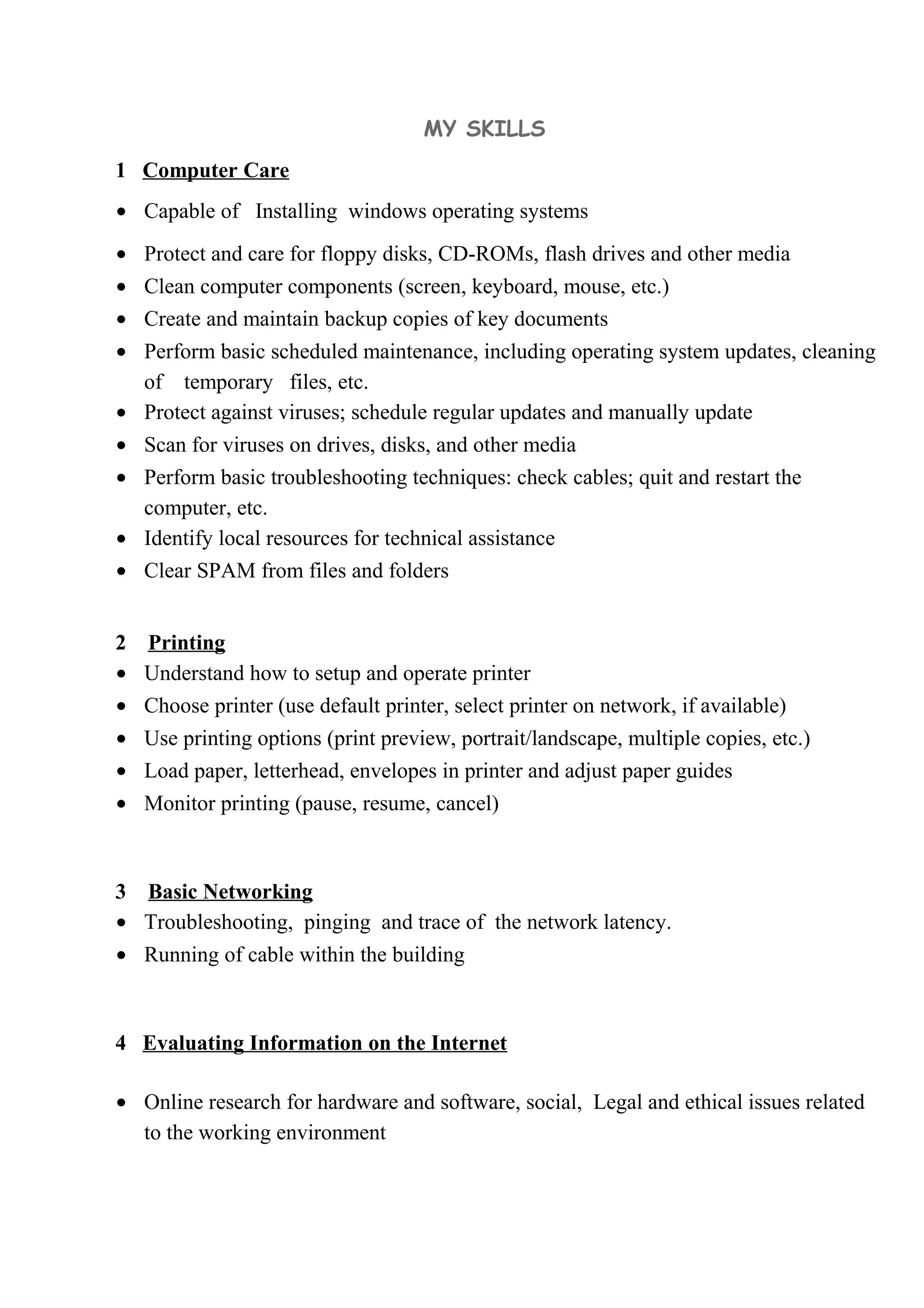
1 Computer Care
• Capable of Installing windows operating systems
• Protect and care for floppy disks, CD-ROMs, flash drives and other media
• Clean computer components (screen, keyboard, mouse, etc.)
• Create and maintain backup copies of key documents
• Perform basic scheduled maintenance, including operating system updates, cleaning
of temporary files, etc.
• Protect against viruses; schedule regular updates and manually update
• Scan for viruses on drives, disks, and other media
• Perform basic troubleshooting techniques: check cables; quit and restart the
computer, etc.
• Identify local resources for technical assistance
• Clear SPAM from files and folders
2 Printing
• Understand how to setup and operate printer
• Choose printer (use default printer, select printer on network, if available)
• Use printing options (print preview, portrait/landscape, multiple copies, etc.)
• Load paper, letterhead, envelopes in printer and adjust paper guides
• Monitor printing (pause, resume, cancel)
3 Basic Networking
• Troubleshooting, pinging and trace of the network latency.
• Running of cable within the building
4 Evaluating Information on the Internet
• Online research for hardware and software, social, Legal and ethical issues related
to the working environment
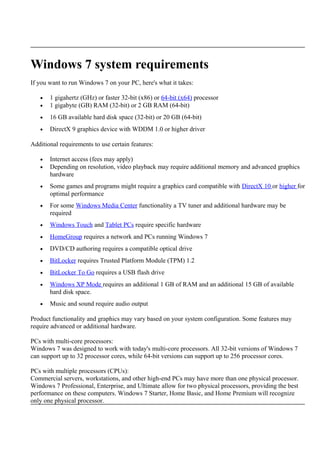
Windows 7 system requirements
If you want to run Windows 7 on your PC, here's what it takes:
• 1 gigahertz (GHz) or faster 32-bit (x86) or 64-bit (x64) processor
• 1 gigabyte (GB) RAM (32-bit) or 2 GB RAM (64-bit)
• 16 GB available hard disk space (32-bit) or 20 GB (64-bit)
• DirectX 9 graphics device with WDDM 1.0 or higher driver
Additional requirements to use certain features:
• Internet access (fees may apply)
• Depending on resolution, video playback may require additional memory and advanced graphics
hardware
• Some games and programs might require a graphics card compatible with DirectX 10 or higher for
optimal performance
• For some Windows Media Center functionality a TV tuner and additional hardware may be
required
• Windows Touch and Tablet PCs require specific hardware
• HomeGroup requires a network and PCs running Windows 7
• DVD/CD authoring requires a compatible optical drive
• BitLocker requires Trusted Platform Module (TPM) 1.2
• BitLocker To Go requires a USB flash drive
• Windows XP Mode requires an additional 1 GB of RAM and an additional 15 GB of available
hard disk space.
• Music and sound require audio output
Product functionality and graphics may vary based on your system configuration. Some features may
require advanced or additional hardware.
PCs with multi-core processors:
Windows 7 was designed to work with today's multi-core processors. All 32-bit versions of Windows 7
can support up to 32 processor cores, while 64-bit versions can support up to 256 processor cores.
PCs with multiple processors (CPUs):
Commercial servers, workstations, and other high-end PCs may have more than one physical processor.
Windows 7 Professional, Enterprise, and Ultimate allow for two physical processors, providing the best
performance on these computers. Windows 7 Starter, Home Basic, and Home Premium will recognize
only one physical processor.
Was this page helpful?
Your feedback helps improve this site.
Share this page
Get the word out. Share this page with your friends and family.
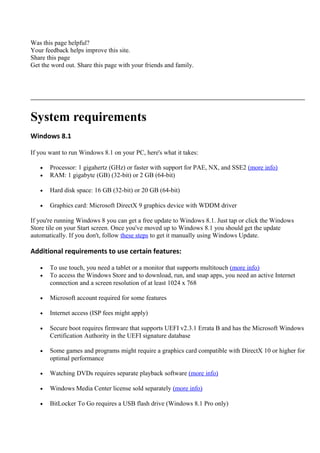
System requirements
Windows 8.1
If you want to run Windows 8.1 on your PC, here's what it takes:
• Processor: 1 gigahertz (GHz) or faster with support for PAE, NX, and SSE2 (more info)
• RAM: 1 gigabyte (GB) (32-bit) or 2 GB (64-bit)
• Hard disk space: 16 GB (32-bit) or 20 GB (64-bit)
• Graphics card: Microsoft DirectX 9 graphics device with WDDM driver
If you're running Windows 8 you can get a free update to Windows 8.1. Just tap or click the Windows
Store tile on your Start screen. Once you've moved up to Windows 8.1 you should get the update
automatically. If you don't, follow these steps to get it manually using Windows Update.
Additional requirements to use certain features:
• To use touch, you need a tablet or a monitor that supports multitouch (more info)
• To access the Windows Store and to download, run, and snap apps, you need an active Internet
connection and a screen resolution of at least 1024 x 768
• Microsoft account required for some features
• Internet access (ISP fees might apply)
• Secure boot requires firmware that supports UEFI v2.3.1 Errata B and has the Microsoft Windows
Certification Authority in the UEFI signature database
• Some games and programs might require a graphics card compatible with DirectX 10 or higher for
optimal performance
• Watching DVDs requires separate playback software (more info)
• Windows Media Center license sold separately (more info)
• BitLocker To Go requires a USB flash drive (Windows 8.1 Pro only)
• BitLocker requires either Trusted Platform Module (TPM) 1.2 or a USB flash drive
(Windows 8.1 Pro only)
• Client Hyper-V requires a 64-bit system with second level address translation (SLAT) capabilities
and additional 2 GB of RAM (Windows 8.1 Pro only)
• A TV tuner is required to play and record live TV in Windows Media Center (Windows 8.1 Pro
Pack and Windows 8.1 Media Center Pack only)
• Miracast requires a display adapter which supports Windows Display Driver Model (WDDM) 1.3,
and a Wi-Fi adapter that supports Wi-Fi Direct
• Wi-Fi Direct Printing requires a Wi-Fi adapter that supports Wi-Fi Direct and a device that
supports Wi-Fi Direct Printing
• Free internet TV content varies by geography, some content might require additional fees
(Windows 8.1 Pro Pack and Windows 8.1 Media Center Pack only)
• To install a 64-bit OS on a 64-bit PC, your processor needs to support CMPXCHG16b,
PrefetchW, and LAHF/SAHF
• InstantGo works only with computers designed for Connected Standby
If your PC is currently running Windows 7 or Windows 8 you can check to see if it meets the
requirements by running the Upgrade Assistant. We also recommend that you visit your PC
manufacturer's website for info about updated drivers and hardware compatibility.
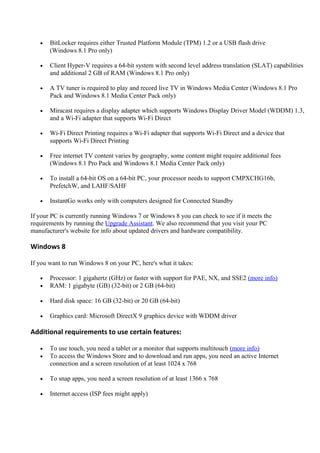
Windows 8
If you want to run Windows 8 on your PC, here's what it takes:
• Processor: 1 gigahertz (GHz) or faster with support for PAE, NX, and SSE2 (more info)
• RAM: 1 gigabyte (GB) (32-bit) or 2 GB (64-bit)
• Hard disk space: 16 GB (32-bit) or 20 GB (64-bit)
• Graphics card: Microsoft DirectX 9 graphics device with WDDM driver
Additional requirements to use certain features:
• To use touch, you need a tablet or a monitor that supports multitouch (more info)
• To access the Windows Store and to download and run apps, you need an active Internet
connection and a screen resolution of at least 1024 x 768
• To snap apps, you need a screen resolution of at least 1366 x 768
• Internet access (ISP fees might apply)
• Secure boot requires firmware that supports UEFI v2.3.1 Errata B and has the Microsoft Windows
Certification Authority in the UEFI signature database
• Some games and programs might require a graphics card compatible with DirectX 10 or higher for
optimal performance
• Microsoft account required for some features
• Watching DVDs requires separate playback software (more info)
• Windows Media Center license sold separately (more info)
• BitLocker To Go requires a USB flash drive (Windows 8 Pro only)
• BitLocker requires either Trusted Platform Module (TPM) 1.2 or a USB flash drive
(Windows 8 Pro only)
• Client Hyper-V requires a 64-bit system with second level address translation (SLAT) capabilities
and additional 2 GB of RAM (Windows 8 Pro only)
• A TV tuner is required to play and record live TV in Windows Media Center ( Windows 8 Pro
Pack and Windows 8 Media Center Pack only)
• Free Internet TV content varies by geography, some content might require additional fees
(Windows 8 Pro Pack and Windows 8 Media Center Pack only)
You can check to see if your PC meets the requirements for Windows 8 by running the Upgrade
Assistant.
Was this page helpful?
Your feedback helps improve this site.
Share this page
Get the word out. Share this page with your friends and family.
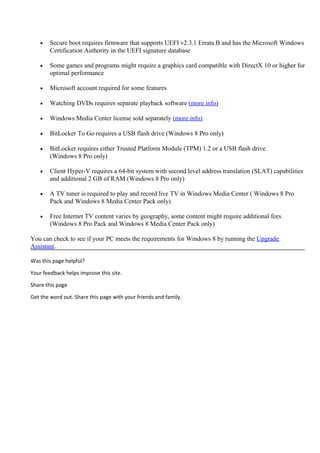
• Secure boot requires firmware that supports UEFI v2.3.1 Errata B and has the Microsoft Windows
Certification Authority in the UEFI signature database
• Some games and programs might require a graphics card compatible with DirectX 10 or higher for
optimal performance
• Microsoft account required for some features
• Watching DVDs requires separate playback software (more info)
• Windows Media Center license sold separately (more info)
• BitLocker To Go requires a USB flash drive (Windows 8 Pro only)
• BitLocker requires either Trusted Platform Module (TPM) 1.2 or a USB flash drive
(Windows 8 Pro only)
• Client Hyper-V requires a 64-bit system with second level address translation (SLAT) capabilities
and additional 2 GB of RAM (Windows 8 Pro only)
• A TV tuner is required to play and record live TV in Windows Media Center ( Windows 8 Pro
Pack and Windows 8 Media Center Pack only)
• Free Internet TV content varies by geography, some content might require additional fees
(Windows 8 Pro Pack and Windows 8 Media Center Pack only)
You can check to see if your PC meets the requirements for Windows 8 by running the Upgrade
Assistant.
Was this page helpful?
Your feedback helps improve this site.
Share this page
Get the word out. Share this page with your friends and family.

MY SKILLS

  • 1.
    MY SKILLS 1 ComputerCare • Capable of Installing windows operating systems • Protect and care for floppy disks, CD-ROMs, flash drives and other media • Clean computer components (screen, keyboard, mouse, etc.) • Create and maintain backup copies of key documents • Perform basic scheduled maintenance, including operating system updates, cleaning of temporary files, etc. • Protect against viruses; schedule regular updates and manually update • Scan for viruses on drives, disks, and other media • Perform basic troubleshooting techniques: check cables; quit and restart the computer, etc. • Identify local resources for technical assistance • Clear SPAM from files and folders 2 Printing • Understand how to setup and operate printer • Choose printer (use default printer, select printer on network, if available) • Use printing options (print preview, portrait/landscape, multiple copies, etc.) • Load paper, letterhead, envelopes in printer and adjust paper guides • Monitor printing (pause, resume, cancel) 3 Basic Networking • Troubleshooting, pinging and trace of the network latency. • Running of cable within the building 4 Evaluating Information on the Internet • Online research for hardware and software, social, Legal and ethical issues related to the working environment
  • 2.
    Windows 7 systemrequirements If you want to run Windows 7 on your PC, here's what it takes: • 1 gigahertz (GHz) or faster 32-bit (x86) or 64-bit (x64) processor • 1 gigabyte (GB) RAM (32-bit) or 2 GB RAM (64-bit) • 16 GB available hard disk space (32-bit) or 20 GB (64-bit) • DirectX 9 graphics device with WDDM 1.0 or higher driver Additional requirements to use certain features: • Internet access (fees may apply) • Depending on resolution, video playback may require additional memory and advanced graphics hardware • Some games and programs might require a graphics card compatible with DirectX 10 or higher for optimal performance • For some Windows Media Center functionality a TV tuner and additional hardware may be required • Windows Touch and Tablet PCs require specific hardware • HomeGroup requires a network and PCs running Windows 7 • DVD/CD authoring requires a compatible optical drive • BitLocker requires Trusted Platform Module (TPM) 1.2 • BitLocker To Go requires a USB flash drive • Windows XP Mode requires an additional 1 GB of RAM and an additional 15 GB of available hard disk space. • Music and sound require audio output Product functionality and graphics may vary based on your system configuration. Some features may require advanced or additional hardware. PCs with multi-core processors: Windows 7 was designed to work with today's multi-core processors. All 32-bit versions of Windows 7 can support up to 32 processor cores, while 64-bit versions can support up to 256 processor cores. PCs with multiple processors (CPUs): Commercial servers, workstations, and other high-end PCs may have more than one physical processor. Windows 7 Professional, Enterprise, and Ultimate allow for two physical processors, providing the best performance on these computers. Windows 7 Starter, Home Basic, and Home Premium will recognize only one physical processor.
  • 3.
    Was this pagehelpful? Your feedback helps improve this site. Share this page Get the word out. Share this page with your friends and family. System requirements Windows 8.1 If you want to run Windows 8.1 on your PC, here's what it takes: • Processor: 1 gigahertz (GHz) or faster with support for PAE, NX, and SSE2 (more info) • RAM: 1 gigabyte (GB) (32-bit) or 2 GB (64-bit) • Hard disk space: 16 GB (32-bit) or 20 GB (64-bit) • Graphics card: Microsoft DirectX 9 graphics device with WDDM driver If you're running Windows 8 you can get a free update to Windows 8.1. Just tap or click the Windows Store tile on your Start screen. Once you've moved up to Windows 8.1 you should get the update automatically. If you don't, follow these steps to get it manually using Windows Update. Additional requirements to use certain features: • To use touch, you need a tablet or a monitor that supports multitouch (more info) • To access the Windows Store and to download, run, and snap apps, you need an active Internet connection and a screen resolution of at least 1024 x 768 • Microsoft account required for some features • Internet access (ISP fees might apply) • Secure boot requires firmware that supports UEFI v2.3.1 Errata B and has the Microsoft Windows Certification Authority in the UEFI signature database • Some games and programs might require a graphics card compatible with DirectX 10 or higher for optimal performance • Watching DVDs requires separate playback software (more info) • Windows Media Center license sold separately (more info) • BitLocker To Go requires a USB flash drive (Windows 8.1 Pro only)
  • 4.
    • BitLocker requireseither Trusted Platform Module (TPM) 1.2 or a USB flash drive (Windows 8.1 Pro only) • Client Hyper-V requires a 64-bit system with second level address translation (SLAT) capabilities and additional 2 GB of RAM (Windows 8.1 Pro only) • A TV tuner is required to play and record live TV in Windows Media Center (Windows 8.1 Pro Pack and Windows 8.1 Media Center Pack only) • Miracast requires a display adapter which supports Windows Display Driver Model (WDDM) 1.3, and a Wi-Fi adapter that supports Wi-Fi Direct • Wi-Fi Direct Printing requires a Wi-Fi adapter that supports Wi-Fi Direct and a device that supports Wi-Fi Direct Printing • Free internet TV content varies by geography, some content might require additional fees (Windows 8.1 Pro Pack and Windows 8.1 Media Center Pack only) • To install a 64-bit OS on a 64-bit PC, your processor needs to support CMPXCHG16b, PrefetchW, and LAHF/SAHF • InstantGo works only with computers designed for Connected Standby If your PC is currently running Windows 7 or Windows 8 you can check to see if it meets the requirements by running the Upgrade Assistant. We also recommend that you visit your PC manufacturer's website for info about updated drivers and hardware compatibility. Windows 8 If you want to run Windows 8 on your PC, here's what it takes: • Processor: 1 gigahertz (GHz) or faster with support for PAE, NX, and SSE2 (more info) • RAM: 1 gigabyte (GB) (32-bit) or 2 GB (64-bit) • Hard disk space: 16 GB (32-bit) or 20 GB (64-bit) • Graphics card: Microsoft DirectX 9 graphics device with WDDM driver Additional requirements to use certain features: • To use touch, you need a tablet or a monitor that supports multitouch (more info) • To access the Windows Store and to download and run apps, you need an active Internet connection and a screen resolution of at least 1024 x 768 • To snap apps, you need a screen resolution of at least 1366 x 768 • Internet access (ISP fees might apply)
  • 5.
    • Secure bootrequires firmware that supports UEFI v2.3.1 Errata B and has the Microsoft Windows Certification Authority in the UEFI signature database • Some games and programs might require a graphics card compatible with DirectX 10 or higher for optimal performance • Microsoft account required for some features • Watching DVDs requires separate playback software (more info) • Windows Media Center license sold separately (more info) • BitLocker To Go requires a USB flash drive (Windows 8 Pro only) • BitLocker requires either Trusted Platform Module (TPM) 1.2 or a USB flash drive (Windows 8 Pro only) • Client Hyper-V requires a 64-bit system with second level address translation (SLAT) capabilities and additional 2 GB of RAM (Windows 8 Pro only) • A TV tuner is required to play and record live TV in Windows Media Center ( Windows 8 Pro Pack and Windows 8 Media Center Pack only) • Free Internet TV content varies by geography, some content might require additional fees (Windows 8 Pro Pack and Windows 8 Media Center Pack only) You can check to see if your PC meets the requirements for Windows 8 by running the Upgrade Assistant. Was this page helpful? Your feedback helps improve this site. Share this page Get the word out. Share this page with your friends and family.
  • 6.
    • Secure bootrequires firmware that supports UEFI v2.3.1 Errata B and has the Microsoft Windows Certification Authority in the UEFI signature database • Some games and programs might require a graphics card compatible with DirectX 10 or higher for optimal performance • Microsoft account required for some features • Watching DVDs requires separate playback software (more info) • Windows Media Center license sold separately (more info) • BitLocker To Go requires a USB flash drive (Windows 8 Pro only) • BitLocker requires either Trusted Platform Module (TPM) 1.2 or a USB flash drive (Windows 8 Pro only) • Client Hyper-V requires a 64-bit system with second level address translation (SLAT) capabilities and additional 2 GB of RAM (Windows 8 Pro only) • A TV tuner is required to play and record live TV in Windows Media Center ( Windows 8 Pro Pack and Windows 8 Media Center Pack only) • Free Internet TV content varies by geography, some content might require additional fees (Windows 8 Pro Pack and Windows 8 Media Center Pack only) You can check to see if your PC meets the requirements for Windows 8 by running the Upgrade Assistant. Was this page helpful? Your feedback helps improve this site. Share this page Get the word out. Share this page with your friends and family.