CanadaHelps 101
TODAY’S PRESENTER

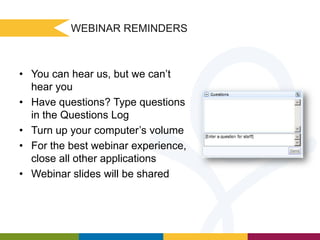
Lyne Girizina-Kabwa
Charity & Donor Relations Associate
CanadaHelps
WEBINAR REMINDERS

• You can hear us, but we can’t
hear you
• Have questions? Type questions
in the Questions Log
• Turn up your computer’s volume
• For the best webinar experience,
close all other applications
• Webinar slides will be shared
MISSION
CanadaHelps engages Canadians in the charitable sector, providing accessible
and affordable online technology to both donors and charities to promote – and
ultimately increase – charitable giving in Canada.

VISION
CanadaHelps strives to build a caring and involved Canadian society that is
committed to giving and participating effectively in the charitable sector, using
technology to create an efficient connection between charities, donors, and the
corporate community.
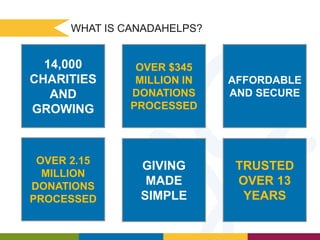
WHAT IS CANADAHELPS?

14,000
CHARITIES
AND
GROWING

OVER $345
MILLION IN
DONATIONS
PROCESSED

AFFORDABLE
AND SECURE

OVER 2.15
MILLION
DONATIONS
PROCESSED

GIVING
MADE
SIMPLE

TRUSTED
OVER 13
YEARS

WELCOME TO GIVING MADE SIMPLE!
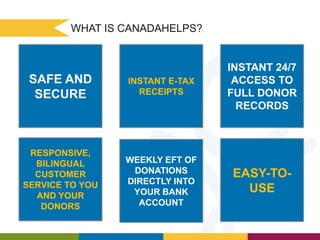
WHAT IS CANADAHELPS?

SAFE AND
SECURE

INSTANT E-TAX
RECEIPTS

INSTANT 24/7
ACCESS TO
FULL DONOR
RECORDS

RESPONSIVE,
BILINGUAL
CUSTOMER
SERVICE TO YOU
AND YOUR
DONORS

WEEKLY EFT OF
DONATIONS
DIRECTLY INTO
YOUR BANK
ACCOUNT
WELCOME TO GIVING MADE SIMPLE!

EASY-TOUSE
CanadaHelps Fundraising

Solutions
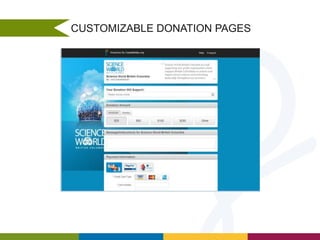
CUSTOMIZABLE DONATION PAGES
MONTHLY GIVING
DESIGNATED DONATIONS

Donors can dedicate donations in honour or in memory of
someone
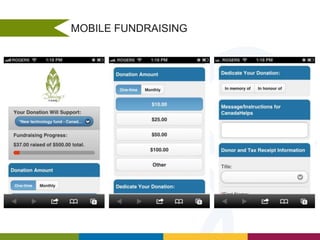
MOBILE FUNDRAISING
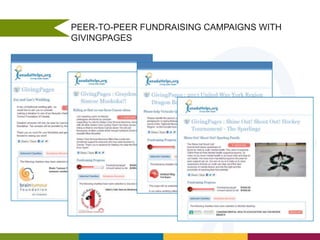
PEER-TO-PEER FUNDRAISING CAMPAIGNS WITH
GIVINGPAGES
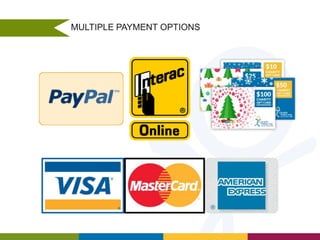
MULTIPLE PAYMENT OPTIONS
SECURITIES
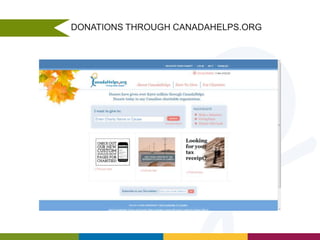
DONATIONS THROUGH CANADAHELPS.ORG
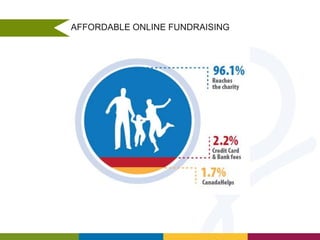
AFFORDABLE ONLINE FUNDRAISING
First Steps
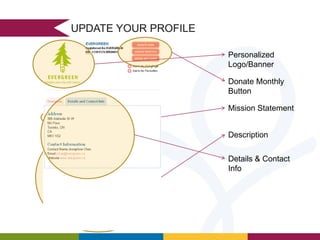
UPDATE YOUR PROFILE
Personalized
Logo/Banner

Donate Monthly
Button
Mission Statement

Description
Details & Contact
Info
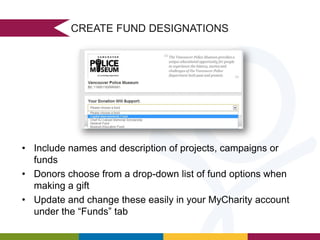
CREATE FUND DESIGNATIONS

• Include names and description of projects, campaigns or
funds
• Donors choose from a drop-down list of fund options when
making a gift
• Update and change these easily in your MyCharity account
under the “Funds” tab
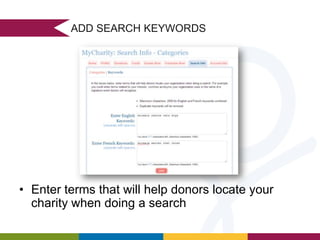
ADD SEARCH KEYWORDS

• Enter terms that will help donors locate your
charity when doing a search
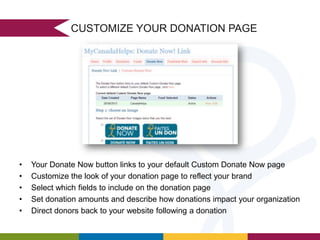
CUSTOMIZE YOUR DONATION PAGE

•
•
•
•
•

Your Donate Now button links to your default Custom Donate Now page
Customize the look of your donation page to reflect your brand
Select which fields to include on the donation page
Set donation amounts and describe how donations impact your organization
Direct donors back to your website following a donation
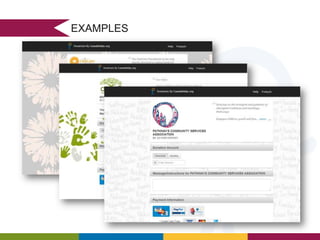
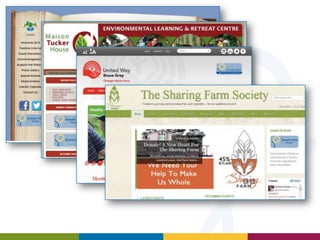
EXAMPLES
Donations &
Disbursements
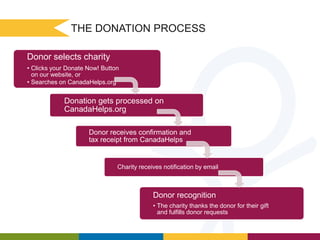
THE DONATION PROCESS
Donor selects charity
• Clicks your Donate Now! Button
on our website, or
• Searches on CanadaHelps.org

Donation gets processed on
CanadaHelps.org
Donor receives confirmation and
tax receipt from CanadaHelps

Charity receives notification by email

Donor recognition
• The charity thanks the donor for their gift
and fulfills donor requests
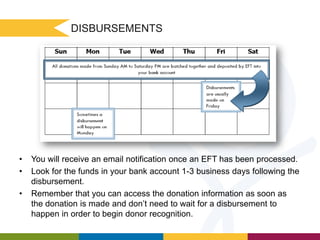
DISBURSEMENTS

•
•

•

You will receive an email notification once an EFT has been processed.
Look for the funds in your bank account 1-3 business days following the
disbursement.
Remember that you can access the donation information as soon as
the donation is made and don’t need to wait for a disbursement to
happen in order to begin donor recognition.
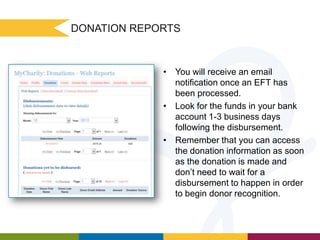
DONATION REPORTS

• You will receive an email
notification once an EFT has
been processed.
• Look for the funds in your bank
account 1-3 business days
following the disbursement.
• Remember that you can access
the donation information as soon
as the donation is made and
don’t need to wait for a
disbursement to happen in order
to begin donor recognition.
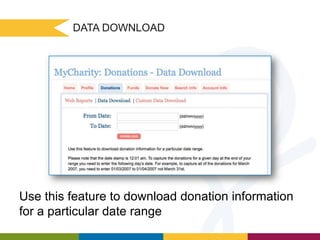
DATA DOWNLOAD

Use this feature to download donation information
for a particular date range
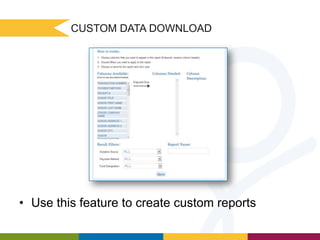
CUSTOM DATA DOWNLOAD

• Use this feature to create custom reports
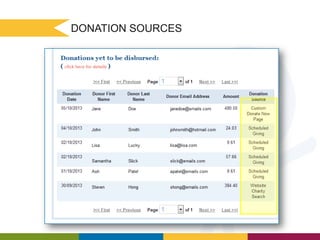
DONATION SOURCES
DONATE NOW! BUTTON

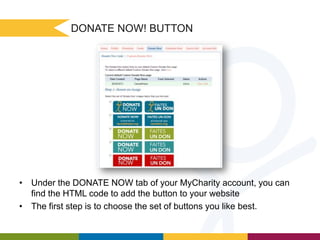
• Under the DONATE NOW tab of your MyCharity account, you can
find the HTML code to add the button to your website
• The first step is to choose the set of buttons you like best.
DONATE NOW! BUTTON

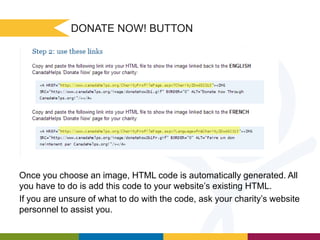
Once you choose an image, HTML code is automatically generated. All
you have to do is add this code to your website’s existing HTML.
If you are unsure of what to do with the code, ask your charity’s website
personnel to assist you.
Tips & Important

Reminders
Create Project Specific Pages
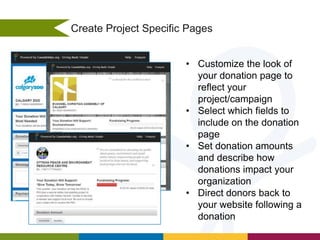
• Customize the look of
your donation page to
reflect your
project/campaign
• Select which fields to
include on the donation
page
• Set donation amounts
and describe how
donations impact your
organization
• Direct donors back to
your website following a
donation
PEER-TO-PEER FUNDRAISING
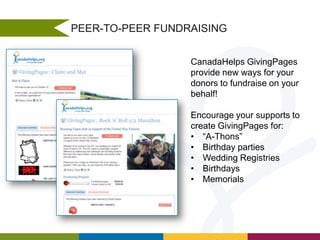
CanadaHelps GivingPages
provide new ways for your
donors to fundraise on your
behalf!
Encourage your supports to
create GivingPages for:
• “A-Thons”
• Birthday parties
• Wedding Registries
• Birthdays
• Memorials
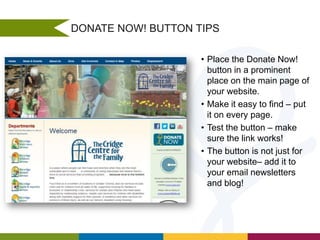
DONATE NOW! BUTTON TIPS
• Place the Donate Now!
button in a prominent
place on the main page of
your website.
• Make it easy to find – put
it on every page.
• Test the button – make
sure the link works!
• The button is not just for
your website– add it to
your email newsletters
and blog!
RECOGNIZE YOUR DONORS

• Recognize donors in a timely way.
• Remember to include CanadaHelps donors in
your charity’s regular donor recognition
programs.
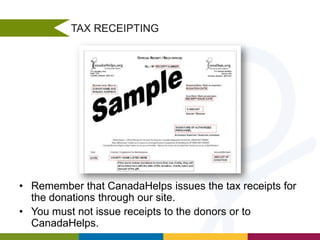
TAX RECEIPTING

• Remember that CanadaHelps issues the tax receipts for
the donations through our site.
• You must not issue receipts to the donors or to
CanadaHelps.
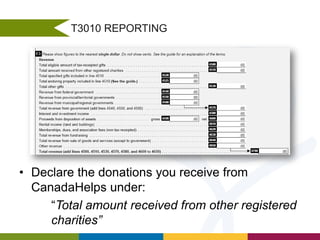
T3010 REPORTING

• Declare the donations you receive from
CanadaHelps under:
“Total amount received from other registered
charities”
Upcoming Features

and Products
FUNDRAISE NOW

DONATION WIDGET

EVENT TICKETING

ENHANCEMENTS TO
PEER TO PEER
FUNDRAISING WITH
GIVINGPAGES
More Charity
Training
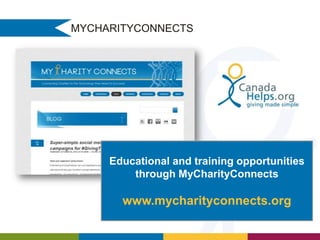
MYCHARITYCONNECTS

Educational and training opportunities
through MyCharityConnects

www.mycharityconnects.org
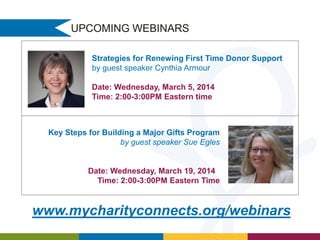
UPCOMING WEBINARS
Strategies for Renewing First Time Donor Support
by guest speaker Cynthia Armour
Date: Wednesday, March 5, 2014
Time: 2:00-3:00PM Eastern time

Key Steps for Building a Major Gifts Program
by guest speaker Sue Egles

Date: Wednesday, March 19, 2014
Time: 2:00-3:00PM Eastern Time

www.mycharityconnects.org/webinars
STAY IN TOUCH

info@canadahelps.org

1-877-755-1595

@canadahelps

youtube.com/canadahelps
facebook.com/canadahelps

CanadaHelps 101

Editor's Notes

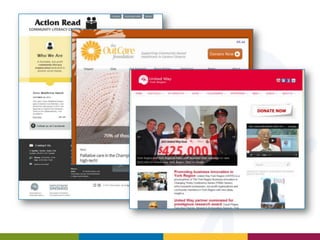
  • #9 Process Online Donations with Custom Donate NowCanadaHelps provides charities with a customizable donation page on CanadaHelps.org to process online donations. Your organization has control over the look of the page, and the features of your donation form.
  • #11 Designated Donations in Honour or in Memory of someoneFree eCards sent through CanadaHelpsNew designs to come
  • #17 CH portal- Donors can find your charity through our extensive charity search function
  • #18 AFFORDABLE ONLINE FUNDRAISINGNo setup, account or monthly fees3.9% transaction chargeCovers all credit card, banking, and processing feesAs a charity, CanadaHelps operates on a cost-recovery basis. On each donation processed through CanadaHelps, a 3.9% transaction fee is assessed. This amount is deducted before the donation is sent to the charity. Of the 3.9% transaction fee, credit card and banking fees absorb 2.2% and only 1.7% helps CanadaHelps cover all of the following costs: secure online donation processing, security standards compliance, automatic e-receipting, technical support to donors and charities, CanadaHelps staff, as well as other services.Our main goal is to provide Canadian charities with cost-effective online fundraising solutions. This is why CanadaHelps has always and will continue to operate on a cost-recovery basis. Our transaction costs represent the recovery of the true expenses associated with operating our online donation system.
  • #19 There are a few things that you should do right away once your charity has registered with CanadaHelps.
  • #28 The donations tab provides you information about donations made to your charity, and all the details of payments to your account.There are 3‘sub-tabs’: Web Reports, Data Download, and Custom Data Download.Clicking one of the disbursement dates will bring to more detailed information about the donations made.
  • #31 Let’s go through each of the different sources
  • #33 While some charities alter their Donate Now! button, or link to their profile page instead of the donation page, you should remember that if you want statistics on donation source, using the link provided in your account is recommended. This allows us to accurately trace the donors’ path and report this to you.
  • #35 CanadaHelps recently released Custom Donate Now pages for charities. These new donation pages give your organization more control over the look and function of your form, and offer donors an improved donation experience. Here are just some of the incredible things you can do with Custom Donate Now:Customize the look of your donation page to reflect your brandCreate multiple pages for different campaigns or fundsSelect which fields to include on the donation pageSet donation amounts and describe how donations impact your organizationDirect donors back to your website following a donationCustomize the thank you message donors receive with their tax receipt
  • #38 More button placement examples
  • #39 EXPLAIN THEY CAN CREATE THEIR OWN BUTTONS TOO