Why Blogging Should Be An Integral
          Part Of Your
   Social Marketing Strategy!
    Presented by … Craig M. Jamieson
Jen Told Me That …
I needed to do four things …
•   Get on Twitter
•   Get on Facebook
•   Get on LinkedIn
•   Start a Blog

    “Sounds good, Jen! I only have one question.”
“What’s A Blog!?”
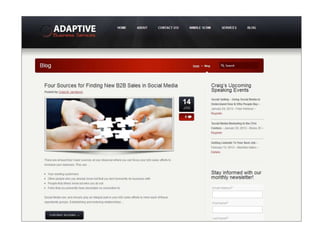
My Unexpected Journey
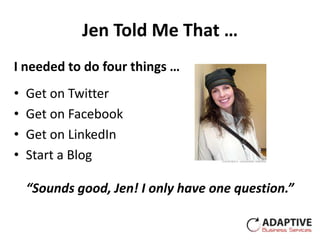
Before You Get Started
Why Do You Want To Do This?
• Establish your expertise?
• Meet new people?
• Attract new business?
• Drive people to your site?
• Become a trusted resource for
  your existing customers and build
  valuable relationships?

              All Are Good Answers!
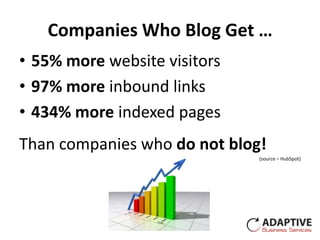
Companies Who Blog Get …
• 55% more website visitors
• 97% more inbound links
• 434% more indexed pages
Than companies who do not blog!
                              (source – HubSpot)
Do You Need More Carrots?
 Nearly 40% of US companies use blogs
for marketing purposes.
 B2C companies that blog get 88% more
leads/mo than those that don’t.
 B2B companies that blog get 67% more
leads/mo than those that don’t.
                                (source – HubSpot)
Work The Math & Focus On
 Your Potential Returns!
Who Is Going To Be In Charge?
                    • Who’s in charge & in charge
                      of what?
                    • Who will manage your blog?
                    • Who will write the articles?
                    • Who will you go to when
                      you need help?
Do-It-Yourself = (Xtra Time + Likes Challenge + Limited $) - Results
How About Some “What's”
• What audience are you trying
  to reach and where are they?
• What will you write about?
• What frequency will you
  publish?
• What do you have for content
  and where else can you find it?
Frequency
Businesses that blog at least 20X per month
  generate over 5X more traffic than those that
  blog fewer than 4 times per month.
Businesses that blog at least 20X per month
  generate nearly 4X more leads than those
  that don’t blog.(source – HubSpot)


Starting out … shoot for 1-2 articles per week
  (500 -700 words) but … JUST GET STARTED!!!
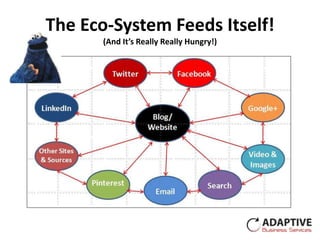
The Eco-System Feeds Itself!
       (And It’s Really Really Hungry!)
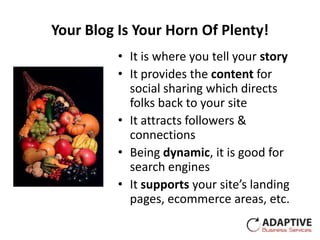
Your Blog Is Your Horn Of Plenty!
          • It is where you tell your story
          • It provides the content for
            social sharing which directs
            folks back to your site
          • It attracts followers &
            connections
          • Being dynamic, it is good for
            search engines
          • It supports your site’s landing
            pages, ecommerce areas, etc.
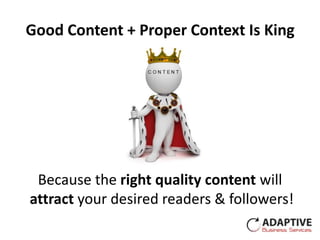
Good Content + Proper Context Is King


 Because the right quality content will
attract your desired readers & followers!
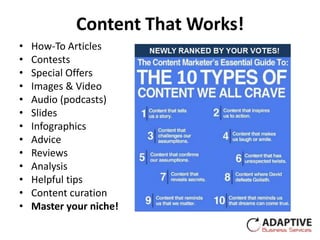
Content That Works!
•   How-To Articles
•   Contests
•   Special Offers
•   Images & Video
•   Audio (podcasts)
•   Slides
•   Infographics
•   Advice
•   Reviews
•   Analysis
•   Helpful tips
•   Content curation
•   Master your niche!
Now We Get Started!
Blog vs. Website
• A blog may be a standalone site that
  can be used to drive traffic to your
  website or …
• A blog may be an integrated part of
  your website that can drive traffic to
  other pages
• WordPress, for example, can be
  used as either a standalone blog or it
  can actually function as a complete
  website with an integrated blog
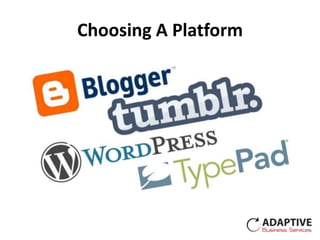
Choosing A Platform
WordPress.com vs. WordPress.org
    WordPress.com                      WordPress.org
• Free software                   • Free software
• Hosted by WordPress             • Hosted by “you” ($5/mo)
• Use your domain for extra $     • Your own domain ($10/yr)
• Choose from WP approved         • You can choose any theme
  selection                       • You can do about anything
• Site customization is limited     to your site including using
• WordPress/member                  3rd party applications
  support                         • You support your site
Terminology
Basic Building Blocks
• Themes – The skin that gives your site it’s
  look
• Post vs. Page – Posts are articles. Pages are
  typically a static info page
• Widgets – Allows you to add custom boxes
  to your sidebar
• Plugins – Are only available on
  WordPress.org. These are 3rd party
  applications that enhance your functionality
• Mobile Ready – Display site on mobile
  device – design, plugins, or responsive
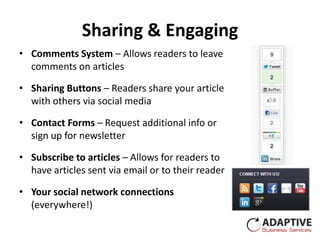
Sharing & Engaging
• Comments System – Allows readers to leave
  comments on articles

• Sharing Buttons – Readers share your article
  with others via social media

• Contact Forms – Request additional info or
  sign up for newsletter

• Subscribe to articles – Allows for readers to
  have articles sent via email or to their reader

• Your social network connections
  (everywhere!)
SEO (Search Engine Optimization)
Goal Is To Move Your Pages To The First Page In Search Results!

                              •   Activity
                              •   Social Sharing
                              •   Quality Content
                              •   Keywords
                              •   Back-links
                              •   Built-in theme functions
                              •   Plugins
                              •   Tools (Google Keywords)
Converting Writing To Revenues
• Calls to Action should be placed on
  many pages and will ask you to
  perform a specific task
• Landing Pages should be uncluttered,
  might offer something of value in
  return for joining our mailing list
  (eBooks, white papers, chance to win),
  and will have a Call to Action
• Email Subscriptions – Some
  companies report that as high as 95%
  of sales can be tied back to these!
  Subscribers have willingly opted-in to
  your messages!!
Putting It All Together
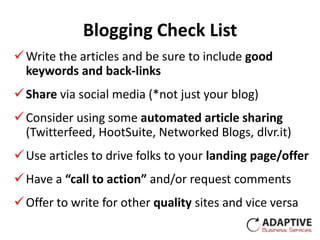
Blogging Check List
 Write the articles and be sure to include good
  keywords and back-links
 Share via social media (*not just your blog)
 Consider using some automated article sharing
  (Twitterfeed, HootSuite, Networked Blogs, dlvr.it)
 Use articles to drive folks to your landing page/offer
 Have a “call to action” and/or request comments
 Offer to write for other quality sites and vice versa
Get Your Whole Team Involved!
Sharing the writing duties has a
  number of advantages …
• Reduce the load & increase the
  frequency
• Provide fresh new ideas
• Different writing styles attract
  different readers
• Team members likely bring different
  areas of expertise
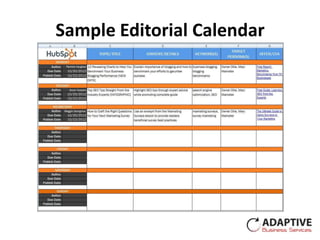
• The editorial calendar and other
  tools can make it easy to manage!
Sample Editorial Calendar
Everybody Shares!
  • Have team members share your
    blog articles via social media
  • Consider using tools like Buffer
    or HootSuite to preprogram a
    sharing schedule
  • Applications like GaggleAmp
    will automatically alert team
    members to new posts and will
    also allow scheduling
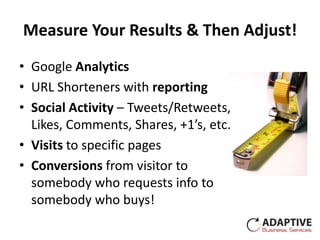
Measure Your Results & Then Adjust!
• Google Analytics
• URL Shorteners with reporting
• Social Activity – Tweets/Retweets,
  Likes, Comments, Shares, +1’s, etc.
• Visits to specific pages
• Conversions from visitor to
  somebody who requests info to
  somebody who buys!
Moving Forward
• Make the commitment. This does
  take time! GET STARTED!
• Watch what others do, see what
  works, and then emulate what
  you see!
• Connect with thought leaders
• Read up! Good Sources: HubSpot,
  Social Media Examiner, Content
  Marketing Institute, & Windmill
  Networking
Connect With Me!
             Craig M. Jamieson
Adaptive Business Services / NetWorks! Boise
               208.340.9546
       craig@adaptive-business.com
             @craigmjamieson
        www.adaptive-business.com
         www.networksboise.com

Why blogging should be an integral part of your social marketing strategy

  • 1.
    Why Blogging ShouldBe An Integral Part Of Your Social Marketing Strategy! Presented by … Craig M. Jamieson
  • 2.
    Jen Told MeThat … I needed to do four things … • Get on Twitter • Get on Facebook • Get on LinkedIn • Start a Blog “Sounds good, Jen! I only have one question.”
  • 3.
  • 4.
  • 5.
  • 6.
    Why Do YouWant To Do This? • Establish your expertise? • Meet new people? • Attract new business? • Drive people to your site? • Become a trusted resource for your existing customers and build valuable relationships? All Are Good Answers!
  • 7.
    Companies Who BlogGet … • 55% more website visitors • 97% more inbound links • 434% more indexed pages Than companies who do not blog! (source – HubSpot)
  • 8.
    Do You NeedMore Carrots? Nearly 40% of US companies use blogs for marketing purposes. B2C companies that blog get 88% more leads/mo than those that don’t. B2B companies that blog get 67% more leads/mo than those that don’t. (source – HubSpot)
  • 9.
    Work The Math& Focus On Your Potential Returns!
  • 10.
    Who Is GoingTo Be In Charge? • Who’s in charge & in charge of what? • Who will manage your blog? • Who will write the articles? • Who will you go to when you need help? Do-It-Yourself = (Xtra Time + Likes Challenge + Limited $) - Results
  • 11.
    How About Some“What's” • What audience are you trying to reach and where are they? • What will you write about? • What frequency will you publish? • What do you have for content and where else can you find it?
  • 12.
    Frequency Businesses that blogat least 20X per month generate over 5X more traffic than those that blog fewer than 4 times per month. Businesses that blog at least 20X per month generate nearly 4X more leads than those that don’t blog.(source – HubSpot) Starting out … shoot for 1-2 articles per week (500 -700 words) but … JUST GET STARTED!!!
  • 13.
    The Eco-System FeedsItself! (And It’s Really Really Hungry!)
  • 14.
    Your Blog IsYour Horn Of Plenty! • It is where you tell your story • It provides the content for social sharing which directs folks back to your site • It attracts followers & connections • Being dynamic, it is good for search engines • It supports your site’s landing pages, ecommerce areas, etc.
  • 15.
    Good Content +Proper Context Is King Because the right quality content will attract your desired readers & followers!
  • 16.
    Content That Works! • How-To Articles • Contests • Special Offers • Images & Video • Audio (podcasts) • Slides • Infographics • Advice • Reviews • Analysis • Helpful tips • Content curation • Master your niche!
  • 17.
    Now We GetStarted!
  • 18.
    Blog vs. Website •A blog may be a standalone site that can be used to drive traffic to your website or … • A blog may be an integrated part of your website that can drive traffic to other pages • WordPress, for example, can be used as either a standalone blog or it can actually function as a complete website with an integrated blog
  • 21.
  • 22.
    WordPress.com vs. WordPress.org WordPress.com WordPress.org • Free software • Free software • Hosted by WordPress • Hosted by “you” ($5/mo) • Use your domain for extra $ • Your own domain ($10/yr) • Choose from WP approved • You can choose any theme selection • You can do about anything • Site customization is limited to your site including using • WordPress/member 3rd party applications support • You support your site
  • 23.
  • 24.
    Basic Building Blocks •Themes – The skin that gives your site it’s look • Post vs. Page – Posts are articles. Pages are typically a static info page • Widgets – Allows you to add custom boxes to your sidebar • Plugins – Are only available on WordPress.org. These are 3rd party applications that enhance your functionality • Mobile Ready – Display site on mobile device – design, plugins, or responsive
  • 25.
    Sharing & Engaging •Comments System – Allows readers to leave comments on articles • Sharing Buttons – Readers share your article with others via social media • Contact Forms – Request additional info or sign up for newsletter • Subscribe to articles – Allows for readers to have articles sent via email or to their reader • Your social network connections (everywhere!)
  • 26.
    SEO (Search EngineOptimization) Goal Is To Move Your Pages To The First Page In Search Results! • Activity • Social Sharing • Quality Content • Keywords • Back-links • Built-in theme functions • Plugins • Tools (Google Keywords)
  • 27.
    Converting Writing ToRevenues • Calls to Action should be placed on many pages and will ask you to perform a specific task • Landing Pages should be uncluttered, might offer something of value in return for joining our mailing list (eBooks, white papers, chance to win), and will have a Call to Action • Email Subscriptions – Some companies report that as high as 95% of sales can be tied back to these! Subscribers have willingly opted-in to your messages!!
  • 28.
  • 29.
    Blogging Check List Write the articles and be sure to include good keywords and back-links  Share via social media (*not just your blog)  Consider using some automated article sharing (Twitterfeed, HootSuite, Networked Blogs, dlvr.it)  Use articles to drive folks to your landing page/offer  Have a “call to action” and/or request comments  Offer to write for other quality sites and vice versa
  • 30.
    Get Your WholeTeam Involved! Sharing the writing duties has a number of advantages … • Reduce the load & increase the frequency • Provide fresh new ideas • Different writing styles attract different readers • Team members likely bring different areas of expertise • The editorial calendar and other tools can make it easy to manage!
  • 31.
  • 32.
    Everybody Shares! • Have team members share your blog articles via social media • Consider using tools like Buffer or HootSuite to preprogram a sharing schedule • Applications like GaggleAmp will automatically alert team members to new posts and will also allow scheduling
  • 33.
    Measure Your Results& Then Adjust! • Google Analytics • URL Shorteners with reporting • Social Activity – Tweets/Retweets, Likes, Comments, Shares, +1’s, etc. • Visits to specific pages • Conversions from visitor to somebody who requests info to somebody who buys!
  • 34.
    Moving Forward • Makethe commitment. This does take time! GET STARTED! • Watch what others do, see what works, and then emulate what you see! • Connect with thought leaders • Read up! Good Sources: HubSpot, Social Media Examiner, Content Marketing Institute, & Windmill Networking
  • 35.
    Connect With Me! Craig M. Jamieson Adaptive Business Services / NetWorks! Boise 208.340.9546 craig@adaptive-business.com @craigmjamieson www.adaptive-business.com www.networksboise.com